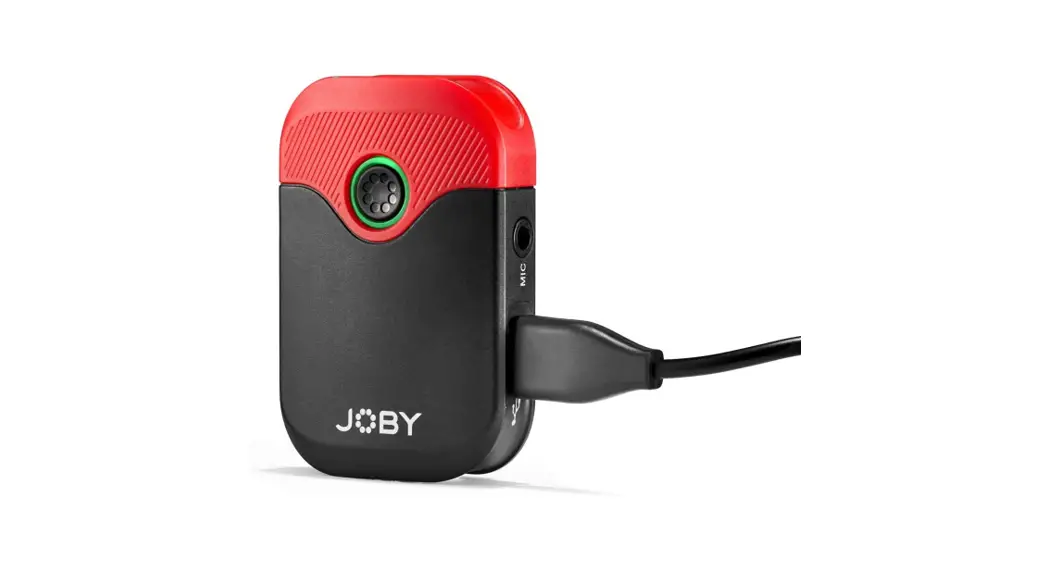

Wavo AIR-RX Microphone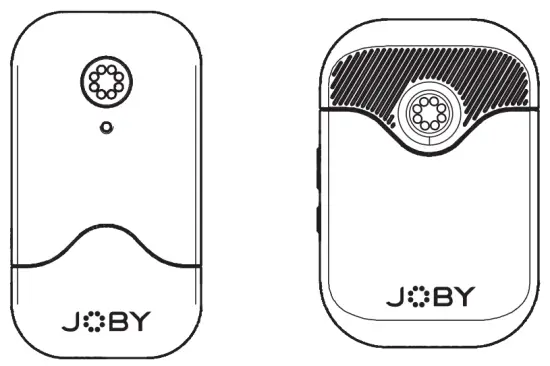
Compact Wireless Microphone with double transmitter
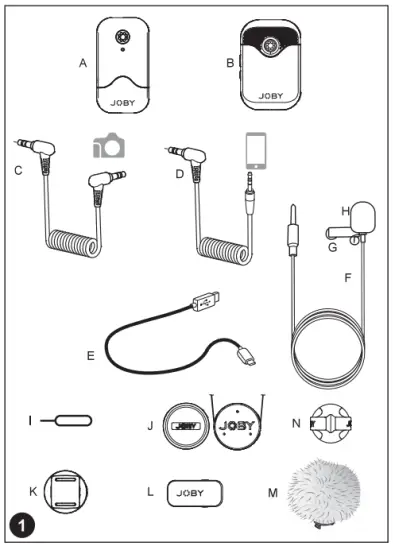
WHAT’S IN THE BOX
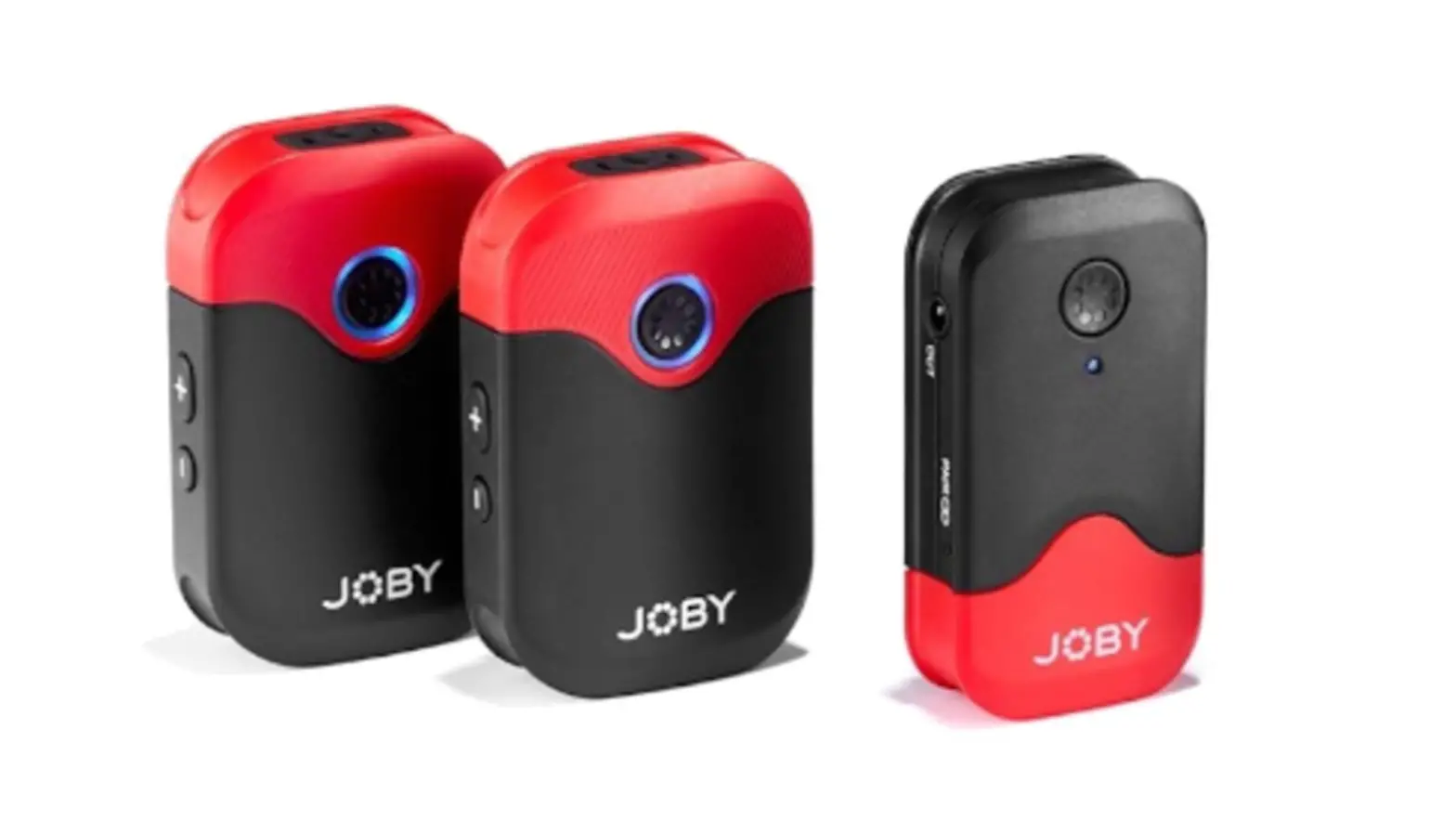
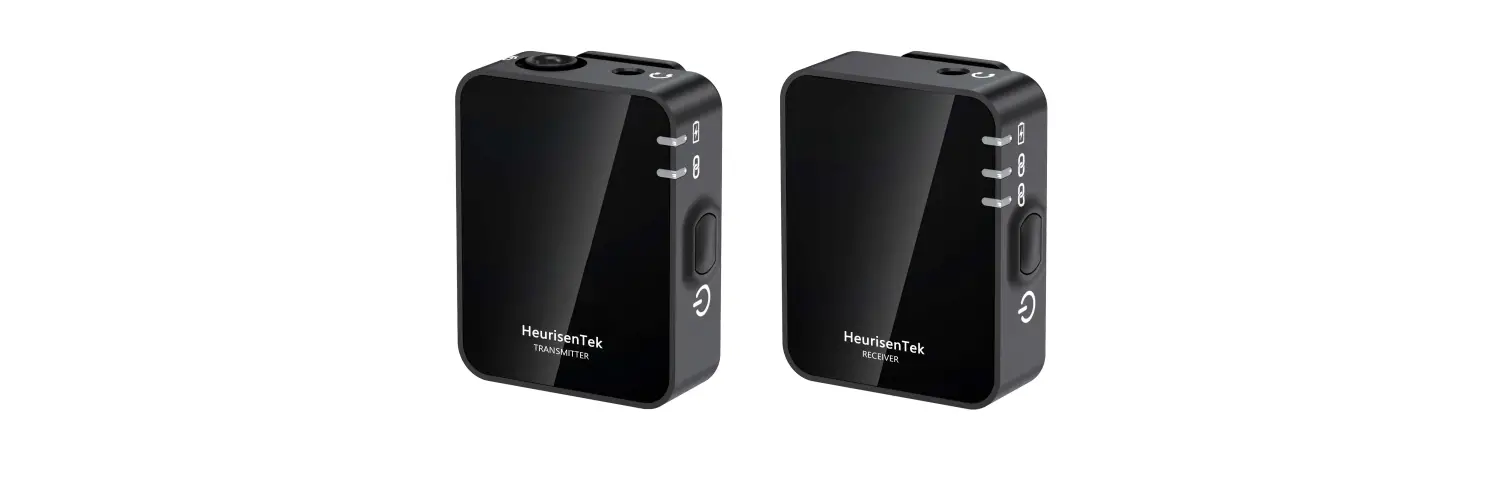
A. lx Receiver
B. 2x Transmitters with Built-In Microphone
C. lx 1′ (30.5 cm) Gold-Plated 3.5mm TRS to TRS Output
D. lx 1′ (30.5 cm) Gold-Plated 3.5mm TRS to TRRS Output
E. 3x 1′ (30.5 cm) Gold-Plated USB-C to USB-A Charging Cables
F. 2x Omnidirectional Lavalier Microphones
G. 2x Alligator-Style Lavalier Microphone Clips
H. 2x Foam Lavalier Windscreens
I. lx Pairing Pin
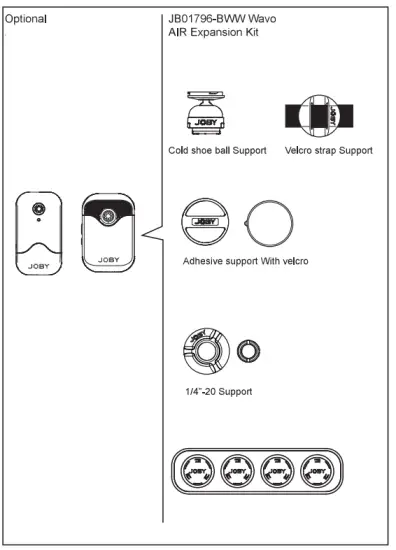
J. lx Magnetic support (pendant and magnet)
K lx Cold shoe support
L. 2x Clip-on support
M. 2x Windjammer for TX
N. GorillaPod leg clip
PRODUCT STRUCTURE
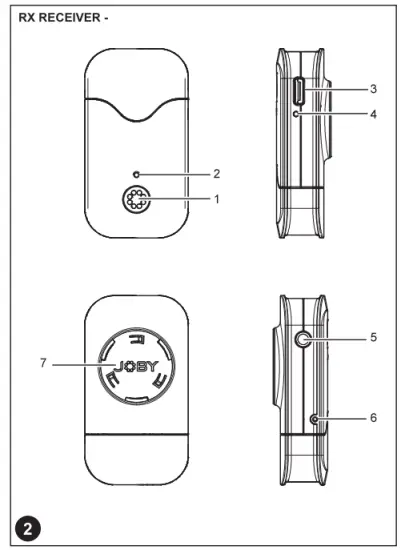
WACO AIR RECEIVER (RX)
- Power Button Long press to turn on or off the receiver.
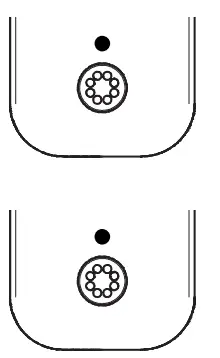
- Power and Pairing Indicator
Power Functions:
Solid Red Light = 90 min estimated remaining time Flashing Red Light = The device needs to be recharged
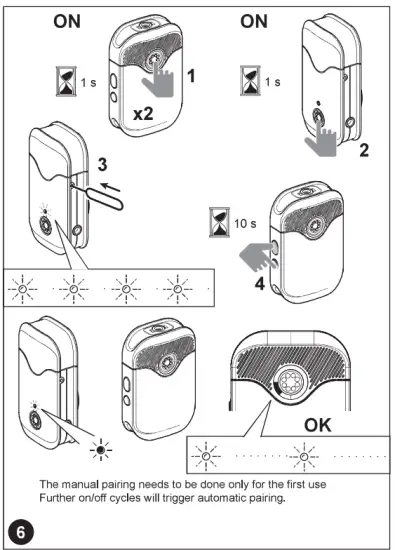
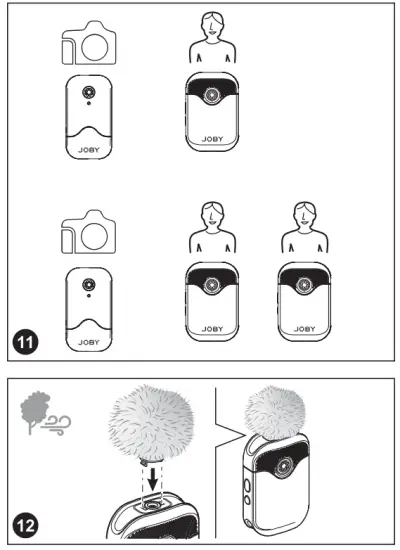
Pairing Functions: Flashing Blue Light (every 1 second) = Unpaired Quick Flashing Blue Light (twice per second) = Waiting for pairing Solid Blue Light = Paired Successfully The manual pairing needs to be done only for the first use Further on/off cycles will trigger automatic pairing - USB Type-C Charging Port
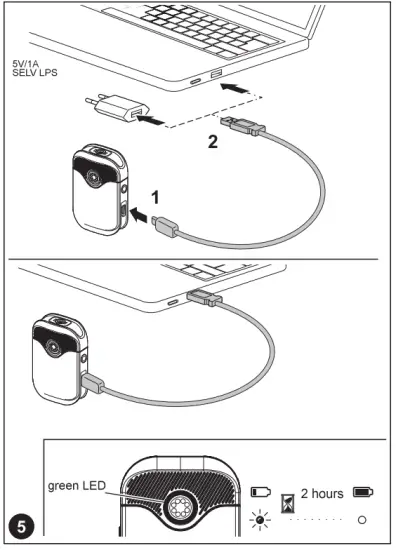
- Charge Indicator Solid Green Light = Battery is charging Lights turn off = Battery fully charged
- Line Out Connect the receiver to a camera or a smartphone
- Pairing Pin-Hole
- Wavo AIR mounting system
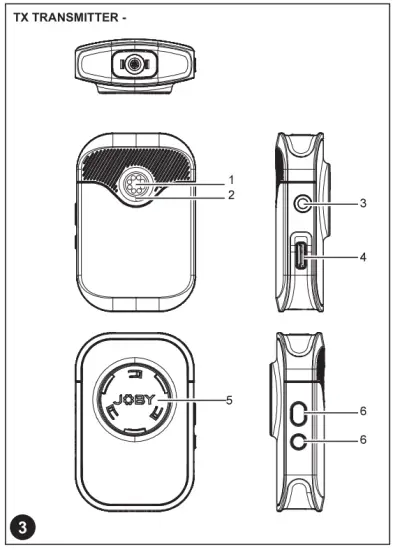
WACO AIR TRANSMITTER (TX)
- Power Button Long press to turn on or off the transmitter.
- Power, Gain, and Pairing Indicator
Power Function: Solid Red Light = Low Battery 90 min estimated remaining time Flashing Red Light = The device needs to be recharged When charging: Solid Green Light = Charging Battery Lights turn off = Battery fully charged
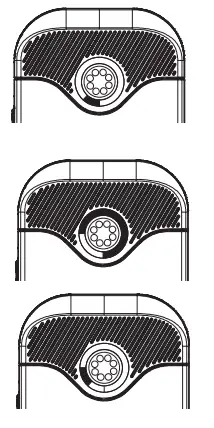
Gain Function: The three quadrants indicate the gain setting in six steps (5dB per step). Adjust the audio level by the “+” and “-” buttons. Default is the middle step (3/6) To mute the microphone set the gain level to step 0 (all gain lights off)
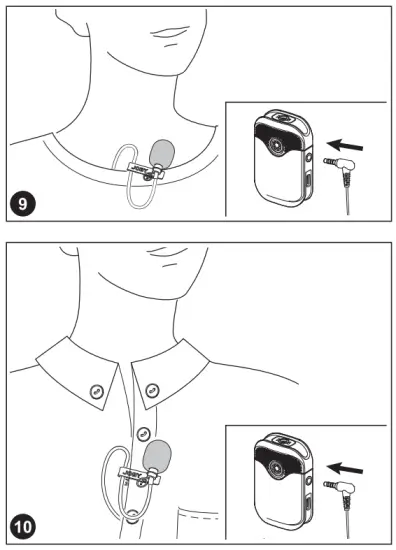
Pairing Function: Flashing Blue Light (once per second) = Unpaired Slow Flashing Blue Light (every three seconds) = Paired Successfully - 3.5mm Audio Input Use this port to connect the supplied external lavalier
- USB Type-C Charging Port
- Wavo AIR mounting system
- Volume Control Buttons & Pair Buttons
 |  |
 |  |
 |  |
 |  |
| Problem | Cause | Solution |
| The TX/RX doesn’t turn on | The battery is very low | Charge the RX/TX with the supplied cable |
| The battery drains too quickly | Extreme hot or cold temperatures is damaging battery performance | Recharge or move to a less cold/hot environment |
| There is no sound | The transmitter is muted | Adjust gain settings with the “+” and “- “button on TX |
| The TX and RX are not paired | Pair the system following this manual | |
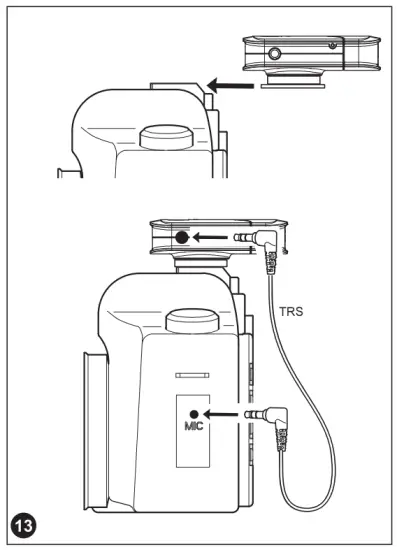
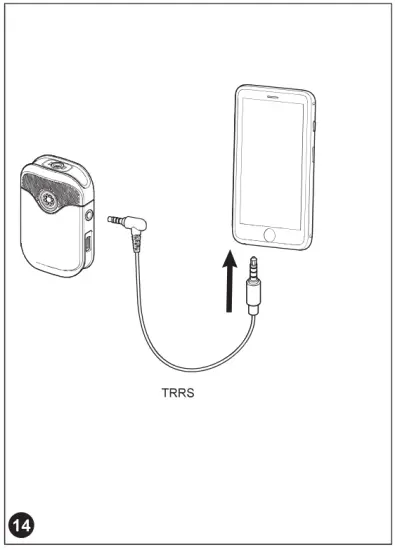
| The audio cable is not plugged correctly, or you are using the wrong cable for your device | Fully insert the audio cable or check the compatibility of your device. As reference: Cameras need a TRS cable, Smartphones TRRS to TRS | |
| The sound is weak | The TX gain setting is too low | Adjust gain settings with the “+” and “- “button on TX |
| The sound is distorted | Transmitter gain and/ or camera gain are too high | Lower the gain on the camera then lower the gain on the TX if it is still distorting. |
| There is too much noise in the recording | The microphone is not placed correctly | Please put the microphone closer to the subject. Consider using the included lavalier to achieve the best sound performance |
| There is too much wind noise in the recording | The microphone is exposed to the flow of wind | Please use the included windjammer to suppress wind noise |
| Problem | Cause | Solution |
| The sound is noisy and/or frequent interruptions | There is a signal interference | Try to stay away from interference sources such as water, big metal surfaces, overhead telephone lines, fluorescent lights, and metal fences. |
| The radio signal is weak | Try to maintain a line of sight between TX and RX. If obstacles are unavoidable, try to shorten the distance between the devices. | |
| Transmitter gain and/ or camera gain are too high | Lower the gain on the camera then lower the gain on the TX if it is still distorting. |
DISCLAIMER
The information contained in this document is subject to change without notice. Vitec Imaging Solutions makes no warranty and shall not be liable for any errors on information contained in this document. Any changes or modifications not expressly approved by Vitec Imaging Solutions could void the user’s authority to operate this equipment.
INFORMATION FOR USERS In accordance with Article 10 of Directive 2012/19/UE of 04/07/2012 concerning Waste Electrical and Electronic Equipment (WEEE). The above symbol, also present on equipment, indicates that, at such time as the. user should decide to dispose of the equipment, it must NOT be disposed of as unsorted municipal waste but must be collected separately. The same applies to all components of the equipment and any recharge or refill elements that the product may comprise. For information on the waste collection systems suitable for this equipment, contact Vitec Imaging Solutions or any authorized member of the National Registers in EU countries. Household (or similar) waste may be disposed of via standard municipal differentiated waste collection schemes. If you purchase a new version of this model or similar equipment – or if your existing equipment measures less than 25 cm – you may return the items you no longer require to your retailer who will take care of contacting the company or organization handling the proper collection and management of used equipment. The correct separate collection and specific treatment of WEEE are necessary to avoid potential damage to human health and the environment and favor the recycling and recovery of component materials. Improper or illegal disposal of this product by the user will result in punishments or fines being applied in accordance with national Decrees based on Directive 91/156/EC and 2008/98/EC.
Thank you for purchasing a JOBV product.
JOBY products are warranted to be fit for the purpose for which they have been designed and to be free from defects in materials and workmanship. This guarantee does not cover the product against subsequent damage or misuse. The period of validity of the Standard Limited Warranty is defined by the law in force in the country, state or region where the product is sold. Please retain your receipt as proof of purchase to repair your product under warranty.
 CERTIFICATIONS
EU
Manufacturers name: Vitec Imaging Solutions Spa
Manufacture’s address: Via Valsugana 100, 36022 Cassola (VI), Italy
Product name: Microphone
Product mode: Wavo AIR
Simplified Declaration of Conformity
GB – Hereby, “Vitec Imaging Solutions” declares that the radio equipment type “JB01737- BVVW” is in compliance with Directive 2014/30/EU and with Directive 2011/65/CE and its amendments.
The full text of the EU declaration of conformity is available at the following internet address*
USA
Declaration of conformity
NOTE: This equipment has been tested and found to comply with the limits for a Class B digital device, pursuant to part 15 of the FCC Rules. These limits are designed to provide reasonable protection against harmful interference in a residential installation. This equipment generates, uses, and can radiate radio frequency energy and, if not installed and used in accordance with the instructions, may cause harmful interference to radio communications. However, there is no guarantee that interference will not occur in a particular installation. If this equipment does cause harmful interference to radio or television reception, which can be determined by turning the equipment off and on, the user is encouraged to try to correct the interference by one or more of the following measures:
– Reorient or relocate the receiving antenna.
– Increase the separation between the equipment and receiver.
– Connect the equipment into an outlet on a circuit different from that to which the receiver is connected.
– Consult the dealer or an experienced radio/TV technician for help. This device complies with part 15 of the FCC Rules. Operation is subject to the following two conditions: (1) This device may not cause harmful interference, and (2) this device must accept any interference received, including interference that may cause undesired operation.
The device has been evaluated to meet general RF exposure requirements. The device can be used in portable exposure conditions without restriction. Any changes or modifications not expressly approved by the party responsible for compliance could void the user’s authority to operate the equipment.
RUSSIA— BELARUS – KAZAKHSTAN — KYRGYZSTAN -ARMENIA
AUSTRALIA— NEW ZEALAND
CANADA
IC Statements: This device complies with Industry Canada licence-exempt RSS standard(s). Operation is subject to the following two conditions: (1) this device may not cause interference, and (2) this device must accept any interference, including interference that may cause undesired operation of the device. Under Industry Canada regulations, this radio transmitter may only operate using an antenna of a type and maximum (or lesser) gain approved for the transmitter by Industry Canada. To reduce potential radio interference to other users, the antenna type and its gain should be so chosen that the equivalent isotropically radiated power (e.i.r.p.) is not more than that necessary for successful communication.
Vitec Imaging Solution Spa Via Valsugana 100 36022 Cassola (VI) – Italy
© 2021 Vitec Holdings Italia Srl
JOBY is a registered trademark of Vitec Holding Italia Srl
Cod. 0500-231 – 08/21