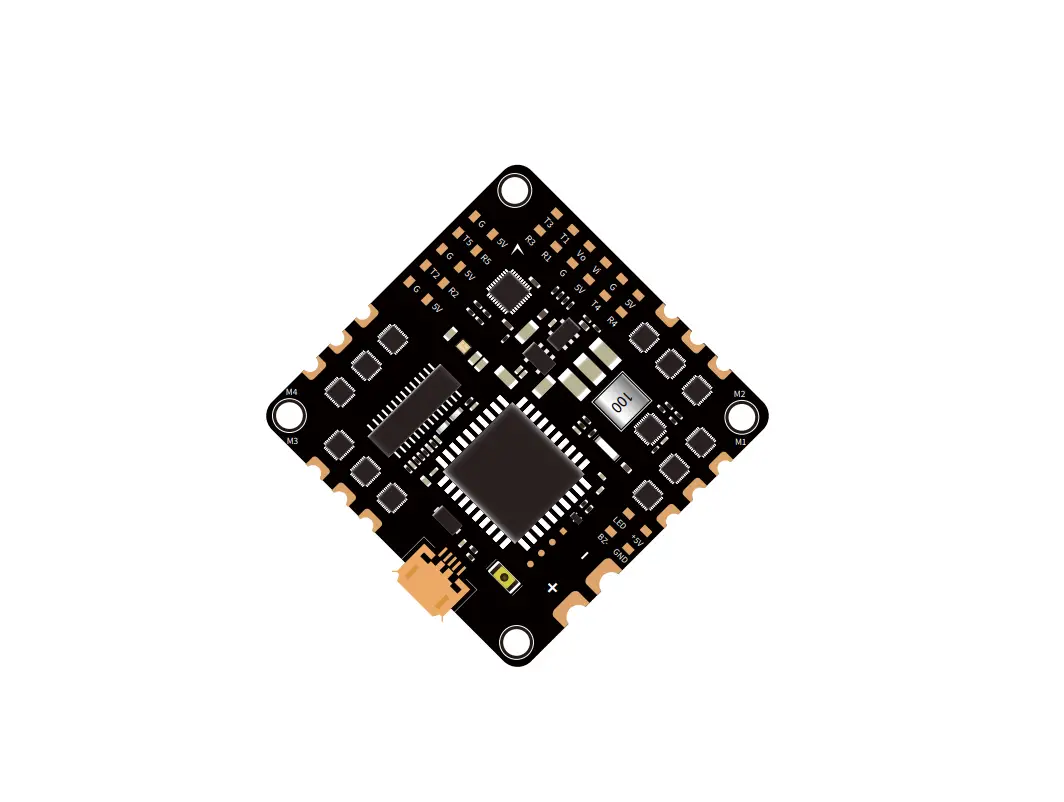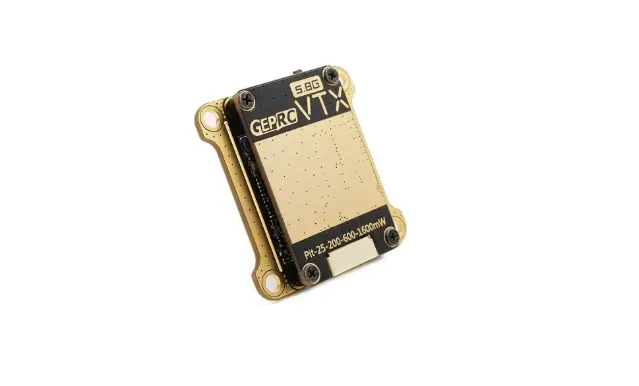

GEPRC RAD VTX 5.8G 1.6W
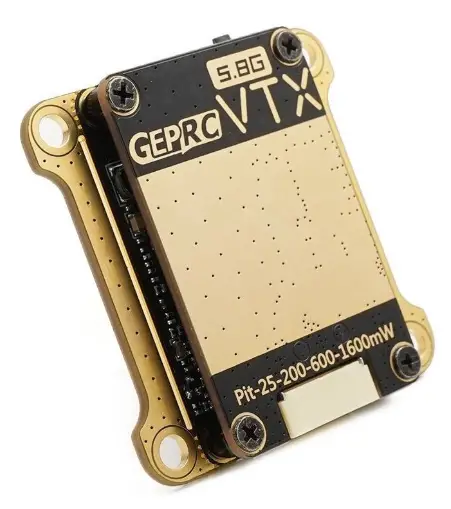
Specification
- Model: GEPRC RAD VTX 5.8G 1.6W
- Input voltage: DC 7-36V(2-8S Battery)
- Output: 5V@600mA(Power 5V to camera)
- Input impedance: 75Ω
- Protocol: IRC Tramp
- Antenna connector: MMCX connector
- Cable connector: GH1.25-6P connector
- Output power: 25mW/200mW/600mW/1600mW/Pit mode
- Frequency tables: 40 CH/37 CH(FCC)/26CH(EU)
- Video format: PAL / NTSC
- Microphone: Built in microphone
- Size: 36.5mmx36.5mmx5.5mm
- Weight: 9.7g(without cable)
- Mounting holes: 30.5mmX30.5mm(M3)
Features
- 1.6W super-power, suitable for Long Range flight with good stability.
- Five power levels: 25mW/200mW/600mW/1600mW/Pit mode .
- Two-layer board cooling structure, separate power BEC and main-board, reducing and shielding from the insinal interference.
- Temperature control protection function that can prevent high-temperature burning.
- Wide voltage input, supports 7V-36V voltage input.
- VTX control protocol is IRC Tramp, which supports OSD parameter adjustment.
- VTX built-in microphone, real-time return of Drone’s sounds.
- Has 3 regional frequency tables to meet the needs of various regions.
- Two function buttons, three indicator lights, easy to operate.
- Mounting holes is 30.5mmx30.5mm.
Introduction
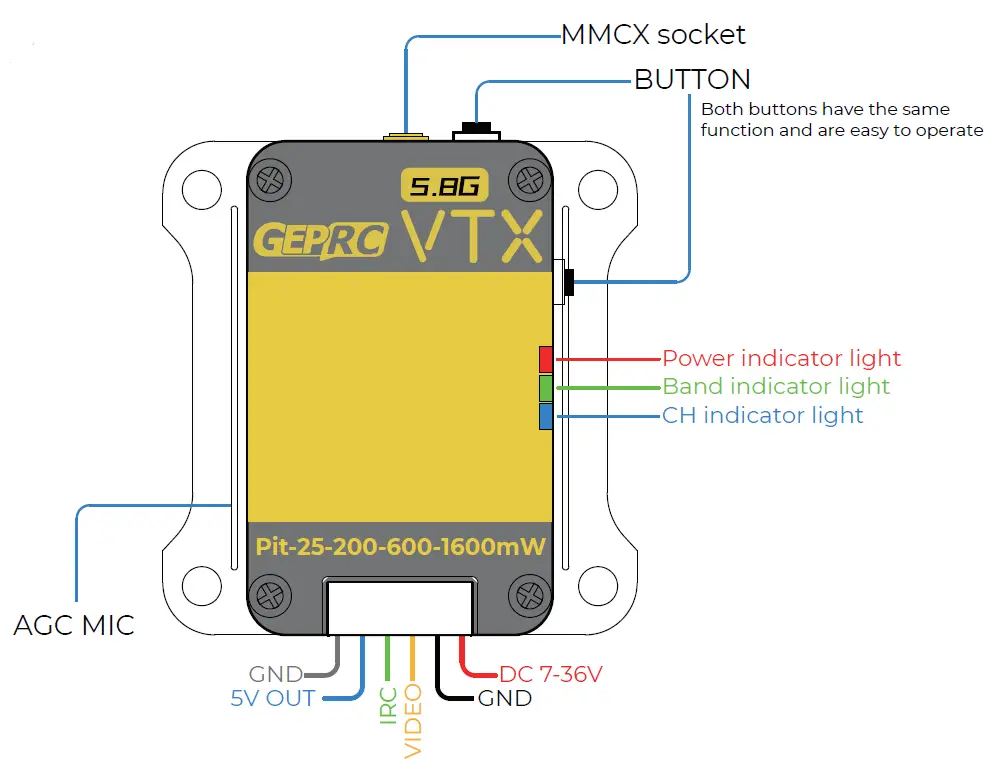
How to set Channel
Press and hold for 3 seconds to enter the Channel Selection
| LED Color | CH1 | CH2 | CH3 | CH4 | CH5 | CH6 | CH7 | CH8 |
| Blue | Flash 1X | Flash 2X | Flash 3X | Flash 4X | Flash 5X | Flash 6X | Flash 7X | Flash 8X |
How to set Band
Press and hold for 3 seconds to enter the Band Selection
| LED Color | Band A | Band B | Band E | Band F | Band R |
| Green | Flash 1X | Flash 2X | Flash 3X | Flash 4X | Flash 5X |
How to set Power
Press and hold for 3 seconds to enter the Power Selection :
| LED Color | Pit | 25mW | 200mW | 600mW | 1600mW |
| Red | Lignt ON | Flash 1X | Flash 2X | Flash 3X | Flash 4X |
WARNING
- Install antenna before use.
- To prevent overheating, provide constant airfiow and a well-ventilated environment. Install a cooling fan if operating in confined conditions.
- The 5V Output is just used for a Camera/Cooling Fan! Don’t connect Power Input / Battery to 5V Output port. Otherwise, the VTX will be damaged.
How to use IRC Tramp
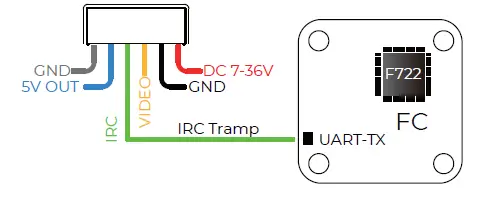
- Connect the IRC Tramp port to the FC’s free UART-TX .

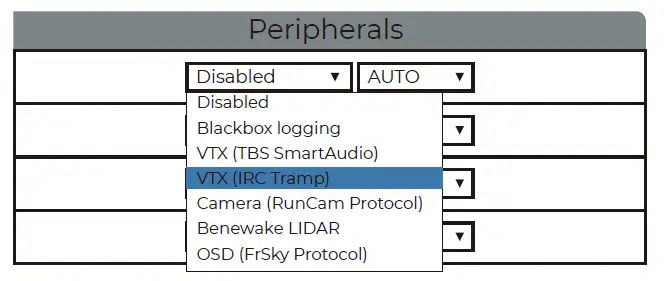
- Open BetaFlight, enter Ports tab, under peripherals next to the UART-TX which is connected to the IRC port of the VTX select IRC Tramp, save the settings.

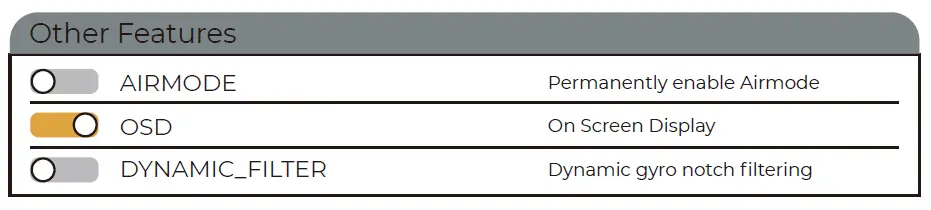
- Enter the configuraton tab, turn the OSD on under Other Features, save the settings.

- Enter Video Transmitter tab, Load from file, save the settings.(The file can be downloaded from the GEPRC website.)

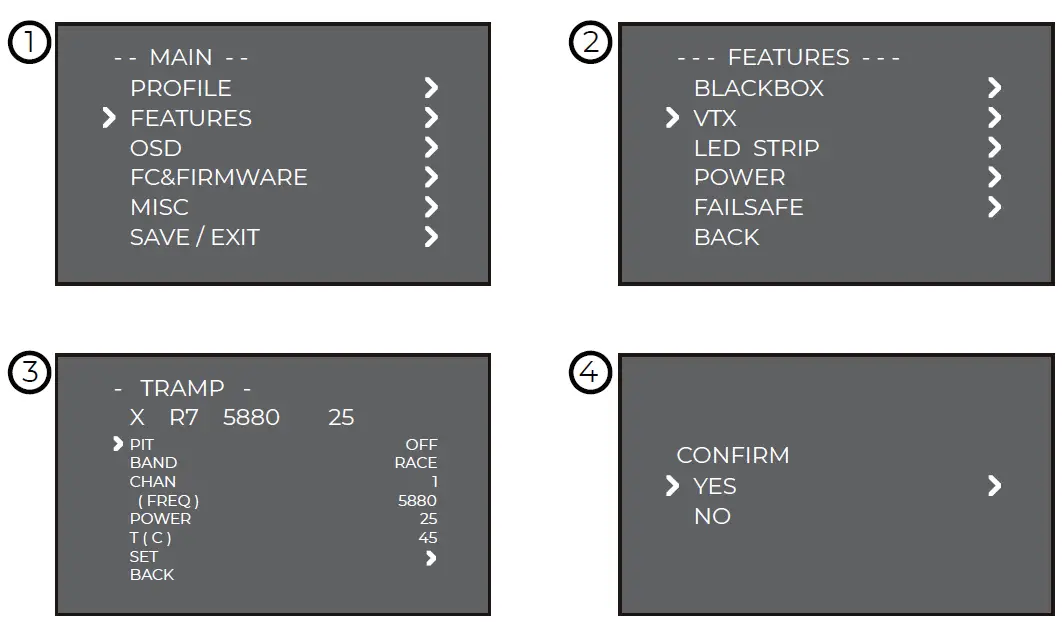
- Turn on the remote control, THR middle, YAW left, PITCH up, enter the OSD menu. The PITCH moves the cursor up and down, and the ELE right to enter the next item. Finally, save and exit.



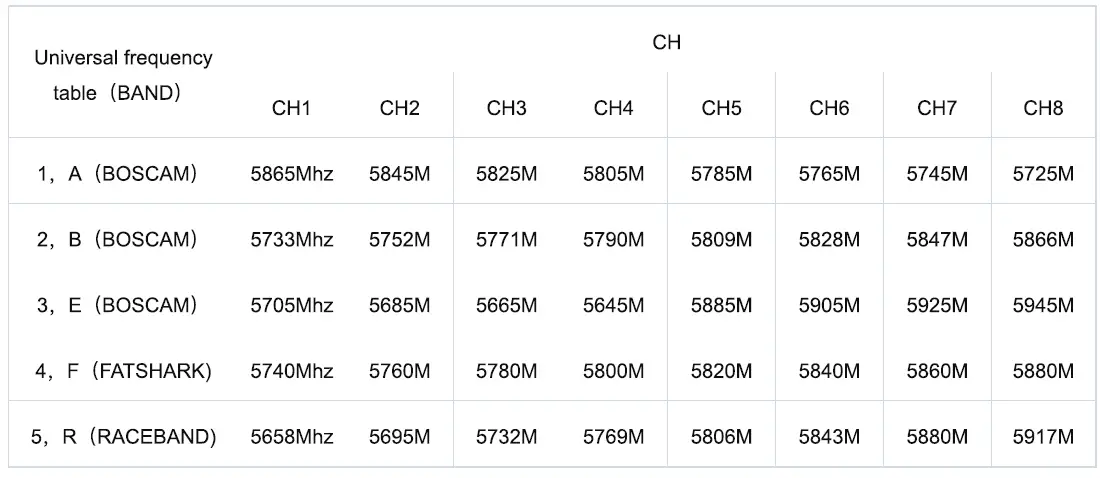
Frequency table
Warranty Policy
- If VTX is damaged or unknow issue,please contact GEPRC. We’ll do our best to get this taken care of quickly for you.
- Any impact damage, product liquid damage, high-temperature burn or other artificial damage is not covered by warranty.
PS
- All components has been strictly inspected and tested before shipping.
- If you have any problems, please cooperate with our engineers to figure out solutions. (E-mail: [email protected].)
Include
1 x GEPRC ROS VTX 1.6W
1 x 5.8G Antenna MMCX 72mm
1 x MMCX connector to SMA connector 82cm 1 x GH 1.25-6P connector cables 150mm
1 x Matching screw package
Contact:
Website: http://geprc.com