
USER GUIDE
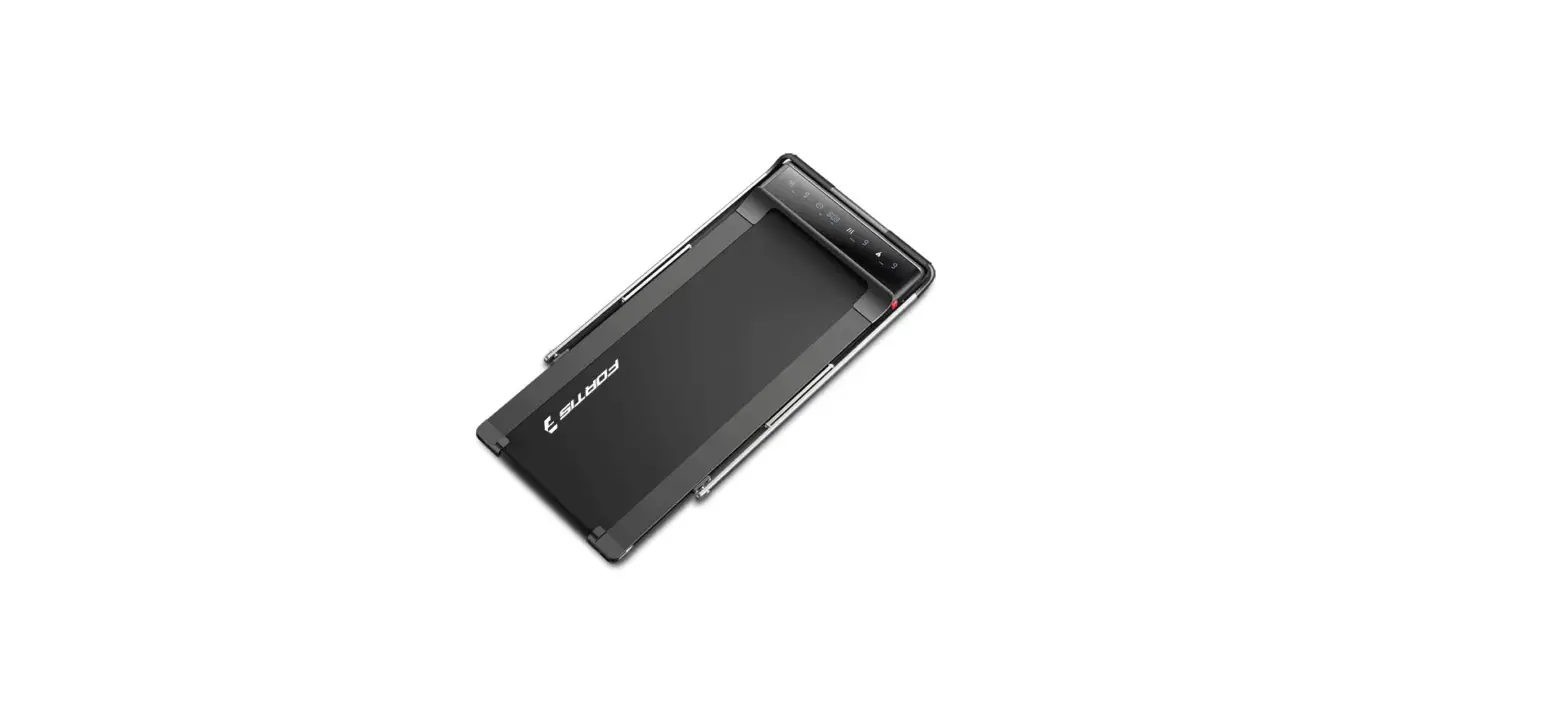
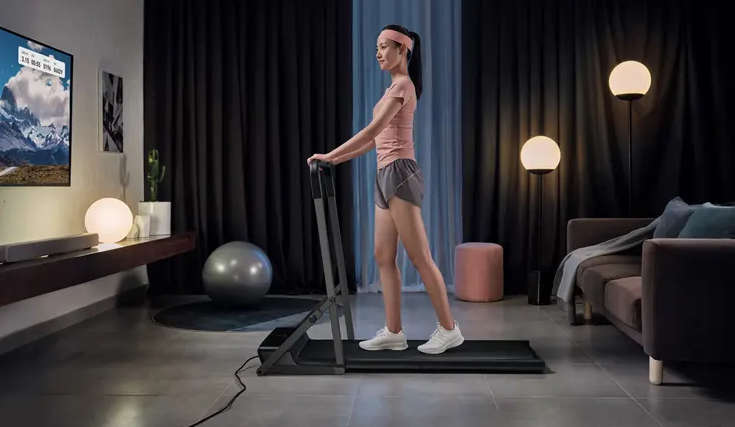
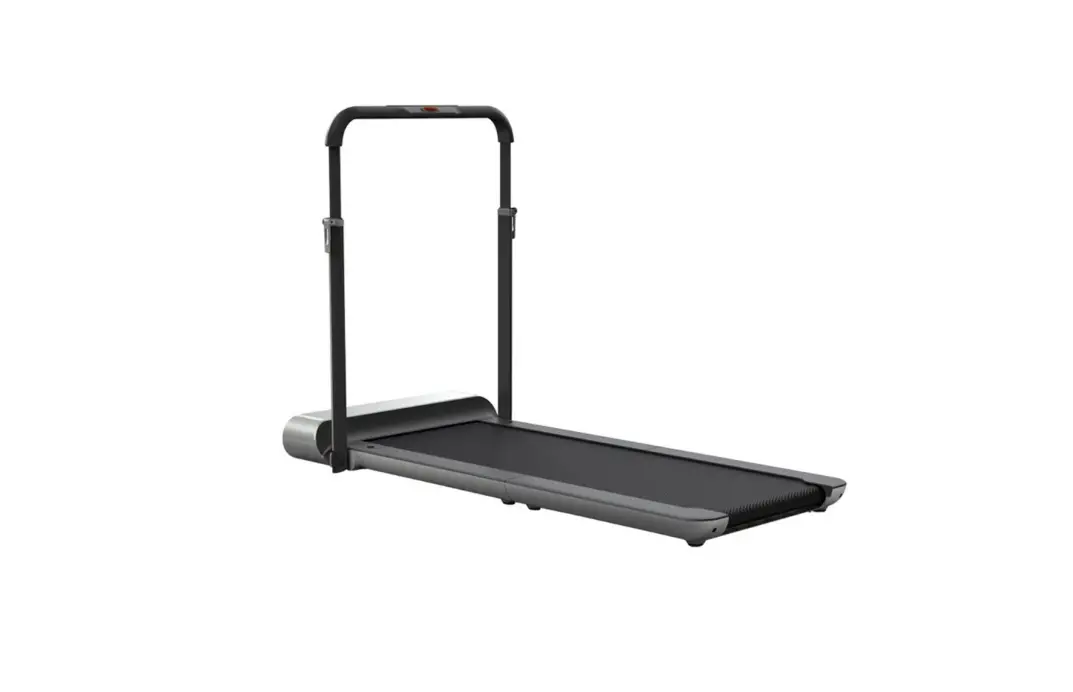
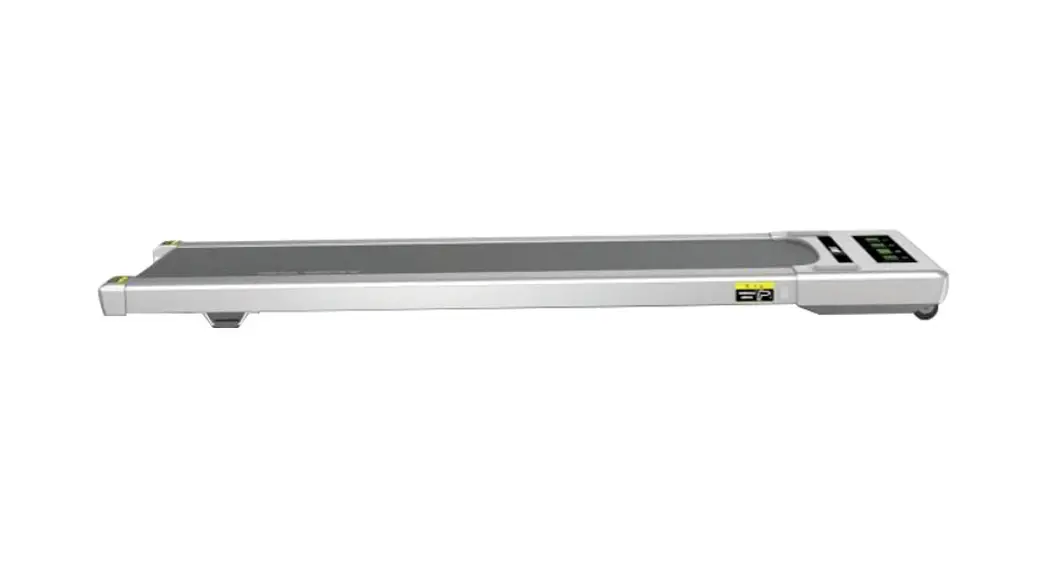
T3 ULTRA SLIM FOLDABLE 2-IN-1 WALKING & RUNNING
SMART TREADMILL
FST3RUNPADA
SAFETY & WARNINGS
Ensure you have read and fully understand the instructions for this device. Failure to do so could cause damage or serious harm.
- When you start training with this product, please consider your physical condition, train properly and regularly to ensure that you have enough physical strength to train. Wrong or excessive training will not help your health.
- This product is not suitable for children. Children can use the product, but only under the supervision of adults. The device is not a toy.
- Only people who have a good understanding of the product and are very healthy should use the device.
- This product is suitable for home use, not suitable for professional training and testing, or medical purposes. If the power line is damaged, it must be replaced by the manufacturer or a qualified service person in order to avoid danger.
- Please check all parts before use. And make sure the screws and nuts are tightened.
- When running on a treadmill, wear comfortable tight clothes to avoid clothes being caught by the machine. Do not let children or pets to play around the treadmill to avoid accidents.
- Place the treadmill on a smooth, clean, level surface. Make sure there are no sharp objects nearby. Do not use it near water and heat sources.
- Please keep your hands away from all moving parts. Do not place your hands and feet in the gap below the running belt.
- The treadmill must have only one user at a time.
- Make sure the screws and bolts are tightened after the treadmill is assembled.
- If the product is not in use, put the machine in a safe place to prevent the danger caused by children and those who are not suitable for using the treadmill.
- When in an emergency, quickly pull down the safety switch and step on the left and right side of the treadmill.
- Place the treadmill well before use, the side of the left and right handrails needs one metre safety distance, the back needs two metres. There should be no obstacles in the safe distance.
- Please use the accessories provided by the original manufacturer and it is strictly forbidden to change it privately.
- The product is a HC grade product with a maximum user weight of 100kgs.
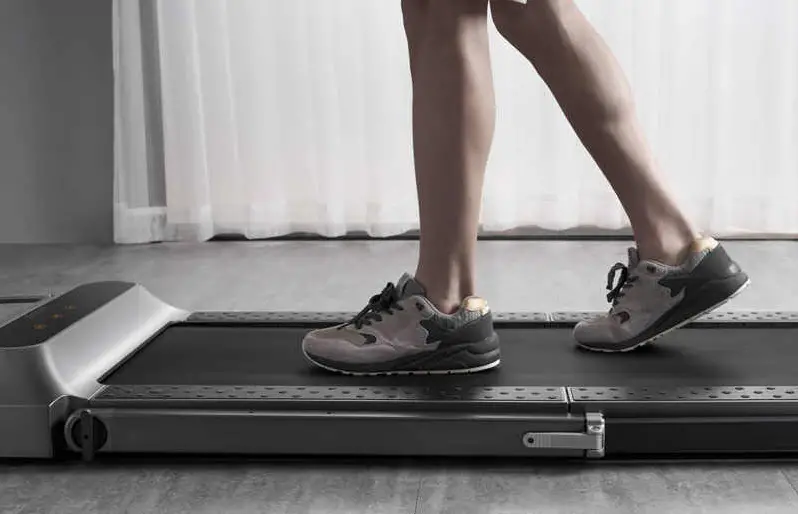
- The running belt on this treadmill has a visible joint mark. This is completely normal and will not affect the performance or operation of your treadmill.
Important Notes
- Place the treadmill in a place where the plug can be plugged into the socket.
- Plug the device into a socket and ensure it is not loose.
- Ensure the socket has been installed professionally.
- If the plug and socket are not compatible, please do not change the plug by yourself. Ask an electrician to handle it.
- Please use a supply voltage of 240V.
- Please do not let the power cord touch the running belt roller, and do not use adamaged plug.
- Unplug the plug from the socket before cleaning and maintenance.
- WARNING: if the plug is not pulled out, it may lead to personal injury and equipment damage.
- Please check each part carefully before use.
- Please do not use this product outdoors, in high humidity and in the sun.
- Please turn off the machine and remove the plug when you leave.
- For your safety, the power plug of the machine must be grounded.
WARNING — KEEP BATTERIES OUT OF REACH OF CHILDREN 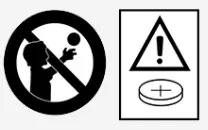
- Swallowing may lead to serious injury or death in as little as 2 hours, due to chemical burns and potential perforation of the esophagus.
- If you suspect your child has swallowed or inserted a button battery immediately call the 24-hour Poisons Information Centre on 13 11 26 (Australia) or 0800 764 766 (New Zealand) for fast, expert advice.
- Examine devices and make sure the battery compartment is correctly secured, e.g. that the screw or other mechanical fastener is tightened. Do not use if the compartment is not secure.
- Dispose of used button batteries immediately and safely. Flat batteries can still be dangerous.
- Tell others about the risk associated with button batteries and how to keep their children safe.
COMPONENTS
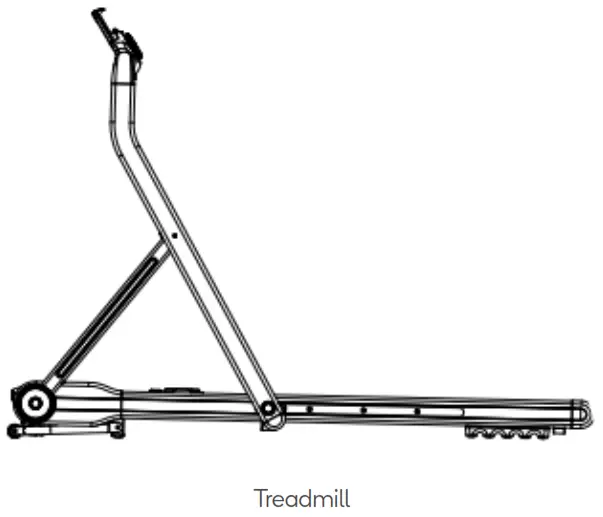
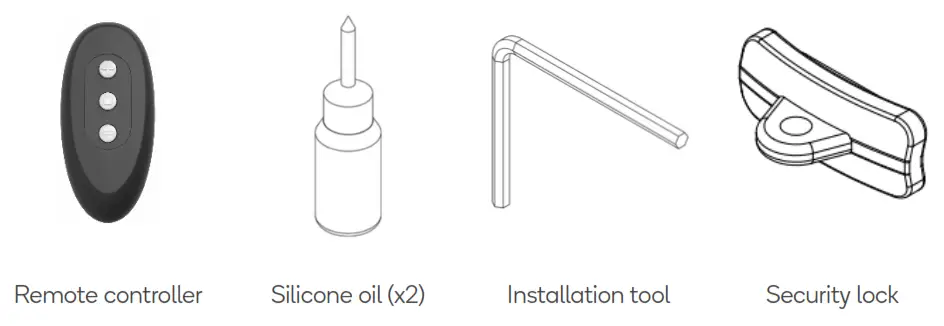
OVERVIEW
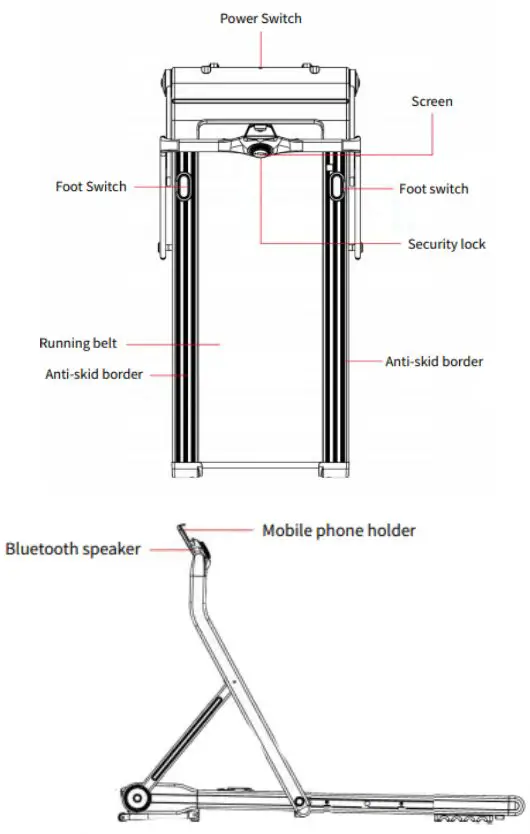
Note:
The visible line or mark on the belt is the seam. This is not a fault and does not affect the operation of the treadmill.
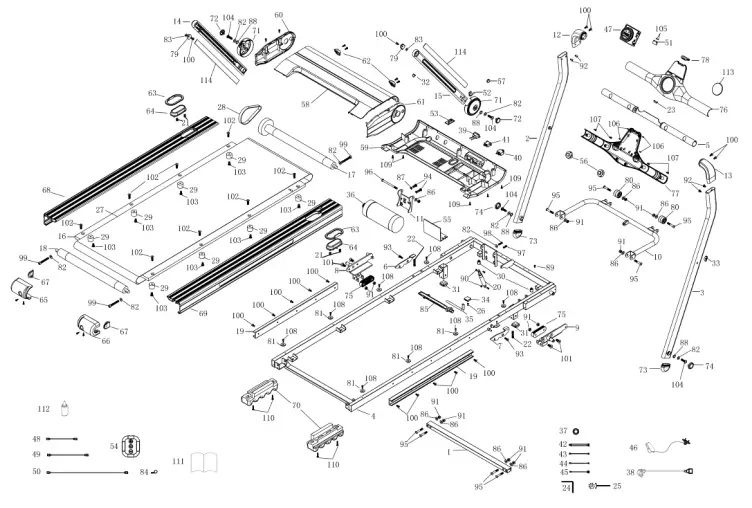
No | Name | Qty |
| a 1 | Linking Slider Connecting Tube | 1 |
| 3 | Right Column | 1 |
| 5 | Digital Watch Holder | 1 |
| 7 | Right Foot Combination | 1 |
| 9 | Right Linkage Combination | 1 |
| 11 | Motor Base | 1 |
| 13 | Right Handrail Fixing Aluminium Parts | 1 |
| 15 | Right Aluminium Frame | 1 |
| 17 | Front Roller | 1 |
| 19 | Aluminium Slide | 2 |
| 21 | Foot Switch Pressure Spring ∮8* ∮ 1*13.5 White Zinc Plating | 4 |
| 23 | Safety Lock Iron | 1 |
| 25 | Cross Open-End Wrench ∮5 10-13- 14-15-17 Plating White Zinc | 1 |
| 27 | Running Belt | 1 |
| 29 | Running Board Cushion ∮25*H22*M8 | 8 |
| 31 | Frame Mat | 2 |
| 33 | Pipeline Plug | 1 |
| 35 | Oil Pot Silicone Tube | 1 |
| 37 | Magnetic Ring | 1 |
| 39 | Concave Socket | 1 |
| 41 | Switch | 1 |
| 43 | AC Connecting Wire (Black) | 1 |
| 45 | Grounding Wire | 1 |
| 47 | Digital Watch Core | 1 |
| 49 | Lower Communication Line 2, 200mm | 1 |
| 51 | Safety Lock Line 150mm | 1 |
| 53 | Adapter Plate | 1 |
| 55 | Controller | 1 |
| 57 | Magnetic Steel | 1 |
| 59 | Motor Bottom Cover | 1 |
| 61 | Motor Right Cover | 1 |
| 63 | Pedal Trim | 2 |
| 65 | Left Rear Corner | 1 |
| 67 | Rear Corner Insert | 2 |
| 69 | Right Sidebar | 1 |
| 71 | Frame Side Cover | 2 |
| 73 | Lower End Pipe Plug | 2 |
| 75 | Slider | 2 |
| 77 | Meter Bottom Cover | 1 |
| 79 | Aluminium Frame Screw Cover | 2 |
| 81 | Side Buckle ∮6.2*∮12*T1.5 (White) | 8 |
| 83 | Plastic Gasket | 2 |
| 85 | Oil Cap | 1 |
| 87 | Spring Pad Φ8-14*T2.0 | 2 |
| 89 | Cross Screw M4*10 With Spring Pad And Mat | 1 |
| 91 | Locknut M8 | 13 |
| 93 | Half-Round Screw M6*20 | 2 |
| 95 | Half-Round Screw M8*45 | 8 |
| 97 | Hexagon Socket Head Cap Screw M8*30 | 1 |
| 99 | Hexagon Socket Head Cap Screw M8*60 | 3 |
| 101 | Flat Head Socket Cap Screw M8*20 | 4 |
| 103 | Flat Head Socket Cap Screw M8*10 | 8 |
| 105 | Cross Flat Self-Tapping Screw ST3.0*10 | 2 |
| 107 | Cross Flat Self-Tapping Screw ST4.0*16 Φ8 | 4 |
| 109 | Cross Recessed Raised Countersunk Head Tapping Screw ST4.2*16 Φ10 | 17 |
| 111 | Manual | 1 |
| 113 | Sticker | 1 |
| No | Name | Qty |
| 2 | Left Column | 1 |
| 4 | Main Frame | 1 |
| 6 | Left Foot Combination | 1 |
| 8 | Left Linkage Combination | 1 |
| 10 | Frame Folding Support Frame | 1 |
| 12 | Left Handrail Fixing Aluminium Parts | 1 |
| 14 | Left Aluminium Frame | 1 |
| 16 | Running Board | 1 |
| 18 | Rear Roller | 1 |
| 20 | Gas Spring | 1 |
| 22 | Foot Switch Pressure Spring ∮8* ∮1*40 White Zinc Plating | 2 |
| 24 | L-Shaped Hexagon Wrench 6mm | 1 |
| 26 | Tube Bushing | 1 |
| 28 | Belt | 1 |
| 30 | Cushion ∮23*H25*M8 | 2 |
| 32 | Aluminium Frame Wire Plug | 1 |
| 34 | Silicone Oil Tank | 1 |
| 36 | Motor | 1 |
| 38 | Power Line | 1 |
| 40 | Overload Protector | 1 |
| 42 | AC Branch Cable | 1 |
| 44 | AC Connecting Wire(Red) | 1 |
| 46 | Safety Lock | 1 |
| 48 | Lower Communication Line 1, 200mm | 1 |
| 50 | Upper Communication Line 500mm | 1 |
| 52 | Speed Switch Line 200mm | 1 |
| 54 | Remote Control | 1 |
| 56 | Speaker | 2 |
| 58 | Motor Top Cover | 1 |
| 60 | Motor Left Cover | 1 |
| 62 | Motor Top Cover Front Foot Pad | 2 |
| 64 | Pedal | 2 |
| 66 | Right Rear Corner | 1 |
| 68 | Left Sidebar | 1 |
| 70 | Rack Rear Foot Pad | 2 |
| 72 | Frame Side Cover Pipe Plug | 2 |
| 74 | Lower End Screw Cap | 2 |
| 76 | Meter Upper Cover | 1 |
| 78 | Mobile Phone Holder | 1 |
| 80 | Movement Roller | 2 |
| 82 | Plastic Gasket ∮8* ∮17.5*T2.5 (White) | 4 |
| 84 | R Type Clamp | 3 |
| 86 | Mat Φ8-16*T1.5 | 14 |
| 88 | Corrugated Pad | 4 |
| 90 | Locknut M6 | 2 |
| 92 | Half-Round Screw M6*10 | 4 |
| 94 | Half-Round Screw M8*20 | 2 |
| 96 | Half-Round Screw M8*105 | 1 |
| 98 | Hexagon Socket Head Cap Screw M8*30 | 1 |
| 100 | Flat Head Socket Cap Screw M6*15 | 16 |
| 102 | Flat Head Socket Cap Screw M8*25 | 8 |
| 104 | Flat Head Socket Cap Screw M8*15 | 4 |
| 106 | Cross Flat Self-Tapping Screw ST4.0*10 Φ8 | 13 |
| 108 | Cross Recessed Raised Countersunk Head Tapping Screw ST4.2*16 Φ8 | 10 |
| 110 | Cross Recessed Raised Countersunk Head Tapping Screw ST4.2*16 Φ10 | 4 |
| 112 | Silicone Oil | 2 |
| 114 | Inside Column | 2 |
INSTALLATION
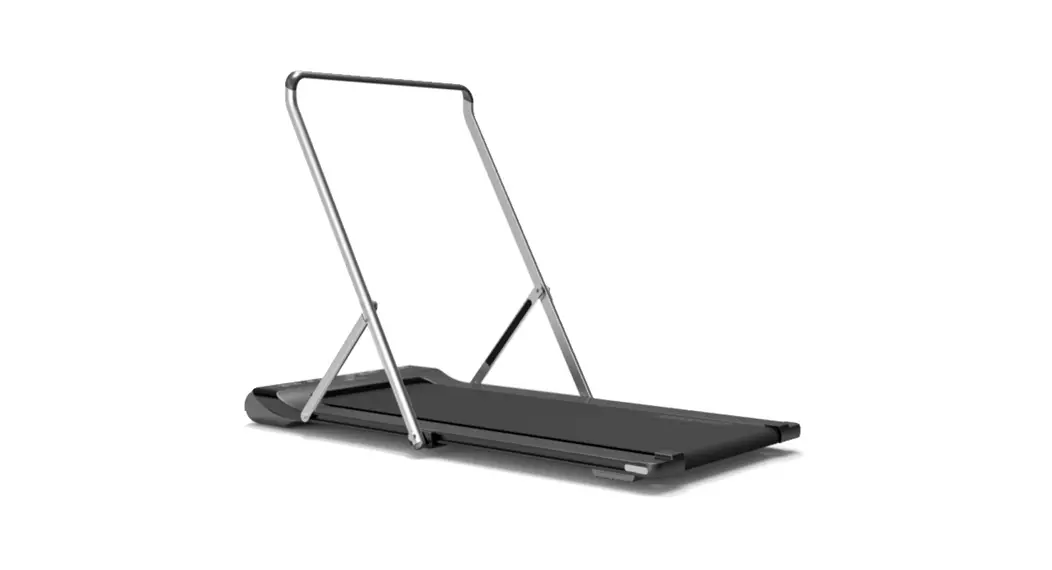
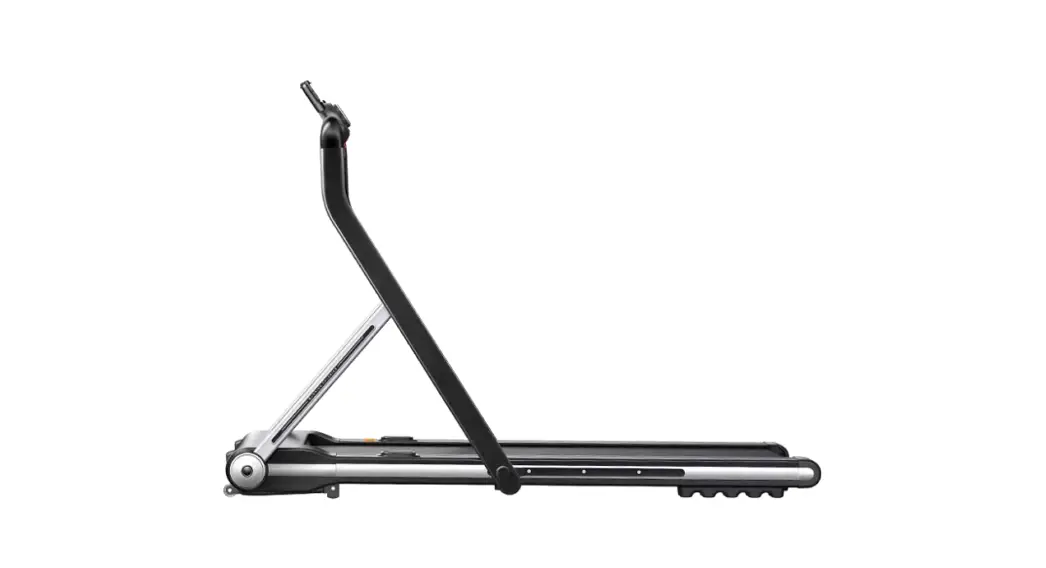
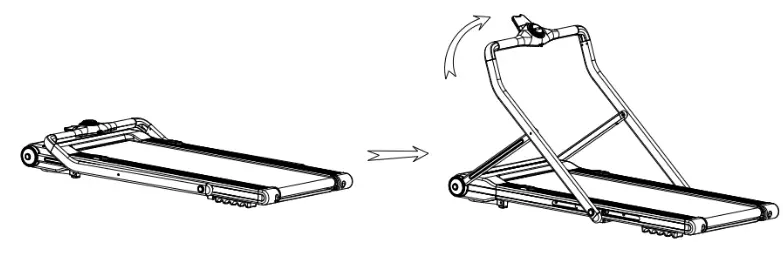
The main structure of the treadmill you purchased has already been assembled in the factory. It can simply be used when plugged in. The following operations are how to use handrails and how to fold and unfold them.
- Lift the treadmill out of the box and place it on a level surface (Make sure there is a 50cm open space before and after the treadmill to fold and place the power cord.etc.)
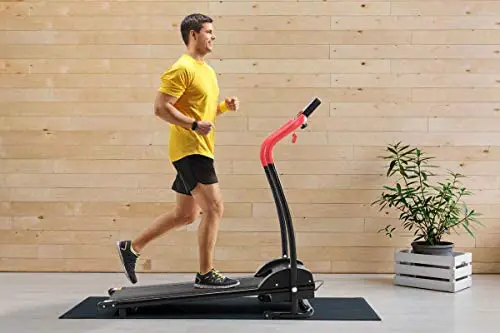
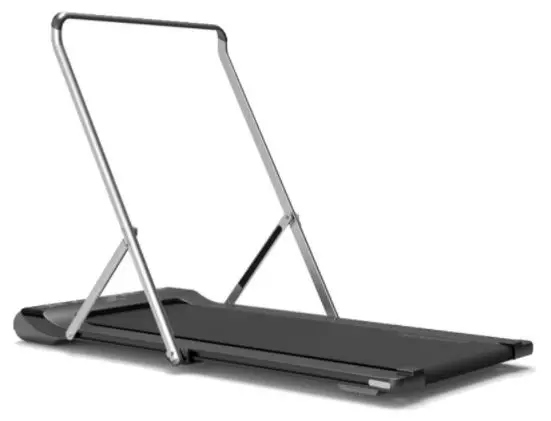
- Put your feet on the footswitch and pull up the handrails with your hands until the footswitch hooks handrail.

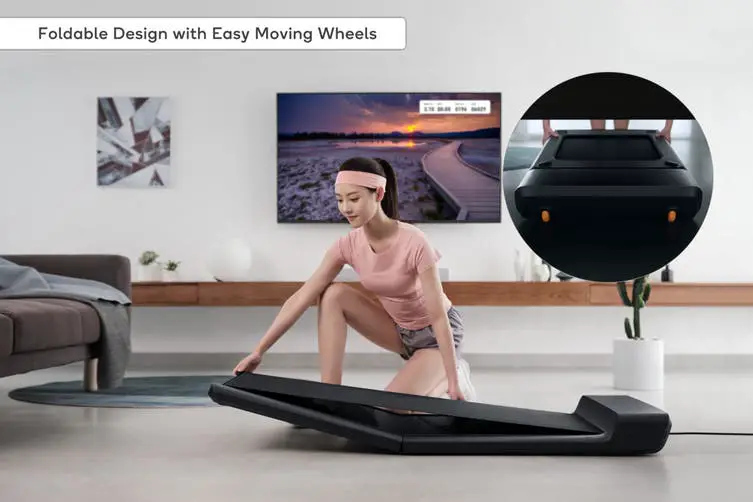
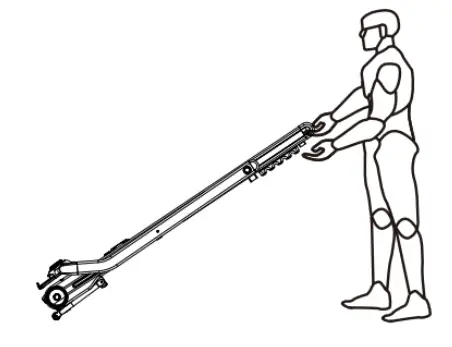
- As shown below, the tail of the treadmill can be raised with both hands to move forward and backward, which is only suitable for short-distance movement within the room.

- Tu r n o n t h e p o w e r, t u r n o n t h e s w i t c h a n d t u r n o n t h e t r e a d m i l l a n d e n j o y t h e exercise.
Folding the Treadmill Vertical
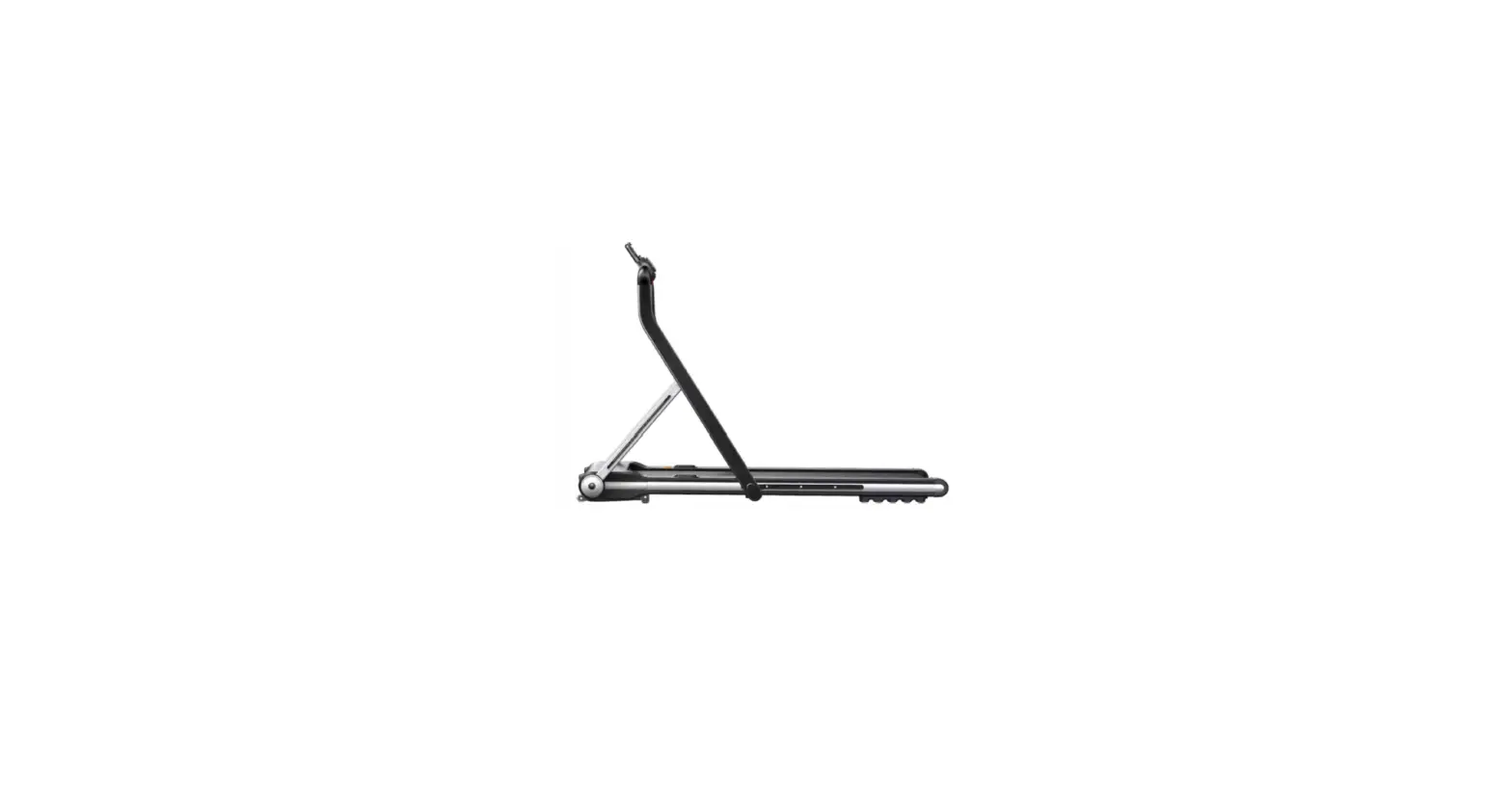
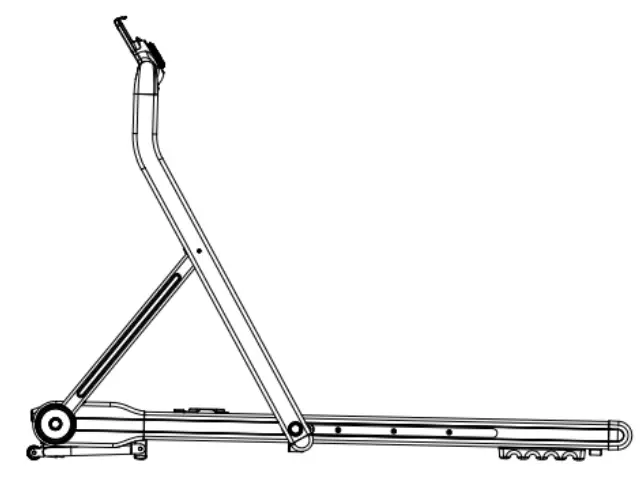
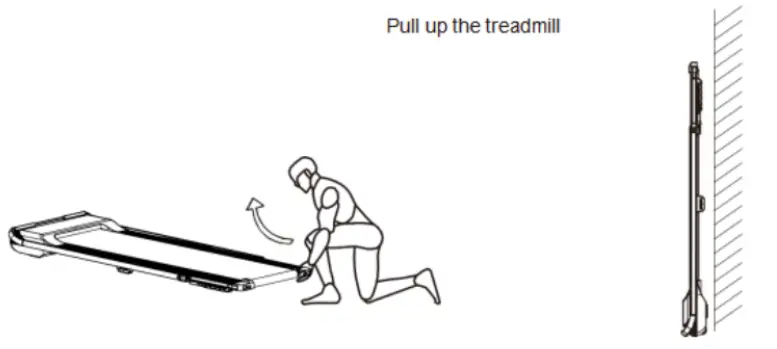 First put the column folded on the running platform, then grab the tail of the running platform with both hands and lift it up.(Note: Unplug the power cord when folding)
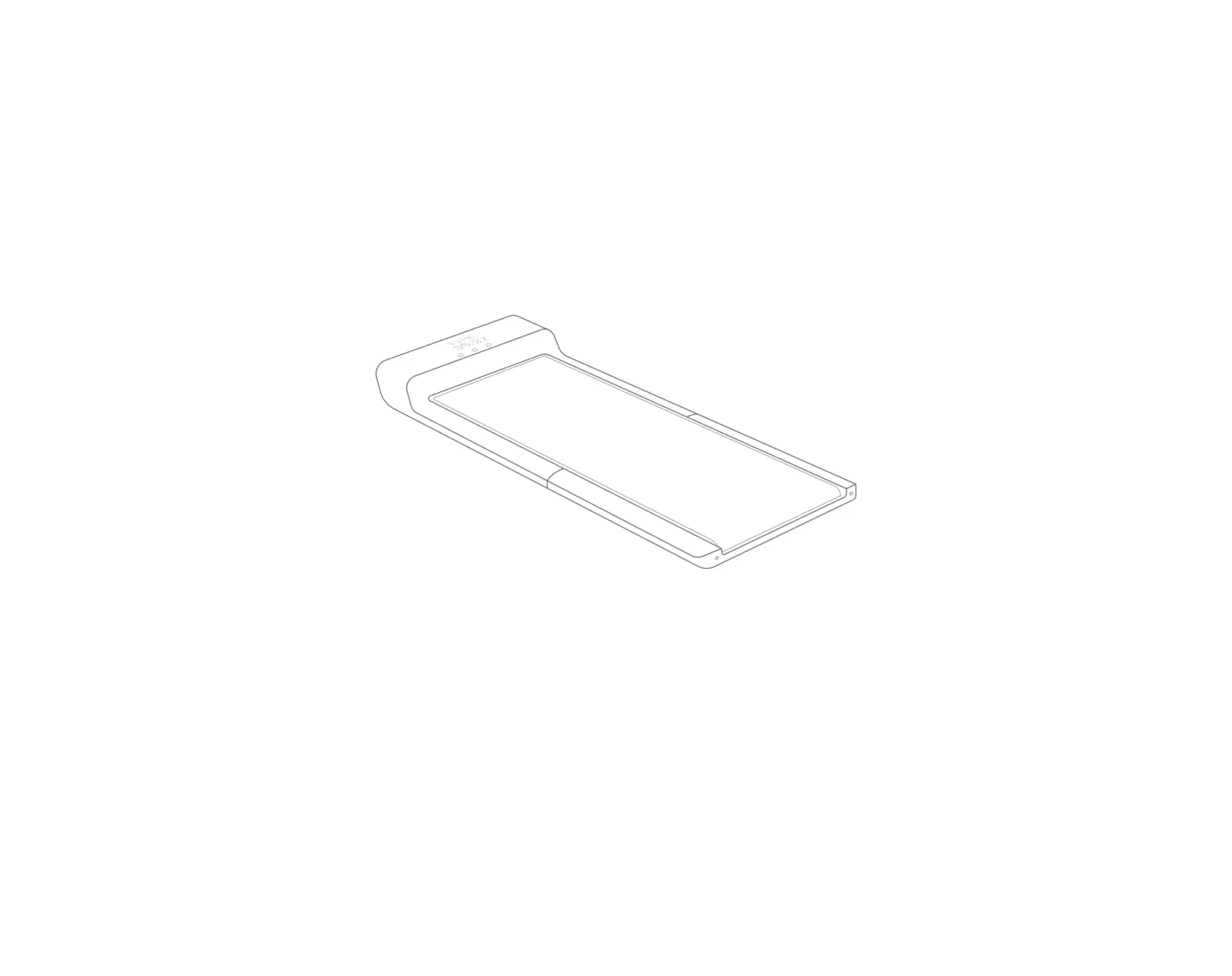
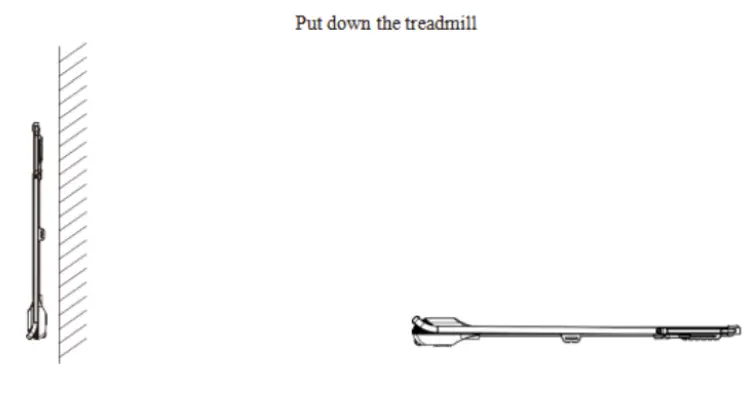 The treadmill is laid flat: Grab the tail of the treadmill with both hands, gently put it on theground and follow the installation steps.
OPERATION
Operating Instructions in Manual Normal Mode
When using the treadmill, you must use a power socket with grounding wires for your safety.
- Place the treadmill horizontally on the ground.
- Tu m o n t h e p o w e r, t u r n o n t h e p o w e r s w i t c h . T h e p o w e r s w i t c h i n d i c a t o r l i g h t s up and the buzzer will sound once.
- Check if there is any abnormal data on the screen. Stand on the anti-skid board before clicking the start button to prevent accidental falls.
- Attach the safety lock to the safety lock position on the panel, clip the safety clip on your clothes and then enter the manual normal mode.
- Press the start button, the electronic watch window will display: 3 – 2 – 1 with buzzer sound, and then the motor will start.
- The starting speed is: 1.0km/h. You can press the speed +, – keys to adjust the speed and select the appropriate speed for your needs.
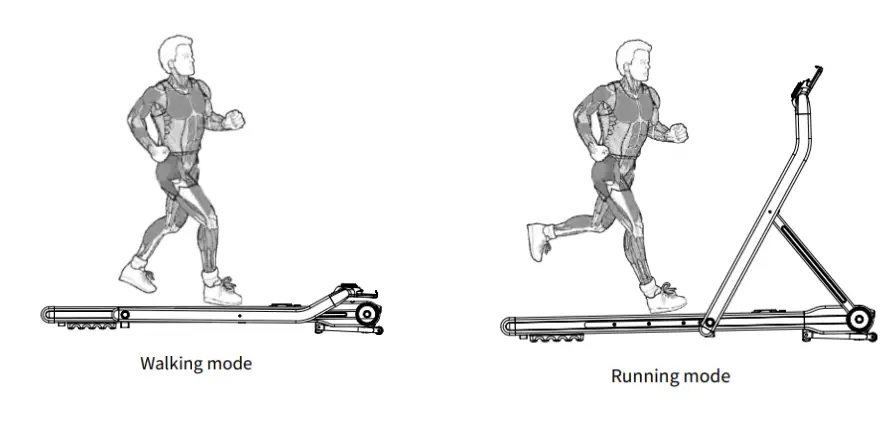
- The folding column is for walking mode with a speed range of 1.0 – 6.0km/h.
Note: In this mode, please unplug the security lock and start the machine. - Expand the column for the running mode, speed range: 1.0 – 12km/h.
Note: In this mode, please put the security lock and start the machine.
Bluetooth Speaker Connection:
Connection method
a) Check your Mobile phone connection network – Wi-Fi, 3G or 4G.
b) Tu r n o n y o u r m obile phones Bluetooth and search for the Tr e a d m i l l B l u e t o o t h connection (Bluetooth Name: ZLJ).
c) After Bluetooth is connected, you will hear “Bluetooth connected successfully”.
d) You can now enjoy the Bluetooth speaker.
Important Notes for Operation
- Do not press start, and then jump onto the running belt whilst it is moving. Instead, stand on the running belt and turn on the treadmill.
- Do not start the treadmill in quick mode.
- Do not start running without a safety lock.
Window display:
“SPEED” Window: Displays the current speed. The speed range is: 1.0-12.0km/h. When the countdown is started, “3”, “2” and “1” are displayed.
TIME ± Window: Displays the exercise time from 0:00-99:59. When the time is 99:59, the treadmill speed steadily decreases until it stops running. Countdown mode will decrease the time until it is zero. When the countdown reaches 0:00, the treadmill speed steadily decreases until it stops running. It will then enter standby after stopping completely.
DIS ± Window: Displays the movement distance, from 0.00-99.90, re-count after overflow, the reverse counting is decremented from the set value to zero when the countdown reaches 0, the treadmill speed steady decreases until it stops running. Later it enters the standby state after stopping completely.
“CAL” Window: Displays the calorie consumption value. When the calorie consumption value is displayed, the positive count starts from 0.0-999.0, and it will begin again after maxing out.
When the count is reversed, it decreases from the set value until it reaches 0. When the countdown reaches 0, the treadmill speed steadily decreases until it stops running. Later it enters the standby state after stopping completely.
Remote Button Function
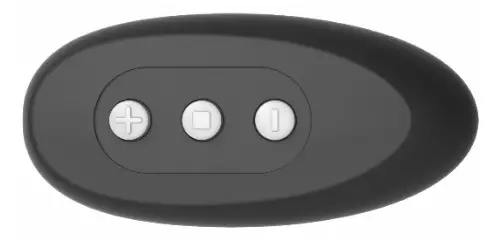
- “□” is the start/stop button: This button can be used to stop the treadmill from running state and reset to zero during exercise. Use this button also as the start button when the power is on and the safety lock in its position.
- “+” is speed increase button: Adjust the speed after the treadmill starts, its adjustment range is 0.1km/time and it continues to increase when it is held for more than one second.
- “–” is the speed decrease button: Adjust the speed after the treadmill starts, the adjustment range is 0.1km/time and continues to decrease when it is held for more than one second.
Quick Start Mode (Manual Mode):
- Tu r n o n t h e p o w e r s w i t c h .
- Press “□”, t h e system wi l l e nte r t h e three-second countdown, the buzzer sound will be heard and the speed window will display the countdown. After the three-second countdown, the treadmill will start running at 1.0km/h.
- After starting, you can use the “Acceleration” and “Deceleration” keys to adjust the speed of the treadmill as needed.
Operation During Exercise:
- Pressing the “–” button will slow down the speed of the treadmill.
- Press the “+” button to increase the running speed of the treadmill.
- Press the “□” button to slow down the running speed until it stops running.
Note:
If the remote control is not responding, the battery may be flat and will need to be replaced.
App Guide Operation
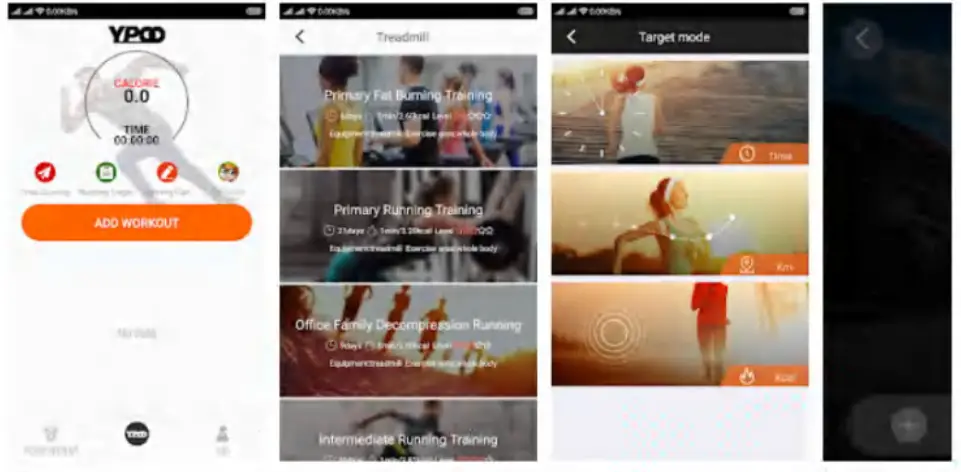
- Download YPOO treadmill app: Please enter YPOO in Apple app Store or Google Play. Then you can download the treadmill app freely.
- Create your Account: Enter the necessary information to create your sport account.
- Select Training Plan: Select a training plan and create customized plan on the app, then you can control your treadmill from your smart phone remotely and do your customized exercise.

Notes:
- You can choose your local language and set your local language. You can choose English, Chinese or Korean.
- This app will protect your privacy and will not collect any personal information.
Numerical display range:
| Setting parameters | Start | Default | Setting range | Display Range |
| Time (min : sec) | 0:00 | – | – | 0:00-99:59 |
| Incline (%) | – | – | – | – |
| Speed (km/h) | 1.0 | 1.0 | 1.0-12.0 | 1.0-12.0 |
| Distance (km) | 0:00 | – | – | 0.00-99.90 |
| Heart rate (/MIN) | – | N/A | N/A | – |
| Calorie(Kcal) | 0.0 | – | – | 0.0-999.0 |
Treadmill Shut down instructions:
The treadmill can be turned off at any time by turning off the power switch so that it does not damage the treadmill.
Walk and running mode change:
When pulling up the treadmill handrail, check whether the safety lock is in its position. The treadmill speed range is 1.0-12.0km. It is the running mode.
When pulling down the treadmill handrail, take down the safety lock. The treadmill speed range is 1.0-6.0km. It is the walk mode.
Error codes
| E02 | Overvoltage protection | E06 | Communication error |
| E03 | Over-current protection | E07 | Ensure safety lock is attached |
| E04 | Motor open-circuit | EOC | Burst protection |
CLEANING & CARE
Once the treadmill has been run on for 50km cumulatively (about 3 months), maintenance is needed. Put the lubricating oil (about one-third each time) squeezed into the silicone oil valve and then the running belt will be automatically maintained.
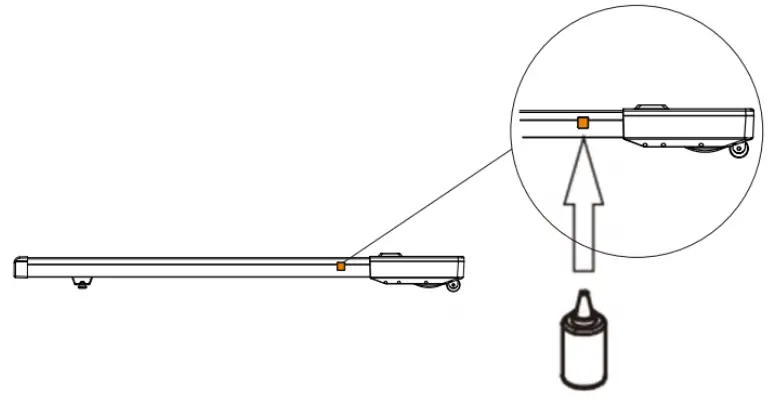
Tips:
Do not use sandpaper or solvents to clean the treadmill. The controller part of the treadmill should not be exposed directly to the sun or moisture to avoid damage. Please check and tighten all accessories of the treadmill frequently. Damaged parts must be replaced immediately.
Running belt adjustment
Adjusting the running belt has two functions: Tightening adjustment and the running belt center position adjustment. The running belt has been adjusted at the factory. However, after use, the running belt will be stretched or deviated from the center plate and cause damage to the running belt trim strip and the rear cover by friction. It is normal for the running belt to be stretched during use. When the running belt is slippery or not smooth during use, you can improve it by adjusting the tightness of the belt.
How to adjust the running belt?
- Insert the 6mm inner hexagonal wrench into the adjusting screw on the left side of the running belt and rotate the wrench clockwise for 1:4 turns to adjust the rear roller to tighten the running belt.
- Repeat step 1 to adjust the right screw. Check that the adjustment screw rotates the same distance so that the rear roller is adjusted parallel to the frame.
- Repeat steps 1 and 2 until the running belt does not slip.
- Note: The running belt can’t be adjusted too tightly, which will break the running belt and increase the pressure of the front and rear rollers, causing problems such as roller bearing damage and abnormal noise. If you want to reduce the tension of the running belt, turn the wrench counterclockwise. Note that the left and right sides are rotated to the same distance.
Adjust the running belt to the middle position
When using the treadmill, the pressure on the running belt is unbalanced because the two feet exert different forces when running, which causes the belt to deviate from the center. This deviation is normal. When no one is on the running belt, it will return to the center. If it does not return to the center, you will need to adjust the belt back to the center.
- Move the walking machine to no-load operation and adjust the speed to 6km/h.
- Observe the distance from the running belt to the left and right border. If left deviation, use an inner hexagonal wrench, rotate the left 1/4 screw clockwise. If right deviation, use an inner hexagonal wrench and turn the 1/4 screw on the right side clockwise. If the running belt is still not in the middle, repeat the above action until it is adjusted to the middle.
- After adjusting the running belt to the middle, adjust the speed to 1km/h and observe the deviation of the running belt and check whether there is slipping during running. If there is a deviation, repeat the running step.
- Warning! Do not over-tighten the rollers! This will cause permanent bearing damage. If the above steps are not effective, you need to tighten the running belt
again.
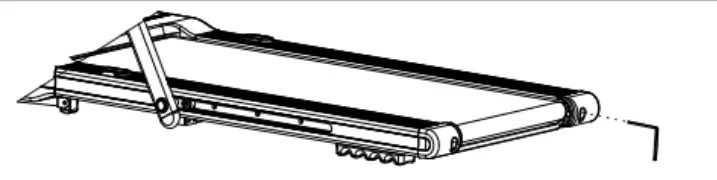
The left and right tighten screw bolts are located at the treadmill rear cover.
SPECIFICATION
| Net weight | 44kgs |
| Running belt | 45 x 126cm |
| Product size | 153 x 76 x 20cm |
| Peak horsepower | Peak 2.0hp |
| Walking mode | 1.0-6km/h |
| Running mode | 1.0-12km/h |
| Bluetooth speake | Yes |
| Shock absorption | Yes |
| Max user weight | 220lbs |
| Standing size | 1530 x 760 x 1100mm |
| Fold size | 1530 x 760 x 200mm |
NOTES
Need more information? We hope that this user guide has given you the assistance needed for a simple setup.
For the most up-to-date guide for your product, as well as any additional assistance you may require, head online to help.kogan.com
kogan.com