
ZETA Low-Power Wide Area Networks
Owner’s Manual
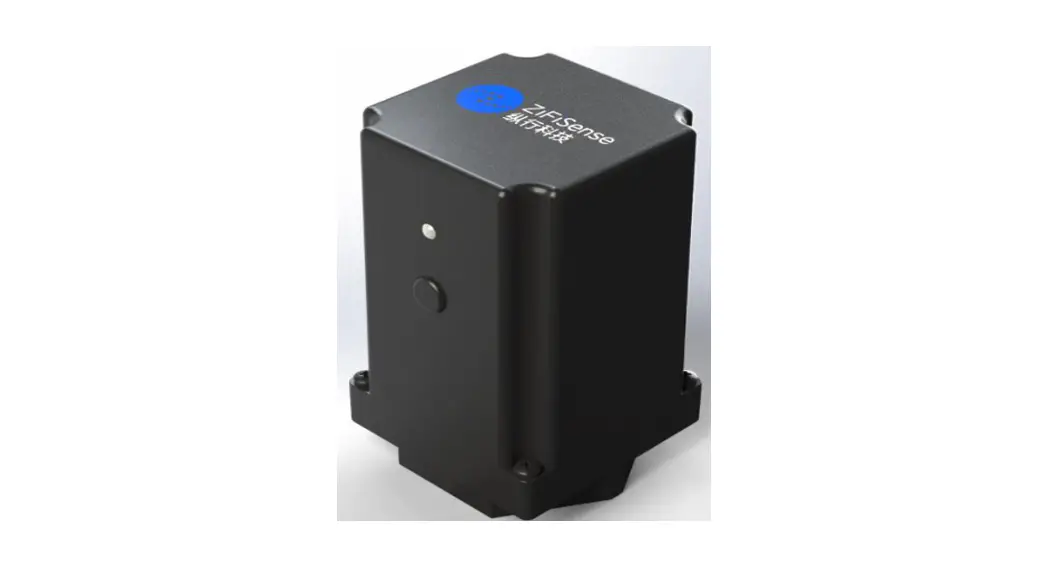
ZETA AP Micro
Copyright Statement
ZiFiSense owns the copyright on this specification. No part of this specification may be reproduced in any form or means, without the prior written consent of ZiFiSense.
Disclaimer
This specification is preliminary and is subject to change at any time without prior notice. ZiFiSense assumes no responsibility for any errors contained herein. ZiFiSense is not responsible for any patent infringement of third parties on its use or as a result of its uses. Other products/services not certified by the patent license, shall be deemed within patent ownership of ZiFiSense.
Product Description
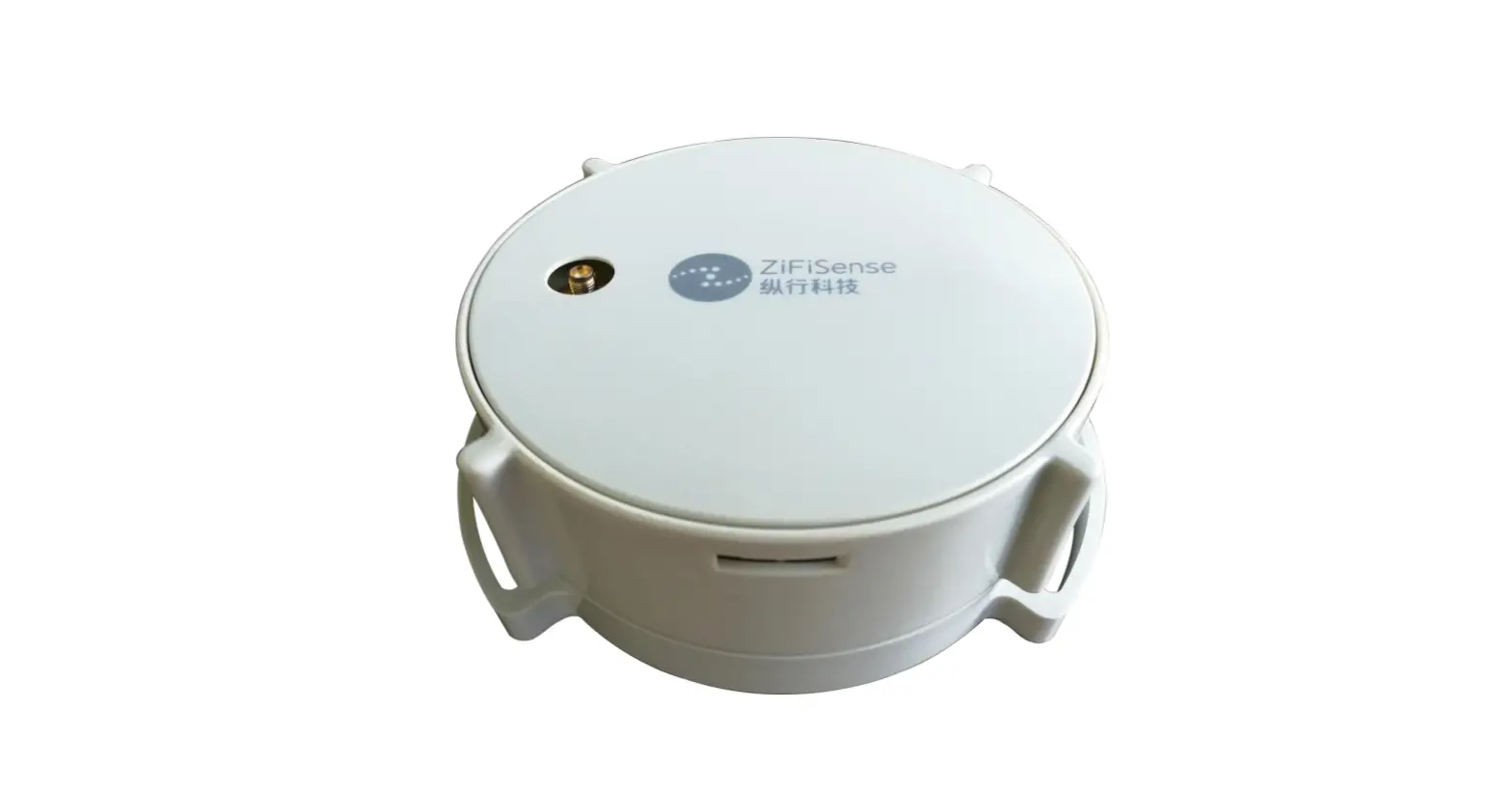
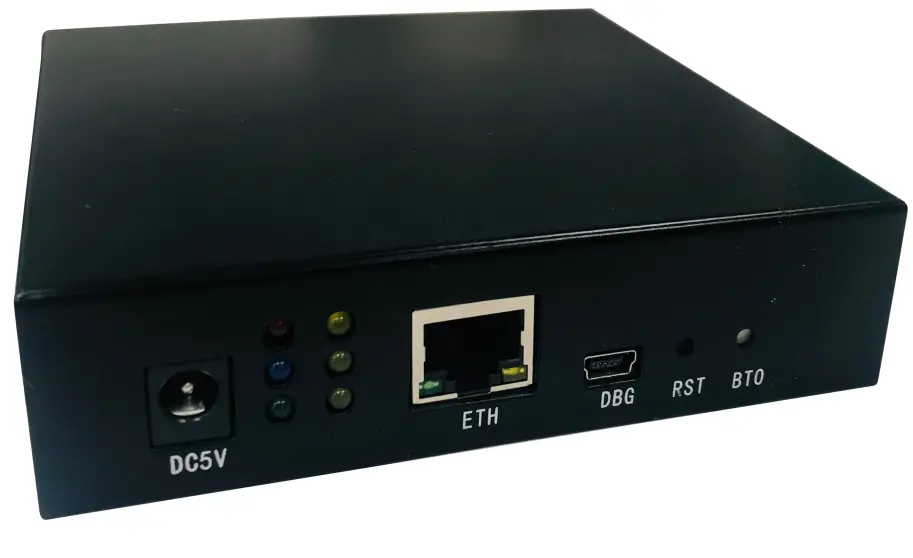
AP Micro is a new generation of ZETA gateway for logistics, asset management, and other fields. Support ZETA-G protocol of ZETag access can effectively supplement mobile scene coverage. Support periodic GPS pointing, track upload, remote upgrade, and other functions. Combined with a cloud-based management platform, it provides an everywhere network and uninterrupted operation supervision for logistics management and asset tracking.
Applications
GPS pointing, track upload Rechargeable battery for extended life Very low cost, coverage supplementary
Device Specifications
| Model No. | Model No. | APTG-MO01 |
| Wireless | Protocol | ZETA |
| Frequency band | 920-925 | |
| Output power | No Tx | |
| Number of channels | 61 | |
| Electrical | Power supply | Rechargeable battery: 5000mAh DC 5V |
| Power | ≤5W | |
| Physical | Size | 110*117*28.5 mm |
| Enclosure material | SPCC | |
| Antenna | Monopole antenna | |
| Environmental | Operating temperature | -20℃~+75℃ |
| Storage temperature | -30℃~+85℃ |
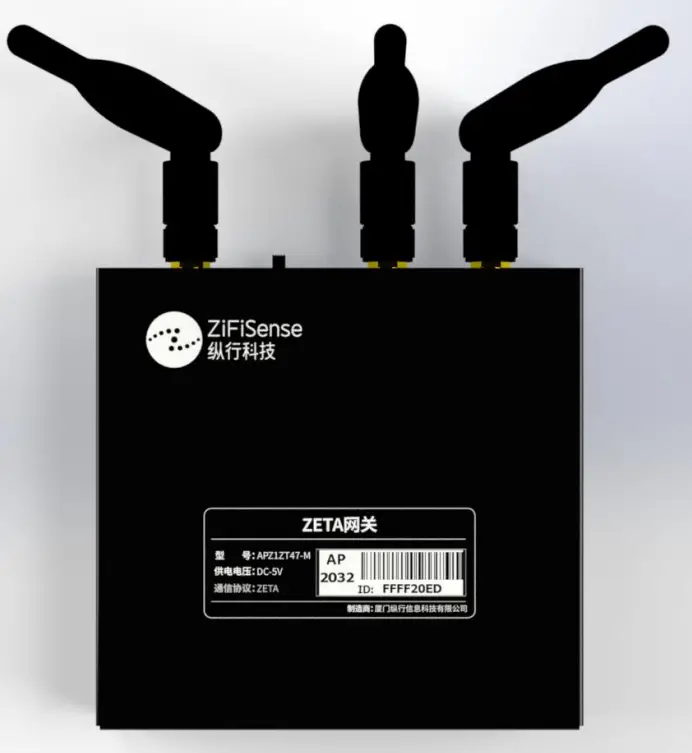
Appearance & Interface


Installation
5.1. Installation safety notice
- It is forbidden to operate with electricity when installing, wiring, and dismantling the equipment.
- Place the equipment in a ventilated place to ensure that the equipment is installed in a dry environment.
- Avoid placing the equipment in a high-temperature or low-temperature environment.
- The installation location of the equipment should be far away from high-voltage cables to avoid electromagnetic interference during operation.
- The equipment should be far away from the environment of strong thunderstorms and strong electric fields.
- Please fix the equipment firmly.
5.2. Installation environment check
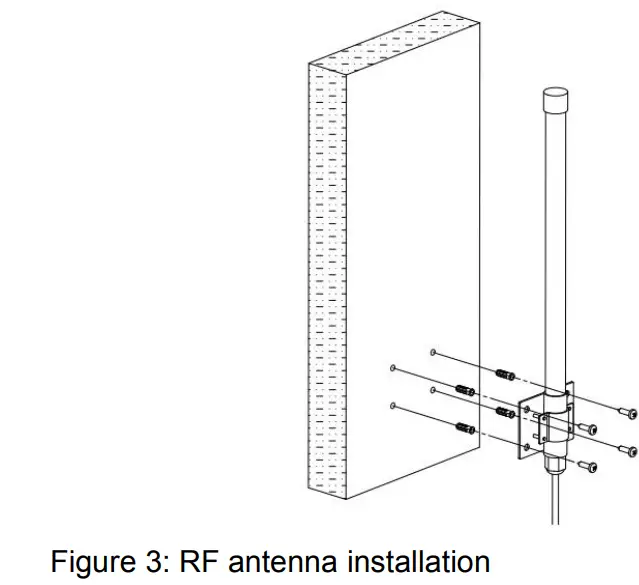
- The RF antenna is installed vertically, and there should be no large metal shields such as metal pillars, large metal boxes, etc. within 1 meter around (the upper and lower metal will not affect it).
- The installation location needs to consider the power supply of the equipment. This equipment uses AC100 ~ 240V, a 2-hole power adapter, and the power cord is 3 meters in length.
5.3. Installation tool
Before installing the equipment, prepare the following installation tools and auxiliary materials:
| Name | No. | Use Case |
| Screwdriver | 1 | For AP bracket, antenna, hoop, and other screws |
| Wrench(#10) | 1 | For fixing screw nuts |
| Expansion screw | few | Used for equipment installation |
| Electric percussion drill | 1 | For wall turning for the expansion screw |
| Tool pliers | 1 | Used to screw the ground wire |
| Strapping tape | few | For wire fixing |
5.4. Installation steps
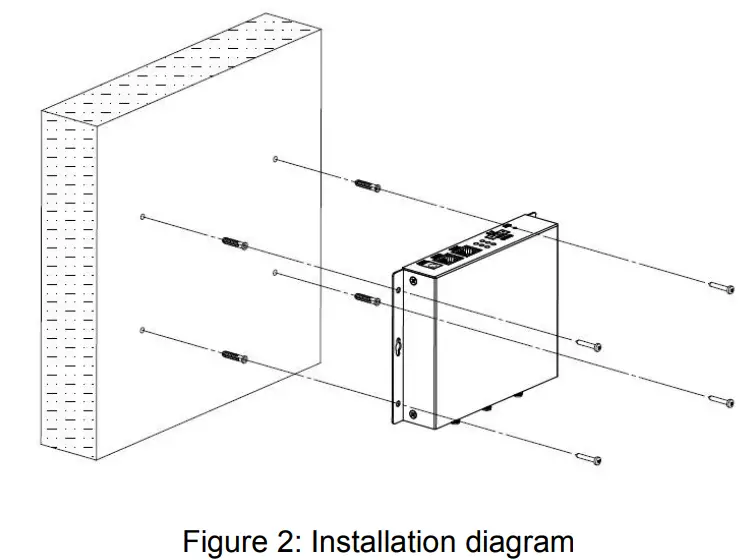
- Confirm the installation hole spacing: the four-corner hole can be used for fixed installation.
- Use the supporting expansion screws to fix the equipment on the wall of the building.

- Connect the RF antenna and the 4G antenna. The GPS antenna may not be connected when it is installed in a fixed place in the indoor environment.

- Arrange the cables and confirm that they comply with the corresponding cable laying specifications.
System Testing
- Three minutes after the gateway is powered on, the online information of the gateway can be seen on the IoT platform;
- After the gateway is online, it can be connected to the lower-level network element equipment, and the data of the lower-level network element equipment is uploaded to the platform for display through the gateway route;
Common faults and handling
- Check the power supply to ensure that the gateway is powered normally.
- Check the antenna, whether the antennas are connected correctly, and whether they are properly tightened.
- Check the network cable and check if the network cable is properly connected.
- Check the status light to check whether the two status lights on the gateway core board are normal (one is always on, and one flashes twice in one second)
- View the platform device status. In the (Management Platform-Gateway Management) list, check whether the current device status is “Online”.
- Check whether the heartbeat packet of the gateway (once per minute) is normal.
- If it still does not work, you can power it on again, start the gateway device, and check to see if it is restored.
- Contact ZiFiSense for more solutions.
FCC Statement
This equipment has been tested and found to comply with the limits for a Class B digital device, pursuant to Part 15 of the FCC Rules. These limits are designed to provide reasonable protection against harmful interference in a residential installation. This equipment generates uses and can radiate radio frequency energy and, if not installed and used in accordance with the instructions, may cause harmful interference to radio communications. However, there is no guarantee that interference will not occur in a particular installation. If this equipment does cause harmful interference to radio or television reception, which can be determined by turning the equipment off and on, the user is encouraged to try to correct the interference by one or more of the following measures:
— Reorient or relocate the receiving antenna.
— Increase the separation between the equipment and receiver.
— Connect the equipment into an outlet on a circuit different from that to which the receiver is connected.
— Consult the dealer or an experienced radio/TV technician for help.
This device complies with FCC PART15 Rules. Operation is subject to the following two conditions:(1) This device may not cause harmful interference, and (2) this device must accept any interference received, including interference that may cause undesired operation.
Changes or modifications not expressly approved by the party responsible for compliance could void the user’s authority to operate the equipment.
| Shanghai, China Room B, 20th Floor, No. 1098 Dongdaming Road (Pujiang International Financial Plaza), Hongkou District, Shanghai +86 (O) 21-61320820 | Xiamen, China Room 803, Building A-OS, Software Park Phase Ill, Jimei Distric, Xiamen, P.R. China +86 (O) 592 6070310 | Cambridge, UK 3 Charles Babbage Road, Cambridge, CB3 OGT United Kingdom +44(0) 1223 491 099 |
Connected Intelligence, Anytime Anywhere