
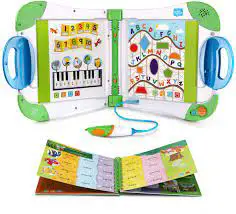
LeapFrog 80-21600E LeapStart Interactive Learning System
 Parent’s Guide
This guide contains important information. Please keep it
for future reference. Ce guide contient des informations importantes. Veuillez le conserver pour toute référence future.
Features
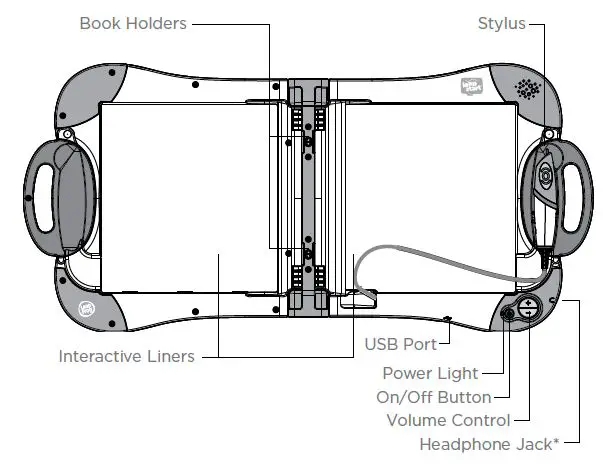
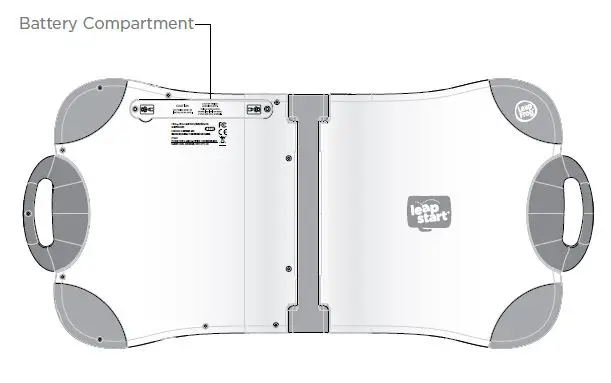 *Compatible with most headphones. Headphones not included.
Hardware Included
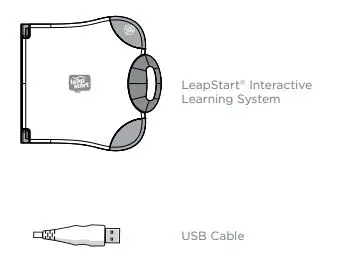
Getting Started
- Install 2 AA batteries in your LeapStart® learning system. (See: “Battery removal and installation instructions”)
- Press the On/Off Button to begin. The green Power Light will shine when the LeapStart® system is on.
Your LeapStart® system is now ready to be used!
Using LeapStart® Books
- POWER UP: Turn on the LeapStart® learning system.
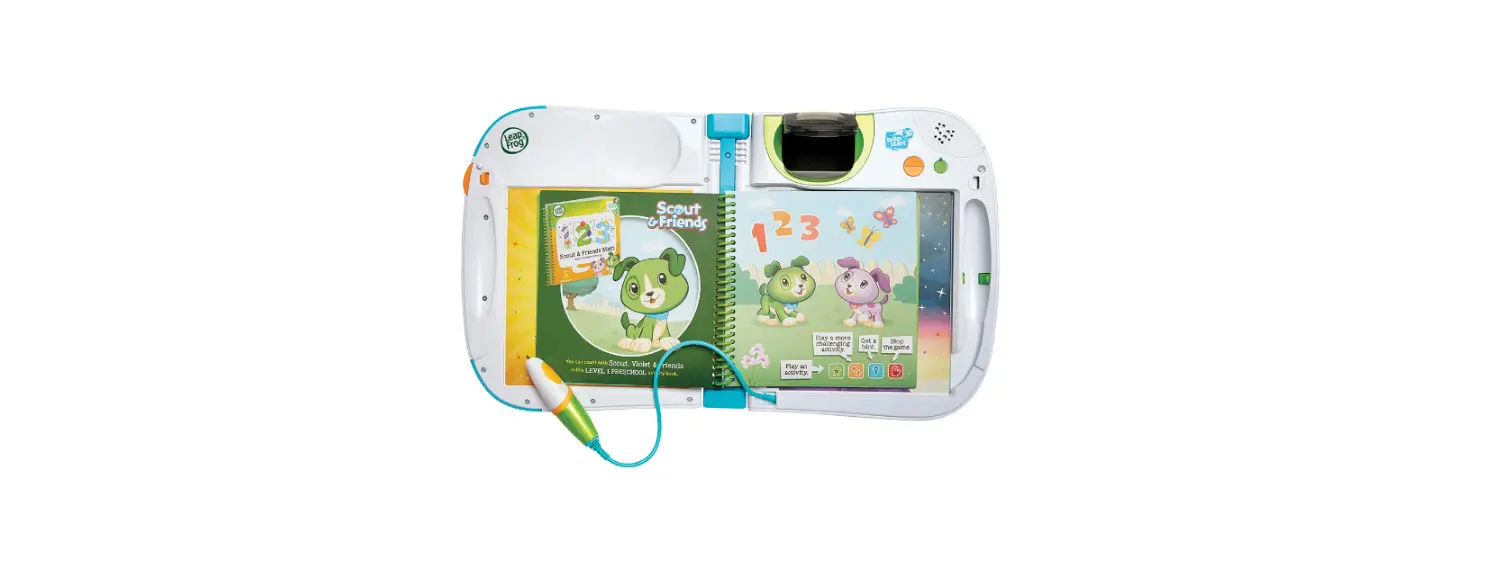
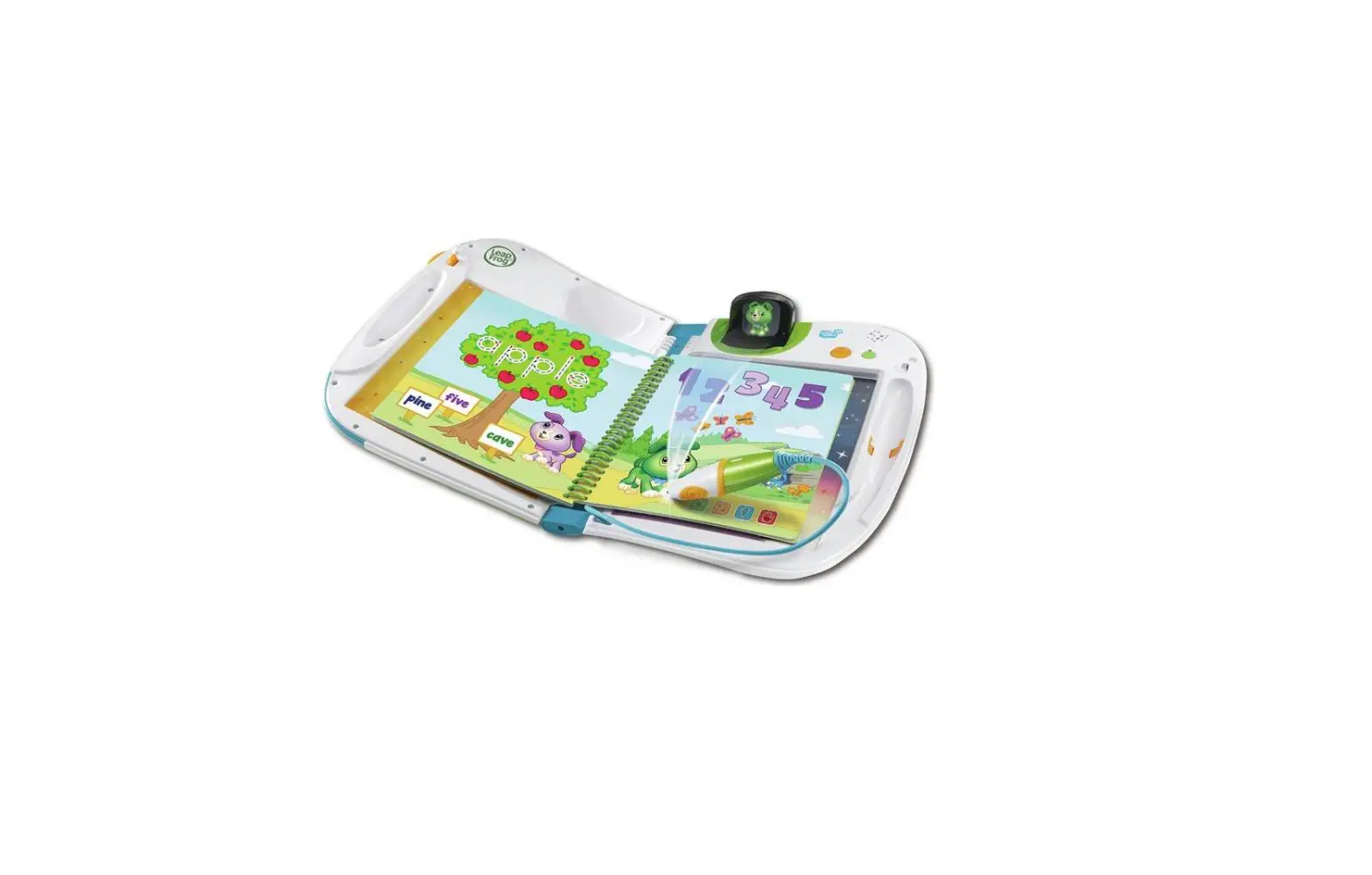
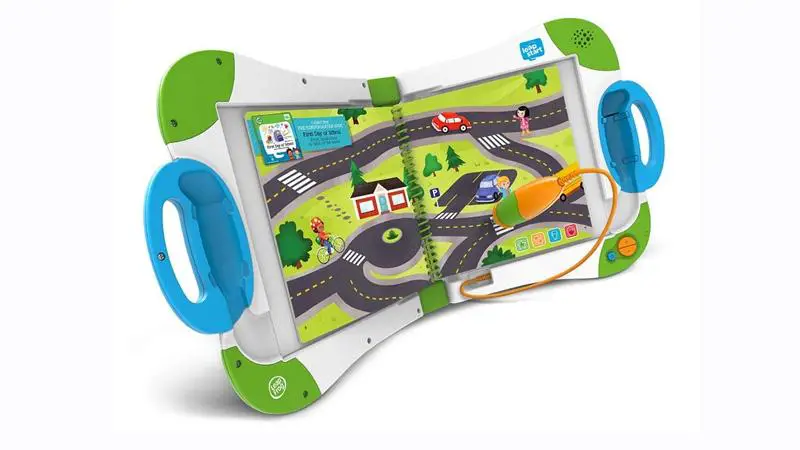
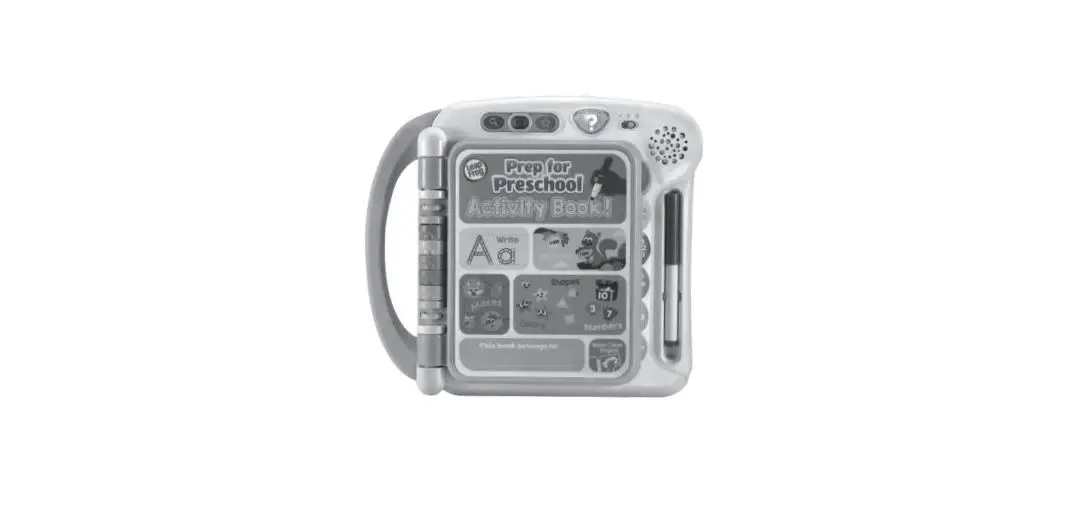
- SET UP: Snap a LeapStart® book into the Book Holders in your LeapStart® learning system and touch the tip of the Stylus to any image or word. If instructed to download the companion audio, download the LeapFrog® Connect application at leapfrog.com/connect and install it on your computer.
- REGISTER: Follow the instructions in the LeapFrog® Connect application to create a parent account and update your LeapStart® system.
- DOWNLOAD: Download companion audio for each of your books.
- PLAY & LEARN: Eject and disconnect the LeapStart® system from your computer. Your child is now ready to play, learn and explore with the LeapStart® system!
Please visit leapfrog.com/system-requirements for LeapFrog® Connect minimum system requirements.
Instructions for Care and Use
For indoor, dry-location use only. Do not use the product near a sink or other wet locations. Take care not to spill food or any kind of liquid on this product as it may render it inoperable and not serviceable. In case the unit does get wet, unplug all cables and turn it OFF. Allow to dry thoroughly before reusing. Do not attempt to dry with a hair dryer or other heat source.
Avoid prolonged exposure to extreme temperatures and direct sunlight. Operate in places with temperatures ranging from 5°C (40°F) to 38°C (100°F). Do not leave the product in your car as the temperatures in parked cars can exceed the acceptable storage temperature. Exposure to extreme temperatures can result in shortened battery life or cause the product to temporarily stop working.
Handle with care. To avoid injury, damage to this product or other property, avoid dropping and never disassemble, crush, puncture, microwave, incinerate, insert foreign objects or paint the product. Clean your hands before handling the product if they have been exposed to suntan lotions or other chemicals.
Cleaning. Disconnect all cords before cleaning. Clean the product with a slightly damp cloth (cold water). Do not use soap, detergent or other chemicals. Never submerge the unit in water. Allow to dry thoroughly before re-use.
Important Safety Instructions
Warning:
- Adult supervision required at all times while children are playing with this product.
- Not suitable for children under 18 months..
- The USB cable could be a strangulation hazard. Keep out of reach of children under 3 years of age. The USB cable should be used only by an adult when connecting to a computer and is to be removed by the adult prior to the use of the product by the child.
- Routinely check this toy for proper and safe condition. If there is any damage or broken parts, remove toy from use.
- Long-term exposure to loud sounds, at high volume, may result in permanent hearing loss. When using headphones or ear buds, it is recommended that the product is listened to at lower volumes for shorter periods of time. Set the volume while in a quiet environment; turn the volume down if you cannot hear people speaking near you. Limit the listening time to 90 minutes, followed by a quiet period. The louder the volume, the less time required before your hearing may
be affected. If you experience ringing in your ears or hear muffled speech, stop listening and have your hearing checked. - All packing materials, including tape, plastic sheets, packaging locks, removable tags, cable ties, cords and packaging screws are not part of this toy, and should be discarded for your child’s safety.
- When books are installed, product may be heavy for some children. Exercise care.
- Keep stylus tip away from eyes, nose, ears, and mouth.
- Do not look directly into the stylus light.
- To avoid choking, do not allow your child to eat or drink during play.
- Parents of children with injuries or other limitations should consult a doctor before use.
- Note: Maximum output voltage ≤ 150mV
NOTICE: Toy works best when used on level surfaces.
Battery Information
Battery information. Requires 2 AA (called LR6 in some countries) alkaline batteries.
Battery removal and installation instructions:
- Make sure the unit is turned OFF.
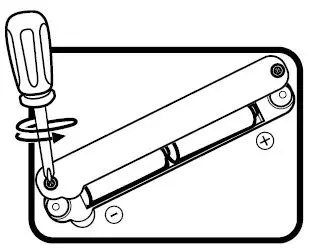
- Locate the battery cover on the bottom of the unit, use a coin or screwdriver to loosen the screw and open the battery box.
- Remove old batteries by pulling up on one end of each battery.
- Install 2 new AA (AM-3/LR6) batteries following the diagram inside the battery box. (The use of new alkaline batteries is recommended for maximum performance.)
- Replace the battery cover and tighten the screw to secure.

Battery safety.
- Use new alkaline batteries for maximum performance.
- Use only batteries of the same or equivalent type as recommended.
- Do not mix different types of batteries: alkaline, standard (carbon-zinc) or rechargeable, or new and used batteries.
- Do not use damaged batteries.
- Insert batteries with the correct polarity.
- Do not short-circuit the battery terminals.
- Remove exhausted batteries from the toy.
- Remove batteries during long periods of non-use.
- Do not dispose of batteries in fire.
- Do not charge non-rechargeable batteries.
- Remove rechargeable batteries from the toy before charging (if removable).
- Rechargeable batteries are only to be charged under adult supervision.
FCC Compliance Statement. THIS DEVICE COMPLIES WITH PART 15 OF THE FCC RULES. OPERATION IS SUBJECT TO THE FOLLOWING TWO CONDITIONS: 1) THIS DEVICE MAY NOT CAUSE HARMFUL INTERFERENCE, AND 2) THIS DEVICE MUST ACCEPT ANY INTERFERENCE RECEIVED, INCLUDING INTERFERENCE THAT MAY CAUSE UNDESIRED OPERATION.
Supplier’s Declaration of Conformity 47 CFR § 2.1077 Compliance Information
Trade Name: LeapFrog®
Model: 21600/6021
Product Name: LeapStart®
Responsible Party: LeapFrog Enterprises, Inc.
Address 6401 Hollis Street, Suite 100, Emeryville, CA 94608
Website leapfrog.com/leapfrog.ca
Note:
This equipment has been tested and found to comply with the limits for a Class B digital device, pursuant to part 15 of the FCC Rules. These limits are designed to provide reasonable protection against harmful interference in a residential installation. This equipment generates, uses and can radiate radio frequency energy and, if not installed and used in accordance with the instructions, may cause harmful interference to radio communications. However, there is no guarantee that interference will not occur in a particular installation. If this equipment does cause harmful interference to radio or television reception, which can be determined by turning the equipment off and on, the user is encouraged to try to correct the interference by one or more of the following measures:
- Re-orient or relocate the receiving antenna.
- Increase the separation between the equipment and receiver.
- Connect the equipment to an outlet on a circuit different from that to which the receiver is connected.
- Consult the dealer or an experienced radio/TV technician for help.
Caution : Changes or modifications not expressly approved by the party responsible for compliance could void the user’s authority to operate the equipment. CAN ICES-3 (B)/NMB-3(B)
USB Cable. Use only the USB cable provided by LeapFrog. Using any other cable may exceed FCC and other regulatory emissions limits. The USB cable is not a toy. Disconnect the toy from the USB connection before cleaning.
Environmental phenomena. The unit may malfunction if subjected to radio-frequency interference. It should revert to normal operation when the interference stops. If not, it may become necessary to turn the power off and back on, or remove and reinstall the batteries. In the unlikely event of an electrostatic discharge, the unit may malfunction and lose memory, requiring the user to reset the device by removing and reinstalling the batteries.
CUSTOMER SUPPORT
U.S. leapfrog.com/support
U.K. leapfrog.co.uk/support
Canada. leapfrog.ca/supportc
Australia. leapfrog.com.au/support
WARRANTY INFORMATION
Limited warranty. Visit our website at leapfrog.com/legal for full details of the warranty provided in your country.
Visit our website for more information about our products, downloads, resources and more.
leapfrog.com
leapfrog.ca
Read our complete warranty policy online at leapfrog.com/legal.