2500 AC Solar Warehouse
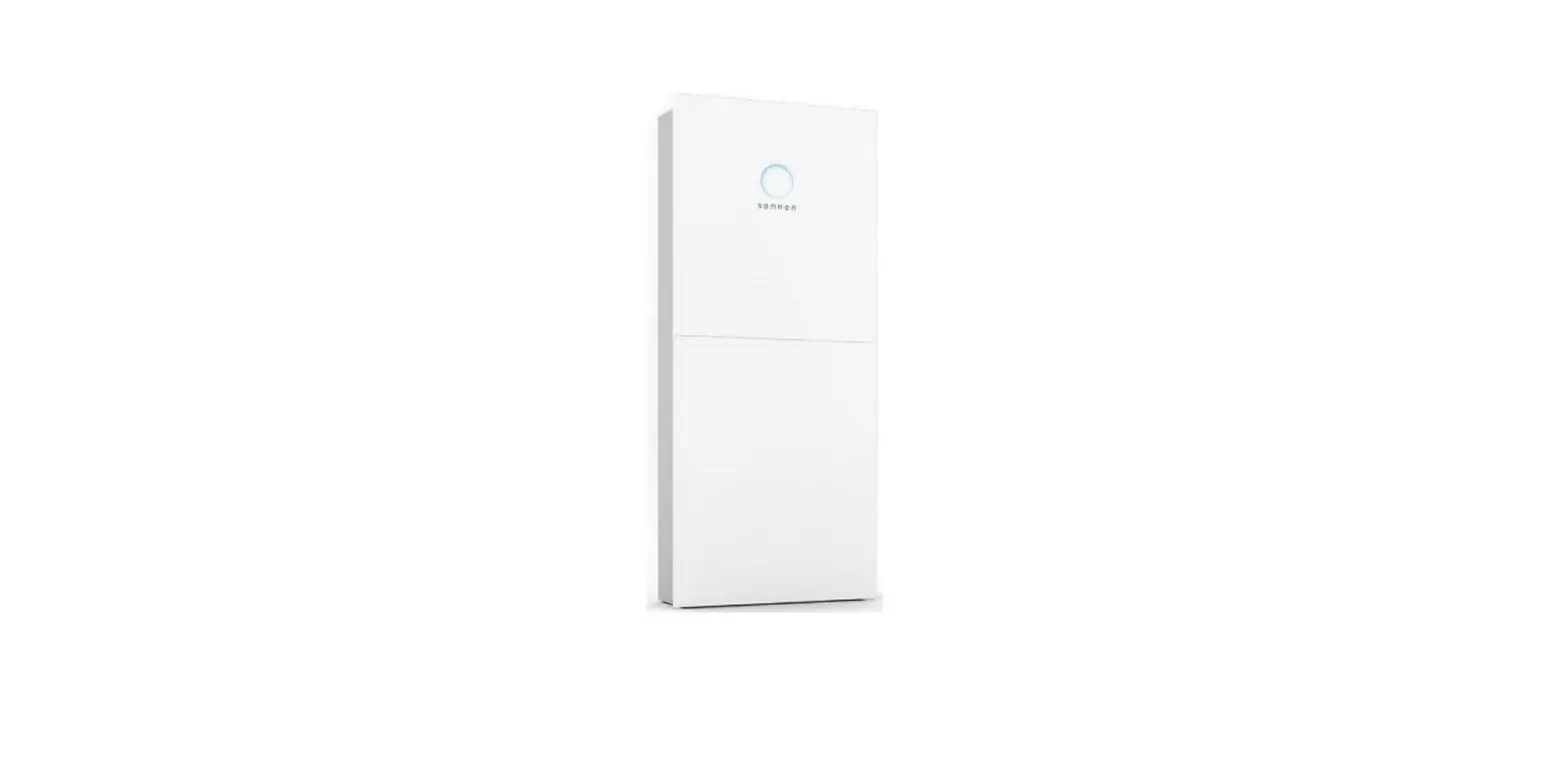
Product Information: Product Name: sonnenProtect 2500 Manufacturer:
sonnen GmbH Model: sonnenBatterie hybrid 9.53 Function: Backup
power unit designed to supplement the sonnenBatterie hybrid 9.53
storage system. Usage Instructions: 1. Read the entire user manual
carefully before operating the sonnenProtect 2500. 2. This product
is intended for use by the operator of the storage system and the
sonnenProtect. 3. Ensure that the product is installed by a
qualified electrician with valid installer accreditation. 4. The
sonnenProtect 2500 is designed to provide power in the event of a
power failure. Any other use is considered improper use and may
void the warranty. 5. Do not modify the product or make changes to
the product environment without proper authorization. 6. The
sonnenProtect 2500 should not be operated by individuals with
impaired physical, sensory, or mental capabilities, or by
individuals with limited knowledge and/or experience of working
with the device, unless they are supervised or trained to safely
use the device. 7. Keep this document for reference purposes. For
any further information or assistance, contact sonnen GmbH at:
Service number: +61 13 7666 Email: [email protected]
Operating instructions | for operators
sonnenProtect 2500 for sonnenBatterie hybrid 9.53
KD-676 · Part no. 1001838 · Version 01
[email protected] · sonnen.com.au
EN
IMPORTANT This entire document must be read carefully. This document must be kept for reference purposes.
Publisher sonnen GmbH Am Riedbach 1 D-87499 Wildpoldsried Service number Email
+61 13 7666 [email protected]
Document Document number / Version Part number / Revision Valid for Publication date The latest version can be accessed at
676 / 01 1001838 / 01 AU, NZ 31/03/2022 my.sonnen.de (in the Downloads section)
18014398772257419
Operating instructions sonnenProtect 2500
Table of contents
Table of contents
1 Information about this document……………………………………………………………………………………………….. 4 1.1 Target group of this document …………………………………………………………………………………………… 4 1.2 Designations in this document ……………………………………………………………………………………………. 4 1.3 Explanation of symbols…………………………………………………………………………………………………………. 4
2 Safety………………………………………………………………………………………………………………………………………………… 5 2.1 Intended use…………………………………………………………………………………………………………………………… 5 2.2 Requirements for the electrician………………………………………………………………………………………… 5 2.3 Operating the product …………………………………………………………………………………………………………. 5 2.4 Product modifications or changes to the product environment …………………………………… 6 2.5 Voltage inside the sonnenProtect………………………………………………………………………………………. 6
3 Product description………………………………………………………………………………………………………………………… 7 3.1 Technical data …………………………………………………………………………………………………………………………. 7 3.2 System components of the sonnenProtect………………………………………………………………………. 8 3.3 Type plate ……………………………………………………………………………………………………………………………….. 8 3.4 Symbols on the outside of the sonnenProtect…………………………………………………………………. 9
4 Operation ……………………………………………………………………………………………………………………………………….. 10 4.1 Function …………………………………………………………………………………………………………………………………. 10 4.1.1 Grid operation – no grid outage …………………………………………………………………………….. 10 4.1.2 Backup operation – grid outage ……………………………………………………………………………… 11 4.1.3 Backup operation – overload behaviour……………………………………………………………….. 12 4.2 Setting the backup buffer …………………………………………………………………………………………………… 13
5 Switching off the sonnenProtect ……………………………………………………………………………………………….. 15 6 Maintenance and Cleaning ………………………………………………………………………………………………………….. 16
6.1 Checking function………………………………………………………………………………………………………………… 16 6.2 Cleaning …………………………………………………………………………………………………………………………………. 16 7 Uninstallation and disposal ………………………………………………………………………………………………………….. 17 7.1 Uninstallation…………………………………………………………………………………………………………………………. 17 7.2 Disposal ………………………………………………………………………………………………………………………………….. 17 8 Troubleshooting…………………………………………………………………………………………………………………………….. 18
KD-676 | 1001838 | EN | 01
iii
1 | Information about this document
1 Information about this document
This document describes the operation of the sonnenProtect 2500 in connection with a sonnenBatterie hybrid 9.53 storage system. Make sure you read this entire document carefully. Keep this document for reference purposes.
1.1 Target group of this document
This document is intended for the operator of the storage system and the sonnenProtect.
1.2 Designations in this document
The following designations are used in this document:
Complete designation
Designation in this document
sonnenProtect 2500
sonnenProtect
sonnenBatterie hybrid 9.53
Storage system
1.3 Explanation of symbols
DANGER
Extremely dangerous situation leading to certain death or serious injury if the safety information is not observed.
WARNING
Dangerous situation leading to potential death or serious injury if the safety information is not observed.
CAUTION
Dangerous situation leading to potential injury if the safety information is not observed.
NOTICE
Indicates actions that may cause material damage.
Important information not associated with any risks to people or property.
Symbol 1. 2. 3. … ü ·
Meaning Work step Work steps in a defined order Condition List
4 / 20
Operating instructions sonnenProtect 2500
Safety | 2
2 Safety
2.1 Intended use
The sonnenProtect 2500 is an backup power unit designed to supplement the sonnenBatterie hybrid 9.53. The sonnenProtect- in conjunction with the appropriate storage system of the sonnen GmbH – serves to supply power in the event of a power failure. Any other use is considered improper use.
Improper use poses a risk of death or injury to the user or third parties as well as damage to the product and other items of value. The following points must therefore be observed in order to comply with the intended use of the product: · Only operate the sonnenProtect together with the right storage system. · The minimum capacity of the storage system required for the operation of the
sonnenProtect is 5 kWh (2 battery modules). · The sonnenProtect must be installed by a licensed electrician. · The sonnenProtect must only be connected to the storage system as described here. · Generators (e. g. a PV system) must never be connected after the output of the
sonnenProtect. · Intended use includes observing this document as well as all accompanying product doc-
umentation of the appropriate storage system. · The sonnenProtect must only be installed and used at suitable installation location. · The transport and storage conditions must be observed. Especially the following uses are not permissible: · Operation in flammable environments or areas at risk of explosion. · Operation in locations at risk of flooding. · Operation outdoors.
Failure to comply with the conditions of the warranty and the information specified in this document invalidates any warranty claims.
2.2 Requirements for the electrician
Improper installation can result in personal injury and/or damage to components. For this reason, the sonnenProtect must only be installed and commissioned by licensed electricians. Licensed electricians must meet the following criteria: · The electrician must be a person with a technical knowledge or sufficient experience to
enable him/her to avoid dangers which electricity may create. · The electrician must has successfully completed the sonnen Australia installer training
and have valid installer accreditation at the time of installation.
2.3 Operating the product
Incorrect operation can lead to injury to yourself or others and cause damage to property. · The sonnenProtect must only be operated as described in the product documentation. · This device can be used by children from the age of eight (8) years old and individuals
with impaired physical, sensory or mental capabilities or individuals with limited knowledge and/or experience of working with the device, as long as they are supervised or have been trained to safely use the device and understand the resulting risks of doing so. Children must not play with the device.
KD-676 | 1001838 | EN | 01
5 / 20
2 | Safety
2.4 Product modifications or changes to the product environment
· The sonnenProtect must only be used in its original state without any user modifications and only when in perfect working order.
· Safety devices must never be overridden, blocked or tampered with. · The interfaces of the sonnenProtect and the storage system must be connected in ac-
cordance with the product documentation. · All repairs on the sonnenProtect must be performed by authorised service technicians
only.
2.5 Voltage inside the sonnenProtect
The sonnenProtect contains live electrical parts, which poses a risk of electrical shock. The storage system inverter also contains capacitors which carry voltage even after the storage system is switched off. As the sonnenProtect is connected to the inverter of the storage system, this means that the voltage from the inverter also flows into the 5 min sonnenProtect. Therefore: Do not open the sonnenProtect. Do not remove any plastic covers.
6 / 20
Operating instructions sonnenProtect 2500
Product description | 3
3 Product description
3.1 Technical data
System data Rated active power Rated apparent power Rated active power (30 sec.) Rated apparent power (30 sec.) Output voltage Nominal frequency Power factor range Max. input current Max. output current Short-circuit current Network configuration in emergency operation Mains connection Mains connection fuse Operating concept
Switchover time Threshold power Dimension/Weight Dimension (H/W/D) in mm Weight in kg Safety / Protective devices Protection class Degree of Protection Overvoltage category Protective functions Residal current device (RCD) Ambient conditions Environment Pollution degree Operating temperature range Max. rel. humidity Permissible installation altitude Additional ambient conditions
Table 1: Technical data
sonnenProtect 2500
2,500 W 2,500 VA 3,000 W 3,000 VA 230 VAC +/- 10 %
50 Hz 0 capacitive … 0 inductive
20 A 13 A 19.5 A TN single-phase, L / N / PE Miniature circuit breaker | Type B | 20 A Single-phase power supply via emergency circuit(s). The switch to emergency operation takes place automatically through the storage system. max. 15 seconds none (starting from 0 W)
230/200/122 4.3
I / PE conductor IP30 III
Overcurrent protection, fault current protection integrated (Type A | 30 mA)
Indoor (conditional) 2
-5 °C … 45 °C 90%, non-condensing 2,000 m above sea level The ambient conditions prescribed for the stor-
age system apply.
KD-676 | 1001838 | EN | 01
7 / 20
3 | Product description
3.2 System components of the sonnenProtect
NOTICE
Observe permissible product combinations
The sonnenProtect 2500 with article number 3000352 may only be installed as an accessory for the sonnenBatterie hybrid 9.53 with article number 3000350 or 3000351. Installation with any other storage systems may result in damage!
Test
8 / 20
Illustration 1: System components of the sonnenProtect
1 sonnenProtect
4 Line to backup circuit
2 Line from storage system
5 Residual current device (F4.P)
3 Line from electrical distributor
6 Miniature circuit breaker (F3.P)
3.3 Type plate
The type plate is located on the outer surface of the sonnenProtect. The type plate can be used to uniquely identify the sonnenProtect. The information on the type plate is required for the safe use of the system and for service matters.
The following information is specified on the type plate: · Item designation · Item number · Technical data
A duplicate of the type plate for the sonnenProtect 2500 must be affixed by the installer to the storage system.
Operating instructions sonnenProtect 2500
3.4 Symbols on the outside of the sonnenProtect
Symbol
Meaning Warning: electrical voltage.
Product description | 3
5 min
Warning: electrical voltage. Wait five minutes after switching off (capacitor de-energising time).
CE mark. The product meets the requirements of the applicable EU Directives.
WEEE mark. The product must not be disposed of in household waste, dispose of it through environmentally friendly collection centres.
Observe the documentation. The documentation contains safety information.
RCM mark. The product meets the requirements of the applicable regulations.
KD-676 | 1001838 | EN | 01
9 / 20
4 | Operation
F1 4
4 Operation
4.1 Function
A storage system with sonnenProtect automatically switches from grid to backup operation (and vice versa). The two operating modes are described in the following.
4.1.1 G2rid operation – n3o grid outage
Test Reset 40 60
5
+
Illustration 2: Grid operation – no grid outage
1 Consumer connected to phase L1
6 Storage system
2 Consumer connected to phase L2
7 Battery of the storage system
3 Consumer connected to phase L3
8 PV system
4 Consumer connected to backup circuit
9 Public electricity grid
5 sonnenProtect
In grid operation the consumers connected to phase L1 to L3 and the consumers connected to the backup circuit (1 – 4) are connected to the public electricity grid (9). All consumers in the house are supplied with electrical power. The storage system controls – as described in the product documentation of the storage system – the energy flows in the building.
10 / 20
Operating instructions sonnenProtect 2500
3
ON AL Test
5 RAL k
Reset 20
40
60 100 80
5
4.1.2 B2ackup operation3 – grid outage
+
Operation | 4
Illustration 3: Backup operation – grid outage
1 Consumer connected to phase L1
6 Storage system
2 Consumer connected to phase L2
7 Battery of the storage system
3 Consumer connected to phase L3
8 PV system
4 Consumer connected to backup circuit
9 Public electricity grid
5 sonnenProtect
The sonnenProtect (5) automatically detects a grid outage. As soon as the voltage of the electricity grid drops to approx. 180 V, the connection to the public electricity grid (9) is disconnected.
Backup power is generated after max. 15 seconds. The consumers connected to backup circuit in the house (4) are thereby supplied with electrical power. Consumers connected to the phase L1, L2 or or L3 (1 – 3) will not be supplied with electrical power.
The switchover from grid to backup operation is signaled by the sonnen Eclipse (light ring) on the storage system. The color of the sonnen Eclipse changes from white (normal operation) to green (backup operation).
Electrical power generated by the PV system (8) continues to be used by the storage system to supply the consumers in the backup circuit and to charge the battery.
The storage system with sonnenProtect switches from backup to grid operation as soon as the public electricity grid (9) starts to deliver electrical power again. Automatic stop and resumption of the backup operation
The storage system with sonnenProtect generates electrical power until a minimum state of charge of the battery is reached. Thereafter, no further discharge is allowed.
KD-676 | 1001838 | EN | 01
11 / 20
4 | Operation
If the discharge has stopped due to the minimum state of charge, the storage system remains in this state until the PV system starts to produce electrical power again. From then on, the batteries of the storage system are charged and as soon as the state of charge exceeds the minimum limit, the surplus power is used to supply the electrical consumers in the backup circuit.
4.1.3 Backup operation – overload behaviour
Case 1: Overload detection by fuse The integrated fuse (miniature circuit breaker F3.P) of the sonnenProtect protects the entire system against overload. When the fuse trips, the storage system will still be in backup operation (Eclipse will turn green), but the electrical consumers in the backup circuit will no longer be supplied with power! In this case, switch off the electrical loads or reduce their power consumption and then
switch on the miniature circuit breaker F3.P in the sonnenProtect. Case 2: Overload detection by storage system In special overload cases, the control of the storage system reacts earlier than the integrated fuse of the sonnenProtect. In this case, the miniature circuit breaker inside the sonnenProtect does not trip, the backup power is instead stopped by the control of the storage system. The eclipse of the storage system signals this by turning orange. When this happens, there are two options: 1. The overload is removed: The storage system restarts the backup operation after a few
minutes and the eclipse changes from orange to green. 2. The overload remains: The storage system tries to resume backup operation twice. If it
is switched off a third time, the backup operation remains disabled until the grid outage is over. The eclipse will continue to glow orange.
12 / 20
Operating instructions sonnenProtect 2500
Operation | 4
4.2 Setting the backup buffer
Proceed as follows to set what percentage of the capacity of the storage system should be available for the sonnenProtect in the event of a grid outage. Conditions: ü The storage system is connected to the router of the home network. ü Your laptop or PC also accesses the home network. ü The sonnenProtect was set up by the installer using the commissioning assistant 2. Proceed as follows to access the storage system web interface: Enter the following address into your browser’s address line: https://find-my.sonnen-
batterie.com The following window appears:
123.456.78.99
12345
Click on the blue LAN IP number. The login page appears. Log in as user with the following password: sonnenUser3552 The Dashboard appears.
On the web interface of the storage system, navigate to the Settings page. Change the percentage for backup-buffer to a desired value.
KD-676 | 1001838 | EN | 01
13 / 20
4 | Operation
14 / 20
Operating instructions sonnenProtect 2500
Switching off the sonnenProtect | 5
5 Switching off the sonnenProtect
To switch off the sonnenProtect manually, the following procedure can be carried out. Switch off the storage system as described in the relevant product documentation. After switching off, the consumers connected to the backup circuit(s) can no longer be supplied with electrical energy from the battery of the storage system.
NOTICE
Deep-discharge of the battery modules
Destruction of the battery modules! Do not disconnect the storage system from the public electricity grid for
long periods of time. Never continue to operate battery modules which have been deep-dis-
charged.
KD-676 | 1001838 | EN | 01
15 / 20
6 | Maintenance and Cleaning
6 Maintenance and Cleaning
6.1 Checking function
A residual current device (RCD) is installed in the sonnenProtect. The function of the RCD can be tested by pressing the test key (T). After pressing, the RCD must switch off (the backup circuit is interrupted).
Maintenance interval Every 6 months
Action to be taken Check the function of the RCD with help of the Test key.
Table 2: Checking function
6.2 Cleaning
NOTICE
Use of unsuitable cleaning agent and/or excessive water
Material damage because of scratched surfaces and/or damage caused by penetration of water! Do not use scouring cloths, sponges or cleaning agent. Use only moist cloths, not wet cloths, to clean the system. Do not use water jets.
Carefully clean the outside of the sonnenProtect with a clean, moist cloth. For tougher dirt, use a small amount of household dishwashing detergent on a moist cloth.
16 / 20
Operating instructions sonnenProtect 2500
Uninstallation and disposal | 7
7 Uninstallation and disposal
7.1 Uninstallation
DANGER
Improper uninstallation of the sonnenProtect Danger to life due to electrocution! The sonnenProtect must only be uninstalled by authorised electricians.
7.2 Disposal
The sonnenProtect must not be disposed of as domestic waste! Dispose of the sonnenProtect in an environ-
mentally friendly way through suitable collection systems.
Illustration 4: WEEE symbol
KD-676 | 1001838 | EN | 01
17 / 20
8 | Troubleshooting
8 Troubleshooting
Fault
Possible causes
Rectification
Grid operation (no grid outage)
The electrical consumers in the The lines of the backup circuit have not Contact your installer to check the elec-
backup circuit are not supplied with been connected correctly.
trical wiring.
energy in grid operation.
The miniature circuit breaker in the sup- Switch on the miniature circuit breaker in
ply line of the sonnenProtect is
the supply line of the sonnenProtect.
switched off.
The miniature circuit breaker (F3.P) in Switch on the miniature circuit breaker
the sonnenProtect is switched off.
(F3.P) inside the sonnenProtect.
The RCD (F4.P) in the sonnenProtect is Switch on the RCD (F4.P) inside the
switched off.
sonnenProtect.
Backup operation (grid outage) – Backup operation does not start
Backup operation doesn’t start. The The batteries of the storage system If the PV system generates electrical
eclipse of the storage system is off. have discharged so much that further power, the backup operation will continue
discharging would lead to a deep dis- as soon as excess power is available.
charge state and therefore damage the If the PV system does not generate elec-
batteries.
trical power the only thing to do is wait
until the grid outage passes and the public
electrical grid once again starts supplying
electrical energy. Then the sonnenProtect
automatically switches to grid operation.
The storage system is switched off.
Switch on the storage system.
Backup operation doesn’t start. The The miniature circuit breaker (F3.P) in Switch on the miniature circuit breaker
eclipse of the storage system is the sonnenProtect is switched off.
(F3.P) inside the sonnenProtect.
green.
The RCD (F4.P) in the sonnenProtect is Switch on the RCD (F4.P) inside the
switched off.
sonnenProtect.
Backup operation doesn’t start. The Electrical consumers with too high
eclipse of the storage system is or- power consumption are connected to
ange.
the backup circuit.
Switch off electrical consumers or reduce their power consumption.
Only connect electrical consumers to the backup circuit when they have a power consumption that does not exceed the nominal power or (when switching on) the maximum power of the sonnenProtect.
18 / 20
Operating instructions sonnenProtect 2500
Troubleshooting | 8
Fault
Possible causes
Rectification
Backup operation (grid outage) – Backup operation stops
Backup operation stops. The miniature circuit breaker and the RCD in the sonnenProtect have not switched off. The eclipse of the storage system is off.
The batteries of the storage system If the PV system generates electrical
have discharged so much that further power, the backup operation will continue
discharging would lead to a deep dis- as soon as excess power is available.
charge state and therefore damage the If the PV system does not generate elec-
batteries.
trical power the only thing to do is wait
until the grid outage passes and the public
electrical grid once again starts supplying
electrical energy. Then the sonnenProtect
automatically switches to grid operation.
Backup operation stops. The mini- The miniature circuit breaker detected
ature circuit breaker (F3.P) in the an overload, this means electrical con-
sonnenProtect has switched off. sumers with too high power consump-
The eclipse of the storage system is tion are connected to the backup cir-
green.
cuit.
Switch off electrical consumers so that the power consumption does not exceed the nominal power or (when switching on) the maximum power of the sonnenProtect.
Then switch on the miniature circuit breaker (F3.P) again. The storage system automatically restarts the backup operation.
Backup operation stops. The RCD (F4.P) in the sonnenProtect has switched off. The eclipse of the storage system is green.
The RCD has detected fault currents in Contact your installer to check the wiring
the backup circuit.
and the connected electrical consumers
and to correct the error.
Backup operation stops. The miniature circuit breaker and the RCD in the sonnenProtect have not switched off. The eclipse of the storage system is orange.
The control of the storage system de- Switch off electrical consumers so that tected an overload, this means there are the power consumption does not exceed electrical consumers connected to the the nominal power or (when switching on)
backup circuit with a too high power consumption.
the maximum power of the sonnenProtect.
The storage system automatically restarts the backup operation. The eclipse of the storage system is green.
If the backup operation does not start and the eclipse stays orange, the storage sys-
tem has already unsuccessfully tried three times to start the backup operation. Then the only thing to do is wait until the con-
nection to the public electrical grid can restored.
KD-676 | 1001838 | EN | 01
19 / 20
sonnen GmbH Am Riedbach 1 D-87499 Wildpoldsried
 Batteries
 sonnen Customer Portal
 Solar Batteries - Home Battery Storage | sonnen