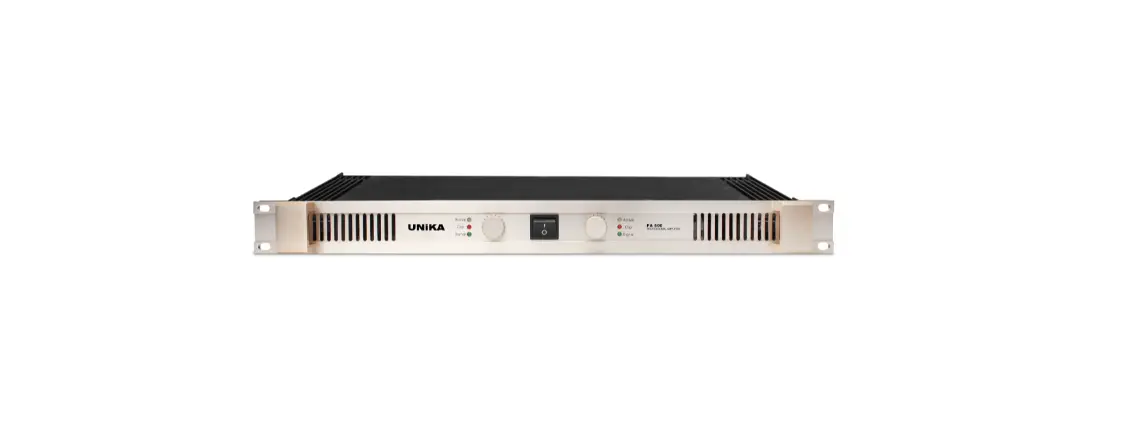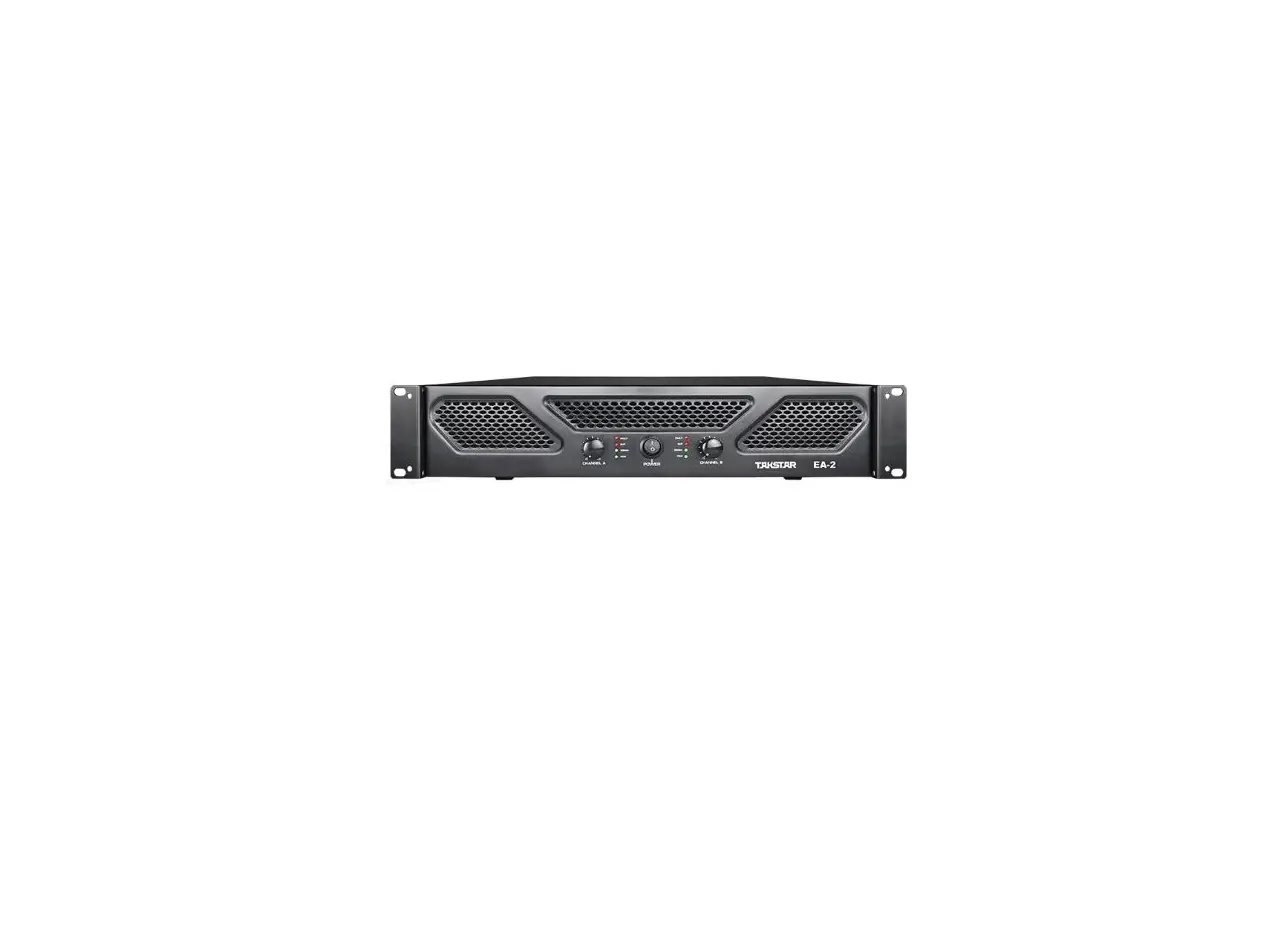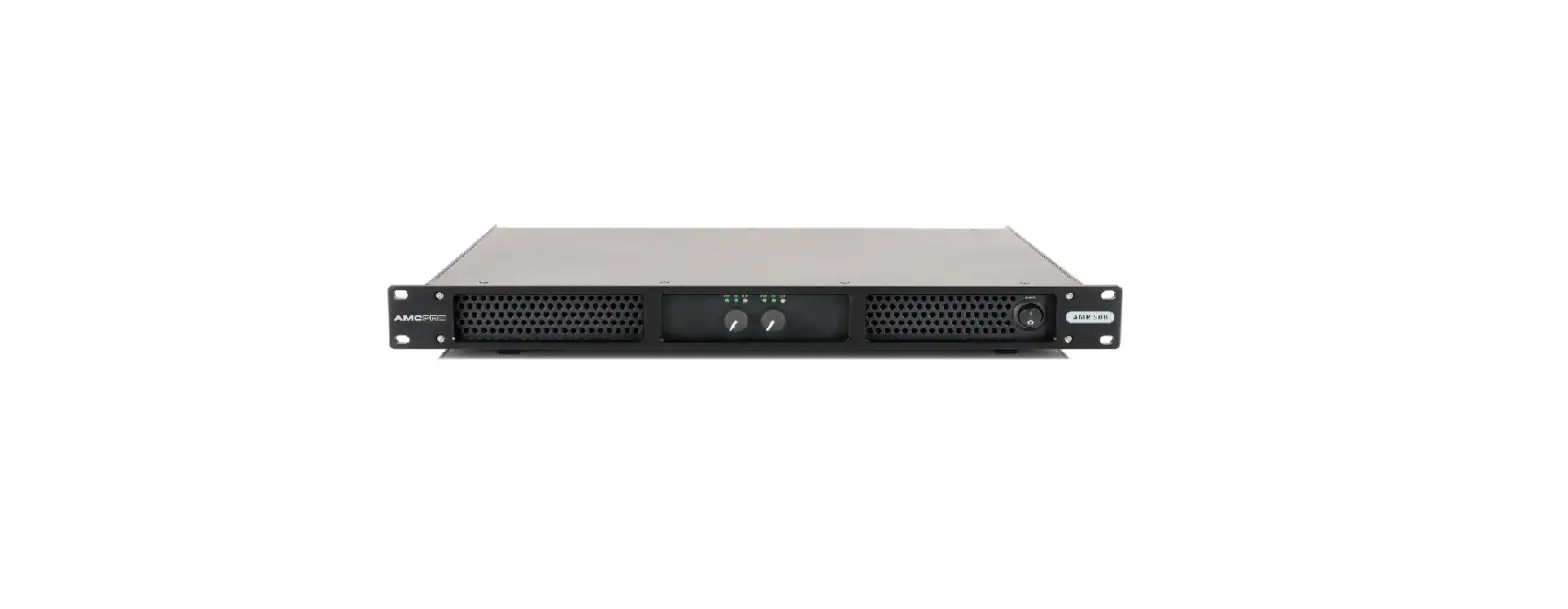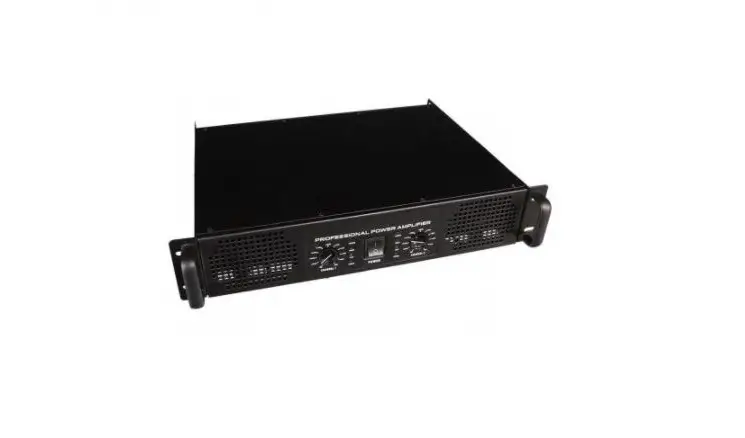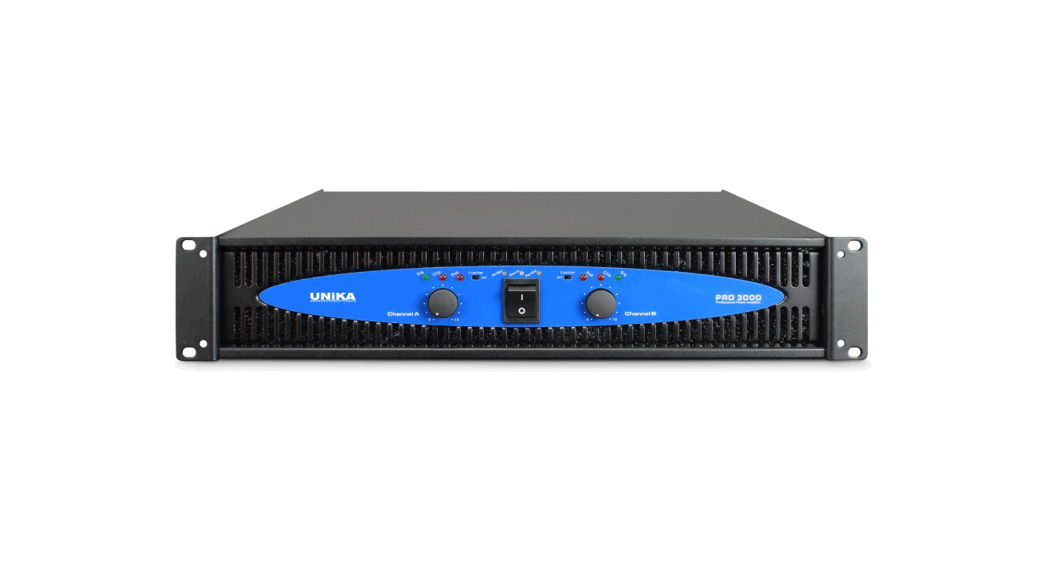

Professional Power Amplifiers
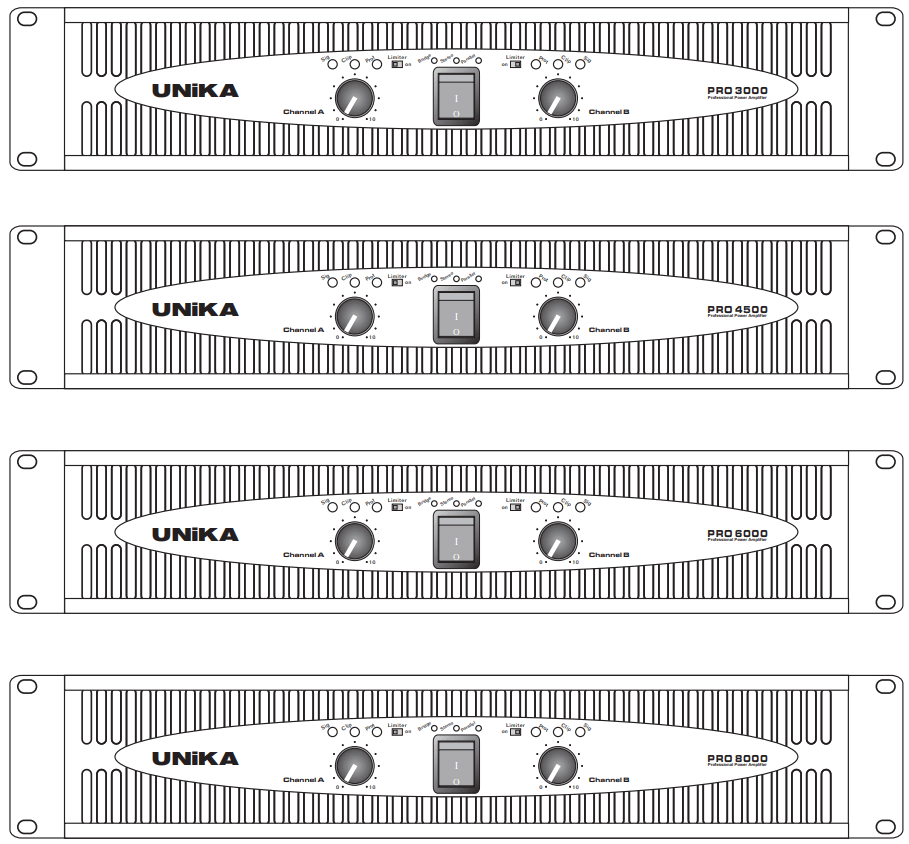
PROFESSIONAL POWER AMPLIFIER
PRO-SERIES
PRO-3000
PRO-4500
PRO-6000
PRO-8000
OPERATION MANUALS
 Intended to alert the user to the presence of uninsulated “dangerous voltage” within the product’s enclosure that may be of sufficient magnitude to constitute a risk of electric shock to persons
 Intended to alert the user of the presence of important operating and maintenance (servicing) instructions in the literature accompanying the product.
CAUTION: Risk of electrical shock -DO NOT OPEN
CAUTION: To reduce the risk of electric shock, do not remove the cover. No user-serviceable parts inside
Refer servicing to qualified service personnel.
WARNING:
To prevent electrical shock or fire hazards, do not expose this appliance to rain or moisture.
Before using this appliance, read the operating guide for further warnings.
WARNING!
For optimum performance and reliability DO NOT PRESENT THE AMPLIFIER WITH A SPEAKER LOAD OF fewer THAN 2 OHMS. OR A COMBINATION OF SPEAKERS THAT TOGETHER ARE LESS THAN 2 OHMS!
Using one speaker, it must be rated at 2 ohms minimum.
Using two speakers, they must be rated each at 4 ohms minimum.
Using three speakers, they must be rated each at 8 ohms minimum.
FRONT PANEL
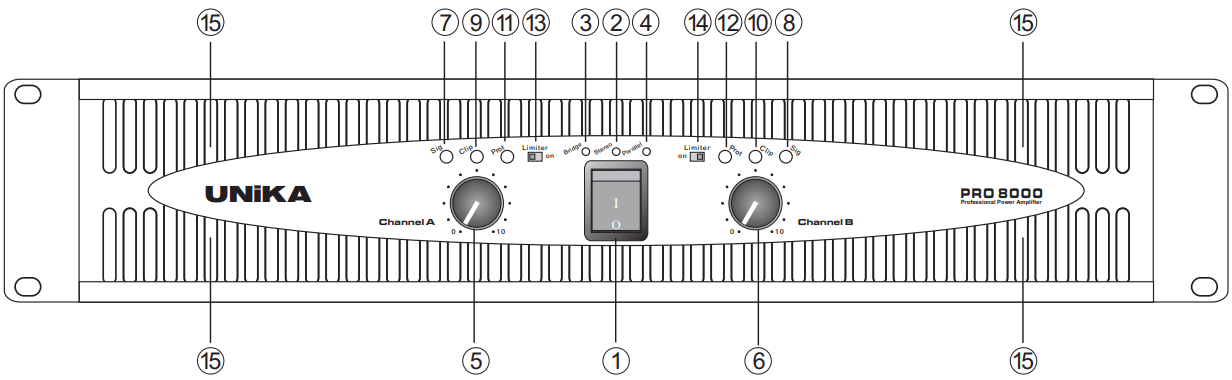
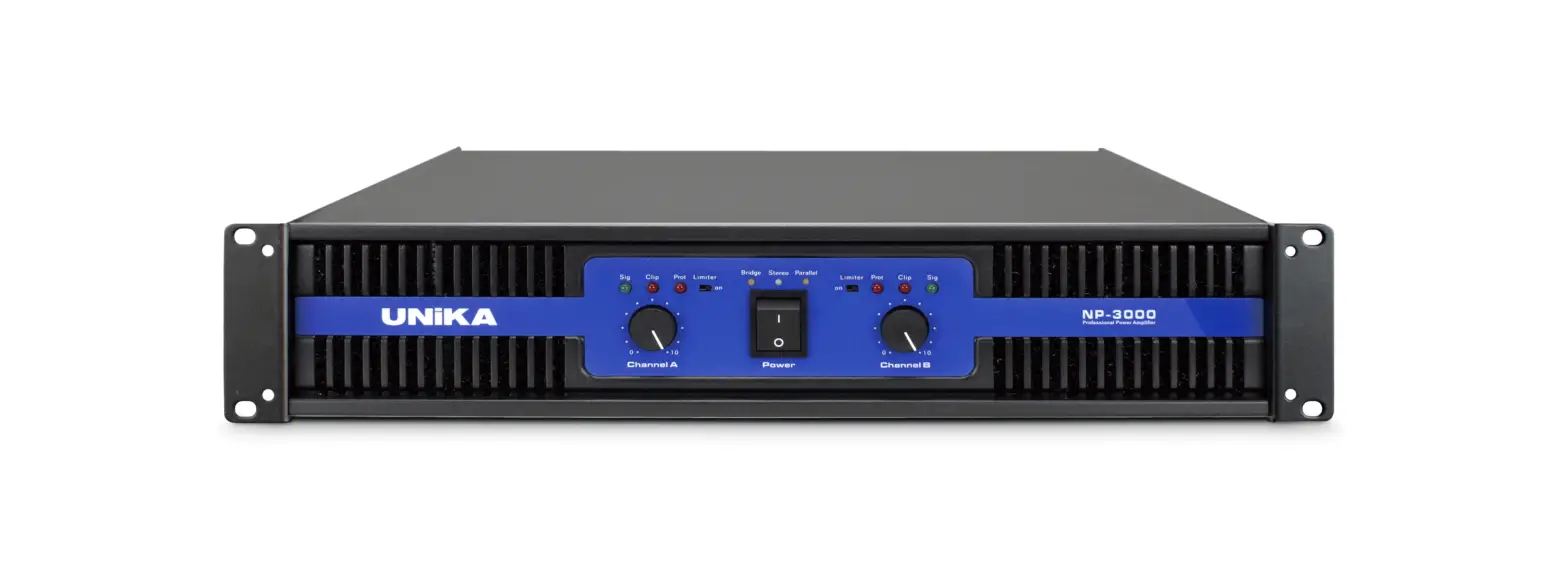
| 1. POWER SWITCH 2. STEREO INDICATOR 3. BRIDGE INDICATOR LED 4. PARALLEL INDICATOR LED 5. GAIN CONTROL (CHANNEL A) 6. GAIN CONTROL (CHANNEL B) 7. SIGNAL INDICATOR LED (CHANNEL A) 8. SIGNAL INDICATOR LED (CHANNEL B) | 9. CLIP INDICATOR LED (CHANNEL A) 10. CLIP INDICATOR LED (CHANNEL B) 11. PROTECT INDICATOR LED (CHANNEL A) 12. PROTECT INDICATOR LED (CHANNEL B) 13. LIMITER SWITCH (CHANNEL A) 14. LIMITER SWITCH (CHANNEL B) 15. COOLING VENTS |
REAR PANEL
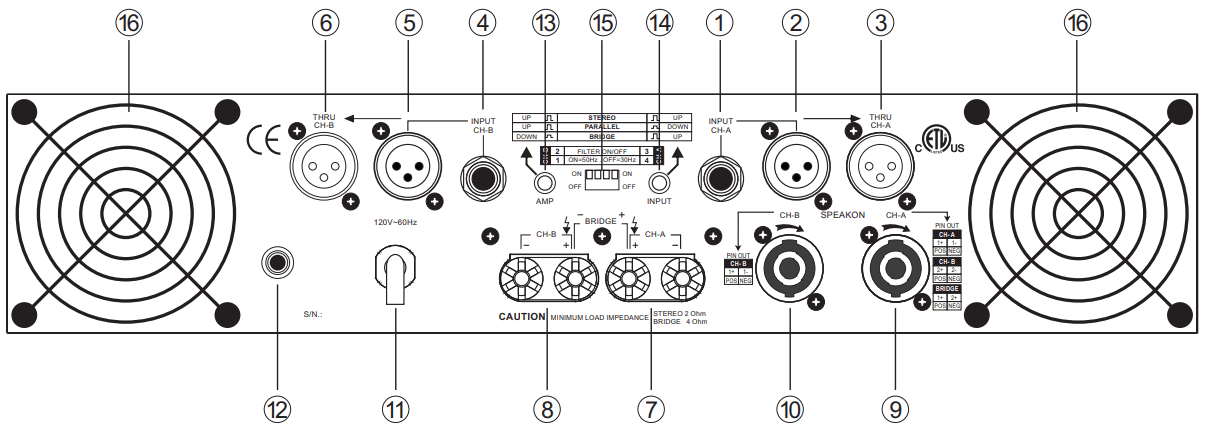
| 1. TRS INPUT (CHANNEL A) 2. XLR INPUT (CHANNEL A) 3. THRU OUTPUT (CHANNEL A) 4. TRS INPUT (CHANNEL B) 5. XLR INPUT (CHANNEL B) 6. THRU OUTPUT (CHANNEL B) 7. BINDING POST OUTPUT (CHANNEL A) 8. BINDING POST OUTPUT (CHANNEL B) | 9. SPEAKON OUTPUT (CHANNEL A) 10. SPEAKON OUTPUT (CHANNEL B) 11. AC POWER INLET CONNECTOR 12. POWER RESET 13. AMP MODE SWITCH 14. INPUT MODE SWITCH 15. LOW CUT FUNCTION SWITCH 16. FAN & FILTER COVER |
Inputs
Two input connectors, XLR jack, and 6.3mm(1/4″) TRS jack for both balanced/unbalanced.
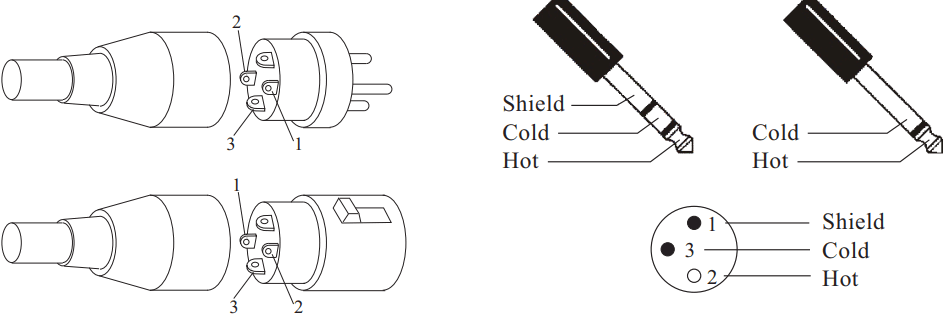
THRU
Plug the signal source outputs into the first amplifier’s input, patch from the amplifier’s thru jacks to the next amplifier’s input, and so on, raising- chaining as many amplifiers as there is no excessive level loss.
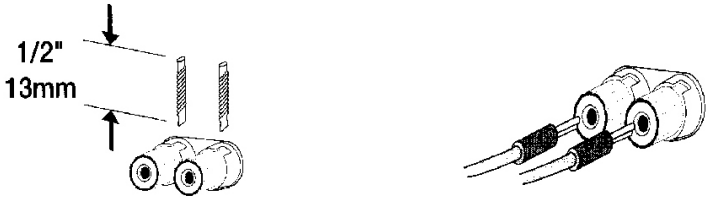
OUTPUT
Strip back insulation 13-mm. insert wire fully, tighten the barrel.
Clip Limiter
WHAT IT IS
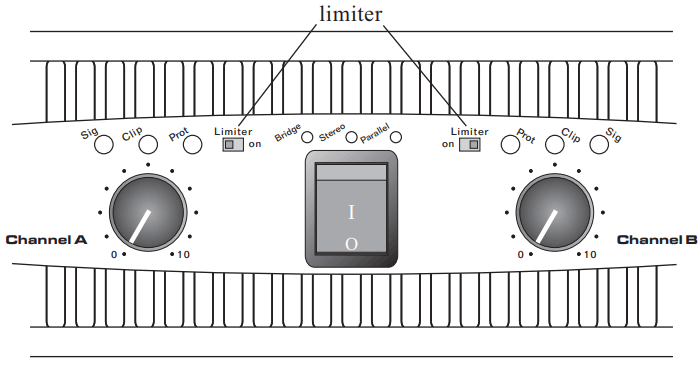
When the audio signal drives the Amp’s output circuit beyond its power capability, it clips, flattening the peaks of the waveform. The clip limiter detects this and reduces the gain to minimize the amount of overdrive. To preserve as much of the program dynamics as possible, limiting reduces the average program level until peaks barely clip. Each channel has its own clip limiter, and you can switch it on or off independently, as shown in the front panel.
WHEN TO USE IT (OR NOT)
When driving full-range speakers, clip limiting reduces high frequency distortion caused by bass overloads. It also protects higher frequency drivers from excess overdrive and harsh clipping harmonics. When driving subwoofers, some users let the amplifier clip without limiting because it gives extra “punch” to kick drums and similar sounds.
CAUTION: In bi-amp systems, excessive limiting will affect the frequency balance.
Input filter
WHAT IT IS
The low-frequency (LF) Filter rolls signals below either 30Hz or 50Hz. This improves bass performance by limiting sub-audio cone motion, making more power available for the speaker’s rated frequency range. The filter settings for each channel are controlled individually through the DIP switch settings shown. When the filter is turned off, a 5Hz roll-off protects against DC or deep sub-audio inputs
WHEN TO USE IT (OR NOT)
As a rule, your speakers will sound better with proper filtering. Unless you already have filtering in a preceding device, match the setting to the low-frequency rating of your speakers. Vented (bass reflex, ported, etc.) speakers are especially sensitive to cone over-excursion at frequencies below their rated limit. The 50Hz filter works well with most compact full-range speakers and has a slight boost at 100Hz for greater fullness. The 30Hz filter is intended for subwoofers and large full-range cabinets. The “off” position should be used only for applications such as studio playback monitoring, where you need to know if there are unwanted sub-audio signals present in your mix.
DIP Switch settings
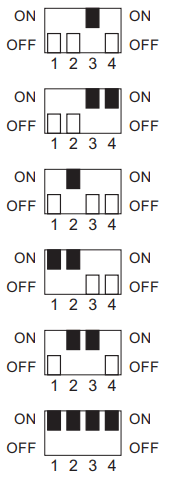 | CH-A | Low cut filter ON cut point 30Hz |
| CH-A | Low cut filter ON cut point 50Hz | |
| CH-B | Low cut filter ON cut point 30Hz | |
| CH-B | Low cut filter ON cut point 50Hz | |
| CH-A & CH-B | Low cut filter ON cut point 30Hz | |
| CH-A & CH-B | Low cut filter ON cut point 50Hz |
Parallel input mode
WHAT IT IS
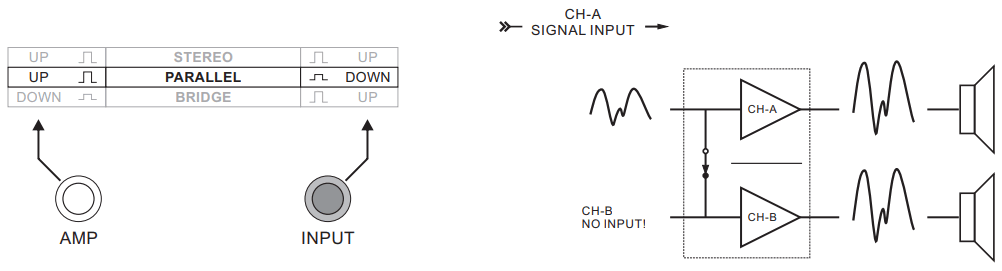
“Parallel input” switches let you operate the amplifier in parallel mode, delivering the same signal to both channels without using a Y-cable. Each channel drives its own speaker load, with independent gain, filtering, and clip limiting. Set amp switch “Up”, input switch “Down”. With the inputs in parallel and only one input signal, you can use the other set of input connectors to carry the signal to other amps.
This is called “THRU”.
WHEN TO USE IT
Parallel the inputs when driving two speakers with one input signal (parallel mode) while keeping separate Control of both channels’ gain, filtering, and limiting.
NOTE: If you are using a balanced signal, use only balanced patch cables; even one unbalanced cable will unbalance the entire signal chain, possibly causing a hum.
NOTE: Turn off the “parallel input” switches when feeding the amp two separate signals.
Parallel mono mode
Bridge mono mode
WHAT IT IS
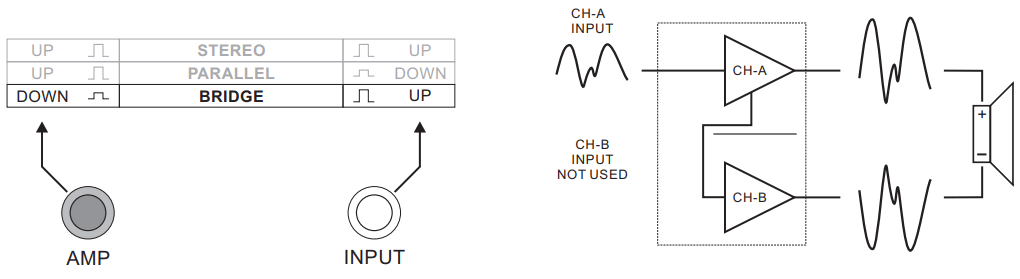
Bridged mono combines the power of both amp channels channel into one speaker, resulting in twice the voltage swing, four times the peak power, and approximately three times the sustained power of a single channel. This mode uses channel A’s input, gain control, input filter, and clip limiter, Channel B’s should not be used.
WHEN TO USE IT (OR NOT)
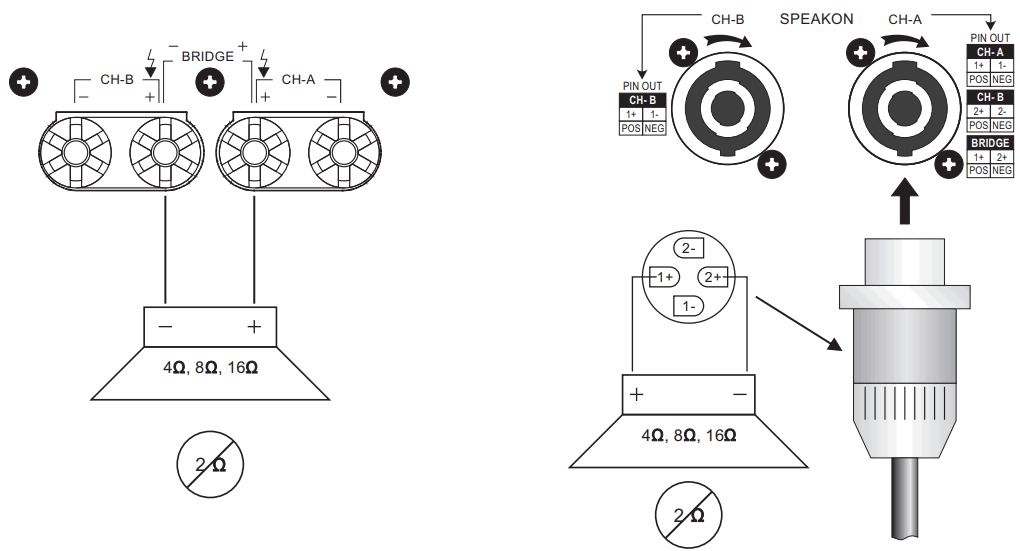
Use bridged mono to deliver the power of both channels to a single 8-or 4- Ohm load. Set amp switch “Down”, Set input switch “Up”
BRIDGED-MONO PRECAUTIONS: This mode outs a high demand on the amplifier and speaker. Excessive clipping may cause protective muting or speaker damage. Be sure the speaker has a sufficient power rating.
Precaution
If the load is 4 Ohms or less and prolonged overloads occur, the amplifier will probably mute for several seconds during peaks, and the circuit breaker may trip. Do not use 2 Ohm loads.
STEREO MODE
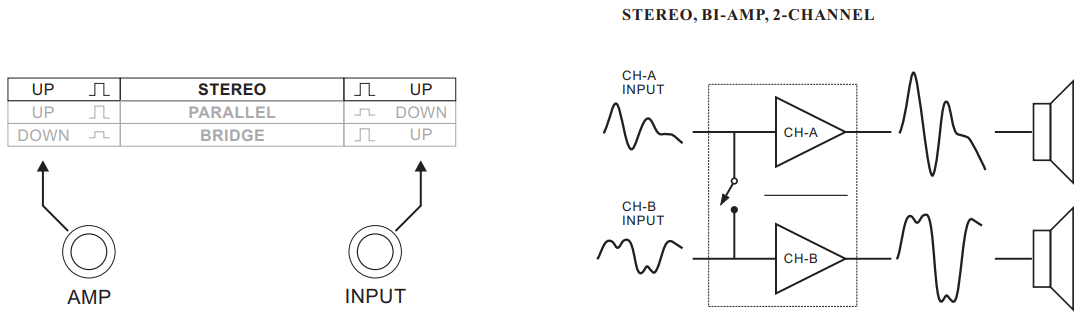
This is the “normal” way of using the amplifier, in which each channel is fully independent. Separate signals connect at the inputs, the gain knobs control their respective channels, and separate speakers connect to each output. Set amp switch “UP”, Input Switch “UP”
Bridge mono mode
PROTECTION
- TURN-ON/TURN-OFF MUTING
The amplifier output is muted for a couple of seconds after turn-on, and immediately at the turn-off - SHORT CIRCUIT PROTECTION:
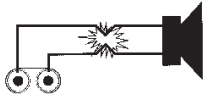
The output short circuit protects the output devices from short circuits and stressful loads.
- THERMAL PROTECTION:
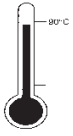
Dual 2-speed fans provide adequate cooling airflow. But if the heat sink temperature should climb above 90 c, the output will mute until the amplifier cools down.
- DC FAULT
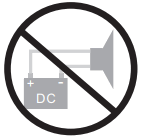
The outputs will mute if dc or excessive subsonic energy appears at them.
- INPUT/OUTPUT PROTECTION:
The input circuits are insulated by 10K Resistors. An ultrasonic network decouples RF from the output and helps keep the amplifier stable with reactive loads.
SPECIFICATIONS
| MODEL NO. | PRO-3000 | PRO-4500 | PRO-6000 | PRO-8000 |
| R.M.S. Output Power 2 CH Driven 2ohms/4ohms/8ohms 1KHz 1% THD | 2ohms 570W | 2ohms 1050W | 2ohms 1100W | 2ohms 1460W |
| 4ohms 490W | 4ohms 725W | 4ohms 960W | 4ohms 1280W | |
| 8ohms 300W | 8ohms 450W | 8ohms 600W | 8ohms 800W | |
| R.M.S. Output Power Bridged Mono 4ohms/8ohms 1KHz 1% THD | 1140W/980W | 2100W/1450W | 2200W/1920W | 2920W/2560W |
| Input Sensitivity | 0.775V | 0.775V | 0.775V | 0.775V |
| Frequency Response (20Hz~20KHz) | ±0.2dB | ±0.2dB | ±0.2dB | ±0.2dB |
| Total Harmonic Distortion | <0.02% | <0.01% | <0.01% | <0.025% |
| Crosstalk @ 1KHz | >70dB | >70dB | >70dB | >60dB |
| Damping Factor | >500 | >500 | >560 | >600 |
| Signal To Noise Ratio below rated power 20Hz to 20KHz, A-Weighted | >100dB | >100dB | >100dB | >100dB |
| Power Consumption @ Maximum Output Power 8ohms | 650W 5.91A@110V | 990W 9A@110V | 1370W 12.45A@110V | 1900W 17.27A@110V |
| Output Circuitry | CLASS AB | CLASS AB | CLASS H | CLASS H |
| Cooling System | Dual 2-speed fans and heatsinks | |||
| Dimensions (H x W x D) | 88 x 483 x 332 mm | 88 x 483 x 332 mm | 88 x 483 x 434 mm | 88 x 483 x 434 mm |
| Weight | 13.7kg | 14kg | 19.4kg | 23kg |
| Rack Space | 2U | 2U | 2U | 2U |