 Installation and User Guide
Master Landlord Wireless Controller
MLC-01
Please read this guide carefully and retain it for future use and maintenance.
Getting to know your MLC
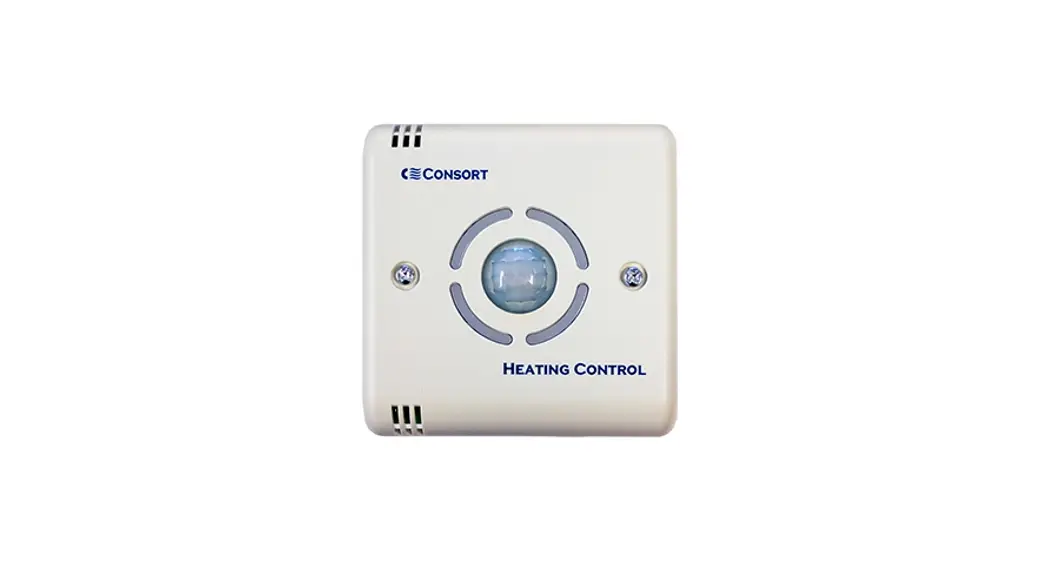
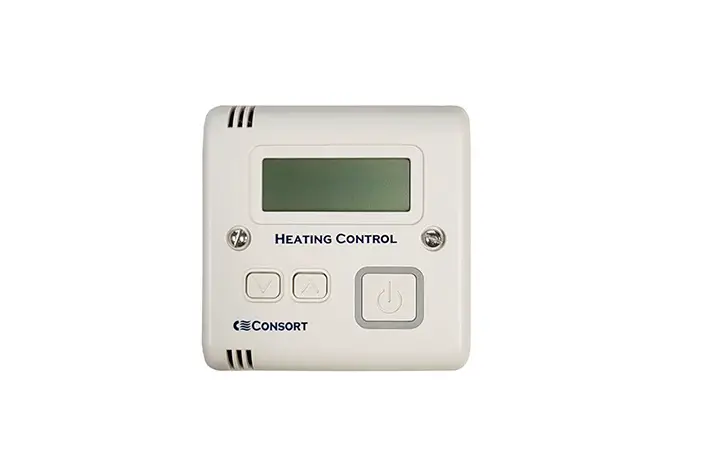
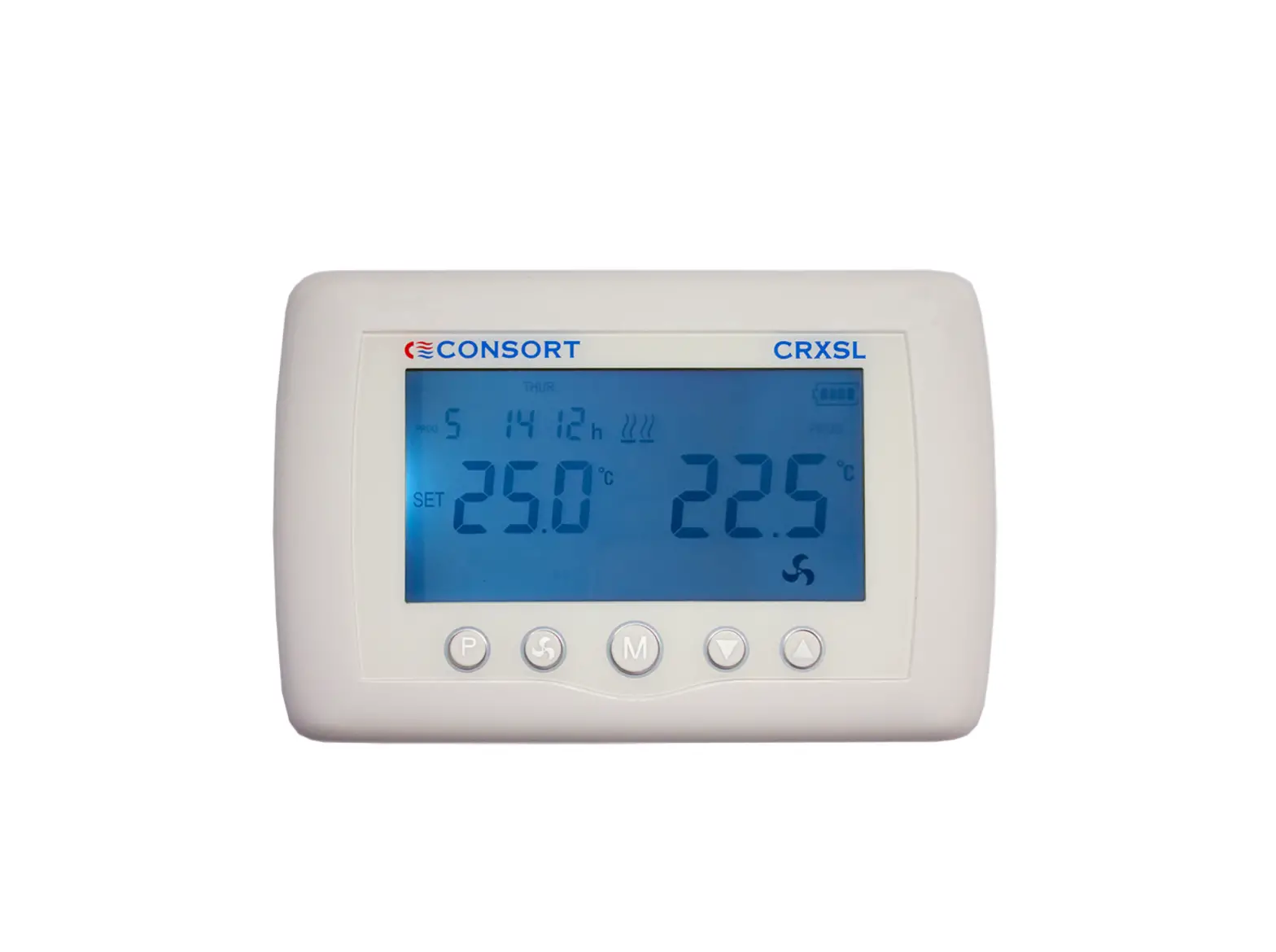
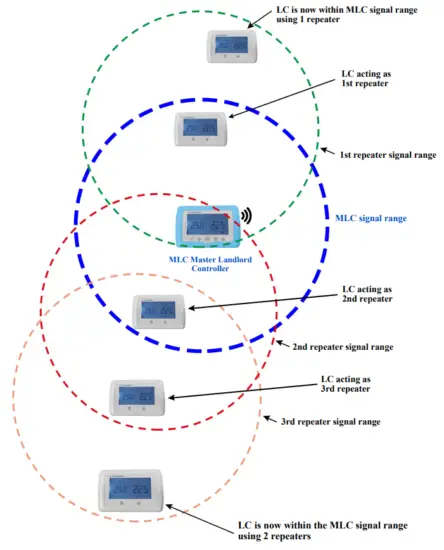
The MLC master controller can only be used in conjunction with LC room controllers. It is used for group control, system override, and the setting up of the LC room controllers. An unlimited number of LC can be connected to a single MLC. Multiple master controllers can be used in one building. It is mainly powered only with battery backup. The communication between the MLC and LC is wireless. In some situations where RF range is a problem, some LC room controllers can be used as room controllers and range extenders at the same time. In this case, the LC must be mains powered. Do not set more LC as repeaters than necessary for the correct functionality of the system.
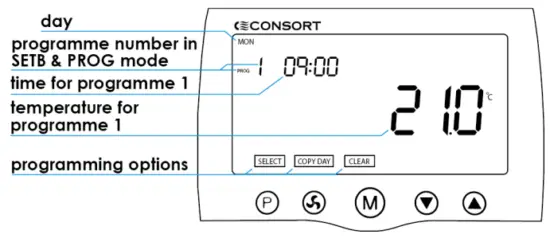
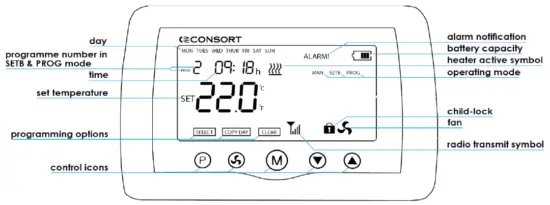 An illustration of functions available on MLC
 : set time, day, and access programming menu
 : activate fan function (for fan heaters only)
 : select operating mode
 : increase value
 : decrease value
ALARM! : flashes to indicate an error in temperature settings for the day e.g. the timing set for the 2nd temperature setting precedes the 1″ temperature setting.
Basic operation
When installing the system, the MLC should be turned ON first. It should be set up before pairing with the room controllers. It should stay ON all the time. Because of time synchronization for exchanging data between the MLC and room controllers, if MLC loses power, it can take up to 1 day to regain connection with all room controllers.
It is recommended to use batteries as a backup power as well as the mains power. 4 x AAA batteries can be also used when setting up the system and pairing MLC with the room controllers LC. If the batteries are used as backup power, they must be replaced every 2 years. Any changes made on the MLC are transmitted to every room controller. The time period of signal transmission can be set in the Set-up menu (follow section 8 for details).
Basic operation (cont’d…)
Before you can use MLC, it has to be activated by tapping any control icon. The LCD screen backlight will turn on. To operate any control icon, touch within 2 seconds of MLC
activation.
Time and day setting
- To enter the time setting touch and hold
 for 5 seconds.
 - The minutes will flash.
- Use
 or
or  set minutes.
 - Touch , the hours will flash.
- Use or set hours.
- Touch , the MON will flash.
- Use or select day.
- Once you are happy with the settings, leave the MLC for 20 seconds. The settings will be saved and MLC will return to the main screen.
Selecting operating mode
MLC has 3 operating modes:
MANUAL, SET BACK, and PROGRAM
Each mode can be selected by activating the MLC and touching to cycle through the options.
Comfort temperature-time period
To enable this feature, number 7 in the set-up menu must be set to 2 (see section 9).
The Comfort temperature-time period allows a 1-4 hour timer to start once the target temperature has been changed on the LC.
The time period of 1-4 hours can be set in 1-hour increments (see section 9).
If the master controller is in program or setback mode this feature will take priority over the program’s time settings.
MAN – Manual mode
In manual mode, the heater maintains the set temperature.
- Touch or set the temperature.
To amend the set temperature, tap any control button once to activate, then touch or change the temperature.
Once the temperature is set, leave the thermostat and the settings will be saved.
PROG – Automatic time mode
In this mode, the MLC will follow the week’s time/temperature program.
You can override the temperature in PROG mode by simply activating the MLC and using the or icons to set the new temperature. The new set temperature will be then maintained until the next program step.
Touch to ADVANCE program, tap again to go back.
SETB – ECONOMY automatic time mode
In the setback (ECONOMY) mode, MLC lowers all temperatures in the 7-day program by a set value.
You can set how much to lower the program temperatures in SETB mode by simply activating the MLC and using the or icons to set the new value.
The display will first show the temperature difference and after 2 seconds the new set temperature.
To enter the set-up menu touch and hold and Once in the menu, the number on the right shows what setting you are in. You can use or change the setting displayed on the right. To cycle through the menu touch .
- Temperature Calibration +/- 5ºC
- Temperature units ºC or ºF
- Minimum Temperature 4 – 10ºC
- Maximum Temperature 20 – 35ºC
- Signal Transmit frequency 1-30 Mins. For battery power, this must be set to 30 to save battery life, if the unit is mains powered it can be set to 1.
- Must always be set to 1
- Comfort temperate time period, See section 5.
- Time period 1 – 4 Hours, see section 5.
To exit the menu touch .
Setting up repeaters
The LC can be used as a signal repeater to boost the signal of the MLC. If an LC is out of range, a repeater should be installed between the MLC and the LC. Any LC being used as a repeater must be mains powered. To activate it as a repeater, touch and hold the & icons until you get to the pairing screen.
Touch and the last number should change to a 1, touch to exit. The LC will now act as a repeater. To test the RF range between MLC and room controllers, install all the room controllers and pair them with the heaters and the MLC. Install the MLC at the location where it will be used from. Set signal frequency in the Setup menu to 1.
Make a change to the MLC setting eg. change the time or mode. Check if the changes made are reflected on the room controllers. If no changes are reflected on a controller, use a room controller which is in a good RF range, ideally located halfway between the MLC and the out-of-range room controller, and set it as a repeater. Repeat the test.
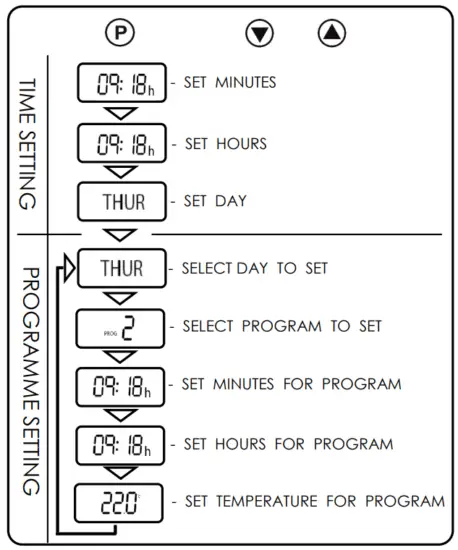
Set 7-day program
An example of one day program on MLC

Set 7-day program (cont’d…)
Logic diagram for setting program on MLC
Power options
The MLC controller can be powered either by a 5V power adapter with a micro USB connector or supplied power adapter via a USB port. There are 2 available USB ports for
power. One port is located on the bottom and one at the back of the controller.
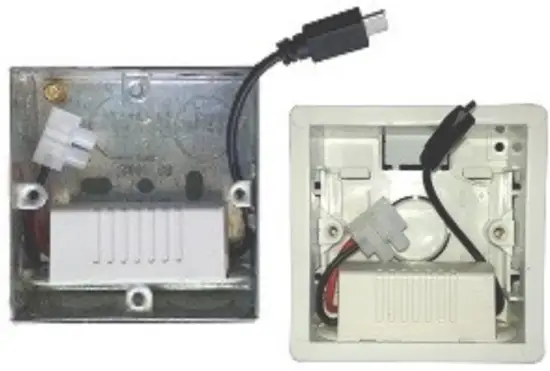
Power adapter for fixed installation
The LC controller is supplied with a power adapter that will fit a 35mm or a 25mm metal or dry lining backbox. The power adapter should only be connected to wiring protected by a 3A fuse. Connect line and neutral conductors to the terminal block. Please note that the adaptor supplied with the controller must be installed exactly as the figures show, otherwise the USB connector will not fit correctly. The center of the backbox must be kept clear to allow room for the USB connector.
- Touch and hold for 5 seconds to enter the time setting.
- The minutes will flash.
- Touch or to set the minutes.
- To set hour, touch and the hour will begin to flash.
- Touch or to set the hour.
- To set day, touch and the day will begin to flash.
- Touch or to select the day.
- Touch to access the 7-day programming mode.
- Touch or to select the day you want to set.
- Touch to set program 1 for the selected day.
This is indicated by the flashing number. - Touch to select minutes.
- Touch or to set minutes.
- Touch to select hour.
- Touch or to set hour.
- Touch to select temperature setting.
- Touch or to set the temperature.
When fitting the wall bracket, ensure that the adaptor is installed properly and feed the cable through the center of the bracket. Screw the bracket to a back box taking care not to damage the power adaptor or leads by long screws. Connect the USB cable to the power port at the back of the controller as shown in the photo. Check that the LC is working. Attach the top of the LC to the wall bracket and slowly tilt it to place observing that the USB connector is moving into the opening freely. Once the controller is in place secure the two screws on the bottom of the controller. Please note that the controller screen will take up to one minute to display after powering up for the FIRST time.
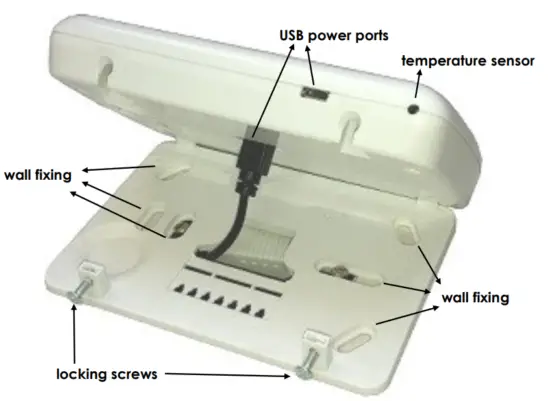
Illustration of LC as a repeater
Issue 03