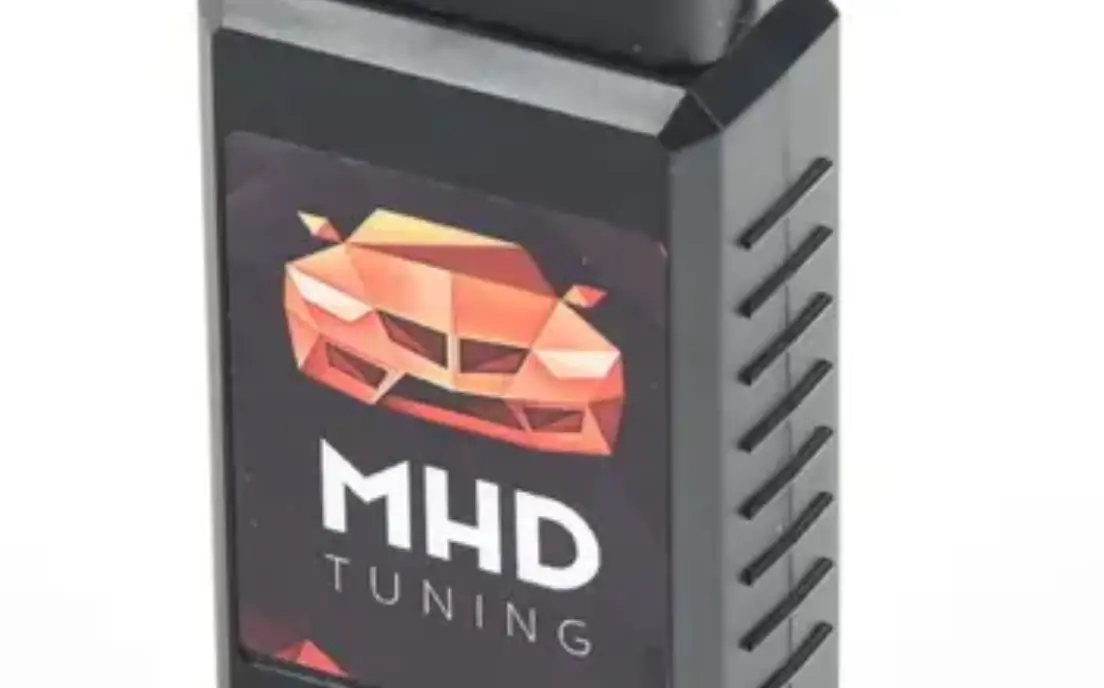
 MHD OBD2 Flasher Enet Wi-Fi
User Manual
Overview
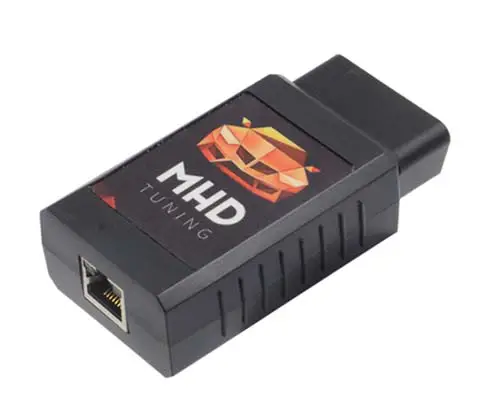
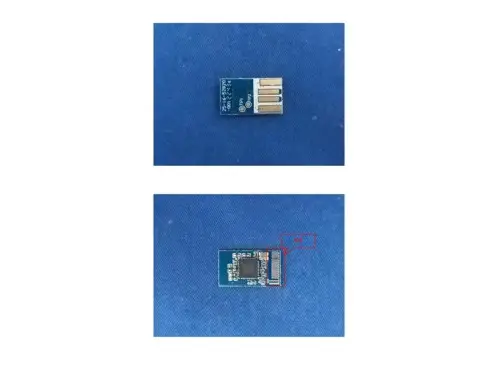
MHD OBD2 Wifi Flasher was specially developed and designed to operate the Ethernet OBD2 diagnostic and coding features via wired J2534 port and wireless via an embedded module based on the universal serial interface network standard, built-in TCP / IP protocol stack, enabling the user serial port, Ethernet, wireless network (wifi) interface between the conversions. the traditional serial devices do not demand to change any configuration, data can be transmitted through the Internet network. Provide a quick solution for the user’s serial devices to transfer data via Ethernet
Features
- 2.4GHz 802.11b/g/n,compatible
- Support IEEE 802.3、IEEE 802.3u
- WiFi Client/AP/Router Mode
- Support WPS/wds
- The range of baudrate: 1200~500000bps
- Support transparent transmission mode
- Support multiple security authentication mechanisms:
WEP64/WEP128/ TKIP/ AES
WEP/WPA-PSK/WPA2-PSK - Support wireless roam
- Support multiple network protocols:
PPPOE/TCP/UDP/DNS /DHCP/DNS/HTTP/Firewire - Support AT+ instruction set
- Support two config methods: Serial/WEB
- Device Dimensions 87*47*26mm
Applications
Ethernet OBDII WiFi Diagnose
Specifications
The parameters are defined here.
| Typical DC Characteristics | Notes | |
| Only wifi current | 140mA | Wifi to serial AP mode a Client mode |
| One rj45 current | 12OrnA | Serial to RJ45. |
| Two rj45 current | 135mA | One is Wan another is LAN |
| Win and two 1145 | 160mA | Default Mode/Factory Mode |
| Center frequency accuracy | +/- 25ppm | Additional +/-15ppm allowance |
| Typical RF Characteristics U | Notes | |
| Receive sensitivity | -70d8m | Use view to adjust |
| Maximum Transmit power | 18d8m/15d8m/13.5013m | 802.11 b/g/n |
| RF Port impedance – Ipax connector | 50 ohm | 2.4 – 2.5GHz |
| VSWR (max) | 2:01 | 2.4 – 2.5GHz |
| Center frequency accuracy | +/- 25ppm | Additional +/-15ppm allowance |
| Peripherals | Notes | |
| CART | 2pins | 1200-500kbps |
| RJ45(WAN) | 4pins | Support pupae |
| RJ45(LAN) | 4pins | Support DHCP |
| 3.3V Out | 1 pin | Support almost 300mAr3.3V |
| 1SV Out | 1 pin | Support almost 300mA/1.8V |
Wi-Fi Module Pin Assignment
| Pin No | Signal Type | Description |
| 1 | VCC5V | Supply Voltage, 5V+/-10% |
| 2 | GND | Analogue Ground |
| 3 | WINFIELD | WLAN Activity LED |
| 4 | V03.3 | 3.3V Output (Support Almost 300mA) |
| 5 | LINK1 | 10/100 PHY Port #1 activity LED |
| 6 | N/A | Reserved |
| 7 | N/A | Reserved |
| 8 | GOOD | General GPIO Reserved |
| 9 | GPIO1 | General GPIO Reserved |
| 10 | FIRST | Exit transparent transmission mode/Restore factory value |
| 11 | TX0P I | 10/100 PHY Port #1 TXP |
| 12 | TX0N I | 10/100 PHY Port #1 TXN |
| 13 | RXIP2 | 10/100 PHY Port #2 TXP |
| 14 | RXIN2 | 10/100 PHY Port #2 TXN |
| 15 | RXIPI | 10/100 PHY Port #1 RXN |
| 16 | RXIPI | 10/100 PHY Port #1 RXP |
| 17 | TXON2 | 101100 PHY Port #2 OXN |
| 18 | TX0P2 | 10/100 PHY Port #2 OXP |
| 19 | GP102 | General GPIO Reserved |
| 20 | UARTRX | CART RDX. |
| 21 | UART TX | UART TXD. |
| 22 | 1,103 | General GPIO Reserved |
| 23 | LINK2 | 10/100 PHY Port #2 activity LED |
| 24 | 6P104 | General GPIO Reserved |
| 25 | WPSItST | WiFi Protected Setup /Restore factory value |
| 26 | GPIOS | General GPIO Reserved |
| 27 | V01.8 | 1.8V Output (Support Almost 300mA) |
| 28 | VCC5V | Supply Voltage, 5V+/-10% |
Electrical Characteristics
| Parameter | Min | Max |
| Module supply voltage VCC | 3.9V | 5.5V |
| Module Vokage Output V03.3 | 3.1V | 4. |
| Module Vokage Output V01.8 | 1.65V | 2. |
| GPIO Voltage | 3.1V | 3.5V |
| Storage temperature | -40°C | 95°C |
Operation Guidelines to work with car OBDII
Step 1: Ignition ON, plug the MHD OBDII wifi flasher into the OBD2 diagnostic port
Step 2: Search the Wifi ISID started with MHD_XXXX from laptop wifi and access with the password sated at the back side of the module. 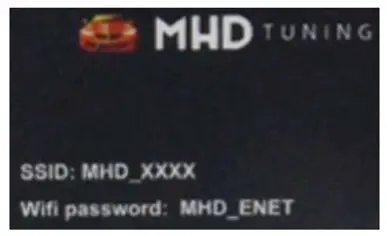 Step 3: Successfully connected and operated as user demanded via OBD2 diagnostic port.
Step 4: Administration panel setup for administrators only. 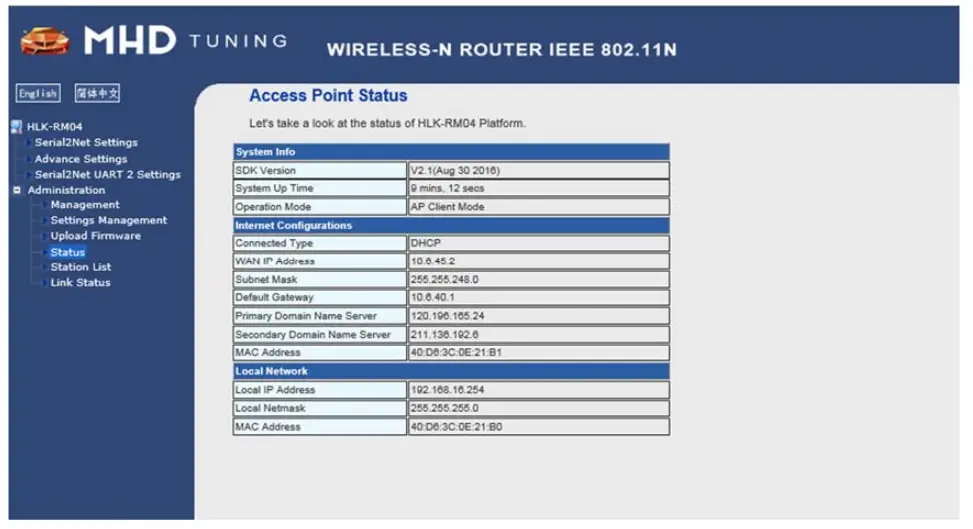
Appendix Disclaimers
The contents of this document are subject to change without notice. Autosvs Technology reserves the right to make changes, without notice, in the products, including circuits and/or software, described or contained therein. Information contained in this document regarding device applications and the like is intended through suggestion only and may be superseded by updates. It is your responsibility to ensure that your application meets your specifications.
Autosvs Technology warrants the performance of its hardware products to the specifications applicable at the time of sale in accordance with Autosvs Technology’s standard warranty. Testing and other quality control techniques are used to the extent Autosvs Technology deems necessary to support this warranty. Except where mandatory by government requirements, testing of all parameters of each product is not necessarily performed.
Autosvs Technology assumes no responsibility or liability for the use of any of these products, conveys no license or title under any patent, copyright, or mask work right to these products, and makes no representations or warranties that these products are free from patent, copyright, or mask work infringement unless otherwise specified.
Autosvs Technology products are not intended for use in life support systems, appliances, or systems where malfunction of these products can reasonably be expected to result in personal injury, death, or severe property or environmental damage. Autosvs Technology customers using or selling these products for use in such applications do so at their own risk and agree to fully indemnify Autosvs Technology for any damages resulting from such use.
All products are sold subject to Autosvs Technology’s terms and conditions of sale supplied at the time of order acknowledgment. All trademarks are the property of their respective owners.
NB Warning:
Manufacturer’s Name: JR Auto Performance Inc.
Sample Description: MG Flasher Enet Wifi
Trade Mark: /
Model number: MG Flasher Enet Wifi
Operating Temperature: -10° C to 40° C
Wireless specification:
2.4G WIFI: Max power 14.38dbm in frequency band 2412-2462MHz
This product is in a fixed location. To comply with RF exposure requirements, a minimum separation distance of 20cm must be maintained between the user’s body and the device, including the antenna. The device complies with RF specifications when the device is used at 20cm from your body.
Use only the supplied or an approved antenna.
This device is in compliance with the essential requirements and other relevant provisions of Directive 2014/53/EU. All essential radio test suites have been carried out.
FCC Warning:
This device complies with part 15 of the FCC Rules. Operation is subject to the following two conditions: (1) this device may not cause harmful interference, and (2) this device must accept any interference received, including interference that may cause undesired operation.
Any changes or modifications not expressly approved by the party responsible for compliance
could void the user’s authority to operate the equipment.
NOTE: This equipment has been tested and found to comply with the limits for a Class B digital device, pursuant to Part 15 of the FCC Rules. These limits are designed to provide reasonable protection against harmful interference in a residential installation. This equipment generates, uses and can radiate radio frequency energy and, if not installed and used in accordance with the instructions, may cause harmful interference to radio communications. However, there is no guarantee that interference will not occur in a particular installation.
If this equipment does cause harmful interference to radio or television reception, which can be determined by turning the equipment off and on, the user is encouraged to try to correct the interference by one or more of the following measures:
- Reorient or relocate the receiving antenna.
- Increase the separation between the equipment and receiver.
- Connect the equipment into an outlet on a circuit different from that to which the receiver is connected.
- Consult the dealer or an experienced radio/TV technician for help.
To maintain compliance with FCC’s RF exposure guidelines, This equipment should be installed and operated with a minimum distance of 20cm between the radiator and your body: Use only the supplied antenna.
FCC ID: 2AWSB-MGENET