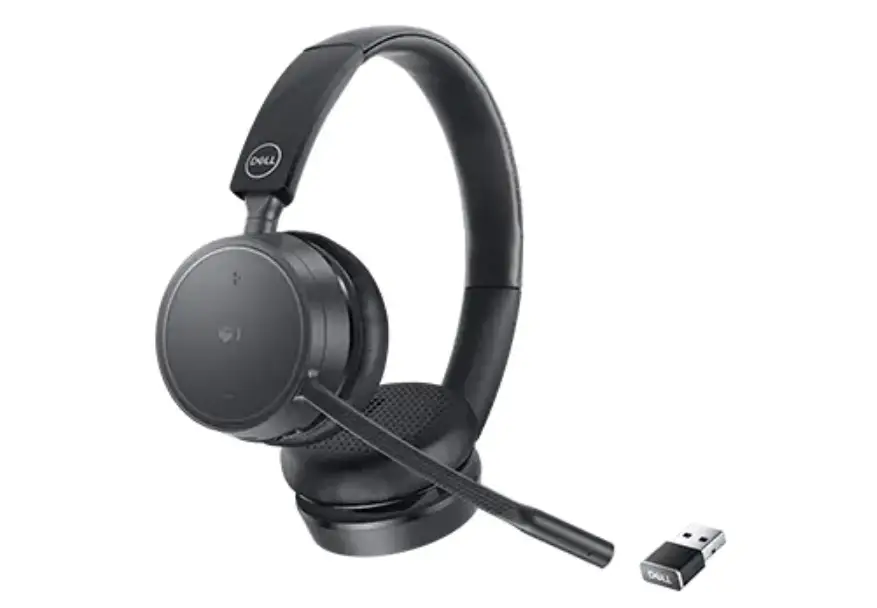
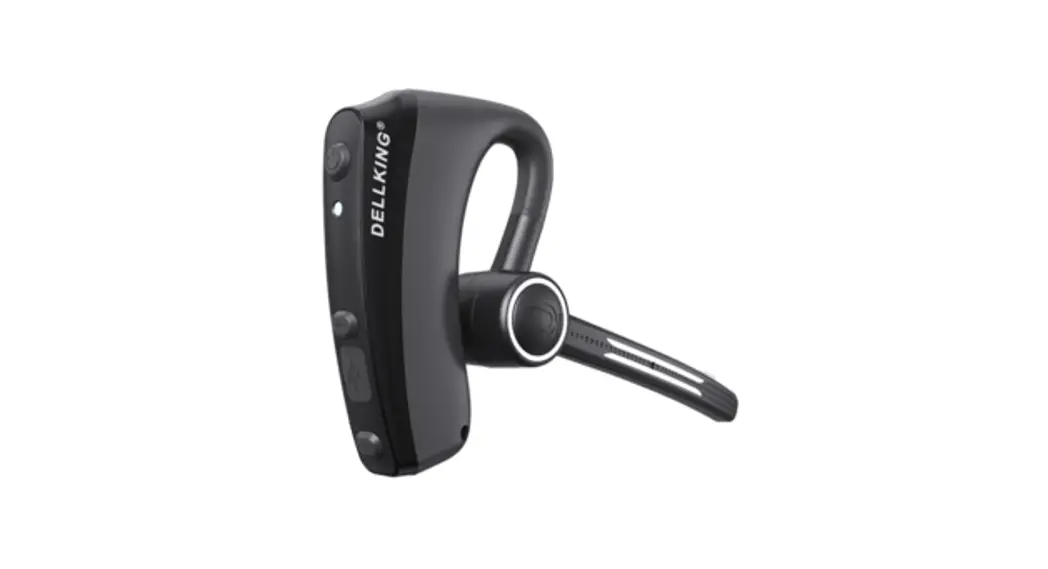
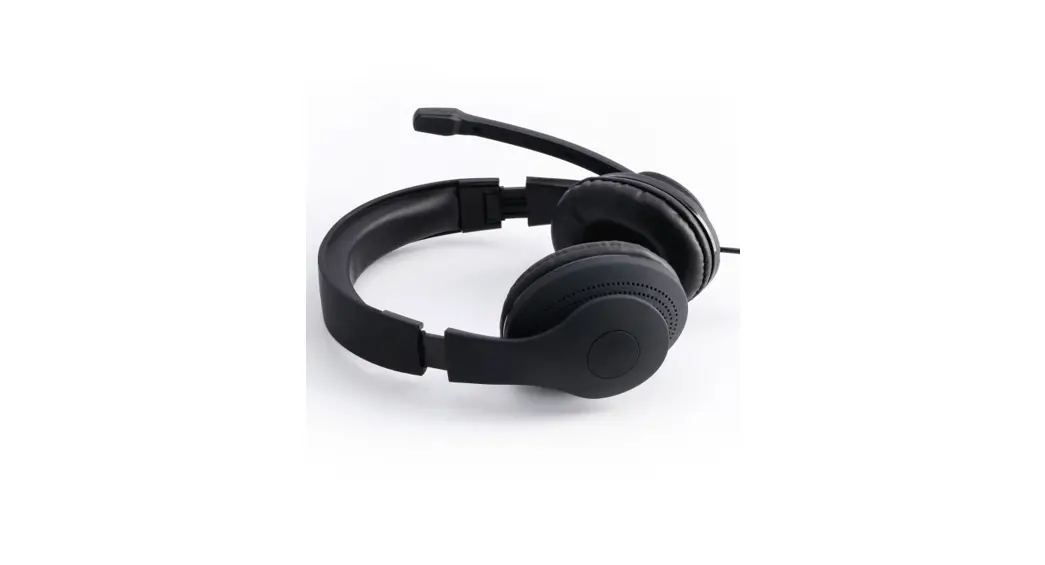
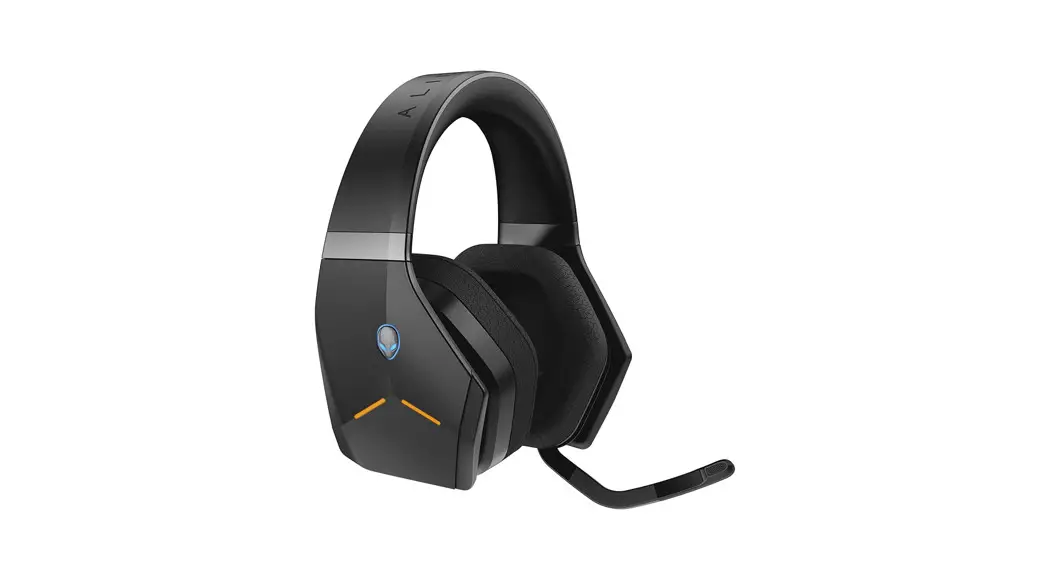
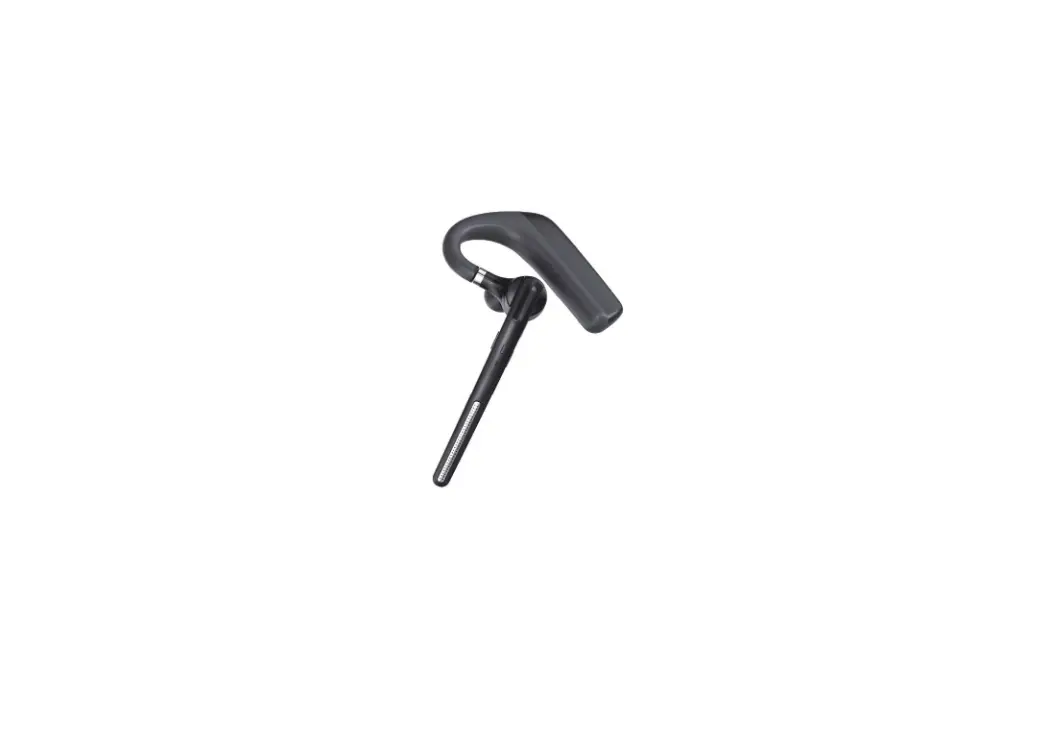
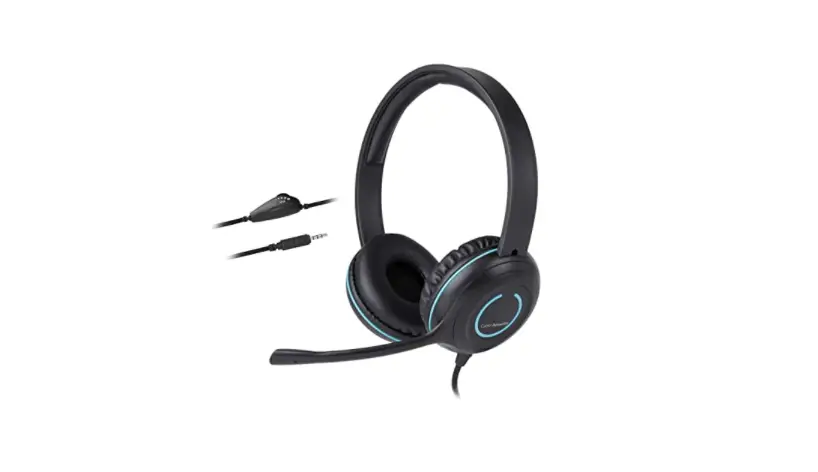
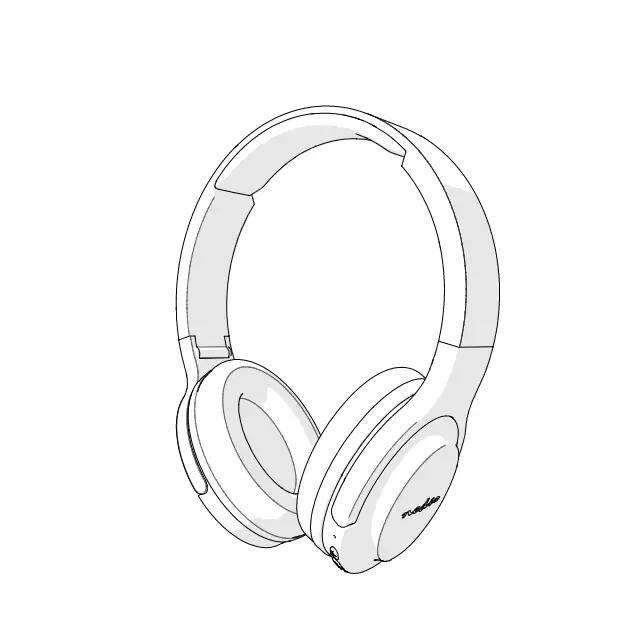
Dell 624-BBBF Ear Headset Series IE600
 Dell 624-BBBF Ear Headset Series IE600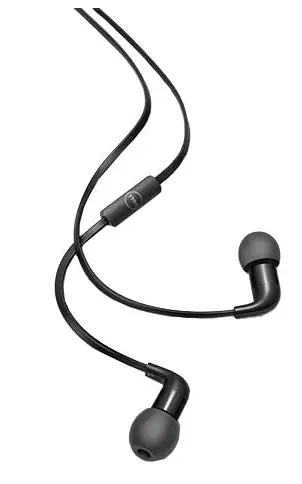
Restrictions and Disclaimers
The information contained in this document, including all instructions, cautions, and regulatory approvals and certifications, is provided by the supplier and has not been independently verified or tested by Dell. Dell cannot be responsible for damage caused as a result of either following or failing to follow these instructions.
All statements or claims regarding the properties, capabilities, speeds or qualifications of the part referenced in this document are made by the supplier and not by Dell. Dell specifically disclaims knowledge of the accuracy, completeness or substantiation for any such statements. All questions or comments relating to such statements or claims should be directed to the supplier.
NOTE: A NOTE indicates important information that helps you make better use of your computer.
CAUTION: A CAUTION indicates potential damage to hardware or loss of data if instructions are not followed.
WARNING: A WARNING indicates a potential for property damage, personal injury, or death.
Export Regulations
The customer acknowledges that these products, which may include technology and software, are subject to the customs and export control laws and regulations of the United States (“U.S.”) and may also be subject to the customs and export laws and regulations of the country in which the products are manufactured and/or received. The customer agrees to abide by those laws and regulations. Further, under U.S. law, the products may not be sold, leased or otherwise transferred to restricted end-users or to restricted countries. In addition, the products may not be sold, leased or otherwise transferred to, or utilized by an end-user engaged in activities related to weapons of mass destruction, including without limitation, activities related to the Dell – Critical Handling – Confidential 3 design, development, production or use of nuclear weapons, materials, or facilities, missiles or the support of missile projects, and chemical or biological weapons.
Copyright © 2015 Dell Inc. All rights reserved.
This product is protected by U.S. and international copyright and intellectual property laws. Dell™ and the DELL logo are trademarks of Dell Inc. in the United States and/or other jurisdictions. All other marks and names mentioned herein may be trademarks of their respective companies.
Package Contents
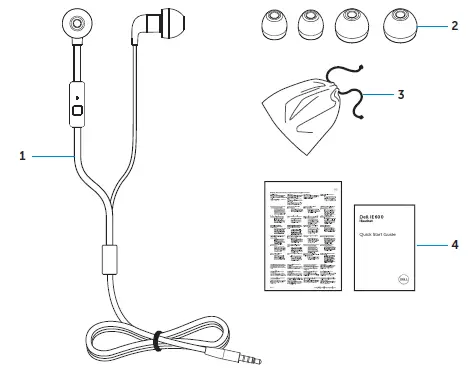
- Headset
- Ear cushions
- Travel pouch
- Documents
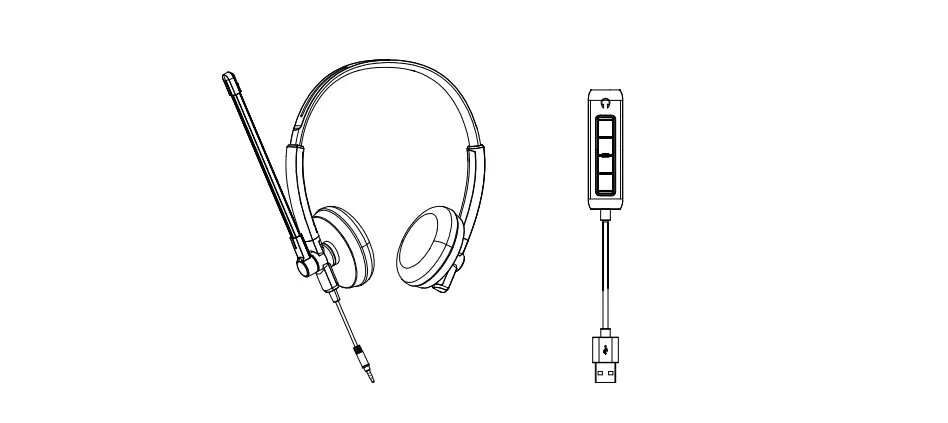
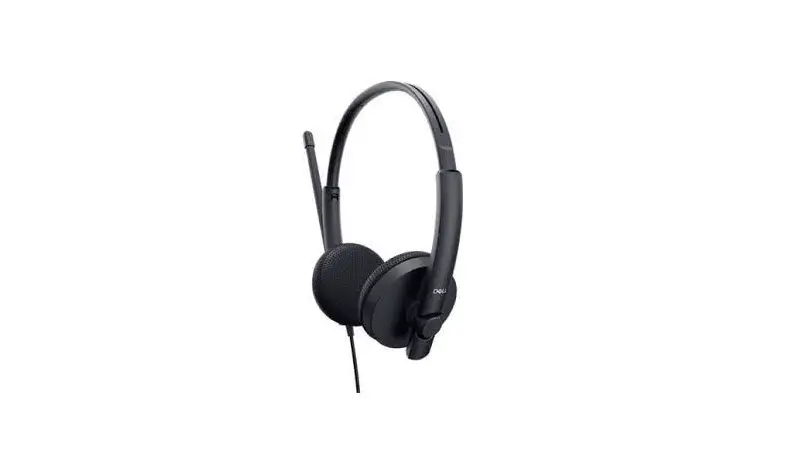
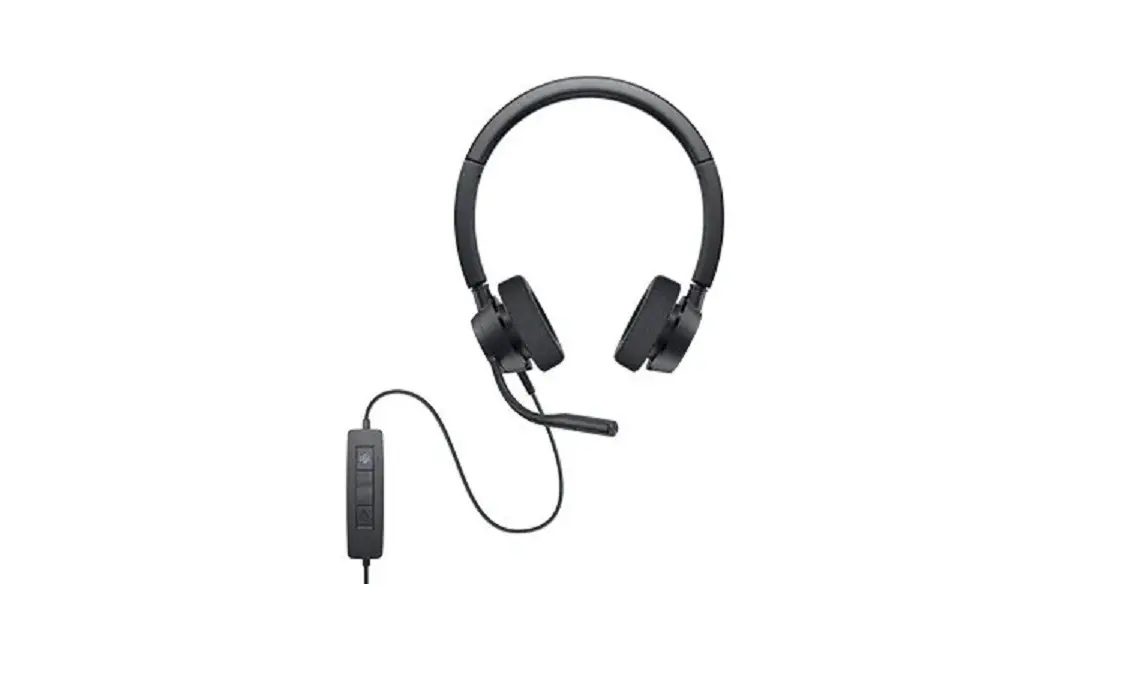
Identifying parts and controls
Headset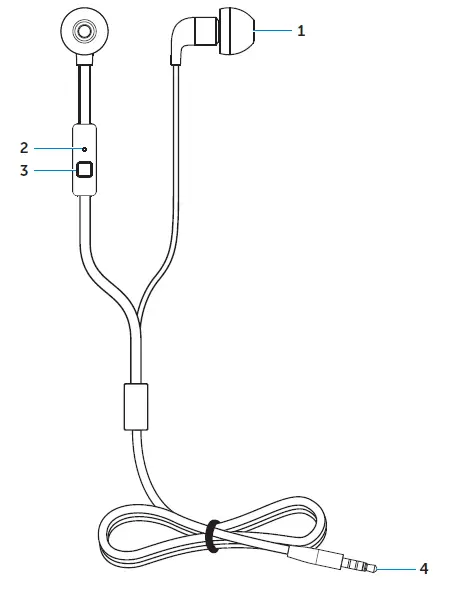
- Ear cushions
- Microphone
- Control button
 Answer/End call
 - 5 mm connector
 Answer/End call
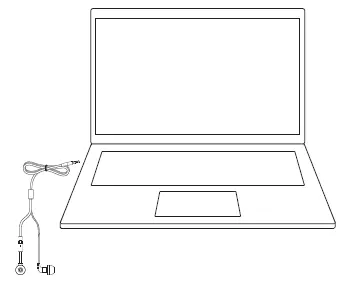
Connecting your headset to a computer
NOTE: The steps below are only applicable when using a Dell computer.
- Plug the headset to your computer.

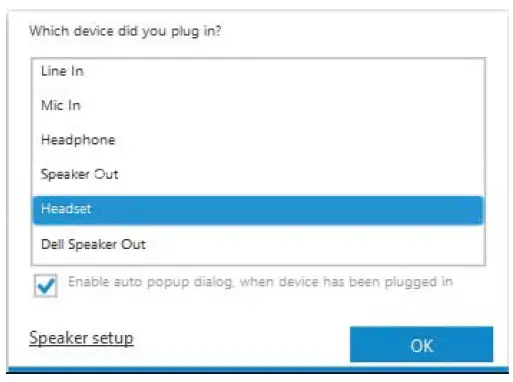
- In the device-selection window, select Headset and click OK.
NOTE: If the device-selection window is not displayed, see “Enabling auto pop-up”.
Enabling auto pop-up
- Disconnect the headset.
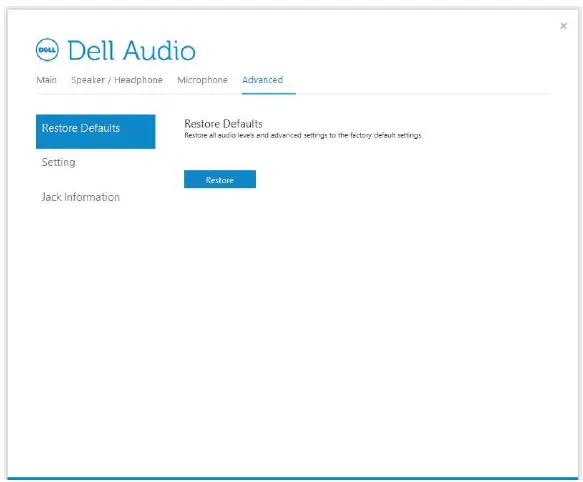
- In Windows search, type Dell Audio. From the list that appears click Dell Audio .
NOTE: Dell audio is required for the headset control button to work with your computer. For more information, see “Dell audio” .
. - Click Advanced.

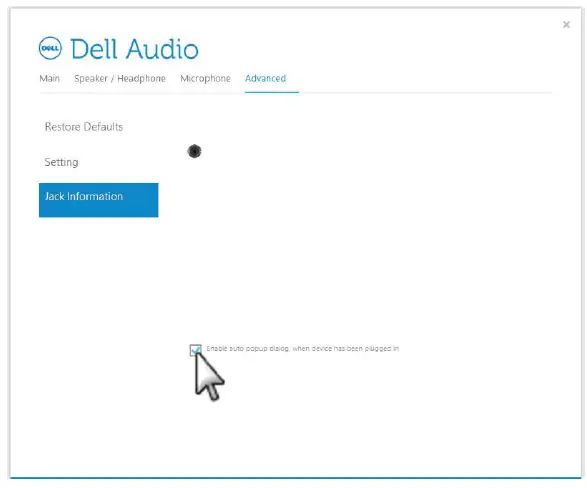
- Click Jack Information. Enable the auto pop-up dialog.

- Plug in the headset.
- In the device-selection window, select Headset and click OK.
 .
.
Dell audio
Dell audio must be installed on your computer for the headset control button to work.
NOTE: Dell audio may not be supported on all Dell computers.
Using the headset
Configuration for Microsoft Lync or other softphone Follows the steps in “Connecting your headset to a computer”. If Dell audio is installed on your computer, use the button on your headset to answer or end calls. If Dell audio is not installed or supported on your computer, use the controls in the softphone to answer or end calls.
Configuration to listen to music
Connect the headset to the 3.5 mm audio port on your phone or tablet. To use your headset to listen to music from your computer, the headset must be selected as the default playback device. Follow the steps in “Connecting your headset to a computer”. If your system has the Dell audio application, the headset is ready to use.
If your computer does not have Dell Audio, use the controls in the music application to perform media-control functions.
Answering/ending a call
Answer/end an incoming call on the computer
- Accept/end the call on the softphone.
- Press the control button once on the headset.
NOTE: Dell audio is required for the headset control button to work with your computer. For more information, see “Dell audio”.
Answer/end an incoming call on the smartphone
A ringtone could be heard on the headset on an incoming call from the smartphone. Answer/end the call by doing one of the following:
- Accept/end the call on the smartphone.
- Single press the control button on the headset.
Troubleshooting
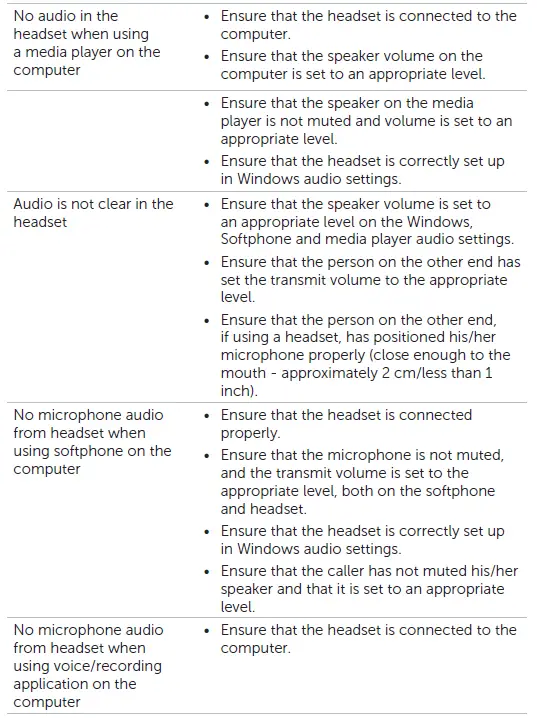
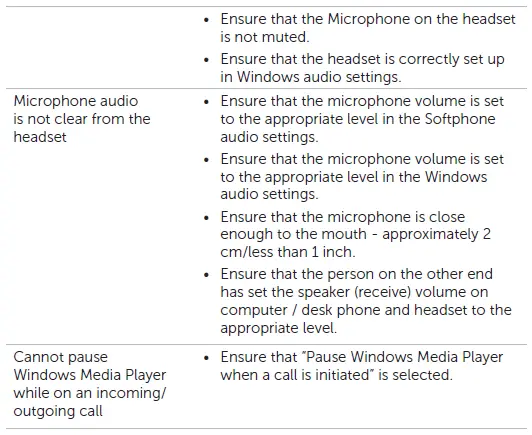
Common symptoms
The following table contains information about common symptoms you might encounter and the possible solutions.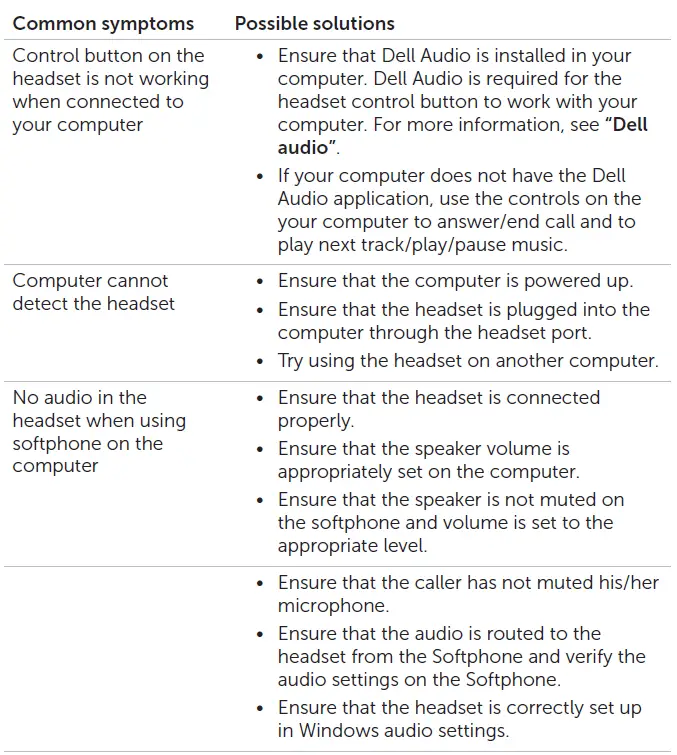
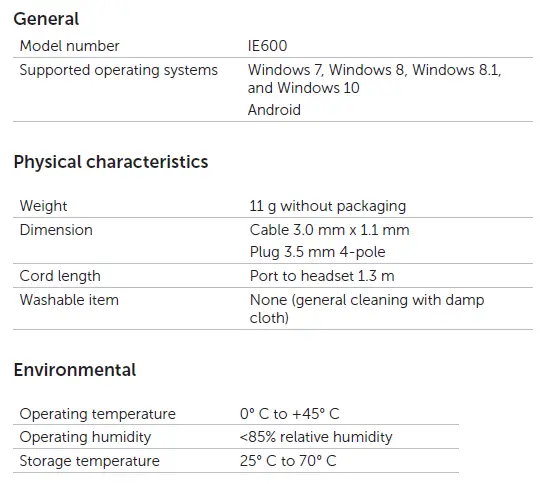
Specifications
Statutory information
Warranty
Limited warranty and return policies Dell-branded products carry a 1-year limited hardware warranty. If purchased together with a Dell system, it will follow the system warranty.
For U.S. customers:
This purchase and your use of this product are subject to Dell’s end user agreement, which you can find at http://www.dell.com/terms. This document contains a binding arbitration clause.
For European, Middle Eastern and African customers:
Dell-branded products that are sold and used are subject to applicable national consumer legal rights, the terms of any retailer sale agreement that you have entered into (which will apply between you and the retailer) and Dell’s end user contract terms.
Dell may also provide an additional hardware warranty – full details of the Dell end user contract and warranty terms can be found by going to http://www.dell.com, selecting your country from the list at the bottom of the “home” page and then clicking the “terms and conditions” link for the end user terms or the “support” link for the warranty terms.
For non-U.S. customers:
Dell-branded products that are sold and used are subject to applicable national consumer legal rights, the terms of any retailer sale agreement that you have entered into (which will apply between you and the retailer) and Dell’s warranty terms. Dell may also provide an additional hardware warranty – full details of Dell’s warranty terms can be found by going to
http://www.dell.com, select your country from the list at the bottom of the “home” page, and then click the “terms and conditions” link or the“support” link for the warranty terms.
Regulatory
Dell Headset Model: IE600
FCC notices
FCC notices (the U.S. only) and other regulatory information. For FCC notices and other regulatory information, see the regulatory compliance website located at www.dell.com/regulatory_compliance. This device complies with Part 15 of the FCC Rules. Operation is subject to the following two conditions:
- This device may not cause harmful interference.
- This device must accept any interference received including interference that may cause undesired operation.
Caution: Changes or modifications on this unit that are not expressly approved by the party responsible for compliance could void the user’s authority to operate the equipment.
This equipment has been tested and found to comply with the limits for a class B digital device, pursuant to part 15 of the FCC Rules. These limits are designed to provide reasonable protection against harmful interference in a residential installation. This equipment generates, uses, and can radiate radio frequency energy and if not installed and used in accordance with the instructions, may cause harmful interference to radio communications. However, there is no guarantee that interference will not occur in a particular installation. If this equipment does cause harmful interference to radio or television reception, which can be determined by turning the equipment off and on, the user is encouraged to try to correct the interference by one or more of the following measures:
- Reorient or relocate the receiving antenna.
- Increase the separation between the equipment and receiver.
- Connect the equipment into an outlet on a circuit different from that to which the receiver is connected.
- Consult the dealer or an experienced radio/TV technician for help.
Shielded cables must be used with this unit to ensure compliance with the Class B FCC limits.
FAQs
How long do Dell in-ear headphones last?
If you buy something for $10 and use it about every day for six months, you might find that the wire frays or one of the earbuds quits working. Wired earphones, on the other hand, can last up to five years if you spend more than $50 on them and take good care of them.
What happens if you wear a Dell headset for too long?
When used for an extended period of time at a loud volume, earphones can harm the ears and cause noise-induced hearing loss, which can range from partial to total hearing loss. Since the sound from earbuds causes the hair cells in the cochlea to bend excessively, the damage could be irreversible.
Do Dell in-ear Earphones need batteries?
The most popular kind of in-ear monitor uses two tiny transducers called Dynamic Drivers. Together, they function to replicate sound waves and are situated inside your ear canal. Since the driver has no moving parts, it does not require batteries like certain varieties of headphones.
How do you properly wear a Dell headset?
Standard in-ear headphones are typically worn with the wire hanging on the front or back, straight down. Since they are in-ear and not earbud headphones, it is best to wear them snugly by tugging on your earlobes as you insert the ear tips to ensure a strong seal inside the ear canal.
Are Dell wired headphones safe to use?
The radiation from both Bluetooth and corded headphones is harmless, according to the overwhelming body of scientific evidence.
Why do people still use Dell wired earphones?
Analog signals are used by wired headphones to deliver excellent sound quality. Compared to digital signals like Bluetooth, this can accommodate more data. As a result, less processing will be required for your audio to reach you. So they can deliver the audio without any compression and in its original resolution.
How long are Dell earphones supposed to last?
Personally, I find that earbuds generally survive a year with medium to heavy use before developing problems, such as one side of the earphone ceasing to function, the mic ceasing to function (if there), or the wired version pausing and restarting the music on its own when moved.
Why do Dell earphones get damaged quickly?
In addition to harming your hearing, loud music can also destroy the speakers in your headphones. Permanent buzzing and distortion may result from this. Your volume is too loud if you notice the sound beginning to break. Avoid turning up the music level to the point where the headphones’ speakers are more likely to be harmed.
How can Dell earphones be damaged?
Rolling Over the Cord, Letting the Cord Dangle, Forgetting They’re on Your Head, Tying the Cord in Knots, Traveling Without a Case, Pulling the Cord, Not the Plug, Exposure to Sweat and Moisture, Sleeping With Them, and Pulling the Cord, Not the Plug are all risks.
Which is the best Dell earphone wired or wireless?
Analog signals, which are what wired headphones receive, are more data-capable than Bluetooth® signals. It provides higher sound quality as a result. Wired headphones are widely available and may be used with any audio device that has a 3.5mm input, including your dad’s Walkman and your brand-new laptop.
Do more expensive Dell earphones last longer?
True premium headphones have a longer lifespan because they are constructed to do so. True premium headphones produce premium sound. They can perform more tasks and are more comfortable and audible. You are more likely to care for superior goods.
Will Dell earphones damage hearing?
Even after prolonged exposure, hearing loss is unlikely to occur if the sound level is below 60 dB. However, prolonged, repetitive exposure to loud noises above 85 dB might cause hearing loss.
Does every Dell earphone have a mic?
A microphone is not always included with headphones. Despite the fact that many headphones and earphones come with an internal or inline microphone, many low-cost models don’t. Furthermore, because they are made expressly to be headphones, professional and audiophile-grade headphones are rarely equipped with microphones.
How do you use Dell earphones safely?
Your device’s volume limit should be set to no louder than 70% of its maximum volume. Don’t pay too much attention. Use the 60/60 rule, which states that you should listen at 60% volume for 60 minutes before taking a break for at least 30 minutes to give your ears a chance to rest.
Which is the best Dell earphone wired or wireless?
Analog signals, which are what wired headphones receive, are more data-capable than Bluetooth® signals. It provides higher sound quality as a result. Wired headphones are widely available and may be used with any audio device that has a 3.5mm input, including your dad’s Walkman and your brand-new laptop.