 H-6542
BARCODE SCANNER
 INSTRUCTIONS
 INSTRUCTIONS
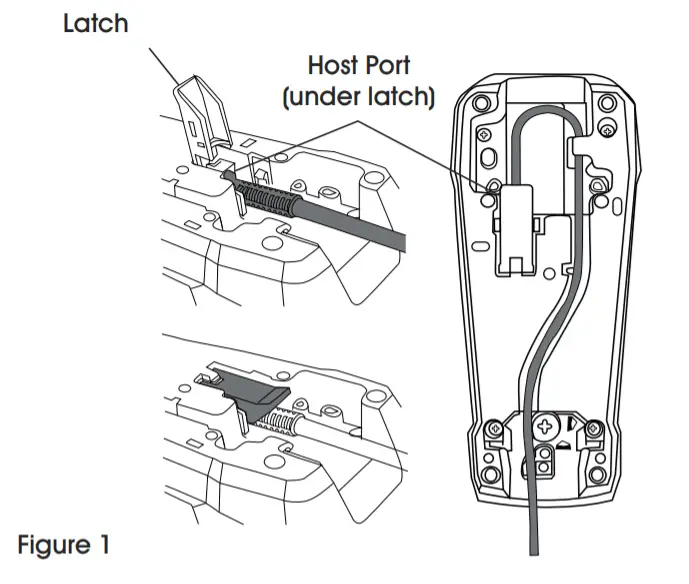
- Connect the cradle to the host interface. (See Figure 1)

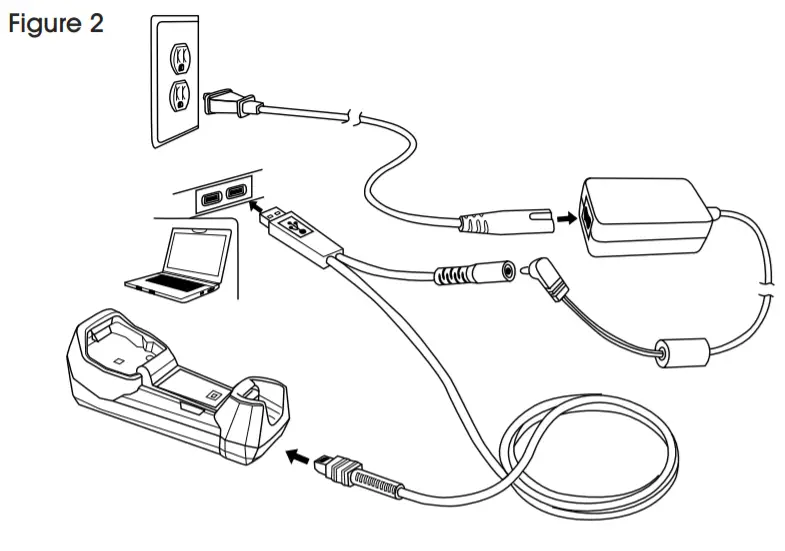
- Plug adapter into power source and base station. (See Figure 2)

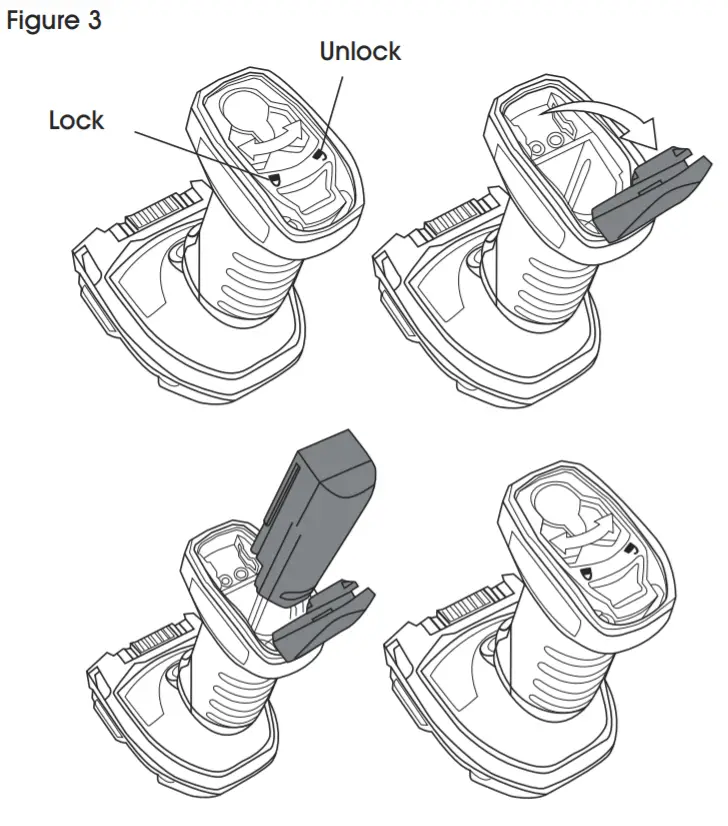
- Battery Insertion/Removal. (See Figure 3)

 NOTE: For best performance, fully charge the scanner battery before using the scanner for the first time.
 - Scan the appropriate barcode from the original Quick Start Guide included in the box.
 NOTE: For best performance, fully charge the scanner battery before using the scanner for the first time.
1-800-295-5510
uline.com