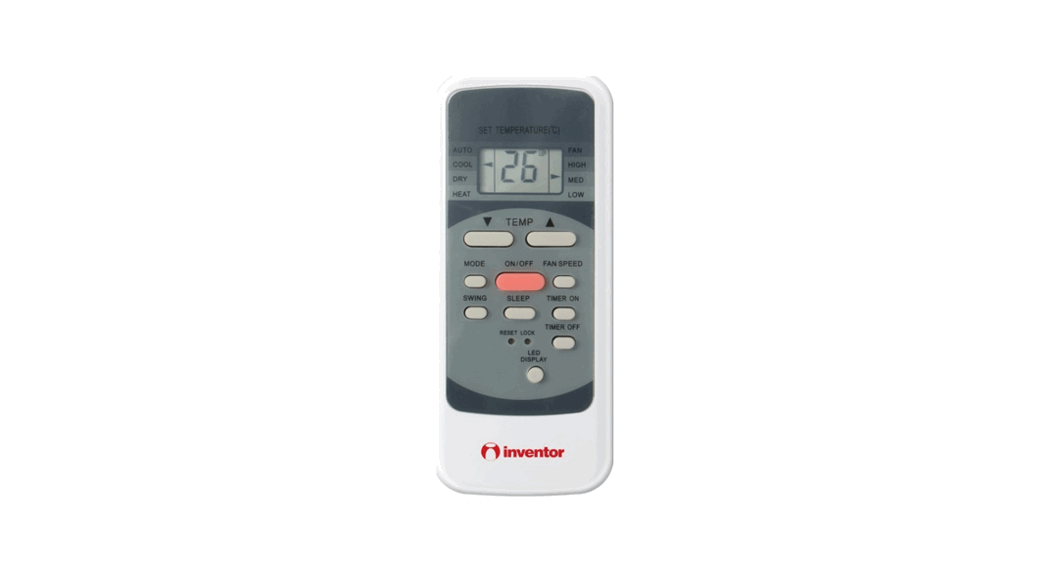
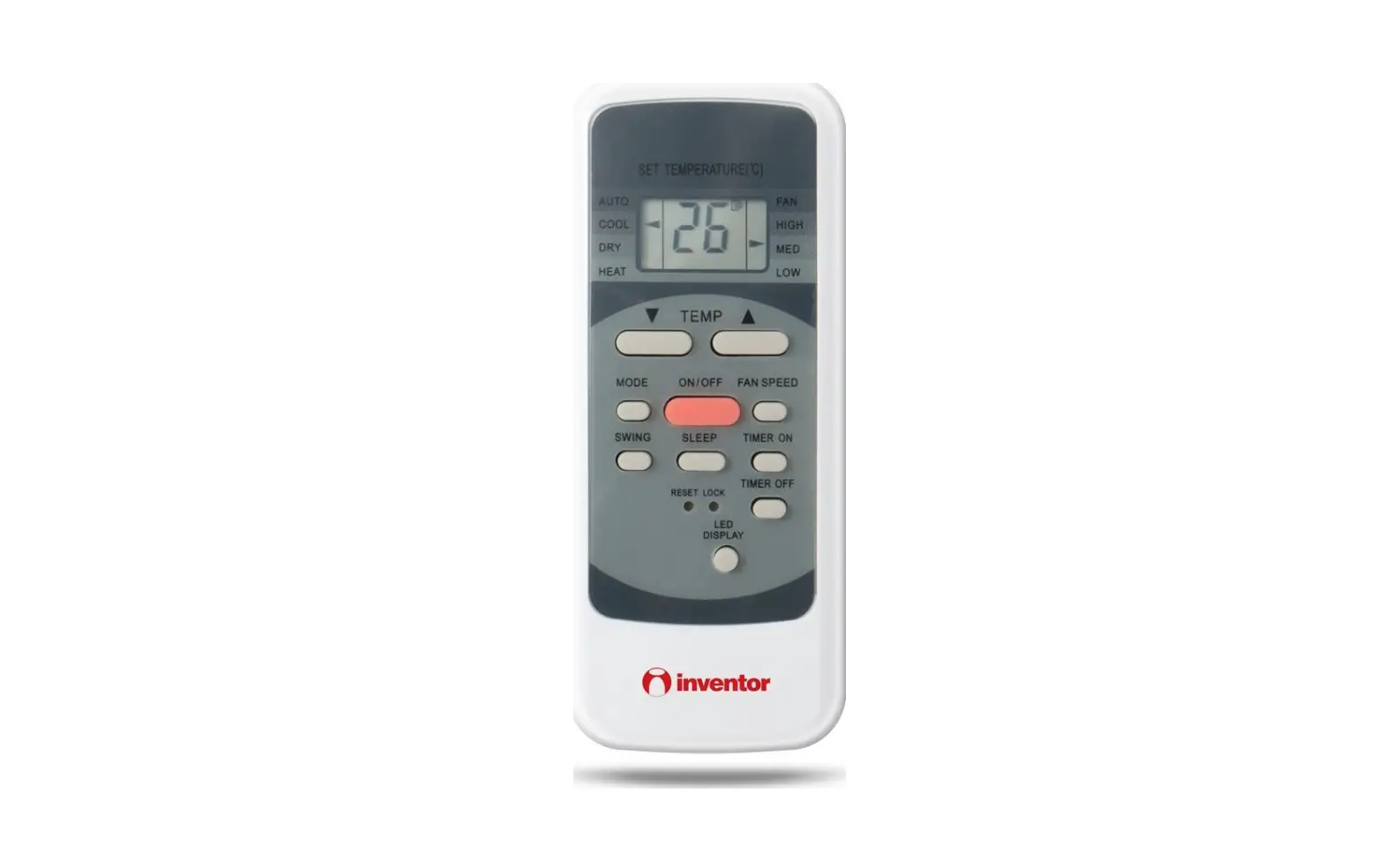
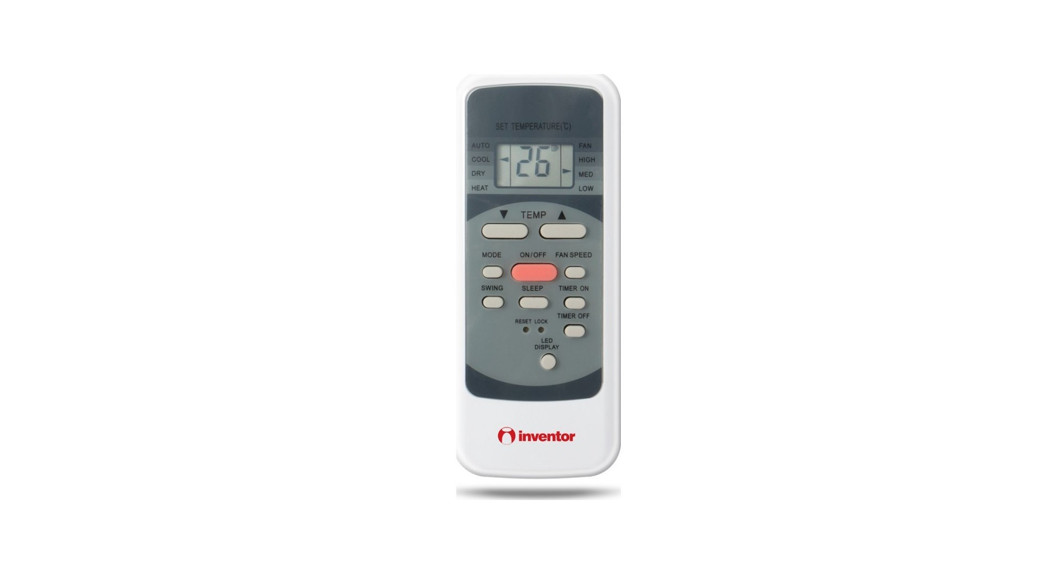
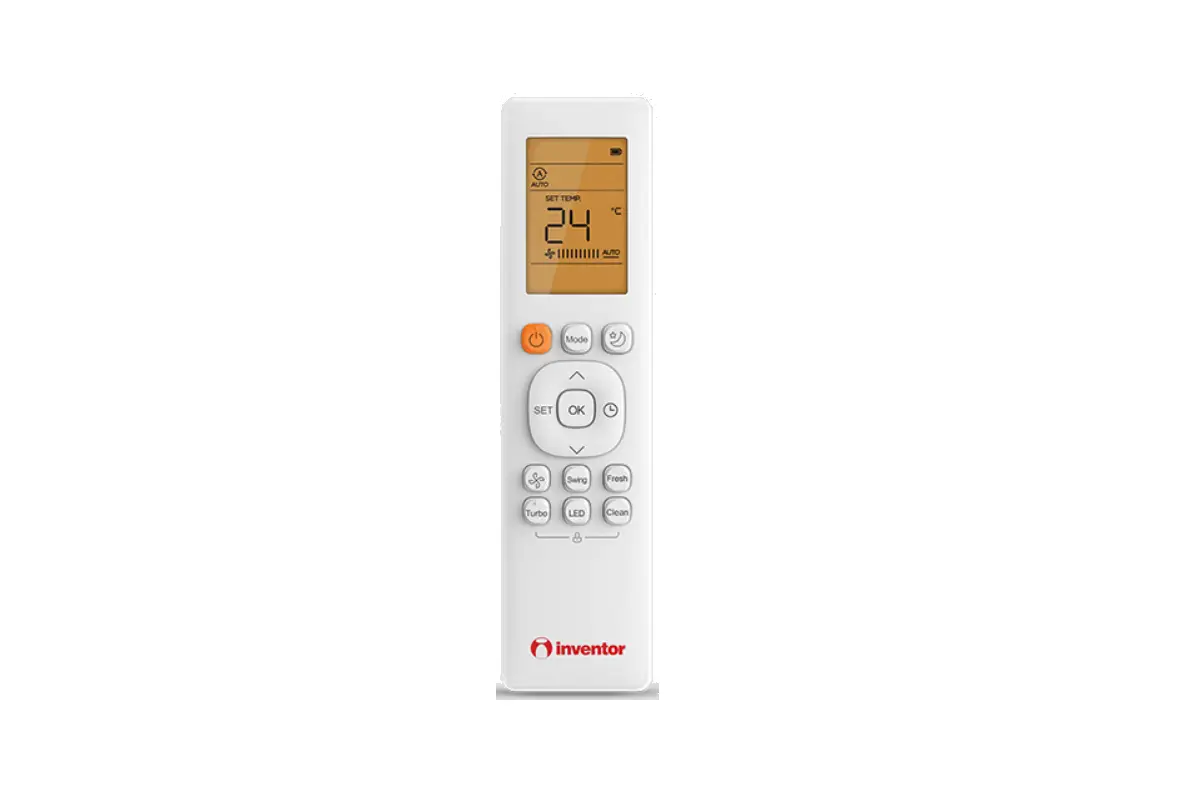
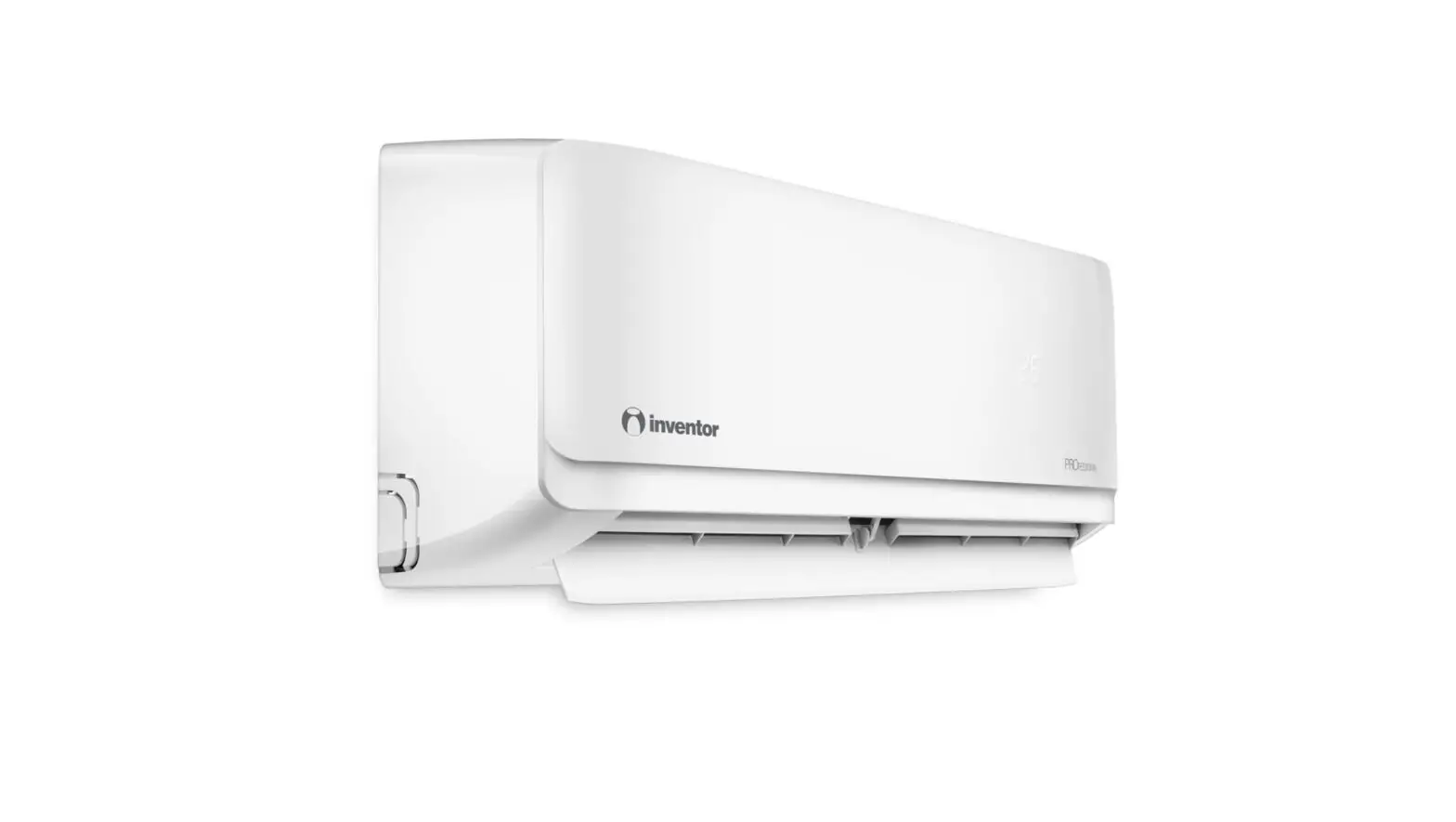
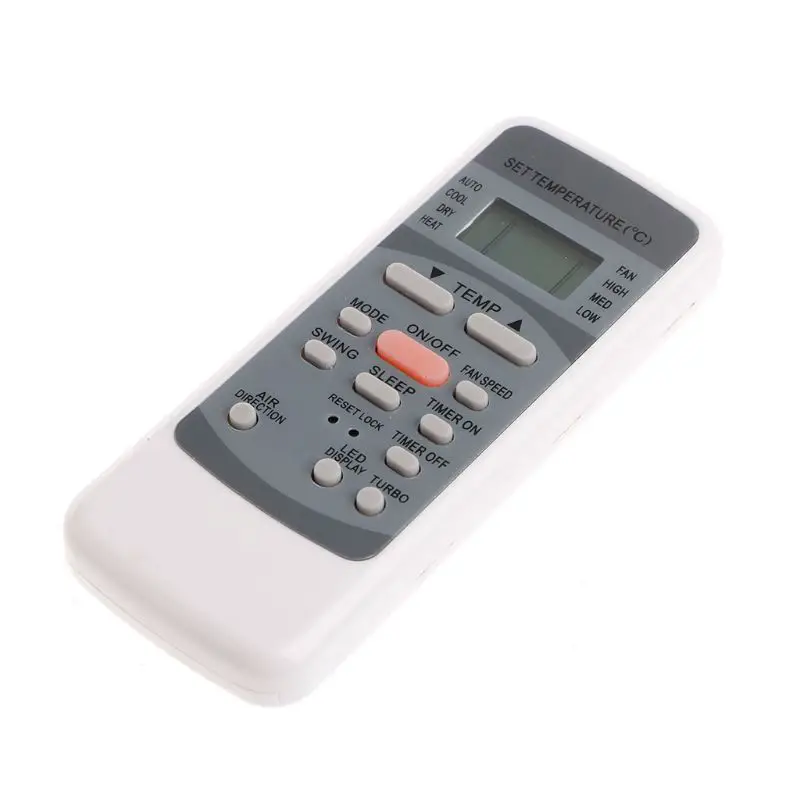
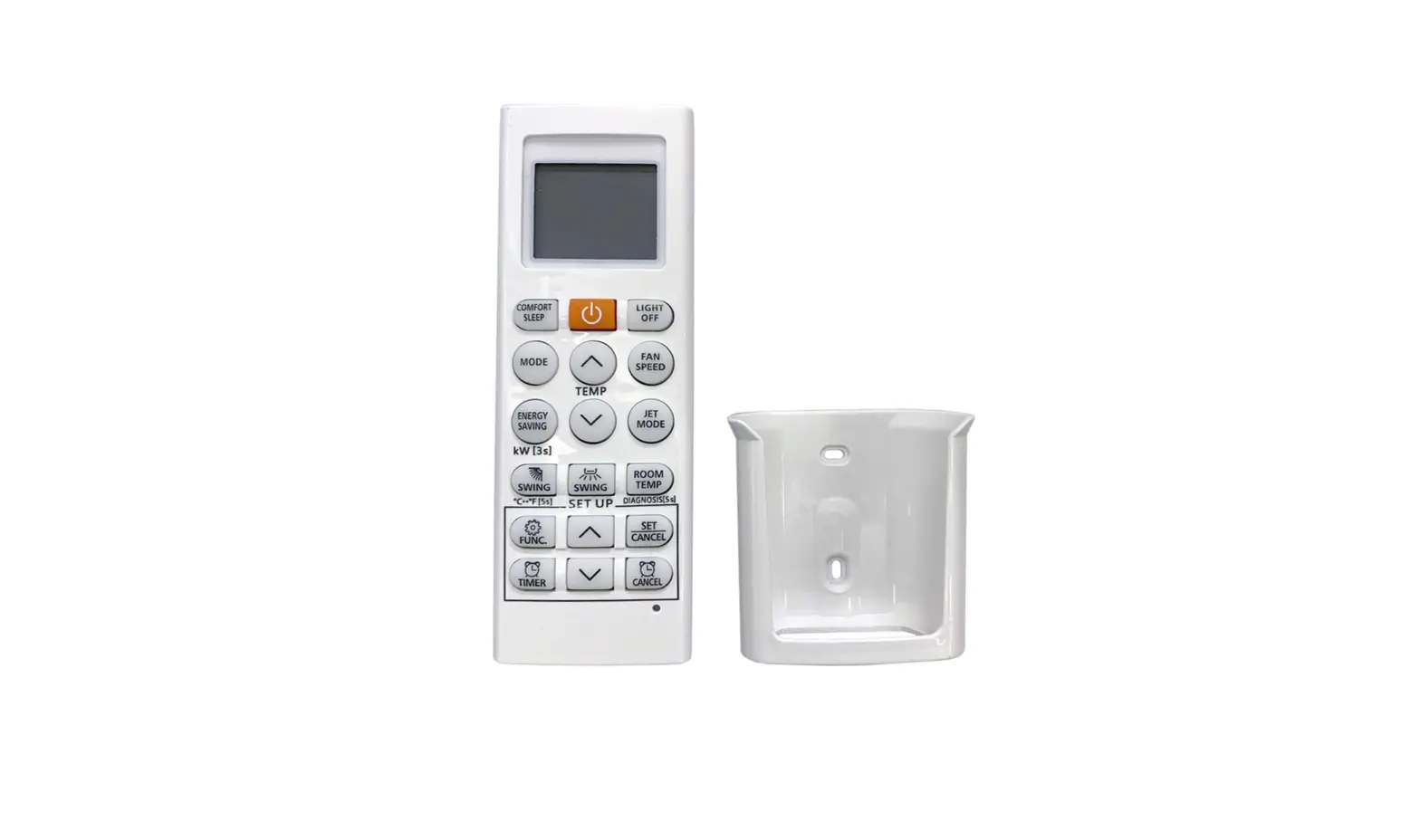
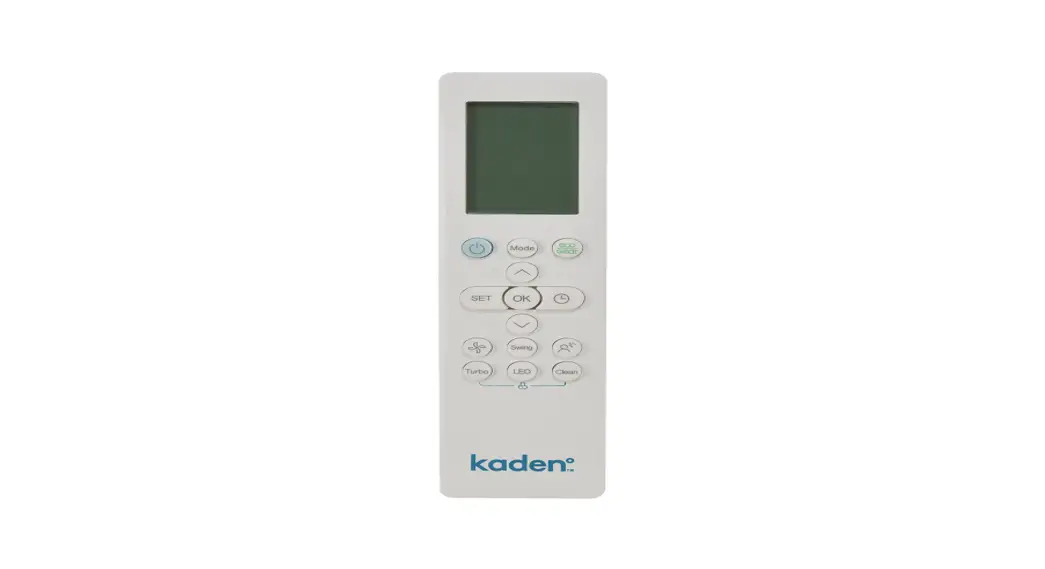
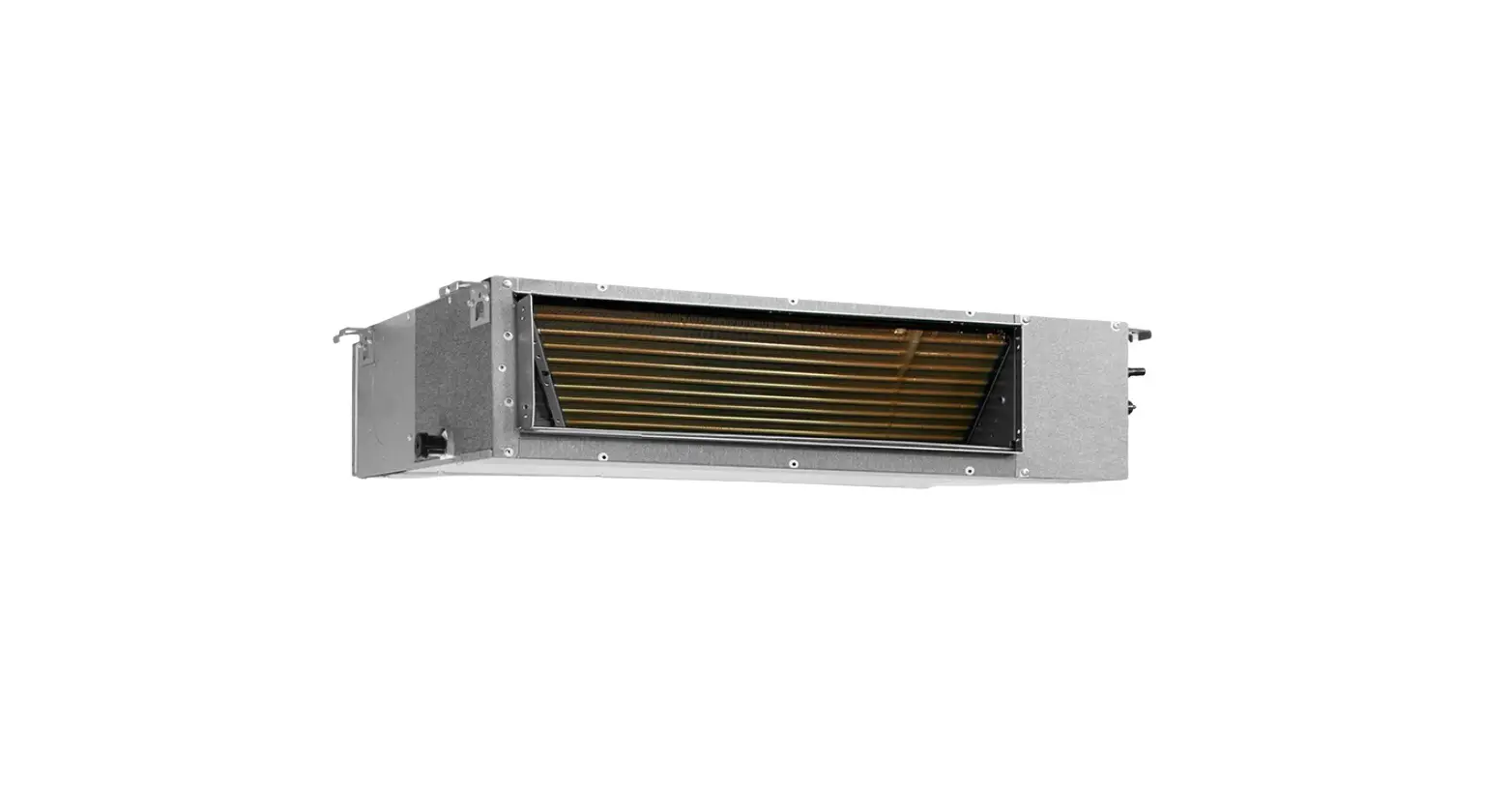
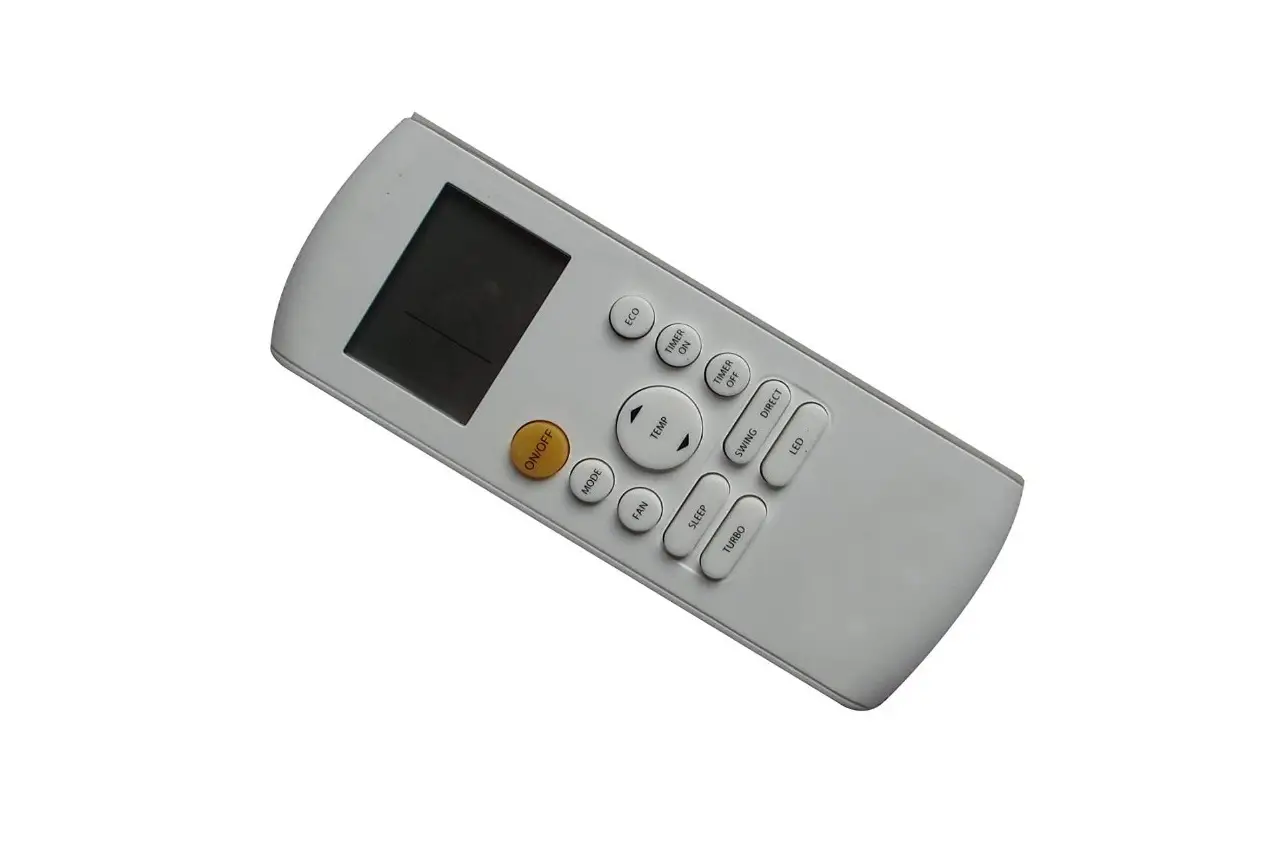
LHUVI-09WFI/LHUVO-09 Remote Controller for Air Conditioning Systems
AIR CONDITIONING SYSTEMS
Remote Controller
Models:
LHUVI-09WFI/LHUVO-09 LHUVI-12WFI/LHUVO-12 LHUVI-18WFI/LHUVO-18
LHUVI-24WFI/LHUVO-24
Table of Contents:
- Remote Controller Specifications
- Quick Start Guide
- Handling the Remote Controller
- Buttons and Functions
Remote Controller Specifications
The remote controller allows you to control your air
conditioning unit. It has various buttons and functions to provide
convenient operation.
Quick Start Guide
- Fit Batteries: Insert batteries into the remote control before
use. - Select Mode: Use the MODE button to select the desired
operating mode (AUTO, COOL, DRY, HEAT, FAN). - Select Temperature: Use the TEMP button to adjust the
temperature settings. - Press Power Button: Use the ON/OFF button to turn the unit on
or off. - Select Fan Speed: Use the FAN SPEED button to adjust the fan
speed. - Point Remote Toward Unit: Aim the remote control towards the
air conditioning unit.
Handling the Remote Controller
To insert or replace the batteries in the remote control:
- Slide the back cover of the remote control downward to expose
the battery compartment. - Insert the batteries, ensuring that the (+) and (-) ends of the
batteries match the symbols inside the battery compartment. - Slide the battery cover back into place.
Battery Notes:
- If you don’t plan on using the device for more than 2 months,
remove the batteries. - Do not dispose of batteries as unsorted municipal waste. Refer
to local laws for proper disposal. - Replace batteries if they have been used for more than 2
months.
Notes for Using Remote Control:
Ensure compliance with FCC rules. The device should not cause
harmful interference and must accept any interference.
Before using your air conditioner, familiarize yourself with the
remote control buttons and functions:
| Button | Function |
|---|---|
| ON/OFF | Turns the unit on or off. |
| SET | Scrolls through operation modes and settings. |
| TEMP | Decreases temperature in increments. Minimum temperature is 16°C (60°F). |
| FAN SPEED | Selects fan speeds in increments. |
| SWING | Starts and stops the horizontal louver movement. Hold down for 2 seconds to initiate vertical louver auto swing feature. |
| MODE | Scrolls through operation modes (AUTO, COOL, DRY, FAN). Note: HEAT mode is not supported by the cooling only appliance. |
| ECO/GEAR | Enters energy efficient mode and adjusts gear settings. |
| OK | Confirms selected functions. |
| TIMER | Sets timer to turn unit on or off. |
| FRESH | Starts and stops the Fresh feature. |
| CLEAN | Starts and stops the Self Clean or Active Clean function (model dependent). |
| LED | Turns indoor unit’s LED display and air conditioner buzzer on and off (model dependent). |
If you need more detailed instructions on using your air
conditioner, refer to the How to Use Basic Functions section of the
user manual.
SPECIAL NOTE:
In case of any discrepancies between the description in the user
manual and the description on the device, the description in the
user manual shall prevail.
AIR CONDITIONING SYSTEMS
REMOTE CONTROLLER
· USER’S MANUAL · · MANUAL UTILIZATORULUI · BENUTZERHANDBUCH
MODELS:
LHUVI-09WFI/LHUVO-09 LHUVI-12WFI/LHUVO-12 LHUVI-18WFI/LHUVO-18 LHUVI-24WFI/LHUVO-24
ENGLISH | | ROMANA | DEUTSCH
1
Table of Contents
Remote Controller Specifications ………………………………………………0042 Handling the Remote Controller ……………………………………………0.053 Buttons and Functions …………………………………………………………0.064 Remote Screen Indicators …………………………………………………….0.078 How to Use Basic Functions …………………………………………………0.089 How to Use Advanced Functions …………………………………………..1101
3
Remote Controller Specifications
RG10A1(D2S)/BGEF 3.0V( Dry batteries R03/LR03×2) 8m -5°C~60°C(23°F~140°F)
Quick Start Guide
1
FIT BATTERIES
6
2
AUTO COOL DRY HEAT FAN
SELECT MODE
5
3
SELECT TEMPERATURE
4
PRESS POWER BUTTON
Mode
Swing
My Mode Follow
Sleep
HEDARCTYOAOULTO
SET TEMPERATURE LOMWEHDIGFAHN
On/Off Fan
POINT REMOTE TOWARD UNIT
SELECT FAN SPEED
NOT SURE WHAT A FUNCTION DOES? Refer to the How to Use Basic Functions and How to Use Advanced Functions sections of this manual for a detailed description of how to use your air conditioner.
SPECIAL NOTE
· Button designs on your unit may differ slightly from the example shown. · If the indoor unit does not have a particular function, pressing that function’s button on
the remote control will have no effect. · When there are wide differentces between “Remote controller Manual” and “USER’S
MANUAL” on function description, the description of “USER’S MANUAL” shall prevail.
4
Handling the Remote Controller
Inserting and Replacing Batteries
Your air conditioning unit may come with two batteries(some units). Put the batteries in the remote control before use. 1. Slide the back cover from the remote control
downward, exposing the battery compartment. 2. Insert the batteries, paying attention to match
up the (+) and (-) ends of the batteries with the symbols inside the battery compartment. 3. Slide the battery cover back into place.
BATTERY NOTES
For optimum product performance: · Do not mix old and new batteries, or
batteries of different types. · Do not leave batteries in the remote control
if you don’t plan on using the device for more than 2 months.
BATTERY DISPOSAL
Do not dispose of batteries as unsorted municipal waste. Refer to local laws for proper disposal of batteries.
TIPS FOR USING REMOTE CONTROL · The remote control must be used within 8
meters of the unit. · The unit will beep when remote signal is
received. · Curtains, other materials and direct sunlight
can interfere with the infrared signal receiver. · Remove batteries if the remote will not be
used more than 2 months.
NOTES FOR USING REMOTE CONTROL
The device could comply with the local national regulations. · In Canada, it should comply with
CAN ICES-3(B)/NMB-3(B). · In USA, this device complies with part 15 of the
FCC Rules. Operation is subject to the following two conditions: (1) This device may not cause harmful interference,
and (2) this device must accept any interference
received, including interference that may cause undesired operation. This equipment has been tested and found to comply with the limits for a Class B digital device, pursuant to part 15 of the FCC Rules. These limits are designed to provide reasonable protection against harmful interference in a residential installation. This equipment generates, uses and can radiate radio frequency energy and, if not installed and used in accordance with the instructions, may cause harmful interference to radio communications. However, there is no guarantee that interference will not occur in a particular installation. If this equipment does cause harmful interference to radio or television reception, which can be determined by turning the equipment off and on, the user is encouraged to try to correct the interference by one or more of the following measures: Reorient or relocate the receiving antenna. Increase the separation between the equipment and receiver. Connect the equipment into an outlet on a circuit different from that to which the receiver is connected. Consult the dealer or an experienced radio/TV technician for help. Changes or modifications not approved by the party responsible for compliance could void user’s authority to operate the equipment.
5
Buttons and Functions
Before you begin using your new air conditioner, make sure to familiarize yourself with its remote control. The following is a brief introduction to the remote control itself. For instructions on how to operate your air conditioner, refer to the How to Use Basic Functions section of this manual.
ON/OFF Turns the unit on or off.
TEMP Increases temperate in 1°C (1°F) increments. Max. temperature is 30°C (86°F). NOTE: Press together &
buttons at the same time for 3 seconds will alternate the temperature display between the °C & °F.
SET Scrolls through operation fB(urnec)etzioeFnoAsllwao aswyfM(olleo(w) s:)S leep AP mode( ) Breeze Away …
The selected symbol will flash on the display area, press OK button to confirm.
TEMP Decreases temperature in 1OC(1OF) increments. Min. temperature is 16OC(60OF).
FAN SPEED Selects fan speeds in the following order: AU 20% 40%60% 80% 100%. Press the TEMP or button to increase/decrease the fan speed in 1% increments.
SWING
Starts and stops the horizontal louver movement. Hold down for 2 seconds to initiate vertical louver auto swing feature.
MODE Scrolls through operation modes aDsRfYollowHsE: AATUTOFAN COOL NOTE: HEAT mode is not supported by the cooling only appliance.
ECO/GEAR Press this button to enter the energy efficient mode in a sequence of following: ECO GEAR(75%) GEAR(50%) Previous setting mode ECO ……
OK Used to confirm the selected functions
TIMER
Set timer to turn unit on or off
FRESH Used to starts and stops the Fresh feature.
CLEAN
Used to start/stop the Self Clean or Active Clean function. (Model dependent, please refer to the USER’S OPERATION & INSTALLATION MANUAL).
LED Turns indoor unit’s LED display and air conditioner buzzer on and off (model dependent), which create a comfortable and quiet environment.
Turbo Enables unit to reach pr temperature in shortest possible time
Model: RG10A1(D2S)/BGEF
6
Remote Screen Indicators
Information are displayed when the remote controller is power up.
Transmission Indicator
Lights up when remote sends signal to indoor unit
Breeze Away display – not available Active clean feature display – not available Fresh feature display Sleep mode display Follow me feature display Wireless control feature display Low battery detection display(flashing)
MODE display Displays the current mode, including:
TIMER ON display
TIMER OFF display Silence feature display
FAN SPEED display Displays selected fan speed: LOW MED HIGH AUTO This fan speed can not be adjusted in AUTO or DRY mode.
Horizontal louver swing display
Vertical louver auto swing display TURBO mode display
Not available for this unit
ECO display Displays when ECO feature is activated
GEAR display Displays when GEAR feature is activated
LOCK display Displays when LOCK feature is activated.
Temperature/Timer/Fan speed display Displays the set temperature by default, or fan speed or timer setting when using TIMER ON/OFF functions.
Temperature range: 16-30oC/60-86 oF/ (20-28oC/68-82oF) (Model dependent)
Timer setting range: 0-24 hours Fan speed setting range: AU -100% This display is blank when operating in FAN mode.
Note: All indicators shown in the figure are for the purpose of clear presentation. But during the actual operation, only the relative function signs are shown on the display window.
7
How to Use Basic Functions
ATTENTION Before operation, please ensure the unit is plugged in and power is available.
AUTO Mode Select AUTO mode
Set your desired temperature
Turn on the air conditioner
MODE
NOTE: 1. In AUTO mode, the unit will automatically select the COOL, FAN, or HEAT function based on
the set temperature. 2. In AUTO mode, fan speed can not be set.
COOL or HEAT Mode Select COOL/HEAT mode
Set the temperature
Set the fan speed
Turn on the air conditioner
MODE
DRY Mode Select DRY mode
MODE
Set your desired temperature
Turn on the air conditioner
NOTE: In DRY mode, fan speed can not be set since it has already been automatically controlled.
FAN Mode
Select FAN mode
Set the fan speed
Turn on the air conditioner
MODE
NOTE: In FAN mode, you can’t set the temperature. As a result , no temperature displays in remote screen. 8
Setting the TIMER
TIMER ON/OFF – Set the amount of time after which the unit will automatically turn on/off.
TIMER ON setting
Press TIMER button to initiate the ON time sequence.
TIMER
Press Temp. up or down button for for multiple times to set the desired time to turn on the unit.
x5
Point remote to unit and wait 1sec, the TIMER ON will be activated.
1sec
TIMER OFF setting
Press TIMER button to initiate the OFF time sequence.
TIMER
ON/OFF
MODE FAN
SLEEP
TEMP
SCHUOTRT TIMER ON
TIMER OFF
Press Temp. up or down button for for multiple times to set the desired time to turn off the unit.
x10
Point remote to unit and wait 1sec, the TIMER OFF will be activated.
1sec
ON/OFF
MODE FAN
SLEEP
TEMP
SCHUOTRT TIMER ON
TIMER OFF
NOTE: 1. When setting the TIMER ON or TIMER OFF, the time will increase by 30 minutes increments with each
press, up to 10 hours. After 10 hours and up to 24, it will increase in 1 hour increments. (For example, press 5 times to get 2.5h, and press 10 times to get 5h,) The timer will revert to 0.0 after 24. 2. Cancel either function by setting its timer to 0.0h.
TIMER ON & OFF setting (example) Keep in mind that the time periods you set for both functions refer to hours after the current time.
xn
TIMER
xn
TIMER
ON/OFF
MODE FAN
SLEEP
TEMP
SCHUOTRT TIMER ON
TIMER OFF
ON/OFF
MODE FAN
SLEEP
TEMP
SCHUOTRT TIMER ON
TIMER OFF
Timer starts
Unit turns
ON
Unit turns
OFF
Current time 1PM
2:00PM 3:00PM
3:30PM
4PM
5PM
6PM
2.5 hours later 5 hours later
Example: If current timer is 1:00PM, to set the timer as above steps, the unit will turn on 2.5h later (3:30PM) and turn off at 6:00PM.
9
How to Use Advanced Functions
Swing function Press Swing button
Swing
2s
Swing
The horizontal louver will swing up and down automatically when pressing Swing button. Press again to make it stop.
Airflow direction
Swing
Keep pressing this button more than 2 seconds, the vertical louver swing function is activated. (Model dependent)
If continue to press the SWING button, five different airflow directions can be set. The louver can be move at a certain range each time you press the button. Press the button until the direction you prefer is reached.
NOTE: When the unit is off, press and hold MODE and SWING buttons together for one second, the louver will open for a certain angle, which makes it very convenient for cleaning. Press and hold MODE and SWING buttons together for one second to reset the louver(Model dependent).
LED DISPLAY Press LED button
LED
5s
Press this button more
LED
than 5 seconds(some units)
Press this button to turn on and turn off the display on the indoor unit.
Keep pressing this button more than 5 seconds, the indoor unit will display the actual room temperature. Press more than 5 seconds again will revert back to display the setting temperature.
10
ECO/GEAR function
Press this button to enter the energy efficient mode in a sequence of following: ECO GEAR(75%) GEAR(50%) Previous setting mode ECO…… Note:This function is only available under COOL mode
ECO operation:
Under cooling mode, press this button, the remote controller will adjust the temperature automatically to 24OC/75 OF, fan speed of Auto to save energy (only when the set temperature is less than 24O C/75OF). If the set temperature is above 24OC/75 OF, press the ECO button, the fan speed will change to Auto, the set temperature will remain unchanged. NOTE: Pressing the ECO/GEAR button, or modifying the mode or adjusting the set temperature to less than 24 OC/75OF will stop ECO operation. Under ECO operation, the set tmeperature should be 24OC/75 OF or above, it may result in insufficient cooling. If you feel uncomfortable, just press the ECO button again to stop it.
GEAR operation: Press the ECO/GEAR button to enter the GEAR operation as following: 75%(up to 75% electrial energy consumption)
50%(up to 50% electrial energy consumption)
Previous setting mode. Under GEAR operation, the display on the remote controller will alternage between electical energy consumption and set temperature.
11
Silence function 2s Keep pressing Fan button for more than 2 seconds to activate/disable Silence function. Due to low frequency operation of compressor, it may result in insufficient cooling and heating capacity. Pressing ON/OFF, Mode, Sleep, Turbo or Clean button while operating will cancel silence function.
FP function Press this button 2 times during one second under HEAT Mode and setting temperature of 16 OC/60OF or 20O C/68OF.
2
The unit will operate at high fan speed (while compressor on) with temperature automatically set to 8 C/46 F.
Pressing On/Off, Sleep, Mode, Fan and Temp. button while operating will cancel this function.
LOCK function
5s
+ Clean
5s Turbo
Press together Clean button and Turbo button at the same time more than 5 seconds to activate Lock function. All buttons will not response except pressing these two buttons for two seconds again to disable locking.
12
SET function
SET
SET or
OK
Press the SET button to enter the function setting, then press SET button or TEMP or TEMP button to select the desired function. The selected symbol will flash on the display area, press the OK button to confirm. To cancel the selected function, just perform the same procedures as above.
Press the SET button to scroll through operation functions as follows:
Breeze Away*( ) Fresh*( ) Sleep( ) Follow Me( ) AP mode( ) [*]: If your remote controller has Breeze Away button, Fresh button or Sleep button, you can not
use the SET button to select the Breeze Away, Fresh or Sleep feature.
Sleep function ( ) :
eTnheergSyLEuEsePwfuhnilcetiyoonuisslueseepd(atonddedcorne,atsneeed
the same temperature settings to stay
comfortable). This function can only be
activated via remote control.
FUorStEhRe,dSeMtaAil,NsUeeAL,.,sleep operation
,,
in
Note: The SLEEP function is not available in FAN or DRY mode.
,, ,,
FRESH ( ): When the FRESH function is initiated, the UV-C lamp and the ion generator are energized and will help to purify the air in the room.
Breeze Away function ( ): This feature avoids direct air flow blowing on the body and makes you feel indulging in silky coolness.
NOTE: This feature is available under Cool, Fan and Dry mode only.
Follow me function ( ): The FOLLOW ME function enables the remote control to measure the temperature at its current location and send this signal to the air conditioner every 3 minutes interval. When using AUTO, COOL or HEAT modes, measuring ambient temperature from the remote control(instead of from the indoor unit itself) will enable the air conditioner to optimize the temperature around you and ensure maximum comfort.
NOTE: Press and hold Turbo button for seven seconds to start/stop memory feature of Follow Me function.
If the memory feature is activatedo, Onp
displays for 3 seconds on the screen.
If the memory feature is stoppedo, OFp
displays for 3 seconds on the screen. While the memory feature is activated, press the ON/OFF button, shift the mode or power failure will not cancel the Follow me function.
AP function ( ) :
Choose AP mode to do wireless network configuration. For some units, it doesn’t work by pressing the SET button. To enter the AP mode, continuously press the LED button seven times in 10 seconds.
13
All the pictures in the manual are for explanatory purposes only. The actual shape of the unit you purchased may be slightly different, but the operations and functions are the same. The company may not be held responsible for any misprinted information. The design and the specifications of the product for reasons, such as product improvement, are subject to change without any prior notice. Please consult with the manufacturer at +30 211 300 3300 or with the Sales agency for further details. Any future updates to the manual will be uploaded to the service website, and it is advised to always check for the latest version.
Scan here to download the latest version of this manual. www.inventorairconditioner.com/media-library 14
………………………………………………….17 …………………………………………………..18 ……………………………………………………………….19 LCD …………………………………20 ………………………………………………….21 …………………………………………..23
16
RG10A1(D2S)/BGEF
RG10A1(D2S)/BGEF 3.0V( R03/LR03×2) 8m -5°C~60°C(23°F~140°F)
1
6
2
AUTO COOL DRY HEAT FAN
5
3
4
ON/OFF
Mode
Swing
My Mode Follow
Sleep
HEDARCTYOAOULTO
SET TEMPERATURE LOMWEHDIGFAHN
On/Off Fan
« » « »
:
· . . · . , . · « » « » , « ».
17
–
AAA.
:
· –
1.
CAN ICES-3(B)/NMB-3(B).
.
· , 15
2. FCC. –
(+) (-)
:
(1) –
3. .
(2)
, –
–
.
–
–
,
15 FCC.
.
, –
, –
: · . · 2 .
. , . –
,
. .
: · –
· –
.
· –
· 8 . , . –
· ·
/ . .
2
.
18
. . / .
ON/OFF
TEMP 1°C (1°F) . 30°C (86°F) : & 3 °C °F.
MODE () AUTO () COOL () DRY () HEAT () FAN ()
ECO GEAR : ECO GEAR (75%) GEAR (50%) ECO
SET : Breeze Away ( ) Sleep ( ) Follow Me ( ) AP mode ( ) Breeze Away … , OK .
OK TIMER FRESH /
TEMP 1°C (1°F) . 16°C (60°F).
FAN SPEED : AUTO – LOW – MED HIGH. : 2 (Silence).
CLEAN / Self Clean Active Clean ( , . LED LED ( ), .
SWING
Turbo
2
– .
/
Model: RG10A1(D2S)/BGEF
.
19
LCD
, .
Breeze Away
Active Clean
Fresh
Sleep
Follow me
.
Wireless control
DE
TIMER ON
TIMER OFF
FAN SPEED display LOW MED HIGH AUTO
AUTO () DRY ().
Swing ( )
Swing ( )
TURBO
ECO ECO GEAR GEAR
LOCK LOCK Temperature/ Timer/Fan , / (TIMER ON/ OFF). · : 16°C-30°C / 60°F-86°F · : 0-24 . · : AU-100% (FAN).
: . .
20
, .
AUTO ()
AUTO
MODE
: 1. AUTO (), COOL (), FAN () HEAT () . 2. , FAN SPEED ( ).
(COOL) (HEAT)
COOL/HEAT
MODE
DRY () DRY
MODE
: DRY (), FAN SPEED ( )
FAN () FAN
MODE
: FAN (), . , LCD .
21
TIMER ()
/ / . TIMER ON ( )
TIMER .
TIMER
TEMP & . TIMER ON
1 .
. x5
1sec
ON/OFF
MODE FAN
SLEEP
TEMP
SCHUOTRT TIMER ON
TIMER OFF
TIMER OFF ( )
TIMER .
TIMER
TEMP & .
x10
TIMER OFF 1 .
1sec
ON/OFF
MODE FAN
SLEEP
TEMP
SCHUOTRT TIMER ON
TIMER OFF
: 1. TIMER ON TIMER OFF 10 , 30 . 10 24 , 1 . 0.0 24 2. “0.0h”.
TIMER ON & OFF ()
.
xn
xn
TIMER
TIMER
Timerstarts
ON/OFF
MODE FAN
SLEEP
TEMP
SCHUOTRT TIMER ON
TIMER OFF
Unitturns ON
Current time 1PM
2:00PM 3:00PM
3:30PM
4PM
2.5 2.5hourslater 5 5hourslater
Unit turns OFF
5PM
6PM
22
ON/OFF
MODE FAN
SLEEP
TEMP
SCHUOTRT TIMER ON
TIMER OFF
: 1:00, , 2.5 (3:30) 6:00.
SWING
Swing
Swing
2s
Swing
. .
Swing
2 . . .
SWING, . , .
: , MODE SWING 1 . . reset. ( )
LED
LED
LED
5s
LED
LED 5 (
)
LED .
5 . .
23
ECO/GEAR:
: ECO GEAR (75%) GEAR (50%) ECO :
COOL () ECO: , 24°C Auto, . 24°C, Auto. : ECO/GEAR ( 24°C) , . ECO, 24 . , . GEAR: GEAR : 75% ( 75% )
50% ( 50% )
GEAR, .
24
Silence:
2s FP function
FAN 2 / Silence. , . ON/OFF, Mode, Sleep, Turbo Clean .
FFPPfufunncctitoionnFP:
HEAT
2
16°C, 2
8°C.
(
) 8°C.
ON/OFF, Mode, Sleep, Fan
.
(LOCK)
5s
+ Clean
5s Turbo
Turbo Clean 5 . . Turbo Clean 2 .
25
SET
SET or
OK
· SET , SET TEMP TEMP . , OK .
· .
· : Breeze Away ( ) Fresh ( ) Sleep ( ) FollowMe ( ) AP mode ( )
(Sleep) ( ): , . . , .
FOLLOW ME ( ): Follow me 3 . AUTO (), COOL () HEAT (), ( ) .
: FAN DRY.
( ): FRESH UV-C .
Breeze Away ( ): breeze away .
: COOL (), DRY () FAN ().
: Turbo 7 / Follow Me. · , “ON” 3 . · , “OF” 3 . · Follow Me, , / .
AP ( ): AP . AP LED 7 . 26
. , . . . , 211 300 3300 . , .
. www.inventoraircondition.gr/media-library
27
CUPRINS
Specificatii telecomanda………………………………………………………….29 Folosirea telecomenzii …………………………………………………………… 30 Butoane si functii…………………………………………………………………… 31 Indicatorii telecomenzii …………………………………………………………. 32 Cum se folosesc functiile de baza …………………………………………… 33 Cum se folosesc functiile avansate ………………………………………… 35
28
Specificatii telecomaRnGd10aA1(D2S)/BGEF
Model Tensiune nominal Distan recepie semnal Ambient
RG10A1(D2S)/BGEF 3.0V( baterii R03/LR03×2) 8m -5°C~60°C (23°F~140°F)
Ghid rapid de utilizare
1
POZITIONATI BATERIILE
2
AUTO COOL DRY HEAT FAN
SELECTARE MOD
3
TEMPERATURA
6
5
4
BUTON PORNIRE/OPRIRE
Mode
Swing
My Mode Follow
Sleep
HEDARCTYOAOULTO
SET TEMPERATURE LOMWEHDIGFAHN
On/Off Fan
PUNCT DE CONTROL LA DISTANTA SPRE UNITATE
VITEZA VENTILATORULUI
Nu sunteti sigur ce face o functie? Consultati sectiunile « Cum se utilizeaza functiile de baza » si « Cum se utilizeaza functiile avansate » din acest manual pentru o descriere detaliata a modului de utilizare a aparatului de aer conditionat.
NOTA SPECIALA · Modelele butoanelor de pe unitatea dvs. pot diferi usor fata de exemplul prezentat. · Daca unitatea interioara nu are o anumita functie, apasand butonul acelei functii, nu va avea efect. · Cand exista diferente mari intre ,,Manualul telecomenzii” si ,,Manualul de utilizare”, in descrierea functiei, va prevala descrierea din ,,Manualul de utilizare”.
29
Folosirea telecomenzii
INTRODUCEREA SI INLOCUIREA BATERIILOR
OBSERVATII PENTRU UTILIZAREA TELECOMENZII
Unitatea dvs. de aer conditionat poate veni cu doua baterii (unele unitati). Introduceti bateriile
in telecomanda inainte de utilizare.
1. Glisati capacul din spate de pe telecoman-
da in jos,, lasand la vedere compartimentul bateriei.
Dispozitivul ar putea fi conform cu reguli locale. · In Canada, ar trebui sa respecte CAN ICES3 (B) / NMB-3 (B). · In SUA, acest dispozitiv respecta partea 15 din Regulile FCC. Functionarea este supusa
2. Introduceti bateriile, acordand atentie potrivi- urmatoarelor doua conditii:
rii simbolurilor (+) si (-) din compartiment.
(1) Este posibil ca acest dispozitiv sa nu
3. Glisati capacul la loc.
provoace daune interferente si
(2) acest dispozitiv trebuie sa accepte orice interferenta primita, inclusiv interferentele care pot aparea cauza functionarii nedorite.
NOTE IMPORTANTE Pentru performante optime ale produsului: · Nu amestecati vechi si baterii noi sau baterii de diferite tipuri. · Nu lasati bateriile in telecomanda daca nu intentionati sa utilizati dispozitivul mai mult de 2 luni.
ARUNCAREA BATERIILOR Nu aruncati bateriile ca deseuri municipale nesortate. Consultati legile locale pentru eliminarea corecta a bateriilor.
SFATURI PENTRU UTILIZAREA TELECOMENZII · Telecomanda trebuie utilizata la mai putin de 8 metri de unitate. · Unitatea va emite un semnal sonor la receptia semnalului de la distanta. · Perdelele, alte materiale si lumina directa a soarelui pot interfera cu receptorul de semnal infrarosu. · Scoateti bateriile daca telecomanda nu va fi folosita mai mult de 2 luni.
Acest echipament a fost testat si s-a constatat ca respecta limitele pentru un
dispozitiv digital de clasa B, in conformitate cu partea 15 din regulile FCC. Aceste limite sunt concepute pentru a oferi o protectie
rezonabila impotriva interferentelor daunatoare intr-o instalatie rezidentiala.
Acest echipament genereaza, utilizeaza si poate radia frecvente radio si, daca nu este instalat si utilizat in conformitate, poate provoca interferente daunatoare comunicatiilor radio. Cu toate acestea, nu exista garantii ca nu vor aparea interferente intr-o anumita instalatie. Daca
acest echipament provoaca interferente daunatoare receptii radio sau televiziune, pot fi determinate prin oprirea si pornirea
echipamentului, utilizatorul este incurajat sa incerce sa corecteze interferentele prin una sau mai multe dintre urmatoarele
masuri: · Reorientati sau relocati antena de receptie. · Mariti distanta dintre echipament si receptor · Conectati echipamentul la o priza a unui circuit diferit de cel la care este conectat receptorul · Consultati distribuitorul radio/TV cu sau
tehnician pentru ajutor · Modificarile sau cele care nu sunt
aprobate de partea responsabila, ar putea anula dreptul utilizatorului de a folosi echipamentul
30
Butoane si functii
Inainte de utilizarea noului aparat de aer conditionat, familiarizati-va cu telecomanda acestuia. In urmatoarele randuri regasiti o scurta prezentare. Pentru instructiuni legate de functionarea aparatului de aer conditionat, consultati rubrica “Cum se folosesc functiile de baza” din acest manual.
PORNIT / OPRIT Porneste sau opreste unitatea.
TEMP Creste temperatura la interval de 1°C (1°F). Temperatura maxima este de 30°C (86°F). NOTA: Apasand concomitent butoanele si timp de 3 secunde, temperatura de pe afisaj va alterna intre °C & °F.
SET Derulati prin functiile de operare, dupa cum urmeaza: Breeze Away ( ) Sleep ( ) Follow Me ( ) AP mode ( ) Breeze Away … Simbolul selectat va clipi pe afisaj. Apasati butonul OK pentru a confirma.
MODE Derulati prin modurile de operare dupa cum urmeaza AUTO COOL DRY HEAT FAN
ECO/GEAR Apasati acest buton pentru a intra in modul de eficienta energetica. dupa cum urmeaza: ECO GEAR (75%) GEAR (50%) setarea precedenta ECO Utilizat pentru a confirma functiile selectate. TIMER Seteaza temporizatorul pentru a porni sau opri unitatea. FRESH Se utilizeaza pentru a porni sau opri ionizatorul.
TEMP Scade temperatura la interval de 1°C (1°F). Temperatura minima este de 16°C (60°F).
FAN SPEED Selecteaza viteza de ventilatie in urmatoarea succesiune: AUTO – LOW – MED – HIGH. NOTA: Daca tineti acest buton apasat timp de 2 secunde, functia Silent va fi activata.
CLEAN Folosit pentru a porni / opri functia Auto Clean sau Active Clean. (Depinde de model, va rugam sa consultati MANUALUL DE FUNCTIONARE SI INSTALARE AL UTILIZATORULUI).
LED Activeaza si dezactiveaza afisajul LED al unitatii interioare si buzzer-ul aparatului de aer conditionat (in functie de model), care creeaza un mediu confortabil si linistit.
SWING
Porneste si opreste miscarea orizontala a flapsului. Tineti apasat timp de 2 secunde pentru a initia functia de oscilare automata a flapsului vertical.
Turbo Permite unitatii sa atinga temperatura presetata in cel mai scurt timp posibil. Model: RG10A1(D2S)/BGEF
31
Indicatorii telecomenzii
Informatiile sunt afisate atunci cand telecomanda este pornita.
Afisare Breeze Away
Afisare functie Active Clean
Afisare functie FRESH
Afisare mod Sleep
Indicator de transmisie Se aprinde cand telecomanda transmite semnal catre unitatea interna.
Afisare functie Follow Me
Afisare functie control wireless
Afisare baterie descarcata (daca clipeste) MODE Arata modul curent, incluzand:
Afisaj TIMER ON
Afisaj TIMER OFF Afisaj functie Silence
Afisaj vinteza ventilator Afiseaza vitezele selectate ale ventilatorului: LOW MED HIGH AUTO
Aceasta viteza a ventilatorului nu poate fi ajustata in modurile AUTO sau DRY.
afisaj SWING Flapsuri verticale Mod TURBO Nu este disponibil aceasta unitate
ECO display Este afisat atunci cand functia ECO este activata.
GEAR Este afisat atunci cand functia GEAR este activata.
LOCK Este afisat atunci cand functia LOCK este activata.
Temperature/Timer/Fan Afiseaza temperatura selectata, sau viteza ventilatorului ori setarea temporizatorului atunci cand folositi functiile TIMER ON/OFF. (TIMER ON/ OFF). · Interval de temperatura: 16°C-30°C / 60°F-86°F (in functie de model) · Interval setare temporizator: 0-24 ore · Interval setare viteza ventilator: AU – 100% Afisajul nu arata nimic atunci cand unitatea functioneaza in modul FAN.
Nota: Toti indicatorii prezentati in imaginea alaturata au scop orientativ. In timpul functionarii, doar semnele functiilor corespunzatoare vor fi afisate pe ecranul telecomenzii.
32
Cum se folosesc functiile de baza
ATENTIE
Inainte de utilizare, asigurati-va ca unitatea este conectata la priza electrica.
Mod AUTO
Selectati AUTO
Alegeti temperatura dorita
Porniti aparatul de aer conditionat
MODE
NOTA: 1. In modul AUTO, unitatea va selecta automat functia COOL, FAN sau HEAT pe baza temperaturii setata. 2.. In modul AUTO, viteza ventilatorului nu poate fi setata.
Mod COOL sau HEAT Selectati COOL / HEAT
Alegeti temperatura
Setati viteza ventilatorului
Porniti aparatul de aer conditionat
MODE
Mod DRY Selectati DRY
MODE
Alegeti temperatura
Porniti aparatul de aer conditionat
NOTA: In modul DRY, viteza ventilatorului nu poate fi setata, deoarece a fost deja aleasa automat.
Mod FAN Mod FAN
Alegeti viteza ventilatorului
Porniti aparatul de aer conditionat
MODE
NOTA: In modul FAN, nu puteti seta temperatura si nu se afiseaza nicio temperatura pe ecranul de la distanta.
33
Setare TIMER
TIMER ON / OFF – Setati perioada de timp dupa care unitatea va porni / opri automat.
Setarea TIMER ON
Apasati butonul TIMER pentru a Apasati Temp. butonul sus sau jos Apasati Temp. butonul sus sau jos pentru
initia secventa de timer ON.
pentru mai multe ori pentru a seta mai multe ori pentru a seta ora dorita pentru
ora doritatimpeenttorutuarnpoornntihuenuitnatite.a. a porni unitatea.
TIMER
x5
1sec
Setarea TIMER OFF
ON/OFF
MODE FAN
SLEEP
TEMP
SCHUOTRT TIMER ON
TIMER OFF
Apasati butonul TIMER pentru a initia secventa de timp OFF.
the OFF time sequence.
TIMER
Apasati Temp. butonul sus sau jos pentru mai multe ori pentru a seta timpul dorit pentru oprirea unitatii.
x10
Indicati telecomanda catre unitate si asteptati 1 sec. TIMER OFF va fi activat
1sec
ON/OFF
MODE FAN
SLEEP
TEMP
SCHUOTRT TIMER ON
TIMER OFF
NOTA: 1. Cand programati TIMER ON sau TIMER OFF, timpul va creste in trepte de 30 de minute cu fiecare apasare, pana la 10 ore. Pentru 10 ore si pana la 24, va creste in trepte de 1 ora. (De exemplu, apasati de 5 ori pentru a obtine 2,5 ore si apasati de 10 ori pentru a obtine 5 ore) Cronometrul va reveni la 0,0h dupa 24h. 2. Anulati oricare dintre functii setand temporizatorul la 0,0h.
Setarea TIMER ON & OFF (exemplu)
Retineti ca perioadele de timp setate pentru ambele functii se refera la ore dupa ora curenta.
xn
TIMER
xn
TIMER
Cronometrul Tpimorenressttaerts
ON/OFF
MODE FAN
SLEEP
TEMP
SCHUOTRT TIMER ON
TIMER OFF
UUnnitittauternas se OintNoarce
UUnnititatuteranss eOintoFaFrce
Current time 1PM
2:00PM 3:00PM
3:30PM
4PM
2.5 horoeurs later 5 ohroeurs later
5PM
6PM
34
ON/OFF
MODE FAN
SLEEP
TEMP
SCHUOTRT TIMER ON
TIMER OFF
Exemplu: Daca temporizatorul actual este 1:00 PM, pentru a seta temporizatorul la pasii de mai sus, unitatea va porni 2,5 ore mai tarziu (3:30 PM) si se va opri la 18:00 PM.
Cum se folosesc functiile avansate
Functia SWING Apasati butonul Swing
Swing
2s
Swing
Flapsul orizontal se va balansa automat in sus si in jos cand apasati butonul Swing. Apasati din nou pentru a opri aceasta functie.
Continuand sa apasati acest buton mai mult de 2 secunde, functia de oscilatie verticala a flapsurilor este activa. (in functie de model)
Directia fluxului de aer Swing
Daca continuati sa apasati butonul
SWING, pot fi setate cinci directii diferite ale fluxului de aer. Lamela poate fi deplasata la o anumita distanta in fiecare data cand apasati butonul. Apasati butonul pana cand este atinsa directia pe care o preferati.
NOTA: Cand unitatea este oprita, apasati simultan butoanele MODE i SWING timp de 1 secunda pentru a deschide jaluzelele orizontale. Acest lucru faciliteaza curatarea unitatii. Apasati din nou butoanele pentru a reseta. (unele modele)
AFISAJ LED
LED
Apasati butonul LED.
5s
LED
Apasati butonul LED timp de 5 secunde (unele
modele)
Apasati acest buton pentru a porni si opri afisajul de pe unitatea interioara.
Apasati butonul timp de 5 secunde pentru a afisa pe ecran temperatura camerei. Apasati din nou pentru a iesi din aceasta functie.
35
Functia ECO/GEAR
Apasati acest buton pentru a intra in modul de eficienta energetica. dupa cum urmeaza: ECO GEAR (75%) GEAR (50%) setarea precedenta ECO Nota: Setarea este disponibila numai in modul COOL.
Functia ECO: Prin apasarea butonului in timpul modului de racire, temperatura va fi setata automat la 24 C si viteza ventilatorului la Auto, asigurand astfel economii de energie. In cazul in care temperatura selectata este mai mare de 24 C, doar viteza ventilatorului se va schimba la Auto. NOTA: Prin apasarea din nou a butonului ECO/GEAR sau prin modificarea manuala a temperaturii (sub 24C) si a vitezei, functia este dezactivata. In modul ECO, temperatura este setata la 24 de grade si peste. In cazul In care considerati ca racirea este insuficienta, se recomanda reactivarea functiei. Functia GEAR: Apasati butonul pentru a selecta modul GEAR in felul urmator: 75% (pana la 75% din consumul de energie electrica) 50% (pana la 50% din consumul de energie electrica) Setarea precedenta In modul GEAR, consumul de energie si temperatura selectata vor fi afisate pe ecranul telecomenzii.
36
Functia Silent
2s
Continuati sa apasati butonul FAN mai mult de 2 secunde pentru a activa / dezactiva functia Silent (unele unitati).
Datorita functionarii cu frecventa redusa a compresorului, aceasta poate
duce la o capacitate de racire si incalzire insuficienta. Apasand butonul ON
/ OFF, Mode, Sleep, Turbo sau Clean in timpul functionarii va anula functia
Silent.
FuFcPtifaunFcPtion Adepa1s6a°tCi a(6ce0s°Ft )b. uton de 2 ori in timpul unei secunde in modul HEAT si reglati temperatura
Unitatea va functiona
2
la viteza mare a ventila-
torului (in timp ce com-
presorul este pornit)
cu temperatura setata
automat la 8°C/46°F
Apasand On / Off, Sleep, Mode, Fan si Temp. in timpul functionarii va anula aceasta functie.
Functia LOCK
5s
+ Clean
5s Turbo
Apasati simultan butonul Clean si butonul Turbo mai mult de 5 secunde pentru a activa functia de blocare. Toate butoanele nu vor raspunde, cu exceptia apasarii acestor doua butoane din nou timp de doua secunde pentru a dezactiva blocarea.
37
Functia SET
SET
SET soaru
OK
· Apasati butonul SET pentru a intra in setarea functiei, apoi apasati butonul SET sau butonul TEMP pentru a selecta functia dorita. Simbolul selectat va clipi pe zona de afisare. Apasati butonul OK pentru a confirma. · Pentru a anula functia selectata, pur si simplu efectuati aceleasi proceduri ca mai sus. · Apasati butonul SET pentru a derulati prin functiile de operare dupa cum urmeaza: Breeze Away ( ) Fresh ( ) Sleep ( ) Follow Me ( ) AP mode ( )
Functia Sleep (Sleep) ( ): Functia SLEEP este utilizata pentru a reduce consumul de energie in timp ce dormi. Aceasta functie poate fi activata numai din telecomanda. Pentru detalii, consultati operatiunea de repaus din ,,MANUALUL DE UTILIZARE”
Nota: Functia SLEEP nu este disponibila in modul FAN sau DRY.
Functia FRESH ( ): Atunci cand functia FRESH este activata, generatorul de ioni i lampa UV-C este energizat si va ajuta la purificarea aerului din incapere.
Functia Breeze Away ( ): Aceasta functie evita ca fluxul de aer sa sufle direct pe corp si va face sa ba simtiti rasfatata de racoarea matasoasa.
NOTA: Aceasta functie este disponibila numai in modurile Cool, Fan si Dry.
Functia FOLLOWME ( ):
Functia FOLLOW ME permite telecomenzii sa masoare temperatura la locatia curenta si sa trimita acest semnal catre aparatul de aer conditionat la interval de 3 minute. Cand utilizati modurile AUTO, COOL sau HEAT, masurarea temperaturii ambientale din telecomanda (in loc de la unitatea interioara insasi) va permite aparatului de aer conditionat sa optimizeze temperatura din jurul dvs. si sa asigure un confort maxim.
NOTA: Tineti apasat butonul Turbo timp de sapte secunde pentru a porni / opri memorarea functiei Follow Me. · Daca functia de memorie este activata, ,,Activat” se afiseaza timp de 3 secunde pe ecran. · Daca caracteristica de memorie este oprita, ,,OF” se afiseaza timp de 3 secunde pe ecran. · In timp ce functia de memorie este activata, apasati butonul ON / OFF, schimbati modul. Intreruperea alimentarii nu va anula functia Follow me.
Functia AP ( ): Alegeti modul AP pentru a configura reteaua Wi-Fi. Pentru unele unitati, va functiona prin apasarea butonului SET. Pentru a intra in modul AP, apasati continuu butonul LED de sapte ori in 10 secunde.
38
Toate imaginile din acest manual, au scop pur informativ. Forma reala a produsului pe care l-ati cumparat poate fi usor diferita insa functiile si operatiile sunt aceleasi. Compania nu isi asuma nici o responsabilitate pentru greselile de tipar. Aspectul fizic si specificatiile tehnice se pot schimba fara o notificare prealabila datorita imbunatatirii continue a echipamentelor noastre. Pentru mai multe detalii, va rugam sa contactati producatorul la numarul de telefon: +30 211 300 3300, sau vanzatorul echipamentului. Toate actualizarile acestui manual vor fi disponibile pe website-ul nostru si va recomandam sa verificati intotdeauna pentru aparitia unei noi versiuni.
Scanati codul QR pentru a descarca ultima versiune a manualului. www.inventoraerconditionat.ro/biblioteca-media 39
Inhaltsverzeichnis
Spezifikationen der Fernbedienung ………………………………………………41 Bedienung der Fernbedienung ………………………………………………………42 Tasten und Funktionen …………………………………………………………………43 Entfernte Bildschirmanzeigen ………………………………………………………44 Verwendung der Grundfunktionen ……………………………………………….45 Verwendung der erweiterten Funktionen ……………………………………..47
40
Spezifikationen der Fernbedienung
Modell
RG10A1(D2S)/BGEF
RG10A1(D2S)/BGEF
Bemessungsspannung
3.0V( Trockenbatterien R03/LR03×2)
Signal Receiving Range 8m Signalempfangsbereich 8 mtr
Environment
Umgebung -5°C~60°C(23°F~140°F)
Schnellstart-Anleitung
1
PASSENDE BATTERIEN
2
AUTO COOL DRY HEAT FAN
MODUS AUSWAHL
3
TEMPERATUR AUSWÄHLEN
6
5
4
EINSCHALTTASTE DRÜCKEN
Mode
Swing
My Mode Follow
Sleep
HEDARCTYOAOULTO
SET TEMPERATURE LOMWEHDIGFAHN
On/Off Fan
FERNBEDIENUNG AUF
DAS GERÄT RICHTEN
VENTILATORGESCHWINDIGKEIT WÄHLEN
SIE SIND SICH NICHT SICHER, WAS EINE FUNKTION BEWIRKT? Eine detaillierte Beschreibung der Bedienung der Klimaanlage finden Sie in den Abschnitten Grundfunktionen und Erweiterte Funktionen dieses Handbuchs für eine detaillierte Beschreibung, wie Sie Ihre Klimaanlage verwenden
BESONDERER HINWEIS:
· Das Design der Tasten an Ihrem Gerät kann leicht von dem gezeigten Beispiel abweichen.
· Wenn das Innengerät nicht über eine bestimmte Funktion verfügt, hat das Drücken der Taste dieser Funktion auf der Fernbedienung keine Wirkung.
· Wenn sich die Funktionsbeschreibungen in der “Bedienungsanleitung für die Fernbedienung” und der “BEDIENUNGSANLEITUNG” stark unterscheiden, ist die Beschreibung in der “BEDIENUNGSANLEITUNG” maßgebend.
41
Bedienung der Fernbedienung
Einsetzen und Auswechseln der Batterien
HINWEISE ZUR VERWENDUNG DER FERNBEDIENUNG
1. Schieben Sie die hintere Abdeckung der Fernbedienung
nach unten, um das Batteriefach freizulegen. 2. Legen Sie die Batterien ein und achten Sie
Das Gerät könnte den örtlichen nationalen Vorschriften entsprechen. In Kanada sollte es den folgenden Vorschriften entsprechen CAN ICES-3(B)/
darauf, dass die
NMB-3(B).
(+) und (-) Enden der Batterien mit den
In den USA entspricht dieses Gerät
den Symbolen im Batteriefach übereinstimmen. dem Teil 15 der FCC-Vorschriften. Der
3. Schieben Sie die Batterieabdeckung wieder Betrieb unterliegt den folgenden zwei
zurück.
Bedingungen:
(1) Dieses Gerät darf keine schädlichen
Störungen verursachen, und
(2) dieses Gerät muss alle empfangenen
Interferenzen akzeptieren, einschließlich
Störungen, die unerwünschten Betrieb
verursachen können.
Dieses Gerät wurde getestet und entspricht
mit den Grenzwerten für ein digitales Gerät
der Klasse B , gemäß Teil 15 der FCC-
Bestimmungen. Diese Grenzwerte sind so
ausgelegt, dass sie einen angemessenen
Schutz gegen schädliche Störungen in
einem Wohnbereich ermöglichen. Dieses
Gerät erzeugt, verwendet und kann
BATTERIE-HINWEISE
Hochfrequenzenergie abstrahlen und,
Für eine optimale Produktleistung:
falls es nicht nicht in Übereinstimmung
– Mischen Sie nicht alte und neue Batterien mit den Anweisungen installiert und
oder Batterien unterschiedlichen Typs.
verwendet wird, kann es Störungen in der
– Lassen Sie die Batterien nicht in der
Funkkommunikation verursachen. Es gibt
Fernbedienung wenn Sie das Gerät nicht
jedoch keine Garantie, dass sie bei einer
länger als 2 Monate benutzen wollen.
bestimmten Installation auftreten. Wenn
als 2 Monate zu benutzen.
dieses Gerät schädliche Störungen des
Radio- oder Fernsehempfangs verursacht,
was durch Ein- und Ausschalten des
BATTERIEENTSORGUNG
Gerätes festgestellt werden kann, sollte
Entsorgen Sie Batterien nicht als unsortierten Siedlungsabfall. Beachten Sie die örtlichen Gesetze zur ordnungsgemäßen Entsorgung von Batterien
der Benutzer versuchen, die Störung durch eine oder mehrere folgende Maßnahmen zu eliminieren : Richten Sie die Empfangsantenne neu aus
oder verlegen Sie sie.
Vergrößern Sie den Abstand zwischen dem
TIPPS ZUR VERWENDUNG DER FERNBE- Gerät und dem Empfänger.
DIENUNG HINWEISE ZUR VERWENDUNG
DER FERNBEDIENUNG · Die Fernbedienung muss innerhalb von 8 Meter vom Gerät entfernt sein. Das Gerät piept, wenn ein Fernbedienungssignal empfangen wird. Vorhänge, andere Materialien und direktes Sonnenlicht können den Infrarotsignalempfänger stören. Entfernen Sie die Batterien, wenn die Fernbedienung nicht mehr als 2 Monate
Schließen Sie das Gerät an eine Steckdose in einem anderen Stromkreis, an dem der Empfänger angeschlossen ist.
Wenden Sie sich an den Händler oder
einen erfahrenen Radio/TV
Techniker um Hilfe. Änderungen oder Modifikationen, die nicht von der für die Konformität verantwortliche Stelle können die die Berechtigung des Benutzers zum Betrieb des Geräts
erlöschen.
nicht benutzt wird
42
Tasten und Funktionen
Bevor Sie Ihr neues Klimagerät in Betrieb nehmen, sollten Sie sich mit der Fernbedienung vertraut machen . Im Folgenden finden Sie eine kurze Einführung in die Fernbedienung selbst. Für Anweisungen für die Bedienung des Klimagerätes finden Sie im Abschnitt “Grundlegende Funktionen” in dieser Anleitung.
EIN/AUS Schaltet das Gerät ein oder aus
TEMP Erhöht die Temperatur in 1°C (1°F) Schritten. Die maximale Temperatur beträgt 30°C (86°F). HINWEIS: Drücken Sie gleichzeitig die Tasten & Tasten gleichzeitig 3 Sekunden lang drücken, wechselt der Temperaturanzeige zwischen °C und °F.
EINSTELLEN Blättert durch die Betriebs Funktionen wie folgt: Breeze Away ( ) Sleep ( ) Follow Me ( ) AP mode ( ) Breeze Away … Das ausgewählte Symbol im Anzeigebereich blinkt auf, drücken Sie die OK-Taste, um bestätigen.
TEMP Verringert die Temperatur in 1°C(1°F)-Schritten. Min. Temperatur ist 16 °C(60°F).
VENTILATORGESCHWINDIGKEIT Wählt die Ventilatorstufen in der folgende Reihenfolge: AUTO – LOW – MED – HIGH HINWEIS: Wenn Sie diese Taste 2 Sekunden lang gedrückt halten, wird die Funktion ” Silence” aktiviert.
SCHWENKEN Aktiviert und deaktiviert die horizontale Bewegung der Lamellen. Halten Sie die Taste 2 Sekunden lang gedrückt, um die vertikale automatische Schwenkfunktion der vertikalen Lamellen zu initiieren.
MODUS Wechselt durch die Betriebsarten wie folgt: AUTOMATISCH) KÜHLEN ) TROCKEN) HEIZEN) ÜFTEN HINWEIS: Der Modus HEIZEN wird nicht unterstützt von dem Gerät, das ausschließlich nur kühlt. ECO/GEAR Drücken Sie diese Taste, um den Energiesparmodus in der folgenden Reihenfolge zu aktivieren: ECO GEAR (75%) GEAR (50%) Vorherige Einstellung ECO Dient zur Bestätigung der gewählten Funktionen. ZEITSCHALTER Zeitschalter zum Ein- und Ausschalten des Gerätes. FRESH Wird verwendet, um den Ionisator zu starten/stoppen. REINIGEN “CLEAN” FUNKTION Dient zum Ein/Ausschalten der “Self Clean” oder “Active Clean” Funktion. (Modellabhängig, siehe in der Bedienungsanleitung für den BENUTZER & INSTALLATIONSHANDBUCH).
LED FUNKTION Schaltet die LED-Anzeige des Innengerätes ein und den Signalton des Klimagerätes ein und aus (modellabhängig) und erzielt eine komfortable und ruhige Umgebung. Turbo Funktion Ermöglicht es dem Gerät, die voreingestellte Temperatur in kürzester Zeit zu erreichen.
Model: RG10B1(D)/BGEF
43
Entfernte Bildschirmanzeigen
Die Informationen werden angezeigt, wenn die Fernbedienung eingeschaltet wird.
Breeze Away-Anzeige
Anzeige der aktiven Reinigungsfunktion
Anzeige der Frischhaltefunktion
Anzeige des Ruhemodus
Übertragungs-Anzeige Leuchtet auf, wenn die Fernbedienung ein Signal an das Innengerät sended
Anzeige der Follow-Me-Funktion
Anzeige der Funksteuerungsfunktion
Anzeige für schwache Batterie (wenn blinkt)
Zeigt den aktuellen Modus an einschließlich:
(Ein) Anzeige TIMER ON
(Aus)
ECO-Anzeige Zeigt an, wenn die ECO Funktion aktiviert ist
Anzeige TIMER OFF Stummschaltfunktion Anzeige
FAN SPEED display Zeigt die gewählte Lüftergeschwindigkeit an:
NIEDRIG MITTEL HOCH
AUTOMATISCH
Diese Lüftergeschwindigkeit kann nicht eingestellt werden im AUTO- oder DRY-Modus
GEAR Zeigt an, wenn die GEAR Funktion aktiviert ist
Horizontale Jalousie Schwenkanzeige
Nicht verfügbar für dieses Gerät
Anzeige des TURBOModus
Nicht verfügbar für dieses Gerät
LOCK-Anzeige Wird angezeigt, wenn die LOCK-Funktion aktiviert ist
Temperatur/Timer/ Ventilatorgeschwindigkeit Anzeige Zeigt die eingestellte Temperatur standardmäßig, oder die Ventilatorgeschwindigkeit oder Timer-Einstellung bei Verwendung der TIMER EIN/AUS-Funktionen · Temperaturbereich: 16-30
C/60-86 F/ (20-28 C/68-82 F) (Modellabhängig) · Timer-Einstellbereich: 0-24 Stunden · Einstellbereich der Gebläsegeschwindigkeit: AU -100% Diese Anzeige ist leer, wenn Betrieb im FAN-Modus.
Hinweis: Alle in der Abbildung gezeigten Indikatoren dienen der deutlichen Darstellung. Während des tatsächlichen Betriebes werden jedoch nur die jeweiligen Funktionszeichen im Displayfenster angezeigt
44
Verwendung der Grundfunktionen
ACHTUNG
Vergewissern Sie sich vor dem Betrieb, dass das Gerät eingesteckt ist und Strom zur Verfügung steht.
AUTO-Modus
AUTO-Modus wählen
Stellen Sie die gewünschte Tem- Schalten Sie das Klimagerät ein peratur ein
MODE
HINWEIS: 1. Im AUTO-Modus wählt das Gerät automatisch die Funktion KÜHLEN, LÜFTEN oder HEIZEN auf der Grundlage der der eingestellten Temperatur.
2. Im AUTO-Modus kann die Ventilatorgeschwindigkeit nicht eingestellt werden.
Modus KÜHLEN oder HEIZEN
Betriebsart KÜHLEN/HEIZEN wählen
Stellen Sie die Temperatur ein
Einstellen der Ventilatorgeschwindigkeit
Schalten Sie das Klimagerät ein
MODE
Betriebsart “DRY” Modus Wählen Sie den “DRY”-Modus Stellen Sie die gewünschte Temperatur ein Schalten Sie das Klimagerät ein
MODE
HINWEIS: Im Modus “DRY” kann die Ventilatorgeschwindigkeit nicht eingestellt werden, da sie bereits automatisch geregelt wurde
Ventilator-Modus Ventilator-Modus auswählen Einstellen der Ventilatorgeschwindigkeit
Schalten Sie das Klimagerät ein
MODE
HINWEIS: Im Ventilator-Modus können Sie die Temperatur nicht einstellen. Infolgedessen wird auf dem Fernbedienungsbildschirm keine Temperatur angezeigt.
45
Einstellen des Zeitschalters (TIMER)
ZEITSCHALTER EIN/AUS – Stellen Sie die Zeitspanne ein, nach der sich das Gerät automatisch ein oder ausschaltet. “TIMER ON”-Einstellung
Drücken Sie die “TIMER”Taste, um die die EIN Zeitsequenz zu aktivieren
TIMER
Drücken Sie die Taste “Temp” (Temperatur) auf oder ab für mehrere Male, um die gewünschte Zeit einzustellen, um das Gerät ein-
zuschalten x5
Richten Sie die Fernbedienung auf das Gerät und warten Sie 1 Sekunde lang, die “TIMER ON” Einstellung wird aktiviert
1sec
“TIMER OFF”-Einstellung
ON/OFF
MODE FAN
SLEEP
TEMP
SCHUOTRT TIMER ON
TIMER OFF
Drücken Sie die “TIMER”-Taste, um die die AUS-Zeitsequenz zu aktivieren
TIMER
Drücken Sie die Taste “Temp” (Tem- Richten Sie die Fernbedienung auf das Gerät peratur) auf oder ab für mehrere und warten Sie 1 Sekunde lang ,die “TIMER Male, um die gewünschte Zeit zum OFF-Funktion” wird aktiviert Ausschalten des Geräts einzutellen
x10
1sec
ON/OFF
MODE FAN
SLEEP
TEMP
SCHUOTRT TIMER ON
TIMER OFF
HINWEIS: 1. Wenn Sie die “TIMER ON” oder “TIMER OFF” Funktion einstellen, erhöht sich die Zeit um 30 Minuten, mit jedem Druck bis zu 10 Stunden. Nach 10 Stunden und bis zu 24 Stunden erhöht sie sich in Schritten von 1 Stunde. (Zum Beispiel, drücken Sie 5 Mal, um 2,5 Stunden zu erhalten, und drücken Sie 10 Mal, um 5 Stunden zu erhalten.) Nach 24 Stunden geht die Zeitanzeige auf 0,0 zurück. 2. Brechen Sie eine der beiden Funktionen ab, indem Sie den entsprechenden Zeitschalter auf 0,0h setzen.
“TIMER ON & OFF” Einstellung (Beispiel)
Beachten Sie, dass sich die Zeiträume, die Sie für beide Funktionen einstellen, auf Stunden nach der aktuellen Uhrzeit beziehen.
xn
xn
TIMER
TIMER
Zeitschaltuhr beTgiinmnet zrustlaaurftesn
ON/OFF
MODE FAN
SLEEP
TEMP
SCHUOTRT TIMER ON
TIMER OFF
UnGitetruärtns schOaltNet ein
UnGit eturärnt s schOaltFetFaus
Current time 1PM
2:00PM 3:00PM
3:30PM
4PM
2.5 S2tu.5ndheonusrpsätlearter 5 Stu5ndheonusrpsätlearter
5PM
6PM
46
ON/OFF
MODE FAN
SLEEP
TEMP
SCHUOTRT TIMER ON
TIMER OFF
Beispiel: Wenn der aktuelle Zeitschalter auf 13:00 Uhr steht, um den Zeitschalter wie in den obigen Schritten einzustellen, schaltet sich das Gerät 2,5 Stunden später ein ( 15:30 und schaltet sich um 18:00 Uhr wieder aus).
Verwendung der erweiterten Funktionen
Schwenkfunktion
Taste “Swing” drücken
Swing
2s
Swing
Die horizontale Jalousie schwingt auf und ab automatisch, wenn Sie die Taste “Swing” drücken. Drücken Sie erneut, um sie zu stoppen
Richtung des Luftstroms
Halten Sie diese Taste länger als 2 Sekunden gedrückt, wird die vertikale Lamellenschwenkfunktion aktiviert. (Modellabhängig)
Swing
Durch wiederholtes Drücken der SWING-Taste können Sie zwischen den fünf verfügbaren Luftstromeinstellungen wählen. Bei jedem Tastendruck ändert sich die Position des Rollos, bis Sie die für Sie ideale Position gefunden haben.
HINWEIS: Wenn das Gerät ausgeschaltet ist, drücken Sie die Tasten MODE und SWING gleichzeitig für 1 Sekunde, um die Horizontaljalousie zu öffnen. Dies erleichtert die Reinigung des Geräts. Drücken Sie die Tasten erneut, um sie zurückzusetzen. (einige Modelle)
LED-ANZEIGE
LED
LED-Taste drücken
5s LED
Drücken Sie die LEDTaste für 5 Sekunden (einige Modelle)
Drücken Sie diese Taste zum Ein- und Ausschalten des Anzeigefeldes am Innengerät.
Drücken Sie die Taste 5 Sekunden lang, um die Raumtemperatur auf dem Bild-
schirm anzuzeigen. Drücken Sie erneut, um diese Funktion zu beenden.
47
Funktion ECO/GEAR:
Drücken Sie diese Taste, um den Energiesparmodus in der folgenden Reihenfolge zu aktivieren: ECO GEAR (75%) GEAR (50%) Vorherige Einstellung ECO Anmerkungen: Die Einstellung ist nur im COOL-Modus verfügbar
Funktion ECO: Durch Drücken der Taste während des Kühlbetriebs wird die Temperatur automatisch auf 24 C und die Gebläsedrehzahl auf Auto eingestellt, wodurch Energie gespart werden kann. Wenn die gewählte Temperatur über 24 C liegt, wird nur die Ventilatorgeschwindigkeit auf Auto umgestellt. HINWEIS: Durch erneutes Drücken der ECO/GEAR-Taste oder durch manuelles Ändern von Temperatur (unter 24°C) und Geschwindigkeit wird die Funktion deaktiviert. Im ECO-Modus wird die Temperatur auf 24 Grad und mehr eingestellt. Wenn Sie das Gefühl haben, dass die Kühlung unzureichend ist, empfiehlt es sich, die Funktion wieder zu aktivieren. Funktion GEAR: Drücken Sie die Taste, um den GEAR-Modus auf folgende Weise auszuwählen: 75% (bis zu 75% Stromverbrauch)
50% (bis zu 50% Stromverbrauch)
Vorherige Einstellung Im GEAR-Modus werden der Stromverbrauch und die gewählte Temperatur auf dem Fernbedienungsdisplay angezeigt.
48
Geräuschlose Funktion
2s
Halten Sie die Lüftertaste länger als 2 Sekunden gedrückt, um die “Silence” (Stille) -Funktion zu aktivieren/deaktivieren (einige Geräte).Aufgrund des
Niederfrequenzbetriebs des Kompressors kann es zu einer unzureichen-
den Kühl- und Heizleistung kommen. Drücken Sie während des Betriebs
die Tasten ON/OFF (EIN/AUS), Modus, Sleep (SCHLAF), Turbo (TURBO) oder
Clean (REINIGEN), um die Stummschaltfunktion zu deaktivieren.
Funktion FP Drücken Sie diese Taste 2 Mal innerhalb einer Sekunde im HEIZEN-Modus und stellen Sie einFePTfeumnpcetiroantur von 16°C/60°F oder 20°C/68°F ein (für die Modell RG10B1(D2S)).
2
Das Gerät arbeitet mit hoher Lüftergeschwindigkeit
(während Kompressor eingeschaltet), wobei die
Temperatur auf 8°C/46°F eingestellt.
Drücken Sie während des Betriebs die Tasten Ein/Aus, Ruhezustand, Modus, Lüfter und Temperatur, um diese Funktion zu deaktivieren.
Sperrfunktion
5s
+ Clean
5s Turbo
Drücken Sie gleichzeitig die “Clean”-Taste und die “Turbo”-Taste gleichzeitig länger als 5 Sekunden, um die Sperrfunktion zu aktivieren.Alle Tasten reagieren nicht, außer Sie drücken diese Tasten erneut zwei Sekunden lang drücken, um die Sperre zu deaktivieren.
49
SET Funktion
SET
SET or
OK
· Drücken Sie die SET-Taste, um die Funktionseinstellung aufzurufen, drücken Sie dann die SET-Taste oder die TEMP-Taste, um die gewünschte Funktion auszuwählen. Das ausgewählte Symbol blinkt im Anzeigebereich, drücken Sie die OK-Taste zur Bestätigung · Um die ausgewählte Funktion abzubrechen, führen Sie einfach die gleichen Vorgänge wie oben durch.
· Drücken Sie die SET-Taste, um wie folgt durch die Betriebsfunktionen zu blättern: Breeze Away ( ) Fresh ( ) Sleep ( ) Follow Me ( ) AP mode ( )
Sleep-Funktion( ): Die SLEEP-Funktion wird verwendet, um den Energieverbrauch zu senken, während Sie schlafen (und nicht die gleichen Temperatureinstellungen benötigen, um sich wohl zu fühlen). Diese Funktion kann nur über die Fernbedienung aktiviert werden. Diese Funktion kann nur über die Fernbedienung aktiviert werden.
Hinweis: Die SLEEP-Funktion ist im FAN- oder DRY-Modus nicht verfügbar. Einzelheiten finden Sie in der BENUTZERBEDIENUNGSANLEITUNG unter Sleep-Funktion.
Hinweis: Die SLEEP-Funktion ist nicht verfügbar im FAN- oder DRY-Modus.
FRESH-Funktion ( ): Wenn die FRESH-Funktion eingeleitet wird, wird der UV-C-Lampe und der Ionengenerator mit Energie versorgt und hilft, die Luft im Raum zu reinigen.
Funktion Breeze Away ( ): Diese Funktion verhindert, dass ein direkter Luftstrom auf den Körper geblasen wird, und gibt Ihnen das Gefühl, in seidiger Kühle zu schwelgen.
HINWEIS: Diese Funktion ist nur in den Modi Cool, Fan und Dry verfügbar.
FOLLOW ME-Funktion ( ): Die FOLLOW ME-Funktion ermöglicht es der Fernbedienung, die Temperatur an ihrem aktuellen Standort zu messen und dieses Signal alle 3 Minuten an die Klimaanlage zu senden. Wenn Sie die Modi AUTO, KÜHLEN oder HEIZEN verwenden, ermöglicht die Messung der Umgebungstemperatur über die Fernbedienung (statt über das Innengerät selbst) der Klimaanlage, die Temperatur um Sie herum zu optimieren und maximalen Komfort zu gewährleisten
HINWEIS: Drücken und halten Sie die Turbotaste für sieben Sekunden lang , um den Speicher der “Follow Me”-Funktion zu starten/stoppen. · Wenn die Speicherfunktion aktiviert ist, wird Ein für 3 Sekunden auf dem Bildschirm angezeigt. · Wenn die Speicherfunktion gestoppt ist, wird OF für 3 Sekunden auf dem Bildschirm angezeigt · Während die Speicherfunktion aktiviert ist, kann durch Drücken der ON/OFF (EIN/ AUS)-Taste, durch Umschalten des Modus oder durch einen Stromausfall die Follow me-Funktion nicht aufgehoben werden.
AP-Funktion ( ): Wählen Sie den AP-Modus, um die drahtlose Netzwerkkonfiguration durchzuführen. Bei einigen Geräten funktioniert es nicht, wenn Sie die ,,SET”-Taste drücken. Um den AP-Modus aufzurufen, drücken Sie die LEDTaste siebenmal innerhalb von 10 Sekunden.
50
Die Abbildungen in diesem Handbuch dienen lediglich zur Erläuterung der Funktionen. Die tatsächliche Form der Einheit, die Sie gekauft haben, kann etwas abweichen, aber die Bedienung und Funktionen sind gleich. Das Unternehmen übernimmt keinerlei Haftung für eventuell in diesem Dokument enthaltene falsch gedruckte Informationen. Der Inhalt dieses Handbuchs und die technischen Daten dieses Produkts können für Verbesserungsgründe ohne Vorankündigung geändert werden. Bitte wenden Sie sich an den Hersteller unter +30 211 300 3300 oder an die Verkaufsagentur, um weitere Informationen zu erhalten. Alle zukünftigen Aktualisierungen des Handbuchs werden auf die Service-Website hochgeladen. Es wird empfohlen, immer nach der neuesten Version zu suchen.
Scannen Sie bitte hier, um die neueste Version dieses Handbuchs herunterladen zu können. www.inventorklimaanlagen.de/media-library
51
NOTES
52
NOTES
53
NOTES
54
AIR CONDITIONING SYSTEMS
REMOTE CONTROLLER
V.1.0.042023 Manufacturer: INVENTOR A.G. S.A. 24th km National Road Athens – Lamia & 2 Thoukididou Str., Ag.Stefanos, 14565 Tel.: +30 211 300 3300, Fax: +30 211 300 333536- www.inventor.ac
 Κλιματιστικά Inverter WiFi, Ψυγεία, Αφυγραντήρες, Air Conditioners - Inventor
 Biblioteca media - Inventor
 Αρχεία και Υποστήριξη - Inventor
 Media Library & Support - Inventor
 Media Library & Support - Inventor