
Smart Housing
USER MANUAL


Please read the manual carefully before using the Weefine Smart Housing
◆ Features
Front Case
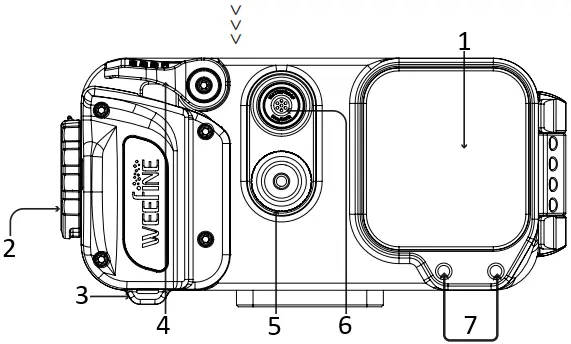
- Lens Window
- Lock System
- Lanyard Hole
- Shutter
- Vacuum Detector
- Depth Detector
- Lens holder mounting hole
Back Case
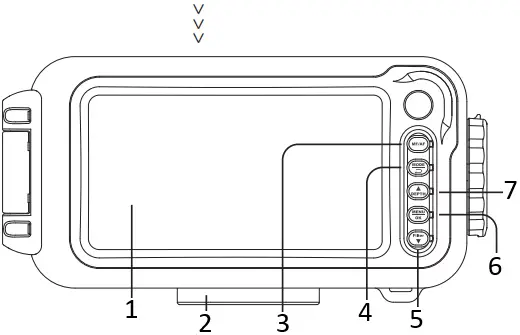
- Window
- Tripod Mount
- MF/AF
- MODE
- DOWN
- MENU/OK
- UP
【Shutter】Button:
– Turn on the device.
– Photo mode – capture a photo.
– Menu mode – exit menu.
– Video mode – start and stop recording
【MODE】Button:
– Switch modes: Photo → Video recording → Replay
– Menu Mode – exit to the previous shooting mode.
【MF/AF】Button:
– Toggles between Manual Focus → Auto Focus
【MENU/OK】Button:
– Press and hold to turn off the device.
– Enter menu/setting screen.
– Switch between Image Setting → System Setting
– Up/Down buttons will navigate through menu
【UP】Button:
– Switch between full screen display → split screen display.
【Down】Button:
– Press the button to enter filter mode.
– Enter the new menu in the menu mode.
◆ Overview
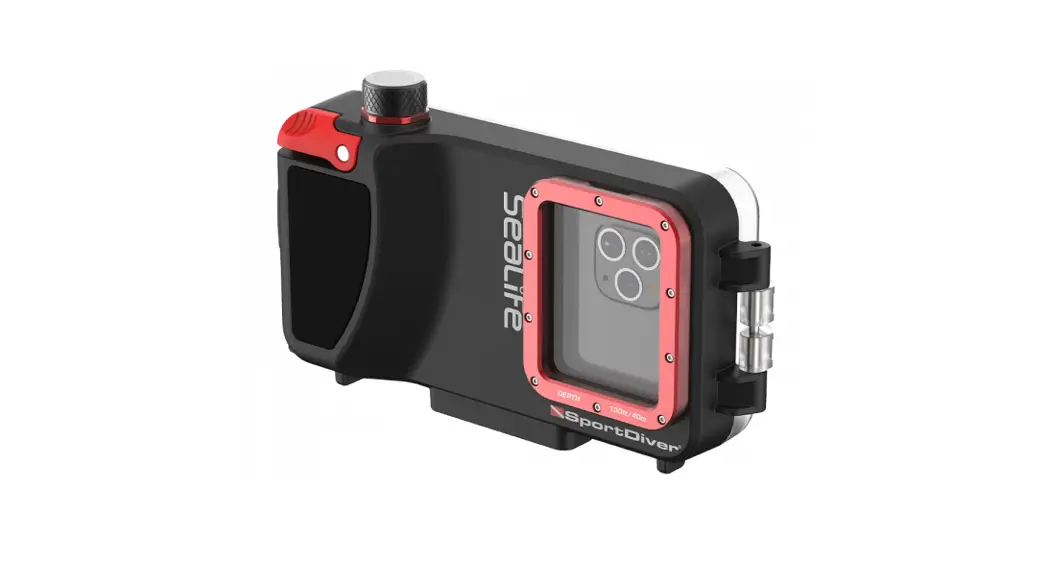
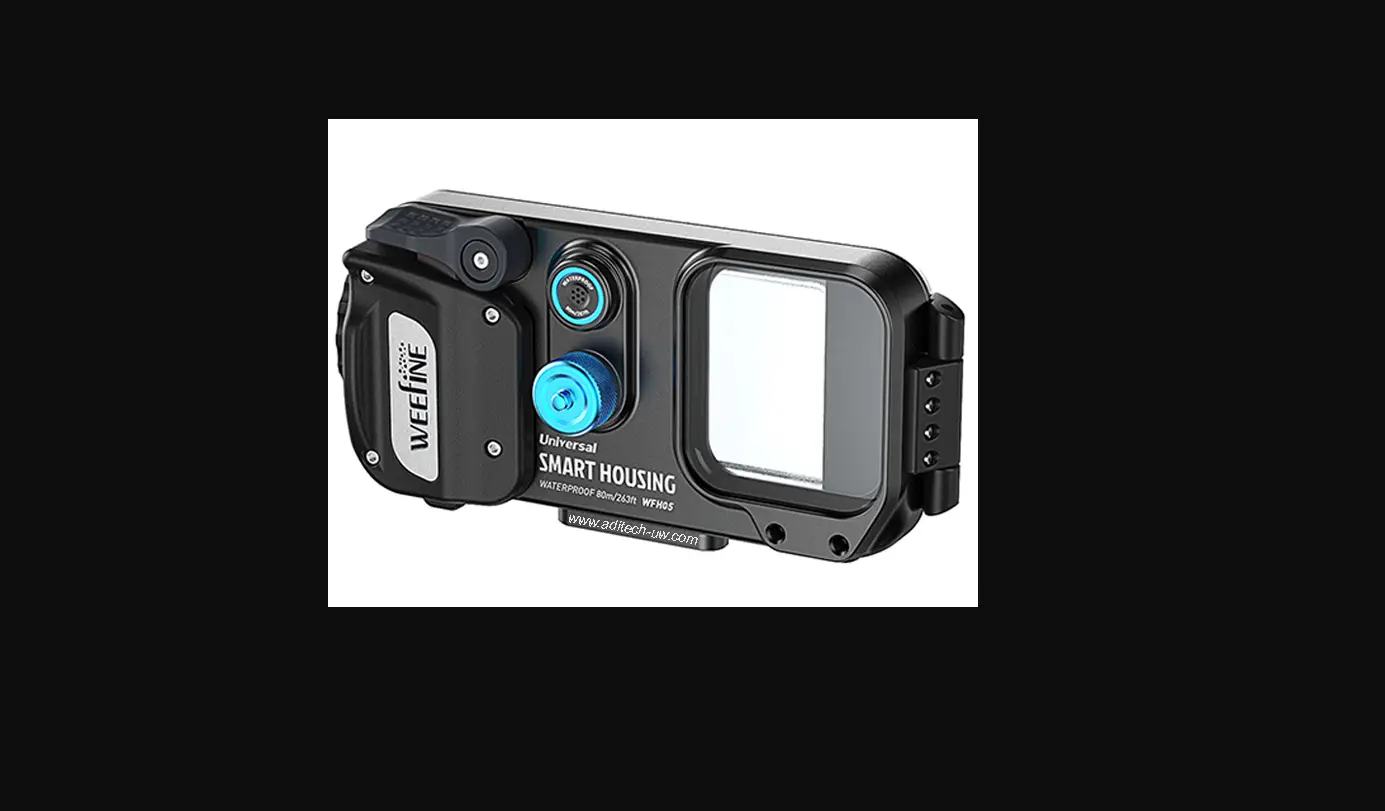
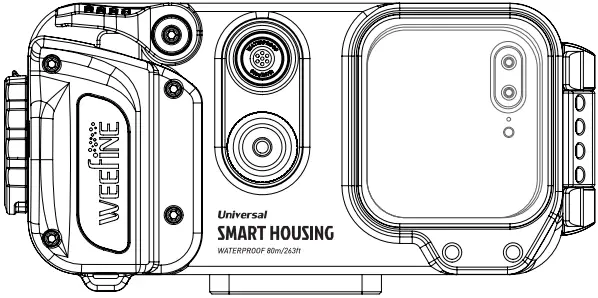
Weefine Smart Housing is a versatile housing that will fit many smart phones, including of iOS and Android operating system. If your phone fits, it will work! Simply ensure that Bluetooth is turned on in your device, connect to the Weefine Smart Housing app and put the phone into the housing! Confirm that the housing is protected by using the vacuum sealing system. Enjoy diving!
With built-in depth detector
Smart Housing Pro(WFH05)
Without depth detector
Smart Housing(WFH06)
◆ Open / Close Weefine Smart Housing
To open:
1. Push out the safety lock as shown in diagram“a”below.
2. Turn the Lock Plate clockwise, showed in diagram “b” and “c” below.
To close:
Turn the Lock Plate counterclockwise to its original position.

Warning!
Make sure that the safety lock has been returned to the locked position.
(Device is securely locked when you hear a “click”)
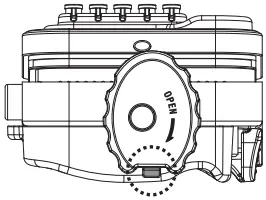
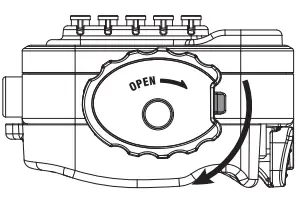
<a> <b>
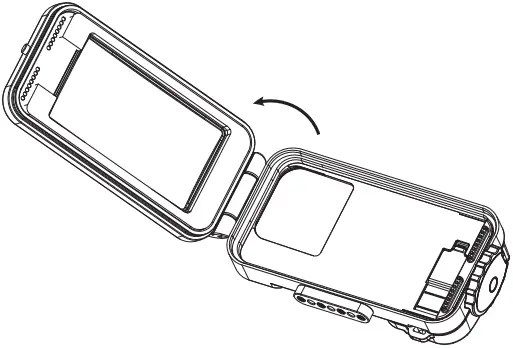
<C>
◆ Package
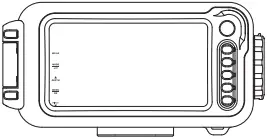
① Smart Housing

② Spare O-ring x 2pcs
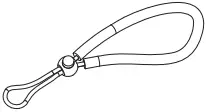
③ Black Hand Rope
④O-ring Remover
⑤Protective pad
◆ Installation of the lens holder
As the diagram shows below.
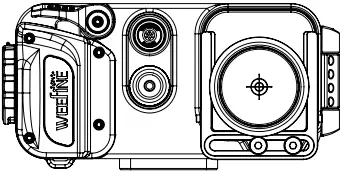
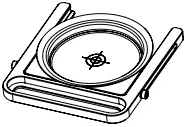 WFA28
WFA28
(Lens holder)
Note: The lens holder needs to be purchased seperately.
Please contact your local distributor if needed
1. Installing the Batteries
1. Install the AAA battery as shown in the diagram “d”below.
<1> Indicator light solid green – Bluetooth connection successful, full battery power;
<2> Indicator light flashes green – Bluetooth NOT connected, full battery power;
<3> Indicator light solid red – Bluetooth connection successful, low battery power;
<4> Indicator light flashes red – Bluetooth NOT connected, low battery power.
Warning!
The polarity of the battery must match the polarity of the contacts in the housing – ensure the positive and negative poles of the batteries align with the positive and negative poles of the housing.
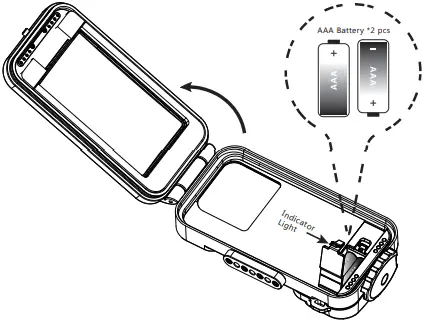
<d>
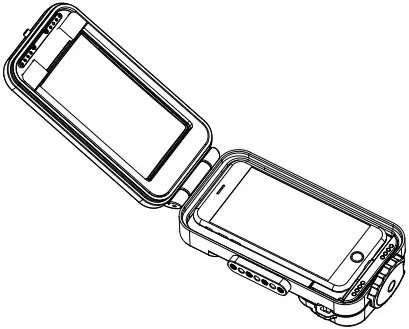
2. Installing your Phone
1. Ensure that Bluetooth is On in your device, and connect to the “Weefine Housing”app. Select “WEEFINE” on the screen.
2. Insert your phone in the housing as shown in diagram“e”and “f”below.
3. Close housing, swtich Safety Lock counterclockwise until a “click” is heard.
Warning!
Many phones automatically adjust the screen brightness. To ensure optimal use of the housing, turn off this setting before inserting your phone in the housing.
<f>
3. Using the vacuum system
The built-in vacuum system lets you know if the housing is sealed before diving. This is important to keep your device safe.
1. Turn the exhaust valve knob counter-clockwise to open/unscrew
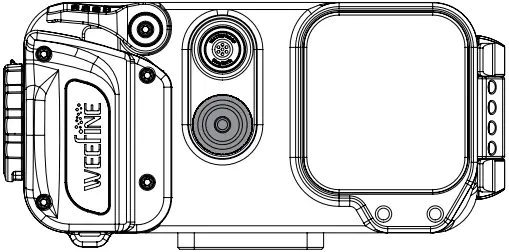
Warning!
Ensure the O-rings do not come into contact with any dirt, sand, hair or dust.
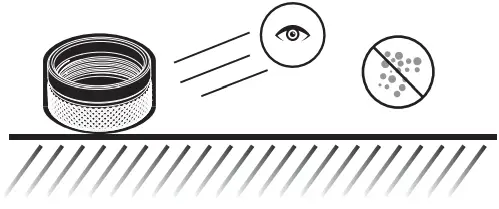
2. Install the exhaust valve pump into the vacuum port as shown in the diagram below and begin to pump.
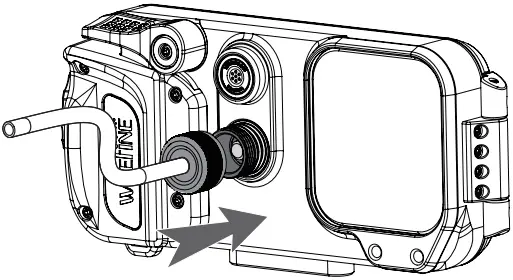
Warning!
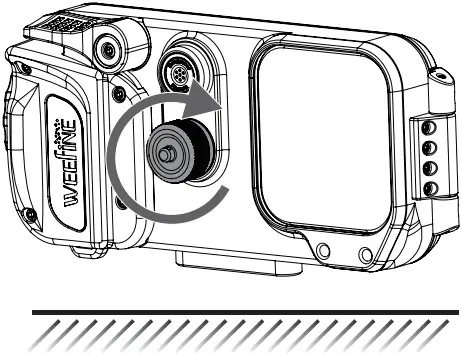
Be sure to tighten the exhaust valve knob after pumping.
3. Vacuum indicator light will flash red and green as you are pumping. When successfully sealed, the indicator light will turn solid green.
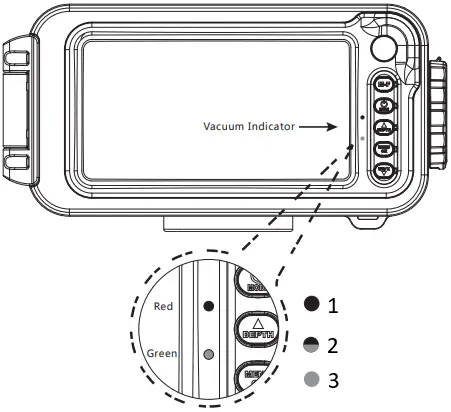
- System not sealed.
- During Pumping.
- System successfully sealed.
4. Reinsert the exhaust valve knob and turn clockwise to close.
If the indicator light remains green after 30 minutes, it is safe to dive.
Warning!
If the indicator is red or red to green cycle, the housing is not sealed, please re-check the vacuum system again. Ensure the indicator is green before diving.
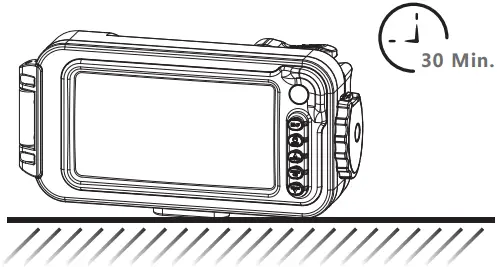
5. To release the vacuum seal, unscrew the exhaust valve knob and press the yellow gasket to the side.
Warning!
You must release the vacuum seal before attempting to open the housing. The indicator light will turn red when the housing is safe to open.
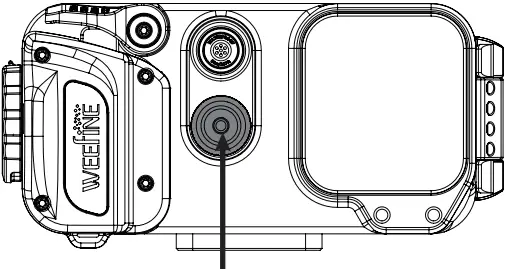
Valve Exhaust
◆ Turn ON/OFF WEEFINE Smart Housing
【Shutter】Button
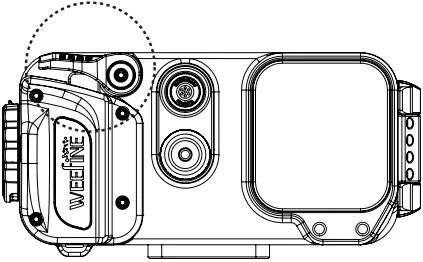
<i>
【Shutter】Button:
– Turn on the device, as shown in diagram“i”.
【MENU/OK】Button
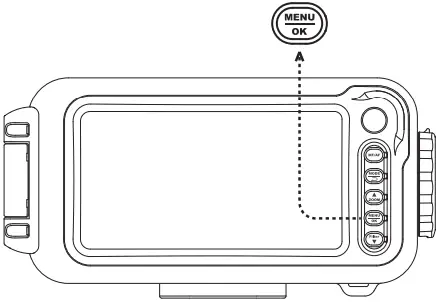 <i1>
<i1>
【MENU/OK】Button:
– Press and hold to turn off the device, as shown in diagram“i1”.
◆ General Warnings and Instructions
* Do not take apart the WEEFINE Smart Housing.
* Do not leave the WEEFINE Smart Housing exposed to a heat source or store in high temperatures. (e.g., in a locked car parked in the sun)
* Remove the battery if the WEEFINE Smart Housing will not be used for long periods of time. (e,g., between dive trips)
* To avoid leaks, the O-rings should be checked to ensure that they are free from any dirt, sand, hair and dust every time before use the WEEFINE Smart Housing. Use a soft cloth to clean the O-rings if required. The O-rings should also be carefully checked for cracks or blemishes. Gently and evenly apply a thin coat of grease to the entire O-rings regularly to prolong O-ring life. Be careful not to scratch the O-rings surface. If cracks or blemishes occur, the rings should be replaced immediately.
* Do not open the WEEFINE Smart Housing in the water.
* Wash the exterior of the WEEFINE Smart Housing thoroughly with clean fresh water immediately after use. Soaking the housing in fresh water will help to remove salt deposits prior to storage.
* Please ensure the housing is dry before opening. Allowing water to come in contact with the internal device may cause damage to the device.
* Do not disassemble, modify, remanufacture, puncture or damage the WEEFINE Smart Housing.