zidoo Z9X/Z10Pro User Interface Customization User Manual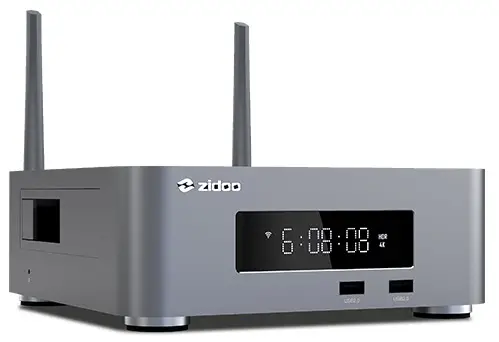
The ZIDOO Z9X and Z10Pro UI is concise and easy to use, application on Zidoo home page could also be customized. Here is a guidance for you.
Application Customization on Main Interface
- There are 4 places on home page could be changed according to your own using habits like the picture showing below.

- Select one of the place.
- Press the menu button on the remote control, there will be a pop-up menu showing apps that is installed in Zidoo media player, then choose the app that you use frequently and want to put on the man in interface. (for example: Home Theater).
- Press the “OK” button on the remote control.
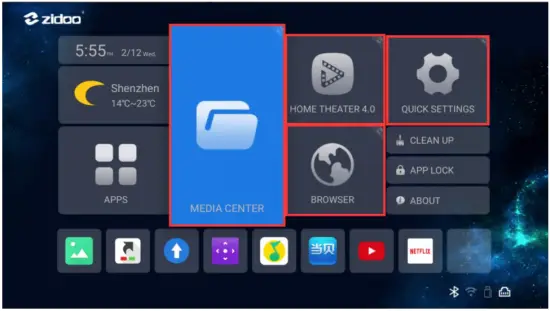
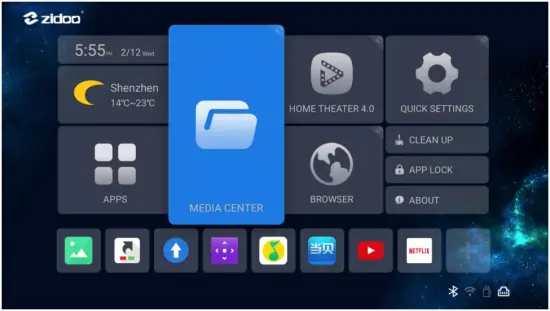
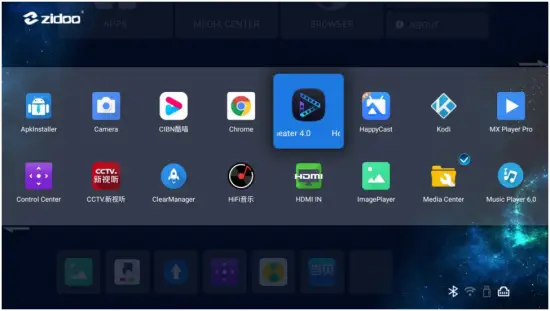
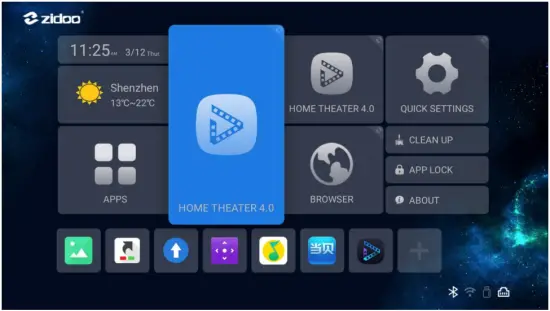
Bottom Application Customization
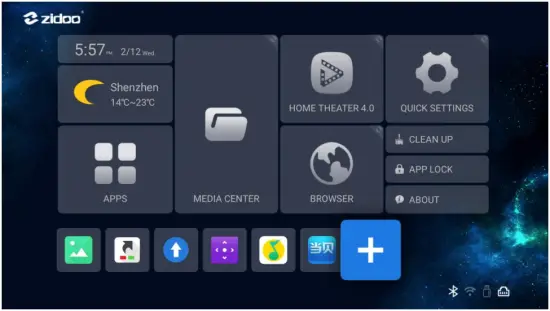
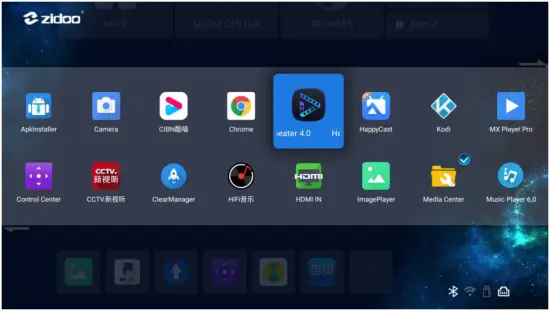
- Choose “+” Icon on the bottom and press “OK” button on remote.
- Choose the app that you want to add, and press “OK” button on remote .
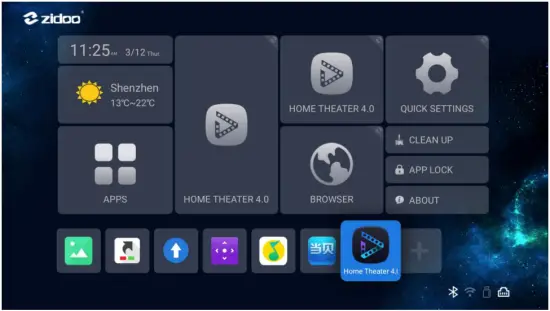
- The app that is choose will show up on the bottom. You could also add several apps at a time.
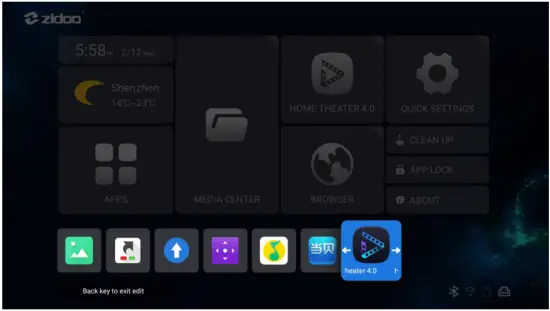
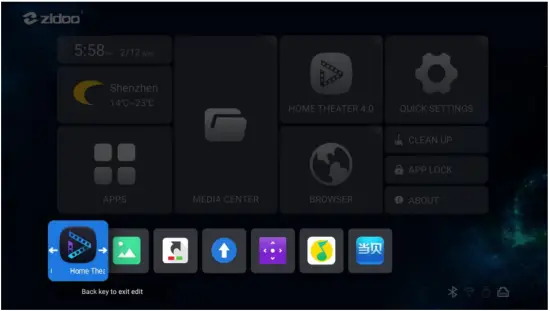
- The order of apps in the button could be adjusted by long press “OK” button on remote.

![Zkteco Elite Series [ti] Instruction Manual](https://static-data1.manualsee.com/1/img/320/5146398/2022/11/fb4f414223137c521cec43028c1d4580.jpg "Zkteco Elite Series [ti] Instruction Manual")