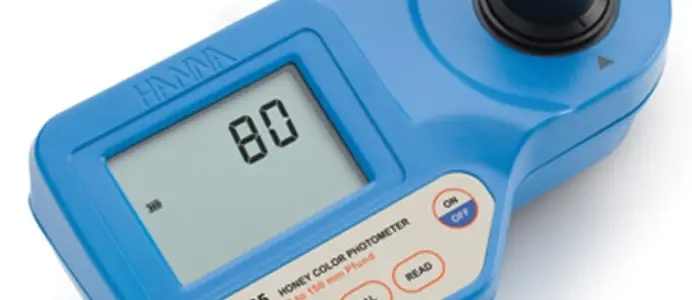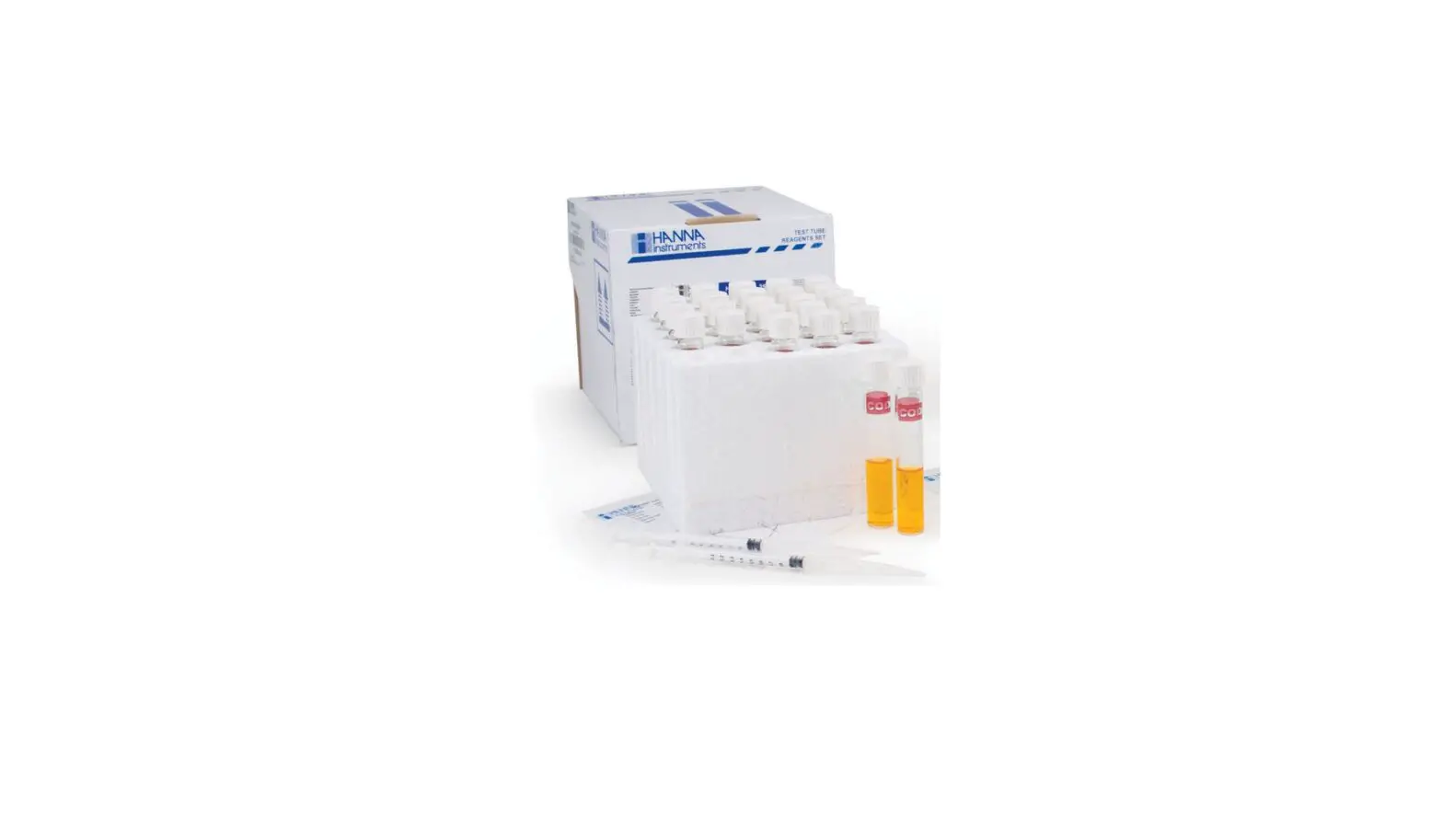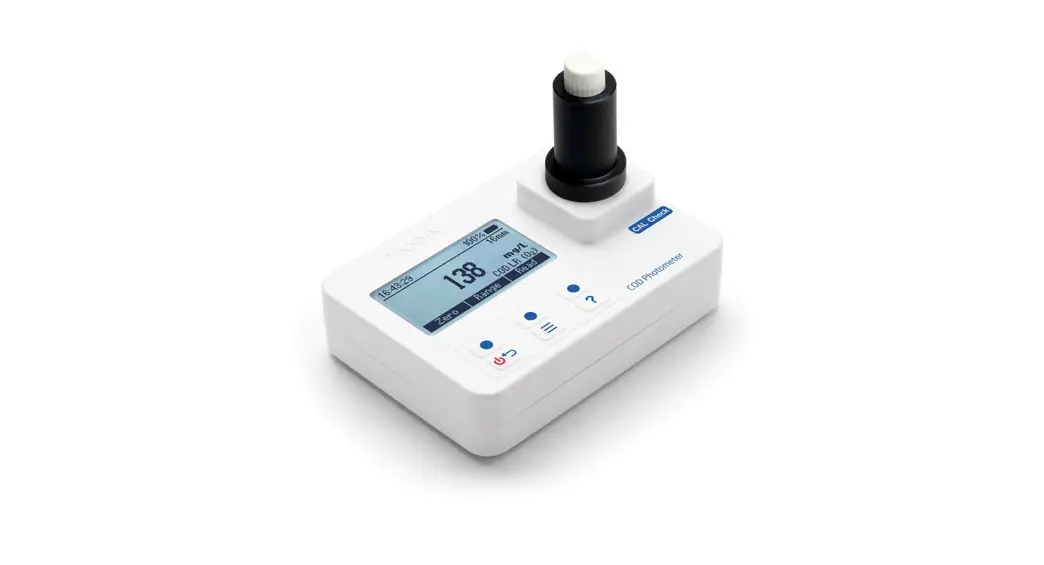
 HI97106 Chemical Oxygen Demand Portable Photometer
Instruction Manual
► Low Range ► Medium Range
► High Range ► Ultra High Range
Hanna Instruments Inc., 584 Park East Drive, Woonsocket, RI 02895 USA
www.hannainst.com
HI97106 Chemical Oxygen Demand Portable Photometer
Dear Customer,
Thank you for choosing a Hanna Instruments ® product.
Please read this instruction manual carefully before using this instrument.
This manual will provide you with the necessary information for correct use of this instrument, as well as a precise idea of its versatility.
If you need additional technical information, do not hesitate to e‑mail us at [email protected].
Visit www.hannainst.com for more information about Hanna Instruments and our products.
All rights are reserved. Reproduction in whole or in part is prohibited without the written consent of the copyright owner, Hanna Instruments Inc., Woonsocket, Rhode Island, 02895, USA.
Hanna Instruments reserves the right to modify the design, construction, or appearance of its products without advance notice.
PRELIMINARY EXAMINATION
Remove the instrument and accessories from the packaging and examine it carefully. For further assistance, please contact your local Hanna Instruments ® office or email us at [email protected].
Each HI97106 is supplied with:
- Adapter for 16 mm vial
- 1.5V AA Alkaline batteries (3 pcs.)
- Quick reference guide with instructions for manual download and instrument quality certificate
Note: Save all packing material until you are sure that the instrument works correctly. Any damaged or defective item must be returned in its original packing material with the supplied accessories.
SAFETY MEASURES

- The chemicals contained in the reagent kits may be hazardous if improperly handled.
- Read the Safety Data Sheets (SDS) before performing tests available on sds.hannainst.com.
- Safety equipment
Wear suitable eye protection and clothing when required, and follow instructions carefully. - Reagent spills
If a reagent spill occurs, wipe up immediately and rinse with plenty of water. If reagent contacts skin, rinse the affected area thoroughly with water. Avoid breathing released vapors. - Waste disposal
For proper disposal of reagent kits and reacted samples, contact a licensed waste disposal provider.
SPECIFICATIONS
Chemical Oxygen Demand LR
| Range | 0 to 150 mg/L (as O2) |
| Resolution | 1 mg/L |
| Accuracy | ±5 mg/L or ±4 % of reading at 25 °C, whichever is greater |
| Method | Adaptation of the US EPA 410.4 Approved Method for the COD Determination on Surface Waters and Wastewaters |
| LED | 420 nm |
Chemical Oxygen Demand MR
| Range | 0 to 1500 mg/L (as O2) |
| Resolution | 1 mg/L |
| Accuracy | ±15 mg/L or ±4 % of reading at 25 °C, whichever is greater |
| Method | Adaptation of the US EPA 410.4 Approved Method for the COD Determination on Surface Waters and Wastewaters |
| LED | 610 nm |
Note: Range is reduced to 1000 mg/L (as O) when HI93754G-25 reagents are used.
Chemical Oxygen Demand HR
| Range | 0 to 15000 mg/L (as O2) |
| Resolution | 1 mg/L |
| Accuracy | ±150 mg/L or ±2 % of reading at 25 °C, whichever is greater |
| Method | Adaptation of the US EPA 410.4 Approved Method for the COD Determination on Surface Waters and Wastewaters |
| LED | 610 nm |
Chemical Oxygen Demand UHR
| Range | 0 to 60.0 g/L (as O2) |
| Resolution | 0.1 g/L |
| Accuracy | ±0.5 g/L ±3 % of reading at 25 °C |
| Method | Adaptation of the US EPA 410.4 Approved Method for the COD Determination on Surface Waters and Wastewaters |
| LED | 610 nm |
Measurement System
| Light source | LED |
| Bandpass filter | Wavelength 420 nm & 610 nm Bandwidth 8 nm Wavelength accuracy ±1.0 nm |
| Light detector | Silicon photocell |
| Cuvette type | round, 16 mm diameter |
Photometer Specifications
| Auto logging | 200 readings |
| Display | 128 x 64 pixel B/W LCD with backlight |
| Auto‑off | After 15 minutes of inactivity (after 30 minutes of inactivity if a Zero has been done but not a Read) |
| Battery type | 1.5 V AA Alkaline (3 pcs.) |
| Battery life | over 10000 measurements* (without backlight) |
| Environment | 0 to 50 °C (32 to 122 °F); 0 to 100 % RH, non‑serviceable |
| Dimensions | 142.5 x 102.5 x 50.5 mm (5.6 x 4.0 x 2.0″) |
| Weight | 380 g (13.4 oz.), with batteries |
| Casing | IP67 rating, floating |
* One measurement: a Zero and a Read with 30 seconds between
DESCRIPTION
GENERAL DESCRIPTION & INTENDED USE
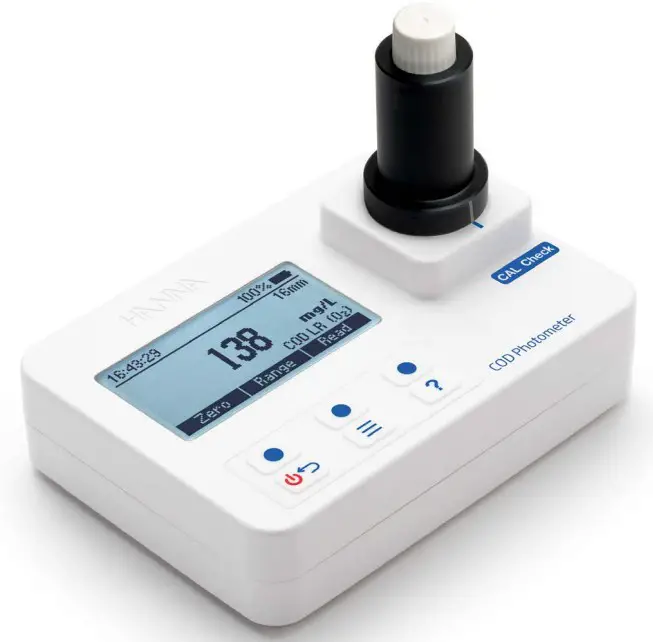
The HI97106 is a waterproof portable photometer that benefits from Hanna’s years of experience as a manufacturer of analytical instruments. It is a compact and versatile device designed to accurately determine chemical oxygen demand.
The photometer has an advanced optical system that uses a Light Emitting Diode and a narrow band interference filter for accurate, repeatable readings. The optical system is sealed from outside dust, dirt, and water.
The meter uses an exclusive positive-locking system to ensure that the vials are placed into the holder in the same position every time.
With the CAL Check™ functionality, users are able to validate the performance of the instrument at any time. Hanna Instruments ® CAL Check cuvettes are certified against NIST‑traceable reference instrument(s). The built-in tutorial mode guides users step‑by‑step through the measurement process. The tutorial mode includes all steps required for sample preparation, the required reagents, and quantities.
Suitable for bench measurements, the photometer features:
- Sophisticated optical system
- Meter validation using certified CAL Check cuvettes
- Tutorial mode guides the user step‑by‑step
- Auto logging
- Waterproof IP67, floating case
FUNCTIONAL DESCRIPTION
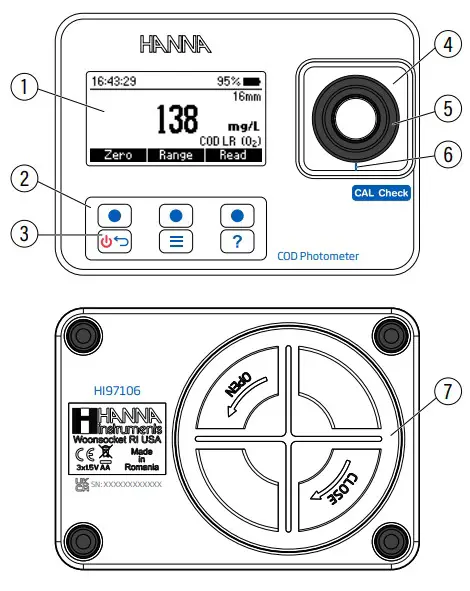
| 1. Liquid Crystal Display (LCD) 2. Keypad 3. ON/OFF power button | 4. Adapter holder 5. Adapter 6. Adapter aligning mark 7. Battery cover |
Keypad Description
The keypad contains 3 direct keys and 3 functional keys with the following functions: Press the functional key to perform the function displayed above it on the LCD.
 Press and hold to power off/on. Press briefly to return to the previous screen.
 Press to access the menu screen.
 Press to display the context‑sensitive help menu.
PRECISION & ACCURACY
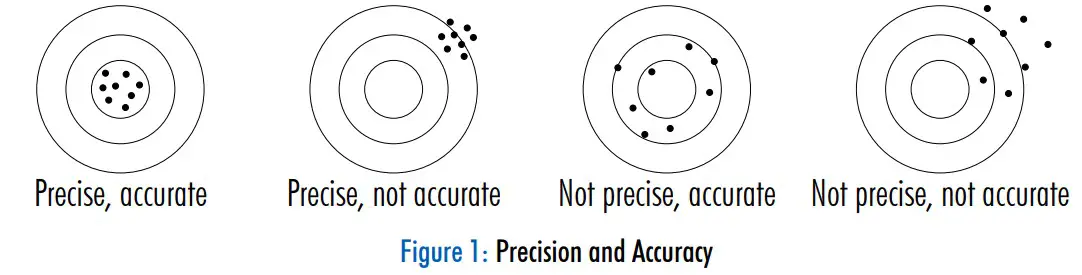
Precision is how closely repeated measurements are to one another, usually expressed as standard deviation (SD).
Accuracy is defined as the closeness of a test result to the true value and is method specific.
Although good precision suggests good accuracy, precise results can be inaccurate.
PRINCIPLE OF OPERATION
Absorption of light is a typical phenomenon of interaction between electromagnetic radiation and matter.
When a light beam crosses a substance, some of the radiation may be absorbed by atoms, molecules, or crystal lattices. Photometric chemical analysis is based on specific chemical reactions between a sample and reagent to produce a light‑absorbing compound.
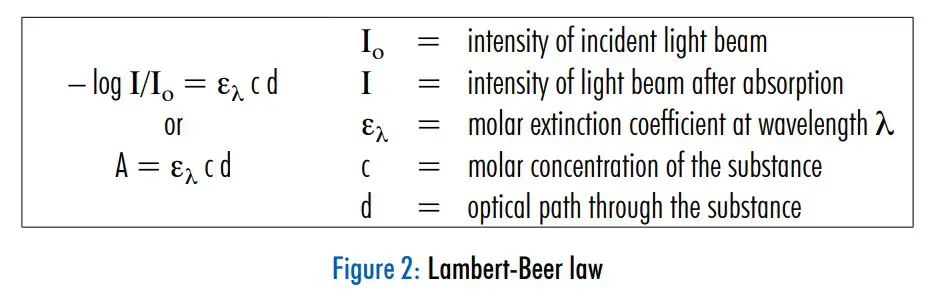
If pure absorption occurs, the fraction of light absorbed depends both on the optical path length through the matter and on the physical‑chemical characteristics of the substance according to the Lambert‑Beer law.
If all other factors are constant, the concentration “c” can be calculated form the absorbance of the substance.
OPTICAL SYSTEM
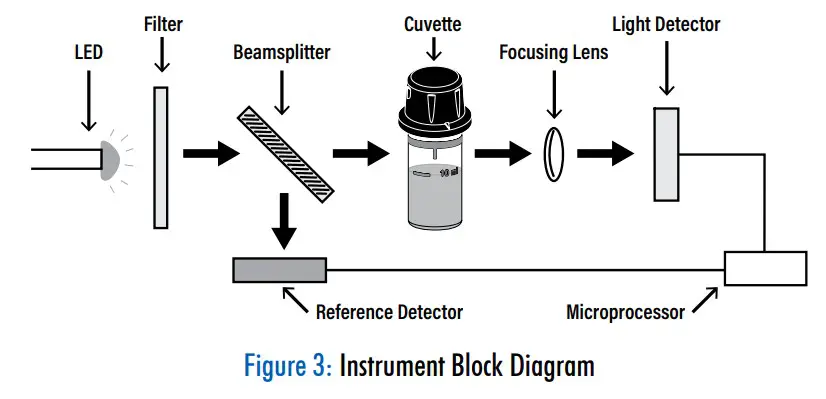
The internal reference system (reference detector) of the photometer compensates for any drifts due to power fluctuations or ambient temperature changes, providing a stable source of light for the blank (zero) measurement and sample measurement.
LED light sources offer superior performance compared to tungsten lamps. LEDs have a much higher luminous efficiency, providing more light while using less power. They also produce little heat, which could otherwise affect electronic stability. LEDs are available in a wide array of wavelengths, whereas tungsten lamps have poor blue/violet light output.
Improved optical filters ensure greater wavelength accuracy and allow a brighter, stronger signal to be received. The end result is higher measurement stability and less wavelength error.
A focusing lens collects the light that exits the cuvette, eliminating errors from cuvette imperfections and scratches, reducing the need to index the cuvette.
GENERAL OPERATIONS
METER VALIDATION: CAL CHECK™
Validation of the photometer involves verifying the concentration of the certified CAL Check standards*.
The CAL Check screen guides users step‑by‑step through the validation process.
Warning: Do not use any solutions or standards other than the Hanna Instruments® CAL Check standards. To ensire accuracy, please perform meter validation at room temperature, 18 to 25 °C (64.5 to 77.0 °F).
Note: Protect the CAL Check cuvettes from direct sunlight by keeping them in the original packing. Store between 5 and 30 °C (41 to 86 °F). Do not freeze.
To perform a CAL Check:
- Press the
 key to enter menu.
 - Use the functional keys to select CAL Check and press Select.
 “Not Available“ message, or date, time, and status of the last CAL Check will be displayed on the screen.
 Note: CAL Check is for the bandpass filter used by the selected method. Methods with the same bandpass filter use the same CAL Check standards.
 - Press Check to start a new CAL Check.
Press the key at any time to abort the validation process.
* CAL Check standards and testing reagents are sold separately. Please refer to Accessories section for ordering code. - Use the functional keys to enter the certificate value of the calibration standard found on the CAL Check Standard Certificate.
- Press Next to continue.
 Note: This value will be saved in the instrument for future validation.
 - Insert the HI97100‑ZERO CAL Check™ Cuvette A then press Next to continue. “Please wait…“ message will be displayed during the measurement.

- Insert the CAL Check Cuvette B for the selected method (i.e. HI97100‑420 for LR or HI97100‑610 for MR, HR, UHR), then press Next to continue. “Please wait…“ message will be displayed during the measurement.
Note: HI97100-ZERO, HI97100-420, and HI97100-610 are included in the HI97106-11 CAL Check™ standards for COD photometer – cuvette kit. Please see Accessories for ordering codes.
- When the CAL Check is complete, the display will show one of the following messages and the value obtained during the measurement:
• “PASSED“: measured value is within the accuracy specification • “OUT OF SPECIFICATION“: measured value is outside of the tolerance window
 A. Check the certified value, expiration date, and clean the outside of the cuvette.
B. Repeat the CAL Check procedure.
C. If this error continues, contact your nearest Hanna Instruments® customer service center.
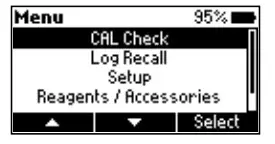 “Not Available“ message, or date, time, and status of the last CAL Check will be displayed on the screen.
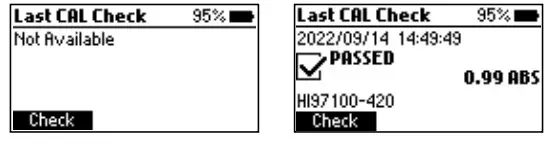 Note: CAL Check is for the bandpass filter used by the selected method. Methods with the same bandpass filter use the same CAL Check standards.
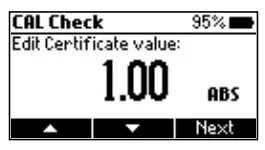 Note: This value will be saved in the instrument for future validation.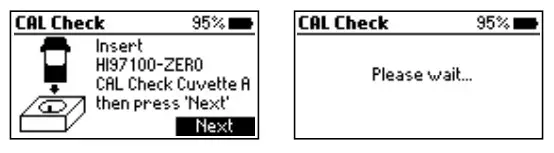

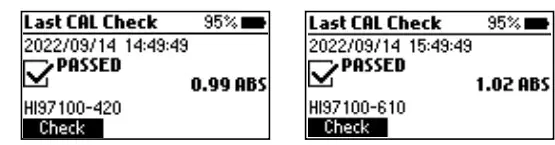 • “OUT OF SPECIFICATION“: measured value is outside of the tolerance window
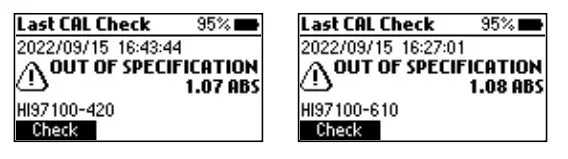 A. Check the certified value, expiration date, and clean the outside of the cuvette.
LOGGING DATA & LOG RECALL
The instrument features a data autolog function to help users keep track of all measurements. Every time a measurement is made the data is automatically saved. The data log can hold 200 individual measurements.
Note: When the data log is full (200 data points), the meter will rewrite the oldest data point. A confirmation message will display before a log is overwritten.
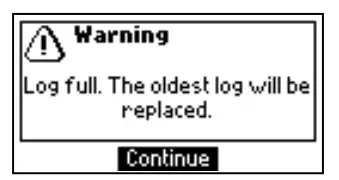
Viewing and deleting the data is possible using the Log Recall menu.
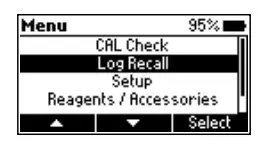
- Press the key to enter the menu. Use the functional keys to select Log Recall and press Select.

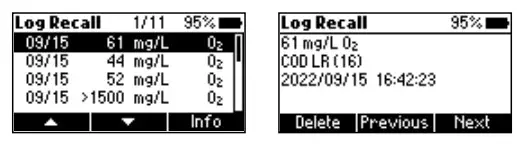
- Use the functional keys to highlight a log and press Info to view additional information about the log.
From this screen Next and Previous can be used to view other logs.
- Press Delete to erase logged data. After pressing Delete the instrument prompts for confirmation.

- Press No or the key to return to the previous screen.
Press Yes to delete selected log.
Press Del All to erase all the logged data. If Del All is pressed, follow the prompt to confirm. Press Yes to delete all logged data, No, or the key to return to the log recall.


GENERAL SETUP
Press the key to enter the menu.
Use the functional keys to select Setup and press Select. Use the functional keys to highlight desired option.
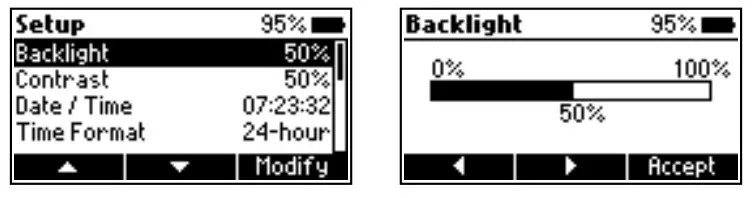
Backlight
Option: 0 to 100 %
Press Modify to access backlight intensity.
Use the functional keys to increase or decrease the percentage intensity value.
Press Accept to confirm or the key to return to the Setup menu without saving the new value.
Contrast
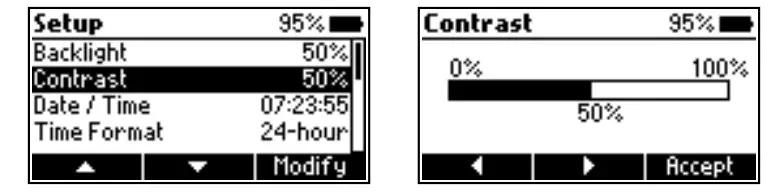
Option: 0 to 100 %
Press Modify to change the display’s contrast. Use the functional keys to increase or decrease the percentage contrast value.
Press Accept to confirm the value or the key to return to the Setup menu without saving the new value.
Date & Time
Press Modify to change the date and time.
Press the functional keys to highlight the value to be modified (year, month, day, hour, minute, or second).
Press Edit to modify the highlighted value. Use the functional keys to change the value.
Press Accept to confirm or the key to return to the previous screen.

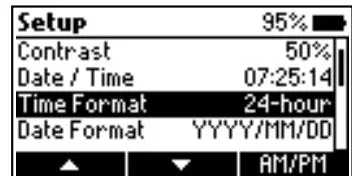
Time Format
Option: AM/PM, 24-hour
Press the functional key to select the desired time format.
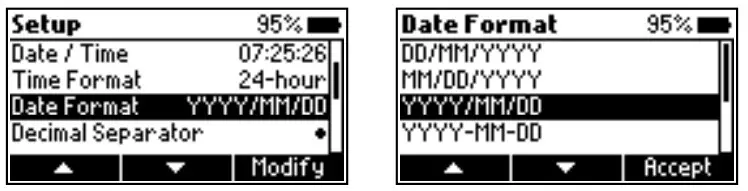
Date Format
Press Modify to change the date format. Use the functional keys to select the desired format.
Press Accept to confirm or the key to return to the Setup menu without saving the new format.
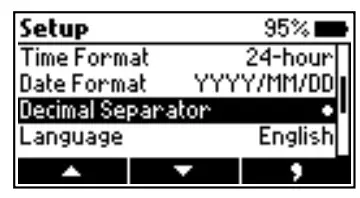
Decimal Separator
Option: Comma ( , ) or Period ( . )
Press the functional key to select the desired decimal separator. The decimal separator is used on the measurement screen.
Language
Press Modify to change the language. Use the functional keys to select the desired language.
Press Accept to choose one of the languages installed.

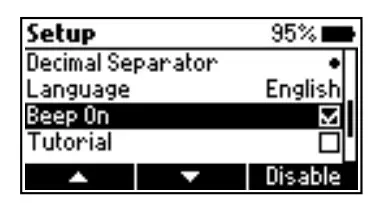
Beeper
Option: Enable, Disable
When enabled, a short beep is heard every time a key is pressed.
A long beep alert sounds when the pressed key is not active or an error is detected.
Press the functional key to enable or disable the beeper.
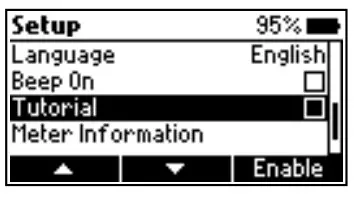
Tutorial
Option: Enable, Disable
Press the functional key to enable or disable the tutorial.
When enabled, the user will be guided step‑by‑step through the measurement procedure.
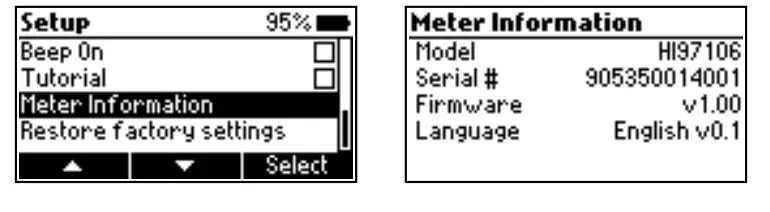
Meter Information
Press Select to view the model, serial number, firmware version, and selected language. Press the key to return to the Setup menu.
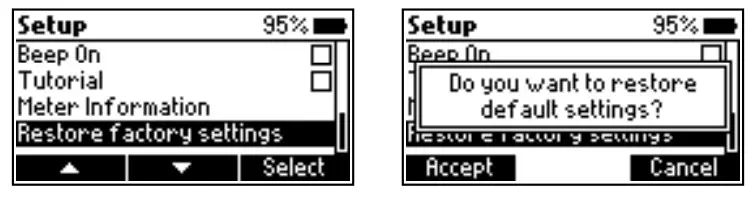
Restore Factory Settings
Press Select to reset to factory settings.
Press Accept to confirm or Cancel to exit without restoring the factory settings.
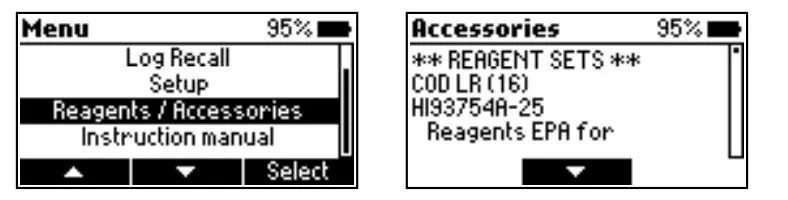
REAGENTS & ACCESSORIES
Press the key to enter the menu.
Use the functional keys to select Reagents / Accessories and press Select to access a list of reagents and accessories.
Press the key to exit.
INSTRUCTION MANUAL
Press the key to enter the menu.
Use the functional keys to select Instruction manual and press Select.
Scan the QR code or follow link to download the manual in PDF format.
Press the key to exit.

CONTEXTUAL HELP
The photometer offers an interactive contextual help mode that assists the user at any time.
Press the key to access the help screen. The instrument will display additional information related to the current screen.
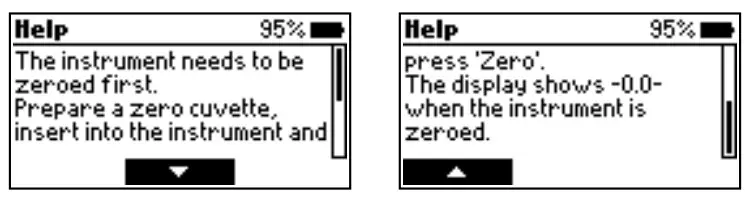
Use the functional keys to scroll the text and read all the available information.
Press the to exit help mode, or press the key to return to the previous screen.
PHOTOMETER
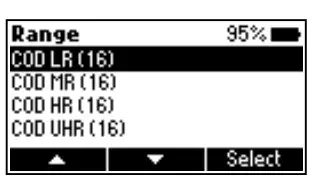
RANGE SELECTION
- Press Range when in measurement mode.
- Use the functional keys to highlight the desired range then press Select.
• If tutorial mode is disabled, follow the measurement procedure.
• If tutorial mode is enabled, press Measure and follow the messages on the screen.
Note: At power on the instrument starts with the previously selected range.
USING THE 16 mm VIAL ADAPTER
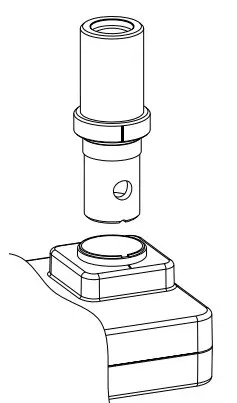
To insert the adapter:
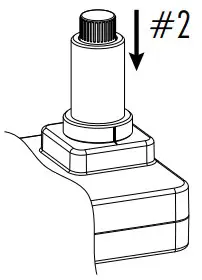
- Orient the adapter with the two small holes toward the bottom.
The index mark on adapter should align with the index mark on the instrument. - Press down gently, keeping the marks aligned, until the adapter reaches the bottom of the vial holder.
The meter is ready for use. Always use the adapter for both Zero and Read measurements as specified in the parameter instructions.
Warning: Improper use of the adapter could cause irreversible damage to the instrument.
Always use the following precautions while using the 16 mm adapter.
- Never use excessive force to insert the adapter. Users should be able to insert the vial with light pressure using one finger. If the vial does not reach the bottom, if there is resistance, or in case of “Check the Zero cuvette” message during the “Zero” operation, check the aligment of the two index marks, and gently push down the adapter to ensure it reaches the bottom of the vial holder.
- Never insert hot vials or samples into the adapter. Samples should be near room temperature before inserting into the adapter.
VIAL PREPARATION & MIXING
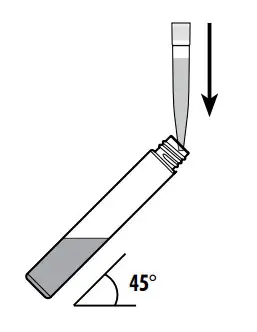
Measure and add correct sample or DI water quantity as specified in the measurement procedure.
Proper mixing is very important for reproducibility of the measurements. The proper mixing technique for each method is listed in the method procedure.
Vial inversion is represented here:
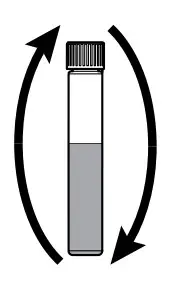
For one inversion:
- Hold the vial in vertical position.
- Turn the vial upside‑down and wait for all of the solution to flow to the cap end.
- Return the vial to the upright vertical position.
- Wait for all of the solution to flow to the vial bottom.
MEASUREMENT RECOMMENDATIONS
- Whenever the vial is placed into the measurement holder, it must be dry outside and free of fingerprints, oil, or dirt. Wipe it thoroughly with
 HI731318 microfiber cleaning cloth or a lint‑free wipe prior to insertion.
 - Shaking the vial can generate bubbles in the sample, causing higher readings. To obtain accurate measurements, remove such bubbles by swirling or by gently tapping the vial.
- Do not let the reacted sample stand too long after reagent has been added. For best accuracy, respect the timings described in each method.
- It is possible to take multiple readings in a row, but it is recommended to take a new zero reading for each sample and to use the same vial for zeroing and measurement when possible.
- Discard sample immediately after reading has been taken, or the glass might become permanently stained.
- All reaction times reported in this manual are at 25 °C (77 °F). In general, reaction time should be increased for temperatures lower than 20 °C (68 °F), and decreased for temperatures higher than 25 °C (77 °F).
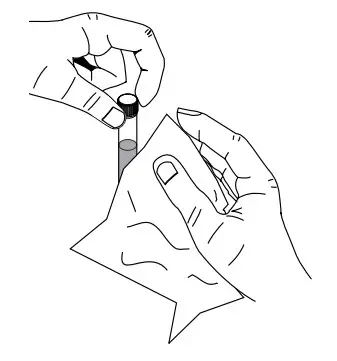 HI731318 microfiber cleaning cloth or a lint‑free wipe prior to insertion.
BATTERY MANAGEMENT
The meter will perform an auto‑diagnostic test when it is powered on. During this test, the Hanna Instruments ® logo will appear on the LCD. If the auto‑diagnostic test was successful, the meter is ready for use.
To conserve the battery, the meter turns off automatically after 15 minutes of inactivity.
If a zero reading has been done but not a Read, auto‑off time is increased to 30 minutes.
The battery icon on the LCD indicates the battery status:

Battery is full.
Battery is below 10 %.
Replace the batteries soon.
Battery is low.
Replace the batteries with new ones.
METHOD PROCEDURE
CHEMICAL OXYGEN DEMAND LOW RANGE
REQUIRED REAGENTS
| Code | Description | Quantity |
| EPA REAGENT | ||
| HI93754A‑0* | COD Low Range EPA Reagent Vial | 2 vials |
| DEIONIZED120 | Deionized Water | 2 mL |
| MERCURY FREE REAGENT | ||
| HI93754D‑0* | COD Low Range Hg Free Reagent Vial | 2 vials |
| DEIONIZED120 | Deionized Water | 2 mL |
| ISO REAGENT | ||
| HI93754F‑0* | COD Low Range ISO Reagent Vial | 2 vials |
| DEIONIZED120 | Deionized Water | 2 mL |
| REAGENT SETS | ||
| HI93754A‑25 | Reagents EPA Low Range for 25 tests | |
| HI93754D‑25 | Reagents Hg Free Low Range for 25 tests | |
| HI93754F‑25 | Reagents ISO Low Range for 25 tests | |
* Reagent vial identification: COD A, COD D, COD F, red label
For other accessories see Accessories section.
Note: Store the unused vials in their packaging in a cool and dark place.
MEASUREMENT PROCEDUREBefore using the reagent kit carefully read all the instructions and the Safety Data Sheets (SDS).
Pay particular attention to all warnings, cautions and notes. Failure to do so may result in serious injury to the operator.
Reagent Blank Correction: This method requires a reagent blank correction. A single blank vial may be used more than once. The blank vial is stable for several months at room temperature. For improved accuracy, run a blank for each set of measurements and always use the same lot of reagents for blank and samples.
- Choose a homogeneous sample. Samples containing solids capable of settling need to be homogenized with a blender. ®
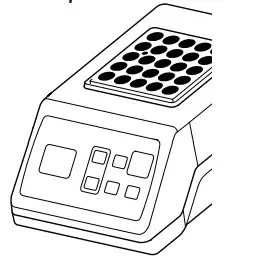
- Preheat the Hanna Reactor HI839800 to 150 °C (302 °F). The optional HI740217 safety shield is strongly recommended. Do not use an oven or microwave; samples may leak and generate a corrosive and possibly explosive atmosphere.
- Remove the cap from two COD Low Range Reagent vials.

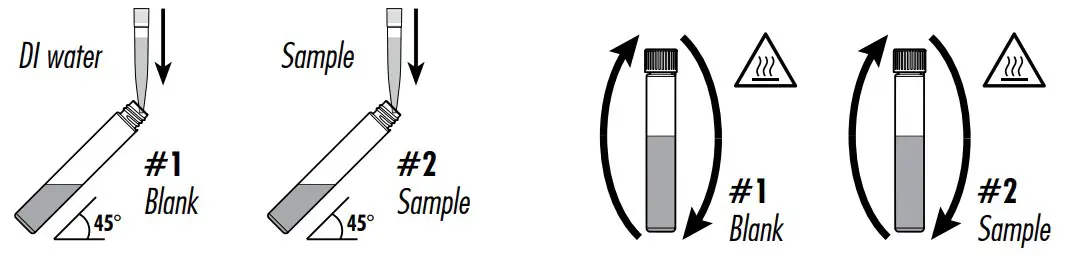
- Add 2 mL of deionized water to the first vial (#1) and 2 mL of sample to the second vial (#2), while keeping the vials at a 45‑degree angle. Replace the caps and invert several times to mix.
Warning: The vials will become hot during mixing, use caution when handling.
- Insert the vials into the reactor and heat them for 2 hours at 150 °C (302 °F).

- At the end of the digestion period switch off the reactor. Wait 20 minutes to allow the vials to cool to about 120 °C (248 °F).
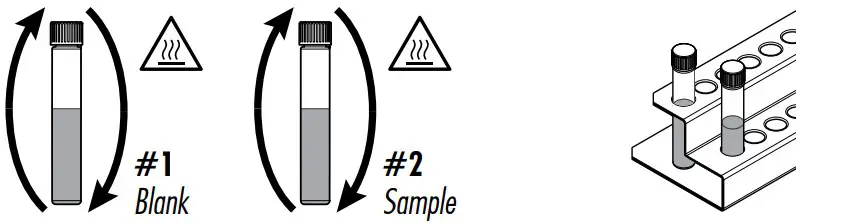
- Invert each vial several times while still warm, then place them in the test tube rack.
Warning: The vials are still hot, use caution when handling. - Leave the vials in the tube rack to cool to room temperature. Do not shake or invert them, the samples may become turbid.

- Select COD LR method using the procedure described in the Range Selection section.
- Insert the 16 mm vial adapter using the procedure described in the Using the 16 mm Vial Adapter section.
- Insert the blank vial (#1) into the holder
- Press Zero. The display will show ‑0.0‑ when the meter is zeroed and ready for measurement.

- Remove the vial.
- Insert the sample vial (#2) into the holder.
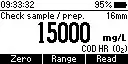
- Press Read to start the reading. The instrument displays the results in mg/L of oxygen (O2).



INTERFERENCES
Interference may be caused by:
• Chloride above 2000 mg/L, samples with higher chloride concentration should be diluted
CHEMICAL OXYGEN DEMAND MEDIUM RANGE
REQUIRED REAGENTS
| Code | Description | Quantity |
| EPA REAGENT | ||
| HI93754B‑0* | COD Medium Range EPA Reagent Vial | 2 vials |
| DEIONIZED120 | Deionized Water | 2 mL |
| MERCURY FREE REAGENT | ||
| HI93754E‑0* | COD Medium Range Hg Free Reagent Vial | 2 vials |
| DEIONIZED120 | Deionized Water | 2 mL |
| ISO REAGENT | ||
| HI93754G‑0* | COD Medium Range ISO Reagent Vial | 2 vials |
| DEIONIZED120 | Deionized Water | 2 mL |
| REAGENT SETS | ||
| HI93754B‑25 | Reagents EPA Medium Range for 25 tests | |
| HI93754E‑25 | Reagents Hg Free Medium Range for 25 tests | |
| HI93754G‑25 | Reagents for ISO Medium Range 25 tests | |
* Reagent vial identification: COD B, COD E, COD G, white label
For other accessories see Accessories section.
Note: Store the unused vials in their packaging in a cool and dark place.
MEASUREMENT PROCEDUREBefore using the reagent kit carefully read all the instructions and the Safety Data Sheets (SDS).
Pay particular attention to all warnings, cautions and notes. Failure to do so may result in serious injury to the operator.
Reagent Blank Correction: This method requires a reagent blank correction. A single blank vial may be used more than once. The blank vial is stable for several months at room temperature. For improved accuracy measurement, run a blank for each set of measurements and always use the same lot of reagents for blank and samples.
- Choose a homogeneous sample. Samples containing solids capable of settling need to be homogenized with a blender.
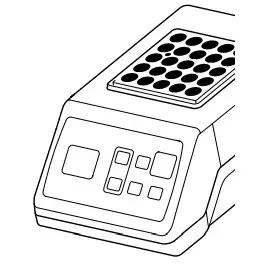
- Preheat the Hanna ® Reactor HI839800 to 150 °C (302 °F). Use of the optional HI740217 safety shield is strongly recommended. Do not use an oven or microwave; samples may leak and generate a corrosive and possibly explosive atmosphere.
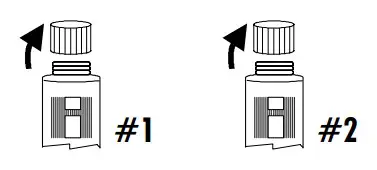
- Remove the cap from two COD Medium Range Reagent vials.

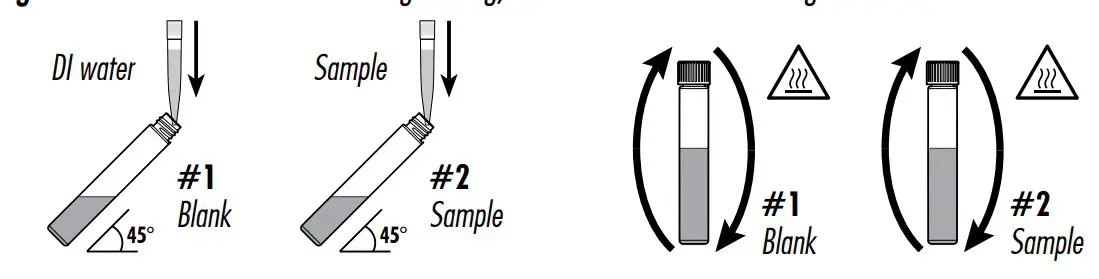
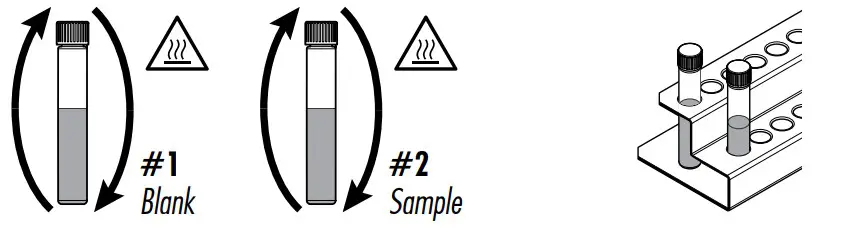
- Add 2 mL of deionized water to the first vial (#1) and 2 mL of sample to the second vial (#2), while keeping the vials at a 45‑degree angle. Replace the caps and invert several times to mix.
Warning: The vials will become hot during mixing, use caution when handling.
- Insert the vials into the reactor and heat them for 2 hours at 150 °C (302 °F).

- At the end of the digestion period switch off the reactor. Wait 20 minutes to allow the vials to cool to about 120 °C (248 °F).
- Invert each vial several times while still warm, then place them in the test tube rack.
Warning: The vials are still hot, use caution when handling. - Leave the vials in the tube rack to cool to room temperature. Do not shake or invert them, the samples may become turbid.

- Select COD MR method using the procedure described in the Range Selection section.
- Insert the 16 mm vial adapter using the procedure described in the Using the 16 mm Vial Adapter section.
- Insert the blank vial into the holder.
- Press Zero. The display will show ‑0.0‑ when the meter is zeroed and ready for measurement.

- Remove the vial.
- Insert the sample vial (#2) into the holder.
- Press Read to start the reading. The instrument displays the results in mg/L of oxygen (O2).



INTERFERENCES
Interference may be caused by:
• Chloride above 2000 mg/L, samples with higher chloride concentration should be diluted
CHEMICAL OXYGEN DEMAND HIGH RANGE
REQUIRED REAGENTS
| Code | Description | Quantity |
| HI93754C‑0* | COD High Range Reagent Vial | 2 vials |
| DEIONIZED120 | Deionized Water | 0.2 mL |
| REAGENT SETS | ||
| HI93754C‑25 | Reagents COD High Range for 25 tests | |
* Reagent vial identification: COD C, green label
For other accessories see Accessories section.
Note: Store the unused vials in their packaging in a cool and dark place.
MEASUREMENT PROCEDUREBefore using the reagent kit carefully read all the instructions and the Safety Data Sheets (SDS).
Pay particular attention to all warnings, cautions and notes. Failure to do so may result in serious injury to the operator.
Reagent Blank Correction: This method requires a reagent blank correction. A single blank vial may be used more than once. The blank vial is stable for several months at room temperature. For improved accuracy measurement, run a blank for each set of measurements and always use the same lot of reagents for blank and samples.
- Choose a homogeneous sample. Samples containing solids capable of settling need to be homogenized with a blender.
- Preheat the Hanna ® Reactor HI839800 to 150 °C (302 °F). Use of the optional HI740217 safety shield is strongly recommended. Do not use an oven or microwave, samples may leak and generate a corrosive and possibly explosive atmosphere.
- Remove the cap from two COD High Range Reagent vials.
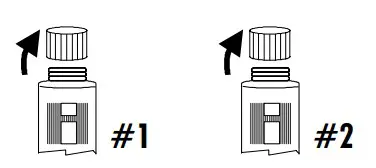
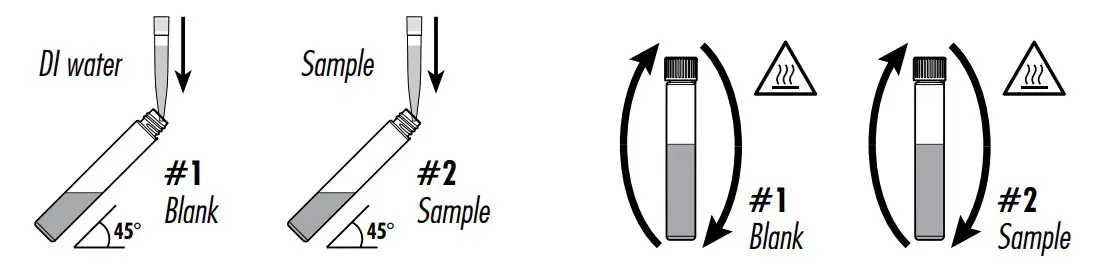
- Add 0.2 mL of deionized water to the first vial (#1) and 0.2 mL of sample to the second vial (#2), while keeping the vials at a 45‑degree angle. Replace the caps and invert several times to mix.
Warning: The vials will become hot during mixing, use caution when handling. - Insert the vials into the reactor and heat them for 2 hours at 150 °C (302 °F).

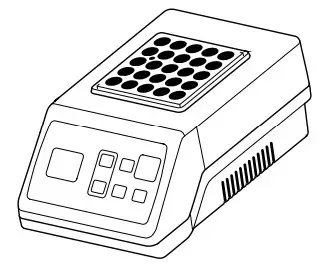
- At the end of the digestion period switch off the reactor. Wait 20 minutes to allow the vials to cool to about 120 °C (248 °F).
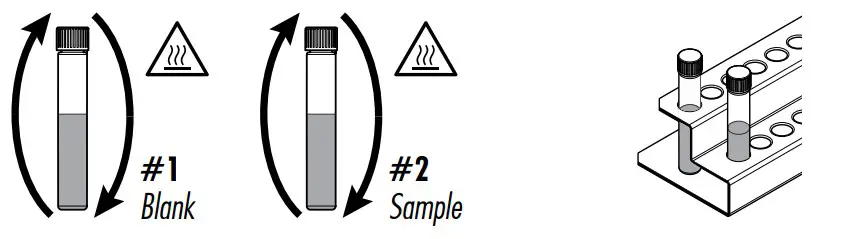
- Invert each vial several times while still warm, then place them in the test tube rack.
Warning: The vials are still hot, use caution when handling. - Leave the vials in the tube rack to cool to room temperature. Do not shake or invert them, the samples may become turbid.
- Select COD HR method using the procedure described in the Range Selection section.

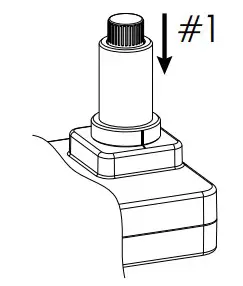
- Insert the 16 mm vial adapter using the procedure described in the Using the 16 mm Vial Adapter section.
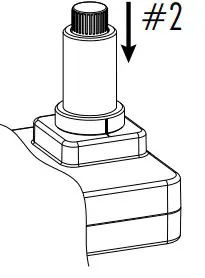
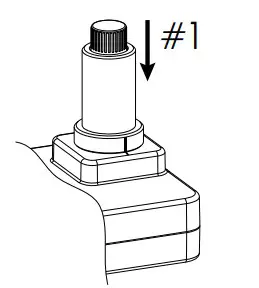
- Insert the blank vial (#1) into the holder.
- Press Zero. The display will show ‑0.0‑ when the meter is zeroed and ready for measurement.
- Remove the vial.
- Insert the sample vial (#2) into the holder.
- Press Read to start the reading. The instrument displays the results in mg/L of oxygen (O2).

INTERFERENCES
Interference may be caused by:
• Chloride above 20000 mg/L, samples with higher chloride concentration should be diluted
CHEMICAL OXYGEN DEMAND ULTRA HIGH RANGE
REQUIRED REAGENTS
| Code | Description | Quantity |
| HI93754J‑0* | COD Ultra High Range Reagent Vial | 2 vials |
| DEIONIZED120 | Deionized Water | 0.1 mL |
| REAGENT SETS | ||
| HI93754J‑25 | Reagents COD Ultra High Range for 25 tests |
* Reagent vial identification: COD J, blue label
For other accessories see Accessories section.
Note: Store the unused vials in their packaging in a cool and dark place.
MEASUREMENT PROCEDUREBefore using the reagent kit carefully read all the instructions and the Safety Data Sheets (SDS).
Pay particular attention to all warnings, cautions and notes. Failure to do so may result in serious injury to the operator.
Reagent Blank Correction: This method requires a reagent blank correction. A single blank vial may be used more than once. The blank vial is stable for several months at room temperature. For improved accuracy measurement, run a blank for each set of measurements and always use the same lot of reagents for blank and samples.
- Choose a homogeneous sample. Samples containing solids capable of settling need to be homogenized with a blender.
- Preheat the Hanna ® Reactor HI839800 to 150 °C (302 °F). Use of the optional HI740217 safety shield is strongly recommended. Do not use an oven or microwave, samples may leak and generate a corrosive and possibly explosive atmosphere.
- Remove the cap from two COD Ultra High Range Reagent vials.
- Add 0.1 mL of deionized water to the first vial (#1) and 0.1 mL of sample to the second vial (#2), while keeping the vials at a 45‑degree angle. Replace the caps and invert several times to mix.
Warning: The vials will become hot during mixing, use caution when handling.
- Insert the vials into the reactor and heat them for 2 hours at 150 °C (302 °F).

- At the end of the digestion period switch off the reactor. Wait 20 minutes to allow the vials to cool to about 120 °C (248 °F).
- Invert each vial several times while still warm, then place them in the test tube rack.
Warning: The vials are still hot, use caution when handling. - Leave the vials in the tube rack to cool to room temperature. Do not shake or invert them, the samples may become turbid.

- Select COD HR method using the procedure described in the Range Selection section.
- Insert the 16 mm vial adapter using the procedure described in the Using the 16 mm Vial Adapter section.
- Insert the blank vial (#1) into the holder.
- Press Zero. The display will show ‑0.0‑ when the meter is zeroed and ready for measurement.

- Remove the vial.
- Insert the sample vial (#2) into the holder.
- Press Read to start the reading. The instrument displays the results in mg/L of oxygen (O2).


INTERFERENCES
Interference may be caused by:
• Chloride above 20000 mg/L, samples with higher chloride concentration should be diluted
CHEMICAL OXYGEN DEMAND ULTRA HIGH RANGE
REQUIRED REAGENTS
| Code | Description | Quantity |
| HI93754J‑0* | COD Ultra High Range Reagent Vial | 2 vials |
| DEIONIZED120 | Deionized Water | 0.1 mL |
| REAGENT SETS | ||
| HI93754J‑25 | Reagents COD Ultra High Range for 25 tests | |
* Reagent vial identification: COD J, blue label
For other accessories see Accessories section.
Note: Store the unused vials in their packaging in a cool and dark place.
MEASUREMENT PROCEDURE
Before using the reagent kit carefully read all the instructions and the Safety Data Sheets (SDS).
Pay particular attention to all warnings, cautions and notes. Failure to do so may result in serious injury to the operator.
Reagent Blank Correction: This method requires a reagent blank correction. A single blank vial may be used more than once. The blank vial is stable for several months at room temperature. For improved accuracy measurement, run a blank for each set of measurements and always use the same lot of reagents for blank and samples.
- Choose a homogeneous sample. Samples containing solids capable of settling need to be homogenized with a blender.
- Preheat the Hanna ® Reactor HI839800 to 150 °C (302 °F). Use of the optional HI740217 safety shield is strongly recommended. Do not use an oven or microwave, samples may leak and generate a corrosive and possibly explosive atmosphere.
- Remove the cap from two COD Ultra High Range Reagent vials.
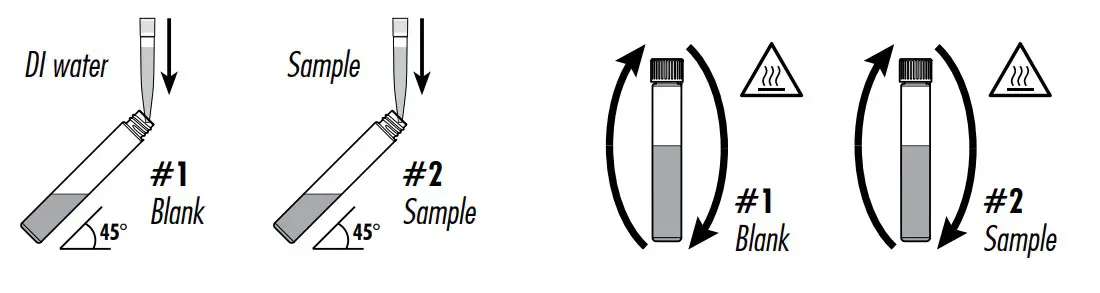
- Add 0.1 mL of deionized water to the first vial (#1) and 0.1 mL of sample to the second vial (#2), while keeping the vials at a 45‑degree angle. Replace the caps and invert several times to mix.
Warning: The vials will become hot during mixing, use caution when handling.  Insert the vials into the reactor and heat them for 2 hours at 150 °C (302 °F).
- At the end of the digestion period, switch off the reactor. Wait 20 minutes to allow the vials to cool to about 120 °C (248 °F).
- Invert each vial several times while still warm, then place them in the test tube rack.
Warning: The vials are still hot, use caution when handling. - Leave the vials in the tube rack to cool to room temperature. Do not shake or invert them, the samples may become turbid.
- Select COD UHR method using the procedure described in the Range Selection section.
- Insert the 16 mm vial adapter using the procedure described in the Using the 16 mm Vial Adapter section.
- Insert the blank vial (#1) into the holder.
- Press Zero. The display will show ‑0.0‑ when the meter is zeroed and ready for measurement.
 Insert the vials into the reactor and heat them for 2 hours at 150 °C (302 °F).
 Remove the vial.
- Insert the sample vial (#2) into the holder.
- Press Read to start the reading. The instrument displays the results in g/L of oxygen (O2).

 Remove the vial.
INTERFERENCES
Interference may be caused by:
• Chloride above 20000 mg/L, samples with higher chloride concentration should be diluted
WARNING & ERROR DESCRIPTIONS
The instrument shows clear warning messages when erroneous conditions appear and when measured values are outside the expected range. The information below provides an explanation of the errors and warnings, and recommended action to be taken.
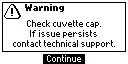 | There is an excess amount of ambient light reaching the detector. Ensure that the notch on the cap is positioned securely in the groove before performing any measurements. If the issue persists, please contact Hanna Instruments ® technical support. |
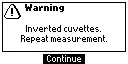 | The sample and the zero vials are inverted. Swap the vials and repeat the measurement. |
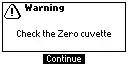 | There is either too much light or the instrument can not adjust the light level. Please check the preparation of the zero vial and that the sample does not contain any debris. |
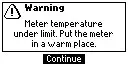
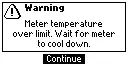 | The meter is either overheating or its temperature has dropped too low to operate within published accuracy specifications. The meter must be between 0 and 50 °C (32 and 122 °F) to perform any measurements. |
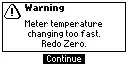
 | Meter temperature has changed significantly since the zero measurement has been performed. The zero measurement must be performed again. |
 | The measured value is outside the limits of the method. Verify that the sample does not contain any debris. Check the sample preparation, the measurement preparation and method range. |
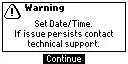
 | Date and time settings have been lost. Reset the values. If the issue persists, please contact Hanna Instruments technical support. |
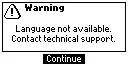
 | English is the only available language. Help function is not available. Restart the meter. If the issue persists, please contact Hanna Instruments technical support. |
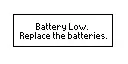
 | Battery level is too low for the meter to function properly. Replace the batteries with new ones. |
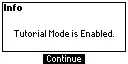
 | Tutorial mode has been enabled in the Setup menu. Press Continue and follow the prompt on the screen. Tutorial mode can be disabled in the Setup menu. |
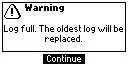
 | The log is full (200 logs). New logs will replace the oldest. Displays before a new log would overwrite the oldest record. Press Continue to accept. |
 | A critical error has occurred. Restart the meter. If the issue persists, please contact Hanna Instruments ® technical support. |
BATTERY REPLACEMENT
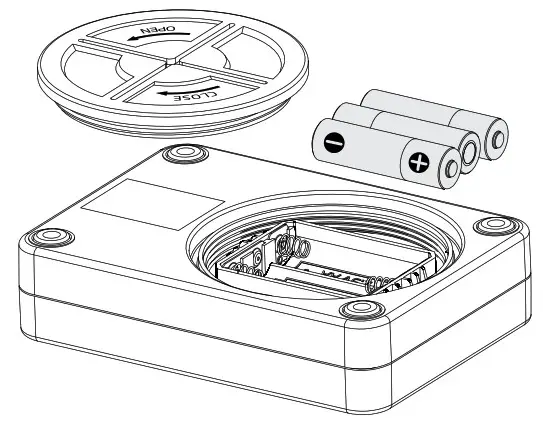
To replace the instrument’s batteries:
- Press and hold the key to turn the instrument off.
- Remove the battery cover by turning it counterclockwise.
- Remove the old batteries and replace with three new 1.5V AA batteries.
- Replace the battery cover and turn it clockwise to close.
ABBREVIATIONS
| EPA | US Environmental Protection Agency |
| HR | High Range |
| LR | Low Range |
| MR | Medium Range |
| UHR | Ultra High Range |
| NIST | National Institute of Standards and Technology |
ACCESSORIES
| Ordering Information | Product Description |
| Reagent Sets | |
| HI93754A-25 | COD Low Range EPA reagents for 25 tests |
| HI93754B-25 | COD Medium Range EPA reagents for 25 tests |
| HI93754C-25 | COD High Range reagents for 25 tests |
| HI93754D-25 | COD Low Range Hg‑free reagents for 25 tests |
| HI93754E-25 | COD Medium Range Hg‑free reagents for 25 tests |
| HI93754F-25 | COD Low Range ISO reagents for 25 tests |
| HI93754G-25 | COD Medium Range ISO reagents for 25 tests |
| HI93754J-25 | COD Ultrahigh Range reagents for 25 tests |
| Reagent Standards | |
| HI97106-11 | CAL Check™ standards for HI97106 photometer – cuvette kit |
| Other Accessories | |
| HI70436M | Deionized water (250 mL) |
| HI731311 | Glass vial, 16 mm external diameter (5 pcs.) |
| HI731318 | Microfiber cloth for wiping cuvettes (4 pcs.) |
| HI731339P | 100 µL automatic pipette |
| HI731340 | 200 µL automatic pipette |
| HI731341 | 1000 µL automatic pipette |
| HI731342 | 2000 µL automatic pipette |
| HI731349P | Pipette tip for 100 µL graduated pipette (10 pcs.) |
| HI731350 | Pipette tip for 200 µL graduated pipette (25 pcs.) |
| HI731351 | Pipette tip for 1000 µL graduated pipette (25 pcs.) |
| HI731352 | Pipette tip for 2000 µL graduated pipette (4 pcs.) |
| HI740216 | Test tube cooling rack |
| HI740217 | Safety shield for reactor |
| HI740247 | Vial adapter |
| HI839800-01 | COD test tube heater (Reactor), USA plug (115 VAC) |
| HI839800-02 | COD test tube heater (Reactor), European plug (230 VAC) |
| HI93703-50 | Cuvette cleaning solution (250 mL) |
CERTIFICATION
All Hanna ® instruments conform to the CE European Directives and UK standards.

Disposal of Electrical & Electronic Equipment. The product should not be treated as household waste.Instead, hand it over to the appropriate collection point for the recycling of electrical and electronic equipment,which will conserve natural resources.
Disposal of waste batteries. This product contains batteries, do not dispose of them with other household waste.Hand them over to the appropriate collection point for recycling.
Ensuring proper product and battery disposal prevents potential negative consequences for the environment and human health. For more information, contact your city, your local household waste disposal service, or the place of purchase.

RECOMMENDATIONS FOR USERS
Before using this product, make sure it is entirely suitable for your specific application and for the environment in which it is used. Any variation introduced by the user to the supplied equipment may degrade the meter’s performance. For your and the meter’s safety do not use or store the meter in hazardous environments.
WARRANTY
The HI97106 is warranted for two years against defects in workmanship and materials when used for its intended purpose and maintained according to instructions. This warranty is limited to repair or replacement free of charge. Damage due to accidents, misuse, tampering, or lack of prescribed maintenance is not covered. If service is required, contact your local Hanna Instruments® office. If under warranty, report the model number, date of purchase, serial number (engraved on the bottom of the meter), and the nature of the problem. If the repair is not covered by the warranty, you will be notified of the charges incurred. If the meter is to be returned to Hanna Instruments, first obtain a Returned Goods Authorization (RGA) number from the Technical Service department and then send it with shipping costs prepaid. When shipping any meter, make sure it is properly packed for complete protection.
MAN97106
 pH Meters, Photometers, Titrators, Controllers - Hanna Instruments