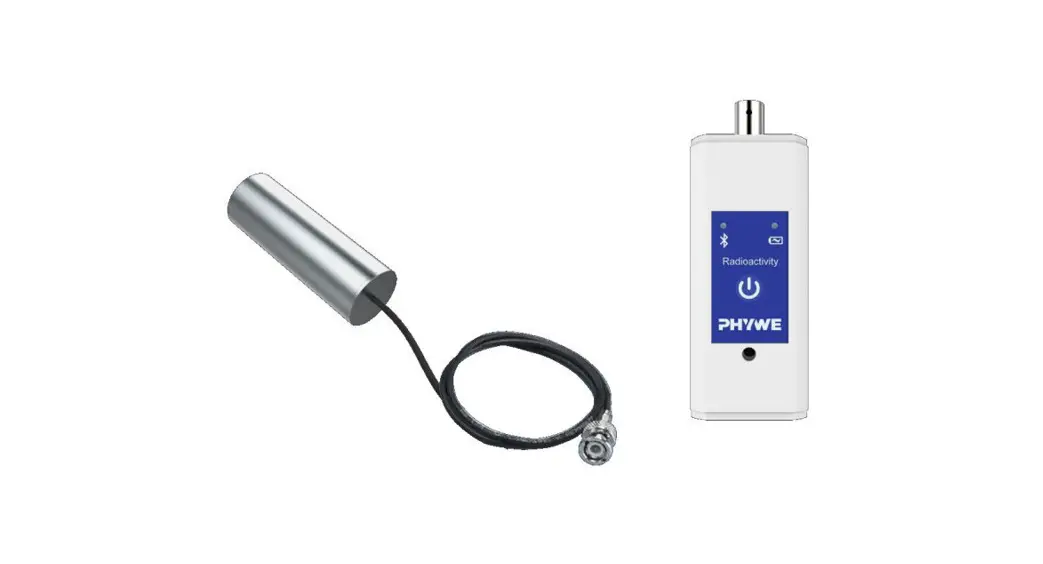
 12937-20 SMARTsense Radioactivity
Instruction Manual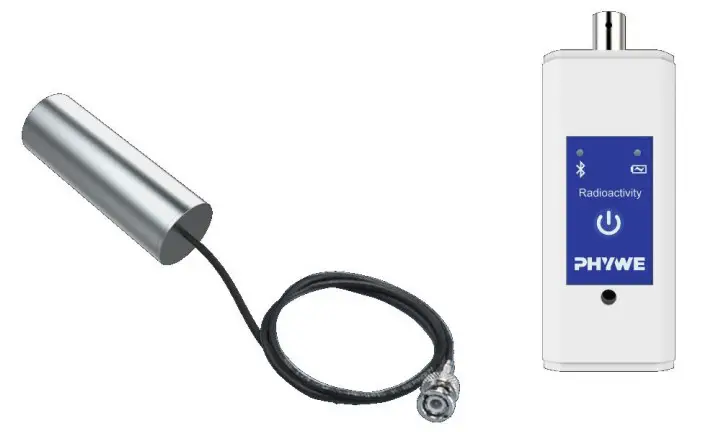
| Cobra SMARTsense Radioactivity | 12937-01 |
 The unit complies with the applicable EC-guidelines
SAFETY PRECAUTIONS
Caution!
- Carefully read these operating instructions completely before operating this instrument. This is necessary to avoid damage to it, as well as for user safety.
- Only use the instrument for the purpose for which it was designed.
- Only use the instrument in dry rooms in which there is no risk of explosion.
- Protect the instrument from dust, moisture, and vapors.
Use a slightly moist lint-free cloth to clean the instrument.
Do not use aggressive cleaning agents or solvents. - Take care that no liquid penetrates in through the housing openings, as such penetration would result in damage to Sensor.
- Do not open the unit.
PURPOSE AND CHARACTERISTICS
The sensor is used for measuring the respiratory volume and volumetric flow rate and for transferring the values to a terminal device, e.g. a tablet computer, smartphone, etc., via Bluetooth or USB. The sensor is neither suitable nor approved for medical purposes.
It is intended solely for didactic purposes. This device must not be used for defined measurements on humans in order to diagnose an illness or disease, i.e. it is not intended for monitoring, treating, or alleviating illnesses or diseases. As a consequence, it is not subject to the strict constraints of the Medical Devices Act.
FUNCTIONAL AND OPERATING ELEMENTS
3.1 Operating elements
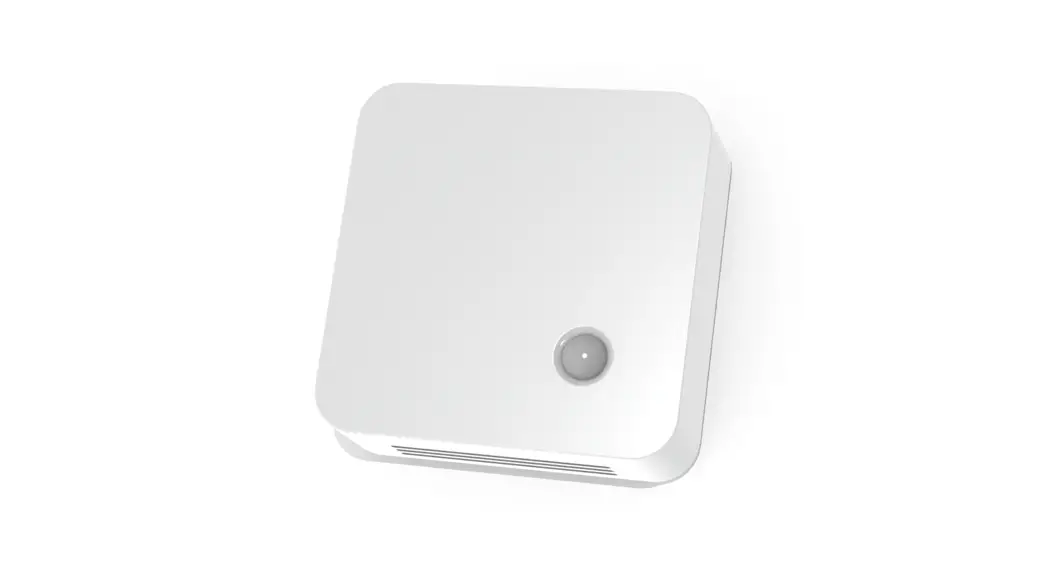
The sensor has an on-button and two LEDs for indicating the Bluetooth and battery charge status.
On-button
To switch the sensor on and off in Bluetooth mode, the power button must be pressed for longer than 3s. If the sensor is to be connected via USB, it is not necessary to press the power button.
Bluetooth-LED
| Flashing red every 2 seconds | Not connected |
| Flashing green every 2 seconds | Connected to the terminal device |
| Flashing green every 4 seconds | Running measurement |
Battery charge LED
| Flashing red every 2 seconds | Low battery |
| Illuminated red | Active charging process |
| Illuminated red | Charging process completed |
3.2 USB port
The battery, which is permanently installed in the sensor, is charged via the type C USB port. Furthermore, communication with a computer takes place via this interface.
3.3 Functional elements
On the front side, there is a BNC connector for connecting the Geiger-Müller counter tube.
NOTES ON OPERATION
This device fulfills all of the technical requirements that are compiled in current EC guidelines. The characteristics of this product qualify it for the CE mark. The individual connecting leads are each not to be longer than 2 m.
The instrument can be so influenced by electrostatic charges and other electromagnetic phenomena (HF, bursts, indirect lightning discharges) that it no longer works within the given specifications. Carry out the following measures to reduce or eliminate the effect of such disturbance: Ensure potential equalization at the PC (especially with Laptops). Use screening. Do not operate high-frequency emitters (e.g. radio equipment or mobile radiotelephones) in the immediate vicinity. When a total failure of the instrument occurs, unplug it and plug it back in again for a reset.
HANDLING
This section describes the start-up of the sensor and the recording of measurement data. Please read this section thoroughly in order to avoid failures or operating errors.
5.1 Start-up
Switch on the sensor by pressing the power button for more than 3s. Now the Bluetooth LED flashes red. Start the software and select the sensor. If the sensor is to be used via the USB interface, it does not need to be switched on. The sensor is connected directly to the end device using the supplied USB cable.
There is a 9-digit code on the back of the sensor (Fig.2). The last 4 digits of the code are displayed as the sensor name in the software (Fig.3). This enables the precise assignment of the sensors within the software.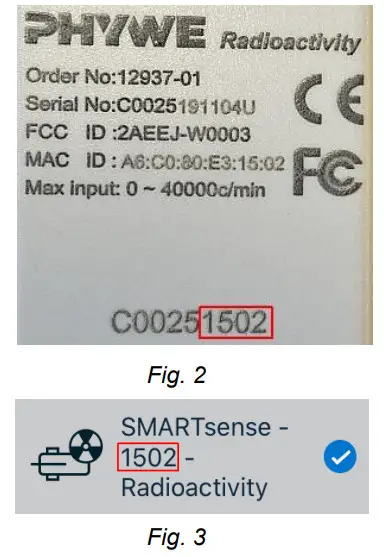
Selection of the sensor via the Bluetooth interface
Make sure that the Bluetooth interface is activated on the terminal device (PC/Tablet/Smartphone) and that the software is allowed to access the interface.
After the sensor has been selected in the software, the LED flashes green to indicate that the connection has been established correctly. After the sensor has been coupled with the software, the sensor is no longer visible to other users in the software, and therefore can no longer be selected.
If the sensor is switched on and not connected, it switches off automatically after 5 minutes.
Selection of the sensor via the USB interface
For this purpose, the sensor must be plugged into the USB port of the end device. It is not necessary to switch on the sensor. The sensor is automatically recognized and displayed. It can be selected and connected directly.
5.2 Radiation measurement data
Connect the Geiger-Müller counter tube (included in delivery) to the front BNC socket of the sensor.
The ionizing particles of the alpha, beta, or gamma radiation trigger a current pulse in the Geiger-Müller counter tube, which is registered by the sensor. With the aid of measure app, the pulses or the resulting pulse rate are displayed.
5.3 Charging process
Use a USB-C cable to connect the sensor to a computer or USB charger (not included).
During the charging process, the battery charge LED lights up red. When the charging process is complete, the battery charge LED lights up green. The charging time for a completely discharged battery is 3 hours maximum. Disconnect the charger at the latest four hours after the completion of the charging process. Otherwise, the service life of the battery may be negatively affected.
TECHNICAL DATA
Operating temperature range: 5 – 40°C
Rel. humidity < 80%
| Range | 0 … 40000 #/min |
| Resolution | 1 #/min |
| Max. date rate | 10 Hz |
| Max. wireless range (open field) | 30 m |
| Dimensions (length x width x height) | 105 x39 x26 mm |
| Weight | 268 g |
SCOPE OF DELIVERY
The extent of delivery is as follows
| • Cobra SMARTsense Radioactivity | 12937-01 |
| • Geiger-Müller counter | 12937-20 |
| • USB cable type C | 07935-00 |
| • Operating instructions |
ACCESSORIES
The following accessories are available:
| • Cobra SmartLink | 12999-99 |
| • Geiger-Müller counter | 12937-20 |
| • USB-charger | 07934-99 |
| • USB cable type C | 07935-00 |
| • USB-Bluetooth-Adapter | 07936-00 |
| • Software measureLAB | 14580-61 |
Free measure app available from supplier portals
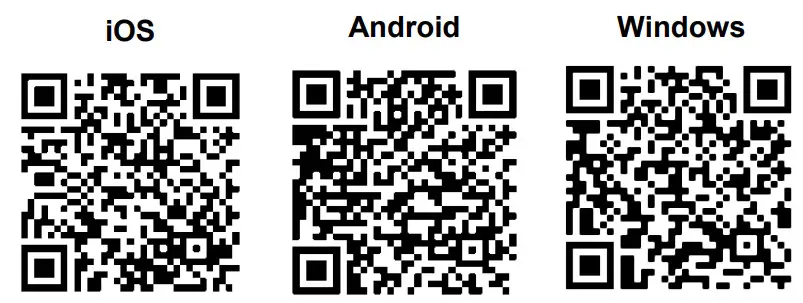 https://apps.apple.com/de/app/phywe-measureapp/id1510916483
https://play.google.com/store/apps/details?id=com.phywe.measureapp
https://repository.curriculab.net/files/software/measureapp.exe
CONFORMITY
PHYWE Systeme GmbH & Co.KG hereby declares that the radio system type 1293701 complies with the 2014/53/EU directive. The complete text of the EC Declaration of Conformity is available at the following Internet address: www.phywe.com/en/ec-declaration
DISPOSAL
The packaging mainly consists of environmentally-friendly materials that should be returned to the local recycling stations. Do not dispose of this product with normal household waste. If this unit needs to be disposed of, please return it to the address that is stated below for proper disposal
www.phywe.com
© All rights reserved
 Science Education | PHYWE