 Lightning HCP-602002-L Proline Pendant Connectors
Instruction Manual
Product Specifications
| Model No. | HCP-602002-L | HCP-603002-L | HCP-602002-T | HCP-603002-T | HCP-602002-X | HCP-603002-X |
| Material | Aluminium | |||||
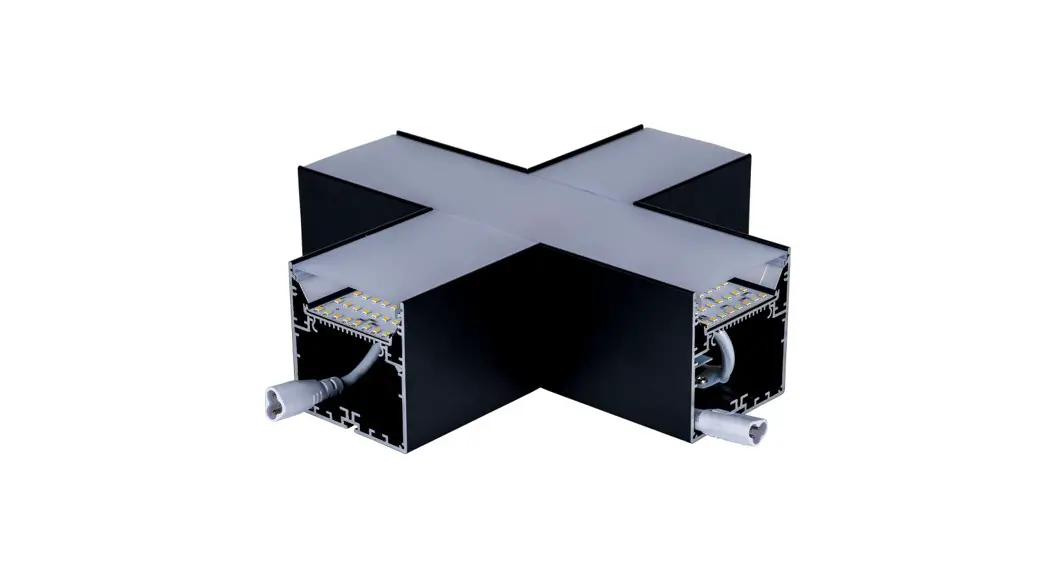
| Connector Type | L-Shape | T-Shape | X-Shape | |||
| Colour | Black | White | Black | White | Black | White |
| IP Rating | IP20 | |||||
| Input Voltage | 240v AC | |||||
| Lamp Base | Built in LED | |||||
| Lamp Wattage | 1x 12w | lx 15w | 1 x 20w | |||
| Colour Temp | TRI Colour – 3000k, 4000k, 5000k | |||||
| Lumens | 1080Im, 11401m, 12001m | 13001m, 14001m, 15001m | 18001m, 19001m, 20001m | |||
| CRI | > 80 | |||||
| Wiring | Parallel | |||||
| Dimmable | Yes -Triac or 0-1/10v | |||||
| Warranty | 5 Years Replacement* | |||||
L-Shape Dimensions
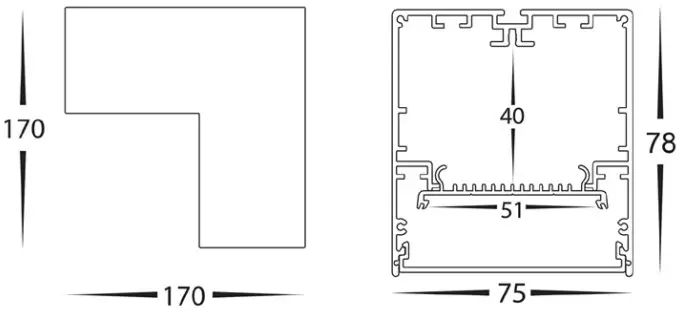
T-Shape Dimensions
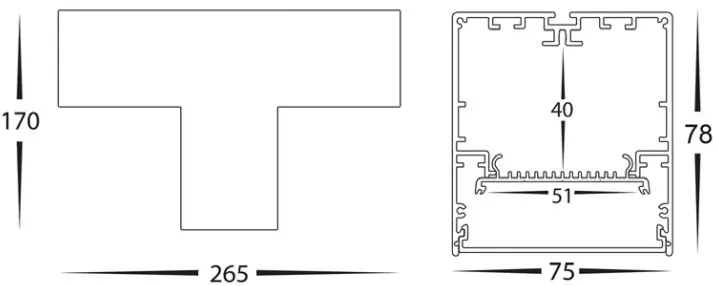
X-Shape Dimensions
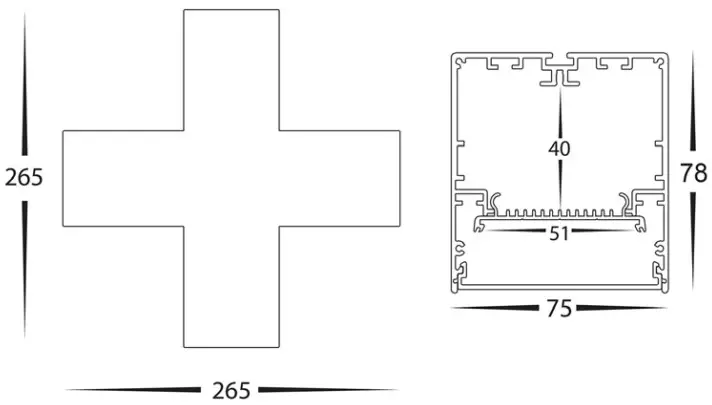
Important Safety Issues:
- This product must be installed by a qualified electrician according to AS/NZS 3000.
- Ensure all electrical mains are disconnected before any installation.
- Modification of this product will void any warranty.
- Havit Commercial does not take responsibility for wrong installation, incorrect use, or use of installation material that does not belong to the system.
- Aluminium and 304SS fittings must not be installed within 2km of any salt water environments.
- This form may be updated at any time due to product improvements, please check online installation form for most current version.
Steps for Installation for connecting lengths together:
- Make sure that the electrical circuit is free of voltage (master switch off )
- Remove end caps from pendant and or connector.
- Insert Joiners into postions on top and inside aluminium profile and tighten allen screws with tools provided
- Locate Connector cables on the inside of both fittings
- Connect cables together, If both cables have same connection, Remove internal piece by pulling gently on end to allow for connection.
- Slide fittings together and tighten allen screws on other fitting.
- All connections must be carried out carefully, inspect all contacts before switching back on the electric circuit.
Must be installed by a licensed electrician
Contact Details:
8/133 Beauchamp Road
Matraville NSW 2036
Australia
Tel: 02 9381 8383
Email: [email protected]
Web: www.havitcommercial.com.au
| Warranty Terms & Conditions* | Additional Information |
 |  |
| https://havitcommercial.com.au/pages/warranty-terms-and-conditions | https://havitcommercial.com.au/ |

 Havit Commercial | Havit Lighting Commercial Range