tekkiwear A109 IPL Hair Removal System
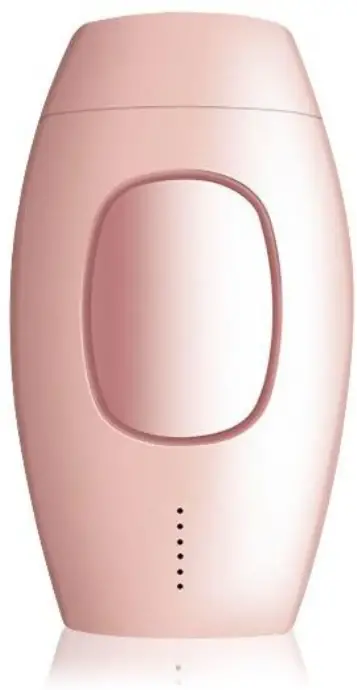
Product Information
The IVY is a device designed for hair removal and skin rejuvenation. It can effectively remove excessive hair from various body parts such as the lip, armpit, limbs, and forehead. This device is most suitable for users with black or dark hair. It may not be effective for white, grey, or blonde hair.
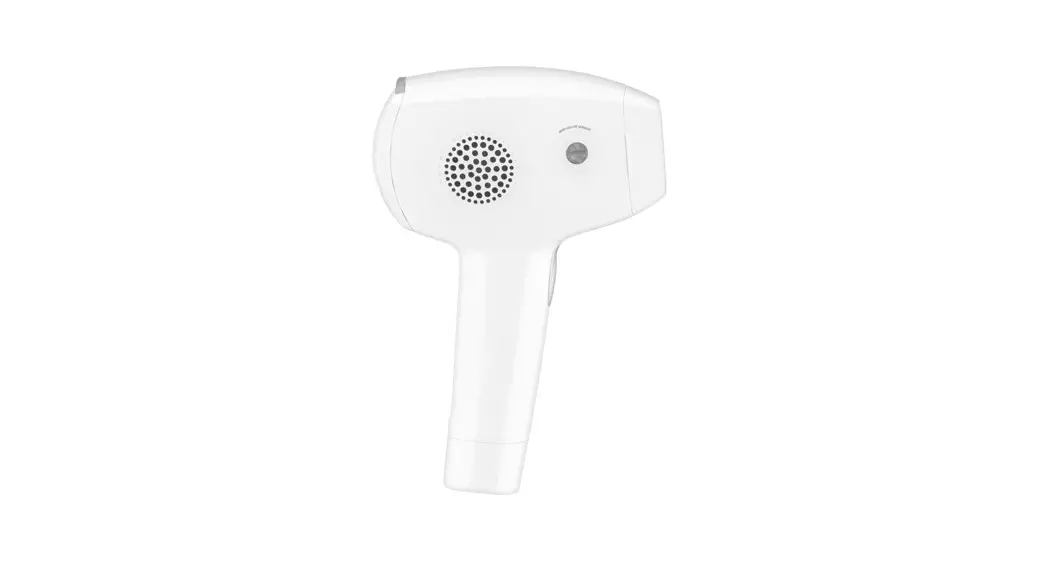
The device has several key features:
- Flash window: emits light for hair removal
- Cooling air inlet: allows cooling air to enter the device
- Power/Intensity button: controls the power and intensity level
- Cooling air outlet: releases cooling air from the device
- Intensity/Ready Light: indicates the intensity level and readiness of the device
- Flash button: activates the flash for hair removal
Please refer to the skin and hair color contrast card below to determine if this product is suitable for your skin and hair color:
| SKIN COLOR | HAIR COLOR |
|---|---|
| White | A. White/grey |
| Yellow | B. Red |
| Medium Brown | C. Light gold |
| Light Brown | D. Light brown |
| Brown | E. Brown |
| Dark Brown | F. Dark Brown |
| G. Black |
Product Usage Instructions
- Ensure the flash window is close enough to the skin.
- If the white indicator light is not flickering, move the device to your skin for a duration of 3-5 seconds and monitor the light to check for normal function.
- If Step 2 is ineffective, restart the device and attempt the function again.
- If the above steps do not solve the issue, please contact our customer support.
To adjust the intensity level:
- Click the Power/Intensity button until the desired intensity level is reached.
To perform hair removal:
- Press and hold the Flash button to activate the flash. Ensure the flash window is in contact with the skin.
Technical Parameters
- Lamp tube: Xenon quartz tube
- Light source: Intense pulsed light
- Energy Frequency: 15 – 3.9 lian.
- Focus size: 4.2cm2.
- Wavelength: 470nm-1100nm
- Lamp tube life: 600000 times
- Adaptor: AC100-240V @ 12V DC 3A
- Operating temperature range: 5-30°C
- Operating humidity range: Rotative humidity 30%-60%
Product Description
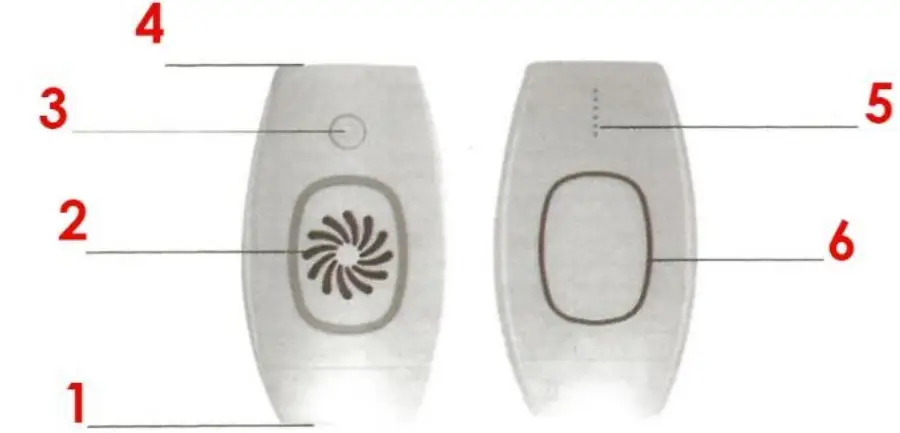
- Flash window,
- Cooling air inlet,
- Power/Intensity button,
- Cooling air outlet,
- Intensity/Ready Light,
- Flash button
FUNCTION INTRODUCTION
The IVY is intended for hair removal and skin rejuvenation. This product can be used for excessive hair on multiple body parts (ex. lip, arpit, limbs, forehead, etc.). The device works most effectively on users with black or dark hair. It is not suitable for white, grey, or blonde hair. Please refer to the color contrast card below for reference.
Skin and Hair color contrast card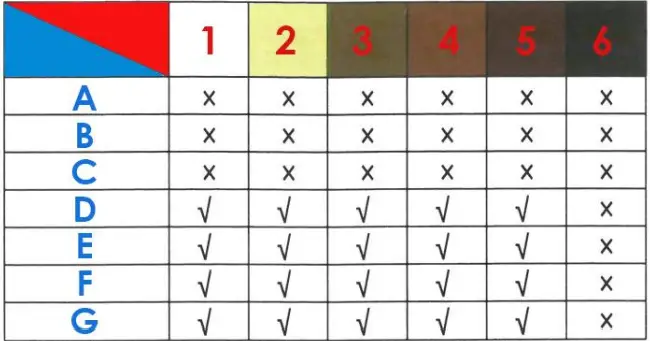
SKIN COLOR
- White,
- Yellow,
- Medium Brown,
- Light Brown,
- Brown,
- Dark Brown.
HAIR COLOR
- A. White/grey,
- B. Red,
- C. Light gold,
- D. Light brown,
- E. Brown,
- F. Dark Brown,
- G. Black.
INSTRUCTIONS FOR USE
- Use a medical alcohol wipe to clean the glass window prior to use.
- Plug the device into a working outlet. The white indicator light should be flickering.
- Press and hold the < <Power Button>> for 3 seconds to enter the device into the working state. The display will turn on while the system is running.
Note: The white indicator light will be on during the start-up process.- The white indicator light will flicker when in proximity to skin due to the built-in sensor in the flash window.
- If the white light indicator is not flickering. bring the device closer to the skin until it flickers.
- Click the <<Power Button» to select the desired intensity level. The IVY has 5 intensity levels (1 – minimum, 5 – maximum) as shown in the diagram below. To adjust the intensity level, press the «Power Button>> until the desired intensity level is readied.