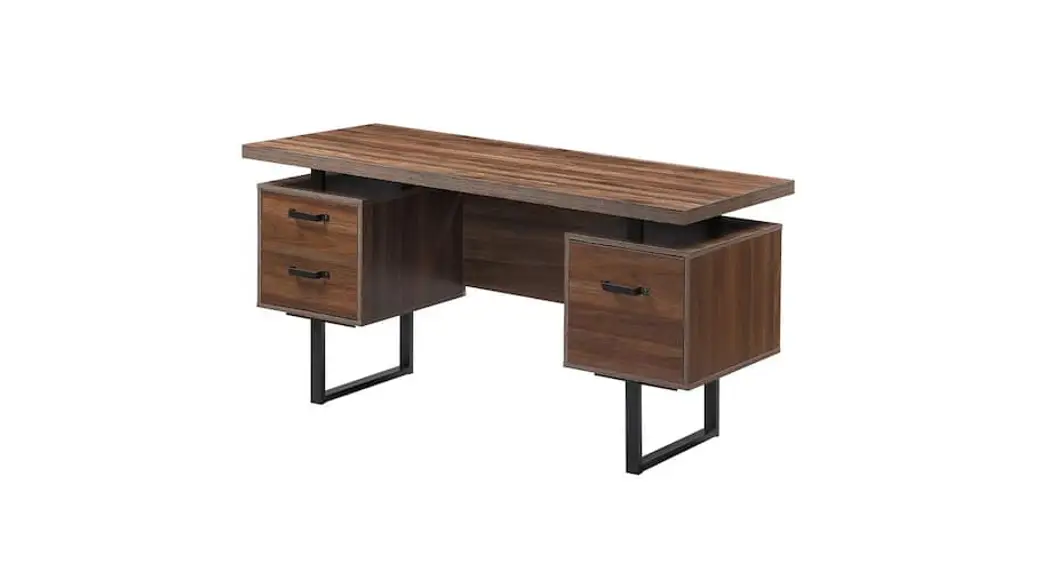

DocResources Desk
 Hardware
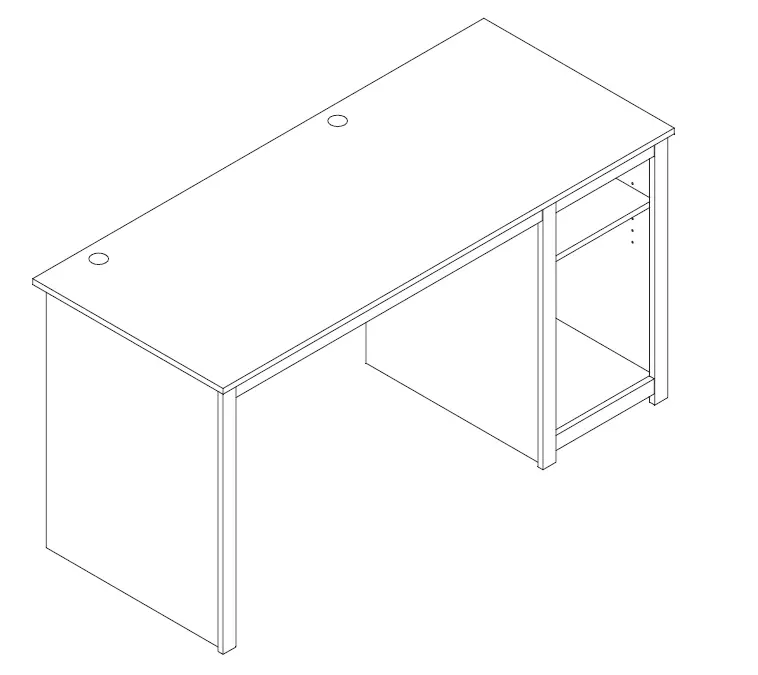 Hardware
BEFORE YOU BEGIN
Identify ALL parts and hardware to ensure everything is included.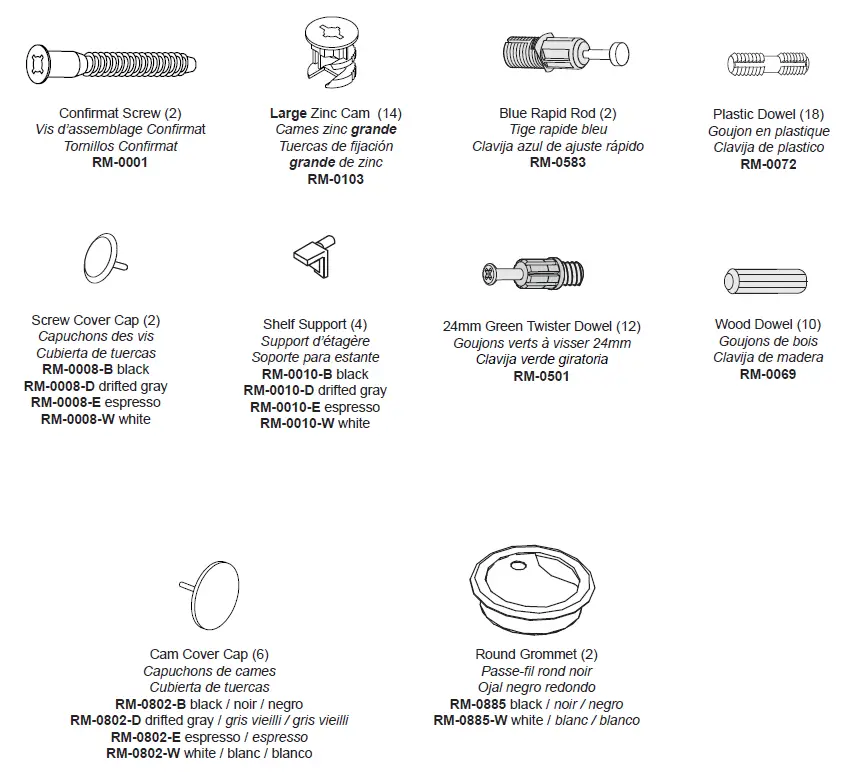
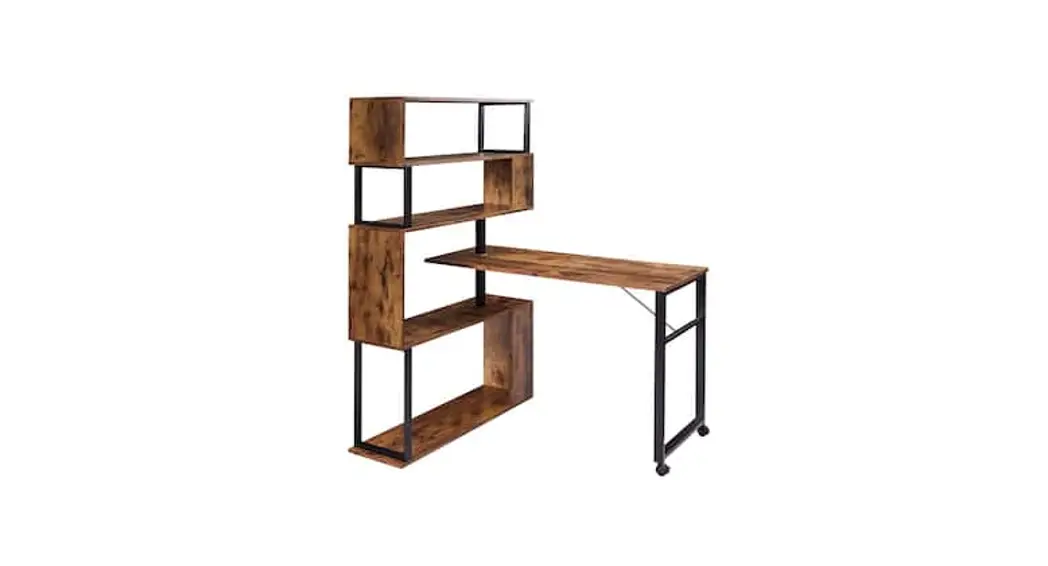
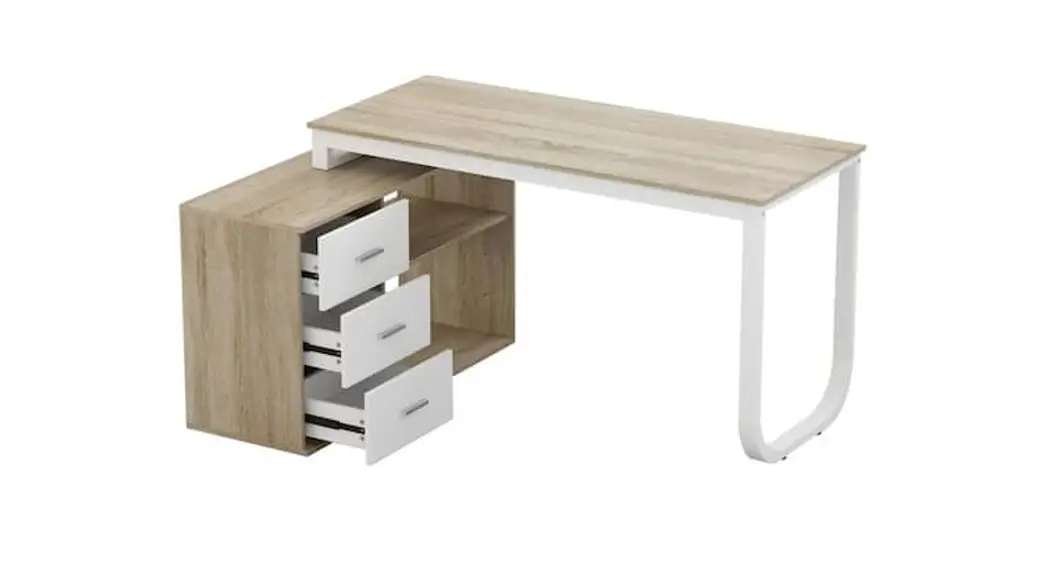
Desk Parts
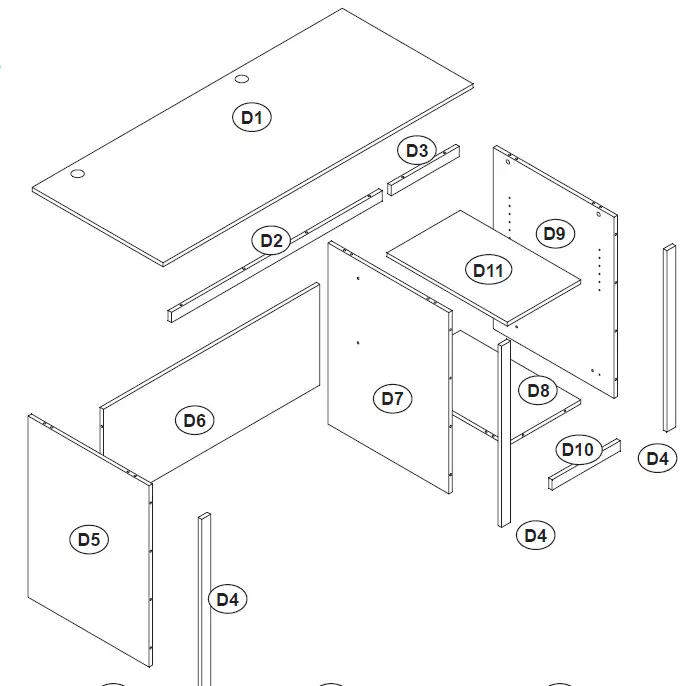
- Desk Top (1)
- Large Top Moulding (1)
- Small Top Moulding (1)
- Side Molding (3)
- Left Side (1)
- Back Panel (1)
- Middle Gable (1)
- Bottom Shelf(1)
- Right Side (1)
- Bottom Shelf Molding (1)
- Adjustable Shelf (1)
Required Tools
Optional Tools:
Using a power screwdriver will speed up assembly.
Caution
Do not over tighten any screw. The last few turns of each screw should be done very slowly or by hand
Assembly Tips
How to properly insert and lock cam and connector hardware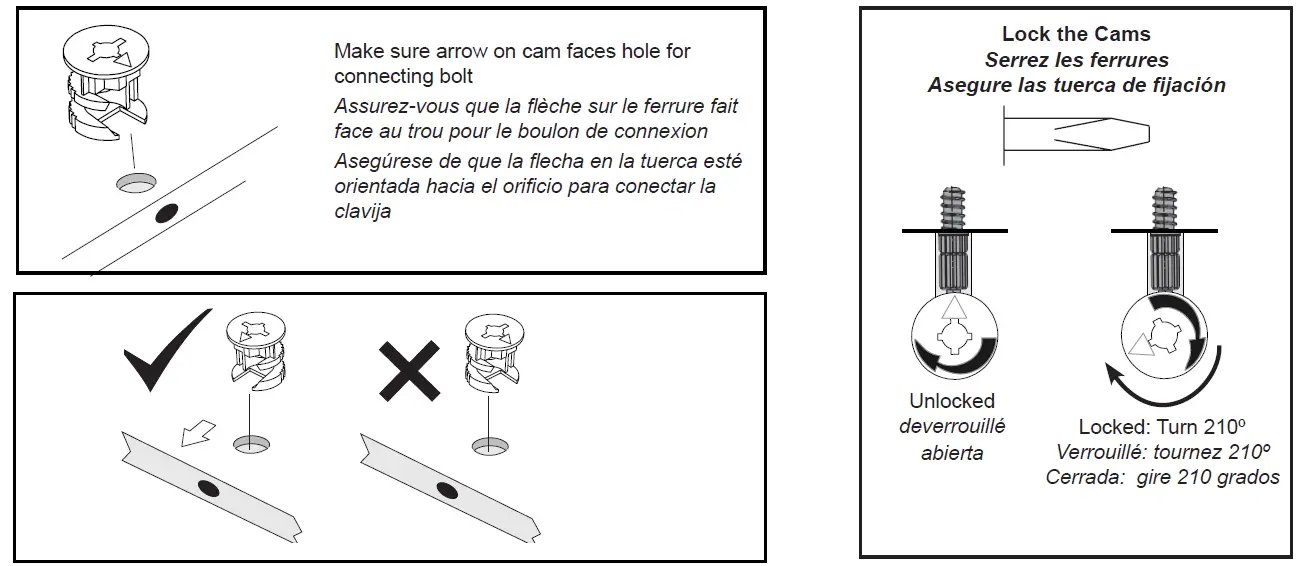
Inserting Plastic Dowels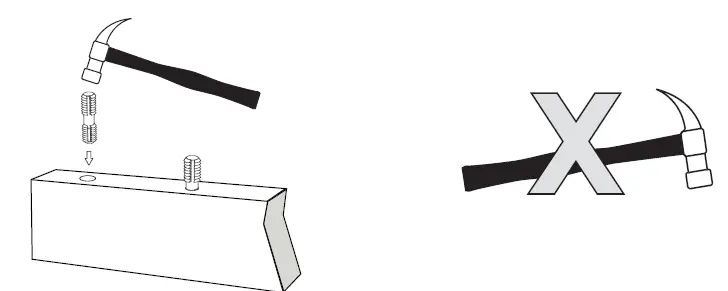 To attach moldings:
Use your hands and press firmly
DO NOT USE HAMMER ON MOLDINGS
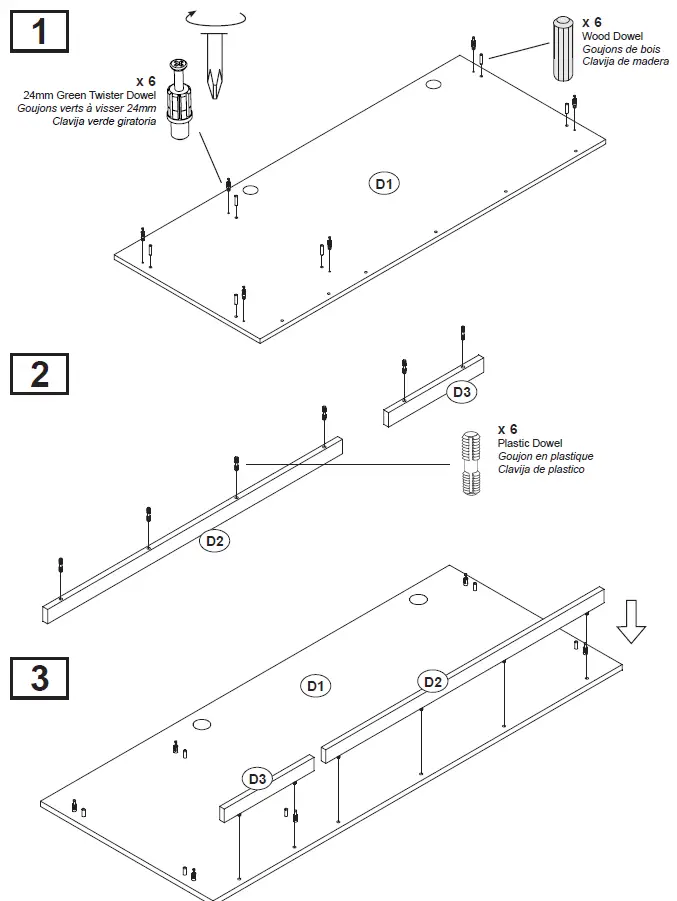
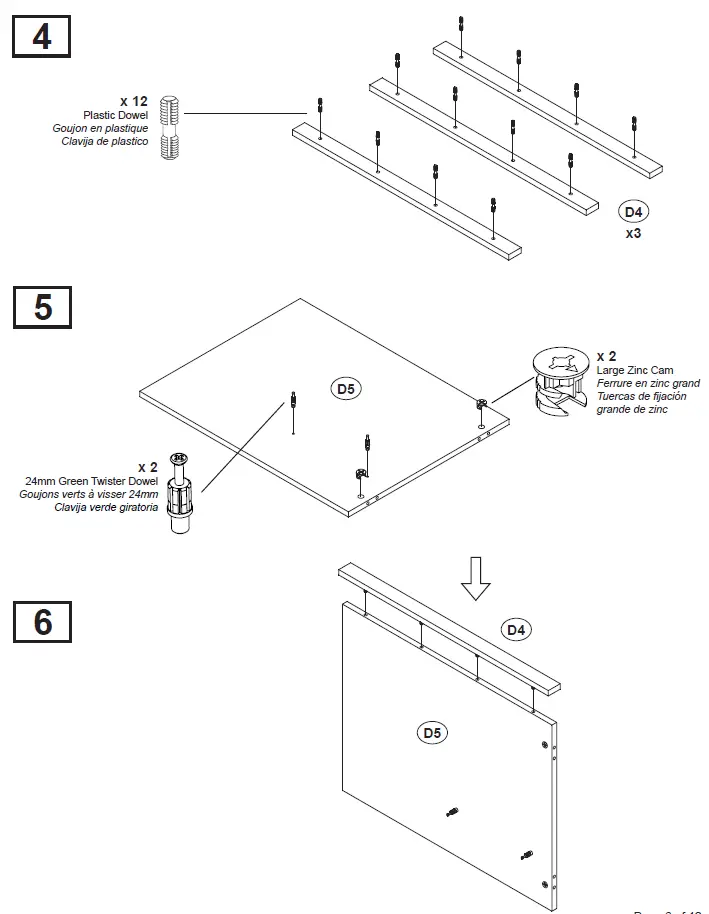
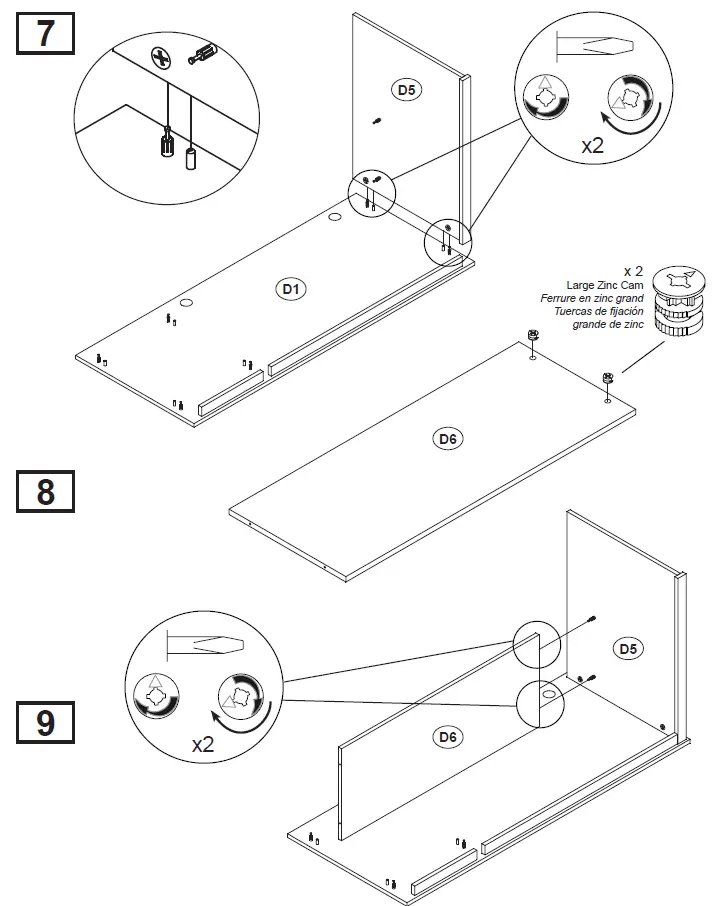
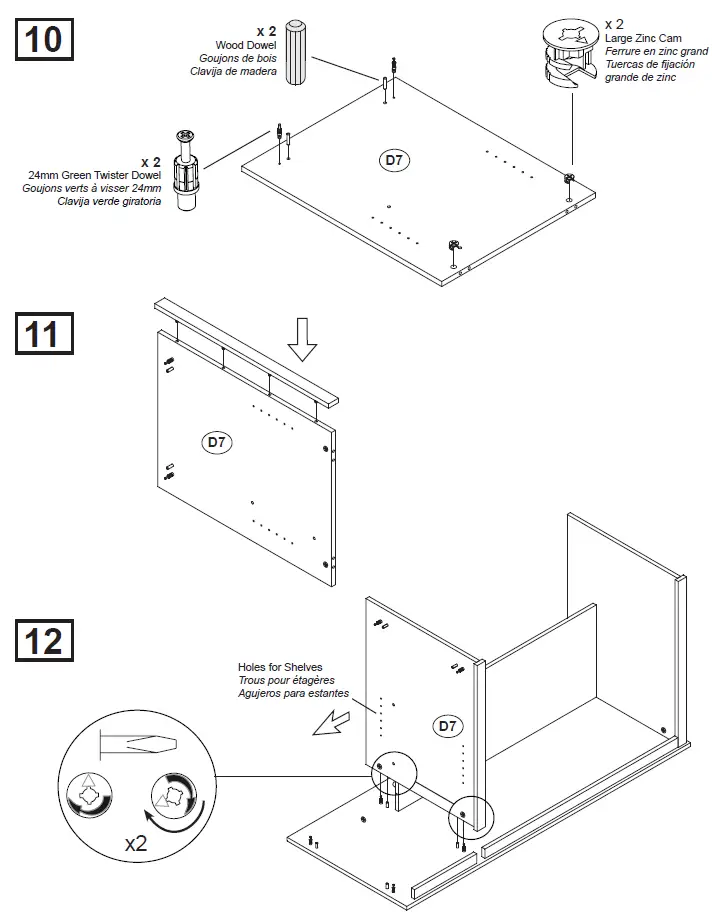
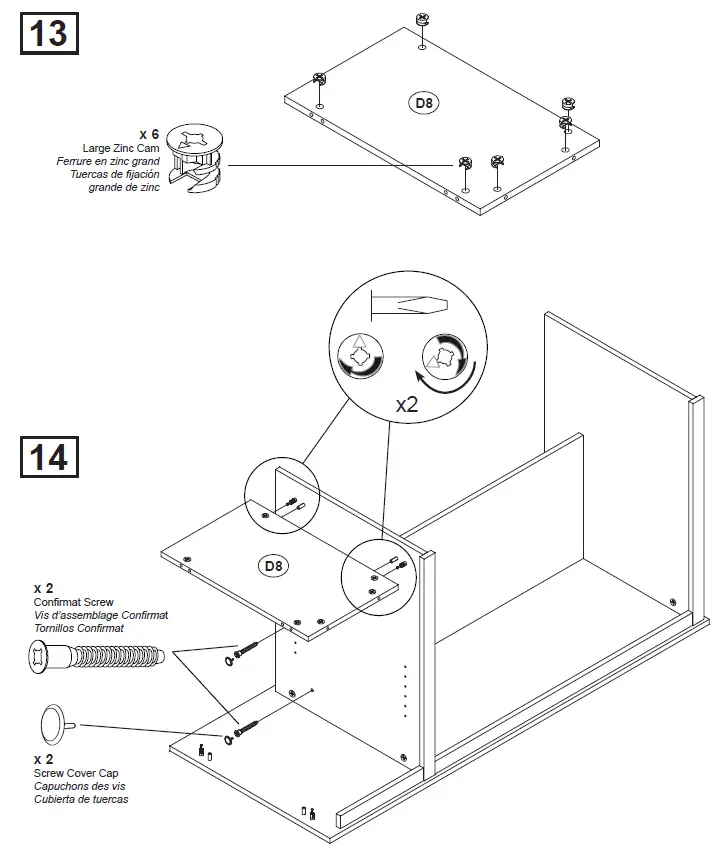
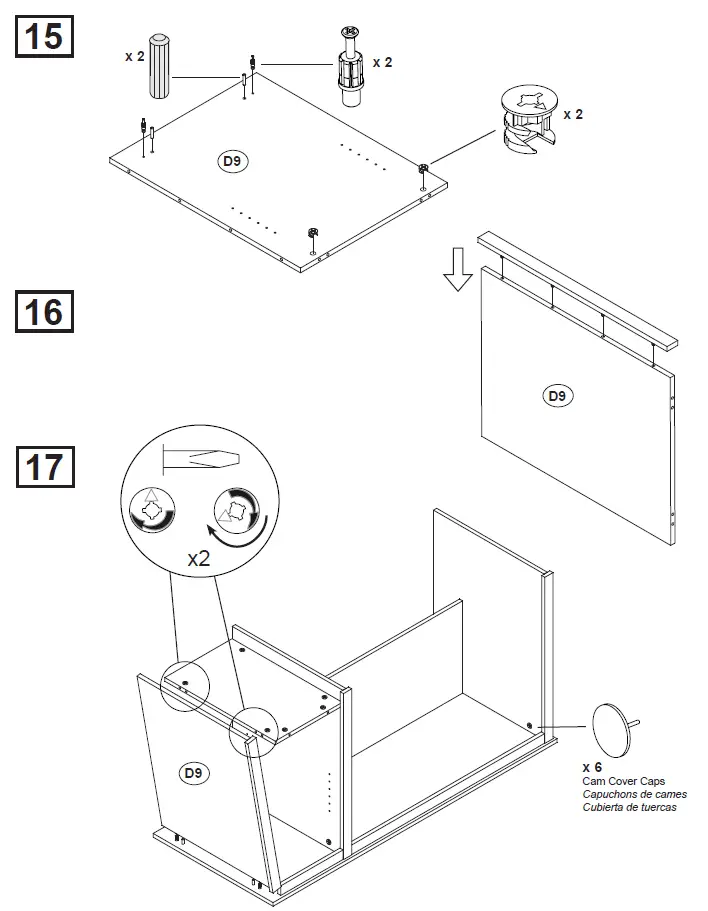
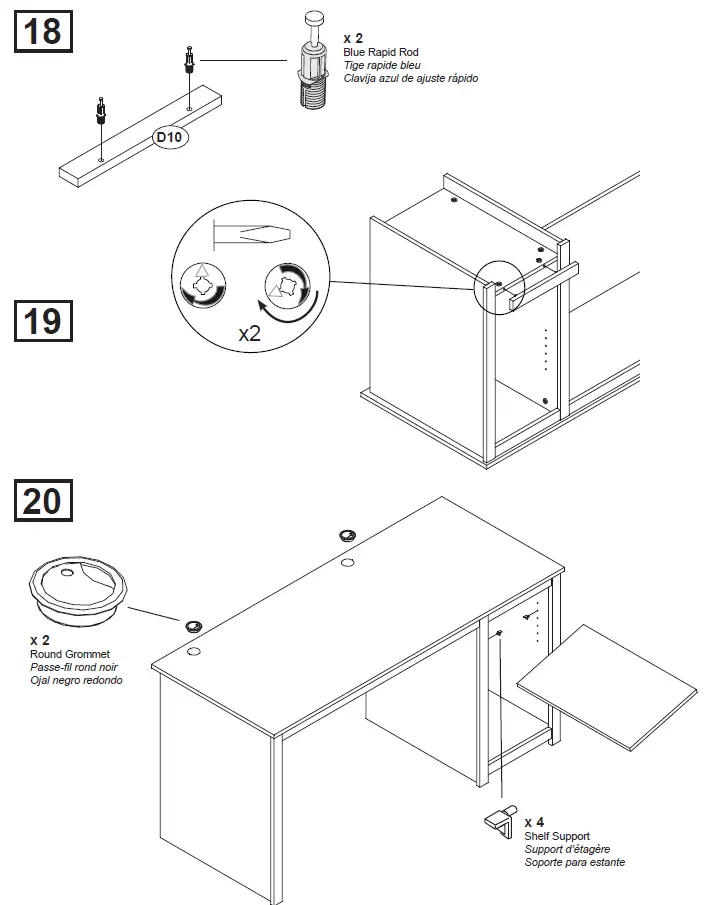
How to Assembly