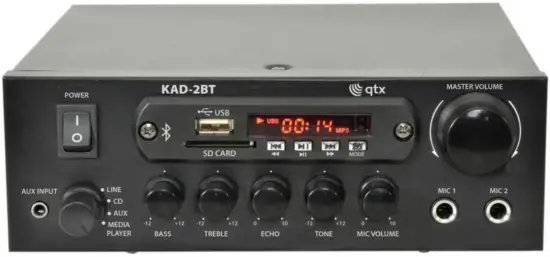
qtx KAD-2BT Digital Stereo Amplifier with Bluetooth
Specifications
| Power Supply | 230Vac, 50Hz (IEC) |
| Output Impedance | 4 – 8Ω |
| Output Power (8Ω) | 2 x 25W rms / 2 x 40W max. (EIAJ Standard @ 1kHz 10% THD) |
| Output Power (4Ω) | 2 x 35W rms / 2 x 55W max. (EIAJ Standard @ 1kHz 10% THD) |
| Input sensitivity : line | 380mV |
| Input sensitivity : mic | 15mV |
| Dimensions | 200 x 200 x 65mm |
| Weight | 1.6kg |
Introduction
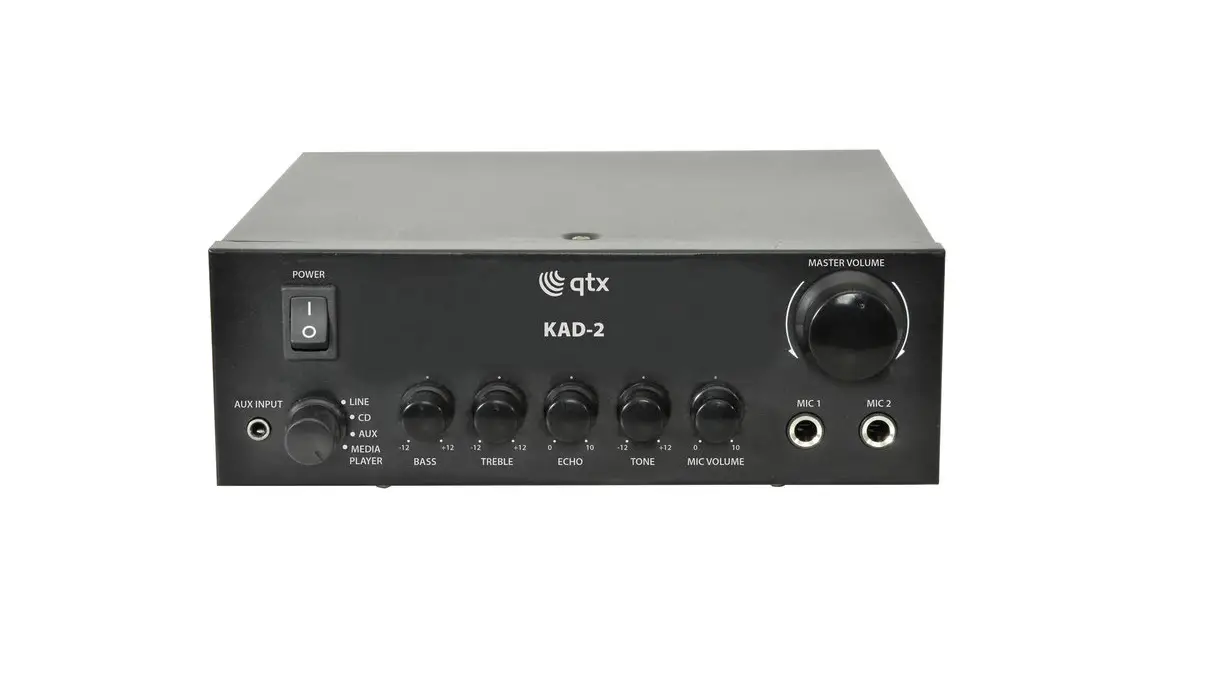
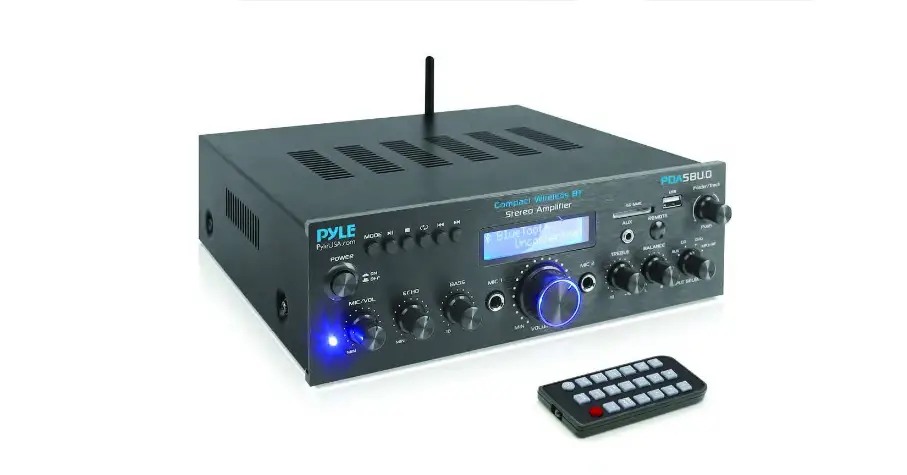
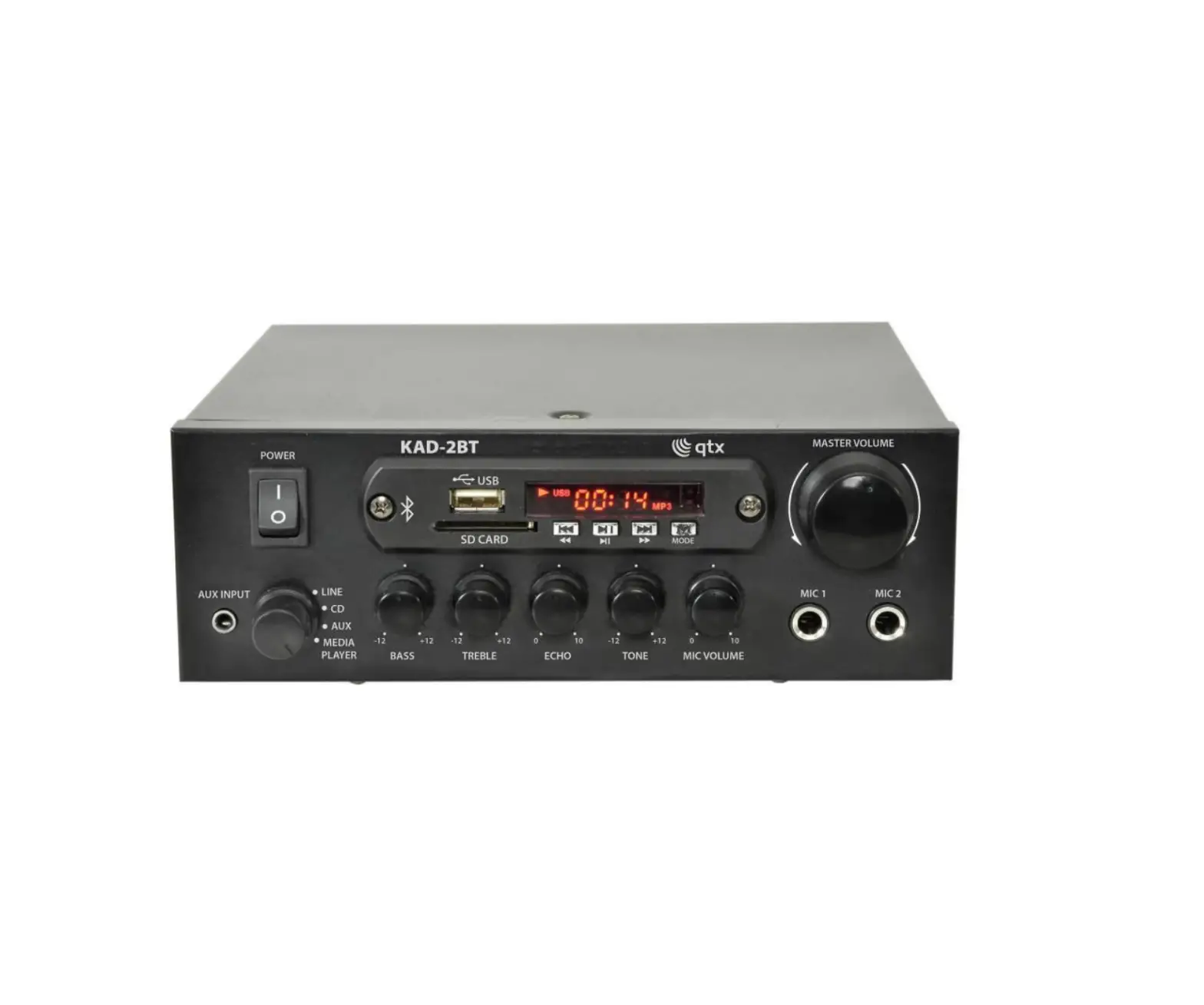
Thank you for choosing the QTX KAD-2BT stereo amplifier. This compact class D digital amplifier is capable of delivering a powerful 55W max output per channel. With 4 selectable inputs, 2 mic inputs and various controls, this is a great multipurpose amplifier for both domestic and commercial use.
Product layout
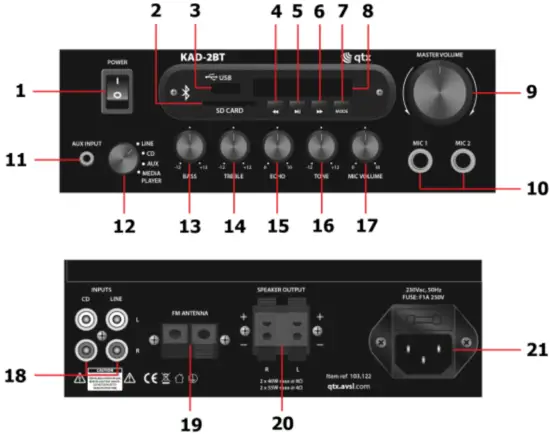
- Power switch MEDIA PLAYER:
- SD card slot
- USB memory stick slot
- Previous track/hold for Rewind
- Play/Pause
- Next track/hold for Fast-Forward
- Input selection
- Input display MAIN UNIT:
- Volume control
- 6.3mm jack microphone input
- Aux input, 3.5mm jack socket
- Rotary input selector
- Input bass level control
- Input treble level control
- Microphone input echo effect
- Microphone input tone control
- Microphone input level control
- RCA stereo line inputs
- Spring clip for FM antenna
- Spring clip speaker output
- IEC mains input
Impedance Matching
KAD-2BT is capable of 4-16 impedance output if more than one speaker is to be connected to the amplifier per channel. Please ensure the total impedance of the speakers are within the range.
Speakers can be wired in two different ways, in parallel or in series. The total impedance can be worked out by the following formulas for the two different ways of wiring:
Parallel Connection – 1/Rtotal = 1/R1 + 1/R2 + 1/R3…….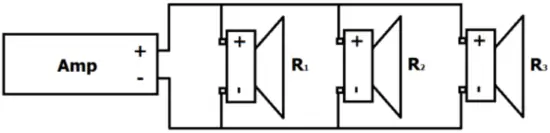
Series Connection – Rtotal = R1 + R2 + R3…….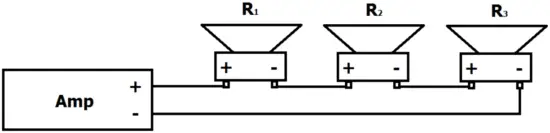
Installation:
Before installation, please ensure power is switched off and mains unpluged from the wall to avoid damage to equipment and installer.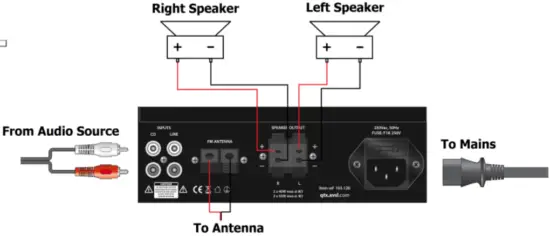
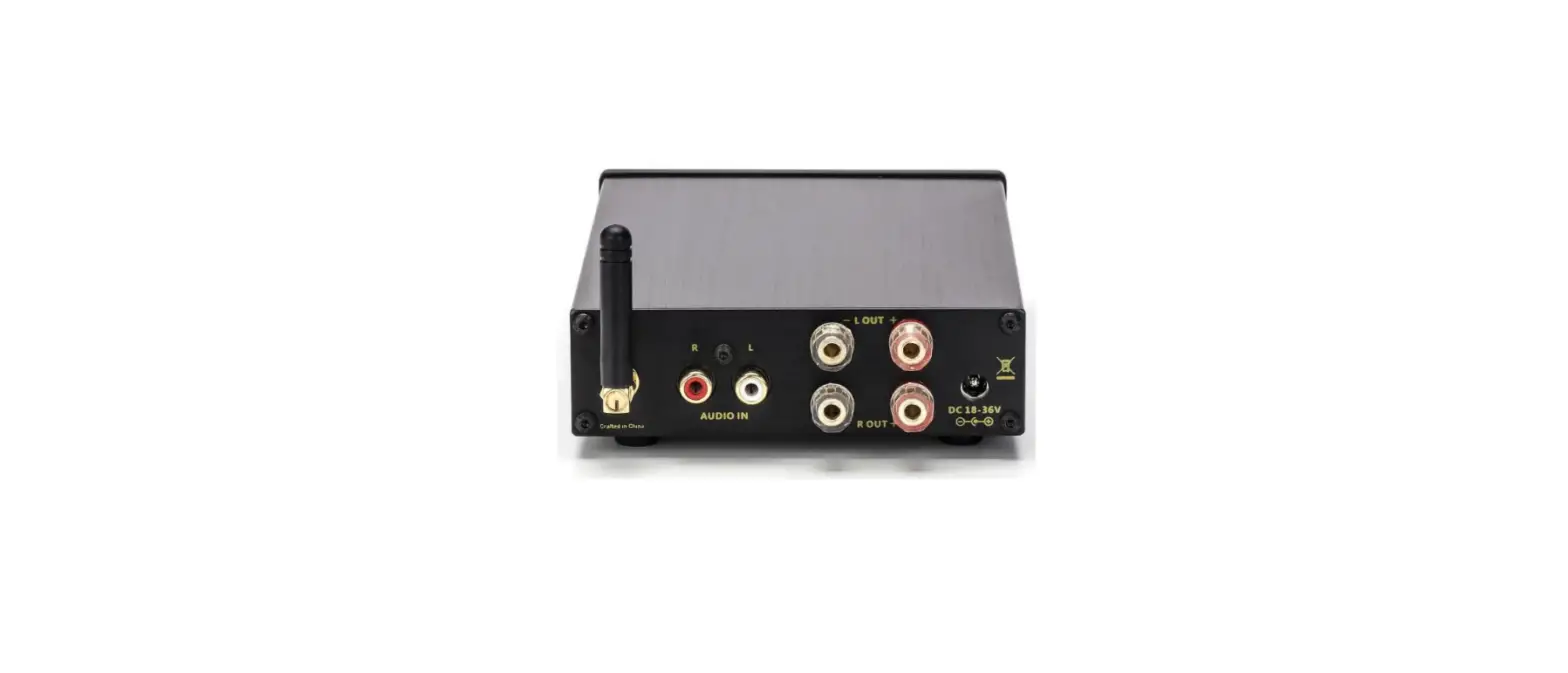
Wire speakers to the amplifier as shown above, ensure the positive and negative terminals are wired correctly. Audio input on the back is through 3 pairs of RCA connectors, ensure left and right signals are correct for stereo output. Finally insert the IEC plug and connect the unit to the mains. Before switching on, always ensure the master volume is set at the lowest point to avoid power surge damage to the unit or speakers. Adjust the volume accordingly to an appropriate listening level.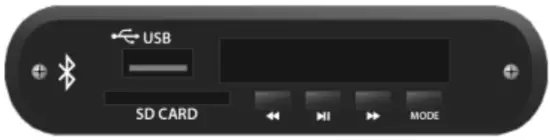
Media Player:
KAD-2BT has a built in media player which functions as an MP3 player, FM tuner and Bluetooth receiver. To use turn the input selector to media player. MP3 Player MP3 files can be played through an SD card or USB stick. Plug in the memory device and media will automatically start playing. Alternatively press Mode button until “USB” is displayed on the screen. To make a selection, press  for previous or
  for next song respectively (press and hold for reverse or press and hold for fast-forward). For play and pause press the
  button.
Bluetooth for bluetooth connection press MODE button until “BT” is displayed on the screen. From your bluetooth search function (please refer to device manual for instructions) look for “KAD-2BT” to pair with, you should hear a tone once successfully connected. Step through tracks on the playback device using the or buttons. For play and pause press the button.
FM radio for FM radio press MODE button until “FM” is displayed on the screen. Press the play and pause button to intiate search function through FM frequencies, all searched radio stations will be stored (up to 99 stations). After the search is complete, it will automatically select the station on the lowest frequency. Press the or buttons to step through the tuned stations.
Troubleshooting
| No Power | Check mains is switched on and power lead is in good condition and fully inserted into the wall socket. |
| Check IEC plug is fully inserted into the amplifier on the back. | |
| Check power switch is switched on on the amplifier. | |
| Check if the fuse is faulty. If the fuse blows too frequently, stop use of device immediately and refer to qualified personnel for repair. | |
| No Music output | Check the input connection lead is fully inserted on both amplifier and source. |
| Check the correct input is selected. | |
| Check the audio source is playing. | |
| Check volume is turn up on both amplifier and audio source | |
| Check speaker cable is not damaged, end striped and connected properly on both amplifier and speakers. | |
| Check for any loose strands on speaker cable that is touching the positive and negative terminal, this will trigger the short circuit protection. | |
| No Mic output | Check Mic is switched on. |
| Check Mic volume is turned up on the amplifier. | |
| Check if Mic requires phantom power. | |
| Check if Mic is working properly on other device. | |
| Diminishing output | Check speaker polarity is connected correctly. |
| Check audio source/media player volume is turned up. | |
| Check impedance of the speaker/s is within the range. | |
| Disrupted output | Check output volume is not too high on both audio source and amplifier. |
| Check for damage on speaker cable and connection leads. | |
| Check amplifier, audio device, speaker and connection cables are not near any mains power cable or large inductive appliances such as a fridge. | |
| Check location of the bluetooth device is within the reception range of the amplifier. Range may be significantly reduced in areas where a large number of electronic / wireless devices are present. | |
| Unable to connect to Bluetooth | Check bluetooth device function is switched on. |
| Restart both amplifier and bluetooth device. | |
| Unable to play USB/SD | Ensure all files are saved on the root level and not hidden in folders. |
| Ensure audio files are saved in MP3 format. | |
| FM radio not working | Ensure amplifier is not located close to any electronic devices e.g. large transformers, fridges or microwaves. |
| Ensure volume on amplifier and media player are turned up. | |
| Check the condition of the FM antenna. |
Disposal:
The “Crossed Wheelie Bin” symbol on the product means that the product is classed as Electrical or Electronic equipment and should not be disposed with other household or commercial waste at the end of its useful life. The goods must be disposed of according to your local council guidelines.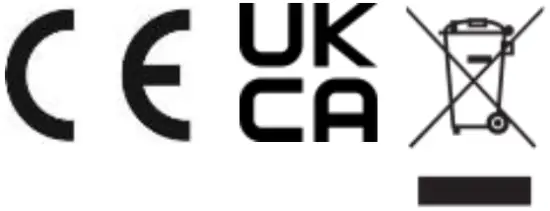
Hereby, AVSL Group Ltd. declares that the radio equipment type 103.122UK is in compliance with Directive 2014/53/EU
The full text of the EU declaration of conformity is available at the following internet address:http://www.avsl.com/assets/doc/1/0/103.122UK.pdf
Errors and omissions excepted. Copyright© 2022. AVSL Group Ltd. Unit 2-4 Bridgewater Park, Taylor Rd. Manchester. M41 7JQ
AVSL (EUROPE) Ltd, Unit 3D North Point House, North Point Business Park, New Mallow Road, Cork, Ireland