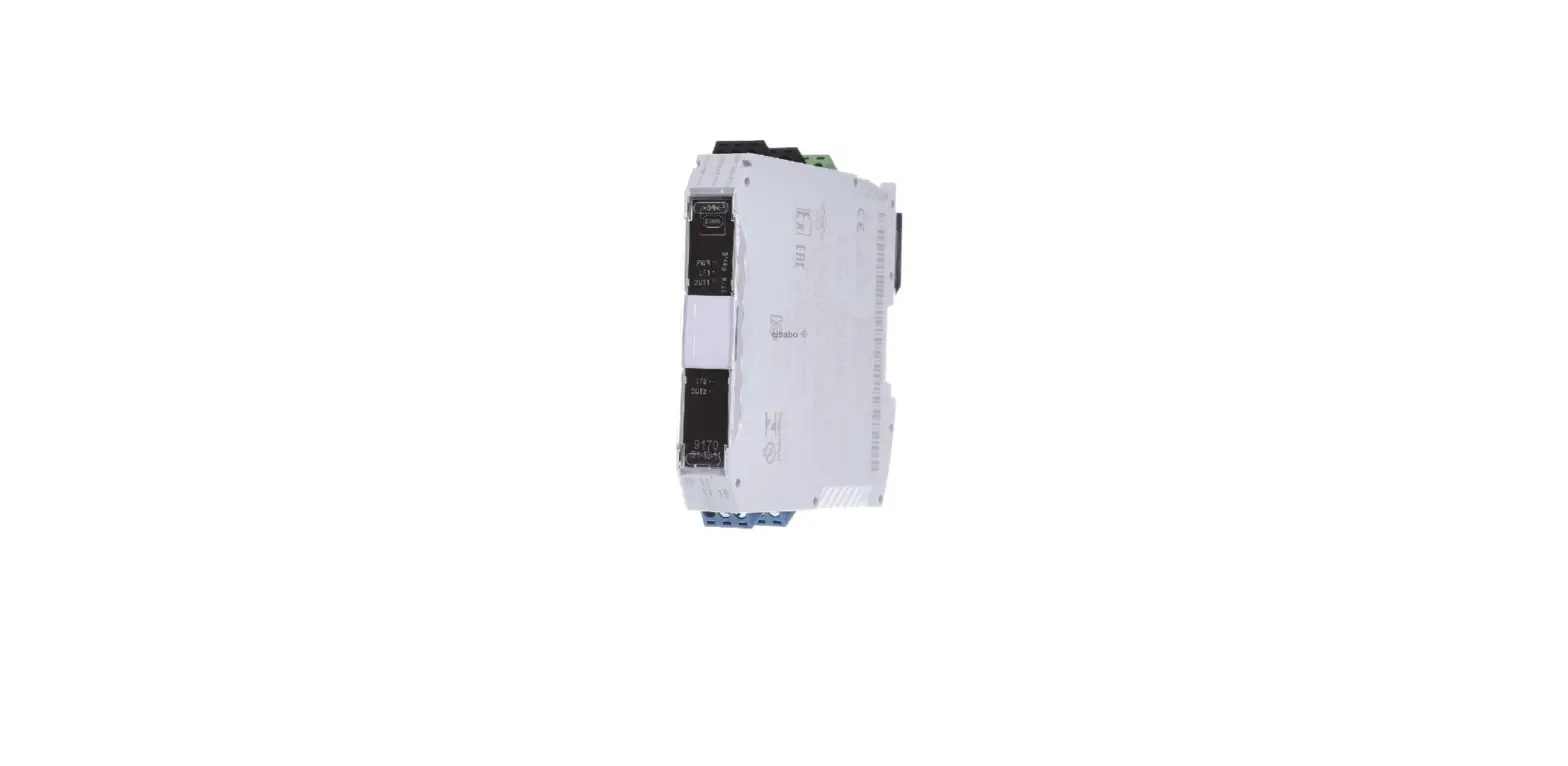
9P589C Series Rack Card Transmitter
Product Information
The American Fibertek 9P589C-SL is a Fiber Optic
Data/Audio/Contact Closure Transmission System that operates as a
transmitter / receiver pair for the transmission of high
performance Data (bi-directional RS485, RS422, RS232 or
Manchester/Bosch data), Audio, and Contact Closure. It comes with
auxiliary channel options #5 = Multi-Protocol Data (RS485, RS422,
RS232, or Manchester/Biphase), 8 = Audio, and 9 = Contact Closure.
The unit requires a +12VDC power source with a current rating of
1.25 amps for proper operation and can be powered by a listed Class
2 power supply only. The fiber optic input/output connection is
made via an ST for multimode or FC for single-mode connector
located on the right side of the unit.
Product Usage Instructions
Before using the American Fibertek 9P589C-SL, please read the
following instructions carefully to obtain the maximum performance
from this product.
Installation
This installation should be made by a qualified service person
and should conform to the National Electrical Code, ANSI/NFPA 70,
and local codes.
Power Source
This product shall be powered by a listed Class 2 power supply
only. The unit requires a +12VDC power source with a current rating
of 1.25 amps for proper operation. The DC input is diode protected.
In the USA and in Canada an American Fibertek PS-12D-2 is supplied
with this unit. The negative side of the power input is directly
connected to ground. ANSI/NFPA 70 Class 2 wiring is
recommended.
Power Connection
Power is supplied to the unit via a two-pin terminal connector
on the right side of the unit. Follow the label on the unit for
proper orientation of +12 VDC and ground.
Fiber Connection
The fiber optic input/output connection is made via an ST for
multimode or FC for single-mode connector located on the right side
of the unit. Single-mode can be provided with an ST connector if
specified.
Data Input/Output Connections (Auxiliary Channel 5)
Auxiliary channel 5 represents Multi-Protocol Data input and
output connections made via a terminal block on the right side of
the unit. See the drawings below for proper orientation of input
and output connections. Please note that the far right pin on each
connection drawing corresponds with the terminal pin located
closest to the base of the unit.

Data Switch
The 9P589C is shipped with these switches in the off (left)
position. When transmitting RS232 or Manchester data, the bias and
termination switches must remain in the off (left) position. The
top S1 switch bank corresponds to channel 1. The middle switch bank
(shown below in exploded view) corresponds to channel 2. To turn
bias or termination functions on, slide the appropriate switch to
the right.

Please remember when using offset bias switches that they must
be used in pairs. If switch #1 is on, then switch #3 must also be
on. The same situation applies to switch #4 and switch #6. Also, if
using offset bias, it is important that the corresponding
termination resistor switch be in the on position. Using offset
bias without a termination on the line will cause communications to
fail. An explanation follows on general bias and termination
guidelines.
2022_03JPM
Instruction Manual
Series 9P589C (-SL) (-ST) Fiber Optic
Data/Audio/Contact Closure Transmission System
Table of Contents
Functional Description ……………………………………………………………………………………….. 3 Installation ……………………………………………………………………………………………………….. 3 Power Source …………………………………………………………………………………………………… 3 Power Connection …………………………………………………………………………………………….. 3 Fiber Connection ………………………………………………………………………………………………. 3 Data Input / Output Connections …………………………………………………………………………. 4 Typical System Data Connections……………………………………………………………………….. 5 Data Configuration…………………………………………………………………………………………….. 5 Channel Bias/Termination Switch………………………………………………………………………… 6 RS485 Data Termination and Off Set Bias……………………………………………………………. 6 Audio Input / Output Connections………………………………………………………………………… 7 Contact Input / Output Connections …………………………………………………………………….. 8 Status LED Indicators………………………………………………………………………………………… 8 Warranty and Service Information ……………………………………………………………………… 10
2
INSTALLATION AND OPERATION INSTRUCTIONS
INTRODUCTION Thank you for purchasing your American Fibertek 9P589C-SL data, audio and contact closure. The auxiliary channel options are #5 = Multi-Protocol Data (RS485, RS422, RS232, or Manchester/Biphase), 8 = Audio, and 9 = Contact Closure. Please take a few minutes to read these installation instructions in order to obtain the maximum performance from this product.
FUNCTIONAL DESCRIPTION The 9P589C-SL operates as a transmitter / receiver pair for the transmission of high performance Data (bi-directional RS485, RS422, RS232 or Manchester/Bosch data), Audio, and Contact Closure. Stand alone modules and rack cards for the SR-50/5 sub rack are available for edge or head end installations.
An MT-91P589C or RT-91P589C transmitter will communicate with MR-91P589C or RR-91P589C receiver. Please note that the transmitters and receivers are electrically similar but transmit on the optical fiber in opposite directions at different wavelengths.
Standard models are compatible with multimode fiber with ST connectors for up to 2Km distance. The SL version is compatible with single-mode fiber utilizing FC/PC fiber connectors. The SL-ST is provided with singlemode ST connectors. Both singlemode models offer transmission distances up to 20Km.
The transmitter 9P589C-SL multiplexes the data, audio and contact closure signals into a high speed serial data stream. This serial data stream modulates a laser at 1310nm wavelength. The transmitter 9P589C-SL also detects and demultiplexes a return optical serial data stream containing MPD, Audio, or Contact Closure signals at 1550 nm wavelength. The receiver at the opposite end of the fiber performs the same functions at the opposite wavelengths The 91P589C-SL Series product is designed to operate over an optical loss budget range. Refer to the data sheets for detailed performance specifications.
LED indicators are provided for monitoring the auxiliary channels, and optical power.
INSTALLATION THIS INSTALLATION SHOULD BE MADE BY A QUALIFIED SERVICE PERSON AND SHOULD CONFORM TO THE NATIONAL ELECTRICAL CODE, ANSI/NFPA 70 AND LOCAL CODES.
POWER SOURCE THIS PRODUCT SHALL BE POWERED BY A LISTED CLASS 2 POWER SUPPLY ONLY.
This unit requires a +12VDC power source with a current rating of 1.25 amps for proper operation. The DC input is diode protected. In the USA and in Canada an American Fibertek PS-12D-2 is supplied with this unit. The negative side of the power input is directly connected to ground. ANSI/NFPA 70 Class 2 wiring is recommended.
POWER CONNECTION Power is supplied to the unit via a two pin terminal connector on the right side of the unit. Follow the label on unit for proper orientation of +12 VDC and ground.
FIBER CONNECTION The fiber optic input / output connection is made via an ST for multimode or FC for singlemode connector located on the right side of the unit. Singlemode can be provided with a ST connector if specified.
3
afi
DATA INPUT / OUTPUT CONNECTIONS (Auxiliary channel 5) Auxiliary channel 5, represents Multi Protocol Data input and output connections made via terminal block on the right side of the unit. See the drawings below for proper orientation of input and output connections. Please note that the far right pin on each connection drawing corresponds with the terminal pin located closest to the base of the unit.
4
TYPICAL SYSTEM DATA CONNECTIONS The RS422 or RS485 four wire interconnection between 9P589C-SL and the copper device which it is attached is based on industry standard EIA terminology for the transmission of electronic data signals. Using this terminology, the driver of an electronic signal is labeled TX or Data Out. Correspondingly, the receiver of an electronic signal is labeled RX or Data In. Following this standard, the Data Out of the copper device is connected to the Data In of the 91P589C. The plus terminal of the copper device is connected to the plus terminal of the 9P589C and the minus is connected to the minus. The reverse flow of data from the -9P589C to the copper device follows the same pattern. Not all manufactures follow standard EIA terminology. Consult the installation instructions for your copper device if you are unsure which two wires are the drive (data out) wires and which two wires are the receiver (data in) wires. DATA CONFIGURATION The 9P589C is factory shipped with the RS485 data channel configured in the 4-wire RS485 mode. On stand alone module units, the configuration switches are located on the LED end of the unit as indicated on the front label. For rack card units, the switches are located on the bottom of the card. The switches need to be set before installation in the sub rack frame. See the table below for a summary of switch settings.
5
Data Switch Off=Up On=Down
CHANNEL BIAS/TERMINATION SWITCHES Switches are available internally that allow offset bias and termination features to be activated when using RS485 data. These switches also allow termination features to be activated when using RS422 data. In order to reconfigure the RS485/422 channel, the module needs to be opened. To open the 91P589C, remove the end panel on the terminal block side and remove the screw on the bottom of the module. Slide the PCB assembly out about half way. The configuration switch banks are located at the center of the PCB. The switch bank for channel 1 is located in line with the BNC connector. The switch bank for channel 2 is located in line with the data terminals (See the drawing below). The chart to the below describes the layout of each switch bank.
The 9P589C is shipped with these switches in the off (left) position. When transmitting RS232 or Manchester data, the bias and termination switches must remain in the off (left) position. The top S1 switch bank corresponds to channel 1. The middle switch bank (shown below in exploded view) corresponds to channel 2. To turn bias or termination functions on, slide the appropriate switch to the right.
6
Please remember when using offset bias switches that they must be used in pairs. If switch # 1 is on then switch # 3 must also be on. The same situation applies for switch # 4 and switch # 6. Also, if using offset bias, it is important that the corresponding termination resistor switch be in the on position. Using offset bias without a termination on the line will cause communications to fail. An explanation follows on general bias and termination guidelines.
RS485 DATA TERMINATION The RS485 protocol is an expanded version of the original RS422 protocol. RS485 differs from RS422 in the ability of the transmitter devices to go into a high impedance (Hi-Z) state. This allows multiple transmitter devices to reside on the same wire pair. The software must dictate a protocol that allows only one device to transmit at any one time to prevent data crashes. In many cases the system head end controller will continuously poll data from all remote devices. The remote devices all respond back to the head end (one at a time) as they are addressed. The driver chips that are used in RS485 communications are capable of changing into their high impedance state very rapidly. On even short lengths of wire there can exist a residual voltage after a driver circuit turns off. This can interfere with circuits that are used to detect the Hi-Z state. It is very important that the copper communications lines be terminated with resistors across the data wire pair. The best place to locate such resistors is at the furthest electrical devices at the ends of the wire pair. For instance, if several RS485 devices are connected in a daisy chain fashion, the wire connection would loop across all devices in a chain. The furthest two points in the chain would need to be terminated.
OFFSET BIAS RS485 The RS485 specification requires receivers to detect input signals down to 200mVp-p of voltage level. In many cases this can cause systems to be sensitive to noise on the data wires. In an effort to eliminate the effects of low levels of noise, some manufacturers of equipment that communicate using RS485 have introduced a small voltage bias to the data lines. This is usually accomplished using a 470 Ohm resistance to +5V on the positive line and a 470 Ohm resistance to ground on the negative line. When used in conjunction with the appropriate termination resistors referred to in the previous section, this introduces about a 300 mV offset, improving noise immunity.
AUDIO INPUT / OUTPUT CONNECTIONS (Auxiliary channel 8) Number 8 represents audio input and out levels that are six hundred Ohms, and bandwidth between 20Hz and 20 kHz. Audio input and output connections are made via a terminal block on the right side of the unit. Follow the label on unit for proper orientation of input and output connections. Please note that the far right pin on the label (DATA OUT-) corresponds with the terminal block pin located closest to the base of the unit.
7
CONTACT CLOSURE INPUT / OUTPUT CONNECTIONS (Auxiliary channel 9) Number 9 Input switch closure to ground, dry contact to ground. Response time is 2ms. Data input and output connections are made via terminal blocks on the right side of the unit. See the drawings above for proper orientation of input and output connections. Please note that the far right pin on each connection drawing corresponds with the terminal pin located closest to the base of the unit.
9P589C STATUS INDICATORS The MT-9P589C-SL transmitter provides the following LED status indicators to aid in installation and troubleshooting:
DATA TX/RX INDICATORS DATA TX and DATA RX indicators are provided to monitor each of the available data channels. DATA 1 TX and DATA 1 RX correspond with DATA CH 1 input/output. Indicators for Channel 2 are also provided. An explanation follows for these DATA TX and DATA RX indicators.
DATA TX A green LED indicator is provided to monitor the data coming in from the electrical interface, through the MT-91P589C-SL, and out onto the fiber. The intensity of this indicator will vary with input data pattern. However in typical applications it will cycle on and off as data is transmitted. Data transmitted status associated with this LED is summarized below.
DATA TX LED Green Off
Data Status Data Flow Present Data Flow Not Detected
DATA RX A green LED indicator is provided to monitor the data coming in from the fiber, through the MT91P589C-SL, and out onto the electrical interface. The intensity of this indicator will vary with input data pattern. However in typical applications it will cycle on and off as data is received. Data received status associated with this LED is summarized below.
DATA RX LED Green Off
Data Status Data Flow Present Data Flow Not Detected
AUDIO TX A green LED indicator is provided to monitor the audio coming in from the electrical interface, through the MT-91P589C-SL, and out onto the fiber. The intensity of this indicator will vary with input audio levels. However in typical applications it will cycle on and off as audio is transmitted. Audio transmission status associated with this LED is summarized below.
AUDIO TX LED Green Off
Audio Status Audio Present at Proper Signal Level
Audio Signal Not Detected
8
AUDIO RX A green LED indicator is provided to monitor the audio coming in from the fiber, through the MT91P589C-SL, and out onto the electrical interface. The intensity of this indicator will vary with input audio levels. However in typical applications it will cycle on and off as audio is received. Audio received status associated with this LED is summarized below.
AUDIO RX LED Green Off
Audio Status Audio Present at Proper Signal Level
Audio Signal Not Detected
CONTACT TX A green LED indicator is provided to monitor the contact coming in from the electrical interface, through the MT-91P589C-SL, and out onto the fiber. The intensity of this indicator will be on or off.
CONTACT TX LED Green Off
Contact Status Contact Closed Contact Open
CONTACT RX A green LED indicator is provided to monitor the contact coming in from the fiber, through the MT91P589C-SL, and out onto the electrical interface. The intensity of this indicator will be on or off.
CONTACT RX LED Green Off
Contact Status Contact Closed Contact Open
OLI A bi-color LED indicator monitors the optical input power of the data signal that is being transmitted at the MT-9P589C-SL from the MR-91P589C-SL or the RR-91P589C-SL. DC power and optical input status associated with this LED are summarized below.
Optical Level Indicator Green Red Off
DC Power Status On On Off
Optical Status Proper Optical Input Power Present
Optical Input Not Detected Check Power Supply
SYNC A bi-color LED indicator is provided to monitor the proper serialization of the optical data stream through the MT-9P589C-SL and out onto the electrical interface. DC power and sync status associated with this LED is summarized below.
Sync LED Green Red Off
DC Power Status On On Off
Sync Status Proper Data Stream Serialization Present Data Stream Serialization Not Detected
Check Power Supply
9
LIFETIME WARRANTY INFORMATION American Fibertek, Inc warrants that at the time of delivery the products delivered will be free of defects in materials and workmanship. Defective products will be repaired or replaced at the exclusive option of American Fibertek. A Return Material Authorization (RMA) number is required to send the products back in case of return. All returns must be shipped prepaid. This warranty is void if the products have been tampered with. This warranty shall be construed in accordance with Florida law and the courts of Florida shall have exclusive jurisdiction over this contract. EXCEPT FOR THE FOREGOING WARRANTY, THERE IS NO WARRANTY OF MERCHANTABILITY OR FITNESS FOR A PARTICULAR PURPOSE OR OTHERWISE, EXPRESSED OR IMPLIED, WHICH EXTENDS BEYOND THE WARRANTY SET FORTH IN THIS AGREEMENT. In any event, American Fibertek will not be responsible or liable for contingent, consequential, or incidental damages. No agreement or understanding, expressed or implied, except as set forth in this warranty, will be binding upon American Fibertek unless in writing, signed by a duly authorized officer of American Fibertek.
SERVICE INFORMATION There are no user serviceable parts inside the unit. In the event that service is required to this unit, please direct all inquiries to:
American Fibertek, Inc. 745 43rd St S St Petersburg, FL 33710
E-mail: [email protected]
Phone: (800) 323-0660 Phone: (727) 565-4801
10