TRX-4 Bronco Pro Scale Advanced Lighting Control System
Product Information:
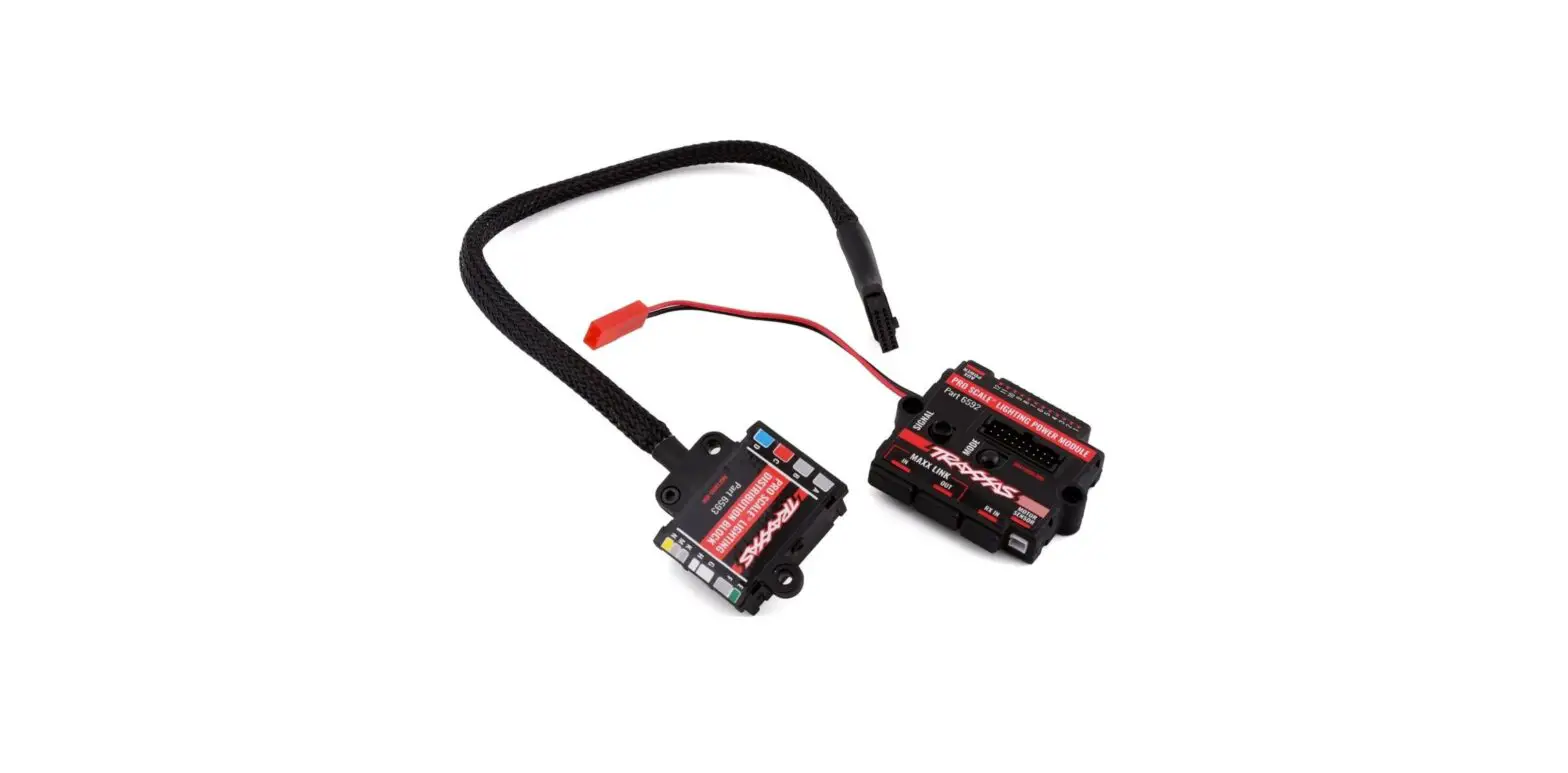
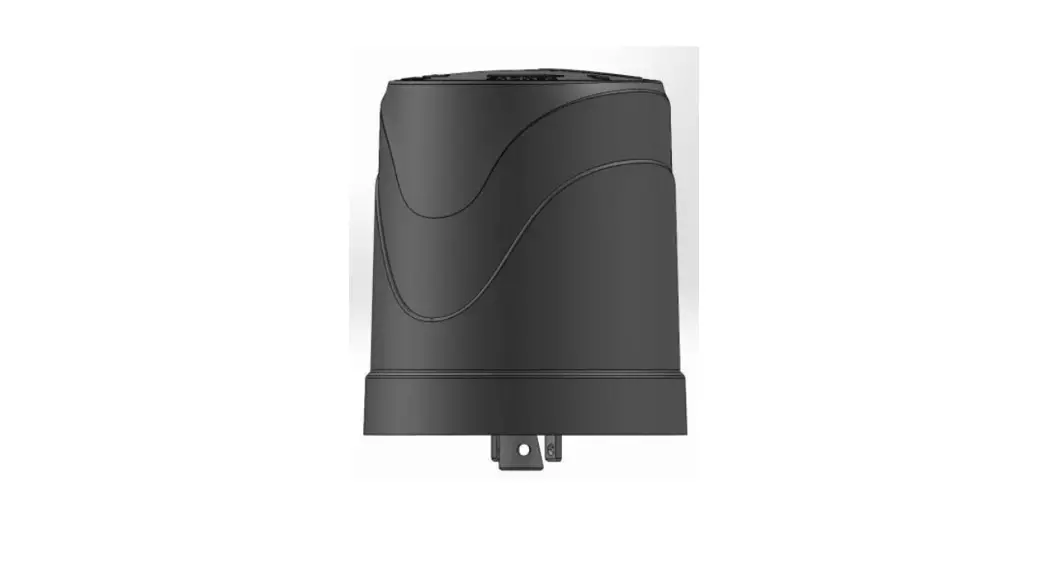
The product is a lighting system for the 1979 Ford Bronco or
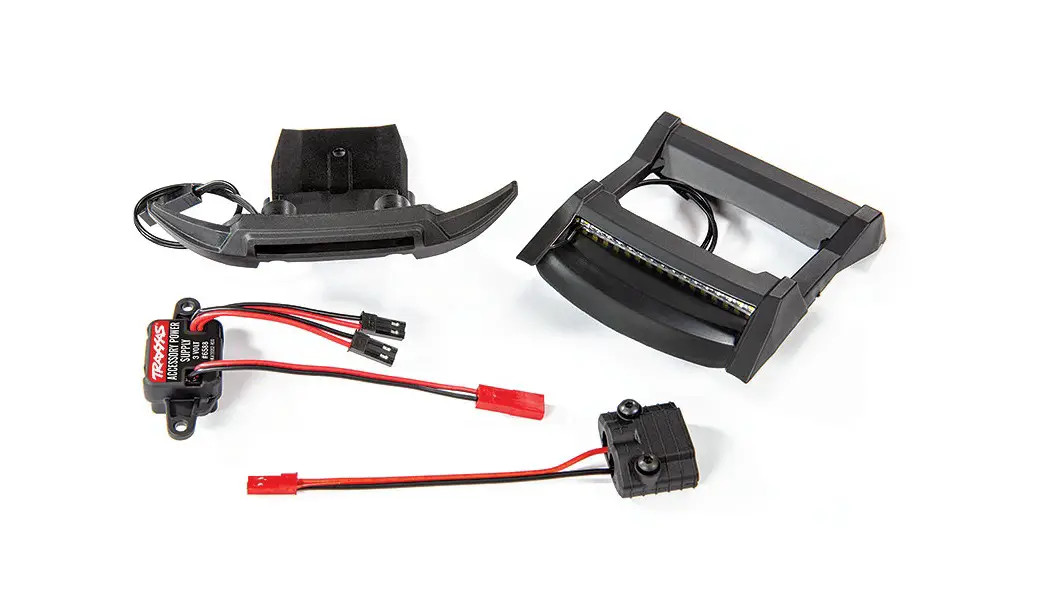
F-150 Truck. It consists of two major electronic components: the
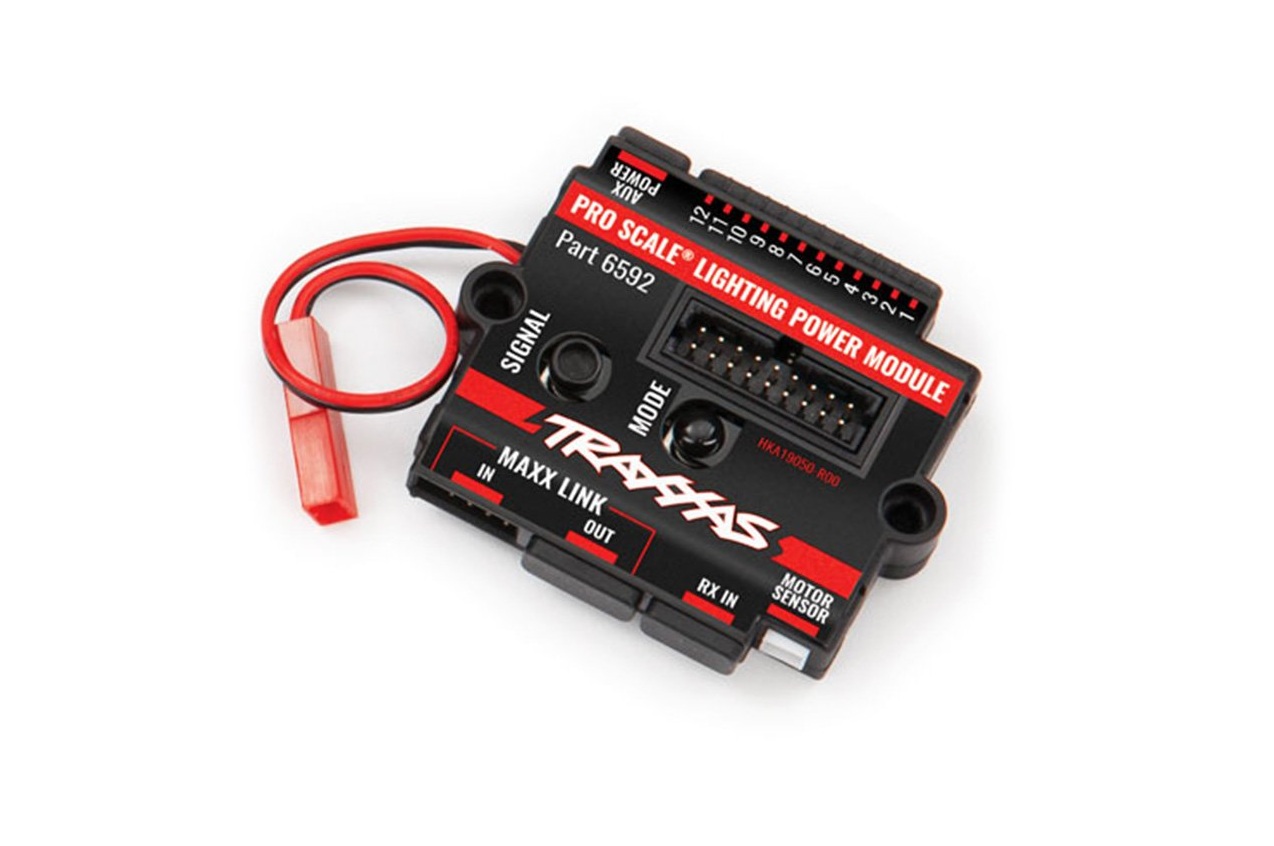
Pro Scale Lighting Power Module and the Pro Scale Lighting
Distribution Block. The Lighting Distribution Block serves as the
distribution hub for all the various wired lights in the vehicle’s
body, directing power and instructions to the brake lights, reverse
lights, turn signals, and high/low beam lighting. The Lighting
Power Module allows for the integration of chassis-mounted
accessory lighting into the system, such as rock lights and bumper
lights. The product also features a breakaway wiring connector
between the Lighting Distribution Block and the Lighting Power
Module, allowing for easy removal of the vehicle body for service
without damaging the connector. The product can be connected to
either the Traxxas XL-5 HV Electronic Speed Control (ESC) or a
direct battery power source up to 3s LiPo or 12.6V.
Product Usage Instructions:
- Install the Power Module mount on the chassis using the
included 2.5x10mm countersunk cap screw. - Attach the Lighting Power Module to the mount using the
included 2.5x12mm and 2.5x18mm cap screws. - Route the module power wire under the mount and connect the red
male connector from the ESC to the red female connector from the
power wire, referring to the Chassis Wiring Diagram on page 3 for
more detail. - To install the Lighting Distribution Block, first disconnect
the battery from the ESC to prevent over-discharge and battery
damage. Then mount the block in the body of the vehicle. - Arrange all wires neatly between the wire guides, making sure
to keep track of any unplugged wires from the receiver box. - For connecting the Lighting Power Module to the receiver, only
use one of the communication cables provided. Do not use both
cables together.
Note: For further information and troubleshooting, refer to the
user manual provided by Traxxas at TRAXXAS.com or contact their
support via phone (972-549-3000), fax (972-549-3011), or email
([email protected]).
Visitez Traxxas.com/manuals pour télécharger les instructions dans votre langue.
Visite la página Traxxas.com/manuals para descargar el instrucciones en su idioma.
Auf Traxxas.com/manuals, können Sie anleitung in Ihrer Sprache downloaden.
Pro Scale® Advanced Lighting Control System Installation Instructions –
Covers Part #8035R
1979 Ford® Bronco® or F-150® Truck
The Traxxas Pro Scale® Advanced Lighting Control System
CAUTION: RISK OF DAMAGE TO BATTERIES!
for your 1979 Ford Bronco or F-150 Truck consists of two
Always disconnect the battery from the ESC when not in use to prevent the
major electronic components: the Pro Scale Lighting Power
possibility of over-discharge and battery damage.
Module and the Pro Scale Lighting Distribution Block.
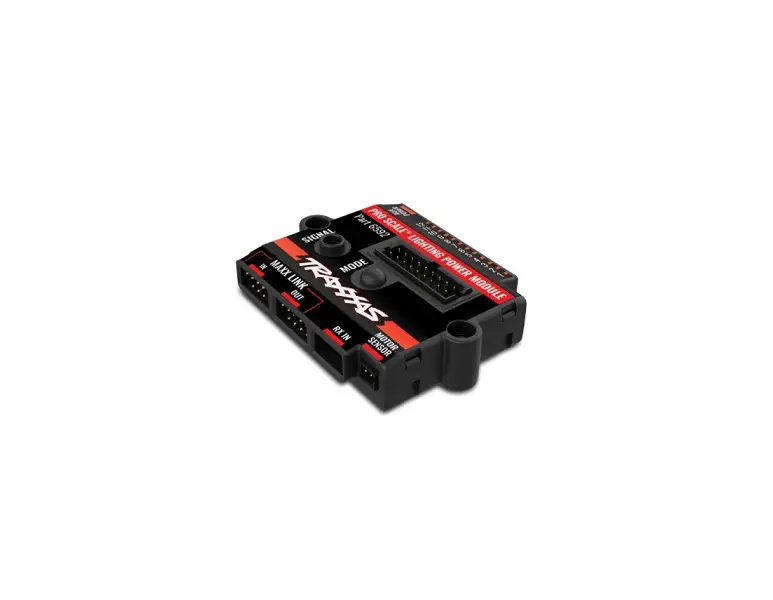
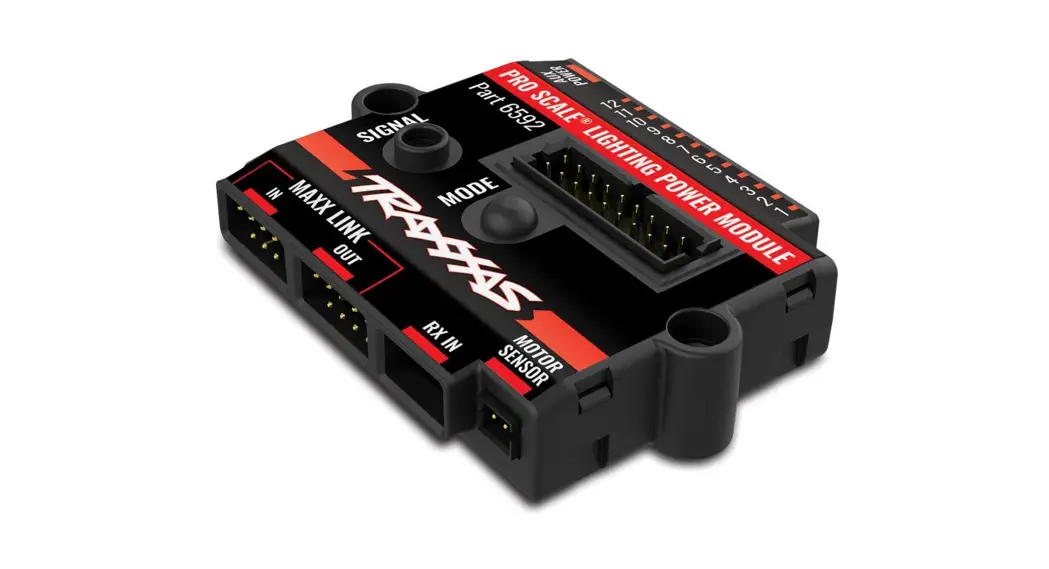
The Lighting Power Module installs on the chassis and performs as the voltage regulator and power supply for the lighting system. It also controls various lighting functions through the two buttons on the face of the module and communicates with the receiver in the model via the communication cable or the optional included MAXX® Link cable.
The Lighting Distribution Block mounts in the body of the vehicle and is the distribution hub for all the various wired lights in your Bronco body. Its main function is to direct power and instructions to the brake lights, reverse lights, turn signals, and high/low beam lighting.
There is only one rugged breakaway wiring connector between the Lighting Distribution Block and the Lighting Power Module for reliable lighting performance, plus it makes it easy to remove the body for vehicle service. The connector is designed to break away from the vehicle, without damage, if the body comes off the vehicle in a crash. There are lighting channels on the Lighting Power
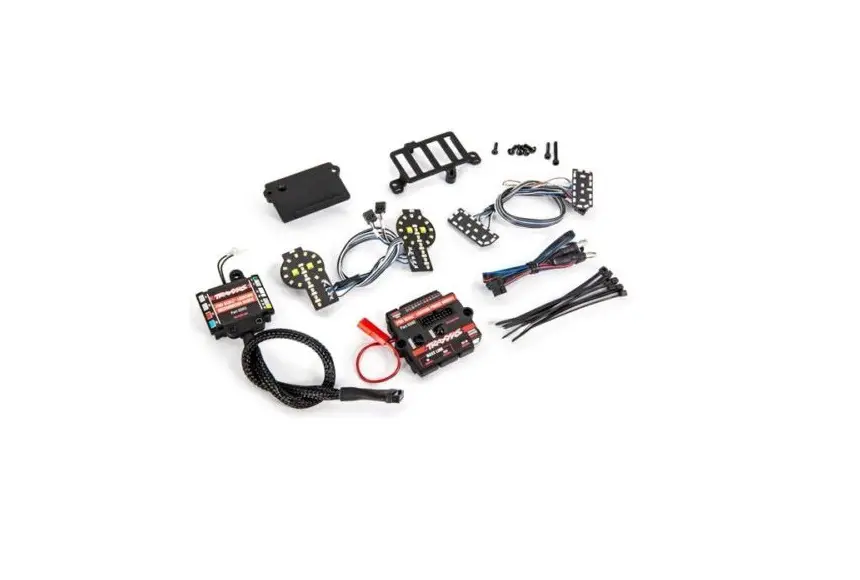
Kit Contents: · Pro Scale Lighting Power Module · Power module chassis mount · Pro Scale Lighting Distribution Block · Lighting Distribution Block mount · Motor sense wire harness · Breakaway cable (part of the Lighting Distribution Block) · MAXX® Link cable (Data Link) (TQi Radio System only) · Receiver communication cable · Left headlight harness assembly · Right headlight harness assembly · Reverse lights harness · Rear marker lights harness · Tail lights harness · Double jumper · Extension harness (for use with optional accessories)
· Headlight lens (2) · Headlight reflector (2) · 2.6x8mm button-head cap screw (2) · 2.5x10mm countersunk cap screw (1) · 2.5x12mm cap screw (1) · 2.5x18mm cap screw (1) · Zip ties (10) · Zip tie mount (3) · Silicone grease
Tools required: · 1.5mm hex wrench (part #3415, sold separately) · 2.0mm hex wrench (part #3415, sold separately) · Wire cutters (to trim zip ties) · Small needle nose pliers
Module which allow the lighting installed on the chassis to
be permanently connected and integrated into the system. This is helpful to install features such as rock lights, bumper
LIGHTING POWER MODULE
lights, and other chassis-mounted accessory lighting.
LIGHTING DISTRIBUTION BLOCK
Accessory Connectors (not used with this kit)
to Traxxas XL-5 HV Electronic Speed Control (ESC) or direct
battery power source up to 3s LiPo or 12.6V
AUX POWER
12
11
10 9
8
7
TOP VIEW
PRO SCALE® LIGHTING POWER MODULE Part 6592
6
5
4
3
2
1
Breakaway Cable Connector Port (connects Power Module to Lighting Distribution Block)
Wiring connectors for the lights are labeled with letters and/or colors.
SIGNAL
MODE
Signal Select (see table in Operation section)
MAXX LINK
IN
OUT
RX IN
MOTOR SENSOR
Mode Select (see table in Operation section)
E A
F
B
PRO-SCALETM
PRO SCALE® LIGHTING
G
C
DDISITSRTIBRUITBIOUN TBILOOCNK BLOCK
H K
Part 6593
M
D
#XXXX
N
MAXX® Link Cable Ports (connects power module to receiver using MAXX Link cable) (TQi Radio System only)
Receiver Communication Cable Port (connects power module to receiver using receiver communication cable)
Motor Sense Connector Port
Auxiliary Power Connector (3V – always on)
SIDE VIEW
COMMUNICATION CABLES
Your Pro Scale Advanced Lighting Control System includes two communication cables: the Receiver Communication Cable and the MAXX® Link Cable. Since your model is equipped with the TQi receiver, you can use either the Receiver Communication Cable or the MAXX Link Cable. MAXX® Link Cable only: The 6511 Traxxas Link Wireless Module (sold separately) is required for Traxxas Link App functionality (only with the MAXX Link Cable). Some models may require a software update for the TQi receiver via the Traxxas Link App for custom lighting controls and configurations (see Appendix on page 7 for additional information).
Only use one of the communication cables to connect the Lighting Power Module to the receiver. Do not use both cables together.
MAXX® Link Cable
(TQi Radio System only)
Receiver Communication Cable
TRAXXAS.com
Traxxas, 6250 Traxxas Way, McKinney, TX 75070, Phone: 972-549-3000, Fax: 972-549-3011, e-mail: [email protected] 1
HKC23045-R00 Rev 230217
A. INSTALL THE LIGHTING POWER MODULE ON THE CHASSIS*
1. Install the Power Module mount on the chassis with the included 2.5x10mm countersunk cap screw (Fig. 1).
2. Install the Lighting Power Module on the mount with the included 2.5x12mm (1) and 2.5x18mm (1) cap screws (Fig. 1).
3. Route the module power wire under the mount. Plug the red male connector from the ESC into the red female connector from the power wire (refer to the Chassis Wiring Diagram on page 3 for more detail).
Fig. 1
2.5x18mm CS
2.5x12mm BCS
2.5x10mm CCS Power Module Mount
the existing wires from the receiver box. Note
Fig. 5
Wire Guide
the locations of any
unplugged wires. Use
needle nose pliers to
help grab the connectors
and pull them through. Arrange all wires neatly between the wire guides
Receiver Communication Cable
in the receiver box (Fig. 5).
The excess wire will be bundled inside
Fig. 6
Fig. 7
the receiver box.
7. Apply a bead of the
included silicone
grease to the wire
clamp (Fig. 6).
8. Be careful not to
damage the wires
(make sure the wires
are in the wire guides). Reinstall the wire clamp. Tighten the two 2.5x8mm
cap screws securely (Fig. 7).
9. Unplug the electronic speed control (ESC) from the receiver (channel 2).
10. Plug the communication cable into the receiver (Fig. 8): the black connector
with the single blue wire plugs into one of the channel 1 ports; the female
black connector with the 3 black wires plugs into the channel 2 port.
B. WIRE THE LIGHTING POWER MODULE TO THE RECEIVER*
1. Plug one end of the Receiver Communication Cable into the RX IN port on the Power Module (Fig. 2) (refer to the Chassis Wiring Diagram on page 3 for more detail).
Fig. 2
2. Remove the 3x10mm counter-sunk cap screws (2) from the battery tray (Fig. 3).
3. Lift up the battery tray and route the Receiver Communication Cable from the Power Module under the battery tray and to the receiver box (refer to the Chassis Wiring Diagram on page 3 for more detail). Use a zip tie (included) to attach the wires to the loop on top of the transmission housing. Reinstall and tighten the battery tray screws. Note: Be careful not to pinch or damage any of the wires under the battery tray.
Fig. 3
3x10mm CCS
(hidden by battery hold down)
to ESC
Fig. 8
TQi Receiver
Receiver Communication Cable Black wires to CH2 Receiver Communication Cable Blue wire to CH1 Servo wire to CH1
11. Now, plug the black male connector (white, red, black servo cable) from the ESC into the black female connector (white, red, black servo cable) on the communication cable (refer to the Chassis Wiring Diagram on page 3 for more detail). Leave the steering servo cable plugged into the other channel 1 port.
12. Make sure the blue o-ring gasket is properly seated in the groove in the receiver box so that the cover will not pinch it or damage it in any way.
13. Reinstall the cover on the receiver box and tighten the three 3x8mm buttonhead cap screws securely. Inspect the cover to make sure that the O-ring seal is not visible.
14. Use the supplied zip ties to bundle the wires neatly and attach them to the vehicle as needed so that loose wires will not become entangled with moving parts.
C. INSTALL THE MOTOR SENSE WIRING HARNESS*
Battery Tray
4. Remove the receiver box cover by removing the three 3x8mm button-head cap screws (Fig 4).
5. Remove the wire clamp by removing the two 2.5x8mm cap screws (Fig 4).
6. Feed the loose end of the Receiver Communication Cable connector over the wire guide and into the receiver box (Fig. 5). To make installation easier, unplug and remove a few of
Fig. 4
3x8mm BCS
3x8mm BCS
2.5x8mm CS
Receiver Box Cover
Wire Clamp
1. Unplug the red and black motor wires (bullet
connectors) from the ESC. Plug the bullet
connectors from the motor and the ESC into the
motor sense wiring harness (red to red and black
to black) (Fig. 9). Plug the harness connector into
the Motor Sensor port on the power module (refer
to the Chassis Wiring Diagram on page 3 for more
detail).
Fig. 9
2. Use the supplied zip ties
to bundle the wires neatly
and attach them to the
vehicle as needed so
that loose wires will not
become entangled with
moving parts.
2
*Installation and wiring shown for the Bronco; follow the same steps for the F-150 Truck.
Bronco wiring shown; F-150 Truck is the same.
Rock Light
CHASSIS WIRING DIAGRAM
Chassis Wiring
(Top Down View)
Rock Light
FRONT
Rock Light
Motor Sense Connectors To Receiver
Motor
XL-5 HV ESC
To ESC
Route wires under battery tray
From ESC To Motor Connector Receiver Communication Cable Route wires under battery tray
Lighting Power Module
Rock Light
From CH2
From ESC
Rock Light
Receiver
Optional MAXX Link Cable Wiring
From ESC
Blue Wire to CH1 Black Wires to CH2
A
B PRO SCALE® LIGHTING G
C DISTRIBUTION BLOCK H
D
To MAXX Link IN port on
Lighting Power Module
Breakaway Cable from Distribution Block mounted on body
Rock Light
Part 6593
E
F
K M N
Visit Traxxas.com/ProScaleLighting
for additional information
about installing and connecting
accessories such as auxiliary
lighting (rock lights shown, part
#8026X, sold separately) to the Pro
Rock
Rock
Scale Lighting Module.
Light
Light
3
D. DISASSEMBLE THE FRONT GRILLE**
Remove the six (6) front grille retainers (A) and front grille (B) from the body. Remove the headlight assemblies (C) from the grille (refer to the Grille Disassembly Diagram for more detail). Retain and reuse the plastic headlight mounts and all hardware.
GRILLE DISASSEMBLY DIAGRAM A
E. INSTALL HEAD LIGHTS WIRING HARNESS*
1. Install the chrome reflectors (2) onto the circuit boards of the LED headlight harnesses (D) (refer to the Lighting Assembly Diagram below for more detail). Note: The reflectors must be installed correctly to sit flat against the circuit boards. Align the keying features (pegs on the reflectors with holes in the circuit boards). Also, there is a notch on the bottom side of the reflectors for clearance of the wires on the circuit boards (Fig. 10).
2. Install the circuit boards into the existing plastic headlight mounts (C); then, install the new clear and orange painted lens over the chrome reflectors and onto the circuit boards (Fig. 11). Note: Align the keying features (pegs on the lens with holes in the circuit boards and headlight mounts).
3. Install complete left and right headlight assemblies into the front grille and secure with the 1.6x5mm button-head screw removed during disassembly. Plug in the connectors that run between the headlight assemblies.
C
B Fig. 10
A C
4. Thread the connectors and wires through the slots in the body and reinstall the front grille and retainers using the 2.6x8mm button-head screws (6) removed during disassembly.
5. Insert the front side marker lights into the receptacles near each headlight. Be careful not to damage the wires. The LEDs should snap into place.
6. Route the wiring harnesses in the body (refer to the Body Wiring Diagram on page 6 for more detail). Use the included zip ties and zip tie mounts to secure the wiring to the body in the locations indicated. The zip ties do not need to be tight; allow some extra length for wire movement. Use wire cutters to trim zip ties.
LIGHTING ASSEMBLY DIAGRAM
A
**Grille disassembly shown for the Bronco; remove the same parts for the F-150 Truck.
Fig. 11
2.6×8 BCS
A
D
1.6×5 BCS
2.6×8 BCS
A
1.6×5 BCS
2.6×8 BCS
A 2.6×8 BCS E
2.6×8 BCS
D B
2.6×8 BCS
F
4
*Installation and wiring shown for the Bronco; follow the same steps for the F-150 Truck.
F. INSTALL TAIL LIGHTS, REVERSE LIGHTS, AND REAR SIDE MARKER LIGHTS WIRING HARNESS*
Note: The tail lights harness, reverse lights harness, and rear side marker lights harness all have a long and short wire lead. The short wire of each harness should be installed on the left side (driver side) of the vehicle body. The tail lights harness has the larger 5mm LEDs with the red color band near the connector. The reverse lights harness has the smaller 3mm LEDs with a letter “A” indicator band near the connector. The rear side marker lights harness has the smaller 3mm LEDs with the blue color band near the connector.
1. Insert the LEDs on the rear marker lights harness into the rear marker light receptacles. The LEDs should snap into place.
2. Insert the LEDs on the tail lights harness and the reverse lights harness into the tail light assemblies. The LEDs should snap into place.
3. Route the wiring harnesses in the body (refer to the Body Wiring Diagram on page 6 for more detail). Use the included zip ties and zip tie mounts to secure the wiring to the body in the locations indicated. The zip ties do not need to be tight; allow some extra length for wire movement. Use wire cutters to trim zip ties.
Fig. 12
G. INSTALL THE LIGHTING DISTRIBUTION BLOCK Bronco
2.6x8mm BCS
2.6x8mm BCS
1. Plug all LED light wire harness connectors into the ports on the Lighting Distribution Block. Match the color band and/or letter indicator on the wire harnesses with the corresponding color/letter of each port on the Lighting Distribution Block (refer to the Lighting Distribution Block port chart below for more detail).
2. Install the included double jumper into port F on the distribution block.
2.6x8mm BCS
3. Remove the 2.6x8mm button-head screws (2) from the side trim retainer. Install the Lighting Distribution Block mount and secure with the 2.6×8 mm button-head screws (2) as shown in Fig. 12.
4. Use the included 2.6x8mm button-head screws (2) to secure the Lighting Distribution Block to the mount (Fig. 12).
5. Plug the breakaway cable from the Lighting Distribution Block into the connector on top of the Power Module before installing the vehicle body (Fig. 14).
Fig. 13
2.6x8mm BCS
2.6x8mm BCS 2.6x8mm BCS
H. INSTALL THE LIGHTING DISTRIBUTION BLOCK
F-150 Truck
1. Plug all LED light wire harness connectors into the ports on the Lighting
Distribution Block. Match the color band and/or letter indicator on the wire
harnesses with the corresponding color/letter of each port on the Lighting
Distribution Block (refer to the Lighting Distribution Block port chart below
for more detail).
2. Install the included double jumper into port F on the distribution block.
3. Remove the 2.6x8mm button-head screws (2) from the side trim retainer.
Install the Lighting Distribution Block mount and secure with the 2.6×8 mm
button-head screws (2) as shown in Fig. 13.
4. Use the included 2.6x8mm button-head screws (2)
Fig. 14
to secure the Lighting
Distribution Block to the
mount (Fig. 13).
5. Plug the breakaway cable
from the Lighting Distribution
Block into the connector on
top of the Power Module
before installing the vehicle
body (Fig. 14).
Breakaway Cable from Lighting Distribution Block
LIGHTING DISTRIBUTION BLOCK LED LIGHT HARNESS PORTS
Letter Color Description
Function
A N/A Reverse light harness
Back up light LEDs when vehicle is put in reverse
Accessory Connectors (not used with this kit)
Wiring connectors for the lights are labeled with letters
and/or colors.
C Red Tail light harness
Tail lights, brake lights, and rear integrated turn signal LEDs
D Blue Rear side marker harness
Rear side marker LEDs
F
N/A
Rear integrated turn signal jumper
Install jumper when using rear integrated turn signals (single red LED for tail, stop, and turn)
G White Headlight assembly harness Headlights and front marker light LEDs
H White Front turn signal harness
Front turn signal light LEDs
E A
F
B C
PRO-SCALETM PDDRISOITSRSTCIBARULITEBI®OULNIGTBHILOTOICNNKG
BLOCK
Part 6593
G H
K M
D
#XXXX
N
Bronco wiring shown; F-150 Truck is the same.
Headlight / Turn Signal
Z
Side Marker
BODY WIRING DIAGRAM
Headlight / Turn Signal
Body Wiring
(viewed from the
underside of the body)
Z
Z
Z
Side Marker
FRONT
Actual mounting view.
Z
Distribution Block face shown
in the diagram for clarity.
Z
Double Jumper
White
N
K M
Part 6593
C DISTRIBUTION BLOCK H
B
PRO SCALE® LIGHTING G
F
E
D
A
A
Z
Breakaway Cable to Lighting Power Module on chassis
Side Marker
Z
Reverse Light
Tail Light / Turn Signal /
6
Brake Light
Z
Z = Zip-tie Locations
Side Marker
Z
Reverse Light
Tail Light / Turn Signal / Brake Light
LIGHTING CONTROL SYSTEM OPERATION
HEADLIGHTS MODE SELECTION
Use the Mode button on the Pro Scale Lighting Power Module to cycle through the different lighting modes (from Low Beam Mode to High Beam Mode to Daytime Mode).
HAZARD LIGHTS
Use the Signal button on the Pro Scale Lighting Power Module to turn the hazard lights on or off.
TURN SIGNALS
The turn signals are activated by default. To deactivate the turn signals, press and release the Signal button on the Pro Scale Lighting Power Module two times quickly. Both left turn signal LEDs will blink once, and then both right turn signals LEDs will blink once to indicate that the turn signals are deactivated.
To reactivate the turn signals: Press and release the Signal button two times again quickly. Both left turn signal LEDs will blink twice, and then both right turn signals LEDs will blink twice to indicate that the turn signals are activated.
TURN SIGNAL OPERATION
With the vehicle stopped, turn the steering wheel on the transmitter (left or right) to turn on the LEDs. The turn signal LEDs will continue to flash while the steering wheel is turned in this same direction or remains centered. Turn the steering wheel in the opposite direction to cancel the turn signal.
Signal
Mode
Selection
Action
Low Beam Headlights Default
High Beam Headlights Press and release Mode
Daytime Headlights (off ) Press and release Mode once again
Selection Hazard Lights On Hazard Lights Off Deactivate Turn Signals Activate Turn Signals
Action Press and release Signal once Press and release Signal once again Press and release Signal 2x quickly Press and release Signal 2x quickly again
1
2
3
4
5
6
7
8
10 9
11
12
AUX POWER
Signal Select
PRO SCALE® LIGHTING POWER MODULE Part 6592
MODE
SIGNAL
MAXX LINK
IN
OUT
RX IN
MOTOR SENSOR
Mode Select
APPENDIX
WIRING DIAGRAM WITH RECEIVER COMMUNICATION
CABLE AND HIGH-OUTPUT EXTERNAL BEC
(part #2262, sold separately)
WIRING DIAGRAM WITH OPTIONAL MAXX® LINK CABLE
AND HIGH-OUTPUT EXTERNAL BEC
(part #2262, sold separately)
Lighting Power Module
Lighting Power Module
ESC
CH2 CH1
6V 50mA
Receiver BEC
Receiver Communication Cable
ESC CH2
Receiver
6V 50mA
MAXX Link Cable
BEC
Important: To prevent possible damage to the electronics while using an external BEC, do not connect both the MAXX Link Cable and Receiver Communication Cable to the Lighting Power Module at the same time.
7
OPTIONAL MAXX LINK CABLE WIRING
Use the optional included MAXX® Link Cable to connect the Lighting Power Module to the receiver. DO NOT use the Receiver Communication Cable with the MAXX Link Cable. The MAXX Link Cable is designed to work with the Traxxas LinkTM Wireless Module (part #6511, sold separately) to provide Traxxas Link App functionality for custom lighting controls and configurations.
Your model may require a software update for the TQi receiver via the Traxxas Link App (Traxxas Link Wireless Module required).
Traxxas Link Wireless Module (part #6511, sold separately)
Plug the MAXX Link cable into the MAXX Link IN port on the Lighting Power Module. Use the same wire routing from the Lighting Power Module and into the receiver box as shown in the Receiver Communication Cable Installation instructions. Plug the loose end of the cable into the expansion port on the receiver.
TQi Receiver
MAXX Link Cable to Expansion Port ESC wire to CH2 Servo wire to CH1
WARRANTY
Warranty Information Traxxas electronic components are warranted to be free from defects in materials and workmanship for a period of 30 days from the date of purchase.
Limitations: Any and all warranty coverage does not cover replacement of parts and components damaged by abuse, neglect, improper or unreasonable use, crash damage, water or excessive moisture, chemical damage, improper or infrequent maintenance, accident, unauthorized alteration or modification or items that are considered consumable. Traxxas will not pay for the cost of shipping or transportation of a defective component to us.
Traxxas Lifetime Electronics Warranty After the expiration date of the warranty period, Traxxas will repair electronic components for a flat rate. Please visit Traxxas.com/support for a current schedule of warranty costs and fees. The covered repairs are limited to nonmechanical components that have NOT been subjected to abuse, misuse, or neglect. Products damaged by intentional abuse, misuse, or neglect may be subject to additional charges. Traxxas liability, in no case, shall be greater than the actual purchase price of this product. For replacement, product must be returned in brand new condition, with packaging and itemized sales receipt.
Download and install the latest firmware updates, change the module settings, and gain access to additional functions using the Traxxas Link App (available in the Apple App StoreSM or on Google PlayTM). The TQi transmitter with the Traxxas Link Wireless Module (part #6511, sold separately) are required.
This device complies with FCC Part 15 & IC RSS-210 rules subject to the following conditions: 1) This device may not cause harmful interference, and 2) This device must accept all interference received, including interference that may cause undesired operation.
For patent and patent-pending information, please visit Traxxas.com/pat
App Store is a service mark of Apple Inc. Google Play is a trademark of Google Inc. Ford®, Bronco®, and F-150® are trademarks of Ford Motor Company. All copyrights and trademarks are used by Traxxas under license.
TRAXXAS.com
Traxxas, 6250 Traxxas Way, McKinney, TX 75070, Phone: 972-549-3000, Fax: 972-549-3011, e-mail: [email protected] 8
 Support Manuals | Traxxas