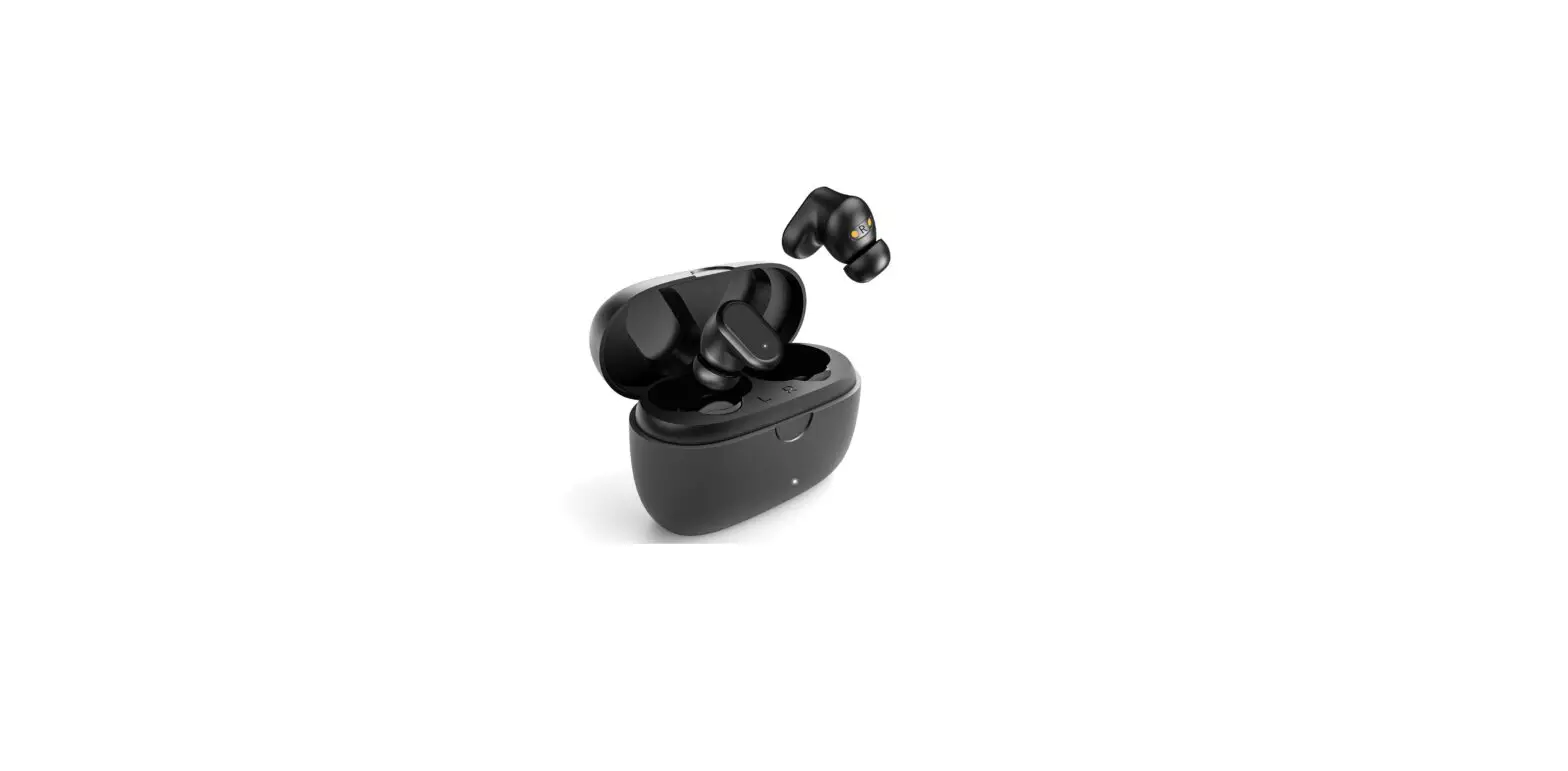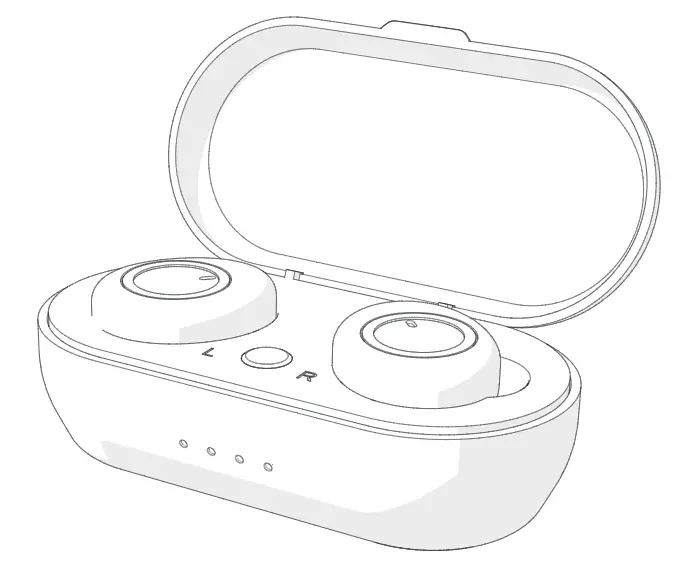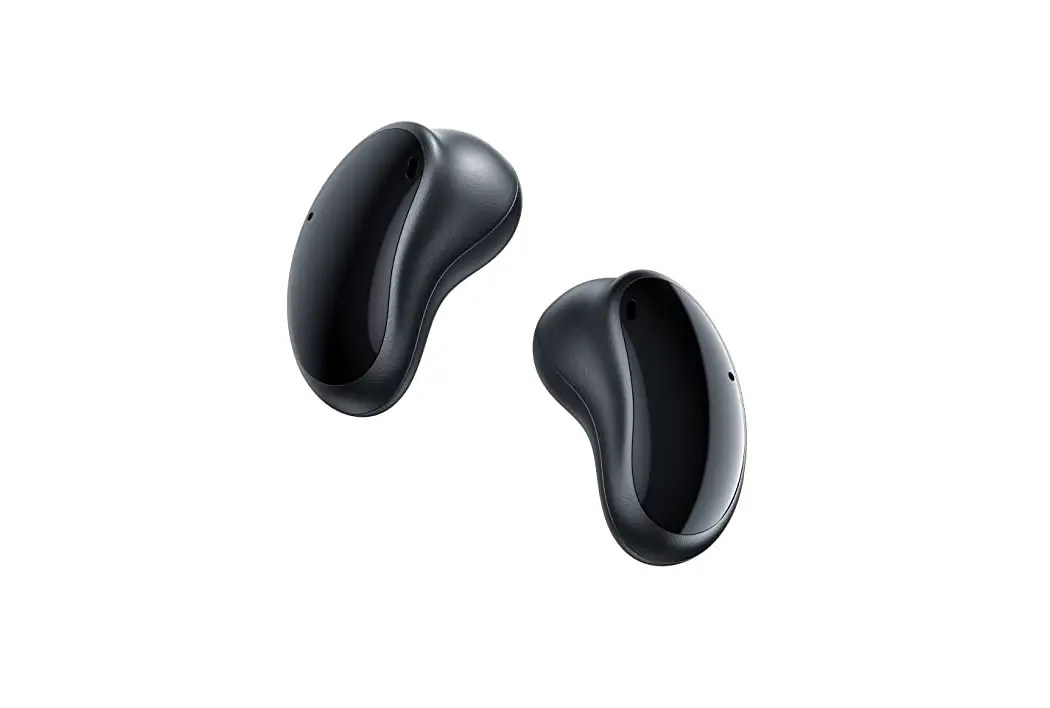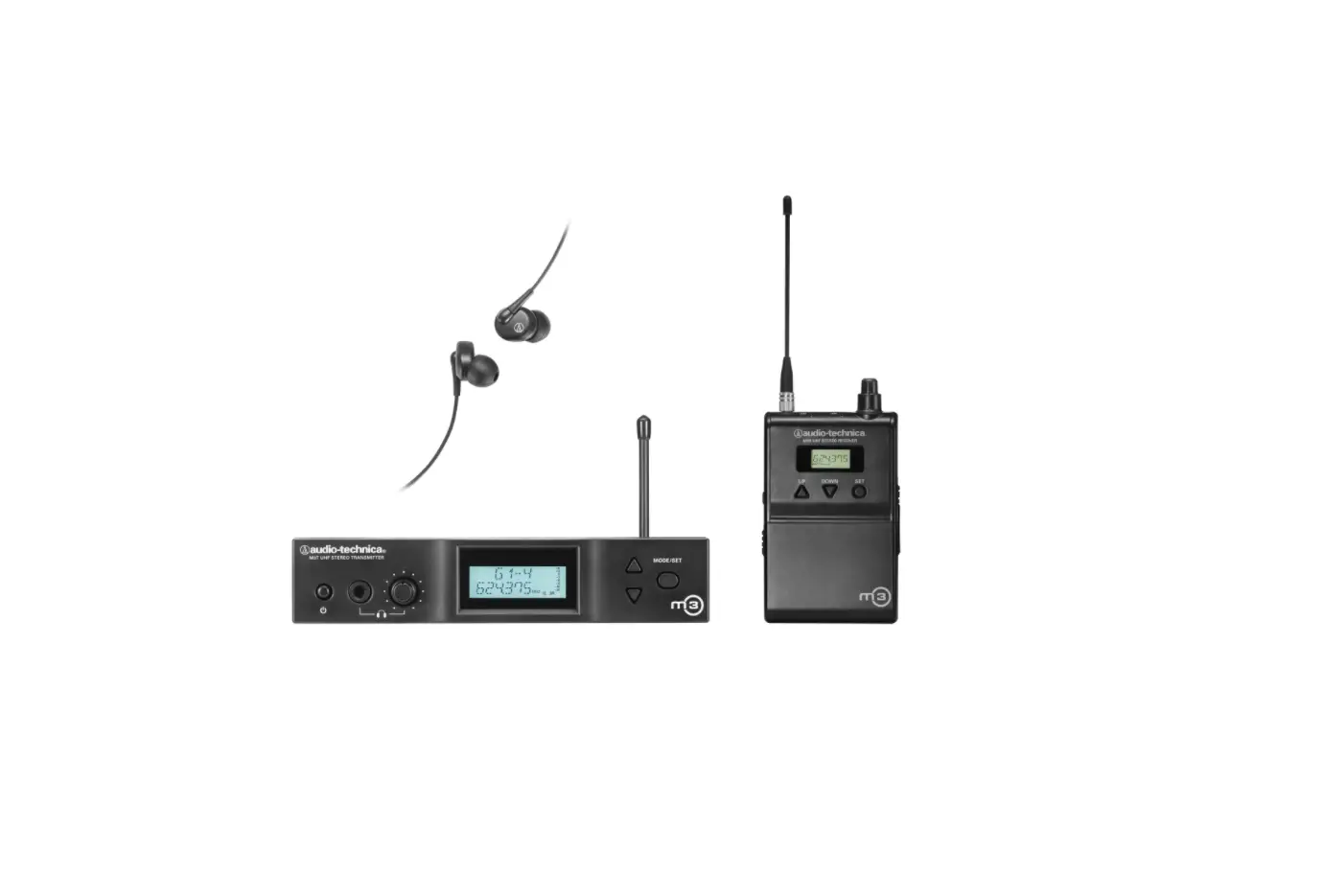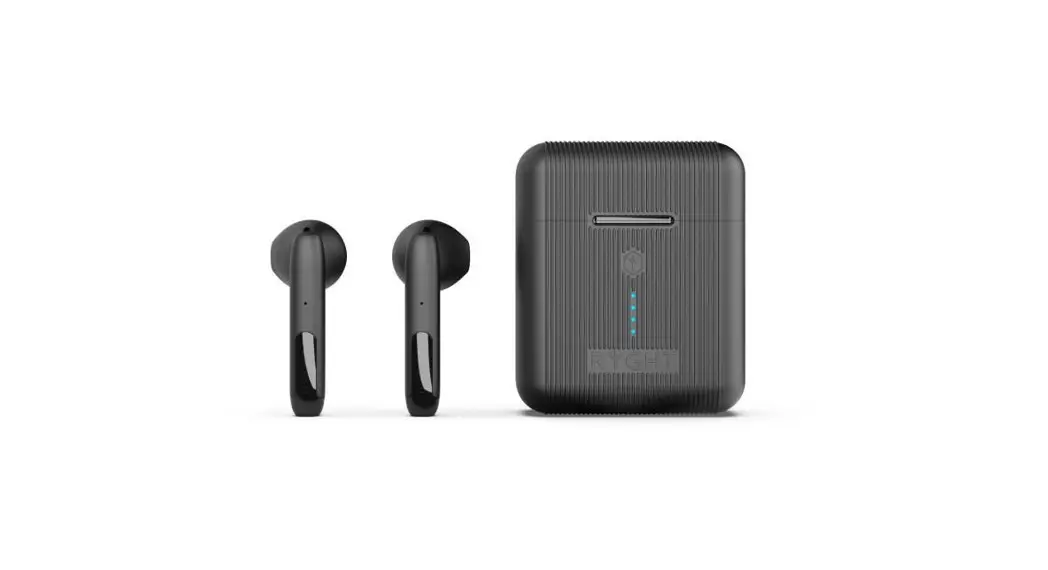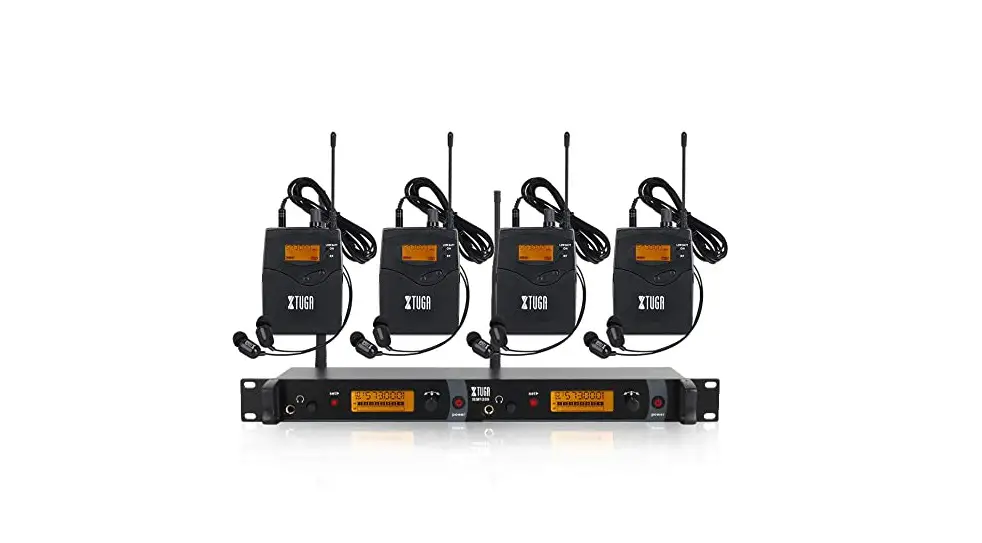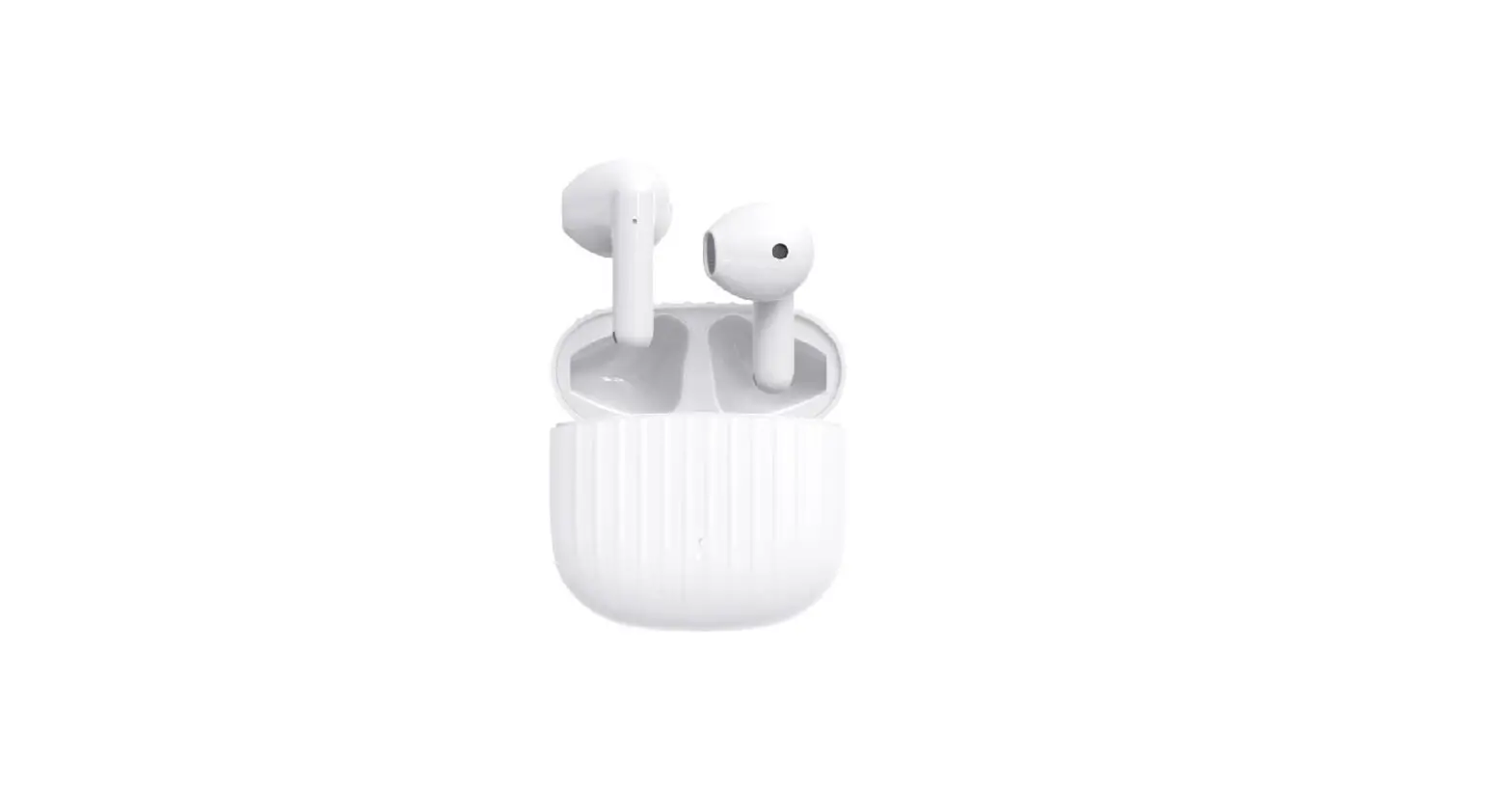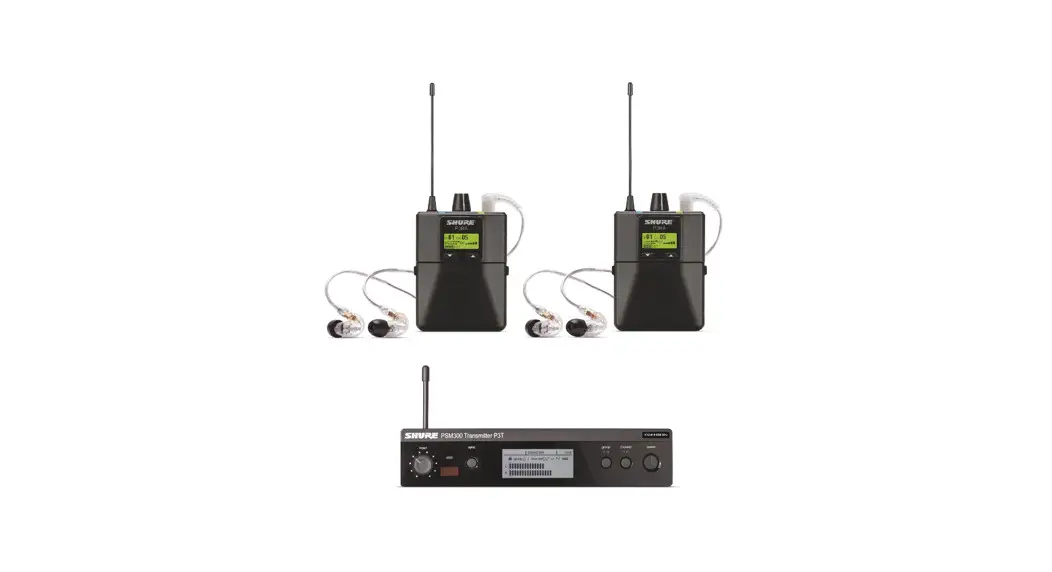
 0BWF4VZB1 Wireless in Ear Monitor System
 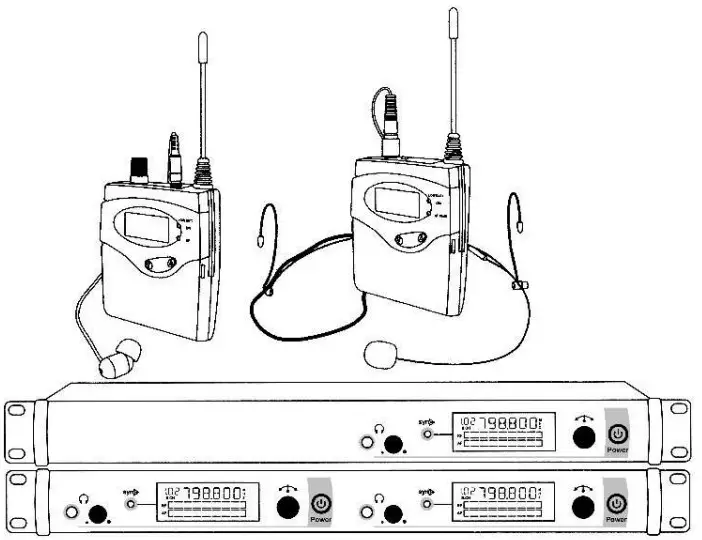 USER INSTRUCTION
In uses the unit before, please read the instruction manual carefully and keep the instruction manual properly in order to need in future.
Preface
Thank you for choosing our multi-channel microphone products. In order to guarantee you use this products well, please read this instruction booklet carefully before using, understood correct operating procedures, to obtain the best effect.
Security anc Environment
- Keep the facility under cool condition, and do not put this machine in the site which is high temperature, moist, dusty or close to liquid stuff.
- Do not open the machine in case Fire, electric shock risk.
- Only can use the power adapter which the machine offers and confirm whether the working power voltage is fit for adapter access specification. It may be damage if using adapter that supply by other distributor.
- Turn off the machine and pull out the adapter when you leave for long time.
Product presentation
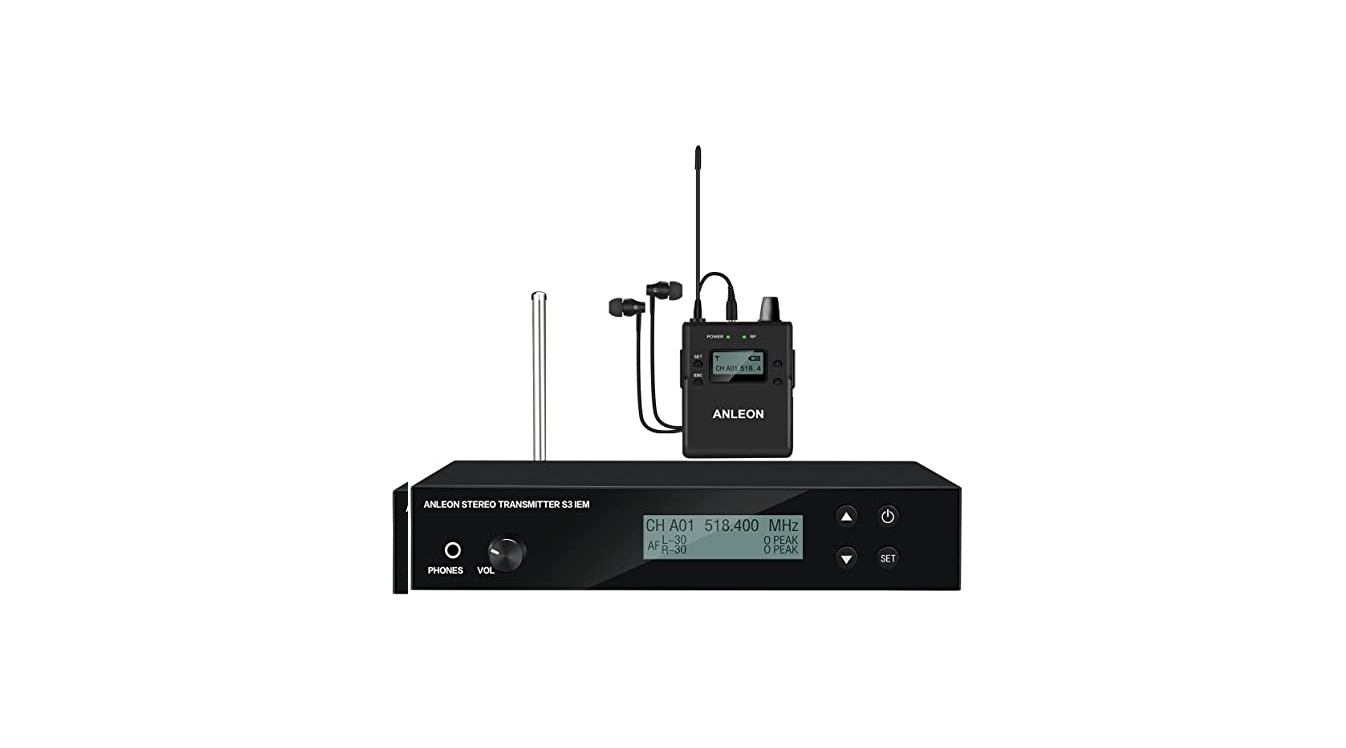
- This wireless Ear-monitor System is used in stage performance and sound broadcast which can replace traditional complex sound monitoring equipment, achieve admirable listening effect.
- With using the latest high frequency transmission and audio signal dynamic processing technology, also improve the signal-to-noise ratio of the dynamic range so that the system has the best anti-interference to show the perfect original sound again.
Main features
- UHF band Phase lock PLL
- Among the band of 32MHz, the preset 40 frequencies can be arbitrary switching
- Dynamic expansion circuit, greatly improve signal-to-noise ratio
- Elegant liquid crystal display panel
- With power and RF receiving indecator lamp
- With using two No. 5 batteries and efficient power circuit, long service time
- Metal housing, sturdy and durable
- The transmitter adopts balanced and unbalanced sharing socket
- The transmitter is with output monitoring phone jack
Main function
The system consists of a mini receiver and transimtter combination,) and its main funtion and characteristics are described below:
- Among the band of 32MHz, you can preset 40 frequencies which can be arbitrary switching.
- With using advanced circuit design, clear the receiving blind angle to make the system’s receiving signal steady. The system is strong resistance to fall because of the housing is made by tough metal material. It is the best choice of stage performance monitor product.
The front panel instruction of single channel receiver
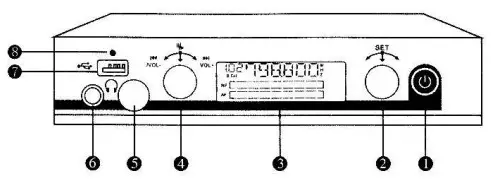
- Power switch
- Function setting key : choose the function of setting
- LCD display : show the operation of each item and setting the content
- USB function setting key : adjusted the function of USB play , volume control etc.
- Earphone volume potentiometer : adjusted the volume of earphone
- 6.3 earphone output socket : connecting the stereo earphone, monitoring the output signal
- USB socket : connecting USB disk, MP3 audio frequency input
- USB indicate light : to indicate the working condition of USB disk
The back side panel instruction of single channel receiver 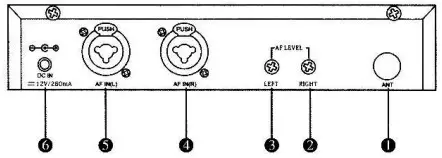
- Antenna
- Right channel potentiometer : adjusted volume
- Left channel potentiometer : adjusted volume
- Right channel output : can use balanced and unbalanced
- Left channel output : can use balanced and unbalanced
- DC power : connecting 12V DC power input socket , the voltage of the outlet center is positive voltage
The instruction way to use single channel transmitter
- Turn on / off : long press the button “POWER”
- Group choosing :1 pressed ”
 “, 2 turned” “choose the frequency range you need.
 - Channel choosing : 1 pressed 2X ” ” , 2 turned ” ” to left or right to choose the frequency range you need.

- USB using method :
1. Start/pause USB: insert USB or MP3 , pressed ” ” lightly
2. Choose music : turned ” ” to left or right to choose last or next song
3. Adjusted USB volume : turned ”” left or right to decrease or increase volume.
 “, 2 turned”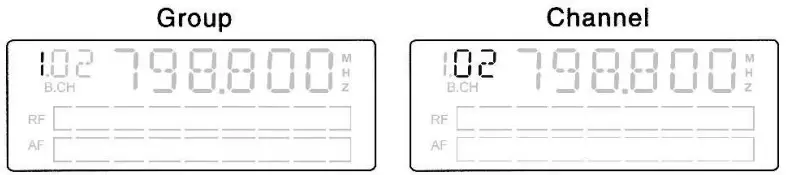
 ” lightly
Single Channel Desktop Transmitter Front View
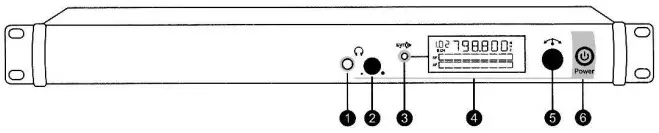
- 6.35mm headphone output: connect stereo headphone, monitor output signal
- Headphone volume potentiometer: adjust stereo headphone volume
- SET seletion: choose setting function
- LED: display operation and content
- DOWN selection: choose setting function
- Power switch: turn on/turn off
Single Channel Desktop Transmitter Back View
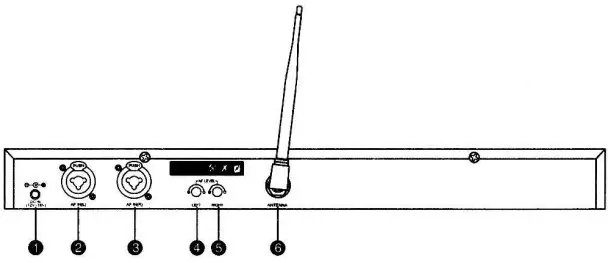
- DC power socket: connect with 12V DC power input socket, the socket center connect positive voltage
- The left channel: balanced and unbalanced sharing input
- The right channel: balanced and unbalanced sharing input
- Left volume adjustment potentiometer
- Right volume control potentiometer 6. Antenna
Double Channel Desktop Transmitter Front View
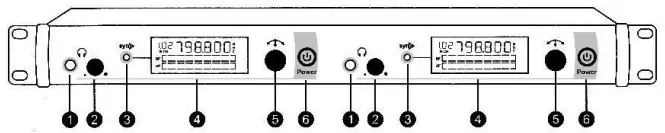
- 6.35mm headphone output: connect stereo headphone, monitor output signal
- Headphone volume potentiometer: adjust stereo headphone volume
- SET seletion: choose setting function
- LED: display operation and content
- DOWN selection: choose setting function
- Power switch: turn on/turn off
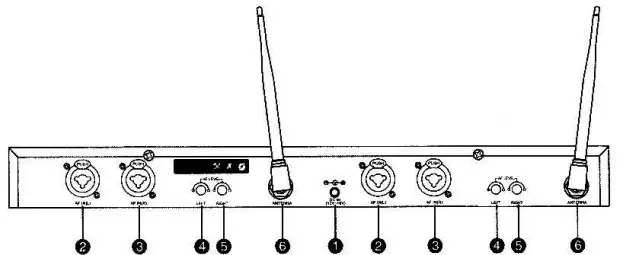
Double Channel Desktop Transmitter Hack View
- DC power socket: connect with 12V DC power input socket, the socket center connect positive voltage
- The left channel: balanced and unbalanced sharing input
- The right channel: balanced and unbalanced sharing input
- Left volume adjustment potentiometer
- Right volume control potentiometer
- Antenna
Bodypack Transmitter
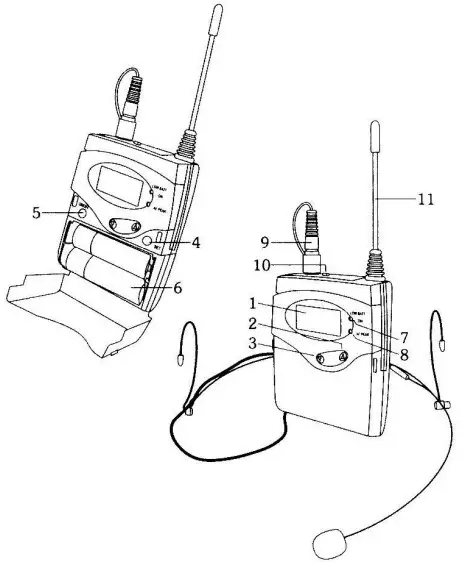
- LED: Display working content
- UP selection: choose setting function
- DOWN selection: choose setting function
- SET seletion: choose setting function
- Power switch: turn on/turn off
- Battery warehouse: after inserting two number 5 batteries, cover it
- low voltage indicator lamp:batteries work out
- Volume peak indicator light
- Mic input in
- Mute switch
- Antenna
Bodypack Receiver
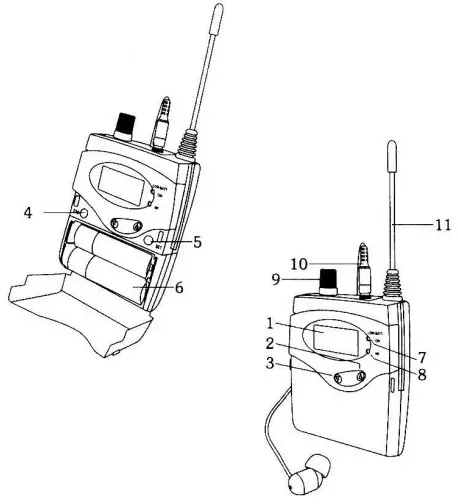
- LED: Display working content
- UP selection: choose setting function
- DOWN selection: choose setting function
- SET seletion: choose setting function
- Power switch: turn on/turn off
- Battery warehouse: after inserting two number 5 batteries, cover it
- low voltage indicator lamp:batteries work out
- RF indicator light: indicate receiving signal information
- Power switch + volume potentiometer: turn on or turn off and adjust volume
- 3.5mm headphone output: connect headphone
- Antenna: assemble fixed antenna
Usage illustration instruction
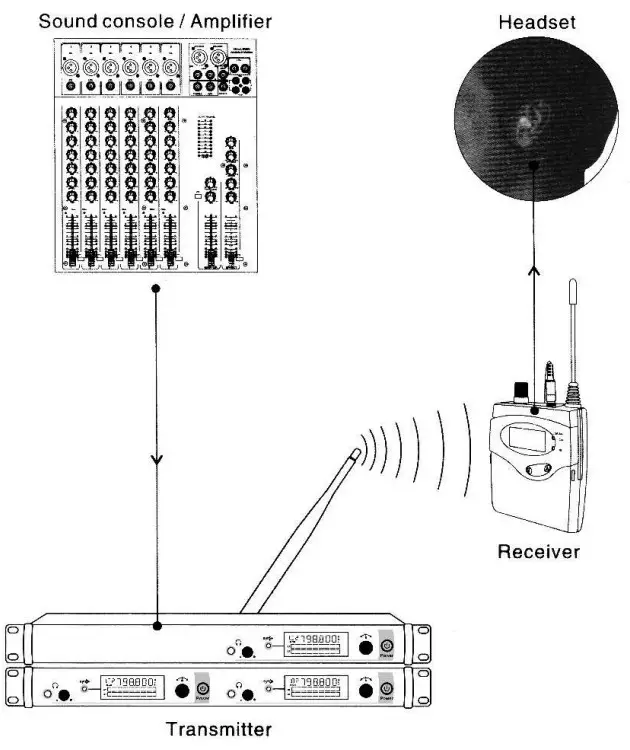
System settings
Desktop Ttransmitter Settings
- Turn on/Turn off: long press POWER button
- Group selection: 1 SET or presso
 2 Reverse to the left or right
 - Channel selection: 1 2xSET or press 2x 2 Reverse to the left or right

 2 Reverse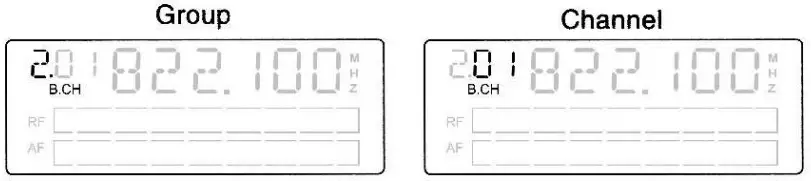
Bodypack Ttransmitter Settings
- Turn on/Turn off:long press ON/OFF
- Group seletion: (1)SET (2)

- Channel seletion:(1)2xSET(2)


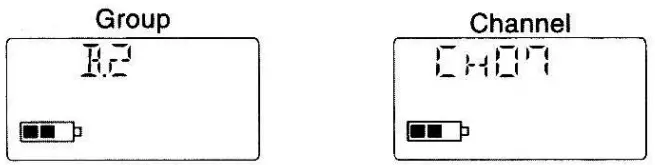
Bodypack Receiver Settings
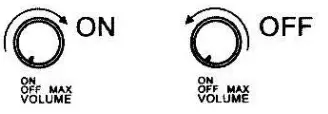
- Turn on/Turn off: Rotate volume potentiometer

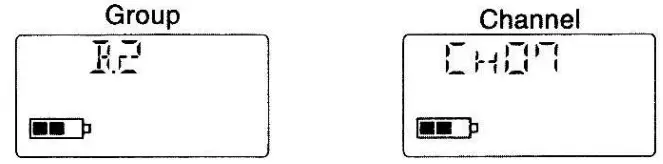
- Group selection: 1 SET 2 3 ESC
- Channel selection: 1 2xSET 2 3 ESC

Technical Date
Transmitter
| Case specification: | standard 1U |
| Case material: | metal panel |
| Oscillation mode: | PLL synthesized |
| Frequency stability: | ± 0.005% |
| Frequency range: | UHF520-580MHz |
| Frequency interval: | 32MHz |
| Preset Channel: | 40 channels separately set 4groups |
| Operate mode: | manual adjust |
| Max Deviation: | ± 48KHz |
| Frequency response: | 50Hz- 15KHz t 3dB |
| Transmit output power: | 100mW(500) |
| Harmonic radiation: | <4NW |
| AF input: | XLR, Φ 6.35mmjack |
| Earphone output: | Φ.6.35mm stereophonic socket |
| Earphone load impedance: | ≥ -160 |
| Current consumption: | DC 12V/250mA |
| Antenna socket: | TNC socket (500) |
Receiver
Oscillation mode:………………………….. PLL synthesized
Frequency stability:…………………………. ± 0.005%
Frequency range: ……………………UHF520-580MHz
Frequency interval:……………………. 32MHz
Preset Channel:…………………………. 40channels separately set 4 groups
Operate mode: ………………………….manual adjust
Receiving mode:……………………………….. single tuning
Sensitivity:………………………….. deviation 25 KHz, with connecting 7dBuV, S/N>78dB
Max Deviation:……………………………… ± 48KHz
Comprehensive S/N ratio:………………………….. >94 db (1KHZ-A)
Comprehensive T.H.D:…………………………………. <3% ei”, 1 KHz
Frequency response: ……………..80Hz-15KHz ± 3dB
Output power (320):………………… 2X35mw@1KHZ
Earphone load impedance:……………………… ≥16Q
Output socket:…………………….. Φ 3.5mm stereo earphone socket
Volume output adjusts:…………………… adjust when using Power box: batteries AAX2
Current drain:………………………. 3V/120mA(Under the mediant degrees of the volume control)
Antenna:………………………… fixed 1 / 2 ∧
This device complies with Part 15 of the FCC Rules. Operation is subject to the following two conditions: (1) this device may not cause harmful interference, and (2) this device must accept any interference received, including interference that may cause undesired operation
NOTE: This equipment has been tested and found to comply with the limits for a Class B digital device, pursuant to Part 15 of the FCC Rules. These limits are designed to provide reasonable protection against harmful interference in a residential installation. This equipment generates, uses and can radiate radio frequency energy and, if not installed and used in accordance with the instructions, may cause harmful interference to radio communications. However, there is no guarantee that interference will not occur in a particular installation. If this equipment does cause harmful interference to radio or television reception, which can be determined by turning the equipment off and on, the user is encouraged to try to correct the interference by one or more of the following measures:
— Reorient or relocate the receiving antenna.
— Increase the separation between the equipment and receiver.
— Connect the equipment into an outlet on a circuit different from that to which the receiver is connected.
— Consult the dealer or an experienced radio/TV technician for help.
Warning: changes or modifications not expressly approved by the party responsible for compliance could void the user’s authority to operate the equipment
The devices has been evaluated to meet general RF exposure requirement, the device can be used in portable exposure condition without restriction
| Ant. | Atnenna Brand | Antenna Model Name | Antenna Type | Connector | Gain (dBi) | El RP(dBm) | NOTE |
| 1 | N/A | N/A | External Antenna | N/A | -2. | ≤C 2 | Antenna |
| 1 | N/A | N/A | External Antenna | N/A | -2. | ≤2 | Antenna |
IN-EAR MONITOR SYSTEMS
The specification won’t do and
further notice for the improvement
Aetual product will not be as pictured