
User Guide
Under-worktop refrigerator
UR 500
20220504 7086650 – 01
The appliance at a glance
Congratulations on the purchase of your new appliance. With this purchase, you have chosen all the advantages of the latest refrigeration technology, guaranteeing you a high-quality appliance with a long life span and high operating safety.
The equipment of your appliance gives you the highest level of day-to-day ease of operation.
Together we are making an active contribution to the conservation of our environment by purchasing this appliance which is manufactured in an environmentally friendly process with the use of recyclable materials.
We hope you enjoy your new appliance.
The manufacturer is constantly working to improve all models. Therefore please understand that we reserve the right to make design, equipment and technical modifications.
To get to know all the benefits of your new appliance, please read the information contained in these instructions carefully.
The instructions apply to several models, so there may be differences. Sections which only apply to certain appliances are indicated with an asterisk (*).
Instructions requiring the user to take action are marked with  , the results of an action are marked with a
  .
.
1 The appliance at a glance
1.1 Additional benefits
– Natural coolant
– Energy-optimized refrigerant circuit
– Energy-efficient insulation
– Low energy consumption
– User-friendly electronic controls
– Active function indicators
– Temperature can be controlled in the appliance independent of ambient conditions according to its climate rating
– Temperature can be displayed as °C or °F
– Large refrigeration capacity
– Safety glass storage shelves
– Adjustable door shelves for tall bottles
– Shelves can be removed to make space for large items.
– Bright LED interior light
– Door ajar alarm
– Transport handles on all large drawers
– Integrated transport grips on appliance housing
– Easy to clean
– Door hinges can be reversed
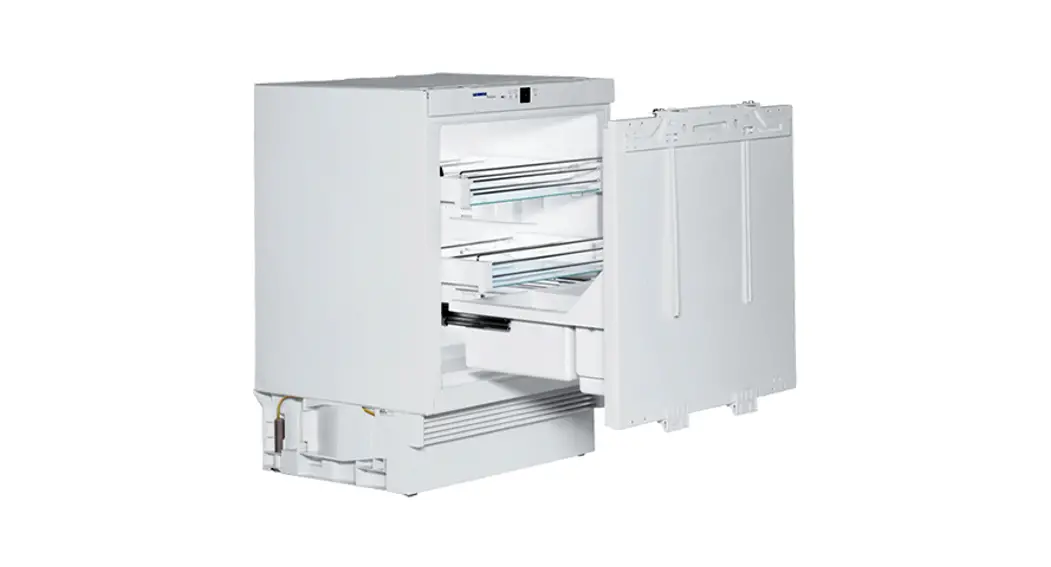
– Door-on-door system for easy kitchen cabinet installation
– Soft stop mechanisms
– This appliance has a SabbathMode function, so you can use it on religious holidays. Further information can be found on the Star-K website www.star-k.org.
1.2 Overview of the appliance and accessories
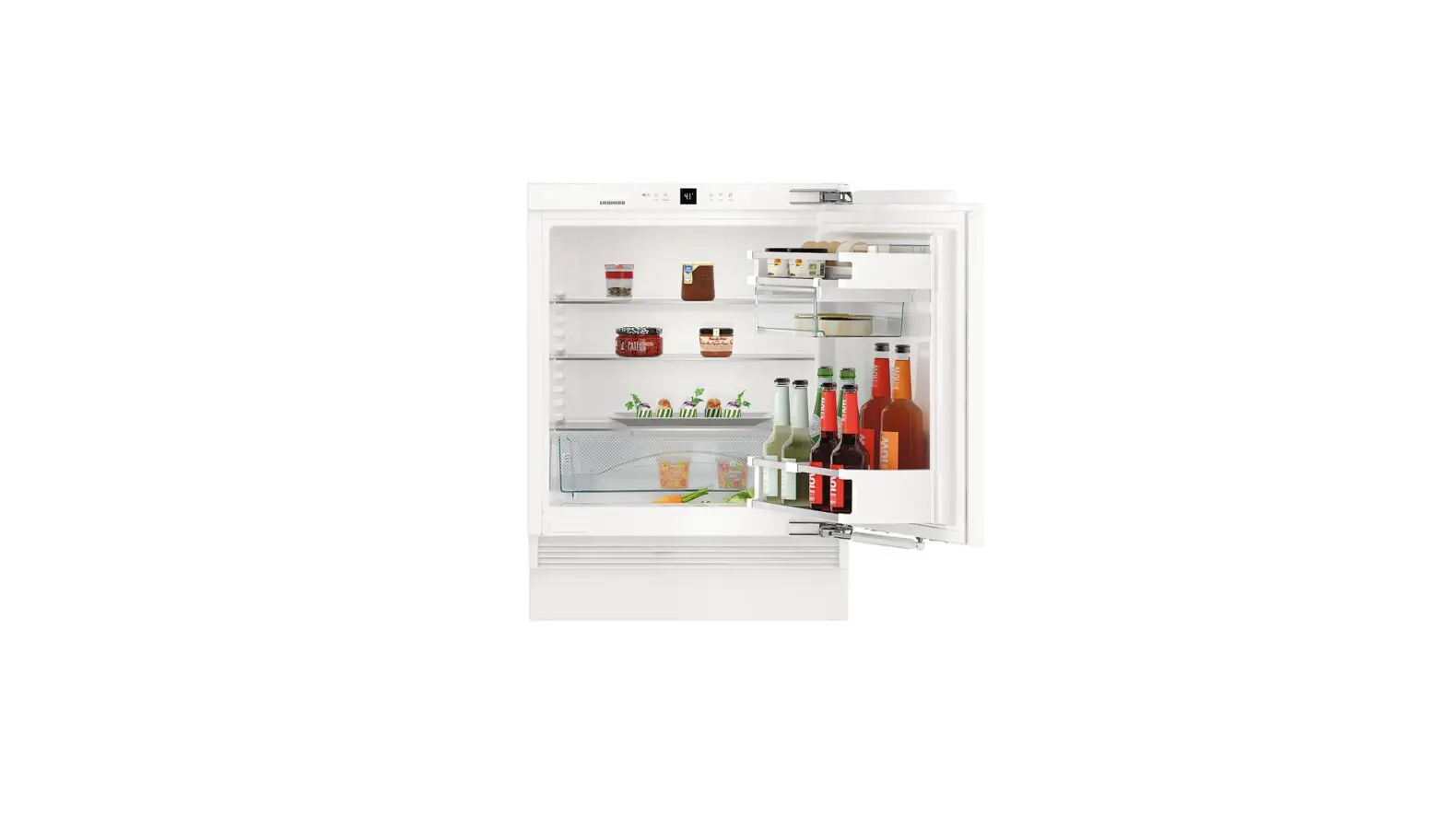
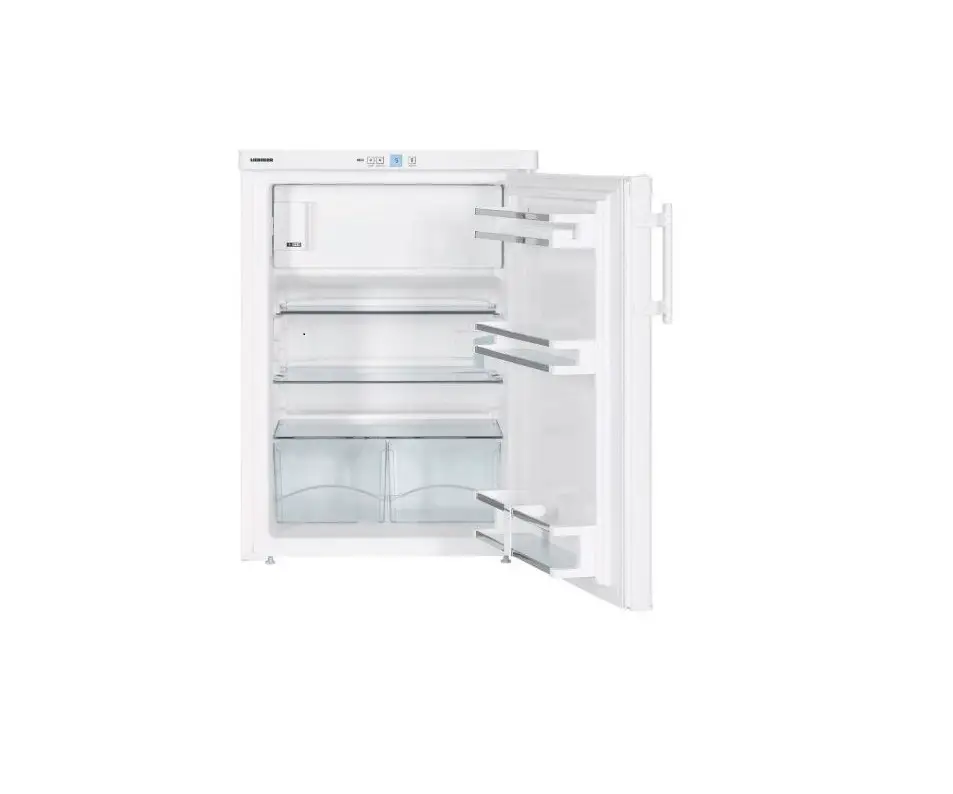
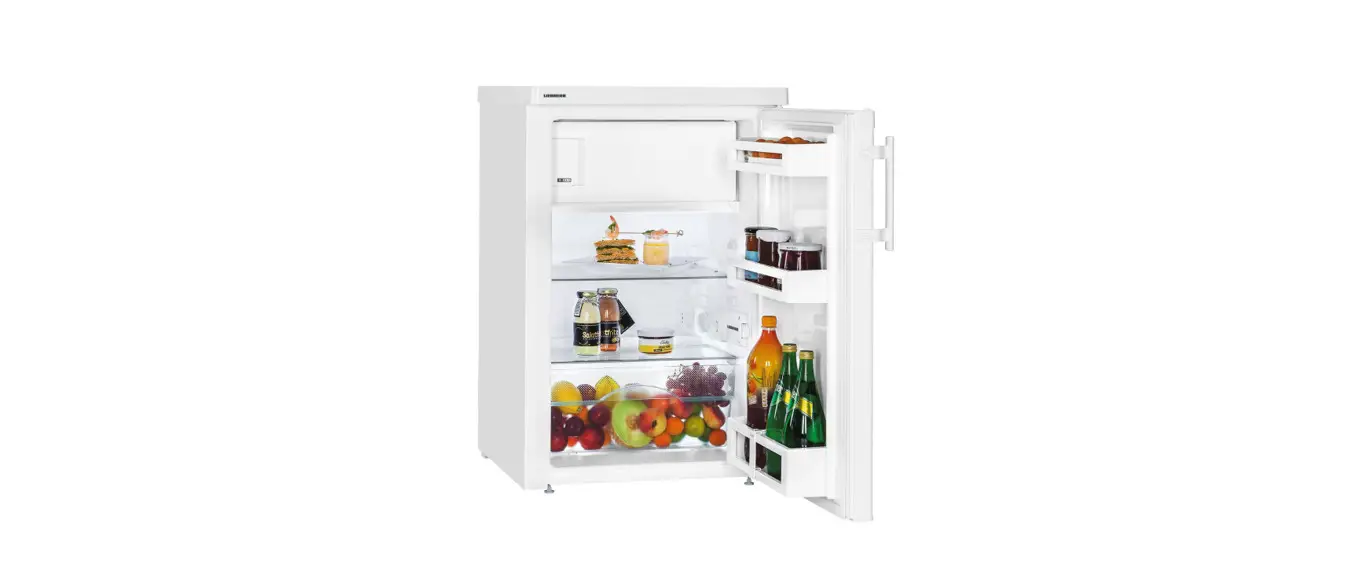
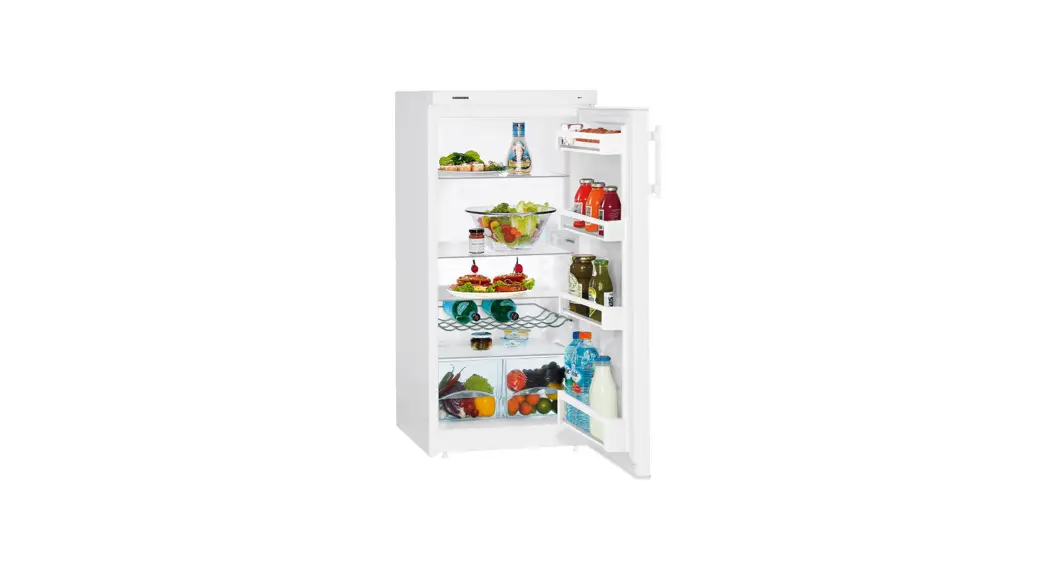
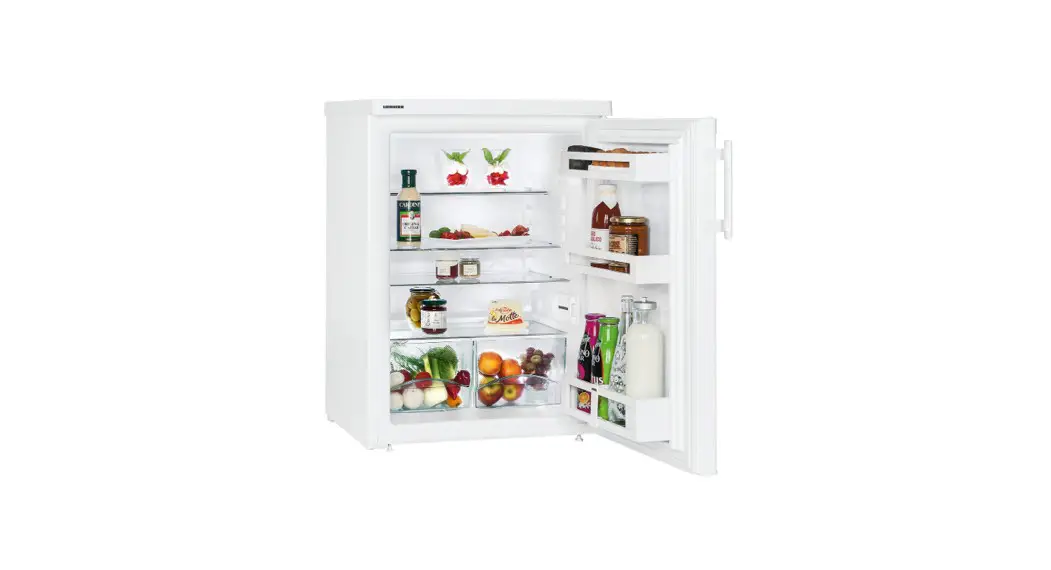
NoteArrange food as shown in the picture. This arrangement allows the appliance to work more efficiently, thus saving energy.Shelves, drawers, and baskets are arranged for optimal energy efficiency in the factory configuration.
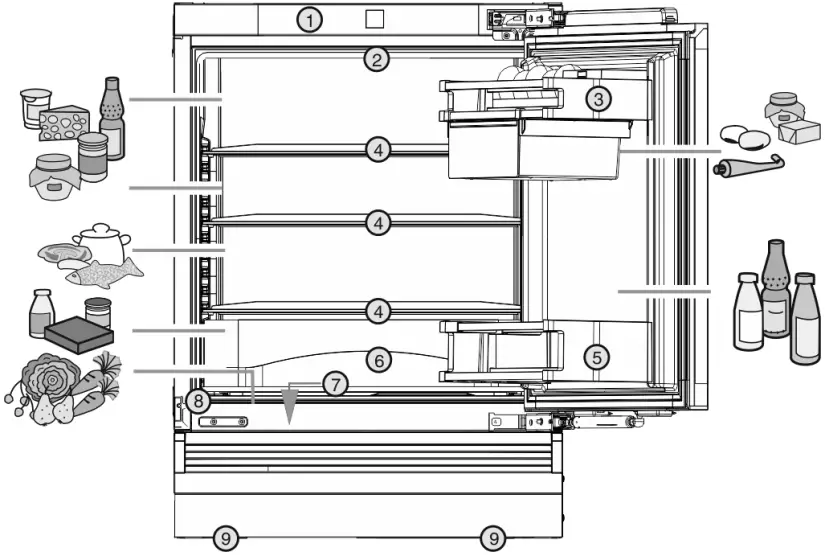
Fig. 1
(1) Control panel
(2) Interior LED lighting
(3) Butter and cheese shelf
(4) Shelf, moveable
(5) Bottle shelf
(6) Drawer
(7) Vegetable drawer
(8) Rating plate
(9) Front and rear adjusting feet
1.3 Range of appliance use
Normal use
This appliance is intended to be used in household and similar applications such as,
– staff kitchen areas in shops, offices and other working environments;
– farm houses and by clients in hotels, motels and other residential type environments;
– bed and breakfast type environments;
– catering and similar non-retail applications.
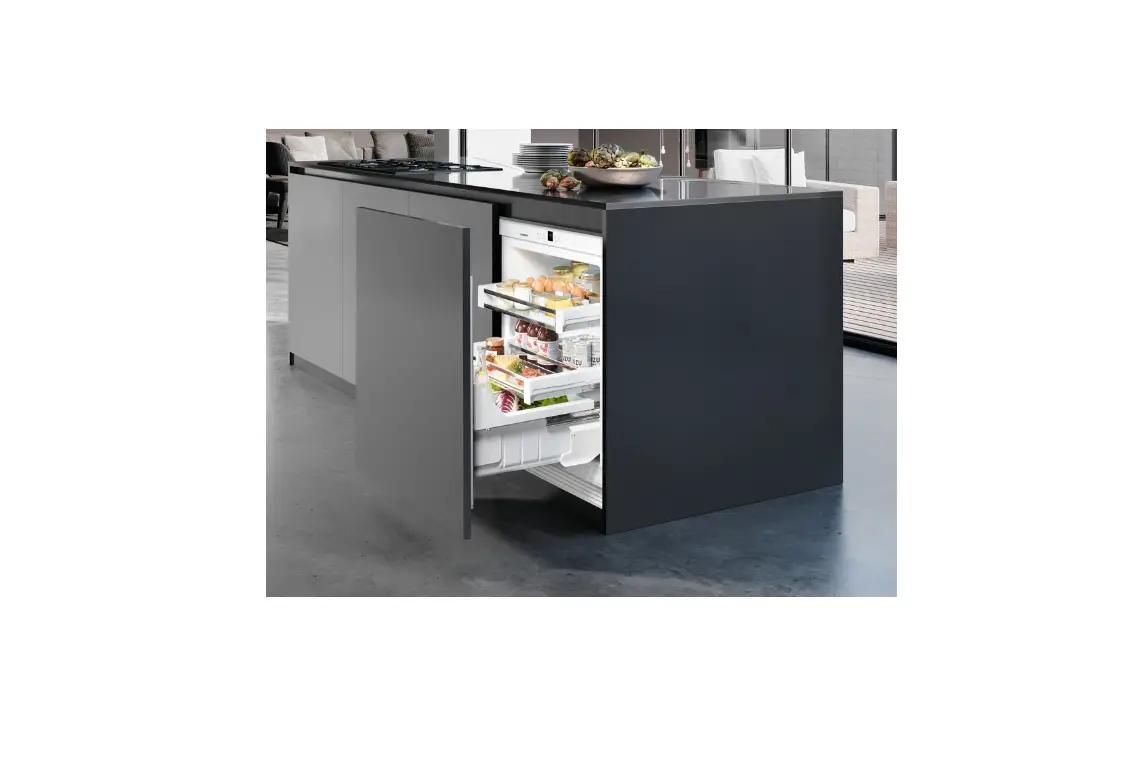
The appliance is not suitable for freezing food; The appliance is suitable for integrated under worktop use
All other types of uses are not permitted.
Foreseeable misuse
The following uses are specifically prohibited:
– Storage and cooling of medication, blood plasma, laboratory preparations or similar substances and products in accordance with the CMDCAS and FDA 510(k)
– Use outdoors
– Use in moist areas exposed to the rain
– Use in areas at risk of explosion
Incorrect appliance use can cause damage to the stored products or cause them to spoil.
Climate ratings
The appliance is set to operate within specific ambient temperature limits according to its climate rating The climate rating for your appliance is printed on the rating plate
NoteTo guarantee trouble-free operation, comply with the indicated ambient temperatures.
| Climate rating | for ambient temperatures from |
| SN | 50 °F (10 °C) to 90 °F (32 °C) |
| N | 61 °F (16 °C) to 90 °F (32 °C) |
| ST | 61 °F (16 °C) to 101 °F (38 °C) |
| T | 61 °F (16 °C) to 110 °F (43 °C) |
1.4 Conformity
The refrigerant circuit has been tested for leaks. When installed, the appliance complies with the relevant safety regulations and the safety standards CAN/CSA-C22.2 No. 60335-1-11, 60335-2-24-06 and UL 60335-1, UL 60335-2-24.
1.5 Energy saving
– Always ensure good ventilation. Keep clear of obstruction all ventilation openings in the appliance enclosure or in the structure for building-in.
– Never block air slits in the fan.
– Do not install the appliance in direct sunlight or next to a stove, heater or similar heat source.
– Energy consumption depends on installation conditions such as the ambient temperature (see 1.3 Range of appliance use) . A warmer ambient temperature can increase the energy consumption.
– Avoid opening the appliance door for any longer then necessary
– The lower the temperature is set the higher the energy consumption.
– Sort your food items: home.liebherr.com/food.
– All food stored in the appliance should be well wrapped and covered. This prevents frost buildup.
– Only take food out for as long as necessary so that it does not get too warm.
– Insertion of warm foods: first let the food cool down to room temperature.
2 General safety information
Read and follow these instructions. They contain safety information which is important for safe and problem-free installation and operation. Always read and follow the safety information.
Dangers for the user:
– This appliance is not intended for use by persons (including children) with reduced physical, sensory or mental capabilities, or lack of experience and knowledge, unless they have been given supervision or instruction concerning use of the appliance by a person responsible for their safety. Children should be supervised to ensure that they do not play with the appliance. Cleaning and user maintenance must not be performed by children unless they are supervised. Children between the ages of 3 and 8 may load and unload the appliance. Children under the age of 3 must be kept away from the appliance unless they are constantly supervised.
– Always hold the appliance at the plug when disconnecting it from the household power. Do not pull on the cable.
– Disconnect the power plug or fuse if there is a malfunction.
– Do not damage the power cable. Do not operate the appliance with a faulty power cable. If the supply cord is damaged, it must be replaced by the manufacturer, its service agent or similarly qualified persons in order to avoid a hazard. For Plug and Play connections, the change may be carried out by the customer.
– Only have repairs, work on the appliance and power cable replacements carried out by Customer Service or other qualified personnel specifically trained for the purpose.
– Only install, connect and dispose of the appliance in accordance with the instructions.
– Only operate the appliance after it has been installed.
– Please keep the instructions safe and pass them on to any new owner if required.
Risk of fire:
– The refrigerant contained within the appliance (specifications on the identification plate) is environmentally friendly, but flammable. Leaking refrigerant can ignite.
- WARNING: Do not damage the refrigerant circuit.
- Do not handle ignition sources inside the appliance.
- WARNING: Do not use electrical appliances inside the food storage compartments of the appliance, unless they are of the type recommended by the manufacturer (e.g. steam cleaning appliances, heating appliances, ice cream makers).
- If refrigerant leaks: Remove naked flames or ignition sources located near the area of the leak. Ventilate the room well. Contact Customer Service.
– Do not operate the appliance near explosive gases.
– Do not store or use gasoline or other flammable gases and liquids near the appliance.
– Do not store explosive substances such as aerosol cans with a flammable propellant in this appliance. You can recognize such spray cans by the printed list of contents or by a flame symbol. Any leaking gases can be ignited by electrical components.
– Alcoholic beverages or other containers holding alcohol must always be tightly sealed for storage purposes. Any leaking alcohol can be ignited by electrical components.
Risk of falling or toppling over:
– WARNING: To avoid a hazard due to instability of the appliance, it must be fixed in accordance with the instructions.
– Do not stand on the base, drawers, doors etc. or use them as improper supports. This applies in particular to children.
Danger of poisoning:
– Do not consume spoiled food.
Danger of frostbite, feeling of numbness and pain:
– Avoid prolonged skin contact with cold surfaces or chilled/frozen food or take protective measures, e.g. wear gloves.
Risk of injury and damage:
– Hot steam may cause injuries. Do not use any electrical heating or steam cleaning equipment, naked flames or defrosting sprays for defrosting measures.
– WARNING: Do not use mechanical devices or other means to accelerate the defrosting process, other than those recommended by the manufacturer.
– Do not remove ice using sharp objects.
– WARNING: Keep clear of obstruction all ventilation openings in the appliance enclosure or in the structure for building-in.
– WARNING: Risk of child entrapment. Before you throw away your old refrigerator or freezer:
- Take off the doors.
- Leave the shelves in place so that children may not easily climb inside.
Risk of crushing:
– Do not hold onto the hinge when opening and closing the door. Fingers may become trapped.
California Proposition 65
– WARNING: This product can expose you to chemicals including Diisononyl Phthalate (DINP), which is known to the State of California to cause cancer, and Di-isodecyl Phthalate (DIDP), which is known to the State of California to cause birth defects or other reproductive harm. For more information, go to www.P65Warnings.ca.gov
Symbols on the device:
 The symbol may be located on the compressor. It refers to the oil in the compressor and refers to the following danger: Can be fatal if swallowed or inhaled. This notice only applies for recycling. There is no danger during normal operation.
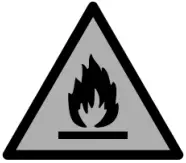 WARNING: Risk of fire / flammable materials. The symbol is located on the compressor and indicates the danger from flammable materials. Do not remove the label.
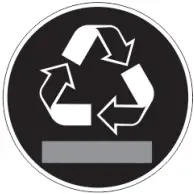 This label or a similar one may be located on the rear of the appliance. It refers to the foam panels in the door and/or the housing. This notice only applies for recycling. Do not remove the label.
Observe the detailed information in the other sections:
 | DANGER | Indicates an immediately hazardous situation, which if not avoided, will result in death or serious injury |
| WARNING | Indicates a hazardous situation, which if not avoided, could result in death or serious injury. |
| CAUTION | Indicates a hazardous situation, which if not avoided, could result in minor or moderate injury. |
| ATTENTION | Indicates a hazardous situation, which if not avoided, could result in damage to property. | |
| Note | Indicates useful advice and tips. |
3 Controls and displays
3.1 Operating and control elements
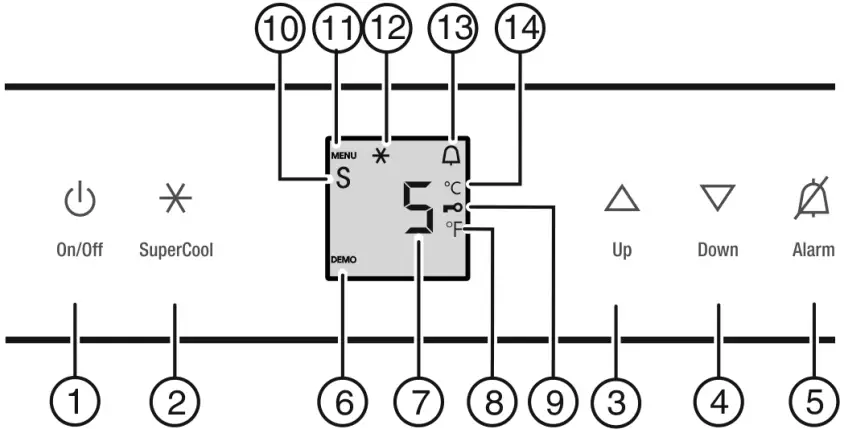
Fig. 2
(1) On/Off button
(2) SuperCool button
(3) Up button
(4) Down button
(5) Alarm button
(6) DEMO symbol
(7) Temperature display
(8) Fahrenheit symbol
(9) Child safety symbol
(10) Sabbath mode symbol
(11) Menu symbol
(12) SuperCool symbol
(13) Alarm symbol
(14) Celsius symbol
3.2 Temperature display
The following is displayed in normal operation:
– the average cooling temperature
The temperature display flashes:
– the temperature setting has been changed
The following displays indicate malfunction. Possible causes and corrective actions: (see 7 Troubleshooting.) .
–  to
to 
4 Start-up
4.1 Switch on the device

Open the door. Press the On/Off button Fig. 2 (1). The temperature display lights up. The appliance is switched on. If “DEMO” appears on the display, ‘demonstration mode’ is activated. Contact Customer Service.
5 Operation
5.1 Temperature display unit
The temperature display can be changed from °F to °C.
5.1.1 To change the unit
To activate setting mode: Press and hold the SuperCool button Fig. 2 (2) for approx. 5 s. The Menu symbol Fig. 2 (11) lights up.  is displayed in the temperature display.
 Using Up button Fig. 2 (3)/ Down button Fig. 2 (4) select °. To confirm: Briefly press the SuperCool button Fig. 2 (2).
 The temperature unit is displayed. To confirm: Briefly press the SuperCool button Fig. 2 (2). ° flashes. To exit setting mode: Press On/Off button Fig. 2 (1).
-or- Wait 5 minutes. The temperature is again displayed in the temperature display.
5.2 Child-proof lock
 You can use the child-proof lock to lock the buttons. This means that children cannot accidentally switch off the appliance when playing.
5.2.1 Switching on the child proof lock
Select setting mode: Press and hold the SuperCool button Fig. 2 (2) for approx. 5 seconds. will appear on the display. The Menu symbol Fig. 2 (11) lights up.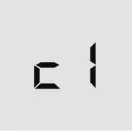 Using the Up Fig. 2 (3) or Down button Fig. 2 (4), select
  . Press the SuperCool button Fig. 2 (2) briefly to confirm.
When  is shown on the display: To switch on the child proof lock, press the SuperCool button Fig. 2 (2) briefly
The Child safety symbol Fig. 2 (9) lights up. flashes on the display.
When  is shown on the display: To switch the child proof lock off, press the SuperCool button Fig. 2 (2) briefly. The Child safety symbol Fig. 2 (9) goes out. flashes on the display. To deactivate setting mode: Press the On/Off button Fig. 2 (1).
-or- Wait 5 min. The temperature is again displayed on the temperature display.
5.3 Door alarm
 For fridge compartment
If the door is open for longer than 180 seconds, the acoustic warning sounds.
The acoustic warning stops automatically when the door is closed
5.3.1 Switching off the door alarm
The acoustic warning can be switched off when the door is open. The acoustic warning remains switched off as long as the door is open. When the door is closed, the alarm function is active again. Press Alarm button Fig. 2 (5). The door alarm stops.
5.4 SabbathMode
This function meets the religious requirements of the Sabbath or Jewish festivals. Turn on SabbathMode to switch off certain controls. After setting up SabbathMode, you no longer need to worry about indicator lights, figures, symbols, displays, alarms, or fans. The thawing cycle only operates at the specified time without taking refrigerator use into account. After a power outage, the appliance automatically switches back to SabbathMode.
You can find a list of Star-K-certified appliances at www.star-k.org/appliances .
 WARNING
Danger of food poisoning!
If there is a power outage when SabbathMode is on, this message is not saved. When the power is restored, the appliance continues in SabbathMode. Afterwards, the temperature display does not show a message about the power outage.
If there was a power outage during SabbathMode: Check the quality of the food. Do not consume spoiled food!
– All functions are locked until SabbathMode is switched off.
– If functions such as SuperFrost, SuperCool, Ventilation, etc. are activated when SabbathMode is on, they remain active.
– No audible signals are emitted, and the temperature display does not indicate any warnings or settings (such as a temperature alarm or door alarm).
– Light does not operate.
5.4.1 Setting Sabbath mode
To activate setting mode: Press and hold the SuperCool button Fig. 2 (2) for approx. 5 s. flashes on the display. The Menu symbol Fig. 2 (11) lights up. To access the Sabbath mode function: Briefly press the SuperCool button Fig. 2 (2). flashes on the display.
When  is shown on the display:
 To turn on Sabbath mode, briefly press the SuperCool button Fig. 2 (2).
When  is shown on the display: To turn off Sabbath mode, briefly press the SuperCool button Fig. 2 (2). To deactivate setting mode: Press the On/Off button Fig. 2 (1).
-or- Wait 5 min. The Sabbath Mode symbol Fig. 2 (10) appears on the temperature display as long as Sabbath Mode is active. Sabbath mode switches off automatically after 120 hours if it is not manually switched off beforehand.
5.5 Fridge compartment
The natural circulation of air in the refrigerator compartment results in zones with differing temperatures. It is coldest directly above the vegetable drawers and at the rear wall. It is warmest at the top front of the compartment and in the door.
5.5.1 Refrigerating food
It is coldest directly above the vegetable drawers and at the rear wall. The warmest areas are located in the top front section and in the door.
WARNING
Danger of fire Do not use electrical appliances inside the food storage compartments of the appliance, unless they are of the type recommended by the manufacturer. Use recyclable plastic, metal, aluminum and glass containers and cling film to wrap foods Always store raw meat or fish in clean, closed containers on the lowest shelf in the cooling area so that other food cannot come into contact with it or drip on it. Always use closed containers for liquids and for food that may give off or be tainted by odor or flavor transfer or cover them Do not store food too close together to enable good air circulation
5.5.2 Setting the temperature
The temperature depends on the following factors:
– the number of times the door is opened
– The duration the door is opened
– the room temperature of the installation location
– the type, temperature and amount of food.
The temperature is continuously adjustable across a range of 36 °F (2 °C) to 49 °F (9 °C), and the advisable range is 39 °F (4 °C). To set a higher temperature: press the Up button Fig. 2 (3). To set a lower temperature: press the Down button Fig. 2 (4). When pressed once the previously set temperature display value will flash. To change the temperature in 1 °F (1 °C) increments: briefly press the button. To change the temperature continuously: hold the button down. The value is displayed flashing during the setting operation. The actual temperature is displayed about 5 seconds after the last press of a button. The temperature slowly adjusts to the new value.
5.5.3 SuperCool
 SuperCool is for maximum cooling. This option is for very low temperatures:
– In the fridge compartment
Use SuperCool to quickly cool large amounts of food.
If SuperCool is on, the fan* may come on. The appliance works at maximum refrigerating power. The sound of the refrigeration unit may be temporarily louder as a result.
SuperCool will use more energy than normal operation.
Activating SuperCool Briefly press the SuperCool button Fig. 2 (2). The SuperCool symbol Fig. 2 (12) lights up in the display. The cooling temperature drops to the coldest value. SuperCool is on. SuperCool switches off automatically. The appliance continues to work in normal energy-saving mode.
To prematurely switch off SuperCool Briefly press the SuperCool button Fig. 2 (2). The SuperCool symbol Fig. 2 (12) goes out in the display. SuperCool is switched off.
5.5.4 Shelves
Shifting or removing shelves
CAUTION
Danger of lacerations!
The storage shelf can shatter if dropped or mishandled.
You could cut yourself on the pieces of broken glass. Only remove storage shelves when there is nothing on them.
Extension stops secure the shelves against being accidentally pulled out
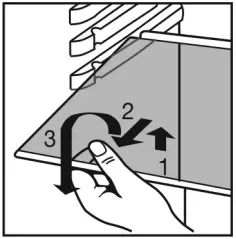 Fig. 3
Lift the shelf and pull it out towards you. Insert the short shelf at the height of the gallon capacity rack so that door closes properly. It is supported on support bars. Insert the shelf with the raised edge to the back pointing upwards. This prevents food from contacting and freezing to the back wall.
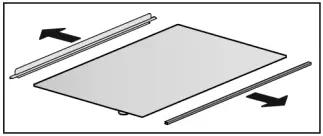
To dismantle shelves The shelves can be dismantled for cleaning.
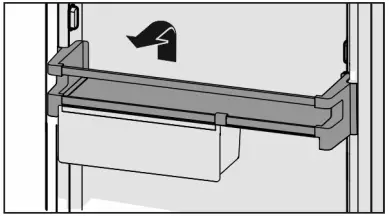
5.5.5 Door racks
Removing the door rack
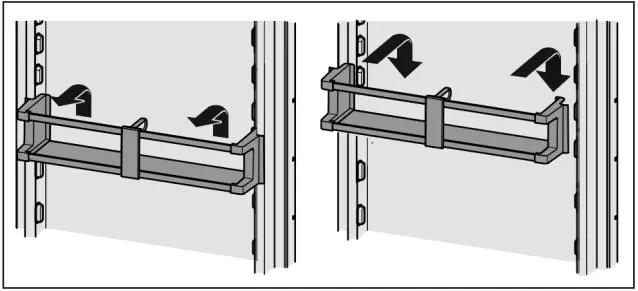
Fig. 4
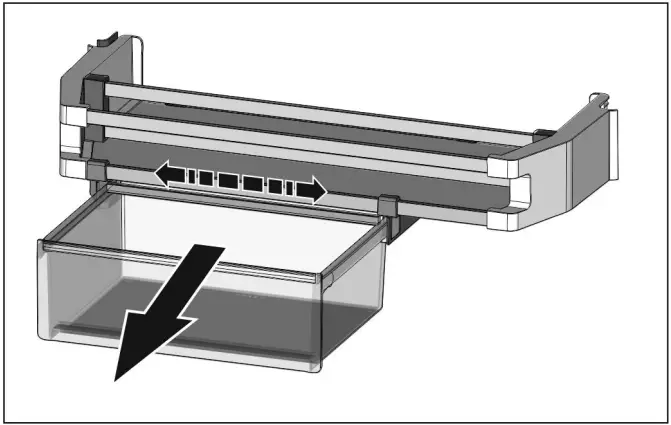
Fig. 5
To swap containers: pull up to remove and reinsert in the desired position.
To dismantle door racks
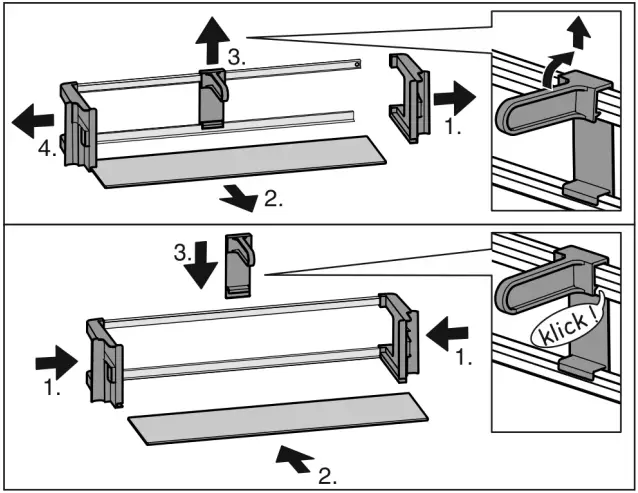
Fig. 6
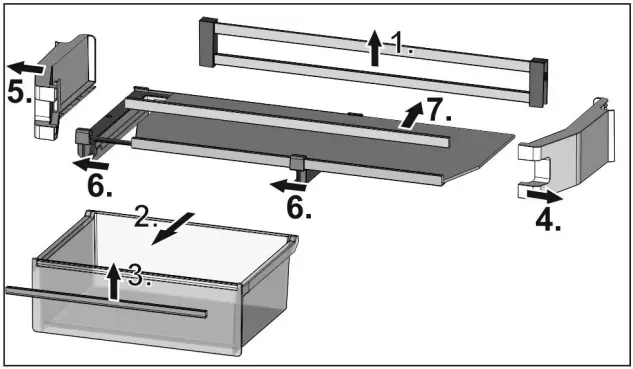
Fig. 7
The door racks can be dismantled for cleaning.
5.5.6 Egg tray
You can take out and rotate the egg tray. You can use the two parts of the egg tray to mark different use-by dates, for example.
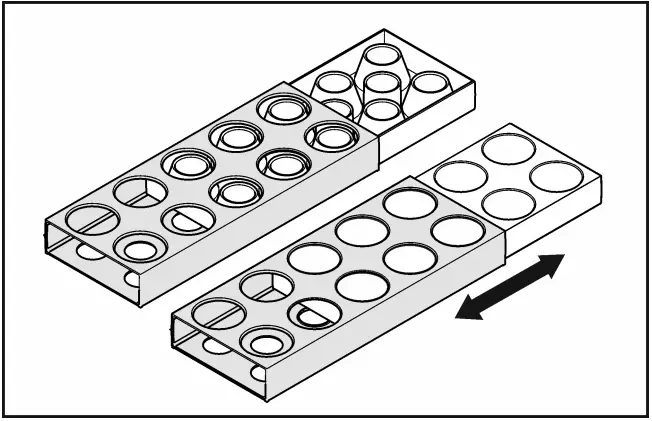
Use the top part to store e.g. chickens’ eggs. Use the bottom part to store quails’ eggs.
5.5.7 Drawer
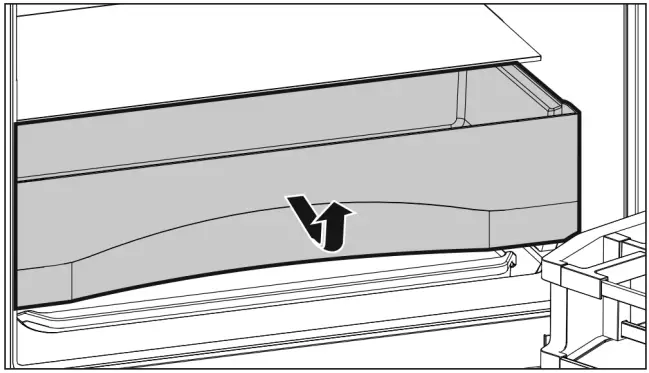
Fig. 8
6 Maintenance
6.1 Thawing
6.1.1 Defrosting the refrigerator
WARNING
Appliance incorrectly defrosted!
Injuries and damage. Do not use mechanical devices or other means to accelerate the defrosting process, other than those recommended by the manufacturer. Do not use any electrical heating or steam cleaning equipment, naked flames or defrosting sprays. Do not remove ice with sharp objects.
The fridge compartment defrosts automatically. The defrosted water will evaporate. Water drops or a thin layer of frost or ice can form on the back wall; this is a completely normal part of the machine’s function. Clean the drain opening regularly so that the condensation water can drain away. (see 6.2 Cleaning the appliance)
6.2 Cleaning the appliance
Clean the appliance regularly.
WARNING
Danger of electric shock. Unplug refrigerator or disconnect power
WARNING
Danger of fire Do not damage the refrigerant circuit.
WARNING
Risk of injury or damage due to hot steam.
Hot steam can cause scalding/burns and damage to surfaces. Do not use steam cleaners
NOTICE
Incorrect cleaning damages the appliance. Do not use concentrated cleaning agents. Do not use steel wool or sponges that scour or scratch. Do not use caustic or abrasive cleaning materials or those containing sand, chloride, or acids. Do not use chemical solvents. Do not damage or remove the rating plate on the inside of the appliance. It is vital for the customer service department. Do not pull off, kink or damage any cables or other components. Do not let cleaning water get into the drain gutter, the ventilation grille and electrical parts. Use soft cleaning cloths and a multi-purpose cleaning agent with a neutral pH value. Only use food-compatible cleaning and care agents inside the appliance.
 Empty the appliance. Disconnect the power plug.
Clean the ventilation grilles regularly. Dust deposits increase energy consumption. Clean the plastic surfaces, outside and inside, by hand using lukewarm water and a little dish washing liquid. To clean the drain opening:
Remove deposits with a thin instrument, e.g. a cotton bud.
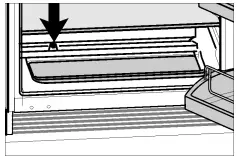
Most of the equipment parts can be dismantled for cleaning: see the respective chapter. Clean the drawers by hand using lukewarm water and a little dish washing liquid. The remaining fittings are dishwasher suitable.
After cleaning: Wipe the appliance and accessories dry. Connect the appliance and switch it on again.
When the temperature is sufficiently cold: put the food back in the appliance.
6.3 Customer service
First check whether you can remedy the fault yourself. (see 7 Troubleshooting.) . If this is not the case, please contact Customer Service.
WARNING
Unprofessional repair!
Injuries. A damaged power cable may only be replaced by the manufacturer, the manufacturer’s Customer Service or a similarly qualified person. For appliances with plug and play connection cables, the change can be made by the customer.
Read the appliance designation Fig. 9 (1), service no. Fig. 9 (2) and serial no. Fig. 9 (3) from the rating plate. The rating plate is located inside the appliance on the left hand side.
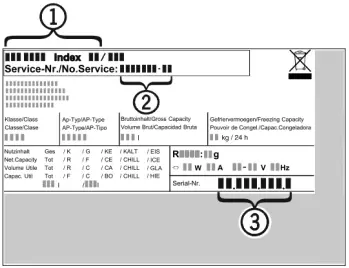
Fig. 9
Notify a qualified service provider, specifying the fault, appliance designation Fig. 9 (1), service no. Fig. 9 (2) and serial Fig. 9 (3) no. This will help us to provide you with a faster and more accurate service. Keep the appliance closed until the Customer Service engineer arrives. The food will stay cool longer. Disconnect the power plug (do not pull on the power cord to do this) or switch off the fuse.
7 Troubleshooting.
Your appliance is designed and manufactured for reliable operation and a long lifespan. If a malfunction nonetheless occurs during operation, please determine if the malfunction is due to an operating error. If a service call determines operator error, you will be charged for the costs incurred, even during the warranty period. You may be able to rectify the following problems yourself:
| Defect | Cause | Remedy |
| The appliance does not work. | The appliance is not switched on. | Switch on the appliance. |
| The power plug is not properly inserted in the wall socket. | Check the power plug. | |
| The fuse in the wall socket is not OK. | Check the fuse. | |
| Power failure | Keep the appliance closed. Protect the food: place dry ice on top of the food or use an alternate freezer, if the power failure persists for some time. Do not re-freeze defrosted food. | |
| The compressor runs for a long time. | When less refrigeration is required, the speed-controlled compressor switches to a low speed. Although the running time is increased as a result, energy is saved. | This is normal in energy-saving models. |
| SuperCool function is activated. | The compressor runs long to rapidly cool food. This is normal. | |
| An LED at the lower rear of the appliance (near the compressor) flashes regularly every 5 seconds*. | There is a fault. | Contact the customer service department (see 6 Maintenance) . |
| Noises are too loud. | The different speed levels of speed controlled* compressors can cause them to generate various noises during operation. | These noises are normal. |
| A gurgling sound | This sound comes from the refrigerant flowing in the refrigeration circuit. | The sound is normal. |
| A faint clicking sound | The sound always occurs when the refrigeration unit (the motor) automatically switches on or off. | The sound is normal. |
| A hum. It is briefly a little louder when the refrigeration unit (the motor) switches on. | The refrigeration increases automatically when the SuperCool function is activated, fresh food has just been placed in the appliance or the door has been left open for a while. | The sound is normal. |
| The ambient temperature is too high. | Solution: (see 1.3 Range of appliance use) | |
| A low hum | The sound occurs as a result of fan air flow. | The sound is normal. |
| Vibration noise | The appliance is not standing firmly on the floor. As a result, objects and adjoining units are set into vibration by the running refrigeration unit. | Check the installation and realign the appliance if necessary. Move bottles and containers apart. |
| Flow noise on the soft stop mechanism. | The sound is caused by the soft stop mechanism. | The sound is normal. |
| The temperature display indicates: F0 to F9 | There is a fault. | Contact the customer service department (see 6 Maintenance) . |
| DEMO lights up in the temperature display. | The demo mode is activated. | Contact the customer service department (see 6 Maintenance) . |
| The outside surfaces of the appliance are hot*. | The heat of the refrigerant circuit is used to prevent condensate from forming. | This is normal. |
| The temperature is not cold enough. | The door of the appliance is not closed properly. | Close the appliance door. |
| Insufficient ventilation. | Clear and clean the ventilation grille. | |
| The ambient temperature is too high. | Solution: (see 1.3 Range of appliance use) | |
| The appliance was opened too frequently or for too long. | Wait to see whether the required temperature resets itself by itself. If not, contact the customer service department (see 6 Maintenance) . | |
| The temperature is incorrectly set. | Set to a colder temperature and check after 24 hours | |
| The appliance is too near to a heat source (stove, heater etc). | Change location of appliance or the heat source. | |
| The appliance was not properly installed in the recess. | Make sure the appliance was installed correctly and the door closes properly. | |
| The interior light does not turn on. | The appliance is not switched on. | Switch on the appliance. |
| The door was open for longer than 15 min. | The interior light automatically switches itself off if the door remains open for approx. 15 min. | |
| The LED interior light is faulty or the cover is damaged: | WARNING Risk of injury from electrical shock. Live parts are under the cover. The LED interior light should only be replaced or repaired by the Customer Service department or by engineers trained to do so. | |
| WARNING Risk of injury from LED lamp! The light intensity of the LED lighting corresponds to risk group RG 2. If the cover is faulty: Do not gaze directly at this lighting unit with optical lenses while very close to the light source. This can cause damage to your eyes. | ||
| The door seal is defective or should be replaced for other reasons. | The door seal is interchangeable. You can replace it without the use of any special tools. | Contact the customer service department (see 6 Maintenance) : |
| The appliance is iced up or condensation is building. | The door seal may have slipped out of its groove. | Check the door seal is well placed in the groove. |
8 Putting appliance out of service
8.1 Vacation Tips
Short vacations: If you will be away for less than four weeks Use all perishables.
Long vacations: If you will be away for a month or more Remove all food from the appliance. Turn OFF the appliance. Clean the appliance (see 6.2 Cleaning the appliance) . Leave the door open to prevent unpleasant odors. This will also keep mold from building up.
8.2 Switching the device off
Press and hold the On/Off button Fig. 2 (1) until the display becomes dark. Release the button. If the appliance cannot be switched off, the Child Safety function is still activated (see 5.2 Child-proof lock) .
8.3 Decommissioning
Empty the appliance. Switch off the appliance (see 8 Putting appliance out of service) . Pull out the power plug. Clean the appliance (see 6.2 Cleaning the appliance) . Leave the door open to prevent bad smells.
9 Disposing of the appliance
Follow the local regulations for the disposal of appliances. Old appliances can be dangerous. Contact the local refuse collection department for additional information.
WARNING
Risk of child entrapment!
Before you throw away your old refrigerator or freezer: Take off the doors. Leave the shelves in place so that children may not easily climb inside.
WARNING
Danger of electric shock. Cut off the plug from the power cord and discard. Cut off the power cord from the discarded appliance. Dispose of separately from the appliance.
Ensure during and after disposal that the appliance isn’t stored in the vicinity of gasoline or other flammable vapors and liquids.
WARNING
Leaking refrigerant and oil!
Fire. The refrigerant contained within the appliance is environmentally friendly, but flammable. The oil contained within the appliance is flammable. Escaping refrigerant and oil can ignite if they are of high enough concentration and are exposed to an external heat source. Do not damage the pipelines of the coolant circuit and the compressor.
When disposing of the appliance, ensure that the refrigeration circuit is not damaged to prevent uncontrolled escape of the refrigerant it contains (data on type plate) and oil.
For Service in the U.S.:
Liebherr Service Center
Toll Free: 1-866-LIEBHER or 1-866-543-2437
[email protected]
PlusOne Solutions, Inc.
3501 Quadrangle Blvd, Suite 120
Orlando, FL 32817
For Service in Canada:
Liebherr Service Center
Toll Free: 1-888-LIEBHER or 1-888-543-2437
www.euro-parts.ca
EURO-PARTS CANADA
39822 Belgrave Road
Belgrave, Ontario, N0G 1E0
Phone: (519) 357-3320
Fax: (519) 357-1326


Part No. 7086650 – 01
References
 Richtig einräumen. Länger genießen. | Liebherr
-
Euro-Parts Canada | After Sales Service for Residential Appliance Brands
 Welcome to Liebherr Appliances | Liebherr
 P65Warnings.ca.gov
 Kosher Certificates | Kosher Certification | Star-K
-
Sabbath Mode Appliances | Star-K
-
Richtig einräumen. Länger genießen. | Liebherr
 Richtig einräumen. Länger genießen. | Liebherr
 Euro-Parts Canada | After Sales Service for Residential Appliance Brands
 P65Warnings.ca.gov
 Kosher Certificates | Kosher Certification | Star-K