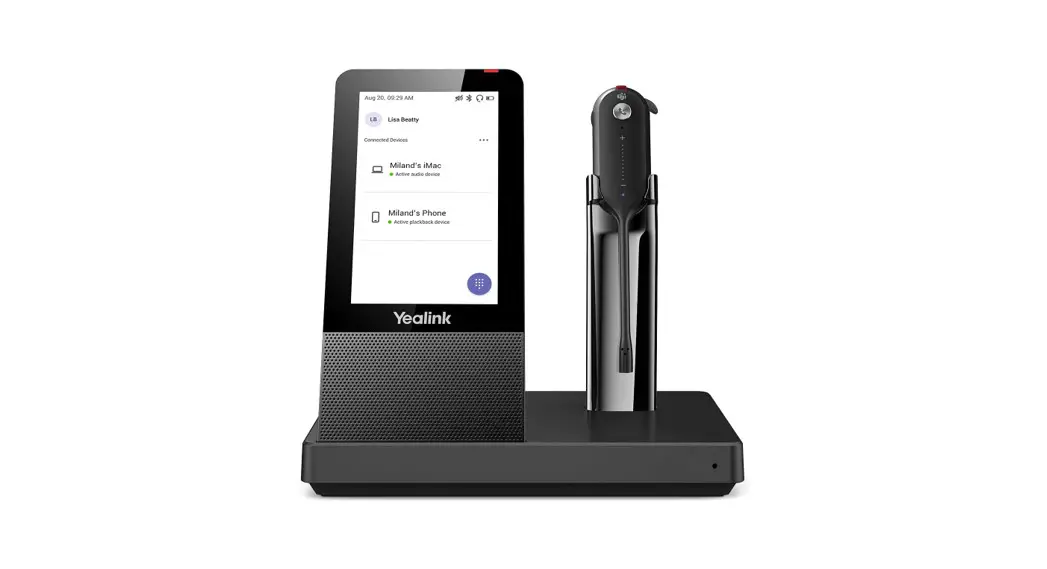
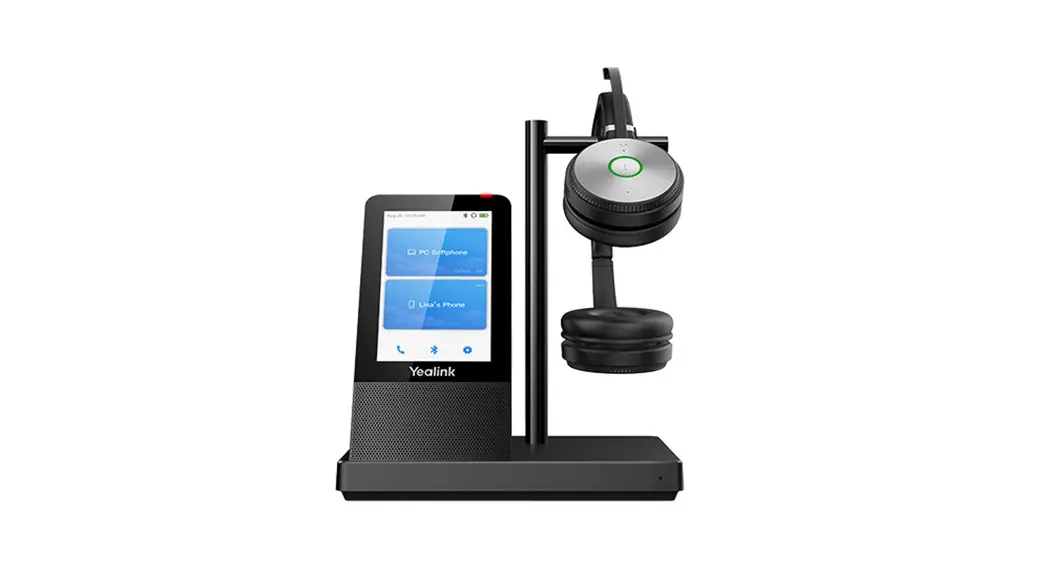
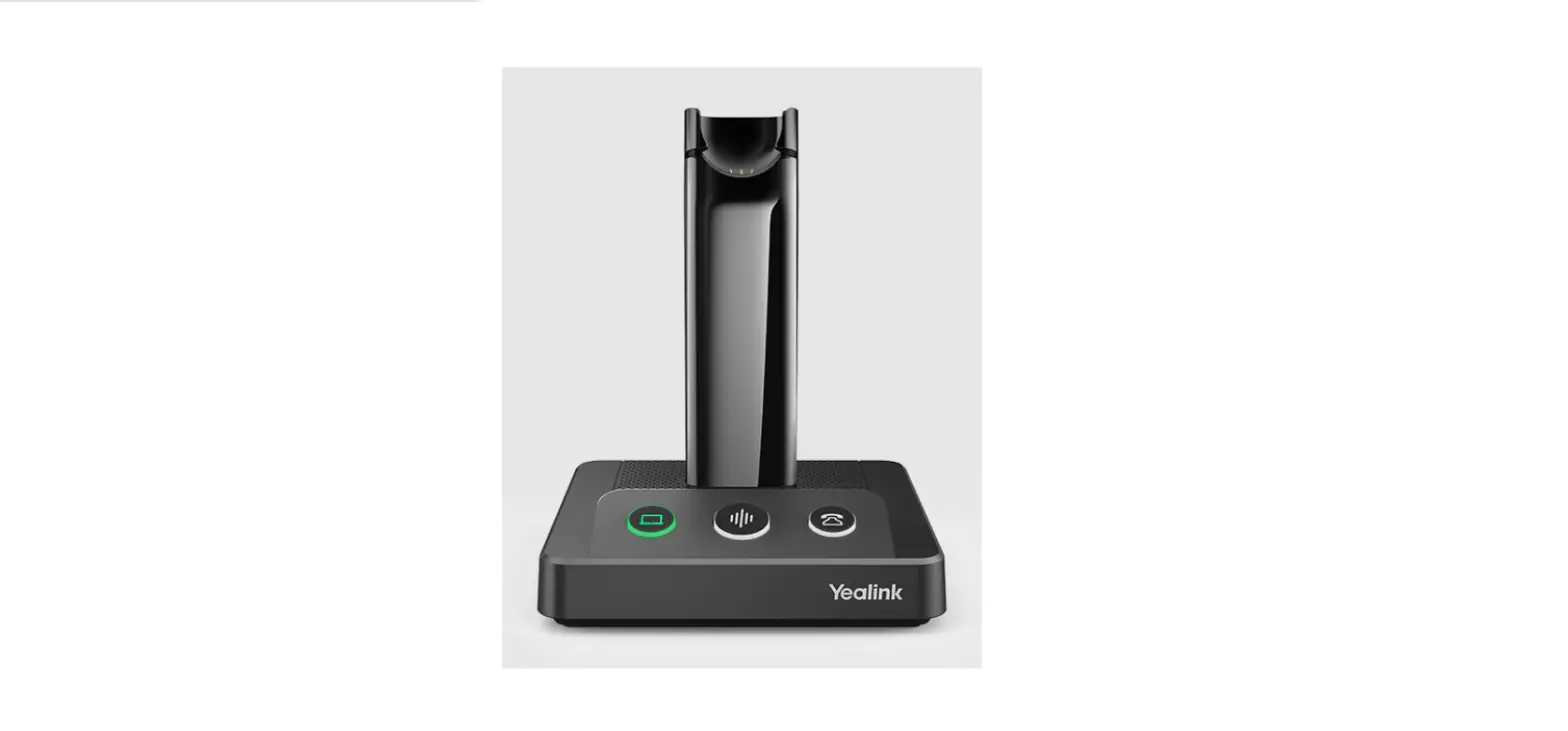
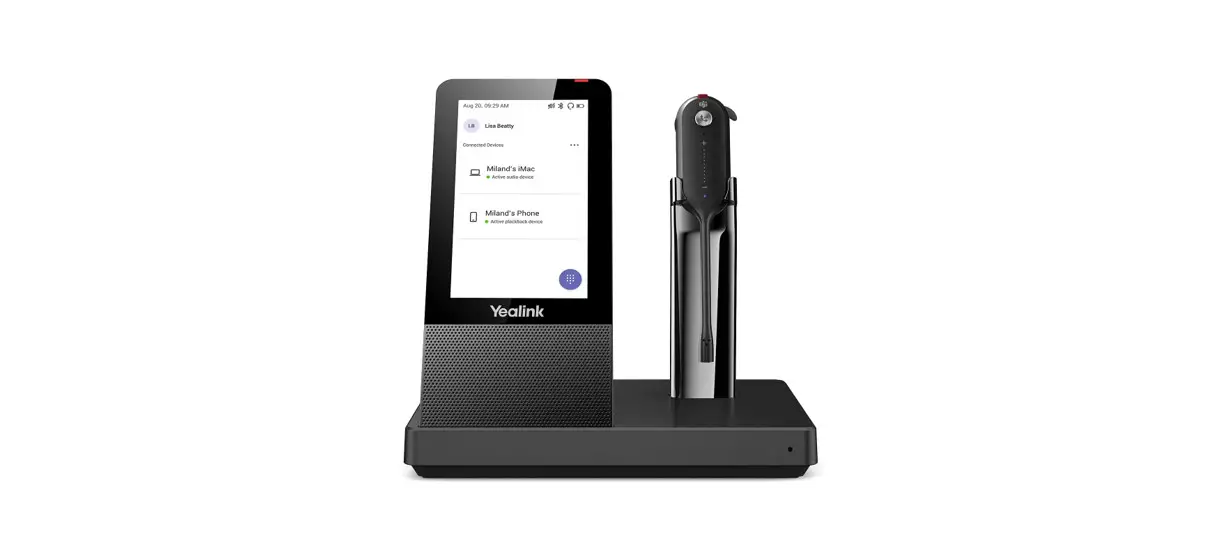
BHM711 Bluetooth Headset Workstation
Product Information:
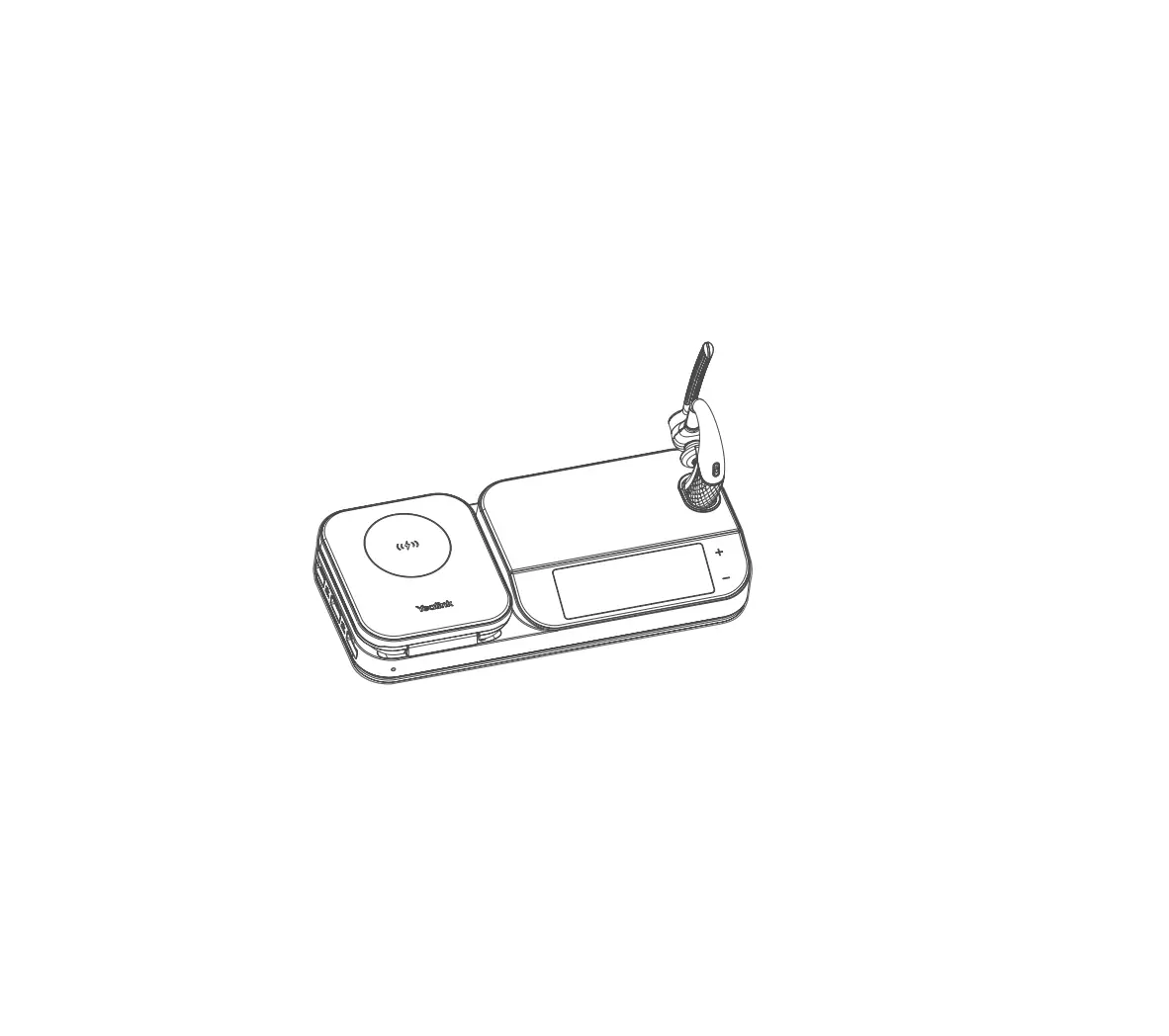
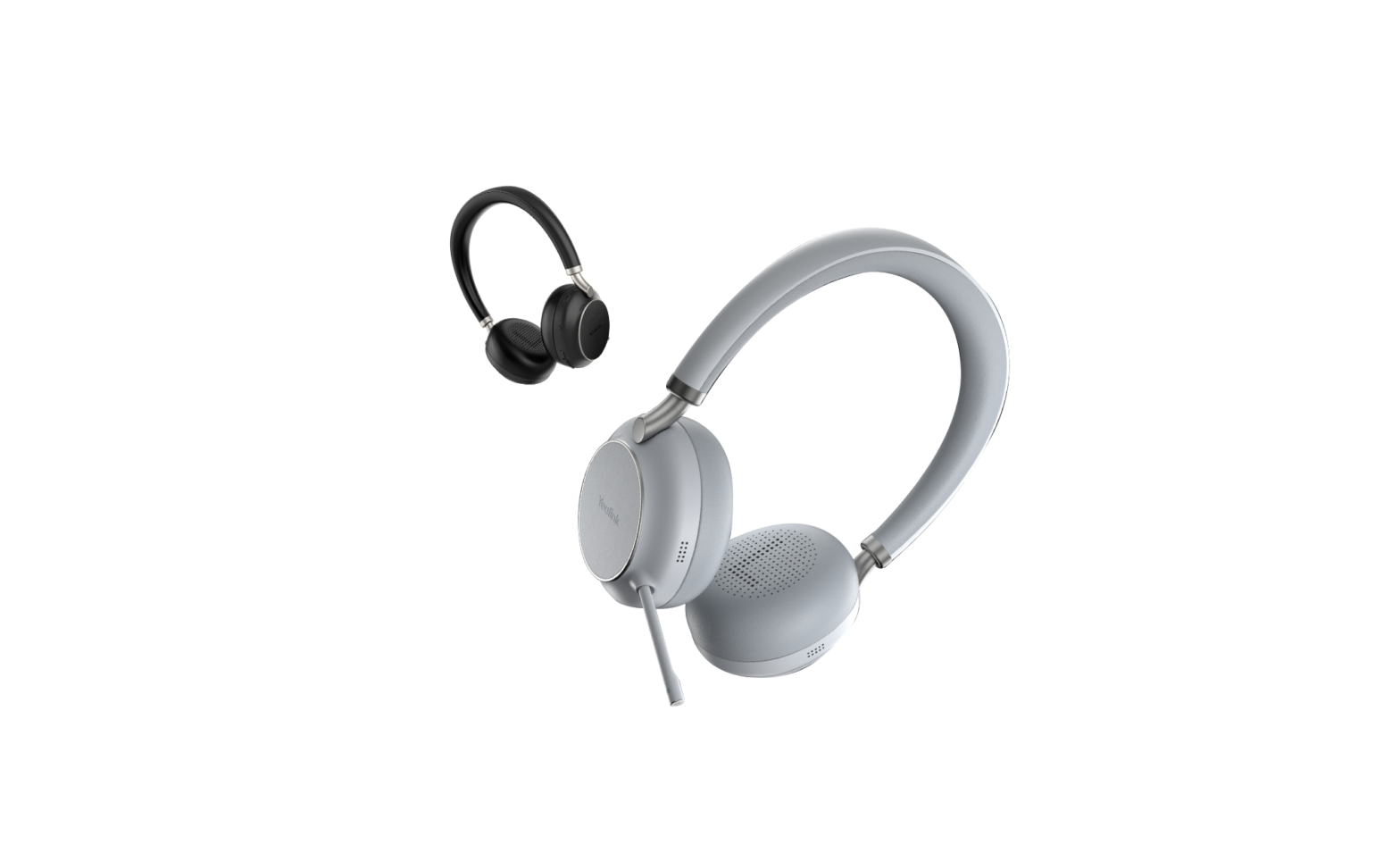
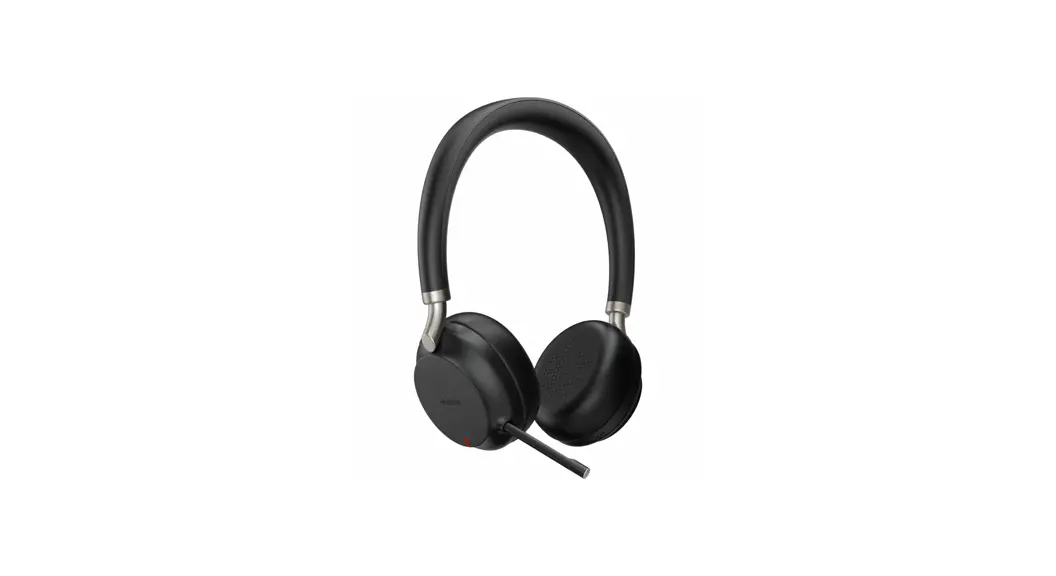
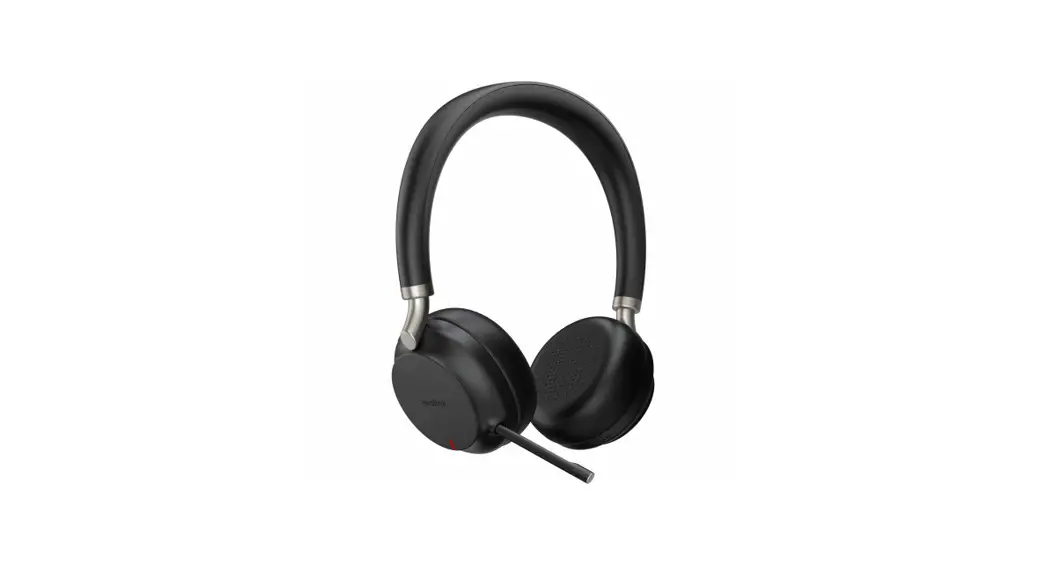
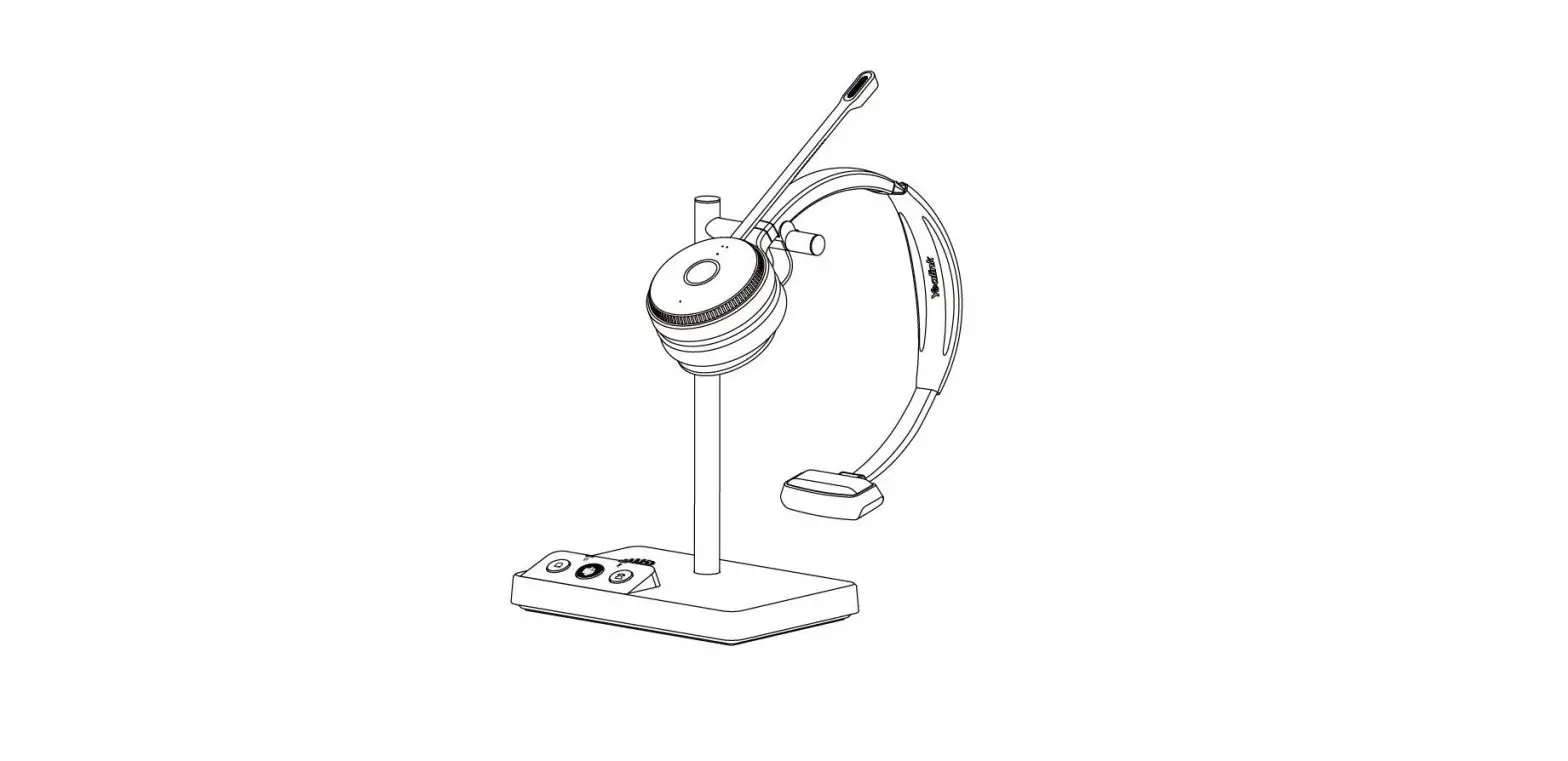
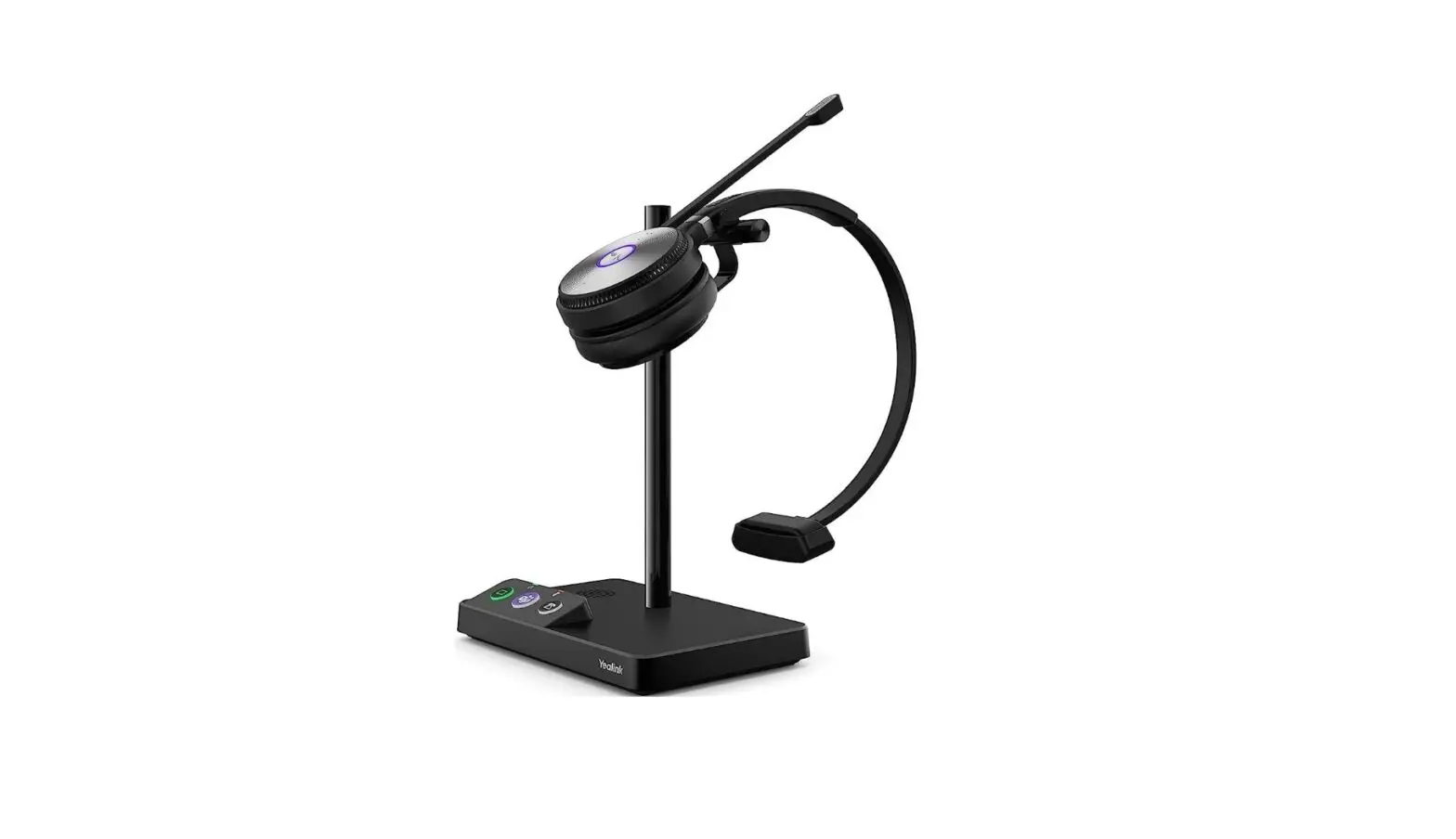
The Bluetooth Headset BH71 Workstation/BH71 Workstation Pro is a
wireless headset system designed for professional use. It consists
of the BHM711 Headset and the BHB710 Station (BH71 Workstation Pro
also includes the BHC71P Charging Case and BT51A Dongle). The
headset features a comfortable design with adjustable speakers and
microphone boom. It comes with eartips in different sizes for a
customized fit. The station serves as a hub for connecting devices
such as a desk phone, PC, or busylight. The headset and station can
be paired with multiple devices simultaneously, allowing for
seamless switching between devices.
Product Usage Instructions:
- Charge Headset: Connect the headset to a power
source using the provided power adapter and USB cable. It takes
approximately 90 minutes to fully charge the headset. - Charging Indicator: The charging status of the
headset is indicated by the LED light. When charging, the LED light
flashes green. When charging is complete, the LED light turns
off. - Power on/off: To turn on the headset, slide
and hold the switch for 3 seconds until the LED indicator flashes
red and blue automatically. To turn off the headset, slide the
switch to the red position. - Connect Your Devices: Use the USB hub port on
the station to connect devices such as a PC, desk phone, or
busylight. Simply plug the USB driver, phone, or charging case into
the USB hub port for charging. - Pair Your Devices: To pair the headset with
the station or a phone, follow these steps:
A. For pairing with the station, place the headset on the station
and it will automatically pair.
B. For pairing with a phone, enable Bluetooth discovery on the
phone and tap Bluetooth->Settings in the station. Then select
the headset from the list of available devices. - Fit the Headset: Adjust the height of the
speaker and choose the appropriate eartip size for a comfortable
fit. Slide the headset over and behind your ear, then gently press
it toward your ear. Fine-tune the headset according to your
preference. - Call Control: The headset features call
control buttons for accepting, rejecting, and ending calls. It also
has a mute button for muting the microphone during a call. The
specific functions of these buttons may vary depending on the
device and application being used.
Bluetooth Headset BH71 Workstation/BH71 Workstation Pro
English | Deutsch | Español | Français
www.yealink.com
Quick Start Guide (V1.1)
E N
BH71 Workstation
G
L
I
S
H
BHM711 Headset
BHB710 Station
Quick Start Guide
Power Adapter
USB 3.0 Cable (Type-C to Type-A)
USB 2.0 Cable (Micro USB to Type-A)
Eartips (S, M, L/M is pre-installed)
Note: Some third-party accessories may be incompatible with the headset, so we strongly recommend that you use Yealink accessories only.
1
BH71 Workstation Pro
BHM711 Headset
BHB710 Station
Quick Start Guide
Power Adapter
USB 3.0 Cable (Type-C to Type-A)
USB 2.0 Cable (Micro USB to Type-A)
Eartips (S, M, L/M is pre-installed)
BHC71P Charging Case
BT51A Dongle
Note: Some third-party accessories may be incompatible with the headset, so we strongly recommend that you use Yealink accessories only.
2
Charge Headset
It takes approximately 90 minutes to fully charge the headset.
or 3
Charging Indicator
· Charging Case
Charging: Flash green Charging is complete: Off
· Station
Charging: Solid green Charging is complete: Off
Power on/off
Red “Power off”
Blue “Power on, XX% battery remains”
4
ConnectYour Devices
The USB hub is an extension port of the PC. After the station is connected to the PC, you can plug a USB driver into the USB hub port, or plug the phone and charging case into the USB hub port for charging.
5V
USB 3.0 hub port
Connect the desk phone, PC or busylight to station.
5
Pair Your Devices
· Pair your station
– Tap Bluetooth->Settings in the station. – Enable Open discover.
A Pair with headset
Place the headset on the station and the headset will automatically pair with the station.
B Pair with phone
Bluetooth
Bluetooth OTHE R DEVICE OTHER Yealink B DE H 71 VICE
Yealink BH71 Workstation
Note: One headset or station can only connect to two devices at a time.
6
· Pair your headset
Slide and hold the switch for 3 seconds until the LED indicator flashes red and blue automatically.
A Pair with phone
“Pairing mode”
Bluetooth
Bluetooth OTHER DEVIC E OTHER Yealin k B DE H 71 VICE
Yealink BH71
“mobile one connected”
B Pair with PCBH71 Workstation Pro
“PC connected” The BT51A is pre-paired to the headset and ready for use.
Note: The BT51A can only connect to a device at a time.
7
Fit the Headset
· Right ear wearing
1. Take out the headset, as shown in figure . Twist the speaker to the left, and then rotate microphone boom down.
2. Before wearing, you can adjust the height of the speaker up or down
to get the perfect fit for your ear.
Retractable
3. Put the eartip in your ear and slide headset over and behind your ear, then press gently toward your ear. Fine-tune the headset according to your own situation.
8
· Left ear wearing
1. Take out the headset, as shown in figure . Twist the speaker to the right, and then rotate microphone boom down.
2. For wearing methods, please refer to steps 2 and 3 of the right ear wearing. Note: Remove your eyeglasses before donning the headset for best fit. Change the eartip for a better fit. Eartips with three size options — S/M/L (medium pre-installed).
9
Call Control
Call Button Mute Button
Volume Button (360 ° rotating)
X 1
Accept
X 2
Reject (It is not applicable to Teams)
X 1
End
In the idle status, invoke the Teams client
X 1 2s
In the idle status, activate Cortana (requires Microsoft’s support)
10
Software Management
Download it from the Yealink website https://www.yealink.com/product/yuc.
Note: It needs to be used with Yealink USB Connect of version 0.35.x.x or later.
NEED MORE HELP?
Technical support https://ticket.yealink.com
FAQ & User manual http://support.yealink.com
11
Safety Guide
1. Do not disassemble the product by yourself or bring it near fire and water to avoid short circuit leakage or damage to the product. 2. Do not use the product in high temperature, humidity, and corrosive environment to avoid damaging the circuit and causing failure to charge or other failures. 3. Do not expose the product to corrosive liquids. Otherwise, it will cause severe damage. 4. Do not disassemble or re-equip the product for any reason to avoid secondary failure and burnout. 5. Do not place the product in an environment below -10°C or above 60°C. 6. Do not knock, throw or shake the product because rough methods will damage the internal circuit board structure. If your headset needs warranty service, the process is quick and easy. Please go to https://ticket.yealink.com/page/headset/warranty-service.html and submit RMA Claim to Yealink.
12
Regulatory Notices
Operating Ambient Temperatures
· Operating temperature: 0 °C to +40 °C (+32 °F to +104°F) · Relative humidity: 5% to 90%, noncondensing · Storage temperature:-30°C to +70°C (-22 to +158°F)
Warranty
Our product warranty is limited only to the unit itself, when used normally in accordance with the operating instructions and the system
environment. W e are not liable for damage or loss resulting from the use of this product, or for any c laim from a third party. W e are not
liable for problems with Yealink device arising from the use of this product; we are not liable for financial damages, lost p rofits, claims from
third
parties, etc., arising from the use of this product.
Explanation of the symbols
· DC symbol is the DC voltage symbol.
· WEEE Warning symbol
To avoid the potential effects on the environment and human health as a result of the presence of hazardous substances in ele ctrical and electronic equipment, end users of electrical and electronic equipment should understand the meaning of the crossed-out wheeled bin symbol. Do not dispose of WEEE as unsorted municipal waste and have to collect such WEEE separately.
Restriction of Hazardous Substances Directive (RoHS) This device complies with the requirements of the EU RoHS Directive. Statements of compliance can be obtained by contacting s upport@ yealink.com. Safety Instructions
Save these instructions. Read these safety instructions before use!
General Requirements
· Before you install and use the device, read the safety instructions carefully and observe the situation during operation. · During the process of storage, transportation, and operation, please always keep the device dry and clean, avoid collision an d
crash. · Please attempt not to dismantle the device by yourself. In case of any discrepancy, please contact the appointed maintenance
center for repair. · Please refer to the relevant laws and statutes while using the device. Legal rights of others should be respected as well.
Environmental Requirements · Place the device at a well-ventilated place. Do not expose the device under direct sunlight. · Keep the device dry and free of dust. · Do not place the device on or near any inflammable or fire-vulnerable object, such as rubber-made materials.
· Keep the device away from any heat source or bare fire, such as a candle or an electric heater. Operating Requirements
· Do not let a child operate the device without guidance. · Do not let a child play with the device or any accessory in case of accidental swallowing. · Please use the accessories provided or authorized by the manufacturer only. · The power supply of the device shall meet the requirements of the input voltage of the device. Please use the provided surge
protection power socket only. · Before plugging or unplugging any cable, make sure that your hands are completely dry. · Do not spill liquid of any kind on the product or use the equipment near water, for example, near a bathtub, washbowl, kitche n
sink, wet stationment or near a swimming pool. · During a thunderstorm, stop using the device and disconnect it from the power supp ly. Unplug the power plug and the
Asymmetric Digital Subscriber Line (ADSL) twisted pair (the radio frequency cable) to avoid lightning strike. · If the device is left unused for a rather long time, disconnect it from the power supply and unplug the power plug. · When there is smoke emitted from the device, or some abnormal noise or smell, disconnect the device from the power supply,
and unplug the power plug immediately. · Contact the specified maintenance center for repair. · Do not insert any object into equipment slots that is not part of the product or auxiliary product. · Before connecting a cable, connect the grounding cable of the device first. Do not disconnect the grounding cable until you
disconnect all other cables. Battery Requirements
· Do not immerse the battery into water, which could short-circuit and damage the battery. · Do not expose the battery to an open flame or leave the battery where it could be subjected to extremely high temperatures,
which could cause the battery to explode. · Do power the handset off before removing the battery. · Do not try to use the battery for the power supply of any device other than this handset. · Do not open or mutilate the battery, released electrolyte is corrosive and may cause damage to your eyes or skin. · Use only the rechargeable battery pack delivered with the handset or those rechargeable battery packs expressly
recommended by Yealink. · Defective or exhausted battery should never be disposed of as municipal waste. Return old battery to the battery s upplier, a
licensed battery dealer or a designated collection facility. Cleaning Requirements
· Before cleaning the device, disconnect it from the power supply. · Use a piece of soft, dry and anti-static cloth to clean the device. · Keep the power plug clean and dry.
Troubleshooting The unit cannot supply power to Yealink device. There is a bad connection with the plug. 1. Clean the plug with a dry cloth. 2. Connect it to another wall outlet. The usage environment is out of operating temperature range. 1. Use in the operating temperature range. The cable between the unit and the Yealink device is connected incorrectly. 1. Connect the cable correctly. You cannot connect the cable properly. 1. You may have connected a wrong Yealink device. 2. Use the correct power supply. Some dust, etc., may be in the port. 1. Clean the port. Contact your dealer or authorized service facility for any further questions. FCC CAUTION This device complies with part 15 of the FCC Rules. Operation is subject to the following two conditions: (1) This device may not cause harmful interference, and (2) this device must accept any interference received, including interference that may cause undesired operation. Any changes or modifications not expressly approved by the party responsible for compliance could void the user’s authority to operate the equipment. Note: This equipment has been tested and found to comply with the limits for a Class B digital device, pursuant to part 15 of the FCC Rules. These limits are designed to provide reasonable protection against harmful interference in a residential installation. This equipment generates, uses and can radiate radio frequency energy and, if not installed and used in accordance with the instructions, may cause harmful interference to radio communications. However, there is no guarantee that interference will not occur in a particular installation. If this equipment does cause harmful interference to radio or television reception, which can be determined by turning the equipment off and on, the user is encouraged to try to correct the interference by one or more of the following measures: –Reorient or relocate the receiving antenna. –Increase the separation between the equipment and receiver. –Connect the equipment into an outlet on a circuit different from that to which the receiver is connected. –Consult the dealer or an experienced radio/TV technician for help. The equipment complies with FCC radiation exposure limits set forth for an uncontrolled environment. This transmitter must not be co-located or operating in conjunction with any other antenna or transmitter. The BHB710 Station should be installed and operated with minimum distance 20cm between the radiator& your body. ISED WARNING
This device complies with Innovation, Science and Economic Development Canada licence -exempt RSS standard(s). Operation is subject to the following two conditions: (1) this device may not cause interference, and (2) this device must accept any interference, including interference that may cause undesired operation of the device.
Le présentappareilestconforme aux CNR d’Industrie aux deux conditions suivantes : (1) l’appareil ne
Canada applicables doit pas produire
aux de
appareils brouillage,
raedt io(2e)xel’mutpilitssatdeeurlicdeencel’a. pLp’eaxrepillodiotaittioancecsetaputetorristoéuet
brouillageradioélectriquesubi, mêmesi le brouillageest susceptible d’encompromettre le fonctionnement.
This Class B digital apparatus complies with Canadian ICES-003. Cetappareilnumérique de la classe B estconformeà la norme NMB-003 du Canada.
The device is compliance with RF exposure guidelines, users can obtain Canadian information on RF exposure and compliance. For
BHB710 Station, the minimum distance from body to use the device is 20cm.
L’appareil est conforme aux directives d’exposition aux RF, les utilisateurs peuvent obtenir des i nformations canadiennes sur
l’exposition aux RF et la conformité. Pour la station BHB710, la distance minimale du corps pour utiliser l’appareil est de 2 0 cm.
Les communications effectuées au moyen de cetappareil ne sont pas necessairement protected des in discrétions.
EU regulations
Supported frequency bands and power:
Bluetooth 2.4GHz <20dBm
contact information
YEALINK NETWORK TECHNOLOGY CO.,LTD.
No.666 Hu’an Rd. Huli District Xiamen City, Fujian, P.R. China
YEALINK (EUROPE) NETWORK TECHNOLOGY B.V.
Strawinskylaan 3127, Atrium Building, 8th floor, 1077ZX
Amsterdam, The Netherlands
YEALINK (USA) NETWORK TECHNOLOGY CO., LTD.
999 Peachtree Street Suite 2300, Fulton, Atlanta, GA, 30309, USA
Made in China
Yealink – EaS::I UCIP CE
YEALINK (XIAMEN) NETWORK TECHNOLOGY CO.,LTD WWW.YEALINK.COM
De claration of Conformity
We, YEALINK(XIAMEI) NETWORK TECHNOLOOY CO.,LTD Address: No.666 Hu’an Rd. Huli District Xiamen City, Fujian, P.R. China Manufacturer: YEALINK(X!AMEl) NETWORK TECHNOLOGY CO.,LTD Address: No.666 Hu’an Rd. HL1li District Xiamen City, Fujian, P.R. China DATE: 28th /November/ 2022 declare that the product Type: Bluetooth Headset Model: BHB710
meets the essential requirements and other relevant provisions according to the following EC directive Directive: 2014/30/EU, 2014/35/EU, RED 2014/53/EU Conformity The product complies with the following standards:
Safety: EN IEC 62368-1:2020+A11:2020 EMC: EN 55032:2015+A1:2020
EN 55035:2017+A11:2020 EN IEC 61000-3-2:2019+A1:2021 EN 61000-3-3:2013+A2:2021 ETSI EN 301489-1 VZ.2.3 (2019-11) ETSI EN 301489-3 VZ.2.2 (2021-11) ETSI EN 301 489-17 V3.2.4 (2020-09) Radio: ETSI EN 300 328 V2.2.2 (2019-07) ETSI EN 303 417 Vt.1.1 (2017·09) Health: EN 624 79:2010; EN 50663:2017
Directive 2011/65/EU and (EU] 2015/863 of the European Parliamentand of the Council of8 June 2011 and 4 June 2015 on the restriction of the use of certain hazardous substances in electrical and electronic equipment(RoHS2.0) Directive 2012/19/EU of the European Parliamentand of the Council of 4.July.2012 on Waste electrical and electronic equipment(WEEE)
Regulation (EC) No.1907/2006 of the European Parliamcntand of the Council of 18.Dcccmbcr.2006 on Registration, Evaluation, Authorization, and Restriction of Chemicals (REACH)
NAME: Hu ahu Wang DATE:
TITLE: Manager
‘)
f(w,,fv.,, lf)i:.,,,_
22/v·v/ 2,J-,, v
Yealink
— VCF’ –
CE
YEALINK (XIAMEN) NETWORK TECHNOLOGY CO.,LTD WWW.YEALINK.COM
De claration of Conformity
We, YEALINK(XIAMEN) NETWORK TECH”‘./OLOGY CO.,LTD Address: No.666 Hu’an Rd. H111i Oistl’ict Xiamen City, Fujian, P.R. China Manufacturer: YEAUNK(XIAMEN) NJ:::’J’WORK ‘!’ECHNOLOGY CO.,LTD Address: No.666 Hu’an Rd. Huli District Xia.men City, Fujian, P.R. China DATE: 28th/November/2022 declare that the product Type: Charging Case Model: BHC71P
meets the essential requirements and other relevant provisions according to the following EC directive Directive: 2014/30/EU, 2014/35/EU Conformity The product complies with the following standards:
Safety:EN !EC 62368·1:2020+A11:2020 EMC: EN 55032:2015+Al:2020
EN 55035:2017+A11:2020 EN IEC 61000-3-2:2019+A1:2021 EN 61000· 3-3:2013+A2:2021
Directive 2011/65/EU and (EU) 2015/863 of the European Parliamentand of the Council of 8 June 2011 and 4 June 2015 on the restriction of the use of certain hazardous substances in electrical and electronic equipment(RoHSZ.0) Directive 2012/19/EU of the European Parliamentand of the Council of 4.July.2012 on Waste electrical and electronic equipment (WEEE) Regulation (EC) No.1907/2006ofthe European Parliamentand of the Council of 18.December.2006 on Registration, Evaluation, Authorization, and Restriction of Chemicals (REACH)
NAME: Huahu Wang DATE,
TITLE: Manager
Yealink – E c!S’o,I VcF> –
(
YEALINK (XIAMENJ NETWORK TECHNOLOGY CO.,LTD WWW.YEALINK.COM
De claration of Conformity
We, YEALINK(X!Alv!E’l) NETWORK TECIINOLOGY CO.,LTD Address: No.666 Hu’an Rd. Huli District Xiamen Cily, Fujian, P.R. China Manufacturer: YEALINK(XIAME ) NETWORK TECHKOLOGY CO.,LTD Address: No.666 Hu’an Rd. Huli Distl”ict Xiamen City, Fujian, P.R. China DATE: 28th/November/2022 declare that the product Type: Bluetooth Headset Model: BHM711
meets the essential requirements and other relevant provisions according to the following EC directive
Directive: 2014/30/EU, 2014/35/EU, RED 2014/53/EU Conformity The product complies with the following standards:
Safety: EN !EC 62368-1:2020+A11:2020 EMC: EN 55032:2015+A1:2020
EN 55035:2017+A11:2020 EN !EC 61000-3-2:2019+A1:2021 EN 61000-3-3:2013+A2:2021 ETSI EN 301 489-1 V2.2.3 (2019-11) ETSI EN 301489-17 V3.2.4 (2020-09) Radio: ETSI EN 300 328 V2.2.2 (2019-07) Health: EN 62479:2010; EN50663:2017
Directive 2011/65/EU and (EU) 2015/863 of the European Parliamentand of the Council of8 June 2011 and 4 June 2015 on the restriction of the use of certain hazardous substances in electrical and electronic equipment(RoHSZ.01 Directive 2012/19/EUofthe European Parliamentand of the Council of 4.July.2012 on Waste electrical and electronic equipment (WEEE) Regulation (EC) No.1907/2006ofthe European Parliamentand of the Council of 18.December.2006 on Registration, Evalualion, Authorization, and Restriction of Chemicals (REACH)
NAME, Huahu Wang DATE,
TITLE, Manager
‘ y
Addr 309, 3rd Fkxlr, No 16, Yun Ding North Road, Hui District X1amen Otv Fu11an PR China
Tel +86 592 57C2000 Fax +86 592 5702455
BH71 Workstation Verpackungsinhalt
D
E
U
T
S
C
BHM711 Headset
BHB710 Basisstation
H
Kurzanleitung
Netzteil
USB 3.0-Kabel (Typ-C auf Typ-A)
USB 2.0-Kabel (Micro-USB auf Typ-A)
Ohrstöpsel (S, M, L/Größe M ist ab Werk aufgesetzt)
Hinweis: Einige Zubehörteile von Drittanbietern können mit dem Headset inkompatibel sein. Wir empfehlen daher dringend, nur Zubehör von Yealink zu verwenden.
18
BH71 Workstation Pro Verpackungsinhalt
BHM711 Headset
BHB710 Basisstation
Kurzanleitung
Netzteil
USB 3.0-Kabel (Typ-C auf Typ-A)
USB 2.0-Kabel (Micro-USB auf Typ-A)
Ohrstöpsel (S, M, L/Größe M ist
ab Werk aufgesetzt)
Lade-Etui BHC71P
BT51A Dongle
Hinweis: Einige Zubehörteile von Drittanbietern können mit dem Headset inkompatibel sein. Wir empfehlen daher dringend, nur Zubehör von Yealink zu verwenden.
19
Headset laden
Das vollständige Aufladen des Headsets dauert ca. 90 Minuten.
oder 20
Ladestandsanzeige
· Lade-Etu
Laden: Grün blinkend Vollständig geladen: Aus
· Basisstation
Laden: Dauerhaft grün Vollständig geladen: Aus
Stromversorgung an
Rot “Ausschalten”
Blau
“Eingeschaltet, XX % Akku verbleibend”
21
Verbinden Ihrer Geräte
Der USB-Hub ist ein Erweiterungsport des PCs. Nachdem die Station mit dem PC verbunden ist, können Sie einen USB-Treiber an den USB-Hub-Anschluss anschließen oder das Telefon und die Ladebox zum Aufladen an den USB-HubAnschluss anschließen.
5V
USB 3.0-Hub-Anschluss
Verbinden Sie das Tischtelefon, den PC oder das Busylight mit der Basisstation.
22
Kopplung Mobilgeräte
· Basisstation koppeln
– Tippen Sie auf der Basisstation auf Bluetooth -> Settings (Bluetooth -> Einstellungen).
– Aktivieren Open discover (Sie die Sichtbarkeit).
A Headset koppeln
Legen Sie das Headset auf die Basisstation; das Headset wird automatisch mit der Basisstation gekoppelt.
B Telefon koppeln
Bluetooth
Bluetooth OTHE R DEVICE OTHER Yealink B DE H 71 VICE
Yealink BH71 Workstation
Hinweis: Ein Headset oder eine Basisstation kann immer nur mit zwei Geräten gleichzeitig verbunden werden.
23
· Headset koppeln
Schieben Sie den Schieberegler und halten Sie ihn 3 Sekunden lang in der Position, bis Sie ,,Pairing mode” (Kopplungs-Modus) hören und das Headset rot und blau blinkt.
A Telefon koppeln
,,Pairing mode”
Bluetooth
Bluetooth OTHER DEVIC E OTHER Yealin k B DE H 71 VICE
Yealink BH71
,,Mobile one verbunden”
B Mit dem PC koppelnBH71 Workstation Pro
,,Mit dem PC koppeln” Der BT51A ist bereits mit dem Headset gekoppelt und einsatzbereit. Hinweis: Der BT51A kann jeweils nur mit einem Gerät verbunden werden.
24
Das Headset anpassen
· Tragen am rechten Ohr
1. Nehmen Sie das Headset heraus, wie in Abb. gezeigt. Drehen Sie den Lautsprecher nach links und dann den Mikrofonarm nach unten.
2. Vor dem Aufsetzen können Sie die Höhe des Lautsprechers nach oben oder unten verstellen, für den perfekten Sitz am Ohr.
Einziehbar
3. Placez l’embout dans votre oreille et faites glisser le casque sur et derrière votre oreille, puis appuyez doucement vers votre oreille. Ajustez le casque en fonction de votre situation.
25
· Tragen am linken Ohr
1. Nehmen Sie das Headset heraus, wie in Abb. gezeigt. Drehen Sie den Lautsprecher nach rechts und dann den Mikrofonarm nach unten.
2. Informationen zur Trageweise finden Sie in den Schritten 2 und 3 für das Tragen am rechten Ohr. Hinweis: Nehmen Sie Ihre Brille ab, bevor Sie das Headset aufsetzen, damit es optimal sitzt. Wechseln Sie die Ohrstöpsel für eine bessere Passform. Ohrstöpsel in drei Größen S/M/L (mittlere Größe ab Werk aufgesetzt).
26
Anrufsteuerung
Anruftaste Stummschalttaste
Lautstärketaste (360° drehbar)
X 1
Annehmen
X 2
Ablehnen (nicht für Teams)
X 1
Beenden
X 1
Rufen Sie im Ruhezustand den Teams-Client auf
2s
Aktivieren Sie im Ruhezustand Cortana (Microsoft Support erforderlich)
27
Software-Verwaltung
Download über die Yealink-Homepage: https://www.yealink.com/product/yuc.
Note: Muss mit Yealink USB Connect in der Version 0.35.x.x oder höher verwendet werden.
28
Sicherheitshinweise
Bauen Sie das Gerät nicht selbst auseinander und stellen Sie es nicht in die Nähe von offenem Feuer oder Wasser ab, um Kurzschlüsse oder Schäden am Gerät zu vermeiden. Verwenden Sie das Gerät nicht in Umgebungen mit hohen Temperaturen, hoher Luftfeuchtigkeit und hohem Grad an Korrosion, um eine Beschädigung des elektrischen Schaltkreises und dadurch verursachte Ladeausfälle oder andere Fehler zu vermeiden. Setzen Sie das Gerät keinen ätzenden Flüssigkeiten aus. Dies kann zu schweren Schäden am Gerät führen. Bauen Sie das Gerät nicht auseinander oder rüsten Sie es um, um Folgeschäden und Ausfälle zu vermeiden. Setzen Sie das Gerät nicht Temperaturen unter -10°C oder über 60°C aus. Vermeiden Sie es, das Gerät zu stoßen, zu werfen oder zu schütteln, da die interne Leiterplattenstruktur dadurch beschädigt werden kann. Kommt es bei Ihrem Headset zu einem Schaden, der unter die Garantie fällt, können Sie auf folgender Seite Ihren RMA-Anspruch schnell und unkompliziert an Yealink übermitteln: https://ticket.yealink.com/page/headset/warranty-service.html.
29
Sicherheitshinweise
Betriebsumgebungstemperaturen
· Betriebstemperatur: -10 bis 40 °C · Relative Luftfeuchtigkeit: 5 % bis 90 %, nicht kondensierend · Lagertemperatur: -30 bis + 70 °C
Garantie
Unsere Produktgarantie ist auf das Gerät selbst beschränkt, wenn es normal und gemäß den Betriebsanweisungen und der Systemumgebung verwendet wird. Wir sind weder für Schäden oder Verluste haftbar, die aus der Verwendung dieses Produkts entstehen, noch für Ansprüche eines Dritten. Wir sind nicht haftbar für Probleme mit dem Yealink Gerät, die aus der Verwendung dieses Produkts entstehen. Wir sind nicht haftbar für finanzielle Schäden, Gewinnverluste, Ansprüche Dritter etc., die aufgrund der Verwendung
dieses Produkts entstehen.
Symbol DC
ist das Symbol für DC-Spannung.
Richtlinie zur Beschränkung der Verwendung bestimmter gefährlicher Stoffe in Elektro- und Elektronikgeräten (RoHS)
Das Gerät erfüllt die Anforderungen der RoHS-Richtlinie der EU. Für Bestätigungen der Einhaltung können Sie sich an support@ yealink.com wenden.
Sicherheitshinweise
Bewahren Sie diese Anweisungen auf. Lesen Sie diese Sicherheitshinweise vor der Verwendung des Gerätes!
Lesen Sie die folgenden Sicherheitsinformationen aufmerksam durch, bevor Sie Ihr Produkt verwenden, um die Brandgefahr, die Gefahr einer schweren Verletzung oder die Gefahr eines Sachschadens zu mindern.
Umgebungsanforderungen
· Stellen Sie das Produkt auf einer stabilen, ebenen und rutschsicheren Oberfläche auf. · Stellen Sie das Gerät nicht in der Nähe von W ärmequellen, in direktem Sonnenlicht oder in der · Nähe von Haushaltsgeräten mit einem starken magnetischen oder elektro magnetischen Feld wie zum Beispiel ein
Mikrowellenherd oder ein Kühlschrank auf. · Achten Sie darauf, dass das Produkt nicht in Kontakt mit W asser, Staub oder Chemikalien gerät. · Schützen Sie das Produkt vor aggressiven Flüssigkeiten und Dämpfen. · Stellen Sie das Gerät nicht in der Nähe von entflammbaren oder brandgefährdeten Objekten wie Gummimaterialien auf. · Stellen Sie das Gerät nicht in Räumen mit hoher Luftfeuchtigkeit wie zum Beispiel Badezimmern, W aschküchen und feuchten
Kellern auf.
Umweltvorschriften
· Stellen Sie das Gerät an einem gut belüfteten Ort auf. Setzen Sie das Gerät nich t direkter Sonneneinstrahlung aus. · Halten Sie das Gerät trocken und frei von Staub. · Stellen Sie das Gerät auf einen stabilen, ebenen Untergrund. · Bitte legen Sie keine schweren Gegenstände auf das Gerät, da Beschädigung und Verformungen durch zu hohe Last m öglich
sind. · Halten Sie mindestens 10 cm Abstand zwischen dem Gerät und dem nächsten Objekt ein, um die Wärmeabfuhr zu
gewährleisten. · Stellen Sie das Gerät nicht auf oder in der Nähe von entflammbaren oder brandgefährdeten Objekt wie Gummimaterialien auf. · Halten Sie das Gerät fern von Hitzequellen und offenem Feuer, wie Kerzen oder einer elektrischen Heizung. · Halten Sie das Gerät fern von jedem Haushaltsgerät mit starkem Magnetfeld oder Elektromagnetfeld, z.B. einem Mikrowellenherd
oder einem Kühlschrank.
Sicherheitshinweise für den Betrieb
· Decken Sie die Belüftungsöffnungen nicht ab, dieses Gerät ist nicht für die Verwendung auf weichem Untergrund vorgesehen. · Die Markierungsinformationen befinden sich außen am Boden · Stellen Sie das Gerät an einem gut belüfteten Ort auf. Setzen Sie das Gerät nicht direktem Sonnenlicht aus. · Halten Sie das Gerät trocken und staubfrei. · Stellen Sie das Gerät nicht auf oder in die Nähe von brennbaren oder brandgefährdeten Gegenständen, wie z. B. Materialien aus
Gummi. · Halten Sie das Gerät fern von W ärmequellen oder offenem Feuer, wie z. B. einer Kerze oder einer elektrischen Heizung.
Sicherheitshinweise zum Akku
· Tauchen Sie den Akku nicht in W asser, da er hierdurch kurzgeschlossen und bes chädigt wird. · Werfen Sie den Akku nicht ins Feuer und setzen Sie ihn nicht extrem hohen Temperaturen aus, da er hierdurch explodieren
könnte. · Schalten Sie das Mobilteil aus, bevor Sie den Akku herausnehmen. · Verwenden Sie den Akku nicht, um ein anderes Gerät als dieses Mobilteil · mit Strom zu versorgen. · Öffnen oder beschädigen Sie den Akku nicht, da austretendes Elektrolyt ätzend wirkt und Ihre Augen oder Ihre Haut schädigen
kann. · Verwenden Sie nur mit dem Mobilteil ausgelieferte oder ausdrücklich von Yealink empfohlene Akkus.
· Defekte oder leere Akkus und Batterien dürfen nicht mit dem Hausmüll entsorgt werden. Geben Sie alte Batterien an den Fachhändler, einen lizenzierten Batteriehändler oder an eine ausgewiesene Sammelstelle zurück.
Reinigungshinweise
· Vor dem Reinigen der Basisstation stellen Sie deren Verwendung ein und trennen Sie sie von der Stromversorgung. · Nehmen Sie vor dem Reinigen des Mobilteils den Akku heraus, um die Gefahr eines Stromschlags zu mindern. · Reinigen Sie Ihr Produkt lediglich mit einem leicht angefeuchteten antistatischen Tuch. · Halten Sie das Netzkabel sauber und trocken. Über einen schmutzigen oder nassen Netzstecker kann es zu einem elektrischen
Schlag oder anderen Gefahren kommen.
UMWELTFREUNDLICHE VERWERTUNG
Entsorgen Sie das Gerät nicht mit dem Hausmüll.
Erkundigen Sie sich bei Ihrer Stadtverwaltung, wie Sie das Gerät umweltfreundlich entsorgen können Pappkarton, Kunststoffverpackung
und Bauteile des Gerätes können im Einklang mit den geltenden Vorschriften in Ihrem Land verwertet werden.
Halten Sie stets die geltenden Vorschriften ein.
Deren Nichtbeachtung kann eine Buße oder Verfolgung gemäß dem geltenden Recht nach sich ziehen Die durchgestrichene Mülltonne auf dem Gerät bedeutet, dass das Gerät am Ende seiner Nutzungsdauer zu einer speziellen Elektroschrottsammelstelle gebracht und vom Hausmüll gesondert verarbeitet werden muss. Akkus: Vergewissern Sie sich, dass die Akkus korrekt eingesetzt wurden. Dieses Telefon wird nur mit wiederaufladbaren Batterien betrieben. Gesetzlich vorgeschriebene Informationen gemäß den Vorschriften für batteriebetriebene Geräte. Achtung: Es besteht Explosionsgefahr, wenn der Akku gegen einen falschen Akku ausgetauscht wird. Entsorgen Sie Batterien gemäß der Anleitung.
Fehlerbehebung
Die Einheit kann das Yealink Gerät nicht mit Strom versorgen. Es gibt Probleme mit dem Steckeranschluss. 1. Reinigen Sie den Stecker mit einem trockenen Tuch. 2. Schließen Sie ihn an einer anderen Steckdose an. Die Umgebungstemperatur liegt oberhalb des Betriebstemperaturbereichs. 1. Verwenden Sie die Einheit innerhalb des Betriebstemperaturbereichs. Das Kabel zwischen der Einheit und dem Yealink Gerät ist nicht richtig angeschlossen. 1. Schließen Sie das Kabel richtig an. Das Kabel lässt sich nicht richtig anschließen. 1. Sie haben möglicherweise ein falsches Yealink Gerät angeschlossen. 2. Verwenden Sie die richtige Stromversorgung. Es befindet sich möglicherweise Staub etc. im Port.
1. Reinigen Sie den Port. Setzen Sie sich bei weiteren Fragen mit Ihrem Händler oder Ihrer anerkannten Servicestelle in Verbindung.
FCC-ACHTUNG:
Dieses Gerät entspricht Teil 15 der FCC-Bestimmungen. Der Betrieb unterliegt den folgenden zwei Bedingungen: (1) Dieses Gerät darf keine schädlichen Interferenzen verursachen, und (2) dieses Gerät muss alle empfangenen Interferenzen akzeptieren, einschließlich Interferenzen, die einen unerwünschten Betrieb verursachen können. Jegliche Änderungen oder Modifikationen, die nicht ausdrücklich von der für die Konformität verantwortlichen Partei genehmigt wurden, können die Berechtigung des Benutzers zum Betrieb des Geräts aufheben. Die BHB710 Station sollte mit einem Mindestabstand von 20 cm zwischen dem Strahler und Ihrem Körper installiert und betrieben werden.
ISED-WARNUNG:
Dieses Gerät entspricht den lizenzfreien RSS-Standards von Innovation, Science and Economic Development Canada. Der Betrieb unterliegt den folgenden zwei Bedingungen: (1) dieses Gerät darf keine Störungen verursachen, und (2) dieses Gerät muss alle Störungen akzeptieren, einschließlich Störungen, die zu einem unerwünschten Betrieb des Geräts führen können. Le présentappareilestconforme aux CNR d’Industrie Canada applys aux appareils radio exempts de licence. L’exploitationestautorisée aux deux conditions suivantes : (1) l’appareil ne doit pas produire de brouillage, et (2) l’utilisateur de l’appareildoit acc epter tout brouillageradioélectriquesubi, mêmesi le brouillageest sensitive d’encompromettre le fonctionnement. Dieses digitale Gerät der Klasse B entspricht der kanadischen Norm ICES-003. Cetappareilnumérique de la classe Bestconformeà la norme NMB-003 du Canada. Les communications effectuées au moyen de cetappareil ne sont pas nécessairement protégées des indiscrétions. Das Gerät erfüllt die Richtlinien zur HF-Belastung, Benutzer können kanadische Informationen zur HF-Belastung und -Konformität erhalten. Bei der BHB710 Station beträgt der Mindestabstand zum Körper 20 cm, um das Gerät zu verwenden. L’appareil est conforme aux directives d’exposition aux RF, les utilisateurs peuvent obtenir des informations canadiennes sur l’exposition aux RF et la conformité. Pour la station BHB710, la distance minimale du corps pour utiliser l’appareil est de 20 cm. EU-Vorschriften Unterstützte Frequenzbänder und Leistung: Bluetooth 2,4 GHz < 20 dBm Kontaktinformationen
Kontaktdaten des Ansprechpartners YEALINK NETWORK TECHNOLOGY CO., LTD.
Nr. 666 hu ANR. Huli District Amen City, F U Key, VR China YEALINK (EUROPE) NETWORK TECHNOLOGY B.V.
Strawinskylaan 3127, Atrium Building, 8th floor, 1077ZX Amsterdam, Niederlande YEALINK (USA) NETWORK TECHNOLOGY CO., LTD. 999 Peachtree Street Suite 2300, Fulton, Atlanta, GA, 30309, USA Hergestellt in China
Contenu de l’emballage BH71 Workstation
F R
A
N Ç
A
I
Casque BHM711
Station BHB710
Guide de démarrage S
rapide
Adaptateur secteur
Câble USB 3.0 (Type-C vers Type-A)
Câble USB 2.0 (Micro USB vers Type-A)
Embout (S, M, L/M est pré-installé)
Hinweis: Einige Zubehörteile von Drittanbietern können mit dem Headset inkompatibel sein. Wir empfehlen daher dringend, nur Zubehör von Yealink zu verwenden.
32
Contenu de l’emballage BH71 Workstation Pro
Casque BHM711
Station BHB710
Guide de démarrage rapide
Adaptateur secteur
Câble USB 3.0 (Type-C vers Type-A)
Câble USB 2.0 (Micro USB vers Type-A)
Embout (S, M, L/M est pré-installé)
Boîtier de charge BHC71P
Dongle BT51A
Hinweis: Einige Zubehörteile von Drittanbietern können mit dem Headset inkompatibel sein. Wir empfehlen daher dringend, nur Zubehör von Yealink zu verwenden.
33
Recharger le casque
La recharge complète du casque prend environ 90 minutes.
ou 34
Indicateur de recharge
· Boîtier de charge
Charge en cours: Vert clignotant La charge est complète: Désactivé
· Station
Charge en cours: Vert fixe La charge est complète: Désactivé
Allumer ou Éteindre
Rouge “Éteindre”
Bleu “Mise sous tension, XX % de batterie restante”
35
Connecter vos appareils
Lorsque la station est connectée au PC, vous pouvez brancher une clé USB dans le port Hub USB ou brancher le téléphone et le boîtier de charge au port Hub USB pour le chargement.
5V
Port concentrateur USB 3.0
Connectez le téléphone de bureau, le PC ou le dispositif Busylight à la station.
36
Apparier appareils
· Apparier station
– Appuyez sur Bluetooth-> Paramètres dans la station. – Activer Open discover (Découverte ouverte).
A Apparier casque
Placez le casque sur la station. Le casque s’apparie automatiquement avec la station.
B Associer le téléphon
Bluetooth
Bluetooth OTHE R DEVICE OTHER Yealink B DE H 71 VICE
Yealink BH71 Workstation
Remarque: Certains accessoires tiers peuvent ne pas être compatibles avec le casque, nous vous recommandons de n’utiliser que des accessoires Yealink.
37
· Apparier casque
Glissez et maintenez l’interrupteur pendant 3 secondes jusqu’à entendre “Pairing Mode” (Mode appariement), et que le casque clignote en rouge et bleu.
A Associer le téléphone
“Pairing Mode” (Mode appariement)
Bluetooth
Bluetooth OTHER DEVIC E OTHER Yealin k B DE H 71 VICE
Yealink BH71
“Mobile un connecté”
B Apparier avec le PCBH71 Workstation Pro
“Apparier avec le PC” Le BT51A est pré-apparié au casque et prêt à l’emploi. Remarque: Le BT51A ne peut être connecté qu’à un appareil à la fois.
38
Adapter le casque
· Embout oreille droite
1. Sortez le casque de l’emballage comme indiqué sur la figure . Tournez le hautparleur vers la gauche, puis faites pivoter la perche du microphone vers le bas.
2. Avant utilisation, vous pouvez régler la hauteur des hauts-parleurs vers le haut ou le bas pour ajuster parfaitement le casque à vos oreilles.
Rétractable
3. Placez l’embout dans votre oreille et faites glisser le casque sur et derrière votre oreille, puis appuyez doucement vers votre oreille. Ajustez le casque en fonction de votre situation.
39
· Embout oreille gauche
1. Sortez le casque de l’emballage comme indiqué sur la figure . Tourner le Haut – parleur à droite, puis faites pivoter la perche du microphone vers le bas.
2. Pour enfiler les embouts, veuillez consulter les étapes 2 et 3 de l’embout pour l’oreille droite. Remarque: Retirez vos lunettes avant d’enfiler le casque pour un meilleur ajustement. Changez les embouts pour un meilleur ajustement. Les embouts existent en trois tailles — S/M/L (la taille Medium est pré-installée).
40
Contrôle des appels
Touche d’appel Bouton Couper le microphone
Bouton de volume (rotatif à 360°)
X 1
Accepter
X 2
Rejeter (n’est pas applicable à Teams)
X 1
Fin
X 1
En mode veille appelez le client Teams
2s
En mode veille, activez Cortana (nécessite l’assistance Microsoft)
41
Gestion du logiciel
Téléchargez-le sur le site Web de Yealink à l’adresse https://www.yealink.com/ product/yuc.
Remarque: Il doit être utilisé avec Yealink USB Connect en version 0.35.x.x ou ultérieure.
42
Guide de sécurité
Ne démontez pas le produit vous-même et ne le placez pas à proximité de flammes ou d’eau afin d’éviter les fuites dues à un court-circuit ou d’endommager le produit. N’utilisez pas le produit en cas de fortes températures, d’humidité élevée, ni dans un environnement corrosif afin de ne pas endommager le circuit et provoquer des erreurs de recharge ou d’autres problèmes. N’exposez pas le produit à des liquides corrosifs. Sinon, cela provoquera des dommages importants. Ne démontez pas et ne modifiez pas le produit d’une quelconque façon afin d’éviter une défaillance secondaire et un épuisement. N’exposez pas le produit à un environnement dont les températures sont inférieures à -10 °C ou supérieures à 60 °C. Ne heurtez pas, ne jetez pas et ne secouez pas le produit, car ces pratiques violentes endommageraient la structure interne de la carte du circuit imprimé. Si votre casque a besoin d’un service de garantie, le processus est rapide et facile. Accédez à https://ticket.yealink.com/page/headset/warranty-service.html et envoyez une réclamation RMA à Yealink.
43
Consignes de sécurit
Températures de fonctionnement ambiantes · Température de fonctionnement : +14 à 104 °F (-10 à 40 °C) · Humidité relative : 5 % à 90 %, sans condensation · Température de stockage : -22 à +158 °F (-30 à +70 °C) Garantie
Notre garantie produit est limitée à l’appareil lui-même, lorsqu’il est utilisé normalement selon le mode d’emploi et l’environnement du système. Nous ne sommes pas responsables des dommages ou pertes découlant de l’utilisation de ce produit ou de toute réclamation d’un tiers. Nous ne sommes pas responsables des problèmes avec les appareils Yealink découlant de l’utilisation de ce produit. Nous ne sommes pas responsables pour les dommages financiers, pertes de profits, réclamations de tiers, etc. découlant
de l’utilisation de ce produit.
Symbole DC est le symbole de tension CC.
Directive sur les substances dangereuses (RoHS)
Ce dispositif est conforme aux exigences de la directive RoHS de l’Union européenne. Vous pouvez obtenir les déclarations de conformité en envoyant un message à l’adresse : [email protected].
Consignes de sécurité
Gardez ces instructions. Lisez ces consignes de sécurité avant utilisation de l’appareil ! Afin de réduire le risque d’incendie, de blessures graves et de dommages matériels, lisez les consignes de sécurité suivantes soigneusement avant d’utiliser le produit.
Exigences environnementales
· acez le produit sur une surface stable, plate et antidérapante. · Ne placez pas le produit près d’une source de chaleur, sous la lumière directe du soleil ou près de tout appareil
électroménager produisant un champ magnétique ou électro magnétique puissant, tel qu’un micro-ondes ou un réfrigérateur. · Veillez à ce que le produit n’entre pas en contact avec de l’eau, de la poussière ou des produits chimiques. · Protégez le produit des liquides et vapeurs agressives. · Ne placez pas l’appareil sur ou à proximité de tout objet inflammable ou vulnérable au feu, comme des matériaux en
caoutchouc. · N’installez pas le produit dans une pièce trop humide, comme une salle de bain, une buanderie ou une cave humide.
Consignes d’utilisation
· Ne couvrez pas les ouvertures de ventilation, cet équipement n’est pas destiné à être utilisé sur un support souple. · Les informations de marquage sont situées à l’extérieur du fond · Placez l’appareil dans un endroit bien aéré. N’exposez pas l’appareil à la lumière directe du soleil. · Maintenez l’appareil sec et exempt de poussière. · Ne placez pas l’appareil sur ou à proximité d’objets inflammables ou vulnérables au feu, tels que des matériaux en
caoutchouc. · Éloignez l’appareil de toute source de chaleur ou d’un feu nu, comme une bougie ou un radiateur électrique.
Exigences d’utilisation
· No cubra las aberturas de ventilación, este equipo no está diseñado para usarse sobre un soporte blando. · La información de marcado se encuentra en el exterior de la parte inferior. · Coloque el dispositivo en un lugar bien ventilado. No exponga el dispositivo a la luz solar directa. · Mantenga el dispositivo seco y libre de polvo. · No coloque el dispositivo sobre o cerca de ningún objeto inflamable o vulnerable al fuego, como materiales hechos de goma. · Mantenga el dispositivo alejado de cualquier fuente de calor o fuego descubierto, como una vela o un calentador eléctrico.
Précautions relatives à la batterie
· N’immergez pas la batterie dans l’eau, vous risqueriez de la court-circuiter et de l’endommager. · N’exposez pas la batterie à une flamme nue et ne la laissez pas à un endroit où elle pourrait être soumise à des
températures extrêmement élevées, qui risquerait d’entraîner son explosion. · Éteignez le combiné avant de retirer la batterie. · N’essayez pas d’utiliser la batterie pour alimenter tout autre appareil que ce combiné. · N’essayez pas d’ouvrir ou d’abîmer la batterie, les électrolytes qu’elle contient sont corrosifs et risquent de causer des
lésions aux yeux ou sur la peau. · Utilisez uniquement l’accumulateur rechargeable fourni avec le combiné ou · un accumulateur expressément recommandé par Yealink. · Les batteries défectueuses ou épuisées ne doivent jamais être traitées comme des déchets ménagers. Renvoyez les
batteries usagées à leur fournisseur, à un vendeur de batteries agréé ou à un point de collecte désigné.
Conseils de nettoyage
· Avant de nettoyer la station de base, éteignez-la et débranchez son cordon d’alimentation. · Retirez la batterie avant de nettoyer le combiné afin de réduire le risque d’électrocution. · Nettoyez uniquement votre produit à l’aide d’un chiffon antistatique légèrement humidifié.
· Maintenez la prise d’alimentation propre et sèche. Une prise sale ou humide peut causer des chocs électriques et autres dangers.
RECYCLAGE ENVIRONNEMENTAL
Ne jetez pas cet appareil avec les déchets ménagers
Contactez vos collectivités locales pour savoir comment l’éliminer de façon écologique. La boîte en carton, l’emballage en plastique et les composants de l’appareil peuvent être recyclés conformément à la réglementation en vigueur dans votre pays.
Respectez toujours la réglementation en vigueur
Les personnes qui l’enfreignent sont passibles de poursuites judiciaires. Le symbole de poubelle barrée
apposé sur l’appareil signifie que lorsque celui-ci a atteint sa fin de vie utile, il doit être amené à un centre de
traitement des déchets spécial et traité séparément des déchets ménagers ordinaires. Batteries : Assurez-vous que la batterie est installée dans la bonne position. Ce téléphone utilise uniquement des batteries rechargeables. Informations obligatoires conformément à la réglementation sur les dispositifs à batterie. Avertissement
: Risque d’explosion si la batterie est remplacée par une batterie du mauvais type. Éliminez les batteries conformément aux instructions.
Dépannage
L’unité ne peut pas alimenter le dispositif de Yealink. Mauvaise connexion avec la fiche. 1. Nettoyez la fiche avec un chiffon sec. 2. Branchez-la sur une autre prise murale.
L’environnement d’utilisation est hors de la plage de températures de fonctionnement. 1. Utilisez l’appareil dans sa plage de températures de fonctionnement. Le câble entre l’appareil et le dispositif Yealink est mal branché. 1. Branchez le câble correctement. Vous ne pouvez pas brancher le câble correctement. 1. Vous avez peut-être branché le mauvais dispositif Yealink. 2. Utilisez une source d’alimentation appropriée. Le port contient peut être de la poussière. 1. Nettoyez le port. Contactez votre revendeur ou un réparateur agréé pour toute autre question.
MISE EN GARDE FCC :
Cet appareil est conforme à la partie 15 des règles de la FCC. Son fonctionnement est soumis aux deux conditions suivantes : (1) Cet appareil ne doit pas causer d’interférences nuisibles et (2) cet appareil doit accepter toute interférence reçue, y c ompris les interférences susceptibles de provoquer un fonctionnement indésirable. Tout changement ou modification non expressément
approuvé par la partie responsable de la conformité pourrait annuler l’autorité de l’utilisateur à faire fonctionner l’équipe ment. La station BHB710 doit être installée et utilisée avec une distance minimale de 20 cm entre le radiateur et votre corps.
AVERTISSEMENT ISED :
Cet appareil est conforme aux normes RSS exemptes de licence d’Innovation, Sciences et Développement économique Canada. Son fonctionnement est soumis aux deux conditions suivantes : (1) cet appareil ne doit pas causer d’interférences et (2 ) cet appareil doit accepter toute interférence, y compris les interférences susceptibles de provoquer un fonctionnement indésirable de l’ap pareil. Le présent appareil est conforme aux CNR d’Industrie Canada applicables aux appareils radio exemptés de lice nce. L’exploitationestautorisée aux deux conditions suivantes : (1) l’appareil ne doit pas produire de brouillage, et (2) l’utilis ateur de l’appareildoit accepter tout brouillageradioélectriquesubi, mêmesi le brouillageest susceptible d’encompromettre le f onctionnement. Cet appareil numérique de classe B est conforme à la norme canadienne ICES -003. Cet appareil numérique de la classe B est conforme à la norme NMB-003 du Canada. Les communications effectuées au moyen de cet appareil ne sont pas nécessairemen t protégées des indiscrétions. L’appareil est conforme aux directives d’exposition aux RF, les utilisateurs peuvent obtenir des informations canadiennes sur l’exposition aux RF et la conformité. Pour la station BHB710, la distance minimale du corps pour ut iliser l’appareil est de 20 cm. L’appareil est conforme aux directives d’exposition aux RF, les utilisateurs peuvent obtenir des informations canadiennes sur l’exposition aux RF et la conformité. Pour la station BHB710, la distance minimale du corps pour u tiliser l’appareil est de 20 cm. Informations réglementaires de l’UE Prend en charge les bandes de fréquences et la puissance : Bluetooth 2.4GHz<20dBm Coordonnées
Informations de contact
YEALINK NETWORK TECHNOLOGY CO.,LTD. no.666 hu ANR. huli district Amen city, F U key, P.R. China YEALINK (EUROPE) NETWORK TECHNOLOGY B.V. Strawinskylaan 3127, Atrium Building, 8th floor, 1077ZX Amsterdam, Pays -Bas
YEALINK (USA) NETWORK TECHNOLOGY CO., LTD. 999 Peachtree Street Suite 2300, Fulton, Atlanta, GA, 30309, État s-Unis Fabriqué en Chine
Contenido de BH71 Workstation
E S
P
A
Ñ
O
Auriculares BHM711
Estación BHB710
L
Guía de inicio rápido
Adaptador decorriente
Cable USB 2.0 (Micro USB a Tipo-A)
Cable USB 3.0 (Tipo-C a Tipo-A)
Almohadilla (S, M, L/talla M preinstalada)
Nota: Es posible que algunos accesorios de otros fabricantes no sean compatibles con los auriculares, por lo que se recomienda utilizar únicamente los de Yealink.
46
Contenido de BH71 Workstation Pro
Auriculares BHM711
Estación BHB710
Guía de inicio rápido
Adaptador de corriente
Cable USB 2.0 (Micro USB a Tipo-A)
Cable USB 3.0 (Tipo-C a Tipo-A)
Almohadilla (S, M, L/talla M preinstalada)
Case de recharge BHC71P
Dongle BT51A
Nota: Es posible que algunos accesorios de otros fabricantes no sean compatibles con los auriculares, por lo que se recomienda utilizar únicamente los de Yealink.
47
Carga de los auriculares
Los auriculares tardan unos 90 minutos en cargarse por completo.
o bien 48
Indicador de carga
· Estuche de carga
Cargando: Verde intermitente arga completa: Desactivado
· Estación
Cargando: Verde fijo Carga completa: Desactivado
Encender o Apagar
Roja “Apagar”
Azul “Encendido, XX % de batería restante”
49
Conexión de los dispositivos
El concentrador USB es un puerto de extensión de la PC. Después de conectar la estación a la PC, puede conectar un controlador USB en el puerto del concentrador USB o conectar el teléfono y el estuche de carga en el puerto del concentrador USB para cargar.
5V
Puerto concentrador USB 3.0
Conecte el teléfono de escritorio, el PC o la luz de ocupado a una estación.
50
Emparejamiento de los dispositivos
· Estación de emparejamiento
– En la estación, toque Bluetooth->Settings (Bluetooth -> Configuración). – Habilite Detectable (Detección).
A Emparejamiento auriculares
Coloque los auriculares en la estación y ambos dispositivos se emparejarán automáticamente.
B Vincular teléfono
Bluetooth
Bluetooth OTHE R DEVICE OTHER Yealink B DE H 71 VICE
Yealink BH71 Workstation
Nota: Los auriculares o la estación solo se pueden conectar a dos dispositivos a la vez.
51
· Emparejamiento auriculares
Deslice y mantenga pulsado el interruptor durante 3 segundos hasta oír «Pairing mode» (modo de emparejamiento). El auricular parpadeará en rojo y azul.
A Vincular teléfono
Bluetooth
Bluetooth OTHER DEVIC E OTHER Yealin k B DE H 71 VICE
Yealink BH71
“móvil uno conectado”
B Emparejamiento con el PCBH71 Workstation Pro
“Emparejamiento con el PC” El dongle BT51A está preemparejado con los auriculares y listo para usar. Nota: El BT51A solo se puede conectar a un dispositivo a la vez.
52
Colocación de los auriculares
· Colocación en el oído derecho
1. Retire los auriculares, tal y como se muestra en la imagen . Gire el altavoz hacia la izquierda y, a continuación, baje el brazo del micrófono.
2. Antes de colocárselos, puede regular la altura de los auriculares hacia arriba o abajo hasta que se ajusten perfectamente a los oídos.
Retráctil
3. Introduzca la almohadilla en el oído y pase el auricular por encima y detrás de la oreja. A continuación, presione ligeramente hacia dentro de la oreja. Ajuste los auriculares como más le convenga.
53
· Colocación en el oído izquierdo
1. Retire los auriculares, tal y como se muestra en la imagen . Girar el altavoz a la izquierda, baje el brazo del micrófono.
2. Para ver los métodos de ajuste, consulte los pasos 2 y 3 del proceso de colocación en el oído derecho. Nota: Para un mejor ajuste, quítese las gafas antes de ponerse los auriculares. Para un mejor ajuste, cambie la almohadilla. Almohadillas con tres opciones de tamaño: S/M/L (talla M preinstalada).
54
Control de llamadas
Botón Call (Llamada)
Botón Mute (Silenciar)
Botón de volumen (rotación de 360°)
X 1
Aceptar
X 2
Rechazar (no aplicable a Teams)
X 1
Finalizar
X 1
En el estado de inactividad, invoque el cliente de Teams
2s Cuando el teléfono esté inactivo, active Cortana (solo con Microsoft)
55
Gestión de software
Descargue la aplicación Yealink Connect de la tienda de aplicaciones de Android o la App Store para iOS.
Nota: Debe utilizarse con la versión 0.35.x.x o superior de Yealink USB Connect.
56
Guía de seguridad
No desmonte el producto ni lo acerque al fuego o al agua para evitar fugas, cortocircuitos o daños. No exponga el producto a entornos con altas temperaturas, humedad o corrosión para evitar daños en el circuito que podrían causar fallos durante la carga o de otro tipo. No exponga el dispositivo a líquidos corrosivos. De lo contrario, podrían producirse daños graves. Para evitar fallos secundarios y un recalentamiento del producto, no lo desmonte ni lo vuelva a montar bajo ninguna circunstancia. No exponga el producto a entornos con temperaturas inferiores a los -10 °C o superiores a los 60 ºC. No golpee, arroje ni agite el producto, ya que los movimientos bruscos dañarán la estructura de la placa de circuitos interna. El proceso de solicitud del servicio de garantía para los auriculares es rápido y sencillo. Vaya a https://ticket.yealink.com/page/headset/warranty-service.html y solicite una autorización de devolución de mercancía a Yealink.
57
Istruzioni di sicurezza Temperature ambiente di funzionamento · Temperatura di funzionamento: Da -10 a 40°C (da +14 a 104 °F) · Umidità relativa: dal 5 al 90% non condensante · Temperatura di conservazione: da -30 a +70°C (da -22 a 158°F) Garanzia La garanzia del nostro prodotto è limitata all’unità stessa, quando utilizzata normalmente in conformità alle istruzioni per il funzionamento e all’ambiente del sistema. Non ci assumiamo alcuna responsabilità di danni o perdite conseguenti all’uso di questo prodotto o di eventuali reclami di terzi. Non ci assumiamo responsabilità di problemi relativi ai dispositivi Yealink con seguenti all’uso di questo prodotto; non ci assumiamo responsabilità di economici, man cati profitti, reclami di terzi, ecc., conseguenti all’ uso di questo prodotto.
Simbolo CC
è il simbolo della tensione CC.
Direttiva RoHS (Restriction of Hazardous Substances) Questo dispositivo è conforme ai requisiti della direttiva RoHS UE. È possibile ottenere le dichi arazioni di conformità cont attandoci all’indirizzo [email protected].
Istruzioni per la sicurezza Conservare le presenti istruzioni. Prima dell’uso leggere queste istruzioni per la sicurezza! Per ridurre il rischio di incendio, gravi lesioni alle persone o danni agli oggetti, leggere con at tenzione le seguenti istr uzioni per la sicurezza, prima di usare il prodotto.
Requisiti generali
· Prima di installare e usare il dispositivo, leggere con attenzione le istruzioni di sicurezza e osservare la situazione duran te il funzionamento.
· Durante le procedure di archiviazione, trasporto e funzionamento, assicurarsi sempre che il dispositivo sia pulito e asciutto. · Durante le procedure di archiviazione, trasporto e funzionamento, evitare la collisione e la caduta del dispositivo. · Non smontare il dispositivo. In caso di malfunzionamento, contattare il centro di assistenza per la riparazione. · Senza previo consenso, nessun’organizzazione o individuo può effettuare modifiche alla struttura o al design di sicurezza del
dispositivo. Yealink non sarà ritenuta responsabile per conseguenze o problemi legali causati da tali modifiche. · Fare riferimento alle norme e agli statuti durante l’uso del dispositivo. È necessario rispettare anche i diritti legali degl i altri.
Requisiti ambientali
· No cubra las aberturas de ventilación, este equipo no está diseñado para usarse sobre un soporte bl ando. La información de marcado se encuentra en el exterior de la parte inferior. Coloque el dispositivo en un lugar bien ventilado. No exponga el dispositivo a la luz solar directa. Mantenga el dispositivo seco y libre de polvo. No coloque el dispositivo sobre o cerca de ningún objeto inflamable o vulnerable al fuego, como materiales hechos de goma. Mantenga el dispositivo alejado de cualquier fuente de calor o fuego descubierto, como una vela o un calentador eléctrico.
Requisiti per il funzionamento
· Non consentire l’uso del dispositivo a un bambino senza supervisione. · Non consentire a un bambino di giocare con il dispositivo o i suoi accessori, potrebbero essere ingoiati. · Usare solo gli accessori forniti o autorizzati dal produttore. · L’alimentazione del dispositivo deve rispondere ai requisiti del voltaggio d’ingresso del dispositivo. Si prega di utilizzare solo il dispositivo di protezione da sovratensione fornito. · Prima di collegare o scollegare un cavo, accertarsi che le mani sia asciutte. · Non versare liquidi o prodotti e non usare il dispositivo in prossimità dell’acqua, ad esempio vicino a una vasca da bagno, l avabo, lavandino, cantina umida o vicino a una piscina. · Non tirare, strappare o piegare eccessivamente i cavi in caso di malfunzionamento del dispositivo. · In caso di temporale, smettere di usare il dispositivo e scollegarlo dall’alimentazione. Scollegare la presa di corrente e il doppino della linea ADSL (il cavo di frequenza radio) per evitare fulmini. · Se non si usa il dispositivo per un periodo di tempo prolungato, scollegarlo dalla corrente e staccare la spina. · Se il dispositivo emette fumo, suoni o odori anormali, scollegarlo dall’alimentazione e staccare la spina immediatamente. Con tattare il centro di manutenzione per la riparazione. · Non inserire nel dispositivo oggetti che non sono componenti dello stesso o di prodotti ausiliari. · Prima di collegare un cavo, collegare prima il cavo di massa. Non scollegare il cavo di massa finché non sono stati staccati tutti gli altri cavi.
Requisiti di pulizia
· Prima di pulire il dispositivo, arrestarne l’uso e scollegarlo dall’alimentazione. · Usare un panno morbido, asciutto e antistatico per pulire il dispositivo. · Tenere la spina di alimentazione pulita e asciutta. Una spina di alimentazione sporca o umida può causare scosse elettriche o
altri rischi.
AMBIENTE E RICICLAGGIO
Non smaltire questo dispositivo con i rifiuti domestici
Rivolgersi al comune di residenza per informazioni su come smaltirlo nel rispetto dell’ambiente. Il cartone e la plastica della confezione nonché i componenti del lettore devono essere riciclati rispettando la legislazione
pertinente in vigore nel proprio Paese.
Attenersi sempre alle norme vigenti
Coloro che non rispettano tali norme potranno subire multe o essere perseguiti a norma di legge. Il simbolo del cassonetto barrato indica che al termine della sua vita utile il dispositivo dovrà essere consegnato presso un centro di raccolta per
rifiuti speciali e riciclato separatamente dai normali rifiuti urbani. Risoluzione dei problemi L’unità non riesce ad alimentare al dispositivo Yealink. Il collegamento con la spina non funziona. 1. Pulire la spina con un panno asciutto. 2. Collegarla a un’altra presa. L’ambiente di utilizzo è al di fuori dell’intervallo di temperatura di funzionamento. 1. Utilizzare il dispositivo all’interno dell’intervallo di temperatura di funzionamento. Il cavo tra l’unità e il dispositivo Yealink è collegato in modo errato. 1. Collegare il cavo correttamente. Non è possibile collegare il cavo correttamente. 1. Potrebbe essere stato collegato un dispositivo Yealink sbagliato. 2. Utilizzare l’alimentatore corretto. Potrebbe essere presente polvere o altro nella porta. 1. Pulire la porta. Contattare il rivenditore o il servizio di assistenza autorizzato per ulteriori domande. PRECAUCIÓN DE LA FCC: Este dispositivo cumple con la parte 15 de las normas de la FCC. El funcionamiento está sujeto a las siguientes dos condicion es: (1) Este dispositivo no puede causar interferencias dañinas y (2) este dispositivo debe aceptar cualquier interferencia recibida, incluidas las interferencias que puedan causar un funcionamiento no deseado. Cualquier cambio o modificación no aprobado expresamente por la parte responsable del cumplimiento podría anular la autoridad del usuario para operar el equipo. La estación BHB710 debe instalarse y operarse con una distancia mínima de 20 cm entre el radiador y su cuerpo. ADVERTENCIA ESTÁTICA: Este dispositivo cumple con los estándares RSS exentos de licencia de Innovación, Ciencia y Desarrollo Económico de Canadá. El funcionamiento está sujeto a las dos condiciones siguientes: (1) este dispositivo no puede causar interferencias y (2) est e dispositivo debe aceptar cualquier interferencia, incluidas las interferencias que puedan provocar un funcionamiento no deseado del dispositivo. Le présentappareilestconforme aux CNR d’Industrie Canada applys aux appareils radio exime de licence. L’exploitationestautorisée aux deux conditions suivantes : (1) l’appareil ne doit pas produire de brouillage, et (2) l’utilisateur de l’appareildoit accepter tout brouillageradioélectriquesubi, mêmesi le brouillageest susceptible d’encompromettre le fonctionnement. Este aparato digital de Clase B cumple con la norma canadiense ICES-003. Cetappareilnumérique de la classe Best conforme a la norma NMB-003 du Canada. El dispositivo cumple con las pautas de exposición a RF, los usuarios pueden obtener información canadiense sobre la exposición y el cumplimiento de RF. Para la estación BHB710, la distancia mínima del cuerpo para usar el dispositivo es de 20 cm. L’appareil est conforme aux directives d’exposition aux RF, les utilisateurs peuvent obtenir des informations canadiennes sur l’exposition aux RF et la conformité. Pour la station BHB710, la distance minimale du corps pour utiliser l’appareil est de 20 cm. Les communications effectuées au moyen de cetappareil ne sont pas nécessairement protégées des indiscrétions. Información reglamentaria de la UE Bandas de frecuencia de soporte y potencia: Bluetooth 2,4 GHz <20dBm Informazioni di contatto YEALINK NETWORK TECHNOLOGY CO., LTD. no.666 hu ANR distrito de huli Amen city, F U key, P.R. China YEALINK (EUROPE) NETWORK TECHNOLOGY B.V. Strawinskylaan 3127, Atrium Building, 8th floor, 1077ZX Amsterdam, Paesi Bassi YEALINK (USA) NETWORK TECHNOLOGY CO., LTD. 999 Peachtree Street Suite 2300, Fulton, Atlanta, GA, 30309, USA Made in China
Model: BHM711 5 0.2
Bluetooth Headset FCC IDT2C-BHM711 IC10741A-BHM711
430104002188
References
 Yealink Support
-
Yealink Support
-
Yealink | UC & C Terminal, Video Collaboration, Conference Phone, IP Phone, Headsets & Video Conferencing
-
Yealink | UC & C Terminal, Video Collaboration, Conference Phone, IP Phone, Headsets & Video Conferencing
-
USB Connect | Yealink
-
Yealink | UC & C Terminal, Video Collaboration, Conference Phone, IP Phone, Headsets & Video Conferencing
-
Yealink Ticket
-
Yealink Ticket
-
Yealink | UC & C Terminal, Video Collaboration, Conference Phone, IP Phone, Headsets & Video Conferencing
-
USB Connect | Yealink
 Yealink Support
 Yealink | UC & C Terminal, Video Collaboration, Conference Phone, IP Phone, Headsets & Video Conferencing
 Yealink | UC & C Terminal, Video Collaboration, Conference Phone, IP Phone, Headsets & Video Conferencing
 Yealink Ticket