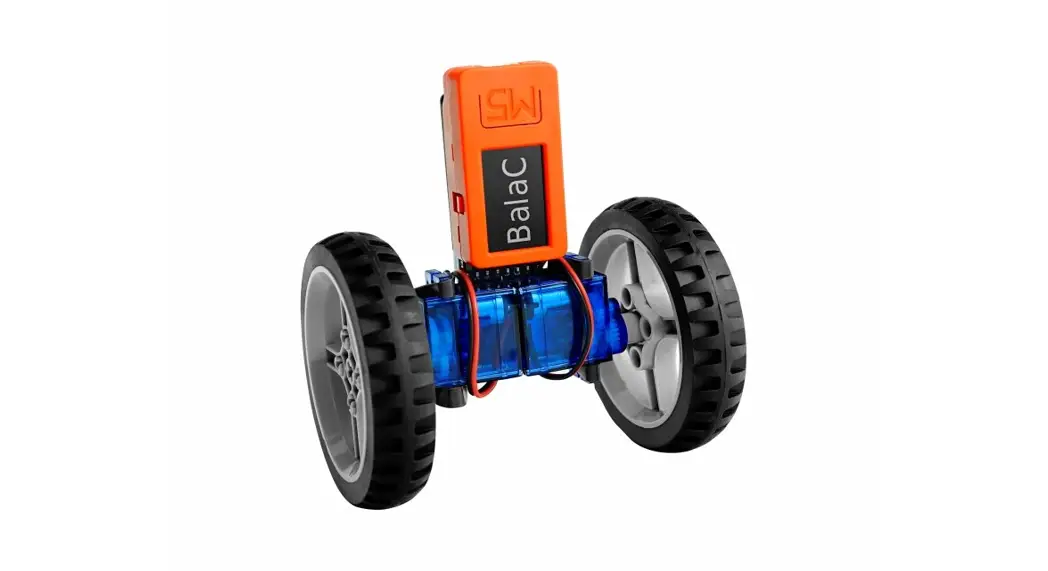

M5stack Esp32-pico-d4 Balac Plus Two-wheeled Balance Car Pid Programming Learning Smart Car Graphics User Manual

M5stack Esp32-pico-d4 Balac Plus Two-wheeled Balance Car Pid Programming Learning Smart Car Graphics User Manual

M5STACK logoESP32-PICO-D4 BalaC PLUS Two-Wheeled
Balance Car PID Programming Learning Smart Car Graphics
User Manual

ESP32-PICO-D4 BalaC PLUS Two-Wheeled Balance Car PID Programming Learning Smart Car Graphics

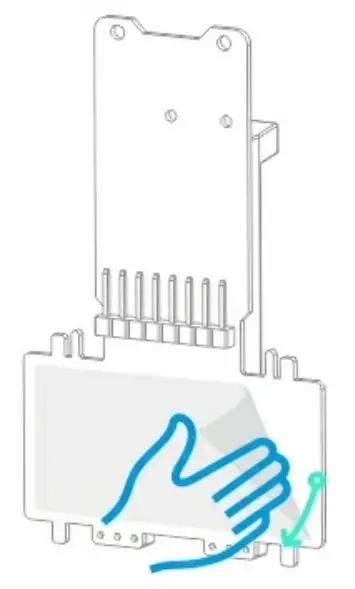
  1. Remove the adhesive tape on the main board.M5STACK ESP32-PICO-D4 BalaC PLUS Two-Wheeled Balance Car PID Programming Learning Smart Car Graphics - fig 1
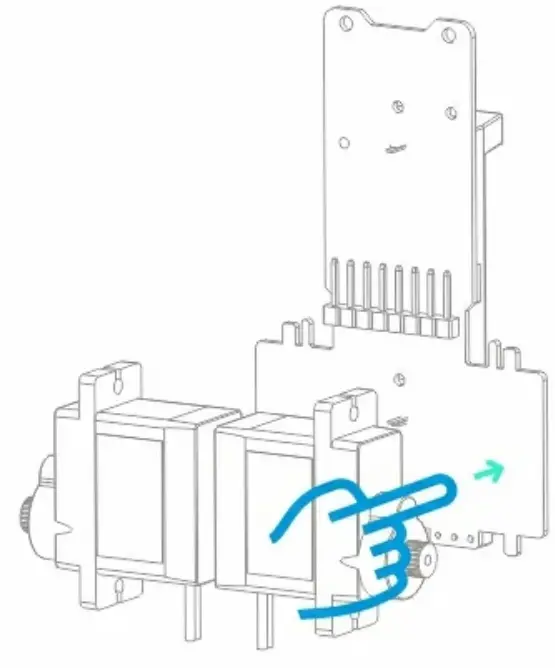
  2. Paste the servo onto the indicated position, the direction of the motor is as shown.
    M5STACK ESP32-PICO-D4 BalaC PLUS Two-Wheeled Balance Car PID Programming Learning Smart Car Graphics - fig 2
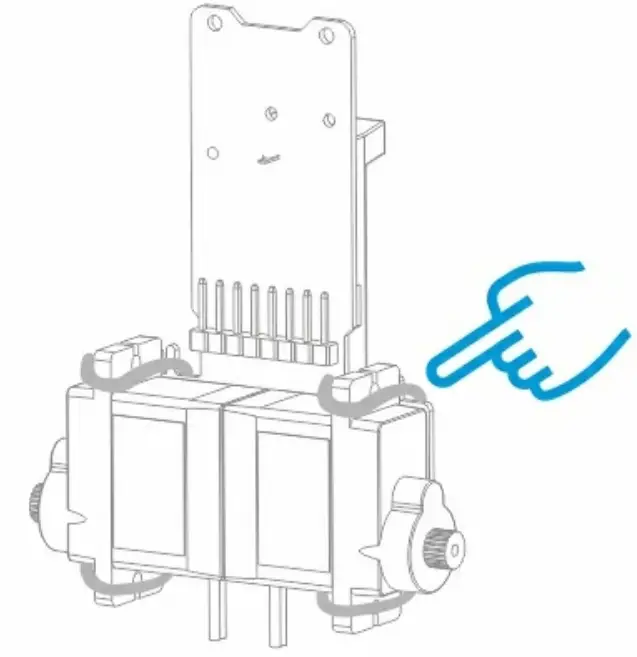
  3. The rubber band is used to fix the main board and the servo.M5STACK ESP32-PICO-D4 BalaC PLUS Two-Wheeled Balance Car PID Programming Learning Smart Car Graphics - fig 3
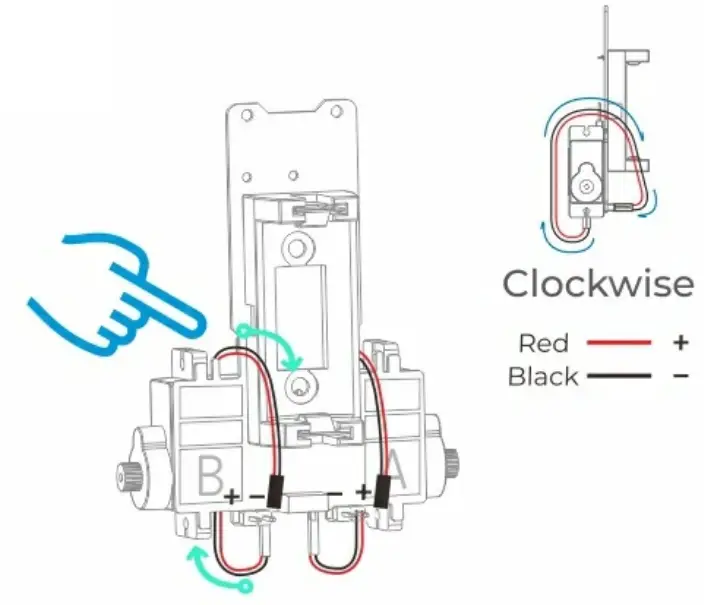
  4. The rubber band is used to fix the main board, Red represents positive, black represents negative, as shown.M5STACK ESP32-PICO-D4 BalaC PLUS Two-Wheeled Balance Car PID Programming Learning Smart Car Graphics - fig 4
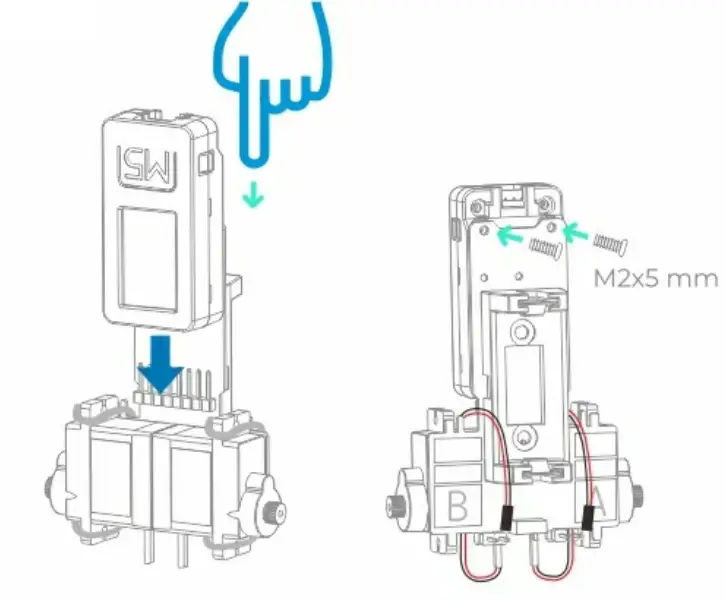
  5. Assemble MSStickC PlusM5STACK ESP32-PICO-D4 BalaC PLUS Two-Wheeled Balance Car PID Programming Learning Smart Car Graphics - fig 5
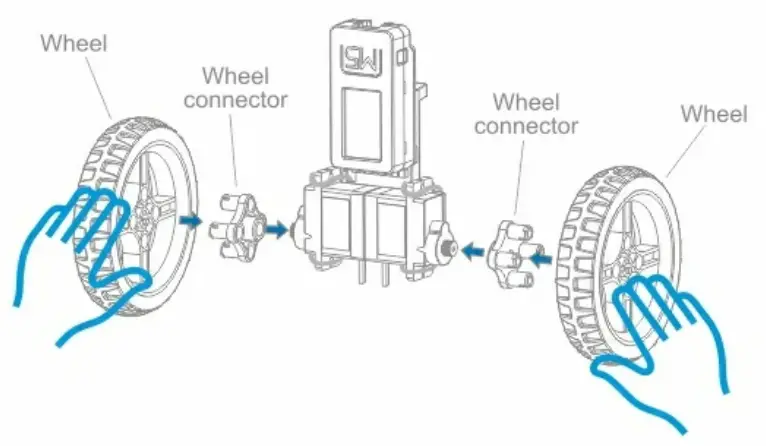
  6. Assemble Wheel M5STACK ESP32-PICO-D4 BalaC PLUS Two-Wheeled Balance Car PID Programming Learning Smart Car Graphics - fig 6
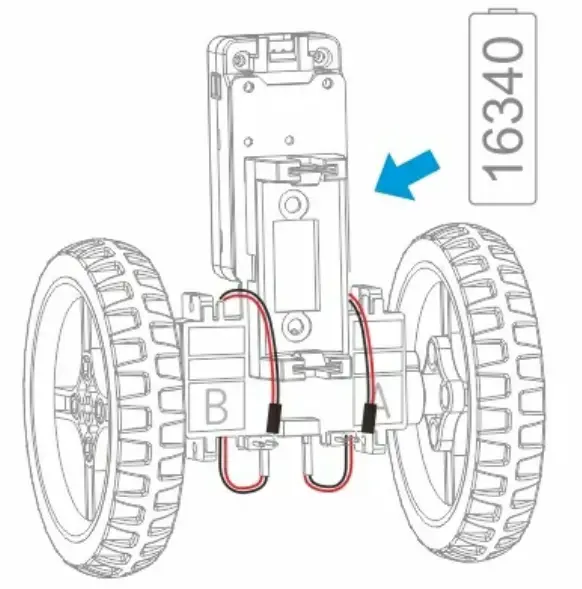
  7. Installation BetteryM5STACK ESP32-PICO-D4 BalaC PLUS Two-Wheeled Balance Car PID Programming Learning Smart Car Graphics - fig 7

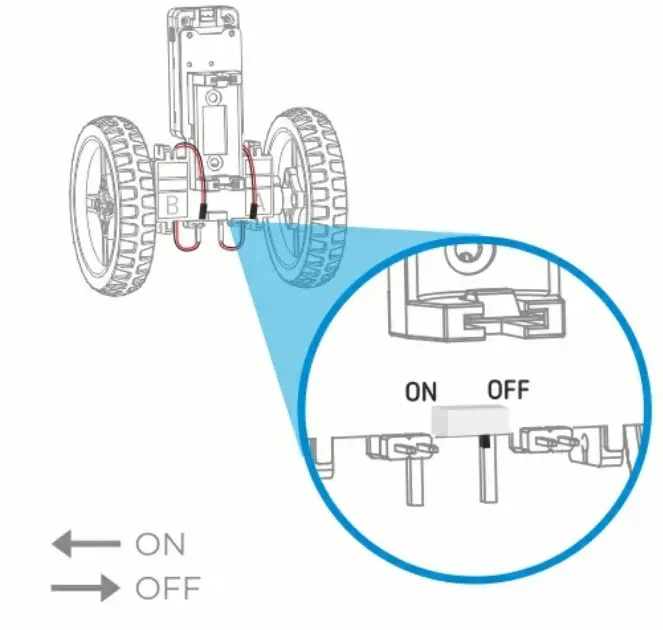
M5STACK ESP32-PICO-D4 BalaC PLUS Two-Wheeled Balance Car PID Programming Learning Smart Car Graphics - fig 8

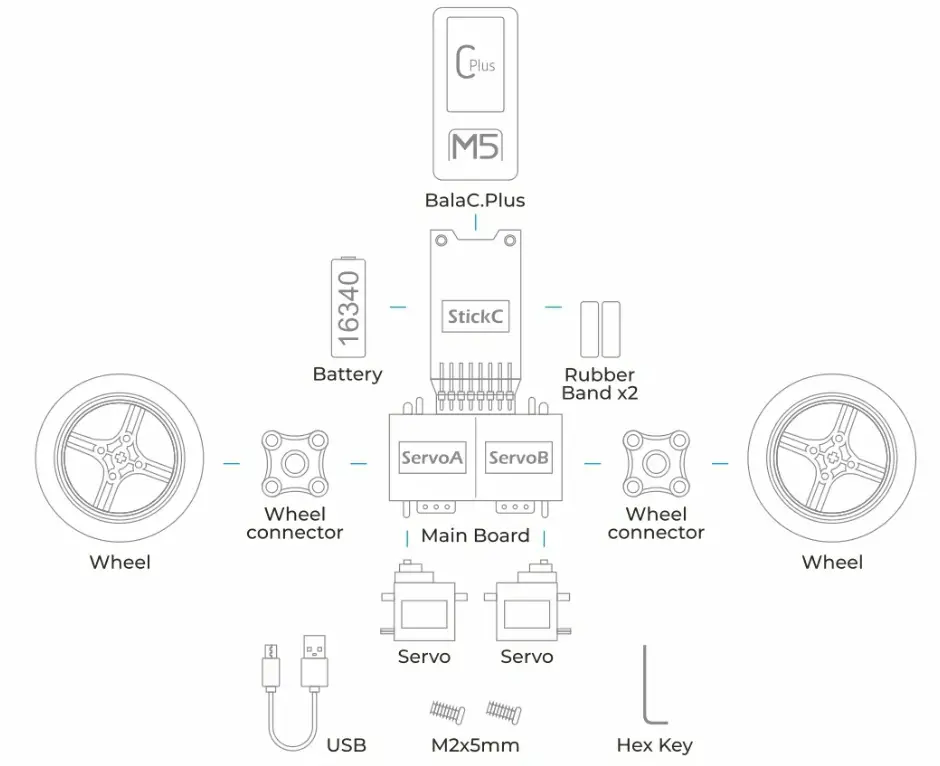
ALL PartsM5STACK ESP32-PICO-D4 BalaC PLUS Two-Wheeled Balance Car PID Programming Learning Smart Car Graphics - fig 9

www.M5Stark.com

M5STACK logo

Documents / Resouces

Download manual
Here you can download full pdf version of manual, it may contain additional safety instructions, warranty information, FCC rules, etc.


Related Manuals