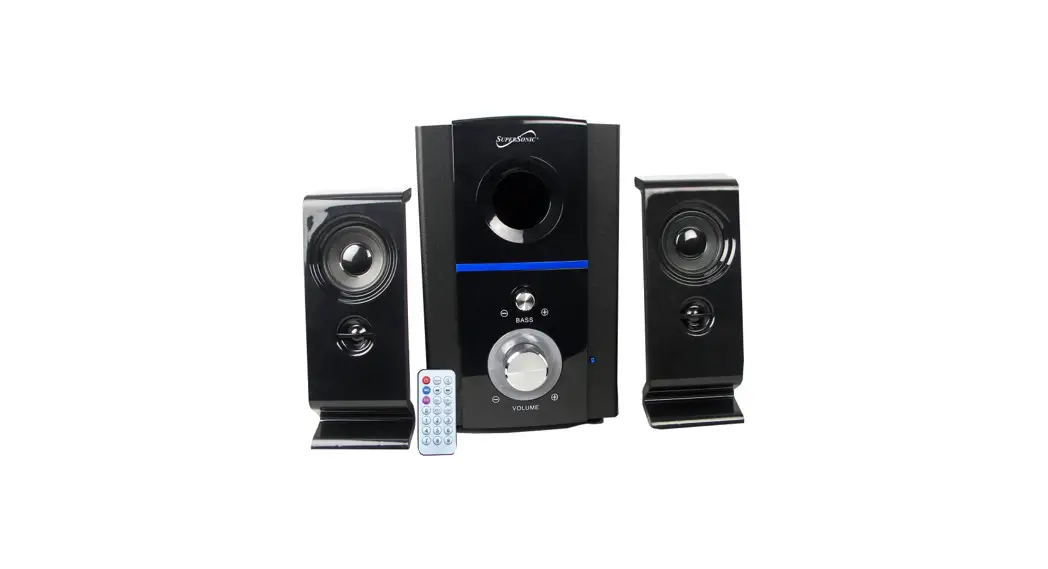
 INSTALLATION MANUAL
Bluetooth® Multimedia Speaker System
Bluetooth® SC-1126BT
SC-1126BT Bluetooth Multimedia Speaker System
FRONT PANEL:
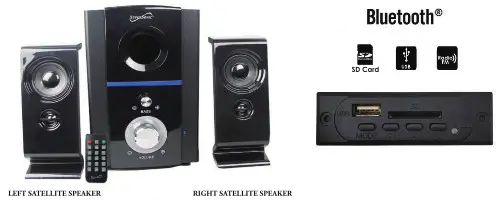
THE MAIN TECHNOLOGY SPECIFICATIONS
| Model | SC-1126BT |
| Speaker | 4INCH + 2.25INCH*2 |
| RMS | 15W + 5W*2 |
| Frequence Response | 50Hz – 18KHz |
| S/N | ≤75dB |
| Input Sensitivity | 350mV |
| Degree of Dissociation | ≤ 45dB |
| Voltage | AC-110V/60Hz |
| Bluetooth | SC-1126BT |
| Name Code | 0000 |
CAUTION
- The apparatus shall not be exposed to dripping or splashing and that no objects filled with liquids, such as vases, shall be placed on the apparatus.
- The mains plug is used as the disconnect device, the disconnect device shall remain readily operable.
FRONT VIEW
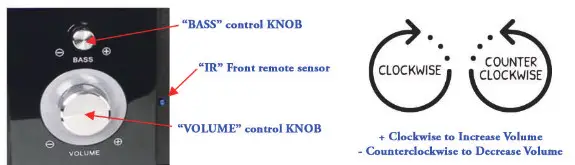
SET UP SPEAKERS & WOOFERS
Please Follow the steps below.
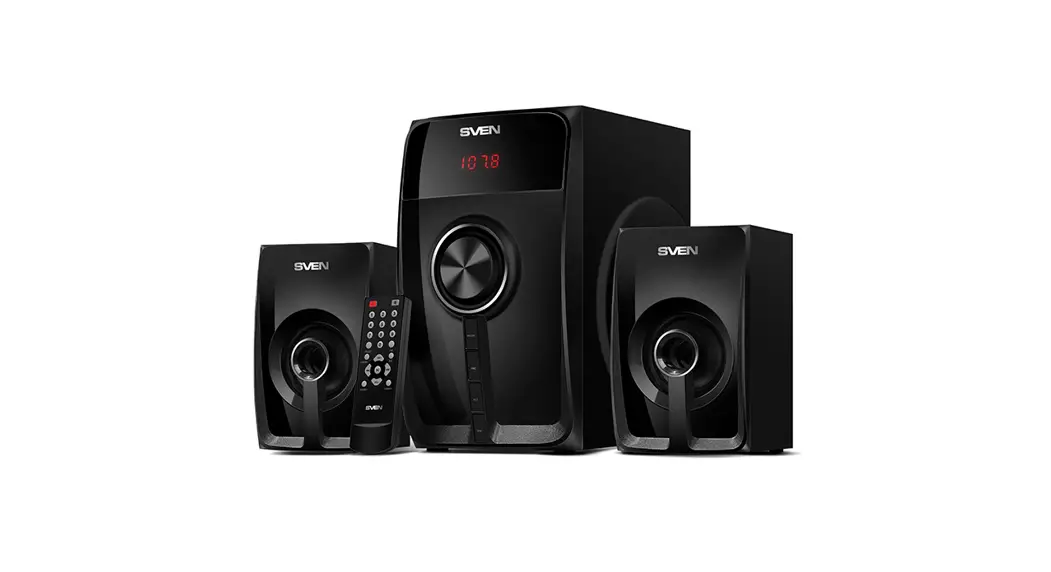
COMPOSITION
| Wooden Cabinet For Sub-Woofer | 1 pcs |
| Satellite Speakers | 2 pes |
| Signal Input Cable | 1 pcs |
| Operation Manual | 1 pcs |
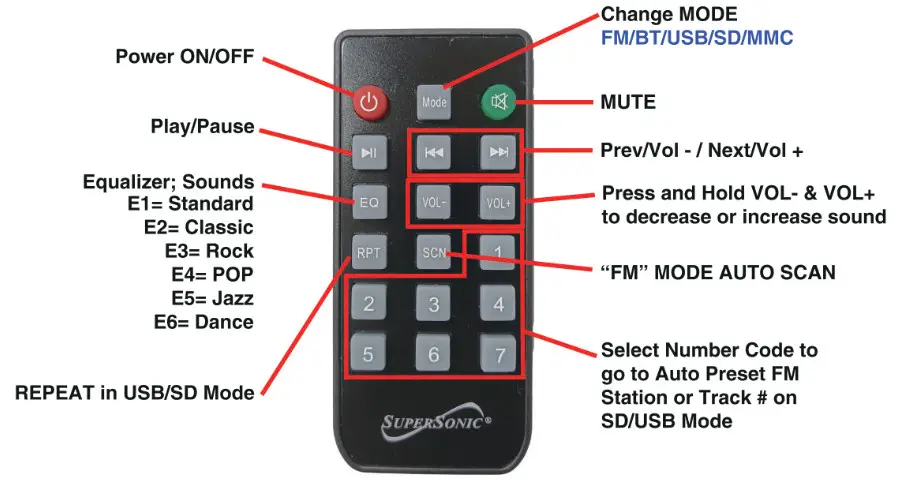
| Remote Control | 1 pcs |
THE SETTING AND CONNECTION CHART
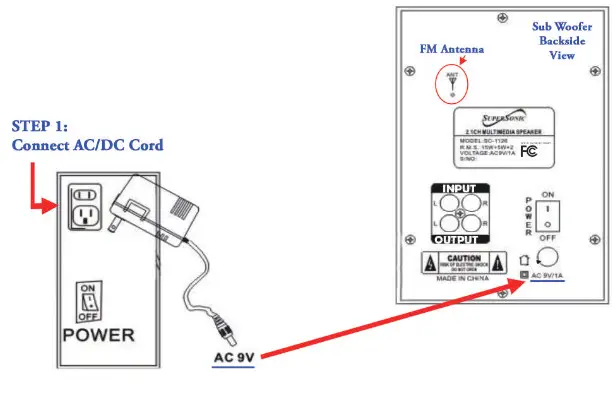
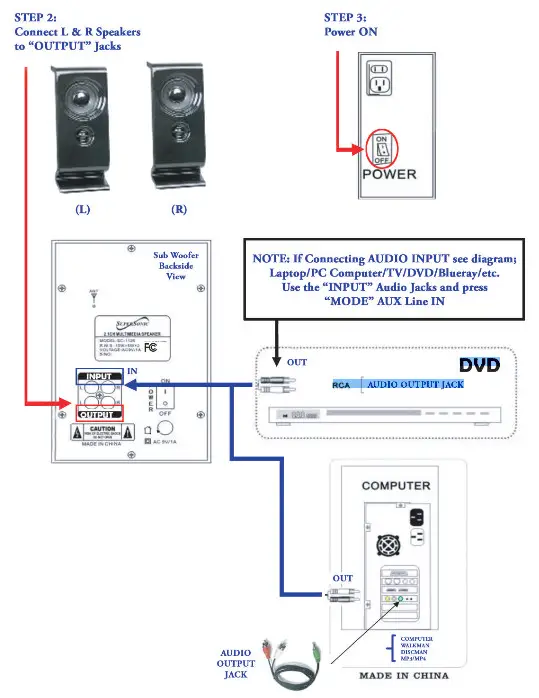
Use the AUDIO LINE to connect the IN EYELET and the OUT FREQUENCY SIGNAL of the Computer Sound Card or VCD FREQUENCY SIGNAL etc.
FUNCTION GUIDE
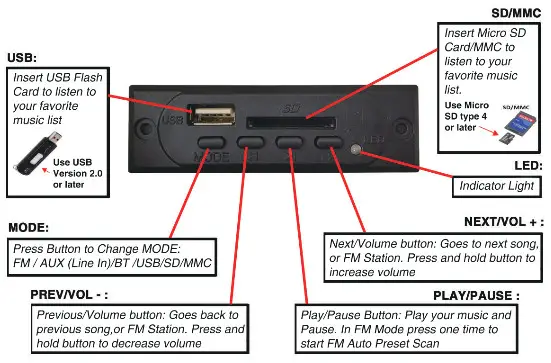
BLUETOOTH FUNCTIONS 
NOTE: To use the Remote Control make sure to remove the plastic battery cover.
Press “MODE” Button until the LED Light turns BLUE. You will hear a Beep Sound. Go to smartphone or Bluetooth Device and turn on Bluetooth Signal. Make sure you select “Allow Device to Connect” on your smartphone or Bluetooth Device, and press SEARCH. “SC-1126BT” will display on your Device, then press “PAIR” … Device will pair and you are connected. No Password should be required but if it does: “0000”. Make sure you increase (raise) the volume on your smartphone to have good sound.;
RADIO FUNCTIONS
NOTE: Pull out Antenna Wire straight up, before you start to tune in FM Stations.
FM Function:
Press “MODE” Button until it switches to FM Mode.
Press [  ] Button to begin Auto Scan for FM Stations Will store (preset) and assign your FM Stations automatically Press one time [
 ] Button to go to next FM Station Press one time [
  ] Button to go to previous FM Station
NOTE: Will not Preset FM Stations Mauna{ly will only Pr set Auromancal{y from CHO1-CH28 and will assigns each Strong Frequency FM Station.
USB FLASH CARD PLAYBACK
NOTE: Make sure your music Playlist is in MP3 Format for best Sound Mode
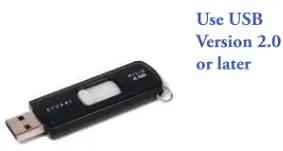
Insert USB Flash Drive and Press “MODE” Button until it switches to USB. It will detect it automatically, and begin playing your first MP3 song at the top of your Playlist.
Press [ ] Button to Pause/Continue playing music
Press [ ] Button to go to next song
Press [ ] Button to go to previous song y
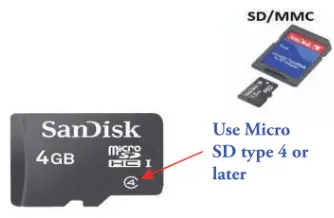
Insert SD Card/MMC and Press “MODE” Button until it switches to SD.
It will detect it automatically, and begin playing your first MP3 song at the top of your Playlist.
Press [ ] Button to Pause/Continue playing music
Press [ ] Button to go to next song
Press [ ] Button to go to previous song
REMOTE FUNCTIONS
This device complies with Part 15 of the FCC Rules. Operation is subject to the following two conditions:
- This device may not cause harmful interference,
- This device must accept any interference received, including interference that may cause undesired operation.
CAUTION
Changes or Modifications not expressly approved by the party responsible could void the user’s authority to operate this device.
This equipment has been tested and found to comply with the limits for a Class B digital device, pursuant to Part 15 of the FCC Rules. These limits are designed to provide reasonable protection against harmful interference in a residential installation. This equipment generates, uses and can radiate radio frequency energy and, if not installed and used in accordance with the instructions, may cause harmful interference to radio communications. However, there is no guarantee that interference will not occur in a particular installation. If this equipment does cause harmful interference to radio or television reception, which can be determined by turning the equipment off and on, the user is encouraged to try to correct the interference by one or more of the following measures:
- Reorient or relocate the receiving antenna.
- Increase the separation between the equipment and receiver.
- Connect the equipment into an outlet on a circuit different from that to which the receiver is connected.
- Consult the dealer or an experienced radio/TV technician for help.
This equipment complies with the FCC RF radiation exposure limits set forth for an uncontrolled environment. This equipment should be installed and operated with a minimum distance of 20 centimeters between the radiator and your body.
WARRANTY
Supersonic Inc. (“Supersonic”) warrants this product to the original purchaser ONLY, to be free from defects in materials and workmanship under normal use, for ninety (90) DAYS from the date of original purchase. Proof of purchase (receipt) required. Please visit https://www.supersonicinc.com/pages/warranty for additional information.
Copyright
©2016 Supersonic INC.
All rights reserved.
Features and specifications are subject to change without prior notification
 Warranty – Supersonic Inc