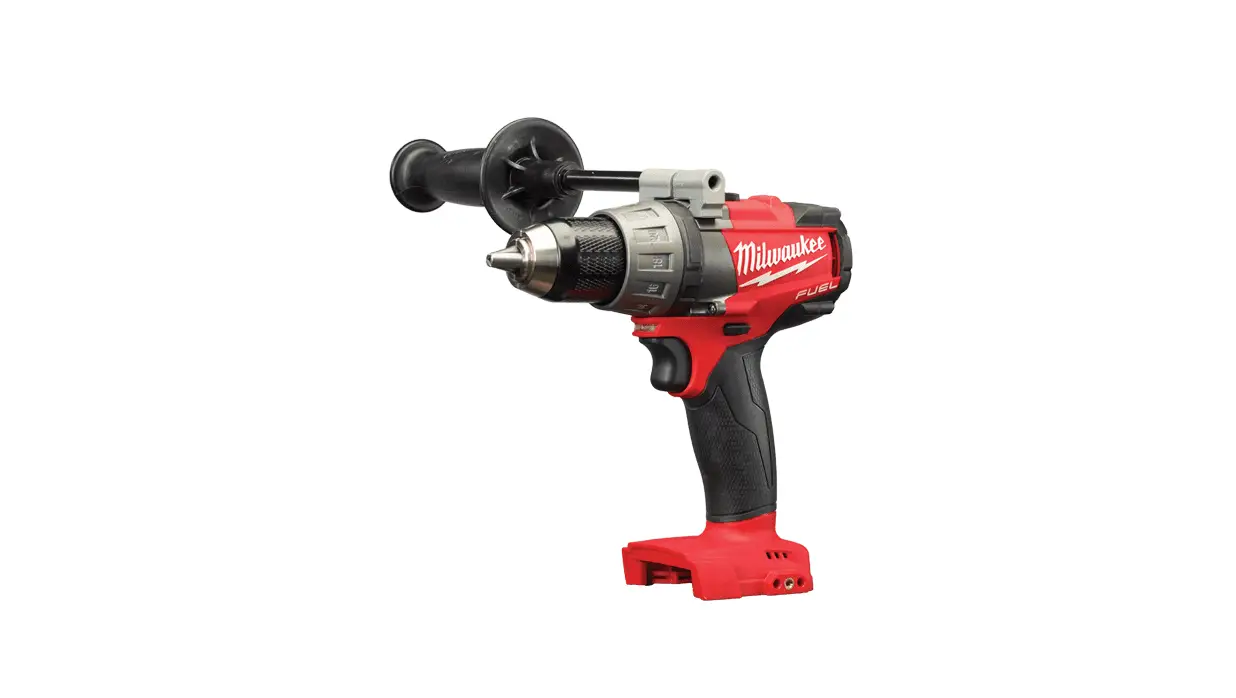
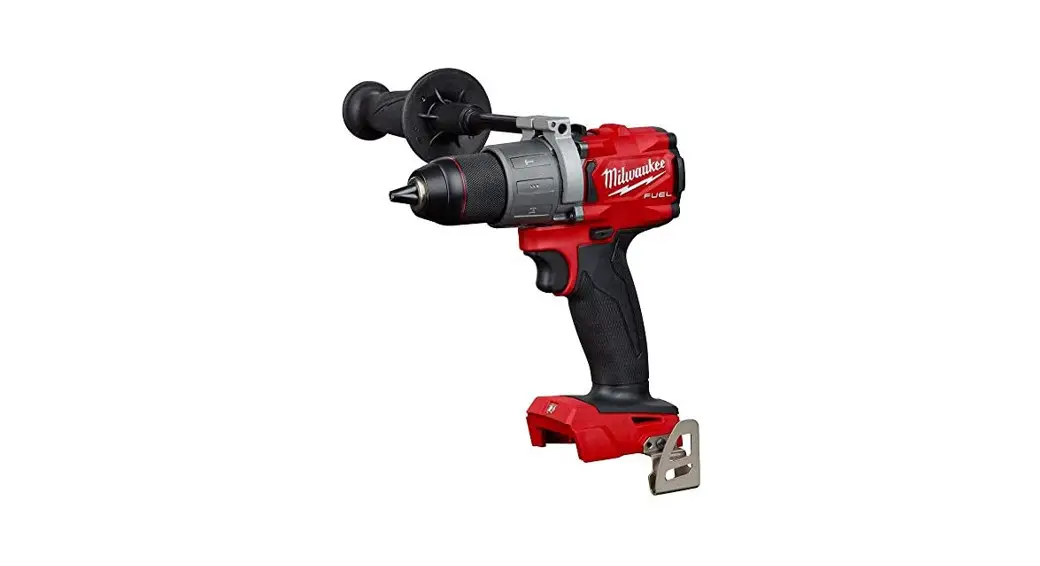
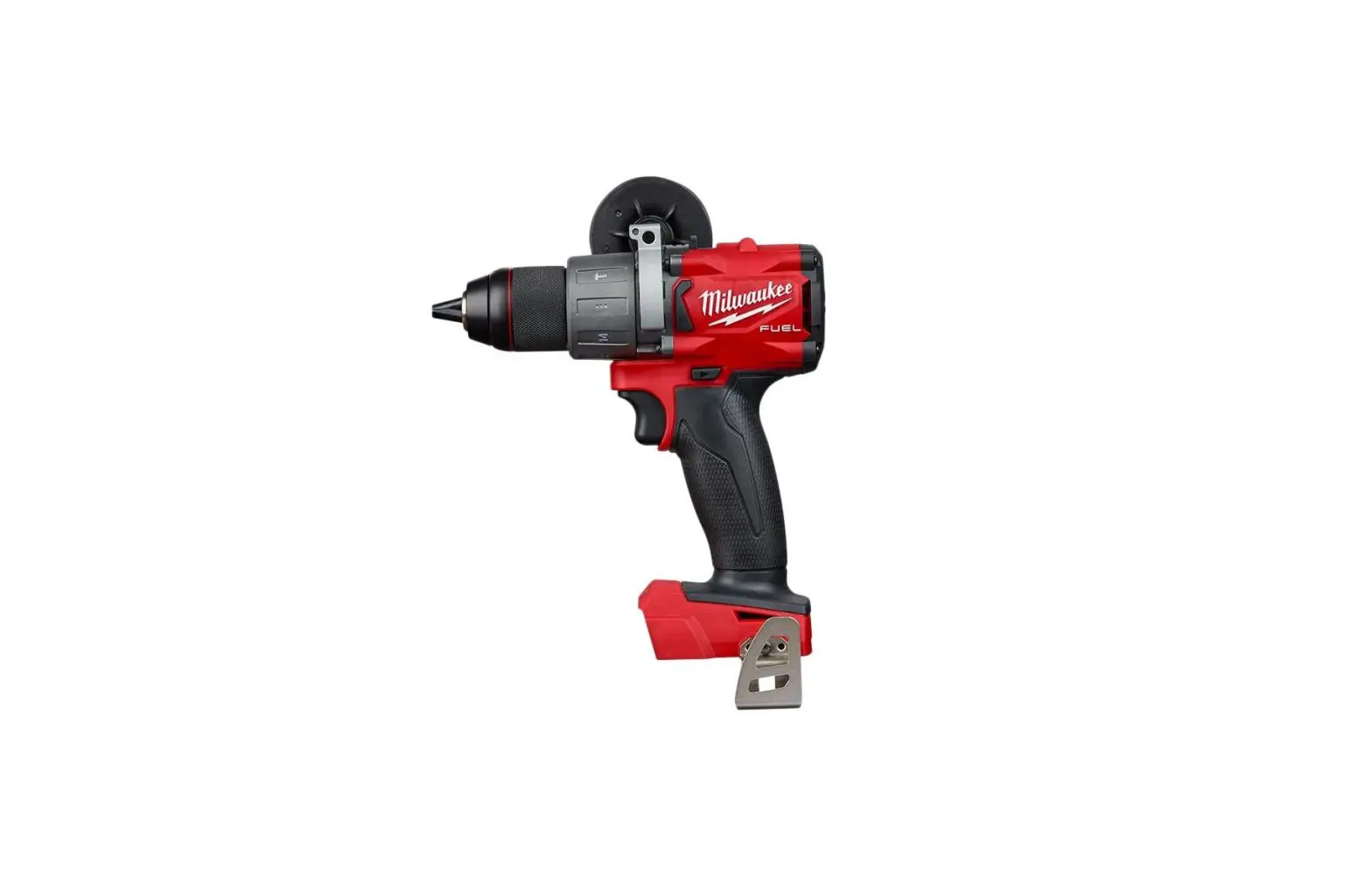
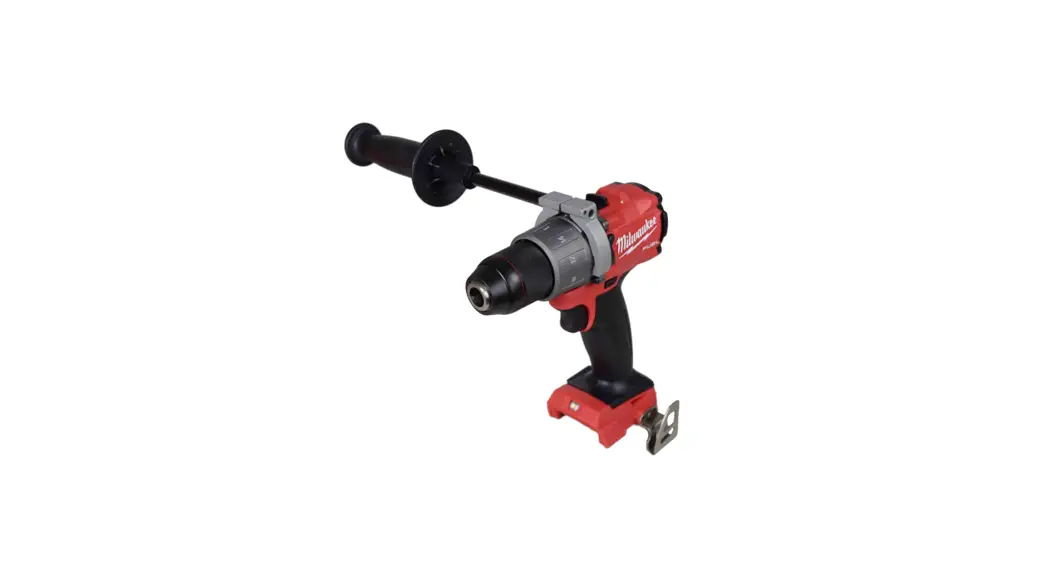
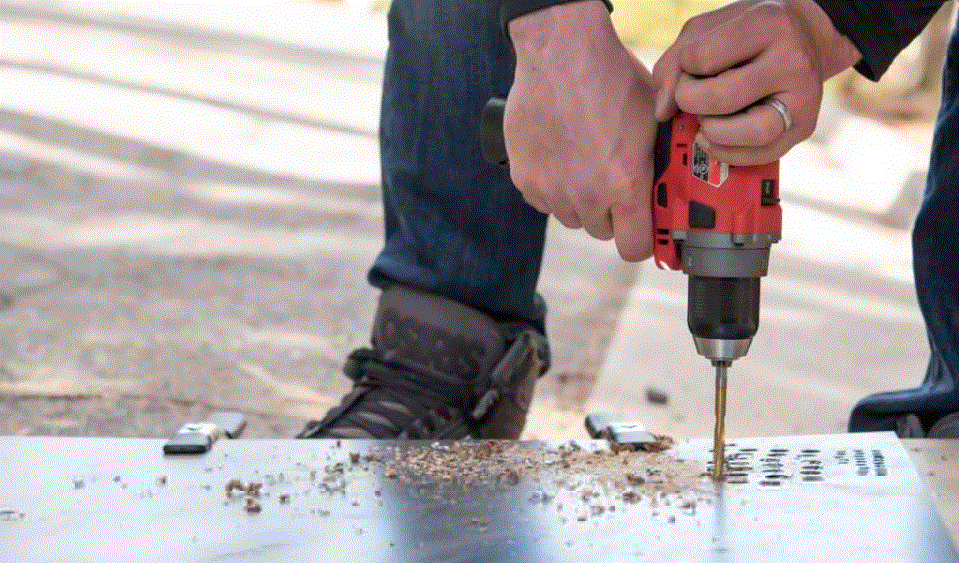
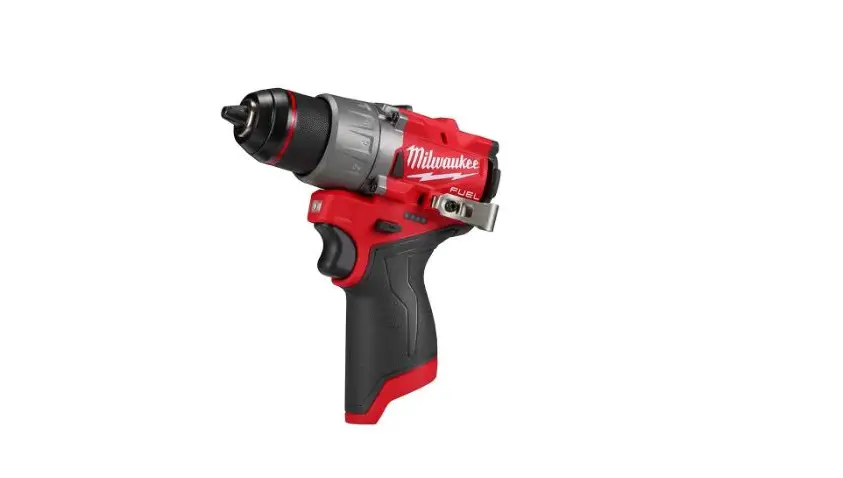
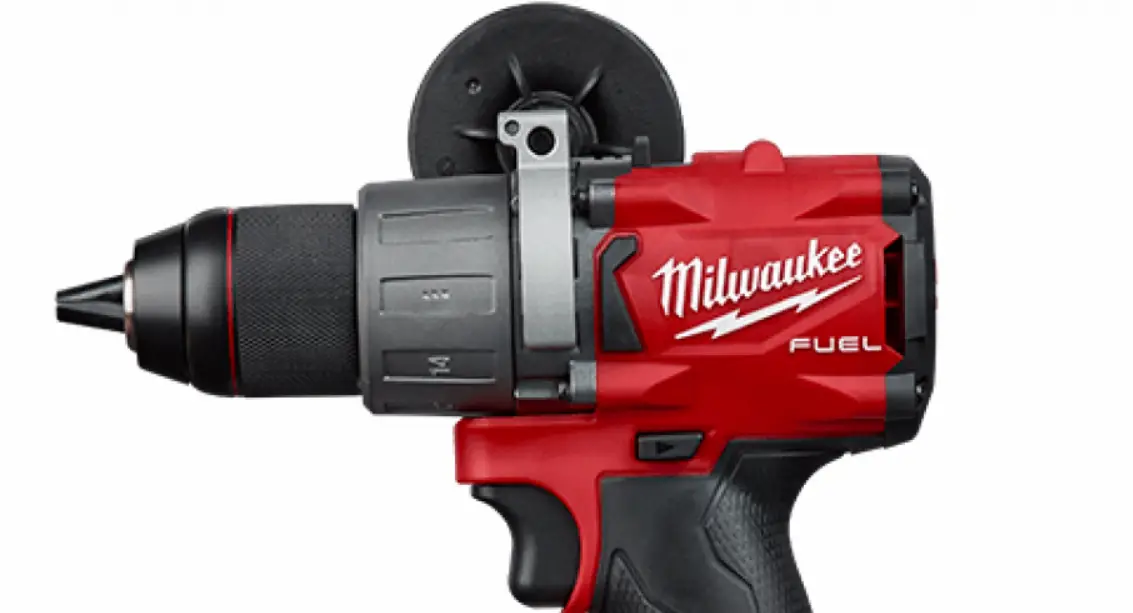
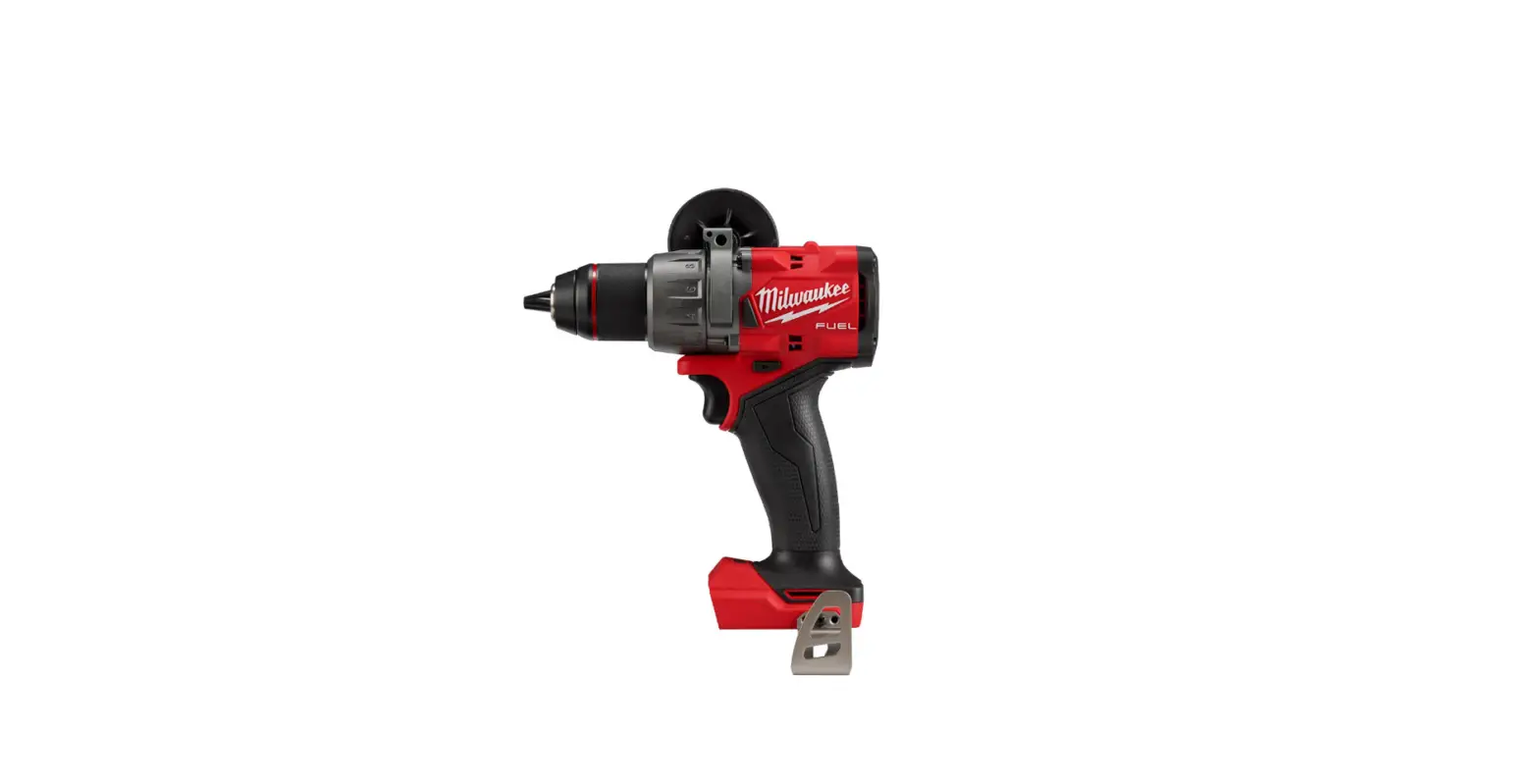
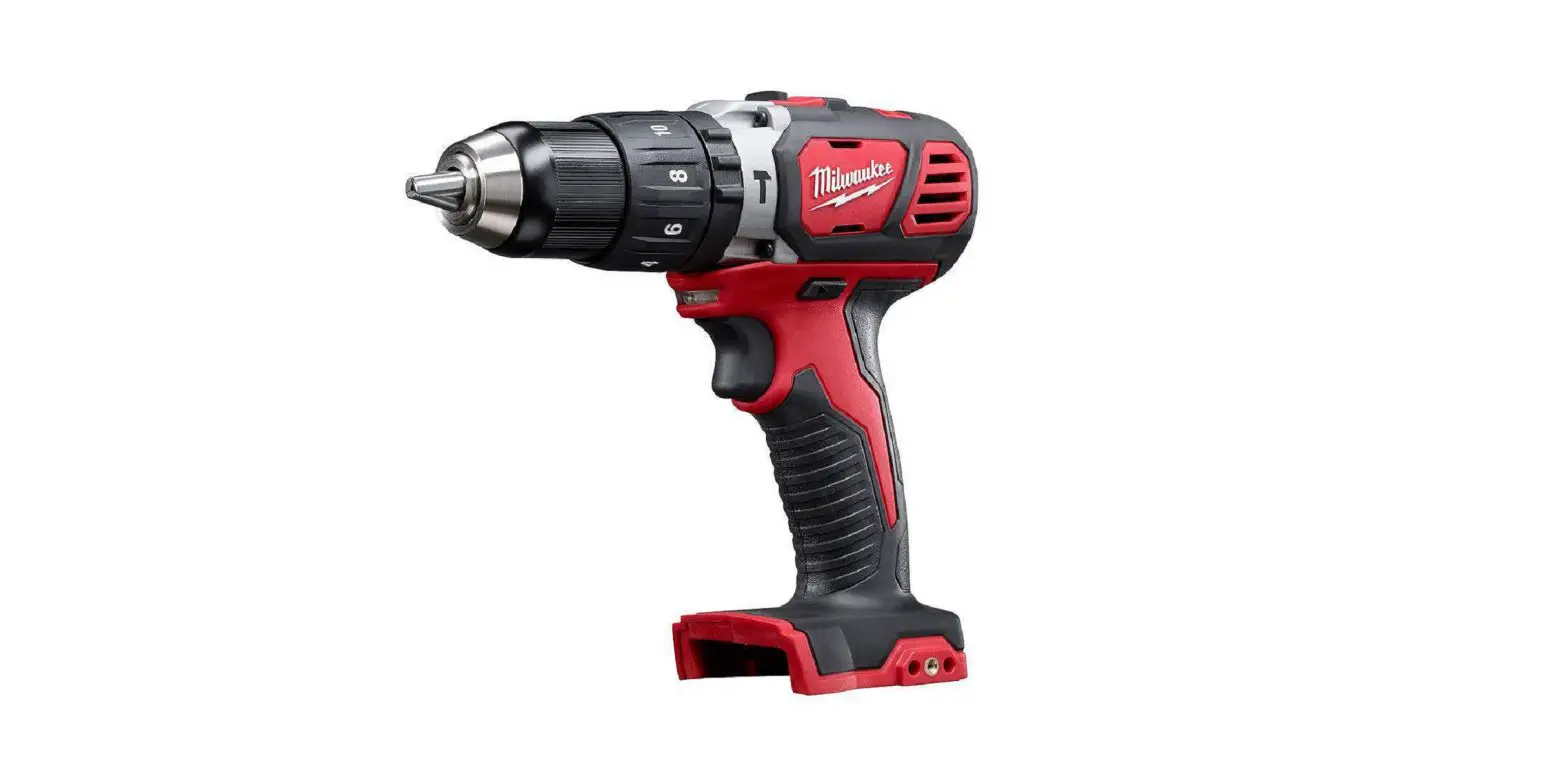
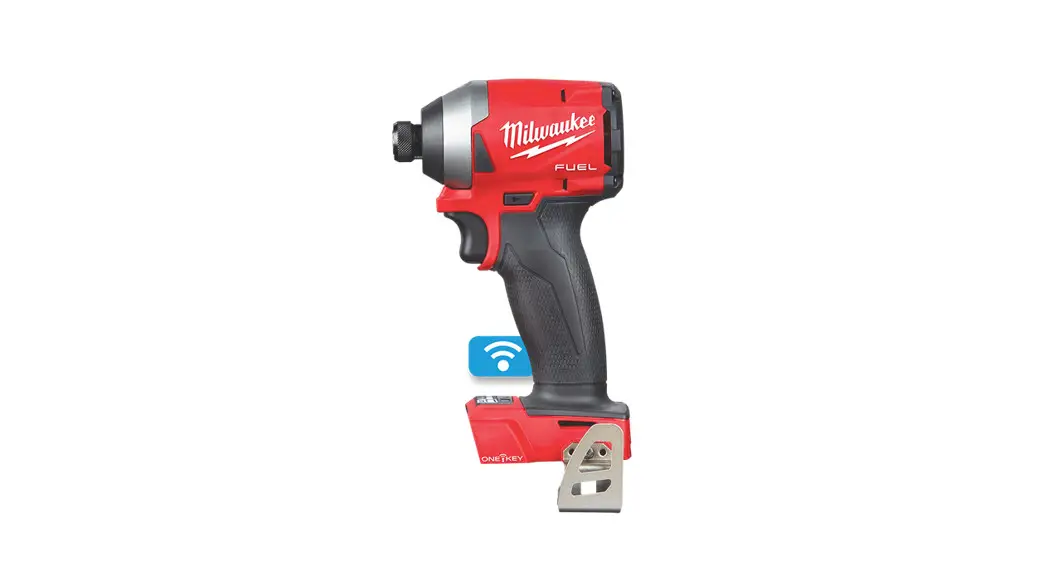
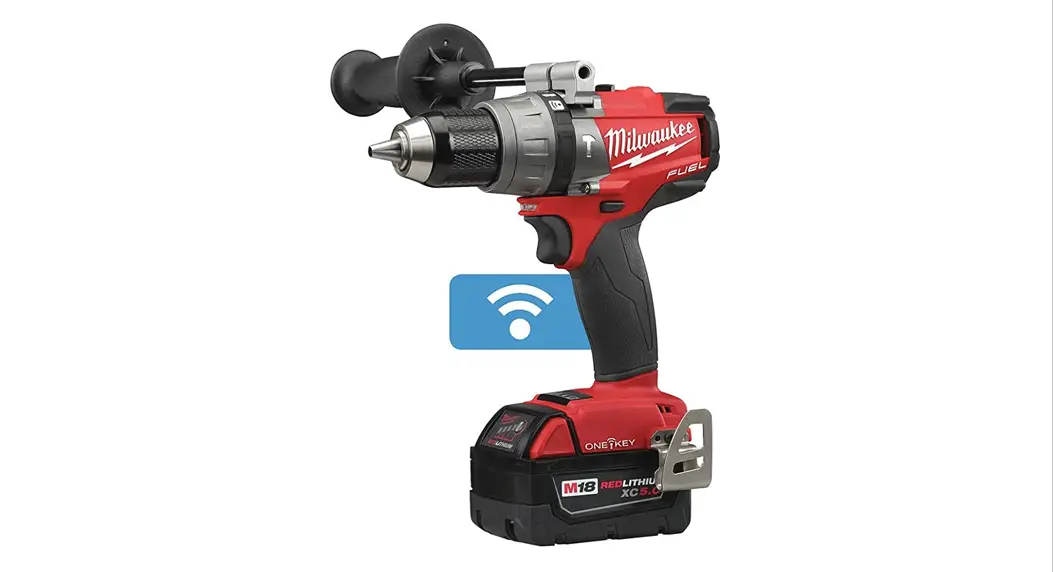
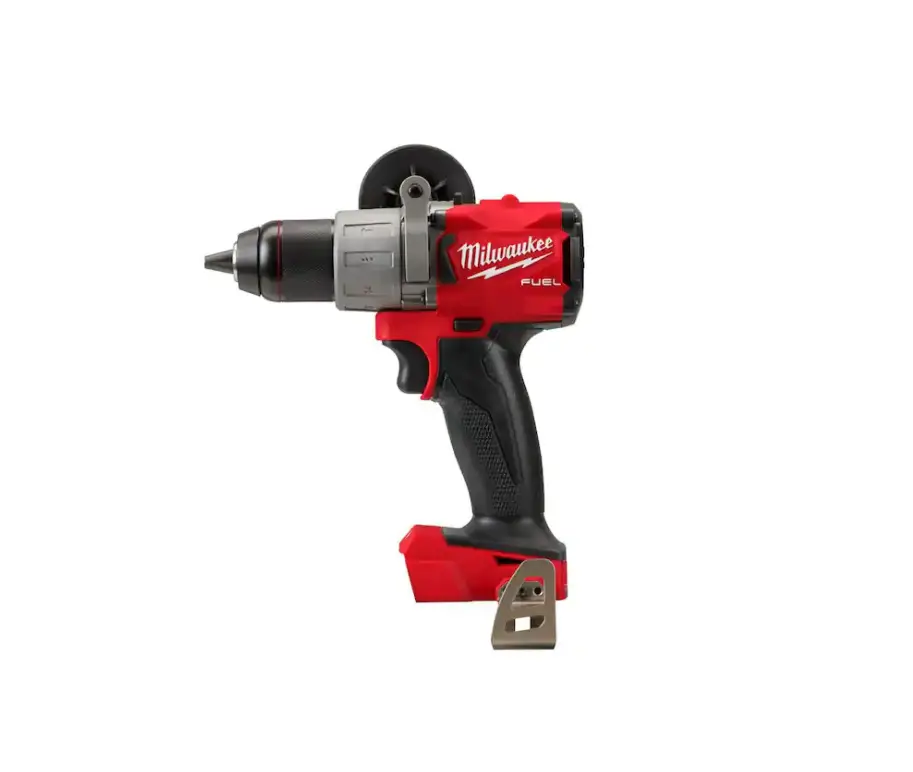
M18 ONEPD3 M18 Fuel One-Key 13mm Hammer Drill-Driver
Product Information
The M18 ONEPD3 M18 FUELTM ONE-KEYTM 13MM HAMMER DRILL/DRIVER is
a power tool designed for drilling and driving applications. It is
a cordless tool that operates on battery power. The tool is
equipped with a hammer function, allowing it to drill through tough
materials such as concrete and masonry. It also features the
ONE-KEYTM technology, which enables customization and tracking of
the tool’s performance.
General Power Tool Safety Warnings
- Read all safety warnings and instructions provided with this
power tool. - Save all warnings and instructions for future reference.
Work Area Safety
- Ensure the work area has proper ventilation and dust extraction
facilities. - Avoid working with the tool near flammable liquids, gases, or
dust as sparks from the tool may ignite them. - Always maintain control and be cautious while operating the
tool to prevent accidents.
Electrical Safety
- Use an extension cord suitable for outdoor use to reduce the
risk of electric shock.
Personal Safety
- Use appropriate personal protective equipment such as eye
protection, dust mask, non-skid safety shoes, hard hat, or hearing
protection to reduce the risk of injuries. - Operate the tool only when you are well-rested and alert to
avoid accidents caused by fatigue or inattention. - Ensure the handles and grasping surfaces of the tool are clean
and free from oil and grease to maintain a secure grip.
Battery Tool Use and Care
- Use only the recommended battery packs provided by the
manufacturer for this tool. - Do not modify or tamper with the tool’s battery pack or
charger. - Avoid picking up or carrying the tool by its switch to prevent
accidental activation. - Follow the specific safety rules for charging, storing, and
handling battery packs.
Service
Do not use this tool if you do not understand the operating
instructions or if you feel additional information or training is
required. For any servicing or repairs, contact an authorized
service center or the manufacturer.
Additional Battery Safety Rules
To reduce the risk of injury, fire, or damage due to a short
circuit:
- Never immerse the tool, battery pack, or charger in fluid or
allow fluid to flow inside them. - Avoid exposing the tool, battery pack, or charger to corrosive
or conductive fluids such as seawater or certain industrial
chemicals.
Product Usage Instructions
Before using the M18 ONEPD3 M18 FUELTM ONE-KEYTM 13MM HAMMER
DRILL/DRIVER, please read and understand the operator’s manual
provided with the tool. Follow these steps to use the tool safely
and effectively:
- Ensure you have charged the battery pack fully before using the
tool. Refer to the battery pack’s user manual for charging
instructions. - Select the appropriate drill bit or driver bit for your
application. Make sure it is securely inserted into the chuck of
the tool. - If drilling into hard materials such as concrete or masonry,
activate the hammer function on the tool for better drilling
performance. Refer to the operator’s manual for instructions on how
to activate the hammer function. - Position the tool firmly against the surface you want to drill
or drive into. - Hold the tool with a secure grip and press the trigger to start
the drilling or driving action. - Apply steady and even pressure on the tool while drilling or
driving to maintain control and prevent accidents. - Once you have completed the drilling or driving task, release
the trigger to stop the tool. - Always wear appropriate personal protective equipment, such as
safety glasses, when using the tool. - After use, store the tool and battery pack in a cool and dry
place, away from direct sunlight or extreme temperatures.
For any further questions or assistance, refer to the operator’s
manual or contact the manufacturer’s customer support.
OPERATOR’S MANUAL
Cat. No.
M18 ONEPD3 M18 FUELTM ONE-KEYTM 13MM HAMMER DRILL/DRIVER
WARNING
To reduce the risk of injury, user must read and understand operator’s manual.
GENERAL POWER TOOL
·Remove any adjusting key or wrench before
SAFETY WARNINGS
turning the power tool on. A wrench or a key left
WARNING
Read
all
safety
warnings,
instruc-
tions provided with this power tool. Failure to
follow all instructions listed below may result in
Save all
warnings and instructions for future reference.
The term “power tool” in the warnings refers to your
mains-operated (corded) power tool or battery-oper-
ated (cordless) power tool.
attached to a rotating part of the power tool may result in personal injury. ·Do not overreach. Keep proper footing and balance at all times. This enables better control of the power tool in unexpected situations. ·Dress properly. Do not wear loose clothing or jewellery. Keep your hair and clothing away from moving parts. Loose clothes, jewellery or long hair can be caught in moving parts.
·If devices are provided for the connection of
WORK AREA SAFETY
dust extraction and collection facilities, ensure
·Keep work area clean and well lit. Cluttered or dark areas invite accidents. ·Do not operate power tools in explosive atmo-
these are connected and properly used. Use of dust collection can reduce dust-related hazards. ·Do not let familiarity gained from frequent use of tools allow you to become complacent and
liquids, gases or dust. Power tools create sparks which may ignite the dust or fumes.
ignore tool safety principles. A careless action can cause severe injury within a fraction of a second.
·Keep children and bystanders away while operat- POWER TOOL USE AND CARE
ing a power tool. Distractions can cause you to lose ·Do not force the power tool. Use the correct power
control.
tool for your application. The correct power tool
ELECTRICAL SAFETY
will do the job better and safer at the rate for which
·Power tool plugs must match the outlet. Never modify the plug in any way. Do not use any adapter plugs with earthed (grounded) power tools. reduce risk of electric shock. ·Avoid body contact with earthed or grounded surfaces, such as pipes, radiators, ranges and refrigerators. There is an increased risk of electric shock if your body is earthed or grounded. ·Do not expose power tools to rain or wet conditions. Water entering a power tool will increase the risk of electric shock. ·Do not abuse the cord. Never use the cord for carrying, pulling or unplugging the power tool. Keep cord away from heat, oil, sharp edges or moving parts. Damaged or entangled cords increase the risk of electric shock. ·When operating a power tool outdoors, use an
it was designed. ·Do not use the power tool if the switch does not turn
Any power tool that cannot be controlled with the switch is dangerous and must be repaired. ·Disconnect the plug from the power source and/ or remove the battery pack, if detachable, from the power tool before making any adjustments, changing accessories, or storing power tools. Such preventive safety measures reduce the risk of starting the power tool accidentally. ·Store idle power tools out of the reach of children and do not allow persons unfamiliar with the power tool or these instructions to operate the power tool. Power tools are dangerous in the hands of untrained users. ·Maintain power tools and accessories. Check for misalignment or binding of moving parts, breakage of parts and any other condition that
extension cord suitable for outdoor use. Use of
a cord suitable for outdoor use reduces the risk of
electric shock. · If operating a power tool in a damp location is unavoidable, use a residual current device (RCD) protected supply. Use of a RCD reduces the risk of electric shock.
have the power tool repaired before use. Many accidents are caused by poorly maintained power tools. ·Keep cutting tools sharp and clean. Properly maintained cutting tools with sharp cutting edges are less likely to bind and are easier to control. ·Use the power tool, accessories and tool bits
PERSONAL SAFETY
etc. in accordance with these instructions, taking into account the working conditions and
·Stay alert, watch what you are doing and use the work to be performed. Use of the power tool
common sense when operating a power tool. Do
not use a power tool while you are tired or under result in a hazardous situation.
A ·Keep handles and grasping surfaces dry, clean
moment of inattention while operating power tools and free from oil and grease. Slippery handles and
may result in serious personal injury.
grasping surfaces do not allow for safe handling and
·Use personal protective equipment. Always control of the tool in unexpected situations.
wear eye protection. Protective equipment such BATTERY TOOL USE AND CARE
as a dust mask, non-skid safety shoes, hard hat or
hearing protection used for appropriate conditions will reduce personal injuries.
manufacturer. A charger that is suitable for one type
·Prevent unintentional starting. Ensure the switch with another battery pack.
source and/or battery pack, picking up or carrying the tool. the switch or energising power tools that have the switch on invites accidents.
battery packs. Use of any other battery packs may
2
·When battery pack is not in use, keep it away from other metal objects, like paper clips, coins, keys, nails, screws or other small metal objects, that can make a connection from one terminal to another. Shorting the battery terminals together
·Under abusive conditions, liquid may be ejected from the battery; avoid contact. If contact accidentally occurs, flush with water. If liquid contacts eyes, additionally seek medical help. Liquid ejected from the battery may cause irritation or burns. ·Do not use a battery pack or tool that is damaged or modified. Damaged or modified batteries may exhibit unpredictable behaviour resulting in fire, explosion or risk of injury.
·Do not expose a battery pack or tool to fire or excessive temperature. Exposure to fire or temperature above 130°C (265°F) may cause explosion. ·Follow all charging instructions and do not charge the battery pack or tool outside the temperature range specified in the instructions. Charging improperly or at temperatures outside the specified range may damage the battery and increase the risk of fire.
SERVICE
·Always use common sense and be cautious when using tools. It is not possible to anticipate
every situation that could result in a dangerous
outcome. Do not use this tool if you do not
understand these operating instructions or you feel
the work is beyond your capability; contact MILWAUKEE® Tool or a trained professional for
additional information or training.
·Maintain labels and nameplates. These carry important information. If unreadable or missing,
contact a MILWAUKEE® service facility for a
replacement.
WARNING
Some dust created by power sanding, sawing, grinding, drilling, and other
construction activities contains chemicals known to
cause cancer, birth defects or other reproductive
harm. Some examples of these chemicals are:
·lead from lead-based paint
·crystalline silica from bricks and cement and other
masonry products, and
·arsenic and chromium from chemically-treated
lumber.
Your risk from these exposures varies, depending on
how often you do this type of work. To reduce your
exposure to these chemicals: work in a well ventilated
area, and work with approved safety equipment, such
as those dust masks that are specially designed to
· repair person using only identical replacement parts. This will ensure that the safety of the power tool is maintained. ·Never service damaged battery packs. Service of battery packs should only be performed by the manufacturer or authorised service providers.
ADDITIONAL BATTERY SAFETY RULES
WARNING
To reduce injury, and
the risk product
of fire, personal damage due to
a short circuit, never immerse your tool, battery
pack or charger in fluid or allow a fluid to flow inside
them. Corrosive or conductive fluids, such as
seawater, certain industrial chemicals, and bleach
SPECIFIC SAFETY RULES FOR or bleach-containing products, etc., can cause a
DRILL/DRIVER
short circuit.
Safety instructions for all operations ·Wear ear protectors when impact drilling.
WARNING
Do not charge batteries.
non-rechargeable
Exposure to noise can cause hearing loss.
SPECIFICATIONS
·Use the auxiliary handle(s). Loss of control can Cat. No. ……………………………………. M18 ONEPD3
cause personal injury.
Volts………………………………………………….. 18 V DC
·Hold the power tool by insulated gripping Battery Type ………………………………………….M18TM
surfaces, when performing an operation where the cutting accessory or fasteners may contact hidden wiring. Cutting accessory or fasteners contacting a “live” wire may make exposed metal
Charger Type…………………………………………M18TM Steel …………………………………………………….13 mm
Wood Flat Bit ……………………………………… 38 mm
parts of the power tool “live” and could give the
Auger Bit……………………………………38 mm
operator an electric shock.
Hole Saw ………………………………….. 89 mm
Safety instructions when using long drill bits
Screws (dia.) ……………………………..16 mm
·Never operate at higher speed than the maximum speed rating of the drill bit. At higher speeds, the bit is likely to bend if allowed to rotate freely without contacting the workpiece, resulting in personal injury. ·Always start drilling at low speed and with the
Self Feed Bits ……………………………. 65 mm
Masonry………………………………………………..16 mm No-Load RPM……….. Low 0 – 500 High 0 – 2100 BPM…………………………………………High 0 – 33,000
bit tip in contact with the workpiece. At higher speeds, the bit is likely to bend if allowed to rotate freely without contacting the workpiece, resulting in
Peak Torque ……………………………………….. 158 Nm Recommended Ambient
Operating Temperature……………….. -17°C to 51°C
personal injury.
·Apply pressure only in direct line with the bit
and do not apply excessive pressure. Bits can
bend causing breakage or loss of control, resulting
in personal injury.
WARNING
To reduce the risk of injury, when working in dusty situations, wear
appropriate respiratory protection or use a
suitable dust extraction solution.
·Chemical Burn Hazard. Keep coin cell battery
away from children.
3
SYMBOLOGY
Inserting/Removing the Battery
V
Volts
To insert the battery, slide the pack into the body
of the tool. Make sure it latches securely into place. To remove the battery, push in the release buttons
Direct Current
and pull the battery pack away from the tool.
No Load Revolutions per Minute (RPM)
WARNING
Always lock the the battery pack
trigger or any time
remove the tool
Blows per Minute Under Load (BPM) AutoSTOPTM
is not in use.
WARNING
Only use accessories recommended for this
tool.
Others
may be hazardous.
To reduce the risk of injury, always use a side
handle when using this tool. Always brace or
Read operator’s manual.
hold securely. Ensure side handle is tightened securely before each use.
Regulatory Compliance Mark (RCM). This product meets applicable regulatory requirements.
Installing the Side Handle 1. To install the side handle,
loosen the side handle grip until the hooks are far
Do not dispose of electric tools together with household waste material. Electric tools and electronic equipment that have reached the end of their life must be collected separately and returned to an environmentally compatible recycling facility.
FUNCTIONAL DESCRIPTION
2
3
1
slots on the gear case Hooks ring. Position the side Slots handle on the top, pointing
to the left or right. Tighten
the side handle grip until it is secure.
2. To r e m o v e t h e s i d e
handle, loosen the side handle grip until the side handle can be removed. Reposition and tighten securely.
; Correct
: Incorrect
5
11
4
WARNING
Always before
remove changing
battery pack or removing
10
6
accessories. Only use accessories specifically recommended for this tool. Others may be
hazardous.
Installing Bits
Always remove the battery before inserting or remov-
7
ing bits. Select the proper style and size bit for the job.
9
This tool is equipped with a spindle lock. The chuck can be tightened with one hand, creating higher grip
8
strengths on the bit. 1. To open the chuck jaws, turn the sleeve in the
anticlockwise direction. When using drill bits,
1. Keyless chuck
allow the bit to strike the bottom of the chuck.
2. Torque selector collar 7. Belt hook
3. Speed selector
8. LED
4. Side handle
9. Mode selector
5. Control switch
10. Bit holder
Centre the bit in the chuck jaws and lift it about 1.5 mm off of the bottom.
2. To close the chuck jaws, turn the sleeve in the clockwise direction. The bit is secure when the chuck makes a ratcheting sound and the sleeve
6. Handle
11. Trigger
can not be rotated any further.
ASSEMBLY
3. To remove the bit, turn the sleeve in the
WARNING
Recharge only with the charger specified for the battery. For
specific charging instructions, read the
operator’s manual supplied with your charger
and battery.
anticlockwise direction.
NOTE: A ratcheting sound may be heard when the chuck is opened or closed. This noise is part of the locking feature, and does not indicate a problem with the chuck’s operation.
4
ONE-KEYTM To learn more about the ONE-KEYTM functionality for this tool, go to milwaukeetool.com/One-Key. To download the ONE-KEYTM app, visit the App Store or Google Play from your smart device.
ONE-KEYTM Indicator
Solid Blue
Wireless mode is active and ready to be configured via the ONE-KEYTM app.
Blinking Blue Tool is actively communicating with the ONE-KEYTM app.
Blinking Red Tool is in security lockout and can be unlocked by the owner via the ONE-KEYTM app.
OPERATION
The tool has three modes that come with default speed settings as shown below. These speed settings can be changed via the ONEKEY App on your smart device. The speed setting for each mode will be dependent on the speed setting selected via the Speed Selector Switch with 500 RPM being the max speed for LOW and 2100 RPM the max for HIGH.
Mode 1
2
3
LOW 0-200
0-300 0-500
HIGH
Selector button
0-500 0-1200 0-2100
Mode Selector
Modes 1, 2, 3
WARNING
To reduce the always wear
risk of injury, proper eye
protection marked to comply with
AS/NZS 1337.1. When working in dusty situations, wear AutoSTOPTM Indicator ONE-KEYTM Indicator
appropriate respiratory protection suitable dust extraction solution.
or
use
a
Allow the tool to come to a complete stop before changing modes. Press the selector button to
Selecting Hammer, Drill or Drive Action
1. To use the hammer-drilling mode, rotate the torque selector collar until the hammer symbol appears in line with the arrow. Apply pressure to the bit to
cycle between the settings. When the tool is connected to the ONE-KEY AppTM, the indicator will blink. Select wireless to change the default RPM, BPM, and AutoSTOPTM control settings via the ONEKEYTM App on your smart device.
Selecting Speed
engage the hammering mecha-
The speed selector is on top of the motor housing.
nism.
Allow the tool to come to a complete stop before
NOTICE
When water
using carbide bits, do not use to settle dust. Do not attempt
changing speeds. See “Applications” for recommended speeds under various conditions.
to drill through steel reinforcing rods. This will 1. For Low speed, push the speed selector to display
damage the carbide bits. 2. To use the drilling only mode,
“1”. 2. For High speed, push the speed selector to display
rotate the torque selector collar
“2”.
until the drill symbol appears
Using the Control Switch
in line with the arrow.
The control switch may be set to three positions:
3. To use the driving screws
forward, reverse and lock. Due to a lockout mecha-
mode, rotate the torque selector
nism, the control switch can only be adjusted when
collar until the desired clutch set-
the ON/OFF switch is not pressed. Always allow the
ting appears in line with the
motor to come to a complete stop before using the
arrow.
control switch.
The adjustable clutch, when
For forward (clockwise) rotation, push in the control
properly adjusted, will slip at a
switch from the right side of the tool. Check the
preset torque to prevent driving the screw too direction of rotation before use.
deep into different materials and to prevent For reverse (anticlockwise) rotation, push in the
Thdeamtaogrqeuteo thsepseccrieficwaotior ntosol. shown here are approximate values obtained with a fully charged battery pack.
control switch from the left side of the tool. Check direction of rotation before use.
To lock the trigger, push the control switch to the centre position. The trigger will not work while the
TORQUE SPECIFICATIONS
Clutch Setting Nm
Applications
control switch is in the centre locked position. Always lock the trigger or remove the battery pack before performing maintenance, changing accessories, storing the tool and any time the tool is
1-4 5-8
1.7 – 3 3.5 – 4.8
Small screws in softwood.
not in use.
9-12 5.3 – 6.8 Medium screws in softwood 13-16 7.1 – 8.5 or small screws in hardwood.
NOTE: Because the settings shown in the table are only a guide, use a piece of scrap material to test the different clutch settings before driving screws into the workpiece.
5
WARNING
To reduce the hold or brace
risk of injury, securely.
always
Starting, Stopping and Controlling Speed 1. To start the tool, grasp the handle(s) firmly and
pull the trigger. NOTE: A LED is turned on when the trigger is pulled and will go off shortly after the trigger is released.
2. To vary the speed, increase or decrease the pressure on the trigger. The further the trigger is pulled, the greater the speed.
3. To stop the tool, release the trigger. Ensure the tool has come to a complete stop before laying the tool down.
Selecting AUTOSTOPTM Mode
To activate the AUTOSTOP Mode please access the function through the ONEKEY App by turning the function ON.
Drilling in Metal When drilling in metal, select the drill-only operating mode. Use high speed steel twist drills or hole saws. Use a centre punch to start the hole. Lubricate drill bits with cutting oil when drilling in iron or steel. Use a coolant when drilling in nonferrous metals such as copper, brass or aluminum. Back the material to prevent binding and distortion on breakthrough.
Drilling in Masonry
When drilling in masonry, select the hammer drill operating mode. Use high speed carbide-tipped bits. Drilling soft masonry materials such as cinder block requires little pressure. Hard materials like concrete require more pressure. A smooth, even flow of dust indicates the proper drilling rate. Do not let the bit spin in the hole without cutting. Do not use water to settle dust or to cool bit. Both actions will damage the carbide.
The AUTOSTOPTM helps prevent over rotation in the case of bit binding. The tool is shipped with AUTOSTOPTM mode already turned on. 1. To turn AUTOSTOPTM mode off, push the control
switch to the centre position. Pull the trigger five times. The AUTOSTOPTM light will light, then dim until it is off. This indicates it has been disabled.
Driving Screws and Nut Running Drill a pilot hole when driving screws into thick or hard materials. Set the torque selector collar to the proper position and set the speed to low. Use the proper style and size screwdriver bit for the type of screw you are using. With the screwdriver bit in the screw, place the tip of the screw on the workpiece and apply
2. To turn AUTOSTOPTM mode on, push the control switch to the centre position. Pull the trigger five
be removed by reversing the motor.
times. The AUTOSTOPTM light will flash to
MAINTENANCE
indicate that the mode has been enabled. 3. AUTOSTOPTM mode can be checked by rotating
WARNING
To reduce the risk of injury, always unplug the charger and
the tool with your hand to test the feature. If remove the battery pack from the charger or
AUTOSTOPTM mode is on, the AUTOSTOPTM tool before performing any maintenance. Never
light Will flash and the tool will shut off.
disassemble the tool, battery pack or charger.
NOTE: AUTOSTOPTM mode will remain in the last- Contact a MILWAUKEE® service facility for ALL
selected mode regardless of battery change or state repairs. of charge, until changed by the operator.
Maintaining Tool
Drilling Place the bit on the work surface and apply firm pressure before starting. Too much pressure will slow the bit and reduce drilling efficiency. Too little pressure will cause the bit to slide over the work area and dull the point of the bit. If the tool begins to stall, reduce pressure slightly to allow the bit to regain speed. If the bit binds, reverse the motor to free the bit from the workpiece.
Keep your tool, battery pack and charger in good repair by adopting a regular maintenance program. Inspect your tool for issues such as undue noise, misalignment or binding of moving parts, breakage of parts, or any other condition that may affect the tool operation. Return the tool, battery pack, and charger to a MILWAUKEE® service facility for repair. After six months to one year, depending on use, return the tool, battery pack and charger to a MILWAUKEE® service facility for inspection.
Overloading Continuous overloading may cause permanent damage to tool or battery pack.
APPLICATIONS
If the tool does not start or operate at full power with a fully charged battery pack, clean the contacts on the battery pack. If the tool still does not work properly, return the tool, charger and battery pack, to a MILWAUKEE® service facility for repairs.
WARNING
To reduce the risk applications that
of injury produce
in a
considerable amount of dust, use a suitable
dust extraction solution in accordance with the
solution’s operating instructions.
Drilling in Wood, Composition Materials and Plastic When drilling in wood, composition materials and plastic, select the drill-only operating mode. Start the drill slowly, gradually increasing speed as you drill. When drilling into wood, use wood augers or twist drill bits. Always use sharp bits. When using twist drill bits, pull the bit out of the hole frequently to clear chips from the bit flutes. To reduce the chance of splintering, back work with a piece of scrap wood. Select low speeds for plastics with a low melting point.
6
Cleaning Clean dust and debris from vents. Keep handles clean, dry and free of oil or grease. Use only mild soap and a damp cloth to clean, since certain cleaning agents and solvents are harmful to plastics and other insulated parts. Some of these include petrol, turpentine, lacquer thinner, paint thinner, chlorinated cleaning solvents, ammonia and household detergents containing ammonia. Never use flammable or combustible solvents around tools.
Repairs For repairs, return the tool, battery pack and charger to the nearest service centre.
ACCESSORIES
WARNING
Use ries.
only recommended accessoOthers may be hazardous.
For a complete listing of accessories, go online to milwaukeetool.com.au / milwaukeetool.co.nz or contact a distributor.
7
WARRANTY – AUSTRALIA and NEW ZEALAND
Please refer to Australian and New Zealand warranty supplied with tool. This warranty applies only to product sold by authorised dealers in Australia and New Zealand.
SERVICE – AUSTRALIA and NEW ZEALAND MILWAUKEE® prides itself in producing a premium quality product that is Nothing But Heavy DutyTM. Your satisfaction with our products is very important to us! If you encounter any problems with the operation of this tool, please contact your authorised MILWAUKEE® dealer.
For a list of MILWAUKEE® dealers, guarantee or service agents please contact MILWAUKEE® Customer Service or visit our website. (Australia Toll Free Telephone Number 1300 645 928) (New Zealand Toll Free Telephone Number 0800 645 928) or visit milwaukeetool.com.au/milwaukeetool.co.nz.
Milwaukee Electric Tool Corporation 13135 West Lisbon Road, Brookfield, Wisconsin U.S.A. 53005
Milwaukee Tool (Australia) 26 – 40 Nina Link, Dandenong South,
Victoria, 3175, Australia
Milwaukee Tool (New Zealand) 274 Church Street, Penrose, Auckland, 1061, New Zealand
DESIGNED BY MILWAUKEE ELECTRIC TOOL CORP. PROFESSIONALLY MADE IN CHINA PRINTED IN CHINA
961014669-01(A)
 Milwaukee Tool | Official New Zealand Site of Milwaukee Tool | Nothing but HEAVY DUTY®
 Milwaukee Tool | Official Australia Site of Milwaukee Tool | Nothing but HEAVY DUTY®
 Track Tools with ONE-KEY™: Free Inventory App by Milwaukee®