
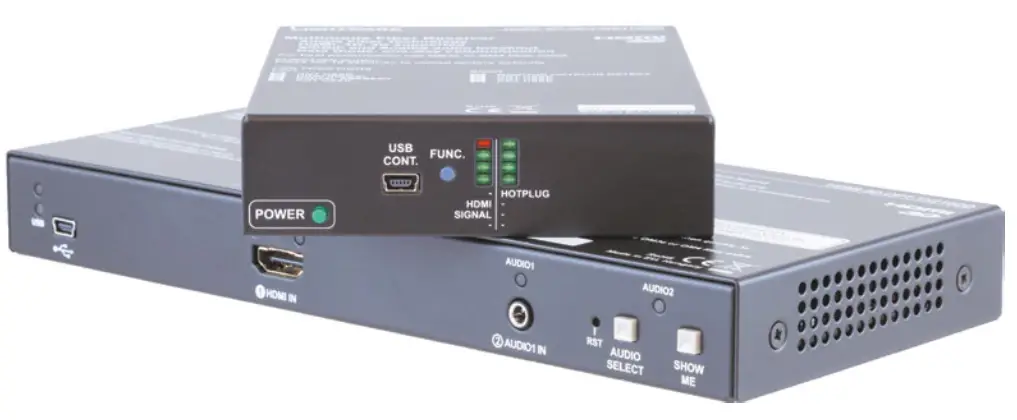
Quick Start Guide
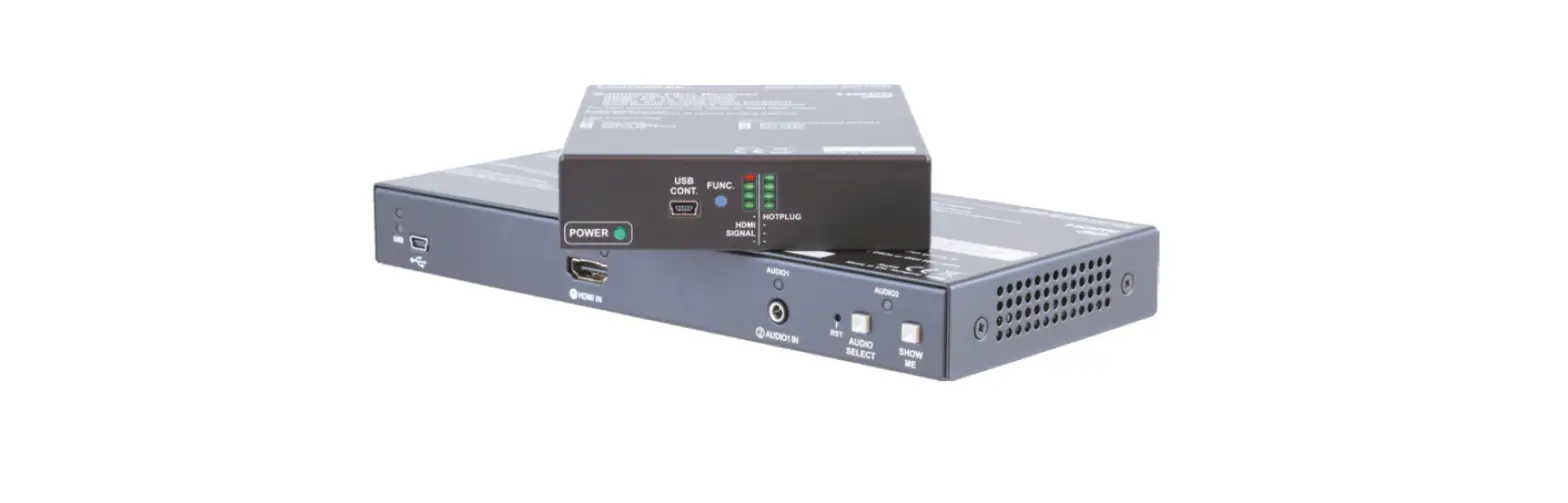
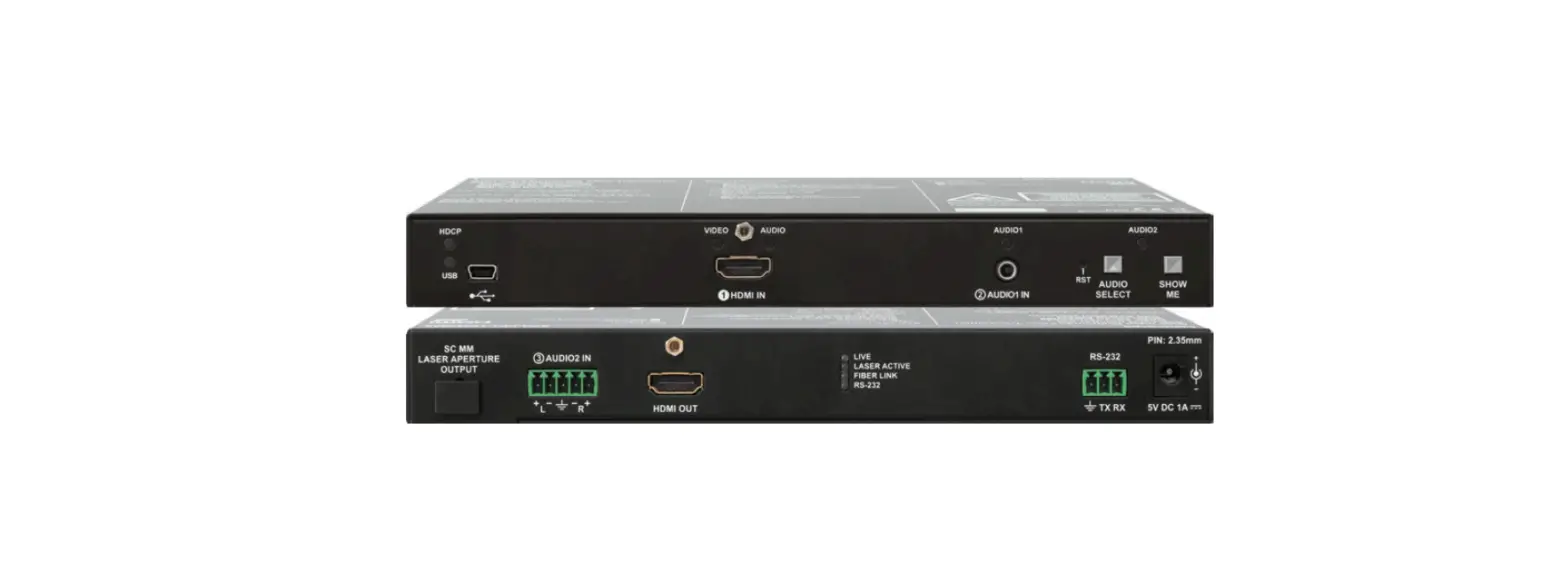
HDMI-3D-OPT-TX210DD
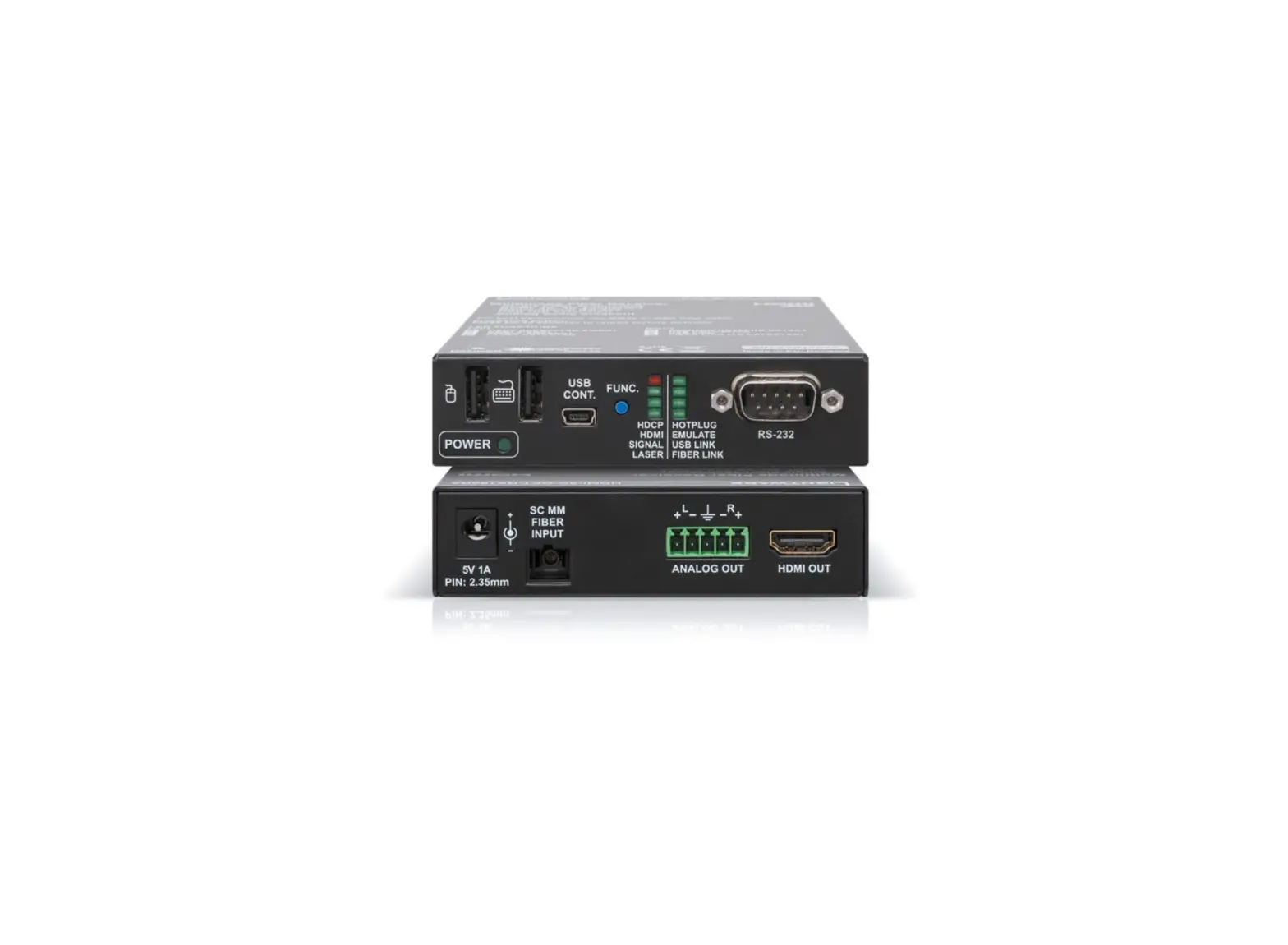
HDMI-3D-OPT-RX110DD
Important Safety Instructions
Please read the supplied safety instruction document before using the product and keep it available for future reference. The devices are Class 3R laser products. Caution! Invisible Class 3R laser radiation.
Avoid exposure to the beam.
Introduction
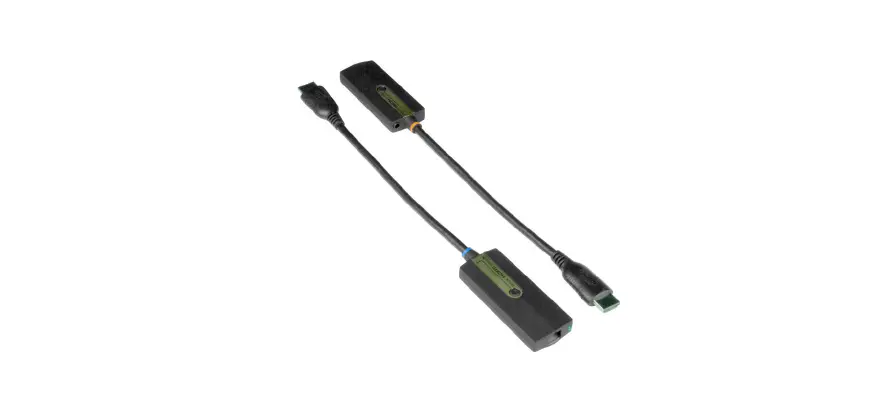
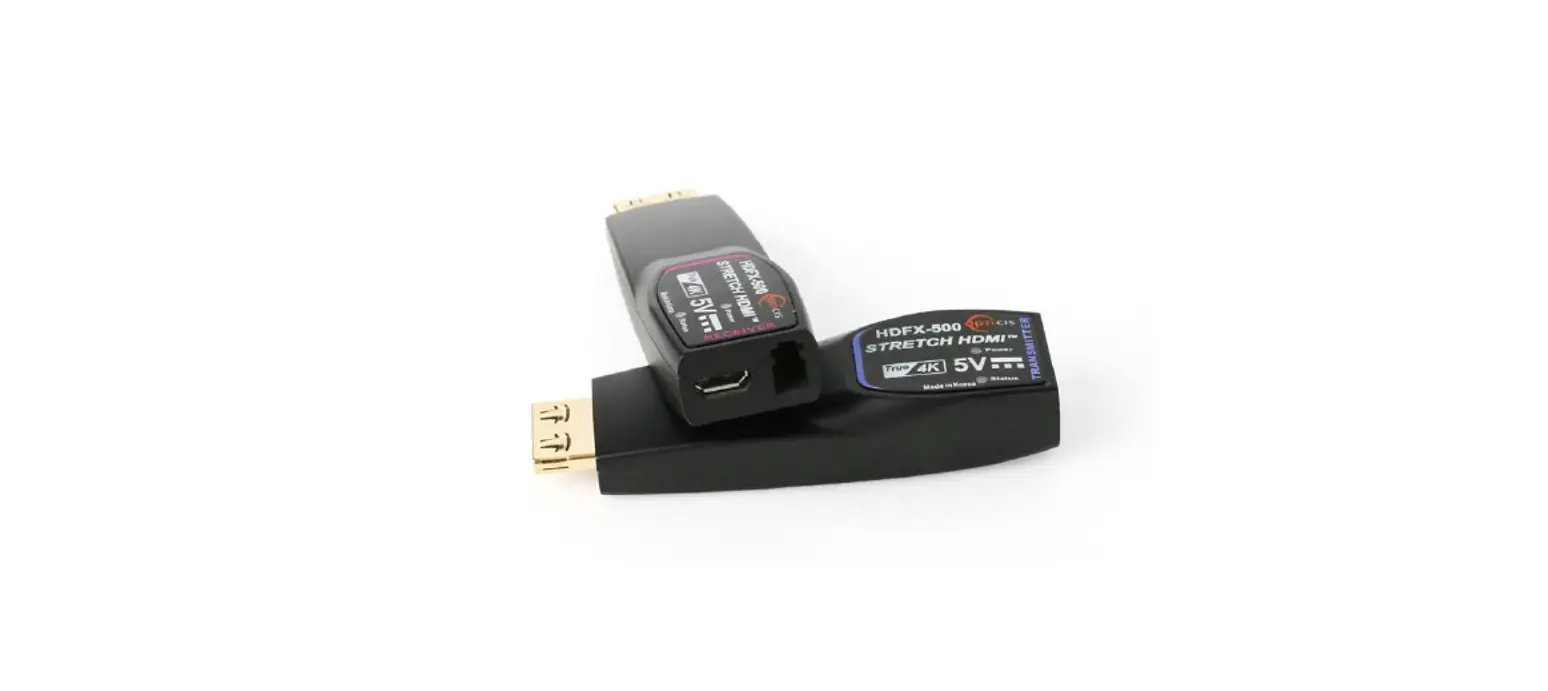
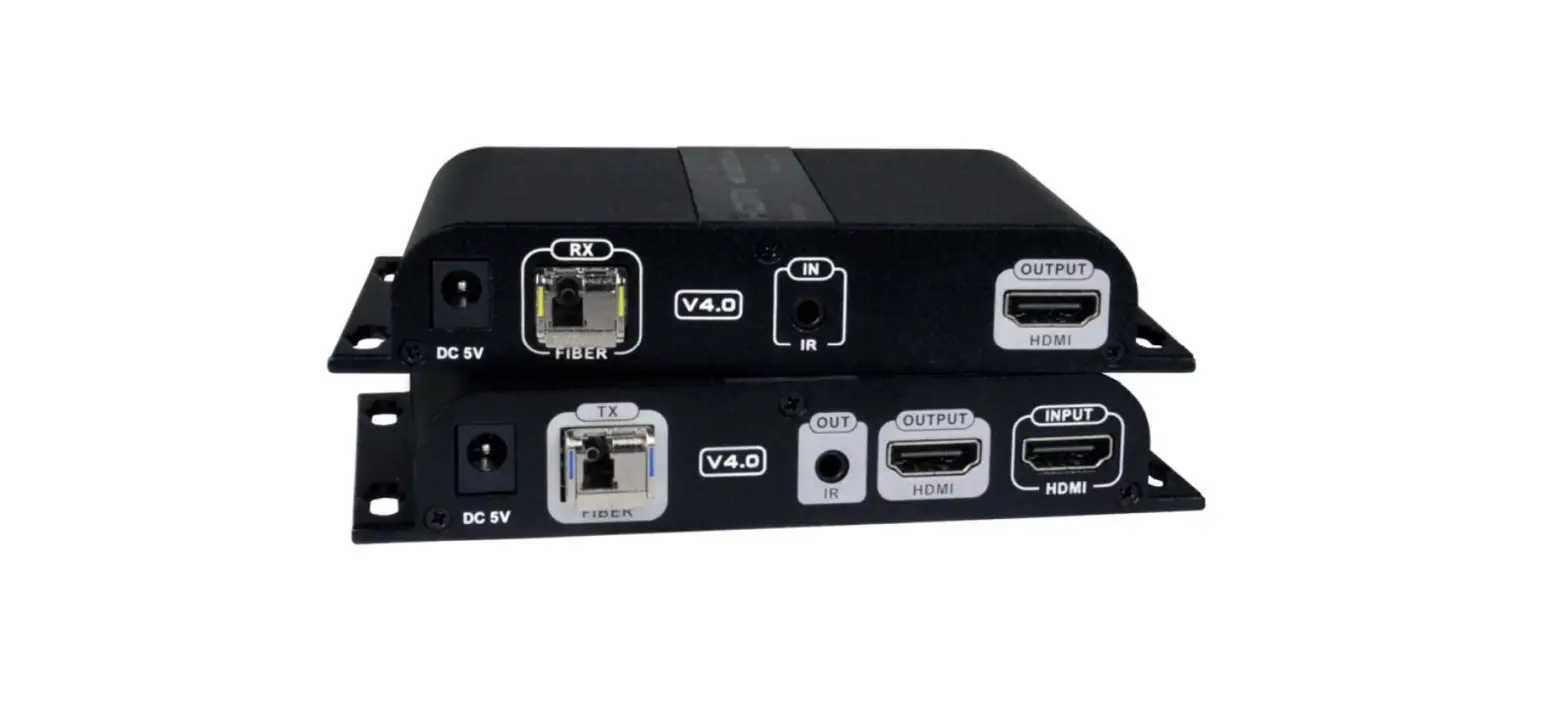
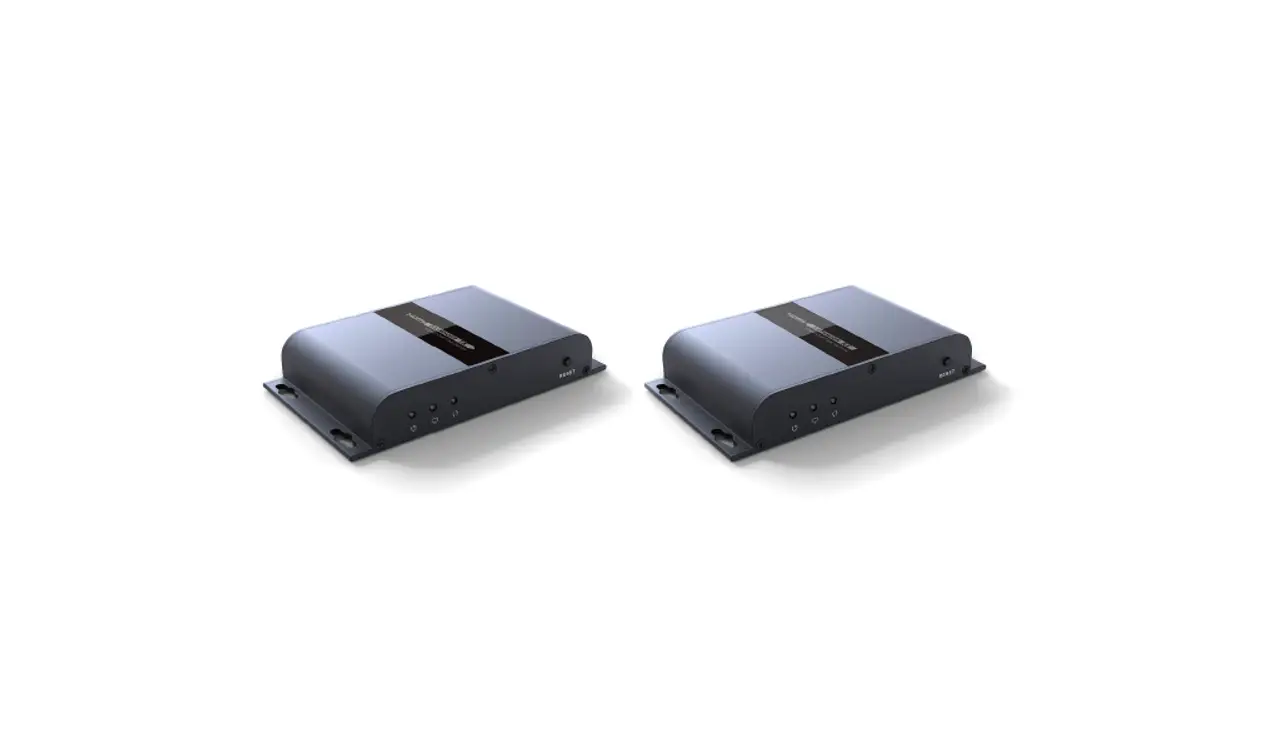
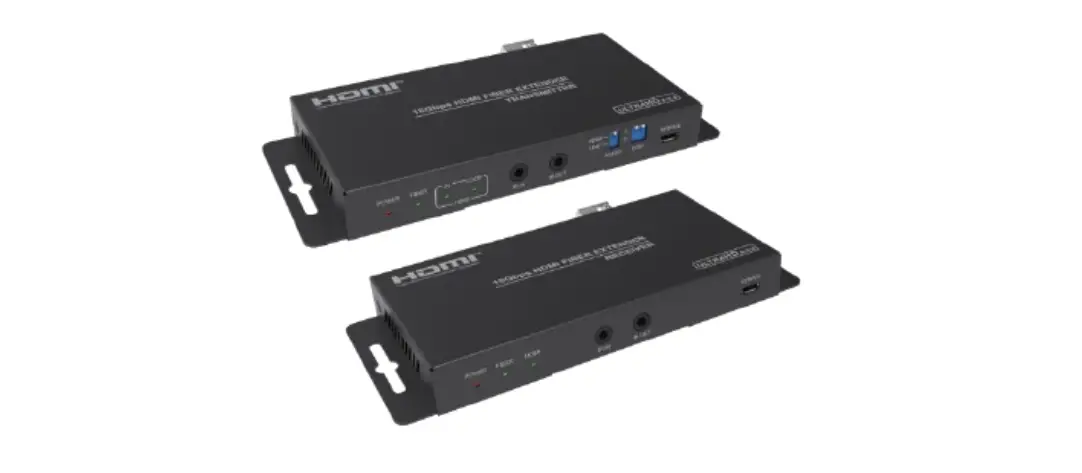
HDMI-3D-OPT-DD series devices extend HDMI 1.4 signals over one multimode fiber and transmit video signal with embedded audio to a distance of up to 2500 meters.
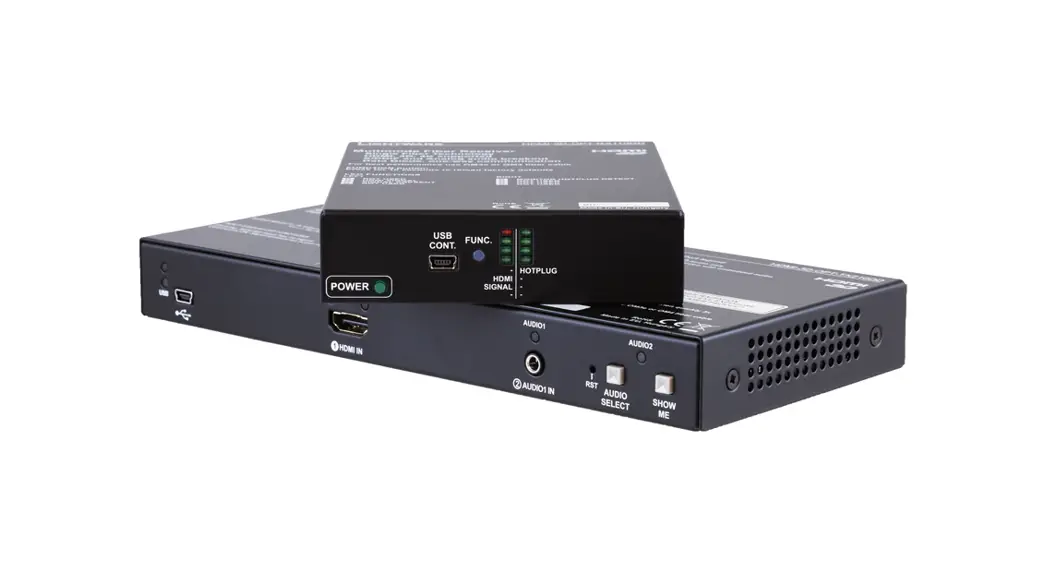
HDMI-3D-OPT-TX210DD transmitter was designed to handle HDMI 1.4 digital video signal and analog stereo audio from local inputs or HDMI embedded audio up to eight channel PCM or HBR audio. Analog audio is converted into digital format. The device has a local HDMI video output for monitoring. The video and the embedded audio of the local output is the same as the one transmitted via the OPT link.
HDMI-3D-OPT-RX110DD optical receiver provides extension of uncompressed Full-HD video and audio over one multimode fiber up to 2500 m. The unit offers an analog audio output and works at all standard AV resolutions.
HDMI-3D-OPT-DD series extenders offers data diode technology which means an optical fiber with a sender on one side and a receiver on the other ensures that data can only be transferred in a forward direction, and never in reverse. This means no two-way transfer, preventing leakage and manipulation from taking place.
Compatibility
The transmitter and the receiver units are compatible only with each other.
Box Contents
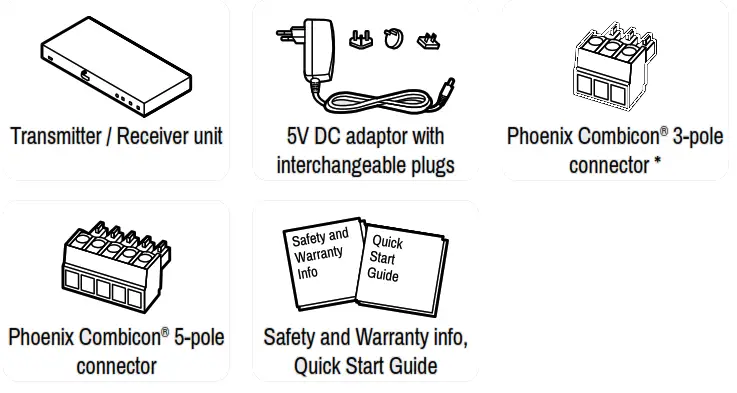
* Only for HDMI-3D-OPT-TX210DD transmitter unit.
Status LEDs
Front Panel LEDs – Transmitter
| USB LED I | Transmitter | ||
 | off | USB is disconnected or there is no USB data transfer over the port. | |
 | blinking (green) | Device control mode is active. | |
| Video Source LEDs | I Transmitter | ||
 | on (green) | Video source is active. | |
| blinking (green) | Video source is connected but no signal is detected. | |
| Audio Source LEDs I | Transmitter | ||
| off | Audio source is not connected. | |
| (green) | Audio source is selected but no signal is detected (digital inputs only). | |
| on (green, with short pause) | Audio source is selected and the port is active but not embedded to the output video stream (DVI output mode). | |
| on (green) | Audio source is selected, the port is active and the audio is embedded to the output video stream (HDMI output mode). | |
Rear Panel LEDs – Transmitter
| LIVE | Transmitter | ||
| off | Device is not powered. | |
 | blinking (green) | Device is powered and operational. | |
 | blinking (red) | Alert detected. | |
| blinking (yellow) | Firmware update mode, device is in bootload mode. | |
| on (yellow) | Device is powered but no operation. | |
| LASER ACTIVE | Transmitter | ||
 | on (red) | Laser transmission is enabled. | |
Status LEDs – Receiver
| HDMI | Receiver | ||
| off | The input signal type is DVI | |
| blinking (green) | The input signal type is HDMI but the output signal is DVI. | |
 | on (green) | The input and output signal type is HDMI. | |
| SIGNAL | Receiver | ||
| on (green) | A valid video clock signal is present on the fiber input port of the receiver. | |
| HOTPLUG | Receiver | ||
| on (green) | A powered sink device is connected to the HDMI OUT port and sends hotplug signal. | |
Recalling Factory Default Settings – Transmitter
- Keep the Show Me button pressed for 10 seconds, the LEDs start to blink faster.
- Release the button, then press it 3 times quickly; factory default settings are restored:
| Audio-Video port properties | |
| Crosspoint setting (Video/Audio) | HDMI input |
| SC laser output | Enabled |
| Emulated EDID | Dynamic |
| Test pattern mode | Off |
| Test pattern clock source | 480p |
| Test pattern | Bar |
| RS-232 port properties | |
| RS-232 mode | Pass-through |
| RS-232 control protocol | LW2 |
| RS-232 port setting | 57600 BAUD, 8, N, 1 |
Front View – Transmitter
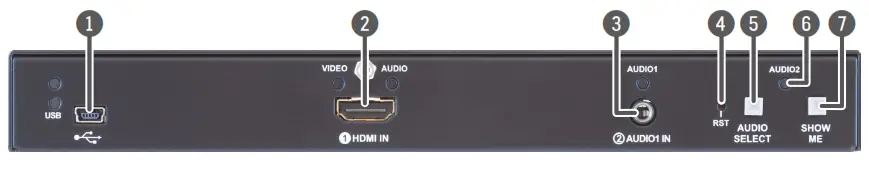
- USB port USB interface for firmware upgrade and LDC software control purposes.
- HDMI input Connect an HDMI cable between the HDMI source and the transmitter unit.
- Audio 1 input 3.5 mm jack connector for unbalanced analog audio input signal.
- Reset button Pushing the button reboots the unit.
- Audio select button Button for switching between audio sources.
- Audio 2 status LED LED gives feedback about actual connection status of Audio 2 input port (on the rear side of device). See more details in the Front panel LEDs – Transmitter section on the other side of the document.
- Show Me button Special functions are available with this button (switch to bootload (firmware upgrade) mode, restore factory default settings and condition launching in Event Manager).
Rear View – Transmitter
- SC fiber output Connect a multimode single fiber optical cable between the receiver and the transmitter.
- Audio2 input 5-pole Phoenix connector for balanced analog audio input.
- HDMI output Connect an HDMI cable between the transmitter and the display device.
- Status LEDs LEDs give feedback about actual status of the unit and connection signals. See more details in the Rear panel
LEDs – Transmitter section on the other side of the document. - RS-232 3-pole Phoenix connector for serial communication.
- 5V DC input Connect the output of the supplied 5V DC power adaptor.
Mounting
To mount the devices Lightware supplies optional accessories for different usage. There are two kinds of mounting kits with similar fixing method. The transmitter and receiver havetwo mounting holes with inner thread on the bottom side. Fasten the device by the screwsenclosed to the accessory.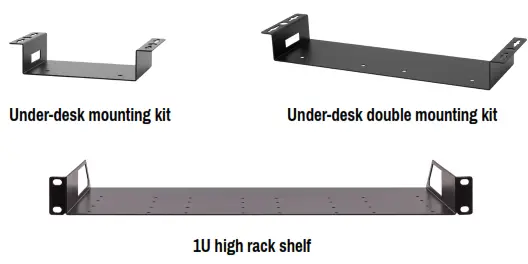
The Under-desk and Under-desk double mounting kit makes it easy to mount a single device on any flat surface, e.g. furniture. 1U high rack shelf provides mounting holes for fastening two half-rack or four quarter-rack sized units. Pocket-sized devices can also be fastened on the shelf. To order mounting accessories please contact [email protected].
The transmitter is half-rack, the receiver is quarter-rack sized. Using different (e.g. longer) screws may cause damage to the device.
Locking DC Plug
Twist 90° clockwise to lock.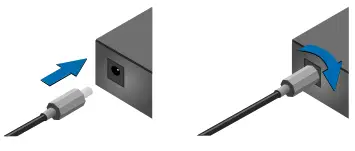
Maximum Fiber Cable Extension Distances
| OM1 | OM2 | OM3 | OM4 | |
| (62.5/125) | (50/125) | (50/125) | (50/125) | |
| 1080p@60Hz 24 bpp | 250 m | 600 m | 1200 m | 2500 m |
| 1080p@60Hz 36 bpp | 150 m | 400 m | 800 m | 1300 m |
| 4096×2048@30Hz 24 bpp | Not supported | 350 m | 700 m | 1100 m |
Software Control – Using Lightware Device Controller (LDC)
The device can be controlled from a computer through the USB or RS-232 ports using Lightware Device Controller. Please download the application from www.lightware.com, install on a Windows PC or a macOS and connect to the device.
Connecting Steps
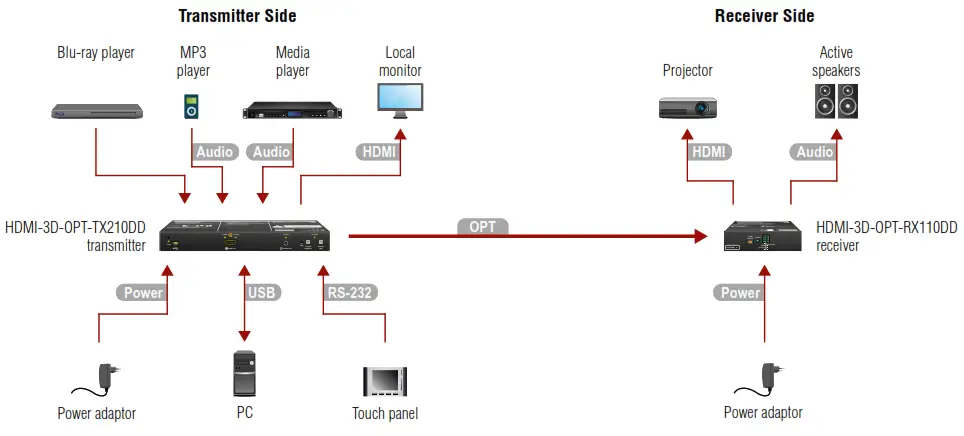
| Transmitter Side | |
| OPT | Connect the transmitter and the receiver using a multimode single fiber optical cable. |
| HDMI | Connect the source (e.g. Blu-ray player) to the input port of the transmitter by a HDMI cable. |
| Audio | Optionally connect an asymmetric audio device with unbalanced audio signal (e.g. an MP3 player) to the 2.5” TRS (jack) audio input port. |
| Audio | Optionally connect a symmetric audio device with balanced audio signal (e.g. a professional media player) to the 5-pole Phoenix audio input port. |
| HDMI | Connect the local sink device (e.g. a monitor) to the HDMI output port by an HDMI cable. Power |
| USB | Optionally for USB HID extension: connect the transmitter to the computer by the USB mini B-type cable. |
| RS-232 | Optionally for RS-232 control: connect a controller/controlled device (e.g. a touch panel) to the RS-232 port. |
| Power | Connect the power adaptor to the DC input on the transmitter first, then to the AC power socket. |
| Receiver Side | |
| OPT | Connect the receiver and the transmitter using a multimode single fiber optical cable. |
| HDMI | Connect the sink device (e.g. projector) to the HDMI output port of the receiver by a HDMI cable. |
| Audio | Optionally connect an analog audio device (e.g. active speakers) to the 5-pole Phoenix audio output port. |
| USB | Optionally for USB control: connect the receiver to the controller device (e.g. laptop) by a USB mini B-type cable. |
| Power | Connect the power adaptor to the DC input on the receiver first, then to the AC power socket. |
Recalling Factory Default Settings – Receiver
- Keep the Function button pressed for 10 seconds, the LEDs start to blink faster.
- Release the button, then press it 3 times quickly; factory default settings are restored:
| HDMI output port properties | |
| Signal type | Auto |
| HDCP mode | Auto |
| Power 5V mode | Always on |
| Test pattern mode | Off |
| Test pattern clock source | 480p |
| Test pattern | Bar |
| Analog audio output port properties | |
| Volume (%) | 100 |
| Volume (dB) | 0 |
| Balance | 0 (center) |
| Bass (dB) | 0 |
| Treble (dB) | 0 |
| Phase invert | Disabled |
Audio Outputs of the Receiver
The table below shows the supported audio formats by output ports.
| Audio formats | Audio outputs | |
| Embedded audio | Analog audio output | |
| Multichannel PCM | Max 8 channel, up to 192 kHz | Stereo PCM (up to 48 kHz) |
| Dolby Digital 2.1 | √ | – |
| Dolby Digital 5.1 | √ | – |
| Dolby Digital 7.1 | √ | – |
| DTS 2.1 | √ | – |
| DTS 5.1 | √ | – |
| DTS 7.1 | √ | – |
| Dolby TrueHD (HBR) | √ | – |
| DTS-HD (HBR) | √ | – |
| DTS-HD Master Audio (HBR) | √ | – |
| All other HDMI specified standards | √ | – |
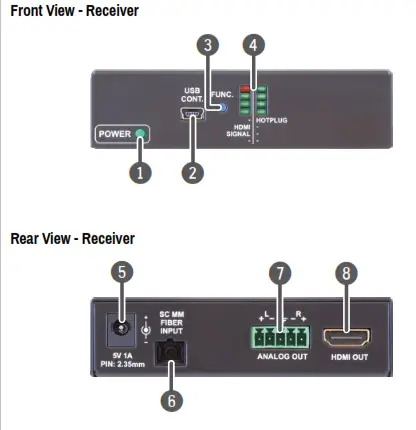
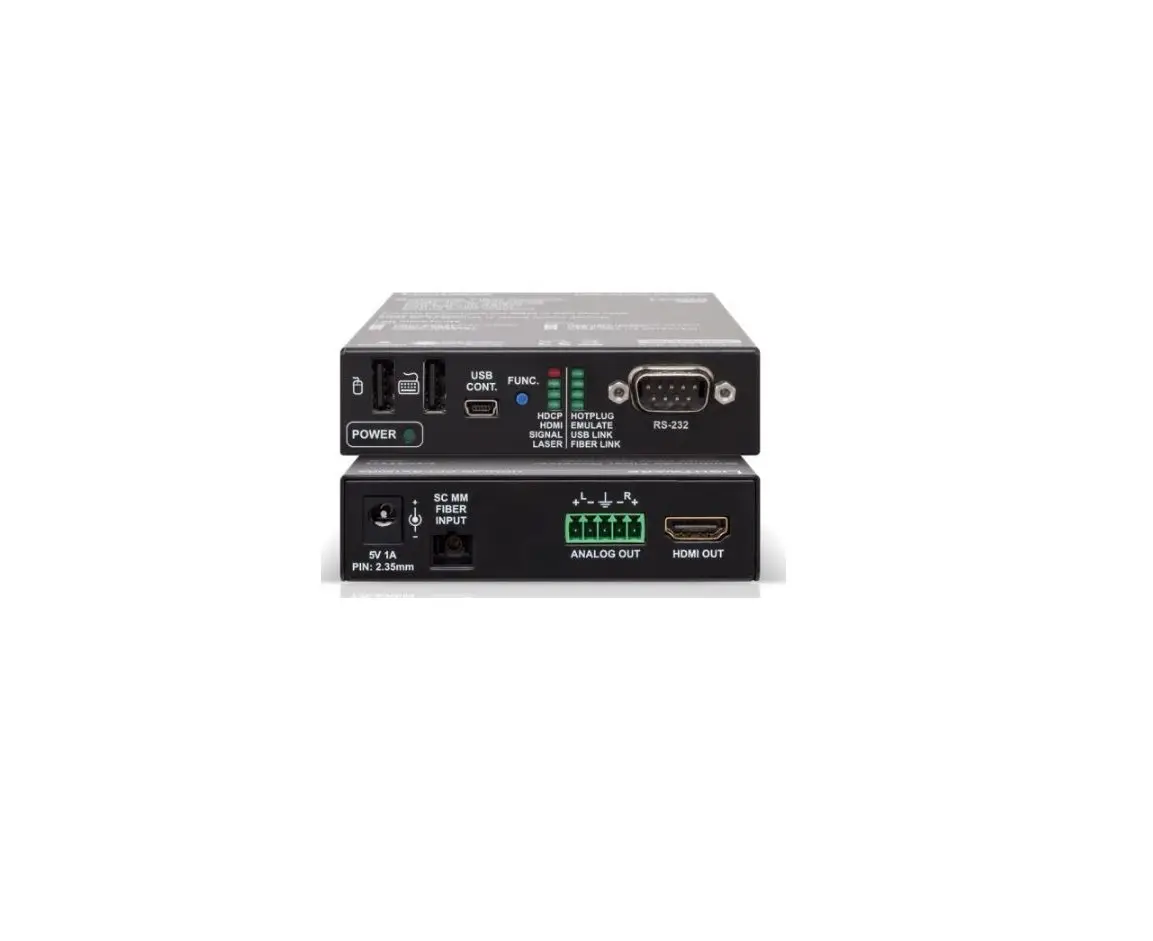
- Power LED The LED indicates the power status of the device. It lights when the receiver is powered.
- USB control port USB interface for LDC connection and firmware update purpose.
- Function button Factory default settings can be called by pressing the button.
- Status LEDs The LEDs give immediate feedback about actual state of the device. See more details in the Status LEDs – Receiver section on the other side of the document.
- 5V DC input Local power in; connect the output of the supplied 5V DC power adaptor.
- SC fiber input Connect a multi-mode single fiber optical cable between the receiver and the transmitter.
- Analog audio output 5-pole Phoenix connector for balanced analog audio output signal.
- HDMI output HDMI connector for DVI video or HDMI video and audio.
Audio Cable Wiring Guide
HDMI-3D-OPT-TX210DD transmitter is built with 5-pole Phoenix input connector. See below a few examples of the most common assembling cases.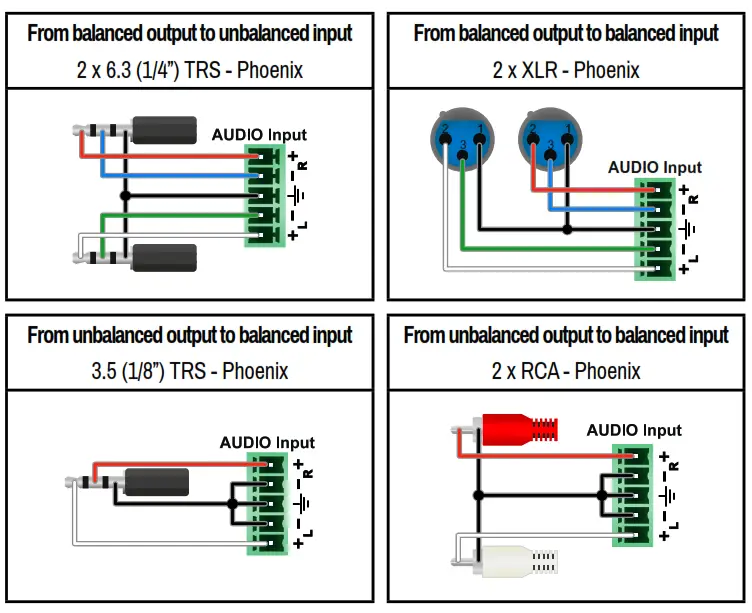
HDMI-3D-OPT-RX110DD receiver is built with 5-pole Phoenix output connector. See below a few examples of the most common assembling cases.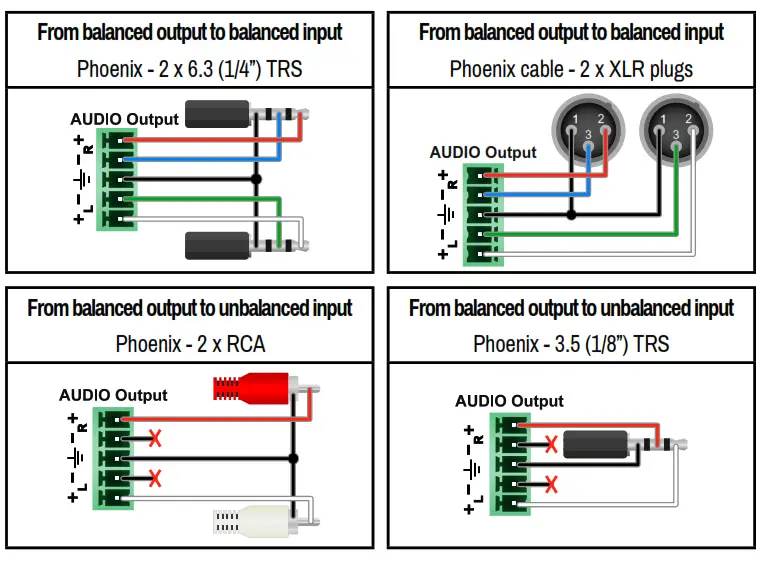 Wiring Guide for RS-232 Data Transmission
HDMI-3D-OPT-TX210DD transmitter is built with 3-pole Phoenix connector. See the below examples of connecting to a DCE (Data Circuit-terminating Equipment) or a DTE (Data Terminal Equipment) type device: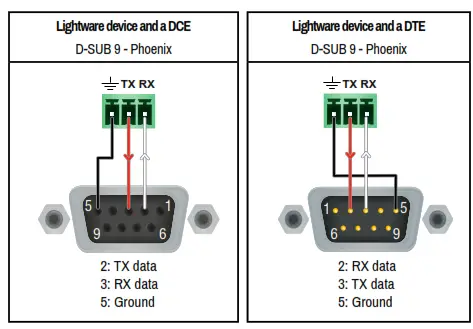
For more information about the cable wiring see the user’s manual of the device or Cable Wiring Guide on our website www.lightware.com.
Further information on the device is available at www.lightware.com.
The User’s Manual is also available via the QR code below:
https://lightware.com/media/lightware/User_Manuals/HDMI-3D-OPT-DD_Series/HDMI-3D-OPT-DD_UsersManual.html
Contact Us
[email protected]
+36 1 255 3800
[email protected]
+36 1 255 3810
Lightware Visual Engineering PLC.
Budapest, Hungary
Doc. ver.: 1.2
19210060
 Lightware Visual Engineering