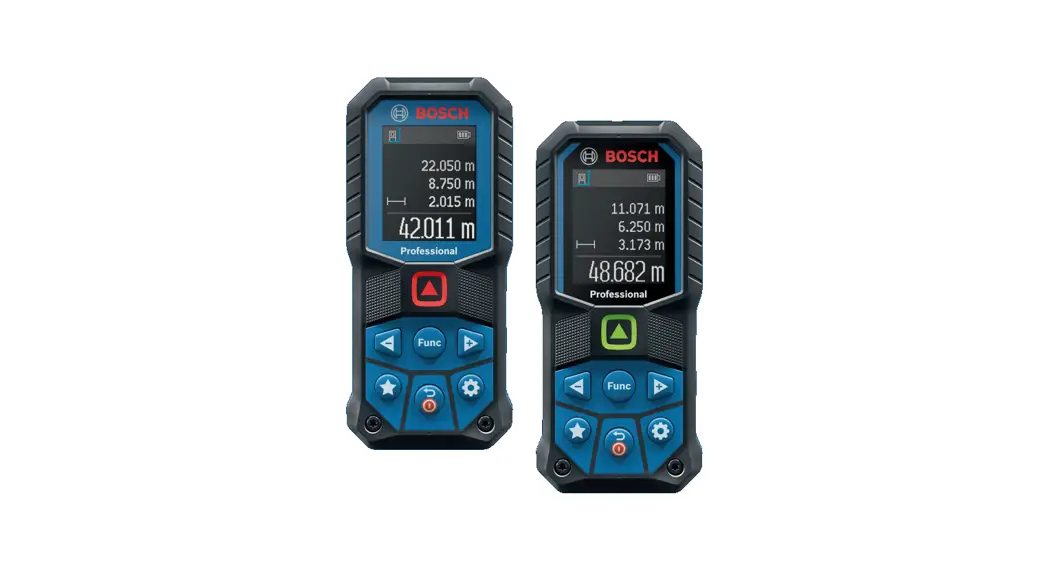
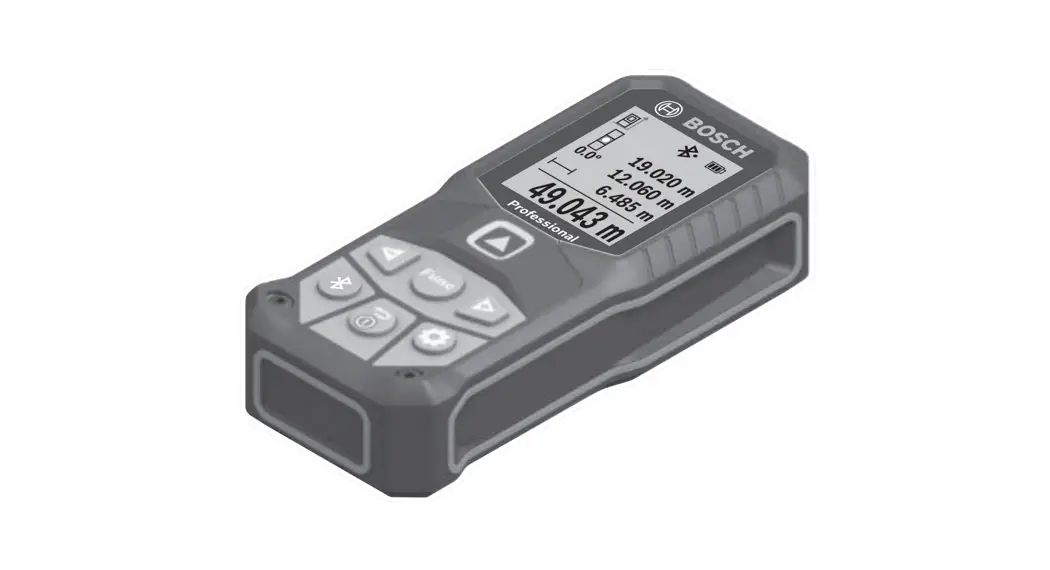
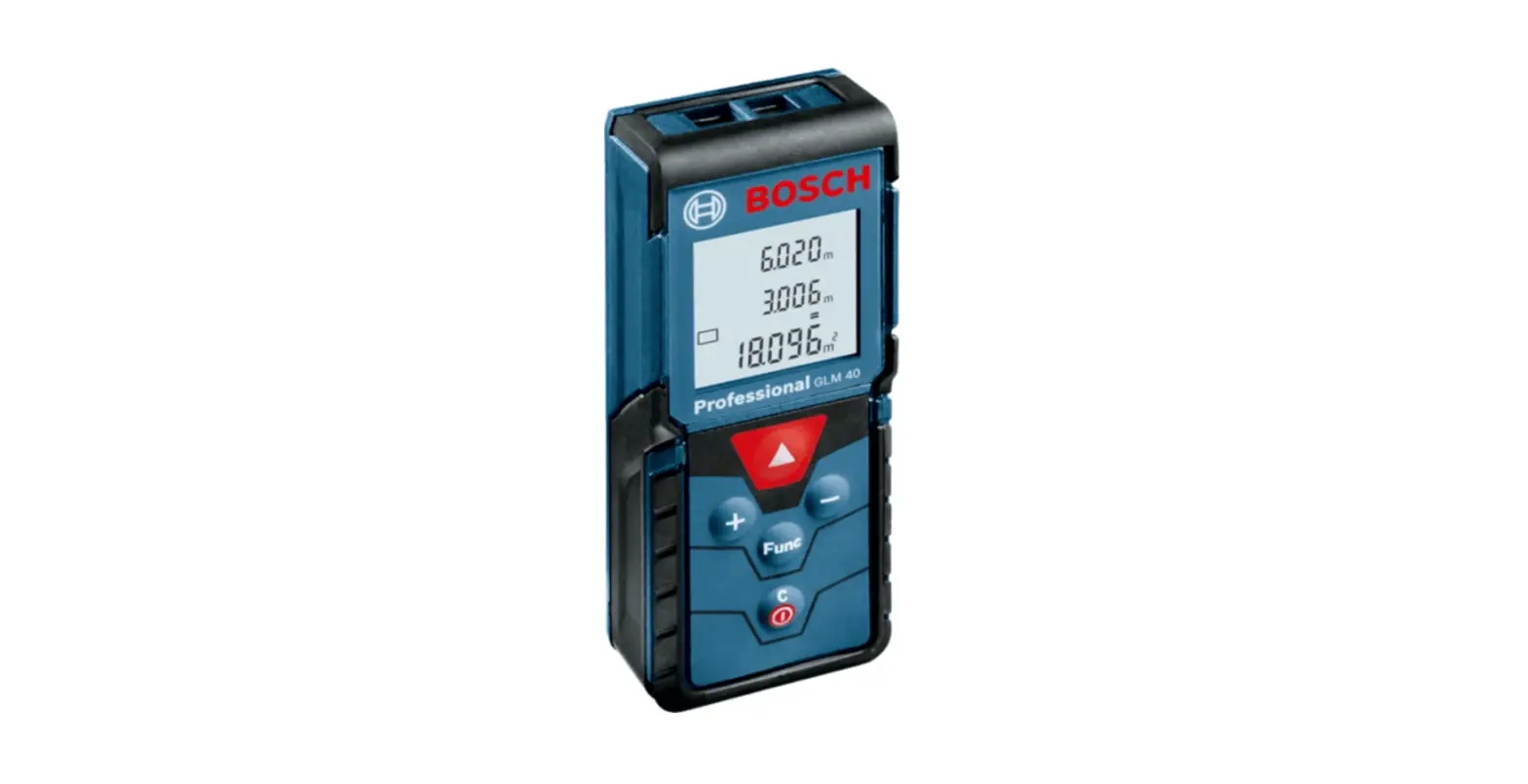
GLM80 Professional Laser Distance Meter
Product Information
The Bosch GLM Professional 80 and 80+R 60 are laser measuring
tools designed and manufactured by Robert Bosch Power Tools GmbH in
Stuttgart, Germany. These tools are Class 2 laser products that
measure distances, lengths, heights, clearances, inclines, areas,
and volumes. They can be used both indoors and outdoors.
Product Features
- Length measurement
- Area measurement
- Volume measurement
- Continuous measurement
- Indirect height measurement
- Double indirect height measurement
- Digital spirit level/position of measured value list entry
- Measured value lines
- ERROR indicator
- Result line
- Indicator for measured value list
- Measuring functions
Technical Data
- Laser class: 2
- Maximum measuring range: 80 meters (GLM Professional 80) or 60
meters (GLM Professional 80+R 60)
Safety Instructions
Do not stare into the laser beam or at its reflection. Doing so
could lead to blindness or cause accidents or damage to the eyes.
Protect the measuring tool against heat, fire, water, and moisture.
Do not use the measuring tool in explosive atmospheres that contain
flammable liquids, gases, or dust. Do not let children use the
laser measuring tool unsupervised.
Product Usage Instructions
- Press and hold a button to activate its additional
function. - Point the laser beam at the surface you want to measure.
- Read the measured value on the display elements.
- For length measurement, point the laser beam at one end of the
distance you want to measure and then at the other end. The
measured value will appear on the display. - For area measurement, point the laser beam at the corner of the
area you want to measure and then move it along the perimeter. The
measured value will appear on the display. - For volume measurement, point the laser beam at one corner of
the space you want to measure and then move it along the perimeter
while also moving it up and down. The measured value will appear on
the display. - For continuous measurement, press and hold the measurement
button while moving the laser beam. The measured values will appear
on the display as you move. - For indirect height measurement, point the laser beam at the
base of the object whose height you want to measure and then at the
top of the object. The measured value will appear on the
display. - For double indirect height measurement, point the laser beam at
the base of the object whose height you want to measure and then at
a point on the object that is at a known height. Move to a position
where you can see the laser dot on top of the object and then
measure the distance from that point to the base of the object. The
measured value will appear on the display.
Robert Bosch Power Tools GmbH 70538 Stuttgart GERMANY www.bosch-pt.com
1 609 92A 544 (2019.05) O / 72
1 609 92A 544
GLM Professional
80 | 80+R 60
en Original instructions zh zh ko th
id Petunjuk-Petunjuk untuk Penggun-
aan Orisinal vi Bn gc hng dn s dng
2 |
English …………………………………………… Page 8 ………………………………………………. 17 ………………………………………….. 26 ……………………………………….. 34 ……………………………………………… 43 Bahasa Indonesia………………………………. Halaman 53 Ting Vit ……………………………………….. Trang 62
1 609 92A 544 | (27.05.2019)
Bosch Power Tools
| 3
(i) (j)
(h) (g)
(a)
(f)
(e)
(b)
(d)
(c)
(12) (11) (10)
(1) (2) (3)
(9)
(6)(5)(4) (7)
(13) (14)
(8)
(20)
(18)
(19)
(23)
PGLrMo f2e5ss0ioVnFal
(17) (16)
GLM 80
Bosch Power Tools
(15) (22)
(21)
1 609 92A 544 | (27.05.2019)
4 |
A
B
max min
D
1 2
1 X
2
1 609 92A 544 | (27.05.2019)
C
1
1 X
E
1
1 X
Bosch Power Tools
| 5
F
G
B3
B1
B2 A
H
180º
II
(24)
1
Bosch Power Tools
90º
180º
(3) (2)
(25) (24)
3 2
1 609 92A 544 | (27.05.2019)
6 |
J
K
1
180º
I
90º
1 609 92A 544 | (27.05.2019)
180º 90º
Bosch Power Tools
| 7
(26)
BT 150
0 601 096 B00
(27)
1 608 M00 05B
(28)
2 607 001 391
(24)
0 601 079 000
Bosch Power Tools
1 609 92A 544 | (27.05.2019)
8 | English
English
Safety Instructions
All instructions must be read and observed in order for the measuring tool to function safely. The safeguards integrated into the measuring tool may be compromised if the measuring tool is not used in accordance with these instructions. Never make warning signs on the measuring tool unrecognisable. SAVE THESE INSTRUCTIONS FOR FUTURE REFERENCE AND INCLUDE THEM WITH THE MEASURING TOOL WHEN TRANSFERRING IT TO A THIRD PARTY. u Warning! If operating or adjustment devices other than those specified here are used or other procedures are carried out, this can lead to dangerous exposure to radiation. The measuring tool is delivered with a warning label (marked in the illustration of the measuring tool on the graphics page with number (20)).
Laser Radiation Do not stare into beam Class 2 laser product
u If the text on the warning label is not in your native language, cover it with the label supplied, which is in your language, before initial commissioning. Do not direct the laser beam at persons or animals and do not look directly into the laser beam or at its reflection. Doing so could lead to blindless, or could cause acci-
dents or damage to the eyes. u If laser radiation hits your eye, you must close your
eyes and immediately turn your head away from the beam. u Do not make any modifications to the laser equipment. u Do not use the laser goggles as protective goggles. The laser goggles make the laser beam easier to see; they do not protect you against laser radiation. u Do not use the laser goggles as sunglasses or while driving. The laser goggles do not provide full UV protection and impair your ability to see colours. u Have the measuring tool serviced only by a qualified specialist using only original replacement parts. This
1 609 92A 544 | (27.05.2019)
will ensure that the safety of the measuring tool is maintained. u Do not let children use the laser measuring tool unsupervised. They could accidentally dazzle someone. u Do not use the measuring tool in explosive atmospheres which contain flammable liquids, gases or dust. Sparks may be produced inside the measuring tool, which can ignite dust or fumes.
Protect the measuring tool against heat, e.g. including prolonged sun exposure, fire, water, and moisture. Danger of explosion.
Product Description and Specifications
Intended Use
The measuring tool is intended for measuring distances, lengths, heights, clearances and inclines, and for calculating areas and volumes. The measuring tool is suitable for indoor and outdoor use.
Product features
The numbering of the product features refers to the diagram of the measuring tool on the graphics page. (1) Display (2) Measuring button (3) Button for grade measurement/calibrationA) (4) Button for changing function/basic settingsA) (5) Minus button (6) Button for results/timer functionA) (7) Button for list of measured values/saving constantA) (8) Button for memory deletion/switching on or offA) (9) Measuring pin (10) Reference level selection button (11) Plus button (12) Button for distance, area and volume measurement (13) Charging socket cover (14) Socket for charging connector (15) Carrying strap lug (16) Laser beam output (17) Reception lens (18) Serial number (19) 1/4″ thread (20) Laser warning label (21) Charging connector (22) Micro USB cable (23) Protective bag (24) Measuring railB) (25) Locking lever for measuring barB)
Bosch Power Tools
(26) TripodB) (27) Laser viewing glassesB) (28) Laser target plateB) A) Press and hold a button to activate its additional function. B) Accessories shown or described are not included with the
product as standard. Display elements (a) Measured value lines (b) “ERROR” indicator (c) Result line (d) Digital spirit level/position of measured value list
entry (e) Indicator for measured value list (f) Measuring functions
Length measurement
Technical data
Digital laser measure Article number Distance measurement Measuring range (typical) Measuring range (typical, unfavourable conditions) Measuring accuracy (typical) Measuring accuracy (typical, unfavourable conditions) Smallest display unit Indirect distance measurement and level Measuring range Grade measurement Measuring range Measuring accuracy (typical) Smallest display unit General Operating temperature Storage temperature Permitted charging temperature range Relative air humidity max. Max. altitude Pollution degree according to IEC 61010-1 Laser class Laser type Laser beam diameter (at 25 °C) approx. 10 m distance 80 m distance Adjustment accuracy of the laser to the housing approx. Vertical Horizontal
English | 9
Area measurement Volume measurement Continuous measurement 1 Indirect height measurement 1 Double indirect height measurement
2
1 Indirect length measurement Timer function Wall area measurement Grade measurement
(g) Battery charge indicator (h) Laser switched on (i) Reference level of measurement (j) Temperature warning
GLM 80 3 601 K72 3..
0.0580 mA) 35 mB)
± 1.5 mmA) ±2.5 mmB)
0.1 mm
60° to +60°
0°360° (4 x 90°)C) 0.2°D) E) 0.1°
-10 °C to +50 °CF) -20 °C to +50 °C +5 °C to +40 °C
90% 2000 m
2G) 2
635 nm, < 1 mW
6 mmE) 48 mmE)
±2 mm/mH) ±10 mm/mH)
GLM 80+R 60 3 601 K72 3..
0.0580 mA) 35 m B)
± 1.5 mmA) ±2.5 mmB)
0.1 mm
60° to +60°
0°360° (4 x 90°)C) ±0.2°D) E) 0.1°
-10 °C to +50 °CF) -20 °C to +50 °C +5 °C to +40 °C
90% 2000 m
2G) 2
635 nm, < 1 mW
6 mmE) 48 mmE)
±2 mm/mH) ±10 mm/mH)
Bosch Power Tools
1 609 92A 544 | (27.05.2019)
10 | English
Digital laser measure
GLM 80
GLM 80+R 60
Automatic switch-off after approx.
Laser
20 s
20 s
Measuring tool (without measurement)
5 min
5 min
Weight according to EPTA-Procedure 01:2014
0.14 kg
0.14 kg
Dimensions
51 x 111 x 30 mm
51 x 111 x 30 mm
Protection rating
IP 54 (dust and splash-proof) IP 54 (dust and splash-proof)
Measuring rail
Article number
3 601 K79 000
Dimensions
58 x 610 x 30 mm
Battery
Li-ion
Li-ion
Rated voltage
3.7 V
3.7 V
Capacity
1.25 Ah
1.25 Ah
Number of battery cells
1
1
Individual measurements per battery charge approx.
25000I)
25000I)
A) For measurements from the front edge of the measuring tool, 100% reflectivity of the target (e.g. a white wall), weak backlighting and 25 °C operating temperature. In addition, a deviation influence of ± 0.05 mm/m needs to be taken into account.
B) For measurements from the rear edge of the measuring tool, 10100 % reflectivity of the target, strong backlighting and 25 °C operating temperature. In addition, a deviation influence of ± 0.29 mm/m needs to be taken into account.
C) For measurements that use the back of the device as a reference, the max. measuring range amounts to ± 60° D) After calibration in accordance with figure H. Additional pitch error of ± 0.01°/degree up to 45°.
E) The width of the laser line depends on the surface characteristics and on the ambient conditions.
F) In continuous measurement mode, the max. operating temperature is +40 °C.
G) Only non-conductive deposits occur, whereby occasional temporary conductivity caused by condensation is expected.
H) At 25 °C
I) For a new and charged battery without display illumination and sound. The serial number (18) on the type plate is used to clearly identify your measuring tool.
Assembly
Battery charging
The battery can be charged from a USB port or USB power supply (min. 500 mA) by using the micro USB cable.
Recommendations for optimal handling of the battery Only store the battery in the permitted temperature range (see “Technical data”). Do not leave the battery in your car in the summer, for example. A significantly reduced operating time after charging indicates that the battery has deteriorated and must be replaced. Follow the instructions on correct disposal.
Operation
Start-Up
u Protect the measuring tool from moisture and direct sunlight.
u Do not expose the measuring tool to any extreme temperatures or variations in temperature. For example, do not leave it in a car for extended periods of time. In case of large variations in temperature, allow the measuring tool to adjust to the ambient temperature before put-
ting it into operation. The precision of the measuring tool may be compromised if exposed to extreme temperatures or variations in temperature.
u Avoid substantial knocks to the measuring tool and avoid dropping it. Always carry out an accuracy check before continuing work if the measuring tool has been subjected to severe external influences (see “Checking accuracy and calibrating the grade measurement (see figure H)”, page 14) and (see “Accuracy check of the distance measurement”, page 14).
Switching on/off
u Never leave the measuring tool unattended when switched on, and ensure the measuring tool is switched off after use. Others may be dazzled by the laser beam.
The following options are available for switching on the measuring tool:
Pressing the on/off button (8): The measuring tool is switched on in the length measurement function. The laser is not switched on.
Pressing the measuring button (2): Measuring tool and laser are switched on. The measuring tool will be in the length measurement function. When the measuring tool is inserted in the measuring rail (24), the grade measurement function is activated.
1 609 92A 544 | (27.05.2019)
Bosch Power Tools
u Do not direct the laser beam at persons or animals and do not stare into the laser beam yourself (even from a distance).
To switch off the measuring tool, press and hold the on/off button (8).
If no button on the measuring tool is pressed for approx. five minutes, then the measuring tool will automatically switch itself off to preserve battery life.
If the angle has not been changed for approx. five minutes while the measuring tool is in the “grade measurement” operating mode, the tool will automatically switch itself off to preserve battery life.
All saved values are retained when the tool is automatically switched off.
Measuring process
After the measuring tool has been switched on by pressing the measuring button (2), the tool is always in the length measurement function by default, or in the grade measurement function if the tool has been inserted into the measuring rail (24). Other measuring functions can be switched to by pressing the respective function button (see “Measuring functions”, page 12).
Once the measuring tool has been switched on, the rear edge of the measuring tool is selected as the reference level for measurement. You can change the reference level by pressing the reference level selection button(10) (see “Selecting the reference level (see figure A)”, page 11).
Apply the measuring tool with the selected reference level to the point at which you want to start the measurement (e.g. wall).
To switch on the laser beam, briefly press the measuring button (2).
u Do not direct the laser beam at persons or animals and do not stare into the laser beam yourself (even from a distance).
Aim the laser beam at the target surface. To initiate the measurement, briefly press the measuring button (2) again.
While the laser beam is continuously switched on, measurement will begin after the first press of the measuring button (2). In the continuous measurement function, measurement begins as soon as the function is activated.
The measured value typically appears within 0.5 seconds and no later than 4 seconds. The duration of the measurement depends on the distance, the lighting conditions and the reflective properties of the target surface. The end of the measurement is indicated by an audio signal. Upon completion of the measurement, the laser beam is automatically switched off.
If no measurement has been performed within approx. 20 seconds of aim being taken, the laser beam is switched off automatically to preserve battery life.
Selecting the reference level (see figure A)
You can choose between four different reference levels for the measurement:
English | 11
The rear edge of the measuring tool or the front edge of the measuring pin (9) when it has been folded out by 90° (e.g. when applying the tool to outer corners)
The tip of the measuring pin (9) when it has been folded 180° (e.g. when measuring from a corner)
The front edge of the measuring tool (e.g. when measuring from a table edge)
The centre of the thread (19) (e.g. for tripod measurements)
To select the reference level, press the button (10) until the required reference level is shown on the display. The rear edge of the measuring tool is pre-set as the reference level every time the measuring tool is switched on.
It is not possible to make a retrospective alteration to the reference level for measurements that have already been taken (e.g. when displaying measured values in the measured value list).
Basic settings menu
To enter the basic settings menu, press and hold the button for basic settings (4).
Briefly press the basic settings button (4) to select the individual menu items.
Press the minus button (5) or the plus button (11) to select the setting within the menu items.
To exit the basic settings menu, press the measuring button (2).
Basic settings
Audio signals
On
Off
Display illumination
Digital spirit level Display rotation
On
Off
Automatically on/off On Off
On
Off
Continuous laser beam
Unit of distance (depending on country version)
On Off m, ft, inch, etc.
Bosch Power Tools
1 609 92A 544 | (27.05.2019)
12 | English
Basic settings
Unit for angle
°, %, mm/m,
inch/ft
All basic settings except for the continuous laser beam set-
ting are saved when switching off the tool.
Continuous laser beam
u Do not direct the laser beam at persons or animals and do not stare into the laser beam yourself (even from a distance).
In this setting, the laser beam remains switched on even between measurements; measurement simply requires one brief press of the measuring button (2).
Measuring functions
Simple length measurement
For length measurements, repeatedly press the button (12)
until the indicator for length measurement appears on the display.
Briefly press the measuring button (2) once to switch on the laser and once to measure.
The measured value is displayed in the result line (c).
For multiple consecutive length measurements, the results of the last measurements are shown in the measured value lines (a).
Area measurement
For area measurements, repeatedly press the button (12) until the indicator for area measurement appears on the display.
Then measure the width and length one after the other as with a length measurement. The laser beam remains switched on between the two measurements.
Once the second measurement has been completed, the area is automatically calculated and displayed in the result line (c). The individual measured values can be found in the measured value lines (a).
Volume measurement
For volume measurements, repeatedly press the button (12) until the indicator for volume measurement appears on the display.
Then measure the width, length and depth one after the other as with a length measurement. The laser beam remains switched on between the three measurements.
Once the third measurement has been completed, the volume is automatically calculated and displayed in the result line (c). The individual measured values can be found in the measured value lines (a). Values over 999,999 m3 cannot be displayed; “ERROR” will instead appear on the display. Divide the volume to be measured into individual measurements, the resulting values of which you can calculate separately and then combine into an overall total.
Continuous measurement and minimum/maximum measurement (see figure B)
In continuous measurement mode, the measuring tool can be moved relative to the target, during which the measured value will be updated every half a second. You can, for example, move a desired distance away from a wall while reading off the current distance at all times.
For continuous measurements, repeatedly press the button
for changing function (4) until the indicator for continuous measurement appears on the display. To start the continuous measurement, press the measuring button (2).
The minimum measurement is used to determine the shortest distance from a fixed reference point. For example, it can help in determining verticals or horizontals.
The maximum measurement is used to determine the greatest distance from a fixed reference point. For example, it can help in determining diagonals.
The current measured value is shown in the result line (c). The maximum (“max”) and minimum (“min”) measured value appear in the measured value lines (a). It is then always overwritten if the current length measurement value is smaller or larger than the previous minimum or maximum value.
Press the memory deletion button (8) to erase the previous minimum or maximum values.
Press the measuring button (2) to end the continuous measurement. The last measured value is displayed in the result line (c). Pressing the measuring button (2) again starts a new continuous measurement.
Continuous measurement automatically switches off after five minutes. The last measured value remains displayed in the result line (c).
Indirect distance measurement
The indirect distance measurement is used to determine distances that cannot be measured directly, due to an obstacle that would impede the path beam or the absence of a target surface that could serve as a reflector. This measuring procedure can only be employed vertically. Any horizontal deviation will lead to measurement errors.
The laser beam remains switched on between the individual measurements.
For indirect length measurements, three measuring modes are available. Each measuring mode can be used for determining different distances.
a) Indirect height measurement (see figure C)
Repeatedly press the button for changing function (4) until the indicator for indirect height measurement 1 appears on the display.
Ensure that the measuring tool is at the same height as the lower measuring point. Then tilt the measuring tool around the reference level and measure distance (1) as for a length measurement.
1 609 92A 544 | (27.05.2019)
Bosch Power Tools
Once the measurement is complete, the result for the required distance “X” is displayed in the result line (c). The measured values for distance “1” and angle “” can be found in the measured value lines (a).
b) Double indirect height measurement (see figure D)
Repeatedly press the button for changing function (4) until
1
the indicator for double indirect height measurement 2 appears on the display.
Measure distances 1 and 2 in succession as for a length measurement.
Once the measurement is complete, the result for the required distance X is displayed in the result row (c). The measured values for distances 1 and 2 and angle can be found in the measured value rows (a).
Ensure that the reference level for the measurement (e.g. the rear edge of the measuring tool) remains in exactly the same place for all the individual measurements in a single measuring process.
c) Indirect length measurement (see figure E)
Repeatedly press the button for changing function (4) until the indicator for indirect length measurement 1 appears on the display.
Ensure that the measuring tool is at the same height as the required measuring point. Then tilt the measuring tool around the reference level and measure distance “1” as for a length measurement.
Once the measurement is complete, the result for the required distance “X” is displayed in the result line (c). The measured values for distance “1” and angle “” can be found in the measured value lines (a).
Wall area measurement (see figure F)
The wall area measurement is used to determine the sum of multiple individual areas with a common height.
In the illustrated example, the total area of several walls that have the same ceiling height A but different lengths B is to be determined.
For wall area measurements, repeatedly press the button for changing function (4) until the indicator for wall area measurement appears on the display.
Measure the ceiling height A as with a length measurement. The measured value (“cst”) is displayed in the top measured value line (a). The laser remains switched on.
Then measure the length B1 of the first wall. The area is automatically calculated and displayed in the result line (c). The last measured value for length can be found in the middle measured value line.(a). The laser remains switched on.
English | 13
Now measure the length B2 of the second wall. The individual measured value displayed in the middle measured value line (a) is added to the length B1. The sum of the two lengths (“sum”, displayed in the bottom measured value line (a)) is multiplied by the saved height A. The total area value is displayed in the result line (c).
You can measure any number of lengths Bx, which will be automatically added and multiplied by the height A.
The requirement for a correct area calculation is that the first measured length (for example the ceiling height A) is identical for all sub-areas.
Grade measurement (see figure G)
Press the button for grade measurement (3) to bring up the indicator for grade measurement on the display. The rear of the measuring tool serves as the reference level. Press the button for grade measurement (3) again to use the sides of the measuring tool as a reference level and rotate the display view by 90°.
Press the measuring button (2) to fix the measured value and transfer it to the measured value memory. Press the measuring button (2) again to continue the measurement.
If the display flashes during measurement, the measuring tool has been tipped too heavily to the side.
If the “digital spirit level” function is activated in the basic settings, the grade value is also displayed in the other measuring functions in line (d) of the display (1).
Timer function
The timer function is useful when the measuring tool should be kept stationary during measurement, for example.
Press and hold the button for the timer function (6) to bring up the indicator on the display.
The time period between triggering the timer and starting measurement is displayed in the measured value line (a). The time period can be set between 160 seconds by pressing the plus button (11) or minus button (5).
The measurement is made automatically after the set time period has expired.
The timer function can also be used for distance measurements within other measuring functions (e.g. area measurement). It is not possible to add or subtract measuring results or carry out continuous measurement.
List of the last measured values
The measuring tool stores the last 20 measured values and their calculations and displays them in reverse order (with the most recent measured value displayed first).
To retrieve the saved measurements, press the button (7). The result of the last measurement appears on the display, along with the indicator for the measured values list (e) and with storage space for the numbering of the displayed measurements.
If no further measurements are saved upon pressing the button (7) again, the measuring tool switches back to the last
Bosch Power Tools
1 609 92A 544 | (27.05.2019)
14 | English
measuring function. Press one of the buttons for the measuring functions to exit the list of measured values.
To permanently save the currently displayed measured length value as a constant, press and hold the button for the list of measured values (7) until “CST” is shown on the display. An entry in the list of measured values cannot be retrospectively saved as a constant.
To use a measured length value in a measuring function (e.g. area measurement), press the button for the list of measured values (7), select the desired entry and confirm it by pressing the results button (6).
Deleting measured values
Briefly pressing the button (8) will delete the last measured value in all measuring functions. Repeatedly pressing the button briefly will delete the individual measured values in reverse order.
To delete the currently displayed entry in the list of measured values, briefly press the button (8). To delete the complete list of measured values and the constant “CST”, press and hold the measured value list button (7) and at the same time briefly press the button (8).
In the wall area measurement function, a brief first press of the button (8) will delete the last individual measured value; a second press will delete all lengths BX; a third will delete the ceiling height A.
Adding measured values
To add measured values together, first perform any measurement or select an entry from the list of measured values. Next, press the plus button (11). “+” will appear on the display as confirmation. Then perform a second measurement or select another entry from the measured value list.
Press the results button (6) to retrieve the sum of both measurements. The calculation is shown in the measured value lines (a) and the sum is displayed in the result line (c).
When the sum has been calculated, you can add more measured values or measured value list entries to this result if you press the plus button (11) before each measurement. Press the results button (6) to end the addition.
Information on addition:
Mixtures of length, area and volume values cannot be added together. For example, if a length value and an area value are added together, “ERROR” will appear briefly on the display when the results button (6) is pressed. The measuring tool will then switch back to the most recently active measuring function.
The result of a measurement (e.g. volume value) is always added; for continuous measurements, the measured value displayed in the result line (c) is added. It is not possible to add individual measured values from the measured value lines (a).
Subtracting measured values To subtract measured values, press the minus button (5); “-” will appear on the display as confirmation. The subsequent steps are the same as for the “Adding measured values” section.
Practical advice
General advice The reception lens (17) and the laser beam output (16) must not be covered during the measuring process. The measuring tool must not be moved during a measurement (with the exception of the continuous measurement and grade measurement functions). For this reason, place the measuring tool against or on a firm surface whenever possible.
Influences on the measuring range The measuring range depends on the lighting conditions and the reflective properties of the target surface. For better visibility of the laser beam when working outdoors and in bright sunlight, use the laser viewing glasses (27) (accessory) and the laser target plate (28) (accessory) or shade the target area.
Influences on the measurement result Due to physical effects, the possibility of inaccurate measurements when measuring various surfaces cannot be excluded. These include: Transparent surfaces (e.g. glass, water) Reflective surfaces (e.g. polished metal, glass) Porous surfaces (e.g. insulating materials) Structured surfaces (e.g. roughcast, natural stone). If necessary, use the laser target plate (28) (accessory) on these surfaces. Inaccurate measurements are also possible where the laser is pointed at target surfaces diagonally. Layers of air at different temperatures and indirectly received reflections can also influence the measured value.
Checking accuracy and calibrating the grade measurement (see figure H) Regularly check the accuracy of the grade measurement. This is accomplished by means of a reverse measurement. To do this, lay the measuring tool on a table and measure the inclination. Turn the measuring tool by 180° and measure the inclination again. The difference between the displayed values must not exceed 0.3°. In case of greater deviation, the measuring tool must be recalibrated. To do this, press and hold the grade measurement button (3). Follow the directions on the display.
Accuracy check of the distance measurement You can check the accuracy of the measuring tool as follows: Choose a measuring section of approx. 110 m in length
that is permanently unchanged, the exact length of which is known to you (e.g. room width, door opening). The measuring section must be indoors, and the target sur-
1 609 92A 544 | (27.05.2019)
Bosch Power Tools
face of the measurement must be smooth and reflect well.
Measure the section ten times in succession.
The deviation between the individual measurements and the mean value must not exceed ± 2 mm. Record the measurements in order to be able to compare the accuracy later on.
Working with the tripod (accessory)
The use of a tripod is particularly necessary for larger distances. Place the measuring tool with the 1/4″ thread (19) on the quick-release plate of the tripod (26) or a conventional camera tripod. Tighten it using the locking screw of the quick-release plate.
Set the reference level for measurements with a tripod by pressing the button (10) accordingly (thread reference level).
Working with the measuring rail (see figures IK)
The measuring rail (24) can be used for a more exact grade measurement result. Distance measurements are not possible with the measuring rail.
Insert the measuring tool into the measuring rail (24) as shown and lock the measuring tool in place with the locking lever (25). Press the measuring button (2) to activate the “measuring rail” operating mode.
Regularly check the accuracy of the grade measurement by means of a reverse measurement or the levels on the measuring rail.
In case of greater deviation, the measuring tool must be recalibrated. To do this, press and hold the grade measurement button (3). Follow the directions on the display.
To end the “measuring rail” operating mode, switch off the measuring tool and remove it from the measuring rail.
Errors Causes and Corrective Measures
Cause
Corrective measures
Temperature warning(j) flashes, measurement not possible.
The measuring tool is outside Wait until the measuring tool the operating temperature of has reached operating tem10 °C to +50 °C (in the con- perature. tinuous measurement function, up to +40 °C).
Display shows “ERROR”
Addition/subtraction of
Only add/subtract measured
measured values with differ- values with the same units of
ent units of measurement. measurement.
Angle between laser beam Increase the angle between
and target is too acute.
the laser beam and the target
Target surface is too reflect- Use the laser target plate ive (e.g. mirror) or not re- (28). flective enough (e.g. black material), or ambient light is too bright.
English | 15
Cause
Corrective measures
The laser beam output (16) and/or reception lens (17) are fogged up (e.g. due to a rapid temperature change).
Wipe the laser beam output (16) and/or reception lens (17) dry with a soft cloth.
Calculated value is larger than 999,999 m/m2/m3.
Divide the calculation into intermediate steps.
Display shows “> 60°” or “< 60°”
The grade measuring range Perform the measurements for the measuring function or within the specified angle reference level has been ex- range. ceeded.
Display shows “CAL” and “ERROR”
The calibration of the grade Repeat the calibration acmeasurement has not been cording to the instructions carried out in the right order that appear on the display or has not been carried out in and in the manual. the correct positions.
The surfaces used for calib- Repeat the calibration on a
ration were not precisely ho- horizontal or vertical surface
rizontal or vertical.
and check the surfaces be-
forehand if necessary using a
spirit level.
The measuring tool has moved or tilted when the button was pressed.
Repeat the calibration and hold the measuring tool still against the surface when pressing the button.
Battery charge indicator (g), temperature warning (j) and “ERROR” shown in the display
The temperature of the
Wait until the charging tem-
measuring tool is outside the perature range has been
permissible charging temper- reached.
ature range.
Battery charge indicator (g) and “ERROR” shown in the display
The battery charging voltage Check whether the connec-
is not correct.
tion has been established
correctly and that the micro
USB cable is working prop-
erly. If the device symbol
flashes, the battery is defect-
ive and must be replaced by
the Bosch after-sales ser-
vice.
Battery charge indicator (g) and clock symbol (f) shown in the display
Charging time significantly Only use the original Bosch extended due to the charging micro USB cable. current being too low.
Measurement result implausible
Target surface reflection not Cover the target surface. distinct (e.g. water, glass).
Bosch Power Tools
1 609 92A 544 | (27.05.2019)
16 | English
Cause
Corrective measures
Laser beam output (16) and/ Keep the laser beam output
or reception lens (17) are (16) and/or reception lens
covered.
(17) clear.
An incorrect reference level Select a reference level that
has been set.
is appropriate for the meas-
urement.
Obstruction in the path of the The laser point must be fully
laser beam.
on the target surface.
The indicator remains unchanged or the measuring tool reacts unexpectedly when a button is pressed.
Software error.
Press the measuring button
(2) and the button for
memory deletion/switching
on or off (8) to reset the soft-
ware.
The measuring tool monitors correct function-
ing in every measurement. If a defect is detec-
ted, the display will indicate only the symbol
shown opposite. In this case, or if the above-
mentioned corrective measures cannot rectify
an error, submit the measuring tool to the Bosch after-sales
service via your dealer.
Maintenance and Service
Maintenance and Cleaning
Only store and transport the measuring tool in the protective bag provided. Keep the measuring tool clean at all times. Never immerse the measuring tool in water or other liquids. Wipe off any dirt using a damp, soft cloth. Do not use any detergents or solvents. Take particular care of the reception lens (17), which must be handled with the same level of care you would give to a pair of glasses or a camera lens. If the measuring tool needs to be repaired, send it off in the protective bag (23).
After-Sales Service and Application Service
Our after-sales service responds to your questions concerning maintenance and repair of your product as well as spare parts. You can find explosion drawings and information on spare parts at: www.bosch-pt.com The Bosch product use advice team will be happy to help you with any questions about our products and their accessories. In all correspondence and spare parts orders, please always include the 10digit article number given on the nameplate of the product.
Great Britain Robert Bosch Ltd. (B.S.C.) P.O. Box 98 Broadwater Park North Orbital Road
Denham Uxbridge UB 9 5HJ At www.bosch-pt.co.uk you can order spare parts or arrange the collection of a product in need of servicing or repair. Tel. Service: (0344) 7360109 E-Mail: [email protected]
Ireland Origo Ltd. Unit 23 Magna Drive Magna Business Park City West Dublin 24 Tel. Service: (01) 4666700 Fax: (01) 4666888
Australia, New Zealand and Pacific Islands Robert Bosch Australia Pty. Ltd. Power Tools Locked Bag 66 Clayton South VIC 3169 Customer Contact Center Inside Australia: Phone: (01300) 307044 Fax: (01300) 307045
Inside New Zealand: Phone: (0800) 543353 Fax: (0800) 428570
Outside AU and NZ: Phone: +61 3 95415555 www.bosch-pt.com.au www.bosch-pt.co.nz
Republic of South Africa Customer service Hotline: (011) 6519600
Gauteng BSC Service Centre 35 Roper Street, New Centre Johannesburg Tel.: (011) 4939375 Fax: (011) 4930126 E-Mail: [email protected]
KZN BSC Service Centre Unit E, Almar Centre 143 Crompton Street Pinetown Tel.: (031) 7012120 Fax: (031) 7012446 E-Mail: [email protected]
Western Cape BSC Service Centre Democracy Way, Prosperity Park Milnerton Tel.: (021) 5512577 Fax: (021) 5513223 E-Mail: [email protected]
Bosch Headquarters Midrand, Gauteng Tel.: (011) 6519600 Fax: (011) 6519880 E-Mail: [email protected]
1 609 92A 544 | (27.05.2019)
Bosch Power Tools
Armenia, Azerbaijan, Georgia Robert Bosch Ltd. David Agmashenebeli ave. 61 0102 Tbilisi, Georgia Tel. +995322510073 www.bosch.com
Kyrgyzstan, Mongolia, Tajikistan, Turkmenistan, Uzbekistan TOO “Robert Bosch” Power Tools, After Sales Service Muratbaev Ave., 180 050012, Almaty, Kazakhstan Service Email: [email protected] Official Website: www.bosch.com, www.bosch-pt.com
Disposal
Measuring tools, rechargeable/non-rechargeable batteries, accessories and packaging should be sorted for environmental-friendly recycling. Do not dispose of the measuring tools or rechargeable/non-rechargeable batteries with household waste.
Battery packs/batteries: Li-ion: Please observe the notes in the section on transport Transport. u Integrated batteries may only be removed for disposal
by qualified personnel. Opening the housing shell can destroy the measuring tool. Before you can remove the battery from the measuing tool, you will need to use the measuring tool until the battery is completely discharged. Unscrew the screws on the housing and remove the housing shell in order to remove the battery. To prevent a short circuit, disconnect the connectors on the battery one at a time and then isolate the poles. Even when fully discharged, the battery still contains a residual capacity, which can be released in case of a short circuit.
| 17
u
(20)
Laser Radiation Do not stare into beam Class 2 laser product
u
u
u u
u
u u u
Bosch Power Tools
1 609 92A 544 | (27.05.2019)
18 |
(1) (2) (3) /A) (4) /A) (5) (6) /A) (7) /A) (8) /A) (9) (10) (11) (12) (13) (14) (15) (16) (17) (18) (19) 1/4 (20) (21) (22) Micro USB
1 609 92A 544 | (27.05.2019)
(23) (24) B) (25) B) (26) B) (27) B) (28) B) A) B)
(a)
(b) “Error” (c) (d) / (e) (f)
1 1
2
1
(g) (h) (i) (j)
GLM 80 3 601 K72 3..
0.05-80A) 35B)
±1.5A) ±2.5B)
GLM 80+R 60 3 601 K72 3..
0.05-80A) 35B)
±1.5A) ±2.5B)
Bosch Power Tools
IEC 61010-1 25 10 80 EPTA-Procedure 01:2014
GLM 80 0.1
| 19
GLM 80+R 60 0.1
60+60
60+60
03604x90C) 0.2D)E) 0.1
03604x90C) ±0.2D)E) 0.1
10+50F) 20+50
+5+40 90 %
2000 2G) 2
635< 1
10+50F) 20+50
+5+40 90 %
2000 2G) 2
635< 1
6E) 48E)
6E) 48E)
±2/H) ±10/H)
±2/H) ±10/H)
20 5
0.14 51 x 111 x 30 IP 54
20 5
0.14 51 x 111 x 30 IP 54
3.7 1.25
1
3 601 K79 000 58 x 610 x 30
3.7 1.25
1
Bosch Power Tools
1 609 92A 544 | (27.05.2019)
20 |
GLM 80
GLM 80+R 60
25000I)
25000I)
A) 100 %25 ±0.05/
B) 10100 %25±0.29 /
C) ±60
D) H±0.01/45
E)
F) +40
G)
H) 25
I) (18)
USBUSB500 Micro USB
” ”
u
u
u ( ” H”, 24)( ” “, 24)
/ u
(8)
(2) (24)
u
(8) 5 “”5
(2) (24) ( “”, 21) (10) ( ” A”, 21).
(2)
u
(2)
(2) 0.54
1 609 92A 544 | (27.05.2019)
Bosch Power Tools
20
A
90(9)
180(9)
(19)
(10)
“”
“” (4)
(4)
(5)(11)
“”(2)
/
| 21
%/
/
“”
u
(2)
(12)
(2)
(c) (a)
(12)
(c)
(a)
(12)
(c)
(a) 999 999 “ERROR”
Bosch Power Tools
1 609 92A 544 | (27.05.2019)
22 |
//B 0.5
(4)
(2)
(c)
(a)”max”
“min”
(8)
(2)(c)
(2)
5(c)
a) C (4) 1 (1)
(c)
“X””1″””
(a)
b) D (4)
1
2
“1””2″
(c) “X””1″”2″”” (a)
c) E (4) 1 “1”
(c) “X””1″”” (a)
F AB (4) A”cst” (a)
B1 (c) (a) B2 (a)B1 “sum” (a)A (c)
Bx A A
G (3) (3) 90 (2) (2)
1 609 92A 544 | (27.05.2019)
Bosch Power Tools
“” (1)(d)
(6)
(a)
(11)(5)160
20
(7)
(e)
(7) (7)
“CST” (7)
(6)
(8) (8)”CST”
(7)(8)
(8) Bx
A
| 23
(11)
“+”
(6)
(a)
(c)
(11) (6)
(6)”ERROR” (c)
(a)
(5)
“” “”
(17)(16)
(27)(28)
(28)
Bosch Power Tools
1 609 92A 544 | (27.05.2019)
24 |
H 180 0.3
(3)
110 10 ±2
1/4(19)(26)
(10)
IK
(24)
(24)(25)
(2)” ”
(3) “”
(j)
10 +50 +40
“Error”
/
/
(28)
(16) (17) (16)(17)
999 999/
/
“>60″”<60”
“CAL””ERROR”
(g)(j)
“ERROR”
(g)”ERROR”
Micro USB
(g)(f)
Micro
USB
(16) (16)
(17)
(17)
1 609 92A 544 | (27.05.2019)
Bosch Power Tools
(2) /
(8)
(17)
(23)
www.bosch-pt.com 10
567
| 25
102/1F 310052 (0571)8887 5566 / 5588 (0571)8887 6688 x 5566# / 5588# [email protected] www.bosch-pt.com.cn
625 21 +852 2101 0235 +852 2590 9762 [email protected] www.bosch-pt.com.hk
Robert Bosch Power Tools GmbH · 70538 Stuttgart / GERMANY 70538 /
/
/
/
u
(Pb)
X
O
X
A)
X
O
B)
X
O
C)
X
(Hg)
O O
O O O O O O
(Cd)
(Cr+6)
O
O
O
O
O
O
O
O
O
O
O
O
O
O
O
O
(PBB) O
O
(PBDE) O
O
O
O
O
O
O
O
O
O
O
O
O
O
Bosch Power Tools
1 609 92A 544 | (27.05.2019)
26 |
D)
(Pb)
(Hg)
X
O
O
O
A) B) C) D) SJ/T 11364 O: GB/ T 26572 X: GB/T 26572 RoHS
u (20)
(Cd)
(Cr+6)
O
O
O
O
(PBB) O
O
(PBDE) O
O
u
u
u
u
u
u
u
u
Laser Radiation Do not stare into beam Class 2 laser product
1 609 92A 544 | (27.05.2019)
Bosch Power Tools
(1) (2) (3) A) (4) A) (5) (6) A) (7) A) (8) A) (9) (10) (11) (12) (13) (14) (15) (16) (17) (18) (19) 1/4″ (20) (21) (22) Micro USB (23) (24) B) (25) B)
Bosch Power Tools
| 27
(26) B) (27) B) (28) B) A) B)
(a)
(b) ERROR (c) (d) (e) (f)
1 1
2
1
(g) (h) (i) (j)
GLM 80 3 601 K72 3..
0.05 80 mA) 35 mB)
±1.5 mmA) ±2.5 mmB)
0.1 mm
60° +60°
GLM 80+R 60 3 601 K72 3..
0.05 80 mA) 35 mB)
±1.5 mmA) ±2.5 mmB)
0.1 mm
60° +60°
1 609 92A 544 | (27.05.2019)
28 |
GLM 80
GLM 80+R 60
0°360°4×90°C) 0.2° D)E)
0.1°
0°360°4×90°C) ±0.2° D)E)
0.1°
IEC 61010-1 25 °C 10 m 80 m EPTA-Procedure 01:2014
10 °C …+50°CF) 20 °C …+50 °C
+5 °C…+40 °C 90 %
2000 m 2G) 2
635 nm< 1 mW
6 mmE) 48 mmE)
±2 mm/mH) ±10 mm/mH)
20 5 0.14 kg 51 x 111 x 30 mm IP 54
10 °C …+50°CF) 20 °C …+50 °C
+5 °C…+40 °C 90 %
2000 m 2G) 2
635 nm< 1 mW
6 mmE) 48 mmE)
±2 mm/mH) ±10 mm/mH)
20 5 0.14 kg 51 x 111 x 30 mm IP 54
3 601 K79 000 58 x 610 x 30 mm
3.7 V
3.7 V
1.25 Ah
1.25 Ah
1
1
25000I)
25000I)
A) 100 % 25 °C ±0.05 mm/m
B) 10100 % 25 °C ±0.29 mm/m
C) ±60°
D) H 45° ±0.01°
E)
F) +40 °C
G)
H) 25 °C
I) (18)
1 609 92A 544 | (27.05.2019)
Bosch Power Tools
Micro USB USB USB 500 mA
u
u
u ( H, 33)( , 33)
u
(8)
(2) (24)
u
(8) 5
| 29
5
(24)
(2) ( , 30) (10) (
A, 29)
(2)
u
(2) (2) 0.5 4 20
A
(9) 90°
180° (9)
(19)
(10)
(4)
Bosch Power Tools
1 609 92A 544 | (27.05.2019)
30 |
(4)
(5) (11) (2)
mft inch…
°%mm/ minch/ft
u
(2)
(12)
(2)
(c)
(a)
(12)
(c)
(a)
(12)
(c)
(a) 999 999 m3 ERROR
B 0.5
(4)
(2)
(c) max
min
(a)
1 609 92A 544 | (27.05.2019)
Bosch Power Tools
| 31
(8)
(2) (c) (2) 5 (c)
a C (4) 1 (1)
(c) X 1 (a)
b D (4)
1
2
1 2
(c) X 12 (a)
c E (4) 1 1
(c) X 1 (a)
F
A
B (4)
A
cst (a)
B1
(c) (a)
B2 (a)
B1 sum (a)
A
(c)
BX
A A
G
(3) (3) 90°
(2)
(2) (1) (d)
Bosch Power Tools
1 609 92A 544 | (27.05.2019)
32 |
(6)
(a)
(11)
(5) 1 60
20
(7) (e) (7) (7)
CST (7) (6)
(8) (8)CST
(7)
(8)
(8) BX
A
(11)+
(6)
(a) (c) (11)
(6)
(6) ERROR (c)
(a)
(5)
(17) (16)
(27)
(28)
(28)
1 609 92A 544 | (27.05.2019)
Bosch Power Tools
H 180° 0.3°
(3)
1 10 m 10 ±2 mm
1/4″ (19) (26)
(10)
IK
(24)
(24) (25)
(2)
(3)
(j)
10 °C +50 °C +40 °C
| 33
ERROR
(28)
(16) (17) (16) (17)
999 999 m/m2/m3
>60°<60°
CALERROR
(g) (j) ERROR
(g) ERROR
Micro USB
(g) (f)
Micro
USB
Bosch Power Tools
1 609 92A 544 | (27.05.2019)
34 |
(16) (17)
(16) (17)
(2)
(8)
(17)
(23)
www.bosch-pt.com 10
62521 +852 2101 0235 +852 2590 9762 [email protected] www.bosch-pt.com.hk
90 6 10491 : (02) 7734 2588 : (02) 2516 1176 www.bosch-pt.com.tw
: Robert Bosch Power Tools GmbH · 70538 Stuttgart / GERMANY 70538 /
u
. , . . . u , .
1 609 92A 544 | (27.05.2019)
Bosch Power Tools
( (20) ).
Laser Radiation Do not stare into beam Class 2 laser product
u . , .
. u ,
. u . u . , . u . , . u , . . u . . u . .
, , , . .
, , , , .
| 35
.
. (1) (2) (3) / A) (4) / A) (5) (6) / A) (7) / A) (8) – / A) (9) (10) (11) (12) , (13) (14) (15) (16) (17) (18) (19) 1/4″ (20) (21) (22) USB (23) (24) B) (25) B) (26) B) (27) B) (28) B) A)
. B)
. (a) (b) “ERROR” (c) (d) / (e) (f)
Bosch Power Tools
1 609 92A 544 | (27.05.2019)
36 |
1 1
2
1
() (, ) () (, ) () IEC 61010-1 (25 °C ) 10 m 80 m , , ( ) EPTA-Procedure 01:2014
()
1 609 92A 544 | (27.05.2019)
(g) (h) (i) (j)
GLM 80 3 601 K72 3..
GLM 80+R 60 3 601 K72 3..
0.05 80 mA) 35 mB)
±1.5 mmA) ±2.5 mmB)
0.1 mm
0.05 80 mA) 35 mB)
±1.5 mmA) ±2.5 mmB)
0.1 mm
60° +60°
60° +60°
0° 360° (4 x 90°)C) 0.2°D)E) 0.1°
0° 360° (4 x 90°)C) ±0.2°D)E) 0.1°
10 °C …+50 °CF) 20 °C …+50 °C +5 °C … +40 °C
90 % 2000 m
2G) 2
635 nm, < 1 mW
10 °C …+50 °CF) 20 °C …+50 °C +5 °C … +40 °C
90 % 2000 m
2G) 2
635 nm, < 1 mW
6 mmE) 48 mmE)
6 mmE) 48 mmE)
±2 mm/mH) ±10 mm/mH)
±2 mm/mH) ±10 mm/mH)
20
20
5 rpm
5 rpm
0.14 kg
0.14 kg
51 x 111 x 30 mm
51 x 111 x 30 mm
IP 54 ( IP 54 (
)
)
3 601 K79 000
Bosch Power Tools
| 37
GLM 80
GLM 80+R 60
58 x 610 x 30 mm
3.7 V
3.7 V
1.25 Ah
1.25 Ah
1
1
,
25000I)
25000I)
A) , (: ) 100 %, , 25 °C. ±0.05 mm/m .
B) , 10100 %, , 25 °C. ±0.29 mm/m .
C) ±60° .
D) H . ±0.01°/ ~ 45° .
E) .
F) +40 °C.
G) , .
H) 25 °C
I) . (18) .
USB USB ( 500 mA) USB .
(“” ). . . .
u .
u . . . .
u . ( ,, ( H )”, 41) ( ,, “, 41).
u , . .
.
(8) : . .
(2) : . . (24) .
u , .
(8) .
5 , .
5 , .
.
(2) (24) . ( ,, “, 38).
Bosch Power Tools
1 609 92A 544 | (27.05.2019)
38 |
. (10) ( ,, ( A )”, 38). (: ) . (2) .
u , .
. (2) . (2) . . 0.5 4 . , . . . 20 .
( A )
: 90°
(9) (: ), 180° (9) (: ), (: ), (19) (: ). (10) . . (: ).
” ”
” ” , (4) . (4) , . (5) (11) . ” ” , (2) .
ON/OFF
( )
m, ft, inch, …
°, %, mm/m, inch/ft
” ” .
u , .
, (2) .
(12) .
(2) . (c) . (a) .
(12) .
1 609 92A 544 | (27.05.2019)
Bosch Power Tools
. .
(c) . (a) .
(12) .
, . .
(c) . (a) . 999 999 m3 , “ERROR” . .
/ / ( B )
, 0.5 . , .
(4) . (2) .
. .
. .
(c) . (a) (“max”) (“min”) . .
(8) .
(2) . (c) . (2) .
5 . (c) .
| 39
. . . . .
a) ( C )
1 (4) . . (1) .
“X” (c) . “1” “” (a) .
b) ( D )
1
2 (4) . “1” “2” .
“X” (c) . “1”, “2” “” (a) . ( ) .
c) ( E )
1 (4) . . “1” .
“X” (c) . “1” “” (a) .
( F ) . A , B .
(4) . A . (a) (“cst”) . .
Bosch Power Tools
1 609 92A 544 | (27.05.2019)
40 |
B1 . (c) . (a) . .
B2 . (a) B1 . (“sum”, (a) ) A . (c) .
BX , A .
( A) .
( G )
(3) . . (3) , 90° .
(2) , . (2) .
.
” ” (1) (d) .
.
(6) .
(a) . (11) (5) 1 ~ 60 .
.
(: ) . .
20 , ( ).
(7) .
(e) .
(7) , . .
“CST” (7) . .
( ) (7) (6) .
(8) , . .
, (8) . “CST” , (7) (8) .
(8) , BX, A .
. (11) . “+” . .
(6) . (a) , (c) .
(11) , . (6) .
:
, . (6) “ERROR” . .
(: ) , (c) . (a) .
1 609 92A 544 | (27.05.2019)
Bosch Power Tools
(5) , “” . ” ” .
(17), (16) . . .
. (27) () (28) () , .
. : (: , ) (: , ) (: ) (: , ) (28) () . . .
( H ) . . . 180° . 0.3° . . (3) . .
. 1 m 10 m
(: ). . 10 .
| 41
±2 mm . .
()
. 1/4″ (19) (26) . .
(10) ( ).
( IK )
(24) . .
(24) (25) . (2) “” .
() .
. (3) . .
“” .
–
(j) ,
10 °C ~ +50 °C ( +40 °C).
.
“Error”
.
.
.
.
(28) ( (: ) ) . (: ) .
(16)
(17) (16)
(: (17)
).
.
999
999 m/m2/m3 .
.
Bosch Power Tools
1 609 92A 544 | (27.05.2019)
42 |
“60°” “< 60°”
. .
“CAL” “Error”
. .
,
.
.
.
.
(g), (j) “ERROR”
. .
(g) “ERROR”
.
USB
.
A/S
.
(g) (f)
USB . .
. (: , ).
(16) (16)
(17) (17)
.
.
.
(2)
/ (8)
.
. ,
. ,
,
.
. . . . . (17) . (23) .
AS
AS , . – www.bosch-pt.com .
10 .
080-955-0909
, /, .
/ !
/:
:
. .
u . .
1 609 92A 544 | (27.05.2019)
Bosch Power Tools
, . . , . .
u – ( (20) )
| 43
u
u u
u (UV) u u u
. .
Laser Radiation Do not stare into beam Class 2 laser product
u
(1) (2) (3) / A) (4) / A) (5)
Bosch Power Tools
1 609 92A 544 | (27.05.2019)
44 |
(6) / A) (7) / A) (8) / -A) (9) (10) (11) (12) (13) (14) (15) (16) (17) (18) (19) 1/4″ (20) (21) (22) USB (23) (24) B) (25) B) (26) B) (27) B) (28) B) A) B)
() ( ) () ( )
(a) (b) “ERROR” (c) (d) /
(e) (f)
1 1
2
1
(g) (h) (i) (j)
GLM 80 3 601 K72 3..
0.05-80 .A) 35 .B)
±1.5 .A) ±2.5 .B)
0.1 .
60° +60°
GLM 80+R 60 3 601 K72 3..
0.05-80 .A) 35 .B)
±1.5 .A) ±2.5 .B)
0.1 .
60° +60°
1 609 92A 544 | (27.05.2019)
Bosch Power Tools
() IEC 61010-1
( 25 °C) 10 . 80 . () -EPTA-Procedure 01:2014
GLM 80
| 45 GLM 80+R 60
0° 360° (4×90°)C) 0.2°D)E) 0.1°
0° 360° (4×90°)C) ±0.2°D)E) 0.1°
10 °C …+50 °CF) 20 °C …+50 °C
+5 °C…+40 °C 90 %
2000 . 2G) 2
635 , < 1
10 °C …+50 °CF) 20 °C …+50 °C
+5 °C…+40 °C 90 %
2000 . 2G) 2
635 , < 1
6 .E) 48 .E)
6 .E) 48 .E)
±2 ./.H) ±10 ./.H)
±2 ./.H) ±10 ./.H)
20 5
0.14 . 51 x 111 x 30 . IP 54 (
)
20 5
0.14 . 51 x 111 x 30 . IP 54 (
)
3.7 1.25 1
3 601 K79 000 58 x 610 x 30 .
3.7
1.25 1
Bosch Power Tools
1 609 92A 544 | (27.05.2019)
46 |
GLM 80
GLM 80+R 60
25000I)
25000I)
A) 100% (. . ) 25 °C ±0.05 ./.
B) 10-100 % 25 °C ±0.29 ./.
C) ±60°
D) H ±0.01°/ 45°
E)
F) +40 °C
G)
H) 25 °C
I) (18)
USB USB ( 500 ) USB
“”
u
u . .
u ( ” ( H)”, 51) ( ” “, 51)
– u
: – (8): (2): (24) u – (8) 5 “” 5
1 609 92A 544 | (27.05.2019)
Bosch Power Tools
(2) (24) ( “”, 48) (10) ( ” ( A)”, 47) (. . ) (2) u
(2) (2) 0.5 4 20
( A)
:
(9) 90° (. . ) (9) 180° (. . ) (. . ) (19) (. . )
| 47
(10)
(. . )
“”
“” (4) (4) (5) (11) “” (2)
–
( )
…
Bosch Power Tools
1 609 92A 544 | (27.05.2019)
48 |
°, %, ./., /
“”
u
(2)
(12)
(2) (c) (a)
(12)
(c) (a)
(12)
(c) (a) 999 999 .3 “ERROR”
// ( B) 0.5 . . (4) (2)
(c) (a) (“max”) (“min”) (8) (2) (c) (2) 5 (c)
) ( C) (4) 1
1 609 92A 544 | (27.05.2019)
Bosch Power Tools
(1)
“X” (c) “1” “” (a)
) ( D) (4)
1
2 “1” “2”
“X” (c) “1”, “2” “” (a) (. . )
) ( E) (4) 1 “1”
“X” (c) “1” “” (a)
( F) A B (4)
| 49
A (“cst”) (a)
B1 (c) (a) B2 (a) B1 (“sum” (a)) A (c) BX A ( A)
( G) (3) (3) (2) (2) “” (d) (1)
. . (6) (a) 1 60 (11) (5)
Bosch Power Tools
1 609 92A 544 | (27.05.2019)
50 |
(. . )
20 ()
(7) (e) (7) (7) “CST” (. . ) (7) (6)
(8) (8) “CST” (7) (8) (8) BX A
(11) “+”
(6) (a) (c) (11) (6) : . . (6) “ERROR” (. . ) (c) (a)
(5) “” ” ”
(17) (16) ( )
(27) () (28) ( )
1 609 92A 544 | (27.05.2019)
Bosch Power Tools
: (. . ) (. . ) (. . ) (. . ) (28) ()
( H) 180° 0.3° () (3)
:
1 10 . (. . ) 10 ±2 . ()
() 1/4″ (19) (26) (10) ()
| 51
( IK) (24)
(24) (25) (2) “” (3) “”
(j)
10 °C +50 °C ( +40 °C)
“ERROR”
/ /
(. . ) (. . )
(28) ()
(16) (17) (16) (. . (17) )
999 999 ./.2/.3
“>60°” “<60°”
Bosch Power Tools
1 609 92A 544 | (27.05.2019)
52 |
/
“CAL” “ERROR”
(g) (j) “ERROR”
(g) “ERROR”
USB
(g) (f)
USB
(. . )
(16)
(17)
(16)
(17)
(2) / – (8)
(17) (23)
1 609 92A 544 | (27.05.2019)
Bosch Power Tools
: www.bosch-pt.com 10
1 5 2525 4 10110 : +66 2012 8888 : +66 2064 5800 www.bosch.co.th G 2 10/11 16 10540 02 7587555 02 7587525
/
/ !
Bahasa Indonesia | 53
Bahasa Indonesia
Petunjuk Keselamatan
Petunjuk lengkap ini harus dibaca dan diperhatikan untuk memastikan keamanan dan keselamatan diri selama bekerja menggunakan alat pengukur. Perlindungan yang terintegrasi dalam alat pengukur dapat terganggu apabila alat pengukur tidak digunakan sesuai dengan petunjuk yang disertakan. Jangan menutupi atau melepas label keselamatan kerja yang tertera pada alat pengukur ini. SIMPAN PETUNJUK INI DENGAN BAIK DAN BERIKAN KEPADA PEMILIK BERIKUTNYA SAAT ALAT DIPINDAHTANGANKAN. u Perhatian jika perangkat pengoperasian atau perangkat pengaturan atau prosedur lain selain yang dituliskan di sini digunakan, hal ini dapat menyebabkan terjadinya paparan radiasi yang berbahaya. Alat pengukur dikirim dengan label peringatan yang tercantum (ditandai dengan nomor (20) pada gambar alat pengukur di halaman gambar).
Laser Radiation Do not stare into beam Class 2 laser product
/: : u
u Jika teks pada tanda peringatan tidak tertulis dalam bahasa negara Anda, tempelkan label yang tersedia dalam bahasa negara Anda di atas label berbahasa Inggris sebelum Anda menggunakan alat untuk pertama kalinya.
Jangan melihat sinar laser ataupun mengarahkannya kepada orang lain atau hewan baik secara langsung maupun dari pantulan. Sinar laser dapat membutakan seseorang, menyebabkan kecelakaan, atau merusak mata.
u Jika radiasi laser mengenai mata, tutup mata Anda dan segera gerakkan kepala agar tidak terkena sorotan laser.
u Jangan mengubah peralatan laser.
u Jangan gunakan kacamata pelihat laser sebagai kacamata pelindung. Kacamata pelihat laser disediakan agar dapat mendeteksi laser dengan lebih baik, namun tidak melindungi dari sinar laser.
Bosch Power Tools
1 609 92A 544 | (27.05.2019)
54 | Bahasa Indonesia
u Jangan gunakan kacamata pelihat laser sebagai sunglasses atau di jalan raya. Kacamata pelihat laser tidak menawarkan perlindungan penuh terhadap sinar UV dan mengurangi persepsi warna.
u Perbaiki alat ukur hanya di teknisi ahli resmi dan gunakan hanya suku cadang asli. Dengan demikian, keselamatan kerja dengan alat ukur ini selalu terjamin.
u Jangan biarkan anak-anak menggunakan alat ukur laser tanpa pengawasan. Anda dapat secara tidak sengaja membuat orang menjadi buta.
u Jangan mengoperasikan alat ukur di area yang berpotensi meledak yang di dalamnya terdapat cairan, gas, atau serbuk yang dapat terbakar. Di dalam alat pengukur dapat terjadi bunga api, yang lalu menyulut debu atau uap. Lindungi alat ukur dari panas, misalnya terpapar sinar matahari dalam waktu yang lama, api, air, dan kelembapan. Terdapat
bahaya ledakan.
Spesifikasi produk dan performa
Tujuan penggunaan
Alat pengukur merupakan instrumen untuk mengukur jarak, panjang, tinggi, celah, dan untuk menghitung luas bidang dan volume. Alat ukur ditujukan untuk digunakan di dalam maupun di luar ruangan.
Ilustrasi komponen
Nomor-nomor pada ilustrasi komponen sesuai dengan gambar alat pengukur pada halaman gambar. (1) Display (2) Tombol pengukuran (3) Tombol untuk mengukur kemiringan / kalibrasiA) (4) Tombol mode fungsi / pengaturan dasarA) (5) Tombol minus (6) Tombol hasil / fungsi pengatur waktuA) (7) Tombol daftar nilai pengukuran / penyimpanan
konstanA) (8) Tombol untuk menghapus memori / tombol on/offA) (9) Pin posisi (10) Tombol untuk memilih tingkat referensi (11) Tombol plus (12) Tombol untuk mengukur panjang, luas dan volume
Data teknis
Laser pengukur jarak digital Nomor seri Pengukur jarak Rentang pengukuran (khusus)
1 609 92A 544 | (27.05.2019)
(13) Penutup, port pengisian daya (14) Port untuk konektor pengisian daya (15) Penahan untuk strap (16) Outlet sinar laser (17) Lensa penerima (18) Nomor seri (19) Ulir 1/4″ (20) Label peringatan laser (21) Konektor pengisian daya (22) Kabel mikro USB (23) Kantong pelindung (24) Rel pengukuranB) (25) Tuas pengunci untuk rel pengukuranB) (26) TripodB) (27) Kacamata laserB) (28) Alat pemantulan sinar laserB) A) Tekan dan tahan tombol untuk mengakses fungsi lanjutan. B) Aksesori yang terdapat pada ilustrasi atau yang dijelaskan
tidak termasuk dalam lingkup pengiriman standar. Elemen display (a) Garis nilai pengukuran (b) Tampilan kesalahan “ERROR” (c) Baris hasil pengukuran (d) Tingkat kerataan digital / posisi entri daftar nilai
pengukuran (e) Indikator daftar nilai pengukuran (f) Fungsi pengukuran
Pengukuran panjang
Pengukuran luas Pengukuran volume Pengukuran kontinu
1 Pengukuran tinggi tidak langsung 1 Pengukuran tinggi tidak langsung ganda
2
1 Pengukuran panjang tidak langsung Fungsi pengatur waktu Pengukuran luas dinding Pengukuran kemiringan
(g) Indikator level pengisian baterai (h) Laser, dihidupkan (i) Level acuan pengukuran (j) Peringatan suhu
GLM 80 3 601 K72 3..
0,05-80 mA)
GLM 80+R 60 3 601 K72 3..
0,05-80 mA)
Bosch Power Tools
Laser pengukur jarak digital Rentang pengukuran (kondisi khusus dan menyulitkan) Akurasi pengukuran (khusus) Akurasi pengukuran (kondisi khusus dan menyulitkan) Unit display terkecil Pengukuran jarak tidak langsung dan waterpas Rentang pengukuran Pengukuran kemiringan Rentang pengukuran Akurasi pengukuran (khusus) Unit display terkecil Umum Suhu pengoperasian Suhu penyimpanan Rentang suhu pengisian daya yang diizinkan Kelembapan relatif maks. Ketinggian penggunaan maks. di atas tinggi acuan Tingkat polusi sesuai dengan IEC 61010-1 Kelas laser Jenis laser Diameter sinar laser (pada suhu 25 °C) sekitar dalam jarak 10 m dalam jarak 80 m Akurasi pengaturan laser pada housing sekitar vertikal horizontal Penonaktifan otomatis setelah sekitar Laser Alat pengukur (tanpa pengukuran) Berat sesuai dengan EPTA-Procedure 01:2014 Ukuran Tingkat keamanan
Rel pengukuran Nomor seri Ukuran Baterai Tegangan nominal Kapasitas Jumlah sel baterai
GLM 80 35 mB)
±1,5 mmA) ±2,5 mmB)
0,1 mm
Bahasa Indonesia | 55
GLM 80+R 60 35 mB)
±1,5 mmA) ±2,5 mmB)
0,1 mm
60° +60°
60° +60°
0°360° (4×90°)C) 0,2°D)E) 0,1°
0°360° (4×90°)C) ±0,2°D)E) 0,1°
10 °C …+50°CF) 20 °C …+50 °C
+5 °C…+40 °C 90 %
2000 m 2G) 2
635 nm, < 1 mW
10 °C …+50°CF) 20 °C …+50 °C
+5 °C…+40 °C 90 %
2000 m 2G) 2
635 nm, < 1 mW
6 mmE) 48 mmE)
6 mmE) 48 mmE)
±2 mm/mH) ±10 mm/mH)
±2 mm/mH) ±10 mm/mH)
20 detik 5 menit 0,14 kg 51 x 111 x 30 mm IP 54 (terlindung dari debu dan percikan air)
20 detik 5 menit 0,14 kg 51 x 111 x 30 mm IP 54 (terlindung dari debu dan percikan air)
Li-ion 3,7 V 1,25 Ah 1
3 601 K79 000 58 x 610 x 30 mm
Li-ion 3,7 V 1,25 Ah
1
Bosch Power Tools
1 609 92A 544 | (27.05.2019)
56 | Bahasa Indonesia
Laser pengukur jarak digital
GLM 80
GLM 80+R 60
Pengukuran tunggal per pengisian daya baterai sekitar
25000I)
25000I)
A) Untuk mengukur dari tepi depan alat pengukur, 100 % reflektansi target (misalnya dinding yang dicat putih), pencahayaan latar belakang redup, dan suhu pengoperasian sebesar 25 °C. Selain itu, pengaruh sebesar ±0,05 mm/m perlu diperhitungkan.
B) Saat mengukur dari tepi belakang alat pengukur, 10100 % reflektansi pada target, pencahayaan latar belakang lebih kuat dan suhu pengoperasian sebesar 25 °C. Selain itu, pengaruh sebesar ±0,29 mm/m perlu diperhitungkan.
C) Untuk mengukur dengan sisi belakang alat sebagai referensi, rentang pengukuran maks. sebesar ±60°
D) Setelah kalibrasi menurut gambar H. Grade error tambahan sebesar ±0,01°/derajat hingga 45°.
E) Lebar garis laser tergantung pada kondisi permukaan dan kondisi lingkungan.
F) Suhu pengoperasian maksimal pada fungsi pengukuran kontinu yakni +40 °C.
G) Hanya polusi nonkonduktif yang terjadi, namun terkadang muncul konduktivitas sementara yang disebabkan oleh kondensasi.
H) pada suhu 25 °C
I) Pada baterai yang baru dan terisi dayanya tanpa penerangan display dan tanpa bunyi. Nomor seri (18) pada label tipe berfungsi untuk mengidentifikasi alat pengukur secara jelas.
Pemasangan
Mengisi daya baterai
Baterai dapat diisi daya melalui port USB atau adaptor USB (min. 500 mA) dengan menggunakan kabel Micro-USB.
Petunjuk penanganan baterai yang optimal Simpan baterai hanya pada rentang suhu yang diizinkan, lihat “Data teknis”. Jangan meletakkan baterai di dalam mobil, misalnya saat musim panas. Waktu pengoperasian yang berkurang secara signifikan setelah pengisian daya dilakukan menunjukkan bahwa baterai telah aus dan perlu diganti. Perhatikan petunjuk mengenai pembuangan baterai.
Penggunaan
Cara penggunaan
u Lindungilah alat ukur dari cairan dan sinar matahari langsung.
u Jauhkan alat ukur dari suhu atau perubahan suhu yang ekstrem. Jangan biarkan alat ukur berada terlalu lama di dalam kendaraan. Biarkan alat ukur menyesuaikan suhu lingkungan sebelum dioperasikan saat terjadi perubahan suhu yang drastis. Pada suhu yang ekstrem atau terjadi perubahan suhu yang drastis, ketepatan alat ukur dapat terganggu.
u Hindari guncangan atau benturan yang keras pada alat pengukur. Setelah alat pengukur mendapat dampak eksternal, alat pengukur perlu diperiksa keakuratannya sebelum melanjutkan pekerjaan (lihat ,,Pemeriksaan akurasi dan kalibrasi pengukuran kemiringan (lihat gambar H)”, Halaman 60) dan (lihat ,,Pemeriksaan akurasi pada pengukuran jarak”, Halaman 60).
Mengaktifkan/menonaktifkan u Jangan biarkan alat ukur yang aktif berada di luar
pengawasan dan matikan alat ukur setelah digunakan. Sinar laser dapat menyilaukan mata orang lain. Terdapat beberapa opsi untuk mengaktifkan alat pengukur, seperti:
Menekan tombol on/off (8): Alat pengukur diaktifkan dan berada dalam fungsi pengukuran panjang. Laser tidak diaktifkan.
Menekan tombol untuk mengukur (2): alat pengukur dan laser diaktifkan. Alat pengukur berada dalam fungsi pengukuran panjang. Pada alat pengukur yang dipasang ke dalam rel pengukuran (24), fungsi pengukuran kemiringan telah aktif.
u Jangan mengarahkan sinar laser pada orang lain atau binatang dan jangan melihat ke sinar laser, juga tidak dari jarak jauh.
Untuk menonaktifkan alat pengukur, tekan tombol on/off (8) beberapa saat.
Jika tombol pada alat pengukur tidak ditekan selama sekitar 5 menit, alat pengukur akan nonaktif secara otomatis untuk menghemat baterai.
Jika “pengukuran kemiringan” sudut dalam mode pengoperasian tidak diubah sekitar 5 menit, alat pengukur ini akan nonaktif secara otomatis untuk menghemat baterai.
Jika alat pengukur nonaktif secara otomatis, semua nilai-nilai yang direkam tetap tersimpan.
Prosedur pengukuran
Setelah diaktifkan dengan menekan tombol untuk mengukur (2), alat pengukur akan selalu berada dalam fungsi pengukuran panjang atau pengukuran kemiringan dengan alat pengukur yang dipasang ke dalam rel pengukuran (24). Fungsi pengukuran lainnya dapat diatur dengan menekan masing-masing tombol fungsi (lihat ,,Fungsi pengukuran”, Halaman 57).
Setelah diaktifkan, tepi belakang alat pengukur telah dipilih sebagai bidang acuan untuk pengukuran. Dengan menekan tombol level acuan (10), level acuan dapat diubah (lihat ,,Memilih level acuan (lihat gambar A)”, Halaman 57).
Letakkan alat pengukur dengan level acuan yang dipilih pada titik awal pengukuran yang diinginkan (misalnya dinding).
Untuk menyalakan sinar laser (2), tekan singkat tombol untuk mengukur.
u Jangan mengarahkan sinar laser pada orang lain atau binatang dan jangan melihat ke sinar laser, juga tidak dari jarak jauh.
1 609 92A 544 | (27.05.2019)
Bosch Power Tools
Arahkan sinar laser ke permukaan target. Untuk memulai pengukuran, tekan kembali tombol untuk mengukur (2) secara singkat.
Saat sinar laser permanen dinyalakan, pengukuran siap dimulai setelah penekanan pertama tombol untuk mengukur (2). Pada fungsi pengukuran kontinu, pengukuran segera dimulai saat fungsi dihidupkan.
Nilai pengukuran biasanya muncul dalam kurun waktu 0,5 detik dan paling lama setelah 4 detik. Durasi pengukuran bergantung pada jarak, kondisi pencahayaan dan sifat pemantulan permukaan target. Saat pengukuran telah selesai, nada sinyal akan berbunyi. Setelah pengukuran selesai, sinar laser akan padam secara otomatis.
Apabila selama sekitar 20 detik tidak ada pengukuran yang berlangsung setelah sinar laser diarahkan, sinar laser akan padam secara otomatis untuk menghemat baterai.
Memilih level acuan (lihat gambar A)
Untuk melakukan pengukuran, empat level acuan berikut dapat dipilih:
tepi belakang atau tepi depan alat pengukur dari pin posisi yang dikeluarkan sebesar 90° (9) (misalnya saat mengukur dari sudut luar),
ujung pin posisi yang dikeluarkan sebesar 180° (9) (misalnya untuk mengukur dari sudut),
tepi depan alat pengukur (misalnya saat mengukur dari tepi meja),
bagian tengah ulir (19) (misalnya: untuk mengukur dengan tripod).
Tekan beberapa kali tombol (10) untuk memilih level acuan hingga level acuan yang diinginkan muncul pada display. Setiap kali alat pengukur diaktifkan, level acuan yang telah disetel sebelumnya yakni tepi belakang alat pengukur.
Perubahan level acuan berikutnya pada pengukuran yang telah dilakukan (misalnya saat menampilkan nilai ukur dalam daftar nilai pengukuran) tidak dapat dilakukan.
Menu “pengaturan dasar”
Untuk mengakses menu “pengaturan dasar”, tekan dan tahan tombol pengaturan dasar (4).
Tekan singkat tombol pengaturan dasar (4) untuk memilih masing-masing item menu.
Tekan tombol minus (5) dan tombol plus (11) untuk memilih pengaturan di dalam item menu.
Untuk keluar dari menu “pengaturan dasar”, tekan tombol pengukuran (2).
Pengaturan dasar
Tanda bunyi
On
Off
Pencahayaan display
On
Off
Pengaturan dasar Tingkat kerataan digital Rotasi display
Bahasa Indonesia | 57
Otomatis on/off On Off
On
Off
Sinar laser permanen
On
Off
Satuan jarak (tergantung versi negara)
m, ft, inch, …
Satuan sudut
°, %, mm/m, inch/ft
Saat dimatikan, semua pengaturan dasar hingga ke pengaturan “sinar laser permanen” tidak berubah.
Sinar laser permanen
u Jangan mengarahkan sinar laser pada orang lain atau binatang dan jangan melihat ke sinar laser, juga tidak dari jarak jauh.
Pada pengaturan ini, sinar laser juga tetap menyala selama pengukuran, untuk mengukur hanya perlu dengan menekan singkat tombol untuk mengukur (2) satu kali.
Fungsi pengukuran
Pengukuran panjang sederhana Untuk pengukuran panjang, tekan tombol (12) berulang kali
hingga tampilan pengukuran panjang muncul pada display. Untuk menyalakan sinar laser dan untuk melakukan pengukuran, tekan singkat tombol untuk mengukur (2) masing-masing satu kali. Nilai pengukuran akan ditampilkan pada baris
hasil (c). Pada beberapa pengukuran panjang yang berikutnya, nilai pengukuran terakhir akan ditampilkan pada garis nilai pengukuran (a) .
Pengukuran luas Untuk mengukur luas permukaan, tekan tombol (12) berulang kali hingga tampilan pengukuran luas muncul pada display. Kemudian ukur lebar dan panjang secara bergantian seperti dalam pengukuran panjang. Di antara dua pengukuran tersebut, sinar laser tetap menyala.
Bosch Power Tools
1 609 92A 544 | (27.05.2019)
58 | Bahasa Indonesia
Setelah pengukuran kedua selesai dilakukan, luas area akan dihitung secara otomatis dan ditampilkan pada baris hasil (c). Nilai pengukuran tunggal terletak pada garis nilai pengukuran (a).
Pengukuran volume
Untuk mengukur volume, tekan tombol (12) berulang kali hingga tampilan pengukuran volume muncul pada display.
Kemudian ukur lebar, panjang dan kedalaman secara bergantian seperti dalam pengukuran panjang. Di antara tiga pengukuran tersebut, sinar laser tetap menyala.
Setelah pengukuran ketiga selesai dilakukan, volume akan dihitung secara otomatis dan ditampilkan pada baris hasil (c). Nilai pengukuran tunggal terletak pada garis nilai pengukuran (a). Nilai diatas 999 999 m3 tidak dapat ditampilkan dan akan muncul “ERROR” pada display. Bagi volume yang harus diukur ke dalam pengukuran tunggal, nilainya dapat dihitung secara terpisah lalu kemudian diringkas menjadi satu.
Pengukuran kontinu/minimum/maksimum (lihat gambar B)
Saat melakukan pengukuran kontinu, alat pengukur dapat digerakkan bergantung pada target dengan nilai pengukuran diperbarui kira-kira setiap 0,5 detik. Pengguna dapat menjauh dari dinding hingga ke jarak yang diinginkan selama jarak saat ini dapat selalu terbaca.
Untuk pengukuran kontinu, tekan tombol mode fungsi (4)
hingga tampilan untuk pengukuran kontinu muncul pada display. Tekan tombol untuk mengukur (2) untuk memulai pengukuran kontinu.
Pengukuran minimum digunakan untuk menentukan jarak terpendek dari titik acuan yang telah ditetapkan. Pengukuran ini akan membantu saat penentuan vertikal atau horizontal.
Pengukuran maksimum digunakan untuk menentukan jarak terjauh dari titik acuan yang telah ditetapkan. Pengukuran ini akan membantu saat penentuan diagonal.
Nilai pengukuran saat ini akan ditampilkan pada baris hasil (c). Pada baris nilai pengukuran (a), nilai pengukuran maksimal (“maks”) dan nilai pengukuran minimal (“min”) akan muncul. Nilai pengukuran ini akan berubah jika hasil pengukuran panjang saat ini lebih kecil atau lebih besar dari nilai minimal atau nilai maksimal sebelumnya.
Dengan menekan tombol untuk menghapus memori (8), nilai minimal atau maksimal sebelumnya akan dihapus.
Dengan menekan tombol untuk mengukur (2), pengukuran kontinu berakhir. Nilai pengukuran terakhir akan ditampilkan pada baris hasil (c). Dengan menekan kembali tombol untuk mengukur (2), pengukuran kontinu akan dimulai kembali.
Pengukuran kontinu akan berhenti secara otomatis setelah 5 menit. Nilai pengukuran terakhir tetap ditampilkan pada baris hasil (c).
Pengukuran jarak tidak langsung
Pengukuran jarak tidak langsung digunakan untuk menentukan jarak yang tidak dapat diukur secara langsung, karena ada sesuatu yang menghalangi jalannya sinar atau tidak ada permukaan yang tersedia sebagai reflektor. Cara pengukuran ini hanya dapat dilakukan dalam arah vertikal. Segala deviasi dalam arah horizontal akan menyebabkan kesalahan dalam pengukuran.
Sinar laser akan tetap hidup di antara pengukuran tunggal.
Pada pengukuran jarak secara tidak langsung, terdapat tiga fungsi pengukuran, masing-masing fungsi dapat digunakan untuk menentukan setiap jarak yang berbeda.
a) Pengukuran tinggi tidak langsung (lihat gambar C)
Tekan tombol mode fungsi (4) berulang kali hingga tampilan pengukuran tinggi tidak langsung 1 akan muncul pada display.
Pastikan alat pengukur berada pada ketinggian yang sama dengan titik pengukuran bawah. Lalu miringkan alat pengukur pada level acuan dan ukur jarak (1) seperti saat mengukur panjang.
Setelah pengukuran selesai dilakukan, hasil untuk jarak yang dicari “X” ditampilkan pada baris hasil (c). Nilai pengukuran pada jarak “1” dan sudut “” terletak pada baris nilai ukur (a).
b) Pengukuran tinggi ganda tidak langsung (lihat gambar D)
Tekan tombol mode fungsi (4) beberapa kali hingga tampilan
1
untuk pengukuran tinggi ganda tidak langsung 2 muncul pada display.
Ukur jarak “1” dan “2” dalam urutan tersebut seperti pada pengukuran panjang.
Setelah pengukuran selesai dilakukan, hasil untuk jarak “X” yang dicari akan ditampilkan pada baris hasil (c). Nilai pengukuran untuk jarak “1”, “2” dan sudut “” terletak pada baris nilai pengukuran (a).
Pastikan level acuan pengukuran (misalnya tepi belakang alat pengukur) tetap berada pada posisi yang sama pada semua pengukuran tunggal dalam proses pengukuran.
c) Pengukuran panjang tidak langsung (lihat gambar E)
Tekan tombol mode fungsi (4) berulang kali hingga tampilan untuk pengukuran panjang 1 muncul pada display.
Pastikan alat pengukur berada pada ketinggian yang sama dengan titik ukur yang dicari. Lalu miringkan alat pengukur pada level acuan dan ukur jarak “1” seperti saat mengukur panjang.
Setelah pengukuran selesai dilakukan, hasil untuk jarak “X” yang dicari ditampilkan pada baris hasil (c). Nilai pengukuran pada jarak “1” dan sudut “” terletak pada baris nilai ukur (a).
1 609 92A 544 | (27.05.2019)
Bosch Power Tools
Pengukuran luas dinding (lihat gambar F)
Pengukuran luas dinding digunakan untuk didapatkan menentukan jumlah dari beberapa bidang tunggal dengan ketinggian yang sama.
Pada contoh yang ditampilkan, luas keseluruhan beberapa dinding yang memiliki ketinggian ruang A yang sama namun dengan panjang yang berbeda B perlu ditentukan.
Tekan tombol mode fungsi untuk mengukur luas dinding (4) berulang kali hingga tampilan pengukuran luas dinding muncul pada display.
Ukur ketinggian ruang A seperti saat mengukur panjang. Nilai ukur (“cst”) akan ditampilkan di baris nilai ukur (a) atas. Sinar laser tetap menyala.
Kemudian ukur panjang B1 dinding pertama. Luas akan dihitung secara otomatis dan ditampilkan pada baris hasil (c). Nilai pengukuran panjang yang terakhir ditampilkan di baris tengah nilai ukur (a). Sinar laser tetap menyala.
Selanjutnya, ukur panjang B2 dinding kedua. Nilai ukur satuan (a) yang ditampilkan pada baris tengah nilai ukur akan ditambahkan ke panjang B1. Jumlah kedua panjang (“sum”, ditampilkan di baris nilai ukur (a) bawah) akan dikalikan dengan tinggi yang telah tersimpan A. Nilai luas keseluruhan akan ditampilkan pada baris hasil (c).
Panjang BX lainnya yang ditambahkan secara otomatis dan dikalikan dengan tinggi A dapat diukur secara opsional.
Syarat penghitungan luas permukaan yang benar yakni panjang yang telah diukur pertama (sebagai contoh, tinggi ruang A) identik untuk semua luas permukaan parsial.
Pengukuran kemiringan (lihat gambar G)
Tekan tombol untuk mengukur kemiringan (3), tampilan untuk pengukuran kemiringan muncul pada display. Bagian belakang alat pengukur digunakan sebagai level acuan. Dengan menekan kembali tombol untuk mengukur kemiringan (3), permukaan sisi alat pengukur digunakan sebagai level acuan dan layar display ditampilkan diputar sebesar 90°.
Tekan tombol untuk mengukur (2) untuk mengunci nilai ukur dan menyimpannya ke memori nilai ukur. Dengan menekan kembali tombol untuk mengukur (2), pengukuran akan dilanjutkan.
Jika display berkedip selama prosedur pengukuran berlangsung, posisi alat pengukur terlalu miring ke samping.
Apabila fungsi “tingkat kerataan digital” telah diaktifkan pada pengaturan dasar, nilai kemiringan juga akan ditampilkan pada baris (d) display (1) dalam fungsi pengukuran lain.
Fungsi pengatur waktu
Fungsi pengatur waktu akan membantu saat terdapat gerakan alat pengukur yang harus dihindari selama pengukuran.
Tekan dan tahan tombol (6) untuk fungsi pengatur waktu hingga tampilan muncul pada display.
Bahasa Indonesia | 59
Jangka waktu dari saat alat pengukur mulai diaktifkan hingga saat pengukuran berlangsung akan ditampilkan pada baris nilai pengukuran (a). Jangka waktu dapat diatur dengan menekan tombol plus (11) atau tombol minus (5) selama antara 1 detik hingga 60 detik.
Pengukuran akan berlangsung secara otomatis setelah jangka waktu yang diatur telah terlampaui.
Fungsi pengatur waktu juga dapat digunakan pada pengukuran jarak dalam fungsi pengukuran lainnya (misalnya pengukuran luas). Menjumlahkan dan mengurangkan hasil pengukuran serta pengukuran kontinu tidak dapat dilakukan.
Daftar dari nilai pengukuran terakhir
Alat pengukur menyimpan 20 nilai pengukuran terakhir kali beserta hasil perhitungannya dan menampilkannya dalam urutan terbalik (nilai pengukuran terakhir ditampilkan terlebih dulu).
Tekan tombol (7) untuk mengakses pengukuran yang telah disimpan. Hasil pengukuran terakhir akan muncul pada display, bersama dengan indikator untuk daftar nilai pengukuran (e) dan lokasi memori untuk penomoran pengukuran yang ditampilkan.
Jika tidak ada pengukuran lain yang disimpan saat tombol (7) kembali ditekan, alat pengukur akan beralih kembali ke fungsi pengukuran terakhir. Untuk keluar dari daftar nilai pengukuran, tekan salah satu tombol untuk fungsi pengukuran.
Untuk menyimpan secara permanen nilai pengukuran panjang yang ditampilkan saat ini sebagai konstanta, tekan dan tahan tombol daftar nilai pengukuran (7) hingga “CST” ditampilkan pada display. Entri daftar nilai pengukuran tidak dapat disimpan sebagai konstanta.
Untuk menggunakan nilai pengukuran panjang pada fungsi pengukuran (misalnya pengukuran luas), tekan tombol daftar nilai pengukuran (7), pilih entri yang diinginkan dan konfirmasi dengan menekan tombol hasil (6).
Menghapus nilai atau hasil pengukuran
Menekan singkat tombol (8) dapat menghapus nilai ukur satuan yang ditentukan terakhir kali pada semua fungsi pengukuran. Menekan singkat tombol beberapa kali akan menghapus nilai ukur satuan dalam urutan terbalik.
Untuk menghapus entri daftar nilai pengukuran yang ditampilkan saat ini, tekan singkat tombol (8). Untuk menghapus daftar nilai pengukuran keseluruhan dan konstan “CST”, tekan dan tahan tombol daftar nilai pengukuran (7) dan tekan singkat tombol (8) secara bersamaan.
Pada fungsi pengukuran permukaan dinding, menekan singkat tombol (8) untuk pertama kali akan nilai ukur satuan terakhir, menekan tombol untuk kedua kali akan menghapus nilai pengukuran panjang BX, menekan tombol untuk ketiga kali akan menghapus ketinggian ruang A.
Bosch Power Tools
1 609 92A 544 | (27.05.2019)
60 | Bahasa Indonesia
Menambahkan nilai pengukuran Untuk menambahkan nilai pengukuran, pertama-tama lakukan pengukuran apa pun atau pilih entri dari daftar nilai pengukuran. Kemudian tekan tombol plus (11). Simbol “+” muncul pada display sebagai konfirmasi. Setelah itu, lakukan pengukuran kedua atau pilih entri lainnya dari daftar nilai pengukuran.
Tekan tombol hasil (6) untuk memanggil jumlah kedua pengukuran. Perhitungan akan ditampilkan pada baris nilai pengukuran (a), jumlah terletak pada baris hasil (c).
Setelah menghitung jumlah, nilai pengukuran selanjutnya atau entri daftar nilai pengukuran lainnya dapat ditambahkan pada hasil saat tombol plus (11) ditekan setiap sebelum pengukuran dilakukan. Penambahan akan berakhir dengan menekan tombol hasil (6).
Catatan mengenai penambahan:
Nilai pengukuran panjang, luas dan volume tidak dapat ditambahkan secara bersamaan. Jika nilai panjang dan luas ditambahkan, saat menekan singkat tombol hasil (6), tampilan “ERROR” akan muncul pada display secara singkat. Setelah itu, alat pengukur akan beralih ke fungsi pengukuran yang aktif terakhir kali.
Hasil pengukuran (misalnya nilai volume) akan ditambahkan pada setiap kali penghitungan dilakukan, pada pengukuran kontinu, nilai pengukuran yang ditampilkan pada baris hasil (c) yang akan ditambahkan. Penambahan nilai pengukuran tunggal dari baris nilai pengukuran (a) tidak dapat dilakukan.
Mengurangi nilai pengukuran Untuk mengurangi nilai pengukuran, tekan tombol minus (5), simbol “” akan muncul pada display sebagai konfirmasi. Prosedur selanjutnya sama dengan “menambahkan nilai pengukuran”.
Petunjuk pengoperasian
Petunjuk umum Lensa penerima (17), output sinar laser (16) tidak boleh tertutupi saat melakukan pengukuran.
Selama pengukuran dilakukan, alat pengukur tidak boleh digerakkan (kecuali pada fungsi pengukuran kontinu dan pengukuran kemiringan). Untuk itu, sebisa mungkin letakkan alat pengukur pada permukaan yang kokoh dan dapat menopang dengan baik.
Efek dan pengaruh pada rentang pengukuran Jangkauan pengukuran tergantung pada kondisi pencahayaan dan karakter pemantulan permukaan target. Untuk meningkatkan visibilitas sinar laser saat pengerjaan di area luar dan di bawah terik sinar matahari, gunakan kacamata laser (27) (aksesori) dan reflektor (alat pemantulan) sinar laser (28) (aksesori) atau naungi permukaan target.
Efek dan pengaruh pada hasil pengukuran
Karena efek fisik, kesalahan pengukuran yang terjadi saat mengukur pada permukaan yang berbeda tidak dapat dihindari. Termasuk:
permukaan transparan (misalnya kaca, air),
permukaan yang memantulkan bayangan (misalnya logam yang mengilap, kaca),
permukaan berpori (misalnya bahan insulasi)
permukaan berstruktur (misalnya permukaan plester kasar, batu alam).
Jika perlu, gunakan reflektor (alat pemantulan) sinar laser (28) (aksesori) pada permukaan tersebut.
Kesalahan pengukuran juga dapat terjadi jika melihat permukaan target yang miring.
Selain itu, lapisan udara dengan suhu yang berbeda atau pantulan yang diterima secara tidak langsung dapat memengaruhi nilai pengukuran.
Pemeriksaan akurasi dan kalibrasi pengukuran kemiringan (lihat gambar H)
Periksalah secara berkala ketepatan pengukuran kemiringan. Lakukan dengan melakukan pengukuran pembalikan. Untuk melakukannya, letakkan alat pengukur pada sebuah meja dan ukur kemiringannya. Putar alat pengukur sebesar 180° dan ukur kembali kemiringan. Perbedaan nilai yang ditampilkan tidak boleh melebihi maks. 0,3°.
Apabila terdapat perbedaan besar, alat pengukur harus dikalibrasi kembali. Untuk melakukannya, tekan dan tahan tombol pengukuran kemiringan (3). Ikuti petunjuk pada layar.
Pemeriksaan akurasi pada pengukuran jarak
Akurasi alat pengukur dapat diperiksa dengan cara sebagai berikut:
Pilih salah satu jarak ukur permanen dengan panjang sekitar 1 hingga 10 m dan panjangnya harus diketahui dengan pasti (misalnya lebar ruangan, ambang pintu). Jarak ukur harus berada di dalam gedung, permukaan target pengukuran harus rata dan dapat memantulkan dengan baik.
Ukur jarak 10 kali berturut-turut.
Penyimpangan pengukuran tunggal dari nilai tengah tidak boleh melebihi ±2 mm. Catat pengukuran agar ketepatan pengukuran dapat dibandingkan dengan waktu berikutnya.
Bekerja dengan tripod (aksesori)
Tripod sangat perlu digunakan saat melakukan pengukuran jarak yang jauh. Letakkan alat pengukur dengan ulir 1/4″ (19) pada pelat tripod (26) atau tripod foto pada umumnya. Kencangkan alat pengukur dengan baut pengunci dari pelat tripod.
Atur level acuan untuk pengukuran menggunakan tripod dengan menekan tombol (10) yang sesuai (level acuan adalah ulir).
1 609 92A 544 | (27.05.2019)
Bosch Power Tools
Bekerja dengan rel pengukuran (lihat gambar IK)
Rel pengukuran (24) dapat digunakan untuk menghasilkan pengukuran kemiringan yang tepat. Pengukuran jarak tidak dapat dilakukan dengan rel pengukuran.
Pasang alat pengukur seperti yang digambarkan pada rel pengukuran (24) lalu kunci alat pengukur dengan tuas pengunci (25). Tekan tombol untuk mengukur (2) untuk mengaktifkan mode pengoperasian “rel pengukuran”.
Periksalah secara rutin ketepatan pengukuran kemiringan dengan melakukan pengukuran pembalikan atau dengan mengukur tingkat kerataan pada rel pengukuran.
Apabila terdapat perbedaan besar, alat pengukur harus dikalibrasi kembali. Untuk itu, tekan dan tahan tombol pengukuran kemiringan (3). Ikuti petunjuk pada layar.
Untuk mengakhiri mode pengoperasian “rel pengukuran”, matikan alat pengukur lalu lepaskan alat dari rel pengukuran.
Gangguan Penyebab dan Penyelesaiannya
Penyebab
Solusi
Peringatan suhu (j) berkedip, pengukuran tidak dapat dilakukan
Alat pengukur berada di luar Tunggu hingga alat pengukur suhu pengoperasian 10 °C berada pada suhu hingga +50 °C (dalam fungsi pengoperasian. pengukuran kontinu hingga +40 °C).
Tampilan “ERROR” pada display
Penambahan/pengurangan Hanya tambahkan/kurangi nilai pengukuran dengan nilai pengukuran dengan satuan ukur yang berbeda satuan ukur yang sama
Sudut antara sinar laser dan Perlebar sudut antara sinar
target terlalu lancip.
laser dan target
Pantulan pada permukaan target terlalu kuat (misalnya cermin) atau terlalu lemah (misalnya bahan berwarna hitam) atau cahaya sekitar terlalu terang.
Gunakan reflektor sinar laser (28) (aksesori)
Titik sinar laser (16) atau Seka output sinar laser (16)
lensa penerima (17)
atau lensa penerima (17)
berembun (misalnya karena hingga kering dengan kain
perubahan suhu yang cepat). lembut
Nilai yang dihitung lebih besar dari 999 999 m/m2/ m3.
Bagi penghitungan ke dalam langkah menengah
Tampilan “>60°” atau “<60°” pada display
Rentang pengukuran
Lakukan pengukuran dalam
kemiringan untuk fungsi rentang sudut yang telah
pengukuran atau level acuan ditentukan.
terlampaui.
Tampilan “CAL” dan tampilan “ERROR” pada display
Bahasa Indonesia | 61
Penyebab
Solusi
Kalibrasi pengukuran
Ulangi kalibrasi sesuai
kemiringan tidak dilakukan dengan petunjuk pada
dalam urutan yang tepat atau display dan di panduan
dalam posisi yang tepat. pengoperasian.
Permukaan yang digunakan untuk kalibrasi tidak diarahkan dengan tepat secara vertikal atau horizontal.
Ulangi kalibrasi pada permukaan vertikal atau horizontal dan jika perlu periksa permukaan sebelumnya dengan waterpas.
Saat menekan tombol, alat pengukur bergerak atau terbalik.
Ulangi kalibrasi dan tahan alat pengukur saat menekan tombol agar alat tidak bergerak di atas permukaan.
Indikator level pengisian daya baterai(g), peringatan suhu (j)dan tampilan “ERROR” pada display
Suhu alat pengukur berada di Tunggu hingga suhu berada
luar rentang suhu yang
dalam rentang suhu
diizinkan
pengisian daya yang
diizinkan.
Indikator level pengisian daya baterai (g)dan tampilan “ERROR” pada display
Tegangan pengisian daya baterai tidak tepat
Pastikan stopkontak tersambung dengan benar dan kabel mikro USB berfungsi dengan baik. Jika simbol perangkat berkedip, hal ini menandakan bahwa baterai mengalami kerusakan dan harus diganti melalui layanan pelanggan Bosch.
Indikator level pengisian daya baterai (g) dan simbol jam (f) pada display
Waktu pengisian daya menjadi lebih lama secara signifikan, karena arus pengisian terlalu rendah.
Hanya gunakan kabel mikro USB Bosch yang asli dari Bosch.
Hasil pengukuran tidak logis
Pantulan pada permukaan Tutupi permukaan target target tidak jelas (misalnya air, kaca).
Output sinar laser (16) atau lensa penerima (17) tertutup.
Jangan menghalangi dan menutupi output sinar laser (16) atau lensa penerima (17)
Level acuan salah diatur
Pilih level acuan yang sesuai untuk pengukuran
Penghalang pada jalur sinar Titik laser harus sepenuhnya
laser
berada pada permukaan
target.
Tampilan tidak berubah atau alat pengukur bereaksi secara tiba-tiba saat tombol ditekan
Bosch Power Tools
1 609 92A 544 | (27.05.2019)
62 | Ting Vit
Penyebab
Solusi
Kesalahan dalam perangkat lunak
Tekan tombol untuk mengukur (2) secara bersamaan dengan tombol untuk menghapus memori / tombol on/off (8) untuk mengatur kembali perangkat lunak.
Alat pengukur menjaga fungsi yang tepat saat setiap kali pengukuran dilakukan. Jika ditemukan kerusakan, layar hanya akan menampilkan simbol di sebelahnya. Dalam hal ini, atau pemecahan yang telah disebutkan di atas tidak dapat memperbaiki kesalahan, lakukan pemeriksaan alat pengukur di Customer Service Bosch melalui dealer Anda.
Perawatan dan servis
Perawatan dan pembersihan
Simpan dan bawalah alat pengukur hanya di dalam kantong pelindung yang telah disertakan. Jaga kebersihan alat. Jangan memasukkan alat pengukur ke dalam air atau cairan lainnya. Jika alat kotor, bersihkan dengan lap yang lembut dan lembap. Jangan gunakan bahan pembersih atau zat pelarut. Rawat lensa penerima (17) secara khusus dengan perlakuan yang sama yang harus diberikan pada kacamata atau lensa kamera. Jika alat akan dibawa untuk diperbaiki, simpan alat pengukur ke dalam kantong pengamannya (23) lalu serahkan bersama dengan kantongnya untuk diperbaiki.
Layanan pelanggan dan konsultasi penggunaan
Layanan pelanggan Bosch menjawab semua pertanyaan Anda tentang reparasi dan perawatan serta tentang suku cadang produk ini. Gambaran teknis (exploded view) dan informasi mengenai suku cadang dapat ditemukan di: www.bosch-pt.com Tim konsultasi penggunaan Bosch akan membantu Anda menjawab pertanyaan seputar produk kami beserta aksesorinya. Jika Anda hendak menanyakan sesuatu atau memesan suku cadang, selalu sebutkan nomor model yang terdiri dari 10 angka dan tercantum pada label tipe produk.
Indonesia PT Robert Bosch Palma Tower 10th Floor Jalan RA Kartini II-S Kaveling 6 Pondok Pinang, Kebayoran Lama Jakarta Selatan 12310 Tel.: (021) 3005 5800 Fax: (021) 3005 5801 E-Mail: [email protected] www.bosch-pt.co.id
Cara membuang
Alat pengukur, aki/baterai, aksesori dan kemasan harus disortir untuk pendauran ulang yang ramah lingkungan. Jangan membuang alat pengukur dan baterai bersama dengan sampah rumah tangga!
Baterai: Li-Ion: Perhatikanlah petunjuk-petunjuk dalam bab Transpor Transpor. u Baterai yang terintegrasi hanya boleh dilepas untuk
dibuang oleh teknisi ahli. Alat pengukur dapat rusak apabila housing dibuka. Untuk melepas baterai dari alat pengukur, operasikan alat pengukur hingga baterai habis. Buka sekrup pada housing dengan cara diputar dan lepaskan housing untuk mengeluarkan baterai. Untuk mencegah korsleting, putuskan sambungan baterai satu per satu, kemudian isolasi kutubkutubnya. Meski baterai telah kosong, akan masih terdapat sisa daya dalam baterai yang dapat menyebabkan korsleting.
Ting Vit
Hng dn an toàn
Phi c và chú ý mi hng dn m bo an toàn và không b nguy him khi làm vic vi dng c o. Khi s dng dng c o không phù hp vi các hng dn trên, các thit b bo v c tích hp trong dng c o có th b suy gim. Không bao gi c làm cho các du hiu cnh báo trên dng c o không th c c. HÃY BO QUN CN THN CÁC HNG DN NÀY VÀ A KÈM THEO KHI BN CHUYN GIAO DNG C O. u Thn trng – nu nhng thit b khác ngoài thit b hiu chnh hoc thit b iu khin c nêu ây c s dng hoc các phng pháp khác c tin hành, có th dn n phi nhim phóng x nguy him. Máy o c dán nhãn cnh báo (c ánh du trong mô t máy o trang th kèm s (20) ).
1 609 92A 544 | (27.05.2019)
Bosch Power Tools
Laser Radiation
Do not stare into beam
Class 2 laser product
u Nu vn bn ca nhãn cnh báo không theo ngôn ng ca bn, hãy dán chng nhãn dính c cung cp kèm theo bng ngôn ng ca nc bn lên trên trc khi s dng ln u tiên. Không c hng tia laze vào ngi hoc ng vt và không c nhìn vào tia laze trc tip hoc phn x. Bi vì bn có th chiu lóa mt
ngi, gây tai nn hoc gây hng mt. u Nu tia laze hng vào mt, bn phi nhm
mt li và ngay lp tc xoay u tránh tia laze. u Không thc hin bt k thay` i nào thit b laser. u Không s dng kính nhìn tia laze làm kính bo v. Kính nhìn tia laze dùng nhn bit tt hn tia laze; tuy nhiên nó không bo v khi tia laze. u Không s dng kính nhìn tia laze làm kính mát hoc trong giao thông ng b. Kính nhìn tia laze không chng UV hoàn toàn và gim thiu th cm màu sc. u Ch ngi có chuyên môn c ào to sa dng c o và ch dùng các ph tùng gc sa cha. iu này m bo cho s an toàn ca dng c o c gi nguyên. u Không tr em s dng dng c o laser khi không có ngi ln giám sát. Bn có th vô tình làm lóa mt ngi khác. u Không làm vic vi dng c o trong môi trng d n, mà trông ó có cht lng, khí ga hoc bi d cháy. Các tia la có th hình thành trong dng c o và có kh nng làm rác cháy hay ngún khói.
Bo v dng c o không b làm nóng, ví d, chng lâu dài di ánh nng gay gt, la, nc, và s m t. S nguy him ca n.
Ting Vit | 63
Mô T Sn Phm và c Tính K Thut
S dng úng cách
Dng c o lng c thit k o xa, dài, chiu cao, khong cách, nghiêng và tính toán din tích và th tích. Dng c o phù hp s dng trong vùng bên ngoài và bên trong.
Các b phn c minh ha
S ánh s các biu trng ca sn phm là tham kho hình minh ha dng c o trên trang hình nh. (1) Hin th (2) Nút o (3) Nhn nút o dc / Hiu chnhA) (4) Nhn nút Thay i chc nng / Các thit lp
ban uA) (5) Nút tr (6) Nhn nút Kt qu / Chc nng ng h bm
giA) (7) Nhn nút Danh sách giá tr o / Lu c nhA) (8) Nhn nút Xóa b nh / Nút bt/ttA) (9) Cn nh v (10) Nút chn mc chun qui chiu (11) Nút cng (12) Phím dùng o chiu dài, din tích và khi
lng (13) Np y cm np in (14) cm ca phích cm np in (15) Ni gn ai xách (16) L chiu lung laze (17) Thu kính (18) Mã seri sn xut (19) Ren 1/4″ (20) Nhãn cnh báo laser (21) Phích cm np in (22) Cáp Micro-USB (23) Túi xách bo v (24) Thanh ray oB) (25) Cn khóa Thanh ray oB) (26) Giá ba chânB) (27) Kính nhìn tia laserB) (28) Bng i tng ca tia laserB) A) Nhn gi nút m các chc nng m rng. B) Ph tùng c trình bày hay mô t không phi là
mt phn ca tiêu chun hàng hóa c giao kèm theo sn phm. Phn t hin th
Bosch Power Tools
1 609 92A 544 | (27.05.2019)
64 | Ting Vit
(a) Các hàng giá tr o c (b) Hin th li ,,ERROR” (c) Hàng kt qu (d) Bt thy k thut s / mc nhp v trí lit kê
giá tr o c (e) B ch báo lit kê giá tr o c (f) Các chc nng o
o Chiu Dài
o Din Tích o khi lng o liên tc
1 o chiu cao gián tip 1 o chiu cao gián tip hai ln
2
1 o Chiu Dài Cách Gián Tip Chc nng ng h bm gi o b mt tng o dc
(g) èn báo trng thái np pin (h) Laze hot ng (i) im xut phát o chun (j) Cnh báo nhit
Thông s k thut
Máy nh tm laser k thut s Mã s máy o Khong Cách Biên o (chung) Biên o (chung, cho nhng iu kin o khó) o chính xác (tiêu biu) chính xác khi o (chung, cho nhng iu kin o khó) n v biu th thp nht o Gián Tip Khong Cách và bt thy Phm vi o o dc Phm vi o o chính xác (tiêu biu) n v biu th thp nht Gii thiu chung Nhit hot ng Nhit lu kho Gii hn ca nhit np in cho phép m không khí tng i ti a. Chiu cao ng dng ti a qua chiu cao tham chiu Mc bn theo IEC 61010-1 Cp laser Loi laser ng kính chùm tia laser ( 25 °C) khong. khong cách 10 m khong cách 80 m Thit lp chính xác ca laze i vi v ngoài, khong. thng ng nm ngang Tt t ng sau khong. Laser
GLM 80 3 601 K72 3..
0,05-80 mA) 35 mB)
±1,5 mmA) ±2,5 mmB)
0,1 mm
60° +60°
0°360° (4×90°)C) 0,2° D)E) 0,1°
10 °C …+50 °CF) 20 °C …+50 °C
+5 °C…+40 °C 90 %
2000 m
2G) 2
635 nm, < 1 mW
6 mmE) 48 mmE)
±2 mm/mH) ±10 mm/mH)
20 s
GLM 80+R 60 3 601 K72 3..
0,05-80 mA) 35 mB)
±1,5 mmA) ±2,5 mmB)
0,1 mm
60° +60°
0°360° (4×90°)C) ±0,2° D)E) 0,1°
10 °C …+50 °CF) 20 °C …+50 °C
+5 °C…+40 °C 90 %
2000 m
2G) 2
635 nm, < 1 mW
6 mmE) 48 mmE)
±2 mm/mH) ±10 mm/mH)
20 s
1 609 92A 544 | (27.05.2019)
Bosch Power Tools
Ting Vit | 65
Máy nh tm laser k thut s
GLM 80
GLM 80+R 60
Dng c o (không o)
5 v/p
5 v/p
Trng lng theo Qui trình EPTA-Procedure 01:2014
0,14 kg
0,14 kg
Khi lng
51 x 111 x 30 mm
51 x 111 x 30 mm
Mc bo v
IP 54 (c bo v chng IP 54 (c bo v chng
bi và tia nc)
bi và tia nc)
Thanh ray o
Mã s máy
3 601 K79 000
Khi lng
58 x 610 x 30 mm
Pin
Li-Ion
Li-Ion
in th danh nh
3,7 V
3,7 V
in dung
1,25 Ah
1,25 Ah
S lng pin
1
1
Các phép o riêng mi ln sc pin khong.
25000I)
25000I)
A) Nu o t mt trc ca dng c o, h s phn x mc tiêu là 100 % (ví d, mt bc tng có vch màu trng), thì ánh sáng nn yu và nhit làm vic là 25 °C. Ngoài ra cn tính ti mt lc tác ng khong ±0,05 mm/m.
B) o t mép phía sau ca dng c o, i tng có 10100 % kh nng phn x, ánh sáng nn mnh và nhit làm vic 25 °C. Ngoài ra cn tính ti mt lc tác ng khong ±0,29 mm/m.
C) i vi các phép o có tham chiu mt sau thit b, phm v o tói a là ±60°
D) Sau khi hiu chnh theo hình minh ha H. Li nghiêng b sung t ±0,01°/ n 45°.
E) Chiu rng ca tia Laser ph thuc vào cht lng b mt và các iu kin xung quanh.
F) Trong chc nng o liên tc, nhit hot ng ti a là +40 °C.
G) Ch có cht bn không dn xut hin, nhng ôi khi dn in tm thi gây ra do ngng t.
H) 25 °C
I) i vi mt pin còn mi và ã np in mà không hin th chiu sáng và tín hiu âm thanh.
S xêri (18) u c ghi trên nhãn mác, d dàng nhn dng loi máy o.
S lp vào
Tháo Pin
Pin có th c sc qua cng USB hoc mt b cp in USB (ti thiu 500 mA) bng dây cáp Micro-USB. Các Khuyn Ngh v Cách Bo Dng Tt Nht cho Pin Ch bo qun pin trong mc nhit cho phép, xem ,,D liu k thut”. Không pin trong ô tô vào mùa hè. S gim sút áng k thi gian hot ng sau khi np in ch rõ rng pin hp khi ã ht công dng và phi c thay. Qui trình hot ng c chia ra làm hai giai on.
Vn Hành
Bt u Vn Hành
u Bo v dng c o tránh khi m t và không bc x mt tri chiu trc tip vào.
u Không cho dng c o tip xúc vi nhit khc nghit hoc dao ng nhit . Không nó trong ch t ng quá lâu. iu chnh
nhit cho dng c o khi có s dao ng nhit ln, trc khi bn a nó vào vn hành. Trong trng hp trng thái nhit cc hay nhit thay i thái quá, s chính xác ca dng c o có th b h hng. u Tránh va chm mnh hoc làm ri dng c o. Sau khi có tác ng mnh t bên ngoài lên dng c o, cn tin hành kim tra chính xác trc khi tip tc (xem ,,Kim tra chính xác và hiu chnh o dc (xem hình H)”, Trang 69) và (xem ,,Kim tra chính xác ca vic o khong cách”, Trang 69).
Bt M và Tt u Không cho phép dng c o ang bt mt
cách không kim soát và hãy tt dng c o sau khi s dng. Tia Laser có th chiu vào nhng ngi khác. bt dng c o bn có các kh nng sau ây: Nhn nút Bt-Tt (8): Máy o c bt và trong trng thái chc nng o chiu dài. Chc nng laser cha c bt. Nhn nút o (2): Dng c o và Laser s c bt lên. Dng c o phng thc o chiu dài. Khi dng c o c lp trong thanh ray o (24), chc nng o dc c kích hot.
Bosch Power Tools
1 609 92A 544 | (27.05.2019)
66 | Ting Vit
u Không c cha lung laze vào con ngi hay ng vt và không c t chính bn nhìn vào lung laze, ngay c khi t mt khong cách ln.
tt máy o nhn và gi mt lúc nút Bt-Tt (8). Nu trong khong 5 phút không có nút nào trên dng c o c bm, dng c o s t ng tt bo v pin. trng thái hot ng o nghiêng nu góc o không thay i trong vòng 5 phút, máy s t ng tt bo toàn c quy. Khi t ng ngng hot ng, các giá tr ã lu c gi nguyên.
Quy trình o
Sau khi bt bng cách nhn nút o (2) dng c o luôn trong chc nng o chiu dài hoc o dc, khi dng c o c lp trong thanh ray o (24). Bn có th cài t các chc nng o khác bng cách nhn vào nút chc nng tng ng (xem ,,Các chc nng o”, Trang 67). Mép phía sau ca dng c o c chn làm mc tham chiu o sau khi bt. Bng cách nhn vào nút mt phng tham chiu (10) bn có th thay i mt phng tham chiu (xem ,,Chn mt phng tham chiu (xem hình A)”, Trang 66). t dng c o im u tiên mun o vi mt phng tham chiu ã chn (ví d nh bc tng). n nhanh vào nút o (2) bt chùm tia laser. u Không c cha lung laze vào con ngi
hay ng vt và không c t chính bn nhìn vào lung laze, ngay c khi t mt khong cách ln. Hãy nhm chùm tia laser vào b mt i tng. n li nhanh vào nút o (2) thc hin phép o. Khi chùm tia laser c nh c bt, phép o s bt u sau ln nhn nút o (2) u tiên. Trong ch o liên tc, vic o bt u ngay khi m máy. Giá tr o thng xut hin trong vòng 0,5 s và mun nht là sau 4 s. Thi gian o ph thuc vào xa, tình trng ánh sáng và c tính phn x ánh sáng ca b mt i tng. Kt thúc o c hin th qua mt tín hiu âm thanh. Sau khi kt thúc phép o, chùm tia laser s t ng tt. Nu không có phép o nào c thc hin khong 20 s sau khi hng vào, chùm tia laser t ng tt bo v pin.
Chn mt phng tham chiu (xem hình A)
o, bn có th chn la gia bn mt phng qui chiu: mép sau ca dng c o hoc mép trc ca
cn nh v m ra 90° (9) (ví d khi áp dng góc ngoài),
nh ca cn nh v (9) c gp 180° (ví d dành cho các phép o góc),
mép trc ca dng c o (ví d khi o t mt cnh bàn),
phn gia ca ren (19) (ví d o bng giá ba chân).
chn mt phng tham chiu hãy nhn nút (10) liên tc cho n khi mt phng tham chiu mong mun hin th trong màn hình. Sau mi ln cho dng c o hot ng, phn cnh sau ca dng c o ã c nh sn nh mc qui chiu. Sau ó không th thay i mt phng tham chiu ca các phép o ã thc hin (ví d khi hin th các giá tr o trong danh sách giá tr o).
Menu ,,Các thit lp ban u”
i n Menu ,,Các thit lp ban u”, hãy gi nhn nút Các thit lp ban u (4). Nhn nhanh nút Các thit lp ban u (4), chn tng mc menu. Nhn nút tr (5) hoc nút cng (11), chn thit lp trong mc menu. ri menu ,,Các thit lp ban u”, hãy nhn nút o (2).
Các thit lp ban u
Tín hiu âm thanh
M
Tt
Hin th Ánh Sáng
M Tt Bt/tt t ng
Bt Thy K Thut S
M
Tt
Hin th xoay
M
Tt
Tia laser c nh n v o lng, khong cách (tùy theo n v o lng ca nc s dng)
M Tt m, ft, inch, …
1 609 92A 544 | (27.05.2019)
Bosch Power Tools
Các thit lp ban u
n v o lng, góc
°, %, mm/m,
inch/ft
Ngoi tr thit lp,,Chùm tia laser c nh” tt c
các thit lp c bn vn c gi li khi tt.
Tia laser c nh u Không c cha lung laze vào con ngi
hay ng vt và không c t chính bn nhìn vào lung laze, ngay c khi t mt khong cách ln. Trong thit lp này, chùm tia laser vn bt gia các phép o, ch cn nhn nhanh mt ln nút o (2) o.
Các chc nng o
o Chiu Dài n Gin Bn hãy nhn phím (12) này liên tc o dài
cho ti khi hin th thông báo o chiu dài trên màn hình.
n nhanh mt ln vào nút o (2) bt tia laser và o. Giá tr o c hin th trong dòng kt qu (c). Khi có nhiu phép o dài liên tip, các kt qu ca nhng phép o gn nht c hin th trong hàng giá tr o c (a).
o Din Tích Bn hãy nhn phím (12) này liên tc o din tích cho ti khi hin th thông báo o din tích trên màn hình. Sau ó, bn hãy o chiu rng và chiu dài liên tip nh khi o chiu dài. Gia hai phép o vn bt chùm tia laser.
Sau khi kt thúc ln o th hai phn din tích s c tính và hin th t ng trong dòng kt qu (c). Các n tr o trong hàng giá tr o c (a).
o khi lng
Bn hãy nhn phím này liên tc o lng (12)
cho ti khi hin th thông báo o lng hình.
trên màn
Sau ó, bn hãy o chiu rng, chiu dài và chiu
sâu liên tip nh khi o chiu dài. Gia ba phép o
vn bt chùm tia laser.
Sau khi kt thúc ln o th ba phn lng s c tính và hin th t ng trong dòng kt qu (c). Các n tr o trong hàng giá tr o c (a).
Các giá tr trên 999 999 m3 không th hin th, trong màn hin th xut hin ,,ERROR”. Chia khi lng phi o làm các ln o riêng l; các giá tr ca chúng có th tính toán riêng tng phn ri sau ó tng kt li.
Ting Vit | 67
o liên tc/o ti thiu/o ti a (xem hình B) Khi o liên tc, dng c o có th chuyn ng tng ti n ích, khi ó giá tr o c cp nht c 0,5 s mt ln. Ví d bn có th ng cách tng ti khong cách mong mun, khong cách hin ti luôn d c. o liên tc, bn hãy nhn nút thay i chc nng (4) cho n khi hin th o liên tc xut hin trong màn hin th. n nhanh vào nút o (2) khi ng o liên tc. Phép o ti thiu c s dng xác nh khong cách ngn nht ly t im chun c nh. Nó h tr khi xác nh chiu dc hoc chiu ngang. Phép o ti a c s dng xác nh khong cách ln nht ly t im chun c nh. Nó h tr khi xác nh các ng chéo.
Giá tr o thc t s c hin th hàng kt qu (c). Trong các hàng giá tr o c (a) xut hin giá tr o ti a (,,max”) và ti thiu (,,min”). Nó luôn luôn c vit chng lên, khi giá tr o chiu dài hin ti thp hn s ti thiu hin ti hay ln hn giá tr ti a hin ti. Bng cách nhn nút xóa b nh (8) các giá tr ti a hoc ti thiu cho ti nay s b xóa. Hãy kt thúc o liên tc bng cách nhn nút o (2). Giá tr o cui c hin th trong dòng kt qu (c). Nhn li nút o (2) phép o liên tc s bt u li. Phép o liên tc c t ng tt sau 5 phút. Giá tr o cui vn c hin th trong dòng kt qu (c).
o Gián Tip Khong Cách o gián tip khong cách c s dng o khong cách mà ta không th o trc tip c do có vt cn tr ngn cn lung laze, hoc do không có b mt mc tiêu sn có nào c s dng nh là vt phn chiu. Qui trình o này ch có th s dng trong chiu thng ng. Bt c s lch hng nào chiu ngang cng s gây ra s o sai. Lung laze duy trì trng thái m gia các ln o riêng l. i vi vic o gián tip chiu dài, có ba ch o ng dng, mi ch o có th s dng xác nh các khong cách khác nhau.
a) o chiu cao gián tip (xem hình C) Bn hãy nhn nút thay i chc nng (4) liên tc cho n khi trong màn hình xut hin hin th o chiu cao gián tip 1 . Hãy lu ý dng c o c nh v cùng mt chiu cao nh im o áy. Nghiêng dng c o quanh mt phng tham chiu và o khong cách nh khi o chiu dài (1).
Sau khi kt thúc o, kt qu ca on ng ã tìm kim ,,X” c hin th trong dòng kt qu (c). Giá tr o ca on ng ,,1″ và góc ,,” trong các hàng giá tr o c (a).
Bosch Power Tools
1 609 92A 544 | (27.05.2019)
68 | Ting Vit
b) o chiu cao gián tip kép (xem hình D) Bn hãy nhn nút thay i chc nng (4) liên tc cho n khi trong màn hình xut hin hin th o
1
chiu cao gián tip kép 2 . Hãy o khong cách ,,1″ và ,,2″ theo trình t này nh khi o chiu dài.
Sau khi kt thúc o, kt qu ca on ng ã tìm kim ,,X” c hin th trong dòng kt qu (c). Giá tr o ca on ng ,,1″, ,,2″ và góc ,,” trong các hàng giá tr o c (a). Hãy lu ý rng mt phng tham chiu ca phép o ví d mép sau ca dng c o) phi chính xác cùng mt v trí tt c các ln o riêng l trong quá trình o.
c) o chiu dài gián tip (xem hình E) Bn hãy nhn nút thay i chc nng (4) liên tc cho n khi trong màn hình xut hin hin th o chiu dài gián tip 1 . Hãy lu ý dng c o c nh v cùng mt chiu cao nh cách tìm im o. Nghiêng dng c o quanh mt phng tham chiu và o khong cách ,,1″ nh khi o chiu dài.
Sau khi kt thúc o, kt qu ca on ng ã tìm kim ,,X” c hin th trong dòng kt qu (c). Giá tr o ca on ng ,,1″ và góc ,,” trong các hàng giá tr o c (a).
o b mt tng (xem hình F) o b mt tng c s dng xác nh tng s ca mt s b mt riêng l có cùng mt chiu cao. Trong ví d minh ha, tng din tích ca nhiu bc tng c xác nh, trong ó có chiu cao phòng A ging nhau, nhng các chiu dài B khác nhau. o b mt tng bn hãy nhn phím thay i chc nng (4) liên tc cho n khi trong màn hình xut hin hin th o b mt tng . o chiu cao phòng A nh o chiu dài. Giá tr o (,,cst”) c hin th trong dòng giá tr o phía trên (a). Laser vn bt.
Sau ó o chiu dài B1 ca bc tng th nht. Din tích c tính toán t ng và c hin th trong dòng kt qu (c). Giá tr o chiu dài cui cùng xut hin dòng giá tr o gia (a). Laser vn bt. o chiu dài B2 ca bc tng th hai. n tr o hin th trong dòng giá tr o (a) gia s c cng thêm vào chiu dài B1. Tng hai chiu dài (,,sum”, c hin th trong dòng giá tr o di (a)) s c nhân vi chiu cao ã lu A. Tng giá tr din tích c hin th trong dòng kt qu (c).
Bn có th tùy ý o nhiu chiu dài tip theo BX mà t ng c cng thêm vào và c nhân vi chiu cao A. iu kin tính toán úng din tích, là chiu dài ã o u tiên (trong ví d chiu cao phòng A) phi ng nht i vi tt c các phn din tích.
o dc (xem hình G) Bn hãy nhn nút o dc (3), trong màn hình s xut hin hin th o c . Mt sau ca dng c o c dùng làm mt phng tham chiu. Hãy nhn li nút o dc (3) dùng các cnh ca dng c o làm mt phng tham chiu và hin th ch xem 90°. Hãy nhn phím o (2), c nh giá tr o và tip nhn vào b nh giá tr o. Bng cách nhn li nút o (2), phép o s c tip tc. Khi ch th báo sáng lên trong quá trình o là do dng c o b kéo nghiêng quá nhiu chiu bên kia. Nu bn ã bt chc nng ,,Bt Thy K Thut S” trong các thit lp ban u, giá tr dc cng c hin th dòng (d) ca màn hình (1) nhng chc nng khác.
Chc nng ng h bm gi Chc nng ng h bm gi s h tr nu các chuyn ng ca dng c o cn c ngn nga trong khi o. thc hin chc nng ng h bm gi, bn hãy nhn gi nút (6) cho n khi trong màn hình xut hin hin th . Trong dòng giá tr o (a), khong thi gian c hin th t lúc kích hot n khi o. Khong thi gian có th c thit lp trong khong 1 s và 60 s bng cách nhn nút cng (11) hoc nút tr (5).
S o din ra t ng sau khi khong thi gian chnh t kt thúc. Chc nng ng h bm gi cng có th c dùng trong nhng chc nng o khác (ví d o din tích) khi thc hin các phép o khong cách. Phép cng và tr kt qu o, cng nh o liên tc không th thc hin c.
Mc Lit kê các Giá Tr o Trc ó Dng c o lu 20 giá tr o sau cùng cng nh các tính toán ca nó, và biu th chúng theo th t ngc li (giá tr o cui cùng hin ra trc).
Hãy nhn nút (7) m các phép o ã lu. Trong màn hình xut hin kt qu ca phép o cui, ch báo danh sách giá tr o (e) và cùng vi v trí lu ánh s các phép o ã hin th. Nu không có các phép o khác c lu khi nhn li nút (7), dng c o s tr v chc nng o gn ây nht. thoát ra khi mc lit kê giá tr o c, nhn mt trong nhng nút ch o. lu giá tr o chiu dài ang hin th mt cách liên tc di dng không i, hãy nhn gi nút
1 609 92A 544 | (27.05.2019)
Bosch Power Tools
danh sách giá tr o (7) cho n khi trong màn hình hin th ,,CST”. Vic nhp vào lit kê tr s o không th lu tip theo nh mt hng s. dùng mt giá tr o chiu dài trong mt chc nng o (ví d o din tích), hãy nhn nút danh sách giá tr o (7), chn mc nhp mong mun và xác nhn bng cách nhn nút kt qu (6).
Xóa Tr S o Bng vic nhn nhanh nút (8) kt qu o n mi nht s c xóa, áp dng cho tt c các chc nng o. Bng vic nhn nhanh nhiu ln nút này các kt qu o s c xóa theo th t ngc. xóa mc nhp giá tr o ang hin th, hay nhn nhanh nút (8). xóa toàn b danh sách giá tr o và hng s ,,CST”, hãy nhn gi nút danh sách giá tr o (7) và nhn nhanh nút (8). Vi chc nng o din tích tng nu nhn nhanh nút (8) u s xóa kt qu o mi nht, nhn ln hai là xóa tt c các dài BX, ln ba là xóa chiu cao trn A.
Cng Vào Giá Tr o c thêm các giá tr o, hãy thc hin ln o bt k hoc chn mt mc nhp t danh sách giá tr o. Sau ó nhn nút cng (11). Trên màn hin th ,,+” xác nhn. Sau ó, thc hin ln o th hai hay chn t mc nhp lit kê giá tr o c.
Hãy nhn nút kt qu truy vn tng c hai phép o (6). Phép tính c hin th trong các hàng giá tr o (a), tng nm trong hàng kt qu (c). Sau khi tính toán tng, có th cng các giá tr o khác hoc các mc nhp danh sách giá tr o vào kt qu này, nu nút cng (11) c nhn trc khi o. Vic cng c kt thúc bng cách nhn nút kt qu (6). Nhng chú thích v phép cng: S pha trn giá tr s o ca chiu dài, din tích và khi lng không th cng vào vi nhau c. Nu cng mt giá tr chiu dài hoc giá tr din tích, khi nhn nhanh nút (6) ,,ERROR” s xut hin trong màn hình. Sau cùng, dng c o chuyn v li ch o ang hot ng trc ó. Kt qu ca mt phép o (ví d giá tr khi lng) c cng vào, i vi nhng phép o liên tc ca giá tr o c hin th trong hàng kt qu (c). Không th cng các giá tr o riêng l t các hàng giá tr o c (a).
Tr Bt Tr S o tr các giá tr o hãy nhn nút tr (5), trong màn hình hin th ,,” xác nhn. Quy trình tip theo tng t nh ,,Công các giá tr o”.
Ting Vit | 69
Hng Dn S Dng
Thông Tin Tng Quát ng kính thu nhn (17), u ra ca tia laser (16) không c b che khi o. Không c di chuyn dng c o khi ang thc hin phép o (ngoài tr chc nng o liên tc và o dc). Vì vy, bn phi t dng c o lên mt b mt chun hoc mt .
Nhng Tác ng nh Hng n Khong o Phm vi o hiu qu ph thuc vào tình trng ánh sáng và c tính phn x ánh sáng ca b mt i tng. Hãy s dng kính nhìn tia laser (27) (Ph kin) và bng ích laser (28) (Ph kin) ci thin rõ ca tia laser khi làm vic khu vc bên ngoài và khi có ánh nng mnh, hoc làm cho b mt i tng không hot ng.
Nhng Tác ng nh Hng n Kt Qu o Do tác ng vt lý, không th tránh khi s o c b sai khi o nhng b mt khác nhau. Bao gm các nguyên nhân sau ây: b mt trong sut (ví d kính, nc), b mt phn chiu (ví d thép mài nhn, kính), b mt r (ví d kính, vt liu cách nhit) b mt có kt cu (ví d va nhám, á t nhiên). Hãy s dng bng i tng ca tia laser (28) (ph kin) trên các b mt này nu cn. Thêm vào ó, s o sai cng có th xy ra khi nhm b mt mt mc tiêu dc nghiêng. Cng vy, các tng không khí có nhit thay i hay tip nhn s phn chiu gián tip có th tác ng n tr s o.
Kim tra chính xác và hiu chnh o dc (xem hình H) Thng xuyên kim tra chính xác ca o dc. Vic này c thc hin bng phép o ng bao. Hãy t dng c o lên bàn và o dc. Hãy xoay dng c o 180° và o li c. sai khác ca giá tr c hin th ti a là 0,3°. i vi sai lch ln hn bn phi hiu chun li dng c o. Hãy nhn gi nút o dc (3). Làm theo các hng dn trên màn hình hin th.
Kim tra chính xác ca vic o khong cách S chính xác ca dng c o có th c kim tra nh sau: Chn mt khu vc c nh, không thay i o,
có chiu dài khong t 1 n 10 m; chiu dài ca khu vc này phi c bit rõ chính xác (vd. chiu rng ca mt cn phòng hay mt khung ca). Khong cách o phi bên trong nhà; b mt mc tiêu o phi nhn và phn chiu tt. o khong cách 10 ln tip ni nhau. Sai lch ca các phép o riêng bit so vi giá tr trung bình không c vt quá ±2 mm. Ghi li các
Bosch Power Tools
1 609 92A 544 | (27.05.2019)
70 | Ting Vit
phép o sau này có th so sánh chính xác ca các phép o.
S dng giá ba chân (ph kin) S dng giá ba chân là c bit cn thit cho khong cách ln. Hãy t máy o có ren 1/4″ (19) lên a nh hãm nhanh ca giá ba chân (26) hoc mt chic giá ba chân ca máy nh thông thng. Bt cht dng c o bng vít khóa ca mâm thay nhanh. Hãy cài t mt phng tham chiu mt cách phù hp cho các phép o bng giá ba chân bng cách nhn nút (10) (Mt phng tham chiu ren).
Làm vic vi thanh ray o (xem Hình nh IK) Thanh ray o (24) có th c s dng có kt qu chính xác cho phép o dc. Không th thc hin các phép o khong cách bng thanh ray o.
Hãy t dng c o nh hình minh ha vào thanh ray o (24) và khóa thanh ray o bng cn khóa (25). Hãy nhn nút o (2), kích hot ch vn hành ,,Thanh ray o”. Thng xuyên kim tra chính xác ca o dc bng phép o ng bao hoc bng bt thy thanh ray o. i vi sai lch ln hn bn phi hiu chun li dng c o. Hãy nhn gi nút o dc (3). Làm theo các hng dn trên màn hình hin th. kt thúc ch vn hành ,,Thanh ray o” hãy tt dng c o và tháo nó ra khi thanh ray o.
Li Nguyên nhân và bin pháp khc phc
Nguyên nhân
Bin Pháp Sa Cha
Cnh báo nhit (j) nhp nháy, không th o
Dng c o ngoài
i cho n khi dng c
nhit làm vic t 10 o v li nhit hot
°C n +50 °C (trong ng cho phép.
chc nng o liên tc là
ti +40 °C).
Hin ra ch ,,ERROR” trên màn hình
Cng/Tr tr s o bng Ch cng/tr tr s o
mt n v o lng
bng cùng mt n v o
khác nhau
lng nh nhau
Góc nm gia lung laze và mc tiêu quá nhn.
M rng góc nm gia lung laze và mc tiêu
B mt i tng phn x quá mnh (ví d gng), hoc ánh sáng xung quanh quá mnh.
S dng bng i tng ca tia laser (28) (Ph kin)
L chiu lung laze (16) Chà khô bng khn hoc thu kính (17) b mm l chiu lung laze hi nc (ví d do thay (16) hoc thu kính (17) i nhit nhanh).
Nguyên nhân
Bin Pháp Sa Cha
Giá tr ã tính ln hn 999 999 m/m2/m3.
Chia s tính toán thành các bc trung gian
Hin th ,,>60°” hoc ,,<60°” trong màn hình
Gii hn ca tm o Thc hin vic o trong dc i vi ch o tm gii hn góc o và/hay mt phng qui ã qui nh. chiu vt ngoài tm o.
Hin th ,,CAL” và hin th ,,ERROR” trong màn hình
S hiu chun ca phép Lp li s hiu chun
o dc không c da trên các hng dn
thc hin úng theo
trên màn hin th và
trình t hay úng vào trong các hng dn
các v trí.
hot ng.
B mt s dng hiu Lp li s hiu chun
chun không tht s trên b mt ngang hay
ng v chính xác
thng ng; nu cn,
(ng ngang và thng kim tra b mt trc
ng).
bng cân thy.
Dng c o b chuyn Lp li s hiu chun và
dch hay nghiêng xung gi dng c o nguyên
trong khi nhn nút.
v trí trong khi nhn nút.
èn báo trng thái np pin (g), cnh báo nhit (j) và hin th ,,ERROR” trên màn hình
Nhit ca dng c o Hãy i cho n khi tr không nm trong phm v li phm vi nhit vi nhit np in cho np in cho phép. phép
èn báo trng thái np pin (g) và hin th ,,ERROR” trên màn hình
in th np in pin không úng
Hãy kim tra xem phích cm ã c cm úng cách cha và cáp micro USB có hot ng úng tiêu chun không. Khi biu tng ca thit b cháy sáng, pin b hng và phi c n v phc v hàng sau bán ca Bosch thay th.
èn báo trng thái np pin (g) và biu tng gi (f) trong màn hin th
Quá trình np in rõ ràng quá lâu, do cng dòng in np quá thp.
Ch s dng cáp micro USB chính hãng ca Bosch.
Kt qu o không hp lý
B mt i tng không B mt mc tiêu b che phn chiu rõ ràng (ví ph d nc, kính).
L chiu lung laze (16) Gi thoáng l chiu
hoc thu kính (17) b lung laze (16) hoc
che.
thu kính (17)
1 609 92A 544 | (27.05.2019)
Bosch Power Tools
Nguyên nhân
Bin Pháp Sa Cha
Chnh t sai im xut Chn im xut phát
phát chun
chun tng ng vi
cách o t
Chng ngi vt trên im chiu laze phi ng i ca lung laze n mc tiêu c thông
sut.
Hin th vn không thay i hoc dng c o phn ng vi nhn nút không nh mong mun
Li phn mm
Hãy nhn ng thi nút
o (2) và nút xóa b
nh / nút bt/tt (8)
thit lp li phn mm.
Dng c o kim soát chính xác ca
mi phép o. Nu li c phát hin,
màn hình ch hin th biu tng bên
cnh. Trong trng hp này, hoc nu
các bin pháp khc phc nêu trên
không th loi b li, xin hãy chuyn dng c o
n b phn dch v khách hàng ca Bosch thông
qua i lý bán hàng ca bn.
Bo Dng và Bo Qun
Bo Dng Và Làm Sch
Ch c ct gi và vn chuyn dng c o trong túi xách bo v c giao kèm. Luôn luôn gi cho dng c o tht sch s. Không c nhúng dng c o vào trong nc hay các cht lng khác. Lau sch bi bn bng mt mnh vi mm và m. Không c s dng cht ty ra. Chm sóc thu kính (17) mt cách cn thn ging nh khi x lý kính hoc ng kính máy nh. Trong trng hp cn sa cha, hãy gi dng c o trong túi bo v (23).
Dch v h tr khách hàng và t vn s dng
B phn phc v hàng sau khi bán ca chúng tôi tr li các câu hi liên quan n vic bo dng và sa cha các sn phm cng nh ph tùng thay th ca bn. S mô t và thông tin v ph tùng thay th cng có th tra cu theo di ây: www.bosch-pt.com i ng t vn s dng ca Bosch s giúp bn gii áp các thc mc v sn phm và ph kin. Trong tt c các phn hi và n t ph tùng, xin vui lòng luôn luôn nhp s hàng hóa 10 ch s theo nhãn ca hàng hóa.
Vit Nam CN CÔNG TY TNHH BOSCH VIÊT NAM TAI TP.HCM Tâng 14, Ngôi Nhà c, 33 Lê Dun Phng Bn Nghé, Quân 1, Thanh Phô Hô Chi
Ting Vit | 71
Minh Tel.: (028) 6258 3690 Fax: (028) 6258 3692 – 6258 3694 Hotline: (028) 6250 8555 Email: [email protected] www.bosch-pt.com.vn www.baohanhbosch-pt.com.vn Campuchia Công ty TNHH Robert Bosch (Campuchia) n nguyên 8BC, GT Tower, Tng 08, ng 169, Tip Khc Blvd, Sangkat Veal Vong, Khan 7 Makara, Phnom Penh VAT TIN: 100 169 511 Tel.: +855 23 900 685 Tel.: +855 23 900 660 www.bosch.com.kh
S thi b
Máy o, cqui/pin, ph kin và bao bì cn c tái s dng theo quy nh v môi trng. Không vt dng c o và pin/c quy cùng trong rác thi ca gia ình!
Pin: Li-Ion: Tuân th nhng hng dn trong phn vn chuyn Vân chuyên. u Ch cho phép k thut viên tháo pin tích hp
thi b. M v máy có th làm hng thit b o. tháo pin ra khi dng c o, hãy bm dng c o cho n khi pin x ht hoàn toàn. Hãy xoay vít ti v máy ra và g b lp v bc tháo pin. Ln lt tách riêng các u ni ti pin và ngt các in cc tránh on mch. Ngay c khi ã x hoàn toàn, pin vn cha mt lng in dung còn li, lng in dung này s c phóng ra trong trng hp on mch.
Bosch Power Tools
1 609 92A 544 | (27.05.2019)
References
 Invented for life | Bosch Global
 NORWAYTODAY.COM
 baohanhbosch-pt.com.vn
-
Bosch Power Tools | Bosch Power Tools
-
Bosch Power Tools | Bosch Power Tools
-
Bosch Power Tools | Bosch Power Tools
-
Select your country | Bosch Power Tools
-
Bosch Power Tools | Bosch Power Tools
 首页
首页-
博世電動工具 | 博世電動工具
-
Bosch Power Tools | Bosch Power Tools
-
Dụng cụ điện cầm tay Bosch | Dụng cụ điện cầm tay Bosch
-
บ๊อช ประเทศไทย | บ๊อช ประเทศไทย
-
Invented for life | Bosch Global
-
ក្រុមហ៊ុន Bosch នៅក្នុងប្រទេសកម្ពុជា | ក្រុមហ៊ុន Bosch នៅក្នុងប្រទេសកម្ពុជា
 Invented for life | Bosch Global
 NORWAYTODAY.COM
 baohanhbosch-pt.com.vn
 Bosch Power Tools | Bosch Power Tools
 Bosch Power Tools | Bosch Power Tools
 Bosch Power Tools | Bosch Power Tools
 Select your country | Bosch Power Tools
 Bosch Power Tools | Bosch Power Tools
 首页
首页 博世電動工具 | 博世電動工具
 Bosch Power Tools | Bosch Power Tools
 Dụng cụ điện cầm tay Bosch | Dụng cụ điện cầm tay Bosch
 บ๊อช ประเทศไทย | บ๊อช ประเทศไทย
 Invented for life | Bosch Global
 ក្រុមហ៊ុន Bosch នៅក្នុងប្រទេសកម្ពុជា | ក្រុមហ៊ុន Bosch នៅក្នុងប្រទេសកម្ពុជា