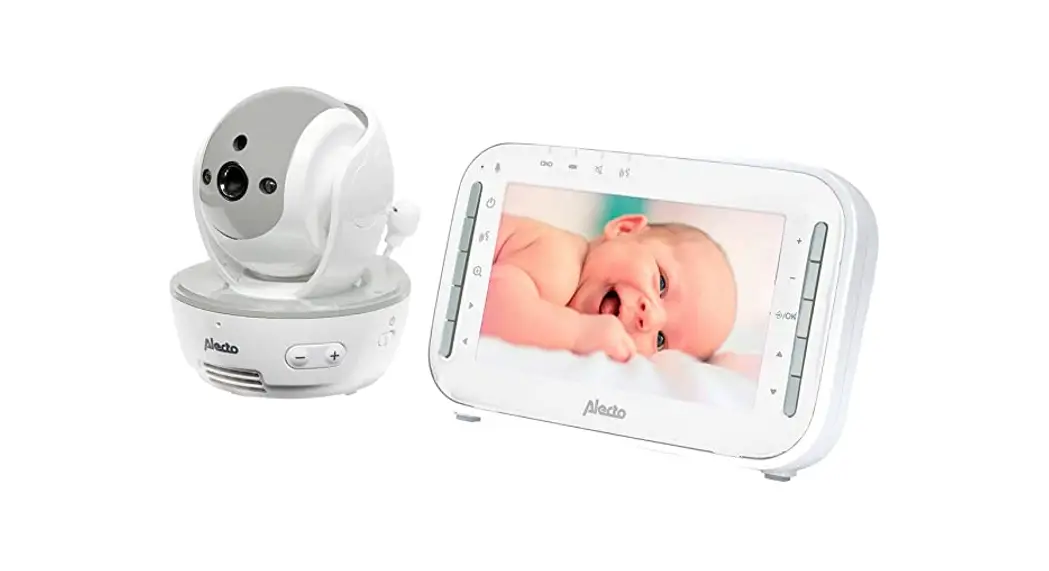
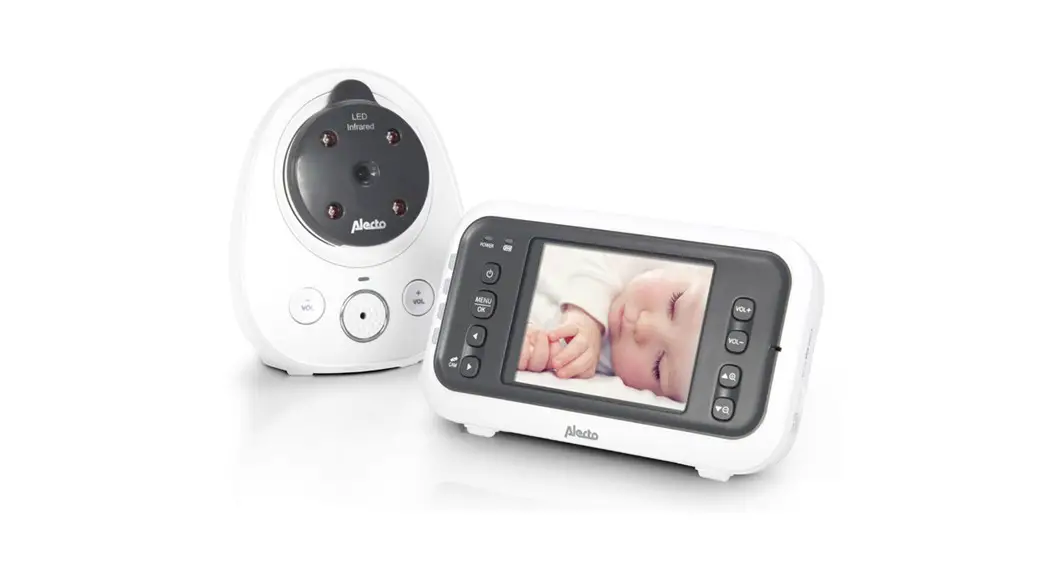
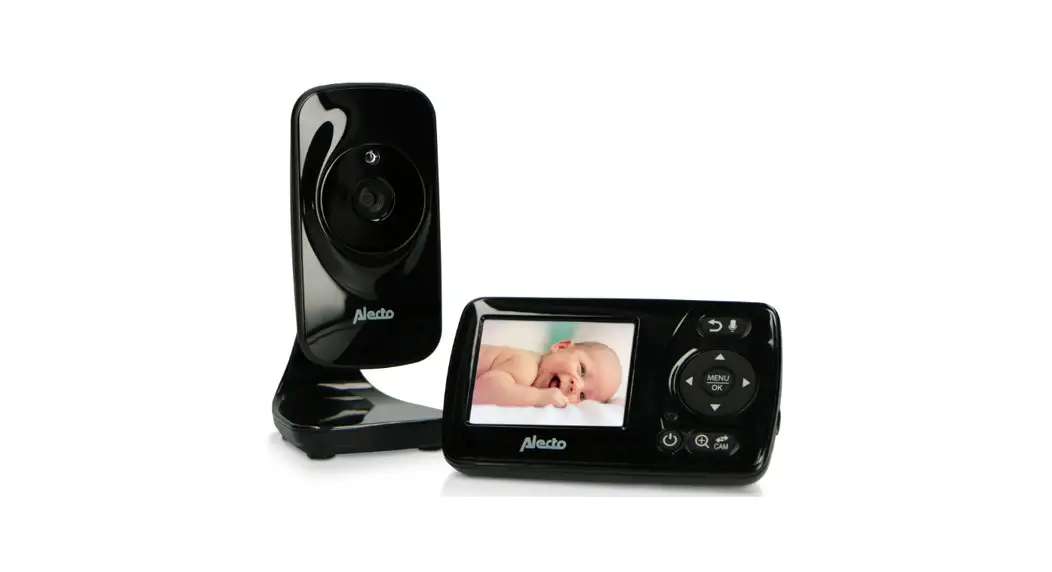
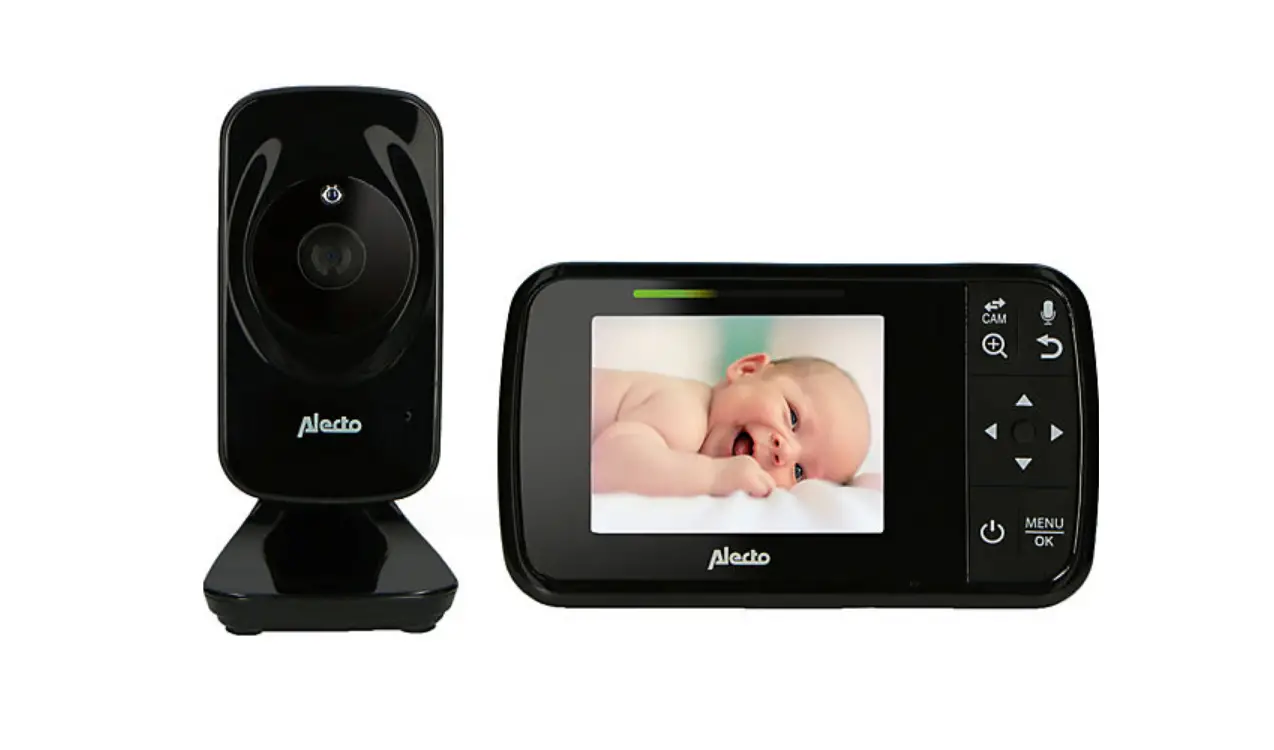
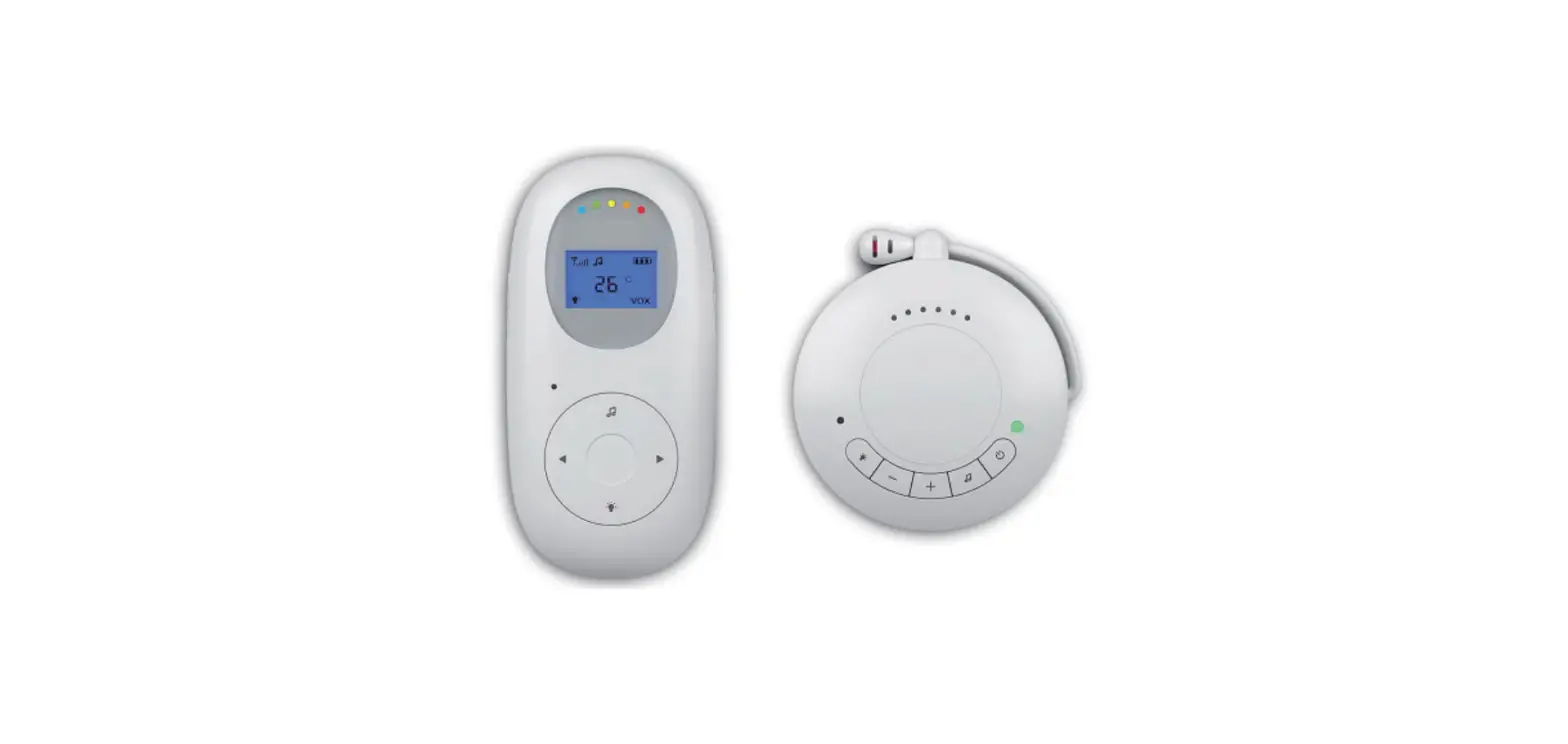
DVM-275 Baby Monitor Whiteh Camera
Product Information:
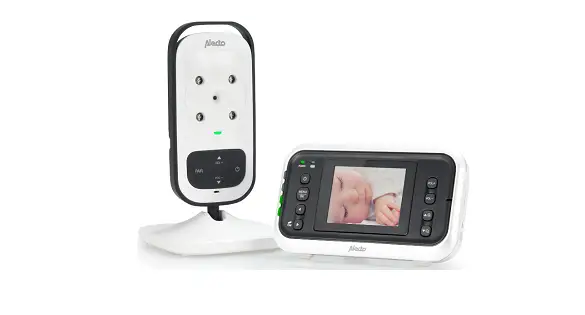
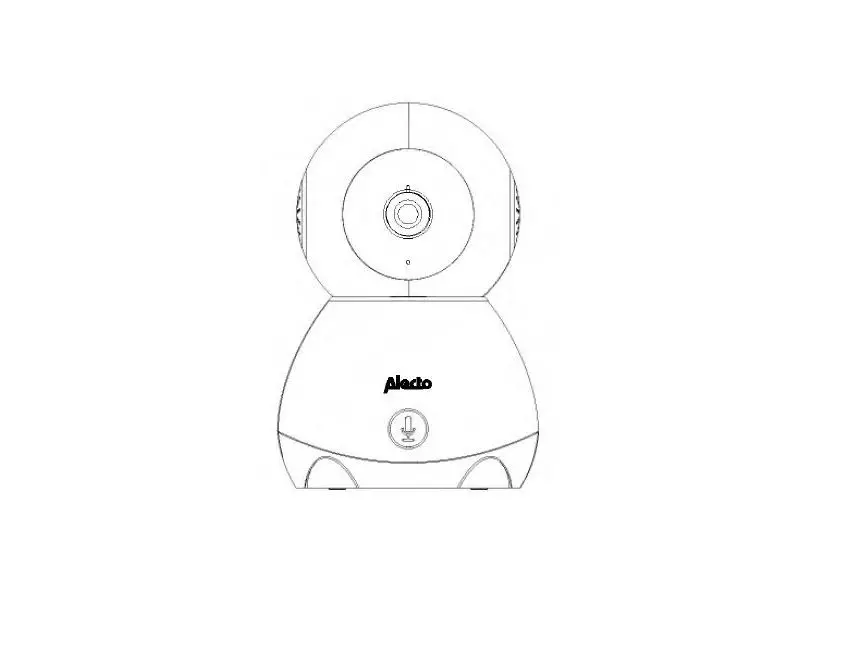
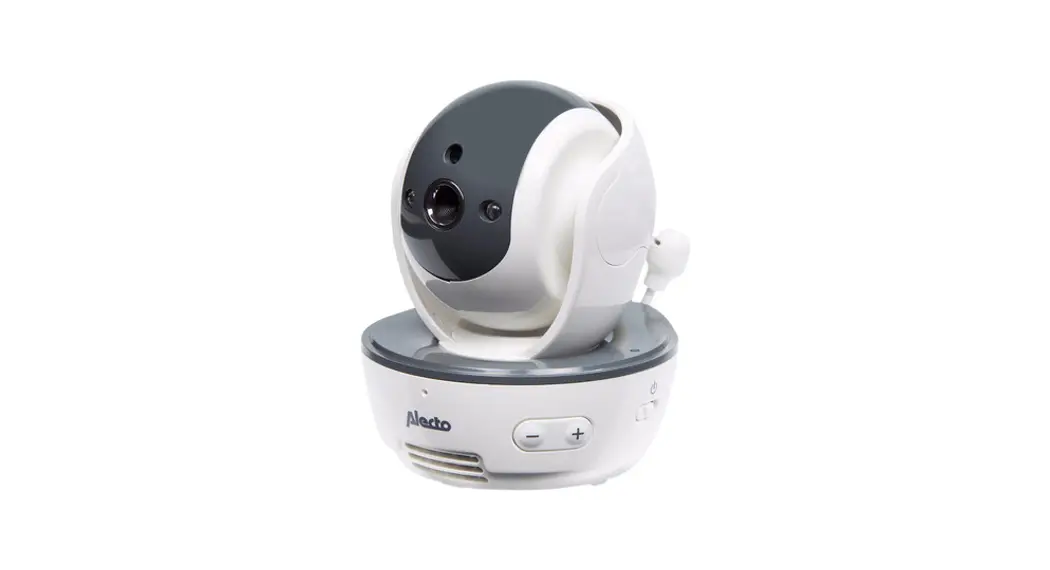
The DVM-275 is a baby monitor system consisting of a baby unit
(camera) and a parent unit (monitor). The baby unit is powered by
the included 5V power adapter with a straight (micro-USB)
connector. The parent unit is powered by a built-in non-removable
battery, which can be charged by connecting the included 5V power
adapter with an angled (micro-USB) connector to the parent
unit.
The product comes with two power adapters that should be plugged
into a 230V power outlet. Only use the provided power adapters with
the following specifications: Model: CYHA050150VWEU, Input:
100-240V~50/60Hz 0.5A, Output: 5.0VDC 1.5A. The specifications of
both adapters are the same, so it is not a problem if they are
accidentally swapped.
The baby unit should be placed at a minimum distance of 1-1.5
meters from the baby, and any excess cables should be taped or
bundled with wire binders specifically designed for this
purpose.
The parent unit features a table stand at the back that can be
opened to place it on a table or shelf. The baby unit has a 1/4
tripod nail screw connection at the bottom, allowing for attachment
to a tripod or wall bracket to position the baby unit higher or
mount it on the wall. Please note that a tripod or wall bracket is
not included with the product.
Product Usage Instructions:
Installing the Baby Unit:
- Connect the included 5V power adapter with the straight
(micro-USB) connector to the baby unit. - Plug the power adapter into a 230V power outlet.
Installing the Parent Unit:
- Connect the included 5V power adapter with the angled
(micro-USB) connector to the parent unit. - Plug the power adapter into a 230V power outlet.
Pairing the Baby Unit with the Parent Unit:
To pair the baby unit with the parent unit, press the button on
the bottom of the baby unit and then press the corresponding button
on the parent unit. Refer to the specific instructions in the
manual for detailed pairing steps.
Using the Parent Unit:
- To open the menu, press the OK button once. When the menu is
open, press the OK button once to go back to the previous
step. - To zoom in on the image, press the OK button once while the
menu is closed. Press it again to return to the normal view. - To turn on/off the parent unit, press and hold the power button
for 3 seconds. - To speak to the baby through the monitor, press and hold the
talk button. - During monitoring, press the volume up/down buttons repeatedly
to adjust the volume. Press and hold them to tilt the camera up or
down (tilt function). - If the menu is open, press the volume up/down buttons
repeatedly to select the desired setting. - During monitoring, press and hold the left/right buttons to pan
the camera left or right (panorama function). - If the menu is open, press the left/right buttons repeatedly to
select the desired setting.
Using the Baby Unit:
- To turn on/off the baby unit, press the power button located at
the bottom. - To pair the baby unit with the parent unit, press the button
located at the bottom of the baby unit and follow the instructions
provided in the manual.
DVM-275
GEBRUIKSAANWIJZING
INSTALLEREN
Voeding: De baby-unit (camera) wordt gevoed door de meegeleverde 5V voedingsadapter met het rechte (micro-USB) stekkertje.
INTRODUCTIE
· De Alecto DVM-275 is een draadloos audio/video observatiesysteem. De set is niet waterbestendig, de ouder-uit en de baby-unit dus tegen vocht beschermen.
· Naar keuze kunt u continu kijken en luisteren of kunt u de babyfoon automatisch laten inschakelen als de baby geluid maakt.
· Alvorens u de set in gebruik gaat nemen, eerst alle eventuele beschermingsfolie van de ouder-unit en de baby-unit afhalen.
Over deze gebruiksaanwijzing: Dit symbool houdt een waarschuwing in. De hier vermelde instructies altijd opvolgen voor een veilig gebruik.
Achter dit symbool vindt u een gebruikerstip.
Raadpleeg altijd de Alecto website voor de meest recente versie van deze gebruiksaanwijzing.
VERKLARING VAN CONFORMITEIT Hierbij verklaar ik, Commaxx B.V., dat het type radioapparatuur Alecto DVM-275 conform is met Richtlijn 2014/53/EU. De volledige tekst van de EU-conformiteitsverklaring kan worden geraadpleegd op het volgende internetadres: http://DOC. hesdo.com/DVM-275-DOC.pdf
Het gebruik is toegestaan in alle landen van de EU. In Frankrijk, Italië, Rusland en de Oekraïne is alleen gebruik binnenhuis toegestaan.
Zorg dat de baby de baby-unit of het adaptersnoer niet kan
aanraken. Plaats de baby-unit
minimaal 1-1,5 meter van de baby
vandaan en bundel te lange draden
1-1,5m
met tape of met speciaal voor dit
doel verkrijgbare draadbinders.
De ouder-unit (monitor) wordt gevoed door de vast ingebouwde en niet verwisselbare accu. Deze accu wordt opgeladen door de meegeleverde 5V voedingsadapter met het haakse (micro-USB) stekkertje achter aan de ouder-unit aan te sluiten.
Doe de voedingsadapters in een 230V stopcontact.
Gebruik alleen de meegeleverde voedingsadapters met de volgende specificaties: Model: CYHA050150VWEU Input: 100-240V~50/60Hz 0.5A Output: 5.0VDC 1.5A
De specificaties van de beide adapters zijn gelijk. Het is dus geen probleem als per abuis de adapters worden verwisseld.
Tafelstatief ouder-unit: Met de standaard aan de achterzijde opengeklapt kan de ouder-unit op een tafel of kast gezet worden. Wandmontage baby-unit: De baby-unit is aan de onderzijde voorzien van een 1/4″ tripod nail schroefaansluiting. Hier kunt u een (foto)statief of wandbeugel aan bevestigen om de baby-unit hoger te plaatsen of aan de wand te bevestigen. Een (foto)statief of wandbeugel wordt niet meegeleverd.
FUNCTIEOVERZICHT
OUDER-UNIT:
OK
Kort indrukken om het menu te openen. Als het menu geopend is: 1 x kort indrukken om een stap terug te gaan. OK Kort indrukken om het beeld iets te vergroten (dichterbij halen), nogmaals kort indrukken voor normaal beeld. Als het menu geopend is: 1x kort indrukken om een gekozen instelling te bevestigen.
3 seconden ingedrukt houden om de ouder-unit in of uit te schakelen. Tijdens gebruik: 1x kort indrukken om het beeld uit te schakelen, nogmaals kort indrukken om het beeld weer in te schakelen.
Terugspreektoets, indrukken en ingedrukt houden om terug te spreken naar de baby.
Tijdens gebruik als monitor: herhaaldelijk kort indrukken om het volume te verhogen of te verlagen ingedrukt houden om de camera naar boven of naar beneden te bewegen (tilt-functie) Als het menu geopend is: herhaaldelijk kort indrukken om de gewenste instelling te selecteren
Tijdens gebruik als monitor: ingedrukt houden om de camera naar links of naar rechts te bewegen (panorama-functie) Als het menu geopend is: herhaaldelijk kort indrukken om de gewenste instelling te selecteren
BABY-UNIT:
Kort indrukken om de babyunit in of uit te schakelen
(aan de onderzijde) kort indrukken om de baby-unit aan de ouder-unit aan te melden. Zie de betreffende instructies verderop in deze handleiding.
SYMBOLEN IN HET SCHERM
Tijdens het gebruiken van de ouder-unit kunnen de volgende symbolen boven in het beeldscherm verschijnen:
Signaalsterkte: Linksboven wordt de signaalsterkte weergegeven:
sterke ontvangst goede ontvangst matige ontvangst slechte ontvangst geen ontvangst
Geluid: geluid is ingeschakeld
Let op, dit is geen indicatie van het ingesteld volume
X geluid is uitgeschakeld (volume op 0)
Let op, als het geluid onder invloed van de VOX functie (zie hiervoor `menugestuurde functies’) wordt uitgeschakeld, dan blijft het luidsprekersymbool aangeven dat het geluid is ingeschakeld
Slaapliedjes het afspelen van de slaapliedjes is ingeschakeld, het cijfer
geeft het nummer van het liedje aan (1-4)
Voedingstimer: de voedingstimer is ingeschakeld, rechtsonder in het
scherm wordt de aflopende tijd tijd weergegeven
Temperatuuralarm: het temperatuuralarm is ingeschakeld
1
Temperatuur: (`22′ is een voorbeeld)
indicatie van de temperatuur in de ruimte waar de baby-unit staat; houd rekening met een mogelijke tolerantie van ±1,5 graad
23:07:25 (`23:07:25′ is een voorbeeld) Rechtsboven in het scherm wordt de tijd weergegeven. Zie het hoofdstuk `Instellingen / Tijd’ om deze tijd in te stellen.
Batterij: Naast de tijd wordt boven in het scherm de batterijlading weergegeven:
batterij vol batterij 2/3 vol batterij 1/3 vol en knippert rood: batterij vrijwel leeg, de ouder-unit kan elk moment uitschakelen,
Als de batterij vrijwel leeg is, klinkt gedurende ongeveer 20 tot 30 minuten elke minuut een serie waarschuwingstonen. Sluit nu direct de adapter aan, anders zal de ouder unit binnen deze tijd uitschakelen.
Zoomfunctie: zoomfunctie is ingeschakeld.
2
GEBRUIKEN
BABY-UNIT:
In/uitschakelen: Druk kort op toets aan de voorzijde van de baby-unit om de baby-unit in te schakelen. Het indicatielampje direct onder toets licht op. Nogmaals toets kort indrukken om de baby-unit uit te schakelen. Het indicatielampje dooft.
Bij het aansluiten van de voedingsadapter, wordt de baby-unit automatisch ingeschakeld.
Elke keer nadat de baby-unit is ingeschakeld, wordt de pan/tilt functie ingeschakeld. De camera kijkt eerst geheel naar links, dan geheel naar rechts en vervolgens geheel naar onderen en boven. Tot slot kijkt de camera naar voren, dit is de start positie. Op de ouder-unit kunt u nu met de pijltoetsen de camera richten op de door u gewenste positie.
Automatisch nachtzicht: In de baby-unit, rondom de cameralens, zijn infrarood LED’s ingebouwd; deze LED’s worden automatisch ingeschakeld als het bij de baby-unit donker wordt en uitgeschakeld als het weer licht wordt.
Deze LED’s kunnen objecten verlichten tot een afstand van ongeveer 3-5 meter.
Let op dat in het donker, dus wanneer de nachtzichtLED’s zijn ingeschakeld, het beeld zwart/wit op de ouder-unit wordt weergegeven.
Attentie: infrarood licht kan niet door het menselijk oog waargenomen worden; u kunt dus niet met het blote oog zien dat deze LED’s zijn ingeschakeld.
3
OUDER-UNIT:
In/uitschakelen: Toets 3 seconden ingedrukt houden om de ouder-unit in of uit te schakelen.
Volume: Herhaaldelijk kort op de toetsen / drukken om het volume in te stellen. Tijdens het instellen wordt het volumeniveau in het scherm getoond (volume 0 = geluid uit). Als extra attentie verschijnt het symbool X boven in het display als het geluid wordt uitgezet.
Geluidslampjes: Links van het scherm zitten 5 geluidslampjes die knipperend aangeven of de baby geluid maakt. Op deze wijze kunt u ook uw baby in de gaten houden als het volume zacht of uit staat of als de babyfoon wat verder weg in de kamer staat.
Terugspreken: Druk op toets om terug te spreken naar uw baby. Houd de knop ingedrukt zo lang u spreekt, en laat de knop los om te luisteren. Het volume aan de kant van de baby-unit is vast ingesteld en kan niet gewijzigd worden.
Tijdens het terugspreken verschijnt het icon in het scherm.
Beeld-uit (ouder-slaap-modus): Als u `s avonds de ouder-unit op uw nachtkastje maar hinder ondervindt van de helderheid van het beeldscherm, dan kunt u het beeld uitschakelen door kort op toets te drukken. Het geluid blijft. Het beeld schakelt u weer in door kort een willekeurige toets in te drukken.
Zie het hoofdstuk VOX om het beeld + geluid automatisch uit te schakelen als de baby slaapt en in te schakelen als de baby geluid maakt.
6
7
8
4
Pan/tilt: Houd de toetsen , , of ingedrukt om de camera naar links, rechts, boven of onder te laten kijken.
tijdens het bewegen van de camera van de baby-unit, is het geluid uitgeschakeld.
ZOOM: (dichterbij halen) Druk kort op toets om in te zoomen. Nogmaals kort op toets drukken voor normaal beeld. Rechtsboven in het scherm licht het zoom-symbool op als deze functie ingeschakeld is.
MENUGESTUURDE FUNCTIES
Het menu wordt geopend door kort op toets te drukken. Met de pijltjestoetsen , , of selecteert u de gewenste optie. Druk op toets OK om deze optie te openen.
Slaapliedjes:
1. druk kort op toets , selecteer met , , of de optie `Slaapliedjes’ en druk op toets OK
2. selecteer met de toetsen , , of het gewenste slaapliedje, of selecteer `Allemaal’ om herhaaldelijk alle slaapliedjes af te spelen, druk op toets OK
3. druk 2x op toets om het menu te sluiten en terug te keren naar normaal beeld, of wacht 10 seconden totdat dit vanzelf gebeurt
Het afspelen van de slaapliedjes wordt na ongeveer 20 minuten gestopt, of open het menu en selecteer STOP om het afspelen voortijdig te beëindigen.
Onder in het menu heeft u nog de mogelijkheid om het afspeelvolume van de slaapliedjes bij de baby-unit in te stellen.
Let op dat het geluid van het slaapliedje via de microfoon van de baby-unit bij de ouder-unit terug komt. U kunt overwegen om in dat geval het geluid van de ouder-unit op nivo 0 te zetten (= geluid uit).
5
Zodra en zolang de slaapliedjes afgespeeld worden, is het symbool boven in het display opgelicht.
Bekijken:
Als er meer baby-units op de ouder-unit zijn aangemeld, dan kunt u in dit menu selecteren welk beeld op het scherm getoond wordt.
1. druk kort op toets , selecteer met , , of de optie `Bekijken’ en druk op toets OK
2. selecteer met de toetsen of naar welke camera u wilt kijken, of selecteer SCAN om het beeld van alle aangemelde camera’s na elkaar en gedurende telkens 5 seconden te tonen, druk op toets OK
Let op: Er wordt NIET automatisch overgeschakeld naar een camera waar geluid wordt gedetecteerd.
Temperatuur:
In dit menu kunt u de minimum en maximum waarde ingeven voor het temperatuur alarm, het alarm in- of uitschakelen of de weergave instellen in graden Celcius of graden Fahrenheit.
1. druk kort op toets , selecteer met , , of de optie `Temperatuur’ en druk op toets OK
2. selecteer met de toetsen , wat u wilt instellen: · `Ondergrens’ voor de minimum temperatuur · `Bovengrens’ voor de maximum temperatuur stel deze in met de toetsen of · `°C’ voor weergave in graden Celsius · `°F’ voor weergave in graden Fahrenheit · `uit’ om het temperatuuralarm uit te schakelen · `aan’ om het temperatuuralarm in te schakelen druk op toets OK om deze instelling te selecteren
3. druk 2x op toets om het menu te sluiten en terug te keren naar normaal beeld, of wacht 10 seconden totdat dit vanzelf gebeurt
9
10
DVM-275
MODE D’EMPLOI
INTRODUCTION
· L’Alecto DVM-275 est un moniteur audio/vidéo sans fil pour bébé, il convient à des utilisations privées à l’intérieur.
· Vous pouvez soit regarder et écouter continuellement soi vous pouvez avoir le moniteur bébé qui s’allume automatiquement dès que votre bébé se met à crier.
· Avant de commencer à utiliser l’ensemble, retirez d’abord le film protecteur de l’unité parents et de l’unité bébé.
A propos de ce guide de l’utilisateur : Ce symbole représente un avertissement. Pour s’assurer d’une utilisation en sécurité, respectez toujours les
instructions décrites dans cette documentation.
Ce symbole est suivi d’un conseil d’utilisation.
Consultez toujours le site Internet d’Alecto pour la version la plus récente de ce guide de l’utilisateur.
DÉCLARATION DE CONFORMITÉ Le soussigné, Commaxx B.V., déclare que l’équipement radioélectrique du type Alecto DVM-275 est conforme à la directive 2014/53/UE. Le texte complet de la déclaration UE de conformité est disponible à l’adresse internet suivante: http://DOC.hesdo.com/ DVM-275-DOC.pdf
L’utilisation de cet équipement est autorisée dans tous les pays de l’UE. En France, Italie, Russie et Ukraine, uniquement l’utilisation à l’intérieur est autorisée.
INSTALLATION
Source de courant : L’unité bébé (caméra) est alimentée par l’adaptateur secteur de 5V inclus avec la fiche droite (micro USB).
Assurez-vous que le bébé ne puisse pas toucher le fil de l’unité
bébé ou le cordon de l’adaptateur.
Placez l’unité bébé à au moins
1-1.5 mètre éloigné du bébé et grou-
1-1,5m
pez le câble trop long en utilisant de
l’adhésif ou attache-câble spéciale-
ment conçu à ce propos.
L’unité parents (écran de contrôle) est alimentée par la batterie installée en permanence et
non échangeable. Cette batterie est rechargée en connectant l’adaptateur secteur de 5V fourni à la prise perpendiculaire (micro USB) à l’arrière de l’unité parents.
Insérez les adaptateurs d’alimentation dans une prise de courant murale 230V.
Utilisez uniquement les adaptateurs d’alimentation fournis avec les spécifications suivantes : Modèle : CYHA050150VWEU Entrée : 100-240V ~ 50 / 60Hz 0.5A Sortie : 5.0VDC 1.5A
Les spécifications des deux adaptateurs sont identiques. C’est pourquoi il n’existera pas de problème si les adaptateurs sont échangés accidentellement.
Support de table de l’unité parents : Vous pouvez placer l’unité parents sur une table ou un meuble en utilisant le support situé à l’arrière de l’appareil. Support mural unité bébé : La base de l’unité bébé est munie d’un raccord vissé à clou pour trépied 1/4″. Cela vous permet de fixer un support (photo) ou un support mural afin de placer l’unité bébé dans une position plus haute ou de la fixer au mur. Un support (photo) ou un support mural n’est pas inclus.
APERÇU DE LA FONCTION
UNITÉ PARENTS :
OK
Appuyez brièvement pour accéder au menu. Après l’ouverture du menu : Appuyez brièvement 1x pour revenir en arrière. OK Appuyez brièvement pour agrandir légèrement l’image (zoom avant), appuyez à nouveau pour rétablir la vue normale. Après l’ouverture du menu : Appuyez brièvement 1x pour confirmer le réglage sélectionné.
Appuyez et maintenez enfoncé pendant 3 secondes pour allumer ou éteindre l’unité parents. En cours d’utilisation : appuyez brièvement 1x pour éteindre l’écran, appuyez à nouveau pour le rallumer.
Bouton Répondre, appuyez et maintenez enfoncé pour répondre au bébé.
En cours d’utilisation comme écran de contrôle : appuyez brièvement et à plusieurs reprises pour augmenter ou diminuer le volume appuyez et maintenez enfoncé pour déplacer la caméra vers le haut ou le bas (fonction d’inclinaison) Après l’ouverture du menu : appuyez brièvement et à plusieurs reprises pour sélectionner le réglage souhaité
Lors de l’utilisation en tant qu’écran de contrôle : Appuyez et maintenez enfoncé pour déplacer la caméra vers la gauche ou la droite (fonction panoramique) Après l’ouverture du menu : appuyez brièvement et à plusieurs reprises pour sélectionner le réglage souhaité
UNITÉ BÉBÉ :
Appuyez brièvement pour allumer ou éteindre l’unité bébé
(en bas), appuyez brièvement pour enregistrer l’unité bébé sur l’unité parents. Voir les instructions correspondantes plus loin dans ce manuel.
SYMBOLES DE L’ÉCRAN
Lors de l’utilisation de l’unité parent, les symboles suivants peuvent apparaître à l’affichage :
Force du signal : A côté de l’indication de la caméra, la capacité de la batterie est affichée:
réception forte réception bonne réception moyenne faible réception pas de réception
Son : le son est activé
Attention, cela n’indique pas le volume réglé
X le son est désactivé (volume réglé à 0)
Attention, lors de la désactivation du son alors que la fonction VOX est active (voir `fonctions de menu’ pour plus de détails), le symbole du haut-parleur continuera à indiquer que le son est activé
Berceuses : la lecture des berceuses est activée, le chiffre indique le
numéro du morceau (1-4)
Minuterie d’alimentation : la minuterie d’alimentation est activée, le compte à rebours
est indiqué dans le coin inférieur droit de l’écran
Alerte de température : l’alerte de température est activée
1
Température : (`22′ est un exemple)
Indique la température dans la pièce où se trouve l’unité bébé ; prendre en compte une tolérance possible de ± 1,5 degrés
23:07:25 (`23:07:25′ est un exemple) L’heure est affichée dans le coin supérieur droit de l’écran. Voir la section `Paramètres / Heure’ pour régler l’heure.
Batterie : A côté de l’indication de la caméra, la capacité de la batterie est affichée :
batterie pleine batterie à 2/3 pleine batterie à 1/3 pleine et clignotant en rouge : batterie presque épuisée, l’unité parents peut s’éteindre à tout moment.
Lorsque la batterie est presque vide, à chaque minute écoulée, une série de tonalités d’alerte retentit pendant environ 20 à 30 minutes. Dans ce cas, connectez immédiatement l’adaptateur, sinon l’adaptateur pourrait s’éteindre dans ce délai de temps.
Fonction zoom : la fonction de zoom est activée.
2
UTILISATION
UNITÉ BÉBÉ:
Mise en marche/arrêt : Appuyez brièvement sur le bouton situé à l’avant de l’unité bébé pour allumer l’unité bébé. L’indicateur situé directement sous le bouton s’allumera. Appuyez à nouveau brièvement sur le bouton pour éteindre l’unité bébé. L’indicateur s’éteindra.
L’unité bébé s’allume automatiquement lorsque l’adaptateur d’alimentation est connecté.
Chaque fois que l’unité bébé est allumée, la fonction panoramique / inclinaison est également activée. La caméra vise d’abord complètement à gauche, puis complètement à droite, puis complètement vers le bas et le haut. Enfin, la caméra regarde en face, ce qui correspond à la position de départ. Les boutons fléchés de l’unité parents permettent de diriger la caméra vers l’endroit désiré.
Vision de nuit automatique : L’unité bébé est équipée de LEDs infrarouges intégrés; ces LEDs s’allumeront automatiquement lorsque la pièce du bébé devient sombre et s’éteindront de nouveau lorsque la lumière revient.
Les LEDs peuvent éclairer des objets jusqu’à une distance d’environ 3-5 mètres.
Quand il fait sombre, les LEDs de vision de nuit sont allumées, les images sur l’unité parent seront affichées en noir et blanc.
Attention: la lumière infrarouge ne peut pas être perçue par l’oeil humain; cela signifie que vous ne pouvez pas dire sir les LEDs infrarouges sont allumées à l’oeil nu.
6
7
3
UNITÉ PARENT :
Mise en marche/arrêt : Appuyez et maintenez sur le bouton enfoncé pendant 3 secondes pour allumer ou éteindre l’unité parents.
Volume : Appuyez brièvement et à plusieurs reprises sur les boutons /
pour régler le volume. Pendant la configuration, l’écran indiquera le niveau de volume (volume 0 = son désactivé). Pour rappel supplémentaire, le symbole X apparaît lorsque le son est désactivé
Indicateurs sonores : À gauche de l’écran, 5 indicateurs sonores clignotants indiquent si le bébé pleure. De cette façon, vous pouvez également surveiller votre bébé lorsque le volume est bas ou désactivé, ou lorsque l’écran de contrôle du bébé est situé un peu plus loin dans la pièce.
Pour répondre : Appuyez sur le bouton pour répondre à votre bébé. Maintenez le bouton enfoncé aussi longtemps que vous parlez et relâchez le bouton pour écouter. Le volume sur le côté de l’unité bébé est fixe et ne peut pas être réglé.
Lorsque vous utilisez la fonction de réponse, l’icône apparaît à l’écran.
Affichage désactivé (mode veille parent) : Si la luminosité de l’unité parent placée sur votre table de chevet vous dérange pendant la nuit, vous pouvez l’éteindre en appuyant sur le bouton . Le son reste activé. Appuyez brièvement sur un bouton aléatoire pour rallumer l’écran.
Reportez-vous à la section `VOX’ pour éteindre automatiquement l’écran et le son lorsque le bébé dort et pour les rallumer dès que celui-ci se met à pleurer.
8
4
Panoramique / inclinaison : Appuyez sur les boutons , , ou et maintenez-les enfoncés pour diriger la caméra vers la gauche, la droite, le haut ou le bas.
Le son est désactivé lors de l’orientation de la caméra de l’unité bébé.
ZOOM : (agrandissement) Appuyez brièvement sur le bouton pour effectuer un zoom avant. Appuyez à nouveau brièvement sur le bouton pour rétablir la vue normale. Le symbole de zoom apparaît dans le coin supérieur droit de l’écran lorsque cette fonction est activée.
FONCTIONS DU MENU
Ouvrez le menu en appuyant brièvement sur le bouton . Utilisez les boutons de navigation , , ou pour sélectionner l’option souhaitée. Appuyez sur le bouton OK pour ouvrir l’option sélectionnée.
Berceuse :
1. Appuyez brièvement sur le bouton , utilisez les boutons , , ou pour sélectionner l’option `Berceuse’, puis appuyez
sur le bouton OK. 2. Utilisez les boutons , , ou pour sélectionner la ber-
ceuse désirée ou sélectionnez `Toutesl’ pour lire de manière répétée toutes les berceuses et appuyez sur le bouton OK 3. Appuyez 2x sur le bouton pour quitter le menu et revenir à l’écran normal ou attendez 10 secondes jusqu’à ce que cela se produise automatiquement
La lecture des berceuses est automatiquement arrêtée après environ 20 minutes. Vous pouvez également ouvrir le menu et sélectionner STOP pour arrêter prématurément la lecture des morceaux.
Au bas du menu, vous avez également la possibilité de régler le volume de lecture des berceuses sur l’unité bébé.
9
5
Gardez à l’esprit que le son de la berceuse est renvoyé à l’unité parent via le micro de l’unité bébé. Dans ce cas, vous pouvez définir le son de l’unité parent au niveau 0 (= son coupé).
À partir du moment et pendant toute la durée où les berceuses sont jouées, le symbole apparaît en haut de l’écran.
Vision :
Lorsque plusieurs unités bébé sont enregistrées sur l’unité parents, vous pouvez utiliser ce menu pour sélectionner la vue à afficher à l’écran.
1. Appuyez brièvement sur le bouton , utilisez , , ou pour sélectionner l’option `Vision’ et appuyez sur le bouton OK
2. Utilisez le bouton ou pour sélectionner la caméra que vous souhaitez visualiser ou sélectionnez SCAN pour afficher toutes les caméras pendant 5 secondes, l’une après l’autre, puis appuyez sur le bouton OK
Attention : L’unité NE bascule PAS automatiquement sur une caméra où des sons sont détectés.
Température :
Ce menu vous permet de saisir une valeur minimale et maximale pour l’alerte de température, d’activer / désactiver la fonction d’alerte ou de régler l’affichage en degrés Celsius ou Fahrenheit.
1. Appuyez brièvement sur le bouton , utilisez , , ou pour sélectionner l’option `Température’ et appuyez sur le bouton OK
2. Utilisez les boutons , pour sélectionner le réglage souhaité : · `Limite inférieure’ pour la température minimale · `Limite supérieure’ pour la température maximale paramétrez ces options avec le bouton ou · `°C’ pour affichage en degrés Celsius · `°F’ pour affichage en degrés Fahrenheit · `ARRET’ pour désactiver l’alerte de température
10
· `MARCHE’ pour activer l’alerte de température, appuyez sur le bouton OK pour sélectionner ce paramètre.
3. Appuyez 2x sur le bouton pour quitter le menu et revenir à l’écran normal ou attendez 10 secondes jusqu’à ce que cela se produise automatiquement
Opération d’alerte de température : Lorsque l’alerte de température est activée, le symbole du thermomètre apparaît en haut de l’écran. Lorsque la limite MAX ou MIN est dépassée, ce symbole s’allume en rouge lorsque `Hi’ ou `Lo’ est affiché. De plus, la notification `Alarme de température’ apparaît au milieu de l’écran tandis que des tonalités d’alerte sont émises pendant plusieurs secondes.
Les tonalités d’alerte ne retentissent qu’une seule fois, mais le symbole du thermomètre reste rouge jusqu’à ce que la température retombe dans les limites que vous avez définies.
Minuterie :
L’unité parent DVM-275 peut émettre un signal lorsque, par exemple, il est l’heure du prochain repas. 1. Appuyez brièvement sur le bouton , utilisez les boutons ,
, ou pour sélectionner l’option `Minuterie’, puis appuyez sur le bouton OK 2. Utilisez les boutons , , ou pour sélectionner l’une des 4 heures prédéfinies (2 heures, 3 heures, 4 heures ou 5 heures) et appuyez sur le bouton OK 3. Vous pouvez utiliser l’option `Réglages’ pour programmer une heure personnalisée entre 1 seconde et 23:59:59h, puis appuyez sur le bouton OK 4. Appuyez 2x sur le bouton pour quitter le menu et revenir à l’écran normal ou attendez 10 secondes jusqu’à ce que cela se produise automatiquement
Le temps restant est affiché dans le coin supérieur droit de l’écran.
11
· Assurez-vous que les câbles d’adaptateur sont exempts de tout dommage et assurez-vous que personne ne peut trébucher ou tomber à cause de ces câbles.
· Ne jamais démonter l’unité parent, l’unité bébé et / ou l'(les) adaptateur (s) d’alimentation; Seul un personnel qualifié est autorisé à le faire
BATTERIE : La batterie commence à se charger dès que vous branchez l’unité parent à l’adaptateur d’alimentation et insérez cet adaptateur dans une prise secteur 230V. · Vous pouvez laisser l’adaptateur connecté tout le temps; le
circuit de charge pour la batterie est contrôlé électroniquement et il n’y a pas de risque de surcharge. · Cependant, si vous n’utilisez pas l’ensemble de longtemps (>2 mois), nous vous recommandons de retirer l’adaptateur de la prise murale et de sortir la batterie de l’unité parent. Lors de l’utilisateur de l’ensemble de nouveau, chargez d’abord correctement la batterie. · La batterie NE peut PAS être remplacée par l’utilisateur. Si la batterie doit être remplacée, contactez le Service Clientèle d’Alecto via www.alecto.nl
INSTALLATION : · Branchez ou débranchez uniquement l’adaptateur
d’alimentation / de l’unité de bébé ou de l’unité parent lorsque l’adaptateur secteur est retiré de la prise murale. · Ne jamais installer le moniteur pour bébé pendant les orages. · Ne touchez jamais les câbles d’adaptateur non isolés, à moins que les adaptateurs soient retirés de la prise murale.
SANS INTERFÉRENCE : · Ce moniteur d’affichage bébé est codé numériquement.
Cela signifie que vous ne recevrez jamais de signaux provenant d’autres appareils, ni le signal de votre (vos) unité(s) bébé ne pourront être reçus par votre voisinage. · Dans le cas où l'(les) unité(s) bébé est (sont) placée(s) dans ou à proximité de champs électromagnétiques, le signal (images ou son) peut être légèrement affecté. Si cela arrivait, essayez un emplacement différent pour l'(les) unité(s) bébé ou unité parent ou déplacez si possible, la source d’interférence.
16
Dès que la durée sélectionnée ou définie est écoulée, des tonalités d’alerte sont émises tandis que l’icône en haut de l’écran devient rouge.
Les tonalités d’alerte ne retentissent qu’une seule fois, mais le temps écoulé est en bas à droite et l’icône rouge en haut. Conserver comme un rappel visuel. Vous devrez les désactiver manuellement en ouvrant le menu, en sélectionnant l’option `Annuler’ puis en appuyant sur le bouton OK ou en appuyant 2 fois sur le bouton .
VOX :
Lorsque le bébé dort tranquillement et que l’unité bébé ne capte aucun bruit, vous pouvez faire éteindre automatiquement le son de l’unité parents et le rallumer dès que le bébé se met à pleurer.
Installation : Vous pouvez régler la sensibilité de la fonction d’allumage automatique de la manière suivante : 1. Appuyez brièvement sur le bouton , utilisez , , ou
pour sélectionner l’option `VOX’ et appuyez sur le bouton OK. 2. Utilisez le bouton ou pour sélectionner l’une des options suivantes : · `ARRET’ : la fonction VOX est désactivée : tous les sons
de la chambre du bébé sont transmis, même lorsque le bébé dort · `Bas’ : la fonction VOX est activée avec une faible sensibilité : les sons ne sont transmis que lorsque le bébé pleure fort · `Moyen’ : la fonction VOX est activée avec une sensibilité moyenne : l’unité bébé transmet des sons lorsque le bébé pleure normalement · `Haut’ : la fonction VOX est activée avec une sensibilité élevée : des sons doux de la chambre du bébé sont également transmis
12
ESPIONNAGE/ECOUTE ELECTRONIQUE :
· L’espionnage/écoute électronique des signaux provenant de ce moniteur vidéo pour bébé est presque impossible. Non seulement il faut être dans la portée du moniteur vidéo pour bébé mais en plus il faut disposer d’un équipement très couteux.
PORTÉE :
· Cet interphone bébé a une portée de 300 mètres en champ libre et jusqu’à 50 mètres à l’intérieur; cette portée dépend des conditions locales.
· Si les unités sont hors de portée les unes des autres, l’écran `se figera’ d’abord pendant plusieurs secondes, puis le texte `Hors portée’ apparaîtra à l’écran tandis que plusieurs tonalités d’alerte seront émises à chaque minute. Dès que l’unité bébé et l’unité parents sont à nouveau à leur portée, ces alertes s’arrêteront.
RETARD DANS LES IMAGES ET SON :
· L’unité bébé transmet les images et le son à l’unité parent dans des blocs numériques. L’unité parent convertit ces signaux en une image reconnaissable et un son compréhensible. Par conséquent, il y a un petit délai entre le moment du mouvement et des sons qui se font et l’affichage et les sons de l’unité parent.
· En outre, les sons et les images sur l’unité parents ne sont pas exactement simultanés.
ENTRETIEN :
· Nettoyez le babyphone uniquement avec un chiffon humide; n’utilisez jamais de nettoyant chimique. Avant tout nettoyage, vous devez débrancher les adaptateurs.
ENVIRONNEMENT ET MISE AUX DÉCHETS DE
L’APPAREIL :
· L’emballage de ce réveil peut être recyclé avec le papier.
Cependant, nous vous conseillons de le conserver pour
transporter l’appareil.
·
Si vous remplacez votre réveil, vous devez retourner
l’ancien à votre fournisseur qui s’occupera du
recyclage de votre appareil
17
3. Appuyez sur le bouton OK et appuyez 1x sur le bouton pour quitter le menu et revenir à l’écran normal ou attendez 10 secondes jusqu’à ce que cela se produise automatiquement
Le mot “VOX” apparaît en haut de l’écran lorsque cette fonction est activée.
Fonctionnement : · Le son de l’unité parents est désactivé environ 30 secondes
après que l’unité bébé ne capte plus aucun bruit. L’affichage reste activé. · Dès que l’unité bébé détecte des bruits, en fonction du réglage de la sensibilité, le son est réactivé et peut être entendu via l’unité parents. · Lorsque le son est désactivé sous l’effet du silence et que vous appuyez sur le bouton , l’écran est également désactivé. Si le bébé commence alors à pleurer, le son et l’écran sont activés · Lorsque le bébé se rendort, le son est automatiquement désactivé mais l’écran reste activé. Appuyez à nouveau brièvement sur le bouton si vous préférez désactiver l’affichage.
Réglages :
Ce menu vous permet de personnaliser l’écran de contrôle du bébé en fonction de vos préférences. 1. Appuyez brièvement sur le bouton , utilisez , , ou
pour sélectionner l’option `Réglages’ puis appuyez sur le bouton OK 2. Utilisez les boutons , , ou pour sélectionner le paramètre souhaité, puis appuyez sur le bouton OK : · `Langue’ : utilisez , , ou pour sélectionner la langue
souhaitée et appuyez sur OK pour confirmer. Vous pouvez choisir parmi l’anglais, le néerlandais, le français et l’allemand. · `Temps’ : utilisez et pour sélectionner les heures, les minutes ou les secondes et utilisez et pour régler l’heure. Appuyez sur OK pour confirmer.
13
RPROBLÈMES :
· Pas d’image, pas de son : est-ce que l’unité parent et l’unité bébé sont éteintes? (batterie charge, batterie pleine?) est-ce que l’unité parent est dans la portée de l’unité bébé? L’image et le son ne soit pas désactivée sous l’influence du silence? (VOIX) l’unité bébé et l’unité parents sont-elles enregistrées l’une à l’autre ? la caméra correcte est-elle sélectionnée sur l’unité parents ? est-ce que le volume de l’unité parent est défini sur 0 (éteint)? avez-vous désactivé l’écran vous-même en appuyant brièvement sur le bouton ?
· Si tout ce qui précède est en bon ordre, retirez les adaptateurs des prises murales, sortez la batterie rechargeable de l’unité parent, attendez au moins une minute et puis reconnectez tout. À présent, remettez en marche l’unité parent et l’unité bébé.
· Si vous continuez à ne pas avoir d’image ni de son, veuillez contacter le service client d’Alecto via le via internet www. alecto.nl
CARACTÉRISTIQUES
Portée :
jusqu’à 50 mètres à l’intérieur
jusqu’à 300 mètres à l’extérieur
Batterie de l’unité parents : Pack batterie Lithium Polymère
3.7V, 1500mAh
NON REMPLAÇABLE
SANS OUTILS
Adaptateurs de courant : Modèle : CYHA050150VWEU
Entrée : 100-240V~50/60Hz 0.5A
Sortie : 5.0VDC 1.5A
Fréquence :
2407 MHz – 2475 MHz
Modulation :
FSK
Sensibilité radiofréquence : <20dBm
Affichage LCD :
résolution 480×272 pixels
5 pouces / 12.7cm
Durée de charge de batterie : 8 à 12 heures (*)
18
· `Fréquence’ : pour éviter de faire trembler les images, vous pouvez régler la fréquence de l’image en fonction de la fréquence de votre alimentation secteur. Utilisez ou pour sélectionner `50Hz’ ou `60Hz’, puis appuyez sur OK pour confirmer.
· `Luminosité’ : utilisez le bouton ou pour sélectionner la luminosité de l’écran souhaitée et appuyez sur OK pour confirmer. Gardez à l’esprit que la consommation d’énergie augmente lorsque vous sélectionnez une luminosité d’affichage élevée au lieu d’une luminosité faible. En cas d’utilisation mobile, c’est-àdire lorsque l’alimentation est fournie par la batterie, un réglage de luminosité inférieur est recommandé. Vous pouvez définir une luminosité plus élevée lorsque vous utilisez l’adaptateur.
· `Camera’ : Vous pouvez enregistrer jusqu’à 4 unités bébé (caméras) sur l’unité parents DVM-275. La section suivante explique comment enregistrer et supprimer des caméras supplémentaires.
· `Réinitialisation’ : sélectionnez cette option pour réinitialiser complètement l’écran de contrôle du bébé. N’oubliez pas que les unités bébé enregistrées (toutes) doivent être réenregistrées après cette réinitialisation.
3. Enfin, appuyez 2x ou 3x sur le bouton pour quitter le menu et revenir à l’écran normal ou attendez 10 secondes jusqu’à ce que cela se produise automatiquement
CAMERAS SUPPLEMENTAIRES
Enregistrer une nouvelle caméra : 1. Connectez l’adaptateur de courant de la nouvelle caméra
(unité bébé) et branchez l’adaptateur dans une prise murale de 230V; vérifier si l’indicateur sous le bouton s’allume 2. Ouvrez le menu de l’unité parent, sélectionnez l’option `Réglages’, appuyez sur le bouton OK puis sélectionnez `Camera’. Appuyez sur le bouton OK 3. Utilisez les boutons de navigation ou pour ajouter une nouvelle caméra (colonne `Register’), puis appuyez sur le bouton OK.
14
Durée de fonctionnement de batterie : jusqu’à 6 heures (*) Humidité de fonctionnement : 10°C – 40°C Température de stockage : -10°C – 70°C Moniteur convient pour : 4 caméras
Attention : L’unité parents et l’unité bébé NE sont PAS étanches et ne conviennent que pour une utilisation d’intérieur.
* : les durées mentionnées ci-dessus sont uniquement pour référence et dépendent de l’utilisation, condition et qualité des batteries. Information Power Adapter: Manufacturers name and address : Shenzhen Guanjin Technology Co., LTD, Building 8, Qiaoxin garden, No.33, Hexin South Road, Guangming street, Guangming District, Shenzhen, China Model Identifier : CYHA050150VWEU Input voltage : 100-240VAC Input AC frequency : 50/60 Hz Output voltage : 5.0V DC Output current : 1.5 A Output Power : 7.5 W Average active efficiency : 77.0 % Efficiency at low 10% load : No load Power consumption : 0.076 W
19
4. L’unité parent commence alors un compte à rebours de 30 à 0. Dans les 30 secondes, appuyez brièvement sur le bouton PAIR situé en bas de la nouvelle unité bébé. Après quelques secondes, l’unité parents et la nouvelle unité bébé se détectent et la vue de la nouvelle unité bébé est immédiatement affiché à l’écran de l’unité parent.
Des caméras séparées peuvent être achetées auprès du fournisseur du DVM-275 ou via Internet www.alectobaby.nl
Supprimer une ancienne caméra : 1. Ouvrez le menu de l’unité parents, sélectionnez l’option
`Réglages’, appuyez sur le bouton OK puis sélectionnez `Camera’. Appuyez sur le bouton OK 2. Utilisez le bouton de navigation ou pour sélectionner l’ancienne caméra à supprimer (colonne `Désactiver’) et appuyez sur le bouton OK 3. L’unité parents demande alors une confirmation, sélectionnez `QUI’ et appuyez sur le bouton OK 4. L’unité bébé est maintenant supprimée
Reportez-vous à la rubrique `Vision’ de la section `Fonctions du menu’ pour basculer entre les caméras enregistrées ou pour voir toutes les images l’une après l’autre.
CONSEILS ET AVERTISSEMENTS
GÉNÉRAL : · N’utilisez le baby-phone que comme aide mais jamais
comme remplaçant d’un adulte ou baby-sitter humain. · Lisez attentivement le manuel de l’utilisateur et suivez
toutes les indications. · Ne placez jamais l’unité bébé ou de l’unité parent dans la
chambre ou dans un environnement humide ou mouillé. · Assurez-vous de la dissipation de chaleur adéquate;
ne couvrez jamais l’unité parent, l’unité bébé et / ou l’ (les) adaptateur(s) secteur (s) et ne jamais les placer directement à côté d’une source de chaleur. · Utilisez uniquement l'(les) adaptateur (s) fourni(s) ; la connexion d’un type d’adaptateur différent endommagera les composants électroniques.
15
GARANTIE
Votre réveil Alecto DVM-275 jouit d’une garantie de 24 mois à compter du jour d’achat. Pendant cette période, nous effectuons les réparations ou remédions axu défauts de fabrication. Cela est soumis à l’approbation de l’importateur.
COMMENT PROCÉDER: Si vous constatez un défaut, veuillez d’abord vous référer au guide de l’utilisateur. si le manuel ne fournit pas de réponse, contactez votre fournisseur ou le service client Alecto par Internet sur www.alecto.nl.
LA GARANTIE EST ANNULÉE DANS LES CAS SUIVANTS: En cas de mauvaise utilisation, de mauvaises connexions, de fuite et/ou d’une mauavaise installation des piles, en cas l’utilisation de pièces n’étant pas d’origine, en cas de négligence et en cas de défauts causes par l’humidité, un incendie, une inondation, la foudre et toute catastrophe naturelle. La garantie est également annulée en cas de reparation et/ou de réparations effectuées par un personnel non qualifié. La garantie s’annule si l’appareil est transporté de manière inadéquate. Pour jouir de la garantie, l’utilisateur doit avoir la carte de garantie et la preuve d’achat. La garantie ne couvre pas les câbles de connexion, les prises et les batteries. Toute autre responsabilité concernant des dommages collatéraux est exclue de la garantie.
Service
WWW.ALECTO.NL [email protected]
Help
Commaxx B.V., Wiebachstraat 37,
6466 NG Kerkrade, The Netherlands
V1.4
20
DVM-275
BEDIENUNGSANLEITUNG
INSTALLATION
Stromversorgung: Die Babyeinheit (Kamera) wird über das mitgelieferte 5-V-Netzteil mit dem geraden Stecker (Micro-USB) mit Strom versorgt.
EINFÜHRUNG
· Das Alecto DVM-275 ist ein kabelloses Audio/VideoBabyphon und für den privaten Gebrauch in Innenräumen geeignet.
· Sie können permanent beobachten und zuhören oder das automatische Einschalten des Babyphons aktivieren, sobald Ihr Baby anfängt zu schreien.
· Bevor Sie das Set verwenden, entfernen Sie zunächst die Schutzfolie von der Eltern- und Babyeinheit.
Zu dieser Bedienungsanleitung: Dieses Symbol bezeichnet eine Warnung. Für sichere Benutzung befolgen Sie immer die in dieser Dokumentati-
on beschriebenen Anweisungen.
Nach diesem Symbol folgt ein Anwendertipp.
Überprüfen Sie immer die Website von Alecto auf die neueste Version dieser Bedienungsanleitung.
ÜBEREINSTIMMUNGSERKLÄRUNG Hiermit erklärt Commaxx B.V., dass der Funkanlagentyp Alecto DVM-275 der Richtlinie 2014/53/EU entspricht. Der vollständige Text der EU-Konformitätserklärung ist unter der folgenden Internetadresse verfügbar: http://DOC.hesdo.com/ DVM-275DOC.pdf
Dieses Gerät darf in allen Ländern der EU verwendet werden. In Frankreich, Italien, Russland und der Ukraine ist nur die Anwendung im Innenbereich zulässig.
Stellen Sie sicher, dass das Baby das Kabel der Babyeinheit
oder das Adapterkabel nicht berüh-
ren kann. Stellen Sie die Baby-Ein-
heit mindestens 1-1,5 m vom Baby
1-1,5m
entfernt auf und binden Sie zu lange
Kabel mit Klebeband oder speziellen
Kabelbindern zusammen.
Die Elterneinheit (Monitor) wird von dem fest installierten und nicht austauschbaren Akku gespeist. Dieser Akku wird aufgeladen, indem das mitgelieferte 5-V-Netzteil mit dem senkrechten Stecker (Micro-USB) an der Rückseite der Elterneinheit angeschlossen wird.
Stecken Sie die Netzteile in eine 230-V-Steckdose.
Verwenden Sie nur die mitgelieferten Netzteile mit den folgenden Spezifikationen: Modell: CYHA050150VWEU Eingang: 100-240 V~ / 50/-60 Hz 0,5 A Ausgang: 5,0 V Gleichstrom 1,5 A
Die Spezifikationen beider Netzteile sind identisch. Aus diesem Grund werden beim versehentlichen Wechseln der Netzteile keine Probleme verursacht.
Tischständer der Elterneinheit: Sie können die Elterneinheit mit dem Ständer an der Rückseite des Geräts auf einen Tisch oder einen Schrank stellen. Wandhalterung für Babyeinheit: Die Unterseite der Babyeinheit ist mit einer 1/4″, StativNagelverschraubung versehen. Somit können Sie einen (Foto-) Ständer oder eine Wandhalterung befestigen, um die Babyeinheit in einer höheren Position aufzustellen oder an der Wand zu befestigen. Ein (Foto-) Ständer oder eine Wandhalterung ist nicht im Lieferumfang enthalten.
FUNKTIONSÜBERSICHT
ELTERNEINHEIT:
OK
Kurz drücken, um auf das Menü zuzugreifen. Nach dem Öffnen des Menüs: 1x kurz drücken, um einen Schritt zurück zu gehen. OK Drücken Sie kurz, um das Bild etwas zu vergrößern (Heranzoomen). Drücken Sie erneut, um die Normalansicht wiederherzustellen. Nach dem Öffnen des Menüs: 1x kurz drücken, um die gewählte Einstellung zu bestätigen.
Halten Sie für 3 Sekunden gedrückt, um die Elterneinheit ein- oder auszuschalten. Während der Benutzung: 1x kurz drücken, um die Anzeige auszuschalten; erneut drücken, um die Anzeige wieder einzuschalten.
Sprechtaste, gedrückt halten, um mit dem Baby zu sprechen.
Während der Verwendung als Monitor: Drücken Sie kurz und wiederholt, um die Lautstärke zu erhöhen oder zu verringern Halten Sie gedrückt, um die Kamera nach oben oder unten zu bewegen (Neigungsfunktion). Nach dem Öffnen des Menüs: Drücken Sie kurz und wiederholt, um die gewünschte Einstellung auszuwählen
Während der Verwendung als Monitor: Halten Sie gedrückt, um die Kamera nach links oder rechts zu bewegen (Schwenkfunktion). Nach dem Öffnen des Menüs: Drücken Sie kurz und wiederholt, um die gewünschte Einstellung auszuwählen
BABY UNIT:
Drücken Sie kurz auf , um die Babyeinheit ein- oder auszuschalten
(unten) drücken Sie kurz, um die Babyeinheit an der Elterneinheit zu registrieren. Siehe die entsprechenden Anweisungen in diesem Handbuch.
BILDSCHIRMSYMBOLE
Während der Nutzung der Elterneinheit können folgende Symbole auf dem Display erscheinen:
Signalstärke: Oben links wird die Signalstärke angezeigt:
starker Empfang guter Empfang durchschnittlicher Empfang schlechter Empfang kein Empfang
Ton: Ton ist aktiviert
Achtung, dies zeigt nicht die eingestellte Lautstärke an
X Ton ist deaktiviert (Lautstärke auf 0 eingestellt)
Achtung: Wenn Sie den Ton deaktivieren, während die VOX-Funktion aktiv ist (siehe hierzu die Menüfunktionen), zeigt das Lautsprechersymbol an, dass der Ton aktiviert ist.
Schlaflieder Die Wiedergabe der Schlaflieder ist aktiviert, die Ziffer gibt
die Nummer des Songs (1-4) an
Fütterungstimer: Ist der Fütterungstimer aktiviert, wird die Countdown-Zeit in
der rechten unteren Ecke des Bildschirms angezeigt
Temperaturalarm: DerTemperaturalarm ist aktiviert.
1
Temperatur: (,22` ist ein Beispiel)
Gibt die Temperatur in dem Raum an, in dem sich die Babyeinheit befindet; berücksichtigen Sie eine mögliche Toleranz von ± 1,5 Grad
23:07:25 (,23: 07: 25` ist ein Beispiel) Die Uhrzeit wird in der oberen rechten Ecke des Bildschirms angezeigt. Siehe Abschnitt ,,Einstellungen / Zeit”, um diese Zeiteinstellung anzupassen.
Akku: Neben der Kameraanzeige wird der Akkukstand angezeigt:
Akku voll Akku 2/3 voll Akku 1/3 voll und rot blinkend: Akku fast erschöpft, die Elterneinheit kann sich jederzeit ausschalten.
Wenn der Akku fast leer ist, ertönt jede Minute eine Reihe von Warntönen für ungefähr 20 bis 30 Minuten. Schließen Sie in diesem Fall sofort das Netzteil an, ansonsten kann sich das Netzteil innerhalb dieser Zeit abschalten.
Zoomfunktion: Die Zoomfunktion ist aktiviert.
2
ANWENDUNG
BABY- EINHEIT:
Ein/Ausschalten: Drücken Sie kurz die Taste an der Vorderseite der Babyeinheit, um die Babyeinheit einzuschalten. Die Anzeige direkt unter der Taste leuchtet auf. Drücken Sie die Taste erneut kurz, um die Babyeinheit auszuschalten. Die Anzeige erlischt.
Die Babyeinheit schaltet sich beim Anschließen des Netzteils automatisch ein.
Bei jedem Einschalten der Babyeinheit wird auch die Schwenk/ Neigefunktion eingeschaltet. Die Kamera blickt zuerst ganz nach links, dann ganz nach rechts und dann ganz nach unten und oben. Schließlich blickt die Kamera nach vorne zur Ausgangsposition. Mit den Pfeiltasten der Elterneinheit können Sie die Kamera auf die gewünschte Stelle richten.
Automatische Nachtsicht: Die Babyeinheit ist mit integrierten Infrarot-LEDs ausgestattet; diese LEDs schalten sich automatisch ein, wenn das Kinderzimmer dunkel wird und schalten sich bei Helligkeit wieder ein.
Die LEDs können Gegenstände bis zu einer Entfernung von ca. 3-5 m beleuchten.
Bei Dunkelheit werden die Nachtsicht-LEDs eingeschaltet, die Bilder auf der Elterneinheit werden schwarzweiß angezeigt.
Achtung: Infrarotlicht kann vom menschlichen Auge nicht wahrgenommen werden; das bedeutet, dass Sie mit bloßem Auge nicht erkennen können, ob die Infrarot-LEDs eingeschaltet sind. Je nach Modelltyp der Infrarot-LED können Sie vielleicht ein rotes Glühen sehen.
3
ELTERNEINHEIT:
Ein/Ausschalten: Halten Sie die Taste 3 Sekunden gedrückt, um die Elterneinheit ein- oder auszuschalten.
Lautstärke: Drücken Sie kurz und wiederholt die / -Tasten, um die Lautstärke einzustellen. Während der Einrichtung zeigt der Bildschirm den Lautstärkepegel an (Lautstärke 0 = kein Ton). Als zusätzliche Erinnerung, erscheint das X -Symbol, wenn der Ton deaktiviert ist.
Tonanzeigen: Auf der linken Bildschirmseite zeigen 5 blinkende Tonanzeigen an, ob das Baby weint. Somit können Sie Ihr Baby auch überwachen, wenn die Lautstärke verringert oder ausgeschaltet ist, oder wenn der Babymonitor ein wenig weiter weg im Raum steht.
Sprechen: Drücken Sie die Taste , um mit Ihrem Baby zu sprechen. Halten Sie die Taste so lange gedrückt, wie Sie sprechen, und lassen Sie sie los, um zuzuhören. Die Lautstärke an der Seite der Babyeinheit ist fest eingestellt und kann nicht geregelt werden.
Bei Verwendung der Gegensprechfunktion erscheint das Symbol auf dem Bildschirm.
Anzeige aus (Elternschlafmodus): Wenn Sie sich von der Displayhelligkeit der Elterneinheit auf Ihrem Nachttisch gestört fühlen, können Sie das Display durch Drücken der Taste ausschalten. Der Ton bleibt aktiviert. Drücken Sie kurz eine beliebige Taste, um das Display wieder einzuschalten.
Siehe Abschnitt ,VOX`, um den Bildschirmton automatisch auszuschalten, wenn das Baby schläft, und wieder einzuschalten, sobald das Baby anfängt zu weinen
4
Schwenk / Neigung: Halten Sie die Taste , , oder gedrückt, um die Kamera nach links, rechts, oben oder unten zu richten.
Der Ton ist deaktiviert, während die Kamera der Babyeinheit ausgerichtet wird.
ZOOM: (Vergrößern) Drücken Sie zum Heranzoomen kurz die Taste . Drücken Sie die Taste erneut kurz, um die Normalansicht wiederherzustellen. Das Zoom-Symbol erscheint in der oberen rechten Ecke des Bildschirms, wenn diese Funktion aktiviert ist.
MENÜGESTEUERTE FUNKTIONEN
Öffnen Sie das Menü, indem Sie kurz die Taste drücken. Verwenden Sie die Navigationstasten , , oder , um die gewünschte Option auszuwählen. Drücken Sie die Taste OK , um die ausgewählte Option zu öffnen.
Schlaflied:
1. Drücken Sie kurz die Taste , wählen Sie mit , , oder die Option , Schlaflied` und drücken Sie die Taste OK
2. Wählen Sie mit den Tasten , , oder das gewünschte Schlaflied aus, oder wählen Sie ,Allen` , um alle Schlaflieder wiederholt abzuspielen, und drücken Sie die Taste OK
3. Drücken Sie 2x die Taste , um das Menü zu verlassen und zum normalen Bildschirm zurückzukehren, oder warten Sie 10 Sekunden, bis dies automatisch erfolgt
Die Wiedergabe der Schlaflieder wird nach ca. 20 Minuten automatisch gestoppt. Sie können auch das Menü öffnen und STOP Pwählen, um die Wiedergabe der Songs vorher anzuhalten.
Im unteren Bereich des Menüs können Sie auch die Wiedergabelautstärke der Schlaflieder an der Babyeinheit einstellen.
5
Beachten Sie, dass der Klang des Wiegenlieds über das Mikrofon der Babyeinheit an die Elterneinheit übertragen wird. In diesem Fall sollten Sie die Lautstärke der Elterneinheit auf 0 stellen (= Ton aus).
Sobald und solange die Schlaflieder abgespielt werden, erscheint das Symbol oben im Display.
Ansicht:
Wenn mehrere Babyeinheiten an der Elterneinheit registriert sind, können Sie in diesem Menü auswählen, welche Ansicht auf dem Bildschirm angezeigt werden soll.
1. Drücken Sie kurz die -Taste, wählen Sie mit , , oder die Option `Ansicht’ und drücken Sie kurz die Taste OK.
2. Wählen Sie mit der Taste oder die Kamera aus, die Sie anzeigen möchten, oder wählen Sie SCAN, um die Ansicht aller Kameras nacheinander für 5 Sekunden anzuzeigen, und drücken Sie die Taste OK.
Achtung: Das Gerät schaltet NICHT automatisch auf eine Kamera um, auf der Töne erkannt werden.
Temperatur:
In diesem Menü können Sie einen Mindest- und Höchstwert für die Temperaturwarnung eingeben, die Warnfunktion ein- / ausschalten oder die Anzeige auf Grad Celsius oder Grad Fahrenheit einstellen.
1. Drücken Sie kurz die Taste , wählen Sie mit , , oder die Option `Temperatur’ aus und drücken Sie die OK -Taste.
2. Wählen Sie mit den Tasten and die gewünschte Einstellung: · ,Untergrenze` für die minimale Temperatur · ,Obergrenze` für die maximale Temperatur Stellen Sie diese Optionen mit der oder -Taste ein · ,°F` für die Anzeige in Grad Fahrenheit · ,AUS` , um die Temperaturwarnung auszuschalten · ,EIN`, um die Temperaturwarnung einzuschalten, drücken Sie die OK-Taste, um diese Einstellung auszuwählen.
6
7
8
9
10
3. Drücken Sie 2x die Taste , um das Menü zu verlassen und zum normalen Bildschirm zurückzukehren, oder warten Sie 10 Sekunden, bis dies automatisch erfolgt.
Temperaturalarmbetrieb Wenn der Temperaturalarm aktiviert ist, erscheint das Thermometersymbol oben auf dem Bildschirm. Wenn der MAX- oder MIN-Grenzwert überschritten wird, leuchtet dieses Symbol rot, während ,,Hi” oder ,,Lo” angezeigt wird. Außerdem wird in der Mitte des Bildschirms die Benachrichtigung ,Temperaturalarm` angezeigt, während Alarmtöne mehrere Sekunden lang ausgegeben werden.
Der Alarmton ertönt nur einmal, aber das Thermometersymbol bleibt rot, bis die Temperatur innerhalb der von Ihnen eingestellten Grenzwerte abfällt.
Fütterungs-timer:
Auf der DVM-275 Elterneinheit kann ein Signal ertönen, wenn es z. B. Zeit für die nächste Fütterung ist. 1. Drücken Sie kurz die -Taste, wählen Sie mit , , oder
die Option `Fütterungs-timer’ aus und drücken Sie die OK -Taste. 2. Wählen Sie mit den Tasten , , oder eine der 4 voreingestellten Zeiten (2 Stunden, 3 Stunden, 4 Stunden oder 5 Stunden) und drücken Sie die Taste OK 3. Sie können die Option ,Einstellungen` verwenden, um eine benutzerdefinierte Zeit zwischen 1 Sekunde und 23: 59: 59 Uhr zu programmieren. Drücken Sie anschließend die Taste OK 4. Drücken Sie 2x die Taste , um das Menü zu verlassen und zum normalen Bildschirm zurückzukehren, oder warten Sie 10 Sekunden, bis dies automatisch erfolgt.
Die Restzeit wird oben rechts am Bildschirm angezeigt.
Sobald die ausgewählte oder eingestellte Zeit abgelaufen ist, werden Alarmtöne ausgegeben, während das Symbol oben auf dem Bildschirm rot wird.
11
· Zerlegen Sie niemals die Eltern-Einheit, die Baby-Einheit und/oder das (die) Netzteil(e); dafür ist ausschließlich qualifiziertes Personal autorisiert.
AKKU: Der Akku wird aufgeladen, sobald Sie die Elterneinheit am Netzteil anschließen und es an einer 230 V Steckdose einstekken. · Sie können das Netzteil immer angeschlossen lassen; der
Ladestromkreis für den Akku wird elektronisch gesteuert und es gibt keine Gefahr einer Überladung. · Falls Sie aber das Set über längere Zeit nicht benutzen (>2 Monate), wird empfohlen, den Netzstecker des Netzteils aus der Steckdose zu ziehen und den Akku aus der Elterneinheit zu entnehmen. Wenn Sie das Set wieder verwenden, laden Sie zuerst den Akku richtig auf. · Der Akku kann vom Benutzer NICHT ausgetauscht werden. Wenn der Akku ausgetauscht werden muss, wenden Sie sich an den Alecto-Kundendienst unter www.alecto.nl
INSTALLATION: · Verbinden oder trennen Sie das Netzteil mit/von der Baby-
Einheit bzw. Eltern-Einheit nur dann, wenn der Stecker des Netzteils aus der Steckdose gezogen wurde. · Babyphon niemals bei Gewitter installieren. · Unisolierte Kabel niemals berühren, es sei denn, die Kabel sind nicht mit einer Steckdose verbunden.
STÖRUNGSFREI: · Dieses Babyphon ist digital verschlüsselt. Das bedeutet,
dass Sie niemals von anderen Geräten Signale empfangen und das Signal Ihrer Baby-Einheit(en) von z.B. Nachbarn nicht empfangen werden kann. · Falls die Baby-Einheit(en) oder Eltern-Einheit in oder in der unmittelbaren Umgebung elektromagnetischer Felder aufgestellt ist, kann das Signal (Bilder oder Ton) leicht beeinträchtigt werden. In diesem Fall stellen Sie die BabyEinheit(en) oder Eltern-Einheit an einem anderen Ort auf oder Sie bewegen, falls möglich, die Störquelle.
MITHÖREN/ABHÖREN: · Mithören/Abhören der Signale von diesem Babyphon ist
nahezu unmöglich. Man muss sich nicht nur in Reichweite
16
Die Alarmtöne ertönen nur einmal, die abgelaufene Zeit unten rechts und das rote Symbol oben bleiben als visuelle Erinnerung. Sie müssen diese manuell ausschalten, indem Sie das Menü öffnen, die Option ,Abbrechen` auswählen und dann die Taste OK drücken oder die Taste zweimal drücken.
VOX:
Wenn das Baby ruhig schläft und die Babyeinheit keine Geräusche aufnimmt, kann es sein, dass der Ton der Elterneinheit automatisch ausgeschaltet wird und sich wieder einschaltet, sobald das Baby zu weinen beginnt.
Einrichtung: Sie können die Empfindlichkeit der automatischen Einschaltfunktion wie folgt einstellen: 1. Drücken Sie kurz die -Taste, wählen Sie mit , , oder
die Option `VOX’ aus und drücken Sie die OK-Taste. 2. Mit der oder -Taste wählen Sie eine der folgenden Optio-
nen aus: · ,AUS`: Die VOX-Funktion ist deaktiviert: Alle Töne aus dem
Kinderzimmer werden übertragen, auch wenn das Baby schläft. · ,Niedrig`: Die VOX-Funktion ist mit niedriger Empfindlichkeit aktiviert: Töne werden nur übertragen, wenn das Baby laut weint. · ,Mittel`: Die VOX-Funktion ist mit mittlerer Empfindlichkeit aktiviert: Die Babyeinheit überträgt Töne, wenn das Baby normal weint. · ,Hoch`: Die VOX-Funktion ist mit hoher Empfindlichkeit aktiviert: Auch leise Töne aus dem Kinderzimmer werden übertragen. 3. Drücken Sie die OK -Taste und drücken Sie 1x die Taste , um das Menü zu verlassen und zum normalen Bildschirm zurückzukehren oder warten Sie 10 Sekunden, bis dies automatisch erfolgt. Das Wort ,,VOX” erscheint oben auf dem Bildschirm, wenn diese Funktion aktiviert ist.
12
des Babyphons aufhalten, sondern benötigt auch sehr kostspielige Geräte.
REICHWEITE:
· Das Babyphon hat eine Reichweite von bis zu 300 m im offenen Gelände und bis zu 50 m im Innenbereich; diese Reichweite hängt von den örtlichen Gegebenheiten ab.
· Wenn sich die Einheiten außerhalb des Bereichs befinden, ,friert` die Anzeige zuerst für einige Sekunden ein und dann erscheint der Text ,Keine Verbindung` am Display, während jede Minute mehrere Warntöne ausgegeben werden. Sobald die Babyeinheit und die Elterneinheit sich wieder
im selben Bereich befinden, werden diese Warnungen gestoppt.
VERZÖGERUNG BEI BILDERN UND TON: · Die Baby-Einheit überträgt die Bilder und den Ton in
digitalen Bausteinen an die Eltern-Einheit. Die Eltern-
Einheit wandelt diese Signale wieder in ein erkennbares Bild und verständlichen Ton um. Daher gibt es eine geringe Verzögerung zwischen dem Augenblick der Bewegung und des Tons und der Anzeige und des Tons an der Eltern-
Einheit. · Desweiteren sind die Töne und Bilder an der Eltern-Einheit
nicht genau zeitgleich.
WARTUNG: · Reinigen Sie das Babyphon nur mit einem feuchten
Tuch; niemals chemische Reiniger verwenden. Vor jeder Reinigung müssen Sie die Netzteile von der Stromversrogung trennen.
UMWELT UND ENTSORGUNG:
· Die Verpackung dieses Babyphons kann im Altpapier
entsorgt werden. Wir weisen Sie dennoch darauf hin,
diese Verpackung aufzubewahren, um die Geräte für den
Transport ausreichend schützen zu können.
·
Falls das Babyphon ausgetauscht werden muss,
geben Sie es Ihrem Händler zurück; er gewährleistet
eine umweltfreundliche Entsorgung.
17
Bedienung: · Der Ton der Elterneinheit wird ungefähr 30 Sekunden lang
abgeschaltet, wenn die Babyeinheit keine Geräusche mehr aufnimmt. Das Display bleibt aktiviert. · Sobald die Babyeinheit Geräusche erkennt, wird der Ton je nach Empfindlichkeitseinstellung wieder aktiviert und ist auf der Elterneinheit hörbar. · Wenn der Ton bei Stille ausgeschaltet wird und Sie die Taste
drücken, wird auch die Anzeige ausgeschaltet. Wenn das Baby jetzt zu weinen beginnt, werden sowohl der Ton als auch das Display eingeschaltet. · Wenn das Baby wieder einschläft, wird der Ton automatisch ausgeschaltet, der Bildschirm bleibt jedoch aktiviert. Drücken Sie die Taste erneut kurz, wenn Sie die Anzeige lieber deaktivieren möchten.
Einstellungen:
In diesem Menü können Sie den Babymonitor nach Ihren Wünschen anpassen. 1. Drücken Sie kurz die Taste , wählen Sie mit , , oder
die Option `Einstellungen’ aus und drücken Sie die OK -Taste. 2. Wählen Sie mit den Tasten , , oder die gewünschte Einstellung aus und drücken Sie die OK-Taste : · ,Sprache`: Wählen Sie mit , , oder die gewünschte
Sprache aus und drücken Sie zur Bestätigung auf OK. Sie können zwischen Englisch, Niederländisch, Französisch und Deutsch wählen. · ,Zeit`: Mit und wählen Sie die Stunden, Minuten oder Sekunden aus und mit und stellen Sie die Uhrzeit ein. Drücken Sie zum Bestätigen OK. · ,Frequentie`: Um ein Verwackeln der Bilder zu verhindern, können Sie die Bildfrequenz entsprechend der Frequenz Ihrer Stromversorgung einstellen. Verwenden Sie oder , um ,50Hz` oder ,60Hz` auszuwählen, und bestätigen Sie mit OK. · ,Helligkeit`: Wählen Sie mit der Taste oder die gewünschte Displayhelligkeit aus, und drücken Sie zur Bestätigung die OK-Taste.
13
PROBLEME: · kein Bild, kein Ton:
sind Eltern- und Baby-Einheit ausgeschaltet? (Akku aufgeladen, Akku voll?)
ist die Eltern-Einheit in Reichweite der Baby-Einheit? Das Bild und Ton nicht unter dem Einfluss von Stille
deaktiviert? (VOX) sind die Babyeinheit und die Elterneinheit aufeinander
registriert? ist die richtige Kamera an der Elterneinheit ausgewählt? ist die Lautstärke der Eltern-Einheit auf 0 (aus) gestellt? haben Sie den Bildschirm durch kurzes Drücken der
-Taste selbst deaktiviert? · Wenn die oben aufgeführten Punkte in Ordnung sind,
ziehen Sie die Netzteile aus den Steckdosen, entnehmen Sie den Akku aus der Eltern-Einheit, warten sie mindestens eine Minute und schließen anschließend alles wieder an. Jetzt schalten Sie die Eltern- und Baby-Einheiten wieder ein. · Sollten Sie immer noch keine Bilder oder Töne empfangen, wenden Sie sich bitte an den Kundenservice von Alecto unter der im Internet www.alecto.nl
TECHNISCHE DATEN
Reichweite:
bis zu 50 m im Innenbereich
bis zu 300 m im Freien
Akku der Elterneinheit: Lithium-Polymer-Akkupack
3,7 V, 1500 mAh
NICHT AUSTAUSCHBAR
OHNE WERKZEUGE
Netzteile:
Modell: CYHA050150VWEU
Eingang: 100-240 V~ / 50/-60 Hz 0,5 A
Ausgang: 5,0 V Gleichstrom 1,5 A
Frequenz:
2407 MHz – 2475 MHz
Modulation:
FSK
RF-Ausgabe:
<20dBm
LCD-Display:
Auflösung 480x272Pixel
5 Zoll / 12,7 cm
Dauer der Akkuaufladung: 8 bis 12 Stunden (*)
Dauer des Akkubetriebs: bis zu 6 Stunden (*)
Betriebstemperatur:
10°C – 40°C
18
Beachten Sie, dass der Stromverbrauch steigt, wenn Sie anstelle einer niedrigen Helligkeit eine hohe Displayhelligkeit wählen. Bei mobiler Verwendung, d.h. die Stromversorgung erfolgt über den Akku, wird eine niedrigere Helligkeitseinstellung empfohlen. Sie können eine höhere Helligkeit einstellen, wenn Sie das Netzteil verwenden. · ,Kamera`: Sie können maximal 4 Babyeinheiten (Kameras) an der DVM-275 Elterneinheit registrieren. Im nächsten Abschnitt wird beschrieben, wie Sie weitere Kameras
registrieren und entfernen. · ,Abmelden`: Wählen Sie diese Option, um den Babymo-
nitor vollständig zurückzusetzen. Denken Sie daran, dass die (alle) registrierte(n) Babyeinheit(en) nach diesem
Reset erneut registriert werden müssen. 3. Zum Schluss drücken Sie 2x oder 3x die Taste , um das
Menü zu verlassen und zum normalen Bildschirm zurückzu-
kehren, oder Sie warten 10 Sekunden, bis dies automatisch
erfolgt.
ZUSÄTZLICHE KAMERAS
Eine neue Kamera registrieren: 1. Schließen Sie das Netzteil der neuen Kamera (Babyeinheit)
an und stecken Sie das Netzteil an einer 230-V-Steckdose ein. Prüfen Sie, ob die Anzeige unter der Taste leuchtet. 2. Öffnen Sie das Menü an der Elterneinheit, wählen Sie die Option ,Einstellungen` , drücken Sie die Taste OK und wählen Sie dann ,Kamera` aus. Drücken Sie die OK -Taste. 3. Verwenden Sie die Navigationstasten oder , um eine neue Kamera hinzuzufügen (Spalte ,Anmelden`), und drükken Sie die Taste OK. 4. Die Elterneinheit startet nun einen Countdown von 30 auf 0, innerhalb dieser 30 Sekunden drücken Sie kurz die Taste PAIR auf der Unteseite der neuen Babyeinheit. Nach einigen Sekunden erkennen sich die Elterneinheit und die neue Babyeinheit, und die Ansicht der neuen Babyeinheit wird sofort auf dem Bildschirm der Elterneinheit angezeigt.
14
Lagertemperatur: Monitor geeignet für:
-10°C – 70°C 4 Kameras
Achtung: Die Elterneinheit und die Babyeinheit sind NICHT wasserdicht und nur für den Innenbereich geeignet.
*: Die oben angegebenen Zeiten sind nur Richtwerte und hängen von der Verwendung, dem Zustand und der Qualität der Batterien ab.
Information Power Adapter: Manufacturers name and address : Shenzhen Guanjin Technology Co., LTD, Building 8, Qiaoxin garden, No.33, Hexin South Road, Guangming street, Guangming District, Shenzhen, China Model Identifier : CYHA050150VWEU Input voltage : 100-240VAC Input AC frequency : 50/60 Hz Output voltage : 5.0V DC Output current : 1.5 A Output Power : 7.5 W Average active efficiency : 77.0 % Efficiency at low 10% load : No load Power consumption : 0.076 W
19
Separate Kameras können über den Lieferanten des DVM-275 oder über das Internet erworben werden. www.alectobaby.nl
So entfernen Sie eine alte Kamera: 1. Öffnen Sie das Menü an der Elterneinheit, wählen Sie die
Option ,Einstellungen` , drücken Sie die OK -Taste und wählen Sie dann ,Kamera` aus. Drücken Sie die OK -Taste. 2. Wählen Sie mit der Navigationstaste oder die alte Kamera aus, die Sie entfernen möchten (,Abmelden`) und drücken Sie die Taste OK 3. Die Elterneinheit fordert nun zur Bestätigung auf. Wählen Sie ,JA` und drücken Sie die OK -Taste. 4. Die Babyeinheit ist jetzt entfernt.
Siehe Punkt ,Ansicht` im Abschnitt ,Menügesteuerte Funktionen`, um zwischen den registrierten Kameras zu wechseln oder alle Bilder nacheinander anzuzeigen.
TIPPS UND WARNHINWEISE
ALLGEMEIN: · Verwenden Sie das Baby Phone ausschließlich als
Hilfsmittel und niemals anstatt der Betreuung durch einen Erwachsenen oder Betreuer. · Lesen Sie gründlich die Bedienungsanleitung und befolgen Sie alle Anweisungen. · Stellen Sie die Baby- oder Eltern-Einheit niemals in einem nassen oder feuchten Raum oder einer feuchten Umgebung auf. · Sorgen Sie für eine ausreichende Wärmeableitung; decken Sie die Eltern-Einheit, Baby-Einheit und/oder das (die) Netzteil(e) niemals ab und stellen Sie diese niemals neben eine Wärmequelle. · Verwenden Sie ausschließlich das (die) mitgelieferte(n) Netzteil(e); das Anschließen eines anderen Netzteils beschädigt die Elektronik. · Stellen Sie sicher, dass die Netzteilkabel nicht beschädigt sind und dass niemand über diese Kabel stolpern oder fallen kann.
15
GARANTIE
Sie erhalten für Alecto DVM-275 eine Garantie von 24 Monaten ab Kaufdatum. Wähend dieses Zeitraums garantieren wir die kostenlose Reparatur von Schäden, die durch Material- und Verarbeitungsfehlern verursacht werden. Sie unterliegen alle der abschließenden Bewertung des Importeurs.
VORGEHENSWEISE: Wenn Sie Schäden bemerken, schlagen Sie zunächst in der Bedienungsanleitung nach. Wenn Sie in der Anleitung keine zufriedenstellende Antwort finden, wenden Sie sich bitte an den Händler dieses Babyphons oder den Kundenservice von Alecto unter der im Internet www.alecto.nl.
DIE GARANTIE WIRD NULL UND NICHTIG: bei unsachgemäßer Verwendung, falschen Anschlüssen, auslaufenden und/oder falsch installierten Akkus, bei Verwendung nicht originaler Teile oder Zubehör, Unachtsamkeit und bei Schäden, die durch Feuchtigkeit, Feuer, Überflutung, Blitzschlag und Naturkatastrophen verursacht werden. Bei unautorisierten Änderungen und/oder Reparaturen von Dritten. Bei falschem Transport des Geräts ohne geeingete Verpackung und wenn diesem Gerät keine Garantiekarte und kein Kaufnachweis beiliegt. Die Garantie deckt keine Anschlusskabel, Stecker und Akkus ab. Jegliche weitere Haftung hinsichtlich Folgeschäden ist ausgeschlossen.
Service
WWW.ALECTO.NL [email protected]
Help
Commaxx B.V., Wiebachstraat 37,
6466 NG Kerkrade, The Netherlands
V1.4
20
DVM-275
USER’S MANUAL
INTRODUCTION
· The Alecto DVM-275 is a wireless audio / video observation system, suitable for private use indoors.
· You can either watch and listen continuously or you can have the baby monitor switch on.
· Before you start using the set, first remove any protective foil from the parent and baby unit.
About this user’s manual: This symbol represents a warning. To ensure safe use, always adhere to the instructions described in this
documentation.
This symbol is followed by a user’s tip.
Always check the Alecto website for the most recent version of this user’s manual.
DECLARATION OF CONFORMITY Hereby, Commaxx B.V., declares that the radio equipment type Alecto DVM-275 is in compliance with directive 2014/53/ EU. The full text of the EU declaration of conformity is available at the following internet address: http://DOC.hesdo.com/ DVM-275-DOC.pdf
Use of this equipment is allowed in all countries of the EU. In France, Italy, Russia and Ukraine, only indoor use is allowed.
INSTALLATION
Power supply: The baby unit (camera) is powered by the included 5V power adaptor with the straight (micro USB) plug.
Make sure that the baby can’t touch the wire of the baby unit
or the adaptor cord. Place the
baby unit at least 1-1.5 meters
away from the baby and bundle
1-1,5m
excess cable lengths using tape or
cable-ties specifically designed for
this purpose.
The parent unit (monitor) is powered by the permanently installed and non-exchangeable battery. This battery is recharged by connecting the supplied 5V power adaptor with the perpendicular (micro USB) plug to the rear of the parent unit.
Insert the power adaptors into a 230V wall outlet.
Only use the supplied power adaptors with the following specifications: Model: CYHA050150VWEU Input: 100-240V~50/60Hz 0.5A Output: 5.0VDC 1.5A
The specifications of both adaptors are identical. That’s why it won’t cause any problems when accidentally interchanging the adaptors.
Parent unit table stand: You may place the parent unit onto a table or cabinet by using the stand at the rear of the device. Baby unit wall mount: The bottom of the baby unit is provided with a 1/4″ tripod nail screw connection. This allows you to fix a (photo) stand or wall bracket to place the baby unit in a higher position or to mount it to the wall. A (photo) stand or wall bracket is not included.
FUNCTION OVERVIEW
PARENT UNIT:
OK
Press briefly to access the menu. After opening the menu: Press briefly 1x to go back one step. OK Press briefly to somewhat enlarge the image (zoom in), press again to restore the normal view. After opening the menu: Press briefly 1x to confirm the selected setting.
Press and hold for 3 seconds to switch the parent unit on or off. During use: Press briefly 1x to switch off the display, press again to switch the display back on.
Talk-back button, press and hold to talk back to the baby.
During use as a monitor: press briefly and repeatedly to increase or decrease the volume press and hold to move the camera up or down (tilt function) After opening the menu: press briefly and repeatedly to select the desired setting
During use as a monitor: press and hold to move the camera left or right (pan function) After opening the menu: press briefly and repeatedly to select the desired setting
BABY UNIT:
Press briefly to switch the baby unit on or off
(at the bottom) press briefly to register the baby unit on the parent unit. See the related instructions further on in this manual.
SCREEN SYMBOLS
While using the parent unit, the following symbols may appear in the display:
Signal strength: In the upper left corner, the signal strength is indicated:
strong reception good reception average reception poor reception no reception
Sound: sound is enabled
Attention, this doesn’t indicate the set volume
X sound is disabled (volume set to 0)
Attention, when disabling the sound while the VOX function is active (for this, see `menu operated functions’), the speaker symbol will keep indicating that the sound is enabled
Lullabies playback of the lullabies is enabled, the digit indicates the
song number (1-4)
Feeding timer: the feeding timer is enabled, the countdown time is shown
in the lower right corner of the screen
Temperature alert: the temperature alert is enabled
1
Temperature: (`22′ is an example)
Indicates the temperature in the room where the baby unit is situated; take into account a possible tolerance of ± 1.5 degrees 23:07:25 (`23:07:25′ is an example) The time is displayed in the upper right corner of the screen. See the section `Settings / Time’ to adjust this time setting. Battery: Next to the camera indication, the battery capacity is shown:
battery full battery 2/3 full battery 1/3 full and flashing red: battery nearly exhausted, the parent unit may switch off at any moment, When the battery is almost empty, each minute a series of alert tones will sound for approximately 20 to 30 minutes. In this case immediately connect the adaptor, otherwise the adaptor may switch off within this time limit. Zoom function: the zoom function is enabled.
6
2
USE
BABY UNIT:
Switching on/off: Briefly press the button at the front of the baby unit to switch on the baby unit. The indicator directly underneath the
button will illuminate. Briefly press the button again to switch off the baby unit. The indicator will turn off.
The baby unit switches on automatically when connecting the power adaptor.
Each time the baby unit is switched on, the pan/tilt function also switches on. The camera first looks completely to the left, then completely to the right and then fully down and up. Finally, the camera looks forward, which is the starting position. The arrow buttons on the parent unit allow you to aim the camera at the desired spot.
Automatic night vision: The baby unit is provided with built-in infra-red LEDs; these LEDs will switch on automatically when the baby room turns dark and will switch of again when it becomes light.
The LEDs can illuminate objects up to a distance of approximately 3-5 meters. When it’s dark, that is when the night vision LEDs are switched on, the images on the parent unit will be displayed in black and white. Attention: infra-red light cannot be perceived by the human eye; that means you cannot tell whether the infra-red LEDs are switched on with the naked eye.
7
3
PARENT UNIT:
Switching on/off: Press and hold button
unit on or off.
for 3 seconds to switch the parent
Volume:
Repeatedly and briefly press the / buttons to adjust the volume.
During setup the screen will indicate the volume level (volume 0 = sound off). As an additional reminder, the X symbol appears when the sound is disabled.
Sound indicators: At left side of the screen 5 flashing sound indicators show whether the baby is crying. In this way you can also monitor your baby when the volume of turned down or off, or when the baby monitor is located a bit further away in the room.
To talk back: Press the button to talk back to your baby. Keep the button depressed for as long as you’re speaking and release the button to listen. The volume at the side of the baby unit is fixed and cannot be adjusted.
While using the talk-back function, the icon appears in the screen.
Display off (parent sleep mode): If the display brightness of the parent unit on your bedside table is bothering you at night, you may switch off the display by pressing the button. The sound remains enabled. Briefly press a random button to switch the display back on.
See the section `VOX’ to automatically switch off the screen + sound when the baby is sleeping and to switch them on again as soon as the baby starts crying
8
4
Pan/tilt: Press and hold the , , or button to aim the camera to the left, to the right, up or down.
The sound is disabled while orienting the camera of the baby unit.
ZOOM: (enlarging) Briefly press the button to zoom in. Briefly press the button again to restore the normal view. The zoom symbol appears in the upper right corner of the screen when this function is enabled.
MENU OPERATED FUNCTIONS
Open the menu by briefly pressing the button. Use the navigation button , , or to select the desired option. Press the OK button to open the selected option.
Lullabies:
1. Briefly press the button, use , , or to select the `Lullabies’ option and press the OK button
2. Use the , , or button to select the desired lullaby or select `All’ to repeatedly play all lullabies and press the OK button
3. Press 2x the button to leave the menu and to return to the normal screen or wait for 10 seconds until this happens automatically
Playback of the lullabies is stopped automatically after approximately 20 minutes. You may also open the menu and select STOP to stop playing the songs earlier.
At the bottom of the menu you also have the option to adjust the playback volume of the lullabies at the baby unit.
Keep in mind that the sound of the lullaby is returned to the parent unit via the microphone of the baby unit. In this case, you may want to set the sound of the parent unit to level 0 (= sound off).
9
5
As soon as and for as long the lullabies are being played, the symbol appears at the top in the display.
View:
When multiple baby units are registered on the parent unit, you may use this menu to select which view must be displayed in the screen.
1. Briefly press the button, use , , or to select the `View’ option and press the OK button
2. Use the or button to select which camera you’d like to view or select SCAN to display the view of all cameras for 5 seconds one after the other and press the OK button
Attention: The unit does NOT automatically switch to a camera where sounds are being detected.
Temperature:
This menu allows you to input a minimum and maximum value for the temperature alert, to switch the alert function on/off or to set the display to degrees Celsius or degrees Fahrenheit.
1. Briefly press the button, use , , or to select the `Temperature’ option and press the OK button
2. Use the , buttons to select the desired setting: · `Low Temperature’ for the minimum temperature · `High Temperature’ for the maximum temperature set these options with the or button · `°C’ for display in degrees Celsius · `°F’ for display in degrees Fahrenheit · `OFF’ to disable the temperature alert · `ON’ to enable the temperature alert, press the OK button to select this setting
3. Press 2x the button to leave the menu and to return to the normal screen or wait for 10 seconds until this happens automatically.
10
Temperature alert operation When the temperature alert is enabled, the thermometer symbol appears at the top of the screen. When the MAX or MIN limit is exceeded, this symbol illuminates in red while `Hi’ or `Lo’ is displayed. In addition, the `Temperature alarm’ notification appears in the middle of the screen while alert tones are emitted for several seconds.
The alert tones only sound once, but the thermometer symbol remains red until the temperature falls back within the limits you’ve set.
Feeding timer:
The DVM-275 parent unit can sound a signal when e.g. it’s time for the next feeding. 1. Briefly press the button, use , , or to select the
`Feeding Timer’ option and press the OK button 2. Use the , , or button to select one of the 4 pre-set
times (2 hours, 3 hours, 4 hours or 5 hours) and press the OK button 3. You may use the `Settings’ option to program a custom time between 1 second and 23:59:59h, then press the OK button 4. Press 2x the button to leave the menu and to return to the normal screen or wait for 10 seconds until this happens automatically
The remaining time is displayed in the upper right corner of the screen.
As soon as the selected or set time elapses, alert tones are emitted while the icon at the top of the screen turns red.
The alert tones sound only once, but the elapsed time at the bottom right and the red icon at the top remain as a visual reminder. You’ll need to manually switch these off by opening the menu, selecting the `Cancel’ option and then pressing the OK button or 2x pressing the button.
11
INSTALLATION: · Only connect or disconnect the power adapter to/from
the baby unit or parent unit when the power adapter is removed from the wall socket. · Never install the baby monitor during thunder storms. · Never touch any non-isolated adapter cables, unless the adapters are removed from the wall socket. INTERFERENCE-FREE: · This baby display monitor is digitally coded. This means you will never receive signals from other devices, nor can the signal from your baby unit(s) be received by e.g. your neighbors. · In case the baby unit(s) or parent unit is placed in or in the close vicinity of electromagnetic fields, the signal (images or sound) can be slightly affected. If this happens, try a different location for the baby unit(s) or parent unit or move, if possible, the source of the interference.
EAVESDROPPING/WIRETAPPING: · Eavesdropping/wiretapping of the signals from this baby
video monitor is nearly impossible. Not only must one be within range of the baby video monitor, one also needs some very costly equipment.
RANGE: · The baby display monitor has a range of up to 300 meters
in an open field and up to 50 meters indoors; this range depends on local circumstances. · If the units are out of range from each other, the display will first `freeze’ for several seconds and then the text `NO Link’ appears in the display while each minute several alert tones are emitted. As soon as the baby unit and parent unit are back within each other’s range these alerts will stop.
DELAY IN IMAGES AND SOUND: · The baby unit transmits the images and sound to the
parent unit in digital blocks. The parent unit converts these signals back to a recognizable image and a comprehensible sound. Therefore, there is a small delay between the moment of movement and making sounds and the display and sounds of the parent unit.
16
VOX:
When the baby is sleeping quietly and the baby unit is not picking up any noise, you may have the sound of the parent unit switch off automatically and have it switch on again as soon as the baby starts crying.
Setup: You may adjust the sensitivity of the automatic switch-on function as follows: 1. Briefly press the button, use , , or to select the
`VOX’ option and press the OK button 2. Use the or button to select one of the following options:
· `OFF’: the VOX function is disabled: all sounds from the baby room are transmitted, also when the baby is sleeping
· `Low’: the VOX function is enabled with low sensitivity: sounds are transmitted only when the baby is crying loudly
· `Middle’: the VOX function is enabled with medium sensitivity: the baby unit transmits sounds when the baby is crying normally
· `High’: the VOX function is enabled with high sensitivity: also soft sounds from the baby room are transmitted
3. Press the OK button and press 1x the button to leave the menu and to return to the normal screen or wait for 10 seconds until this happens automatically
The word `VOX’ appears at the top of the screen while this function is enabled.
Operation: · The sound of the parent unit is switched off approximately
30 seconds after the baby unit is no longer picking up any noises. The display remains enabled. · As soon as the baby unit detects noises, depending on the sensitivity setting, the sound is enabled again and can be heard through the parent unit.
12
· Besides that, the sounds and images on the parent unit are not exactly simultaneous.
MAINTENANCE:
· Only clean the baby monitor with a moist cloth; never use chemical cleaners. Before any cleaning, you must disconnect the adapters.
ENVIRONMENT AND DISCARDING:
· The packaging of this baby video monitor can be
discarded as waste paper. However, we advise you to
save this packaging so you can adequately protect the
devices for transportation.
·
In case the baby video monitor is being replaced,
please return it to your supplier; they will guarantee
environment-friendly processing.
PROBLEMS:
· no image, no sound: are the parent unit and baby unit switched off? (battery charged, battery full?) is the parent unit within range of the baby unit? is the image and sound are not disabled because no
sound is being detected? (VOX) are the baby unit and parent unit registered to each
other? is the correct camera selected on the parent unit? is the volume at the parent unit set to 0 (off)? did you disable the screen yourself by briefly pressing
the button? · If the above is all in order, remove the adapters from the
wall sockets, take the rechargeable battery out of the parent unit, wait at least one minute and then reconnect everything. Now, switch the parent unit and baby unit back on.
· If you still receive no images or sound, please contact the customer service of Alecto via internet at www.alecto.nl
17
· When the sound is switched off under the influence of silence and you press the button, the display is also switched off. If the baby now starts crying, both the sound and the display are switched on.
· When the baby falls asleep again, the sound is switched off automatically but the screen remains enabled. Briefly press the button again if you prefer to disable the display.
Settings:
This menu allows you to customise the baby monitor according to your preferences. 1. Briefly press the button, use , , or to select the
`Settings’ option and press the OK button 2. Use the , , or button to select the desired setting and
press the OK button: · `Language’: use , , or to select the desired
language and press OK to confirm. You may choose between English, Dutch, French and German. · `Time’: use and to select the hours, minutes or seconds and use and to set the time. Press OK to confirm. · `Frequency’: to prevent shaking images, you may adjust the image frequency according to the frequency of your mains supply. Use or to select `50Hz’ or ’60Hz’ and en press OK to confirm. · `Brightness Setting’: use the or button to select the desired display brightness and press OK to confirm.
Keep in mind that the power usage increases when selecting a high display brightness instead of a low brightness. In case of mobile use, i.e. power is supplied by the battery, a lower brightness setting is recommended. You may set a higher brightness when using the adaptor. · `Camera’: You can register up to a maximum of 4 baby units (cameras) on the DVM-275 parent unit. The next section describes how to register and remove additional cameras.
13
SPECIFICATIONS
Range:
up to 50 meters indoors
up to 300 meters outdoors
Parent unit battery:
Lithium Polymer battery pack
3.7V, 1500mAh
NOT REPLACEABLE
WITHOUT TOOLS
Power adaptors:
Model: CYHA050150VWEU
Input: 100-240V~50/60Hz 0.5A
Output: 5.0VDC 1.5A
Frequency:
2407 MHz – 2475 MHz
Modulation:
FSK
RF output:
<20dBm
LCD display:
resolution 480x272pixels
5 inch / 12.7cm
Battery charging duration: 8 to 12 hours (*)
Battery operation duration: up to 6 hours (*)
Operation humidity:
10°C – 40°C
Storage temperature:
-10°C – 70°C
Monitor suitable for:
4 camera’s
Attention: The parent unit and baby unit are NOT waterproof and only suitable for indoor use.
*: the times mentioned above are references only and depend on the usage, condition and quality of the batteries.
Information Power Adapter: Manufacturers name and address : Shenzhen Guanjin Technology Co., LTD, Building 8, Qiaoxin garden, No.33, Hexin South Road, Guangming street, Guangming District, Shenzhen, China Model Identifier : CYHA050150VWEU Input voltage : 100-240VAC Input AC frequency : 50/60 Hz Output voltage : 5.0V DC Output current : 1.5 A Output Power : 7.5 W Average active efficiency : 77.0 % Efficiency at low 10% load : No load Power consumption : 0.076 W
18
· `Default Setting’: select this option to fully reset the baby monitor. Keep in mind that the (all) registered baby unit(s) must be re-registered after this reset.
3. Finally, press 2x or 3x the button to leave the menu and to return to the normal screen or wait for 10 seconds until this happens automatically.
ADDITIONAL CAMERAS
To register a new camera: 1. Connect the power adaptor of the new camera (baby unit)
and insert the adapter into a 230V wall outlet; check whether the indicator underneath the button illuminates 2. Open the menu on the parent unit, select the `Settings’ option, press the OK button and then select `Camera’. Press the OK button. 3. Use the or navigation button to add a new camera (`Add Camera’ column) and press the OK button. 4. The parent unit now starts a countdown from 30 to 0, within these 30 seconds briefly press the PAIR button at the bottom of the new baby unit. After several seconds the parent unit and the new baby unit will detect each other and the view of the new baby unit is immediately shown on the screen of the parent unit.
Separate cameras can be purchased via the supplier of the DVM-275 or via the internet www.alectobaby.nl
To remove an old camera: 1. Open the menu on the parent unit, select the `Settings’ op-
tion, press the OK button and then select `Camera’. Press the OK button. 2. Use the or navigation button to select the old camera that you’d like to remove (`Delete Camera’ column) and press the OK button 3. The parent unit now asks for confirmation, select `YES’ and press the OK button 4. The baby unit is now removed
14
WARRANTY
For the Alecto DVM-275 you have a warranty of 24 months from the date of purchase. During this period, we guarantee the free repair of defects caused by material and workmanship errors. All this subjected to the final assessment of the importer.
HOW TO HANDLE: If you notice any defect, first refer to the user’s manual. If the manual provides no definite answer, please contact the supplier of this baby video monitor or contact customer service of Alecto via the Internet www. alecto.nl
THE WARRANTY BECOMES NULL AND VOID: in case of improper use, incorrect connections, leaking and/or incorrectly installed batteries, use of unoriginal parts or accessories, negligence and in case of defects caused by moisture, fire, flooding, lightning and natural disasters. In case of unauthorised modifications and/or repairs performed by third parties. In case of incorrect transportation of the device without adequate packaging and when the device is not accompanied by this warranty card and proof of purchase. The warranty does not cover connecting cables, plugs and batteries. All further liability, especially concerning any consequential damages, is excluded.
19
See the item `View’ in the section `Menu operated functions’ to switch between the registered cameras or to view all images one after the other.
TIPS AND WARNINGS
GENERAL: · Be advised that this babyphone is never capable to meet
with the presence of an adult or a parent. · Thoroughly read the user’s manual and follow all
indications. · Never place the baby unit or parent unit in wet or humid
room or environment. · Ensure adequate heat dissipation; never cover the parent
unit, the baby unit and/or the power adapter(s) and never place them directly next to a heat source. · Only use the supplied adapter(s); connecting a different type of adapter will damage the electronics. · Make sure the adapter cables are free of any damage and ensure nobody can trip or fall because of these cables. · Never dismantle the parent unit, the baby unit and/or the power adapter(s); only qualified personnel is authorized to do so.
BATTERY: The battery starts charging as soon as you connect the parent unit to the power adaptor and insert this adaptor into a 230V wall socket. · You may leave the adaptor connected at all times; the
charging circuit for the battery is controlled electronically and there’s no risk of overcharging. · However, if you don’t use the set for a longer period of time (>2 months), we recommend you to remove the adaptor from the wall socket and take out the battery from the parent unit. When using the set again, first properly charge the battery. · The battery can NOT be replaced by the user. If the battery must be replaced, contact Alecto Customer Service via www.alecto.nl
15
Service
WWW.ALECTO.NL [email protected]
Help
Commaxx B.V., Wiebachstraat 37,
6466 NG Kerkrade, The Netherlands
V1.4
20
 Alecto.nl | 45+ jaar een betrouwbaar merk voor Consument Elektronica
 DOC.hesdo.com/
 Alecto.nl | 45+ jaar een betrouwbaar merk voor Consument Elektronica
 Alecto Baby | Babyfoons & Babycare