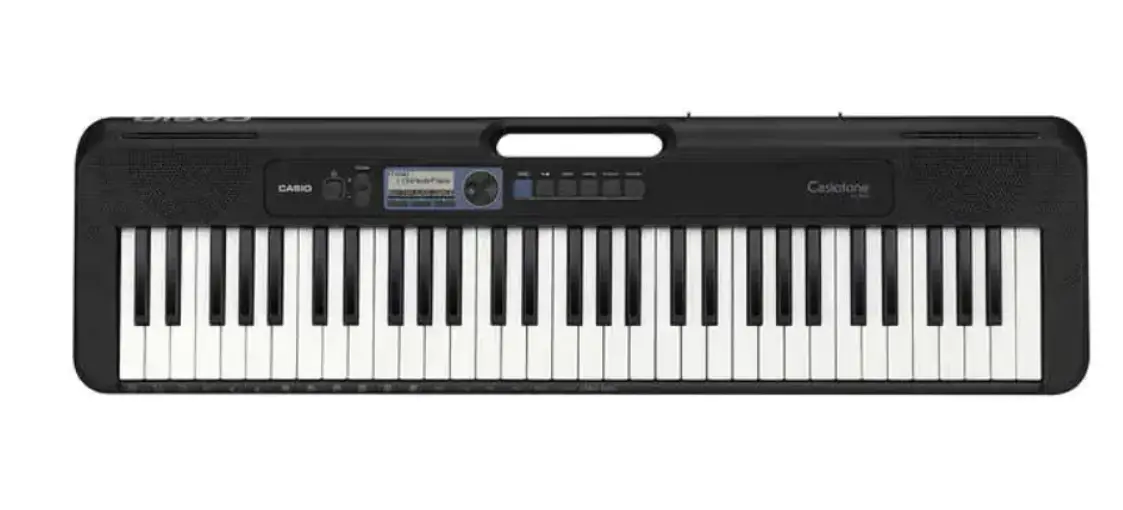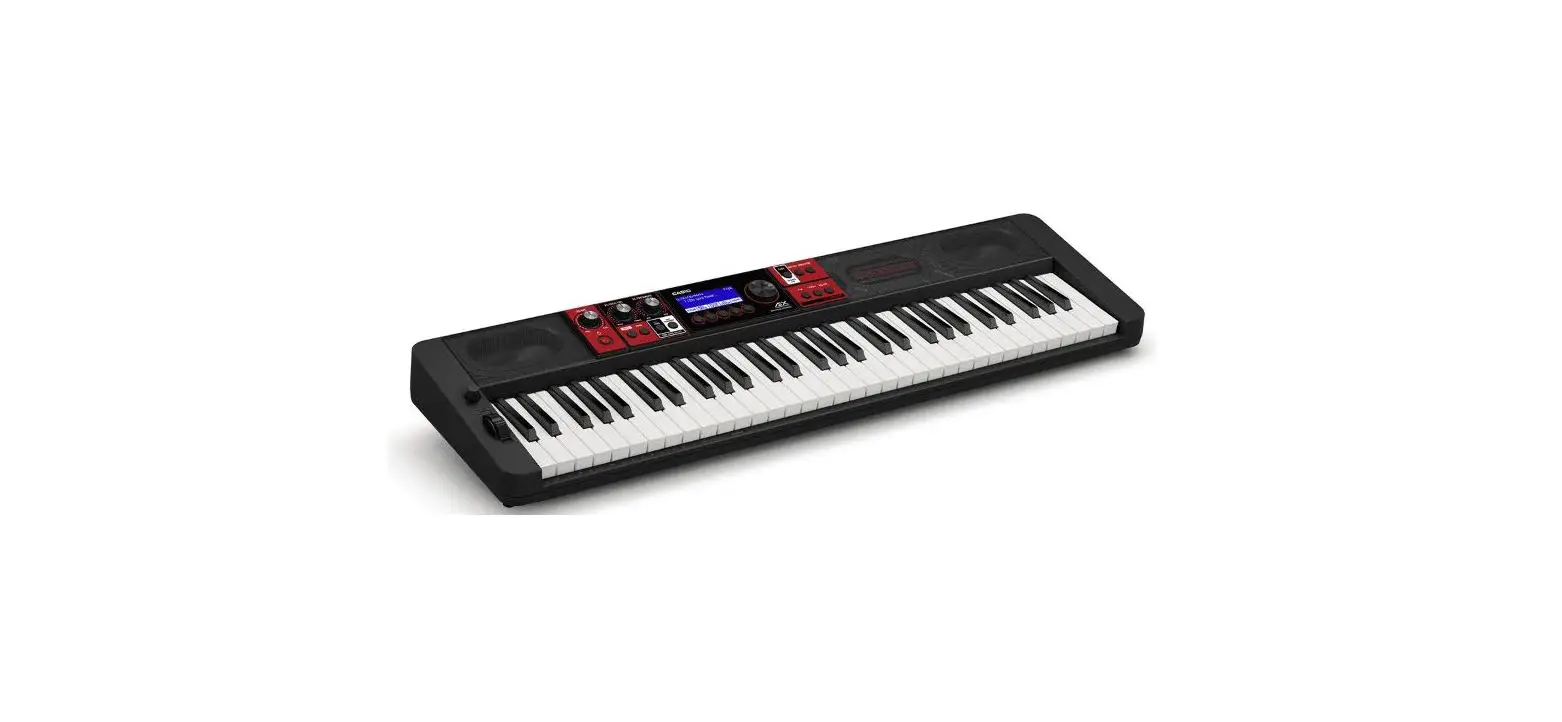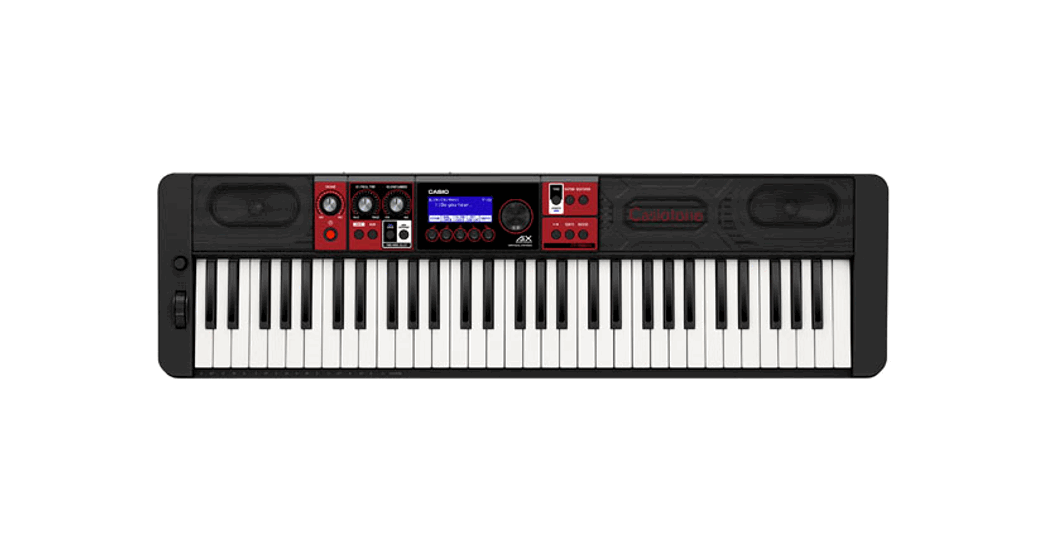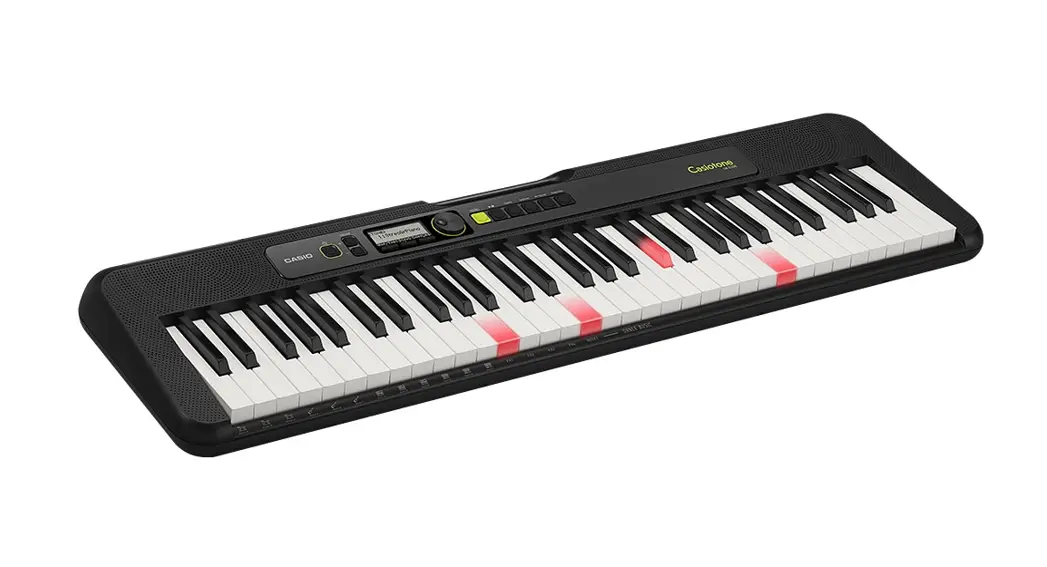

LK-S250
Quick Start Guide
After reading this document, keep it in a safe place along with the warranty certificate. Be sure to read the “Safety
Precautions” in the separate “READ THIS!” sheet, and use the product correctly.
For more detailed information about the product and its operation, visit the CASIO website by accessing the nearby QR code or the URL below.
Available Information: User’s Guide, Music Scores, etc.
https://support.casio.com/global/en/emi/manual/LK-S250/

Included Accessories
- Music Stand
- Leaflets
- READ THIS! Sheet
- Other (Warranty, etc.)
Items included as accessories are subject to change without notice.
Preparation
Preparing a Power Supply
■ Using the AC Adaptor
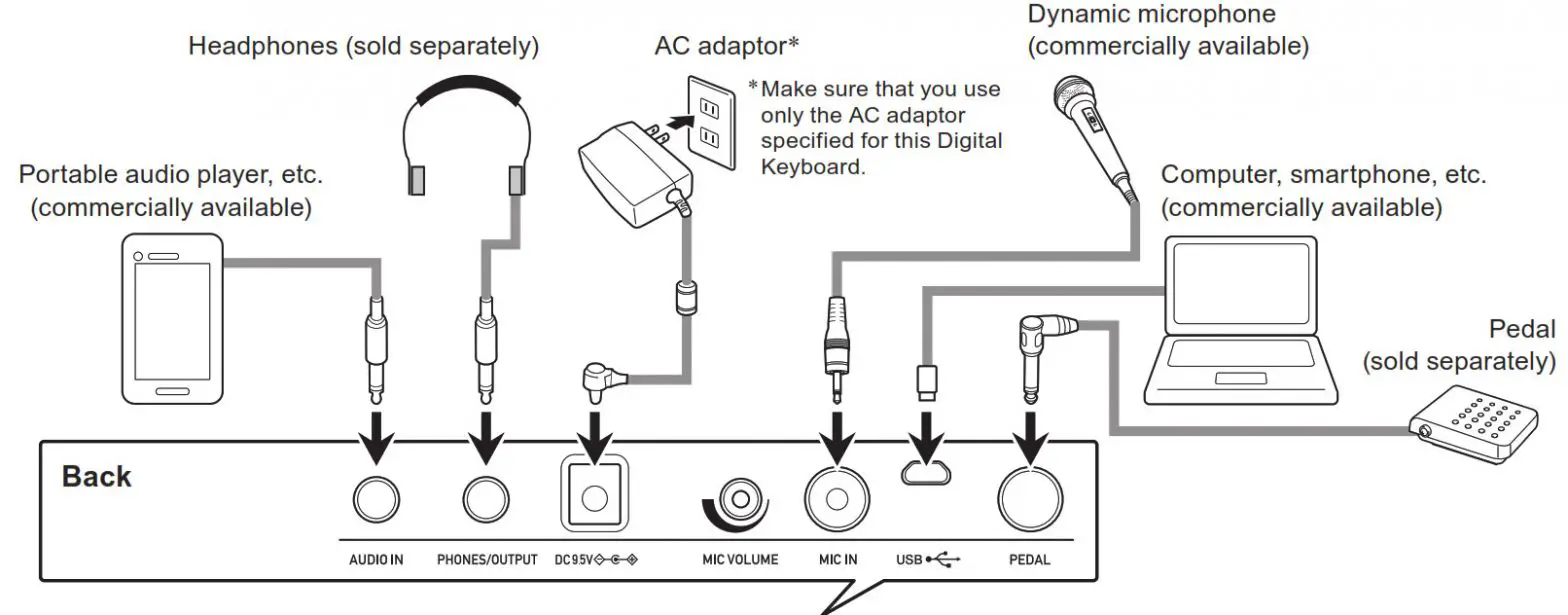
1. Connect the AC adaptor as shown in the nearby illustration.
■ Using Batteries
-

- Load six AA-size batteries.

- Specify the battery type.
● See “Configuring Function Settings” on the reverse side of this sheet.
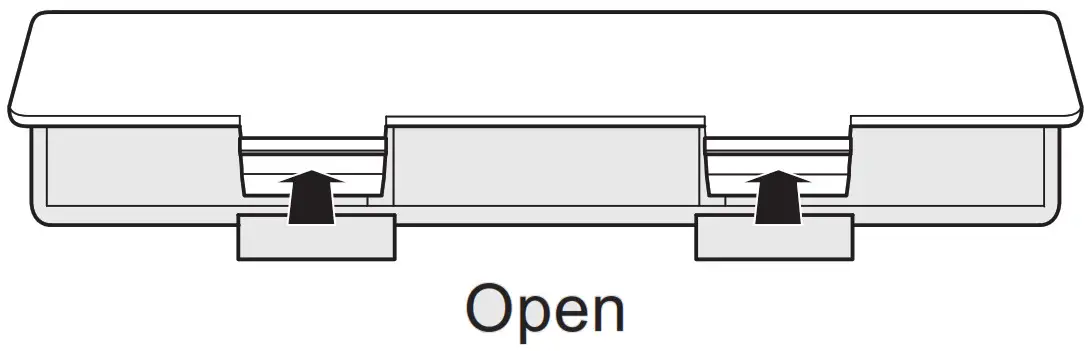
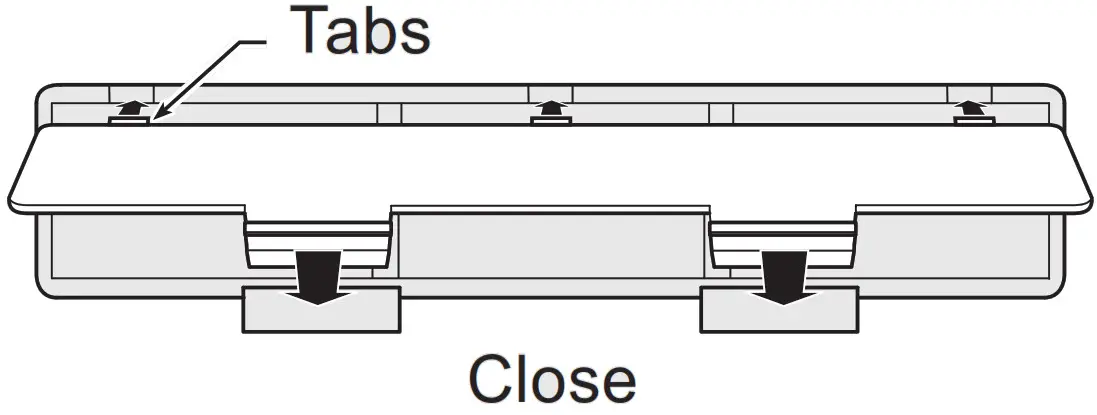
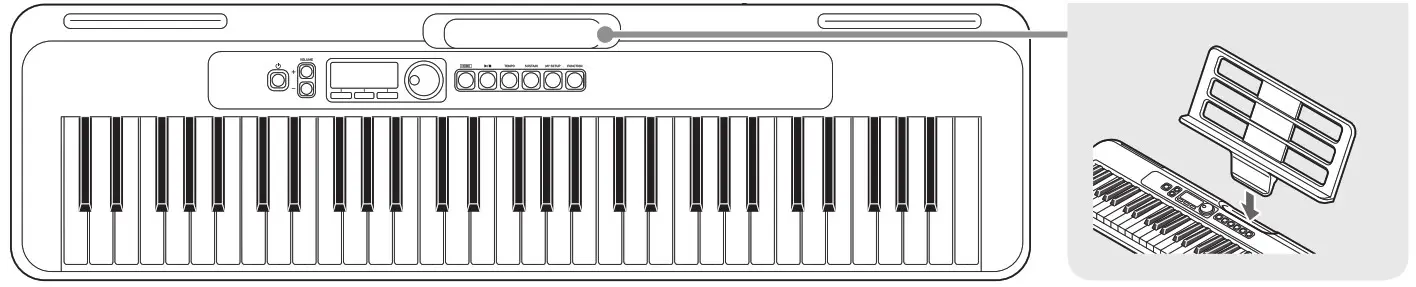 Preparing the Music Stand
Basic Operation
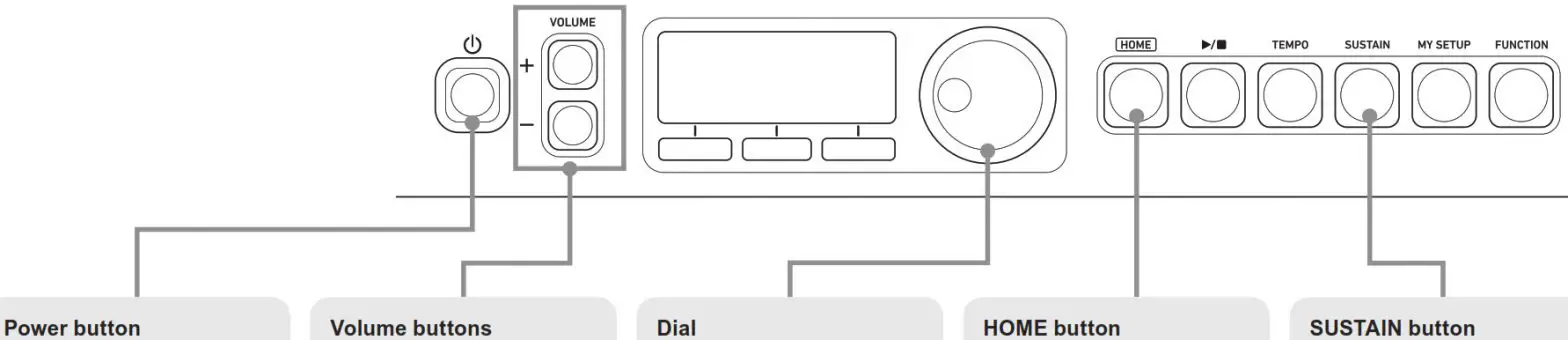
Power button : Press to turn on power. To turn off power, hold down this button until the display goes blank.
Volume buttons: Use to adjust the overall volume level range.
Dial: Rotate to change a displayed number or value.
HOME button: Press to return to the Home (tone selection) screen.
SUSTAIN button: Pressing causes notes to be sustained longer when keyboard keys are released. Pressing again returns to unsustained notes.
Auto Power Off: Automatically turns off power after 30 minutes of non-use. (On, Off switchable)
Pedal: Sustains notes played while the pedal is depressed. Even if the keys played are released, notes are sustained as if the keys remain pressed, until the pedal is released.
Touch Response: Pressing a key harder produces louder sound, while a softer key press produces softer sound.
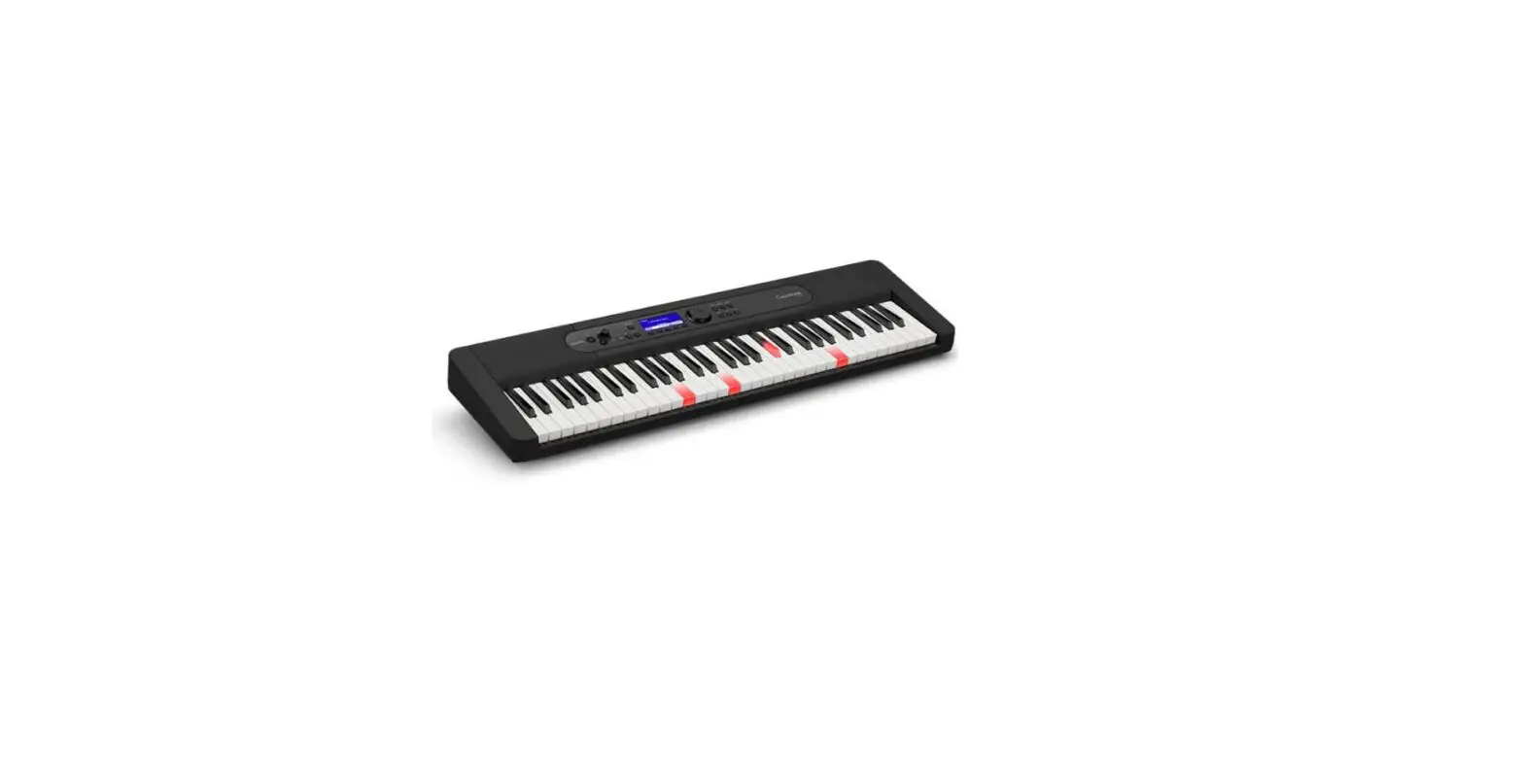
Lighted Keys: Keyboard keys light when pressed, or to indicate melody note during song playback. (On, Off switchable)
Microphone: Input voice is output by the instrument. Volume can be controlled using the knob on the back.
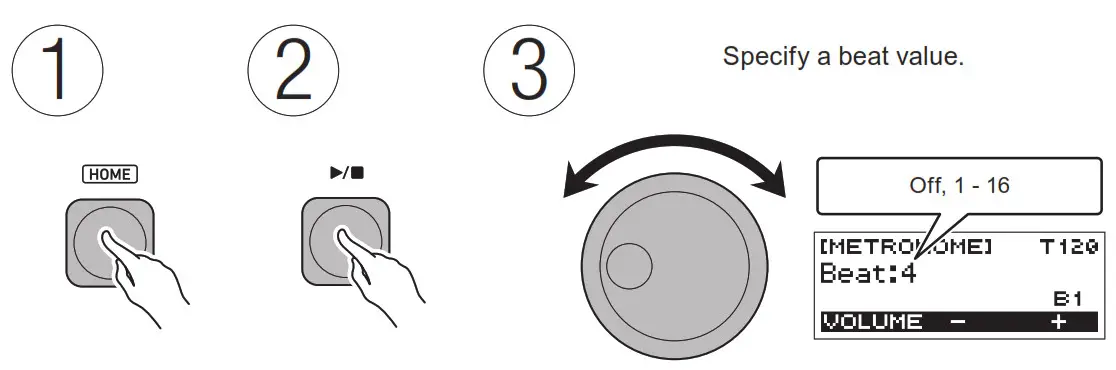
Sounding the Metronome
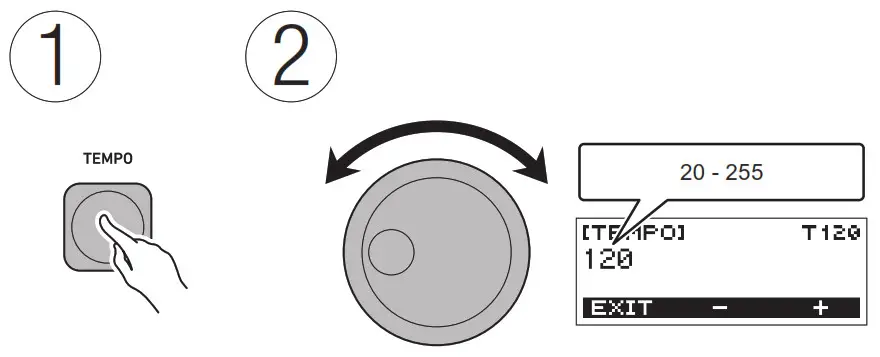
Changing the Tempo
Selecting a Tone
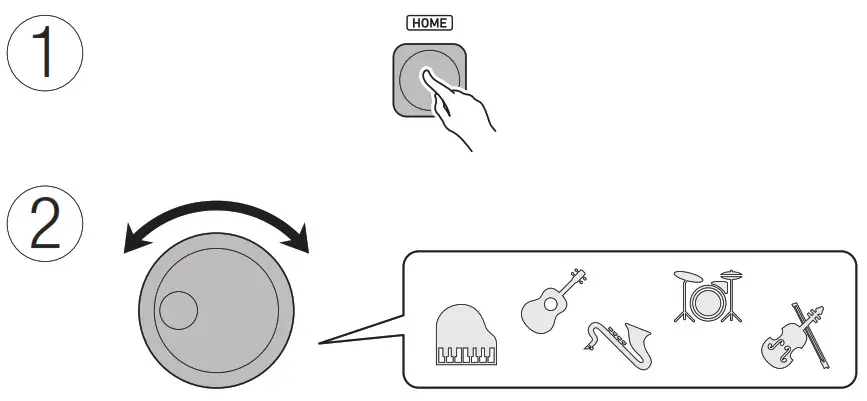
| Category | No. | Category | No. |
| PIANO | 001 – 014 | BRASS | 121 – 140 |
| ELECTRIC PIANO | 015 – 028 | REED/PIPE | 141 – 165 |
| CHROMATIC PERC. | 029 – 042 | SYNTH-LEAD | 166 – 202 |
| ORGAN | 043 – 064 | SYNTH-PAD | 203 – 242 |
| GUITAR | 065 – 078 | INDIAN | 243 – 253 |
| BASS | 079 – 088 | ETHNIC | 254 – 266 |
| STR/ORCHESTRA | 089 – 100 | GM TONES | 267 – 394 |
| ENSEMBLE | 101 – 120 | DRUM SET | 395 – 400 |
Saving and Loading Instrument Settings
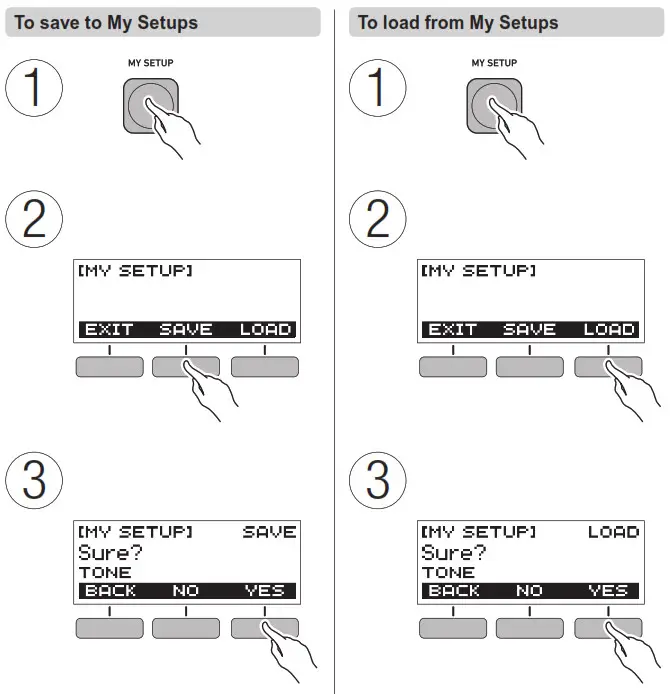
Playing a Built-in Song
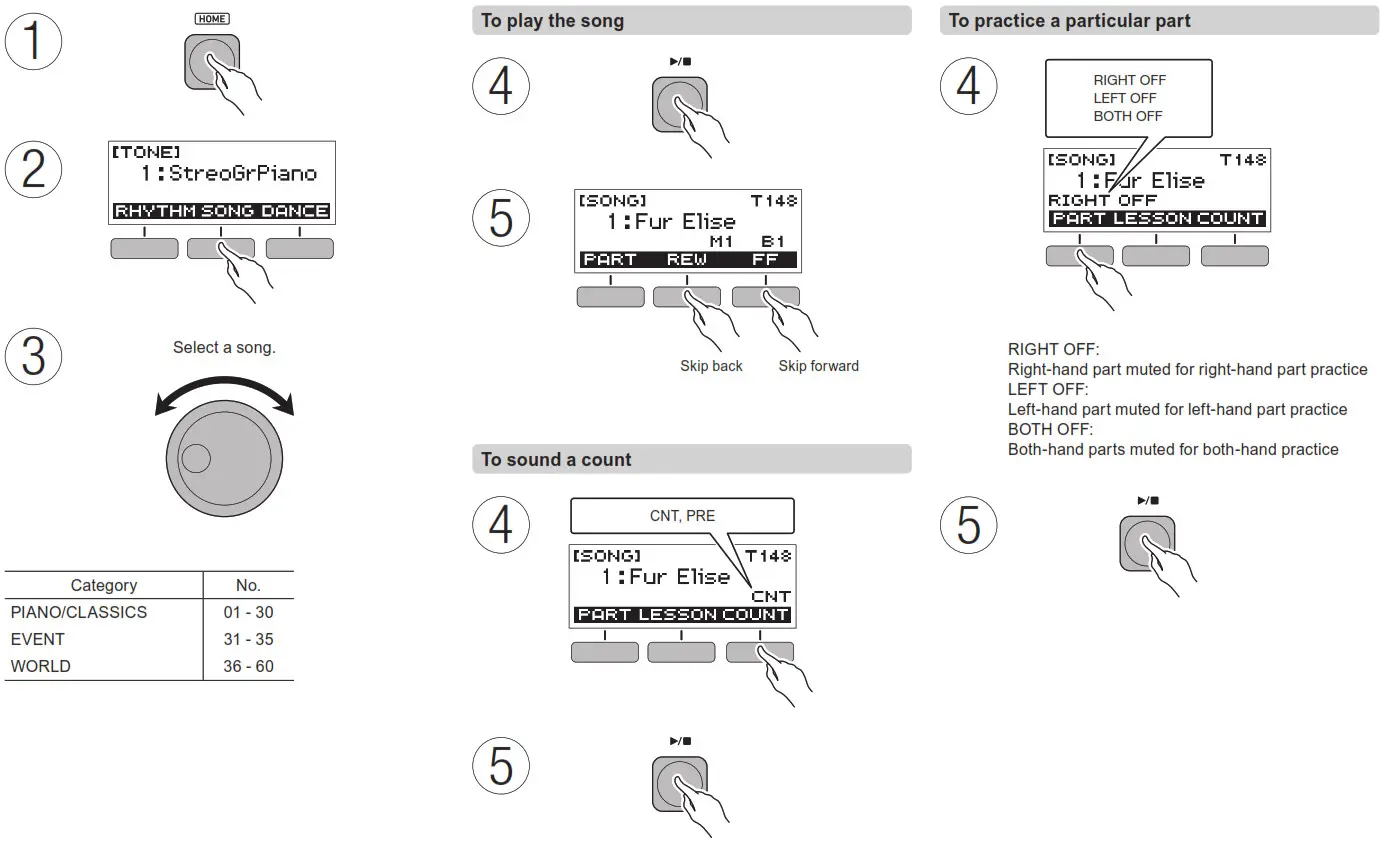
 Playing a Built-in Song
 Playing a Built-in Song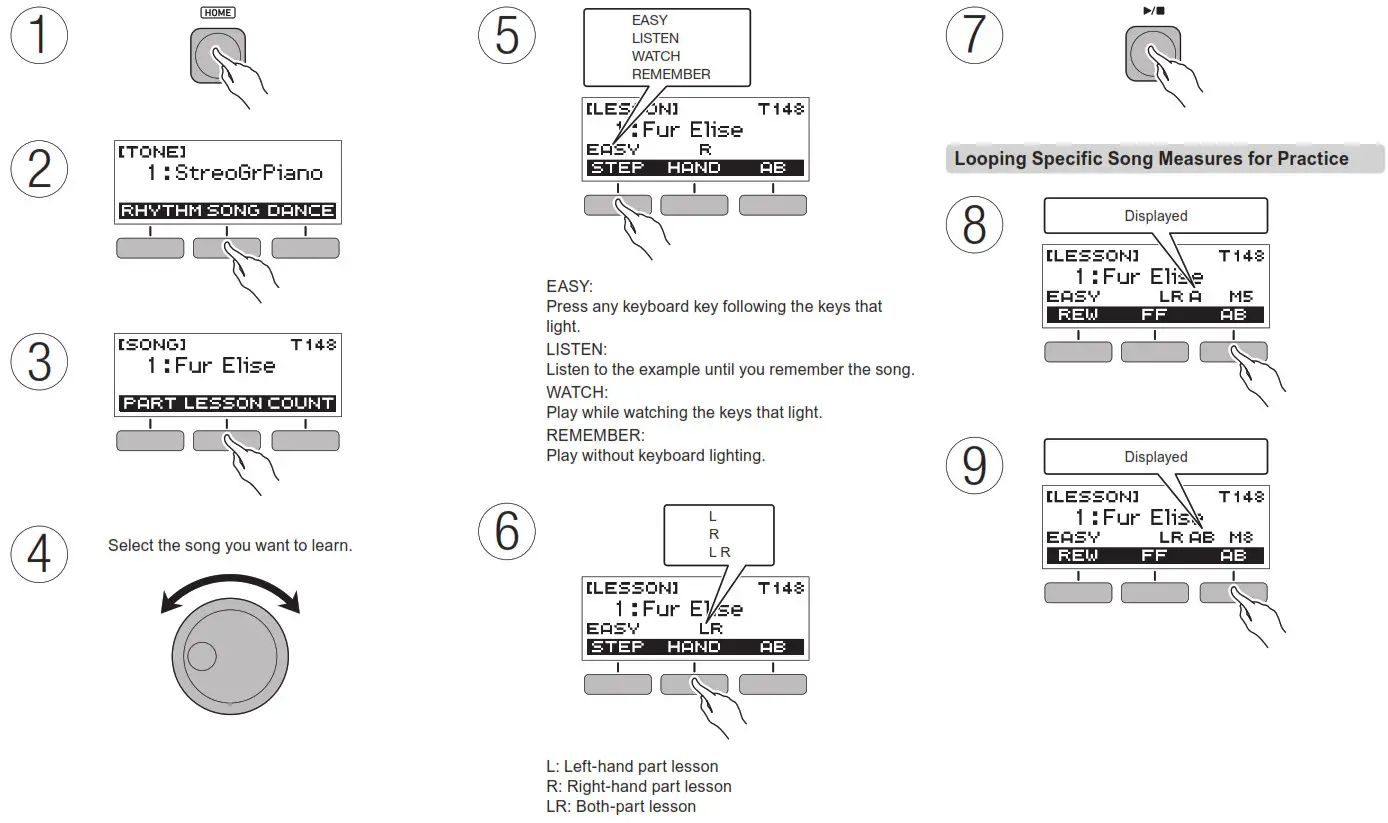
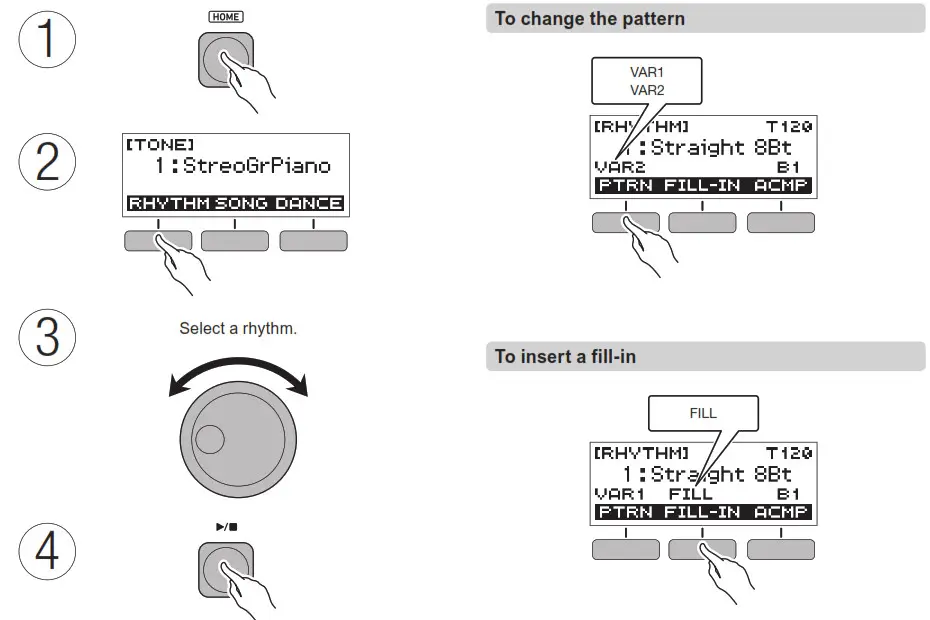
Playing a Rhythm
| Category | No. | Category | No. |
| 8 BEAT | 001 – 002 | ROCK | 017 – 020 |
| 16 BEAT | 003 – 005 | JAZZ | 021 – 024 |
| BALLAD | 006 – 009 | EUROPEAN | 025 – 032 |
| DANCE | 010 – 013 | LATIN | 033 – 044 |
| POPS | 014 – 016 | INDIAN | 045 – 058 |
| Category | No. |
| WORLD | 059 – 073 |
| VARIOUS | 074 – 075 |
| PIANO RHYTHMS | 076 – 077 |
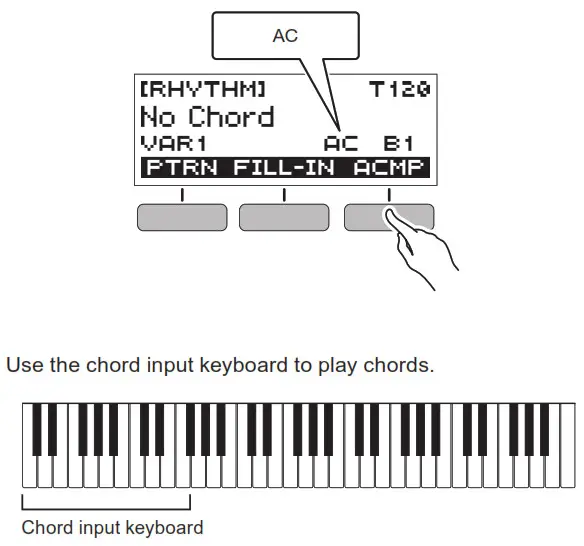
To sound the accompaniment pattern with chords
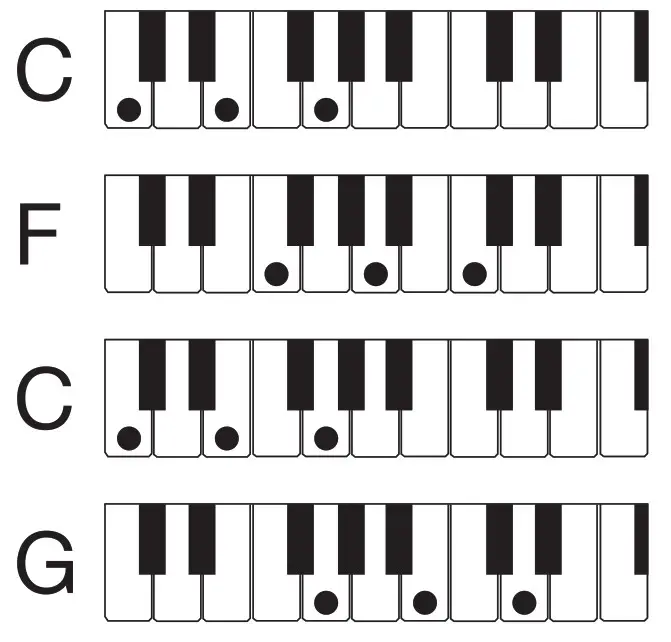
Chord Progression Example
Input the following chords for the progression:
C→F→C→G.
Inputting a chord when there is a change from one measure to the next is recommended.
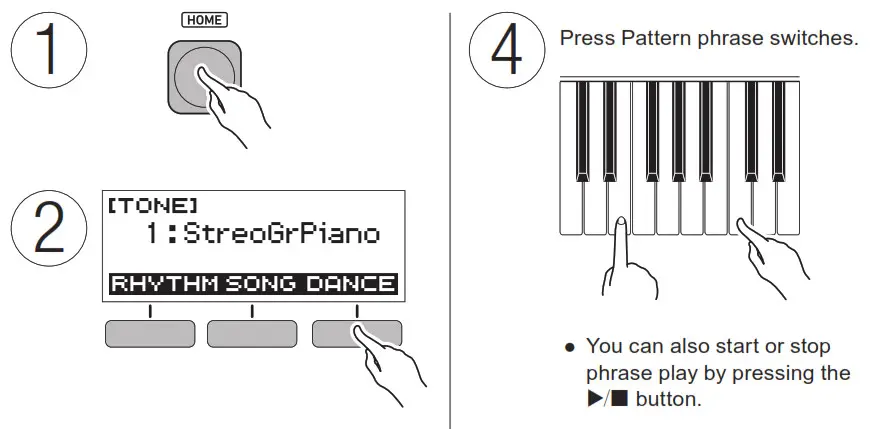
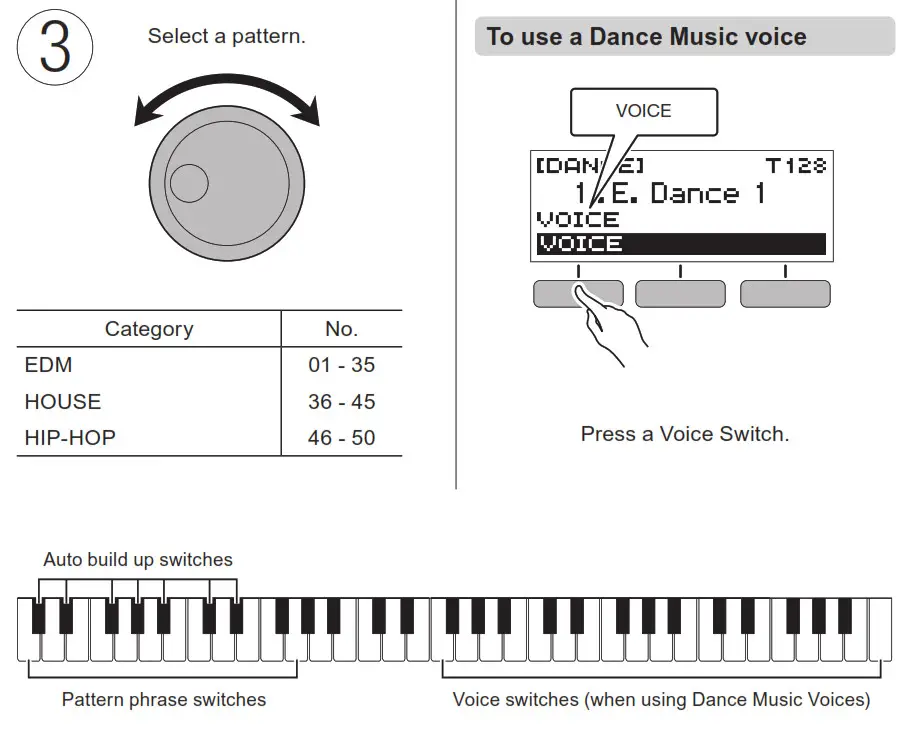
Enjoy DJ Play in the Dance Music Mode
Configuring Function Settings
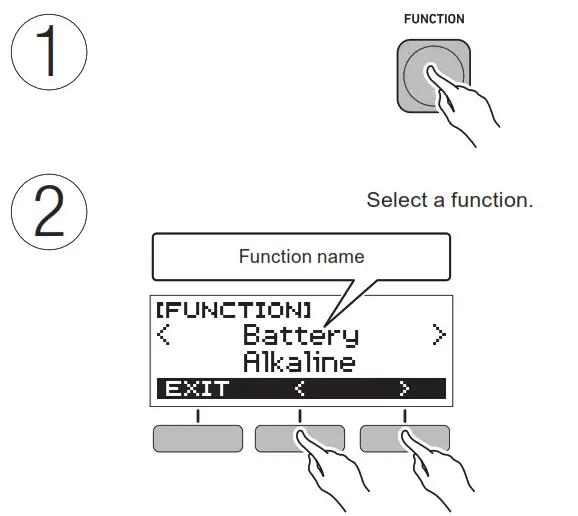
For information about functions, refer to the User’s Guide available on the CASIO Website.
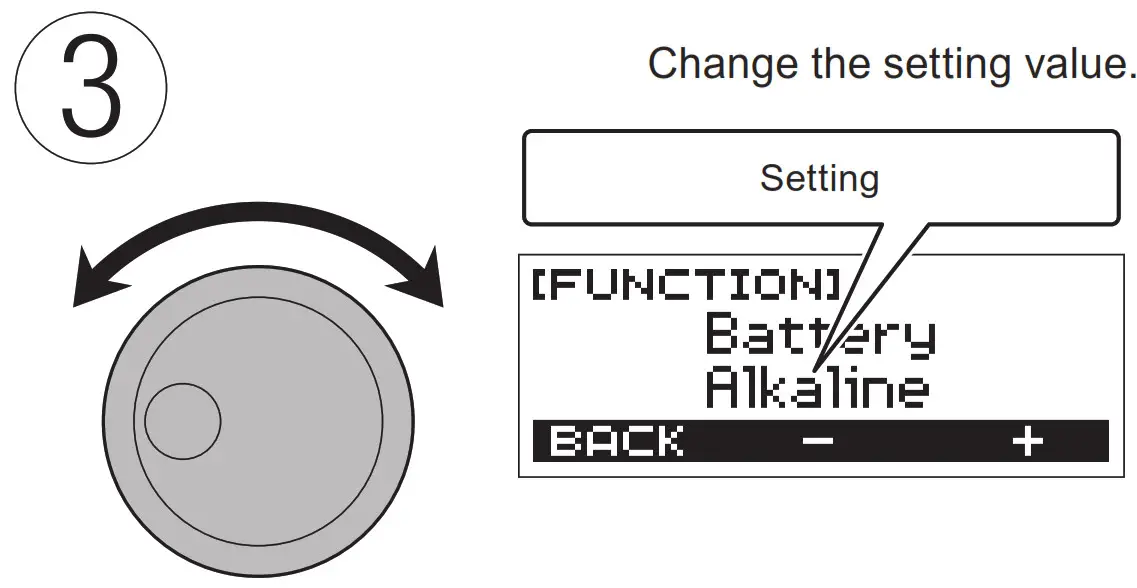
Example: To specify the battery type Alkaline: Alkaline batteries Ni-MH: Rechargeable nickel metal hydride batteries
To initialize a setting
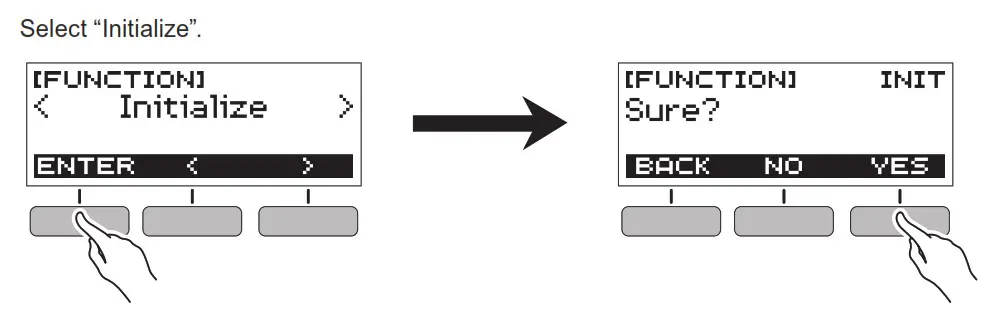
Product Specifications
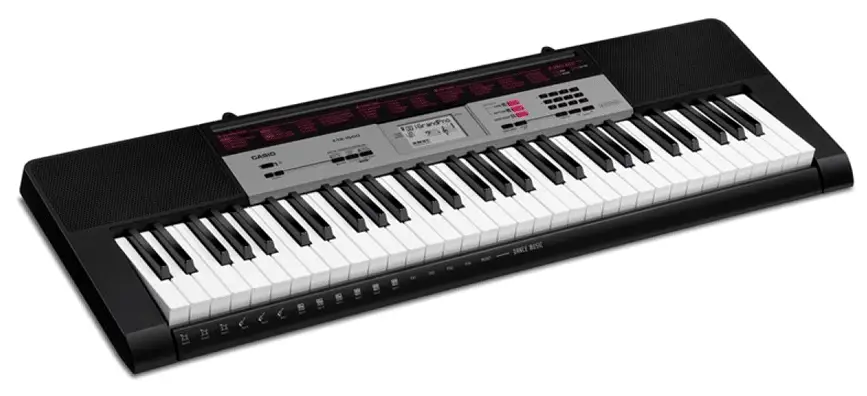
Model: LK-S250
Keyboard: 61 keys
Touch Response: 2 levels, Off
Lighted Keys: Maximum number of keys simultaneously lit: 4, can be turned off
Maximum polyphony: 48 tones
Sound Source: 400 preset tones (1 stereo piano tone)
Effects: Reverb (10 types, Off)
Metronome: Bell sound off, 1 to 16 beats; Tempo Range: 20 to 255
Song Bank: 60 preset songs; Part Off
Function: Left-hand, right-hand, bothhand
Lesson Function: 4 lesson types (EASY, LISTEN, WATCH, REMEMBER); Left-hand, right-hand, both-hand lesson parts; AB repeat; next note guide; evaluation points
Auto Accompaniment: 77 preset rhythms, 77 one-touch presets, INTRO, ENDING; chord input mode switching
Dance Music Mode: 50 preset patterns; Dance Music effects Demo Function: Looped play of all builtin Song Bank songs (60 songs)
Function Volume Adjustment: Metronome, Rhythm, Song, Dance Music
Other Functions: Transpose (±1 octave; –12 to 0 to +12 semitones), Tuning (A4 = 415.5 to 465.9 Hz; Default = 440.0 Hz)
APP Function: iOS, Android (Connects via USB port)
Input/Output Terminals:
PHONES/OUTPUT jack: Stereo mini jack (3.5mm); MIC IN jack: Standard jack (6.3mm) (Input impedance: 3kΩ, Input sensitivity: 10mV); AUDIO IN jack: Stereo mini jack (3.5mm) (Input impedance: 10kΩ, Input sensitivity: 200mV); USB port: micro B; PEDAL jack: Standard jack (6.3mm) (Pedal sustain, sostenuto, soft, start/stop)
Power Jack: 9.5VDC
Power Supply: 2-Way Power; 6 AAsize alkaline batteries or AA-size rechargeable nickel metal hydride batteries, Continuous operation: approximately 8 hours (alkaline batteries), approximately 7 hours (rechargeable nickel metal hydride batteries)*, actual battery life may be shorter depending on battery type, performance style, or operation environment; AD-E95100L AC adaptor (JEITA Standard, with unified polarity plug), 30-minute Auto Power Off (Can be disabled.)
* Measured values while using eneloop batteries. eneloop is a trademark of Panasonic Corporation.
Speakers: 13 cm × 6 cm (oval) × 2 (Output: 2.5W+2.5W)
Power consumption: 9.5V = 5.5W
LCD: Adjustable contrast
Dimensions: 93.0(W) × 25.6(D) × 7.3(H) cm (36 5/8 × 10 1/16 × 2 7/8 inch)
Weight: Approximately 3.4kg (7.5 lbs) (Excluding batteries)
Specifications and designs are subject to change without notice.
- Any reproduction of the contents of this manual, either in part or its entirety, is prohibited. Except for your own, personal use, any other use of the contents of this manual without the consent of CASIO is prohibited under copyright laws.
- IN NO EVENT SHALL CASIO BE LIABLE FOR ANY DAMAGES WHATSOEVER (INCLUDING, WITHOUT LIMITATION, DAMAGES FOR LOSS OF PROFITS, BUSINESS INTERRUPTION, LOSS OF INFORMATION) ARISING OUT OF THE USE OF OR INABILITY TO USE THIS MANUAL OR PRODUCT, EVEN IF CASIO HAS BEEN ADVISED OF THE POSSIBILITY OF SUCH DAMAGES.
- The contents of this manual are subject to change without notice.
- Company and product names used in this manual may be registered trademarks of others.
Declaration of Conformity
Model Number: LK-S250
Trade Name: CASIO COMPUTER CO., LTD.
Responsible party: CASIO AMERICA, INC.
Address: 570 MT. PLEASANT AVENUE, DOVER, NEW JERSEY 07801
Telephone number: 973-361-5400
This device complies with Part 15 of the FCC Rules, Operation is subject to the following two conditions:
(1) This device may not cause harmful interference, and (2) this device must accept any interference received, including interference that may cause undesired operation.
A labels rating is affixed to the bottom of the product.
CASIO COMPUTER CO., LTD.
6-2, Hon-machi 1-chome
Shibuya-ku, Tokyo 151-8543, Japan
© MA1905-A Printed in China
© 2019 CASIO COMPUTER CO., LTD.
 LK-S250 - CASIO