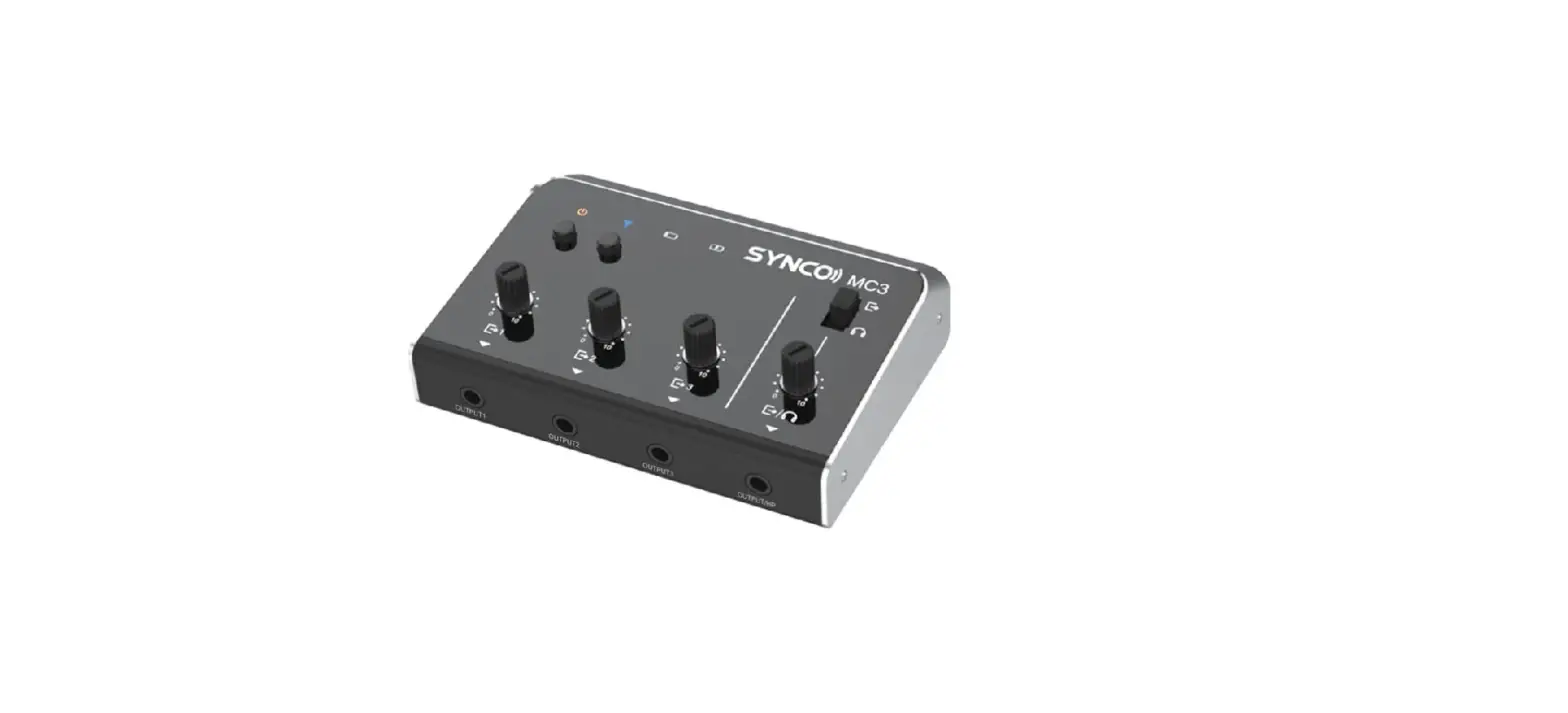

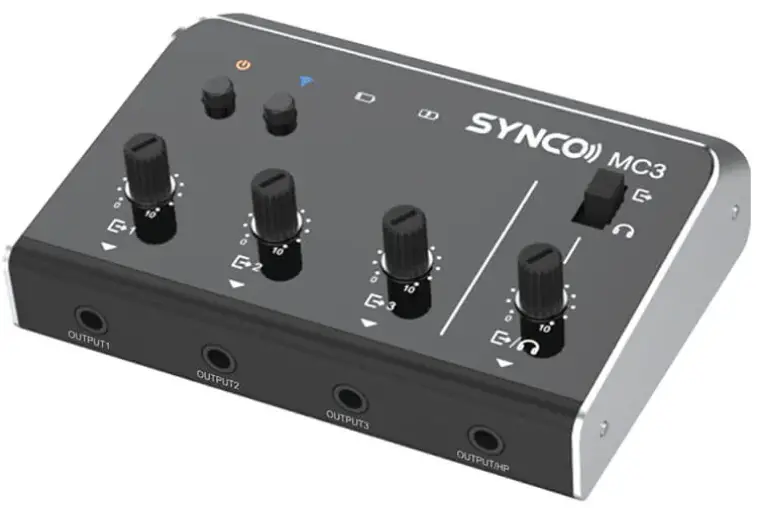
SYNCO MC3-LITE 4 Channel Ultra Compact Audio Mixer
Thank you for choosing SYNCO product.
Please read this manual carefully before use and follow all instructions mentioned herein.
Caring For Your SYNCO Product
- Please keep the product in a dry, clean, dust-free environment.
- Keep corrosive chemicals, liquids and heat source away from the product to prevent mechanical damage.
- Use only a soft and dry cloth for cleaning the product.
- Malfunctions may be caused by dropping, impact of external force.
- Do not attempt to disassemble the product. Doing so voids warranty.
- Please have the product checked or repaired by authorized technicians if any malfunctions happened.
- Failure to follow all the instructions may result in mechanics damage.
- Warranty does not apply to human errors.
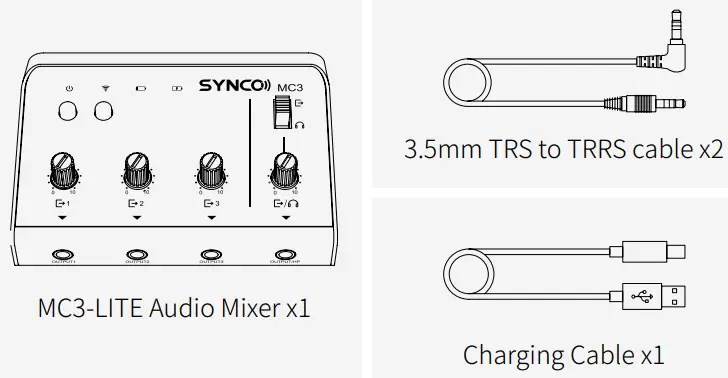
Package List
Product Introduction
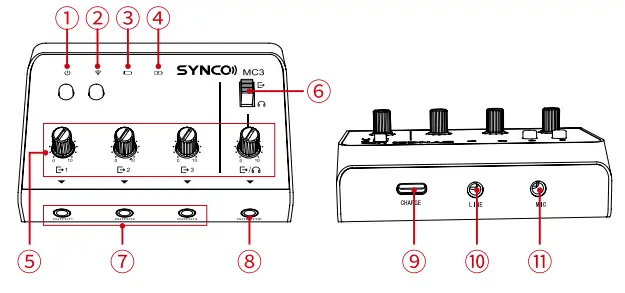
- Power Button & Power Indicator

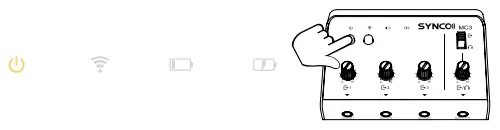
- Press to turn on/off the system.
- When the system is on, the indicator stays on yellow.
- Wireless Connection Button & Wireless Control Indicator

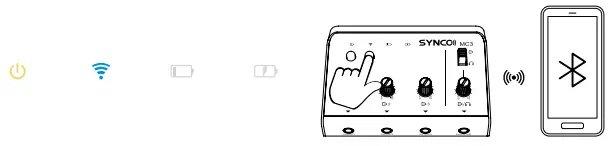
- Press the button, turn to Bluetooth interface on your phone and find “MC3-LITE” for connection.
- The indicator stays on blue when the function is on.
- Low Battery Indicator

- When the battery is running low, the indicator would stay on red.
- Charging Indicator

- The indicator stays on green during charging procedure and is off once charging is fulfilled.
- Stepless Gain Control Dial
- Separate gain control dial is provided for each output port.
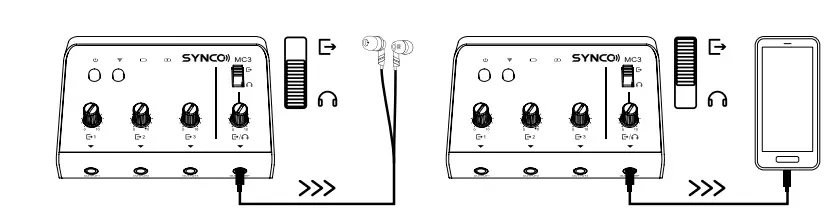
- Monitoring/Output Switch
- Switch the 3.5mm jack to Monitoring or Output as needed.
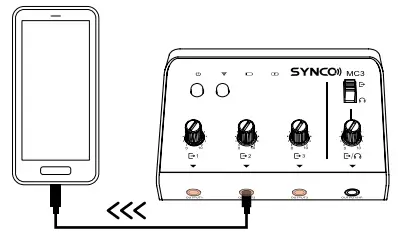
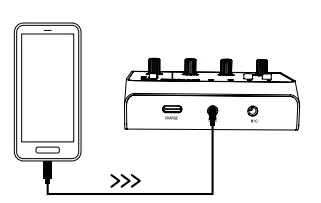
- 3.5mm Output Jack

- To connect with mobile devices.
- 3.5mm Output/Monitoring Jack

- Depending on the Monitoring/Output Switch, this jack can be switched between output or monitoring. Headphones can be plugged into this interface for monitoring.
- Type-C Charging Port
- For charging the MC3-LITE via the included charging cable; charging while recording is available.
- 3.5mm Line-in Jack

- To connect with a media player or other audio device.
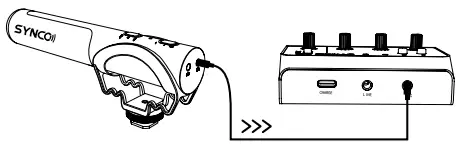
- 3.5mm Mic-in Jack

- To connect with microphone; Stereo input supported.


Specifications
| Input Jack | 3.5mm Line-In |
| 3.5mm Mic-In Wireless Connection Input | |
| 3.5mm Stereo Output | |
| Output Jack Audio Distortion | <0.1% |
| Frequency Response | 20Hz-20KHz |
| SNR | >95dB |
| Gain Control | -15~15dB |
| Input Voltage / Currency Monitoring Output Power | 5V/500mA 76mW |
| Monitoring Output Impedance | 32Ω |
| Material | Metal |
| Weight | 156g |
| Dimensions | 87*65*34mm |
| Battery Life | 4H |
| Battery Capacity | 500mAh |
Warranty
Warranty Period
Thank you for purchasing SYNCO products.
- Customers are entitled to free replacement or repair service in case of quality defect(s) found in the product under normal use within 30 days upon receipt of the product.
- Original SYNCO products are entitled to 12-month limited warranty service. The warranty period begins on the date of purchase of brand new, unused products by the first end-user. Within the warranty period, if product defect or failure is attributable to material defection or technological problem, the defective product or defective part will be repaired or replaced without charge (service and materials fee).
Warranty Exclusions and Limitations
Faults resulted from inappropriate use of a product without following its operation specification
- Artificial damage, e.g. crash, squeeze, scratch, or soaking
- Modifications to a product by its user or a third party without prior written consent of SYNCO, e.g. replacement of element or circuit, label alteration
- The code on product is inconsistent with that of warranty certificate, or the code on the product or warranty certificate is altered or torn off
- All consumable accessories attached to a product, like a cable, wind muff, battery
- Faults as a result of force majeure, such as fire, flood, lightning, etc.
Warranty Claim Procedure
- If failure or any problem occurs to your product after purchase, please contact a local agent for assistance, or you can always contact SYNCO’s customer service through email at support@ syncoaudio.com.
- Please retain your sales receipt and warranty certificate as proof of purchase. If any of these documents is missing, only sales return or chargeable service will be provided.
- If the SYNCO product is out of the warranty coverage, the service and the parts cost will be charged.
| WARRANTY CERTIFICATE | |
| Please register your warranty. Meanwhile, you are welcome to contact us via Email: [email protected] | |
| USER INFORMATION | Customer Name: Phone Number: |
| Email: | |
| Address: | |
| SALES INFORMATION | Sales Date: |
| Model: | |
| Product Code: | |
| Dealer: | |
| REPAIR RECORD | Service Date: |
| Technician: | |
| Issue: | |
Guangzhou Zhiying Technology Co., Ltd
- Block 15th, No.200 Fangcun Avenue East, Liwan District, Guangzhou, China, 510000
- [email protected]
- www.syncoaudio.com
- https://www.facebook.com/syncomicrophones