datamax-oneil Static Brush Installation Guide
Installation Instructions
- Turn ‘Off’ and unplug the printer.
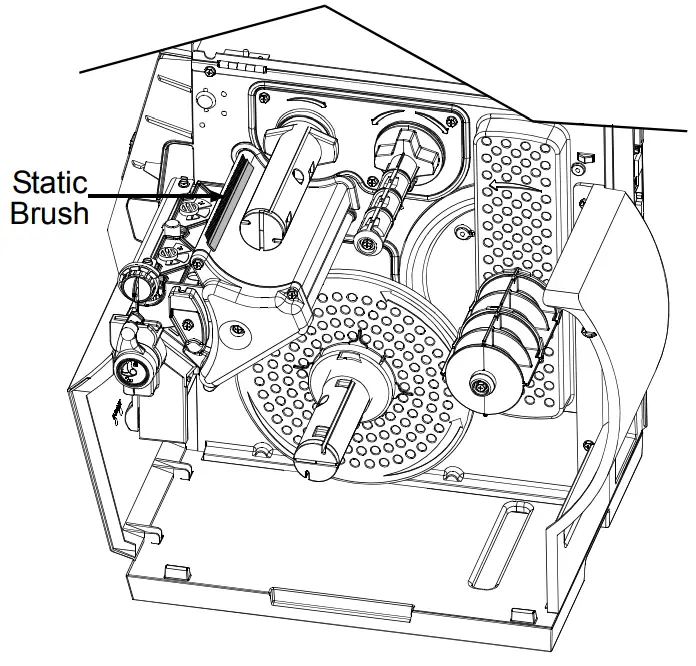
- Open the cover. Using the illustrations below, locate the area where the Static Brush will be installed.
- Using a Cotton Swab or cloth, moistened with isopropyl alcohol, gently clean the surface where the Static Brush will be installed.

WARNING
Isopropyl alcohol is a flammable solvent; always take the proper precautions when using this substance. - Peel the backing from the adhesive strip on the back of the Static Brush and affix the brush to the printer in the location shown in the below illustrations.

 Note: The Static brush should be installed so the bristles are as close to the ribbon without actually touching. It may be necessary to install a roll of ribbon in order to properly align the brush to the ribbon.
M-Class Printers Note: For M-Class printers, the Static Brush must be cut to length in order to fit properly.
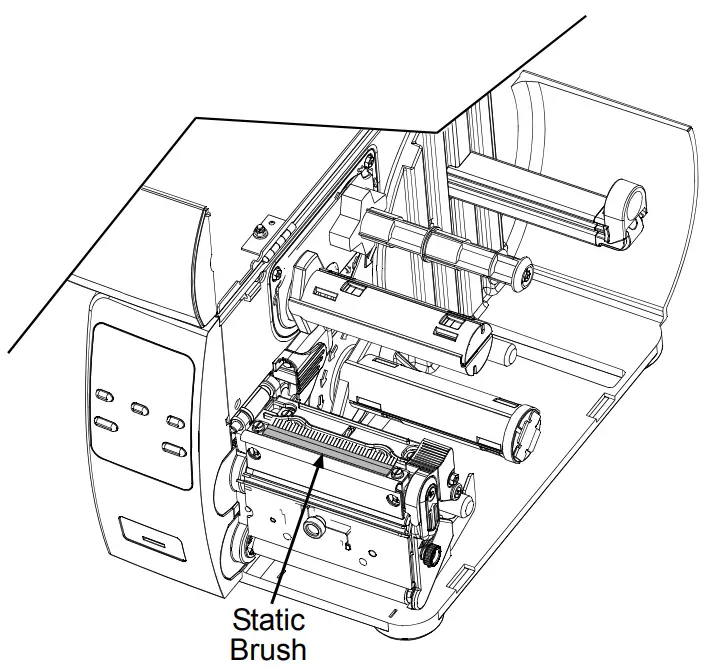
I-Class Printers
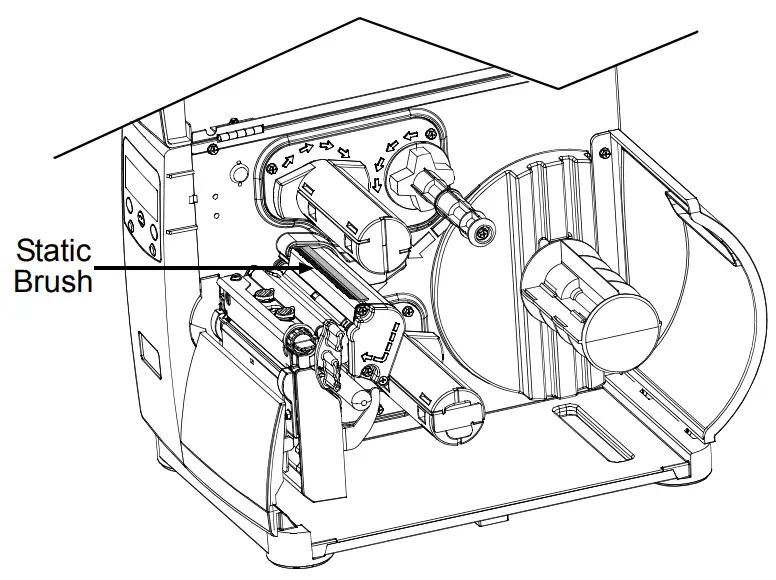
H-Class Printers