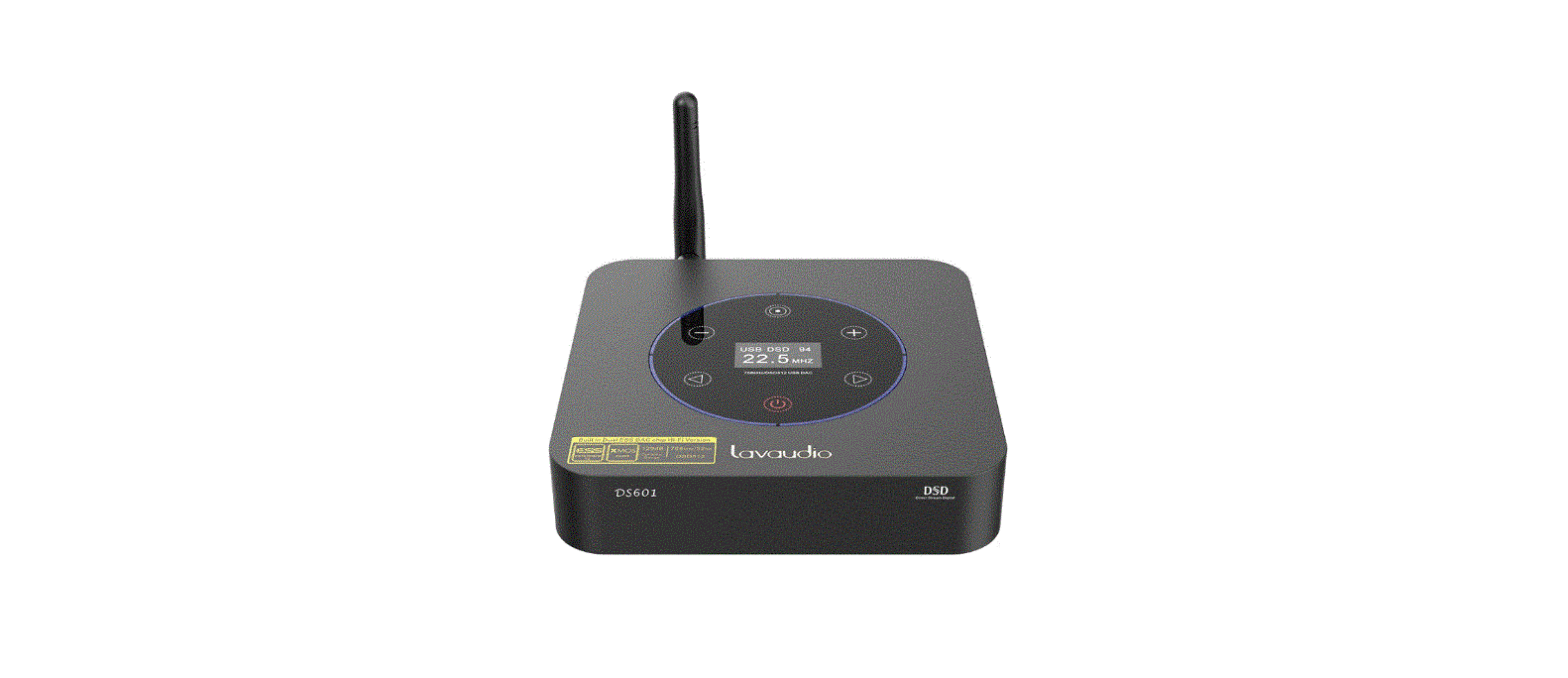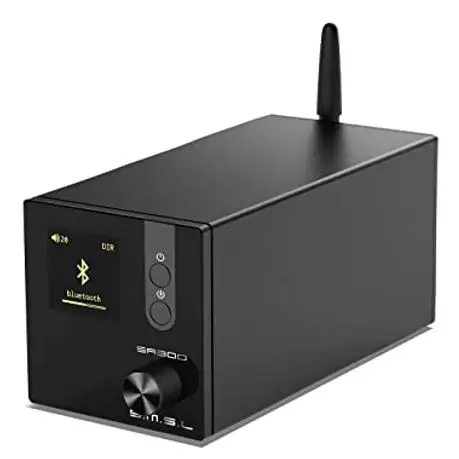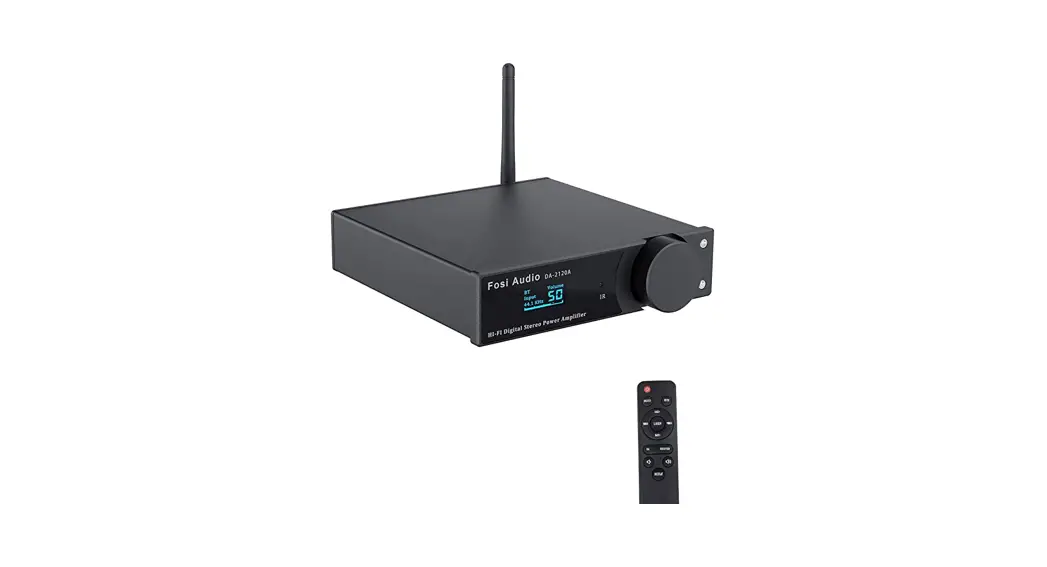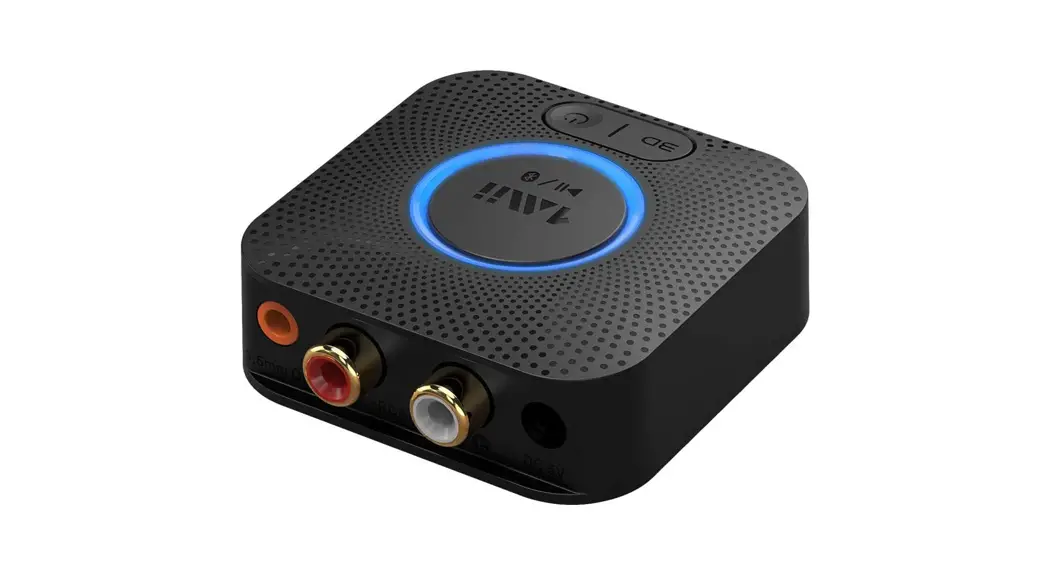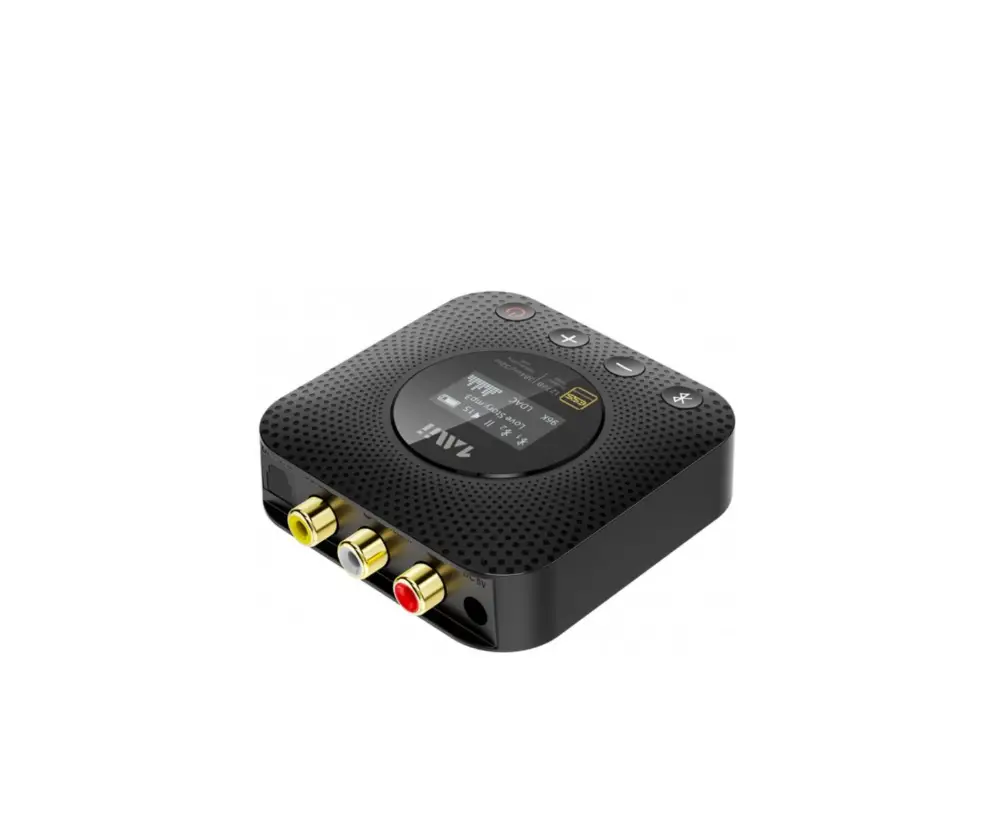

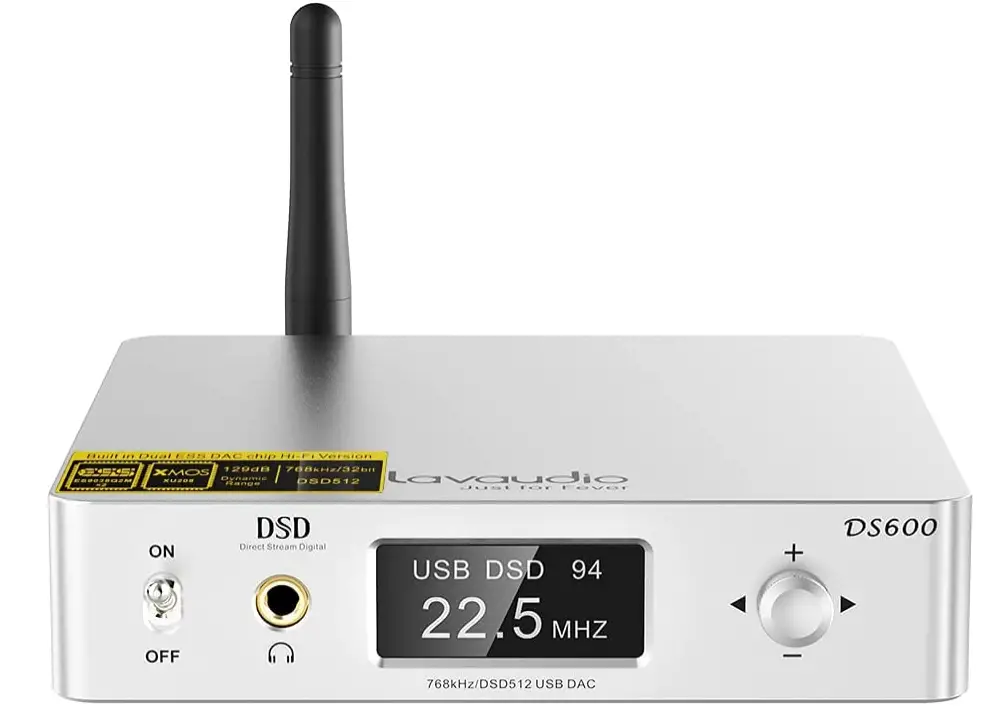
1Mii DS600 HiFi Audio DAC, Hi-Res Bluetooth Receiver
Specifications
- BRAND: 1mii
- MOUNTING TYPE: Coaxial, Plug Mount, Tabletop
- INTERFACE TYPE: USB, Coaxial
- RANGE: 100ft
- BLUETOOTH: 5.0
- DRIVEABILITY: 16-150 Ω
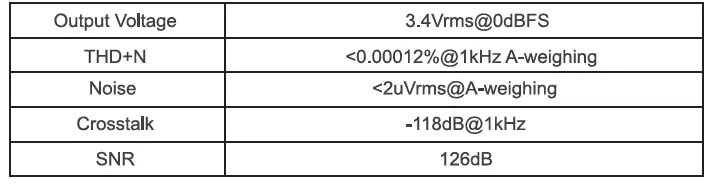
- SNR: greater than 126dB
- DNR: up to 126dB
- THD+N: as low as 0.00012%
- OUTPUT POWER: 230mW(16Ω); 204mW(32Ω)
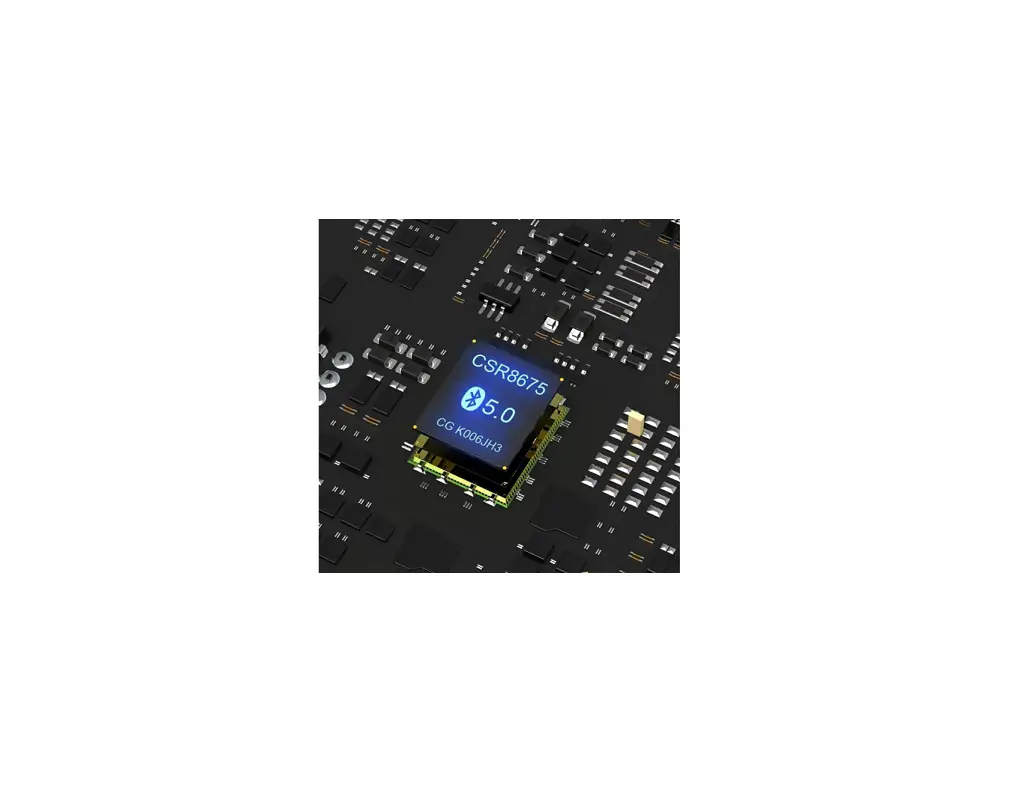
- BT CHIP: CSR8675 + XMOS
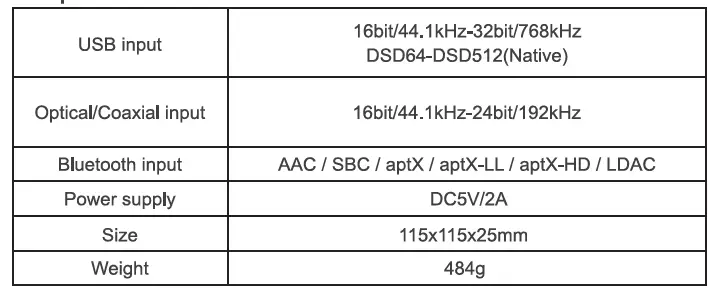
- INPUT: USB_DAC/ Bluetooth/Optical/Coaxial
- OUTPUT: RCA + 3.5mm AUX Jack
- OUTPUT LEVEL (RCA): 2.85Vrms/0dB
Introduction
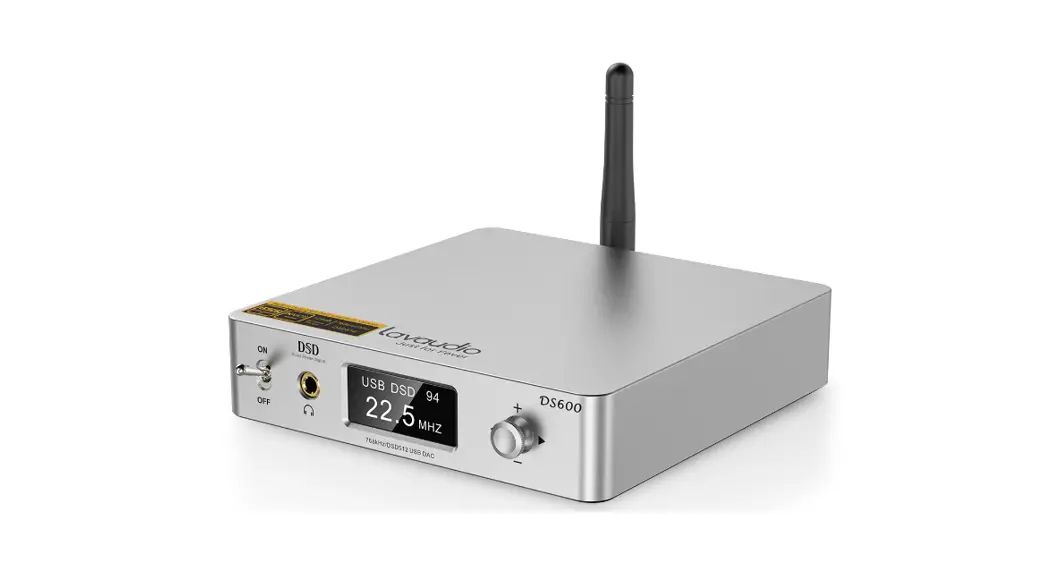
The 1Mii DS600 is a HiFi DSD desktop audio DAC that boosts your audio equipment with amazing HiFi lossless music for your home stereo, AV receiver, or amplifier. It Supports USB, Coaxial, Optical, Bluetooth, and other inputs, and has a 3.5mm headphone and RCA output for complete stereo compatibility. Headphone amplifier and Audiophile DAC Two ES9038Q2M chips, with an unheard-of dynamic range and extremely low distortion, are used in the DS600 USB DAC. THD+N of 0.00012 percent or less and SNR of at least 126 dB. Version 1.3 was upgraded. With the addition of two BUF634 current amplifier chips, the DS600 HiFi DAC may now be used as a headphone amplifier (drives headphones from 16 to 150). A True Native digital to analogue converter that can handle any high-res audio format up to DSD512 32Bit/768kHz is what the XMOS XU208 adds to the DS600 USB audio DAC PC. The robust USB decoding capability is significantly superior to CD and SACD, maintaining more rich music details, restoring better sound, and bringing you the sound of touching soul.
Personalized and real hi-fi drivers The German Thesycon-customized driver for the second-generation XMOS XU208 USB receiver chip used in the HiFi stereo DAC allows for enhanced support for DSD native and produces a warm, delicate, emotional sound with sharp details and plenty of dynamics. The 1Mii DS600 Bluetooth receiver can stream high-quality music from a smartphone, computer, or other media player over Bluetooth to any of your home audio systems. It also supports Hi-Res, LDAC, and APTX-HD. Plug and play, very simple. using Class 1 Bluetooth and having an external gain antenna in its design. The range of the DS600 Bluetooth receiver is up to 100 feet.
Lavaudio DS600 is a high-performance desktop DAC with USB, Coaxial Optical, Bluetooth input and 3.5mm/RCA output. USB of DS600 supports up to PCM 32bit/768kHz and DSD512(Native). DS600 comes with complete digital volume control and OLED display, so it can serve as DAC Pre-amplifier. We believe that Lavaudio DS600 will bring you more HiFi music experience and fun.
SPECIFICATIONS
PRODUCT PARAMETERS
WHAT’S IN THE BOX
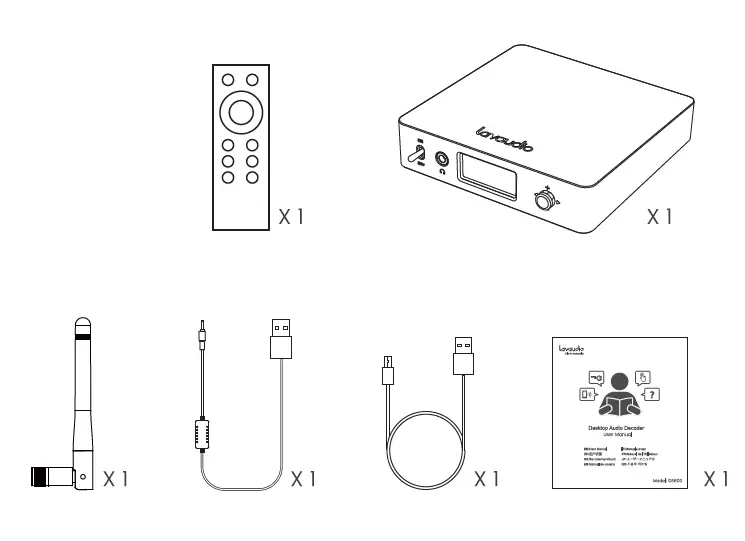
PRODUCT OVERVIEW
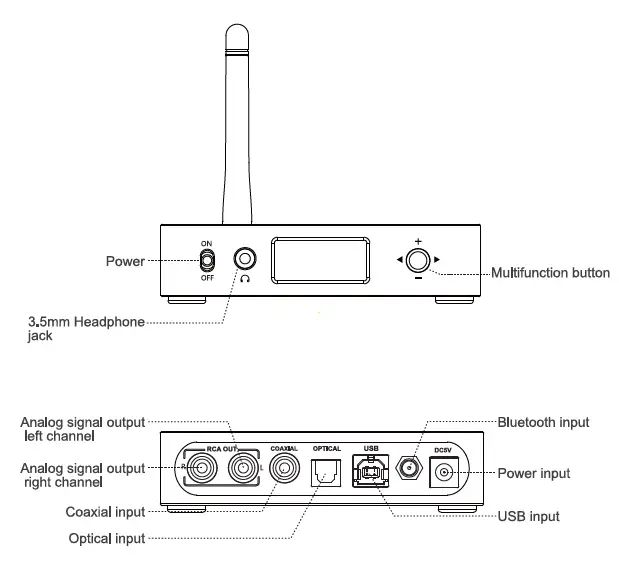
CONTROL FUNCTIONS
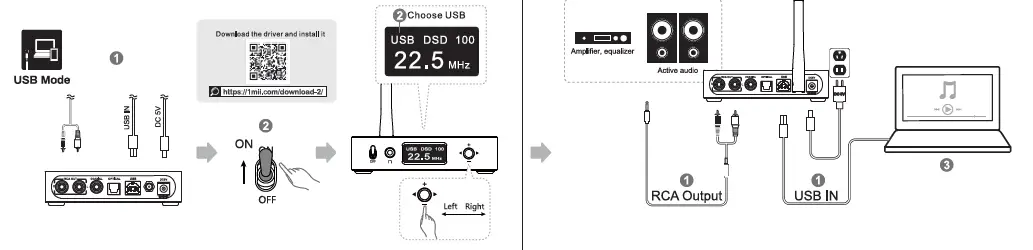
INSTRUCTIONS
USB MODE:
- Turn on the DC power supply. Use the RCA cable to connect to other devices such as audio or power amplifiers. turn the switch key to ON, and the device is turned on.
- Toggle the button left/right to select USB mode.
- Adjust an appropriate volume to enjoy HiFi music.
NOTE: For Windows users, the driver needs to be installed when using it for the first time.
Please refer to “DS600 Driver & Installation Guide” and “DS600- Player Foobar20008 JR”. (https://www.imii.com/download-2/#tab-id-5)
BT MODE:
- Turn on the DC power supply, use the RCA cable to connect to other devices such as speakers or power amplifiers, turn the switch key to ON, and the device is turned on.
- Toggle the button left/ right to select BT mode.
- Turn on the Bluetooth on your mobile phone and pair it with ‘DS600 to enjoy HiFi music.
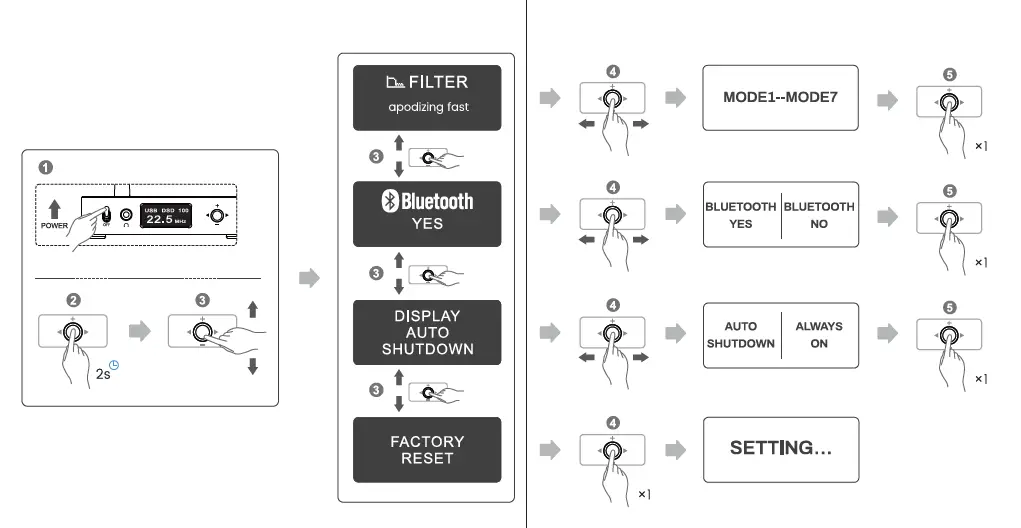
SYSTEM SETTING INTERFACE
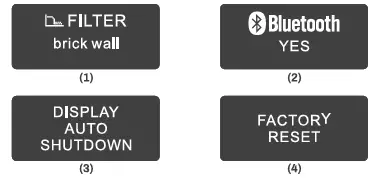
FILTER MODE WHEN PLAYING PCM FORMAT: MODE1-MODE7
- MODE1: Apodizing fast roll-off filter
- MODE2: Linear phase fast roll-off filter
- MODE3: Linear phase slow roll-off filter
- MODE4: Minimum phase fast roll-off filter
- MODE5: Minimum phase slow roll-off filter
- MODE6: Corrected minimum phase fast roll-off filter
- MODE7: Brick wall filter
- Bluetooth system settings
- Screen saver settings
- Optional screen always on and auto shutdown.
- Factory data reset
The default values of the system parameters of 1-3 are MODE1. Bluetooth yes Auto-shutdown.
NOTE: When entering the system parameter setting interface.it will automatically exit it if there is no operation after l10 seconds
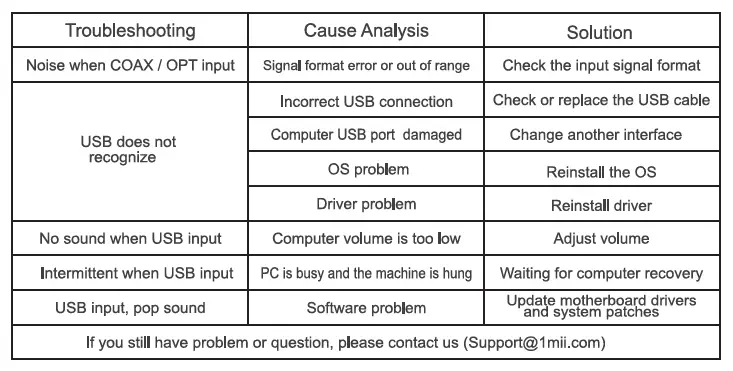
TROUBLESHOOTING
DAILY USE
- Do not pull out the USB cable while connected to a computer and using the audio output.
- The output signal of this machine must not be grounded or shorted
- Do not leave the machine in a high temperature and humid environment let it in rain or drop it
- Do not open the case by yourself
- This machine is intended for indoor use only.
The Bluetooth® word mark and logos are owned by the Bluetooth SIG, Inc. and any use of such marks by IMii Ltd. is under license. Other trademarks and trade names are those of their respective owners.
FCC:
This device complies with part 15 of the FCC rules. Operation is subject to the following two conditions: (1) This device may not cause harmful interference, and (2) This device must accept any interference. Changes or modifications not expressly approved by IMii Ltd. will void the user’s authority to operate the equipment. This equipment has been tested and found to comply with the limits for a Class B digital device, pursuant to part 15 of the FCC Rules. These limits are designed to provide reasonable protection against harmful interference in a residential installation. This equipment generates, uses, and can radiate radio frequency energy and, if not installed and used in accordance with the instructions, may cause harmful interference to radio communications. However, there is no guarantee that interference will not occur in a particular installation. If this equipment does cause harmful interference to radio or television reception, which can be determined by turning the equipment off and on, the user is encouraged to try to correct the interference by one or more of the following measures:
- Reorient or relocate the receiving antenna.
- Increase the separation between the equipment and receiver.
- Connect the equipment to an electrical outlet on a different circuit to that which the receiver is connected.
- Consult the manufacturer or an experienced radio/TV technician for help.
This product, like other radio devices, emits radiofrequency electromagnetic energy and operates within the guidelines found in radio frequency safety standards and recommendations. These standards and recommendations reflect the consensus of the scientific community and result from deliberations of panels and committees of scientists who continually review and interpret the extensive research literature.
CE
IMii Ltd. hereby declares that this product is in compliance with the essential requirements and other relevant provisions of Directive 2014/53/EU. The full text of the EU declaration of conformity is available at the following internet address: www.lmi.com In accordance with Article 10(2) and Article 10(10), this product is allowed to be used in all EU member states. Shenzhen IMii Technologies Limited Baoan District, Shenzhen 518100 China EU Importer: evatmaster Consulting GmbH Bettina. 30,60325 Frankfurt am Main, Germany
WARRANTY
Warranty service is limited to normal use. Any man-made damages such as from connecting to an unsuitable power source, using an unsuitable device, or not following the instructions, as well as damages that did not occur during shipping, repairs, and adjustments not approved by the company, damages from misuse, inattention, or improper installation may cause the warranty to be ineffective immediately. This warranty does not include shipping fees.
Frequently Asked Questions
The output of a headphone amplifier can power 16 to 150. (Upgraded Version)
Coaxial and optical signals are inputs, not outputs. This DS600 desktop DAC may be connected to your TV or CD player through optical or coaxial cable, and it can then output sound through RCA or 3.5mm aux home stereo, amplifier, and speakers.
You must turn on Bluetooth before utilizing Bluetooth mode for the first time. Choose “Bluetooth” mode, press the button, and then choose “Yes.”
After connecting and beginning to play, the word “UNLOCK” will vanish from view.
Use a wireless Bluetooth adapter to add Bluetooth to an A/V or Stereo Receiver. These tools are easy to use and come in a variety of price ranges depending on the quality you require.
In order to receive audio streaming from a device that is already Bluetooth equipped, a Bluetooth receiver converts a non-Bluetooth device, such as a speaker, docking station, HiFi, headphones, AV receiver, or car stereo, to Bluetooth.
Keep your outdated corded speakers. Use a Bluetooth adaptor to make them wireless. You can improve your outdated hi-fi system with this simple-to-use device without breaking the bank or spending hours finding the best new speakers to buy. A TaoTronics Bluetooth adaptor is advised.
Any smartphone, tablet, or computer that has a headphone jack can stream music, and a cable with a 3.5mm (1/8″) miniplug on one end and two RCA connections on the other may be used to connect it to that extra input on your receiver or preamp.
The Bluetooth audio technology you’re hearing has a considerably lesser impact on sound quality than the device’s actual design, which is a crucial point to make right away. You can hear clear variances if you use various wireless speakers or headphones.
A 3.5 mm to RCA stereo audio cable is one of the simplest methods to connect your smartphone to your home entertainment system. The stereo amplifier, receiver, or speaker are connected to the other end via the RCA connectors, which hook into the headphone socket on your smartphone.