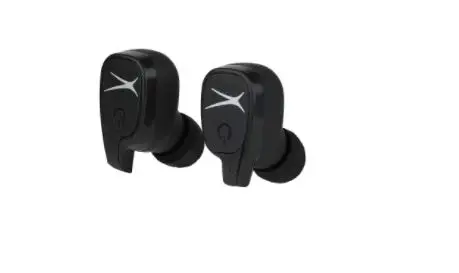
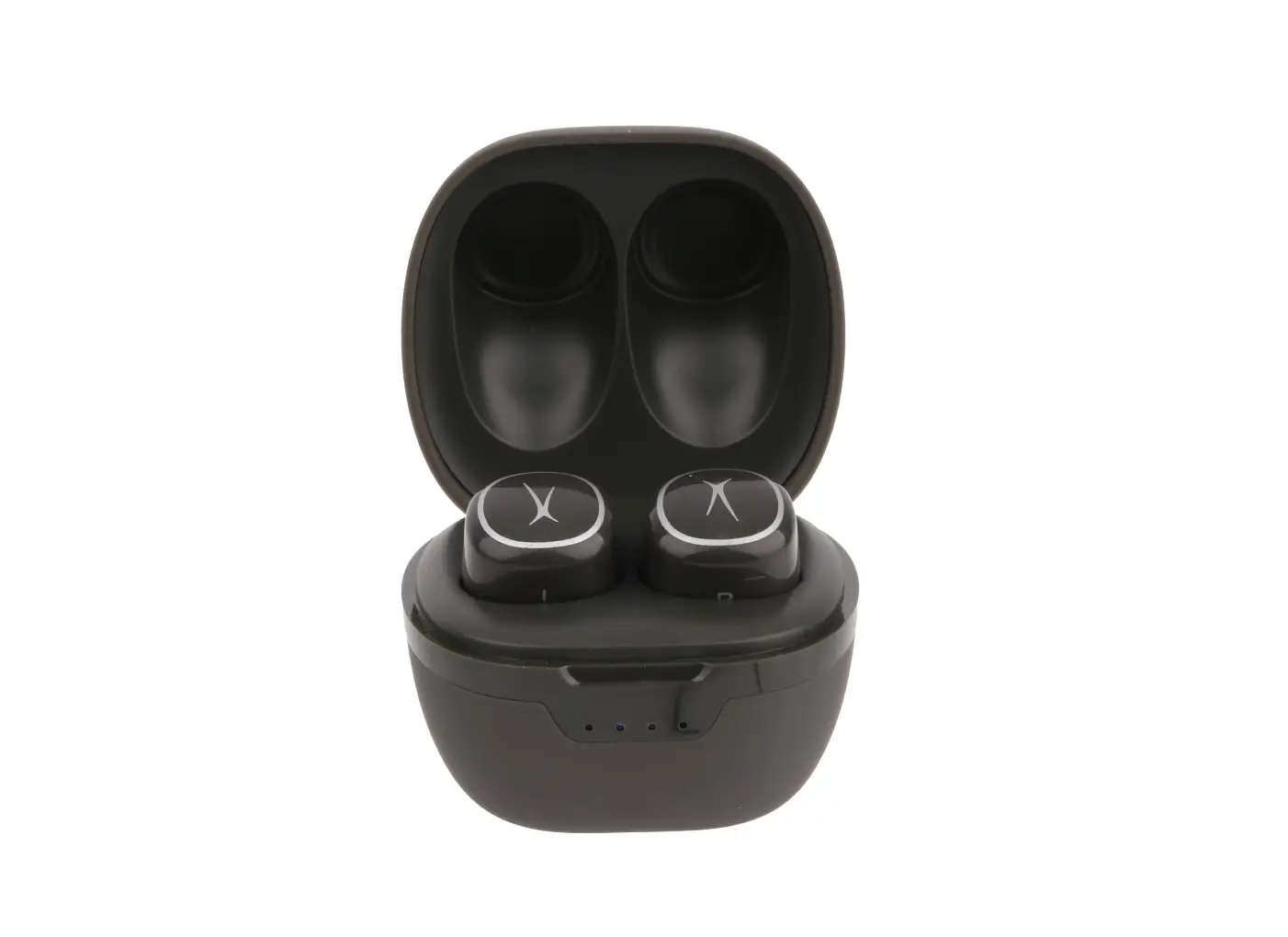
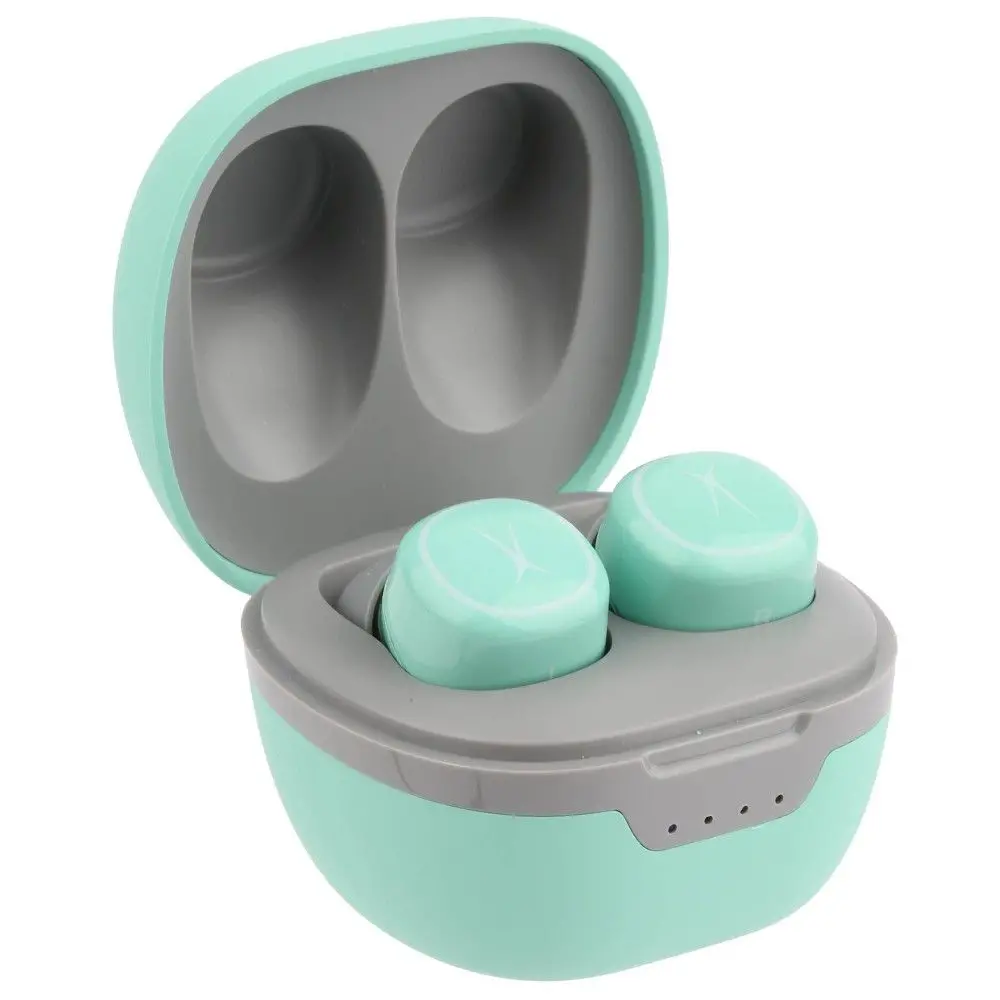
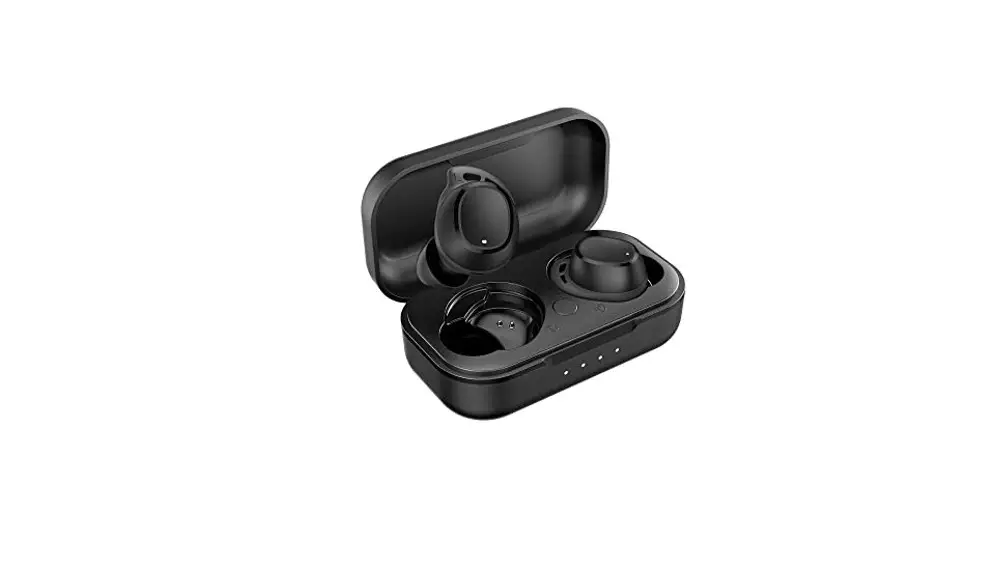
MZX6000 Hydrabuds Truly Wireless Earphones
Product Information:
Product Name: Hydrabuds
Product Type: Truly Wireless Earphones
Model: MZX6000
Product Usage Instructions:
1. Charging:
- To power the charging case, insert the USB-C cable into the
charging port located at the back of the case. - Connect the standard USB cable to a suitable USB port.
- The Battery Level LED Indicators on the case will light up
according to the battery capacity. - To check the case battery level, press the button on the
right-hand side of the case.
2. Bluetooth Pairing:
Powering ON/Pairing:
- When the case is opened, the earbuds will connect to each other
and enter pairing mode. - The earbud LEDs show their charge status when in the case (Low
Battery, Charging, Fully Charged). - The earbud LEDs show their pairing status when removed from the
case (Pairing, Connected).
Bluetooth Connection:
- Go to the Bluetooth page in the settings app on your
phone. - Make sure Bluetooth is ON before connecting to the available
device named “AL HydraBuds”. - If the earbuds were previously paired to a nearby device, they
will automatically re-connect to it.
Multipoint Bluetooth Connection:
(No specific usage instructions provided in the manual)
3. Earbud Controls:
Controlling Music:
- Press either earbud once to play/pause music.
- Press the left earbud twice to skip to the next track.
- Press the left earbud three times to skip to the previous
track. - Press the right earbud twice to increase the volume.
- Press the right earbud three times to decrease the volume.
Controlling Calls:
- Press either earbud once to answer/end a call.
- Press and hold either earbud to reject an incoming call.
- Press and hold both earbuds simultaneously to switch between
two active calls.
4. More Controls:
- To activate phone Voice Assistant, press and hold either earbud
until you hear a beep, then release. - To activate Spotify TapTM, press and hold either earbud until
you hear a beep, then release. The Spotify App will resume playback
or play songs it thinks you’ll like. - To turn ON/OFF Low Latency Mode (reduces Bluetooth latency for
lipsync and gaming), press and hold either earbud until you hear a
second beep, then release. - To pair a new device, turn Bluetooth OFF on your phone/device.
The earphones will enter pairing mode. Alternatively, you can press
and hold either the left or right earbud to drop the current
connection and enter pairing mode. - To reset the earbuds, they must be disconnected from Bluetooth
and removed from the case. For a factory reset, press and hold
either earbud for 6 seconds. For a hardware reset (restarts
earphones), press and hold either earbud for 10 seconds.
5. Hydrabuds App:
Scan the QR code provided to download the Hydrabuds App for iOS
or Android. The app allows you to unlock additional features and
keep your Hydrabuds up to date.
Hydrabuds
Truly Wireless Earphones
VOICE COMMANDS
QUICK START GUIDE
ITEM: ITEM: MZX6000
1.
IN THE BOX
1 Hydrabuds 1 Pair S, M, L Silicone Ear Tips 1 Pair S, M, L Memory Foam Ear Tips 1 Pair S, M, L Helix WingsTM 1 Pair Bumpers 1 Charging Case 1 USB-C Charging Cable 1 Quick Start Guide
3.
A CLOSER LOOK
Right
Left
Earbud Earbud
Multifunction Button
Status LED Indicators
Charging Case Battery Level LED Indicators
Battery Level Display Button
4.
CHARGING
Charging Case Battery Level 3
4
1 2
0-24% 25-49% 50-74% 75-99% 100%
1. To power the charging case, insert the USB-C cable into the charging port located at the back of the charging case.
2. Insert the standard USB cable into any suitable USB port.
3. The Battery Level LED Indicators will light up according to the battery capacity.
4. You can see the case battery level at any time by pressing the button on the right hand side of the case.
5.
BLUETOOTH PAIRING
Powering ON/Pairing: When the case is opened, the earbuds will first connect to each other then enter pairing mode. When in the case the earbud LEDs show their charge status:
Low Battery Charging Fully Charged
When removed from the case the earbud LEDs show their pairing status:
Pairing Connected
Bluetooth Connection: Go to the Bluetooth page in the settings app on your phone. Make sure Bluetooth is ON before connecting to the available device `AL HydraBuds’.
**Note: If the earbuds have been previously paired to a nearby device they will automatically re-connect to it.
Bluetooth Available devices AL Hydrabuds
Multipoint Bluetooth Connection:
With the multipoint connection function, you can connect up to two devices with your earbuds (i.e. a smartphone and a computer). ·To activate multipoint connection, go to the Bluetooth menu of the device already paired to your earbuds and turn Bluetooth OFF. The earbuds will disconnect from your device and become available for pairing to a second device. ·Pair earbuds to your second device. ·Turn Bluetooth back ON on your first device and the earbuds will auto-reconnect to it. You now have two devices paired and can use either for music or calls.
6.
EARBUD CONTROLS
Controlling Music
Press either
L Press 2x
+
L
–
Press 3x
R
Press 2x R
L Press 3x
R
Controlling Calls
Press either
L
R
Press and hold either
L
R
Press and hold either
X
L
R
**Note: The Hydrabuds click each time you perform a single press.
7.
MORE CONTROLS
Other Functions
To activate phone Voice Assistant, press and hold to first beep then let go.
To activate Spotify TapTM, press and hold to first beep then let go. The Spotify App resumes playback where you left off. If there was no previous session or to play other music, simply tap again and SpotifyTM will play songs it thinks you’ll like.
L R
Low Latency Mode This mode reduces the latency (time delay) inherent in Bluetooth connections. It’s best for lipsync and gaming. To turn ON/OFF Low Latency Mode, press and hold to second beep then let go.
L
R
Pair a New Device Turn Bluetooth OFF on your phone/device. The earphones will go into pairing mode. Alternatively, you can press then press and hold either the left or right earbud to drop the current connection and enter pairing mode.
Reset Earbuds must be disconnected from Bluetooth and removed from case in order to reset.
To perform a factory reset, press and hold for 6 seconds. This erases all settings.
L
R
Flashing red and blue lights
To perform a hardware reset (restarts earphones), press and hold for 10 seconds.
Press again to power on
L
R
Flashing red and blue lights
Hardware resets are only necessary in the rare case that the earbuds lock up and are unresponsive.
8.
HYDRABUDS APP
Hydrabuds App and Other Features Scan the QR code below to download the Hydrabuds App for iOS or Android. Use the app to unlock many other features, and keep your Hydrabuds up to date.
FPO
Via the App you can enable hands-free voice control, customize button actions, browse and enable advanced features and update the firmware where necessary.
When the App notifies you, please update to the latest firmware to ensure the best performance and user experience.
Voice Control Once enabled in the Hydrabuds App, simply say “Hey Hydra” and you will hear a confirmation tone. Use any of the following commands to control your Hydrabuds by voice command (a second tone is heard after successful command).
Say, “Hey Hydra”, followed by: “Play”, “Pause”, “Next”, “Volume Up”, Volume Down”, “Spotify”, “Assistant”, “End Call”
If a call is coming in, you can also use these commands without having to say “Hey Hydra” first: “Accept”, “Reject”
9.
SAFETY PRECAUTIONS
When using your earphones, basic safety precautions should always be followed including: 1. READ ALL INSTRUCTIONS BEFORE USING YOUR EARPHONES AND CHARGING CASE. 2. Do not use the product near water. Do not put on wet surfaces. 3. Only clean using a clean cloth. 4. Do not allow children to play with this product. This product contains small pieces that can be a choking hazard. Parental supervision is advised. 5. Do not expose this product to excessive heat or fire. 6. Do not expose this product to temperatures above 100°F. Keep out of direct sunlight. 7. Do not attempt to repair this product yourself. Contact a qualified service center if the product is in need of service. 8. Do not drop, crush, or expose this product to excessive physical force. 9. This product is not intended for commercial use. 10. When charging, keep all charging cables well ventilated. Do not keep your charging cable in contact with flammable materials such as bedding, linens or synthetic fabrics. Maintenance and Care -Use a soft cloth or paper towel to clean your earphones. Never use any harsh chemicals or detergents for cleaning. Make sure your earphones are dry before charging. -When your earphones are not in use, they should be stored in a cool, dry place. -Never tug or yank on a cable while it is connected to your charging case. Connect and disconnect cables as carefully as possible. -Never expose your earphones to high temperatures, extreme cold. -Please recycle or dispose of your earphones properly based on the laws and rules of your municipality. Contact local recycling facilities and/or the manufacturer of your earphones for further information.
10.
SPECIFICATIONS
Sweat and Water Proof: IP55 Battery Type: Lithium Polymer Battery Bluetooth Version: V5.2 Bluetooth Range: 50 ft Earbud Battery Capacity: 50mAh Charging Case Battery Capacity: 500mAh Earbud Charging Time: Approximately 1 Hour Fast Charge Time: 10 minutes for 2 Hours Playtime Play Time: Approximately 8 Hours* *Case holds 3 charges giving 32 hours total
11.
FCC STATEMENT
FCC Statement This equipment complies with Part 15 of the FCC Rules. Operation is subject to the following two conditions: (1) This device may not cause harmful interference, and (2) This device must accept any interference received, including interference that may cause undesired operation.
This equipment has been tested and found to comply with the limits for a Class B digital device, pursuant to part 15 of the FCC rules. These limits are designed to provide reasonable protection against harmful interference in a residential installation. This equipment generates, uses and can radiate radio frequency energy and, if not installed and used in accordance with the instructions, may cause harmful interference to radio communications. However, there is no guarantee that interference will not occur in a particular installation. If this equipment does cause harmful interference to radio or television reception, which can be determined by turning the equipment off and on, the user is encouraged to try to correct the interference by one or more of the following measures: -Reorient or relocate the receiving antenna. -Increase the separation between the equipment and receiver. -Connect the equipment into an outlet on a circuit different from that to which the receiver is connected. -Consult the dealer or an experienced radio/TV technician for help.
FCC Radiation Exposure Statement: The device has been evaluated to meet general RF exposure requirement. The device can be used in the portable exposure condition without restriction.
Having trouble? We’re here to help!
Call us 24/7 at 1-855-292-4087 Email us at [email protected] or
visit us at alteclansing.com
Keep manual and all relevant information for future reference.
102.
WARRANTY CARD
This warranty covers the original consumer purchaser only and is not transferable.
This warranty covers products that fail to function properly UNDER NORMAL USAGE, due to defects in material or workmanship. Your product will be repaired or replaced at no charge for parts or labor for a period of one year.
What Is Not Covered by Warranty: Damages or malfunctions not resulting from defects in material or workmanship and damages or malfunctions from other than normal use, including but limited to, repair by unauthorized parties, tampering, modification or accident.
To Obtain Warranty Service and Troubleshooting Information: Call 1-855-292-4087, email [email protected], or visit our website at www.alteclansing.com.
To receive Warranty service along with the name and address of an authorized product service center, the original consumer purchaser must contact us for problem determination and service procedures. Proof of purchase in the form of a bill of sale or receipted invoice, evidencing that the Product is within the applicable Warranty period(s), MUST be presented in order to obtain the requested service. It is your responsibility to properly package and send any defective products along with a dated copy of proof of purchase, a written explanation of the problem, and a valid return address to the authorized service center at your expense. Do not include any other items or accessories with the defective product. Any products received by the authorized service center that are not covered by warranty will be returned unrepaired.
NO WARRANTIES, WHETHER EXPRESS OR IMPLIED, INCLUDING, BUT NOT LIMITED TO, ANY IMPLIED WARRANTIES OF MERCHANTABILITY OR FITNESS FOR A PARTICULAR PURPOSE, OTHER THAN THOSE EXPRESSLY DESCRIBED ABOVE SHALL APPLY. DISTRIBUTOR FURTHER DISCLAIMS ALL WARRANTIES AFTER THE EXPRESS WARRANTY PERIOD STATED ABOVE. NO OTHER EXPRESS WARRANTY OR GUARANTY GIVEN BY ANY PERSON, FIRM OR ENTITY WITH RESPECT TO THE PRODUCT SHALL BE BINDING ON DISTRIBUTOR. REPAIR, REPLACEMENT, OR REFUND OF THE ORIGINAL PURCHASE PRICE – AT DISTRIBUTOR’S SOLE DISCRETION -ARE THE EXCLUSIVE REMEDIES OF THE CONSUMER. IN NO EVENT WILL DISTRIBUTOR, ITS MANUFACTURERS, OR SAKAR INT. BE LIABLE FOR ANY INCIDENTAL, DIRECT, INDIRECT, SPECIAL, PUNITIVE OR CONSEQUENTIAL DAMAGES (SUCH AS, BUT NOT LIMITED TO, DAMAGES FOR LOSS OF PROFITS, BUSINESS, SAVINGS, DATA OR RECORDS) CAUSED BY THE USE, MISUSE OR INABILITY TO USE THE PRODUCT. EXCEPT AS STATED HEREIN, NO OTHER WARRANTIES SHALL APPLY. NOTWITHSTANDING THE FOREGOING, CONSUMER’S RECOVERY AGAINST DISTRIBUTOR SHALL NOT EXCEED THE PURCHASE PRICE OF THE PRODUCT SOLD BY DISTRIBUTOR. THIS WARRANTY SHALL NOT EXTEND TO ANYONE OTHER THAN THE ORIGINAL CONSUMER WHO PURCHASED THE PRODUCT AND IS NOT TRANSFERABLE.
Some countries, states or provinces do not allow the exclusion or limitation of incidental or consequential damages or allow limitations on warranties, so limitation or exclusions may not apply to you. This warranty gives you specific legal rights, and you may have other rights that vary from state to state or province to province. Contact your authorized retailer to determine if another warranty applies. This product is manufactured, distributed and sold by SAKAR International, Inc. All other trademarks are the property of the respective owner, who has not sponsored, endorsed or approved this product.
101..
WARRANTY CARD
This warranty covers the original consumer purchaser only and is not transferable.
This warranty covers products that fail to function properly UNDER NORMAL USAGE, due to defects in material or workmanship. Your product will be repaired or replaced at no charge for parts or labor for a period of one year.
What Is Not Covered by Warranty: Damages or malfunctions not resulting from defects in material or workmanship and damages or malfunctions from other than normal use, including but limited to, repair by unauthorized parties, tampering, modification or accident.
To Obtain Warranty Service and Troubleshooting Information: Call 1-855-292-4087, email [email protected], or visit our website at www.alteclansing.com.
To receive Warranty service along with the name and address of an authorized product service center, the original consumer purchaser must contact us for problem determination and service procedures. Proof of purchase in the form of a bill of sale or receipted invoice, evidencing that the Product is within the applicable Warranty period(s), MUST be presented in order to obtain the requested service. It is your responsibility to properly package and send any defective products along with a dated copy of proof of purchase, a written explanation of the problem, and a valid return address to the authorized service center at your expense. Do not include any other items or accessories with the defective product. Any products received by the authorized service center that are not covered by warranty will be returned unrepaired.
NO WARRANTIES, WHETHER EXPRESS OR IMPLIED, INCLUDING, BUT NOT LIMITED TO, ANY IMPLIED WARRANTIES OF MERCHANTABILITY OR FITNESS FOR A PARTICULAR PURPOSE, OTHER THAN THOSE EXPRESSLY DESCRIBED ABOVE SHALL APPLY. DISTRIBUTOR FURTHER DISCLAIMS ALL WARRANTIES AFTER THE EXPRESS WARRANTY PERIOD STATED ABOVE. NO OTHER EXPRESS WARRANTY OR GUARANTY GIVEN BY ANY PERSON, FIRM OR ENTITY WITH RESPECT TO THE PRODUCT SHALL BE BINDING ON DISTRIBUTOR. REPAIR, REPLACEMENT, OR REFUND OF THE ORIGINAL PURCHASE PRICE – AT DISTRIBUTOR’S SOLE DISCRETION -ARE THE EXCLUSIVE REMEDIES OF THE CONSUMER. IN NO EVENT WILL DISTRIBUTOR, ITS MANUFACTURERS, OR SAKAR INT. BE LIABLE FOR ANY INCIDENTAL, DIRECT, INDIRECT, SPECIAL, PUNITIVE OR CONSEQUENTIAL DAMAGES (SUCH AS, BUT NOT LIMITED TO, DAMAGES FOR LOSS OF PROFITS, BUSINESS, SAVINGS, DATA OR RECORDS) CAUSED BY THE USE, MISUSE OR INABILITY TO USE THE PRODUCT. EXCEPT AS STATED HEREIN, NO OTHER WARRANTIES SHALL APPLY. NOTWITHSTANDING THE FOREGOING, CONSUMER’S RECOVERY AGAINST DISTRIBUTOR SHALL NOT EXCEED THE PURCHASE PRICE OF THE PRODUCT SOLD BY DISTRIBUTOR. THIS WARRANTY SHALL NOT EXTEND TO ANYONE OTHER THAN THE ORIGINAL CONSUMER WHO PURCHASED THE PRODUCT AND IS NOT TRANSFERABLE.
Some countries, states or provinces do not allow the exclusion or limitation of AilntecicdeLnatnasl ionrgconsequential damages or allow limitations on warranties, so 19lim5 iCtaatirotneroDr erixvcelusions may not apply to you. This warranty gives you specific Edleigsoalnr,igNhJts0, 8an8d17you may have other rights that vary from state to state or
province to province. Contact your authorized retailer to determine if another ThwIenatBerlrruanneatttyiooaonpatphl,l®iIenwsc..oTArhldlisomtphraeorrdkturaacdnt eidsmmloaargknosusfaaracertuethrreeedpg, rdiositpseterrirbetyudtoetfrdtahadenedrmessoaplredkcsbtiyvoewSAonwKeAndeRrb, y licewnhsoeh. aOstnhoetrstproandseomreadr,kesnadnordsetrdaodreanpparmoveesdatrheistphroosdeucotf. their respective owners.
 Altec Lansing since 1927 | Electronics, Speakers, Audio, Headphones
 Altec Lansing since 1927 | Electronics, Speakers, Audio, Headphones