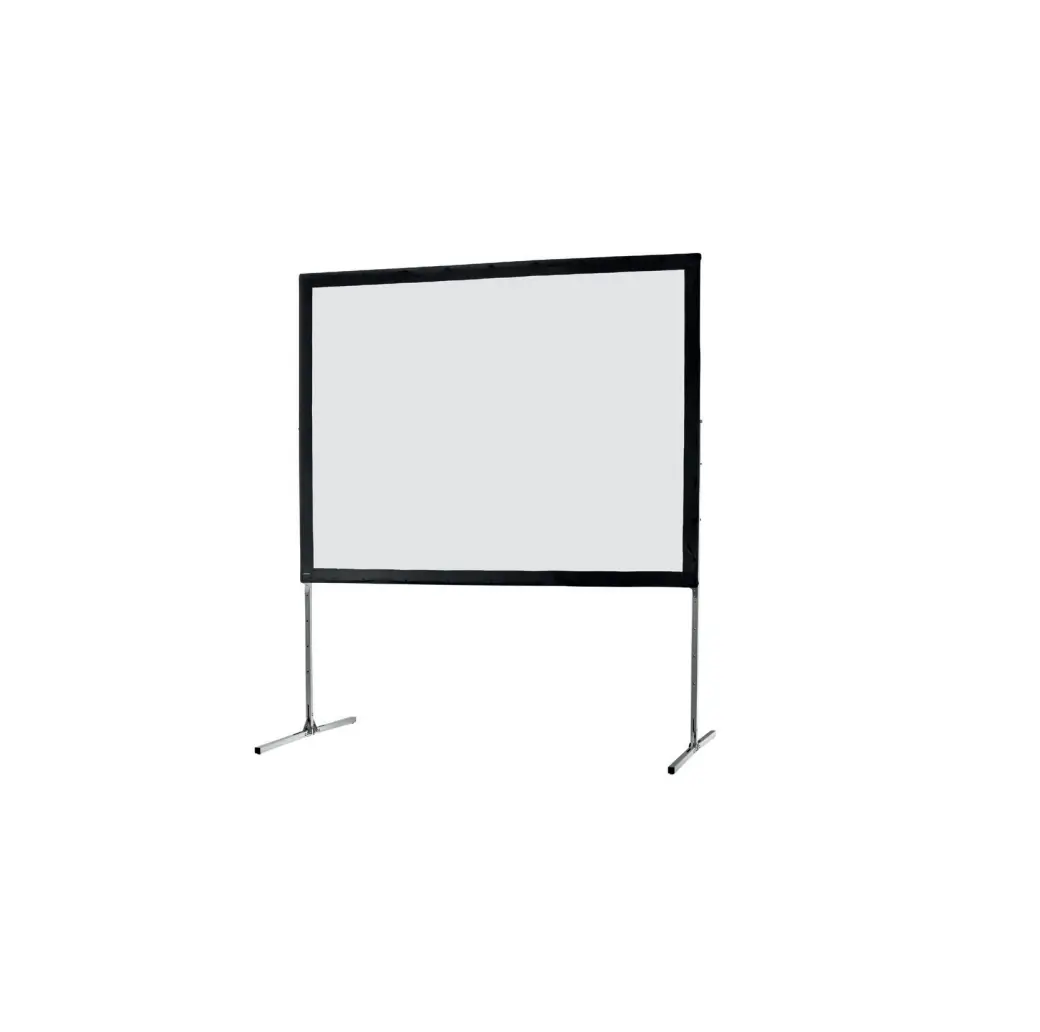
AT64-SHIFT Monoblox Screen Kit
Product Information:
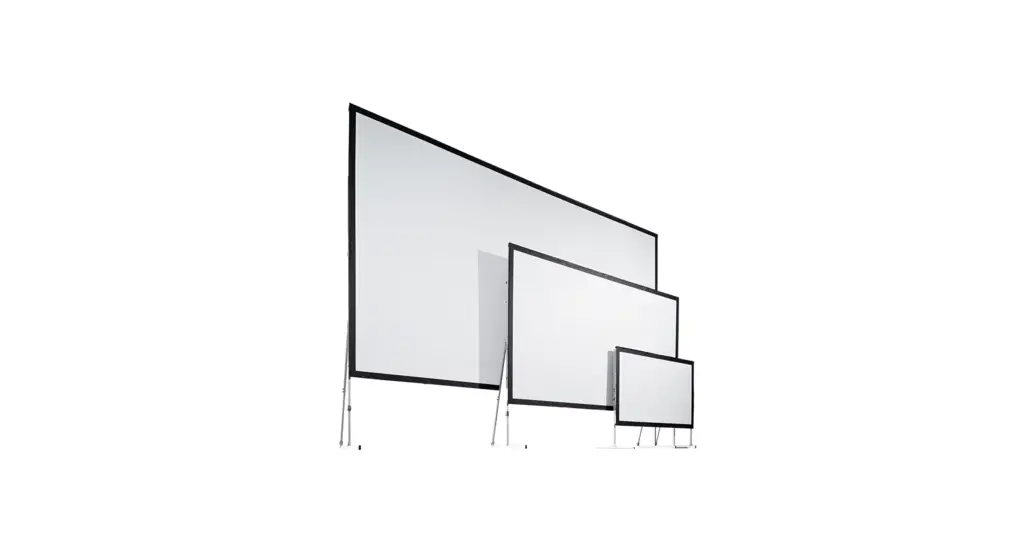
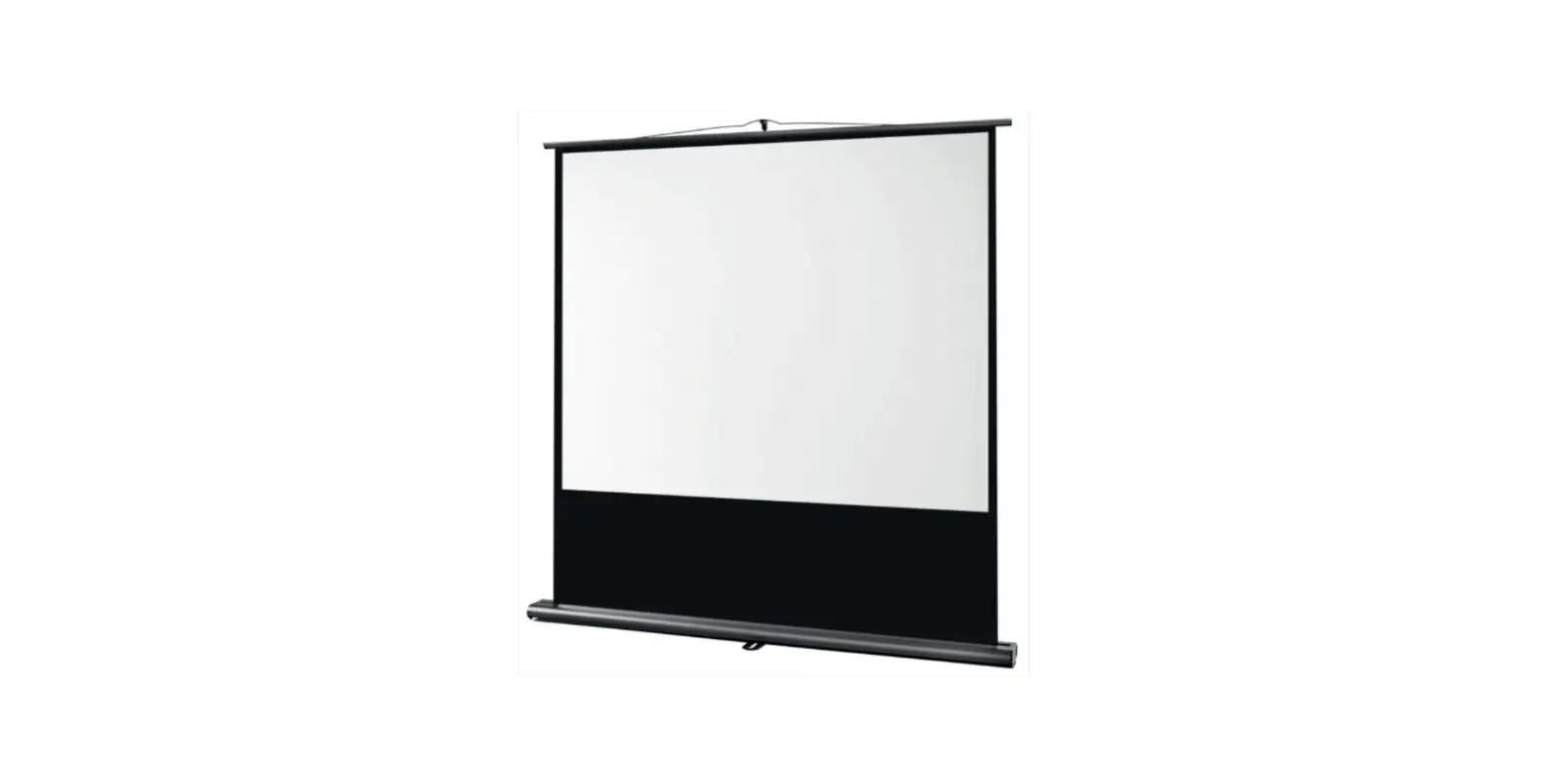
The AT64-SHIFT is a mobile projection screen system that allows
for easy height adjustment without having to disassemble it first.
It features a compact transport volume due to patented snap joint
technology and is made from a special extruded and hardened
aluminum alloy, providing maximum stability at minimum weight. The
AT64-SHIFT can be combined with all existing AV Stumpfl screen
systems.
Product Usage Instructions:
1. Packaging Material Warning:
Unpack the projection screen without using any sharp tools to
avoid damaging it. Remove the packaging materials by hand. Unpack
the projection surface after assembling the frame.
2. Set Up-Assembly:
Mechanical Hazards:
Ensure that all frame parts are assembled correctly and all
hinges and joints are locked before raising the screen to the
standing position. Falling parts can cause severe injury or
death.
Frame and Leg Components:
Be careful not to pinch your fingers when working with foldable
snap joints, corner hinges, and plug-in connections.
Falling Over:
Mobile projection screens are designed for indoor use only. Do
not use them outdoors as this may result in personal injury due to
unforeseen acts of nature. Warranty does not cover any damage
caused by outdoor use.
3. Basic Safety Requirements:
When using “flying” projection screens or wall/ceiling mounting,
ensure that fastening points and slings are not loaded more than
half the value of the load bearing capacity stated by the
manufacturer. Consider both dead loads and dynamic forces,
potential breakdown loads, and additional loads during operation,
assembly, and dismantling.
For more detailed instructions and information, please refer to
the complete user manual available for download on the AV Stumpfl
website: www.AVstumpfl.com/downloads
AT64-SHIFT
INSTRUCTION
03LU
MOBILE SCREEN (MONOBLOX 64)
Compact transport volume due to patented snap joint technology Special extruded and hardened aluminum alloy allows maximum stability at minimum weight.
AT64-SHIFT EXTENSION
21″ (53 cm)
AT64-SHIFT ENDMODULE
LOCKING- AND SLIDING MODULES
FRAME ADAPTERS
Frame adapters and accessories in yellow bag.
SOFTBAG WITH WHEELS
padded , tearproof nylonbag with wheels and carrying straps
small 128x25x30 cm big 133x31x35 cm
AT64-SHIFT EXTENSION
42″ (107 cm)
AT64-SHIFT BASE MODULE
26″ (67 cm)
ASSEMBLY INSTRUCTION
PROJECTION SCREEN BAG
Lined storage bag for projection screen
INDEX
GENERAL……………………………………………………………………………………………… 5 STANDARDS, REGULATIONS AND TECHNICAL SPECIFICATION ……….. 5 SAFETY…………………………………………………………………………………………………. 5 OPERATION, MAINTENANCE AND SERVICE ………………………………………. 8 WARRANTY ………………………………………………………………………………………….. 9 AT64-SHIFT PRODUCT FEATURES……………………………………………………..10 LEG HEIGHTS ……………………………………………………………………………………..11 FRAME SETUP …………………………………………………………………………………….12 ADAPTERS…………………………………………………………………………………………..13 LOCKING MODULES ………………………………………………………………………….14 SLIDING MODULES ……………………………………………………………………………14 LEG ASSEMBLY…………………………………………………………………………………..15 UNLOCK ……………………………………………………………………………………………..15 RELOCK ………………………………………………………………………………………………17 SURFACE MOUNTING………………………………………………………………………..17 RAISING UP ………………………………………………………………………………………..18 TELESCOPIC SUPPORT ………………………………………………………………………18 HEIGHT ADJUSTMENT UP………………………………………………………………….19 SAFETY CATCH……………………………………………………………………………………20 HEIGHT ADJUSTMENT DOWN …………………………………………………………..20 DISASSAMBLY ……………………………………………………………………………………. 21 SUBSEQUENT VARIO FRAME MODIFICATION ………………………………….22
4
BACK
GENERAL
The AT64-SHIFT leg makes it possible for JUST ONE person to easily adjust a mobile projection screen`s height, without having to disassemble it first. The AT-64-SHIFT can be combined with all existing AV Stumpfl screen systems.
STANDARDS, REGULATIONS AND TECHNICAL SPECIFICATION
This projection screen is in accordance with the safety regulations in DIN standard 19045 and DIN 56950. The screen fabric is comply with DIN 4102 part 1 and the specifications of the according data sheet. For the technical details and projection-specific material parameters please refer to the corresponding product data sheet: www.AVstumpfl.com/projectionmaterials Detailed data of frame components, legs and projection surface can be found on the type labels on each component and on the labeled soft bags, roller bags or flight cases.
SAFETY
GENERAL INFORMATION FOR THE MANUAL AND SAFETY
This operating manual forms part of the projection screen system and enables a safe and efficient operation. The safety section provides information about important safety aspects for the protection of persons, frame and projection materials. Task-related warnings/notes are also contained in the individual chapters. Read instructions through completely before proceeding and keep for future reference. You can find manuals electronically on our website: www.AVstumpfl.com/downloads
PACKAGING MATERIAL WARNING
Danger of suffocation! · Keep packaging material and foils away from children. · Do not let children play with packaging material.
Unpack without cutter or any other sharp tool to avoid damaging of the projection screen. Remove packaging materials by hand. Unpack projection surface after assembling of the frame.
5
BACK
SET UP-ASSEMBLY
MECHANICAL HAZARDS
Danger of injury due to improper assembly. Make sure all frame parts assembled correctly and all hinges and joints are locked before raising screen to standing position. Falling parts can cause severe injury or death!
Projection surface damage in case of faulty assembly or set up. Make sure all frame parts assembled correctly and all hinges and joints are locked before one unfold and attach the projection surface.
FRAME AND LEG COMPONENTS
Please be careful not to pinch your fingers!
Foldable snap joints, corner hinges and plug-in connections can lead to injury to the hands (body parts). Please be careful not to pinch your fingers!
FALLING OVER
WARNING
Falling over of a projection screen can cause severe injury or death! To avoid falling over:
· Make sure that the projection screen is in level. · Mind the maximum set-up height of the legs – Please follow the instructions in chapter LEG HEIGHTS (site 11) · Prevent air draft · Use additional weights on the base profile of the leg to gain higher stability. · Use suspension points (e.g.: EasyFly) according to the overall system weight for additional safeguarding. · Do not put additional load on the screen frame! · Do not use outdoors!
6
WARNING
Mobile projection screens are developed for indoor use only. Failure to follow warning may result in personal injury due to unforeseen acts of nature. Any damage and consequential damage caused by outdoor use is not covered by warranty.
BACK
BASIC SAFETY REQUIREMENTS
Basic safety requirements for ,,flying” projection screens and wall- or ceiling mounting! If persons are able to stand under the loads, fastening points and slings must not be loaded more than half the value of the load bearing capacity stated by the manufacturer. When planning the event or production, not only dead loads but also dynamic forces, potential breakdown loads and additional loads during operation, as well as during assembly and dismantling must be taken into account.
Observe the local safety regulations!
FLYING SCREEN
If a modular projection screen is used as a “flying” (free hanging) screen, then all plug-in and clamp connections must be secured against becoming loose and falling. It is not allowed to use the projection surface holding the frame parts in position! Falling parts can cause severe injury or death! Please make sure that all components are secured safely before raising screen to standing position and lifting. Use the necessary number of suspension points (e.g.: EasyFly) according to the overall system weight. A second/auxiliary safeguarding system is mandatory (e.g. steel rope catch) Please follow the detailed instruction in the manual.
It is not allowed to use the projection surface holding the frame parts in position! Falling projection screens or parts can cause severe injury or death!
WALL- OR CEILING MOUNTING
Before mounting, make sure that the wall or ceiling, as well as the fixing points meet the safety requirements of the local standards and the required load can be beared.
Danger of injury due to improper disassembly. Falling parts can cause severe injury or death!
Please be careful not to pinch your fingers!
Beware of pinch points.
7
BACK
DISASSEMBLY
For disassembly the same safety instructions apply as for assembly and set up. Bring down a projection screen with the appropriate number of people to avoid falling over of the screen.
OPERATION, MAINTENANCE AND SERVICE
FRAME ELEMENTS, LEGS AND ACCESSORIES
The frame elements, legs and additional elements are maintenance-free.
PROJECTION SURFACE
FOLDING AND STORAGE
The projection surface is packed into a separate lined soft bag to avoid any damage by the frame parts, bleaching and discoloration. Store the projection surface cleaned and dry at room temperature only! Identical to the delivery condition, first halve and fold the surface with the projection side inwards on the shorter side in order to avoid soiling and damage to the surface. The surface must be folded in such a way that the reinforced black border with the caps is on top of each other on all sides. Incorrect storage can damage and discolor the surface and is not covered by the guarantee. When folding the projection surface insert the enclosed foamed plastic foil between snap buttons and surface to avoid permanent marks.
Additionally, following instructions have to be adhered to: · Do not allow the projection surface to get in contact with sharp objects! · Do not bring printed and coloring objects (instructions, magazines, etc.) in contact with the surface! · Do not write on the projection surface! · Colors penetrate the projection surface and cannot be cleaned anymore!
COLD BREAK
A projection foil must never be stored or transported below 5° C. There is a risk of a cold break! The film becomes very brittle and splinters like glass! When transporting the projection surface at low temperatures do not unfold the surface unless it has reached its full elasticity at room temperature. Otherwise there is the risk of cold break of the projection screen. The ideal temperature range for assembling folding screens to prevent damaging the surface is 54°-82° F (12°-28° C). Assembling below recommended temperatures may damage surface and void warranty
CLEANING OF THE PROJECTION SURFACE
Use a white clean cotton cloth saturated with clear water (optionally mild soap water) and gently wipe the area in one direction (no circular motion). Wipe dry with another cotton cloth. To clean a stubborn stain, use methylated spirit and follow the same procedure. Clean rear projection surfaces in case of imperative only!
8
BACK
WARRANTY
The warranty period for production deficiencies is 5 years for the frame elements and 24 months for the projection surface.
Mobile projection screens are developed for indoor use only. Any damage and consequential damage caused by outdoor use is not covered by warranty.
LIMITATION OF LIABILITY
All the details in this manual were compiled in consideration of the standards and legal regulations applicable at this time, as well as the experience of the manufacturer and qualified staff. The manufacturer accepts no liability for damage to persons or things (projection screen, other devices, goods, etc.) resulting from: · Non-observance of the manual and the regulations/safety instructions contained therein. · Failure to comply with the local safety regulations. · Inappropriate use (misuse). · Use of unauthorized and non-trained staff. · Unauthorized equipment conversions and technical modifications by the operator himself. · Use of spare parts not approved by the manufacturer. · Typesetting and print errors. Failure to observe the above points will invalidate the warranty claims. Technical specifications are subject to change without notice. The local regulations and safety regulations and the essential safety requirements apply for the use of this projection screen.
DISPOSAL
At the end of its lifetime this product must not be disposed of with normal household waste but needs to be taken to a collection site for recycling. Separate disposal of the product makes an important contribution towards environmental protection. Frame components and legs are made of aluminum and steel. The projection material is PVC vinyl. Contact your local disposal company for the address of a collection center.
SUBJECT TO MODIFICATIONS, ERRORS EXPECTED !
9
21″ (53cm)
42″ (107cm)
42″ (107cm)
BACK
AT64-SHIFT PRODUCT FEATURES
end module
GENERAL PRODUCT FEATURES:
· easy height adjustment in assembled condition · tool-free automatic securing of the height adjustment · 8 different lengths possible · compatible with all mobile AV Stumpfl screen systems · Altitude: min: 3,5″ (9cm) – max: 76,5″ (194cm) · adjustable in steps of 1″ (25,4mm) · Weight (550cm): 15,3kg · hardened aluminum alloy EN-AW 6063 · optional black anodized · 5 years of warranty An AT64-SHIFT leg consists of a base module with telescopic support, four extensions with a length of 42″ (107 cm) and an additional extension, half as long with 21″ (53 cm), as well an end module as a safety catch on top of the leg.
10
42″ (107cm)
42″ (107cm)
base module
LEG HEIGHTS
According to the screen frame height and the desired set-up height the AT64-SHIFT leg can be assembled in eight different lengths: 217″ (550cm), 196″ (500cm), 175″ (444cm), 154″ (390cm), 133″ (338cm), 112″ (284cm), 91″ (230cm), 70″ (180cm).
base module + 4×42″ (107cm) +1×21″ (53cm) base module + 4×42″ (107cm) base module + 3×42″ (107cm) +1×21″ (53cm) base module + 3×42″ (107cm) base module + 2×42″ (107cm) +1×21″ (53cm) base module + 2×42″ (107cm) base module + 1×42″ (107cm) +1×21″ (53cm) base module + 1×42″ (107cm)
550 cm 217″
min: 9 cm (3,5″) max: 194 cm (76,5″)
500 cm 196″
444 cm 175″
390 cm 154″
338 cm 133″
284 cm 112″
230 cm 91″
180 cm 70″
Set up height: min: minimum height of the bottom edge of the frame max: maximum height of the bottom edge of the frame without additional safeguarding
Set up height is variable in steps of 1″ (25,4mm). Set-up heights are points of reference and have to be adapted in accordance with the screen size and ambient conditions. Set-up height based on absolute vertical positioning without additional force effects (e.g.: wind, air condition draught,..). Leg supports have a telescopic element that is thigtend with two wing screws.
BACK 11
BACK
FRAME SETUP
1 For detailed information on frame setup please refer to the appropriate manual 2 Lay out the AT64-SHIFT leg components next to each frame side. 3 All components are labeled either with a red or green square, which indicate the corresponding side of the frame. 4-5 For easy mounting by a single person we recommend making use of the leg set up support. Lift the screen and slide in the set up supports from the inside of the frame.
Depending on the screen size and set-up height, choose the appropriate number of leg components.
Please be careful not to pinch your fingers!
1
2
3
4
5
12
BACK
1
2
upper sliding module
3
5
B A
6
4
ADAPTERS
To prepare your screen frame for use with the AT64-SHIFT legs, you have to attach adapters at the backside of the frame once only. Depending on the screen size, up to four adapters per leg are available. 1 Make sure to use the lower two positions at the frame to mount adapters for the locking modules. 2 Depending on screen height, desired setup height and leg length choose the best position to attach the adapters for the sliding modules. 3-5 Attach the frame adapters to the round ,,spacers” on the backside of the screen, with the enclosed countersunk screws, using the hexagonal spanner.
LEG LENGTH/ADAPTER POSITIONING
Choose the leg length for your desired setup height. Leg length must be higher than A+B
= positioning of frame adapters
A = setup height B = bottom frame corner to upper sliding module
13
BACK
1
2
LOCKING MODULES
1 Attach the two locking modules to the lower two adapters of the frame. 2-5 Secure the bayonet coupling by turning the module into the aligned direction with the frame and make sure that the colored squares facing to the outside.
3
4
5
SLIDING MODULES
6 Continue to attach the two sliding modules.
6
14
BACK
UNLOCK
1-3 Loosen the two locking-mechanisms. Just pull the button and turn it counterclockwise.
1
2
3
LEG ASSEMBLY
1-2 Assemble the numbered extension parts. Just plug together the components. The snap-lock will engage automatically.
Beware of pinch points!
1
2
15
BACK
3
4
5
6
3-4 Slide in the extension modules so that the plug-in profile protrudes from the bottom frame corner. 5-7 Assemble the next extension part(s) with the end module and connect them. 8-9 Now put on the base module and shift the complete leg until the vertical part of the base module is flush with the bottom frame corner.
7
8
9
16
RELOCK
1-3 Finally secure the two locking mechanisms and continue with attaching the opposite leg. Repeat all the steps for the other side.
2
SURFACE MOUNTING
1-3 Remove all leg set up supports and attach the projection surface.
2
BACK
1 3 1 3
17
RAISING UP
1-3 Since the projection screen is at floor level, the low center of gravity makes raising it up to standing position really easy.
WARNING Falling parts!
BACK
1
2
3
TELESCOPIC
SUPPORT
AT64-SHIFT legs have a telescope function to bolt the leg support at different heights according to ambient conditions and particular stability needs.
1-3 Bolt the support to the leg by the enclosed
1
wing screw and secure the telescopic part with
the two wing screws.
2
3
18
BACK
HEIGHT ADJUSTMENT UP
1-3 To adjust the screen height, just start at the bottom of the scale and simply move the screen up to your preferred position. The AT64-SHIFT will lock automatically. 4 Two locking modules on each side make the screen system leg even more robust and safe to use. 5 The height can be adjusted in one inch steps. An imprinted height scale allows the frame to be aligned horizontally without additional measuring.
1
2
3
4
5
19
SAFETY CATCH
1-2 To prevent the screen from becoming detached from the AT64-SHIFT leg, the end module works as a safety catch.
BACK
1
2
HEIGHT ADJUSTMENT DOWN
To move the frame further down, just use the locking mechanism. 1 Loosen the upper locking module. 2-3 Safeguard the screen frame manually and unlock the lower module. 4-5 Set the screen to the preferred position and relock both modules. 6 Continue to adjust the setup height at the opposite leg.
1
2
3
4
20
BACK
5
6
DISASSAMBLY
1-2 To disassemble the leg components, push the red button to loosen the snap joint.
WARNING
Danger of injury due to improper disassembly. Falling parts can cause severe injury or death!
1
2
21
BACK
SUBSEQUENT VARIO FRAME MODIFICATION
BVZ-MOD/HM/SHIFT
SCREEN MODIFICATION VARIO, SLEEVE NUT M6 + COUNTERSUNK SCREW M6X30MM
All VARIO screens that are already in use can easily be adapted subsequently on site for use with SHIFT legs. All one must do is to drill a hole and bolt an adapter onto the plug-in profiles. Detailed instructions can be found in the related manual. Optionally we offer a factory-based service of a subsequent attachment of additional insert nuts with spacers to mount frame adapters for SHIFT legs.
Beware of pinch points!
(picture VARIO 32)
AV Stumpfl GmbH | Mitterweg 46 | 4702 Wallern [email protected] | www.AVstumpfl.com | +43 7249 42811
22
 Projection Screens, Media & Control Systems