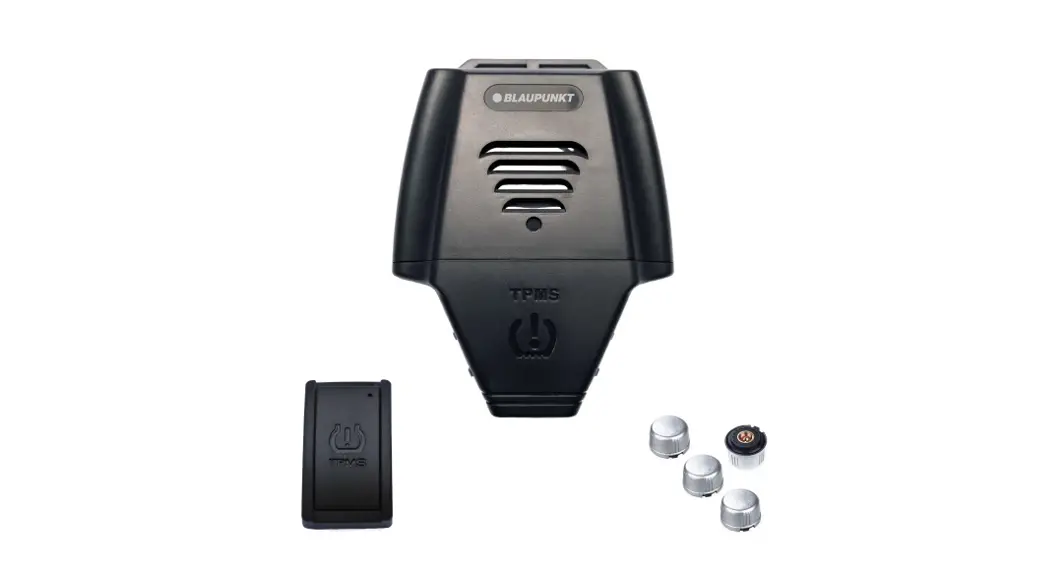
208561 Wireless Tire Pressure Monitoring System
Product Information: Wireless Tire Pressure Monitoring
System
Item No. 208561 User Guide
Thank you for purchasing the Wireless Tire Pressure Monitoring
System. Please take a moment to read this guide and store it for
future reference.
Introduction
The Tire Pressure Monitoring System (TPMS) monitors your tire
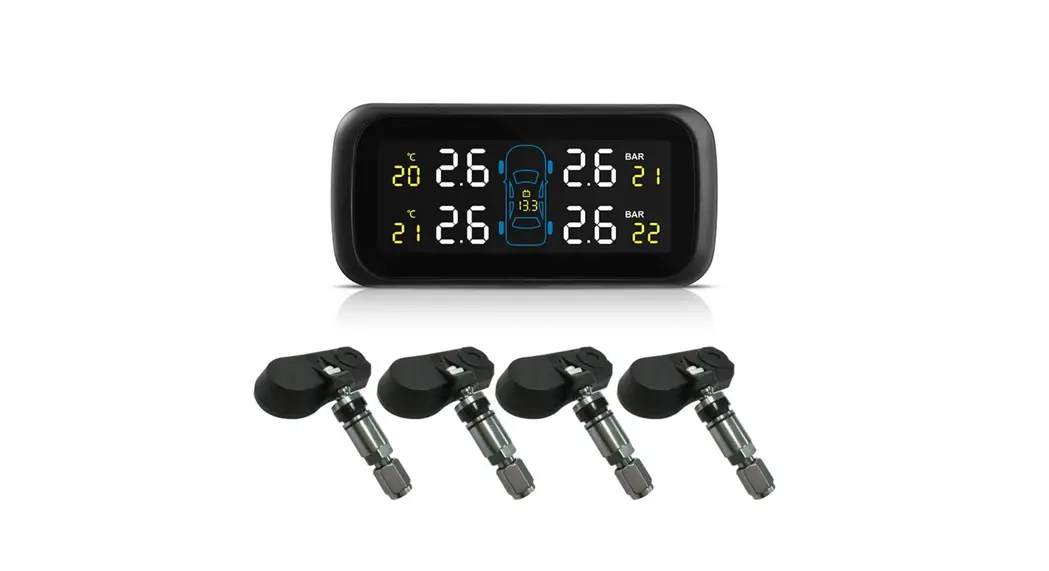
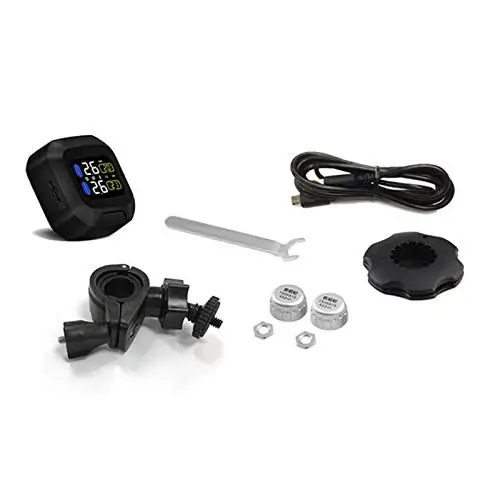
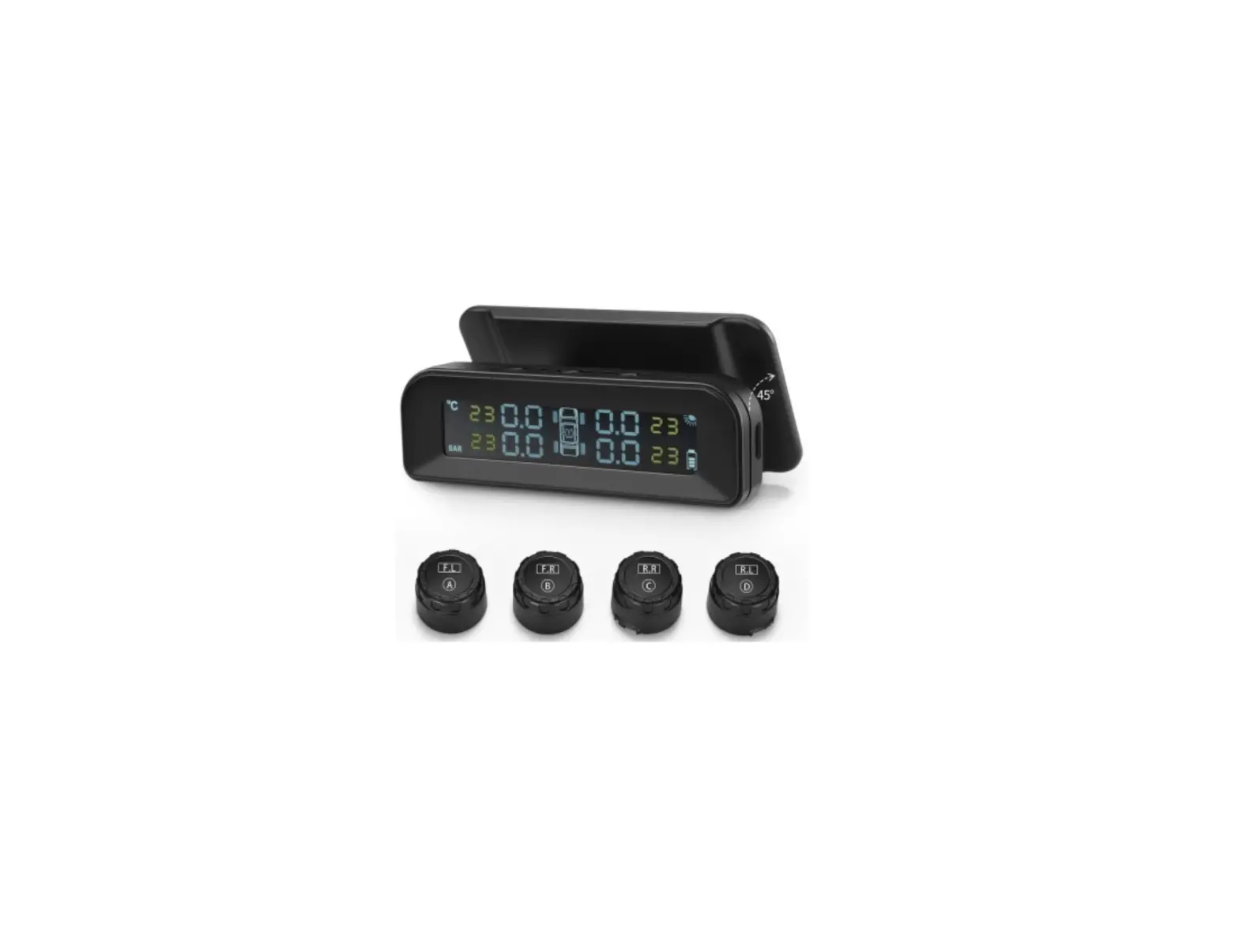
pressure and temperature in real time. It includes 4 wireless
sensors for your tires and a solar-powered display for your
dashboard. If abnormal tire pressure and/or temperature is
detected, the system will send a warning sound and a bright
flashing icon to inform the driver in real time. This can help
avoid tire-related accidents and ensure the safety of drivers and
passengers.
Features
- Real-time monitoring of tire pressure and temperature
- 4 wireless sensors for each tire
- Solar-powered display for the dashboard
- Warning sound and flashing icon for abnormal tire
pressure/temperature
- A. LEFT button: In standby mode, press to
toggle through selections. - B. MENU / CONFIRM Button: In standby mode,
long press for 3 seconds to enter the MENU mode. Select the
parameter to be adjusted, then use the LEFT and RIGHT keys to
adjust your selection(s). Press MENU again to confirm your setting,
save and exit. - C. RIGHT button: In standby mode, press to
toggle through selections. Long press for 3 seconds to enter
PAIRING mode. - D. USB Charging Port
Display Screen Icon Descriptions
- No specific icon descriptions provided in the user manual.
Installing the Wireless Sensors
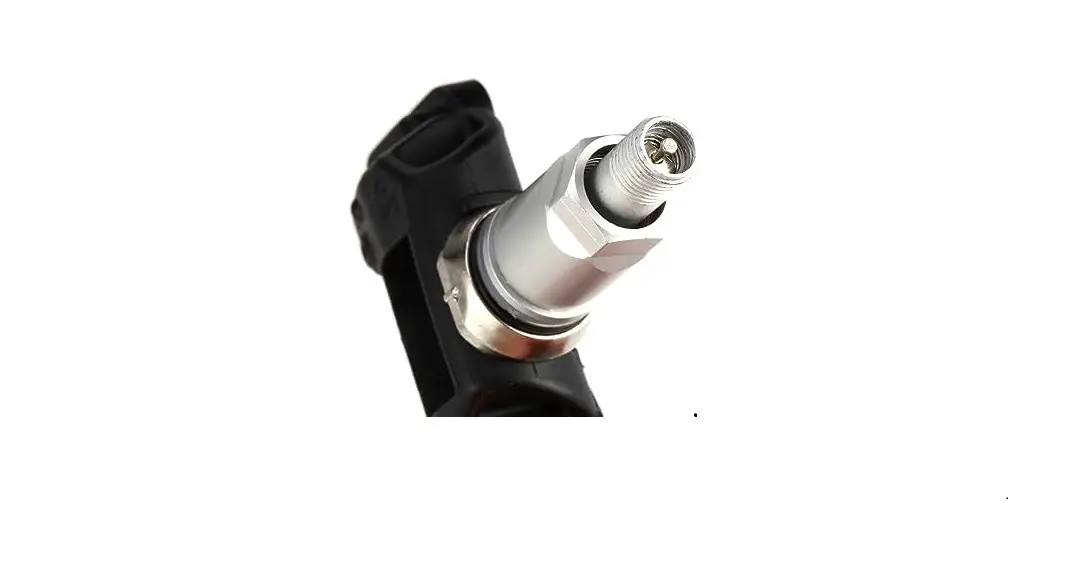
- Screw in the anti-theft nut.
- Tighten the sensor.
- Tighten the anti-theft nut counterclockwise to hold the
sensor. - After tightening the sensor, use a wrench to tighten the
anti-theft nut counterclockwise.
Setup and Pairing
In the Standby state, press and hold the RIGHT button for 3
seconds to enter the configuration pairing mode. Press the RIGHT
button again to enter the pairing mode. Follow the instructions on
the screen to pair each tire sensor.
Changing the Unit Settings
In standby mode, long press the MENU button for 3 seconds to
enter the system setting state. Use the LEFT and RIGHT buttons to
select the desired unit (BAR or PSI). Press the MENU button to
complete the setting.
Terminology
- BAR: BAR is a metric unit commonly used to
determine air pressure in tires. It is primarily used in countries
that use the metric system. - PSI: PSI (pounds per square inch) is a unit of
pressure commonly used in the U.S. It is used to measure the amount
of pressure air exerts when inside the tire.
Changing the Tire Pressure Values
NOTE: The default pressure unit is BAR. The default low pressure
is 26 PSI (1.8 BAR). The default…
WIRELESS TIRE PRESSURE MONITORING SYSTEM
Item No. 208561 User Guide
Thank you for purchasing the Wireless Tire Pressure Monitoring System. Please take a moment to read this guide and store it for future reference.
– 1 –
INTRODUCTION
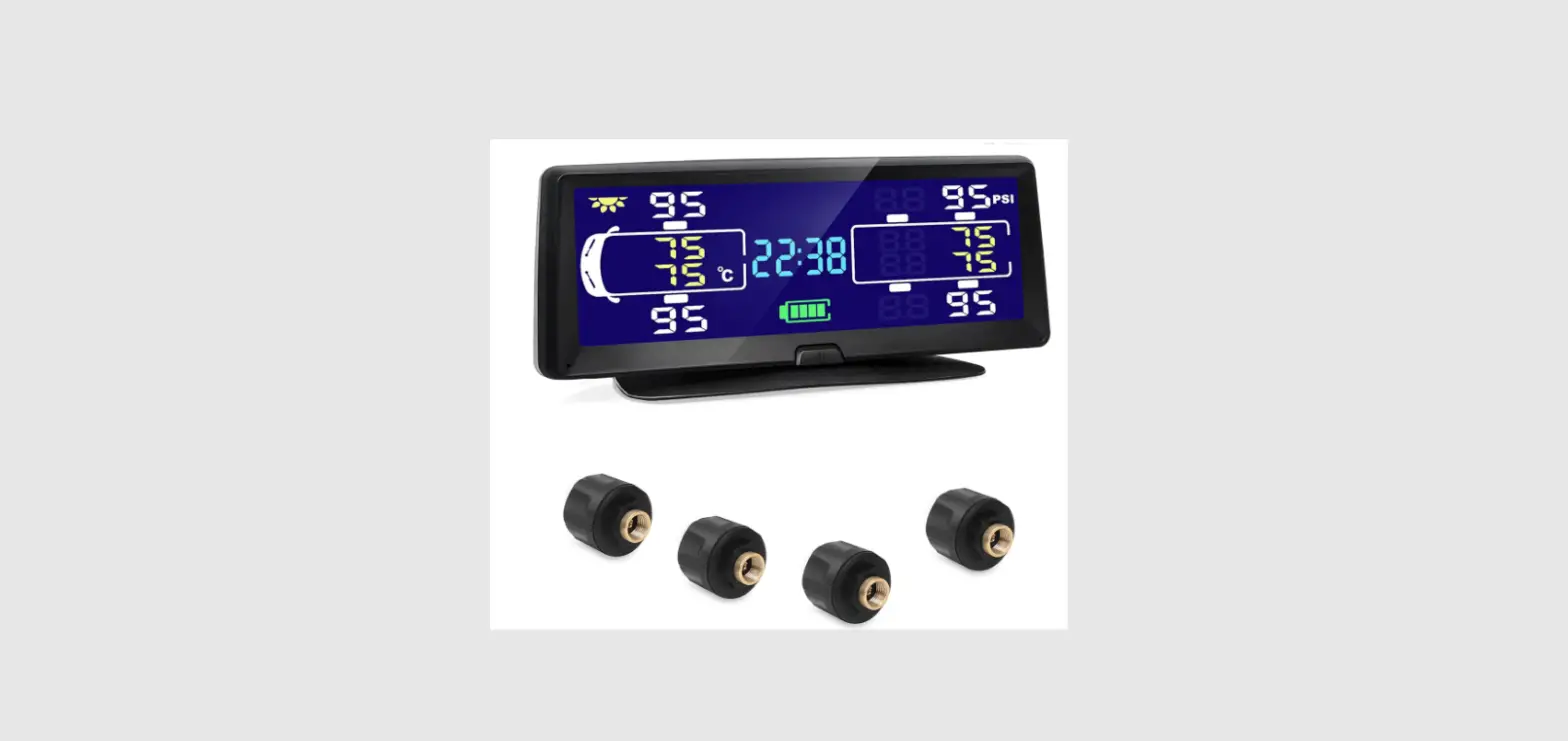
The Tire Pressure Monitoring System (TPMS) monitors your tire pressure and temperature in real time. It includes 4 wireless sensors for your tires and a solar-powered display for your dashboard. If abnormal tire pressure and/or temperature is detected, the system will send a warning sound and a bright flashing icon to inform the driver in real time. This can help avoid tire-related accidents and ensure the safety of drivers and passengers.
FEATURES
· Monitors tire pressure and temperature in real time · Sends warning alerts to dashboard display unit · Helps you maintain proper pressure for comfort, tire longevity and fuel economy · Includes solar-powered display unit · Includes 4 battery-powered wireless tire sensors (4 CR1632 batteries included) · Suitable for all vehicles with 4 tires, including cars, commercial vehicles, off-road vehicles,
jeeps and vans · Measures tire pressure in PSI and BAR · Maximum tire pressure 87 PSI (6 BAR) · Measures temperature in °C and °F · Maximum temperature 158°F (70°C)
BUTTON DESCRIPTIONS
A. LEFT button — In standby mode, press to toggle through selections. B. MENU / CONFIRM Button — In standby mode, long press for 3 seconds to enter the MENU mode. Select the parameter to be adjusted, then use the LEFT and RIGHT keys to adjust your selection(s). Press MENU again to confirm your setting, save and exit. C. RIGHT button — In standby mode, press to toggle through selections. Long press for 3 seconds to enter PAIRING mode. D. USB Charging Port
DISPLAY SCREEN ICON DESCRIPTIONS
1. Solar charging in progress 2. Tire temperature display 3. Tire pressure display 4. Battery power display 5. Tire pressure unit (BAR or PSI) 6. Temperature unit display (°C or °F) 7. Tire position indicator
– 2 –
INSTALLING THE WIRELESS SENSORS
AB C
E
F
G
H
6
1. Screw in the anti-theft nut. 2. Tighten the sensor.
3. Tighten the anti-theft nut counterclockwise to hold the sensor. 4. After tightening the sensor, use a wrench to tighten the anti-theft nut counterclockwise.
SETUP AND PAIRING
In the Standby state, press and hold the RIGHT button for 3 seconds to enter the configuration pairing mode. Press the RIGHT button again to enter the pairing mode, as shown in the figure below:
– 3 –
LEFT FRONT WHEEL
AB
F
G
E
C REAR FRONT WHEEL
H
LEFT REAR WHEEL
REAR RIGHT WHEEL
6
At this time, the “0” on the interface is flashing. Press the RIGHT button to enter the pairing mode. The left front tire displays “00” and small tire flashing, indicating a successful pairing.
Next, the right front tire will pair automatically. The screen displays “00” and a small tire flashing, indicating a successful pairing.
Next, the right rear tire will pair automatically. The screen displays “00” and a small tire flashing, indicating a successful pairing.
Next, the left rear tire will pair automatically. The screen displays “00” and a small tire flashing, indicating a successful pairing. The unit will then return to the main interface.
The pairing order is: “Left front” -> “Right front” -> “Rear right” -> “Rear left.”
CHANGING THE UNIT SETTINGS
NOTE: The default pressure unit is BAR. The default temperature unit is °C.
Choosing BAR or PSI In standby mode, long press the MENU button for 3 seconds to enter the system setting state. The BAR icon appears in the lower left corner. Use the LEFT and RIGHT buttons to select PSI. After selecting the desired unit, press the MENU button to complete the setting.
Choosing Celsius or Fahrenheit In standby mode, long press the MENU button for 3 seconds to enter the system setting state. Press the MENU key ONCE to enter the temperature unit setting. Use the LEFT and RIGHT buttons to select °F or °C. After selecting the desired unit, press the MENU button to complete the setting.
TERMINOLOGY
BAR: BAR is a metric unit and is most commonly used to determine air pressure in tires. BAR is used primarily in countries that use the metric system.
PSI: Commonly used in the U.S., pounds per square inch (PSI) is the amount of pressure air exerts when inside the tire.
– 4 –
CHANGING THE TIRE PRESSURE VALUES
NOTE: The default pressure unit is BAR. The default low pressure is 26 PSI (1.8 BAR). The default
high pressure is 46 PSI (3.2 BAR).
AB
F
G
C
E
H
ABOVE: Examples of low and high pressure limits.
Front Tires Low Pressure Limit 6
In standby mode, long press the MENU button for 3 seconds to enter the system setting state. Press the MENU key TWICE to enter the low pressure limit setting of the front tire air pressure. Use the LEFT and RIGHT buttons to set the low limit of the air pressure. After selecting the desired pressure, press the MENU button to save and exit.
Front Tires High Pressure Limit In standby mode, long press the MENU button for 3 seconds to enter the system setting state. Press the MENU key THREE TIMES to enter the high pressure limit setting of the front tire air pressure. Use the LEFT and RIGHT buttons to set the high limit of the air pressure. After selecting the desired pressure, press the MENU button to save and exit.
Rear Tires Low Pressure Limit In standby mode, long press the MENU button for 3 seconds to enter the system setting state. Press the MENU key FOUR TIMES to enter the low pressure limit setting of the rear tire air pressure. Use the LEFT and RIGHT buttons to set the low limit of the air pressure. After selecting the desired pressure, press the MENU button to save and exit. Front Tires High
Front Tires High Pressure Limit In standby mode, long press the MENU button for 3 seconds to enter the system setting state. Press the MENU key FIVE TIMES to enter the high pressure limit setting of the rear tire air pressure. Use the LEFT and RIGHT buttons to set the high limit of the air pressure. After selecting the desired pressure, press the MENU button to save and exit.
CHANGING THE HIGH TEMPERATURE LIMIT
NOTE: The default high temperature is 158°F (70°C).
ABOVE: Example of high pressure limit.
In standby mode, long press the MENU button for 3 seconds to enter the system setting state. Press the MENU key SIX TIMES to enter the high temperature limit setting. Use the LEFT and RIGHT buttons to set the high temperature limit. After selecting the desired pressure, press the MENU button to save and exit.
– 5 –
TIRE EXCHANGE (TIRE ROTATION)
AB C
E
F
G
H
When you rotate your tires, there is no need to switch the sensors. Simply tell the device which
tires have been swapped.
6
In standby mode, long press MENU for 3 seconds to enter the system setting state. Press MENU SEVEN TIMES to enter the tire exchange mode. Short press the RIGHT key ONCE to confirm the tire exchange mode. There will be 2 tire icons flashing continuously.
Short press the MENU button to select the tire position that needs to be swapped, and enter the tire swap operation. (The default is “LEFT front tire and RIGHT front tire swap.”) Confirm the swap by long pressing the RIGHT button.
SHORT PRESS THE MENU KEY TO SELECT FROM THESE OPTIONS:
· Left front tire and right front tire exchange >> · Left rear tire and right rear tire exchange >> · Left front tire and left rear tire exchange >> · Right front tire and right rear tire exchange >> · Right front tire and left rear tire exchange >> · Left rear tire and right rear tire exchange >>
Long press the RIGHT button to confirm any two-tire swap combination state. The exchange is now complete.
WARNINGS AND ALARMS
1. Air Leak Warning — When the air pressure of any tire is lower than 26 PSI (1.8 BAR), the buzzer will sound an alarm, and the corresponding tire icon and pressure data, TPMS icon and air leak icon will flash continuously. Press any key to stop the buzzer alarm.
2. Low Pressure Warning — When any tire pressure is detected to be lower than 75% of the standard tire pressure, the buzzer will sound an alarm, and the corresponding tire icon and pressure data, TPMS icon and low pressure icon will flash continuously. When the tire pressure is corrected, the alarm is released.
NOTE: The factory default low-pressure alarm threshold is 26 PSI (1.8 BAR). This value can be adjusted with the steps above. See your car’s owner’s manual for more details about your correct tire pressure.
– 6 –
3. High Pressure Warning — When it is detected that any tire pressure is higher than 125% of
the cold tire standard tire pressure value, the buzzer will sound, and the corresponding tire icon
and pressure data and the TPMS icon and high pressure icon will flash continuously. When the
tire pressure is lowered, the alarm is cleared. A B
F
G
C
NOTE:
The
factory
default
high-pressure
E
alarm
threshold
is
46
PSI
(3.2
BAR).
This
valueHcan
be
adjusted with the steps above. See your car’s owner’s manual for more details about your
correct tire pressure.
4. High Temperature Warning — When the temperature of any tire is higher than the preset temperature threshold (158°F/70°C), the buzzer will sound an alarm, and the corresponding tire icon and temperature data, TPMS icon and high temperature icon will flash continuously. Whe6n the temperature is lower than the alarm threshold, the alarm is cleared.
CHANGING SENSOR BATTERIES
1. Turn the nut clockwise to separate the nut and the sensor, and then remove the sensor counterclockwise. 2. Remove the anti-theft nut and use a wrench to unscrew the upper cover of the sensor in a counterclockwise direction. 3. Take out the old battery from the battery clamp. Make note of the battery position (“+” should be facing up). 4. Install a new lithium battery (CR1632). 5. Screw on the upper cover of the sensor, and then tighten it clockwise with a wrench. NOTE: Always dispose of batteries responsibly. Do not allow children to handle or swallow these batteries.
IMPORTANT NOTES
· Generally, tires will have natural air leakage. The pressure of tires will decrease over time. This is a normal phenomenon and is not directly related to the installation of this product.
· During the driving process the air in your tires can expand or contract, causing changes in tire pressure. This is a normal phenomenon and is not directly related to the installation of this product.
DISPLAY SPECIFICATIONS
· Working temperature: -20 °C~80 °C · Storage temperature: -30 °C~85 °C · Electric voltage: DC 5V · Battery capacity: 400 mAh · Frequency: 433.92MHz ± 20.00MHZ · Dimensions: 3.7″ L x 3.3″ W x 1.1″ H · Weight: 0.1 lbs.
SENSOR SPECIFICATIONS
· Working temperature: -20 °C~75 °C · Storage temperature: -30 °C~85 °C · Pressure range: 0~6.0bar · Pressure accuracy: +/-0.2bar · Temperature accuracy: +/-3 °C · Transmitting power: <5dB · Frequency: 433.92MHz ± 20.00MHZ
– 7 –