
EK-Quantum
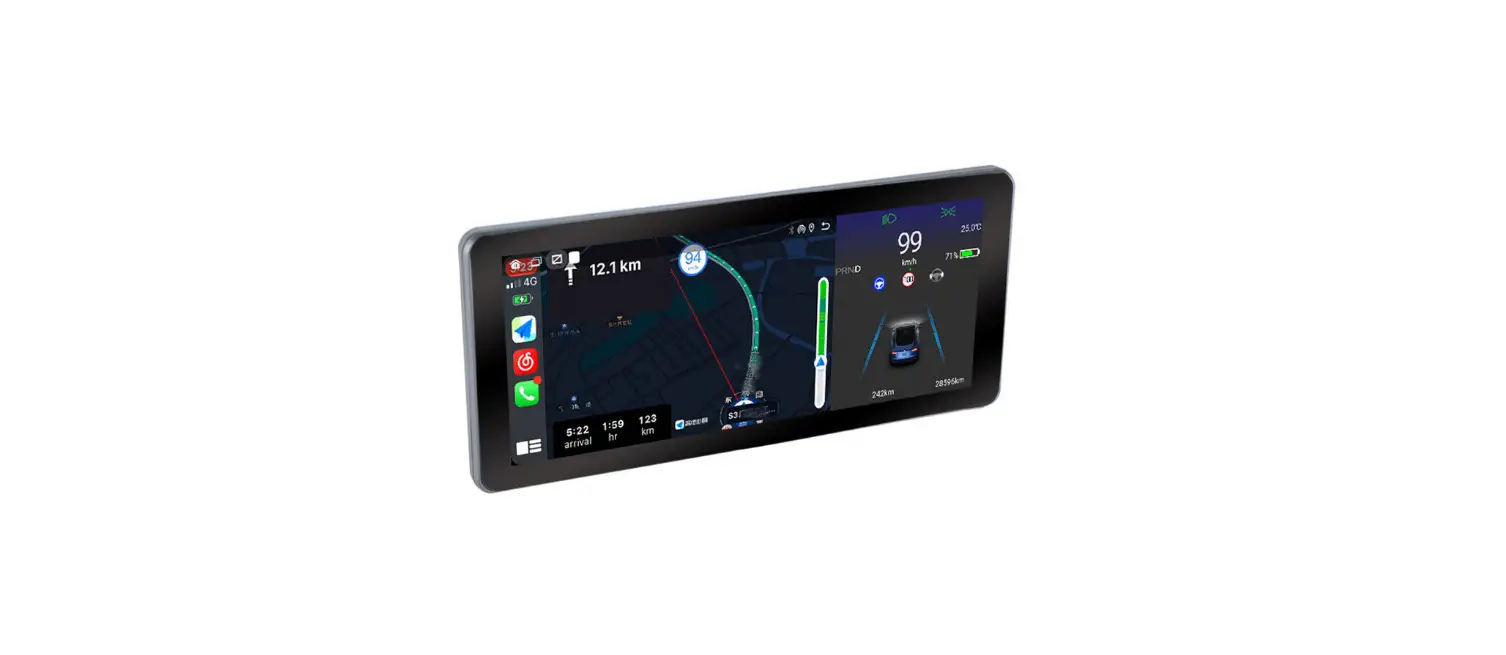
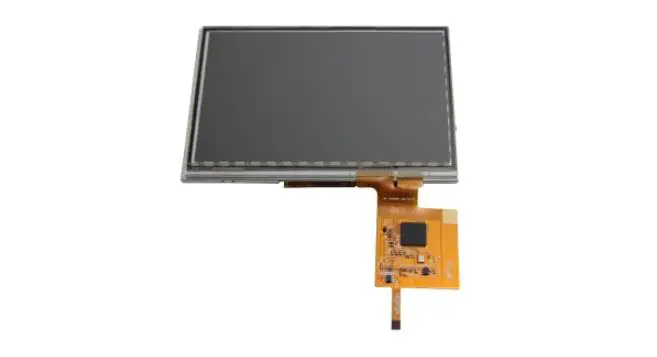
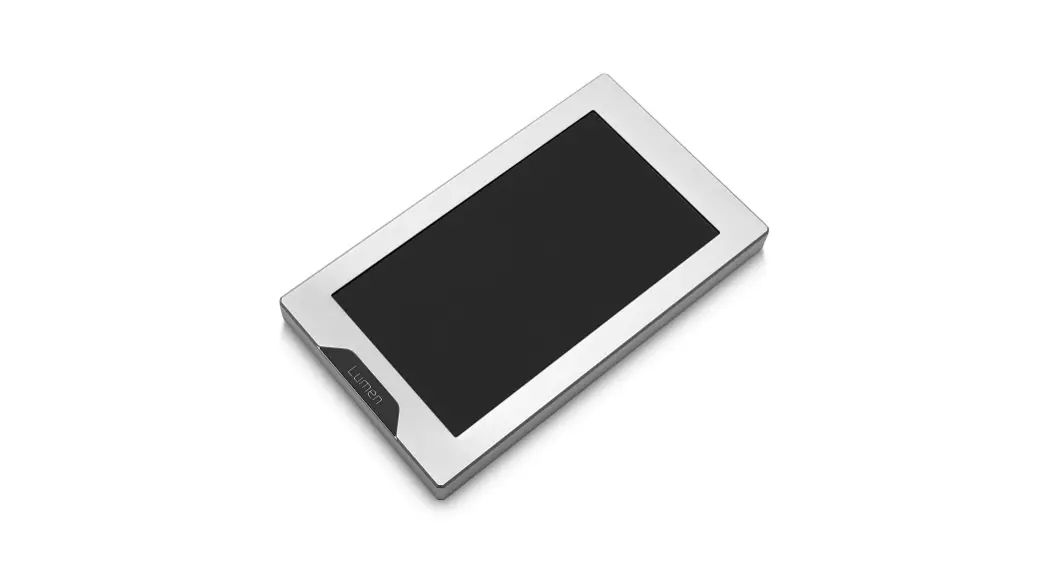
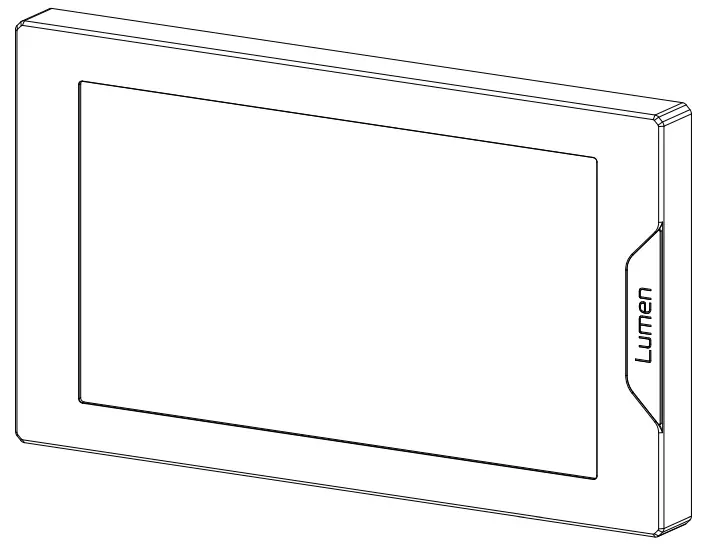
Lumen 7˝LCD
USER GUIDE
3831109891490 EK-Quantum Lumen 7 Inch LCD Display
Please note the installation of the product is intended to be undertaken by an adequately trained and experienced person. You are installing the product at your own risk. If you are not properly trained or experienced or feel unsure about the installation procedure, please refrain from installing the product yourself and contact our tech support for assistance. We disclaim our liability for any damages to the product as well as incidental, consequential, or indirect damages incurred due to improper or inappropriate installation.
Carefully read the manual before beginning the installation process.
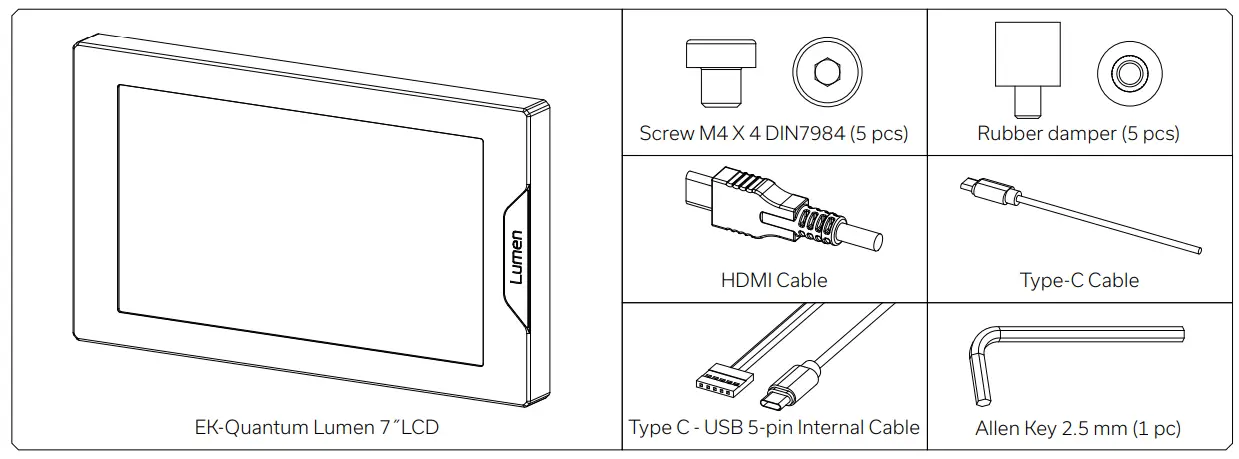
BOX CONTENTS
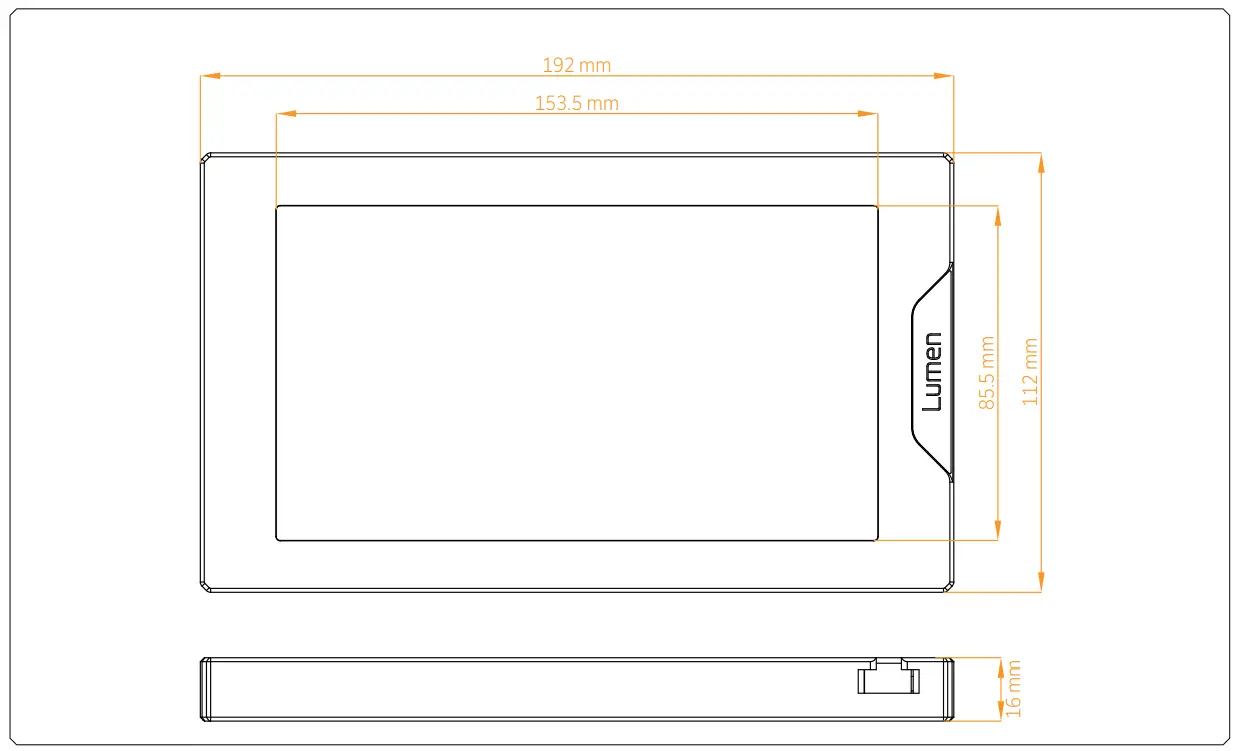
PRODUCT DIMENSIONS
TECHNICAL SPECIFICATIONS AND WATER BLOCK PARTS
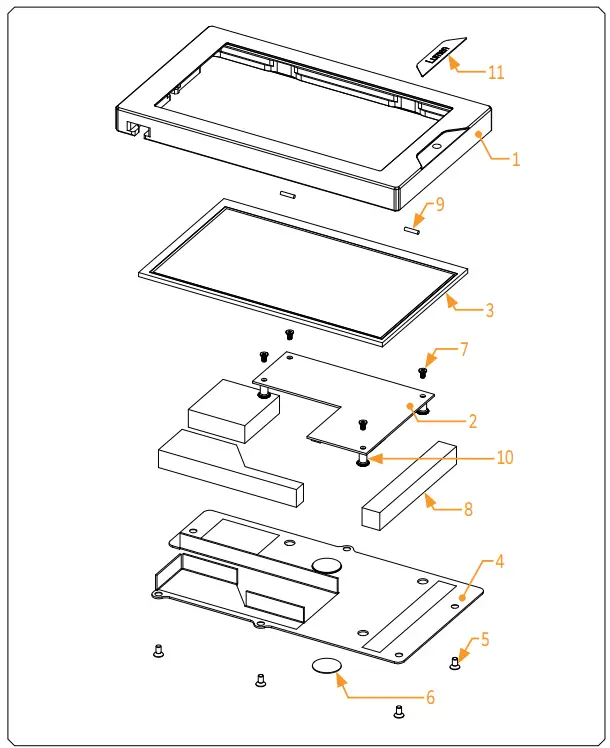
Technical Specification:
– Dimensions: (L x H x W): 192 x 112 x 16 mm
– Screen size: 7.0”
– Screen resolution: 1024 x 600
| Position | EAN | Description | Quantity |
| 1 | 104518 | HD Screen Frame 7″ Black elox | 1 |
| 104517 | HD Screen Frame 7″ Natur Elox | ||
| 2 | 104544 | PCB | 1 |
| 3 | 104546 | HD Screen | 1 |
| 4 | 104523 | HD screen Cover 7″ Black elox | 1 |
| 104522 | HD screen Cover 7″ Natur elox | ||
| 5 | 8489 | Screw M3 x 6 DIN7991 | 6 |
| 6 | 100663 | EK – Badge | 1 |
| 7 | 9047 | Screw M2.5 x 4 AX1 | 4 |
| 8 | 104539 | Protective antistatic foam (set) | 1 |
| 9 | 5074 | 2 mm Gasket | 2 |
| 10 | 104519 | Standoff M2.5 x 9.0 (Ni) | 4 |
| 11 | 104651 | Mylar sticker | 1 |
PREPARING THE SCREEN FOR INSTALLATION
STEP 1
The included M4 Rubber dampers need to be used in case of mounting the EK-Quantum Lumen 7˝LCD screen onto the fans.
In other cases, the EK-Quantum Lumen 7˝LCD screen can be installed directly.
Do not use excessive force while attaching the dampers.
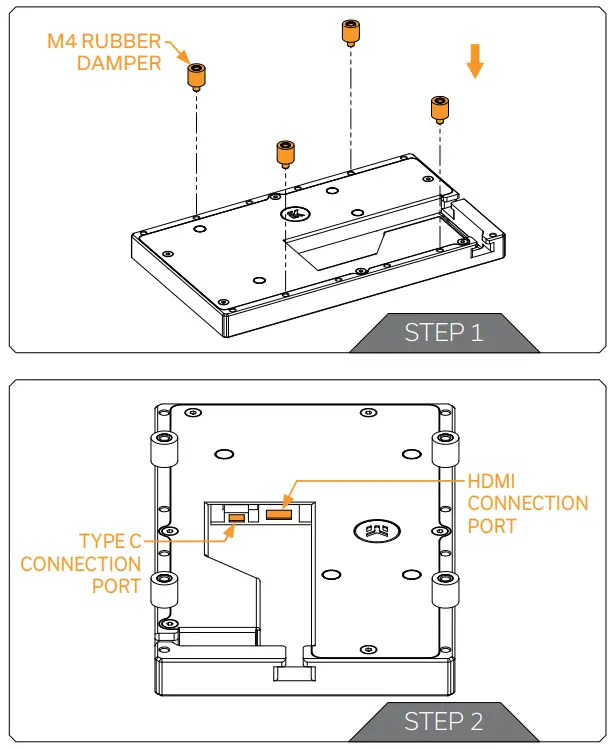
STEP 2
For easier installation, connect the cables to the PCB before attaching the LCD screen to the PC Chassis.
INSTALLING THE EK-QUANTUM LUMEN 7˝LCD SCREEN
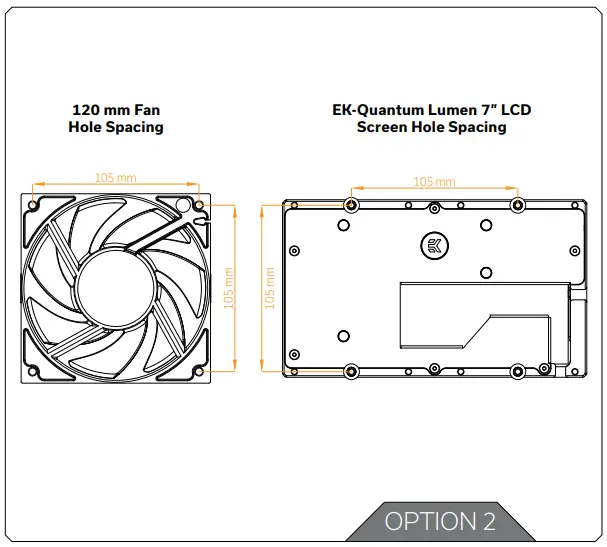
There are many ways to install your EK-Quantum Lumen 7˝LCD screen as it utilizes a standard mounting hole pattern (105 mm), the same as all EK Fans.
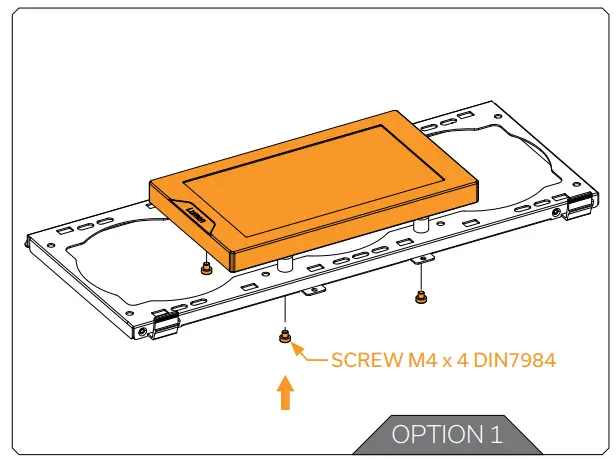
OPTION 1:
DIRECT INSTALLATION
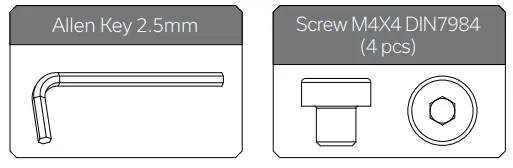
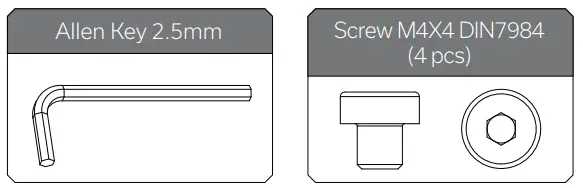
The EK-Quantum Lumen 7˝LCD screen can be directly installed into the PC Chassis using four (4) M4 x 4 DIN7984 Screws. Tighten the screws using Allen Key 2.5 mm. Do not use excessive force!
For this step you will need:
OPTION 2:
INSTALLATION ONTO THE FANS
The EK-Quantum Lumen 7˝LCD screen can be also installed onto the fans with the standard hole spacing (105 mm).
Using Allen Key 2.5 mm and four (4) M4 x 4 DIN7984 Screws secure the EK-Quantum Lumen 7˝LCD screen onto the fans. Do not use excessive force!
 Do not install the EK-Quantum Lumen 7˝LCD screen without the M4 Rubber dampers!
For this step you will need:
OPTION 3:
INSTALLATION ONTO THE EK-LOOP ANGLED BRACKET – 120mm
The EK-Loop Angled Bracket – 120 mm allows you to mount the EK-Quantum Lumen 7˝LCD screen vertically.
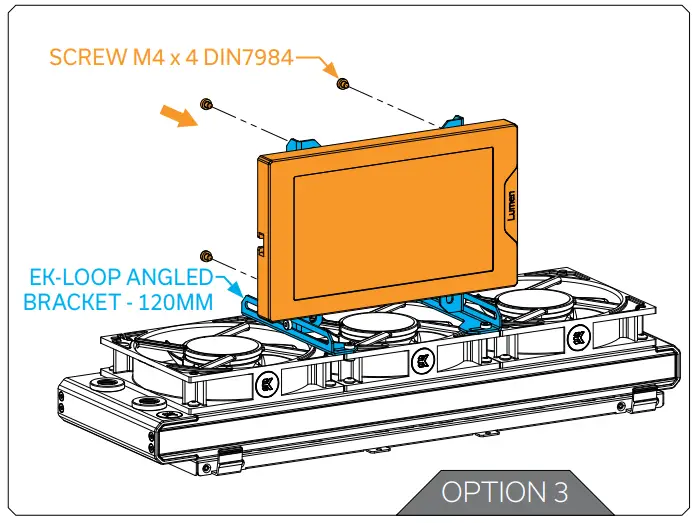
Using Allen Key 2.5 mm and four (4) M4 x 4 DIN7984 Screws secure the EK-Quantum Lumen 7˝LCD screen onto the bracket.
Do not use excessive force!
For this step you will need:
CONNECTING THE EK-QUANTUM LUMEN 7˝LCD SCREEN
After securing the EK-Quantum Lumen 7˝LCD screen into the PC Chassis, make sure that the cables are properly connected to the PCB. The other side of the cables needs to be connected to the PC.
The installation of the EK-Quantum Lumen 7˝LCD screen is now complete.
SUPPORT AND SERVICE
In case you need assistance or wish to order spare parts or a new mounting mechanism, please contact: https://www.ekwb.com/customer-support/
For spare parts orders, refer to the page with “TECHNICAL SPECIFICATIONS AND WATER BLOCK PARTS” where you can find the EAN number of each part you might need.
Include the EAN number with quantity in your request.
SOCIAL MEDIA EKWaterBlocks
 @EKWaterBlocks
 ekwaterblocks
 EKWBofficial
 ekwaterblocks
 Customer Support - ekwb.com