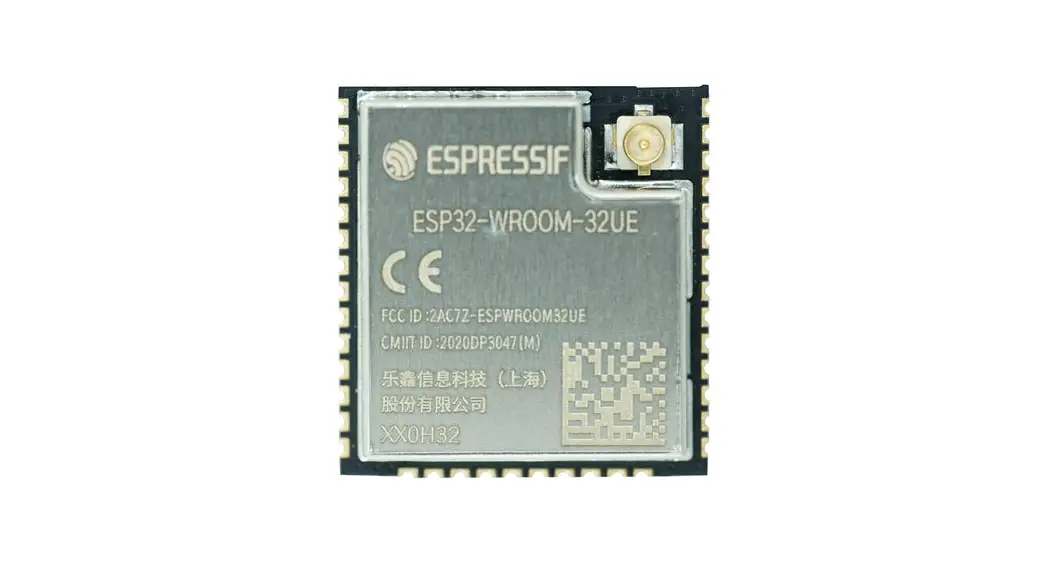
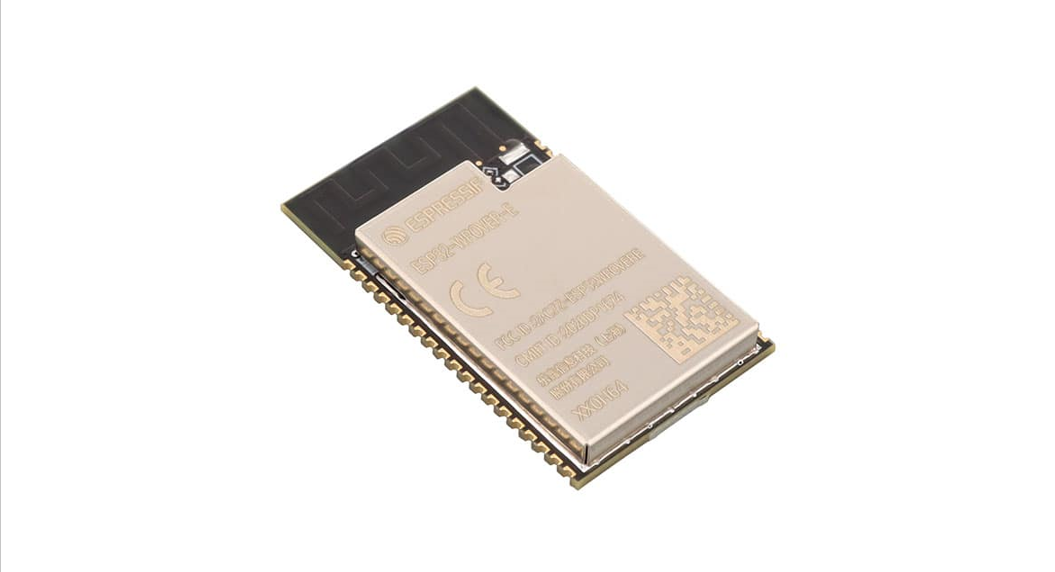
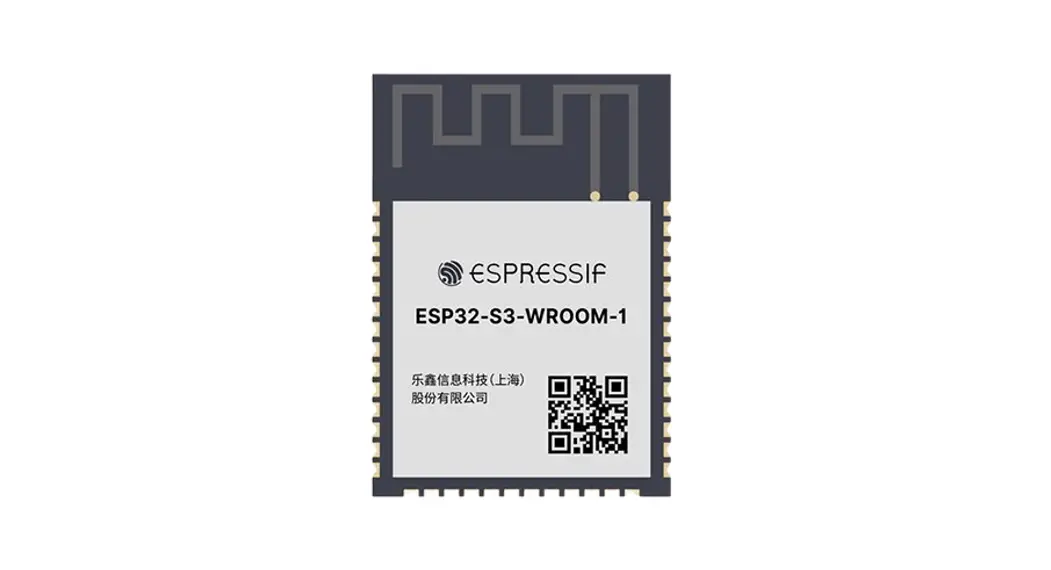
ESP8684-WROOM-02C 2.4 GHz WiFi and Bluetooth 5 Module
ESP8684-WROOM-02C User Manual
The ESP8684-WROOM-02C is a general-purpose Wi-Fi and Bluetooth
LE module ideal for smart homes, industrial automation, health
care, consumer electronics, etc. It comes with an on-board PCB
antenna and can be mounted onto the surface of a PCB board.
Module Overview
Features
- CPU and On-Chip Memory
- Wi-Fi: Station mode, SoftAP mode, Station + SoftAP mode, and
promiscuous mode - Bluetooth LE to share the same antenna
- Peripherals
- Integrated Components on Module
- Antenna Options
- Operating Conditions
Description
The ESP8684-WROOM-02C integrates a rich set of peripherals
including UART, I2C, LED PWM controller, general DMA controller,
temperature sensor, and SAR ADC. For more information on ESP8684,
please refer to ESP8684 Series Datasheet.
Pin Definitions
Pin Layout
The module has 19 pins. The pin diagram below shows the
approximate location of pins on the module.

Pin Description
See pin definitions in Table 2. For peripheral pin
configurations, please refer to ESP8684 Series Datasheet.
| Name | No. | Type1 | Function |
|---|---|---|---|
| 3V3 | 1 | P | Power supply. High: on, enables the chip. |
| EN | 2 | I | Low: off, the chip powers off. Note: Do not leave the CHIP_EN pin floating. |
| IO4 | 3 | I/O/T | GPIO4, ADC1_CH4, FSPIHD, MTMS |
| IO5 | 4 | I/O/T | GPIO5, FSPIWP, MTDI |
| IO6 | 5 | I/O/T | GPIO6, FSPICLK, MTCK |
Get Started
Hardware Connection
To get started with ESP8684-WROOM-02C, refer to the hardware
connection instructions in ESP8684-WROOM-02C Datasheet v0.5.
Set up Development Environment
To set up the development environment, follow the steps
below:
- Install Prerequisites
- Get ESP-IDF
- Set up Tools
- Set up Environment Variables
Create Your First Project
To create your first project, follow the steps below:
- Start a Project
- Connect Your Device
- Configure
- Build the Project
- Flash onto the Device
- Monitor
U.S. FCC Statement
This device complies with Part 15 of the FCC Rules. Operation is
subject to the following two conditions: (1) This device may not
cause harmful interference, and (2) this device must accept any
interference received, including interference that may cause
undesired operation.
For more information on ESP8684-WROOM-02C, refer to
ESP8684-WROOM-02C Datasheet v0.5.
ESP8684-WROOM-02C
User Manual
2.4 GHz Wi-Fi (802.11 b/g/n) and Bluetooth® 5 module Built around ESP8684 series of SoC, RISC-V single-core microprocessor 2 MB/4 MB flash in chip package 14 GPIOs On-board PCB antenna
ESP8684-WROOM-02C
www.espressif.com
Version0.5 Espressif Systems Copyright © 2022
1 Module Overview
1 Module Overview
1.1 Features
CPU and On-Chip Memory
· ESP8684H2 or ESP8684H4 embedded, 32-bit RISC-V single-core processor, up to 120 MHz
· 576 KB ROM · 272 KB SRAM (16 KB for cache) · SiP flash (see details in Table 1
ESP8684-WROOM-02C Ordering Information) · Access to flash accelerated by cache · Supports flash in-Circuit Programming (ICP)
Wi-Fi
· IEEE 802.11 b/g/n-compliant · Center frequency range of operating channel:
2412 ~ 2462 MHz · Supports 20 MHz bandwidth in 2.4 GHz band · 1T1R mode with data rate up to 72.2 Mbps · Wi-Fi Multimedia (WMM) · TX/RX A-MPDU, TX/RX A-MSDU · Immediate Block ACK · Fragmentation and defragmentation · Transmit opportunity (TXOP) · Automatic Beacon monitoring (hardware TSF) · 3 × virtual Wi-Fi interfaces · Simultaneous support for Infrastructure BSS in
Station mode, SoftAP mode, Station + SoftAP
mode, and promiscuous mode Note that when ESP8684 series scans in Station mode, the SoftAP channel will change along with the Station channel
Bluetooth®
· Bluetooth LE: Bluetooth 5 · Speed: 125 kbps, 500 kbps, 1 Mbps, 2 Mbps · Advertising extensions · Multiple advertisement sets · Channel selection algorithm #2 · Internal co-existence mechanism between Wi-Fi
and Bluetooth to share the same antenna
Peripherals
· GPIO, SPI, UART, I2C, LED PWM controller, general DMA controller, temperature sensor, SAR ADC, timers and watchdogs
Integrated Components on Module
· 26 MHz crystal oscillator
Antenna Options
· On-board PCB antenna
Operating Conditions
· Operating voltage/Power supply: 3.0 ~ 3.6 V · Operating ambient temperature: 40 ~ 85 °C
1.2 Description
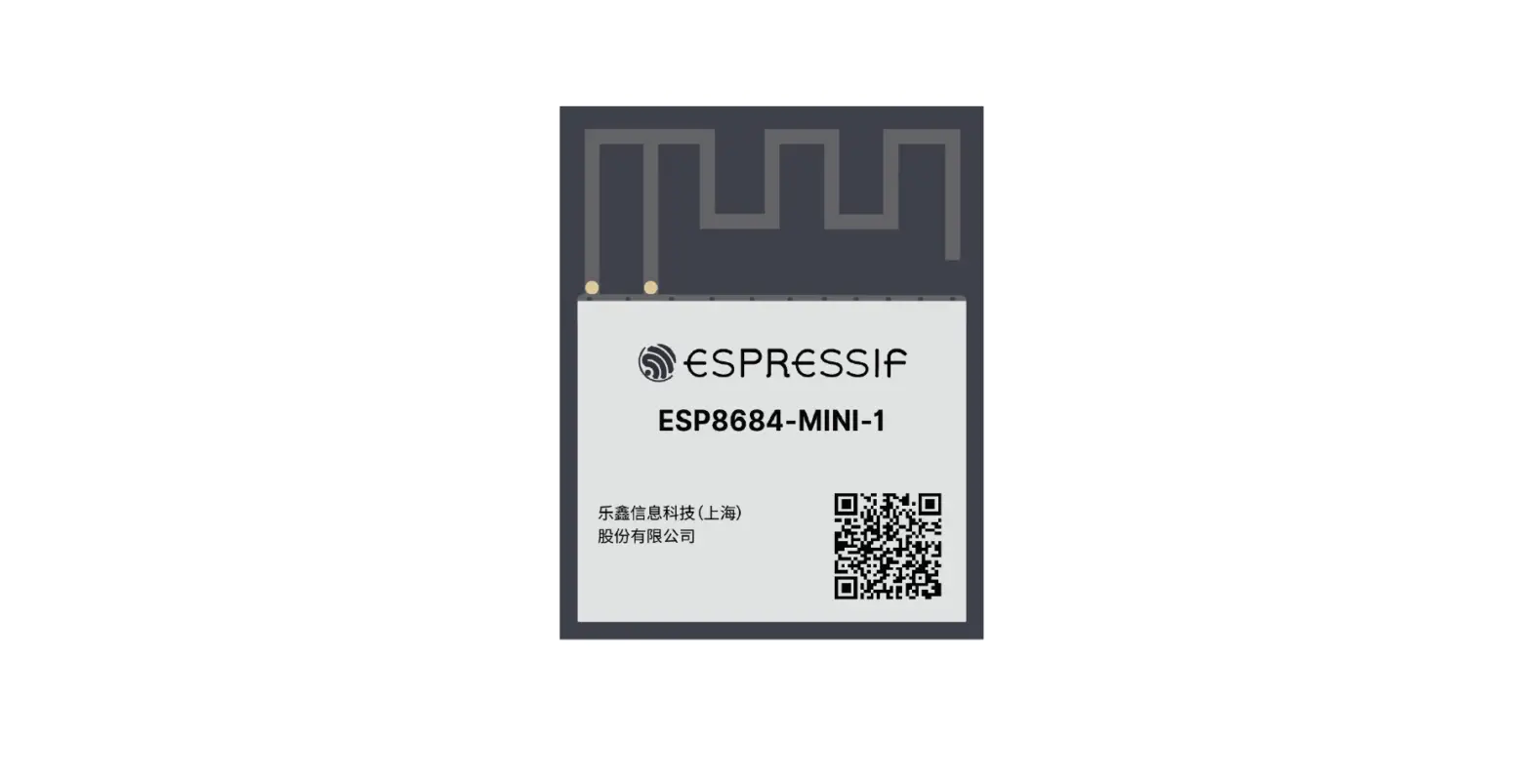
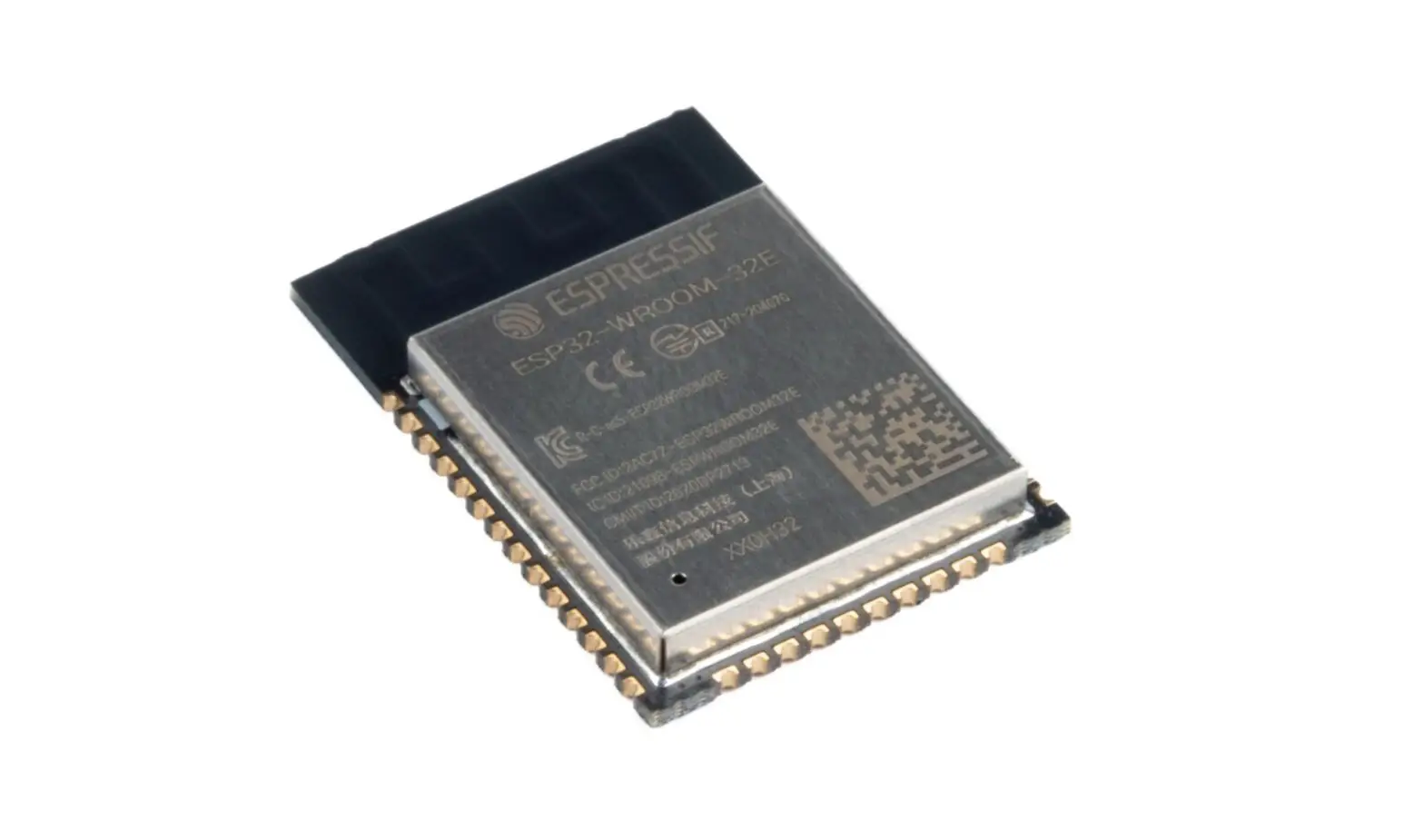
ESP8684-WROOM-02C is a general-purpose Wi-Fi and Bluetooth LE module. The rich set of peripherals and high performance make this module an ideal choice for smart homes, industrial automation, health care, consumer electronics, etc.
ESP8684-WROOM-02C comes with an on-board PCB antenna. It can be mounted onto the surface of a PCB board.
Espressif Systems
2 Submit Documentation Feedback
ESP8684-WROOM-02C Datasheet v0.5
1 Module Overview
The ordering information for ESP8684-WROOM-02C is as follows:
Table 1: ESP8684-WROOM-02C Ordering Information
Module ESP8684-WROOM-02C
Ordering Code
ESP8684-WROOM-02C-N2 ESP8684-WROOM-02C-N4
Chip Embedded
ESP8684H2 ESP8684H4
SiP Flash
2 MB 4 MB
Module Dimensions (mm)
20.0 × 18.0 × 3.2
The ESP8684H2 chip and the ESP8684H4 chip fall into the same category, namely ESP8684 chip series. ESP8684 integrates a rich set of peripherals including UART, I2C, LED PWM controller, general DMA controller, temperature sensor, and SAR ADC.
Note: For more information on ESP8684, please refer to ESP8684 Series Datasheet.
Espressif Systems
3 Submit Documentation Feedback
ESP8684-WROOM-02C Datasheet v0.5
Contents
Contents
1 Module Overview
2
1.1 Features
2
1.2 Description
2
2 Pin Definitions
5
2.1 Pin Layout
5
2.2 Pin Description
5
3 Get Started
7
3.1 What You Need
7
3.2 Hardware Connection
7
3.3 Set up Development Environment
8
3.3.1 Install Prerequisites
8
3.3.2 Get ESP-IDF
8
3.3.3 Set up Tools
9
3.3.4 Set up Environment Variables
9
3.4 Create Your First Project
9
3.4.1 Start a Project
9
3.4.2 Connect Your Device
9
3.4.3 Configure
10
3.4.4 Build the Project
10
3.4.5 Flash onto the Device
11
3.4.6 Monitor
12
4 U.S. FCC Statement
14
5 Related Documentation and Resources
18
Revision History
19
Espressif Systems
4 Submit Documentation Feedback
ESP8684-WROOM-02C Datasheet v0.5
2 Pin Definitions
2 Pin Definitions
2.1 Pin Layout
The pin diagram below shows the approximate location of pins on the module.
Keepout Zone
1
3V3
2
EN
3
IO4
4
IO5
5
IO6
6
IO7
7
IO8
8
IO9
9
GND
GND 19:GND
Figure 1: Pin Layout (Top View)
IO0
18
IO1
17
IO2
16
IO3
15
IO18
14
NC
13
TXD
12
RXD
11
IO10
10
2.2 Pin Description
The module has 19 pins. See pin definitions in Table 2. For peripheral pin configurations, please refer to ESP8684 Series Datasheet.
Table 2: Pin Definitions
Name No. Type1 Function
3V3
1
P Power supply
High: on, enables the chip.
EN
2
I Low: off, the chip powers off.
Note: Do not leave the CHIP_EN pin floating.
Cont’d on next page
Espressif Systems
5 Submit Documentation Feedback
ESP8684-WROOM-02C Datasheet v0.5
2 Pin Definitions
Table 2 cont’d from previous page
Name No. Type1 Function
IO4
3 I/O/T GPIO4, ADC1_CH4, FSPIHD, MTMS
IO5
4 I/O/T GPIO5, FSPIWP, MTDI
IO6
5 I/O/T GPIO6, FSPICLK, MTCK
IO7
6 I/O/T GPIO7, FSPID, MTDO
IO8
7
I/O/T
GPIO8 This pin is internally pulled high.
IO9
8 I/O/T GPIO9
GND 9
P Ground
IO10 10 I/O/T GPIO10, FSPICS0
RXD 11 I/O/T GPIO19, U0RXD
TXD 12 I/O/T GPIO20, U0TXD
NC
13 — NC
IO18 14 I/O/T GPIO18
IO3
15 I/O/T GPIO3, ADC1_CH3
IO2
16 I/O/T GPIO2, ADC1_CH2, FSPIQ
IO1
17 I/O/T GPIO1, ADC1_CH1
IO0
18 I/O/T GPIO0, ADC1_CH0
GND 19 P Ground
1 P: power supply; I: input; O: output; T: high impedance.
Espressif Systems
6 Submit Documentation Feedback
ESP8684-WROOM-02C Datasheet v0.5
3 Get Started
3 Get Started
3.1 What You Need
To develop applications for module you need: · 1 x ESP8684-WROOM-02C · 1 x Espressif RF testing board · 1 x USB-to-Serial board · 1 x Micro-USB cable · 1 x PC running Linux
In this user guide, we take Linux operating system as an example. For more information about the configuration on Windows and macOS, please refer to ESP-IDF Programming Guide.
3.2 Hardware Connection
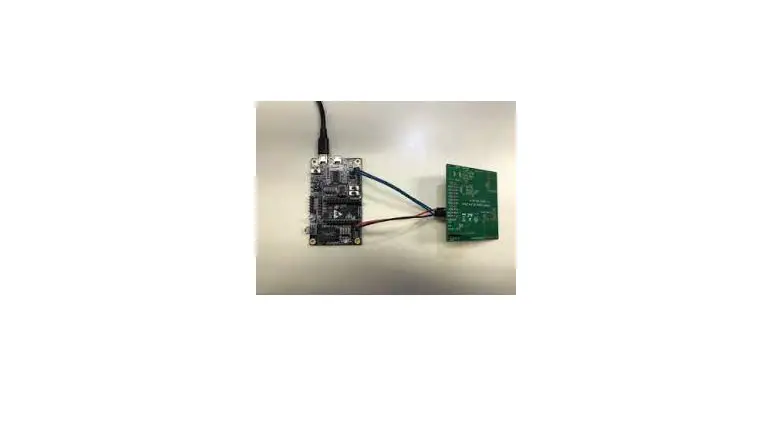
1. Solder the ESP8684-WROOM-02C module to the RF testing board as shown in Figure 2.
Figure 2: Hardware Connection
2. Connect the RF testing board to the USB-to-Serial board via TXD, RXD, and GND. 3. Connect the USB-to-Serial board to the PC. 4. Connect the RF testing board to the PC or a power adapter to enable 5 V power supply, via the Micro-USB
cable. 5. During download, connect IO0 to GND via a jumper. Then, turn “ON” the testing board. 6. Download firmware into flash. For details, see the sections below.
Espressif Systems
7 Submit Documentation Feedback
ESP8684-WROOM-02C Datasheet v0.5
3 Get Started
7. After download, remove the jumper on IO0 and GND. 8. Power up the RF testing board again. The module will switch to working mode. The chip will read
programs from flash upon initialization.
Note: IO0 is internally logic high. If IO0 is set to pull-up, the Boot mode is selected. If this pin is pull-down or left floating, the Download mode is selected. For more information on ESP8684-WROOM-02C, please refer to ESP8684 Series Datasheet.
3.3 Set up Development Environment
The Espressif IoT Development Framework (ESP-IDF for short) is a framework for developing applications based on the Espressif ESP32. Users can develop applications with ESP8684 in Windows/Linux/macOS based on ESP-IDF. Here we take Linux operating system as an example.
3.3.1 Install Prerequisites
To compile with ESP-IDF you need to get the following packages: · CentOS 7 & 8:
1
sudo yum -y update && sudo yum install git wget flex bison gperf python3 python3-
pip
2
python3-setuptools cmake ninja-build ccache dfu-util libusbx
· Ubuntu and Debian:
1
sudo apt-get install git wget flex bison gperf python3 python3-pip python3-
setuptools
2
cmake ninja-build ccache libffi-dev libssl-dev dfu-util libusb-1.0-0
· Arch:
1
2
sudo pacman -S –needed gcc git make flex bison gperf python-pip cmake ninja ccache
dfu-util libusb
Note: · This guide uses the directory ~/esp on Linux as an installation folder for ESP-IDF. · Keep in mind that ESP-IDF does not support spaces in paths.
3.3.2 Get ESP-IDF
To build applications for ESP8684-WROOM-02C module, you need the software libraries provided by Espressif in ESP-IDF repository.
To get ESP-IDF, create an installation directory (~/esp) to download ESP-IDF to and clone the repository with `git clone’:
Espressif Systems
8 Submit Documentation Feedback
ESP8684-WROOM-02C Datasheet v0.5
3 Get Started
1 mkdir -p ~/esp 2 cd ~/esp 3 git clone –recursive https://github.com/espressif/esp-idf.git
ESP-IDF will be downloaded into ~/esp/esp-idf. Consult ESP-IDF Versions for information about which ESP-IDF version to use in a given situation.
3.3.3 Set up Tools
Aside from the ESP-IDF, you also need to install the tools used by ESP-IDF, such as the compiler, debugger, Python packages, etc. ESP-IDF provides a script named ‘install.sh’ to help set up the tools in one go.
1 cd ~/esp/esp-idf 2 ./install.sh
3.3.4 Set up Environment Variables
The installed tools are not yet added to the PATH environment variable. To make the tools usable from the command line, some environment variables must be set. ESP-IDF provides another script ‘export.sh’ which does that. In the terminal where you are going to use ESP-IDF, run:
1 . $HOME/esp/esp-idf/export.sh
Now everything is ready, you can build your first project on ESP8684-WROOM-02C module.
3.4 Create Your First Project
3.4.1 Start a Project
Now you are ready to prepare your application for ESP8684-WROOM-02C module. You can start with get-started/hello_world project from examples directory in ESP-IDF. Copy get-started/hello_world to ~/esp directory:
1 cd ~/esp 2 cp -r $IDF_PATH/examples/get-started/hello_world .
There is a range of example projects in the examples directory in ESP-IDF. You can copy any project in the same way as presented above and run it. It is also possible to build examples in-place, without copying them first.
3.4.2 Connect Your Device
Now connect your module to the computer and check under what serial port the module is visible. Serial ports in Linux start with `/dev/tty’ in their names. Run the command below two times, first with the board unplugged, then with plugged in. The port which appears the second time is the one you need:
1 ls /dev/tty*
Note: Keep the port name handy as you will need it in the next steps.
Espressif Systems
9 Submit Documentation Feedback
ESP8684-WROOM-02C Datasheet v0.5
3 Get Started
3.4.3 Configure
Navigate to your `hello_world’ directory from Step 3.4.1. Start a Project, set ESP8684 chip as the target and run the project configuration utility `menuconfig’.
1 cd ~/esp/hello_world 2 idf.py set-target esp8684 3 idf.py menuconfig
Setting the target with `idf.py set-target ESP8684′ should be done once, after opening a new project. If the project contains some existing builds and configuration, they will be cleared and initialized. The target may be saved in environment variable to skip this step at all. See Selecting the Target for additional information. If the previous steps have been done correctly, the following menu appears:
Figure 3: Project Configuration – Home Window
You are using this menu to set up project specific variables, e.g. Wi-Fi network name and password, the processor speed, etc. Setting up the project with menuconfig may be skipped for “hello_word”. This example will run with default configuration.
The colors of the menu could be different in your terminal. You can change the appearance with the option `–style’. Please run `idf.py menuconfig –help’for further information.
3.4.4 Build the Project
Build the project by running:
1 idf.py build
This command will compile the application and all ESP-IDF components, then it will generate the bootloader, partition table, and application binaries.
1 $ idf.py build 2 Running cmake in directory /path/to/hello_world/build 3 Executing “cmake -G Ninja –warn-uninitialized /path/to/hello_world”…
Espressif Systems
10 Submit Documentation Feedback
ESP8684-WROOM-02C Datasheet v0.5
3 Get Started
4 Warn about uninitialized values. 5 — Found Git: /usr/bin/git (found version “2.17.0”) 6 — Building empty aws_iot component due to configuration 7 — Component names: … 8 — Component paths: …
9
10 … (more lines of build system output)
11
12 [527/527] Generating hello_world.bin 13 esptool.py v2.3.1
14
15 Project build complete. To flash, run this command: 16 ../../../components/esptool_py/esptool/esptool.py -p (PORT) -b 921600 17 write_flash –flash_mode dio –flash_size detect –flash_freq 40m 18 0x10000 build/hello_world.bin build 0x1000 build/bootloader/bootloader.bin 0x8000 19 build/partition_table/partition-table.bin 20 or run ‘idf.py -p PORT flash’
If there are no errors, the build will finish by generating the firmware binary .bin file.
3.4.5 Flash onto the Device
Flash the binaries that you just built onto your module by running:
1 idf.py -p PORT [-b BAUD] flash
Replace PORT with your ESP8684 board’s serial port name from Step: Connect Your Device.
You can also change the flash baud rate by replacing BAUD with the baud rate you need. The default baud rate is 460800.
For more information on idf.py arguments, see idf.py.
Note: The option `flash` automatically builds and flashes the project, so running `idf.py build` is not necessary.
When flashing, you will see the output log similar to the following:
1 … 2 esptool.py esp8684 -p /dev/ttyUSB0 -b 460800 –before=default_reset –after=hard_reset 3 write_flash –flash_mode dio –flash_freq 80m –flash_size 2MB 0x0 bootloader/bootloader.
bin 4 0x10000 hello_world.bin 0x8000 partition_table/partition-table.bin 5 esptool.py v3.2-dev 6 Serial port /dev/ttyUSB0 7 Connecting…. 8 Chip is ESP8684 9 Features: WiFi, BLE 10 Crystal is 40MHz 11 MAC: 7c:df:a1:e0:00:64 12 Uploading stub… 13 Running stub…
Espressif Systems
11 Submit Documentation Feedback
ESP8684-WROOM-02C Datasheet v0.5
3 Get Started
14 Stub running… 15 Changing baud rate to 460800 16 Changed. 17 Configuring flash size… 18 Flash will be erased from 0x00000000 to 0x00004fff… 19 Flash will be erased from 0x00010000 to 0x00039fff… 20 Flash will be erased from 0x00008000 to 0x00008fff… 21 Compressed 18896 bytes to 11758… 22 Writing at 0x00000000… (100 %) 23 Wrote 18896 bytes (11758 compressed) at 0x00000000 in 0.5 seconds (effective 279.9 kbit/s)
… 24 Hash of data verified. 25 Compressed 168208 bytes to 88178… 26 Writing at 0x00010000… (16 %) 27 Writing at 0x0001a80f… (33 %) 28 Writing at 0x000201f1… (50 %) 29 Writing at 0x00025dcf… (66 %) 30 Writing at 0x0002d0be… (83 %) 31 Writing at 0x00036c07… (100 %) 32 Wrote 168208 bytes (88178 compressed) at 0x00010000 in 2.4 seconds (effective 569.2 kbit/s
)… 33 Hash of data verified. 34 Compressed 3072 bytes to 103… 35 Writing at 0x00008000… (100 %) 36 Wrote 3072 bytes (103 compressed) at 0x00008000 in 0.1 seconds (effective 478.9 kbit/s)… 37 Hash of data verified.
38
39 Leaving… 40 Hard resetting via RTS pin… 41 Done
If there are no issues by the end of the flash process, the board will reboot and start up the “hello_world” application.
3.4.6 Monitor
To check if “hello_world” is indeed running, type `idf.py -p PORT monitor` (Do not forget to replace PORT with your serial port name).
This command launches the IDF Monitor application:
1 $ idf.py -p /dev/ttyUSB0 monitor 2 Running idf_monitor in directory […]/esp/hello_world/build 3 Executing “python […]/esp-idf/tools/idf_monitor.py -b 115200 4 […]/esp/hello_world/build/hello-world.elf”… 5 — idf_monitor on /dev/ttyUSB0 115200 –6 — Quit: Ctrl+] | Menu: Ctrl+T | Help: Ctrl+T followed by Ctrl+H –7 ets Jun 8 2016 00:22:57
8
9 rst:0x1 (POWERON_RESET),boot:0x13 (SPI_FAST_FLASH_BOOT) 10 ets Jun 8 2016 00:22:57
Espressif Systems
12 Submit Documentation Feedback
ESP8684-WROOM-02C Datasheet v0.5
3 Get Started
11 …
After startup and diagnostic logs scroll up, you should see “Hello world!” printed out by the application.
1 … 2 Hello world! 3 Restarting in 10 seconds… 4 This is esp8684 chip with 1 CPU core(s), This is esp8684 chip with 1 CPU core(s), WiFi/BLE
, 5 silicon revision 0, 2MB external flash 6 Minimum free heap size: 390684 bytes 7 Restarting in 9 seconds… 8 Restarting in 8 seconds… 9 Restarting in 7 seconds…
To exit IDF monitor use the shortcut Ctrl+]. That’s all what you need to get started with ESP8684-WROOM-02C module! Now you are ready to try some other examples in ESP-IDF, or go right to develop your own applications.
Espressif Systems
13 Submit Documentation Feedback
ESP8684-WROOM-02C Datasheet v0.5
4 U.S. FCC Statement
4 U.S. FCC Statement
The device complies with KDB 996369 D03 OEM Manual v01. Below are integration instructions for host product manufacturers according to the KDB 996369 D03 OEM Manual v01.
List of Applicable FCC Rules
FCC Part 15 Subpart C 15.247
Specific Operational Use Conditions
The module has WiFi and BLE functions. · Operation Frequency: WiFi: 2412 ~ 2462 MHz Bluetooth: 2402 ~ 2480 MHz · Number of Channel: WiFi: 11 Bluetooth: 40 · Modulation: WiFi: DSSS; OFDM Bluetooth: GFSK · Type: On-board PCB Antenna · Gain: 3.26 dBi Max
The module can be used for IoT applications with a maximum 3.26 dBi antenna. The host manufacturer installing this module into their product must ensure that the final composit product complies with the FCC requirements by a technical assessment or evaluation to the FCC rules, including the transmitter operation. The host manufacturer has to be aware not to provide information to the end user regarding how to install or remove this RF module in the user’s manual of the end product which integrates this module. The end user manual shall include all required regulatory information/warning as show in this manual.
Limited Module Procedures
Not applicable. The module is a single module and complies with the requirement of FCC Part 15.212.
Trace Antenna Designs
Not applicable. The module has its own antenna, and does not need a host’s printed board microstrip trace antenna, etc.
RF Exposure Considerations
The module must be installed in the host equipment such that at least 20 cm is maintained between the antenna and users’ body; and if RF exposure statement or module layout is changed, then the host product manufacturer
Espressif Systems
14 Submit Documentation Feedback
ESP8684-WROOM-02C Datasheet v0.5
4 U.S. FCC Statement
required to take responsibility of the module through a change in FCC ID or new application. The FCC ID of the module cannot be used on the final product. In these circumstances, the host manufacturer will be responsible for re-evaluating the end product (including the transmitter) and obtaining a separate FCC authorization.
Antennas
Antenna specification are as follows: · Type: PCB Antenna · Gain: 3.26 dBi
This device is intended only for host manufacturers under the following conditions: · The transmitter module may not be co-located with any other transmitter or antenna. · The module shall be only used with the external antenna(s) that has been originally tested and certified with this module. · The antenna must be either permanently attached or employ a `unique’ antenna coupler.
As long as the conditions above are met, further transmitter test will not be required. However, the host manufacturer is still responsible for testing their end-product for any additional compliance requirements required with this module installed (for example, digital device emissions, PC peripheral requirements, etc.).
Label and Compliance Information
Host product manufacturers need to provide a physical or e-label stating “Contains FCC ID: 2AC7Z-ESP868402C” with their finished product.
Information on test modes and additional testing requirements
· Operation Frequency: WiFi: 2412 ~ 2462 MHz Bluetooth: 2402 ~ 2480 MHz
· Number of Channel: WiFi: 11 Bluetooth: 40
· Modulation: WiFi: DSSS; OFDM Bluetooth: GFSK
Host manufacturer must perform test of radiated and conducted emission and spurious emission, etc., according to the actual test modes for a stand-alone modular transmitter in a host, as well as for multiple simultaneously transmitting modules or other transmitters in a host product. Only when all the test results of test modes comply with FCC requirements, then the end product can be sold legally.
Espressif Systems
15 Submit Documentation Feedback
ESP8684-WROOM-02C Datasheet v0.5
4 U.S. FCC Statement
Additional testing, Part 15 Subpart B compliant
The modular transmitter is only FCC authorized for FCC Part 15 Subpart C 15.247 and that the host product manufacturer is responsible for compliance to any other FCC rules that apply to the host not covered by the modular transmitter grant of certification. If the grantee markets their product as being Part 15 Subpart B compliant (when it also contains unintentional-radiator digital circuity), then the grantee shall provide a notice stating that the final host product still requires Part 15 Subpart B compliance testing with the modular transmitter installed. This equipment has been tested and found to comply with the limits for a Class B digital device, pursuant to Part15 of the FCC Rules. These limits are designed to provide reasonable protection against harmful interference in a residential installation. This equipment generates, uses and can radiate radio frequency energy and, if not installed and used in accordance with the instructions, may cause harmful interference to radio communications. However, there is no guarantee that interference will not occur in a particular installation. If this equipment does cause harmful interference to radio or television reception, which can be determined by turning the equipment off and on, the user is encouraged to try to correct the interference by one of the following measures:
· Reorient or relocate the receiving antenna. · Increase the separation between the equipment and receiver. · Connect the equipment into an outlet on a circuit different from that to which the receiver is connected. · Consult the dealer or an experienced radio/TV technician for help. This device complies with Part 15 of the FCC Rules. Operation is subject to the following two conditions: · This device may not cause harmful interference. · This device must accept any interference received, including interference that may cause undesired
operation.
Caution: Any changes or modifications not expressly approved by the party responsible for compliance could void the user’s authority to operate the equipment.
This equipment complies with FCC RF radiation exposure limits set forth for an uncontrolled environment. This device and its antenna must not be co-located or operating in conjunction with any other antenna or transmitter. The antennas used for this transmitter must be installed to provide a separation distance of at least 20 cm from all persons and must not be co-located or operating in conjunction with any other antenna or transmitter.
OEM Integration Instructions
This device is intended only for OEM integrators under the following conditions: · The transmitter module may not be co-located with any other transmitter or antenna. · The module shall be only used with the external antenna(s) that has been originally tested and certified with this module.
Espressif Systems
16 Submit Documentation Feedback
ESP8684-WROOM-02C Datasheet v0.5
4 U.S. FCC Statement
As long as the conditions above are met, further transmitter test will not be required. However, the OEM integrator is still responsible for testing their end-product for any additional compliance requirements required with this module installed (for example, digital device emissions, PC peripheral requirements, etc.).
Validity of Using the Module Certification
In the event that these conditions cannot be met (for example certain laptop configurations or co-location with another transmitter), then the FCC authorization for this module in combination with the host equipment is no longer considered valid and the FCC ID of the module cannot be used on the final product. In these circumstances, the OEM integrator will be responsible for re-evaluating the end product (including the transmitter) and obtaining a separate FCC authorization.
End Product Labeling
The final end product must be labeled in a visible area with the following: “Contains Transmitter Module FCC ID: 2AC7Z-ESP868402C”.
Espressif Systems
17 Submit Documentation Feedback
ESP8684-WROOM-02C Datasheet v0.5
5 Related Documentation and Resources
5 Related Documentation and Resources
Related Documentation
· ESP8684 Series Datasheet Specifications of the ESP8684 hardware. · ESP8684 Technical Reference Manual Detailed information on how to use the ESP8684 memory and peripherals. · ESP8684 Hardware Design Guidelines Guidelines on how to integrate the ESP8684 into your hardware product. · Certificates
https://espressif.com/en/support/documents/certificates · Documentation Updates and Update Notification Subscription
https://espressif.com/en/support/download/documents
Developer Zone
· ESP-IDF Programming Guide for ESP8684 Extensive documentation for the ESP-IDF development framework. · ESP-IDF and other development frameworks on GitHub.
https://github.com/espressif · ESP32 BBS Forum Engineer-to-Engineer (E2E) Community for Espressif products where you can post questions,
share knowledge, explore ideas, and help solve problems with fellow engineers. https://esp32.com/ · The ESP Journal Best Practices, Articles, and Notes from Espressif folks. https://blog.espressif.com/ · See the tabs SDKs and Demos, Apps, Tools, AT Firmware. https://espressif.com/en/support/download/sdks-demos
Products
· ESP8684 Series SoCs Browse through all ESP8684 SoCs. https://espressif.com/en/products/socs?id=ESP8684
· ESP8684 Series Modules Browse through all ESP8684-based modules. https://espressif.com/en/products/modules?id=ESP8684
· ESP8684 Series DevKits Browse through all ESP8684-based devkits. https://espressif.com/en/products/devkits?id=ESP8684
· ESP Product Selector Find an Espressif hardware product suitable for your needs by comparing or applying filters. https://products.espressif.com/#/product-selector?language=en
Contact Us
· See the tabs Sales Questions, Technical Enquiries, Circuit Schematic & PCB Design Review, Get Samples (Online stores), Become Our Supplier, Comments & Suggestions. https://espressif.com/en/contact-us/sales-questions
Espressif Systems
18 Submit Documentation Feedback
ESP8684-WROOM-02C Datasheet v0.5
Revision History
Revision History
Date 2022-08-29
Version v0.5
Release notes For certification only
Espressif Systems
19 Submit Documentation Feedback
ESP8684-WROOM-02C Datasheet v0.5
www.espressif.com
Disclaimer and Copyright Notice
Information in this document, including URL references, is subject to change without notice.
ALL THIRD PARTY’S INFORMATION IN THIS DOCUMENT IS PROVIDED AS IS WITH NO WARRANTIES TO ITS AUTHENTICITY AND ACCURACY.
NO WARRANTY IS PROVIDED TO THIS DOCUMENT FOR ITS MERCHANTABILITY, NONINFRINGEMENT, FITNESS FOR ANY PARTICULAR PURPOSE, NOR DOES ANY WARRANTY OTHERWISE ARISING OUT OF ANY PROPOSAL, SPECIFICATION OR SAMPLE.
All liability, including liability for infringement of any proprietary rights, relating to use of information in this document is disclaimed. No licenses express or implied, by estoppel or otherwise, to any intellectual property rights are granted herein.
The Wi-Fi Alliance Member logo is a trademark of the Wi-Fi Alliance. The Bluetooth logo is a registered trademark of Bluetooth SIG.
All trade names, trademarks and registered trademarks mentioned in this document are property of their respective owners, and are hereby acknowledged.
Copyright © 2022 Espressif Systems (Shanghai) Co., Ltd. All rights reserved.
References
 Overview | Espressif Systems
 The ESP Journal
-
Build System - ESP32 - — ESP-IDF Programming Guide latest documentation
-
Build System - ESP32 - — ESP-IDF Programming Guide latest documentation
-
Get Started - ESP32 - — ESP-IDF Programming Guide latest documentation
-
ESP-IDF Versions - ESP32 - — ESP-IDF Programming Guide latest documentation
-
Get Started - ESP32-C2 - — ESP-IDF Programming Guide latest documentation
 ESP32 Forum - Index page
-
Sales Questions | Espressif Systems
-
Development Boards | Espressif Systems
-
Modules | Espressif Systems
-
Chipsets | Espressif Systems
-
Certificates | Espressif Systems
-
Technical Documents | Espressif Systems
-
SDKs & Demos | Espressif Systems
 Espressif Systems · GitHub
-
GitHub - espressif/esp-idf: Espressif IoT Development Framework. Official development framework for Espressif SoCs.
-
esp-idf/examples/get-started/hello_world at c77c4ccf6c43ab09fd89e7c907bf5cf2a3499e3b · espressif/esp-idf · GitHub
-
esp-idf/examples at master · espressif/esp-idf · GitHub
-
ESP Product Selector
-
Overview | Espressif Systems
-
Documentation Feedback | Espressif Systems
 Overview | Espressif Systems
 The ESP Journal
 Build System - ESP32 - — ESP-IDF Programming Guide latest documentation
 ESP32 Forum - Index page
 Sales Questions | Espressif Systems
 Espressif Systems · GitHub
 ESP Product Selector