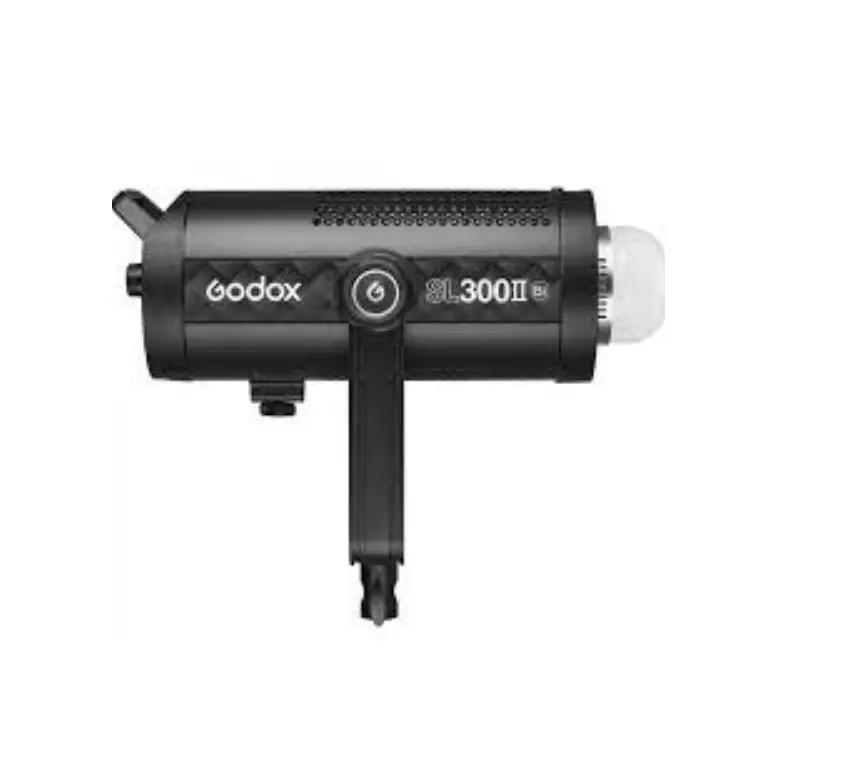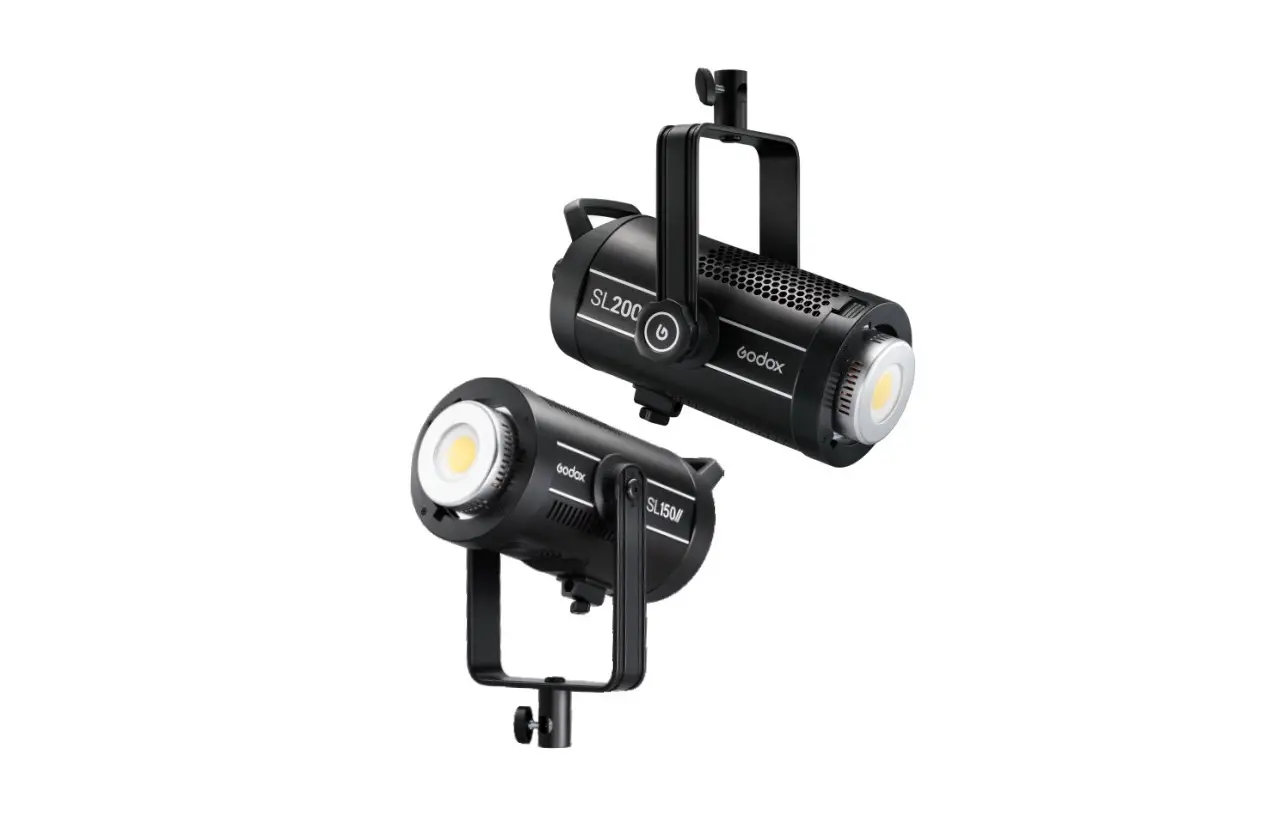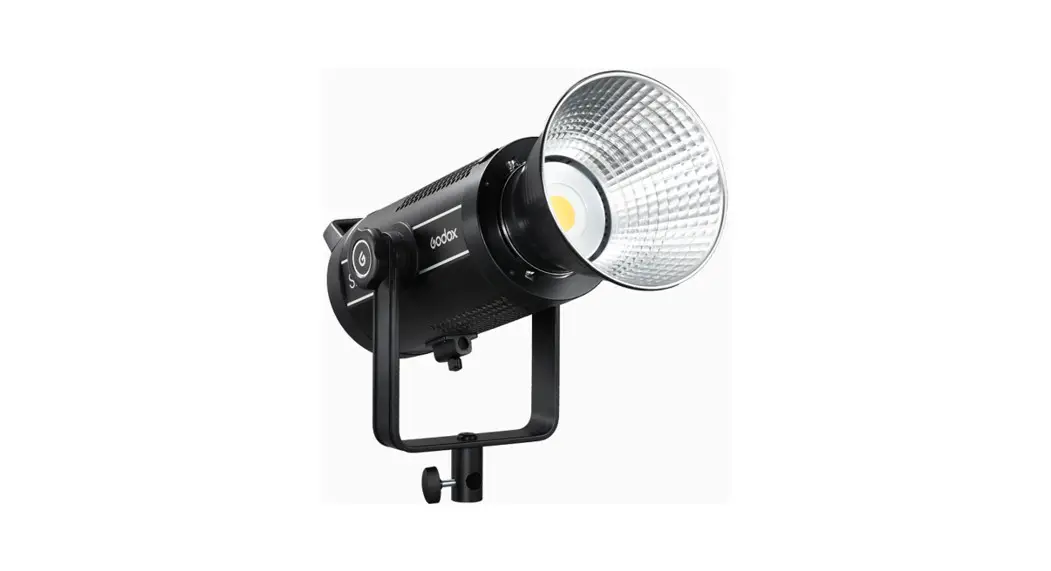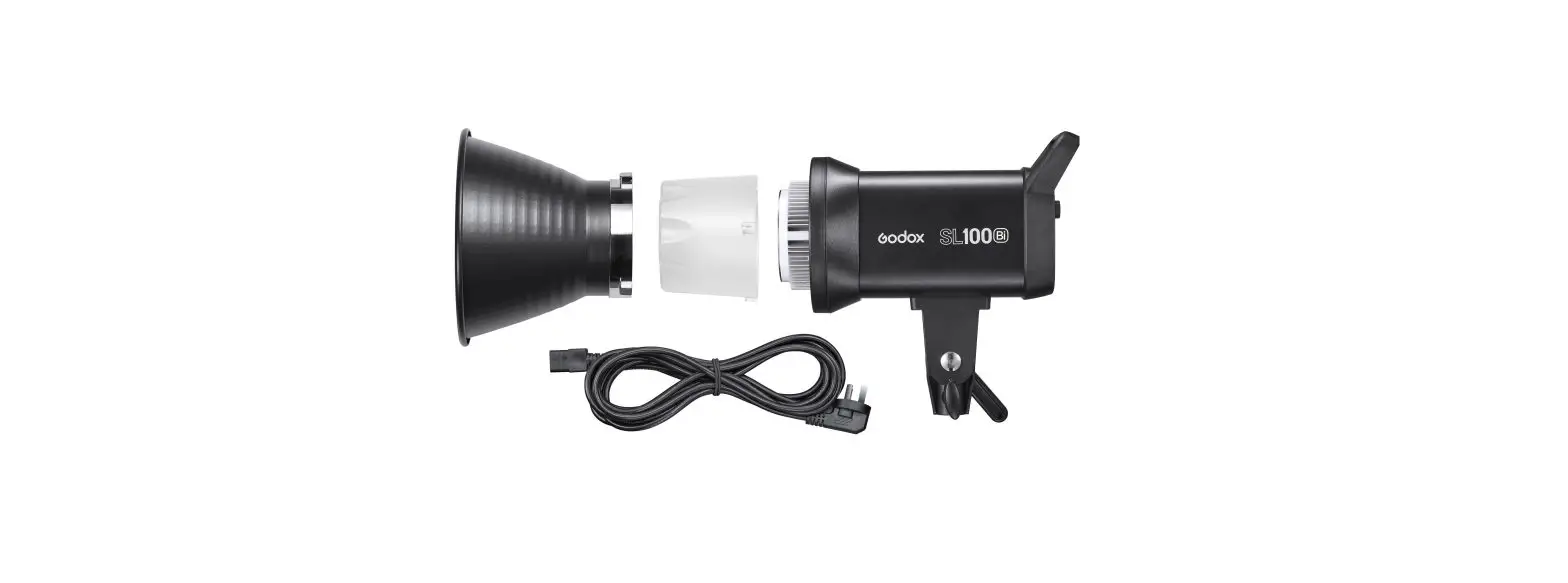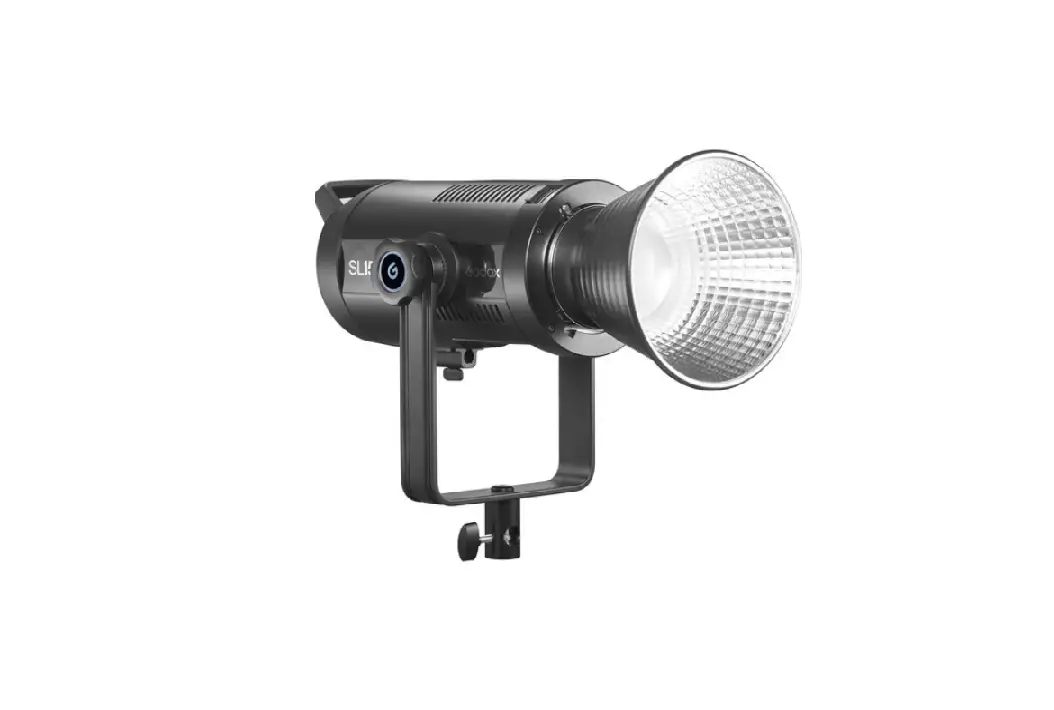

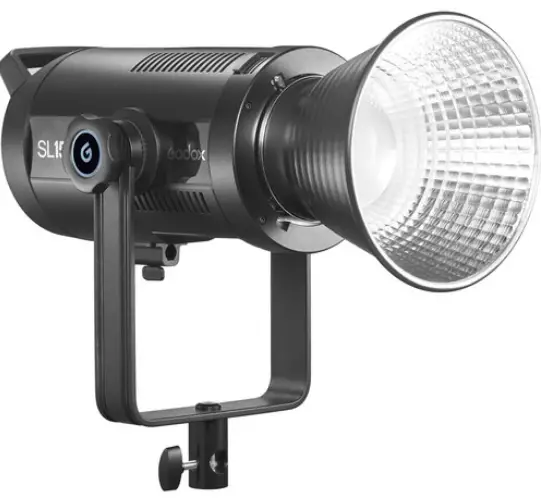
allomatic SL 150 II Bi-Color LED Video Light
Product Information
Rev. UL2 10/17
The product user manual provides instructions and safety guidelines for the installation and usage of a gate operator. The gate operator is designed to open and close gates automatically and can be connected to a solar panel or external solar system for power. The manual also includes emergency release instructions and warranty information.
Product Usage Instructions
Important Safety Instructions
Before installing the gate operator, it is important to confirm that the gate operator is appropriate for the application, the gate is designed and built according to industry standards, and all appropriate safety features and accessory devices are being installed. Ensure that the gate opens and closes freely by hand before installing the operator. Repair or replace worn or damaged gate hardware before installing the operator. Eliminate all gaps in the sliding gate below a 6-foot height that permits a 2 1/4 sphere to pass through any location and eliminate all gaps in a swing gate below a 4-foot height that permits a 4 sphere to pass through any location, including the hinge area of the gate.
Gate Operator Installation
Before attempting any installation of accessories, disconnect the operator from the power source. Install the gate operator according to the instructions provided in the manual. Adjust the operator clutch or load sensing device to the minimum force setting necessary for reliable gate operation. Install the operator inside the fence line and not on the public side of the fence line. Ensure proper electrical grounding of the gate operator. Controls intended for user activation must be located at least 6 feet away from any moving part of the gate, and where the user is prevented from reaching over, under, around, or through the gate to operate the controls. Outdoor or easily accessible controls must have a security feature to prevent unauthorized use. The stop and/or reset button must be located in the line of sight of the gate. Activation of the operator reset control shall not cause the operator to move.
Solar Installation
The gate operator can be powered through a solar panel or external solar system. Connect the solar panel according to the instructions provided in the manual. For an external solar system installation, follow the instructions provided in the manual.
Emergency Release Instructions
The manual includes emergency release instructions for SL-45 DC, SL-90 DC, SL-100 DCFP, and SL-150 DC gate operators. Follow the instructions provided in the manual in case of an emergency.
Warranty and Customer Record
The manual includes information on warranty and customer record.
Rev. UL2 10/17
IMPORTANT SAFETY INSTRUCTIONS
WARNING
TO REDUCE THE RISK OF INJURY:
READ AND FOLLOW ALL INSTALLATION INSTRUCTIONS. DO NOT START INSTALLATION UNTIL YOU HAVE READ AND UNDERSTAND THESE DIRECTIONS. IF THERE IS SOMETHING YOU DO NOT
UNDERSTAND, PLEASE CALL US.
NEVER let children operate or play with gate controls. Locate the control station and make sure it is (a) within sight of the gate and (b) at a minimum height of 5 feet so small children cannot reach it. Install the enclosed entrapment warning signs next to the control station and in a prominent location. For operators equipped with a manual release, instruct the end user on the correct operation of the manual release. Use the manual release only when the gate is not moving. It is advised that the power be turned off. Always keep people and objects away from the gate. No one should cross the path of a moving gate. The gate operator must be tested monthly. The gate must reverse on contact with a rigid object, or stop when an object activates the non-contact sensor(s). Always re-test the operator after adjusting the limits and/or force. Failure to adjust and re-test the gate operator properly may cause severe injury or death. Keep gate(s) properly maintained. Have a qualified service technician make repairs to gate hardware and make proper adjustments to gate operator. This gate entrance/exit is for vehicles only. Pedestrians must use a separate entrance. There is nothing on a gate operator that is easily repaired or adjusted without a great deal of experience. Call a qualified gate service technician who knows your gate operator.
SAVE THESE INSTRUCTIONS
1
IMPORTANT SAFETY INSTRUCTIONS (CONTINUED)
INSTALL THE GATE OPERATOR ONLY WHEN YOU HAVE READ THE FOLLOWING
BEFORE GATE OPERATOR INSTALLATION
Y Confirm that the gate operator being installed is appropriate for the application.
Y Confirm that the gate is designed and built according to the current published industry standards.
Y Confirm that all appropriate safety features and safety accessory devices are being installed, including all entrapment protection devices.
Y Make sure that the gate opens and closes freely (by hand) before installing the operator.
Y Repair or replace worn or damaged gate hardware before installing the gate operator.
Y Eliminate all gaps in the sliding gate below a 6 foot height that permits a 2 1/4″ sphere to pass through any location. This includes the area of the adjacent fence covered when the gate is in the open position
Y Eliminate all gaps in a swing gate below a 4 foot height that permits a 4″ sphere to pass through any location. This includes the hinge area of the gate.
GATE OPERATOR INSTALLATION
Y Operator must be disconnected from the power source before attempting any installation of accessories.
Y Install gate operator according to the installation instructions in this manual.
Y Adjust the operator clutch or load sensing device to the minimum force setting that will allow for reliable gate operation.
Y Install the operator inside the fence line. Do not install the operator on the public side of the fence line.
Y Install a proper electrical ground to the gate operator.
Y Controls intended for user activation must be located at least 6 feet away from any moving part of the gate, and where the user is prevented from reaching over, under, around, or through the gate to operate the controls.
Y Outdoor or easily accessible controls shall have a security feature to prevent unauthorized use.
Y The stop and/or reset button must be located in the line of sight of the gate. Activation of the operator reset control shall not cause the operator to move.
Y Install a minimum of 2 warning signs, one on each side of the gate where they are easily visible.
Y Take pictures of the installation. Y Test all safety features for proper function before
placing the automatic vehicular gate in operation.
MAINTENANCE
Y Train owners/users on the basic functions and safety features of the gate system, including how to turn off the power and operate the manual disconnect feature.
Y Leave safety instructions, product literature, installation manual, and maintenance manual with the owner or end user.
Y Explain to the owner or end user the importance of routine service and operator testing on a monthly basis.
2
UL 325 CLASS TYPES AND OBSTRUCTION SENSING SYSTEMS
Each class must have (2) monitored entrapment protection devices in each entrapment zone to sense and react to obstructions within 2 seconds.
All-O-Matic’s gate operators conform to the most rigid Class One.
UL 325 CLASS TYPES
CLASS ONE: RESIDENTIAL Y A vehicular gate operator intended for use in
garages or parking areas associated with a residence of one to four single families.
CLASS TWO: COMMERCIAL OR GENERAL PUBLIC ACCESS Y A vehicular gate operator intended for use at a
commercial location or building, such as a multi-family housing unit (five or more single family units), hotel, garages, retail stores, or other buildings accessible by or servicing the general public.
CLASS THREE: INDUSTRIAL OR LIMITED ACCESS Y A vehicular gate operator intended for use at
an industrial location or building, such as a factory, loading dock area, or other locations not accessible by or intended to service the general public.
CLASS FOUR: RESTRICTED ACCESS Y A vehicular gate operator intended for use at a
guarded industrial location or building, such as airport security areas or other restricted access locations not servicing the general public and where unauthorized access is prevented via supervision by security personnel.
THE SIX TYPES OF OBSTRUCTION SENSING SYSTEMS
TYPE A: Y Inherent entrapment protection system. This
system must sense and initiate the reverse of the gate within 2 seconds of contact with a solid object.
TYPE B1: Y Non-contact sensor (photoelectric sensor or
equivalent). This system shall, upon sensing an obstruction in the direction of the gate travel, reverse the gate within a maximum of 2 seconds.
TYPE B2: Y Contact sensor (edge device or equivalent).
This system shall, upon sensing an obstruction in the direction of the gate travel, initiate the reversal of the gate within a maximum of 2 seconds.
TYPE C: Y Inherent force limiting, inherent adjustable
clutch, or pressure relief valve.
TYPE D: Y Actuating device requiring continuous pressure
to maintain opening or closing motion of the gate.
3
OPERATOR SPECIFICATIONS
Max Gate Weight Max Gate Length
Warranty Motor
Gate Speed Power Input
Duty Cycle Temperature Range
Gear Box Ratio Dimensions
Shipping Weight Emergency Release
Belt Size Main Sprocket
Chain Size Gear Box Sprocket Limit Shaft Sprocket Breaker Requirement
Gearbox Pulley Motor Pulley UL Classes
SL-45 DC
800 lbs.
30′
5 year residential
24 VDC brushless with planetary gear box
12″ per second
115 VAC 50/60Hz single phase – 2Amps 230 VAC 50/60Hz single phase – 1Amp
24 VDC solar panel up to 80 watts
Continuous
-40º to 160º
Approx. 29:1
11″ W X 14.5″ L X 15.5″ H
60 lbs.
Push open in the event of a power failure
N/A
41B15 X 5/8″ bore
41NP (20′ included)
41B15 x 5/8″ bore
41B10 X 5/8″ bore
20 amp dedicated
N/A
N/A
I & II
SL-90 DC
1,600 lbs
50′
7 year residential 5 year commercial 24 VDC brushless 1/2 HP motor equivalent
12″ per second
115 VAC 50/60Hz single phase – 4Amps 230 VAC 50/60Hz single phase – 2Amps
24 VDC solar panel up to 80 watts
Continuous
-40º to 160º
20:1 with internal disconnect
15.5″ W X 18.5″ L X 17″ H
93 lbs.
Foot pedal release
4L-230
41B22 X 7/8″ bore
41NP (20′ included)
41B12 X 7/8″ bore
41B15 X 5/8″ bore
20 amp dedicated
2.5″ with 5/8″ bore
2″ with 5/8″ bore
I, II, III & IV
4
OPERATOR SPECIFICATIONS (CONTINUED)
Max Gate Weight Max Gate Length
Warranty Motor
Gate Speed Power Input
Duty Cycle Temperature Range
Gear Box Ratio Dimensions
Shipping Weight Emergency Release
Belt Size Main Sprocket
Chain Size Gear Box Sprocket Limit Shaft Sprocket Breaker Requirement
Gearbox Pulley Motor Pulley UL Classes
5
SL-100 DC SL-100 DCFP
2,000 lbs.
SL-100DC – 45′ SL-100DC FP – 50′
7 year residential 5 year commercial 24 VDC brushless 1/2 HP motor equivalent
12″ per second
115 VAC, 50/60Hz single phase – 6Amps 230 VAC, 50/60Hz single phase – 3Amps
24 VDC solar panel up to 80 watts
Continuous
-40º to 160º
SL-100 DC – 10:1 SL-100 DCFP – 20:1
12″ W X 17.5″ L X 23.5″ H
130 lbs.
SL-100 DC: Push open SL-100 DCFP: Foot pedal release
SL-100 DC: 4L-300 SL-100 DCFP: 4L-260
41B22 X 7/8″ bore
41NP (20′ included)
SL-100 DC: N/A SL-100 DCFP: 41B14 x 7/8″
SL-100 DC: N/A SL-100 DCFP: 41B15 x 5/8″ bore
20 amp dedicated
SL-100 DC: 5″ with 5/8″ bore SL-100 DCFP: 2.5″ with 5/8″ bore
2″ with 5/8″ bore
I, II, III & IV
SL-150 DC
1/2 HP: 3,000 lbs. 1 HP: 4,000 lbs.
60′
7 year residential 5 year commercial 24 VDC brushless 1/2 and 1 HP motor equivalent
12″ per second
115/230 VAC, 50/60Hz single phase 1/2 HP: 6/3.5Amps, 1 HP: 8/4.5Amps
24 VDC solar panel up to 80 watts
Continuous
-40º to 160º
30:1 with internal clutch
15″ W X 19.5″ L X 25″ H
150 lbs.
Foot pedal release
N/A
40B22 X 1″ bore
40NP (20′ included)
40B22 X 1″ bore
41B10 X 5/8″ bore
20 amp dedicated
N/A
N/A
I, II, III & IV
SL-45 DC CONCRETE PAD
TRACK FOOTING GATE TRACK
10″
MINIMUM 5″ 3″ 8.5″
OPERATOR FRAME
TOP VIEW
GATE
11″ 24″
4 RED HEAD BOLTS 1/2″ X 3 1/2″
AREA FOR CONDUIT
OPERATOR CONCRETE PAD
8.5″ 10″ 24″
FRONT VIEW
10.25″
INSTALL 4″ ABOVE GROUND (WHEN POSSIBLE)
8″
3.75″ 4″
FOOTING FOR GATE OPERATOR
15.5″ 6″
24″
TOTAL COVER HEIGHT
TRACK FOOTING
LOW VOLTAGE CONDUIT HIGH VOLTAGE CONDUIT
6
SL-90 DC CONCRETE PAD
TOP VIEW
TRACK FOOTING GATE TRACK
GATE
OPERATOR PLASTIC COVER
10″
MINIMUM 5″
2.25″
11.25″
AREA FOR CONDUIT(S)
16″ 24″
4 RED HEAD BOLTS ½”X 3 ½”
13.5″ 15″ 24″
FRONT VIEW
OPERATOR CONCRETE PAD
7″
4.5″
INSTALL 4″
ABOVE GROUND WHEN POSSIBLE
4″
8″
FOOTING FOR GATE OPERATOR
7
16″ 11.5″
TOTAL COVER HEIGHT TRACK FOOTING
24″
LOW VOLTAGE CONDUIT HIGH VOLTAGE CONDUIT
SL-100 DC [FP] CONCRETE PAD
TOP VIEW
TRACK FOOTING GATE TRACK
10″
MINIMUM 5″ 2.5″ OPERATOR PLASTIC COVER
10″
OPERATOR FRAME
GATE
CHAIN LINE
9.5″ 12.25″
24″
17″ 24″
4 RED HEAD BOLTS 1/2″ X 3 1/2″
AREA FOR CONDUIT
OPERATOR CONCRETE PAD
FRONT VIEW
13.5″
23.5″
INSTALL 4″ ABOVE GROUND (WHEN POSSIBLE) 4″
8″
6.5″ 4.5″
TRACK FOOTING
24″
FOOTING FOR GATE OPERATOR
8
SL-150 DC CONCRETE PAD
TRACK FOOTING GATE TRACK
TOP VIEW
GATE
10″
MINIMUM 5″ 1.75″
CHAIN LINE
7.5″
15″ 24″
4 RED HEAD BOLTS ½”X 3 ½”
AREA FOR CONDUIT
16.25″ 20″ 30″
FRONT VIEW
TRACK
8″
10″ 3″
24″
9
25″
6″ 4″
INSTALL 4″ ABOVE GROUND (WHEN POSSIBLE)
FOOTING FOR GATE OPERATOR
FRONT MOUNT INSTALLATION
FRONT VIEW
GATE IN OPEN POSITION
GATE CLOSED
OPERATOR FOOTING
GATE OPERATOR
TRACK FOOTING
OVERHEAD VIEW
TRACK FOOTING
DRIVEWAY
OPERATOR FOOTING
10
FRONT MOUNT INSTALLATION (CONTINUED)
SL-45 DC
SL-90FP DC
TOP OF OPERATOR PAD
TOTAL COVER HEIGHT
15.5″
DRIVE CHAIN LEVEL
6″
TOP OF OPERATOR PAD
TOTAL COVER HEIGHT
16″
DRIVE CHAIN LEVEL
6.5″
SL-100 DC & SL-100 DC FP
SL-150 DC
TOTAL COVER HEIGHT
TOP OF OPERATOR PAD
11
23½” 6.5″
DRIVE CHAIN LEVEL
TOP OF OPERATOR PAD
TOTAL COVER HEIGHT
25″
DRIVE CHAIN LEVEL
6″
REAR MOUNT INSTALLATION
FRONT VIEW
GATE IN OPEN POSITION
GATE CLOSED
GATE OPERATOR OPERATOR FOOTING
TRACK FOOTING
OVERHEAD VIEW
OPERATOR FOOTING
DRIVEWAY
TRACK FOOTING
CHAIN CONNECTION TO GATE
MOVE ONE IDLER TO THE BOTTOM CENTER HOLE AND FOLLOW THE CHAIN PATH AS SHOWN
GATE OPERATOR FOOTING
CHAIN PATH
SAFETY GUARD
GATE
FRONT IDLER GATE POST
12
ENTRAPMENT PROTECTION INSTALLATION
Y A minimum of (2) monitored entrapment protection devices are REQUIRED for each entrapment zone. Y An entrapment zone is a location or point of contact where a person can become entrapped between a moving
gate and a rigid object. Y The operator is equipped with an inherent entrapment protection system (ERD). Y The gate operator requires an external monitored entrapment protection device (non-contact photoelectric
sensor or contact edge) for each entrapment zone prior to gate operation. The operator cycles power to the external entrapment protection device and checks for device signals. If the operator does not receive the correct feedback from the device, the gate will not operate.
FRONT INSTALLATION
CONTACT EDGE SENSOR
PHOTOELECTRIC SENSOR
OVERHEAD VIEW
ENTRAPMENT ZONE
PHOTOELECTRIC SENSOR
OUTSIDE PROPERTY ENTRAPMENT ZONE
INSIDE PROPERTY
REAR INSTALLATION
CONTACT EDGE SENSOR
PHOTOELECTRIC
SENSOR
OVERHEAD VIEW
PHOTOELECTRIC
SENSOR
OUTSIDE PROPERTY
ENTRAPMENT ZONE
13
ENTRAPMENT ZONE INSIDE PROPERTY
LOOP LAYOUT
— Below is a typical loop layout. When connecting to an All-O-Matic circuit board, use the following: — SAFETY LOOP – Normally Closed (N.C.) Contacts — EXIT/OPEN CMD – Normally Open (N.O.) Contacts (See page 27 for LPR-1 loop rack wiring)
— Wires MUST be twisted from the exit point of the loop saw cut to the loop detector. — Twist loop wires 6 turns per foot, as shown below. Improper twisting of wires can cause loop issues. — When using an inside and outside safety loop, loops must be WIRED IN SERIES.
OUTSIDE PROPERTY
8 FT
4 FT
WIRED IN SERIES
GATE GATE OPERATOR TWISTED 6 TURNS PER FOOT NOTE: IF WIRES ARE NOT TWISTED, LOOP WILL MALFUNCTION.
SAFETY LOOP
SAFETY LOOP
EXIT LOOP
WHEN USED
8 FT
4 FT
4 FT
4 FT
4 FT
GATE TRACK
1/4 IN
1 1/2 IN
INSIDE PROPERTY
14
ELECTRICAL CONNECTION
OPERATORS MUST BE PROPERLY GROUNDED!
Y All gate operators MUST be properly grounded. This minimizes or prevents damage due to electrical charge, such as a near lightning strike or an electrical static discharge.
Y Use a single wire for the ground. DO NOT splice two wires for the ground. If the wire breaks or is cut, replace it with a single length wire. NEVER use two wires for the ground.
Y Check the local city code for proper earth ground rod type and grounding procedures. Y Use UL listed conduits for power wire enclosure.
Y Use a minimum of a 20-amp, dedicated circuit for power.
Power LINE 1 LINE 2 GND
115 VAC 50/60Hz 230 VAC 50/60Hz Single Phase
115V HOT
230V LINE 1
115V NEUTRAL 230V LINE 2
GROUND
GROUND
POWER BOARD
230V
115V
GRD LINE 2 LINE 1
10 AMP FUSE
POWER AND BATTERY SWITCHES
NOTE: WHEN APPLYING 230V TO THE OPERATOR, MAKE SURE VOLTAGE SWITCH IS FLIPPED TO 230V
15
GATE TRAVEL ADJUSTMENT
Locate the limit switches (limit switches will be in the limit box on SL-150 DC) and follow the steps below:
1: Turn the power OFF on the operator. 2: Push the limit lock plate down (on the SL-45 DC, SL-90 DC, and SL-100 DC) or outwards (on the
SL-150 DC) 3: Turn the limit nut toward the switch to DECREASE travel and away from the switch to INCREASE
travel. 4: Place limit plate back to its locked position. (MUST be done for gate to hold its limits) 5: Turn the power ON to the operator. 6: Run the gate operator open and close. If additional adjustment is needed, repeat the steps.
LIMIT NUTS
EACH NOTCH EQUALS ABOUT 1/2″ OF TRAVEL
LIMIT NUT LOCK PLATE
SL-45 DC SL-90 DC SL-100 DC[FP]
LIMIT SWITCH LIMIT NUTS
EACH NOTCH EQUALS ABOUT 1/2″ OF TRAVEL
LIMIT NUT LOCK PLATE
SL-150 DC
16
SL-150 DC CLUTCH ADJUSTMENT
The SL-150 DC gearbox is equipped with an internal clutch to protect the operator when gate is reversed in mid-cycle. The clutch comes from the factory set at 60 lbs. of torque. In some applications, where the gates are heavier than normal, the clutch may require some adjustment to increase the amount of torque. It is important to have the clutch tight enough to be able to move the gate without slipping. It is as important to not over tighten the clutch, as it is a method of protecting the operator.
Follow these instructions to adjust the clutch when necessary: Y To increase the torque, use a pipe wrench to turn the clutch nut clockwise . Y Turn the nut 1/2 a turn at a time until the operator is able to move the load of the gate without the clutch slipping. Y Once the operator is able to move the gate without the clutch slipping, turn the nut one full turn. This will allow
the operator to move the gate, but also slip when the gate is reversed mid cycle or in the event the gate gets jammed.
A
D
CLUTCH NUT
17
GATE OPENING DIRECTION SETTING
1 234 56 78
———————–OPEN————————
Y Use OPEN L/R” dipswitch (#8) to change the opening direction of the operator. Y The direction of gate opening is determined from behind the gate operator. Y LEDs will show opening and closing direction when the gate is moving.
Y OPEN L/R switch “OFF” is for left hand opening Y OPEN L/R switch “ON” is for right hand opening
LEDs WILL SHOW OPENING OR CLOSING DIRECTIONS WHEN THE GATE IS RUNNING
1001 1001 1001 1001
OPEN TO THE RIGHT
OPEN TO THE LEFT
18
PRPORGORGARMAMMAMBALBELREERLEALYAAYNADNDLELAEFADFEDLEALYAY
RELAY SETTINGS
DELAY SETTINGS
Board model ALL-BLDC includes a programmable relay (N.O.) with four different configurations. See table below for switch settings. Use the “Leaf Delay” potentiometer to adjust the delay time from 0 to 6 seconds.
(1) 1 second pulse for every open start cycle – Typically used for a cycle counter
(2) “ON” when the gate is in motion – Typically used for an audible alarm or strobe light to warn when the gate is in motion.
(3) Alarm system output – Activates the relay when the gate is forced open
(4) “ON” when gate is not fully closed – Typically used for a gate position indicator
The ALL-BLDC board includes a delay option for open or close cycles. This delay option is most commonly used on swing gate applications. However, some slide gate applications may require a pre-warn strobe light or siren. In these applications this delay could be used for the pre-warn delay in conjunction with the RELAY function ON WHEN GATE IN MOTION.
Use the dip-switch 3 to set the desired delay direction.
· Flip the dip-switch 3 to the OFF position for the
delay on opening direction
· Flip the dip-switch 3 to the ON position for delay on
closing direction
· Use leaf delay potentiometer to adjust the delay · It has adjustment from 0-6 seconds. · Turn clockwise for less time · Turn counter-clockwise for more time
S1
S2
RELAY FUNCTION
OFF
OFF
ONE SECOND PULSE FOR EVERY OPEN START
ON
OFF
ON WHEN GATE IS IN MOTION
OFF
ON
ALARM SYSTEM OUTPUT
ON
ON
ON WHEN GATE IS NOT FULLY CLOSED
DEVICE POWER SUPPLY
DEVICE
1 23
OPEN
DIP SWITCH 3 OPENING AND CLOSING DELAY FUNCTION SETTING
0 TO 6 SECOND DELAY ADJUSTMENT
1
3
DELAY
19
1
3
1
3
1001
1001
1001
3386 3386
BOU
BOU
RNS
RNS
1001
1001
1001
ELECTRONIC REVERSING DEVICE (ERD) ADJUSTMENT
All BLDC boards are equipped with an Electronic Reversing Device (ERD), which will cause the gate to reverse direction when it comes in contact with an obstruction. The amount of force required to reverse the gate’s direction depends on the ERD sensitivity setting. The ERDs must be adjusted for the operator to provide regular, reliable & safe operations. If the gate reverses direction on its own without hitting an obstruction, the ERD is too sensitive. If the gate does not reverse when it hits an obstruction, the ERD is not sensitive enough. The gate operator ERDs shall be tested and adjusted every six months by a qualified technician.
COUNTER CLOCKWISE MAXIMUM SENSITIVITY (LESS FORCE TO STOP GATE)
CLOCKWISE MINIMUM SENSITIVITY (MORE FORCE TO STOP GATE)
20
TIMER ADJUSTMENT AND RADIO SETTING
TIMER ON: Automatic timer to close can be set from 1 to 60 seconds TIMER OFF: Gate operation is “push button to open, push button to close” RADIO ON: To override the timer and allow the radio receiver to close the gate before the timer
60 0 SEC SEC
Turn potentiometer counter clockwise for more time
60 0 SEC SEC
Turn potentiometer clockwise for less time
NOTE: If Potentiometer is turned all the way counter clockwise, the timer is disabled and the gate WILL NOT close automatically.
TIMER “ON” TO ACTIVATE THE TIMER
RADIO “ON” = ALLOWS THE TRANSMITTER TO CLOSE THE GATE BEFORE THE TIMER
OFF
TIMER RADIO
OSC FAIL SC/SF
1-PASS SLAVE
AUTO OPEN
OPEN L/R
1 234 56 78
———————–OPEN————————
ON
1
3
21
DIP SWITCH FUNCTIONS
TIMER TIMER switch “ON” activates the automatic close
timer.
RADIO RADIO switch “ON” allows the radio receiver to
override the automatic close timer.
OSC OSC switch “ON” allows the radio receiver to stop and reverse the gate in any direction. During a cycle,
the first signal stops the gate. A second signal reverses the gate.
FAIL SC/SF ON for Fail-Safe: Upon power failure, board will monitor battery voltage to make sure gate opens before battery
completely drains. OFF for Fail-Secure: Upon power failure, gate will run until battery is low and lock closed.
1-PASS 1-PASS switch “ON” allows the gate to open until one vehicle goes over the safety loop. Once the vehicle has cleared the loop, the gate will stop and close. If a second vehicle goes over the loop while the gate is closing, the gate will stop. The vehicle must get off of the loop before the gate continues to close, forcing the second vehicle to present valid credentials. This is a true one pass, anti-tailgating
feature to be used with safety loops.
SLAVE This feature is used in dual gate applications. The
SLAVE switch will be “ON” only on the slave operator. All other dip switches will be “off”. SLAVE switch will be “OFF” on the master operator. Set desired dip switch settings on the master operator
only.
AUTO OPEN This feature is to automatically open the gate on power interruption. It is a very particular feature used in areas where the fire department requires the gate to open automatically after a power outage. Set this dip switch “ON” when this feature is desire.
OPEN L/R OPEN L/R switch “ON” is used for right hand opening of the gate. The “OFF” position is used
for left hand opening of the gate.
1 234 56 78
———————–OPEN————————
OFF ON
TIMER RADIO
OSC
FAIL SC/SF
1-PASS SLAVE
AUTO OPEN
OPEN L/R
RESET
NOTE: IF ANY CHANGES ARE MADE TO THE DIPSWITCHES WITH THE POWER ON, PRESS THE MAIN RESET BUTTON TO RECOGNIZE THE CHANGES.
22
LED DIAGNOSTICS
MODE Blinks once every two seconds when there is a problem with the motor hall sensor feedback. Blinks twice every two seconds when a motor overload is detected. Blinks three times every two seconds when
the gate is jammed.
RADIO ON when the RADIO input is activated (closed circuit
to common).
EXIT ON when the EXIT input is activated (closed circuit to
common).
PHANTOM LOOP ON when the PHANTOM LOOP input is activated
(closed circuit to common).
SAFETY LOOP ON when the SAFETY LOOP input is activated (open
circuit to common)
STOP CMD ON when the STOP CMD input is activated (open circuit to common). Also when foot pedal is pressed
down, on operators that include the foot pedal.
MON_OPEN ON when the MON-OPEN input is activated (open circuit to open) or when a device is not installed.
MON_CLOSE ON when the MON_CLOSE input is activated (open circuit to common) or when a device is not installed.
TIMER Blinks when the timer is counting down to close
automatically.
CLOSE-CMD ON when the CLOSE-CMD input is activated (closed
circuit to common).
23
CLOSING ON while the gate is in the close cycle.
OPENING ON while the gate is in the open cycle.
CLOSE-LIMIT ON while the limit nut is activating the close limit
switch.
OPEN-LIMIT ON while the limit nut is activating the open limit
switch.
LOW-BATTERY ON when the batteries are low.
ALARM Blinks every 30 seconds (alarm will also beep) when the batteries are low, bad, or disconnected. Turns on for 5 minutes (alarms also goes off) when the operator goes into shut down mode due to the gate hitting an
obstruction (ERD).
M/S LINK ON when master/slave communication is active.
AC/PWR ON ON when AC power is on.
TIPS: When troubleshooting, it is important to note what lights are ON. It is very helpful to pay attention to the lights as they tell us what the boards is doing and what inputs are active.
When calling ALL-O-MATIC for technical support please have the name of the lights that are ON in the control board. This will speed up the process to get the gate operator up and running.
ACCESSORY CONNECTIONS
The circuit board has 12/24VDC terminals that provide up to 750mAmps on 24VDC and 500mAmps on 12VDC to power accessories such as loop detectors, keypads, etc. If the total current draw of your accessories exceeds the rated current for any of the 12/24VDC terminals, a separate power supply (transformer) is required.
When installing a safety loop detector or pedestrian switch (STOP_CMD), make sure to remove the black jumper between the COMMON and SAFETY terminal for the safety detector and/or black jumper between STOP_CMD and COMMON for pedestrian switch.
NO Contacts
NC Contacts
Exit Loop Detector
Safety Loop Detector
Keypad
Photo Eye
Telephone System
Pedestrian Switch
Push Button
Card Reader
EXIT LOOP DETECTOR
KEYPAD OR TELEPHONE
Power Detect
1 23 45 6
SENS.
2
LEVEL
1
BOOST ON
PULSE
FREQ.
0
0
0 0 OFF PRES 2 1
Loop Fail Reset
1
GHI
4
PQRS
7
TONE
*
ABC
2
JKL
5
TUV
8
OPER
0
DEF
3
MNO
6
WXYZ
9
#
PUSH BUTTON OR FIRE BOX
CARD READER OR KEY SWITCH
C
N/C
C
Power Detect
1 23 45 6
SENS.
2
LEVEL
1
BOOST ON
PULSE
FREQ.
0
0
0 0 OFF PRES 2 1
Loop Fail Reset
REMOVE BLACK JUMPER FROM SAFETY WHEN A SAFETY DEVICE IS INSTALLED
SAFETY (REVERSE) LOOP DETECTOR
N/O
C
N/O
Power Detect
1 2345 6
SENS.
2
LEVEL
1
BOOST ON
PULSE
FREQ.
0
0
0 0 OFF PRES 2 1
Loop Fail Reset
PHANTOM (CENTER) LOOP DETECTOR
C = COMMON
N/O = NORMALLY OPEN CONTACT N/C = NORMALLY CLOSED CONTACT
24
MONITORED ENTRAPMENT PROTECTION DEVICE CONNECTIONS
Y There are 2 types of sensors that can be connected to the gate operator for UL 325 monitored entrapment compliance: non-contact sensors (photo eye) and contact sensors (edge sensors).
Y Monitored entrapment protection devices use 4 wires to connect to the board. From the device, connect the RELAY COMMON to the board COMMON and the NORMALLY CLOSED relay contact to the assigned MON_OPEN or MON_CLOSE input. Connect the power wires to the COMMON and MON-12/24VDC.
Y IMPORTANT: You must use the MON-12/24VDC to properly monitor entrapment protection devices. To turn this voltage on for initial setup, press reset button on the board.Do not use the 24 VDC terminal on the board’s terminal strip.
Y NOTE: The power to the MON-12/24VDC terminal will be off when the gate is at rest (not moving). It will be normal to see the MON_OPEN and MON_CLOSE LEDs when the gate is closed. If the auto close timer is OFF it will do the same when the gate is at rest in the open position. Also, if no devices are connected both of these lights will stay ON.
Y Please refer to the device manufacturer wiring instructions for details (on next page), making sure to follow the normally closed wiring directions. Some devices may work on monitoring interfaces other than normally closed.
Y Should there be a need for more than 1 entrapment protection device for each direction, use a multi-input module from Miller Edge (model: MIM-62).
MON-12/24VDC COMMON MON_CLOSE MON_OPEN STOP CMD COMMON
Use jumper to select monitored device voltage.
N.C. COM N.C. COM
CLOSE PHOTO EYE
OR
CLOSE EDGE
OPEN PHOTO EYE
OR
OPEN EDGE
25
MON_CLOSE (LED will indicate when an obstruction is detected or device is not present)
This input is only for the monitored entrapment protection device for the close direction. When the gate is closing, it will open to the full open position if an obstruction is sensed and resets the automatic close timer. This input does nothing in the opening direction. If a device is not connected or the board senses a fault (MON_FAULT LED will turn on), the operator will only work with a constant pressure actuated switch. Once the obstruction is cleared, the gate will operate normally.
MON_OPEN (LED will indicate when an obstruction is detected or device is not present)
This input is only for the monitored entrapment protection device for the open direction. When the gate is opening, it will reverse for 2 seconds and stop if it senses an obstruction. This input does nothing in the closing direction. If a device is connected and the board detects a fault (MON_FAULT LED will turn on), the operator will only work with a constant pressure actuated switch. Once the obstruction is cleared, the gate will operate normally.
N.C. COM N.C. COM
MONITORED ENTRAPMENT PROTECTION DEVICE CONNECTIONS
ENFORCER E-960-D90GQ/ E-931-S33RRGQ / E-931-S50RRGQ
CONTACT
BOARD TERMINAL
N.C. COM
MON_CLOSE OR MON_OPEN
COMMON
12-30 VDC/AC
COMMON
12-30 VDC/AC
MON_12/24VDC
ENFORCER E-936-S45RRGQ
WIRE
BOARD TERMINAL
BLACK WHITE
MON_CLOSE OR MON_OPEN
COMMON
BLUE
COMMON
BROWN
MON_12/24VDC
ALLEN BRADLEY GRU-24
WIRE
BOARD TERMINAL
BLACK ORANGE
MON_CLOSE OR MON_OPEN
COMMON
BLUE
COMMON
BROWN
MON_12/24VDC
OMRON E3K-R10K4-NR
SWITCH CONTACT
BOARD TERMINAL
LIGHT ON
N.O.1
MON_CLOSE OR MON_OPEN
COM
COMMON
24 TO 240 VAC
24 TO 240 VAC
COMMON MON_12/24VDC
WIRE
EMX NIR-50
BOARD TERMINAL
BLACK WHITE
MON_CLOSE OR MON_OPEN
COMMON
BLUE
COMMON
BROWN
MON_12/24VDC
EMX IRB-RET / IRB-MON
SWITCH CONTACT
BOARD TERMINAL
SW1 OFF
N.C.
MON_CLOSE OR MON_OPEN
SW2 OFF
COM
COMMON
SW3 OFF
POWER/ VRX
COMMON
SW4 ON
POWER/ MON_12/24VDC VRX
TRANSMITTER SOLUTIONS R50R-UL/R32P-UL/SR33HD/SR66HD
CONTACT
BOARD TERMINAL
N.C. (3)
MON_CLOSE OR MON_OPEN
COM (5)
COMMON
NON POLARITY (1)
COMMON
12-30 VDC/AC (2) MON_12/24VDC
EMX IRB-325
CONTACT
BOARD TERMINAL
N.C. COM
MON_CLOSE OR MON_OPEN
COMMON
POWER
COMMON
POWER
MON_12/24VDC
MILLER EDGE REFLECTI-GUARD/RG-K
CONTACT
BOARD TERMINAL
TB 2 – N.C.
MON_CLOSE OR MON_OPEN
TB 2 – COM
COMMON
TB 1 – POWER IN (-)
COMMON
TB 1 – POWER IN (+) MON_12/24VDC
TRANSMITTER SOLUTIONS iGAZE RE KIT
SWITCH CONTACT
BOARD TERMINAL
ALL OFF
N.C.1
MON_CLOSE OR MON_OPEN
COM
COMMON
(-) 12/24 VDC
(+) 12/24 VDC
COMMON MON_12/24VDC
EMX WEL-200
CONTACT
BOARD TERMINAL
RELAY CLOSE (NC) RELAY OPEN (NC)
MON_CLOSE MON_OPEN
RELAY CLOSE (COM) RELAY OPEN (COM)
COMMON COMMON
POWER
COMMON
POWER
MON_12/24VDC
MILLER EDGE RBAND MINIMUM 6 WIRES REQUIRED
SWITCH CONTACT
BOARD TERMINAL
SW 1 ON
CS 1 CS 2
MON_CLOSE MON_OPEN
SW 2 OFF
CS 1 CS 2
COMMON COMMON
SW 3 ON
COM.A TEST
COMMON MON_12/24VDC
SW 4 ON
12/24 (+) AC/DC
24-VDC GROUND
26
PLUG-IN DETECTOR INSTALLATION
Y The SL-90 DC, SL-100 DC[FP] and SL-150DC models come equipped with the pre-wired LPR-1 loop rack for safety and exit plug in loop detectors, making installation quick and efficient.
Y Hardwired loop detectors with harnesses can also be installed. The circuit board has 12 VDC and 24 VDC terminals to power the detector of your choice. See “Accessory Connections” page for wiring instructions.
Y Wire one or more safety devices in series with the loop rack wires. To do this, remove the white wire (N.C) from the loop rack off of the SAFETY terminal on the circuit board and wire nut to the COM of the additional device. Connect the N.C. contact of the additional device to the SAFETY terminal of the board.
Y IMPORTANT: Use different frequencies for each loop detector to eliminate interference.
Loop Connections
See side for Jumper setting
NOT INCLUDED ON SL-45DC
Exit Loop
24VAC/ 12VDC Ground Exit Phantom Safety
Phantom Loop Safety Loop
Exit Loop Phantom Loop Safety Loop
Only for swing gates
Exit loop WHEN USED
Inside Safety loop Outside Safety loop
1001 1001
1001 1001 1001 1001
1001 1001 1001
1001 1001 1001
1001 1001
1001
1001
MAAF S21B
MAAF S21B
1001
MAAF S21B
1001 1001 1001 1001 1001 1001 1001 1001
MAAF
S21B
MAAF
S21B
100 HFK. 7J2
27
LOOP RACK
24VAC 12VDC GROUND
DC BOARD 12-VDC GROUND
WIRE COLOR RED BLACK
EXIT
EXIT
GREEN
PHANTOM PHANTOM
BROWN
SAFETY
SAFETY
WHITE
DR127-330 43CL07 E 8.0000 M
535202 F
629Q 1501 1501 1501 1501 1501 1501 1501 1501 1501 1501
1002
1002
1002
1002
1002
1002
1002
1002
1002
1002
1002
COMPATIBLE PLUG IN DETECTORS
BRAND
MODEL
JUMPER SETTING
RENO A&E EDI
H2 LMA-1800
OFF OFF
DIABLO
DSP-40S
ON
DIABLO
DSP-55
OFF
DIABLO NORTHSTAR
DSP-50 NP2-ES
OFF ON
1002
1002 1002
THREE BUTTON STATION CONNECTION
Y A three button station and reset push button are integrated on the board to make limit and ERD adjustments easier.
Y An external three button station may also be installed. See diagram below for wiring instructions. Y NOTE: STOP_CMD jumper must be removed if a three button station is installed.
STOP CMD JUMPER
N.O. OPEN N.O. CLOSE
N.C. STOP
COM
Push Contacts Button
Terminals
Open
Common
COMMON
Normally Open EXIT/OPEN_CMD
Close
Common
COMMON
Normally Open CLOSE_CMD
Stop
Common
COMMON
Normally Closed STOP_CMD
NOTE: CMD = Command.
28
MASTER/SLAVE CONNECTION
BEFORE CONNECTING MASTER/SLAVE COMMUNICATION WIRES, TAKE THE FOLLOWING STEPS:
1: Test and adjust the limit switches and ERDs for each operator as stand alone machines.
2: Once the machines have been adjusted, turn SLAVE dip switch “ON” to the slave board. Press the RESET button on the slave board.
3: Connect the master/slave communication wires to “DATA -” and “DATA +”. The “M/S LINK” LED should be “ON” on both machines.
.
4: Connect all accessories to the master operator. Accessories installed on the slave operator will not work.
MASTER BOARD
USE UL LISTED CONDUIT
SLAVE BOARD
SHIELDED CABLE
SLAVE SWITCH ON ONLY ON SLAVE BOARD
29
CONNECT SHIELD TO SLAVE OPERATOR FRAME ONLY
MAGNETIC/SOLENOID LOCK CONNECTION
Magnetic lock installation requires a step down transformer with the appropriate voltage for the specific lock accessory. Most operators include a 120VAC outlet for the step down transformer. The SL-45DC does not include a 120VAC outlet.
Connections: Plug the lock device transformer to the 120VAC outlet plug.
For Magnetic Lock: Wire nut one wire from transformer directly to one wire of the magnetic lock. The other wire from transformer will be connected to the board relay plug COM input and the other wire of the magnetic lock connects to the board MAG relay output. See illustration below.
For Solenoid Lock: Wire nut one wire from transformer directly to one wire of the solenoid lock. The other wire from transformer will be connected to the board relay plug COM input and the other wire of the solenoid lock connects to the board SOL relay output. See illustration below.
1001
1001
1001
1001
1001
3386 3386 3386 3386 3386
710 KE.
1002 1002
710 710 710 710 710 710 710 710
S
B
1
3
1001
R NS
BOU
1
3
1001
R NS
BOU
1
3
1001
R NS
BOU
1
3
1001
R NS
BOU
1
3
1001 0 0
C8RB
LMC64 82AIM
1001
F
MOC8050 629Q
1001 0022
F
MOC8050 629Q
0022
1002
1002
1002
1002
1002
1002
1002
1501 1501 1501 1501 1501 1501 1501 1501
00 ATMEL
ATMEGA168 20AU 0743
1002
CMX-309FB C 8.0000 M 535202
CMX-309FB C 8.0000 M 535202
OPEN
1501 1501
1 234 56 78 ———————–OPEN————————
710 KE.
1501
1501
710
KE.
+
SOLENOID LOCK
+
–
+
MAGNETIC LOCK
+ –
STEP DOWN TRANSFORMER
30
RADIO RECEIVER CONNECTION
There are two types of receivers: 3-wire and 4-wire: 3 wire receivers can mount on the radio receiver terminal strip located outside of the control box. For 4 wire receivers, connect the relay contact wires to terminals 1 (COMMON) and 2 (RELAY/RADIO) on the receiver terminal strip located outside of the control box (one wire on each terminal). For power connect the black(negative) wire to terminal 1 (COMMON) and the red (positive) wire to terminal 3 (+12/24VDC) on the receiver terminal strip as shown below. RADIO dip switch ON allows the radio receiver to override the automatic close timer. See TIMER adjustment page for more details.
1002
N/O COMMON
RELAY-1
1501
24VDC 12VDC
12/24VDC
++
JUMPER DICTATES DESIRE VOLTAGE FOR RADIO RECEIVER
3 +12/24VDC 2 RELAY/RADIO 1 COMMON
31
RECEIVER TERMINAL STRIP LOCATED OUTSIDE CONTROL BOX
3 2 1
BOARD ALSO PROVIDES 12VDC AND 24VDC
ACCESSORY POWER
4 WIRE 12-24VDC RADIO RECEIVER
SOLAR PANEL CONNECTION
The solar panel input requires a minimum of a 24VDC, 40 Watt panel. The charging circuit is limited by 80 watt maximum. With (2) 14Ah, 12VDC batteries, a receiver and (2) monitored entrapment devices connected, this set up will provide about 10 cycles/day. Be sure to use the SOLAR input for solar panels. The on board solar battery regulator offers a MPPT feature that makes it more efficient than other types of regulators. For a solar installation, upgrade the batteries according to usage. When the application requires more than 80 watts of solar power, an external charge controller regulator is necessary. See next page for external solar system. For information on solar applications (solar panel sizes, battery size, etc.), please call All-O-Matic.
CONNECT 24V PANEL INTO SOLAR INPUT ON CIRCUIT BOARD.
MPPT ON BOARD REGULATOR 90+% EFFICIENCY
CONNECT BATTERY HARNESS TO BATTERY PLUG ON THE BOARD
32
EXTERNAL SOLAR SYSTEM INSTALLATION
When using an external solar package, connect batteries straight into the BATTERY input. The batteries will need to be upgraded to meet application requirements. See wiring below.
For information on solar applications (solar panel sizes, battery size, etc.), please call All-O-Matic.
IMPORTANT: When more than two solar panels are needed, special wiring precautions must be taken to prevent damage to batteries and/or charge controller regulator. If the panels are 12VDC they must be wired in series to make 24VDC. If 24VDC panels are used they must be wired in parallel.
F MOC8050
629Q
1 234 56 78 ———————–OPEN————————
1001
710 KE.
710 KE.
CHARGE
CHARGING
LOAD DISCONNECT
CONTROLLER
TEMP.SENSE
SOLAR BATTERY LOAD
SEALED
4
32
16
5
OR FLOODED
+
+
+
SELECT
{ Remove Jumper Wire for Flooded Battery
1501 1501
2402
MAAF S21B
2402 2402
33 HFK 5GN
CMX-309FB C 8.0000 M 535202
F MOC8050
629Q
1501 1501
1501
1501
1501
1501
1501
1501
1501
1501
2402
1002 1002
710 710 710 710 710 710 710 710 710 710
2402 2402
20M 710 KE.
2402
1002
1002
1002
1002
1002
1002
1002
1002
1002
1002
1002
1002
1002
1001
101. we
710 KE.
IR2110S 0618 IOR
3386 3386 3386 3386 3386
710 KE.
710 KE.
3
RNS
2262 2262
2262
BOU
1
602 SS26
1001
1001
476E 900R3
1001 0022
0022
CMX-309FB C 8.0000 M 535202
CMX-309FB C 8.0000 M 535202
3
602 SS26
100 HFK. 7J2
C8RB LMC64 82AIM
RNS
1501
1
F MOC8050
629Q
BOU
1501
2262 476E 900R3
1001
1001
3
RNS
1
1001
F MOC8050
629Q
BOU
C8RB LMC64 82AIM
1001 00
00 ATMEL
ATMEGA168 20AU 0743
2262 710 KE.
VAGEO 1442 10W 11R J
1001
1001
3
RNS
BOU
1
1001
1001
3
RNS
1501
1
710 KE.
1501
BOU
1001 1001
1001 1001
1501 1001
1001 1001 1001
1001 1001 1001 1001
58ADC1K G4 Ls07
1 23 OPEN
.01 I O/ 5W I0615
1001 1001 1001 1001
90R9 10R0 1000
1001 1001 1001 1001
1001 1001 1001 1001
710 KE. SS 14
829B R616
IR2110S 0618 IOR
1001
SS
14
90R9 10R0 1000
1001 1001
1001 1001
SS
14
IR2110S 0618 IOR
90R9 10R0 1000
1001
710 KE.
829B R616
710 KE.
710 KE.
1001
IR2110S 0618 IOR
SS 14
829B R616
1001 1001
30
2262
100 HFK. 7J2
C8RB LMC64 82AIM
DR127-330 43CL07 E
710 KE.
CONNECT BATTERY PLUG INTO BATTERY ON CIRCUIT BOARD
1001
33
34
SS 14
SS 14
SS 14
1001 1001 1210 710 KE. 710 KE.
9 1001 0022
EMERGENCY RELEASE FOR SL-45 DC
Procedures to manually open the SL-45 DC: 1. Remove operator cover. 2. Turn both power and battery switches OFF. 3.. Push gate open
829B R616
829B R616
829B R616
1001
90R9 10R0 1000
1001
90R9 10R0 1000 1001
90R9 10R0 1000
C8RB LMC64 82AIM 1 234 56 78 ———————–OPEN————————
IR2110S 0618 IOR
IR2110S 0618 IOR
IR2110S 0618 IOR
.01
I /O O
5W
I0615
MAAF S21B
1001
20M
802 ON B
360G
602 SS26
602 SS26
F260
602 SS26
UC3906DW U 74ZF2CW
2402
1212 1131 9531 4750
1212 3002 6040
1001 1001
C8RB LMC64
DR127-330
82AIM
43CL07 E
360G
B
4021
802 ON
107A 911C0
100
HFK. 7J2
2491
683
1001
Coilcraft
710 KE.
V
C8RB
C8RB
LMC64
LMC64
82AIM
82AIM
72CB74K G4 Ls14
104
Coilcraft
2491
F
2262 476E 900R3 476E 900R3
802 ON B
360G
145
829B R616
2001
ATMEL ATMEGA168
20AU 0743
1002
1AM
710 KE.
710 KE.
710 KE.
710 KE.
710 KE.
710 KE.
710 KE.
710 KE.
710 KE.
33 8 6
33 8 6
33 8 6
9 C8RB
LMC64 82AIM
1332
2001 1AM
1501
1002
4750
72CB74K G4 Ls14
RNS
1001
RNS
1001
RNS
1501
1001
1002
BOU
BOU
BOU
1001
1001
4750 1001
1
3
1
3
1
3
1501
1002
2001
58ADC1K G4
Ls07
1501
PHILIPS
1501
1002
72CB74K G4 Ls14
CMX-309FB C
8.0000 M 535202
PHILIPS
72CB74K G4 Ls14
1002
1501
1002 1002 1002
1001 1001 1001
1501
1501 58ADC1K G4
Ls07 1501
1002
1002
1002
MAGNECRAFT W107DIP – 3
F
MOC8050 629Q
1002
®
AUTOMATIC GATE OPERATORS
SLIDERS · SWINGERS · OVERHEADS
EMERGENCY RELEASE FOR SL-90 DC, SL-100 DCFP, AND SL-150 DC
Procedures to manually open the SL-90 DC, SL-100 DCFP, and SL-150 DC: 1. Turn operator power “OFF” 2. Push foot pedal down and move to the side to keep pedal in down position 3. Push gate open NOTE: These operators are equipped with a kill switch on foot pedal. Even if operator power is turned ON, the operator will not run while the foot pedal is down. The STOP CMD LED will indicate the foot pedal is pressed down.
35
AUTOMATIC GATE OPERATORS
®
EXIT
SLIDERS · SWINGERS · OVERHEADS
OFF
115VAC
SAFETY
LIMIT SWITCHES
PAD LOCK TABS
Lock tabs are provided in the hardware bag for the SL-45 DC only. Remove bolt and install lock tabs for cover to secure with a pad lock. Lock kits are available for purchase for the SL-90 DC, SL-100 DC, SL-100FP DC, and SL-150 DC.
LOCK TABS
36
WARRANTY AND RECORD
MANUFACTURER’S LIMITED WARRANTY
ALL-O-MATIC INC warrants the following gate operators (SL-90 DC, SL-100 DC[FP], SL-150 DC) for a period of five (5) years in commercial installations and for a period of seven (7) years in residential installations. The SL-45DC will have warranty period of five (5) years in residential installations. The above operators, within their warranty period, are to be free from defects in circuitry, motor, gearbox and workmanship. This warranty begins from the date of purchase to the original owner. Warrantor will repair or, at its option, replace any device which it finds to require service. This device must be sent to the warrantor at the consumer’s expense to:
ALL-O-MATIC INC. 7820 GLORIA AVE. VAN NUYS, CA 91406
The warrantor will return the repaired or replaced unit to the customer at the consumer’s expense. Labor charges for dealer service or replacement are the responsibility of the owner. These warranties are in lieu of all other warranties either expressed or implied, and ALL-O-MATIC INC shall not be liable for consequential damage. All implied warranties of merchantability and or fitness for a particular purpose are hereby disclaimed and excluded. This limitation is not valid in jurisdictions which do not allow limitation of incidental or consequential damages or limitation of warranty periods. In order to obtain this policy, please complete the registration card and send it by mail within 30 days of purchasing from ALL-O-MATIC INC. or your installer. If product is not registered, only a one year warranty on all parts will be provided.
CUSTOMERS RECORD Customer Name_________________________________________________________________ Address_______________________________________________________________________ Purchased from (Installation Co.)___________________________________________________ Date____/___/______ Model Number_________________________________ Serial Number______________-___________________
37
NOTES
________________________________________ ________________________________________ ________________________________________ ________________________________________ ________________________________________ ________________________________________ ________________________________________ ________________________________________ ________________________________________ ________________________________________ ________________________________________ ________________________________________ ________________________________________ ________________________________________ ________________________________________ ________________________________________ ________________________________________ ________________________________________ ________________________________________ ________________________________________ ________________________________________
38
NOTES
________________________________________ ________________________________________ ________________________________________ ________________________________________ ________________________________________ ________________________________________ ________________________________________ ________________________________________ ________________________________________ ________________________________________ ________________________________________ ________________________________________ ________________________________________ ________________________________________ ________________________________________ ________________________________________ ________________________________________ ________________________________________ ________________________________________ ________________________________________ ________________________________________
39
40
41