 V1 Thermecro Solar Digital Controller
User Manual
Overview
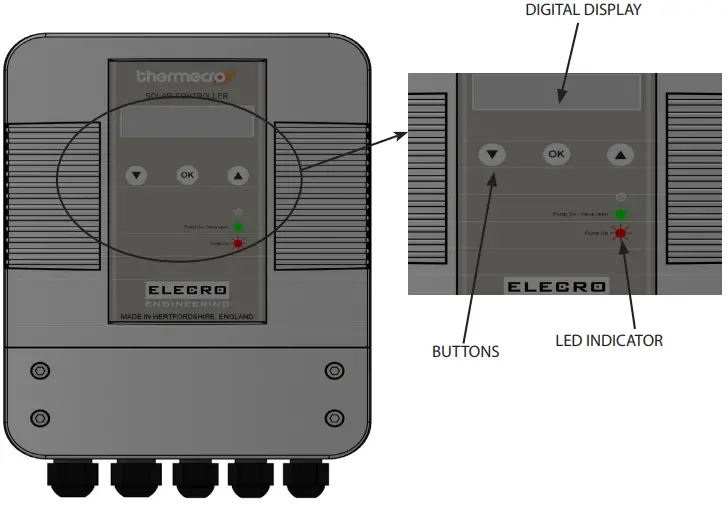
Language Setting
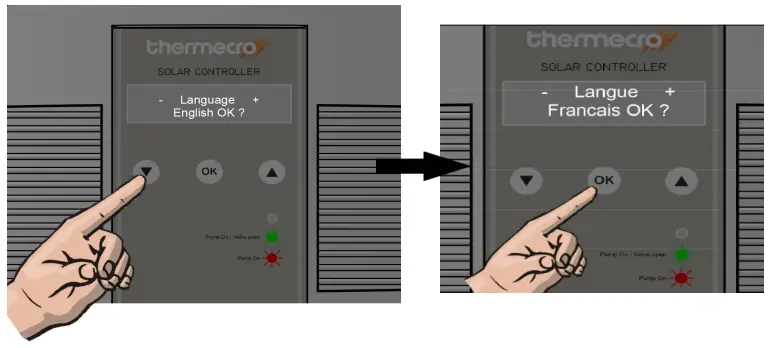
The factory default setting for the language is English.
To change to another language, press the  buttons until the desired language appears, press OK to select and save.
Set Up Modes
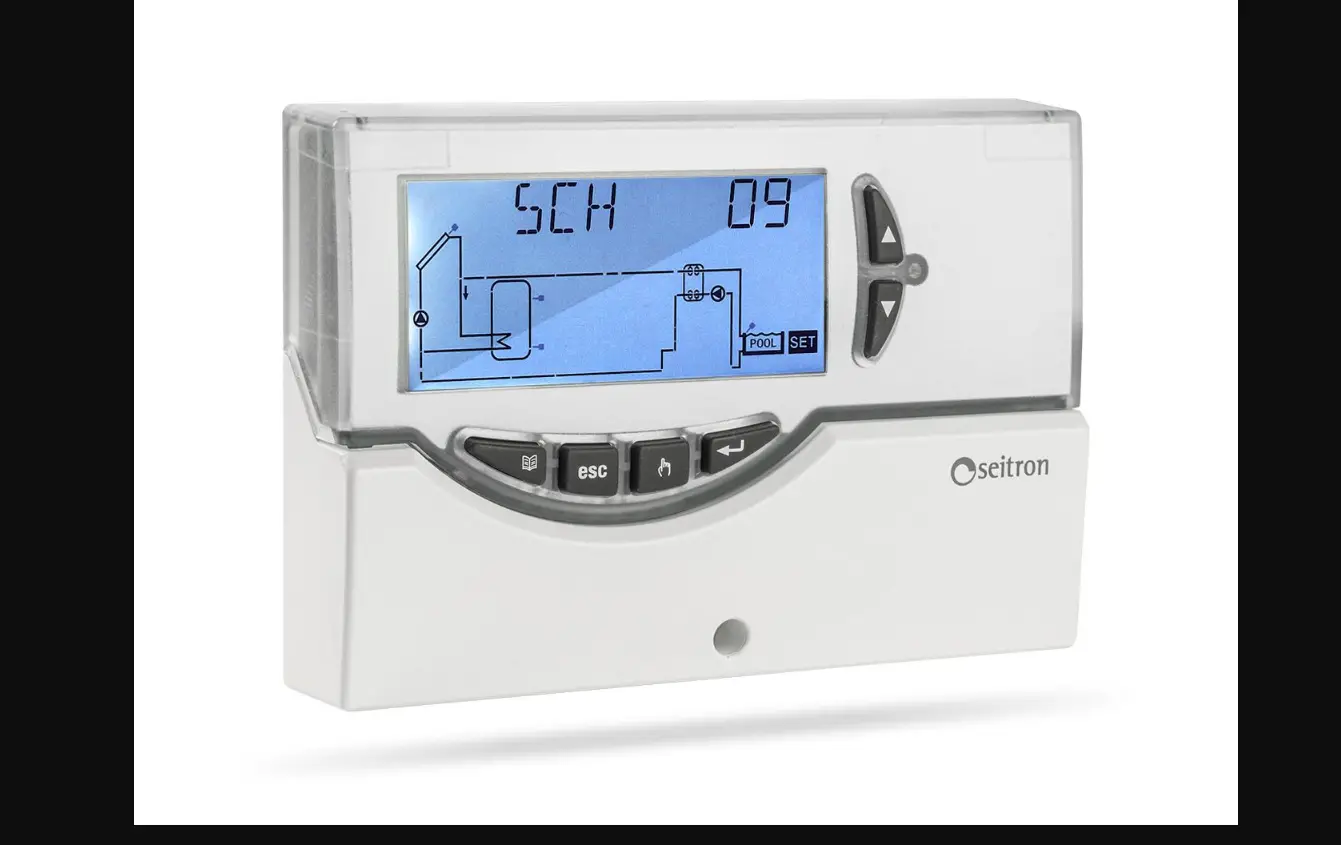
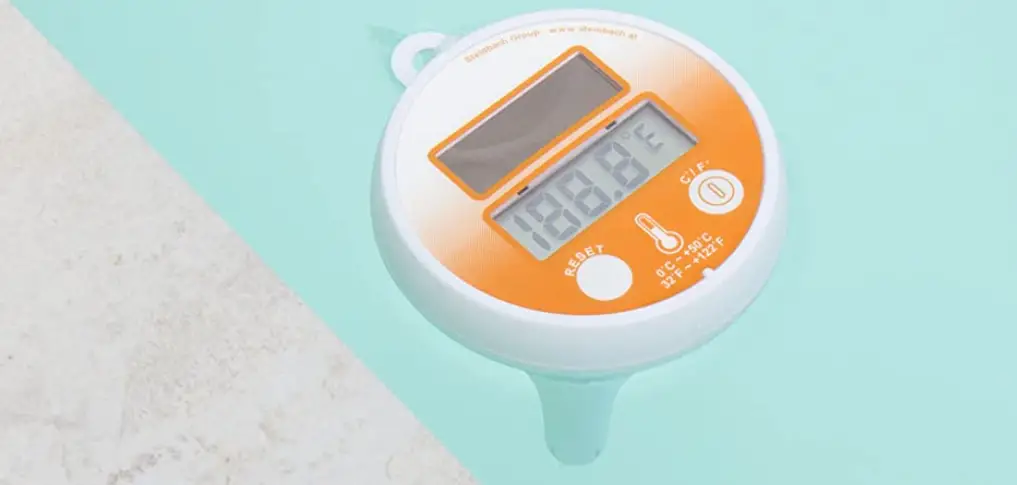
The Digital controller displays the solar water temperature and the pool water temperature. There are four modes for the set-up of your solar system i.e:
- SET WATER TEMPERATURE
- ON DIFFERENTIAL TEMPERATURE
- OFF DIFFERENTIAL TEMPERATURE
- FILL SYSTEM
 To select a mode press the
  buttons until the desired mode is displayed then press the OK button to select that mode.
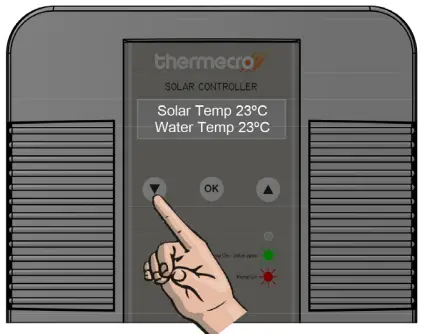 To select a mode press the
 Set Water Temperature
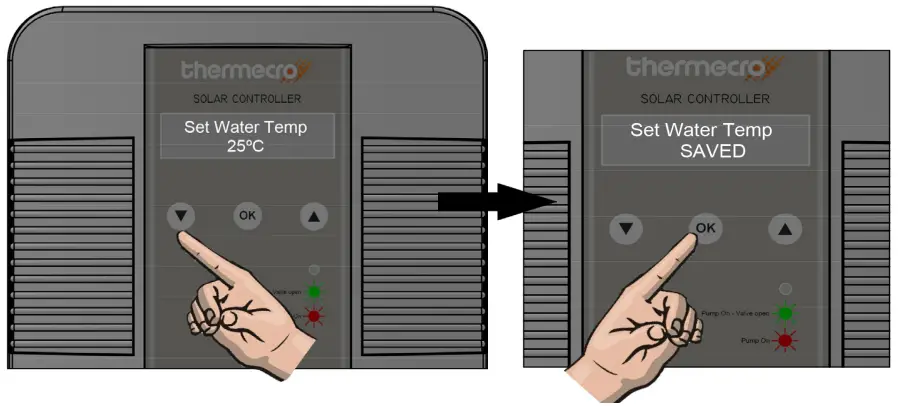
Use the buttons to select the desired swimming pool temperature. Then press OK to confirm and save.
NOTE – We suggest you set the required temperature on your traditional heater (electric, gas, heat pump) to 1°C or 2°C below the ‘Set Water Temp’ selected. This will ensure your system will operate as efficiently as possible.
On Differential Temperature
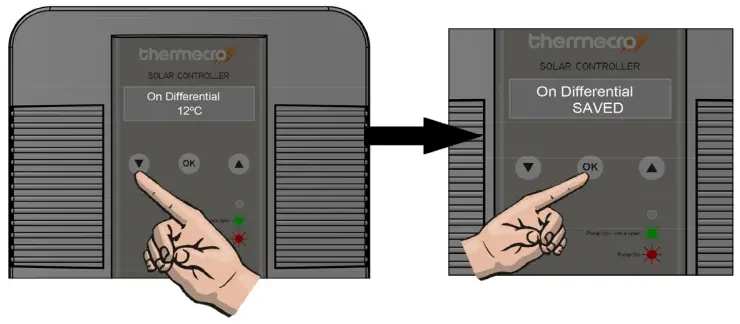
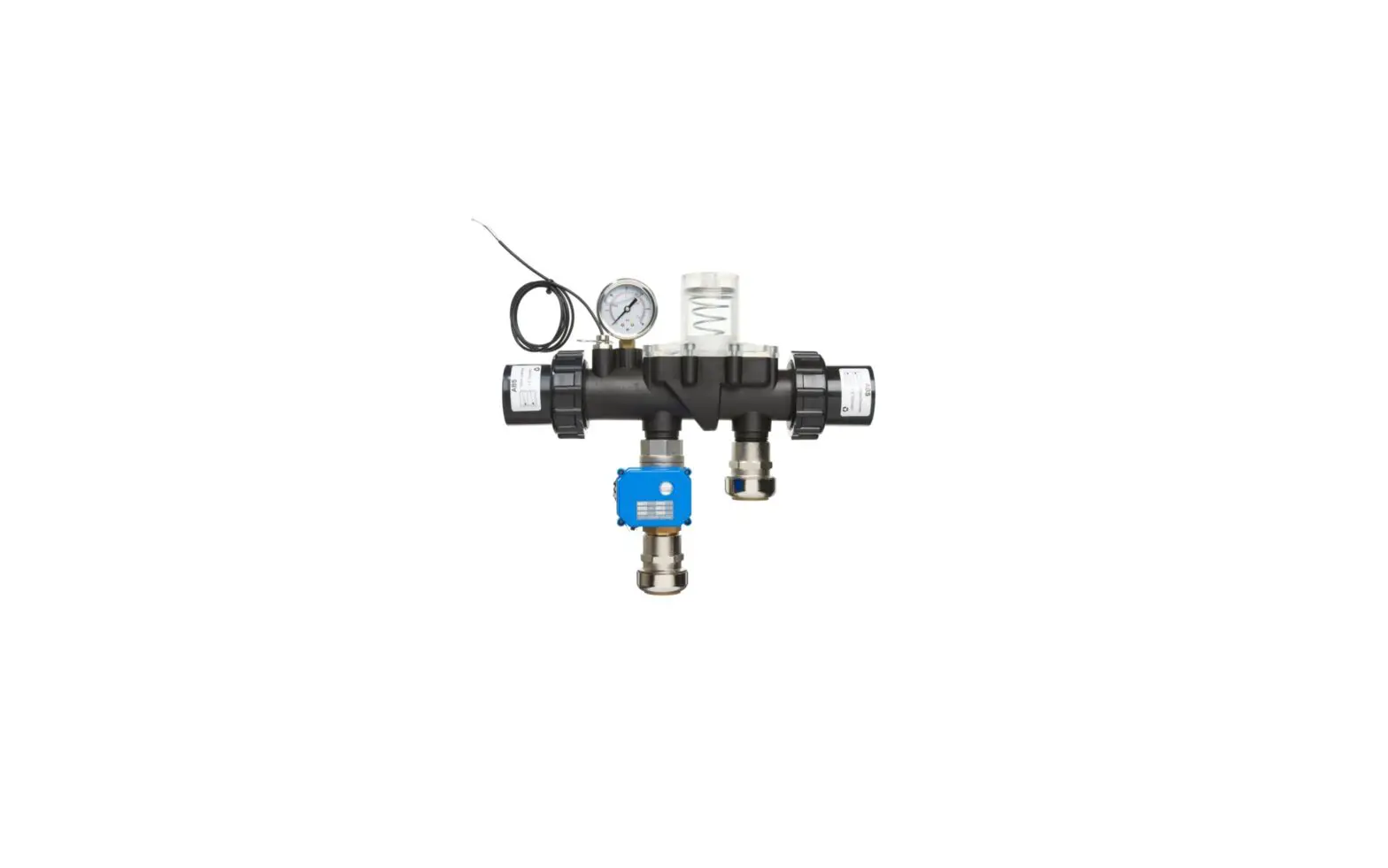
This mode is user adjustable between 2°C and 60°C, the factory default is 10°C. ‘On Differential’ is the temperature difference between your Thermecro solar array and swimming pool water. When the ‘On Differential’ value is reached, the electronic stainless steel valve opens to allow the heated water back to your swimming pool. The ‘On Differential’ value can be changed to optimise the heating process according to the prevailing climatic and other influencing conditions, however, under most circumstances when ‘On Differential’ is set to a value between 10 – 12º C this will provide the best all round seasonal heating performance in most climates.
To set the ‘On Differential Temperature’ press the buttons until this mode appears on the display and O.K. to select. Press the / buttons to set the required temperature and then press the O.K. button to save that value in the memory.
Off Differential Temperature
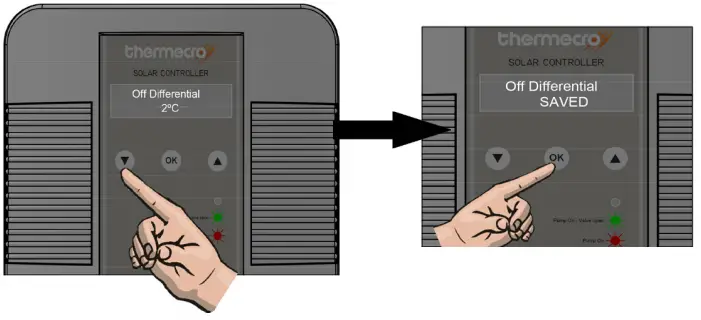
This mode is user adjustable between 1°C and 49°C the factory default is 2°C. ‘Off Differential’ is also the temperature difference between your Thermecro solar array and swimming pool water. When the ‘Off Differential’ value is reached, the electronic stainless steel valve closes, allowing the solar array to begin the heating process again.
Overview
Language Setting
The factory default setting for the language is English.
To change to another language, press the buttons until the desired language appears, press OK to select and save.
Set Up Modes
The Digital controller displays the solar water temperature and the pool water temperature. There are four modes for the set-up of your solar system i.e:
- SET WATER TEMPERATURE
- ON DIFFERENTIAL TEMPERATURE
- OFF DIFFERENTIAL TEMPERATURE
- FILL SYSTEMTo select a mode press the buttons until the desired mode is displayed then press the OK button to select that mode.
Set Water Temperature
Use the buttons to select the desired swimming pool temperature. Then press OK to confirm and save.
NOTE – We suggest you set the required temperature on your traditional heater (electric, gas, heat pump) to 1°C or 2°C below the ‘Set Water Temp’ selected. This will ensure your system will operate as efficiently as possible.
On Differential TemperatureThis mode is user adjustable between 2°C and 60°C, the factory default is 10°C. ‘On Differential’ is the temperature difference between your Thermecro solar array and swimming pool water. When the ‘On Differential’ value is reached, the electronic stainless steel valve opens to allow the heated water back to your swimming pool. The ‘On Differential’ value can be changed to optimise the heating process according to the prevailing climatic and other influencing conditions, however, under most circumstances when ‘On Differential’ is set to a value between 10 – 12ºC this will provide the best all round seasonal heating performance in most climates.
To set the ‘On Differential Temperature’ press the buttons until this mode appears on the display and O.K. to select. Press the buttons to set the required temperature and then press the O.K. button to save that value in the memory.
Off Differential Temperature
This mode is user adjustable between 1°C and 49°C the factory default is 2°C. ‘Off Differential’ is also the temperature difference between your Thermecro solar array and swimming pool water. When the ‘Off Differential’ value is reached, the electronic stainless steel valve closes, allowing the solar array to begin the heating process again.
Fill System
Upon completion of the installation of the Thermecro solar array and pool interface valve, it is necessary to initially fill the array.
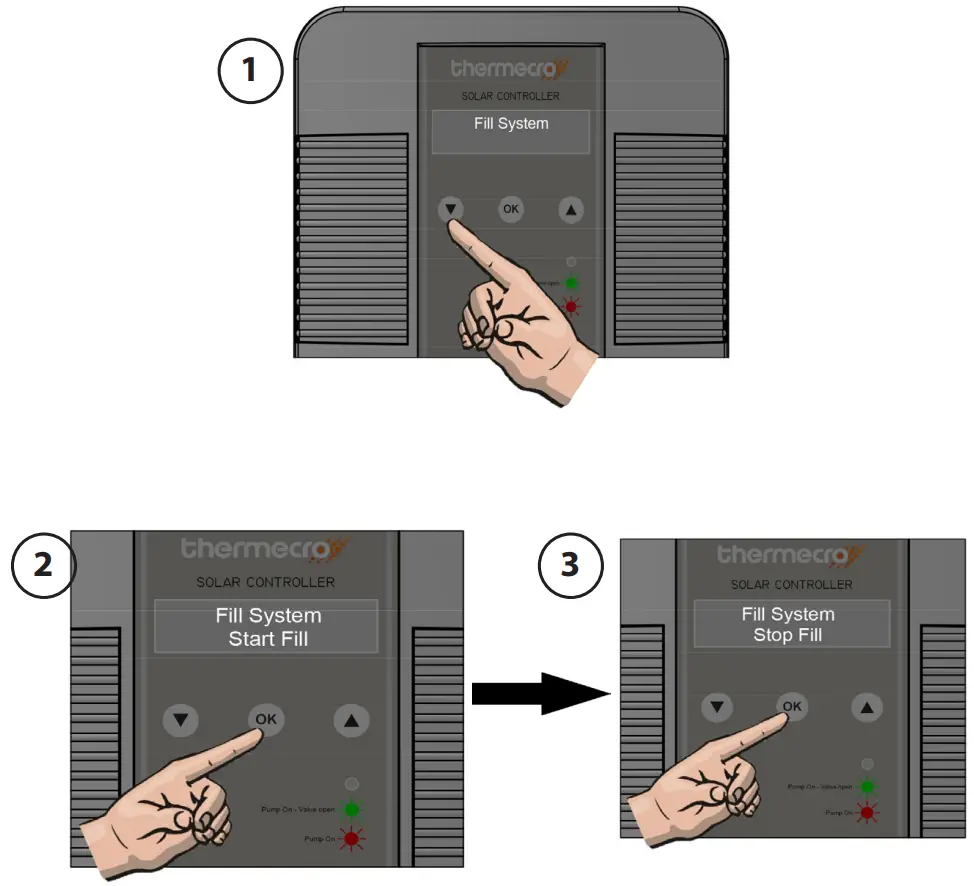
To fill the solar array press the buttons until ‘Fill System’ mode appears on the display press O.K. this turns the filtration pump and the electronic valve ‘On’ (see diagram 1 and 2).
When the array is fully purged of air (i.e. no bubbles are being returned to the pool), press the O.K. button again to select ‘Stop Fill’ this switches the electronic valve and filtration pump off (see diagram 3).
Operation
The Thermecro digital controller is designed for use with the Themecro pool interface valve to facilitate the harvesting of heat from the solar array in the most efficient way possible.
The solar array water temperature and pool water temperature are measured continuously.
When the solar array temperature is greater than the ‘set water temperature’ + the ‘on differential temperature’ the controller will open the stainless steel valve to allow the heated water into the pool.
Example:
Set Water temperature = 28°C
On Differential = 10°C
The valve will be opened when 38°C is detected in the array.
The valve will remain open, delivering heated water to the pool until the ‘Set Water Temperature’ is achieved or the temperature within the solar array has fallen to the ‘Off Differential’ value
Example:
Set Water Temperature = 28°C
Off Differential = 2°C
The valve will close when 30⁰C is detected in the array.
RoHS Compliance Statement
Elecro Engineering Limited certify that our Thermecro Solar Digital Controller complies in accordance with RoHS Directive 2011/65/EU on the restriction of hazardous substances.
Waste of Electrical / Electronic Equipment
This product complies with EU directive 2012/19/EU
Do Not dispose of this product as unsorted municipal waste.
This symbol on the product or on it’s packaging indicates that this product should not be treated as household waste. Instead it should be handed over to the applicable collection point for the recycling of electrical and electronic equipment. By ensuring this product is disposed of correctly you will help prevent potential negative consequences for the environment and human health, which could otherwise be caused by inappropriate waste handling of this product. The recycling of materials will help to conserve natural resources.
For more information please contact your local Civic office, your household waste disposal service or the retailer where you purchased the product.
Guarantee
Your digital controller is guaranteed for 3 years from the date of purchase against faulty workmanship and materials.
The manufacturer will replace or repair, at it’s discretion, any faulty units or components returned to the company for inspection.
Proof of purchase may be required. The manufacturer will not be liable in cases of incorrect installation of the product, inappropriate use, or neglect.
11 Gunnels Wood Park
Stevenage
Hertfordshire
SG1 2BH
United Kingdom
t: +44 (0) 1438 749 474
f: +44 (0) 1438 361 329
e: [email protected]
www.elecro.co.uk
© Copyright 2017
Z-INS-SR-DC
 Swimming Pool, Spa, and Aquatics Water Heaters | Elecro Engineering, Worldwide