 The Smart Solution
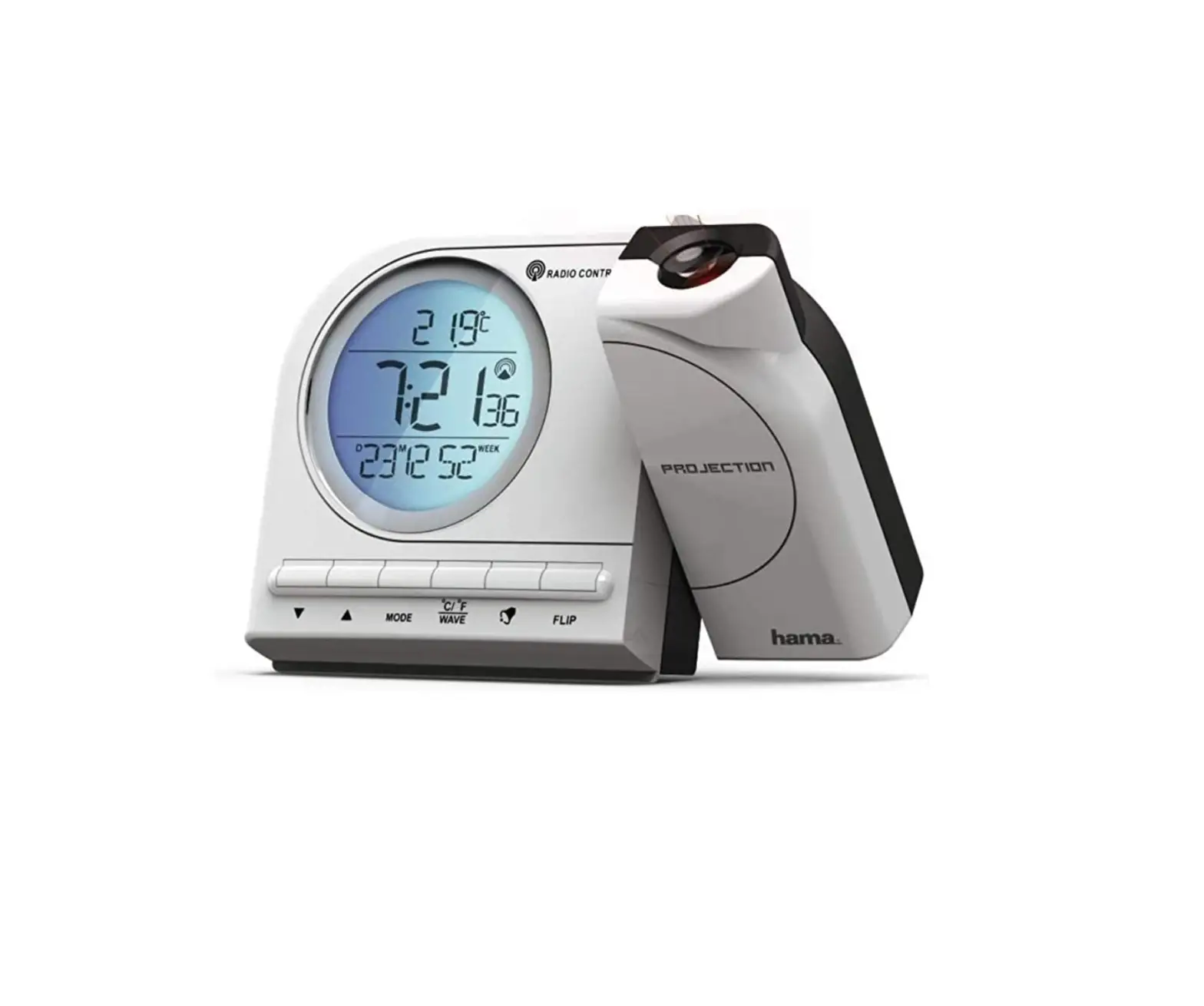
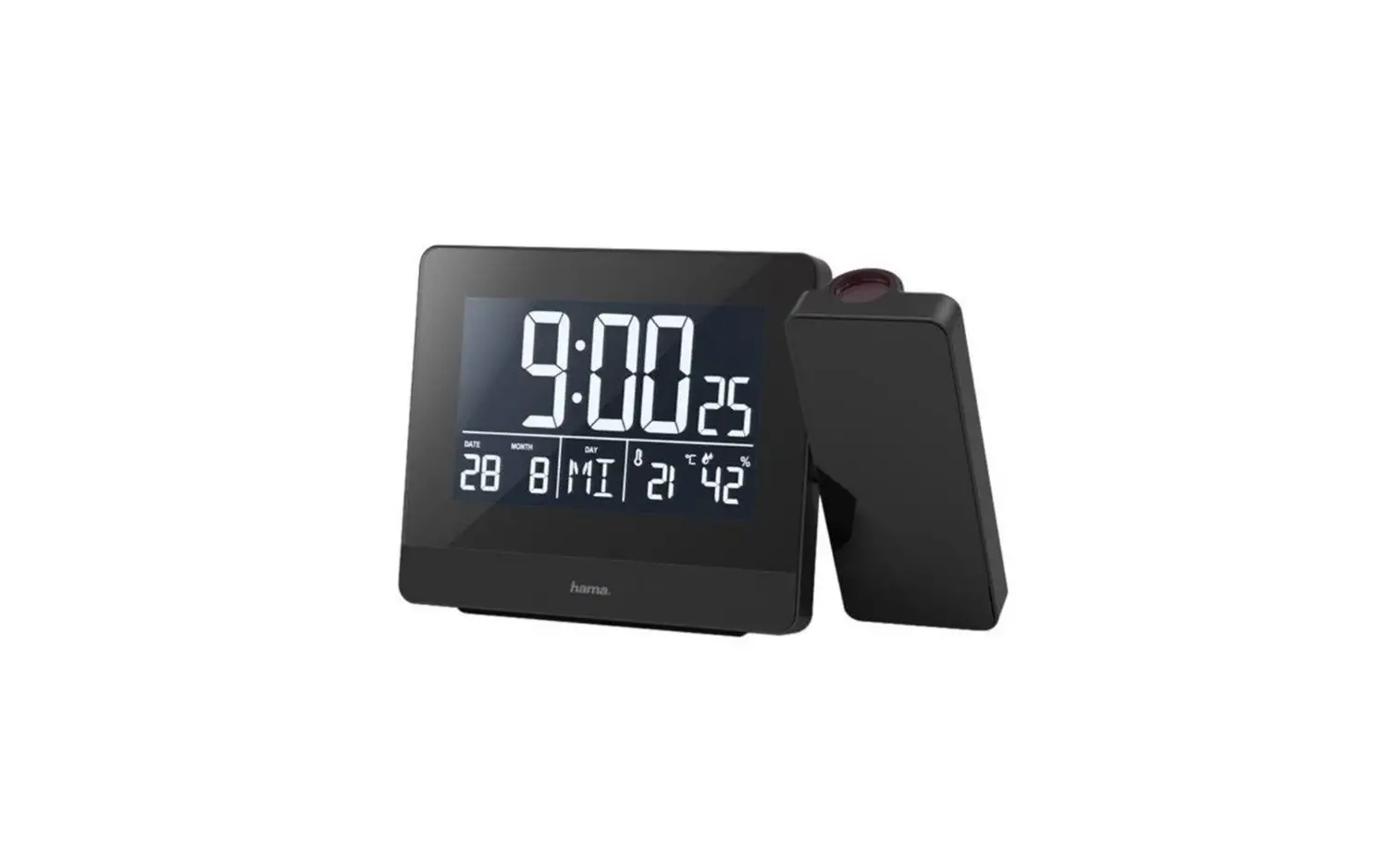
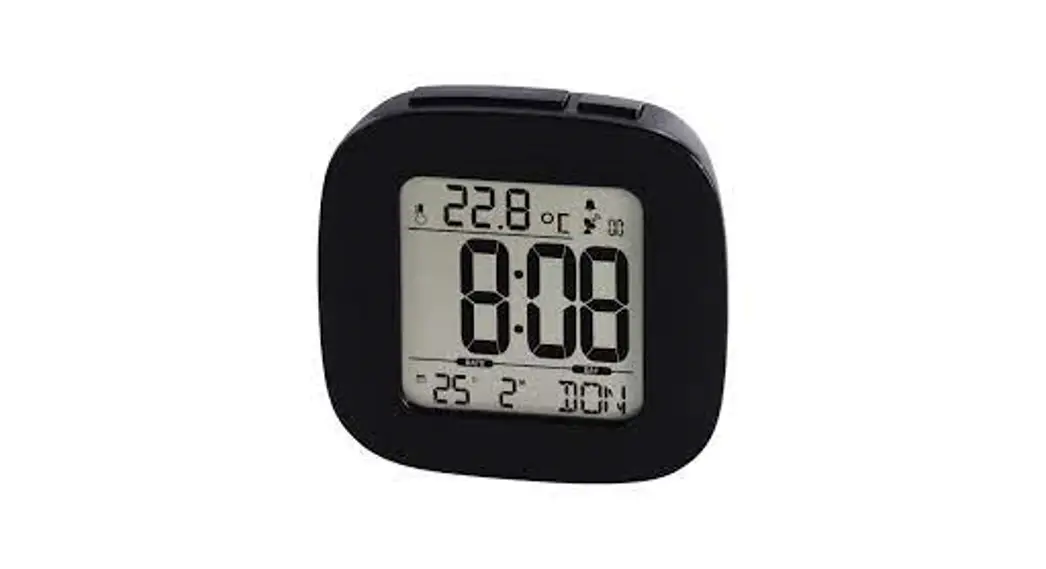
00104952 Projection Alarm Clock RCR 110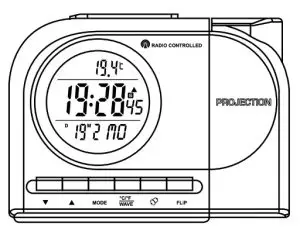
Operating instruction
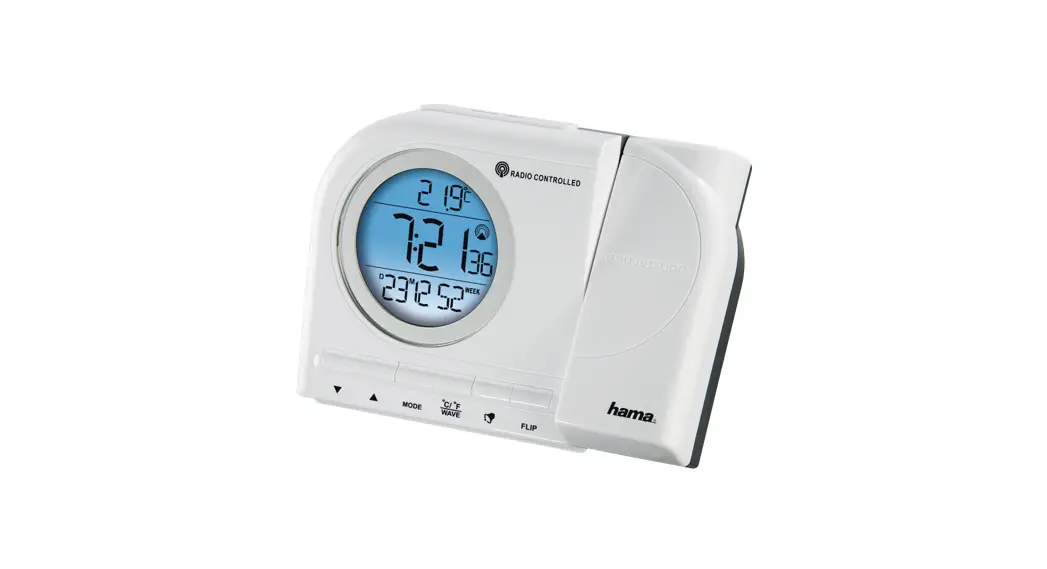
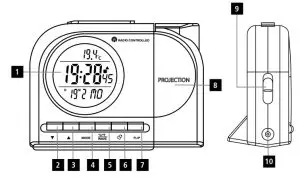
Controls and Displays
- Display
- ▼button =decrease the current set time/ set weekday/ switch display between weekday and calendar week
 button =increase the current set time/ display and set time zone/ toggle 12/24-hour format
- MODE button =settings /confirm aset value /switch the display mode
- °C/°F/WAVE button =activate/deactivate manual radio signal reception /switch between °C and °F
 button =activate/deactivate the alarm
- FLIP button =turn projection 180° /switch display projection
- Projection arm
- CONTINUE PROJECTION sliding switch =activate/deactivate sustained projection
- 1DC socket
- SNOOZE/LIGHT button =activate the backlight (approx. 5 seconds) /stop the alarm for 5minutes
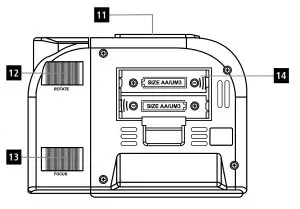
- ROTATE control dial =manually rotate the projection up to +/–90°
- FOCUS control dial =focusses the projection
- Battery compartment
 button =activate/deactivate the alarm
| Display | Meaning | Display | Meaning |
` | Radio signal | SECOND TIME | Secondary Time |
 | Weak radio signal |  | Alarm 1 Time |
PM | 12:00-23:59 (12-hour time) |  | Alarm 2 Time |
AM | 0:00-11:59 (12-hour time) |  | Snooze Function |
T | Day |  | Summer Time |
M | Month |  | Time zone-shifted time |
Explanation of Warning Symbols and Notes
 Risk of electric shock
This symbol indicates product parts energized with a dangerous voltage of sufficient magnitude to constitute a risk of electric shock. Warning
This symbol is used to indicate safety instructions or to draw your attention to specific hazards and risks. Note
Note
This symbol is used to indicate additional information or important notes.
Package Contents
- RC110 radio-controlled alarm clock
- 2AA batteries
- power supply unit
- These operating instructions
Safety Notes
- The product is intended for private, non-commercial use only.
- Protect the product from dirt, moisture, and overheating, and only use it in an adry environment.
- Donot use the product in areas where the use of electronic devices is not permitted.
- Only connect the product to the socket that has been approved for the device. The socket must be installed close to the product and easily accessible.
- Donot drop the product and do not expose it to any major shocks.
- Donot attempt to service or repair the product yourself. Leave any and all service work to qualified experts.
- Donot modify the product in any way. Doing so voids the warranty.
- Keep the packaging material out of the reach of children due to the risk of suffocation.
- Dispose of packaging material immediately according to locally applicable regulations.
- Use the product for its intended purpose only.
- Donot use the product in the immediate vicinity of heaters or other heat sources or in direct sunlight.
- Donot operate the product outside the power limits given in the specifications.
- Keep this product, like all electrical products, out of the reach of children!
- Use the item only in moderate climatic conditions.
- The product is intended for indoor use only.
- Donot use the product in moist environments and avoid splashes.
- Lay all cables so that they do not pose a tripping hazard.
- Donot bend or crush the cable.
- Always pull directly on the plug when disconnecting the cable, never on the cable itself.
Warning –Batteries
- When inserting batteries, note the correct polarity (+ and markings) and insert the batteries accordingly. Failure to do so could result in the batteries leaking or exploding.
- Only use batteries (or rechargeable batteries) that match the specified type.
- Beforeyou insert the batteries, clean the battery contacts and the polar contacts.
- Donot allow children to change batteries without supervision.
- Donot mix old and new batteries or batteries of different types or make.
- Remove the batteries from products that are not being used for an extended period (unless these are being kept ready for an emergency).
- Donot short-circuits batteries.
- Donot charge batteries.
- Donot throw batteries in a fire.
- Keep batteries out of the reach of children.
- Never open, damage, or swallow batteries or allow them to enter the environment. They can contain toxic,
environmentally harmful heavy metals. - Immediately remove and dispose of dead batteries from the product.
- Avoid storing, charging, or using the device in extreme temperatures and extremely low atmospheric pressure(for example, at high altitudes).
Risk of electric shock
- Donot open the device or continue to operate it if it becomes damaged.
- Donot use the product if the AC adapter, the adapter cable, or the mains cable are damaged.
- Donot attempt to service or repair the product yourself. Leave any and all service work to qualified experts
Getting Started
4.1. Inserting the batteries
- Open the battery compartment (14) and remove the contact breaker. Replace the battery compartment cover.
4.2. Replacing the batteries
- Open the battery compartment (14), remove and properly dispose of the dead batteries and insert two new AA batteries with the correct polarity. Replace the battery compartment cover.
4.3. Power supply
Warning
- Only operate the product from a socket that has been approved for the device. The socket must be installed close to the product and must be easily accessible.
- Disconnect the product from the power supply using the On/ Off switch –if this is not available, unplug the power cord from the socket.
- If using a multi-socket power strip, make surethat the total power consumption of all connected devices does not exceed the power strip’s maximum throughput rating.
- If you will not be using the product for a prolonged period, disconnect it from mains power.
- First, connect the power supply unit to the socket (10) of the alarm clock and then to an approved mains socket.
 Note
Note - Sustained projection is only possible on mains power.
- However, batteries are required even on mains power, since the other functions of the alarm clock are powered by the batteries.
Installation
Note –Input
Hold down the p button (3)  or the ▼ button (2) to select values faster.
- Press the MODE button (4) repeatedly to switch between the following displays:
- Temperature
- Alarm mode 1(ALM1)
- Alarm mode 2(ALM2)
- Secondary time
5.1. Automatic date/time setting using the DCF signal
- Once you have inserted the batteries, the display is switched on, an acoustic signal sounds and the alarm clock automatically starts searching for a DCF radio signal. During the search, the radio icon will flash.
- When the wireless signal is received, the date and time are automatically set.
- The search for the DCF signal takes about 7minutes.
Note –Time settings
- If during the initial setup of the device, no DCF radio signal is received within the first few minutes, the search is aborted. The radio icon (6) will go out.
- If there are reception problems, we recommend leaving the clock to sit overnight since interference is generally less at night.
- In the meantime, you can start a manual search for the DCF radio signal at another location or you can manually set the time and date.
- The clock automatically continues to search for the DCF signal every hour. If the signal is received successfully, the manually set time and date are overwritten.
| Display (6) | Searching for the DCF signal |
| Active |
| Successful –signal is being received |
| Success –weak signal reception |
| Not display | Inactive – no signal reception |
 Display flashing
 Display steady (not flashing)
- Press and hold the °C/°F/WAVE button (5) for approx. 3 seconds to start a manual search for the DCF radio signal.
Note –Manual search
- The manual search is automatically aborted after 3-5 minutes.
- Using the wave °C/°F/WAVE (5) frequently will drain the battery. We recommend only using this function to seek out an optimal location for the device.
Note –Summertime
The clock automatically switches to summertime. appears on the display as long as summertime is activated.
5.2. Manually setting the date/time
- Press and hold the MODE button (4) for approx. 3seconds until the hour’s display begins to flash.
- Set the following information in the order listed:
• Year
• Month
• Day
• Hours
• Minutes - To select the individual values, press the ▲ button (3) or the ▼ button (2) and confirm each selection by pressing the MODE button (4).
- Press the MODE button (4) immediately to adopt the set value displayed and skip ahead.
- If you do not make an entry for 30 seconds, you automatically exit the setup mode.
Weekday - To change the language in which the weekday is displayed, press the ▼button (2) for 3seconds. The current language will be displayed.
- Hold down the ▼ button (2) to change to the other languages.
Note –Day of the week
You can choose German (GE), English (EN), Italian (IT), Spanish (SP), or French (FR)for the weekday display.
Setting the time zone
Note –Time zone
- The DCF signal can be received over long distances, but always transmits the current Central European Time in Germany. Make sure you account for the time difference in countries with another time zone.
- If you are in Moscow, the time is 3hours later than in Germany. This means that you should set +3 for the time zone. The clock then automatically sets the time to 3hours after the DCF signal is received or relative to the manually set time.
- Press and hold the ▲ button (3) for approx. 3seconds until the time zone symbol
 is displayed.
 - Press and hold the MODE button (4) for approx. 3seconds to set the required time zone difference.
- To select the individual values, press the ▲ button (3) or the button (2) and confirm each selection by pressing the MODE button (4).
- Press and hold the ▲ button (3) for 3seconds to switch the display between local and time zone-shifted time.
Selecting 12 or 24-hour format
- Press the ▲ button (3) to switch between the 12 and 24-hour formats.
Selecting weekday/calendar week display - Press the ▼ button (2) to switch between displaying the weekday and the calendar week (WEEK).
5.3. Temperature display
- Press the °C/°F/WAVE button (5) to choose between °C and °F for the temperature display.
5.4. Alarm
Note –Alarm
The alarm time always depends on the time displayed, that is, the local or time zone-shifted time ( ).
Setting the alarm time
- Repeatedly press the MODE button (4) to access alarm mode 1 (AL1)or2(AL2).
- Press and hold the MODE button (4) to set the alarm time for the alarm displayed. The hour’s display begins to flash.
- Press the ▲ button (3) or the ▼ button (2) to select the hour for the alarm time and confirm your selection by pressing the MODE button (4). The minute’s display begins to flash.
- Repeat the process to set the minutes for the alarm time.
- Press the MODE button (4) repeatedly to also set the other alarm mode or return to the temperature display.
Activating/deactivating the alarm
- Press the button (9) repeatedly to activate/deactivate alarm 1or alarm 2.
- If an alarm is activated, the corresponding symbol
 will be displayed.
Stopping the alarm/snooze function
- If the alarm is triggered, the alarm symbol will begin to flash and an alarm will sound.
- Press the button (9) to stop the alarm. Otherwise, it will stop automatically after 4minutes.
Note –Snooze function
While the alarm signal is sounding, press the LIGHT-SNOOZE button (1) to activate the snooze function. The alarm symbol (7) and Zz will begin to flash. The alarm signal will be stopped for 4 minutes, after which it will sound again.
5.5. Dual Time settings and display
- Dual Time allows you to set and display a second, completely independent time (8).
- Press the MODE button (4) repeatedly until SECOND TIME is displayed.
- Press and hold the MODE button (4) for approximately 3 seconds. The hour’s display begins to flash.
- Press the ▲ button (3) or the▼button (2) to select the hour and confirm your selection by pressing the MODE button (4). The minute’s display begins to flash.
- Repeat the process to set the minutes.
- To select the individual values, press the ▲ button (3) or the▼button (2) and confirm each selection by pressing the MODE button (4).
5.6. Backlight
If you press the LIGHT-SNOOZE button (11), the display will light up for approx. 5seconds.
5.7. Projection
Activating/deactivating
Power supply from → batteries
- Press the LIGHT-SNOOZE button (11) to project the display onto the wall or ceiling for five seconds.
Power supply from →batteries +mains: - Slide the CONTINUE PROJECTION sliding switch (9) up towards
 to set the projection to sustained mode.
 - Slide the CONTINUE PROJECTION sliding switch (9) down/ away from deactivating sustained mode.
 to set the projection to sustained mode.
Projection settings:
- Turn the projection arm (8) forward/back to project the display onto the wall or ceiling.
- Press the FLIP button (7) to rotate the projection by 180°.
- Turn the ROTATE control dial (12) to further rotate the projection by up to +/–90°.
- Turn the FOCUS control dial (13) to focus the projection.
- Press and hold the FLIP button (7) for approx. 3seconds to switch the projection between displaying the time and displaying the time and temperature.
Note –Projection
- At a distance from the projection lens to the wall/ceiling of about 2m/4m, the size of the display projection on the wall is about 10 cm /18cm. By default, the projection shows the time. See the instructions
- above to set the projection to alternate between the time and the temperature.
Care and Maintenance
Only clean this product with a slightly damp, lint-free cloth and do not use aggressive cleaning agents. Make surethat water does not get into the product. Note
Disconnect the device from the power supply before cleaning it or if it is not going to be used for a long period of time.
Warranty Disclaimer
Hama GmbH &CoKG assumes no liability and provides no warranty for damage resulting from improper installation/mounting, improper use of the product, or failure to observe the operating instructions and/or safety notes.
Technical Data
Specifications in accordance with Regulation (EU) 2019/1782
| Manufacturer’sname or trademark, commercial registration number, and address | Hama, HRA12159, Dresdner Str. 9, 86653 Monheim |
| Model identifier | HX06-0500300-BG |
| Input voltage | 100 –240 V |
| Input AC frequency | 50 /60Hz |
| Output voltage/Output current/Output power | 5.0 VDC/ 0.3 A/ 1.5 W |
| Average active efficiency | 70.70% |
| Efficiency at low load (10 %) | 51.40% |
| No-load power consumption | 0.06W |
RCR 110 radio-controlled alarm clock
| Power supply | 2 x AA batteries Power supply unit: In: 100-240 V ∼ 50/60 Hz Out: 5.0 V  0.3 A 0.3 A |
| Measuring range Temperature | 0°C – + 450°CI 32°F -+122°F |
Recycling Information
Note on environmental protection: After the implementation of the European Directive 2012/19/EU and 2006/66/EU in the national legal system, the following applies: Electric and electronic devices, as well as batteries, must not be disposed of with household waste. Consumers are obliged by law to return electrical and electronic devices as well as batteries at the end of their service lives to the public collecting points set up for this purpose or point of sale. Details to this are defined by the national law of the respective country. This symbol on the product, the instruction manual, or the package indicates that a product is subject to these regulations. By recycling, reusing the materials, or other forms of utilizing old devices/batteries, you are making an important contribution to protecting our environment.
Declaration of Conformity
 Hereby, Hama GmbH &CoKG declares that the radio equipment type [00104952] is in compliance with Directive 2014/53/EU. The full text of the EU declaration of conformity is available at the following internet address: www.hama.com->00104952->Downloads.
| Frequency band(s) | 77,5 kHz |