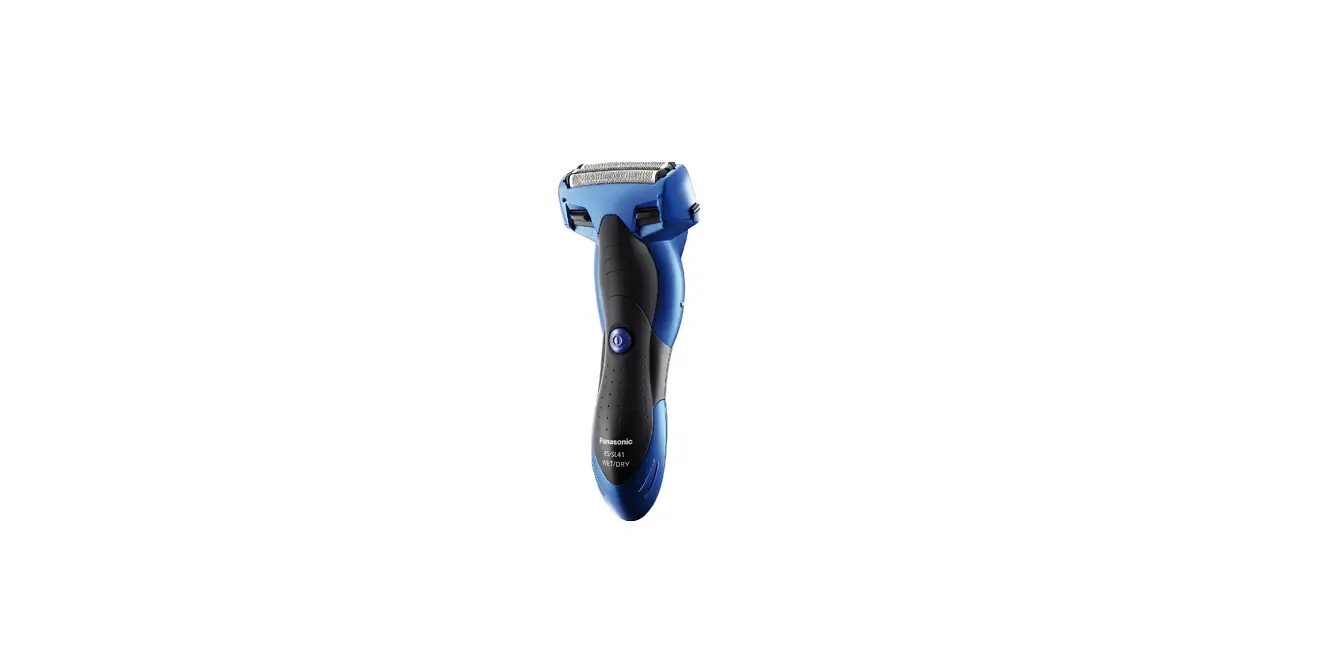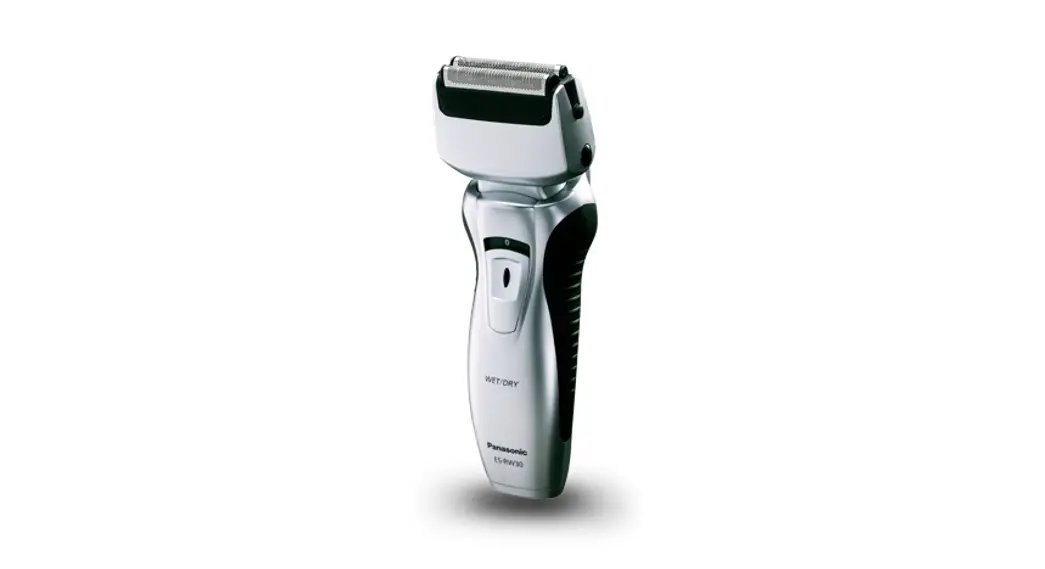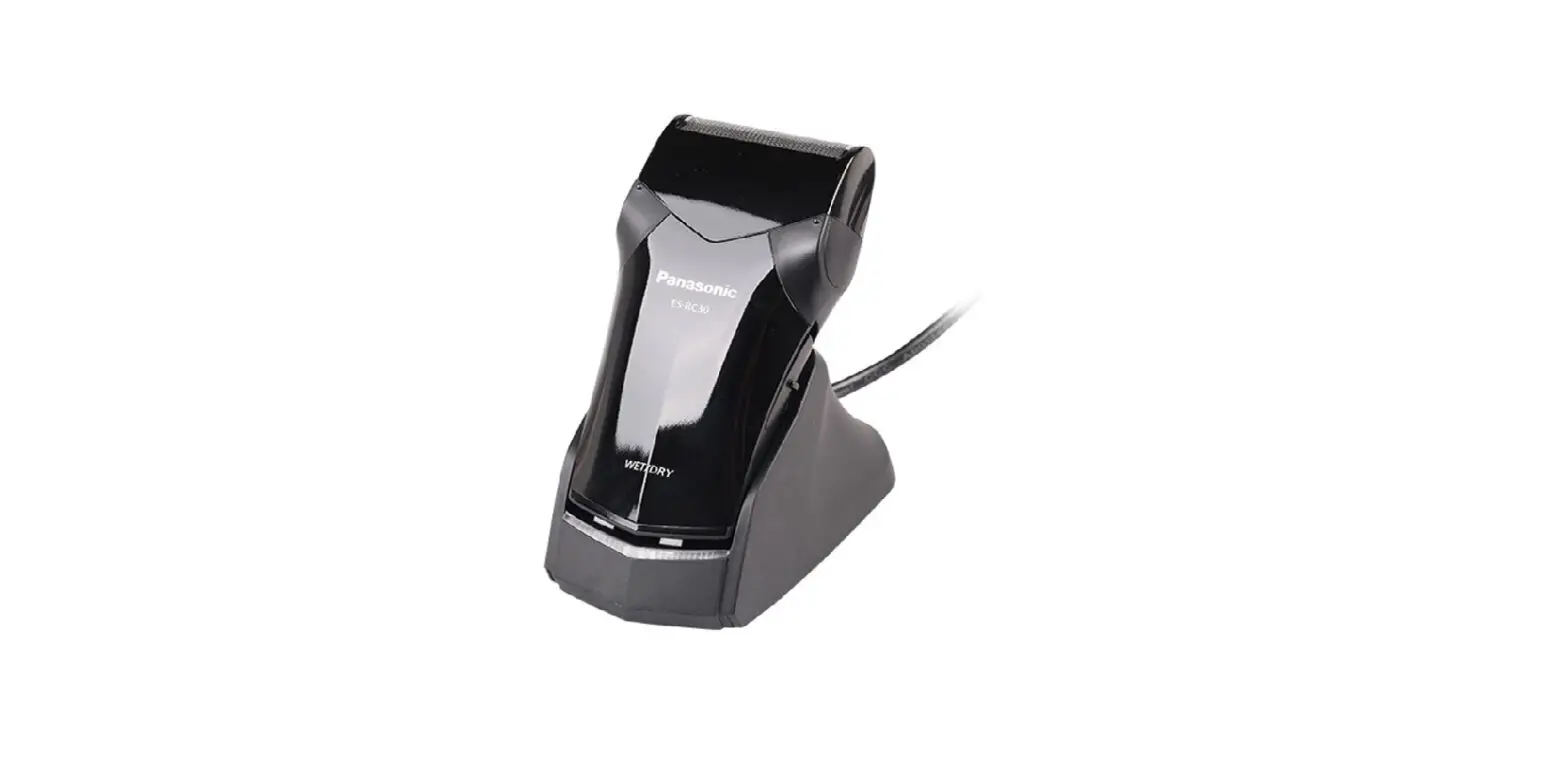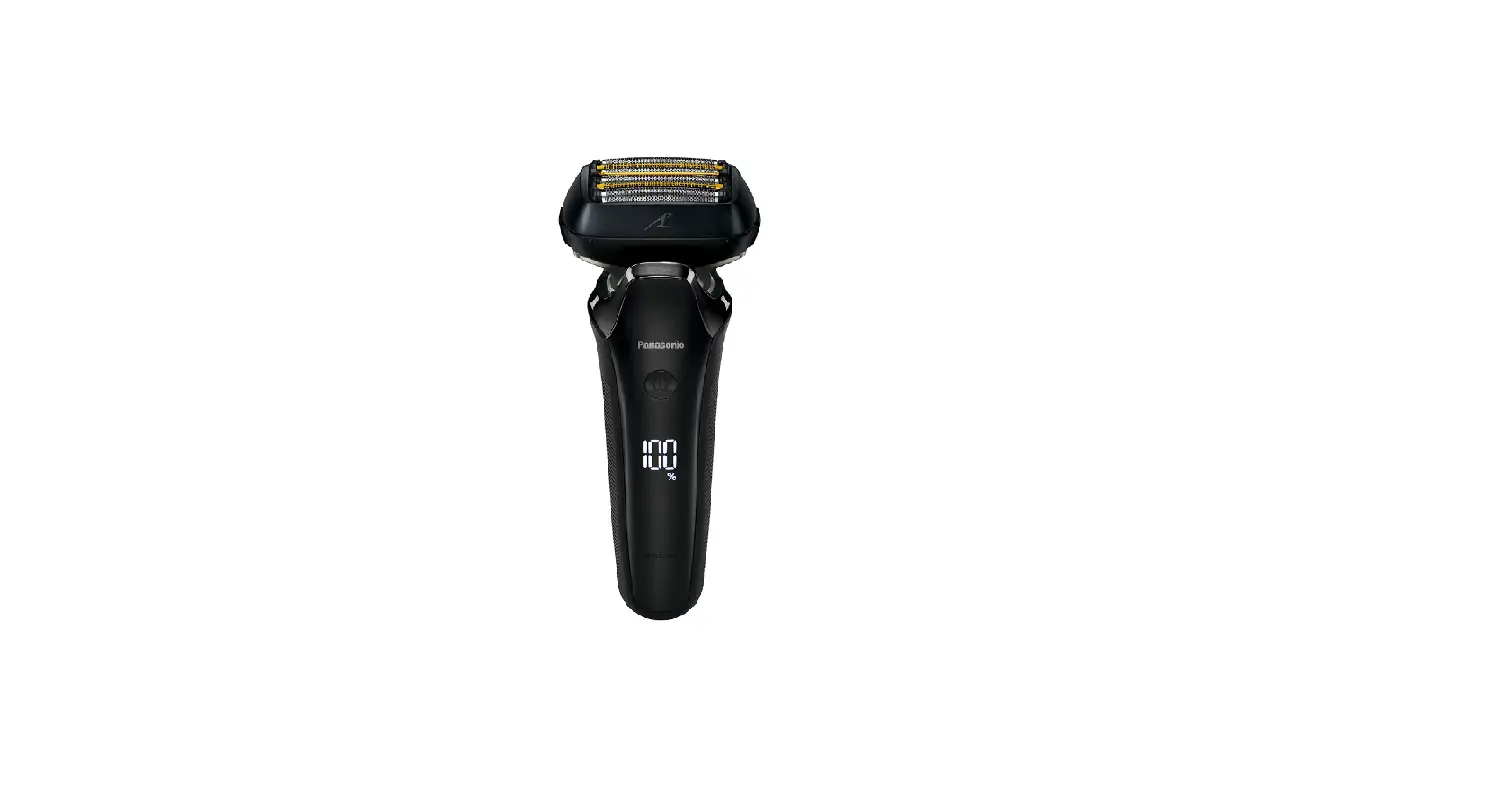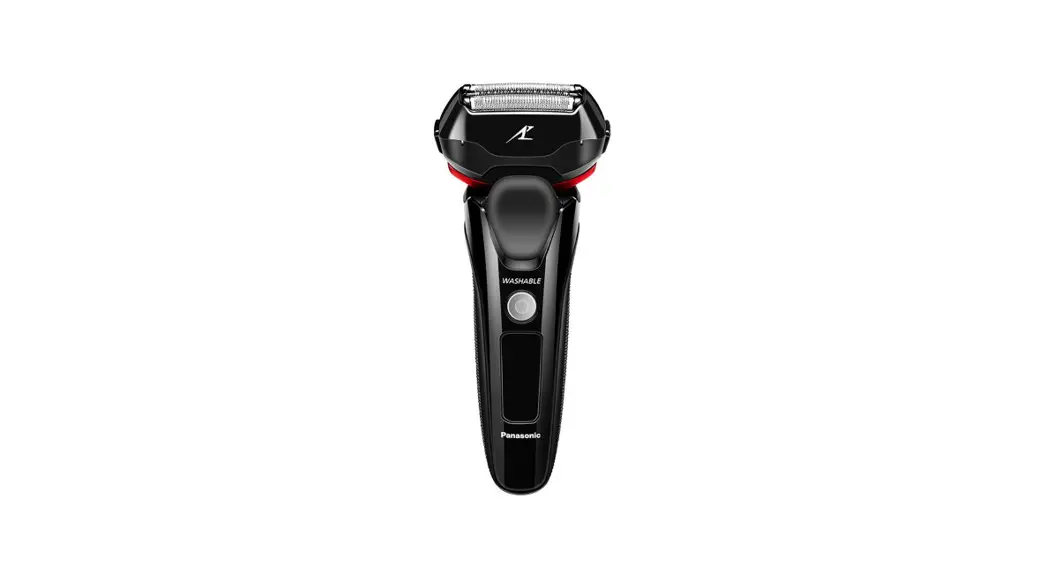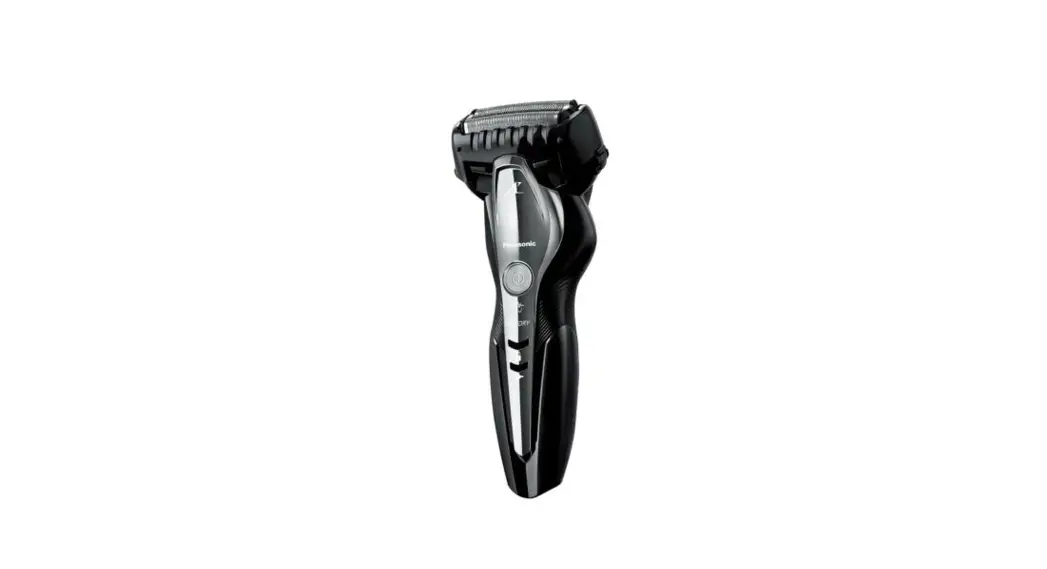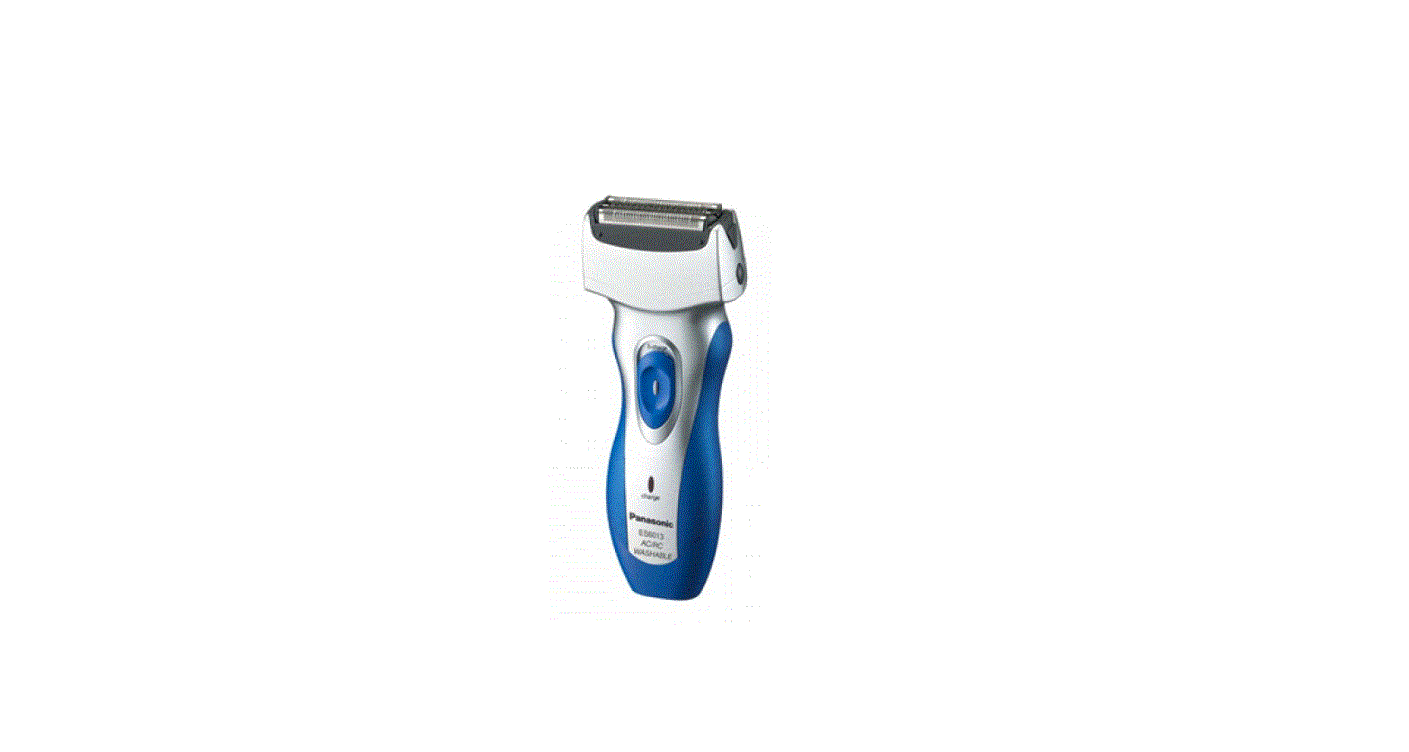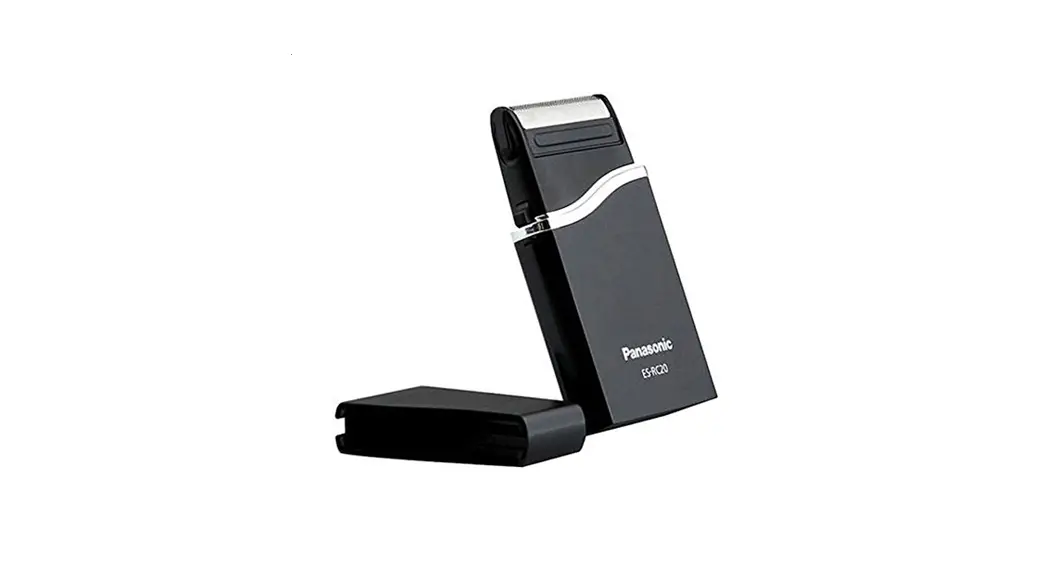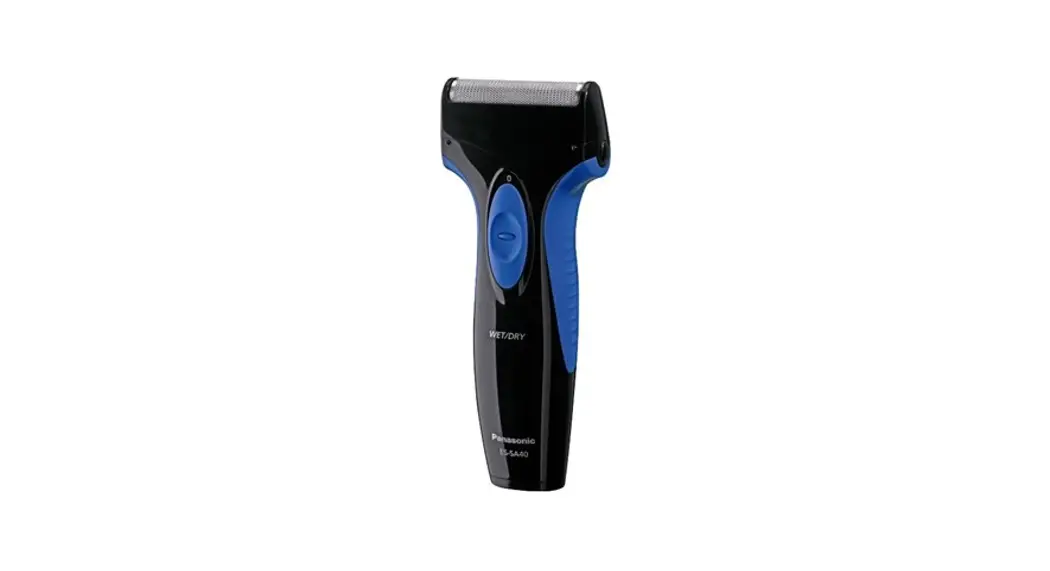

ES-SA40 Rechargeable Shaver
Instruction Manual

Before operating this unit, please read these instructions completely.
Safety Instructions
To ensure proper operation of the appliance, please carefully read all information contained in these Safety Instructions.
All information in this section is provided to instruct you in the correct and safe operation of this appliance so that you can avoid injuries to yourself and others as well as damage to property.
Safety warnings, cautions and precaution symbols are distinguished as follows.
ALWAYS FOLLOW THESE IMPORTANT SAFETY PRECAUTIONS! WARNING:
This message indicates potentially hazardous actions and situations, which, if not avoided, could result in death or serious injury. CAUTION:
This message indicates potentially hazardous actions and situations, which, if not avoided, could result in personal injury or property damage.
Safety Precautions Symbols A circle and slash symbolizes prohibited actions and behaviors.
 A solid circle denotes mandatory actions and instructions to be followed for safe operation.
After reading these safety instructions, ensure they are kept in a place allowing easy viewing at all times by the appliance user. WARNING Unplug!Always turn off the 0/1 switch and unplug the power cord/adaptor from the household outlet before cleaning and maintenance.
Failure to do this may cause electric shock or personal injury. Never plug or unplug the power cord/adaptor with wet hands. Mandatory!Always ensure the appliance is operated on an electric power source matched to its rated voltage.
Failure to do so can result in fire or electric shock.Regularly clean the charging plug, which plugs into the appliance, to keep it free of dust and foreign objects such as pins, etc.
Failure to do so could result in deterioration of the electrical insulation and cause fire. Prohibited!Never operate the appliance if the cord or adaptor are damaged or overly hot, or if the adaptor fits loosely in the household outlet.
Doing so could result in short‑circuiting, electric shock or fire.Do not modify the cord or damage it in any way such as by bending, twisting or pulling on it unnecessarily.
Doing so could result in electric shock or fire.Do not clean with water when the shaver is connected to the power cord.
Doing so could result in electric shock. Do not dismantle!Do not attempt to modify, repair, or in any way dismantle the appliance, other than when discarding it at the end of its useful life.
Doing so could result in fire, electric shock or mechanical malfunction.
For repairs and servicing, please consult the place of purchase or a customer service center designated by the manufacture. Avoid water contact!Do not allow the power cord to be immersed in, splashed with, or rinsed under water.
Doing so could result in electric shock or short‑circuiting CAUTION! Mandatory!Before use, always make sure that the outer foil has not become damaged or misshapen.
Failure to do so can cause damage to skin. Dry the shaver completely before charging it.
Failure to do so could result in short‑circuiting, electric shock or fire.Grip the plug when disconnecting the adaptor from a receptacle; tugging on thecord may damage it.Do not use other AC adaptors or power cords to supply power to the appliance. Also, do not use the included power cord to supply power to other electrical products.
Doing so may result in electric shock, short‑circuit, or fire.Always use your shaver for its intended use, as described in this manual.
Failure to do so can cause personal injury or mechanical malfunction.Do not allow the appliance to used by, on, or near children.
Doing so could result in burns, electric shock or fire. Prohibited!Do not apply excessive pressure to the outer foil.
Doing so may break the foil, resulting in scratching of the skin.When cleaning the shaver or changing the blade, be sure to set the 0/1 switch off.
Failure to do so may result in injury.Do not use under the following circumstances.
- People with sensitive skin or skin which is easily irritated.
- Allergic constitution
- If there are pimples or bumps on the skin:
Doing so can cause damage to skin.
NOTICEDo not leave the shaver in direct sunlight to dry with the outer foil removed.
Doing so may cause deterioration of the waterproof seal, which could result in malfunction.Wash the shaver in tap water. Do not use salt water or boiling water. Also, do notuse cleaning products that are designed for toilets, bathrooms or kitchen appliances. Do not submerge the shaver for a long time.Do not charge the shaver where the temperature is below 0°C (32°F) or above
40°C (104°F), where it will be exposed to direct sunlight or a heat source, or wherethere is a lot of moisture.If it is far below or over the appropriate temperature, the charging time may extend, or the adaptor may not function.In particular, low temperature may shorten the life span of the rechargeable battery.Use only the included adaptor RE7-52 to charge the ES-SA40 shaver.Keep the adaptor away from water and handle it only with dry hands. Do not use an extension cord to connect the power cord to an outlet.The shaver may not immediately begin to charge even if the power cord/adaptor is plugged after use. Leave it for a few minutes and check again to make sure that it is being charged.Store the adaptor in a dry area where it will be protected from damage.The outer foil is very thin. If handled improperly, it can be easily damaged.To avoid personal injury, do not use the shaver if it has a damaged foil or inner blade.Do not take the housing apart as this can affect the watertight construction.Do not pull, twist, or severely bend the power cord.Do not wrap the power cord tightly around the appliance.ln cases where static noise is emitted from the television during use or charging connect the adaptor to different outlet.The shaver and adaptor will become slightly hot during use or charging, however this is not a malfunction.Do not touch the edge (metal part) of the inner blade. Failure to observe this may lead to hand injuries.Keep these operating instructions In a safe place.Contact an authorized service center if you have any questions about maintenance service, inquiry, etc.
Warning / Caution
► Warning
Charge the appliance correctly according to these Operating Instruc-tions.(See page 7 “Charging”.)
This appliance contains battery that is only replaceable by skilled persons. Please contact an authorized service center for the details of repair.
Do not immerse the AC adaptor in water or wash it with water.
Do not use anything other than the supplied AC adaptor for any purpose.
Also, do not use any other product with the supplied AC adaptor (See page 6.)
The following symbol indicates that a specific detachable power supply unit is required for connecting the electrical appliance to the supply mains. The type reference of power supply unit is marked near the symbol. ► Before use
This WET/DRY shaver can be used for wet shaving with shaving lather or for dry shaving. You can use this watertight shaver in the shower and clean it in water. The following is the symbol of Wet shaver. The symbol means that the hand-held part may be used in a bath or shower. Treat yourself to wet lather shaves for at least three weeks and notice the difference. Your Panasonic WET/DRY shaver requires a little time to get used to because your skin and beard need about a month to adjust to any new shaving method.
► Using the shaver
Caution – The outer foil is very thin and can be damaged if not used correctly. Check that the foil is not damaged before using the shaver. Do not use the shaver if the foil etc. is damaged as you will cut your skin.
► Charging the shaver
Do not use any charging adaptor other than one specifically designed for this model (RE7-52). Plug in the adaptor into a household outlet where there is no moisture and handle it with dry hands. The shaver may become warm during use and charging. However, this is not a malfunction. Do not charge the shaver where it will be exposed to direct sunlight or other heat sources. Adequate ambient temperature for charging is 0-40 °C. The supply cord cannot be replaced. If the cord is damaged, the appliance should be scrapped.
► Cleaning the shaver
Warning – Remove the shaver from the charging adaptor before cleaning it to prevent electric shock. If you clean the shaver with water, do not use salt water or hot water. Do not soak the shaver in water for a long period of time. Wipe it with a cloth dampened with soapy water. Do not use thinner, benzine or alcohol.
► Storing the shaver
Remove the shaver from the charging adaptor when storing it. This appliance is not intended for use by persons (including children) with reduced physical, sensory or mental capabilities, or lack of experience and knowledge, unless they have been given supervision or instruction concerning use of the appliance by a person responsible for their safety. Children should be supervised to ensure that they do not play with the appliance. Keep these operating instructions in a safe place.
SPECIFICATIONS
Power source: See the name plate on the product.
Motor voltage: 1.2 V DC
Charging time: 8 hours
This product is intended for household use only.
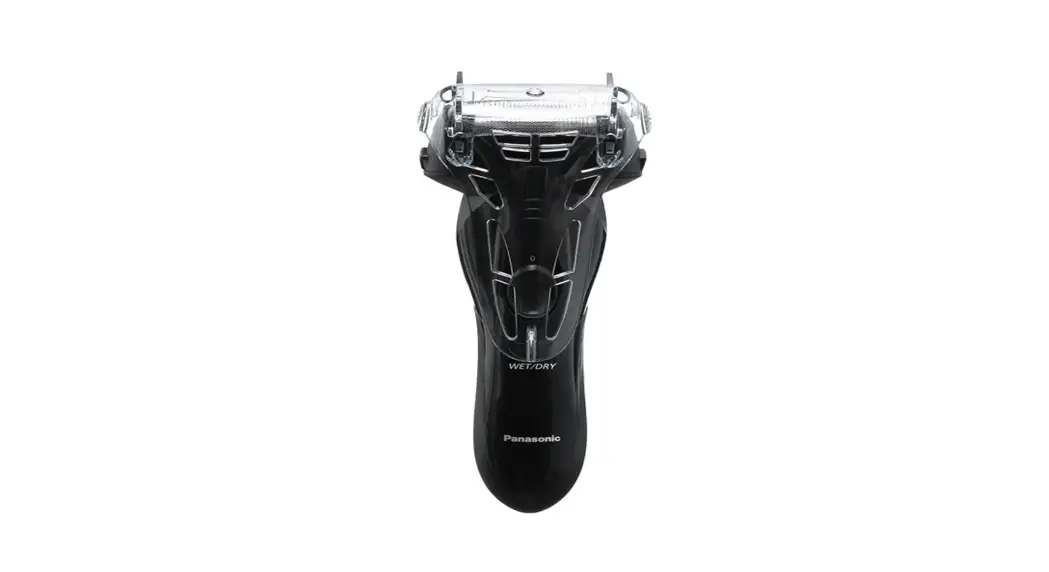
Parts identification
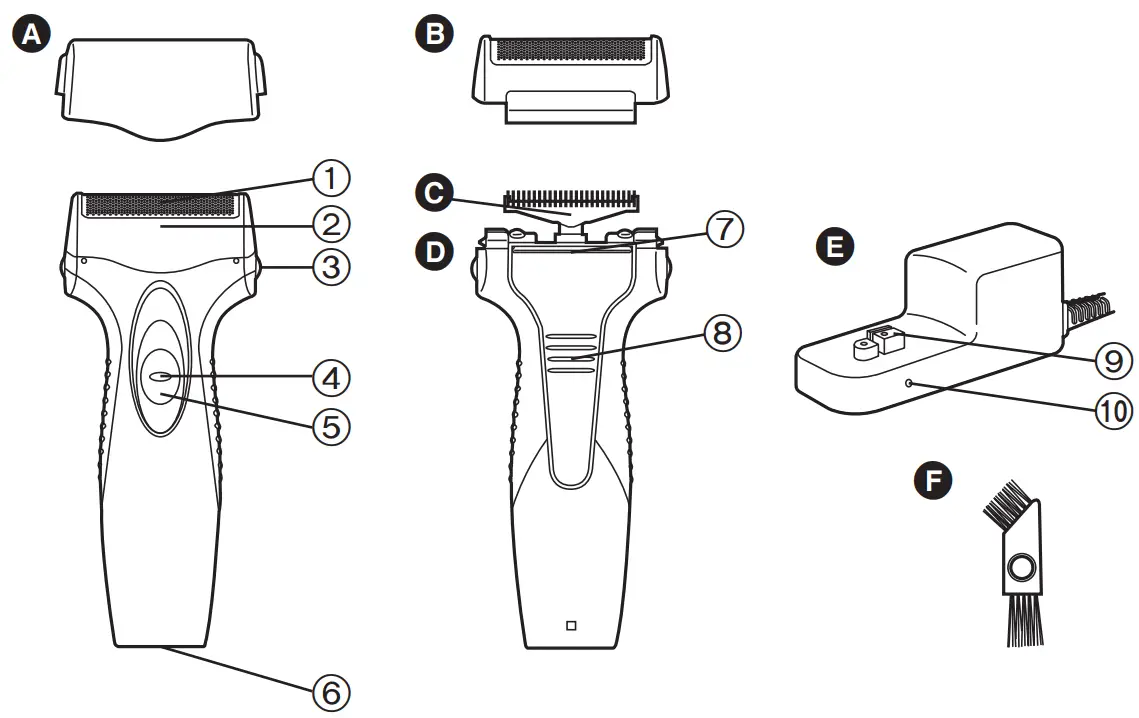
| A Protective cap B Outer foil section 1 Outer foil 2 Foil frame C Inner blade D Main body 3 Foil frame release buttons 4 Switch lock button | 5 0/1 switch 6 Appliance socket 7 Trimmer 8 Trimmer handle E Charging adaptor (RE7‑52) 9 Charging plug 10 Charge indicator lamp F Cleaning brush |
Charging
Perform the following steps to charge the shaver if it seems to lose the speed.
You can fully charge the shaver in 8 hours.
- A full charge will supply enough power for approx. 7 shaves of 3 minutes each.
- Turn off the shaver andinsert it in the chargingadaptor as illustrated.
- Plug in the adaptor intoa household outlet.
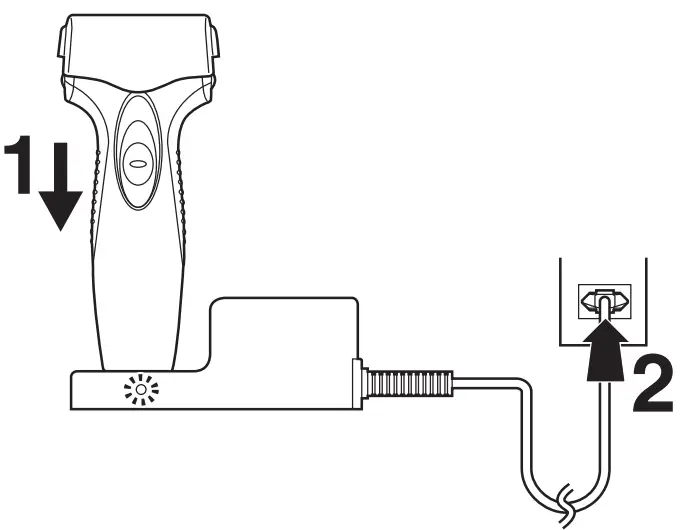
- The charge indicator lamp glows and stays on until the shaver is removed from the charging adaptor.
Using the shaver
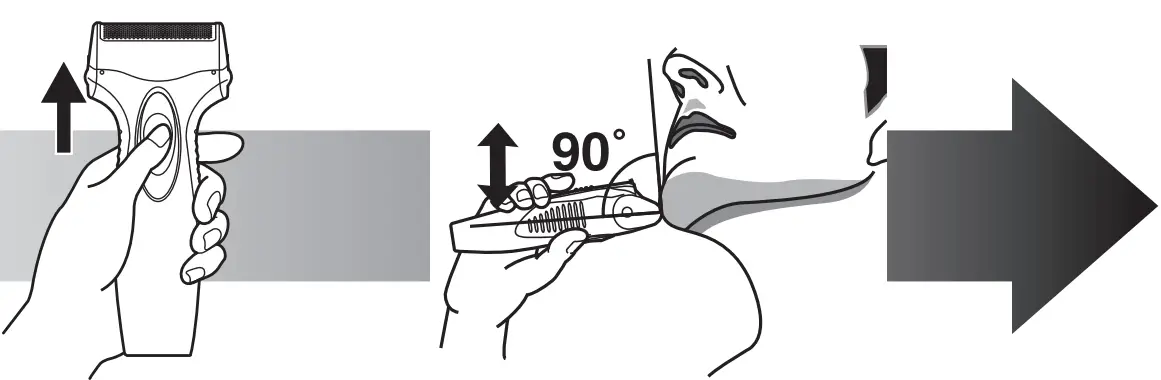
- Depress the switch lock button and slide the 0/1 switch upwards.
- Hold the shaver as illustrated above and shave.
- Start out shaving by applying gentle pressure to your face. Stretch your skin with your free hand and move the shaver back and forth in the direction of your beard. You may gently increase the amount of pressure as your skin becomes accustomed to this shaver. Applying excessive pressure does not provide a closer shave.
Using the trimmer
► Slide the trimmer handle up. Place at a right angle to your skin and move downwards to trim your sideburns.
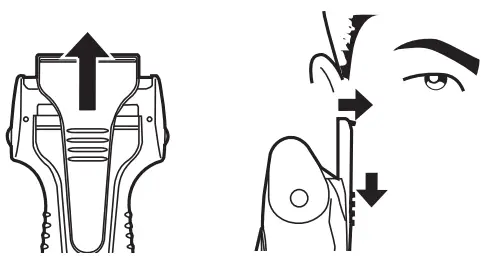
Cleaning
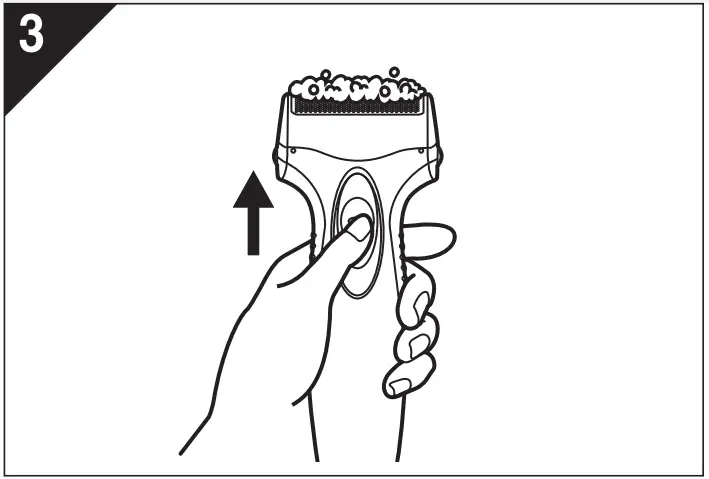
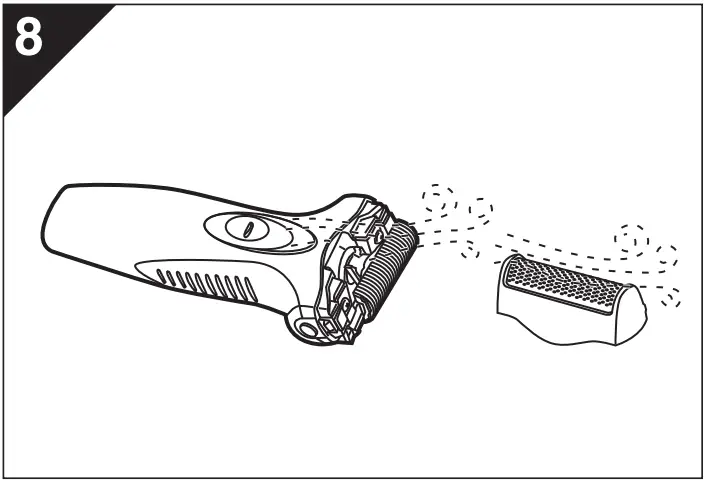
- Remove the shaver from the charging adaptor.
- Apply some hand soap and some water to the outer foil.
- Turn the shaver on.
- Turn the shaver off after 10‑20 seconds.
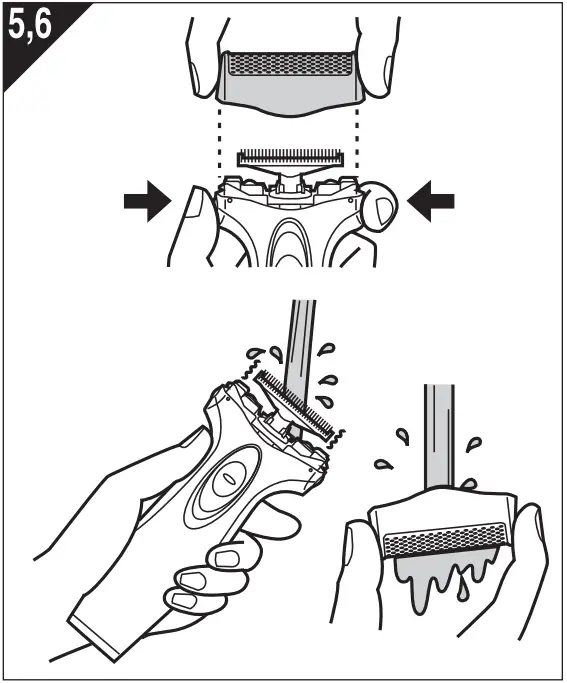
- Remove the outer foil section and turn the shaver on.
- Clean the shaver and the outer foil section with running water.
- Wipe off any drops of water with a dry cloth.
- Dry the outer foil section and the shaver completely.
- Attach the outer foil section to the shaver.
Replacing the outer foil and the inner blade
| outer foil | once every year |
| inner blade | once every two years |
► Replacing the outer foil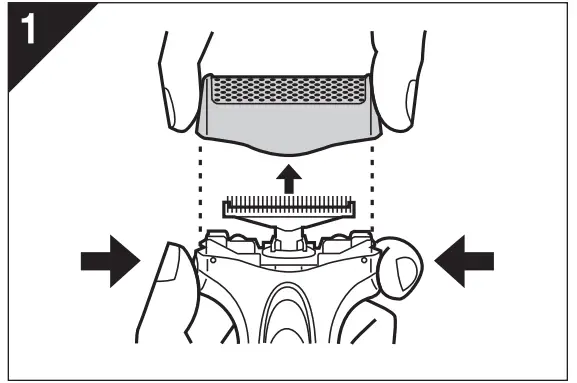
- Press the foil frame release buttons and lift the outer foil section upwards as illustrated.

- Gently push the outer foil in the way as illustrated. Then it will pop up from the foil frame.
- The new outer foil should be slightly bent and pushed in until it is hooked in the foil frame.
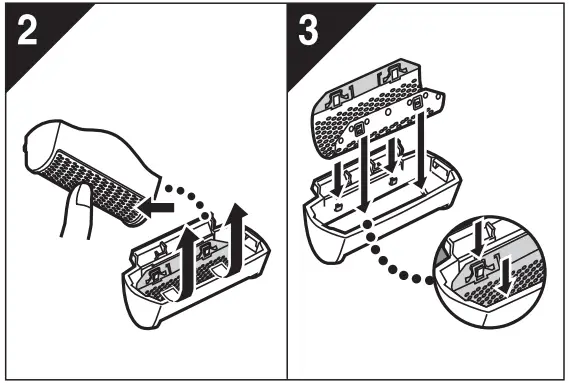
► Replacing the inner blade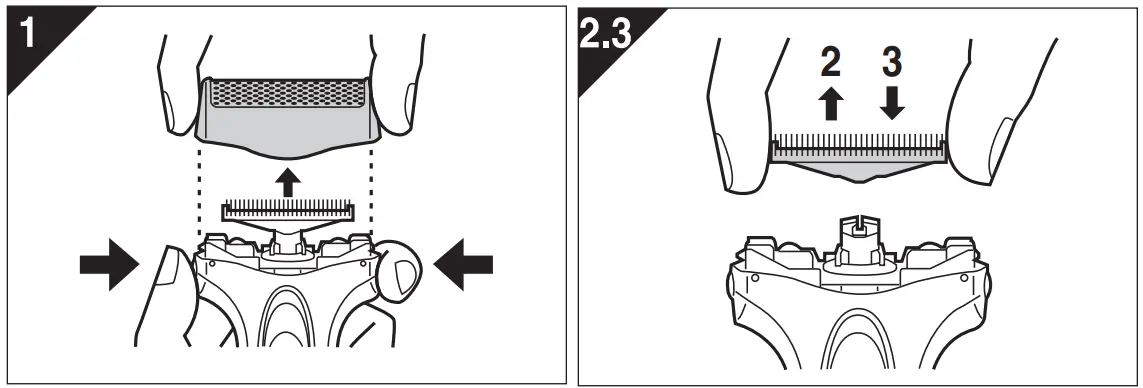
- Press the foil frame release buttons and lift the outer foil section upwards as illustrated.
- Remove the inner blade as illustrated.
• Do not touch the edges (metal parts) of the inner blade to prevent injury to your hand. - Insert the inner blade until it clicks as illustrated.
Cleaning with the brush
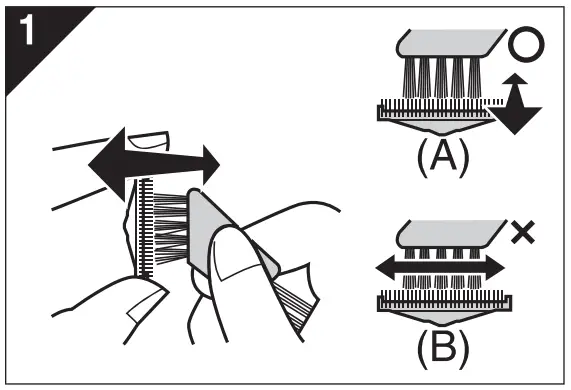
- Clean the inner blade using the short brush by moving it in direction (A). Clean the outer foil, the shaver body and the trimmer using the long brush.
• Do not move the short brush in direction (B) as it will damage the inner blade and affect its sharpness.
• Do not use the short brush to clean the outer foil.
Removing the built-in rechargeable battery
Remove the built-in rechargeable battery before disposing of the shaver. The battery is to be disposed of safely. Please make sure that the battery is disposed of at an officially designated location if there is one. Do not dismantle or replace the battery so that you can use the shaver again. This could cause fire or an electric shock. Replace it at an authorized service center.
- Remove the shaver from the charging adaptor when removing the battery.
- Press the power switch to tum on the power and then keep the power on until the battery is completely discharged.
- Perform steps0 to 0 and lift the battery, and then remove it.
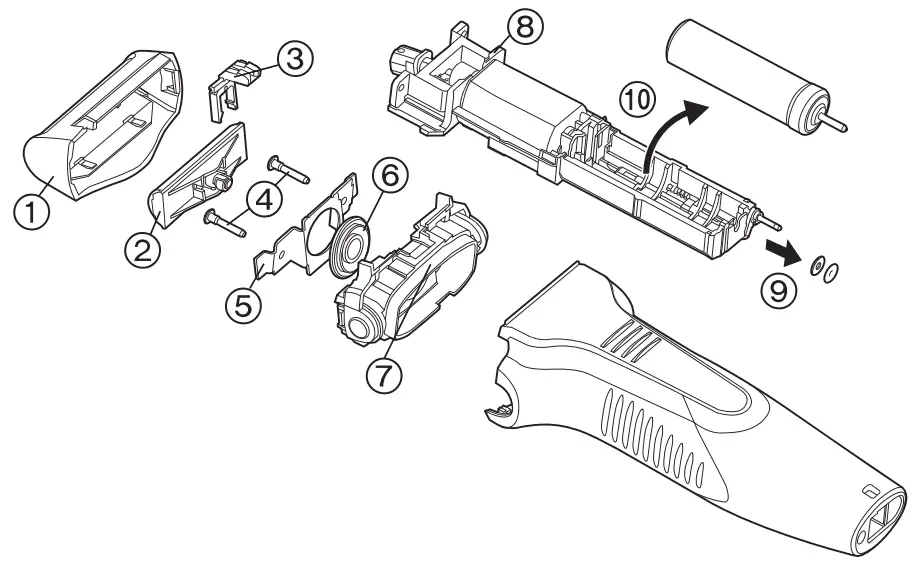 For environmental protection and recycling of materials
This shaver contains a Nickel-Metal Hydride battery. Please make sure that the battery is disposed of at an officially assigned location, if there is one in your country.
Panasonic Corporation http://www.panasonic.com
© Panasonic Corporation 2011-2020
Printed in China ES9700SA40F2453 Y1211-40420