
Operating Instructions
Before operating this unit, please read these instructions completely.
Safety instructions
- Caution – The outer foil is very thin and can be damaged if not used correctly. Check that the foil is not damaged before using the shaver. Do not use the shaver if the foil etc. is damaged as you will cut your skin.
- Be sure to turn the shaver off before maintenance.
- Failure to do so may result in an accident or injury.
- Do not alter the appliance. Also, do not disassemble or repair it.
- It could result in injury. Contact the shop where you purchased the appliance or your nearest service center for repairs.
- Before use, always make sure that the foil has not become damaged or misshapen.
- Failure to do so may cause damage to skin.
- Do not apply excessive pressure to the foil.
- It could break the foil, resulting in scratching of the skin.
- Do not use the appliance for any purpose other than shaving.
- It could break or deform the foil, resulting in scratching of the skin.
- The supply terminals are not to be short-circuited.
- It could result in burns or injury.
- Use only AAA (LR03) alkaline battery.
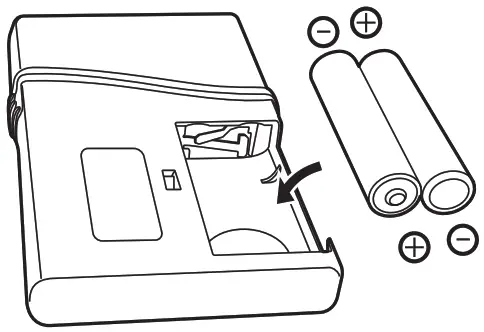
- Check the polarity of the battery (+ and -) and install it correctly.
- Remove the battery immediately and dispose of it safely when it is discharged.
- Non-rechargeable battery is not to be recharged.
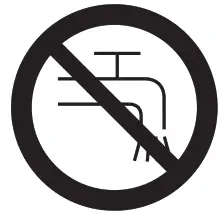
WARNING – Keep the appliance dry.
SPECIFICATIONS
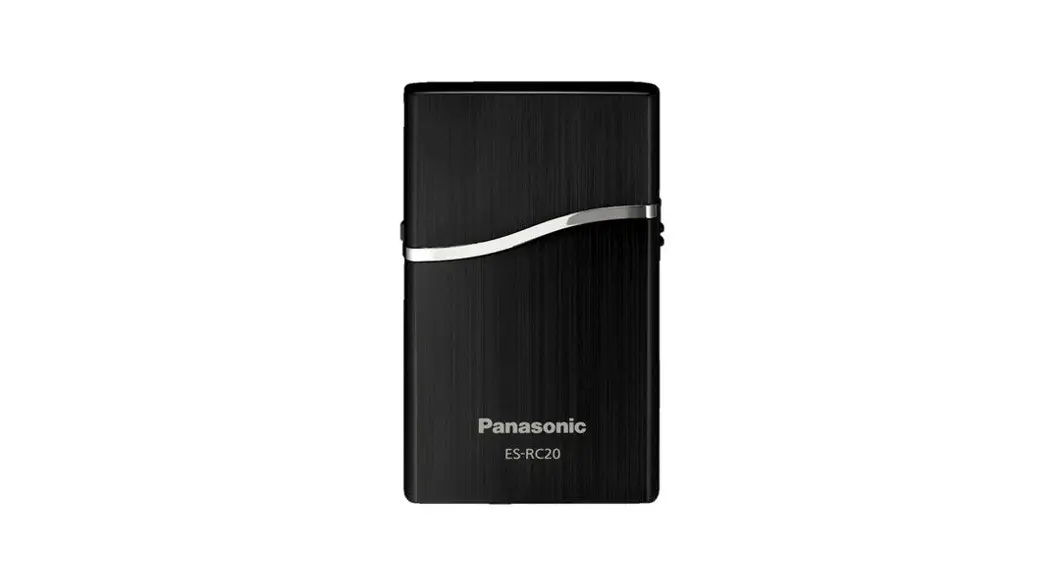
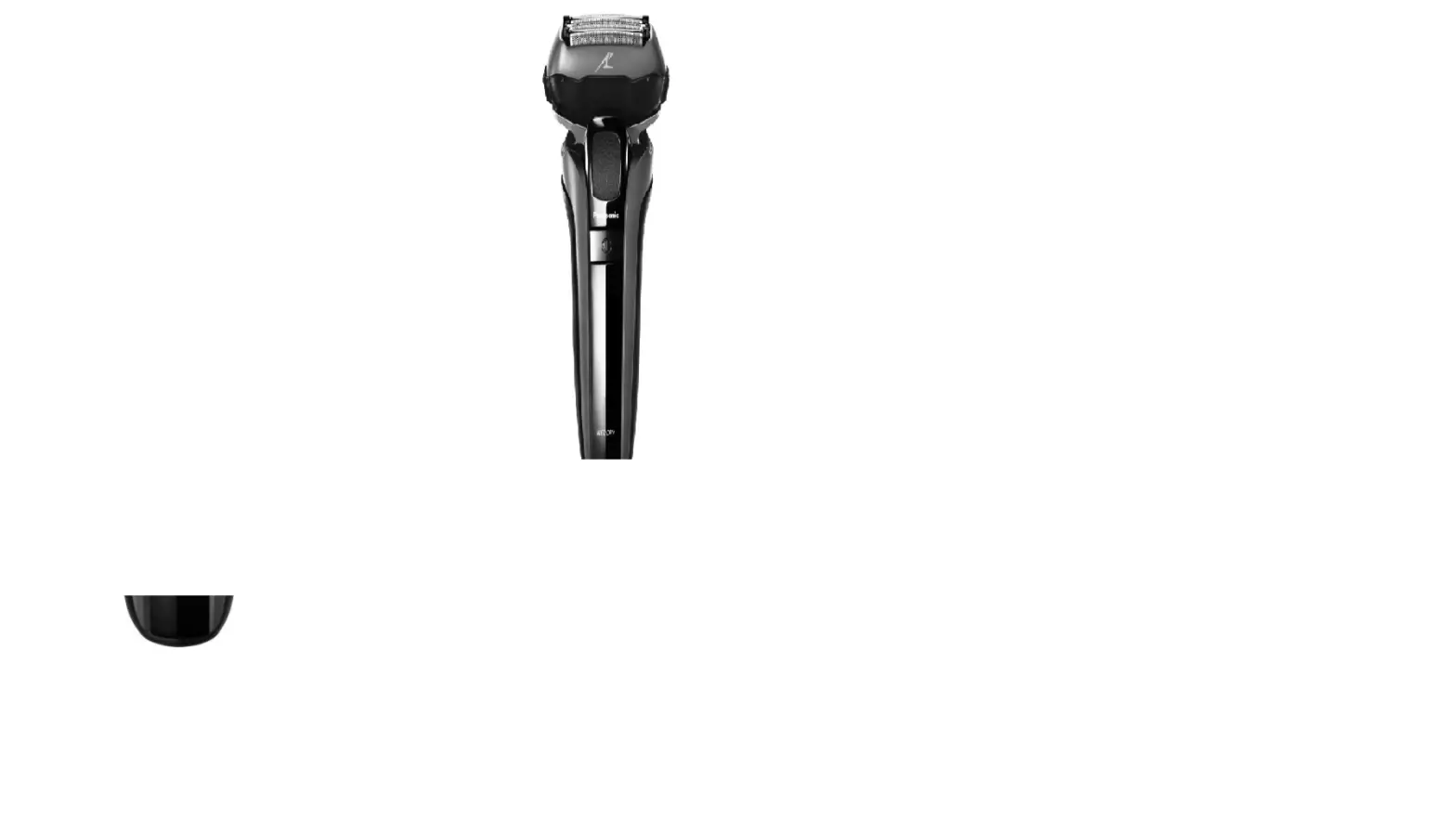
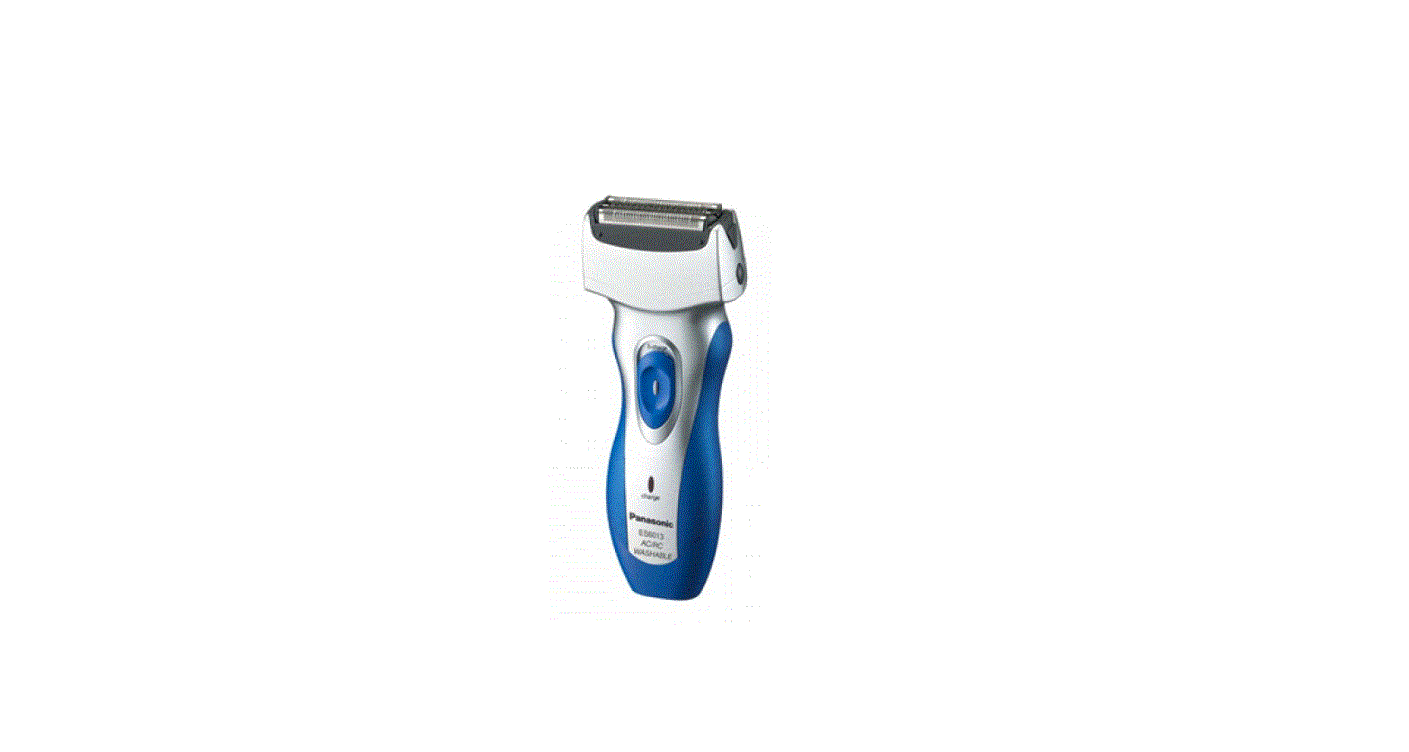
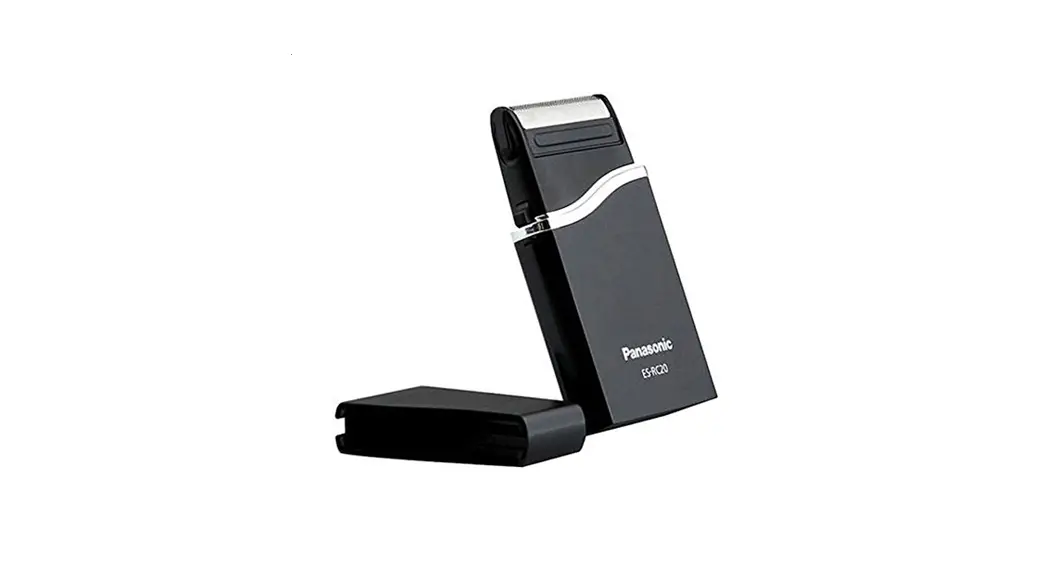
Model: ES-RC20
Batteries: Two AAA LR03 alkaline dry-cell batteries (Sold separately)
This product is intended for household use only.
Parts identification
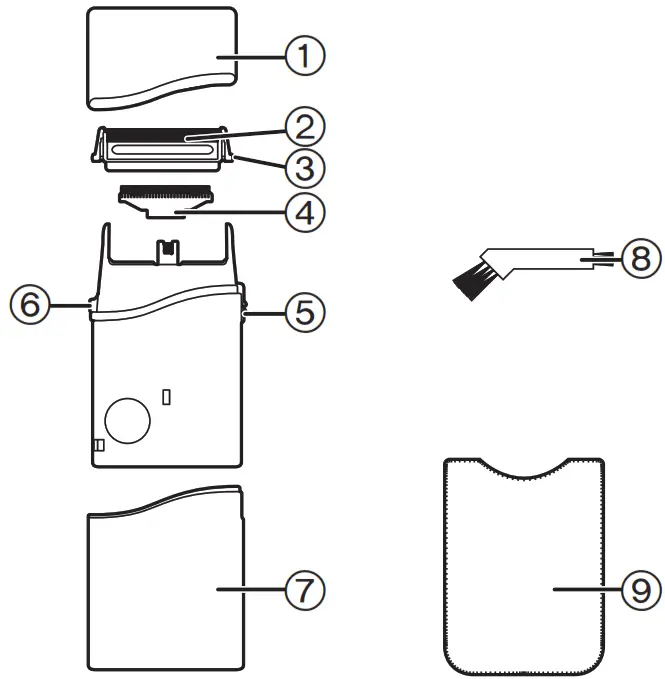
| 1 Protective cap 2 Outer foil 3 Outer foil release buttons 4 Inner blade 5 0/1 switch | 6 Battery cover release button 7 Battery cover 8 Cleaning brush 9 Soft case |
Replacing batteries
- Slide the 0/1 switch to “0”.
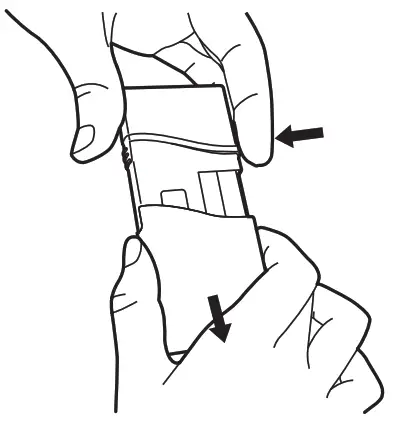
- Remove the battery cover while pressing the battery cover release button.
- Insert two AAA (LR03) alkaline batteries.
 |  |
- Do not use a new battery with an old one.
- If the shaver will not be used for a long time, please remove the batteries.
- Make sure that the old batteries are disposed of at an officially assigned location.
Using
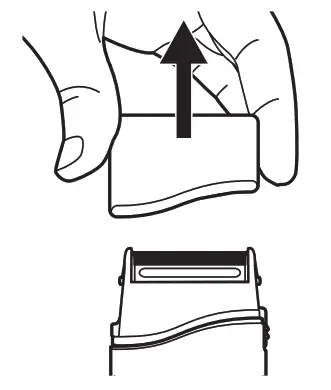
- Remove the protective cap.
- Check that the outer foil is not deformed or damaged.
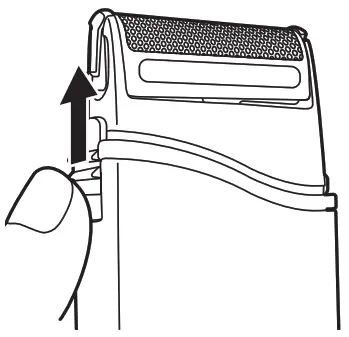
- Slide the 0/1 switch to “1”.
 |  |
Stretch your skin with your free hand and move the shaver back and forth in the direction of your beard.
- Attach the protective cap to prevent the damage of the outer foil after use.
Cleaning with the brush
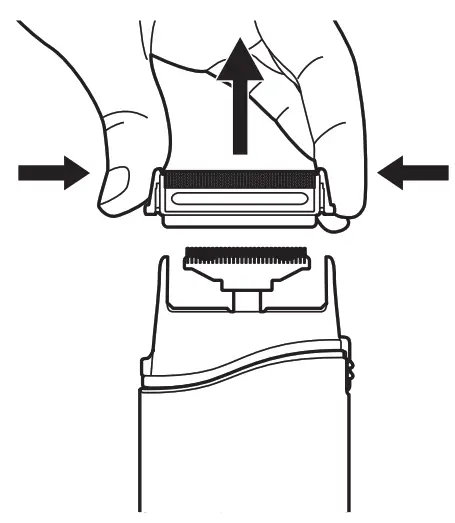
- Remove the outer foil while pressing the outer foil release buttons.

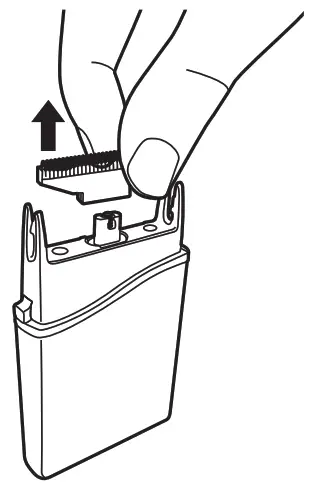
- Remove the inner blade.
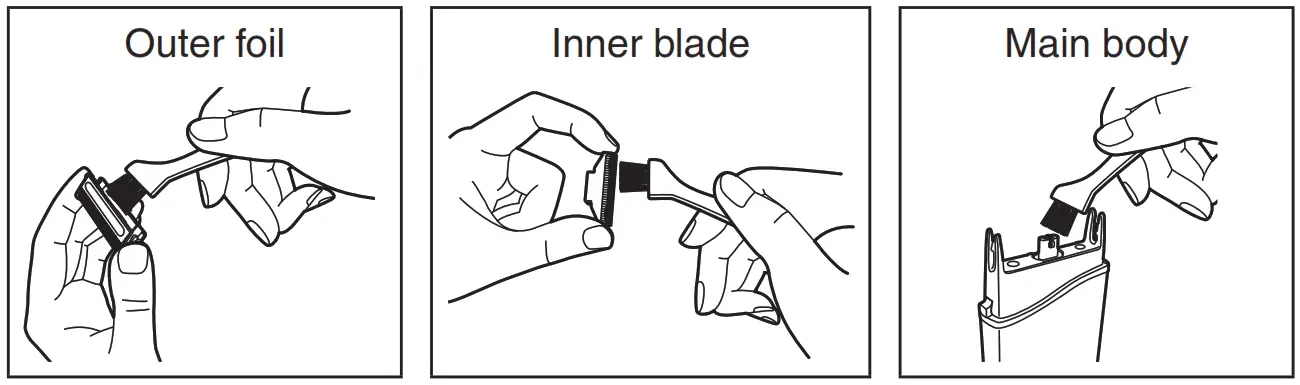
- Clean with the brush as illustrated.

Replacing the outer foil and the inner blade
| outer foil | once every year |
| inner blade | once every two years |
- Remove the outer foil while pressing the outer foil release buttons.
- Remove the inner blade.
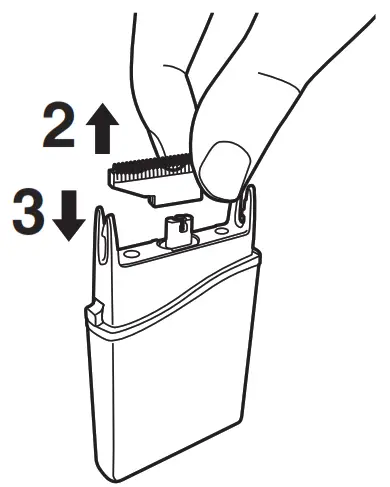
- Insert the inner blade until it clicks as illustrated.

- Insert the outer foil by pushing it downwards until it clicks.
Panasonic Corporation
http://www.panasonic.com
Printed in China
ES9700RC20F1401 S1211-20820