BIGSTONE C500
Turning on the display
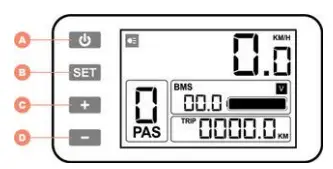
Press the “On/off” button (A) left of the display to turn the electric circuit on. The display is turned on and a menu appears.
A = On/off button and lights
B = Menu display
C = Motor support up
D = Motor support down
Switching bicycle lights on and off
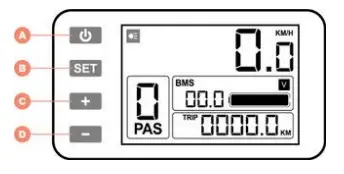 Press the “On/off” button (A) once to turn on the lights. A symbol will appear on the display. Press button (A) again to turn it off.
Thumb lever
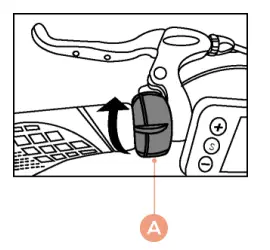 By pushing the lever (A) forward when stationary, the walk assist will be activated (which gives support up to 6 km/h). Walk assist will be activated when the (-) button is pressed for a few seconds.
Attention: Walk assist does not work when support mode is set to ‘0’. Using the lever while pedaling, the support will go to its maximum speed of 25 km/h.
Switching between the 9 levels of electric
support
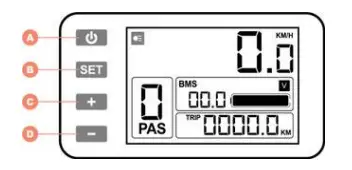 The electric support has 9 positions. The current support setting is shown at the bottom left of the display. You can switch between these settings by briefly pressing the “+” (C) or “-“ (D) button.
USB–port
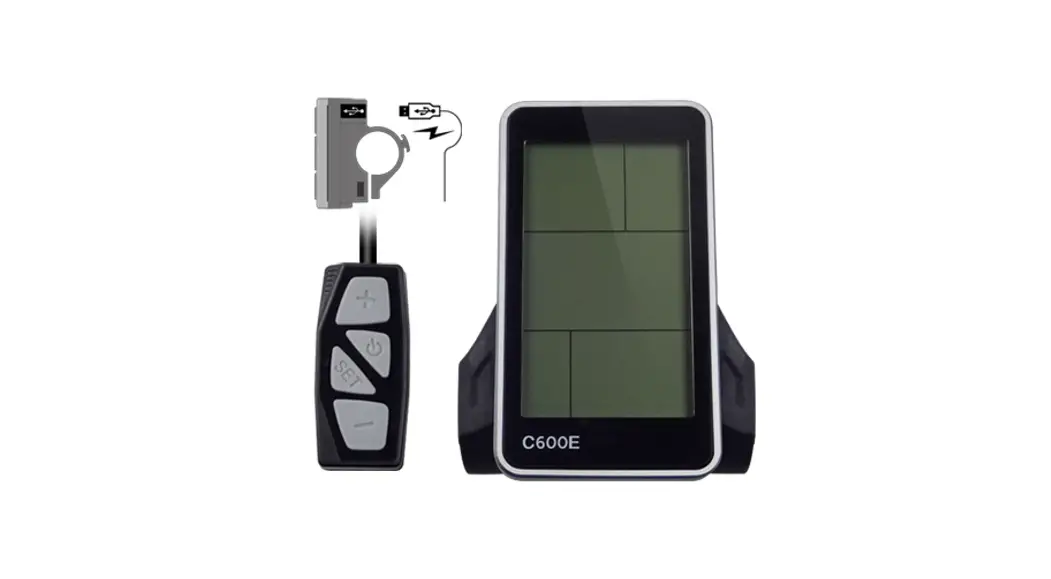
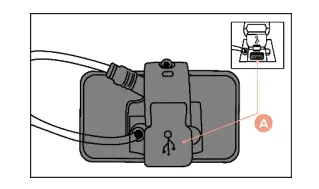 Below the display is a USB port (A) where you can charge, for example, your smartphone or navigation device while cycling. You must activate the port by pressing the “set” and “+” buttons for a few seconds.
Reset Trip mode
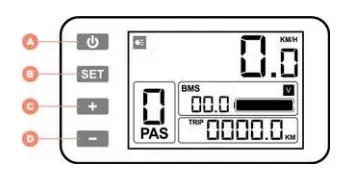 Press the “SET” button (B) for a few seconds, maintenance menu will appear. Press the “- “button (D) once to reset trip mode. Press the “SET” button (B) again to exit the menu.