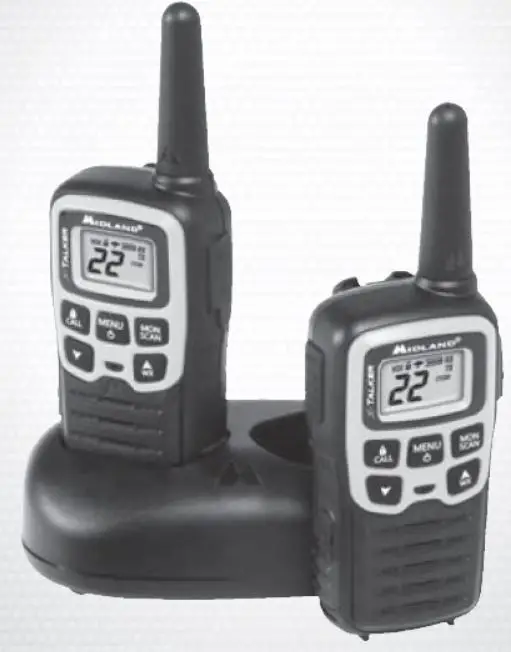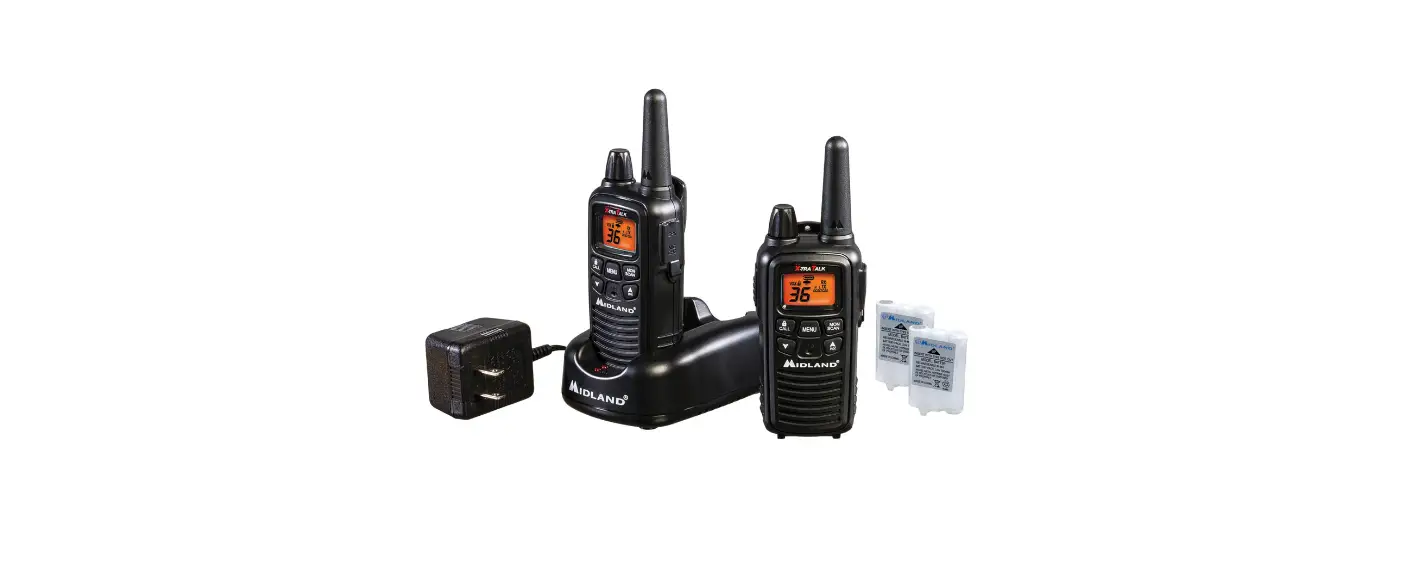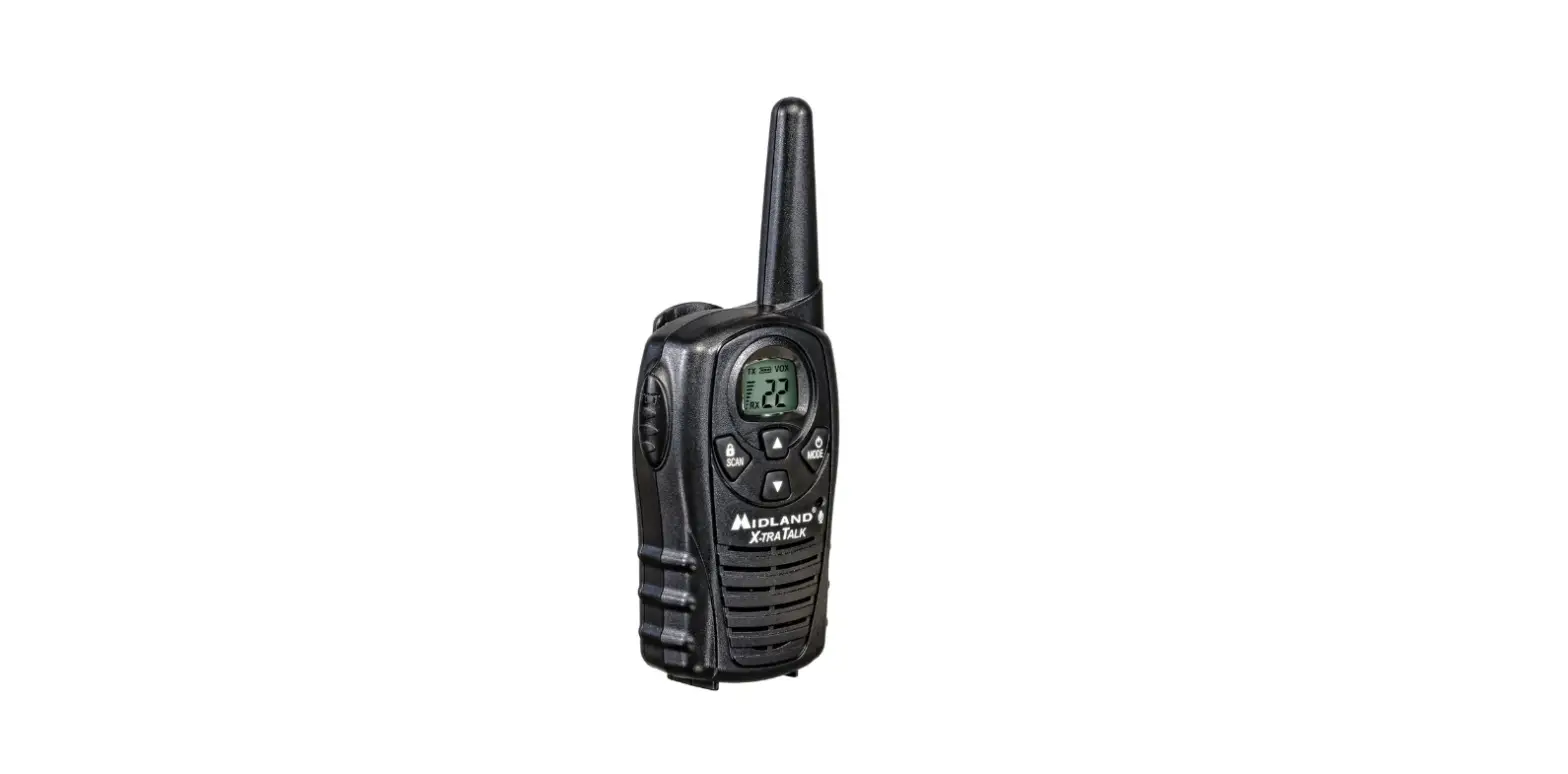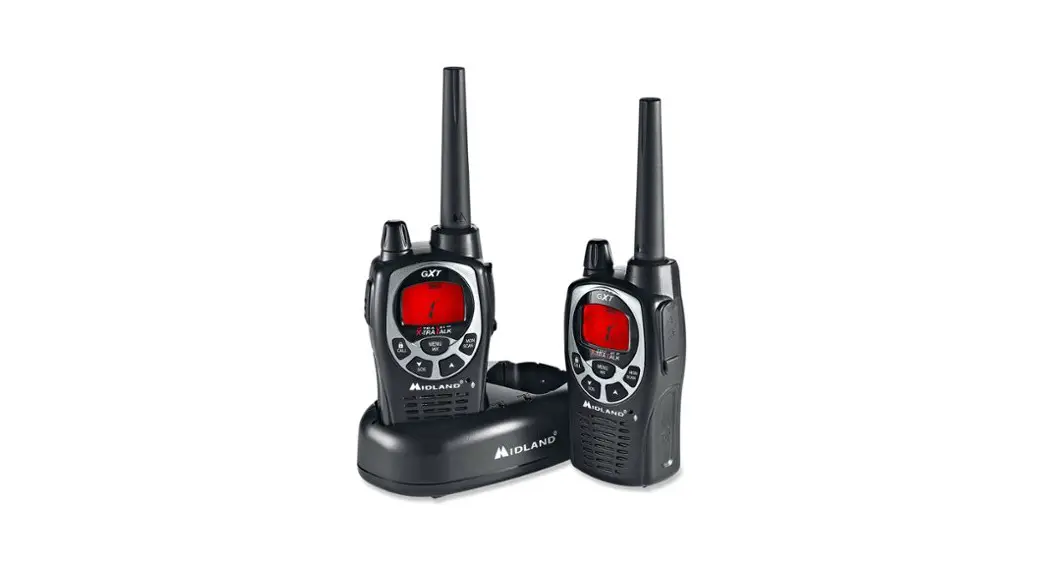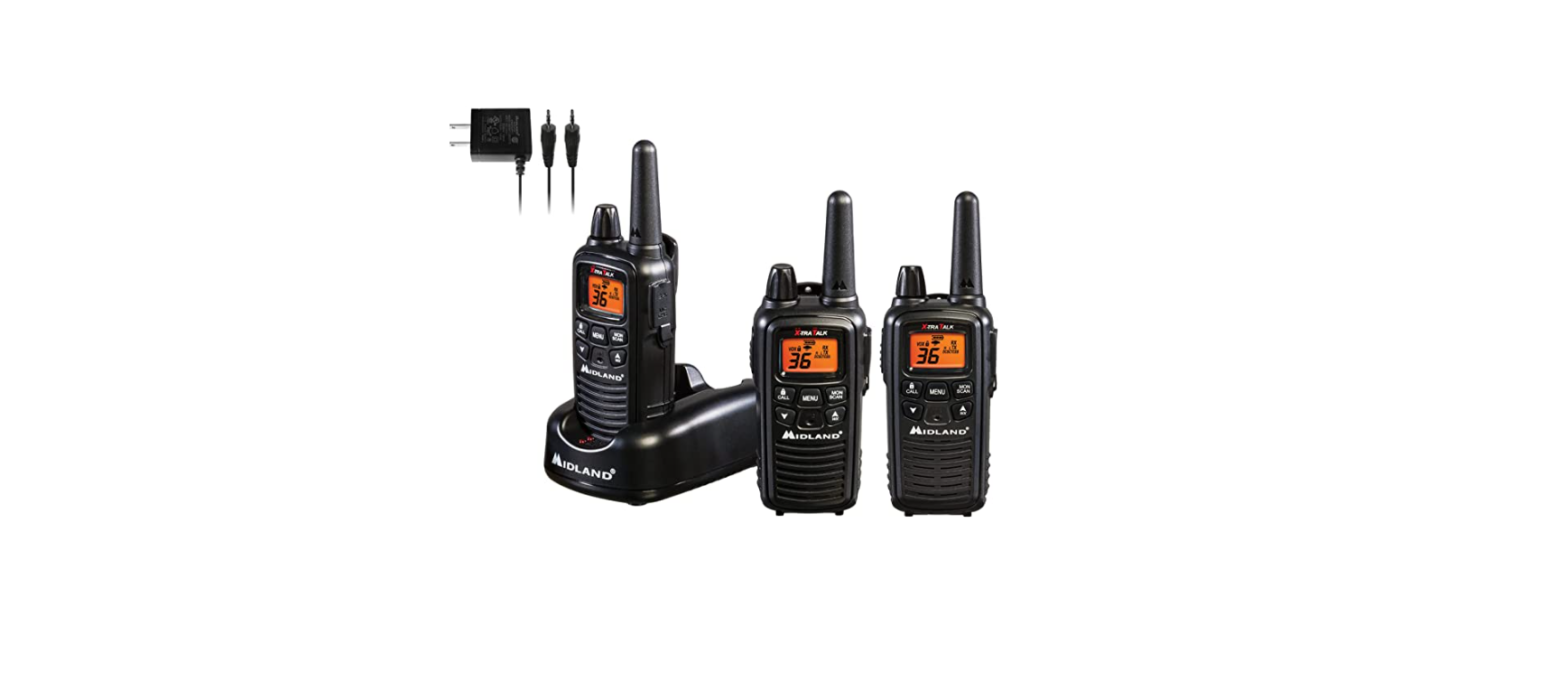
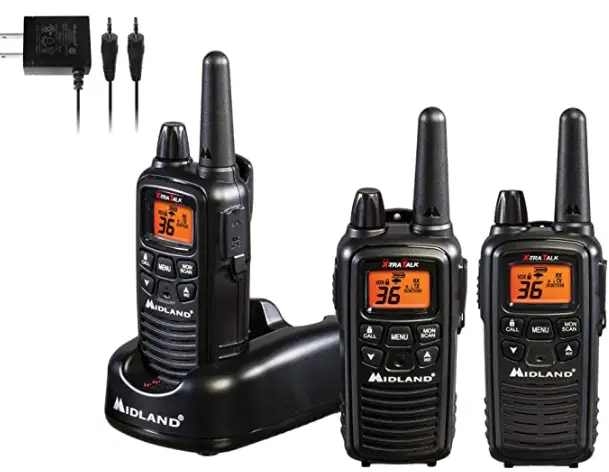
 Midland XT600 Series 36 Channel FRS Radio

Welcome to the world of Midland electronics
Congratulations on your purchase of a high-quality MIDLAND product. Your 2-way radio represents state-of-the-art high-tech engineering. Designed for GMRS (General Mobile Radio Service) operation, this compact package is big on performance. It is a quality piece of electronic equipment, skillfully constructed with the finest components. The circuitry is all solid-state and mounted on a rugged printed circuit board. Your two-way radio is designed for reliable and trouble-free performance for years to come.
Features
- 36 GMRS/FRS Channels
- 121 Privacy Codes (38 CTCSS / 83 DCS)
- VOX
- Selectable Call Alert
- nOAA Weather Scan
- NOAA Weather Radio
- NOAA Weather Alert
- Scan Function
- Monitor Function
- Roger Beep Tone
- Silent Operation
- Key Pad Lock
- Power High / Low Settings
- Speaker / Microphone Jacks
- Battery Meter / Battery Low Indicator
This device complies with Part 15 of the FCC Rules. Operation is subject to the following two conditions: (1) this device does not cause harmful interference, and (2) this radio must accept any interference that may cause undesired operation.
To maintain compliance with FCC’s RF exposure guidelines, for body-worn operation, this radio has been tested and meets the FCC RF exposure guidelines when used with Midland Radio Corp. accessories supplied or designated for this product. Use of other accessories may not ensure compliance with FCC RF exposure guidelines.
IMPORTANT NOTICE, FCC LICENSE REQUIRED FOR GMRS OPERATION (Only Applicable for GMRS Radio Use in the United States)
The LXT600 Series operates on GMRS (General Mobile Radio Service) frequencies which require an FCC (Federal Communications Commission) license. You must be licensed prior to operating on channels 1 – 7 or 15 – 22, which comprise the GMRS channels of the LXT600 Series. Serious penalties could result from unlicensed use of GMRS channels, in violation of FCC rules, as stipulated in the Communications Acts Sections 501 and 502 (amended).
You will be issued a call sign by the FCC which should be used for station identification when operating the radio on GMRS channels. You should also cooperate by engaging in permissible transmissions only, avoiding channel interference with other GMRS users, and being prudent with the length of your transmission time.
To obtain a license or ask questions about the license application, contact the FCC at 1-888-CALL FCC or go to the FCC’s website:
http://www.fcc.gov and request form 605.
Exposure To Radio Frequency Energy
Your Midland radio is designed to comply with the following national and international standards and guidelines regarding exposure of human beings to radio frequency electromagnetic energy:
- United States Federal Communications Commission, Code of Federal Regulations: 47 CFR part 2 sub-part J
- American National Standards Institute (ANSI)/Institute of Electrical & Electronic Engineers (IEEE) C95. 1-1992
- Institute of Electrical and Electronic Engineers (IEEE) C95. 1-1999 Edition
- National Council on Radiation Protection and Measurements (NCRP) of the United States, Report 86, 1986
- International Commission on Non-lonizing Radiation Protection (ICNIRP) 1998 To control your exposure and ensure compliance with the general population or uncontrolled environment exposure limits, transmit no more than 50% of the time. The radio generates measurable RF energy exposure only when transmitting.
IMPORTANT: Changes or modifications to this unit not expressly approved by MIDLAND RADIO CORP. could void your right to operate this unit. Your radio is set up to transmit a regulated signal on an assigned frequency. It is against the law to alter or adjust the settings inside the COMMUNICATOR to exceed those limitations. Any adjustment to your radio must be made by qualified technicians.
LCD DISPLAY

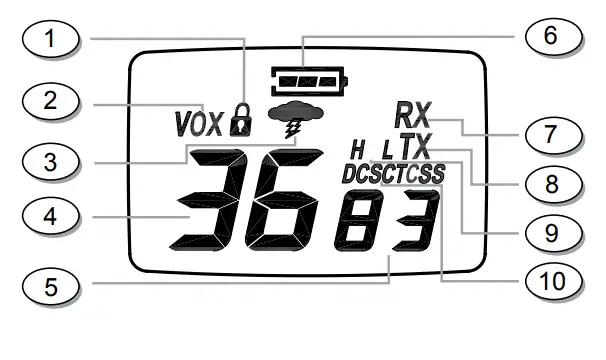
- KEY LOCK ICON – Indicates KEY LOCK mode is on.
- VOX ICON – Indicates when VOX mode is active.
- NOAA WEATHER (WX) BAND ICON– Indicates when the radio is in Weather Band mode.
- CHANNEL NUMBER – Changes from 1~36 on GMRS/FRS band (1~10 on WX band).
- PRIVACY CODE – Indicates Privacy Code selected by user (oF~38/oF~83). It can only be set in Ch 1~22.
- BATTERY METER – Indicates the battery level.
- RECEIVE (RX) ICON – Indicates radio is receiving a transmission.
- TRANSMIT (TX) ICON – Indicates radio is transmitting a signal.
- TRANSMIT POWER LEVEL ICON – Indicates TX Power setting (H/L).
- PRIVACY CODE ICON – Indicates Privacy Code setting (CTCSS/DCS).
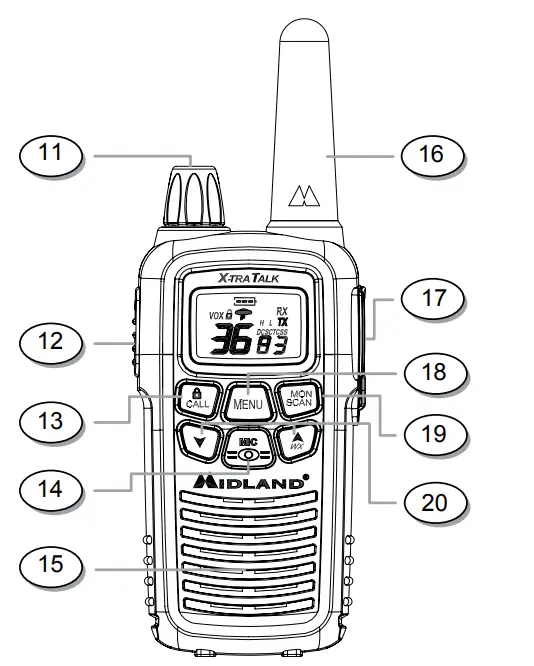
- POWER/VOLUME KNOB – Turn clockwise to turn the power on and increase the volume level.
- Turn counter-clockwise to decrease the volume level and turn the power off. PTT Button – Press and hold to transmit voice communication.
- CALL/LOCK Button – Press to send a CALL ALERT signal. Press and hold to turn KEY LOCK on/off.
- MIC – Built-in microphone.
- SPEAKER – Built-in speaker.
- ANTENNA
- EXTERNAL SPEAKER/MIC/CHG JACK
- mENU Button – Press momentarily to access Menu mode.
- MONITOR/SCAN Button – Press to enter SCAN mode. Press and hold to enter MONITOR mode.
- UP/WX SCAN ▲ and DOWN ▼ Buttons – Make adjustments in MENU mode. Press and hold the UP button for 5 seconds to activate the NOAA Weather Scan function.
BATTERY INSTALLATION
Your LXT600 Series radio operates with either a NiMH battery pack or optional 3 AAA alkaline batteries. The belt clip should be removed (see below) to ease installation or removal of the batteries.
To install the batteries: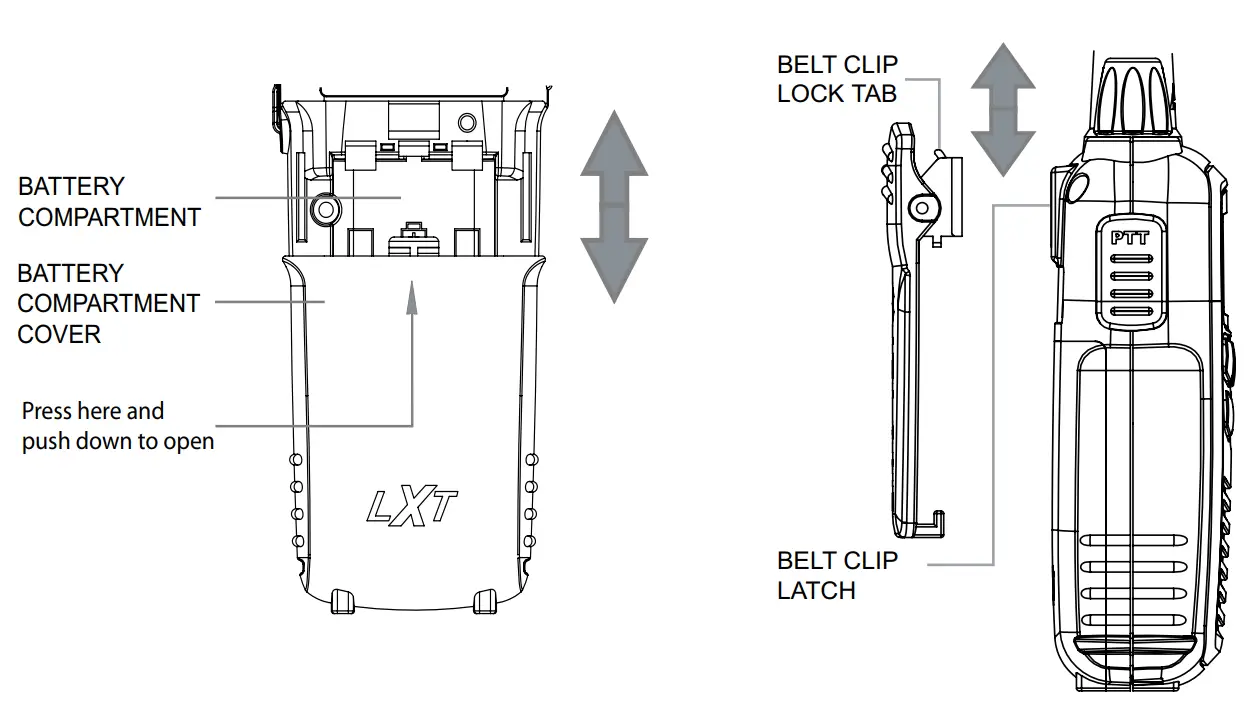
- With the back of the radio facing you, remove the belt clip (see diagram below) for easy access, then remove the Battery Cover by pressing down on the top center and sliding it down from the radio.
- Insert 3 AAA batteries observing the polarity as shown. Installing the batteries incorrectly will prevent the unit from operating or may damage the unit.
- Return the Battery Cover by sliding it up on the radio. Replace the belt clip, making sure it locks into place.
INSTALLING THE BELT CLIP
To install the BELT CLIP, slide the clip down into the slot on the back of the radio until the BELT CLIP LATCH clicks. To remove the BELT CLIP, press the LOCK TAB down, then gently pull the belt clip up toward the top of the radio.
CHARGING THE BATTERY PACK
Your LXT600 Series is equipped for using a rechargeable NiMH battery pack which can be recharged by inserting the AC adapter into the radio charge jack, or with optional desktop charger (as described below). Initial charge time is 24 hours. Charge time is about 12 hours thereafter. For maximum battery life, we recommend charging the battery pack when the low battery icon comes on. Remove the radios from the charger when the charge time expires.
To charge using a Desktop Charger:
- Place the rechargeable battery packs in the radios.
- Connect the AC adapter into an AC wall outlet.
- Insert the AC adapter plug (or DC Cigarette Lighter adapter if charging in vehicle) into the desktop charger jack.
- Place the units into the desktop charger slot and note that the LED indicator with RED color will light up, indicating charging function.
In order to ensure that the battery pack is fully charged, it is recommended that the battery pack be charged for at least 12 hours with the radio turned OFF.
- Only use our NiMH battery pack and AC adapter.
- Do not attempt to charge alkaline batteries or any batteries or battery packs other than the one indicated in the manual. This may cause leakage and damage to the radio.
- For long-term storage of the radio, turn the radio OFF and remove the batteries from the radio.
LOW BATTERY LEVEL INDICATOR
Your LXT600 Series has a BATTERY LEVEL METER that shows the battery power level. The greater the number of bars visible, the stronger the battery level. When the battery level is low, the Battery Shell
 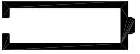 icon will flash in the display indicating your batteries should be replaced or recharged if using a rechargeable battery pack.
OPERATING YOUR RADIO
POWER ON/OFF AND VOLUME
Rotate the POWER/VOLUME knob clockwise to turn the radio on and increase the volume level. Rotate the control counter-clockwise to reduce the volume level and to turn the radio off. During Power On, the radio will beep 2 times with different tones, the LCD will display all icons for 1 second and the LCD display will indicate the last channel selected.
TRANSMITTING AND RECEIVING A CALL
To communicate, all radios in your group must be set to the same channel.
- For maximum clarity, hold the radio 2 to 3 inches from your mouth.
- Press and hold the PTT button and speak in a normal voice into the microphone. The TX icon will appear continuously on the LCD display while transmitting.
- To receive a call, release the PTT button. The RX icon will appear on the display when your radio is receiving a transmission.
ABOUT RANGE
Your LXT Series radios are designed to give you maximum range under optimum conditions.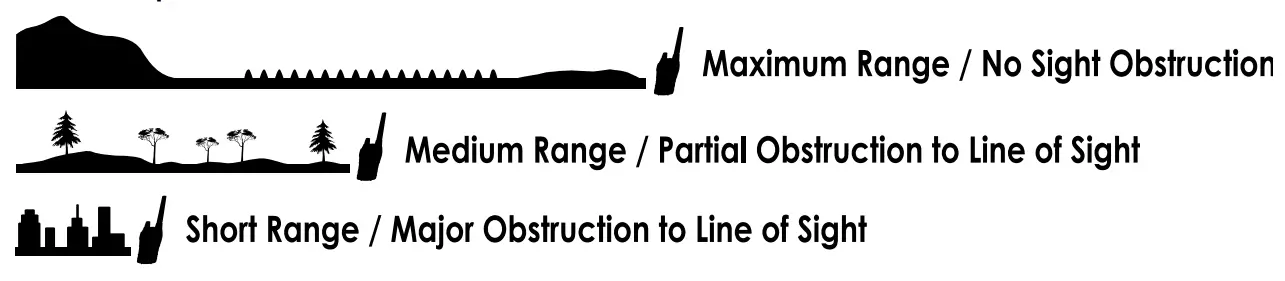
- Over water
- Open rural areas without obstructions
- Flat areas where you can see the other person
To ensure you get maximum range:
- Be sure to use fresh or fully charged batteries – low batteries will cause low power conditions.
- Be sure you are on a GMRS channel – FRS channels are restricted by the FCC to low power.
- Be sure to set your radio to use Hi power.
LXT600 SERIES QUICK REFERENCE CHART
MONITOR
Pressing and holding the MONITOR button for 3 seconds will let you hear noise so you can adjust the volume level of the radio when not receiving a signal. This could also be used to check any activity on your current channel before transmitting.
Press and hold the MONITOR button for 3 seconds again to get out of MONITOR mode.
SCAN
Your LXT600 Series can scan all 36 channels for activity. To enter, quickly press the SCAN button. Repeat the same procedure to exit. Your radio will rapidly scan each of the 36 channels and stop on any active channel for 4 seconds before resuming scan.
When you press the PTT button to transmit on an active channel, the scanning function will stop and remain on the active channel. To resume scanning, quickly press the SCAN button.
CALL ALERT
Your LXT600 Series can transmit a call alert for a fixed length of time. To send a call alert, press the CALL button. The TX icon will appear while transmitting a call alert and a tone can be heard on the speaker for confirmation.
KEYPAD LOCK
To avoid accidentally changing the radio setting, press the LOCK button for 4 seconds. The KEY LOCK icon will appear on the display. PTT and CALL will still be active. Repeat the same procedure to unlock the keypad.
CHANNEL SELECTION (GMRS/FRS BAND)
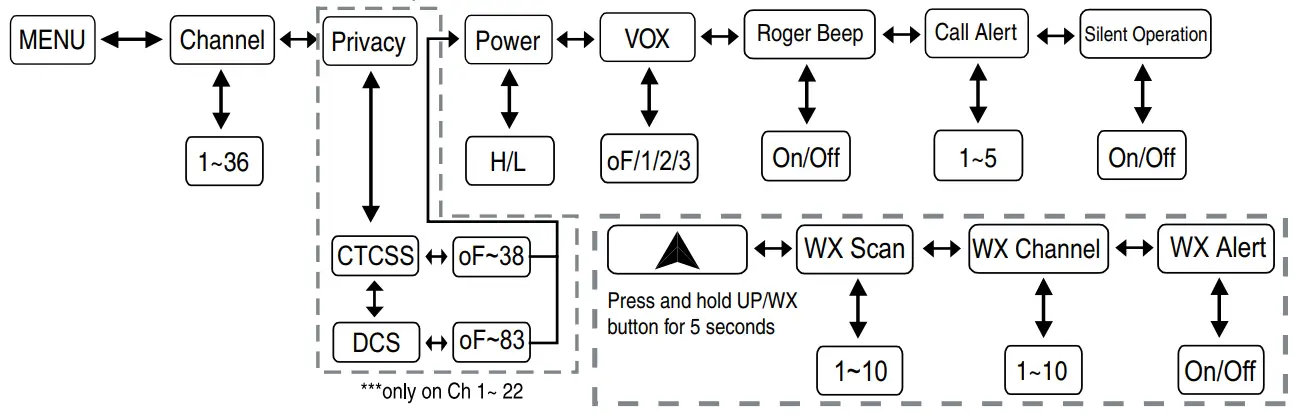
Press the MENU button once, and then the ▲\▼ buttons to select one of the 36 GMRS/FRS channels. To confirm the selection, press the PTT button or press the MENU button again to move to the next feature setting.
SETTING PRIVACY CODES
Your LXT600 Series has 121 Privacy Codes available to use in channels 1~22. The selected Privacy Code may be different for each channel. To select a Privacy Code for the current channel press the MENU button twice, and then the ▲\▼ buttons to select one of the 38 CTCSS Privacy Codes. Press the MENU button again and then the ▲\▼ buttons to select one of the 83 DCS Privacy Codes. The Privacy Code icon on the display will indicate whether you set your Privacy Code in CTCSS or DCS mode. To confirm the selection, press the PTT button or press the MENU button again to move to the next feature setting.
Note: If you select a CTCSS Privacy Code, any pre-selected DCS Privacy Code will be cancelled and vice-versa. Selecting a Privacy Code of “oF” will disable the Privacy feature. To communicate between two LXT600 Series radios, all radios in your group must be set to the same channel and/or Privacy Code selections. The Privacy Code can only be set in channels 1~22.
TRANSMIT (TX) POWER LEVEL SELECTION
Your LXT600 has 2 power level settings. To select the power level on channels 1~7 and 15~36, press the MENU button until a “Pr” icon will appear blinking on the display. Then press the ▲\▼ buttons to select TRANSMIT POWER LEVEL icon (H: Hi/L: Lo). To confirm, press the PTT button or press the MENU button again to move to the next feature setting. When the PTT button is pressed during Lo Battery Level condition, the TX Power will automatically switch from Hi(H) to Lo(L) level.
Note: You cannot adjust the power setting on the FRS channels (8~14). They are set to Lo power per FCC regulations.
VOX
Your LXT600 Series has 3 VOX level settings: (oF/1/2/3).
To set VOX, press the MENU button until the display shows “VOX” blinking while on the right of the CHANNEL NUMBER display, an “oF” icon appears. Select “1”,“2” or “3” by pressing the ▲\▼ buttons and push the PTT key, or press the MENU button again to move to the next feature setting.
VOX will be more sensitive on the “1” setting than on the “3” setting.
To turn VOX off, press the MENU button until the display shows “VOX” blinking while on the right of the CHANNEL NUMBER display, a “1”,“2” or “3” icon appears. Select “oF” by pressing the ▲\▼ buttons and push the PTT key, or press the MENU button again to move to the next feature setting.
ROGER BEEP (end of transmission) TONE
When the PTT button is released, the radio will beep to confirm to other users that your transmission has finished.
To turn the ROGER BEEP tone on, press the MENU button until the display shows a “rb” icon while on the right of the “rb” display, an “oF” icon appears. Select “on” by pressing the ▲\▼ buttons and push the PTT key, or press the MENU button to move to the next feature setting.
To turn the ROGER BEEP tone off, press the MENU button until the display shows a “rb” icon while on the right of the “rb” display, an “on” icon appears. Select “oF” by pressing the ▲\▼ buttons and push the PTT key, or press the MENU button to move to the next feature setting.
CALL ALERT SELECTION
Your LXT600 Series has 5 selectable CALL ALERTS.
To select, press the MENU button until a “CA” icon appears and to the right of the “CA” icon the current CALL ALERT setting is displayed. Then press the ▲\▼ buttons to make the CALL ALERT selections – the radio will emit a corresponding tone for each selection. To confirm, press the PTT button or press the MENU button to move to the next feature setting.
SILENT OPERATION
Your LXT600 Series has a SILENT OPERATION mode. In this mode, all “beeps” and “tones” are disabled.
To turn the SILENT OPERATION mode on, press the MENU button until the display shows a “bP” icon while on the right of the “bP” display, an “on” icon appears. Select “oF” by pressing the ▲\▼ buttons and push the PTT key or MENU button.
To turn the SILENT OPERATION mode off, press the MENU button until the display shows a “bP” icon while on the right of the “bP” display, an “oF” icon appears. Select “on” by pressing the ▲\▼ buttons and push the PTT key or MENU button.
NOAA WEATHER RADIO/SCAN
Your LXT600 Series has a NOAA WEATHER RADIO function, to enable the user to receive weather reports from designated NOAA stations.
Your LXT600 Series also has a NOAA WEATHER SCAN function to enable the user to scan all 10 channels of the NOAA WEATHER RADIO. To turn the NOAA WEATHER SCAN on, press and hold the UP/WX ▲ button for 5 seconds while in GMRS mode. The radio will go to WX Band mode and start scanning all 10 channels and stop on any active channel. When the channel becomes inactive for 10 seconds the radio will resume scanning.
To stop the NOAA WEATHER (WX) SCAN and set the channel manually on the WX Band, press the MENU button during NOAA WEATHER (WX) SCAN. The radio will stop scanning and the display will show the current WX Band channel setting and the WX Band icon. While on WX Band mode press the ▲\▼ buttons to select one of the 10 NOAA WEATHER (WX) BAND channels. To confirm, press the PTT button or press the MENU button to move to the next feature setting.
To turn the NOAA WEATHER RADIO off, press the PTT button. The current GMRS/FRS radio setting will be displayed and the WX BAND icon will go off.
NOAA WEATHER ALERT
Your LXT600 has an NOAA WEATHER ALERT function, to enable you to automatically receive weather alerts from designated NOAA stations.
The NOAA WEATHER (WX) ALERT is automatically on during NOAA WEATHER SCAN mode.
To turn the NOAA WEATHER (WX) ALERT on during normal NOAA WEATHER RADIO mode, press the MENU button twice while in NOAA WEATHER SCAN mode. The display shows “AL,” while on the right an “oF” icon appears blinking. Select “on” by pressing the ▲\▼ buttons.
To confirm, press the PTT button or press MENU. The radio will return to WX BAND and the WX BAND icon will continue blinking. If the radio receives a WX ALERT signal from a designated NOAA station while on GMRS/FRS Radio mode, the radio will beep for 10 seconds while an “AL” and “In” icon appear on the display, after which it will automatically go to WX BAND.
If any button is pressed during beeping while on GMRS/FRS Radio mode, the radio will automatically go to WX BAND.
To turn the NOAA WEATHER (WX) ALERT off, press the MENU button twice while in WX Band. The display shows “AL,” while on the right an “on” icon appears blinking. Select “oF” by pressing the ▲\▼ buttons. To confirm, press the PTT button or press MENU.
Note: The WX Alert is automatically ON during WX SCAN mode.
EXTERNAL SPEAKER/MICROPHONE JACK
Your LXT600 Series can be used with an optional external speaker/ microphone or headset, freeing your hands for other tasks. To use an optional speaker/microphone or headset: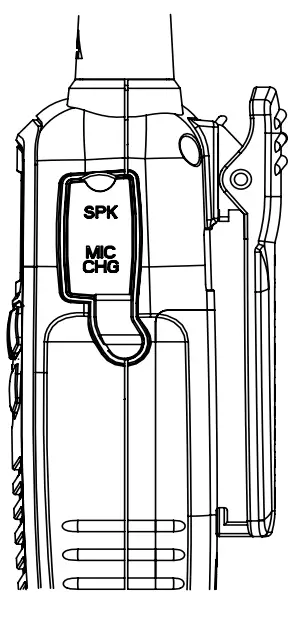
- Insert the plug(s) into the SPK/MIC jacks.
- Place the earbud into your ear, and adjust the mic into your desired position.
Note: You can charge a rechargeable NiMH battery pack thru the CHG Jack.
TROUBLESHOOTING GUIDE
PROBLEM SOLUTION
| No Power | – Check battery installation and/or replace batteries |
|
Cannot Receive Messages | – Confirm the radios have the same channel settings.
– Make sure that you are within range of the other transceivers. – Buildings and other structures may interfere with your communication. |
|
Radio is not responding to button presses | – Make sure key lock is not on (See Keypad Lock).
– Radio might need to be reset. Turn radio off then on. |
| Display is dim | – Recharge or replace batteries. |
|
Charger not functioning | – Contacts on the bottom of the radio may require cleaning.
– Ensure the outlet where the charger is plugged in is functioning properly. – Check that the battery pack is installed in the radio properly. |
USE AND CARE
- Use a soft damp cloth to clean the radio
- Do not use alcohol or cleaning solutions to clean the radio.
- Do not immerse the radio in water.
- Dry the radio with a dry lint-free cloth should it get wet.
- Turn off the radio and remove the batteries during long-term storage.
If you have a problem which you believe requires service, please call first and speak with a service technician at 816-241-8500. Many problems can be remedied over the phone without returning the unit for service.
SPECIFICATIONS
- Channels:36 GMRS/FRS Channels +121 Privacy Codes 10 NOAA Weather (WX) Band Channels
- Operating Frequency: UHF 462.5500 ~ 467.7125 MHz
- Power Source:3 AAA Alkaline or 3.6V Rechargeable NiMH battery pack
GMRS/FRS FREQUENCY CHART (MHz)
| CH. No | CH. Freq | CH. No | CH. Freq | CH. No | CH. Freq |
| 1 | 462.5625 | 9 | 467.5875 | 17 | 462.6000 |
| 2 | 462.5875 | 10 | 467.6125 | 18 | 462.6250 |
| 3 | 462.6125 | 11 | 467.6375 | 19 | 462.6500 |
| 4 | 462.6375 | 12 | 467.6625 | 20 | 462.6750 |
| 5 | 462.6625 | 13 | 467.6875 | 21 | 462.7000 |
| 6 | 462.6875 | 14 | 467.7125 | 22 | 462.7250 |
| 7 | 462.7125 | 15 | 462.5500 | ||
| 8 | 467.5625 | 16 | 462.5750 |
* Channels 8~14 are low-power FRS license-free channels
LIMITED WARRANTY
Midland Radio Corporation will repair or replace, at its option without charge, any Midland FRS/GMRS transceiver which fails due to a defect in material or workmanship within three years following the initial consumer purchase.
This warranty does not apply to water damage, battery leak or abuse. Accessories have a 90 day warranty from date of purchase, including any antennas, chargers, or earphones.
This warranty does not include the cost of labor for removal or re-installation of the product in a vehicle or other mounting.
For Product Purchased in the USA:
Performance of any obligation under this warranty may be obtained by returning the defective product, prepaid freight, along with proof of purchase to:
Midland Radio Corporation
Warranty Service Department
5900 Perretta Drive Kansas City, MO 64120
This warranty gives you specific legal rights, and you may also have other rights, which vary from state to state.
Note: The above warranty applies only to merchandise purchased in the United States of America or any of the territories or possessions thereof, or from a U.S. Military exchange.
For Product Purchased in Canada:
Performance of any obligation under this warranty may be obtained by returning the warranted product, along with proof of purchase, to your dealer in Canada.
This warranty gives you specified legal rights. Additional warranty rights may be provided by law in some areas.
ACCESSORIES
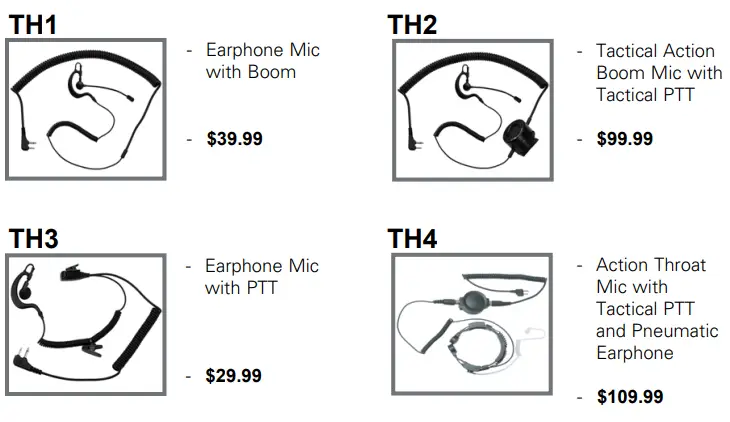
Accessories can be purchased at www.midlandusa.com or by filling in the form on the following page and mailing it to the address on the form.  TACTICAL HEADSETS
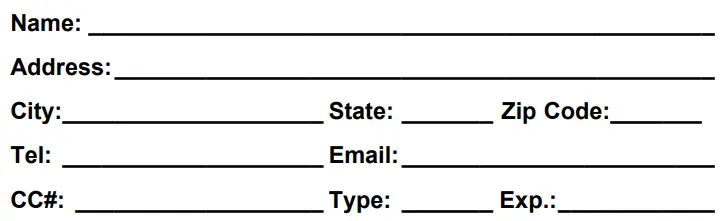
  ACCESSORIES ORDER FORM
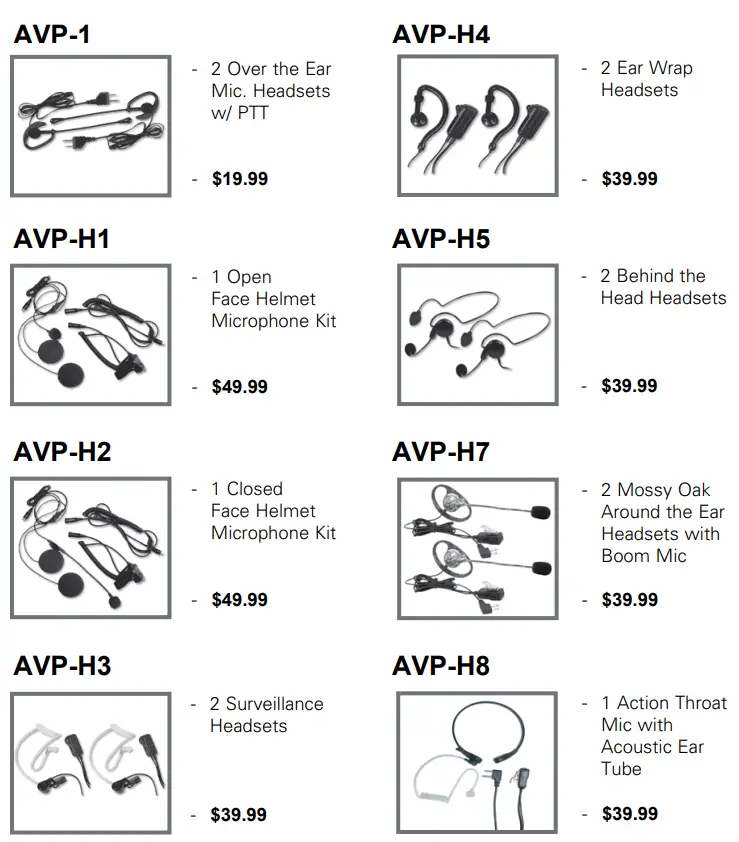 TACTICAL HEADSETS
  ACCESSORIES ORDER FORM
Please send Money orders or fill in Visa/MasterCard information and mail to the address below. Please DO NOT send cash or checks. Make Money Order payable to Midland Radio Corporation.
| Qty | Item | Price | Total |
| AVP-1 | $19.99 | ||
| AVP-H1 | $49.99 | ||
| AVP-H2 | $49.99 | ||
| AVP-H3 | $39.99 | ||
| AVP-H4 | $39.99 | ||
| AVP-H5 | $39.99 | ||
| AVP-H7 | $39.99 | ||
| AVP-H8 | $39.99 | ||
| TH1 | $39.99 | ||
| TH2 | $99.99 | ||
| TH3 | $29.99 | ||
| TH4 | $109.99 |
Mail To:
Midland Radio Corporation Consumer Dept.
5900 Parretta Drive Kansas City, MO 64120 —————-
Or Call 816.241.8500. —————-
To order online go to www.midlandusa.com
Sub-Total
Tax (MO, FL, WA only) S & H (Applies to the Domestic U.S. only. For Hawaii, Alaska, and Puerto Rico S&H will be $36.25 for 1lb and $64.25 for 2lbs or more).
MIDLAND RADIO CORPORATION
5900 Perretta Drive Kansas City, MO 64120
Call 816.241.8500
We’d love to hear from you! Let us know what you think of your new Midland product at or by visiting us at www.midlandusa.com
Note: Features & Specifications are subject to change without notice. MIDLAND is not responsible for unintentional errors or omissions on its packaging.
FAQS
In 2017 the FCC updated the rules for FRS to allow the license-free use of radios with no more than 2 watts of effective radiated power on channels 1 through 7 and 15 through 22. The 1/2 watt limit remains in effect for channels 8 through 14. The FCC also added FRS channels 8 through 14 to the licensed General Mobile Radio Service (GMRS) with power outputs of up to 5 watts on channels 1 through 7 and 50 watts on channels 15 through 22.
It’s hard to answer this question without adding some basics of radio. These gadgets (FRS Band) operate @ 462+ MHz and indeed is close to “line of sight” (with no obstructions) use, as is everything in this frequency range – this is one of those “Mother Nature is a Bi&$%” things. Couple that with their 500 Mw (1/2 watt) output and it’s easy to become disappointed with the range offered. Remember, manufacturers love to tout the best-case scenario for their products.
Bottom line, these are kiddie toys unless paired with a more powerful (and licensed, as I am) GMRS (Ground Mobile Radio Service) base station using a decent antenna. GMRS licenses are $75 for 5 years and allow operating with up to 50 watts on Ch. 15-22 in this band.
de kd5zes
These devices have the ability to communicate with any Walkie-Talkie tuned to the same channel. they have 36 channels and 121 privacy codes. They are not locked to each other. I have used mine with a buddy’s set of Motorola Walkies talkies and they work fine together. I believe I have had around 8 different devices on the same channel and everyone was able to communicate with each other.
The NOAA receiver works fine. It can monitor the NOAA channels even when set on 2-way channels, and will make an alert tone indicating a weather alert. For an emergency kit, though, you might want to consider the Midland XT511 Basecamp radio, either instead of or in addition to these small units. The Basecamp has the same 2-way radio channels (only 1 – 22, though), the same NOAA channels, etc., but it also has a built-in flashlight and flashing beacon, and it can be powered by either a Ni-MH rechargeable battery or 4 alkaline batteries (there are separate slots for both), and it comes with both AC and DC battery chargers or it can be recharged with the built-in hand crank generator. It’s also an AM/FM radio receiver.
It’s best to use your own AAA rechargeable batteries, they have greater capacity and will also charge inside the radio on the desktop charger. You don’t need to buy a pack specific to the radio.
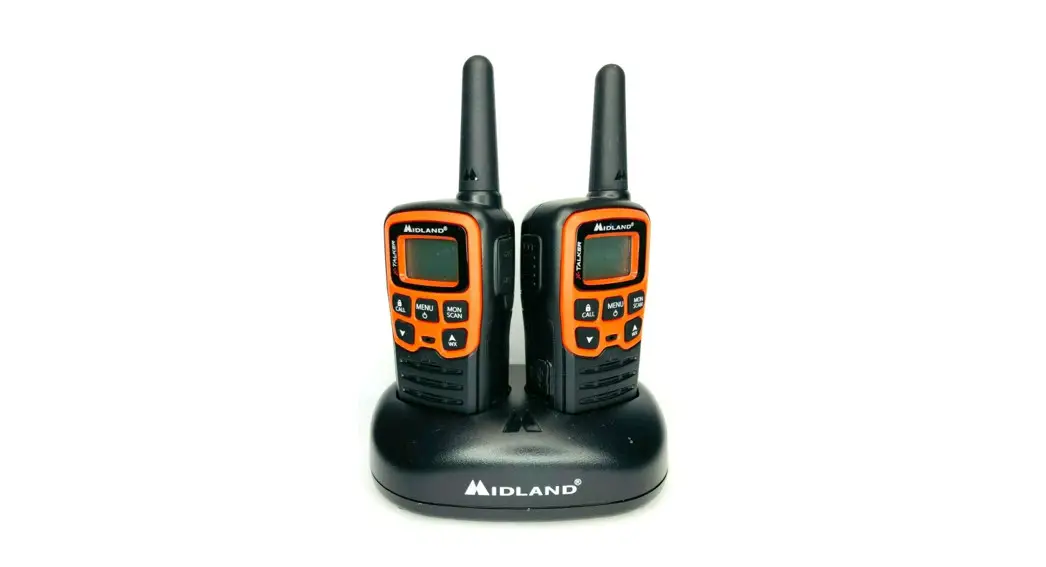
One charger with two docks, charge both radios at the same time…
Yes, works right out of the box.
You cannot legally operate a transceiver like this on a cruise ship without permission of the Ship’s Captain… check with the cruise line before you bring your radio. Also, since ships are large masses of metal that block radio waves, the range may be very short.
you can charge both at the same time
It probably costs more to produce the parts with that color which is probably why they are more expensive.
It is 2 radios as pair
Yes it will, but please note that ONLY the provided NiMH rechargeable battery pack should be charged inside the radio. Any other rechargeable batteries need to be charged in the charging cradle that they came with.
The FCC ID of this radio is MMALXT600PA. An Internet search for a test report reveals that max transmit power is 450mW on FRS and 740mW on GMRS. The makers of these radios do not want to talk about transmit power because it is so low. One Watt = 1000mW.
yes AAA batteries
Yes, no problem except plug size which is easily remedied. Input is 110-240V 50/60HZ. 300ma out @9vdc.