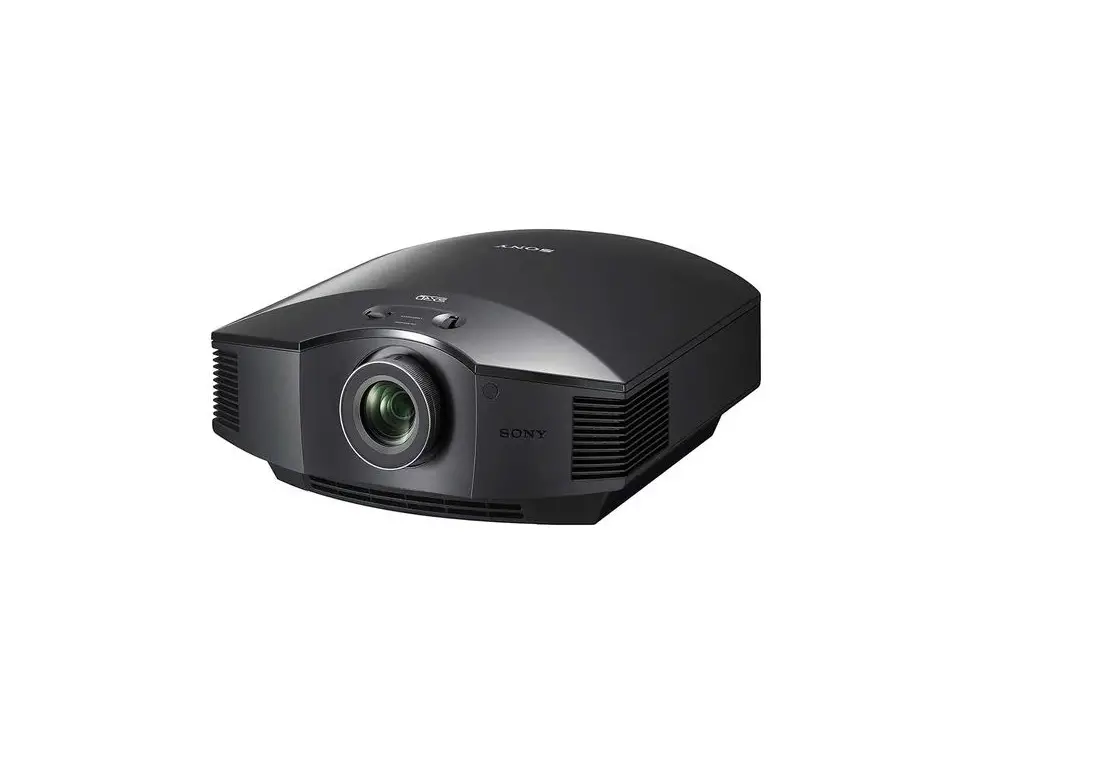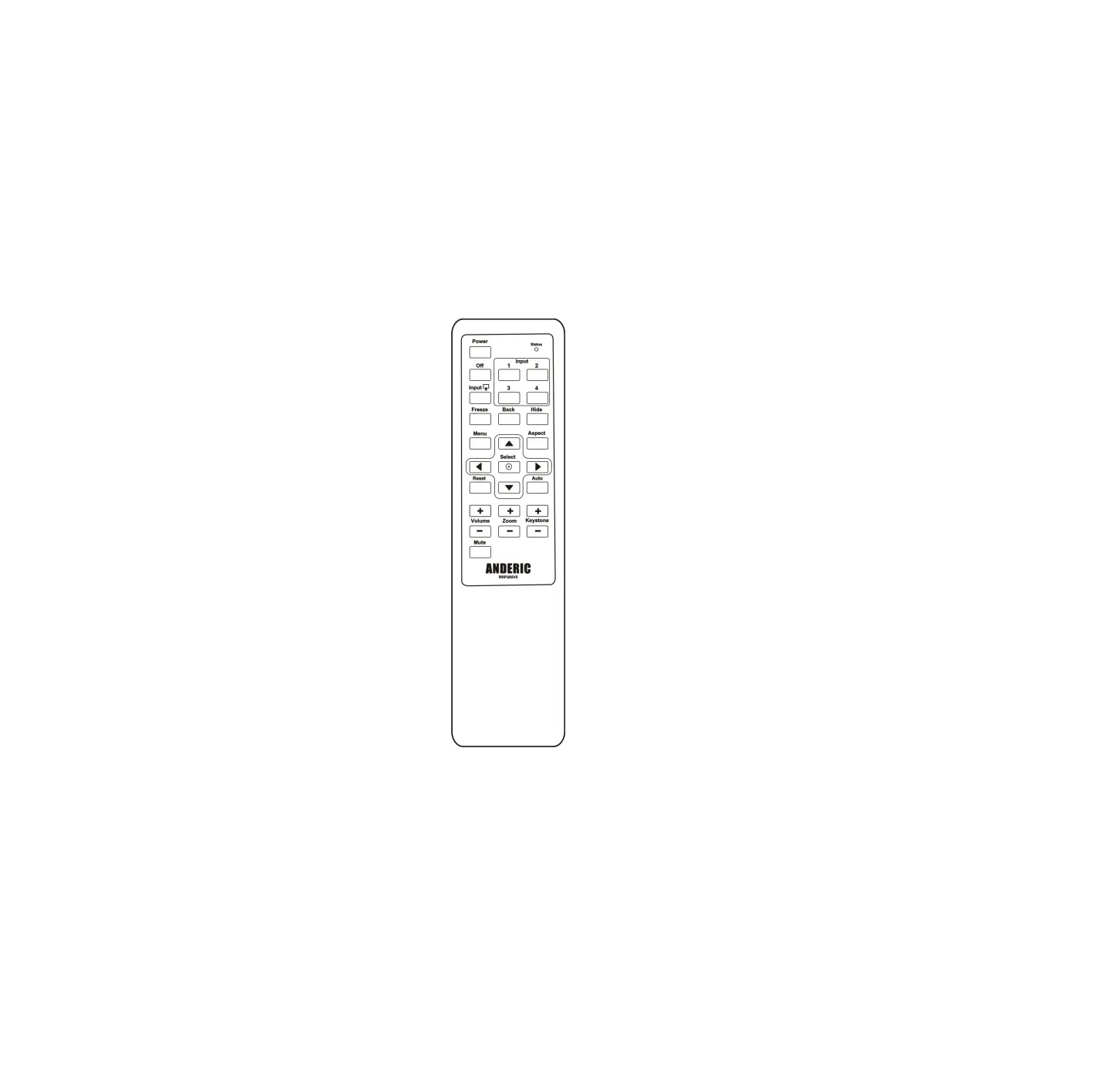
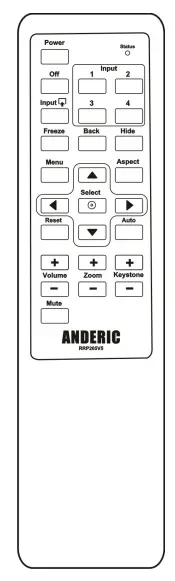
ANDERIC RR3720 Projector Universal Remote
Thank you for purchasing the Anderic RR3720 universal projector remote control. This remote is to work with most brands of projectors. For additional support, please go to Anderic.com/rr3720.
Code Input Method
- Turn on the projector you want to control.
- Find the brand of your projector from the below code list and write down the codes for easier reference.
- Press & hold the two keys “Mute & ▼ (down)” for about 3 seconds until the indicator light remains illuminated. Release the two keys.
- Input the 4-digit code from the code list.
a. If the code is valid – the indicator light will go off;
b. If the code is invalid – the indicator light will blink three times quickly and go out. Please try inputting the code again. - Check to see if most of the keys work to control your projector. If not, please try another code under the same brand & repeat all steps. You may also try the “Code search method” below.
Note: Not pressing any button for 30 seconds will cause the remote to exit programming mode during the programming mode.
Code Search Method
The code search method allows the user to program the remote without inputting a code. The remote will scan through all the codes available, and when your projector responds, you can save the code.
- Turn on the projector you want to control.
- Press & hold the two keys “Mute & ▼ (down)” for about 3 seconds until the indicator light remains illuminated. Release the two keys.
- Press & hold the “Power” key; the remote has entered the “Code searching method” and is now scanning.
- Wait until the projector responds, then release the “Power” key.
- Check to see if most of the keys work to control your projector. If not, please repeat the steps above. The remote will continue scanning through the code database from where it left off.
Learning Function
The learning function allows the user to transfer the codes from an existing remote to this remote and is accomplished by learning one key at a time.
- Press & hold the two keys “Mute & ▲ (up)” for about 3 seconds until the indicator light remains illuminated. Release the two keys.
- Press and release the key you want to learn. The indicator light will illuminate and stay on.
- Align both remotes by pointing them at each other, with a distance of about 1-2 inches apart.
Note: the IR LEDs at the top edge of each remote must be directly aligned and pointing at each other. - Press and hold the corresponding key on the other remote control until the indicator light of the RR3720 blinks one time; this means that the code learned successfully, now continue to step 5. If the indicator light flashes three times, the code learned unsuccessfully. Please start over from step 1.
- Repeat steps 2-4 to learn all your needed keys, then press “Mute & ▼ (down)” to save and exit.
Note: Not pressing any button for 30 seconds during the learning mode will cause the remote to exit the programming mode.
Delete All Learned Keys
Press & hold the two keys “Mute & OFF” for about 3 seconds until the indicator light flashes two times. Release the two keys.
Reset to Factory Default Status
Press & hold the two keys, “Mute & Reset,” for about 3 seconds until the indicator light flashes two times. Release the two keys.
For help and support, please visit Anderic.com/RR3720.
Copyright 2022. Anderic® is a registered trademark of Dan’s Electronics Etc., Inc
Code List for Anderic RR3720
| 3M | 1124 | 1411 | 2431 | 3233 |
| A+K | 1211 | |||
| ACER | 1231 | 3144 | ||
| ASK | 1213 | 1232 | ||
| BENQ | 3211 | 3234 | ||
| BOXLIGHT | 1124 | 1212 | 1224 | 1333 |
| 1411 | 2113 | 2114 | 2221 | |
| 2243 | 2244 | |||
| CANON | 1134 | 3331 | ||
| CASIO | 1123 | |||
| COMPAQ | 1334 | |||
| DELL | 1141 | 3121 | 3122 | |
| DUKANE | 1124 | 1411 | 2142 | 2431 |
| EIKI | 1214 | |||
| EIZO | 1211 | |||
| EPSON | 1113 | 1233 | 2121 | 2122 |
| 2222 | 2223 | 2322 | 2323 | |
| 3213 | ||||
| GREAT WALL | 3212 | |||
| HITACHI | 1124 | 1234 | 1411 | 2431 |
| 2311 | 2324 | 2431 | 2442 | |
| HP | 1142 | |||
| INFOCUS | 1123 | 1213 | 1313 | 3243 |
| JVC | 1143 | 1241 | 1412 | 2124 |
| 2134 | 3111 | |||
| KINDERMAN | 3222 | 3223 | 3224 | 3231 |
| 3232 | ||||
| LG | 1242 | 2141 | 2312 | 3123 |
| MITSUBISHI | 1144 | 1211 | 3332 | |
| NEC | 1211 | 3311 | ||
| OPTOMA | 1114 | 1344 | 3214 | 4 3221 |
| 3244 | ||||
| PANASONIC | 1122 | 1243 | 1321 | 1331 |
| 1443 | 1444 | 2111 | 2132 | |
| 2133 | 2214 | 2241 | 2242 | |
| 2321 | 2344 | 2411 | 2423 | |
| 2424 | 1443 | |||
| PHILIPS | 1223 | |||
| PIONEER | 1143 | |||
| PLUS | 1332 | |||
| POLAROID | 1411 | |||
| POLYVISION | 3221 | |||
| PROMETHEAN | 3312 | 3313 | ||
| PROXIMA | 1213 | 3314 | ||
| SAMSUNG | 1133 | 1442 | 2213 | 2342 |
| 2343 | 3113 | |||
| SANWA | 2341 | |||
| SANYO | 1214 | 1224 | 1244 | 1322 |
| 1413 | 1414 | 2112 | 2113 | |
| 2114 | 2123 | 2123 | 2142 | |
| 2221 | 2243 | 2244 | 2331 | |
| 2332 | 2432 | 2433 | 3124 | |
| 3131 | 3132 | 3242 | 3321 | |
| SHARP | 1131 | 1311 | 1323 | 1433 |
| 1434 | 1441 | 2131 | 2143 | |
| 2144 | 12211 | 2212 | 2233 | |
| 2234 | 2314 | 2333 | 2334 | |
| 2421 | 2422 | 2434 | 2441 | |
| 2443 | 2444 | 3112 | 2441 | |
| SMART | 1341 | 1342 | 1343 | |
| SONY | 1121 | 1312 | 1421 | 1422 |
| 1423 | 2224 | 2231 | 2232 | |
| 2313 | 2412 | 3114 | ||
| TOSHIBA | 1221 | 1313 | 1324 | 1424 |
| 1431 | 2413 | 2414 | 3133 | |
| 3134 | 3141 | 3142 | ||
| VIEWSONIC | 1124 | 1411 | 2431 | 3322 |
| 3323 | 3324 | |||
| VIVITEK | 1132 | |||
| YAMAHA | 1222 | 1314 | 1432 | 3143 |
Note: If your brand is not shown, please follow the instructions for “Code Search Method.”