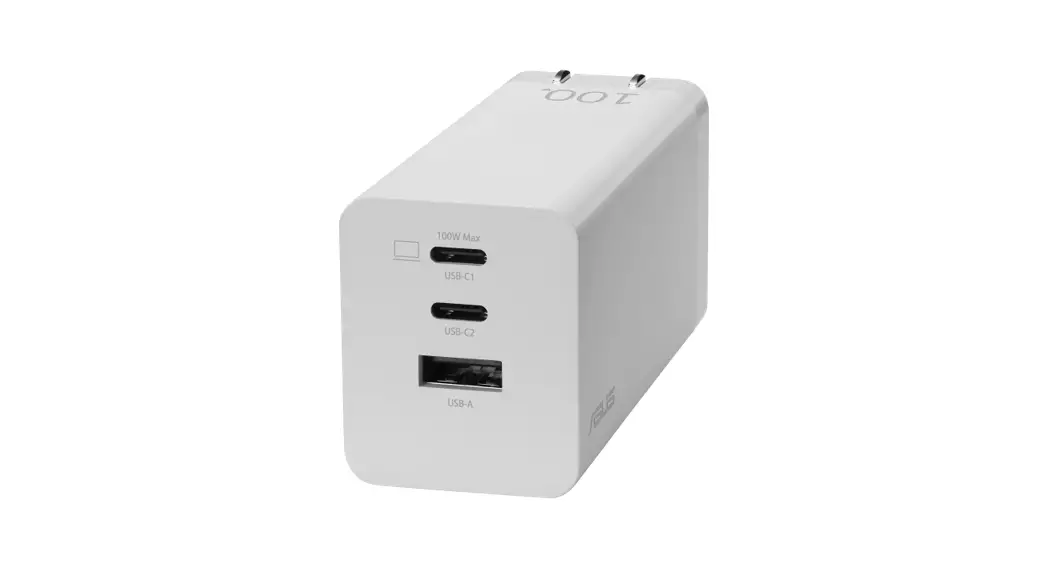
AC65-03 Charger Dock
Product Information:
The ROG Gaming Charger Dock (AC65-03) is a device that allows
you to charge your devices and connect them to a TV or external
monitor. It comes with a ROG USB-C 4K cable and has one USB-C port,
one USB-A port, and one HDMI port. The charger dock has a maximum
power output of 65.0W and supports data transfer speeds of up to
480Mbps. It is compatible with devices that have a USB Type-C or
USB Type-A connector and can display resolutions of up to 3840 x
2160 pixels.
Product Usage Instructions:
To use the ROG Gaming Charger Dock, follow these steps:
- Choose the appropriate plug for your region and unfold the pins
of your charger. - Connect the HDMI port on the AC65-03 to a TV or external
monitor using an HDMI cable. - Connect the USB-C port on the AC65-03 to your device (such as a
laptop, mobile phone, or console) using the bundled ROG USB-C 4K
cable. - Connect the USB-A port on the AC65-03 to a device (such as a
keyboard, mouse, or USB flash drive). - Plug the AC65-03 into a socket.
Note that the maximum power output of the AC65-03 is 65.0W for
USB Type-C devices and 5.0W for USB Type-A devices. The data
transfer speed for both ports is 480Mbps. The resolution of the
connected device can be up to 3840 x 2160 pixels.
ROG Gaming Charger Dock / AC65-03
ENGLISH
DEUTSCH
A Package Contents
A
A
A
Verpackungsinhalt
1
ROG
2
ROG USB-C 4K
1
ROG
2
ROG USB-C 4K
ArtikelNr. 1
2
Name
Gaming Charger Dock
ROG USB-C 4K-Kabel
HINWEIS: Der Steckertyp
variiert je nach Region.
B
B
B Spezifikationen
Item No. 1 2
Name Gaming Charger Dock ROG USB-C 4K Cable
NOTE: Plug type varies by region.
B Specification
Product name Model name
Input
Output
Cable length Cable current
Connector Data transfer
speed (USB-C / USB-A
port) Resolution
ROG Gaming Charger Dock AC65-03 100-240V~50/60Hz, 1.5A 65.0W: 5.0V 3.0A (15.0W), 9.0V 3.0A, 12.0V 3.0A, 15.0V 3.0A, 20.0V 3.25A (65.0W); 5.0V-21.0V 3.0A (Max 63.0W); 60.0W: 5.0V 3.0A (15.0W), 9.0V 3.0A, 12.0V 3.0A, 15.0V 3.0A, 20.0V 3.0A (60.0W); 5.0V-21.0V 2.8A (Max 58.8W); 5.0W: 5.0V 1.0A (5.0W); USB-C ONLY: Max 65.0W; USB-A ONLY: 5.0W 2m 3.25A USB Type-C x1; USB Type-A x1; HDMI x1
480Mbps
Up to 3840 x 2160 pixels
C Using the Charger Dock
1. Choose the plug.
90°
US plug
A. Unfold the pins of your charger.
Other plugs A. Select and install a plug to your charger.
2. Connect the HDMI port on AC65-03 to a TV or an external monitor using an HDMI cable.
3. Connect the USB-C port on AC65-03 to your device (such as a laptop, mobile phone, or console) using the bundled ROG USB-C 4K cable.
4. Connect the USB-A port on AC65-03 to a device (such as a keyboard, mouse, or USB flash drive).
5. Plug AC65-03 into a socket.
NOTES: · AC65-03 works as a charger when connected to an
electrical outlet. Otherwise, it works as a hub. · For indoor use only.
ROG
ROG
Name des ROG Gaming Produkts Charger Dock
AC65-03
100-240V~ 50/60Hz, 1.5A
65.0W: 5.0V 3.0A (15.0W), 9.0V 3.0A, 12.0V 3.0A, 15.0V 3.0A, 20.0V 3.25A (65.0W); 5.0V-21.0V
3.0A ( 63.0W); 60.0W: 5.0V 3.0A (15.0W), 9.0V 3.0A, 12.0V 3.0A, 15.0V 3.0A, 20.0V 3.0A (60.0W); 5.0V-21.0V
2.8A ( 58.8W); 5.0W: 5.0V 1.0A (5.0W); USB-C: 65.0W; USB-A: 5.0W
2m
3.25A
USB Type-C x1; USB Type-A x1; HDMI x1
USB-C / USB-A
480Mbps
3840 x 2160
AC65-03
100-240V~ 50/60Hz, 1.5A
65.0W: 5.0V 3.0A (15.0W), 9.0V 3.0A, 12.0V 3.0A, 15.0V 3.0A, 20.0V 3.25A (65.0W); 5.0V-21.0V
3.0A ( 63.0W); 60.0W: 5.0V 3.0A (15.0W), 9.0V 3.0A, 12.0V 3.0A, 15.0V 3.0A, 20.0V 3.0A (60.0W); 5.0V-21.0V
2.8A ( 58.8W); 5.0W: 5.0V 1.0A (5.0W); USB-C: 65.0W; USB-A: 5.0W
2m
3.25A
USB Type-C x1; USB Type-A x1;
HDMI x1
USB-C / 480Mbps USB-A
3840 x 2160
Modellname AC65-03
100-240V~ Eingang
50/60Hz, 1,5A
Ausgang
65,0W: 5,0V 3,0A (15,0W), 9,0V 3,0A, 12,0V 3,0A, 15,0V 3,0A, 20,0V 3,25A (65,0W); 5,0V-21,0V 3,0A (Max. 63,0W); 60,0W: 5,0V 3,0A (15,0W), 9,0V 3,0A, 12,0V 3,0A, 15,0V 3,0A, 20,0V 3,0A (60,0W); 5,0V-21,0V 2,8A (Max. 58,8W); 5,0W: 5,0V 1,0A (5,0W); NUR USB-C: Max. 65,0W; NUR USB-A: 5,0W
Kabellänge 2m
Kabelstromstärke
3,25A
Stecker
USB Typ-C x1; USB Typ-A x1; HDMI x1
Datenübertragungsgeschwindigkeit 480Mb/s
(USB-C-/USBA-Anschluss)
Auflösung
Bis zu 3840 x 2160 Pixel
C
Charger Dock verwenden
C
1. A .
A .
2. HDMI
AC65-03 HDMI TV 3. ROG USB-C 4K AC65-03 USB-C 4. AC65-03 USB-A USB 5. AC65-03
· AC65-03
” ” ·
C
1. A.
A.
2. HDMI
AC65-03 HDMI TV 3. ROG USB-C 4K AC65-03 USB-C 4. AC65-03 USB-A U 5. AC65-03
· AC65-03
” ” ·
1. Wählen Sie den Stecker aus. US-Stecker A. Klappen Sie die Stifte Ihres Ladegeräts aus.
Andere Stecker A. Wählen Sie einen
Stecker aus und bringen Sie ihn an Ihrem Ladegerät an.
2. Schließen Sie das AC65-03 an einen Fernseher oder externen Monitor an, indem Sie ein HDMI-Kabel mit dem HDMI-Anschluss verbinden.
3. Schließen Sie das AC6503 an Ihr Gerät (z. B. Laptop, Smartphone oder Konsole) an, indem Sie das mitgelieferte ROG USB-C 4K-Kabel mit dem USB-CAnschluss verbinden.
4. Schließen Sie Ihr Gerät (z. B. Tastatur, Maus oder USB-Flash-Laufwerk) über den USB-A-Anschluss an das AC65-03 an.
5. Schließen Sie das AC65-03 an eine Steckdose an.
HINWEISE: · Das AC65-03 wird als
Ladegerät verwendet, wenn es an eine Steckdose angeschlossen ist. Ansonsten kann es als Hub genutzt werden. · Nur für den Gebrauch im Innenbereich.
ITALIANO
PYCC
A
Contenuto della confezione
A
A
A A
Articolo
Nome
1
Base caricatore gioco
2
Cavo ROG USB-C 4K
No.
1
Gaming Charger Dock
2
ROG USB-C 4K
1 2
–
ROG USB-C 4K
NOTA: Il tipo di spina varia in base alla regione.
:
: .
B Specifiche
B
B
Nome prodotto
Base caricatore gioco
Nome modello
AC65-03
100-240V Ingresso
50/60Hz, 1,5A
Uscita
65.0W: 5.0V 3.0A (15.0W), 9.0V 3.0A, 12.0V 3.0A, 15.0V 3.0A, 20.0V 3.25A (65.0W); 5.0V-21.0V 3.0A (Massimo 63.0W); 60.0W: 5.0V 3.0A (15.0W), 9.0V
3.0A, 12.0V 3.0A, 15.0V 3.0A, 20.0V 3.0A (60.0W); 5.0V-21.0V 2.8A (Massimo 58.8W); 5.0W: 5.0V 1.0A (5.0W); SOLO USB-C: Massimo 65.0W; SOLO USB-A: 5.0W
Lunghezza cavo
2m
Corrente cavo 3,25A
USB Type-C x1; Connettore USB Type-A x1;
HDMI x1
Velocità di trasferimento
dati 480Mbps (porta USB-C
/ USB-A)
Risoluzione
Fino a 3840 x 2160 Pixel
ROG Gaming Charger Dock
AC65-03
100-240V
50/60Hz, 1.5A
65.0W: 5.0V 3.0A (15.0W), 9.0V 3.0A, 12.0V 3.0A, 15.0V 3.0A, 20.0V 3.25A (65.0W); 5.0V-21.0V
3.0A ( 63.0W); 60.0W: 5.0V 3.0A (15.0W), 9.0V 3.0A, 12.0V 3.0A, 15.0V 3.0A, 20.0V 3.0A (60.0W); 5.0V-21.0V
2.8A ( 58.8W); 5.0W: 5.0V 1.0A (5.0W); USB-C : 65.0W; USB-A : 5.0W
2m
3.25A
USB Type-C x1; USB Type-A x1; HDMI x1
USB-C / 480Mbps USB-A
3840×2160
–
AC65-03
100-240 .
50/60 , 1,5
65,0 : 5,0 3,0 (15,0
), 9,0 3,0 , 12,0 3,0 , 15,0 3,0 , 20,0
3,25 (65,0 ) ; 5,021,0
3,0 (. 63,0 ); 60,0 : 5,0 3,0 (15,0 ), 9,0 3,0 , 12,0 3,0 , 15,0 3,0 , 20,0 3,0 (60,0 ) ; 5,021,0
2,8 (. 58,8 ); 5,0 : 5,0 1,0 (5,0 ); USB-C: . 65,0 ; USB-A: 5,0
2
3,25
USB Type-C; USB Type-A; HDMI
( USB-C / USB-A)
480 /
3840 x 2160 –
C
–
1
–
2
ROG USB-C 4K
: .
B
–
ROG
AC65-03
100-240 ~ 50/60 Hz, 1.5 A
65.0 : 5.0 3.0 A (15.0 ), 9.0
3.0 A, 12.0 3.0 A, 15.0 3.0 A, 20.0 3.25 A (65.0 ); 5.0 -21.0 3.0 A (. 63.0 ); 60.0 : 5.0 3.0 A (15.0 ), 9.0 3.0 A, 12.0 3.0 A, 15.0 3.0 A, 20.0 3.0 A (60.0 ); 5.0 -21.0 2.8 A (. 58.8 ); 5.0 : 5.0 1.0 A (5.0 ); USB-C: . 65.0 ; USB-A: 5.0
2
3.25 A
USB Type-C x1; USB Type-A x1;
HDMI x1
( 480 Mbps USB-C / USB-A)
3840 x 2160
1
2
ROG USB-C 4K
: .
B
ROG
AC65-03
100-240V~
50/60Hz, 1.5A
65.0W: 5.0V 3.0A (15.0W), 9.0V 3.0A, 12.0V 3.0A, 15.0V 3.0A, 20.0V 3.25A (65.0W); 5.0V-21.0V 3.0A (63.0W ); 60.0W: 5.0V 3.0A (15.0W), 9.0V 3.0A, 12.0V 3.0A, 15.0V 3.0A, 20.0V 3.0A (60.0W); 5.0V-21.0V 2.8A (58.8W ); 5.0W: 5.0V 1.0A (5.0W); USB-C : 65.0W ; USB-A : 5.0W
2m
3.25A
USB Type-C x1; USB Type-A x1; HDMI x1
(USB-C / USB-A
480Mbps
)
3840 x 2160
C
Utilizzo della base caricatore
1. Scegliere la spina. Spina degli Stati Uniti A. Allentare i pin del caricabatterie.
Altre spine A. Selezionare e installare
una spina sul caricatore. 2. Collegare la porta HDMI
su AC65-03 a un televisore o a un monitor esterno utilizzando un cavo HDMI. 3. Collegare la porta USB-C su AC65-03 al dispositivo (ad esempio un laptop, un telefono cellulare o una console) utilizzando il cavo ROG USB-C 4K in dotazione. 4. Collegare la porta USB-A su AC65-03 a un dispositivo (ad esempio una tastiera, un mouse o una chiavetta USB) 5. Inserire AC65-03 in una presa.
NOTE:
· AC65-03 funziona come caricatore quando è collegato a una presa elettrica. Altrimenti, funziona come hub.
· Solo per l’uso all’interno.
1. .
C
A. .
A.
1.
US()
.
A.
2. HDMI AC65-03
HDMI.
2.
A.
AC65-03HDMI / HDMI
3.
USB-C AC65-03 (, , )
3. AC65-03USB-C
ROG
PC USB-C 4K.
ROG USB-C 4K
4. USB-A AC65-03 USB (, ,
4. AC65-03USB-A –
).
USB
5. AC65-03 .
5. AC65-03
:
:
· AC65-03
·
· AC65-03 . .
· .
C
1. .
A. .
A.
. 2. HDMI AC65-03 HDMI. 3. USB-C AC65-03 (- , ) ROG USB-C 4K. 4. USB-A AC65-03 (- , -‘ USB). 5. AC65-03 .
:
· AC6503 . .
· .
C
1. . US A. .
A.
. 2. HDMI AC65-03 HDMI TV . 3. ROG USB-C 4K AC65-03 USB-C ( : , ) . 4. AC65-03 USB-A (: , USB ) . 5. AC65-03 .
: ·
AC65-03 , . · .
FRANÇAIS
A
Contenu de la boîte
Q21595 / First Edition / March 2023
BAHASA INDONESIA
A Isi Kemasan
N°
Nom
Item No.
Nama
1
Station de charge gaming
2 Câble USB-C 4K ROG
REMARQUE : Le type de prise varie selon la région.
B Caractéristiques
Nom du produit
Station de charge gaming ROG
Nom du modèle
Entrée
AC65-03 100-240V~ 50/60Hz, 1,5A
Sorties
65W : 5V 3A (15W), 9V 3A, 12V 3A, 15V 3A, 20V
3,25A (65W) ; 5V-21V 3A (Max 63W) ; 60W : 5V 3A (15W), 9V 3A, 12V 3A, 15V 3A, 20V
3A (60W) ; 5V-21V 2,8A (Max 58,8W) ; 5W : 5V 1A (5W) ; USB-C UNIQUEMENT : Max 65W ; USB-A UNIQUEMENT : 5W
Longueur du câble
2 m
Courant du câble
3,25A
USB Type-C x1 Connecteur ; USB Type-A
x1 ; HDMI x1
Vitesse de transfert de
données 480 Mb/s
(Port USB-C / USB-A)
Résolution
Jusqu’à 3840 x 2160 pixels
C Utilisation de
la station de charge
1. Choisissez la prise. Prise É.-U A. Dépliez les broches de votre chargeur.
Autres prises A. Sélectionnez et
installez une prise sur votre chargeur. 2. Connectez le port HDMI du AC65-03 à un téléviseur ou un moniteur externe à l’aide d’un câble HDMI. 3. Connectez le port USB-C du AC65-03 à votre appareil (tel qu’un ordinateur portable, un téléphone portable ou une console) à l’aide du câble USB-C 4K ROG fourni. 4. Connectez le port USB-A du AC65-03 à un périphérique (tel qu’un clavier, une souris ou une clé USB). 5. Branchez le AC65-03 dans une prise.
REMARQUES :
· Le AC65-03 fonctionne comme un chargeur lorsqu’il est connecté à une prise électrique. Sinon, il fonctionne comme un hub.
· Pour une utilisation en intérieur uniquement.
1
Dok Pengisi Daya Gaming
2
Kabel ROG USB-C 4K
CATATAN: Jenis steker bervariasi menurut wilayah.
B Kondisi sekitar
Nama Produk
Dok Pengisi Daya Gaming ROG
Nama model AC65-03
Input
100-240V~ 50/60Hz, 1.5A
Output
65.0W: 5.0V 3.0A (15.0W), 9.0V 3.0A, 12.0V 3.0A, 15.0V 3.0A, 20.0V 3.25A (65.0W); 5.0V-21.0V 3.0A (Maks. 63.0W); 60.0W: 5.0V 3.0A (15.0W), 9.0V 3.0A, 12.0V 3.0A, 15.0V 3.0A, 20.0V 3.0A (60.0W); 5.0V-21.0V 2.8A (Maks. 58.8W); 5.0W: 5.0V 1.0A (5.0W); HANYA USB-C: Maks. 65.0W; HANYA USB-A: 5.0W
Panjang kabel
2m
Arus kabel 3.25A
Konektor
USB Tipe C x1; USB Tipe A x1; HDMI x1
Kecepatan
transfer data (Port USB-C /
480Mbps
USB-A)
Resolusi
Hingga 3840 x 2160 piksel
C
Menggunakan Dudukan
Pengisi Daya
1. Pilih konektor. Konektor US A. Buka pin pengisi daya.
Konektor lain A. Pilih dan pasang
konektor ke pengisi daya Anda. 2. Sambungkan port HDMI di AC65-03 ke TV atau monitor eksternal menggunakan kabel HDMI. 3. Sambungkan port USB-C di AC65-03 ke perangkat Anda (seperti laptop, ponsel, atau konsol) menggunakan kabel ROG USC-C 4K yang disertakan. 4. Sambungkan port USB-A di AC65-03 ke perangkat (seperti keyboard, mouse, dan drive flash USB. 5. Sambungkan AC65-03 ke stopkontak.
CATATAN:
· Selain berfungsi sebagai hub, AC65-03 dapat digunakan sebagai pengisi daya bila disambungkan ke stopkontak.
· Hanya untuk penggunaan di dalam ruangan.
SLOVENSKÝ
A
Obsah balenia
C. polozky
Názov
1
Hranie dokovacia stanica nabíjacky
2
Kábel ROG USB-C 4 K
POZNÁMKA: Typ zástrcky sa lísi v závislosti od oblasti.
B Specifikácie
Názov výrobku
ROG hranie dokovacia stanica nabíjacky
Model AC65-03
Vstup
100-240 V~ 50/60 Hz, 1.5 A
Výkon
65.0W: 5.0V 3.0A (15.0W), 9.0V 3.0A, 12.0V 3.0A, 15.0V 3.0A, 20.0V 3.25A (65.0W); 5.0V-21.0V
3.0A (Max. 63.0W); 60.0W: 5.0V 3.0A (15.0W), 9.0V 3.0A, 12.0V 3.0A, 15.0V 3.0A, 20.0V 3.0A (60.0W); 5.0V-21.0V
2.8A (Max. 58.8W); 5.0W: 5.0V 1.0A (5.0W); IBA USB-C: Max. 65.0W; IBA USB-A: 5.0W
Dzka kábla 2 m
Prúdová kapacita
kábla
3.25 A
USB Type-C x1; Konektor USB Type-A x1;
HDMI x1
Rýchlos prenosu údajov (Port 480Mbps USB-C / USB-A)
Ups pre Rozlísenie 3 840 x
2 160 Pixely
C
Pouzívanie dokovacej
stanice nabí-
jacky
1. Zvote zástrcku. Zástrcka US A. Roztvorte kolíky nabíjacky.
alsie zástrcky A. Vyberte a nainstalujte
zástrcku pre svoju nabíjacku. 2. Televízor alebo externý monitor pripojte káblom HDMI zapojeným do portu HDMI v AC65-03. 3. Svoje zariadenie (ako napríklad prenosný pocítac, mobilný telefón alebo konzola) pripojte dodaným káblom ROG USB-C 4 K zapojeným do portu USB-C v AC65-03. 4. Zariadenie (ako napríklad klávesnica, mys alebo USB kúc) zapojte do portu USB-A v AC65-03. 5. AC65-03 zapojte do elektrickej zásuvky.
POZNÁMKY:
· AC65-03 funguje po zapojení do elektrickej zásuvky ako nabíjacka. V opacnom prípade funguje ako rozbocovac.
· Urcené len na pouzitie vo vnútri.
ROG Gaming Charger Dock / AC65-03
CESTINA
POLSKI
PORTUGUÊS
ESPAÑOL
ROMÂN
A Obsah krabice
A
Zawarto opakowania
A
Conteúdo da embalagem
A
Contenido del paquete
A
Coninutul pachetului
Polo- zka c.
Název
1
Herní Dok nabíjecky
2
Kabel ROG USB-C 4K
POZNÁMKA: Typ zástrcky se lisí podle regionu.
B Technické údaje
Nr elem entu 1
2
Nazwa
Gamingowa stacja ladujca
o mocy Kabel ROG USB-C 4K
UWAGA: Typ wtyczki zaley od regionu.
Název ROG herní produktu Dok nabíjecky
Model AC65-03
Vstup
100-240 V~ 50/60 Hz, 1.5 A
Výkon
65.0W: 5.0V 3.0A (15.0W), 9.0V 3.0A, 12.0V 3.0A, 15.0V 3.0A, 20.0V 3.25A (65.0W); 5.0V-21.0V
3.0A (Max. 63.0W); 60.0W: 5.0V 3.0A (15.0W), 9.0V 3.0A, 12.0V 3.0A, 15.0V 3.0A, 20.0V 3.0A (60.0W); 5.0V-21.0V
2.8A (Max. 58.8W); 5.0W: 5.0V 1.0A (5.0W); POUZE USB-C: Max. 65.0W; POUZE USB-A: 5.0W
Délka kabelu 2 m
Proud kabelu 3.25 A
USB Type-C x1; Konektor USB Type-A x1;
HDMI x1
Rychlost
penosu dat (Port USB-C /
480Mbps
USB-A)
Rozlisení
Az 3 840 x 2 160 Obrazové body
C
Pouzívání doku
nabíjecky
1. Zvolte zástrcku. Zástrcka US A. Rozlozte kolíky nabíjecky.
Ostatní zástrcky A. Vyberte a nainstalujte
zástrcku na vasi nabíjecku. 2. Pipojte port HDMI na zaízení AC65-03 k TV nebo externímu monitoru pomocí kabelu HDMI. 3. Pipojte port USB-C na zaízení AC65-03 k vasemu zaízení (napíklad notebooku, mobilnímu telefonu nebo konzole) pomocí pilozeného kabelu ROG USB-C 4K. 4. Pipojte port USB-A na zaízení AC65-03 k zaízení (napíklad ke klávesnici, mysi nebo jednotce USB flash). 5. Pipojte zaízení AC65-03 k zásuvce.
POZNÁMKY:
· Kdyz je AC65-03 pipojeno k elektrické zásuvce, funguje jako nabíjecka. V ostatních pípadech funguje jako rozbocovac.
· Pouze pro pouzívání ve vnitních prostorech.
B Specyfikacje
Nazwa produktu
Gamingowa stacja ladujca o mocy ROG
Nazwa modelu
AC65-03
Wejcie
100-240V~ 50/60Hz, 1.5A
Wyjcie
65.0W: 5.0V 3.0A (15.0W), 9.0V 3.0A, 12.0V 3.0A, 15.0V 3.0A, 20.0V 3.25A (65.0W); 5.0V-21.0V 3.0A (maks. 63.0W); 60.0W: 5.0V 3.0A (15.0W), 9.0V
3.0A, 12.0V 3.0A, 15.0V 3.0A, 20.0V 3.0A (60.0W); 5.0V-21.0V 2.8A (maks. 58.8W); 5.0W: 5.0V 1.0A (5.0W); TYLKO USB-C: maks. 65.0W; TYLKO USB-A: 5.0W
Dlugo kabla
2m
Prd kabla 3.25A
Zlcze
USB Type-C x1; USB Type-A x1; HDMI x1
Szybko transferu danych 480Mbps (Port USB-C/ USB-A)
Rozdzielczo Rozdzielczo do 3840 x
2160 Piksele
C
Uywanie stacji
ladujcej
1. Wybierz wtyczk. Wtyczka USA A. Wysu styki ladowarki.
Inne wtyczki A. Wybierz i zainstaluj
wtyczk do ladowarki. 2. Podlcz port HDMI w
AC65-03 do telewizora lub do zewntrznego monitora za pomoc kabla HDMI. 3. Polcz port USB-C w AC6503 ze swoim urzdzeniem (takim jak laptop, telefon komórkowy lub konsola), za pomoc dostarczonego kabla ROG USB-C 4K. 4. Polcz port USB-A w AC65-03 ze swoim urzdzeniem (takim jak klawiatura, mysz lub pami flash USB). 5. Podlcz AC65-03 do gniazda.
UWAGI:
· Urzdzenie AC65-03 dziala jako ladowarka po podlczeniu do gniazda elektrycznego. Bez podlczenia pelni funkcj koncentratora.
· Wylcznie do uytku wewntrz pomieszcze
Item Nº 1 2
Nome
Estação de carga para
jogos
Cabo ROG USB-C 4K
NOTA: O tipo de plugue varia de acordo com a região.
B Especificações
Nome do produto
Estação de carga para jogos ROG
Nome do modelo
AC65-03
Entrada
100-240V~ 50/60Hz, 1.5A
Saída
65.0W: 5.0V 3.0A (15.0W), 9.0V 3.0A, 12.0V 3.0A, 15.0V 3.0A, 20.0V 3.25A (65.0W); 5.0V-21.0V
3.0A (máx. 63.0W); 60.0W: 5.0V 3.0A (15.0W), 9.0V 3.0A, 12.0V 3.0A, 15.0V 3.0A, 20.0V 3.0A (60.0W); 5.0V-21.0V
2.8A (máx. 58.8W); 5.0W: 5.0V 1.0A (5.0W); APENAS USB-C: máx. 65.0W; APENAS USB-A: 5.0W
Comprimento do cabo
2m
Corrente do cabo
3.25A
Conector
USB Type-C x1; USB Type-A x1; HDMI x1
Velocidade
de
transferência de dados:
480Mbps
(Porta USB-C/
USB-A)
Resolução
Até 3840 x 2160 Pixels
C
Utilizar a estação de
carga
1. Escolha a ficha. Tomada US A. Desdobre os pinos do seu carregador.
Outras fichas A. Selecione e instale uma
ficha no seu carregador. 2. Ligue a porta HDMI a
estação AC65-03 a uma TV ou um monitor externo utilizando um cabo HDMI. 3. Ligue a porta USB-C da estação AC65-03 ao seu dispositivo (como, por exemplo, um computador portátil, telemóvel ou consola) utilizando o cabo ROG USB-C 4K fornecido. 4. Ligue a porta USB-A da estação AC65-03 a um dispositivo (como, por exemplo, um teclado, rato ou unidade de armazenamento USB). 5. Ligue a estação AC65-03 a uma tomada elétrica.
NOTAS: · O AC65-03 funciona como
carregador quando ligado a uma tomada elétrica. Caso contrário, funciona como um centro.
· Apenas para utilização no interior.
Nº de artículo
Nombre
Base para
1
cargador para
juegos de
2
Cable 4K USB-C ROG
NOTA: El tipo de enchufe varía según la región.
Nr. articol
1
2
Nume
Dock încrctor pentru jocuri Cablu USB-C 4K ROG
NOT: Tipul mufei variaz în funcie de regiune.
B Especificaciones B Specificaii
Nombre del producto
Base para cargador para juegos d ROG
Nombre de modelo
AC65-03
Entrada
100-240V~ 50/60Hz, 1.5A
Salida
65.0W: 5.0V 3.0A (15.0W), 9.0V 3.0A, 12.0V 3.0A, 15.0V 3.0A, 20.0V 3.25A (65.0W); 5.0V-21.0V 3.0A (63.0W máximo); 60.0W: 5.0V 3.0A (15.0W), 9.0V 3.0A, 12.0V 3.0A, 15.0V 3.0A, 20.0V 3.0A (60.0W); 5.0V-21.0V 2.8A (58.8W máximo); 5.0W: 5.0V 1.0A (5.0W); SOLO USB-C: 65.0W máximo; SOLO USB-A: 5.0W
Longitud del cable
2 m
Corriente del cable
3.25A
Conector
USB Tipo-C x1; USB Tipo-A x1; HDMI x1
Velocidad de
transferencia
de datos (USB-C
480Mbps
/ USB-A
puerto)
Resolución
Hasta 3840 x 2160 Píxeles
C
Utilizar la plataforma
del cargador
Denumire produs
Dock încrctor pentru jocuri de ROG
Nume model AC65-03
Intrare
100-240 V~ 50/60 Hz, 1,5 A
Ieire
65,0 W: 5,0 V 3,0 A (15,0 W), 9,0 V
3,0 A, 12,0 V 3,0 A, 15,0 V 3,0 A, 20,0 V 3,25 A (65,0 W); 5,0 V-21,0 V 3,0 A (63,0 W Maxim); 60,0 W: 5,0 V 3,0 A (15,0 W), 9,0 V 3,0 A, 12,0 V 3,0 A, 15,0 V 3,0 A, 20,0 V 3,0 A (60,0 W); 5,0 V-21,0 V 2,8 A (58,8 W Maxim); 5,0 W: 5,0 V 1,0 A (5,0 W); DOAR USB-C: 65,0 W Maxim; DOAR USB-A: 5,0 W
Lungime cablu
2 m
Curent cablu 3,25 A
USB Type-C x1; Conector USB Type-A x1;
HDMI x1
Viteza de transfer de date (port 480 Mbps
USB-C / USB-A)
Rezoluie
Pân la 3840 x 2160 pixeli
C
Utilizarea staiei de
încrcare
1. Alegei priza.
Muf SUA
A. Desfacei pinii încrctorului.
1. Elija el enchufe. Enchufe para EE. UU. A. Despliegue los contactos del cargador.
Otros enchufes A. Seleccione e instale un
enchufe en el cargador. 2. Conecte el puerto HDMI
del AC65-03 a un televisor o monitor externo mediante un cable HDMI. 3. Conecte el puerto USB-C del AC65-03 al dispositivo (como un equipo portátil, un teléfono móvil o una consola) con el cable 4K USB-C ROG incluido. 4. Conecte el puerto USB-A del AC65-03 a un dispositivo (como un teclado, un ratón o una unidad flash USB). 5. Enchufe el AC65-03 en una toma.
NOTAS: · AC65-03 funciona como
cargador cuando se conecta a una toma de corriente eléctrica. De lo contrario, funciona como concentrador.
· Solo para uso en interiores.
Alte mufe A. Alegei i montai o
muf pe încrctor. 2. Conectai portul HDMI
de pe AC65-03 la un televizor sau la un monitor extern folosind un cablu HDMI. 3. Conectai portul USB-C de pe AC65-03 la dispozitivul dvs. (cum ar fi un laptop, un telefon mobil sau o consol) cu ajutorul cablului ROG USB-C 4K inclus în pachet. 4. Conectai portul USB-A de pe AC65-03 la un dispozitiv (cum ar fi o tastatur, un mouse sau o unitate flash USB). 5. Conectai AC65-03 la o priz.
NOT: · AC65-03 funcioneaz
ca încrctor atunci când îl conectai la o priz electric. Altfel, funcioneaz ca hub.
· Numai pentru utilizare în interior.
TÜRKÇE
A Paket çerii
Ürün No. 1
2
Adi
Gaming Charger Dock ROG USB-C 4K
Kablo
NOT: Fi tipi bölgeye göre deiir.
B
Teknik özellikler
Ürün adi
ROG Oyun arj Yuvasi
Model Adi AC65-03
100-240V~ Giri
50/60Hz, 1.5A
65.0W:
5.0V 3.0A
(15.0W),
9.0V 3.0A,
12.0V 3.0A,
15.0V 3.0A,
20.0V 3.25A
(65.0W);
5.0V-21.0V
3.0A (63.0W
Maks);
60.0W:
5.0V 3.0A
(15.0W),
ÇIki
9.0V 3.0A, 12.0V 3.0A,
15.0V 3.0A,
20.0V 3.0A
(60.0W);
5.0V-21.0V
2.8A (58.8W
Maks);
5.0W:
5.0V 1.0A
(5.0W);
YALNIZCA
USB-C: 65.0W
Maks;
YALNIZCA
USB-A: 5.0W
Kablo uzunluu
2 dk
Kablo akimi 3.25A
USB Type-C x1; Konektörler USB Type-A x1; HDMI x1
Veri aktarim
hizi
(USB-C / USB-A
480Mbps
balanti
noktasi)
3840 x 2160 Çözünürlük Pikseller
kadar
C
arj Yuvasini
Kullanmak
1. Prizi seçin. ABD fii A. arj aletinizin pimlerini açin. Dier filer A. arj aletinize bir fi seçin ve takin.
2. AC65-03 üzerindeki HDMI balanti noktasini bir HDMI kablosu kullanarak bir TV’ye veya harici bir monitöre balayin.
3. Birlikte verilen ROG USB-C 4K kablosunu kullanarak AC6503’teki USB-C balanti noktasini cihaziniza (dizüstü bilgisayar, cep telefonu veya konsol gibi) balayin.
4. AC65-03’teki USB-A balanti noktasini bir cihaza (Klavye, fare veya USB flash sürücü gibi) balayin.
5. AC65-03’ü bir prize takin.
NOTLAR:
· AC65-03, bir elektrik prizine takildiinda arj aleti olarak çaliir. Aksi takdirde, bir hub olarak çaliir.
· Sadece iç mekanlarda kullanilmasi içindir.
A20-100P1A
A
nit
Lead (Pb)
Mercury (Hg)
Cadmium
(Cd)
Hexavalent chromium (Cr+6)
Polybrominated biphenyls (PBB)
Polybrominated diphenyl
ethers (PBDE)
‘
1
ROG USB-C 4K
2
DC
1. 0.1 wt %0.01 wt %
2.
3.
:
.
B
ROG
AC65-03
100-240V 50/60Hz,
1.5A
:65.0W 5.0V 3.0A
(15.0W), 9.0V
3.0A, 12.0V 3.0A,
15.0V 3.0A, 20.0V
3.25A (65.0W); 5.0V-21.0V
3.0A ( ;(63.0W
:60.0W 5.0V 3.0A
(15.0W), 9.0V 3.0A,
12.0V 3.0A, 15.0V
3.0A, 20.0V 3.0A
(60.0W); 5.0V-21.0V
2.8A ( ;(58.8W
:5.0W 5.0V 1.0A
;(5.0W) USB-C
: ;65.0W USB-A 5.0W :
‘ 2
3.25A
USB Type-C ;x1
USB Type-A ;x1
HDMI x1
480Mbps
3840 x 2160
( USB-C/ )USB-A
CE Mark Warning
This is a Class B product, in a domestic environment, this product may cause radio interference, in which case the user may be required to take adequate measures.
English Simplified EU Declaration of Conformity
ASUSTeK Computer Inc. hereby declares that this device is in compliance with the essential requirements and other relevant provisions of related Directives.
Full text of EU declaration of conformity available at: www.asus.com/support
ASUSTeK Computer Inc. , . : www.asus.com/support
Français Déclaration simplifiée de conformité de l’UE
AsusTek Computer Inc. déclare par la présente que cet appareil est conforme aux critères essentiels et autres clauses pertinentes des directives concernées. La déclaration de conformité de l’UE peut être téléchargée à partir du site Internet suivant : www.asus.com/support.
Deutsch Vereinfachte EU-
Português Declaração de Conformidade Simplificada da UE
A ASUSTeK Computer Inc. declara que este dispositivo está em conformidade com os requisitos essenciais e outras disposições relevantes das Diretivas relacionadas. Texto integral da declaração da UE disponível em: www.asus.com/support
Español Declaración de conformidad simplificada para la UE
Por la presente, ASUSTeK Computer Inc. declara que este dispositivo cumple los requisitos básicos y otras disposiciones pertinentes de las directivas relacionadas. El texto completo de la declaración de la UE de conformidad está disponible en: www.asus. com/support
Român Declaraie de conformitate UE, versiune simplificat
ASUSTeK Computer Inc. declar c acest dispozitiv se conformeaz cerinelor eseniale i altor prevederi relevante ale directivelor conexe. Textul complet al declaraiei de conformitate a Uniunii Europene se gsete la: www.asus.com/support
Türkçe Basitletirilmi AB Uyumluluk Bildirimi
AsusTek Computer Inc., bu aygitin temel gereksinimlerle ve ilikili Yönergelerin dier ilgili koullariyla uyumlu olduunu beyan eder. AB uygunluk bildiriminin tam metni u adreste bulunabilir: www.asus.com/support
FEDERAL COMMUNICATIONS COMMISSION INTERFERENCE STATEMENT
This equipment has been tested and found to comply with the limits for a Class B digital device, pursuant to Part 15 of the FCC Rules.
These limits are designed to provide reasonable protection against harmful interference in a residential installation.
This equipment generates, uses and can radiate radio frequency energy and, if not installed and used in accordance with the instructions, may cause harmful interference to radio communications.
However, there is no guarantee that interference will not occur in a particular installation.
If this equipment does cause harmful interference to radio or television reception, which can be determined by turning the equipment off and on, the user is encouraged to try to correct the interference by one or more of the following measures:
–Reorient or relocate the receiving antenna.
–Increase the separation between the equipment and receiver.
–Connect the equipment into an outlet on a circuit different from that to which the receiver is connected.
–Consult the dealer or an experienced radio/TV technician for help.
Konformitätserklärung
This device complies with part 15 of the
ASUSTeK Computer Inc. erklärt hiermit,
FCC Rules.
dass dieses Gerät mit den wesentlichen Anforderungen und anderen relevanten Bestimmungen der zugehörigen Richtlinien übereinstimmt. Der gesamte Text der EU-Konformitätserklärung ist verfügbar unter: www.asus.com/support
Italiano Dichiarazione di conformità UE semplificata
ASUSTek Computer Inc.
Operation is subject to the following two conditions:
. (1) This device may not cause harmful
interference, and
: (2) this device must accept any
www.asus.com/support
interference received, including
Simplified UKCA Declaration of
interference that may cause undesired operation.
ASUSTeK Computer Inc. con la presente dichiara che questo dispositivo è conforme ai requisiti essenziali e alle altre disposizioni pertinenti con le direttive correlate. Il testo completo
Conformity:
ASUSTek Computer Inc. hereby declares that this device is in compliance with the essential requirements and other relevant provisions of related Regulations. Full text of UKCA
CAUTION: Any changes or modifications not expressly approved by the grantee of this device could void the user’s authority to
operate the equipment.
della dichiarazione di conformità UE è disponibile all’indirizzo: www.asus.com/ support
declaration of conformity is available at: https://www.asus.com/support/
CAN ICES-003(B)/NMB-003(B)
Manufacturer
REACH
ASUS , . , ,
Complying with the REACH (Registration,
Evaluation, Authorisation, and Restriction
of Chemicals) regulatory framework, we
published the chemical substances in our products at ASUS REACH website at http:// csr.asus.com/english/REACH.htm
ASUSTeK Computer Inc.
Tel:
+886-2-2894-3447
Address: 1F., No. 15, Lide Rd., Beitou Dist.,
Taipei City 112, Taiwan Authorised representative in Europe
ASUS Computer GmbH
Address: HARKORT STR. 21-23, D-40880
www.asus.com/support Nederlands Vereenvoudigd EU-
conformiteitsverklaring
India E-waste (Management) Rule 2016
RATINGEN, DEUTSCHLAND Authorised distributor in Turkey
PENTA TEKNOLOJI URUNLERI DAGITIM
ASUSTeK Computer Inc. verklaart
This product complies with the “India
TICARET A.S.
hierbij dat dit apparaat voldoet aan de
E-Waste (Management) Rules, 2016” and
Address:
essentiële vereisten en andere relevante prohibits use of lead, mercury, hexavalent
bepalingen van de verwante richtlijnen. De chromium, polybrominated biphenyls(PBBs)
volledige tekst van de EU-verklaring van and polybrominated diphenyl ethers (PBDEs)
conformiteit is beschikbaar op: www.asus. in concentrations exceeding 0.1 % by
com/support
weight in homogenous materials and 0.01
Tel:
DUDULLU ORGANIZE SANAYI BOLGESI NATO YOLU 4. CAD. NO:1 DUDULLU UMRANIYE 34775 ISTANBUL TURKEY
0216 645 8200
Slovensky Zjednodusené vyhlásenie o zhode platné pre EÚ
Spolocnos ASUSTeK Computer Inc. týmto vyhlasuje, ze toto zariadenie vyhovuje základným poziadavkám a ostatým príslusným ustanoveniam príslusných smerníc. Celý text vyhlásenia o zhode pre státy EÚ je dostupný na adrese: www.asus. com/support
Magyar Egyszersített EU megfelelségi nyilatkozat
% by weight in homogenous materials for cadmium, except for the exemptions listed in Schedule II of the Rule.
Vietnam
ASUS products sold in Vietnam, on or after September 23, 2011,meet the requirements of the Vietnam Circular 30/2011/TT-BCT. Các sn phm ASUS bán ti Vit Nam, vào ngày 23 tháng 9 nm2011 tr v sau, u
AEEE Yönetmeliine Uygundur.
: : 8-800-100-2787 : +7(495)231-1999 : -, 09:00 – 21:00 ( )
Az ASUSTeK Computer Inc. ezennel
phi áp ng các yêu cu ca Thông t
ASUS :
kijelenti, hogy ez az eszköz megfelel
30/2011/TT-BCT ca Vit Nam.
www.asus.ru
a kapcsolódó Irányelvek lényeges követelményeinek és egyéb vonatkozó
ASUS Recycling/Takeback
www.asus.com/ru/support
rendelkezéseinek. Az EU megfelelségi Services
nyilatkozat teljes szövege innen letölthet: www.asus.com/support
ASUS recycling and takeback programs come from our commitment to the highest standards
Cestina Zjednodusené prohlásení o
for protecting our environment. We believe
shod EU
in providing solutions for you to be able to
Spolecnost ASUSTeK Computer Inc.
responsibly recycle our products, batteries,
tímto prohlasuje, ze toto zaízení spluje other components, as well as the
základní pozadavky a dalsí píslusná
packaging materials. Please go to http://csr.
C
ustanovení souvisejících smrnic. Plné
asus.com/english/Takeback.htm for the detailed
znní prohlásení o shod EU je k dispozici recycling information in different regions.
na adrese:
www.asus.com/support
CAUTION! DO NOT throw the product in
.
.A .
.1
Polski Uproszczona deklaracja zgodnoci UE
Firma ASUSTeK Computer Inc. niniejszym owiadcza, e urzdzenie to jest zgodne z zasadniczymi wymogami i innymi wlaciwymi postanowieniami powizanych dyrektyw. Pelny tekst deklaracji zgodnoci UE jest dostpny pod adresem: www.asus. com/support
municipal waste. This product has been designed to enable proper reuse of parts and recycling. This symbol of the crossed out wheeled bin indicates that the product (electrical and electronic equipment) should not be placed in municipal waste. Check local regulations for disposal of electronic products.
.A .
HDMI- .2 AC65-03- .HDMI
USB-C- .3 AC65-03- , ( ) . ROG USB-C 4K
FCC COMPLIANCE INFORMATION
Per FCC Part 2 Section 2.1077
USB-A- .4 ( AC65-03- .(USB , . AC65-03 .5
Responsible Party: Address:
Phone/Fax No:
Asus Computer International 48720 Kato Rd, Fremont, CA 94538 (510)739-3777/(510)608-4555
: AC65-03
. .(hub( ,
.
hereby declares that the product
Product Name : Model Number :
ROG Gaming Charger Dock AC65-03
compliance statement:
This device complies with part 15 of the FCC Rules. Operation is subject to the following two conditions: (1) This device may not cause harmful interference, and (2) this device must accept any interference received, including interference that may cause undesired operation.
Ver. 180620
 Legal Compliance | Green Products | Circular Economy | ASUS ESG website, ASUS ESG goal
 ASUS Global