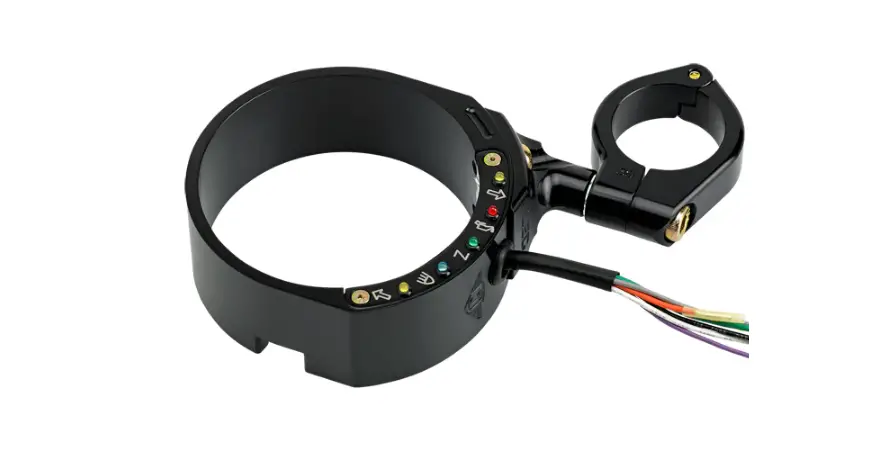
Pre-2000 Lower Dash Panel
Product Information: Lower Dash Panel
The Lower Dash Panel is a component designed for use with
certain models of motorcycles. It is manufactured by Joker Machine,
a trusted company specializing in motorcycle accessories and parts.
The dash panel is intended to enhance the appearance and
functionality of the instrument panel area on compatible
motorcycles.
Contact Information for Technical Support:
- Company: Joker Machine
- Address: 2245 Kiowa Blvd N. Ste. 100, Lake Havasu City, AZ
86403 - Phone: 909-596-9690
- Fax: 909-596-9693
- Email: [email protected]
- Website: www.jokermachine.com
Product Usage Instructions:
- For models manufactured in the year 2000 and later, start by
removing the seat. - Loosen the acorn nut on the instrument panel slightly to create
space under the panel. - At the rear of the fuel tank, remove the insert mounting screw
and washer that secure the leather tank insert. - Lift up on the rear of the instrument panel and carefully
install the lower dash panel. Ensure proper alignment with the
instrument panel. - Obtain the appropriate mounting screw based on the model
year:
- Pre-2000 Dash mounting screw: Use a 5/32 allen wrench.
- 2000-up Dash mounting screw: Use a 1/8 allen wrench.
install the mounting screw to secure the lower portion of the dash
panel extension.
securely.
locked in position. A loose seat can shift while riding,
potentially causing loss of control and resulting in death or
serious injury.
seat.
wrench size (as mentioned in step 5).
Note: The provided information is accurate as of May 20, 2022,
based on the product version 931101-1 000920 D.
LOWER DASH PANEL
For technical support contact Joker Machine
2245 Kiowa Blvd N. Ste. 100, Lake Havasu City, AZ 86403 PHONE: 909-596-9690, FAX: 909-596-9693 [email protected], www.jokermachine.com
TOOL FOR MOUNTING SCREW
2000-up Dash mounting screw: Use 1/8″ allen wrench Pre-2000 Dash mounting screw: Use 5/32″ allen wrench
1. Remove seat on 2000-up models.
2. Loosen the acorn nut on the instrument panel only enough to allow some room under the panel.
3. At rear of fuel tank, remove the insert mounting screw and washer securing the leather tank insert
4. Lift up on the rear of the instrument panel and install the lower dash panel. Make sure the lower dash panel is aligned with the instrument panel.
5. Obtain screw, aligned dash with the screw hole. Loosely install the mounting screw to secure the lower portion of the dash panel extension.
6. When properly aligned, tighten the rear mounting screw securely.
7. Tighten the instrument panel acorn nut to 911.3 N·m (80100 in-lbs).
After installing seat, pull upward on seat to be sure it is locked in position. While riding, a loose seat can shift causing loss of control, which could result in death or serious injury.
8. Install seat on 2000-up models.
9. Install Lower Mounting Screw
Pre-2000
2000-UP
931101-1 000920 D 5/20/2022
 Joker Machine